


JCarter426
-
Posts
1,599 -
Joined
-
Last visited
-
Days Won
140
Content Type
Profiles
Forums
Blogs
Forum & Tracker Requests
Downloads
Gallery
Store
Events
Everything posted by JCarter426
-

Help Editing appearance.2da in Override folder
JCarter426 replied to tgritzmodder's topic in General Kotor/TSL Modding
In KOTOR Tool, you can open the 2DA editor (click on the 2da button) and then open any 2DA file. I would personally not recommend enabling the setting to look in the game's Override folder for 2DA files. It makes it harder to tell if you are working with the original or edited files. -
It isn't that the blade becomes transparent, but rather that the hilt is always rendered on top of the blade. This is a quirk of the game's rendering code, and it's affected by the the hierarchy of the model as well as the order in which objects are created in the game world. A similar issue is actually observable with the original models. The blade of one lightsaber will always render on top of or below the hilt of another, regardless of whether it should be in front of or behind it. This is most easily noticed if you equip two lightsabers to a character. Which way it goes will also change depending on the order in which the lightsabers are equipped. Unfortunately, the way the game renders can't be changed without changing the game's executable. However, you could try splitting the hilt into a separate model as in @J's Glitched Lightsaber Hilt Fix. I believe it fixes the other issue I described, so it might also fix your issue.
-
Appearances with model type B (like Disciple and Atton) read textures by combining the value in the appropriate tex- column with a numerical suffix from the item variation. Appearances with model type F (like Handmaiden's clothing appearance and Kreia) only ever read textures from the model file. Model type B is intended for appearances with a separate head model, while model type F is intended for full body models where everything is on the same model. You can take a full body model and change the model type to B and still have a full body model but now with texture variations. This is how mods like Kreia's Assorted Robes work. However, Handmaiden's setup is weird because her regular appearance has model type B and when she's wearing clothing it uses a different appearance. So there might be some complications. Note that you'll also likely need to rename the textures to follow the naming scheme for type B when changing an appearance from F to B. There are also other model types, but they come with changes which I don't think would be desirable here.
-
Kotor 1 Modding Guide for Nintendo Switch
JCarter426 replied to VeSeeker's topic in General Kotor/TSL Modding
Power blast is the one that's non-square so that would track. -
Kotor 1 Modding Guide for Nintendo Switch
JCarter426 replied to VeSeeker's topic in General Kotor/TSL Modding
Very interesting, nice work. I suspect the problem you are running into for mods like my Blaster Visual Effects is due to the textures not being square, and that may be the case for other mods on the list. I don't know why that would be the case, though—whether it is an issue with Switch or something went wrong when converting to TPC. I was planning to update this mod sometime soon anyway so maybe we can resolve the issue with the new version. -
 Wouldn't this require TSLRCM since the option to choose Bao-Dur as the party leader is not available in the original release of the game?
 -
 I just tried on a clean copy and there were no errors during installation, but I will take a look again in the next update.
 -
If you're referring to the model variation, there are 255 model variations available for each item class. It's possible to add new item types with a different one but otherwise the same properties in most cases if you really need to. I note which ones I use in my readme files and hope there isn't a conflict.
- 1 reply
-
- 2
-

-

-
I've fixed several issues in the past weeks. One was a preexisting issue, while the others were introduced in v2.0.0. This was mostly down to me not having save files with Class-Based Properties and therefore not testing those as thoroughly as I ought to. If you installed one of the Class-Based Properties options before v2.0.5, follow these steps to fix any issues: 1. Install the latest version. You don't need to uninstall the previous version. Make sure to install the same option you installed before. If you are using another mod which edits the workbench dialogue (and is compatible with this mod) restore workbnch.dlg from the backup created. If you haven't started the game yet or haven't acquired the quest crystal yet, you should be good to go. If you have, continue with the remaining steps to fix your save file. 2. Make sure you have a save file with the crystal item in your inventory (i.e. not in a lightsaber). 3. Download the KOTOR Savegame Editor (KSE) if you don't already have it. 4. Count how many levels of each class you have to determine what your crystal's class number should be using the table below. Whichever one you have the most levels in wins. 0 Jedi Guardian/Jedi Weapon Master/Sith Marauder 1 Jedi Sentinel/Jedi Watchman/Sith Assassin 2 Jedi Consular/Jedi Master/Sith Lord 5. Use KSE to replace your crystal item. Find which item you currently have; quest crystals start with qcrystal. The items with two numbers are the crystals with standard properties. The crystals with class-baseed properties have a third number for the class. Remove the existing item, then add the correct item. For example, if you have currently have qcrystal_2_3 and have majority Jedi Sentinel/Jedi Watchman/Sith Assasssin levels, you should actually have qcrystal_2_3_1. 6. Use KSE to correct the global number 000_Quest_Crystal. This can be fund under Globals > Numerics. The number should have the same digits as the numbers in your crystal item, but in reverse. For example, if your crystal item is qcrystal_2_3_1, your global number should be 132. Don't include a leading 0. For example, if your crystal item is qcrystal_3_4_0, your global number should be 43. If you are still having trouble, you can reach out to me in the #tech_support channel of the KOTOR Discord.
-
Heyorange's Sith Uniform Reformation [Revised]
JCarter426 commented on Sith Holocron's file in Skins
 I just ran all four installers on a clean installation and didn't encounter such an error, so I can only assume it is an issue on your end. Make sure you have extracted the contents of the mod to a folder where you have read and write permission.
 -
It's checked in 904kreia.dlg but never set anywhere in both the original game and TSLRCM as far as I can tell—not present in any other DLG or NCS file. Easiest way to enable it would be to add a call of the script a_global_set on a dialogue somewhere, probably in her dialogue after the Atris fight. I don't know what preconditions make sense, though. It may have been related to other cut content which doesn't exist in the game files.

-
 This sounds like an issue with Sleheyron's installer. The installer should be configured to store new appearance rows as 2DAMEMORY tokens so they can be reused for NPC appearances, rather than hard-coding specific appearance rows for NPCs. Brotherhood of Shadow is not compatible with K1CP, and changing the installation order will not resolve the placeables issue. Brotherhood of Shadow uses up almost all remaining placeable rows, making it incompatible with other mods which add placeables. The only way to resolve this is to patch the executable to increase the limit. On top of that, Brotherhood of Shadow just has a large scope and nobody maintaining it anymore so it is incompatible with a lot of mods in general.
 -
JC's Romance Enhancement: Biromantic Bastila for K1
JCarter426 commented on JCarter426's file in Mods
 If this was the last mod you installed which affects all of the files this mod edits then you could uninstall and install the new version. Otherwise, I wouldn't recommend it; you would need to reinstall the game and then install every mod you installed before in the same order you did before.
 -
 This mod is still available for download. Must be an issue on your end.
 -
JC's Romance Enhancement: Biromantic Bastila for K1
JCarter426 commented on JCarter426's file in Mods
You can run TSLPatcher through Wine on both platforms. -
 It does not.
 -
Girl, it took 15 years for you to get a second season.
-
I would recommend three separate downloads given the size. I'd probably go with 128. Icons tend to look worse when scaled up too much, but on a 1080p screen the equipment icons are about 96 pixels.
-
 TSLPatcher sometimes has issues with displaying the file picker on a system which has multiple monitors. Try turning the others off while installing.
 -
Are you loading a save from before Sherruk was spawned? If not, that is probably your issue. The game only reads from the template file when an object is created. Once an object exists in the game world, data about it is read from your save file. I would also not recommend editing NPCs with KOTOR Tool. It has a few bugs, one of which which causes all of an NPC's equipment to drop even if it was originally not dropable.
-
[K1] Scripting and Criticals
JCarter426 replied to ShepardCommander's topic in General Kotor/TSL Modding
There is no script function which does anything like this to my knowledge. Whatever game mechanic change might be achievable with the KotOR Patch Manager. Some existing issues cover exposing more things to the scripting language and making hard-coded mechanics more data-driven. -
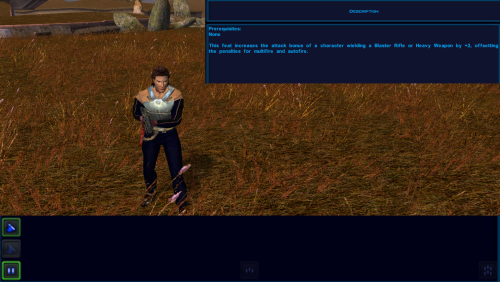 Heartbeat scripts (and most if not all scripts) are not executed while you are in a menu.
 -
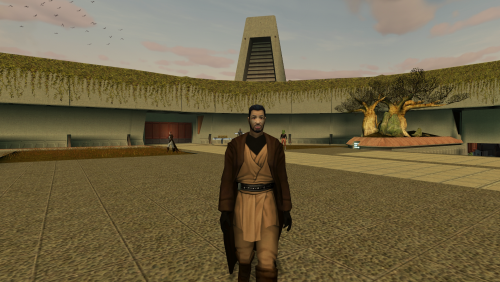 Could you provide a screenshot or video showing the issue?
 -
The _recom value is a priority, not a level number. So if you set it to 11, there are 10 other feats the system will recommend first.
- 230 replies
-
- 1
-

-
- tslrcm 1.8.6
- tsl
- (and 4 more)
-
Both mods have brown and brown-red-blue options so not sure I follow.
