Quanon
-
Posts
482 -
Joined
-
Last visited
-
Days Won
33
Content Type
Profiles
Forums
Blogs
Forum & Tracker Requests
Downloads
Gallery
Store
Events
Everything posted by Quanon
-
Yes, AuroraDLights work, but only 3 at a time will light up. When Kaurora didn't handle lightmaps I did a few tests with the AuroraDlights. You can add a lot of them, but as mentioned above. Only 3 will work, depending you walk closer of further away, plus the orientation of the game camera, lights will switch on and off. I would guess the function of these lights is to add a little extra flavour on some parts of your model. Or animate them to blink or pulse, again more as a detail, then say to do the proper lighting of a whole area. On the walkmesh splitting: I could write up a more in depth tutorial or explanation on the subject. The benefit of splitting up the walkmesh is you can say what the game engine has to render, depending on which part the PC character is standing. This is very usefull when working with emitters for example. These can really slow down the framerate of the game. But by using the .vis file in addition with splitting the walkmesh into bits, you can avoid this. It's not a very difficult thing to do actually. You just need to keep track of which area part is Nr 0, 1, 2, 3 ,4 and how they link up. Yes it starts counting from 0. Not 1. Again; this all depends on how your area looks like ofcourse.
-
 Congrats on a great looking mod. It looks incredible, just takes the game to another level. Very glad I could help you out on some of the smaller parts. It makes the mod something very special, when I see the whole community helped out! Great work everyone!
 -
And the wine gets mentioned in some of the dialogue with Sith recruits, who throw a party
-
I did finish some places! Lovely mod idea btw!
-
 So that would mean we can build on top of it; but not change anything he created? Played around a bit, you'll be looking at 850.000+ polyies: All credit goes to the people who added their models on Sci-Fi 3D.
 -
No problemo; I'll look into it. And I'll PM you when I get more news on this EDIT: Been going through these building models and they're super quality. But a bit poly heavy I fear. The more complex building have between 25000 to 35000 polyies. To put it in perspective; most of my own build areas have between 25000 to 40000 polyies. So I'll need to make lower poly versions to use in the game, which will take some time, but I now have good examples of how to build them.
-
Yes, that would help a ton, LOL. Though I would have to look at the models, see if they aren't too high poly. But it certainly would be useful for the landing and take off sequences
-
Black Texture - Northern Apartments Taris
Quanon replied to Jorak Uln's topic in General Kotor/TSL Modding
Was wondering the same, you can vaguely see some sort of "bump" effect? I would guess you have no idea how that texture is named Jorak? -
Have a few new model scripts and bits that help in 3Ds Max. Actually read through a nice tutorial on how to create a big uber city ala Coruscant. Of course doing the take off and landing, we need to have a story board, with all the shots. Just to get what is needed and seen in each shot. Thinking on all the layers involved, background skybox, far off traffic, traffic that's a bit closer. Other ships landing and going... Lots of stuff to keep track off. But doable if it's cut up properly for rendering. It would still take loads of time though, no escaping that Guess I'll have to go and hunt down some tutorials on how to do composites in After Effects. Need them anyway for another mod.
-
Did someone mention neon birght trees!!! Here's a first quick and dirty test run, Jorak It's just the tree for now, it doesn't has its pedestal or holo projector thingy. All in all I like what I got from this test. PM me and we can discuss it further. Don't want to hijack your thread to much
-
Suffering from insomnia... Not helping to be creative :'-(
-
Frustrating; Kaurora 13 crashes, no emitter fun for some reason. And older version of Kaurora don't work on Win10 :- /
-
I've got my assets on my PC, no worries there I'm already getting better results for the lightmaps, I'm making sure the big ships and some of the filler objects, like the crates, get their own separate lightmap. It gives far better results, the ships are a real pain in the behind. Ebon Hawk is a model imported from the game, though you can't really tell which data remains within the mesh. The displacement is an obvious one, old X Y Z coords can be really stubborn in 3DS Max to get rid of. Though the most easiest way is to just edit the ASCII file you get after exporting. The lightmap UVW madness, is something I struggle to get corrected, certainly on these meshes out of the game. They cause major havoc all the time. But taking it step by step often is the best way, too much in one goes wrong like 99% of the time. But sometimes you just get lucky and it works like a charm.
-
When modding goes wrong... You get a good laugh once in awhile Of late I've been revisiting some old areas I made for a mod. I've been adding fresh new walkmeshes, lots of woes, bastards and best of all Lightmaps to further improve the looks fo things. But going back through these old models wasn't all that easy. Some of the original 3DS Max files are lost or I saved the wrong versions. >_< So that means redoing more then you think you would have to do, hahaha, but it pays off in the end. But here's some nice shots when things go wrong; lightmaps are there for all the models, though some of them are... uh, not quite right Famous problem; TO HELL WITH YOUR UVWmaps! SCREW YOU ROTATION! I hope this force field has a return policy.... It has an animation, which makes it even more "wonky" looking. Atton piloting skills at his best: CRASH AND BURN!!! AAAAHHH! Well, at least the game didn't crash on loading
-
Hey, Could anyone tell how to get the right angle in degrees from, what I think are Vector coords? It's to setup a emitter, I've found the parameters in another area model, but I've got NO clue how the emitters: pitch, yawn and roll thingy is. Does that make sense? But 3Ds Max works in degrees. So I need to convert these numbers. I've googled and found handy calculators, but I don't understand them all that well... Math is one of the things Quanon sucks at sadly o_O Here's what I got: Pos X: -26.7609 Pos Y: 45.0396 Pos Z: -70,7704 Orientation X: 0.4982017 Orientation Y: 0.4930216 Orientation Z: 0.5025856 Orientation W: 0.5060952 Or am I that stupid and already looking at degrees for an angle? It's the W that throws me a bit off.
-
At last victory! A working walkmesh! Step by step build it up and now works like a charm!
- Show previous comments 6 more
-

-
I have 4 pillars, with 4 ramps surrounding a platform. So I had to make sure the player can't go through these pillars.
I added walls and made them NON-walkable. The walkmesh has 2O materials you can choose from: Dirt, Stone, Metal... Water.
It was because of this NON-walk material I had this odd behaviour. I switched the walls back to Metal and only minor correction on some edges did the trick.
But I did everything step by step, to see when and where I got faults in...
-

-
Another lost battle with the walkmesh, no matter what I try it refuses to work ingame. I'll stop worrying about it, Lighmaps are priorty.
-
walkmesh keeps being annoying. It either crashes Kaurora or it has faults ingame...
-
Lightmaps working, but the area model is upside down somehow x-s
-
Working hard on lightmaps. Alas, the export script sets it value 'null'. Not good >_
-
Finished another 5hours render run. 60so frames done. 5min20sec averge for a frame. Oh boy.
-
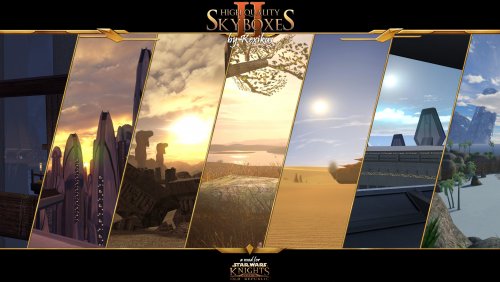
Stunning work Kexikus! Going to use OMG here! Do you have linky you can send to that specific tutorial? I see some awesome possibilties here! Moving storm clouds on the ravaged world of Malachor, moving mist layers... The sea, waves moving on Manaan... A very slow sunset on Korriban... Not sure ofcourse if it's possible, but this could reall 100X times improve atmosphere on most planets Very creative thinking! Hands down, think a new modding god just stood up
-
Wooot, great stuff! Looks sweeeeet! Glad to have helped!