



Quanon
-
Posts
482 -
Joined
-
Last visited
-
Days Won
33
Content Type
Profiles
Forums
Blogs
Forum & Tracker Requests
Downloads
Gallery
Store
Events
Everything posted by Quanon
-
That's okay with me. That way it's easier for folks to find No problem, to each his own. There are many reskins out there for the party members and all of them are different.
-
Work continues on Mission, tweaked little stuff here and there. I also started work on another Twi'lek; I run in to these to often in K1 and they just look so, pixelated mess. There's 2 more of these skins, but first the classic red and green. Also considering to do Canderis next. I like using him in my party as my gun slinger, while I team up with Bastila, and saber bash all oppesition Plus, he's a male character and has hair, which should be a nice challenge. It's tempting to say I'll do the whole party for K1, but then I might get bogged down. Knowing myself
-
I have an AMD card in my system. I've tried out Fraps, it's okay, to take a few screenshots, but the video stuff doesn't really work that well with a program like 3Ds Max. Camstudio really sucks up my CPU power somehow. And I have very decent system specs; unless ofcourse this video capturing business is taxing? So Bandicam, I'll look into it, might buy it. Just 10mins? And watermarks, bléh Thanks for the tips though @Kexikus: PM me about the export part?
-
Hahaha, ok, I should be able to get that sorted. Her brow's are now a bit lower on her head. That's due to the pictures of the model I used. But with some further tweaking I should get another, perhaps, more satisfying result. Yes, her teeth and tongue share the same spot on her texture. The tongue is super tiny speck on the UVmap. The inside of her mouth is also bit sloppy, I'll do my best to get that sorted in a next update And, yes, I get the "No file selected" thing. Is it to big?
-
I've trying out some little video recording tools, though I'm not really sure what are the best free software out there to do this sort of thing. The one I've got now, CamStudio, is a bit sluggish on my system. So open for suggestions on that and I'll create some new tutorials, both written and vids, which I'll upload to my youtube channel. To quickly anwser your question: Extract both the MDL and MDX file for your chosen model. Run MDLops, pick the game the model is from. Then hit the Read and Write button. This will create an ASCII version of your model. Then start up Gmax, with NWmax installed. In the NWmax, panel, mostly this located on your left side of the interface. Look for the tab: MDL loading. Hit the button BROWSE. Track down that ASCII file! Then click on IMPORT button. Hold on thight; depending what model you're importing it make take a few seconds to a minute Voila, you should now have your model in Gmax. You can add all sorts of modifiers and mess around with the thing. Note that around your model is this bright green square! That's the Aurorabase; you can select that. On your rightside of the interface, you can find the options on what the Aurorabase does. One of it's main features is, yes; look for it! Exporting! You can setup a path of your own choosing to where you want this new model to be exported. Again it will be an ASCII file. Which means you'll need MDLops again to "bake" it to a proper MDL and MDX format the game uses. Very quick and dirty, but that's the gist of it
-
After a frantic week of modding, it's done! I can now publish my new made reskin pack for Mission Vao. I remade all her body textures and her head ofcourse. All of them are now 2048x2048 in size. So there's a bit more detail on them. I kept the same look for her, no odd color changes, she keeps her "vanilla" look. Just in better quality! Download link: NEXUS or MediaFire No deadlystream release just yet, file refuses to upload... ++++++++++++++++++++++++++++++++++++++++++++++++ + INSTALL + ++++++++++++++++++++++++++++++++++++++++++++++++ Copy all the TGA files to your Override folder. That's it! ++++++++++++++++++++++++++++++++++++++++++++++++ Minor preview in game: Renders from 3ds Max:
-
No, not really, just updating the skin. I haven't changed the model There have been a lot of nice reskin packs out there for the regular armors/ robes, skyboxes and areas in general. I just couldn't find a party reskin to my liking. Not that they are bad, just not my taste or that matches better with the "new" look you can give the game. If you install a few it can all start to look a bit cluttered. EDIT: Did a last push for today: getting close to be done. Close up of the face with finished tentacles Clothing; just need to do the small pouches on the front of her jacket. And that armband on her rightarm, just doesn't fit. It's ugly as hell, now that I look at it again. Ingame test: I did a dialogue with her, but that didn't get on a screenshot? I also noticed her teeth and tongue are blue Another little tweak I need to get done.
-
Back with another update: Another afternoon spend on getting all of Missions skins done. Her regular clothes have had some work done: boots, pants and her jacket are being worked on. The skin for her arm and gloves have had some work done to. I just need to set the color of the skin to blue. At the moment it's a nice pinky human flesh tone. Perhaps not healthy looking for a Twi'lek Quick little shot:
-
What fun! Being at home for a few extra days, instead of work. I can continue on with my modding project. I've started to add in more details on the clothes. Nothing overly special. Just a small splash of extra color. And her shoes/ slippers? Are almost done, just the underside is in need of replacement. I'll then switch back to the skin. Doing these little preview renders, I'm wondering how much I can hide the seams of the UVmap. Right now they're a little exposed I think. The shoulder/ arms and hips/ thighs are going to be the hardest part. Not sure if I can get that really fixed. Looking at the old skin, they made her underpants and top a little longer, so it "hides" the seems. Another "not sure what to do" are her Lekku/ tentacles? Is it only on older Twi'lek that they are more "gnarly", rimples and dimples? Should I keep them smooth? At in a an extra color? Any suggestion on what the canon/ lore is on these. Anyway, another preview of things so far:
-
I've started to add them back in, though it's very subtle at the moment. Perhaps a bit too faint. It's tricky to know how much is needed. Painting and looking at it in Photoshop is different than in the game. But then again, the game does have some close ups in the dialogues. Do appreciate the comments Luckily, I've got various versions and many layers. I can do a small set (more natural, more make-up, lots of freckles, less... zombie style ) and let the people choose which face to use. Anyway, here's how things stand so far! I got the face and body to match as close as possible. Also started to add back her underwear. Keeping the classic look. Grey sport top and undies. I can go back and do a different take on it, but first the classic game look.
-
Today, had a bit of fun stitching all these parts together. I used various photos and body parts from a model, to get to this. It's not perfect; I might have to dabble with hand painting the elbow, kneejoints myself. A photo will never 100% match. The other bits work OK. I just need to get the color from the body to match with the head. The layer options I used on the head don't really work out on the body. Which I failed to do, it's sort of close, but still too different for my tastes. I'll have to do some research on the subject. And no fear, she'll be wearing more then what is now on display.
-
Yeah, I got it fixed. The double eyebrow thing is gone aswell, I switched on the wrong layer Minor clean up work required, the eyeliner is a bit heavy, the lips don't match just right yet. Then I need to decide to get that "gloss" on her cheecks back, or go for a more make-up effect.
-
Well, Been awhile since I posted anything in here. I've not been too lazy... well a bit, to be honest. I haven't done much work for my own mods, just helping out a few fellow modders here and there. Slowly, yes, I'm very content people have the patience to deal with me. A slug on sleeping pills goes faster. Still; I felt an itch, after playing around with other peoples skins (sounds sick), check my album for those; CLICK BAIT. I just had to have a go at it myself again. After playing around with the Twi'leks in 3Ds Max and a short play session in Kotor, another playthrough in the running, it was obvious Mission needed attention. So after 4~5 hours of labour here's what I have. Did some hunting on the internet for fleshy skins and portraits. Lovely model, named Adele/ Agness is now Mission Vao. Glorious. It did take me some time to get the blue tint back. Much going back and forth. There's still some work to be done, you'll see in the renders she has two pair of eyes and eyebrows. I didn't use the UVWmap overlay, I'll need to fix that. Then giving here outfits a redo as well. Then matching it to the head skin Skin is 2048x2048 at the moment.
-
Well, to be honest, it would be a mod that is just funny and not really seriously intended to keep for the rest of the game. And true, replacing GOTOs voice is I think just impossible, I've no idea, how many spoken lines he has. But since, he's a party member, I bet it's a TON of them. Thanks for the link though. I started a new playthrough for both the games ^^
-

From the album: Quanons Pictures.
I really like the Trandoshans. Badtempered lizards. -

From the album: Quanons Pictures.
Dance with the dead: Out of body... It fits -

From the album: Quanons Pictures.
Still no pants; he'll need sunglasses instead though. I've overdone the glow effect a bit hard. -

From the album: Quanons Pictures.
Glorious no PANTS toydarian enjoying life. -
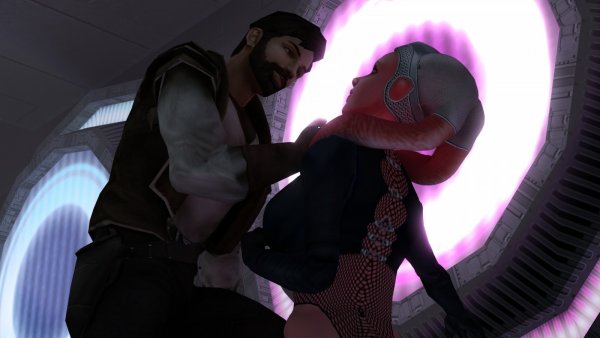
From the album: Quanons Pictures.
That's why Atton was so keen to get back! -
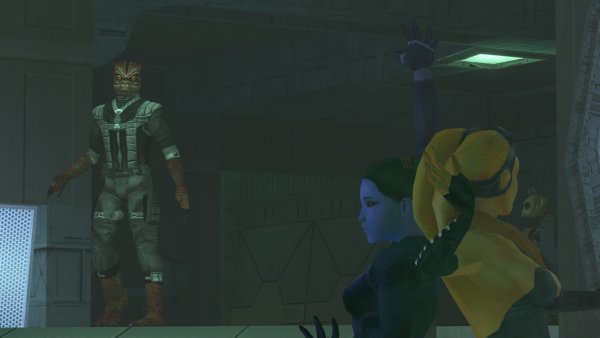
From the album: Quanons Pictures.
Predator is lurking. "I'm a m*'3'~Fracking T-Rex!" -
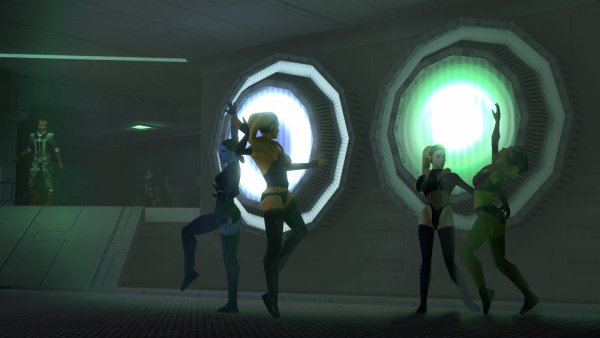
From the album: Quanons Pictures.
Volumetric light testing in a Nar Shaddaa club. -
Lol Actually I was thinking about replacing the droid with the toydarian; see what it gives. And replace his voice with Fassas/ Wattos? from Ep1. It would match well, GOTO bitches all the time on the Exile. Fassa does so to on Anniken. To bad we can't give'em a big gun of sorts.


