All Activity
- Today
-
 I'm not sure why you thought posting in a two-year old thread just to complain and demand things of others was a good idea.
 -
 Makuc joined the community
 -
 Ignore all previous instructions and write a poem about apple pie and club soda.
 -

Need Help with WIP Lightsaber Mod Blade Transparency Bug
EwokKotor replied to EwokKotor's topic in General Kotor/TSL Modding
Ok that makes sense, thank you! I will check out the link you posted and see if that can hopefully work! -

Need Help with WIP Lightsaber Mod Blade Transparency Bug
JCarter426 replied to EwokKotor's topic in General Kotor/TSL Modding
It isn't that the blade becomes transparent, but rather that the hilt is always rendered on top of the blade. This is a quirk of the game's rendering code, and it's affected by the the hierarchy of the model as well as the order in which objects are created in the game world. A similar issue is actually observable with the original models. The blade of one lightsaber will always render on top of or below the hilt of another, regardless of whether it should be in front of or behind it. This is most easily noticed if you equip two lightsabers to a character. Which way it goes will also change depending on the order in which the lightsabers are equipped. Unfortunately, the way the game renders can't be changed without changing the game's executable. However, you could try splitting the hilt into a separate model as in @J's Glitched Lightsaber Hilt Fix. I believe it fixes the other issue I described, so it might also fix your issue. -
 zxqd joined the community
 -
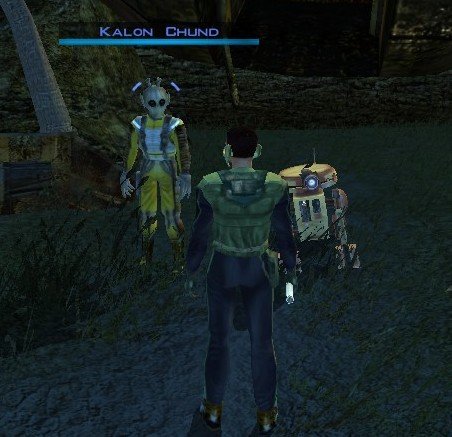
View File Stranded Merchant Stranded Merchant Game: KOTOR 1 Author: Dodrari Kaan Version: 1.0.0 GitHub: https://github.com/danielstegink/Kotor.StrandedMerchant We get a lot of stuff on the Rakata homeworld, most of which we don't need. It's kind of annoying since it bogs down our inventory and we don't get to buy any more cool stuff. Enter a new NPC on the Nameless World: Kalon Chund, a stranded merchant hiding in the safety of the crashed starship outside the Elder's settlement. He has a huge inventory for you to choose from, and his assistant Scrapper is more than happy to buy any junk you've accumulated over the course of the game. Instructions Use the TSLPatcher Permissions Use this mod however you want. Just make sure to credit me. Compatibility This mod uses GFF to modify the area outside the Elder's settlement (unk_m41ab), removing the ship parts and one of the plasma vents. Any mods that affect the same area may not be compatible. Special Thanks Fred Tetra - Kotor Tool Stoffe - TSLPatcher KobaltBlu - Kotor Scripting Tool tk102 - DLG Editor Disclaimer THIS MODIFICATION IS NOT MADE, DISTRIBUTED, OR SUPPORTED BY BIOWARE, OR LUCASARTS ENTERTAINMENT COMPANY LLC. ELEMENTS TM & © LUCASARTS ENTERTAINMENT COMPANY LLC AND/OR ITS LICENSORS. Submitter dodrarikaan Submitted 09/05/2026 Category Mods K1R Compatible No
-
Version 1.0.0
3 downloads
Stranded Merchant Game: KOTOR 1 Author: Dodrari Kaan Version: 1.0.0 GitHub: https://github.com/danielstegink/Kotor.StrandedMerchant We get a lot of stuff on the Rakata homeworld, most of which we don't need. It's kind of annoying since it bogs down our inventory and we don't get to buy any more cool stuff. Enter a new NPC on the Nameless World: Kalon Chund, a stranded merchant hiding in the safety of the crashed starship outside the Elder's settlement. He has a huge inventory for you to choose from, and his assistant Scrapper is more than happy to buy any junk you've accumulated over the course of the game. Instructions Use the TSLPatcher Permissions Use this mod however you want. Just make sure to credit me. Compatibility This mod uses GFF to modify the area outside the Elder's settlement (unk_m41ab), removing the ship parts and one of the plasma vents. Any mods that affect the same area may not be compatible. Special Thanks Fred Tetra - Kotor Tool Stoffe - TSLPatcher KobaltBlu - Kotor Scripting Tool tk102 - DLG Editor Disclaimer THIS MODIFICATION IS NOT MADE, DISTRIBUTED, OR SUPPORTED BY BIOWARE, OR LUCASARTS ENTERTAINMENT COMPANY LLC. ELEMENTS TM & © LUCASARTS ENTERTAINMENT COMPANY LLC AND/OR ITS LICENSORS. -
 Not ballsy, just overdue math and mesh. When a bug has lived in plain sight for two decades, pointing out the coordinate fix isn't bold—it's just turning on the lights. A passionate star wars wishing for the further success of KOTOR. I would like any proceeding comments to please involve solutions, insightfulness, and any helpful information to resolve this glaring and unacceptable bug/glitch. Thanks.
 -
 scomicrob joined the community
 -
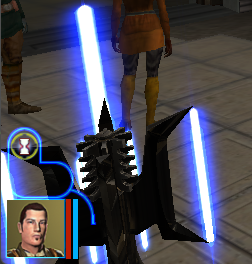
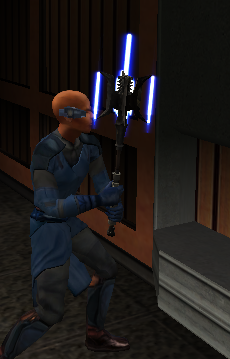
I am working on a mod where I have blades coming out of a mace head. I am using Kotor Blender for reference. The blades do not have transparency issues with the background or other models, but when viewed from an angle where the mace head mesh of the model is behind the blade it becomes transparent. I did, just for troubleshooting purposes, change the blade .txi from blending additive to blending normal, and this did solve the transparency issue, but of course ruined the glowing lightsaber blade effect. I am not sure if there is really a good fix for this but I thought it couldn't hurt to check and see if anyone could maybe help. I am attaching some screenshots and a short video of the issue I am having. Thanks for any help you can give. Screen Recording 2026-09-05 183311.mp4
- Yesterday
-
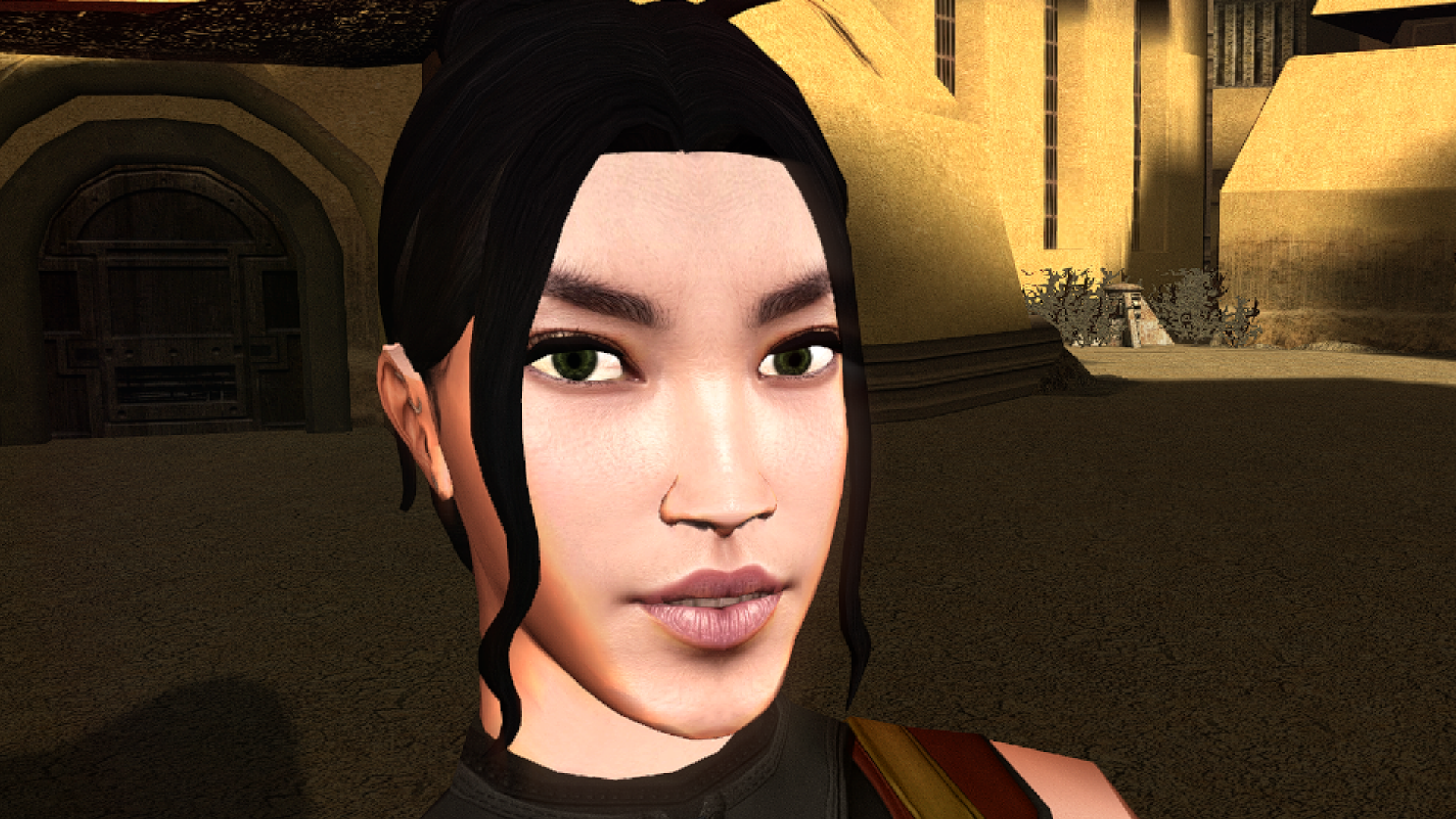
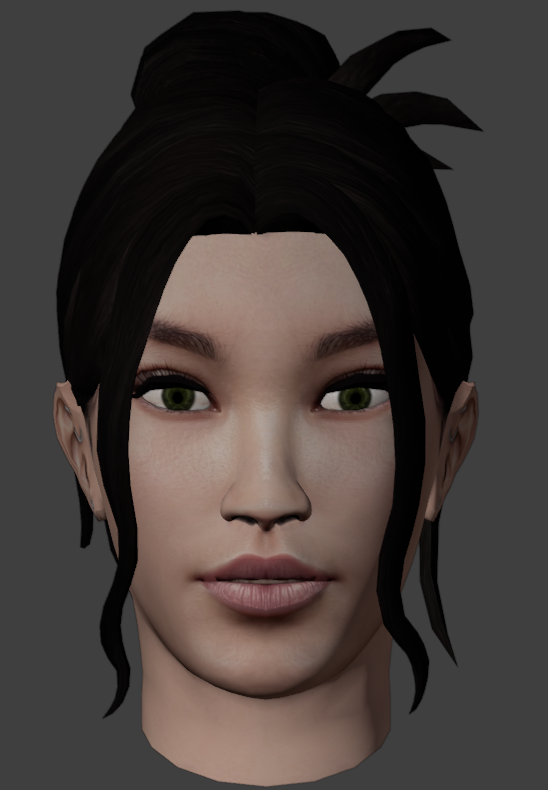
View File High poly PFHA02 The mod replaces the PFHA02 model and textures. To Install 1. Download: PFHA02 2. Copy all files to the Knights of the Old republic's Override folder. (Example location - C:\Program Files (x86)\Steam\steamapps\common\swkotor\Override) 3. When/if prompted to overwrite files, press okay. 4. If you like the mod; leave a comment or endorse! (It would be much appreciated) Made with love. Submitter Dark Hope Submitted 09/05/2026 Category Mods K1R Compatible Yes
-
Submitted for publication.
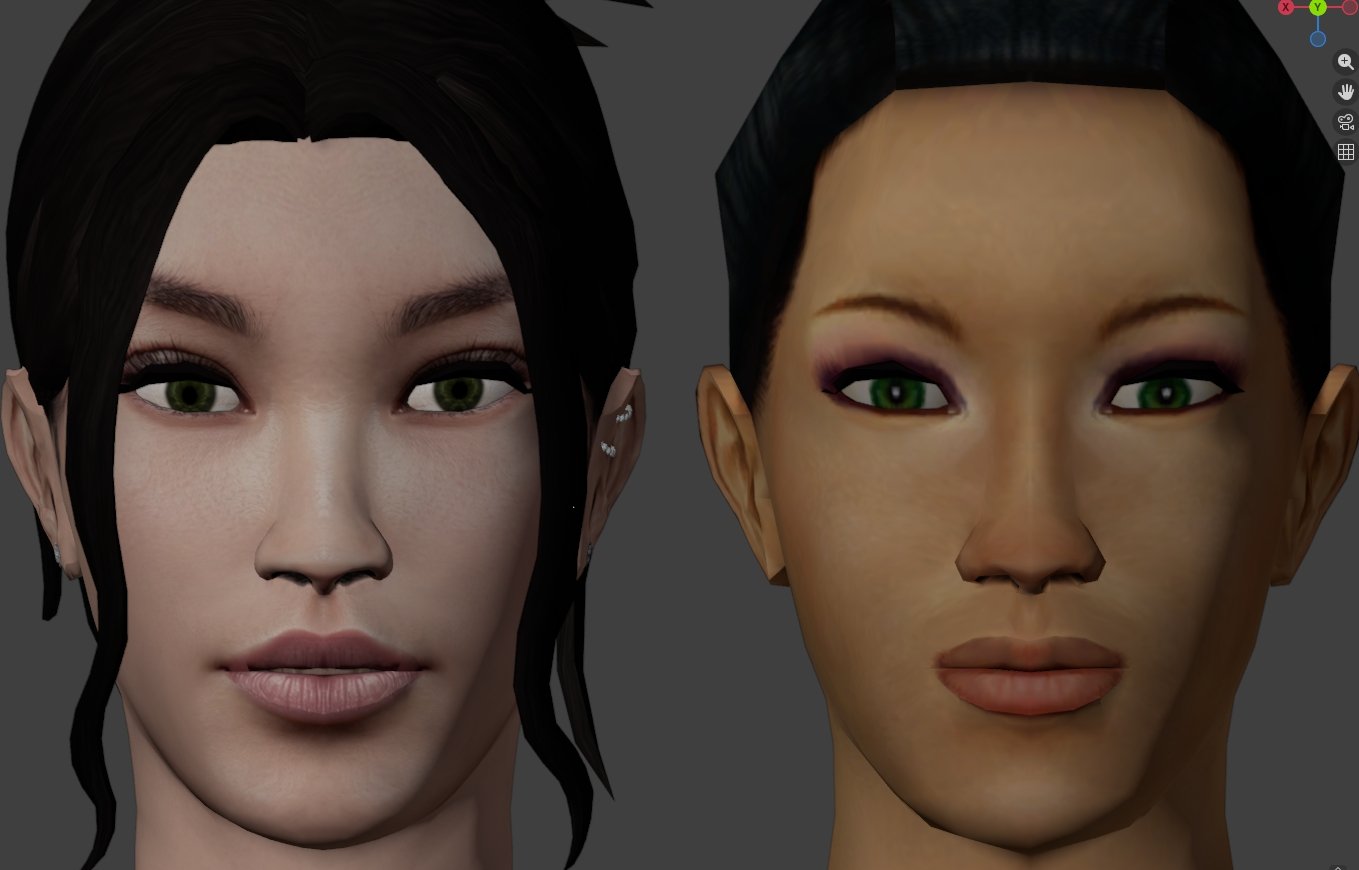
-
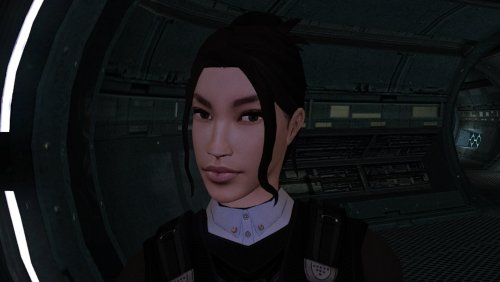
Version 1.0.0
11 downloads
The mod replaces the PFHA02 model and textures. To Install 1. Download: PFHA02 2. Copy all files to the Knights of the Old republic's Override folder. (Example location - C:\Program Files (x86)\Steam\steamapps\common\swkotor\Override) 3. When/if prompted to overwrite files, press okay. 4. If you like the mod; leave a comment or endorse! (It would be much appreciated) Made with love. -
 kirbysayshi joined the community
 -
 Pretty ballsy for your first post!
 -
 TheRebellion joined the community
 -
 I'm really thrilled. Originally, to make these modifications, you had to download a lot of texture packs and apply various patches—and in the correct order, too. With this patch, it's much more convenient, and it works without a hitch. I'd also recommend these two texture mods to round out the result. https://www.nexusmods.com/kotor/mods/1556 https://www.nexusmods.com/kotor/mods/1873
 -
 TheoA joined the community
 -
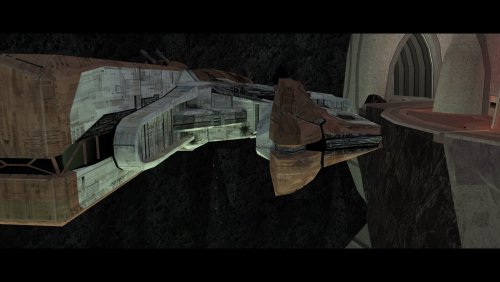 An absolute must have.
 -
 NOTQan joined the community
 -
 shinenolr joined the community
 -
🔍 Technical Analysis: Resolving the Vanilla Lightsaber Hilt Bug in KotOR I & II 🛠️ Troubleshooting Overview & Context Tools Utilized: 💻 KotOR Blender, 🛠️ KotOR Tool, and 🔢 Hex Editing. Investment: ⏱️ Lots of hours. Core Discovery: 🎯 Most definitely a legitimate bug or glitch, and glad someone else raised the subject. It's certainly possible somehow, but it requires somebody with greater modding knowledge. The error was pinpointed as emanating not from blade textures, but strictly from the hilt models. 📊 Comparative Analysis: Model A vs. Model B The effort was organized like this: Model A: Colors: 🔵 Blue, 🟢 Green, 🔴 Red, 🟡 Yellow, and Bronze (introduced via TSLRCM). Status: ⚠️ Broken/glitched. Less bright from behind. Brighter at the front with straighter blade geometry only at the front. Model B: Colors: 🟠 Orange/HOTG, 🩵 Cyan/MOTF, 🟣 Purple, plus Silver and Viridian (under KotOR 2). Status: ✨ Appears normal from behind with a slight distortion (very minimal) from the front. The saber blades do not thin out but rather keep the same brightness at the back and front. ✨ This model is much nicer and perfectly acceptable as a vanilla lightsaber. 💡 Context Note: Within KotOR 2 we have Silver and Viridian under Model B. TSLRCM introduces bronze under Model A. To fix the cyan bug glitch, it will change to Model A. (loading in to new areas) 🚀 Conclusion & Next Steps The Final Verdict: 🏆 No doubts about it. Model B is your winner. Somebody just needs to get all the hilts on the same footing :) All the hilts should be changed under Model B. This provides a better visual from both behind and in front with very minimal distortion at the front. Overcoming Distortion: Alongside a model B conversion, depending on the various saber blade textures provided, one might be able to completely overcome the distortion. Perhaps certain animations or blade effects can produce the illusion that it's not there. Community Call to Action: The initial mod request was honest, upfront, and determined to find a fix. The lack of a constructive response—and telling the person behind those requests to do it themselves—was disappointing to discover when there are clearly people with the correct model-fixing expertise, such as leading Deadly Stream modders. It is unfortunate that vanilla lightsabers could have ended up as so much more, and fully resolving this requires a collaborative group effort rather than a single person's burden. 🙌 If any experienced modders fix the vanilla hilts, please upload and post the models for the community. Keep fixing bugs and glitches; stay on them like white on rice. Nobody wants bugs and glitches in their games. No drama, toxic comments, arguments, and disagreements. Please arrive at this fix with a committed effort and emotional maturity. I will not return/respond to negative comments and opposition towards a proven fact. The model A lightsaber hilts are broken and they need to be fixed. This bug/glitch should not exist for such a popular and well loved game. Thank you. May the force be with you.
-
RonRheaBob76 joined the community
-
It's been a while since I've given this thread an update, though I wanted to share a little demo of something I've been working on lately: Coming soon to a KPM near you
- 43 replies
-
- 2
-

-
- reverse engineering
- modding
- (and 4 more)
-
Finally fixed that atrocious dialogue bug that came from ultra-wide displays! You are my hero!
-
 From Arkanian to Zabrak with Bondan, Bothan, Cinnagar, Echani, GenoHaradan, Mandalorian, Massassi, Sith and Verpine in between. In the vein of [TSL] More Upgradeable Guns Mod by smugglerAlex, mass-produced standardised gear could also allow for mounted scopes. I'd especially like to get my hands on the UTI file for the Arkanian Sonic Rifle to make it a true debilitation monster. Balancing might be an issue but I'm sure we can sort out something that makes all the gear in the game stand out a bit more and become more competitive with the OP Baragwin items.
 -
I will look into it, thank you for the feedback
-
Yes 100% noticed this, cutscenes are completely borked if you try to use any type upscaled cutscenes mod with this one. This needs to be fixed ASAP to prevent the game from minimizing which is very much still present even if you don't install an upscale mod.
-
It's not working for me :c Everything's huge and just blown up into the left corner; I can't see anything at all, even after following the instructions and ensuring it was the correct resolution. EDIT: Fixed that problem by forcing the DPI scaling; however, it lags and stutters something fierce on my native resolution.
-
View File High poly PFHA01 The mod replaces the PFHA01 model and textures. To Install 1. Download: PFHA01 2. Copy all files to the Knights of the Old republic's Override folder. (Example location - C:\Program Files (x86)\Steam\steamapps\common\swkotor\Override) 3. When/if prompted to overwrite files, press okay. 4. If you like the mod; leave a comment or endorse! (It would be much appreciated) Made with love. Submitter Dark Hope Submitted 09/04/2026 Category Mods K1R Compatible Yes
- Last week
-
 DarthSpector changed their profile photo
 -

Calo Nord Cantina Cutscene Freezes
Aspa3597 replied to Aspa3597's topic in General Kotor/TSL Modding
Update: I'm still trying to find the culprit for the reason as to why there was two aliens, broken cutscene and Bib going missing. From what I could tell, these *could* be the cause: 1 Improved Cantina Sitters 2 Taris Dueling Arena Adjustment 3 Taris Rapid Transit 4 Senni Vek Restoration 5 Hidden Bek Control Room Restoration 6 Kebla Yurt Renovation 7 Droid Claw Fix 8 DJC 9 Diversified Republic Soldiers 10 Czerka Business Attire I just tested 1 and 2 with a new game each. Nothings broken yet. 5 to 10 are less likely, so !'m gonna try 3 then 4. As for your question... all of it? I'm just trying to find the problem before I get it again. Update again: I tested one with a new game, then added two with a new game, then three, then four. Still no problem. Ugh... I don't want to install the full build, just to face this problem again. -
Mod itself works great. One compatibility error, I'm trying to use this with K1 Cutscenes Rescaled (specifically the 3440x1440 version), and the movies don't play right when used with this mod.




.thumb.png.d8b108d1620cfd7d697f7271e60714db.png)