All Activity
- Past hour
-
 cheesymichael joined the community
 - Today
-
View File Vanilla FX HD Vanilla FX HD upscales the all the original KOTOR FX textures using Topaz Gigapixel x4. Main features Upscaled all (96) FX textures using Topaz Gigapixel x4. Keeps the original vanilla look and style. Improves the clarity of visual effects without changing the overall art direction. Requirements No special requirements. A working KOTOR installation is required. Installation instructions Extract the mod. Place the included files into your Override folder. If prompted to replace files, choose yes. Submitter Saul0097 Submitted 08/06/2026 Category Mods TSLRCM Compatible Yes
-
 NullFX joined the community
 -
This is a more accurate description # K1SE — KOTOR Script Extender Okay, this one's been a long time coming. K1SE lets your KOTOR 1 scripts do things the base game flat-out refused to allow. If you've ever stared at NWScript wondering why you couldn't just hand a character a feat and have it *stick*, welcome aboard. ## The good stuff **Permanently grant or remove feats.** This is the headline. You write a feat right onto a character and it survives saves and reloads. The base game has no way to ever remove an array feat, and K1SE gives you one. It's a one-way road by design, so mess around with it on a junk save before you trust it in a real mod. **Rewrite skills and saving throws on the fly.** Push a creature's skill ranks around, bump their Fortitude, Reflex, or Will base saves, and it all persists. **KOTOR 2 functions, running in KOTOR 1.** GetFeatAcquired, AdjustCreatureSkills, the whole Modify*SavingThrowBase family. That engine code was sitting inside K1 the entire time. K1SE just calls it. **A real data store.** String-keyed key/value storage you make up as you go, instead of wrestling with the game's handful of pre-declared globals. It lives in memory for the session. Want some integer math helpers? You've got min, max, clamp, sign, popcount, integer square root and power, and a proper Euclidean mod. Quick heads up so nobody yells at me later: KOTOR's NWScript already has bitwise operators (&, |, ^, ~, <<, >>) and sqrt/pow/abs baked right in, so the bitwise wrappers here are pure convenience. The character-writing stuff up top is the real magic. There's also a version check and a diagnostic log, so your scripts can tell whether K1SE is even installed, and so bug reports actually mean something. ## What you need KOTOR 1, the Steam version. That's the whole list. K1SE is a single binkw32.dll you drop in. No launcher, no installer wizard, none of that nonsense. ## Read this part, seriously I've only tested K1SE on the Steam build. When it starts up it fingerprints your game, and if it doesn't recognize what it's looking at, it quietly switches itself off and leaves everything alone. Your saves are safe. That's on purpose. So if you're on GOG, a disc copy, a patched exe, or a localized build, it won't run yet. It'll tell you why in the log. If that's you and you want to help, come say hi on the Discord and send that log over. That's genuinely how the supported list grows. And because it matters: the feat, skill, and saving-throw functions change characters permanently and write to your save. Test on a throwaway save first. I mean it. ## Getting it running (takes a minute) 1. Open your KOTOR folder, the one with swkotor.exe. On Steam that's right-click the game, Manage, Browse local files. 2. Find the binkw32.dll that's already there and rename it to binkw32_real.dll. 3. Drop K1SE's binkw32.dll in its place. 4. Toss kse.nss wherever your script compiler looks for includes. 5. Fire up the game. K1SE drops a log at %LOCALAPPDATA%\KSE\kse.log, and the top few lines tell you if it loaded. ## Links and help Everything (downloads, full docs, the source) is up here: https://github.com/Brotaku-Vengeant/Kotor-Script-Extender-Public- Something broken or acting weird? Post in the Discord and paste your kse.log. It tells us what happened almost instantly. I've had it running for a 7+ hour stretch under constant script hammering with zero crashing or slowdown, so go build something ridiculous with it.
-
 Dark Hope changed their profile photo
 -
 UbnarGarris joined the community
 -
 claptonish joined the community
 -
 I made a mistake and KOTOR DOES have the ability to make use of bitwise integers. There will be a new update soon.
 -
 Altharos joined the community
 -
 vitavirgl joined the community
 -
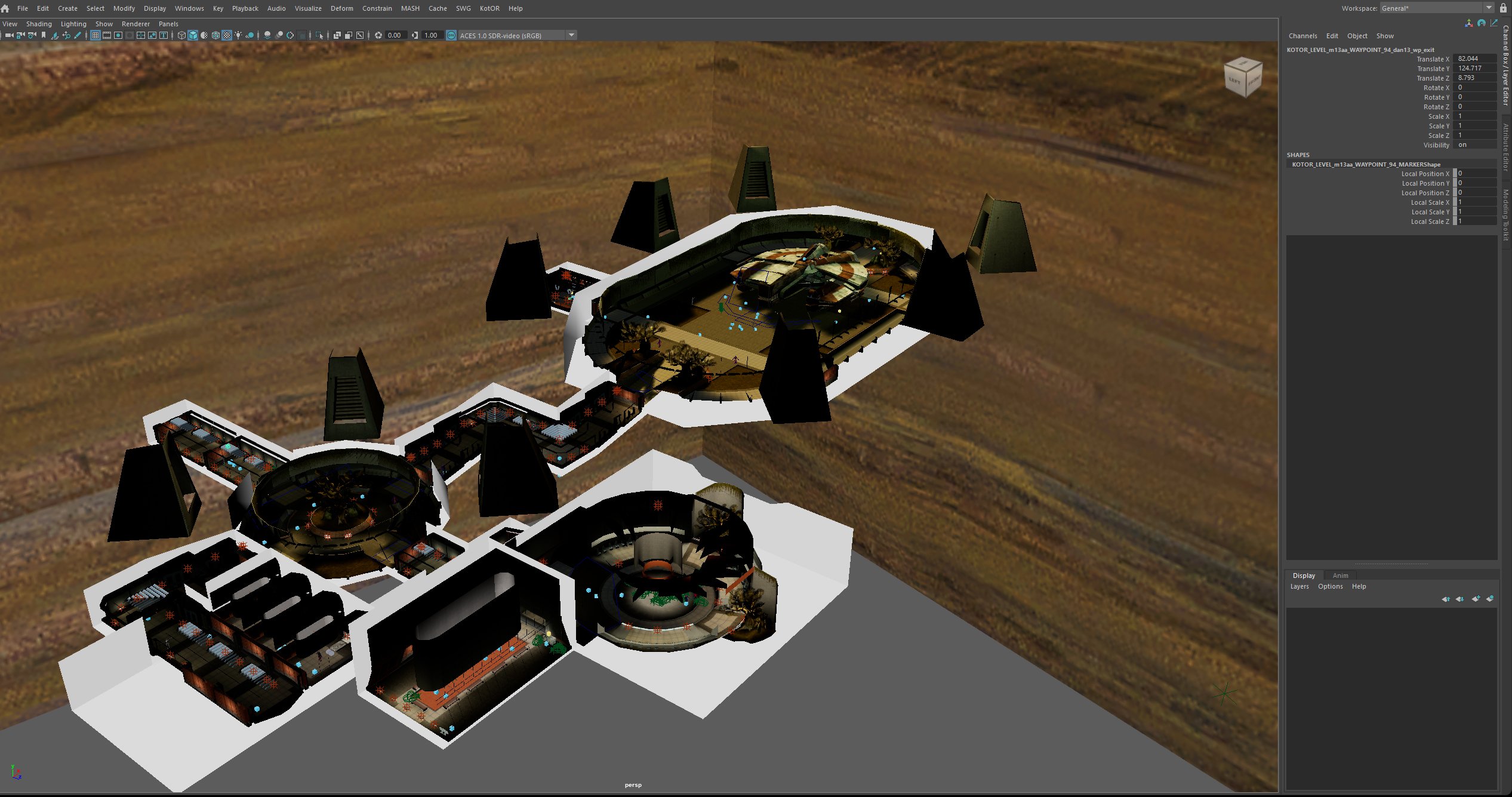
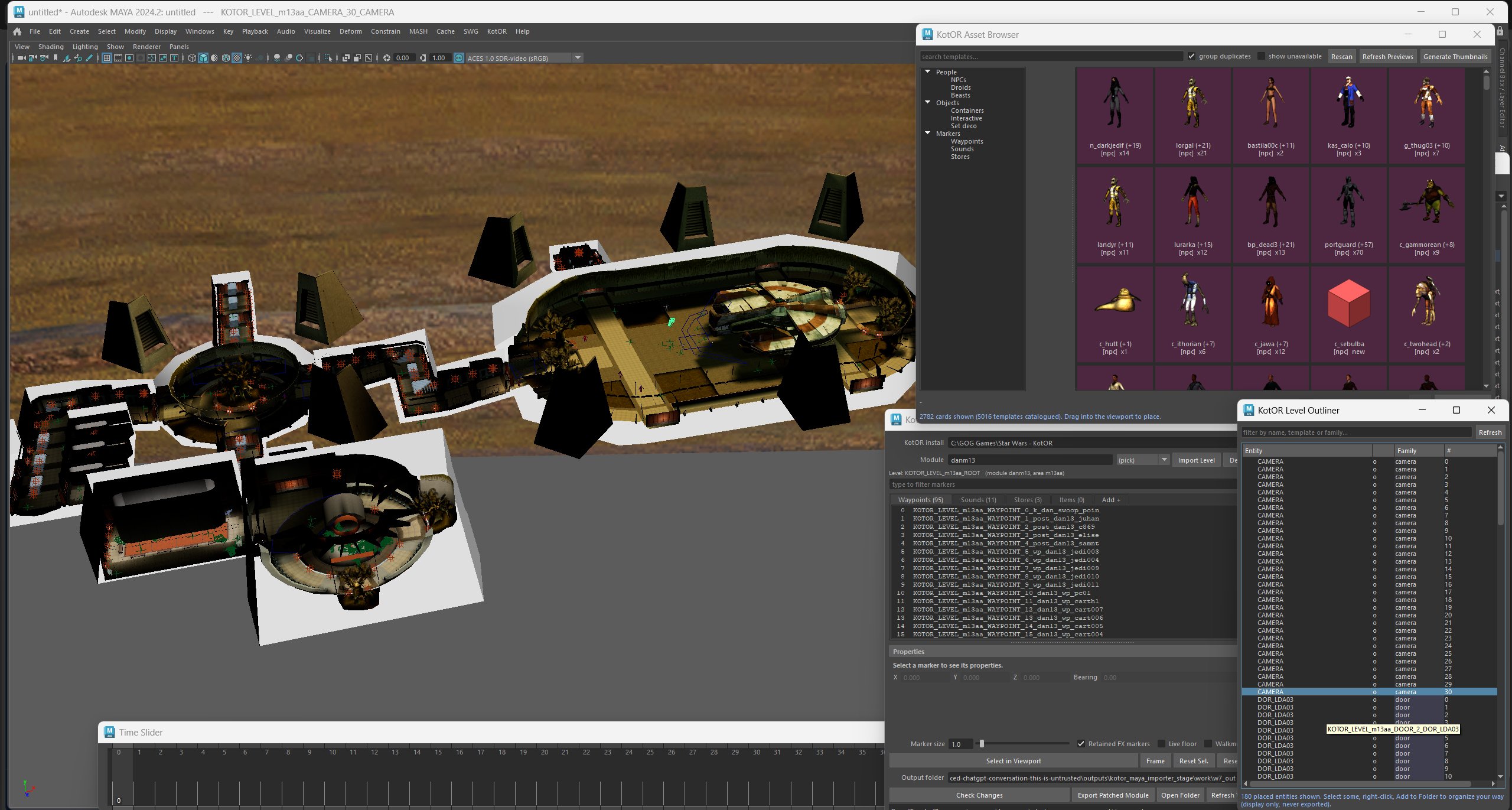
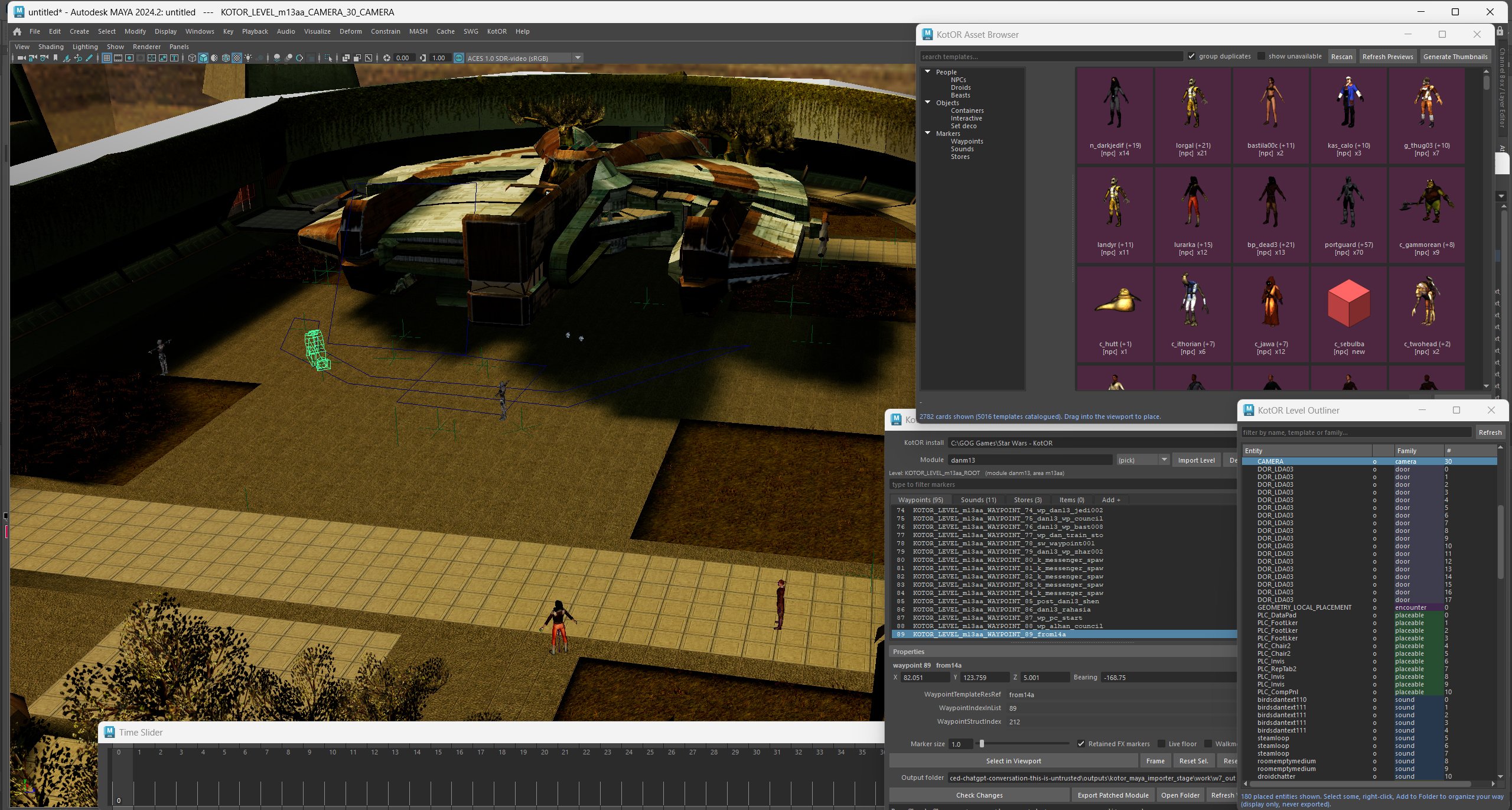
The first beta version of the Kotor Importer and Level editor has been released for both Maya 2024.2 and 2027.2 It reads your own installed copy of the game, and it never modifies your installation. Download: https://github.com/janglesworthy/KotorMayaImporter/releases/latest (pick the package for your Maya version — 2024 or 2027) What it imports Complete levels in a couple of clicks — rooms with their baked lightmaps, doors, placeables, creatures, grass, water, particle effects, lights, cameras, sounds and more. Characters — any body with a head, weapons in either hand, masks or goggles, correct game textures, skin weights and skeleton intact. NPCs, creatures and droids — browse every creature by name and import it with its full equipment, exactly as the game defines it. Props — static geometry, no invented rig. If the game itself has no authored texture for something, you still get exact geometry plus a warning naming the missing resrefs (nothing is faked). Animations — list every clip a model can play, then bake one to Maya keyframes at 30 fps and play it back. The odd corners too — the swoop/minigame maps keep their track hooks and obstacle placements, and all 20 STUNT/cinematic modules import with their no-model rooms, reference nodes and source emitters preserved. Z-up toggle — flip Maya between its own Y-up and KotOR's Z-up without rewriting your scene. Formats read directly: KEY/BIF/RIM/ERF, MDL/MDX, TPC/TGA/TXI, 2DA/TLK, LYT/VIS/WOK, IFO/ARE/GIT and the UT* template families, plus WAV and KotOR's packaged compressed audio. What it edits Placement — move waypoints, sounds, stores and ground items. Place anything from the asset library with a click-to-drop preview that snaps to the floor you clicked. Container loot — open any footlocker's loot list, add and remove items, and browse the game's entire item library by real name ("Blaster Rifle", not g_w_blstrrfl001) with descriptions pulled from the game's string table. NPC inventory and drops — give a creature items that can be looted from its remains. It works even for creatures that normally carry nothing at all. Item stats — retune Cost, StackSize and Charges on any item in a container. Template fields — a filterable form of every editable field on a template: locks, lock DCs, HP, hardness, tags, faction, creature stats. That's 53 fields on a typical container and 60 on a creature. Save as New Template — save your edited version under a new name without touching anything placed in the world. It then shows up in the asset browser as a placeable library entry, so you can build your own kit of custom chests, droids or NPCs. The tools Window What it's for Level Editor Import a module, see every placed marker as a colour-coded cube, edit placements, drop new objects, export Asset Browser The whole game's template library — 5,000+ entries with 2,400+ rendered thumbnails, search, duplicate grouping and a variant picker Level Outliner Flat searchable list of everything placed in the level, with folders for your own organisation Template Editor Tabbed editor for any asset: properties, editable fields, loot/inventory Item Browser Every item the game can resolve (566 in a stock install) with names, descriptions and editable stats KotOR entries also live inside Maya's own right-click menu, so you can right-click a chest in the viewport and jump straight to editing it. How it stays safe This was the part I cared most about, because a level editor that quietly corrupts a module is worse than no level editor. Your game install is never written to. Exports go to a folder you choose. Putting a change in the game is always a file copy you make, and undo is restoring your backup. Edits never touch shared originals. Change a footlocker's loot and the tool saves a copy of that template under a new name and points only the chest you picked at it. The other footlockers using that template in other modules are untouched — and the editor tells you up front how many placements share what you're editing. Check Changes does a dry-run export and shows you the exact bytes that would differ before you write anything. Everything is verified byte-for-byte. Every write is re-parsed and checked before it's saved, and each editing feature is gated by an independent checker that re-derives the expected bytes from the original game data: 37 checks for container loot, 42 for item stats, 19 for field edits and save-as-new-template, 39 for creature inventories. The Maya 2024 and 2027 builds are also proven to produce byte-identical output from the same inputs. Getting started Unzip anywhere. Drag install.py into the Maya viewport — you get a KotOR menu and a shelf button. KotOR > Level Editor…, point it at your game folder, type a module name (danm13 is the Dantooine enclave) and hit Import Level. There's a TUTORIAL.md in the package that walks a full first session in about 20 minutes and ends with you looting a chest you stocked yourself, inside the game. HELP.md has an FAQ and troubleshooting. uninstall.py removes everything cleanly. Known limitations (it's a beta) Being straight about these: NPCs you add to a level render in game but aren't interactive yet — no dialogue or combat. Retail NPCs, and edits you make to them, work normally. I've traced this to something engine-side at spawn registration and it's still open. Placement editing covers waypoints, sounds, stores and ground items. NPC and door placements are shown read-only for now. Item and creature names, item damage properties, scripts and dialogue aren't editable yet. Triggers, doors, encounters and cameras import and display, but have no editor page yet. KotOR 1 only, Windows only, and it needs Maya (2024 or 2027). Requirements Windows 10/11 64-bit, Autodesk Maya 2024 or 2027, and a legally installed copy of KotOR 1 (GOG, Steam or disc). No game assets are included or redistributed. Feedback very welcome — especially crashes, confusing UI, or modules that import badly. The most useful reports say what you clicked, what you expected, what happened, which module, and your Maya version. This is a fan project, not affiliated with or endorsed by Lucasfilm, Disney, BioWare, Aspyr or Autodesk.
-
 Ikarus1984 joined the community
 -
Version 1.0.0
0 downloads
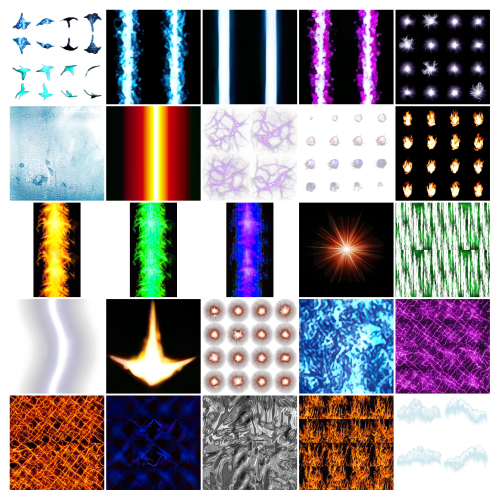
Vanilla FX HD upscales the all the original KOTOR FX textures using Topaz Gigapixel x4. Main features Upscaled all (96) FX textures using Topaz Gigapixel x4. Keeps the original vanilla look and style. Improves the clarity of visual effects without changing the overall art direction. Requirements No special requirements. A working KOTOR installation is required. Installation instructions Extract the mod. Place the included files into your Override folder. If prompted to replace files, choose yes. -
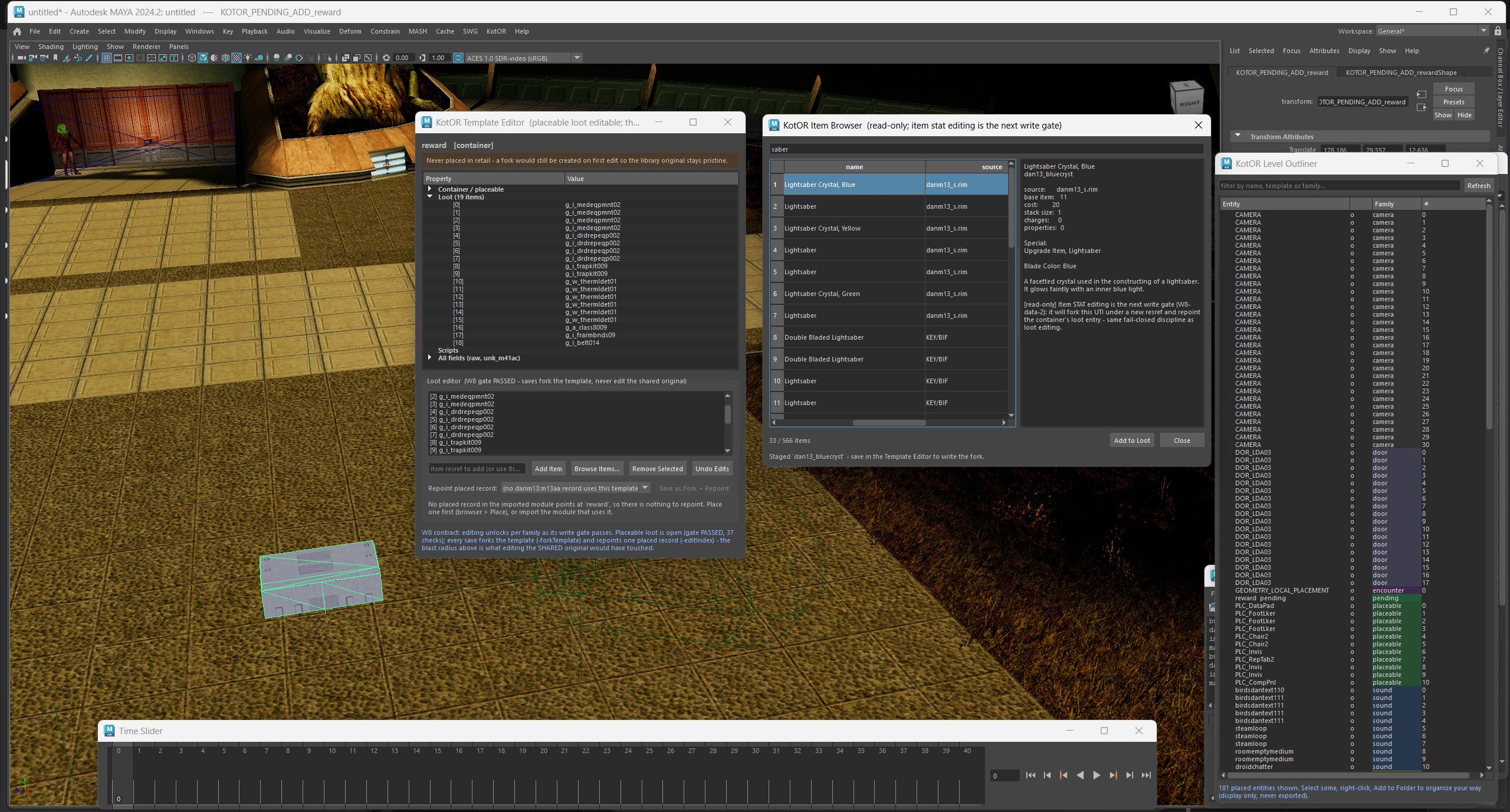
Another small update. Drag and drop into map, right click edit properties for chest, add loot, remove loot, export and play
-
 Appalachian joined the community
 -
 capcod567 joined the community
 -
 I don't have any kind of access to a computer, and winlator (what I normally use to install mods on mobile) isn't capable of launching saves of the old republic, I can't find anything online that can help me, I just want to add a crossguard saber to my game
 - Yesterday
-
View File Kotor script Extender (K1SE)kse-1.0.0.zip K1SE is a script extender for KOTOR 1, in the same tradition as SKSE, OBSE, and NWNX. It is a DLL that loads with the game and gives NWScript functions BioWare never exposed. You write ordinary scripts, compile them with your normal compiler, and add one include line. This is a tool for mod authors. It does not change anything in the game by itself. On its own it is invisible. BEFORE YOU DOWNLOAD: Steam only, and only some Steam builds Every address K1SE uses was derived from one game executable on one machine. At launch it checks your game against eleven fingerprints, and if they do not match it refuses to install and does nothing at all. GOG, retail disc, localized builds, and anything patched have never been tested. Not broken, just never looked at. That refusal is deliberate. K1SE will not run against offsets it cannot confirm, so it cannot quietly corrupt a save on a build it does not recognize. But it does mean the honest supported list right now is a single build. docs/SCOPE.md in the archive lays out exactly what the evidence base is. WHAT IT ADDS Bitwise and integer math. AND, OR, XOR, NOT, three shift variants, popcount, plus min, max, clamp, sign, Euclidean modulo, integer power, and integer square root. NWScript has no bitwise operators at all, so if you have been faking bit flags with arithmetic, that is over. A key-value store. Set and get strings or integers by string key, test existence, delete. In memory only, cleared when the game restarts, 256 entries. Useful for passing state between scripts inside a session. It is not a save system. Feats, skills, and saving throws. Grant or remove a feat, adjust skill ranks, adjust Fortitude, Reflex, and Will base saves. These write into the character and survive save and reload. Utility. A version check, a build id string, an error code you can read after a refused operation, and a logging call so you can drop your own markers into K1SE's log alongside what K1SE did. Full signatures and notes for every function are in docs/API.md. READ THIS IF YOU USE THE FEAT FUNCTIONS A granted feat is permanent. It is written into the creature's feat array and it survives saving and reloading. KOTOR has no engine path that removes an array feat, so K1SE's remover is the only one that exists, and it persists too. Treat every grant as one-way until you have tested removal inside your own mod. Test on a save you do not care about. The same applies to skills and saving throws. INSTALLATION 1. Open your KOTOR folder, the one with swkotor.exe in it. On Steam: right click the game, Manage, Browse local files. 2. Rename the existing binkw32.dll to binkw32_real.dll. 3. Copy K1SE's binkw32.dll into that folder. 4. Copy kse.nss to wherever your script compiler looks for includes. 5. Launch the game. K1SE writes a log to %LOCALAPPDATA%\KSE\kse.log and the top of it tells you whether it loaded. K1SE forwards every call to the real library, so the game behaves normally whether or not K1SE installs itself. UNINSTALLATION Delete K1SE's binkw32.dll and rename binkw32_real.dll back to binkw32.dll. That is the whole uninstall. The only other thing K1SE leaves is its log folder, which you can delete. THE THING THAT WILL CATCH YOU OUT If K1SE is not loaded, K1SE calls do not throw an error. They silently return zero. That is indistinguishable from your mod being broken. Guard every script that uses K1SE: if (KSE_GetVersion() <= 0) return; Use <= 0 and not == 0. An older K1SE returns a negative number rather than zero, and == 0 would let it through. If a K1SE script appears to do nothing, read kse.log. It is the only place that records whether K1SE loaded and, if it refused, which fingerprint failed. COMPATIBILITY Requires the binkw32.dll slot. If you already run another mod that replaces binkw32.dll, the two will conflict and you will have to pick one. KOTOR 2 is not supported and has not been tested. Stability: K1SE ran for 7 hours 10 minutes under sustained script load without crashing or degrading. That is a run length result, not a leak measurement. No leak measurement has been made. WHAT WOULD HELP MOST One read-only check on a non-Steam install. GOG, retail disc, anything that is not the build this was developed against. More testing on my own machine cannot widen the supported list, because it is the same single witness re-attesting itself. One run on a different copy of the game is the contribution that actually changes what this project covers. Come to the Discord if you are willing. PERMISSIONS MIT licensed. Use it, modify it, redistribute it, bundle it inside your own mod, commercial or not. Keep the copyright notice and license text with it. No permission request needed. SUPPORT Discord: https://discord.gg/EqR7uqQy3f Bug reports, questions, and "it will not work on my copy" all welcome. Attach your kse.log. It answers the did-it-load question in about two seconds. Submitter TheMMN Submitted 08/05/2026 Category Modder's Resources
-
View File AxC's Mira/Hanharr - Reputation Over Alignment Recreation of the idea of @muitafruita from an old thread, which I randomly stumbled upon and quite liked. As many of you know, the choice between Mira and Hanharr is locked by the Exile's alignment during the dock scene when going after Visquis. Light and neutral Exiles get Mira, while Dark Exiles are approached by Hanharr instead. Whoever approaches you first gets onto your ship later. Regardless of this, the game tracks a reputation score with the Exchange through the global variable 300NAR_Exchange_Favor, though it isn't utilized quite as well as it could be. And just as proposed by the idea's author, this mod changes the trigger conditions from being alignment-based to reputation-based. Now, if the Exchange favors you, you get Hanharr as a companion. If the Exchange disfavors you or has a mixed opinion, you get Mira instead. Sounds realistic, doesn't it? Your actual actions on Nar Shaddaa should decide, not the mystical Force-alignment no one probably knows or cares about. Notes: The mod can be installed and uninstalled at any time before you encounter Mira or Hanharr at the docks. After that, with or without the mod, your choice is sealed. TSLRCM is not required, but is always recommended. Installation: Copy following files from archive's "Override" folder to yours: a_hanharrconv.ncs; a_miraconv.ncs. Credits: muitafruita, for the original idea Fred Tetra, for KOTOR Tool TK102, for DLGEditor Torlack, stoffe & TK102, for NWNSSCOMP JdNoa & Dashus, for DeNCS Cortisol, for Holocron Toolset Submitter AxConsortium Submitted 08/05/2026 Category Mods TSLRCM Compatible Yes
-
 Borrachoburro joined the community
 -
Version 1.0.0
1 download
K1SE is a script extender for KOTOR 1, in the same tradition as SKSE, OBSE, and NWNX. It is a DLL that loads with the game and gives NWScript functions BioWare never exposed. You write ordinary scripts, compile them with your normal compiler, and add one include line. This is a tool for mod authors. It does not change anything in the game by itself. On its own it is invisible. BEFORE YOU DOWNLOAD: Steam only, and only some Steam builds Every address K1SE uses was derived from one game executable on one machine. At launch it checks your game against eleven fingerprints, and if they do not match it refuses to install and does nothing at all. GOG, retail disc, localized builds, and anything patched have never been tested. Not broken, just never looked at. That refusal is deliberate. K1SE will not run against offsets it cannot confirm, so it cannot quietly corrupt a save on a build it does not recognize. But it does mean the honest supported list right now is a single build. docs/SCOPE.md in the archive lays out exactly what the evidence base is. WHAT IT ADDS Bitwise and integer math. AND, OR, XOR, NOT, three shift variants, popcount, plus min, max, clamp, sign, Euclidean modulo, integer power, and integer square root. NWScript has no bitwise operators at all, so if you have been faking bit flags with arithmetic, that is over. A key-value store. Set and get strings or integers by string key, test existence, delete. In memory only, cleared when the game restarts, 256 entries. Useful for passing state between scripts inside a session. It is not a save system. Feats, skills, and saving throws. Grant or remove a feat, adjust skill ranks, adjust Fortitude, Reflex, and Will base saves. These write into the character and survive save and reload. Utility. A version check, a build id string, an error code you can read after a refused operation, and a logging call so you can drop your own markers into K1SE's log alongside what K1SE did. Full signatures and notes for every function are in docs/API.md. READ THIS IF YOU USE THE FEAT FUNCTIONS A granted feat is permanent. It is written into the creature's feat array and it survives saving and reloading. KOTOR has no engine path that removes an array feat, so K1SE's remover is the only one that exists, and it persists too. Treat every grant as one-way until you have tested removal inside your own mod. Test on a save you do not care about. The same applies to skills and saving throws. INSTALLATION 1. Open your KOTOR folder, the one with swkotor.exe in it. On Steam: right click the game, Manage, Browse local files. 2. Rename the existing binkw32.dll to binkw32_real.dll. 3. Copy K1SE's binkw32.dll into that folder. 4. Copy kse.nss to wherever your script compiler looks for includes. 5. Launch the game. K1SE writes a log to %LOCALAPPDATA%\KSE\kse.log and the top of it tells you whether it loaded. K1SE forwards every call to the real library, so the game behaves normally whether or not K1SE installs itself. UNINSTALLATION Delete K1SE's binkw32.dll and rename binkw32_real.dll back to binkw32.dll. That is the whole uninstall. The only other thing K1SE leaves is its log folder, which you can delete. THE THING THAT WILL CATCH YOU OUT If K1SE is not loaded, K1SE calls do not throw an error. They silently return zero. That is indistinguishable from your mod being broken. Guard every script that uses K1SE: if (KSE_GetVersion() <= 0) return; Use <= 0 and not == 0. An older K1SE returns a negative number rather than zero, and == 0 would let it through. If a K1SE script appears to do nothing, read kse.log. It is the only place that records whether K1SE loaded and, if it refused, which fingerprint failed. COMPATIBILITY Requires the binkw32.dll slot. If you already run another mod that replaces binkw32.dll, the two will conflict and you will have to pick one. KOTOR 2 is not supported and has not been tested. Stability: K1SE ran for 7 hours 10 minutes under sustained script load without crashing or degrading. That is a run length result, not a leak measurement. No leak measurement has been made. WHAT WOULD HELP MOST One read-only check on a non-Steam install. GOG, retail disc, anything that is not the build this was developed against. More testing on my own machine cannot widen the supported list, because it is the same single witness re-attesting itself. One run on a different copy of the game is the contribution that actually changes what this project covers. Come to the Discord if you are willing. PERMISSIONS MIT licensed. Use it, modify it, redistribute it, bundle it inside your own mod, commercial or not. Keep the copyright notice and license text with it. No permission request needed. SUPPORT Discord: https://discord.gg/EqR7uqQy3f Bug reports, questions, and "it will not work on my copy" all welcome. Attach your kse.log. It answers the did-it-load question in about two seconds. -
Here are some pics showing the current level editor running in Maya. Asset browser is now working and supports drag and drop placement. The outliner works similar to UE for selecting/editing and organizing all in game assets.
-
.thumb.png.3301b414885aa5c5ced45535fec5ddfc.png)
Version 1.0.0
7 downloads
Recreation of the idea of @muitafruita from an old thread, which I randomly stumbled upon and quite liked. As many of you know, the choice between Mira and Hanharr is locked by the Exile's alignment during the dock scene when going after Visquis. Light and neutral Exiles get Mira, while Dark Exiles are approached by Hanharr instead. Whoever approaches you first gets onto your ship later. Regardless of this, the game tracks a reputation score with the Exchange through the global variable 300NAR_Exchange_Favor, though it isn't utilized quite as well as it could be. And just as proposed by the idea's author, this mod changes the trigger conditions from being alignment-based to reputation-based. Now, if the Exchange favors you, you get Hanharr as a companion. If the Exchange disfavors you or has a mixed opinion, you get Mira instead. Sounds realistic, doesn't it? Your actual actions on Nar Shaddaa should decide, not the mystical Force-alignment no one probably knows or cares about. Notes: The mod can be installed and uninstalled at any time before you encounter Mira or Hanharr at the docks. After that, with or without the mod, your choice is sealed. TSLRCM is not required, but is always recommended. Installation: Copy following files from archive's "Override" folder to yours: a_hanharrconv.ncs; a_miraconv.ncs. Credits: muitafruita, for the original idea Fred Tetra, for KOTOR Tool TK102, for DLGEditor Torlack, stoffe & TK102, for NWNSSCOMP JdNoa & Dashus, for DeNCS Cortisol, for Holocron Toolset -

No Cross Class Skills by Eudalus - HoloPatcher Version
LadyRevanchist commented on HoboKingNiklz's file in Mods
 Is this just K1 or K2 as well?
 -
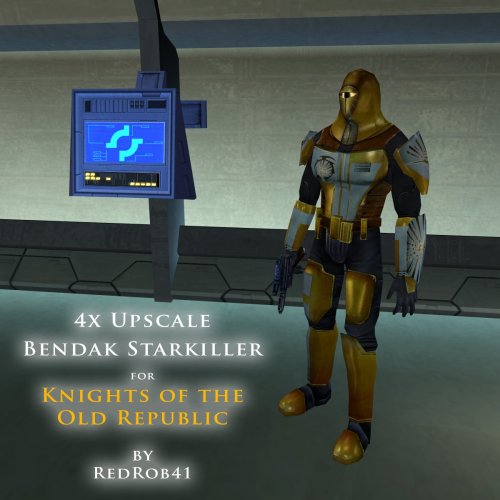 For some reason after i fight with Bendak my simulants and shield isn't turning OFF, im mean before i kill bendak i use simulants and shield, but after i kill him for some reason it won't stop working, even after 14 minutes with Community patch
 -

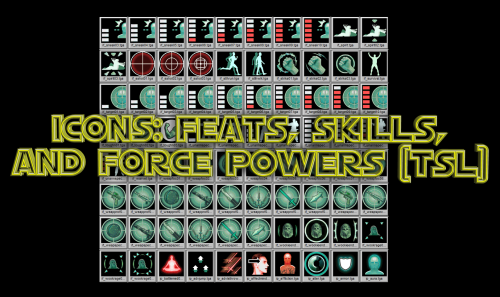
Icons: Feats, Skills and Force Powers [TSL] - Open Beta
Sith Holocron commented on Sith Holocron's file in Skins
 Now that's useful feedback. I'll look into that.
 -

Icons: Feats, Skills and Force Powers [TSL] - Open Beta
Lily commented on Sith Holocron's file in Skins
The icons for the force barrier line are upside down for me. -

Echoes of the Republic - an unofficial expansion
vault13deathclaw commented on vault13deathclaw's file in Mods
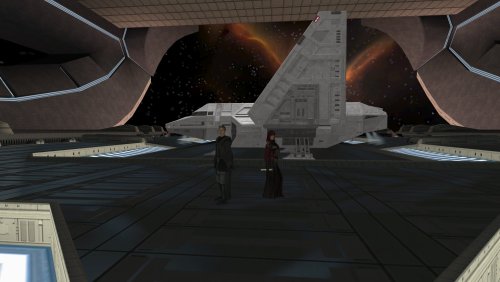 I'm really glad that it works for you now. I want people to get to experience the mod and have fun exploring, questing, and maybe have a chuckle.
 -
 The Rakatan plague was due to the Sith species. The Sith were one of if not the only species able to defeat the Rakata and successfully drive them off their world. It's possible that the plague was either Sith alchemy/sorcery, or maybe some kind of literal bacterial/viral plague that the Sith spread to the survivors who fled Korriban to the rest of the Empire. What I think was that the Dark Side of the Force found a new champion. The Rakatan were monsters, but the Sith species were worse. Once the two abominations clashed for dominance, the Dark Side abandoned the Rakatan and found a new proper species more suitable for its primacy. The Force is alive and had plans for everyone, and its plan for the Rakata was to awaken the Sith to their true potential and purpose. Once the Rakata destroyed King Adas, the Sith species changed their entire outlook and sought universal dominion. The ripples throughout the Force from the Rakata/Sith war overwhelmed the Rakata, the weaker of the two evil species, and their connection to the force was cut. BOSSR inspired this theory. Bogus or not, I like it.
 -
Yeah I've been running fresh saves each time (I've gotten really good at speedrunning Peragus), and have never used steam workshop. Thanks for the support though, I'll keep an eye on the mod and try again for 1.0 release. Well on a lark I bought and tried the GOG version and it works fine lol, no idea why steam version messed up
-
Echoes of the Republic - an unofficial expansion
vault13deathclaw commented on vault13deathclaw's file in Mods
Assuming you are starting from a save prior to ever landing on Citadel Station, and somehow its still not somehow using the new modules, and you are absolutely sure you don’t have any workshop subscriptions you forgot about, no. I have no idea. The way KOTOR save work means that if you have ever been to that module before in that save, it will keep the old version of that module for that save forever. If you happen to also have the GOG version, you could try that. Its the same version as the steam version just without any workshop integration. I have no idea why you can’t run it on your install, but other people have been able to install it and have it working. It installs just fine for me on other computers. -
 Hi there! I think I can help with both issues. For the crashing: follow the instructions to enable Compatibility Mode for the game. This is actually a problem with modern PCs that gets worse with Sleheyron, but's something I've seen happen across all of KOTOR with current PCs. Instructions are here: use of Compatibility Mode :: STAR WARS™ Knights of the Old Republic™ General Discussions Regarding the Cassus Fett armor: This one is more complicated, because basically that mod with the new armor wasn't built for compatibility. It's coded to use whatever appearance shows up at a certain line in the Appearances database, which I use for a large Gizka (and other modders use, too!). I think the best I can do is rig you up a custom compatibility patch. If you want to DM me (either here on DeadlyStream or on Discord), I can walk you through what I need to have to make the patch possible. But in really short, I'd need for you to provide me from your Override folder: your Appearance.2da file and your Cassus Fett armor file, which is titled "g_a_class9009.utc." A quick google search tells me there's also something in the game files for Cassus Fett's armor called g_a_class9011.utc... I don't know of that one, but if you have it, send me that too!
 -
I checked and there were no duplicates, I redownloaded and manually checked that those files were being overwritten: I tried downloading some older versions as well as the one on nexus but none of them seem to work. If you have any other ideas as to what I could do I'd appreciate it, otherwise I think I'll just give up for now.
- Last week
-
Echoes of the Republic - an unofficial expansion
vault13deathclaw commented on vault13deathclaw's file in Mods
My guess is somehow your folder has case sensitivity turned on for some reason. I would look to see if you have duplicates in the modules folder of stuff like “204TEL.mod” and “204tel.mod” or something. You need to turn case sensitivity off for that folder, which will likely involve reinstalling the game, or you can run a program like renamer or bulk rename utility to make all the files lowercase then try installing the mod or something. If this is the case, you would also have also somehow have a duplicate global.jrl file in your override, just with different capitalization, along with various 2da files being duplicated. -
Unfortunately he is not there and it looks like it's still not installed correctly. If you have any more ideas where I could be going wrong let me know, otherwise I'll stop bothering you and just keep fiddling with it myself. I'll post back if I figure it out. Again, thanks for your help and your hard work on this cool mod.
-
Yes it looks like they have been updated. Thank you for letting me know. You can either download the old version or wait for me to update the hashes. EDIT: It's now updated