



N-DReW25
-
Posts
2,555 -
Joined
-
Last visited
-
Days Won
186
Content Type
Profiles
Forums
Blogs
Forum & Tracker Requests
Downloads
Gallery
Store
Events
Everything posted by N-DReW25
-
Version 1.0.0
64 downloads
A Mod for Star Wars Knights of The Old Republic II Author: N-DReW25 1.0 Release Date: 30.08.2026 Installation: Please install the Revenge of Revan mod FIRST before this mod! No exceptions! To install the "Alt Corellia City Reskin" and/or the "TOR Corellia Skybox" addon simply open their folders, copy their files to the Override folder, and overwrite the pre-existing files. The "Coruscant Skybox Pack" comes in two versions, the "Demo Coruscant Skybox" and the "Vanilla Coruscant Skybox" - you can only install one. Pick the one you want to install and open its folder, copy their files to the Override folder, and overwrite the pre-existing files. The "Party Clothes" addon is installed via a HoloPatcher. If you want to use this, you must install the "Episode One & a Half" addon BEFORE you install Party Clothes. Once that is installed, just click on the INSTALL.exe, add your Kotor II file directory, click install, and the addon shall be installed. To install "Episode One & a Half", you must do the following: 1) Copy the "dialog.tlk" file and paste it into your "Knights of the Old Republic II" folder, overwriting the previous one. 2) Open the "For Override" folder, press Cntrl + A on your keyboard to select the files, copy them all into your Override folder, and overwrite the pre-existing files. 3) Open the "For Modules" folder, press Cntrl + A on your keyboard to select the files, copy them all into your Modules folder, and overwrite the pre-existing files. 4) Open the "For StreamMusic" folder, press Cntrl + A on your keyboard to select the files, copy them all into your StreamMusic folder, and overwrite the pre-existing files. 5) Open the "For StreamSounds" folder, press Cntrl + A on your keyboard to select the files, copy them all into your StreamSounds folder, and overwrite the pre-existing files. 6) Open the "For StreamVoice" folder, press Cntrl + A on your keyboard to select the files, copy them all into your StreamVoice folder, and overwrite the pre-existing files. Consult the "Changelog.txt" for a full list of features added in this patch. Description: The ROR Addon Pack is a mod pack for the Revenge of Revan mod (ROR) which contains features for the ROR mod which either got rejected from the main mod, are experimental in nature but could be used by players, or are preview features for an upcoming Episode release. As of right now, the pack contains the following addons: Episode One & a Half: This addon contains all of the bug fixes and new content for Episode One that's going to be added in the Episode Two release. Consider this addon a "public beta" before it is added to the main ROR mod as part of Episode Two. Just so that you know, Episode Two will contain the bug fixes/new content for Episode One's Corellia and add the planet Nar Shaddaa to continue the story from where Episode One left off. Episode One & a Half shall be removed from the addon pack once Episode Two releases and will probably be replaced with Episode Two & a Half, Episode Three & a Half etc at later dates. Release 1.0 currently has new content for the opening of the mod up until the Player reports the Tyrena Station Security Recordings to Bao-Dur. A future update shall include improved content for the Esbek Hotel up until the very end of the mod. Main Changelog: Item Specific Changelog: Party Clothes: Similar to Atton and Mira in Kotor II, this addon adds unique clothing that only Uldir and Drayen can wear. Drayen's armor slot will become locked (similar to Mandalore in Kotor II), however, his clothing has very good stats for the early game meaning you won't want to replace it anyway. In future updates, clothing shall be added to future party members when they are added. TOR Corellia Skybox: Replaces the ROR skybox with the Corellia skybox from The Old Republic MMO. Coruscant Skybox Pack: Contains alternative skyboxes for Coruscant. Right now only the ROR Demo Coruscant Skybox and the Vanilla Coruscant Skybox are available. Alt Corellia City Reskin: This is a WIP addon that replaces the current Corellia textures. These may, or may not, be added to the main mod at some point. It is also possible that different textures may be added to the mod instead of these. As these are a WIP there may be textural anomalies in certain parts of the mod. Known Bugs: This mod shouldn't have any bugs but if there are please report them to me on Deadlystream. Incompatibilities: To be added! Permissions: Assets from this mod may not be used without explicit permission from the authors. Voice Actors: JC2: B8-C2. Sith Holocron: HoloNet News Droid [Coruscant and Corellia]. Thanks to: Logan: Beginning the restoration effort for K1! ROR's Main Dev Team: For developing the original K1R mod! Contributors of the Main ROR mod: For contributing to Episode One's release. AxConsortium70: Extensive beta testing, to the point that they fixed some of the more illusive bugs they discovered! Jonathan7: Assets from Force Fashion II, a mod already in ROR, have been modified and included in this pack for the Episode One & a Half addon. RedRob41: Assets from ROR Episode One have been modified and included in this pack for the Episode One & a Half addon! 90SK: Armor and Mask assets from his mods have been added into this pack for the Episode One & a Half addon! SilverEdge9: More assets from BOSSR have been modified and included in this pack for the Episode One & a Half addon! Flammenwerfer: Their mod "The Sith Mask" has been used in this pack for the Episode One & a Half addon. The readme of their mod on NexusMods gives modders free permission to use this asset as long as credit is given to them! ScrierOne: Their mod "Sith Mask Reskin" has been used in this pack for the Episode One & a Half addon. Their NexusMods page states that modders have permission to use this asset! Vurt: For making the Hutt textures in his "Vurt's KotOR Visual Resurgence" mod, these textures were used as a base for ROR's Hutts! Elayerfawkes45: For making the Hutt textures in his "Hutt remesh and retextured with bumps" mod, these textures were used as a base for ROR's Hutts! Detran: For making the Hutt textures in his Detran's Hutts" mod, these textures were used as a base for ROR's Hutts! Sith Holocron: Voice filters for B8-C2, the HoloNet News Droids, and a Royal Guard NPC! Leilukin: Assets from their mod "Missing K1 Party Member Ports for TSL [Modder's Resource]" has been used in this pack for the Episode One & a Half addon. It is a Modder's Resource! Doc Valentine: Creator of the ROR Demo Coruscant Skybox which has become an addon of this pack! Scorchlicious: For fetching the TOR Corellian Skybox for the pack! ElevenLabs Website: For the custom AI VO service! Bioware: For such an amazing game! Obsidian: For such an amazing sequel! Fred Tetra: For Kotor Tool! Cortisol: For Holocron Toolset! Everyone who downloads the mod! Legal: THIS MODIFICATION IS NOT SUPPORTED BY BIOWARE/OBSIDIAN ENTERTAINMENT, LUCASARTS, DISNEY OR ANY LICENSERS/SPONSORS OF THE MENTIONED COMPANIES. USE OF THIS FILE IS AT YOUR OWN RISK AND THE ABOVE-MENTIONED COMPANIES OR THE AUTHOR IS NOT RESPONSIBLE FOR ANY DAMAGE CAUSED TO YOUR COMPUTER FOR THE USAGE OF THIS FILE. -
The mod "HD Grenn" has been updated into a mod pack for HD K2 NPC textures. The current update adds Luxa and the Zhug Brothers in addition to previous HD Grenn.
-
 If you do not get a response here on Deadlystream, I am sure there will be those who'll take interest in your project either on the main Kotor Discord Server or the OpenKotor Discord servers. There are plenty of ongoing WIP mods going on in those servers that end up getting released here on Deadlystream. Would you like me to send you the links?
 -
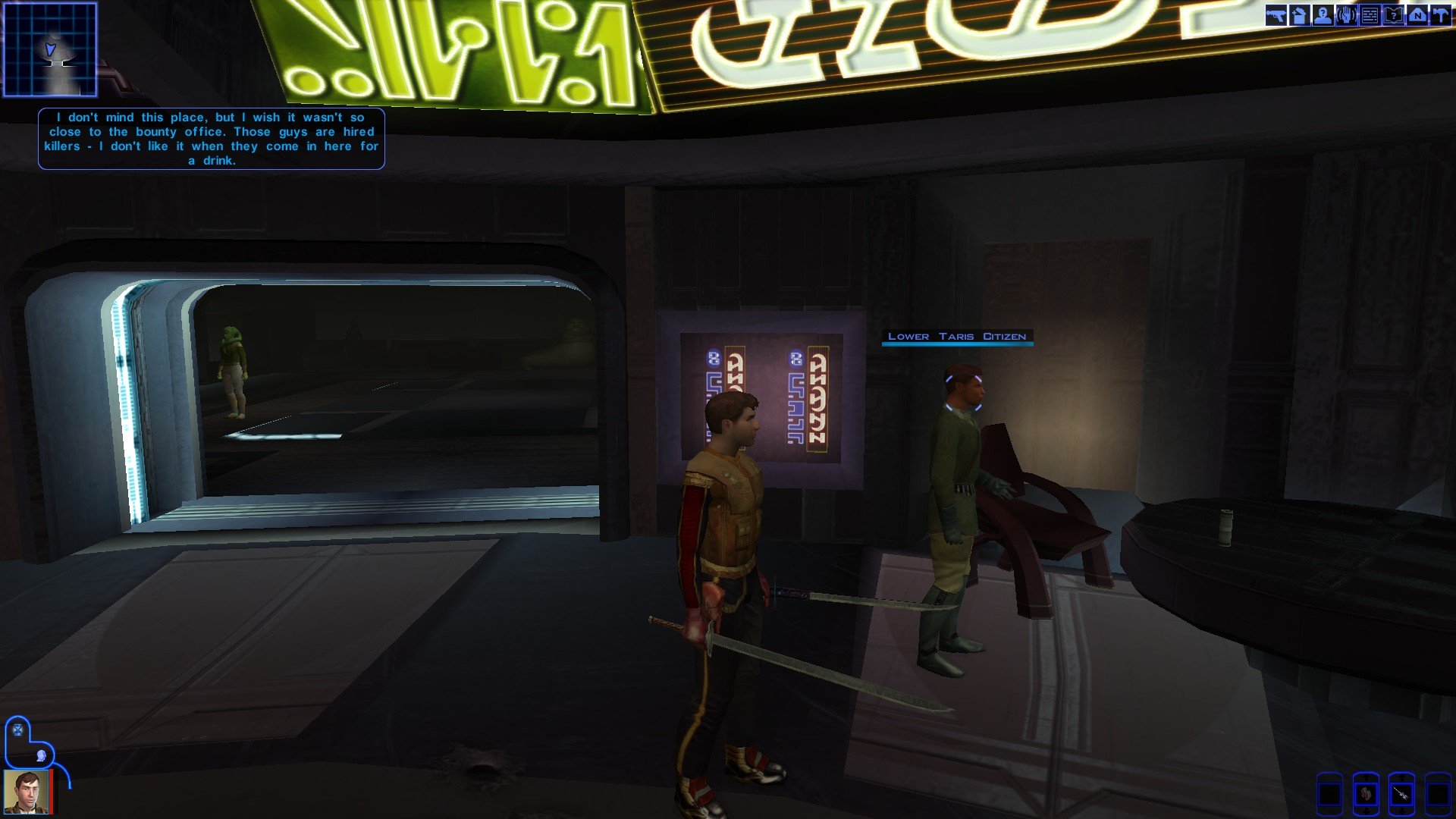
 I've just updated the mod and I did have a look into the Duros installer and, unless I fixed it months ago and forgot I fixed it, I don't think this bug still exists. Installing the GOF mod, I got the intended Duros appearance in the Taris Apartments: I did name this update 1.3.1 instead of 1.4.0 for the following reasons: 1) Maybe I'm wrong and this bug you guys have been experiencing might be the cause of an incompatibility I am not yet aware of. 2) This mod was in need of an update. That is why not all of the Twi'lek screenshots were made. 3) I have a backlog of heads that need to be implemented and since that'll take time I decided it's best to give a small update now and have the rest added in later. I'll see about adding these fixes in one of the next updates too. As of 1.3.1, I think there might be a bug wherein Malare's clothing uses the default potato sack style outfit instead of intended K2 style ragged outfit. If anyone spots that let me know and I'll try to have it fixed for the next update.
 -
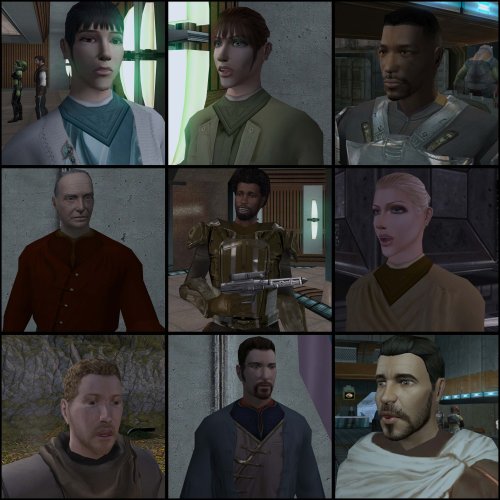 May I suggest you rename this mod into something else? There already exists a mod called NPC Overhaul and so it'd be very easy for players to confuse the two mods. Here are some possible new name ideas for the mod:
 -
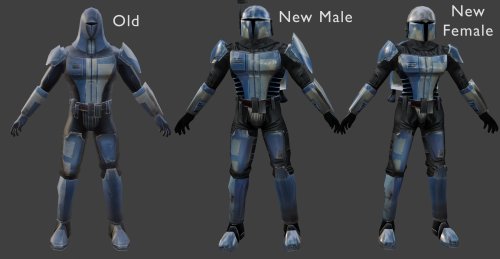 Dark Hope has given free permission for modders to use her work in their own mods: https://deadlystream.com/profile/16561-dark-hope/content/?type=core_statuses_status&change_section=1 It could also be that they did use Vurt's texture and we just can't see the difference between Dark Hope's and Vurt's maybe, though just to be sure you may want to credit Dark Hope too.
 -
Yeah, though I think what Dark Hope did was take Vurt's Mandalorians and improve upon them. Maybe I was mistaken and Folklore Mandalorians did use Vurt's texture, I actually inspected the Folklore textures myself and compared them to the one's found in Dark Hope's mod and saw that they were very similar.
-
I think they used Dark Hope's Mandalorian textures as a bad for their own. If you don't like the ones from this mod, you could use this instead:
-
View File K2 Pre-Release Pack A Mod for Star Wars Knights of The Old Republic II: The Sith Lords Author: N-DReW25 1.0.0 Release Date: 22.08.2026 Installation: This mod currently only has "Override Mods" to offer. Simply copy the files within the "Beta Cockpit Skyboxes" folder and paste them into your Override folder. Description: December 6th 2004 was the day Kotor II was released for the first time on Xbox. If you aren't living under a rock, you'll know that both the Xbox and PC versions of the game were released in an unfinished state and how a mod called "The Sith Lord's Restored Content Modification" was developed years later to restore the cut content, thus 'completing' the game. Some of us might be aware of other cut content which didn't make it into TSLRCM such as M4-78... but what if I told you there's other things Obsidian cut from the game which you may not know about. Like Bioware before Kotor I's release, Obsidian released concept art & promotional screenshots of Kotor II in the months leading up to its release during the game's development. Whilst these promotional screenshots might appear worse than the vanilla game (as these are pre-release/in-development screenshots), a few eagle eyed observers might notice some features in said screenshots which the vanilla game lacks. What this mod will do is add these features back into the game. Override Mods: * Beta Cockpit Skyboxes- These are the beta skyboxes of the Ebon Hawk's cockpit. These files were left unused in the game files and were from a period of development before the current skyboxes were finalized. * Beta Battle Armors- Like how Light Battle Armor was reskinned green in the final game, multiple screenshots depict the normal Battle Armor as being blue. This not only reskins the Battle Armor to match the beta screenshots, but the Light and Heavy Battle Armors have also been changed as in the background of those screenshots you can vaguely see that they were both also blue at some point. () Known Bugs: This mod shouldn't have bugs but if you find any please report them to me on Deadlystream. Incompatibilities: Would be incompatible with any mods which modifies the Ebon Hawk's cockpit skyboxes or the Light, Heavy, and normal Battle Armor textures. Permissions: Do NOT claim credit for this mod and do not use assets from this mod without my permission. Thanks to: Obsidian: For such an amazing game! Fred Tetra: For Kotor Tool JackInTheBox: For making the KOTOR 2 Alpha Textures mod of which the thumbnail of that mod was used in the thumbnail of this mod! Everyone who downloads the mod! Legal: THIS MODIFICATION IS NOT SUPPORTED BY BIOWARE/OBSIDIAN ENTERTAINMENT, LUCASARTS, DISNEY OR ANY LICENSERS/SPONSORS OF THE MENTIONED COMPANIES. USE OF THIS FILE IS AT YOUR OWN RISK AND THE ABOVE-MENTIONED COMPANIES OR THE AUTHOR IS NOT RESPONSIBLE FOR ANY DAMAGE CAUSED TO YOUR COMPUTER FOR THE USAGE OF THIS FILE. Submitter N-DReW25 Submitted 08/21/2026 Category Mods TSLRCM Compatible Yes
-
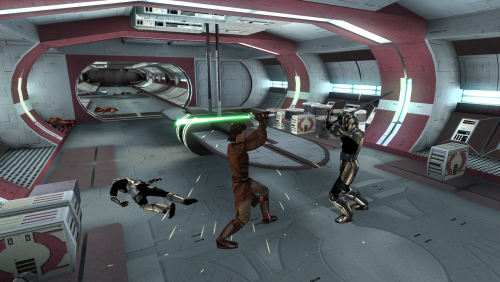 You might wish to update the link of Carth's Republic Uniform and Flight Suit. Marius Fett had all their old mods deleted and they reuploaded the new version in the link below:
 -
Version 1.0.0
26 downloads
A Mod for Star Wars Knights of The Old Republic II: The Sith Lords Author: N-DReW25 1.0.0 Release Date: 22.08.2026 Installation: This mod currently only has "Override Mods" to offer. Simply copy the files within the "Beta Cockpit Skyboxes" folder and paste them into your Override folder. Description: December 6th 2004 was the day Kotor II was released for the first time on Xbox. If you aren't living under a rock, you'll know that both the Xbox and PC versions of the game were released in an unfinished state and how a mod called "The Sith Lord's Restored Content Modification" was developed years later to restore the cut content, thus 'completing' the game. Some of us might be aware of other cut content which didn't make it into TSLRCM such as M4-78... but what if I told you there's other things Obsidian cut from the game which you may not know about. Like Bioware before Kotor I's release, Obsidian released concept art & promotional screenshots of Kotor II in the months leading up to its release during the game's development. Whilst these promotional screenshots might appear worse than the vanilla game (as these are pre-release/in-development screenshots), a few eagle eyed observers might notice some features in said screenshots which the vanilla game lacks. What this mod will do is add these features back into the game. Override Mods: * Beta Cockpit Skyboxes- These are the beta skyboxes of the Ebon Hawk's cockpit. These files were left unused in the game files and were from a period of development before the current skyboxes were finalized. * Beta Battle Armors- Like how Light Battle Armor was reskinned green in the final game, multiple screenshots depict the normal Battle Armor as being blue. This not only reskins the Battle Armor to match the beta screenshots, but the Light and Heavy Battle Armors have also been changed as in the background of those screenshots you can vaguely see that they were both also blue at some point. () Known Bugs: This mod shouldn't have bugs but if you find any please report them to me on Deadlystream. Incompatibilities: Would be incompatible with any mods which modifies the Ebon Hawk's cockpit skyboxes or the Light, Heavy, and normal Battle Armor textures. Permissions: Do NOT claim credit for this mod and do not use assets from this mod without my permission. Thanks to: Obsidian: For such an amazing game! Fred Tetra: For Kotor Tool JackInTheBox: For making the KOTOR 2 Alpha Textures mod of which the thumbnail of that mod was used in the thumbnail of this mod! Everyone who downloads the mod! Legal: THIS MODIFICATION IS NOT SUPPORTED BY BIOWARE/OBSIDIAN ENTERTAINMENT, LUCASARTS, DISNEY OR ANY LICENSERS/SPONSORS OF THE MENTIONED COMPANIES. USE OF THIS FILE IS AT YOUR OWN RISK AND THE ABOVE-MENTIONED COMPANIES OR THE AUTHOR IS NOT RESPONSIBLE FOR ANY DAMAGE CAUSED TO YOUR COMPUTER FOR THE USAGE OF THIS FILE. -
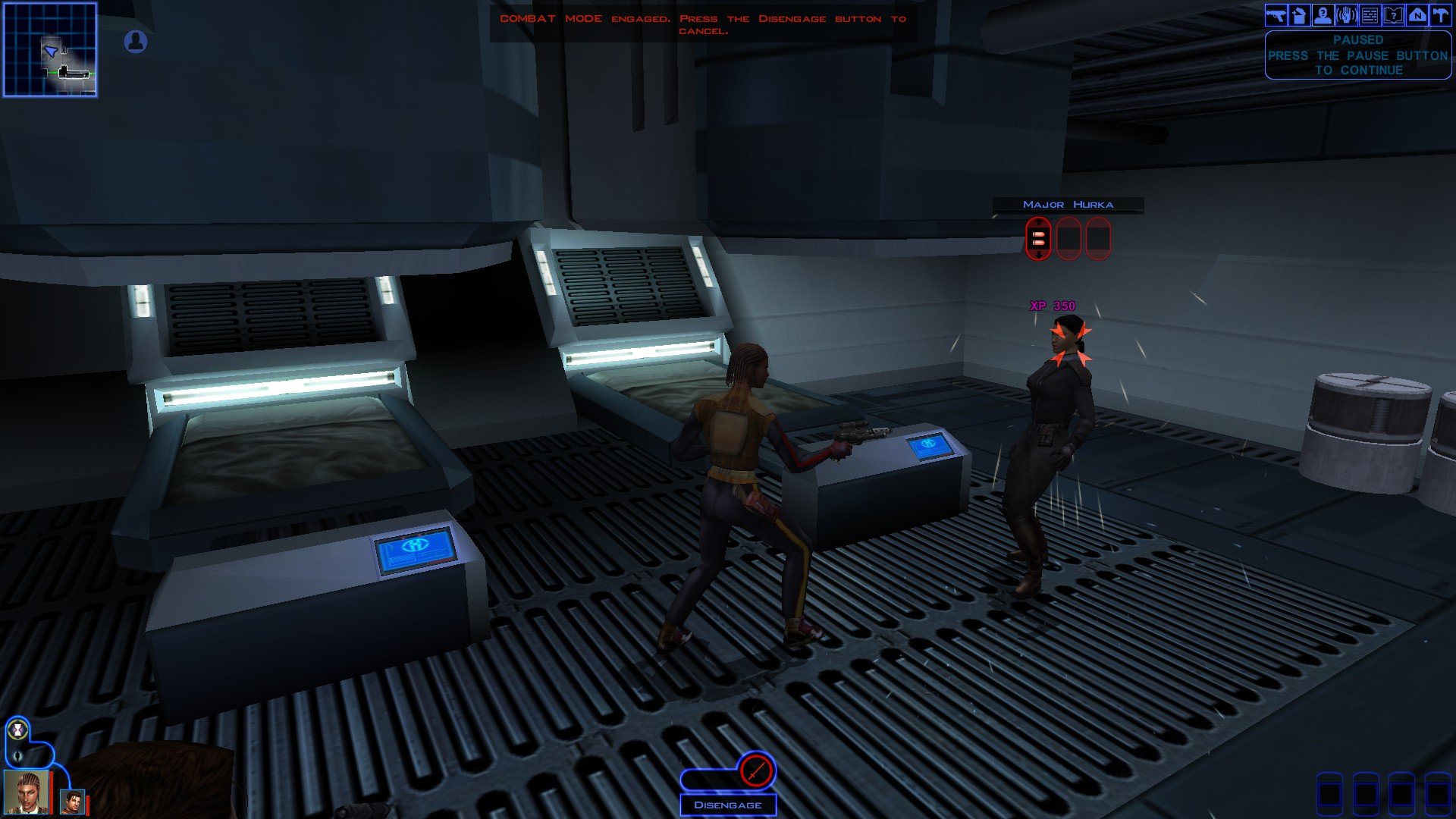
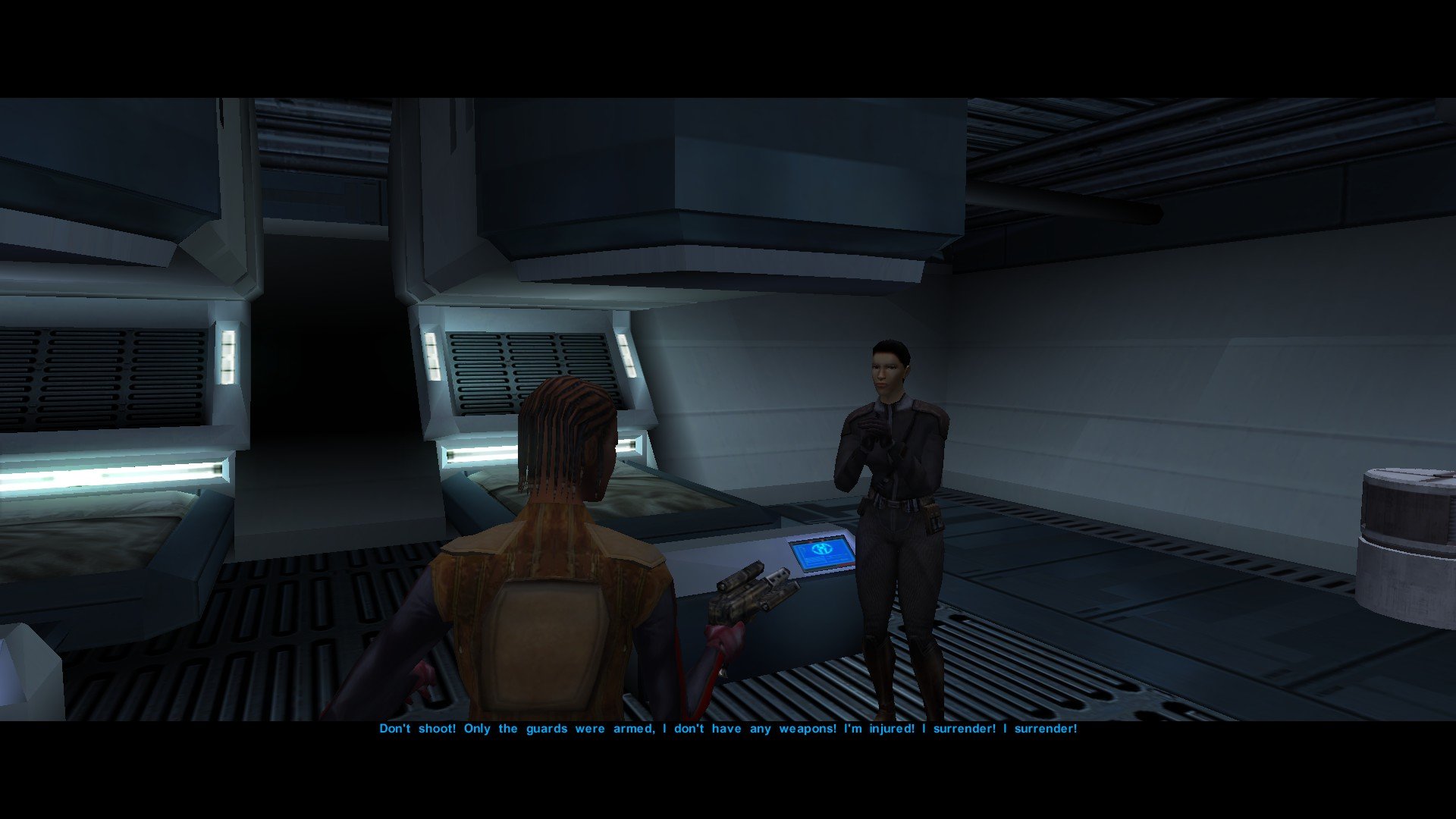
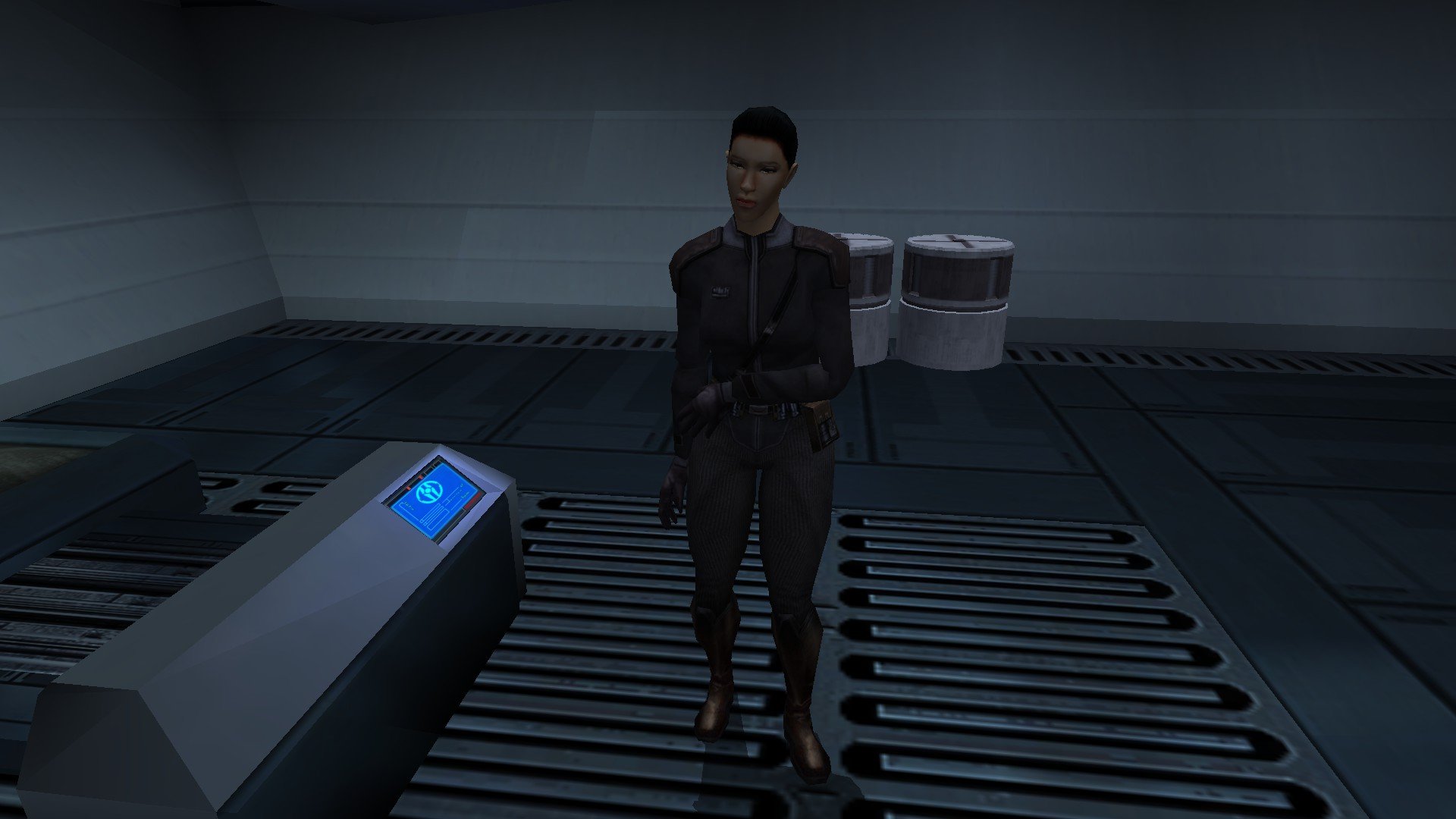
The RC-K1CP update is out and we can now finally play Kotor with restored Iriaz. In the meantime, here is a preview of something I am working on. Major Hurka has been added to RC-K1CP in the most recent update, though only as a hostile NPC. Major Hurka content could come in four parts, which goes as follows: Part One: Adds Major Hurka and several Sith Guards to the Command Deck Medbay as hostile NPCs. This has already been done. Part Two: Make Major Hurka neutral whilst the Sith Guards are hostile (like Ada the waitress in the Vulkar Base). When you speak to Hurka, her restored dialogue will play but all attempts to use her to open the Bridge door will fail and will always result in her attacking you. Part Three: Add a basic system that'll have Major Hurka unlock the Bridge door for you in the form of her giving you a passcard. Part Four: Add a proper system similar to K1R wherein Major Hurka actually unlocks the Bridge door and possibly even takes you beyond it. What do we all think of my plans for Major Hurka in RC-K1CP? And above all do any of us feel I need to give Hurka a new appearance? Whilst I cannot use K1R's appearance it would be very easy for me to just remake it myself from scratch. If you guys would like me to give Major Hurka a unique appearance I shall make it and I shall report back and show you guys what I've made in the next WIP update.
-
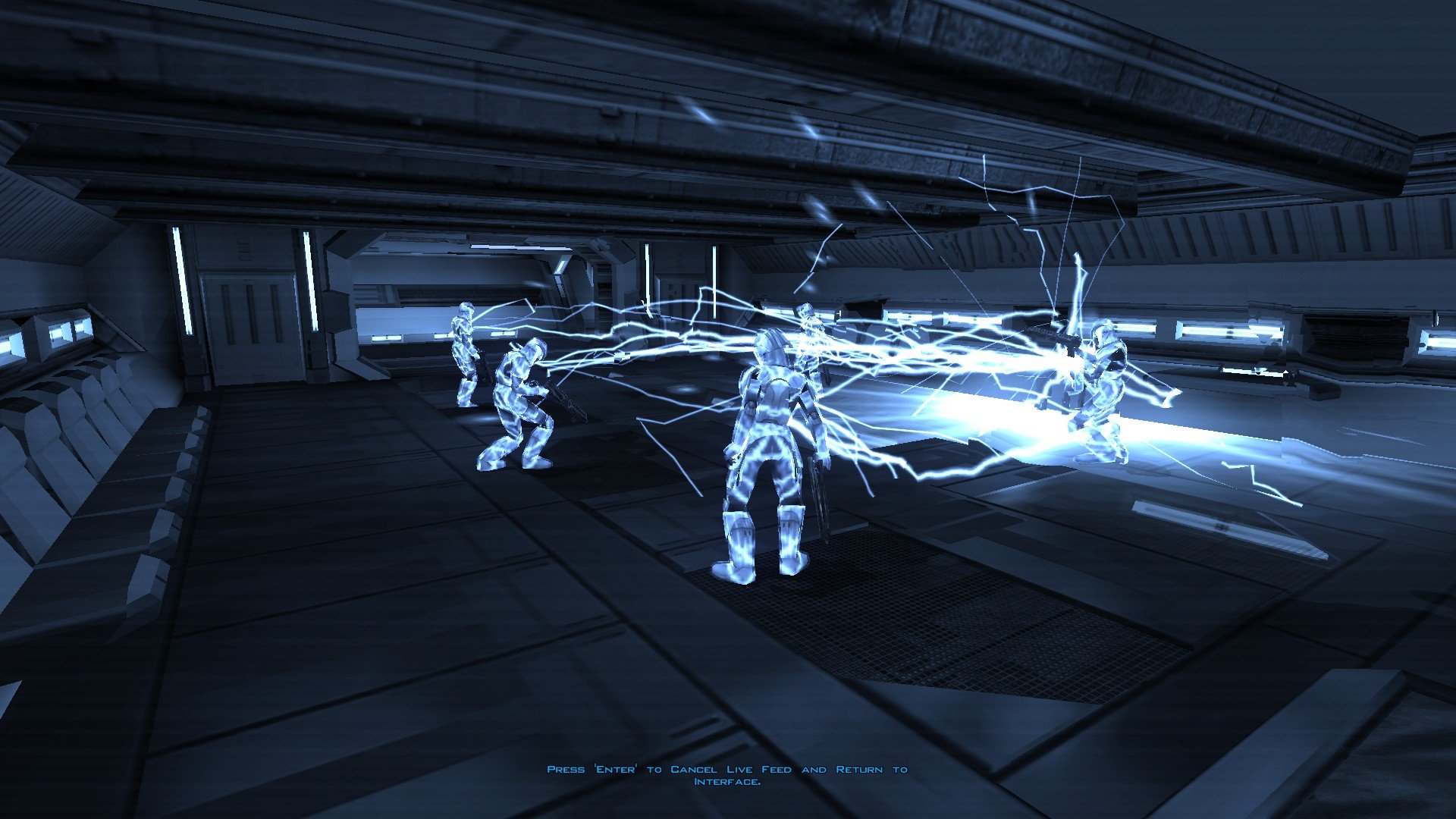
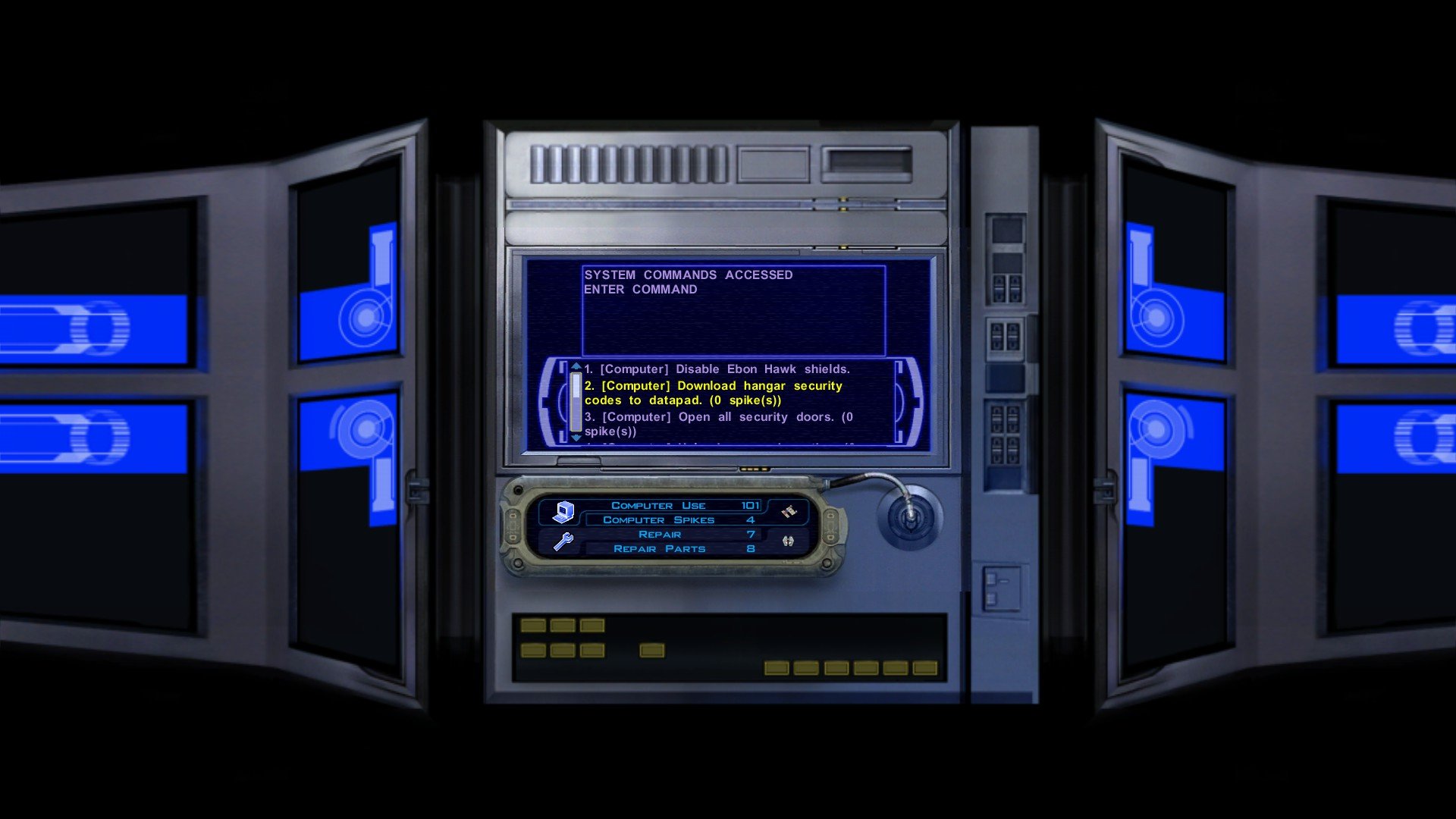
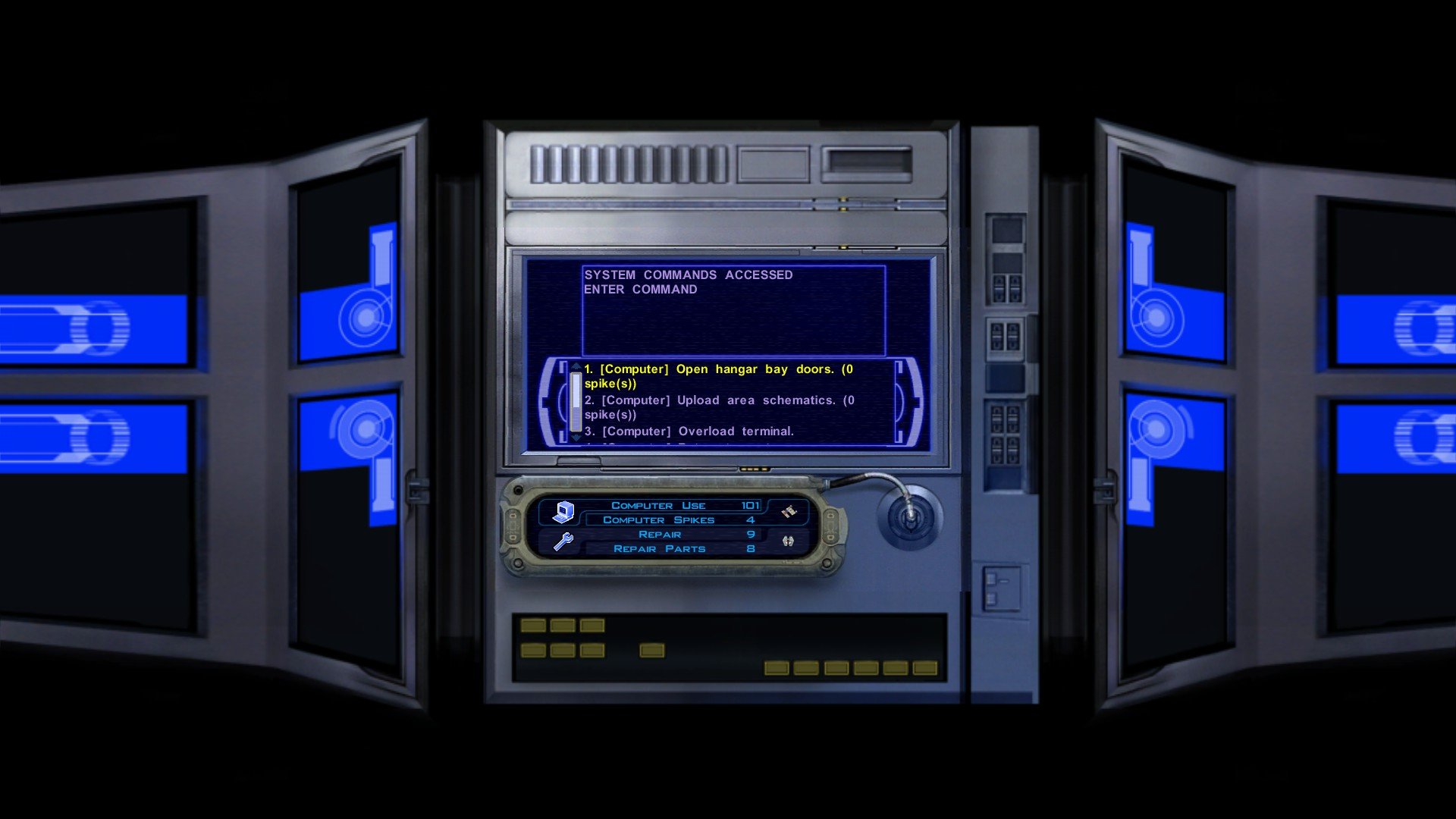
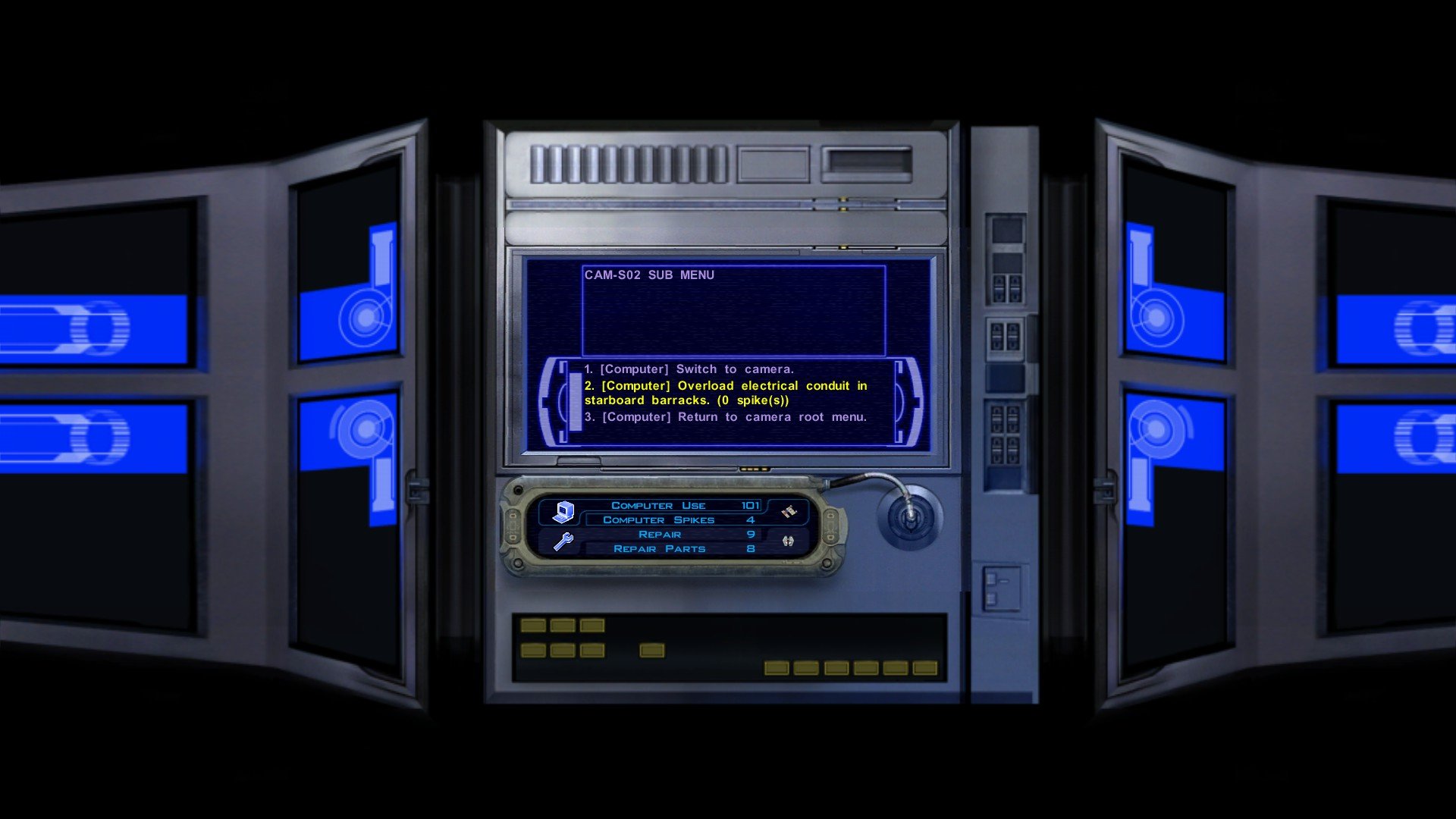
 For those of us using the 0.13.0 update with the Iriaz, I would advise players be vigilant and save their games before the Taris Sith Base, Davik's Estate, and the Leviathan Prison and Command Decks. This update has restored new dialogue for the computer terminals in those modules, and I cannot be 100% sure if these features work in all circumstances. If you play these areas and you think something with these terminals does not work/is broken please report them to me as soon as possible so that I may create a bug fix. The computer related changes are listed down below.
 -
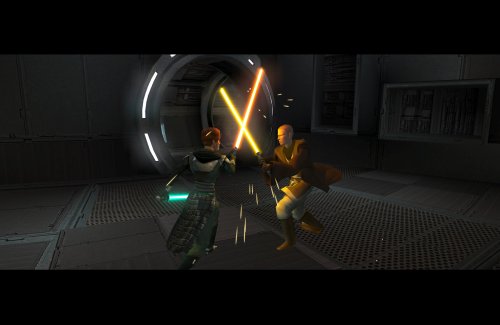 @offthegridmorty Just like vault13deathclaw has said, both the Handmaiden and the Disciple have fully voiced VO for the training sections. The file names are as follows: GBLDISCIPLE365 GBLDISCIPLE366 GBLDISCIPLE480 GBLDISCIPLE481 GBLDISCIPLE482 GBLDISCIPLE483 GBLDISCIPLE484 GBLDISCIPLE485 GBLDISCIPLE486 GBLDISCIPLE487 GBLHANDMAIDEN411 GBLHANDMAIDEN412 GBLHANDMAIDEN413 GBLHANDMAIDEN414
 -
.thumb.png.e1132444dd8587c72edc645e18adc5a5.png) For those of you who downloaded version 1.0, there is no need to install 1.1. All you need to do to get the bug fix if you've already installed 1.0 is go into the mod's tslpatchdata folder and copy the files "SM_TwiFem.mdx" and "SM_TwiFem.mdl" and place them into your Override folder.
For those of you who downloaded version 1.0, there is no need to install 1.1. All you need to do to get the bug fix if you've already installed 1.0 is go into the mod's tslpatchdata folder and copy the files "SM_TwiFem.mdx" and "SM_TwiFem.mdl" and place them into your Override folder. -
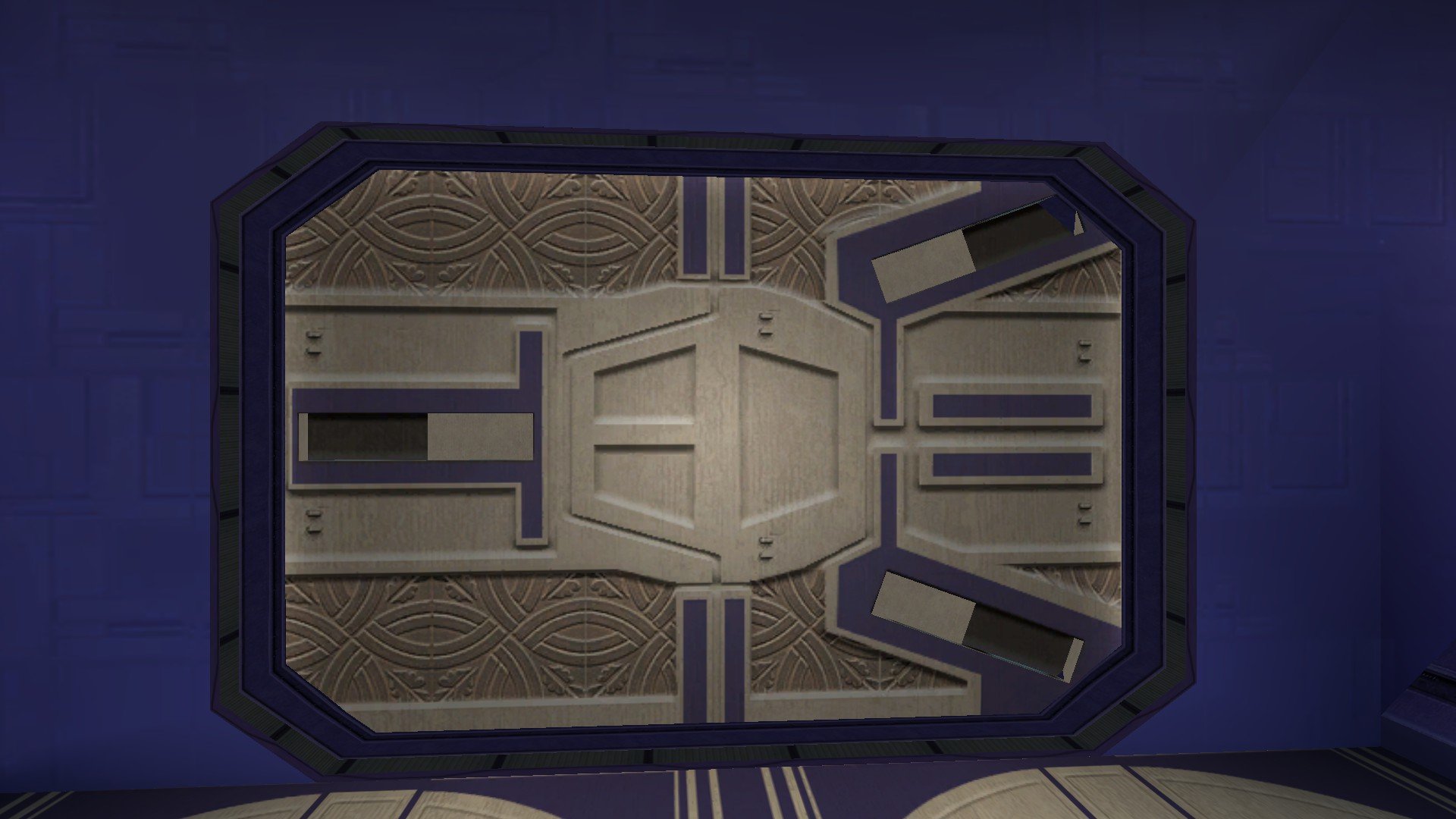
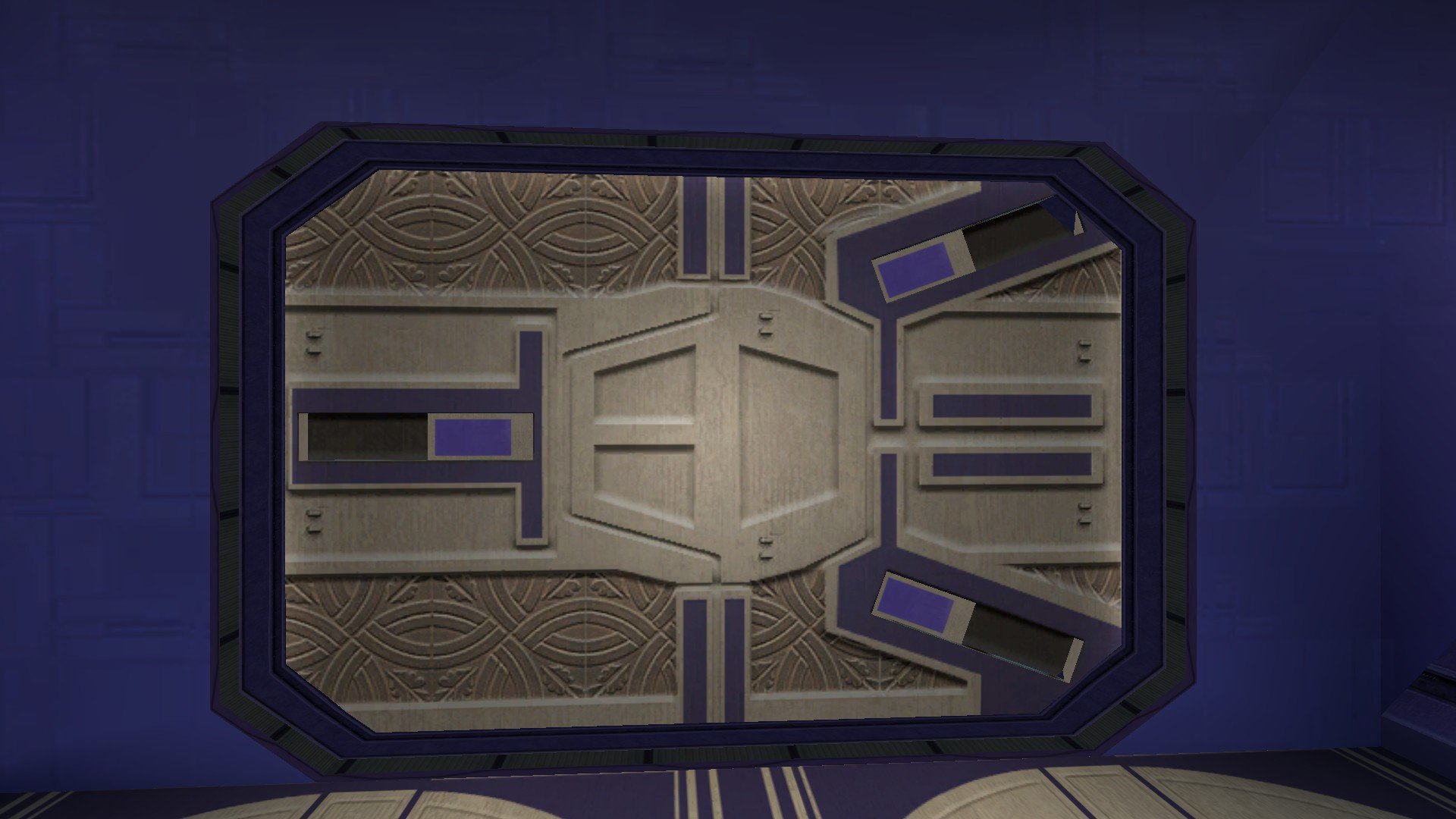
If your preferred Taris reskin mod has the file "LTS_lodor03.tga" or "LTS_lodor03.tpc" in it then the cut door in Davik's Estate shall be replaced. How do these look? If anyone would like to take a crack at reskinning these doors, just look for the texture LTS_lodor03 in the game files and work your way from there. As Salk has said, this mod isn't K1R - K1R has been abandoned for a decade now. This WIP thread is for the Restored Content for K1 Community Patch mod, the RC-K1CP mod.
.jpg.367b1937cf243572c9836881c59af511.jpg)
-
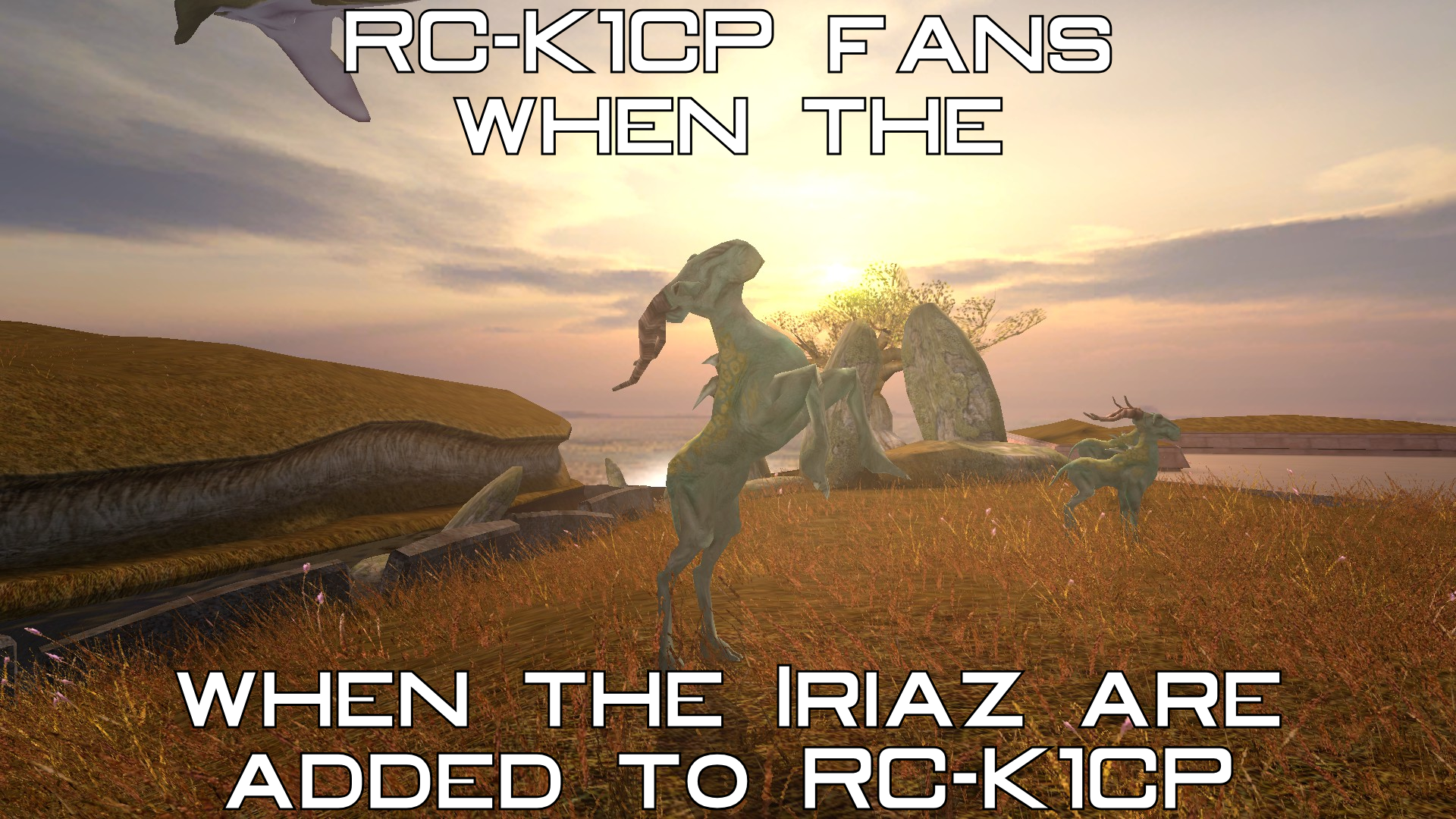
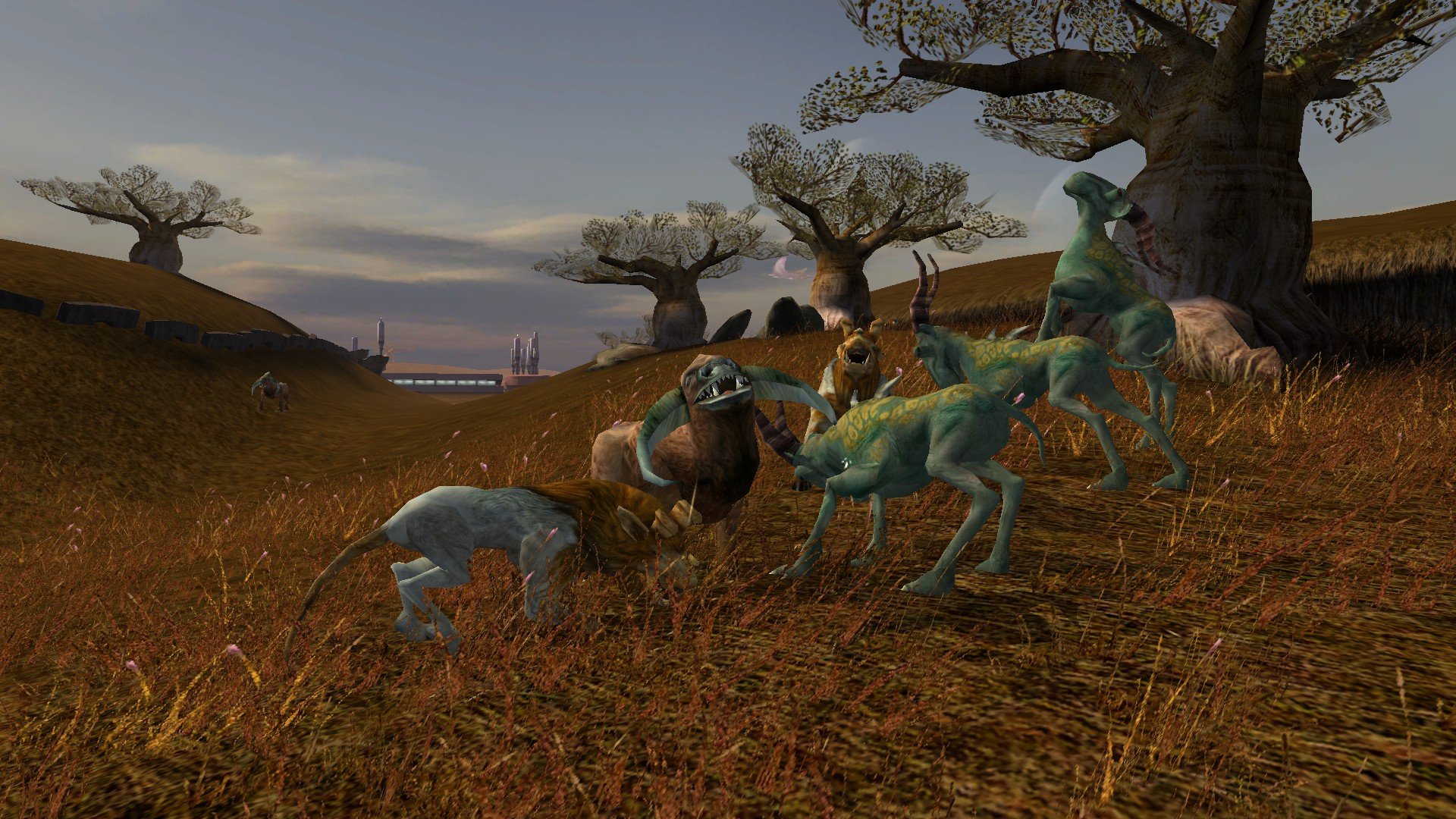
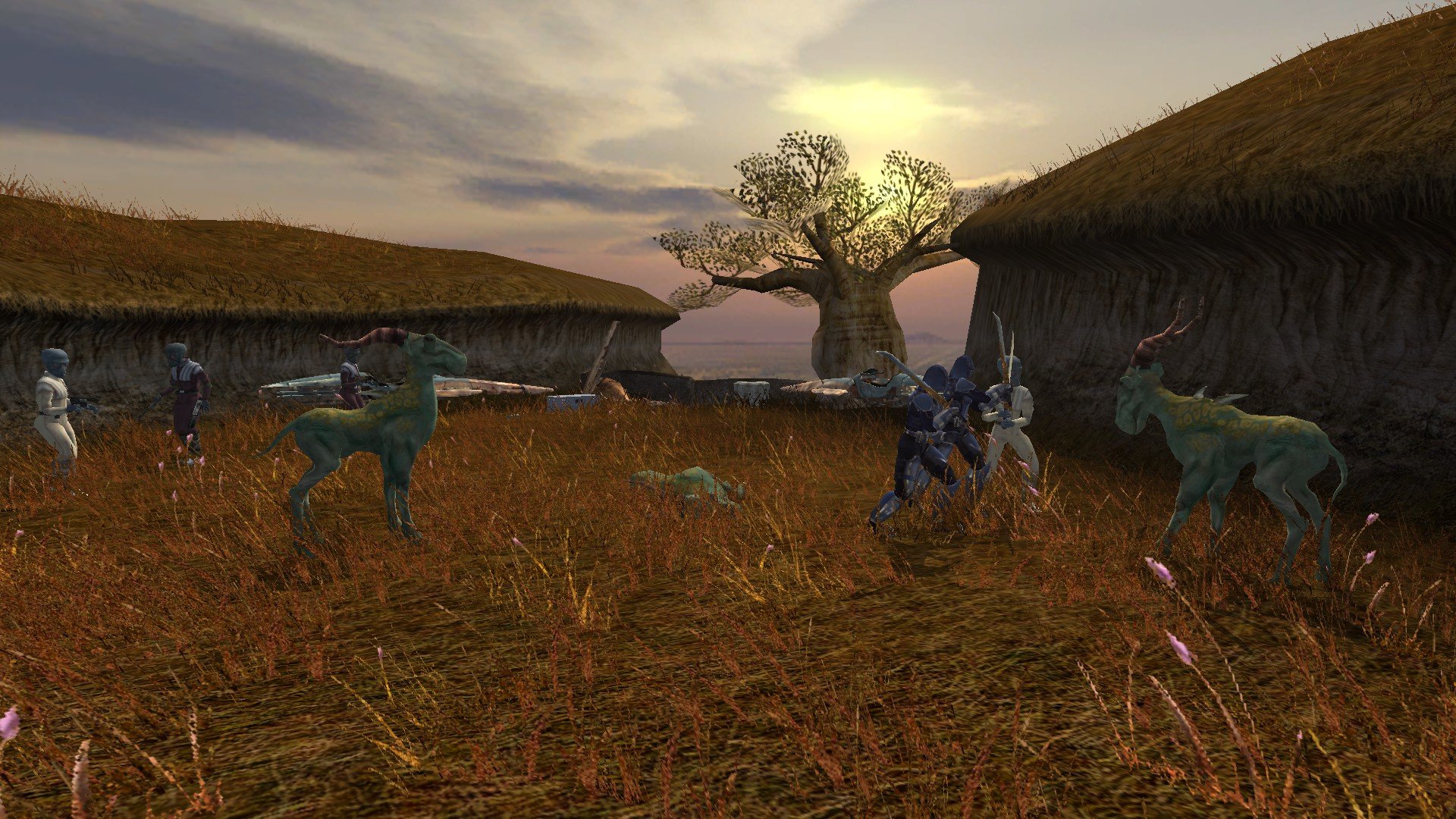
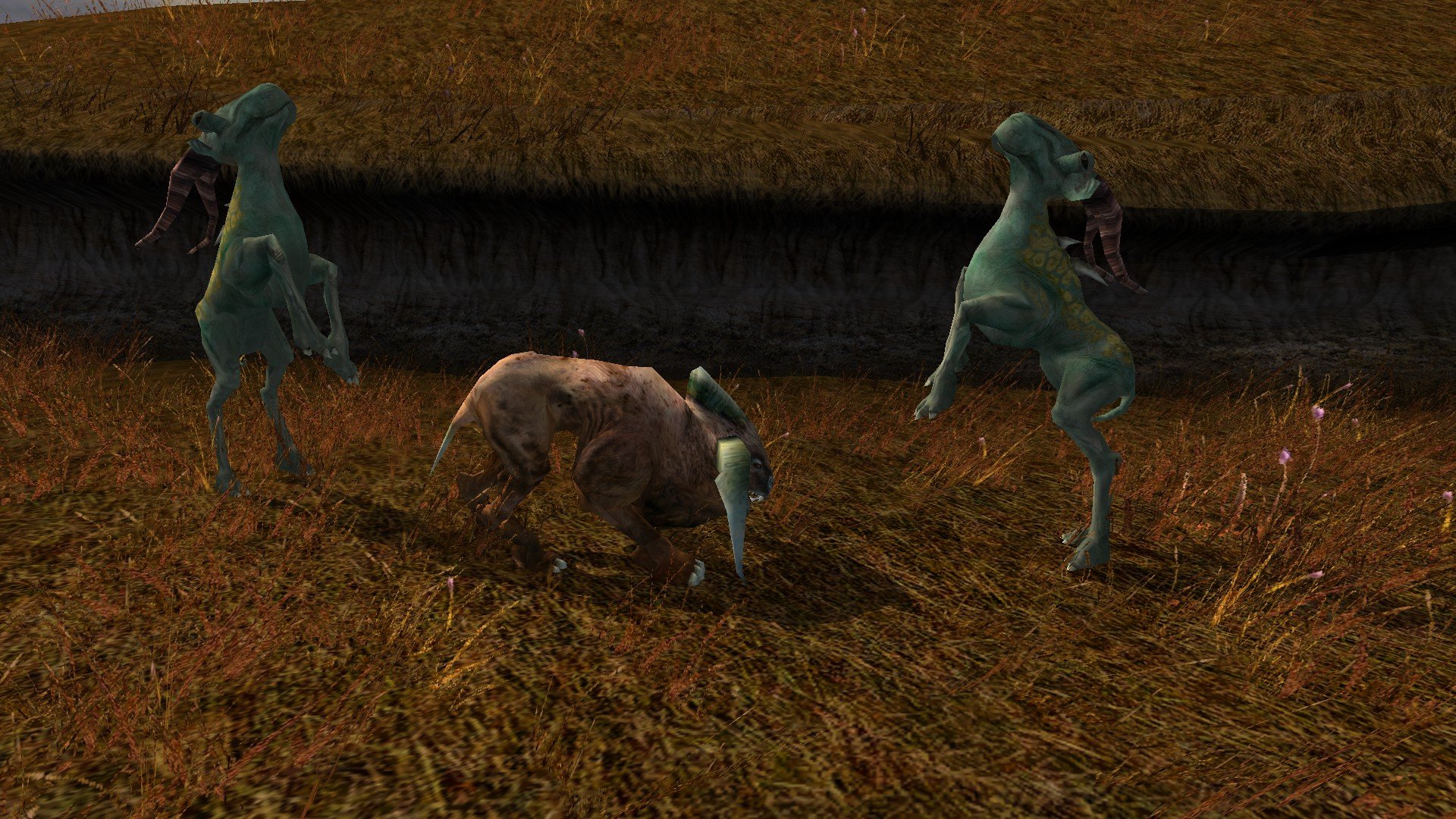
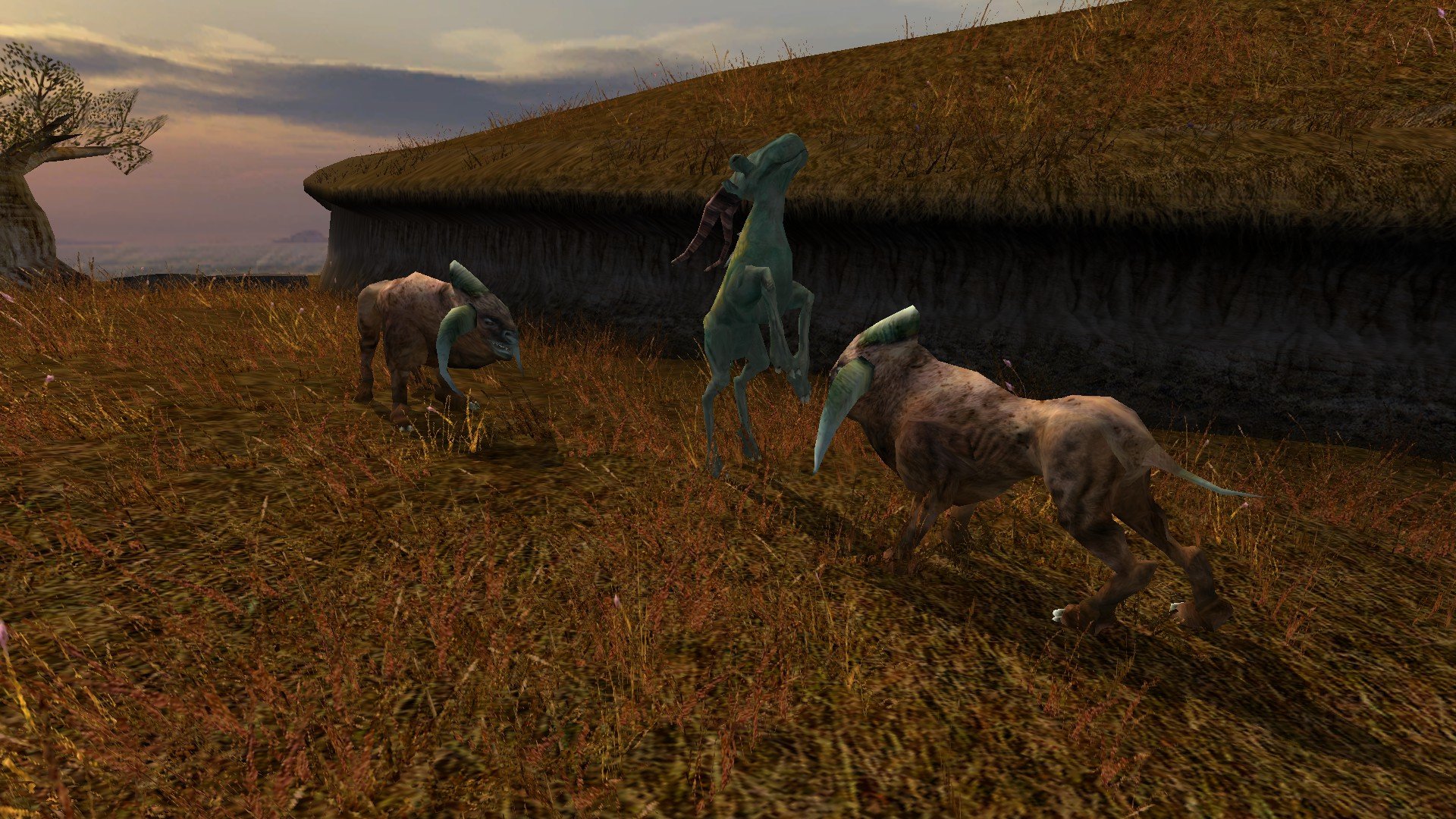
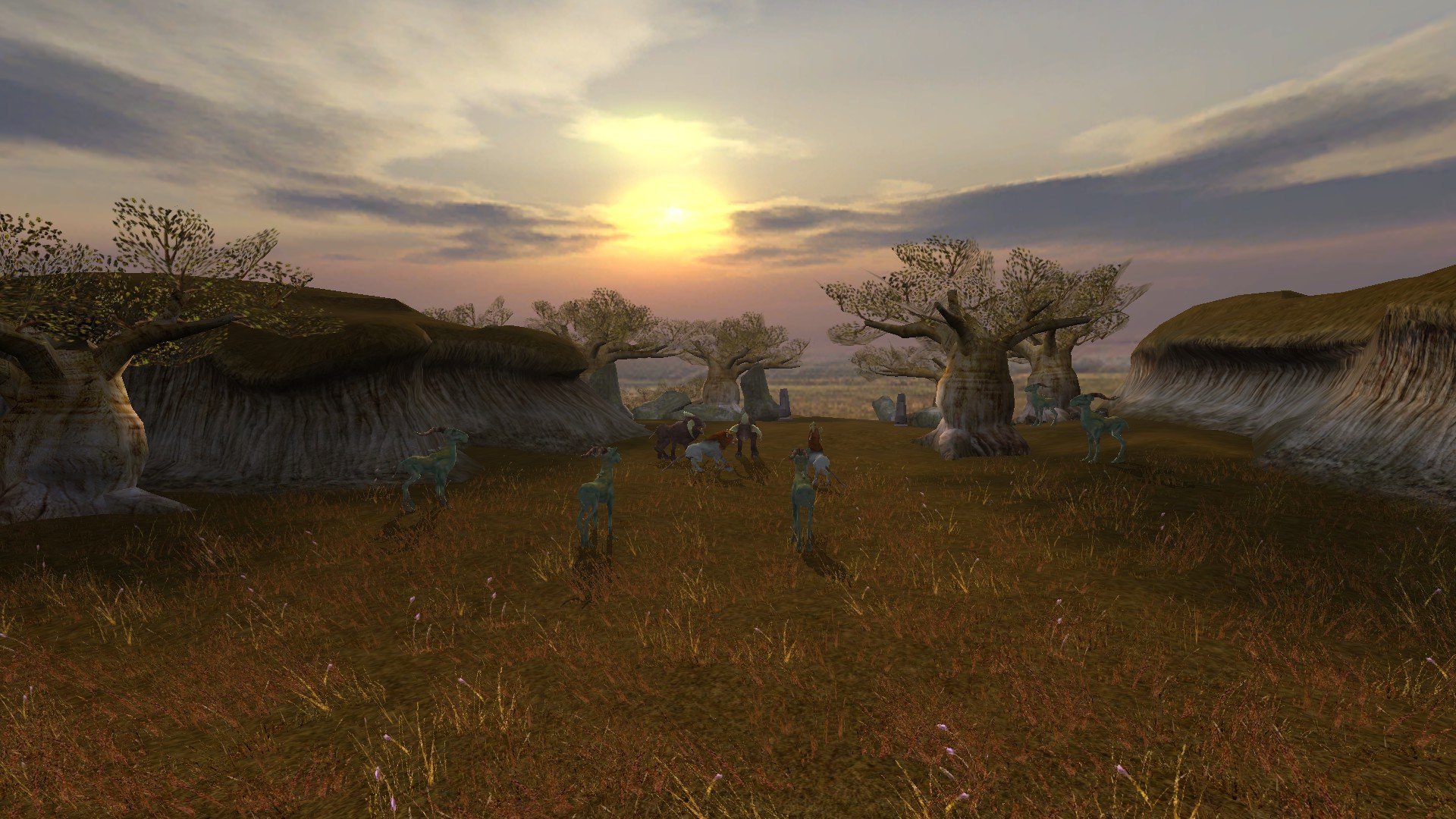
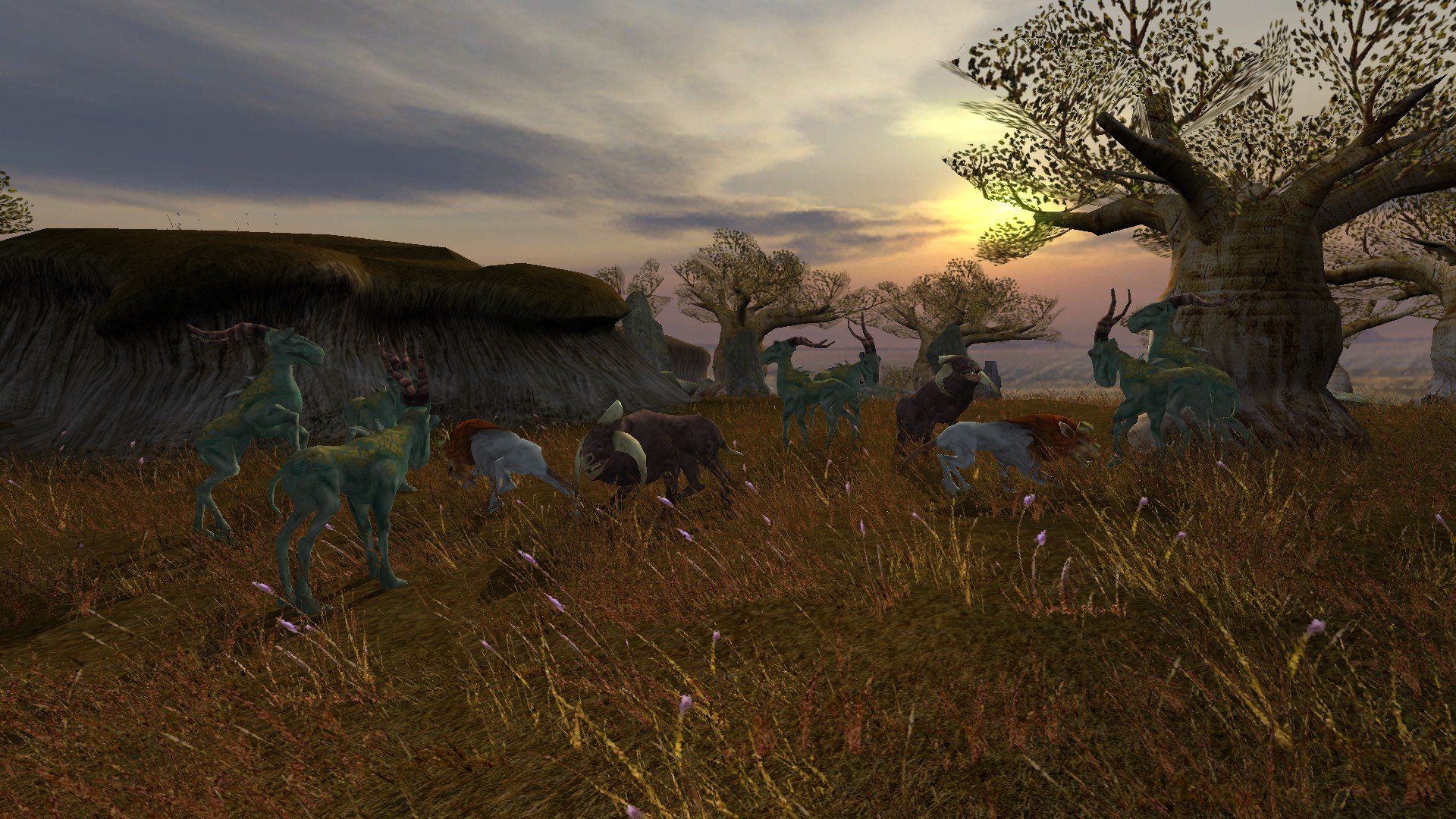
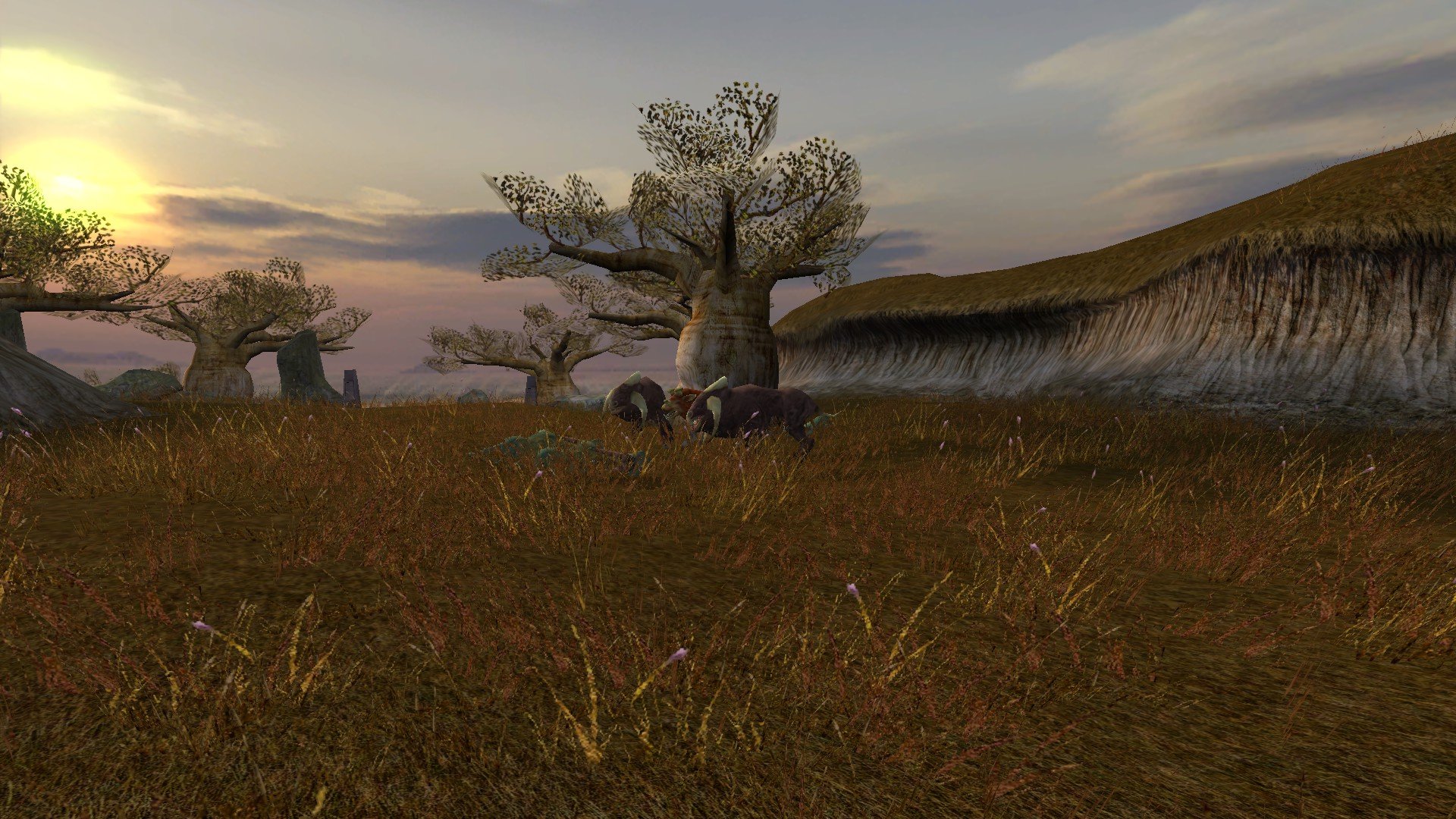
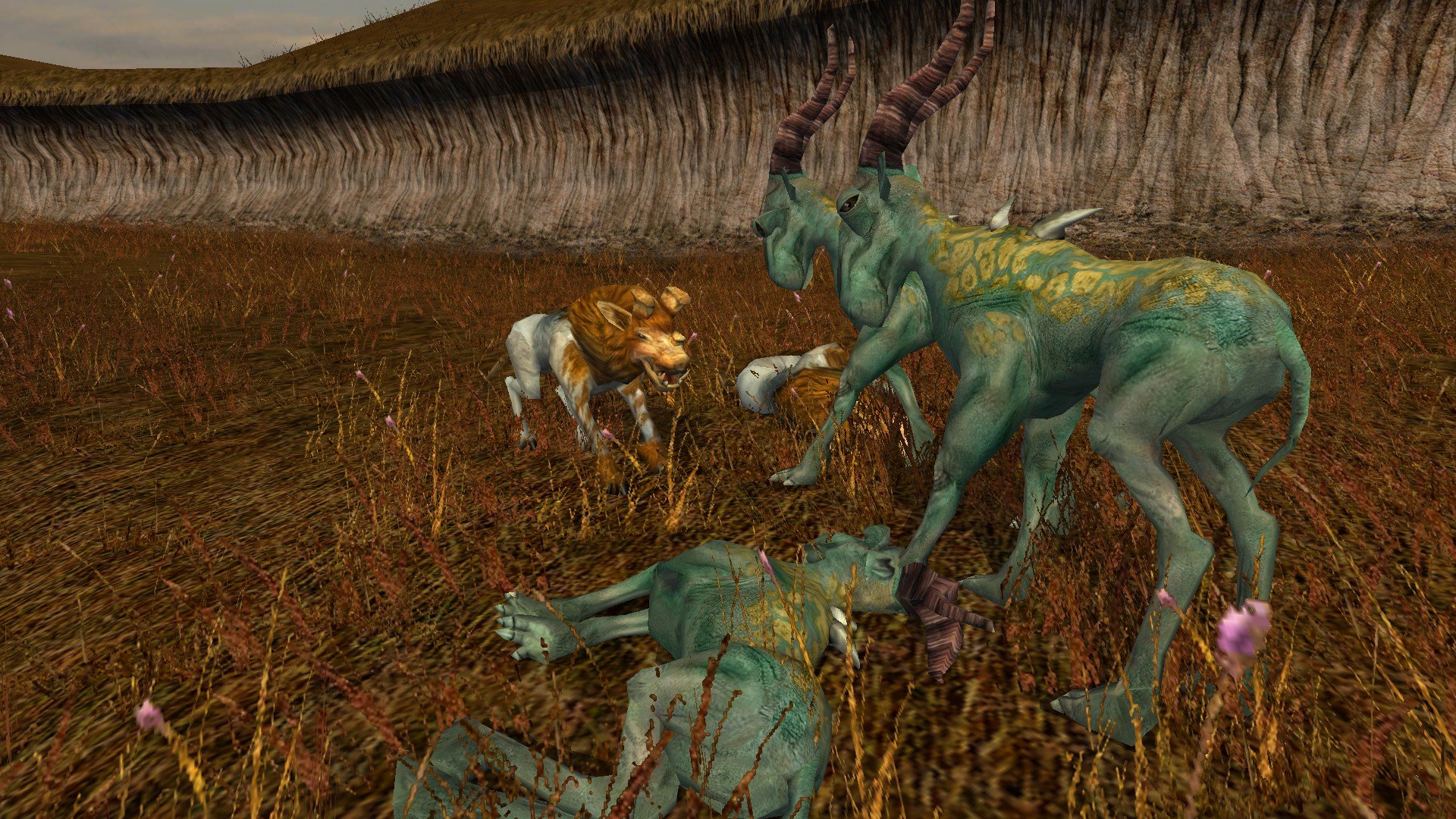
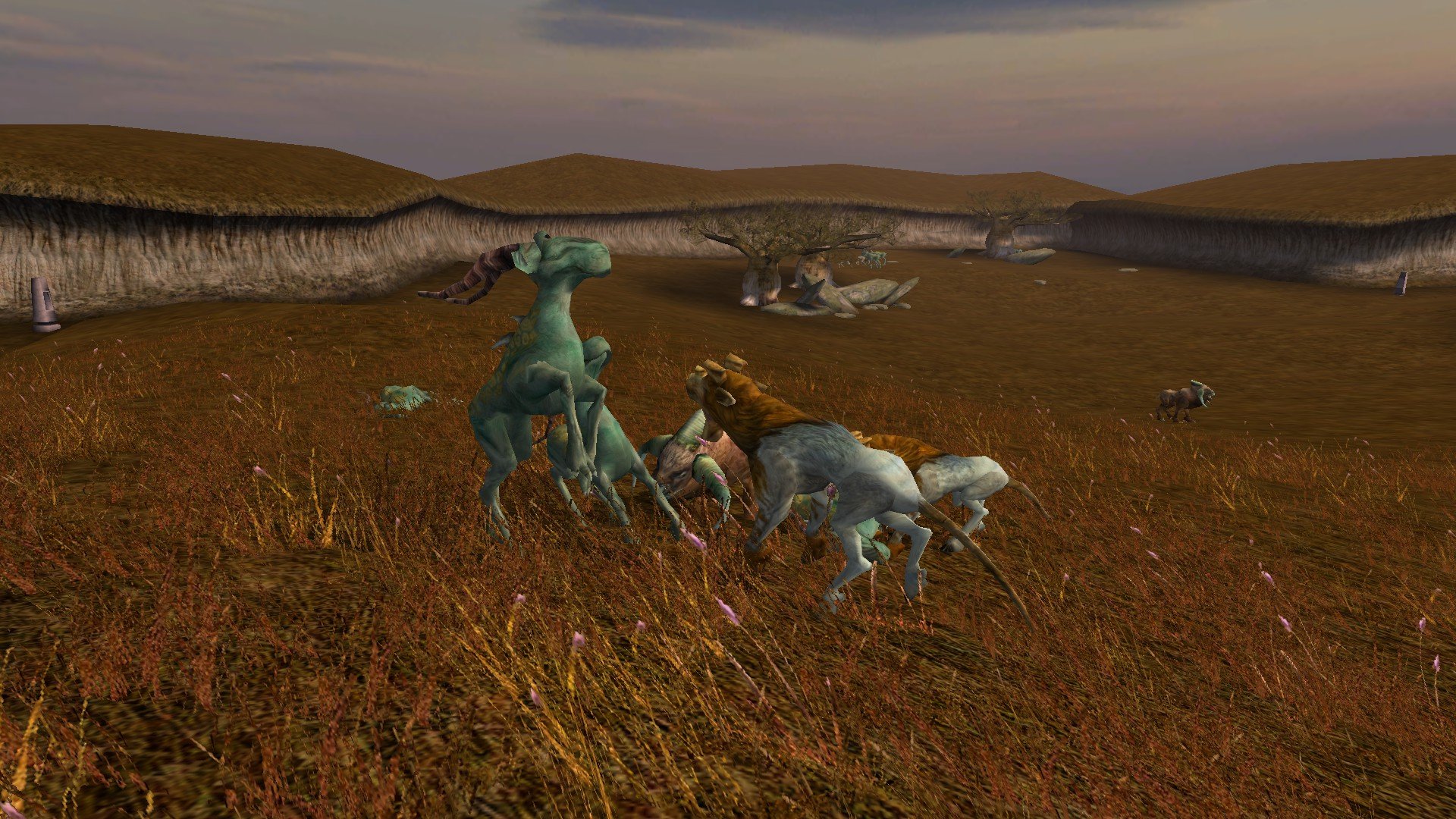
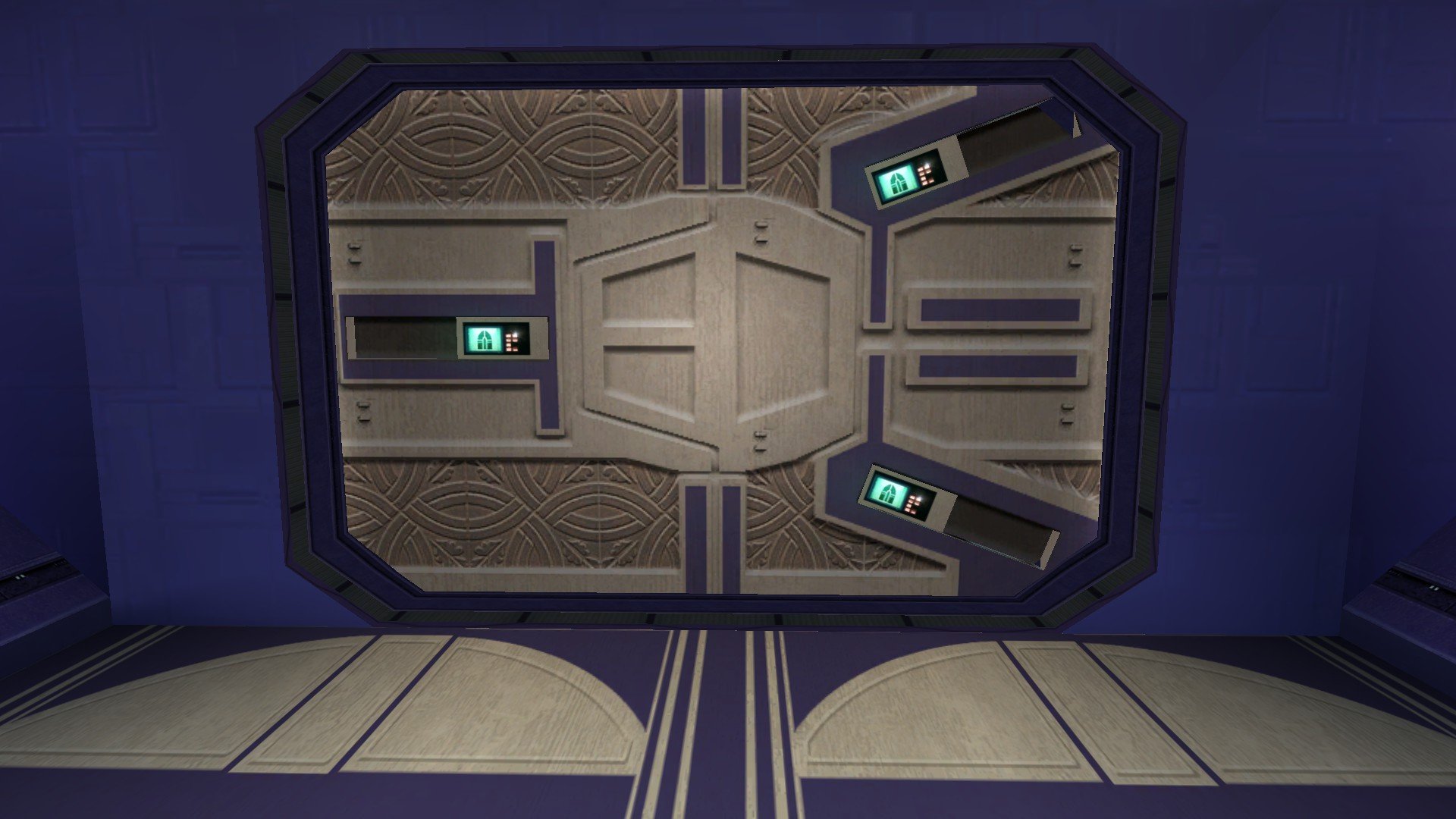
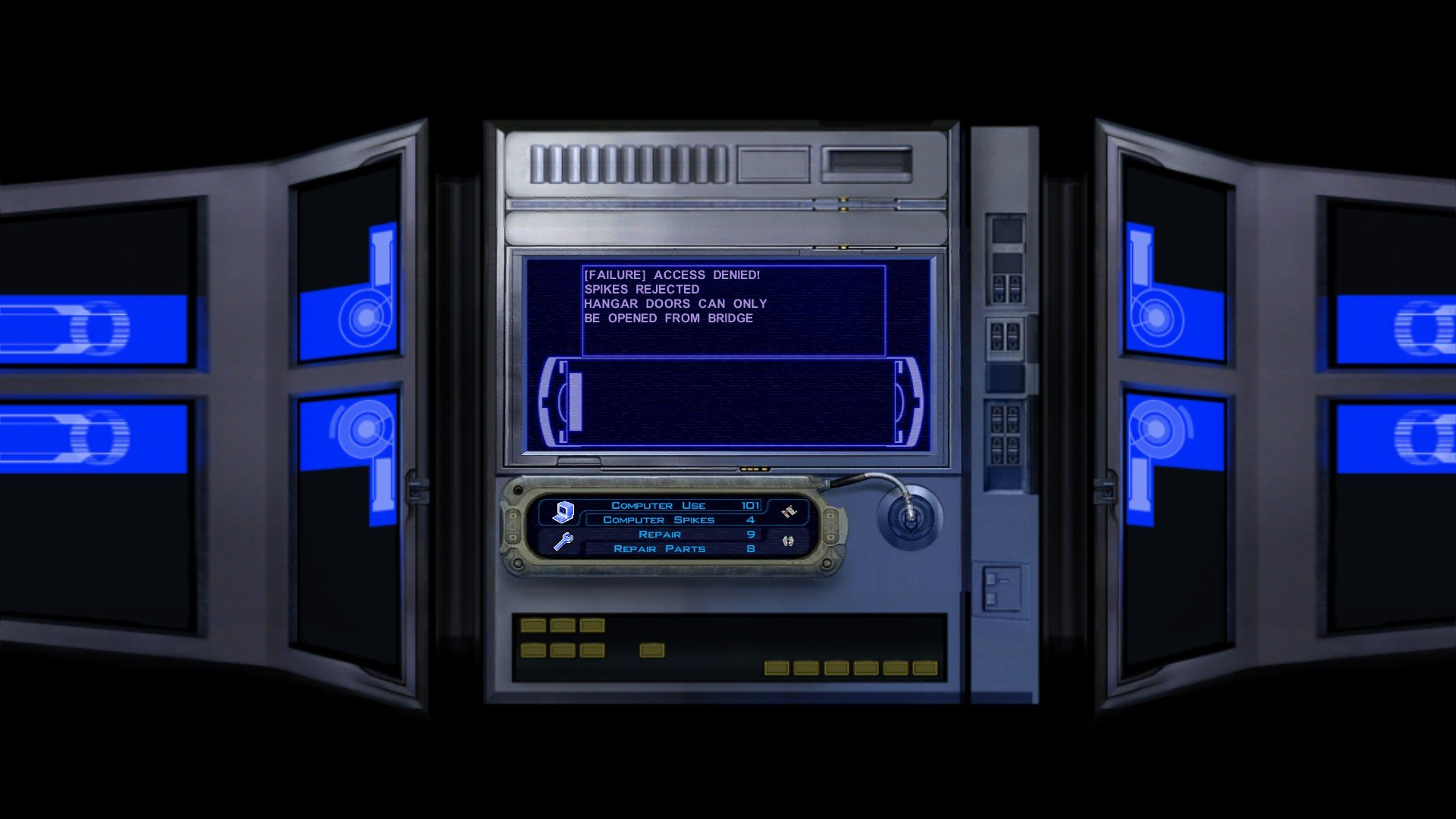
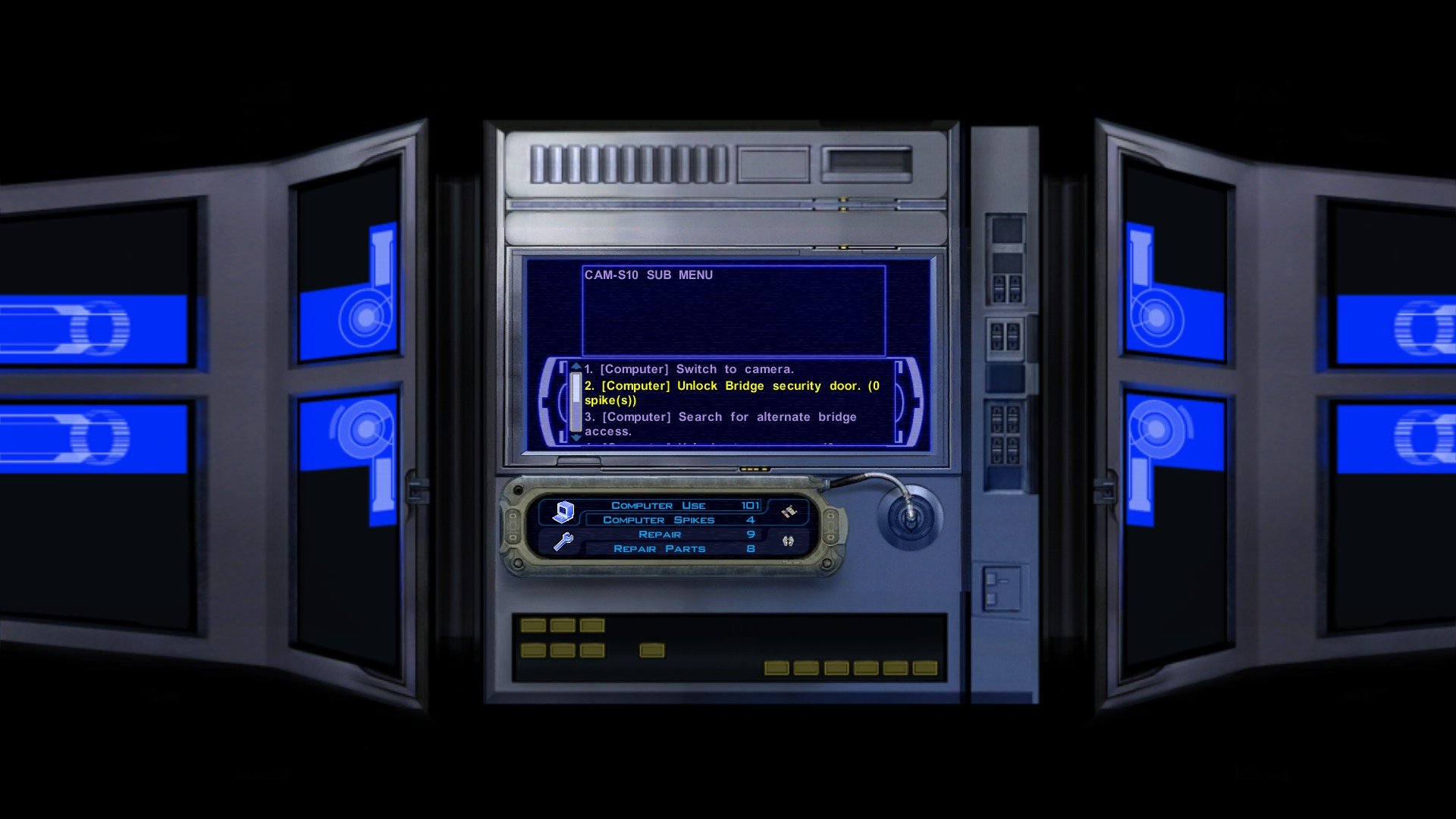
Iriaz. Another RC-K1CP update is almost ready, and as per tradition I would release an update, add something completely obscure, and then I'll get the endless moaning of "where's the Outcast Children and where are the Iriaz" instead of "wow, I sure do love the restored line from that one NPC I didn't even pay attention to". Well, you can all stop moaning... for now, for one of those things that you guys just love to complain about is actually being added in the next update! But no Outcast Children just yet... But when that update does come out I may or may not announce it with this: So, how do Iriaz work in RC-K1CP? Well, I believe in K1R the Iriaz would walk around the map and follow certain way point directions similar to how some Kath Hounds behave, however, the Iriaz will largely wander around aimlessly as the left over Iriaz .UTC file in the Sandrale Estate exterior module was programmed to do just that. Instead of just "walking around" doing nothing the Iriaz will do something... and it's going to be an absolute bloodbath as you journey across the Dantooine planes now. When you enter a Dantooine module, somewhere in that module there will be Iriaz and Kath Hounds fighting each other. Sometimes an Iriaz may take down a Kath Hound or two, but more often than not the Kath Hounds always wipe out the Iriaz. Of course, that happens without Player intervention. Through Player intervention it can be possible for you to save some of the doomed Iriaz, however, simply standing around and letting the Iriaz get mowed down will in-fact chip down some of the Kath Hounds health so there is some benefit to letting them die. And of course, the Iriaz will also be attacked by Mandalorians. In lore, the Iriaz are docile and can get 'provoked' into aggression, and combined with the pre-existing warrior lore of the Mandalorians it does in-fact make sense for these two groups to be fighting. I have taken measures to try and make sure that Iriaz herds are not too close to Mandalorians so there shouldn't be too many instances of Mandalorians being led away from their group by rogue Iriaz's or something stupid like Sherruk running after an Iriaz and leaving his men to die. Now, K1R does have a bug wherein the Iriaz actually break that one cutscene with the Mandalorian and the "wife and children" bit. I have made it so that the Iriaz in that particular area are hostile to the Player meaning they should not break that cutscene and the Player will be able to kill some of these Iriaz themselves. Again, they are "docile" and not "friendly" and so it makes sense why some would want to kill you when others would rather fight Kath Hounds. There is a bug where the Iriaz stand completely still for about five to ten seconds before their AI kicks in, here is an example of this: Here is when their AI kicks in: And this is the result when the Player lets them die: As you can see, despite being outnumbered the Kath Hounds still win the fight. Since this is near Bolook his line "there are plenty of Iriaz around" now makes sense as you literally either just saw a bunch of Iriaz die or saved them and now they're roaming about nearby. I do not yet have screenshots of the Player being attacked by Iriaz, however, I do plan to add screenshots of restored content for the main mod page so I may add them there when this update is finally ready. Now that the one thing you all wanted is out, time for the obscure garbage no one cares about (this list may not be complete/some of it you may recognize if you ever played my ancient K1GI mod from back in the day/some of it may not be added if I can't get it to work flawlessly): * Restored an unused civilian dialogue for one of the male patrons of the Lower City Cantina. * Restored the "search database for planetary launch codes" option for all the Sith Base terminals, this will always fail as the Governor has them. * The Receptionist Terminal, the Computer Terminal, and the Control Center Terminal now have three unique interactions. The Receptionist Terminal offers almost no real benefits besides upload area schematics. The Computer Terminal offers most functions except for open elevator, disable assault droid shield, and overload power conduit. The Control Center Terminal has every function available. * The Hangar Terminal and the Barracks Terminal now have two unique interactions. The Hangar Terminal has no actual function besides the ability to disable the Hangar Security whilst the Barracks Terminal has all the functions except the ability to disable the Hangar Security. * You can now download the Ebon Hawk codes via the Barracks terminal, allowing you to bypass Hudrow. * Restored the cut door model for Davik's Hangar. * You can now attempt to open the Hangar Bay doors via the terminals in the Prison Block and Command Deck, this'll always fail. * You can now overload the power conduit in the Sith Trooper barracks in the Prison Block, this is an alternative to starting a prison riot and then gassing both the Sith and the prisoners. * You'll now have to unlock the Elevator after rescuing the Player. * The Command Deck terminal will now mention the Bridge lockdown before you login. This'll be removed when you open the Hangar doors and the lockdown is lifted. * You can no longer unlock all security doors on the Command Deck as options to unlock specific doors have been restored. * You can now attempt to open the Bridge Security Door, this'll always fail. * You can now use the Command Deck terminal to discover that you can use a Space Suit to access the airlock to bypass the Bridge Security Door. * You can no longer return to the Prison Block if the Hangar is open. That's all for today, please let me know what you think!
.png.de60ef4767f50122cce1684850c78a61.png)
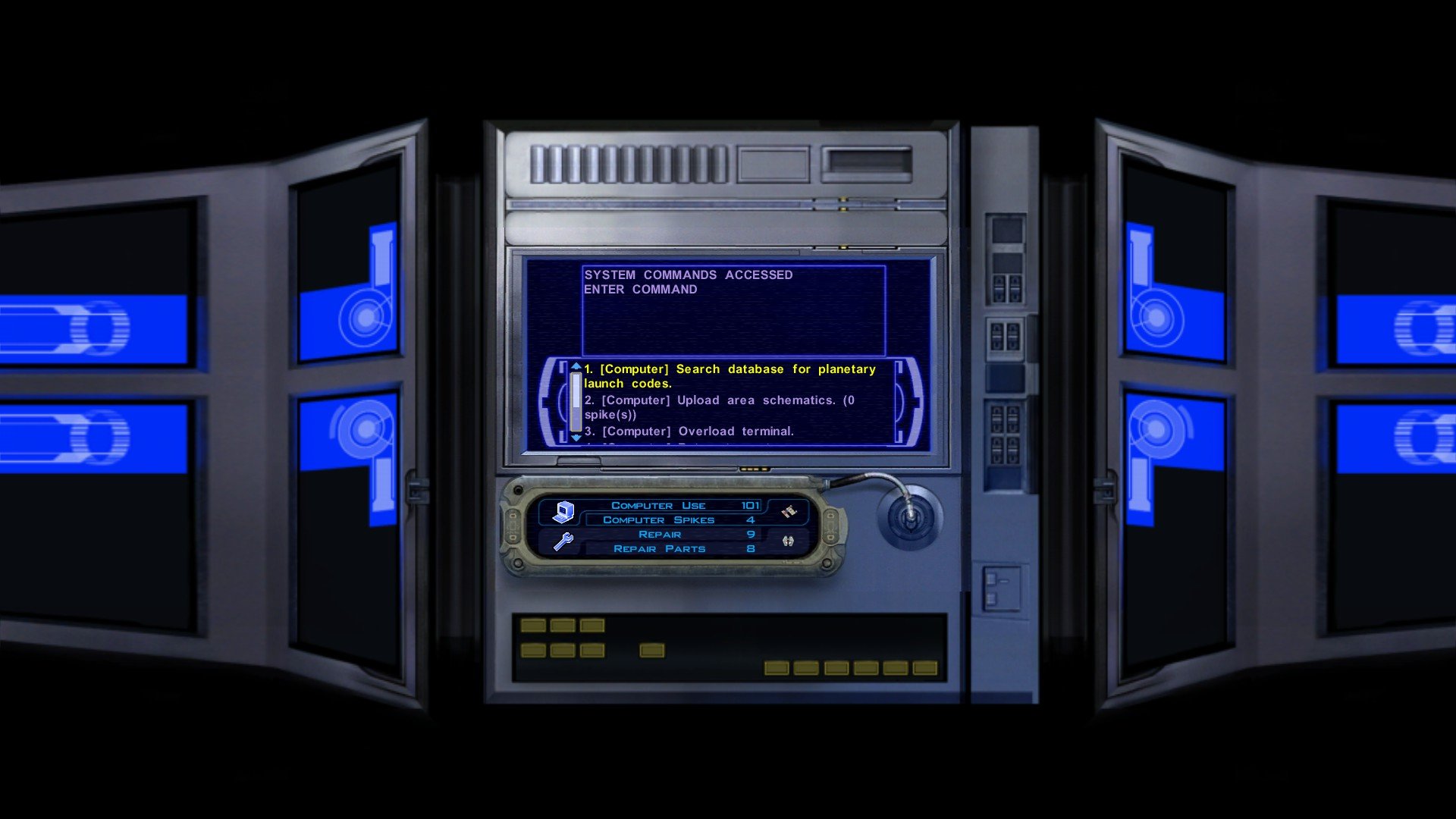
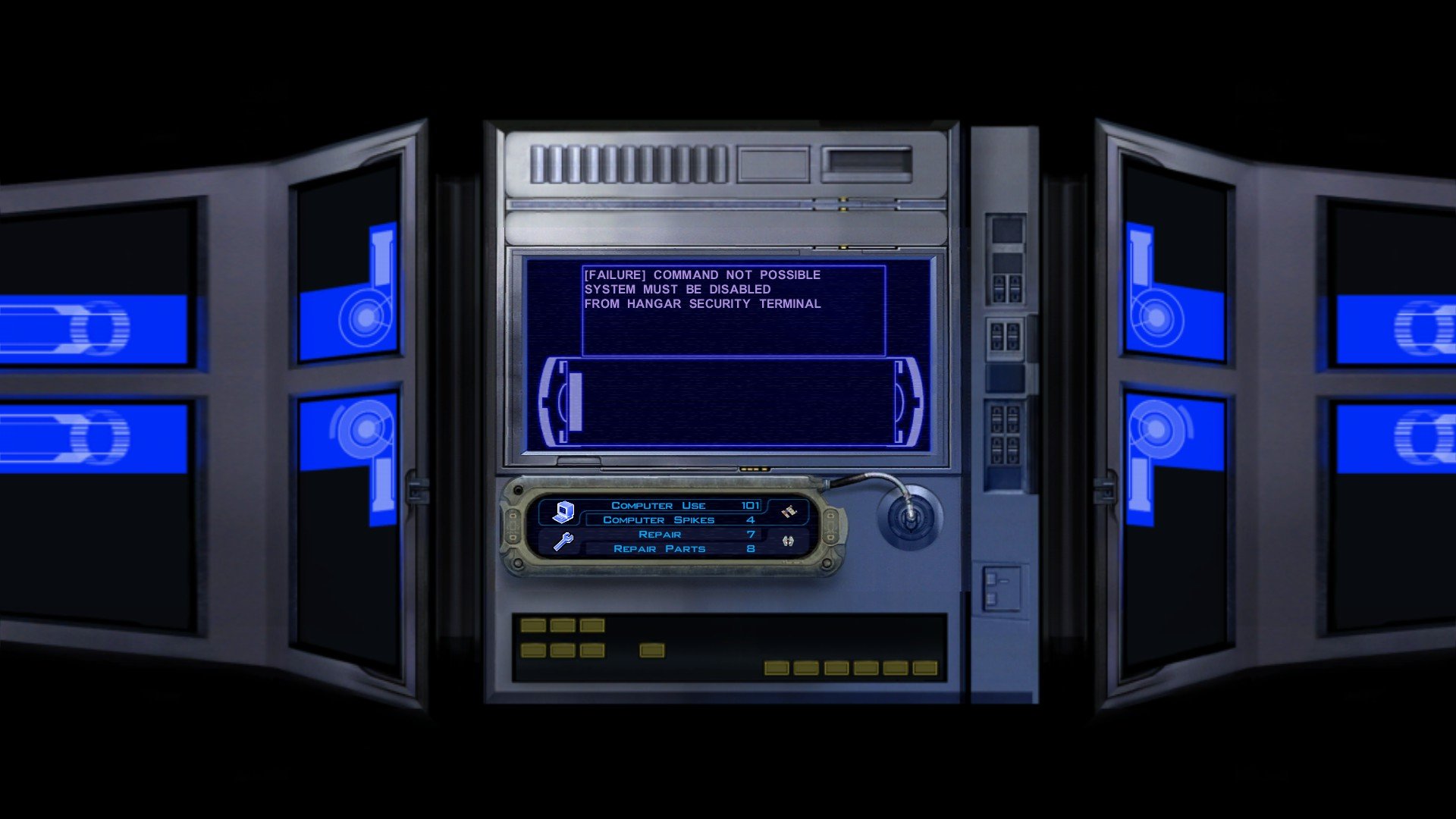
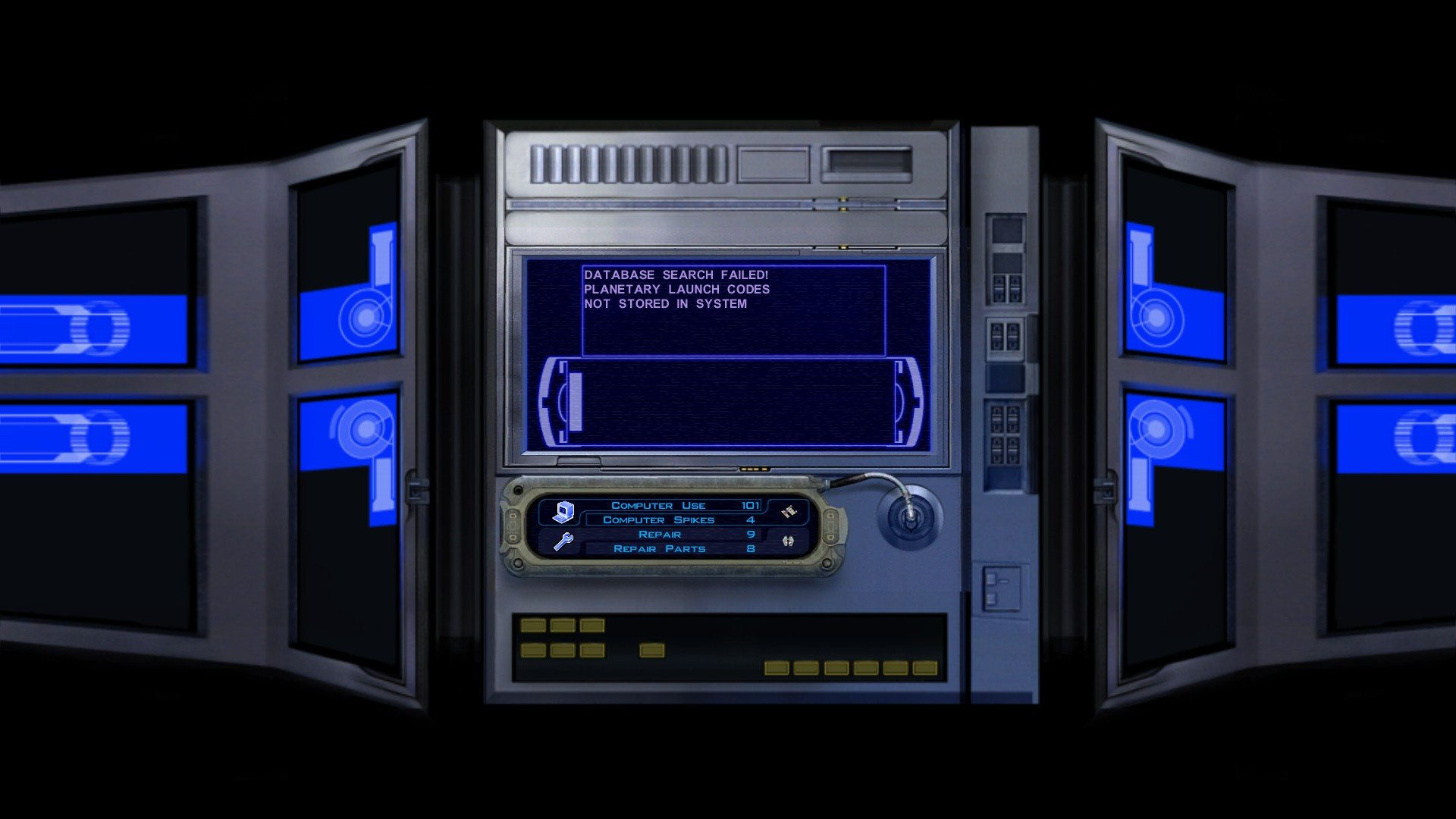
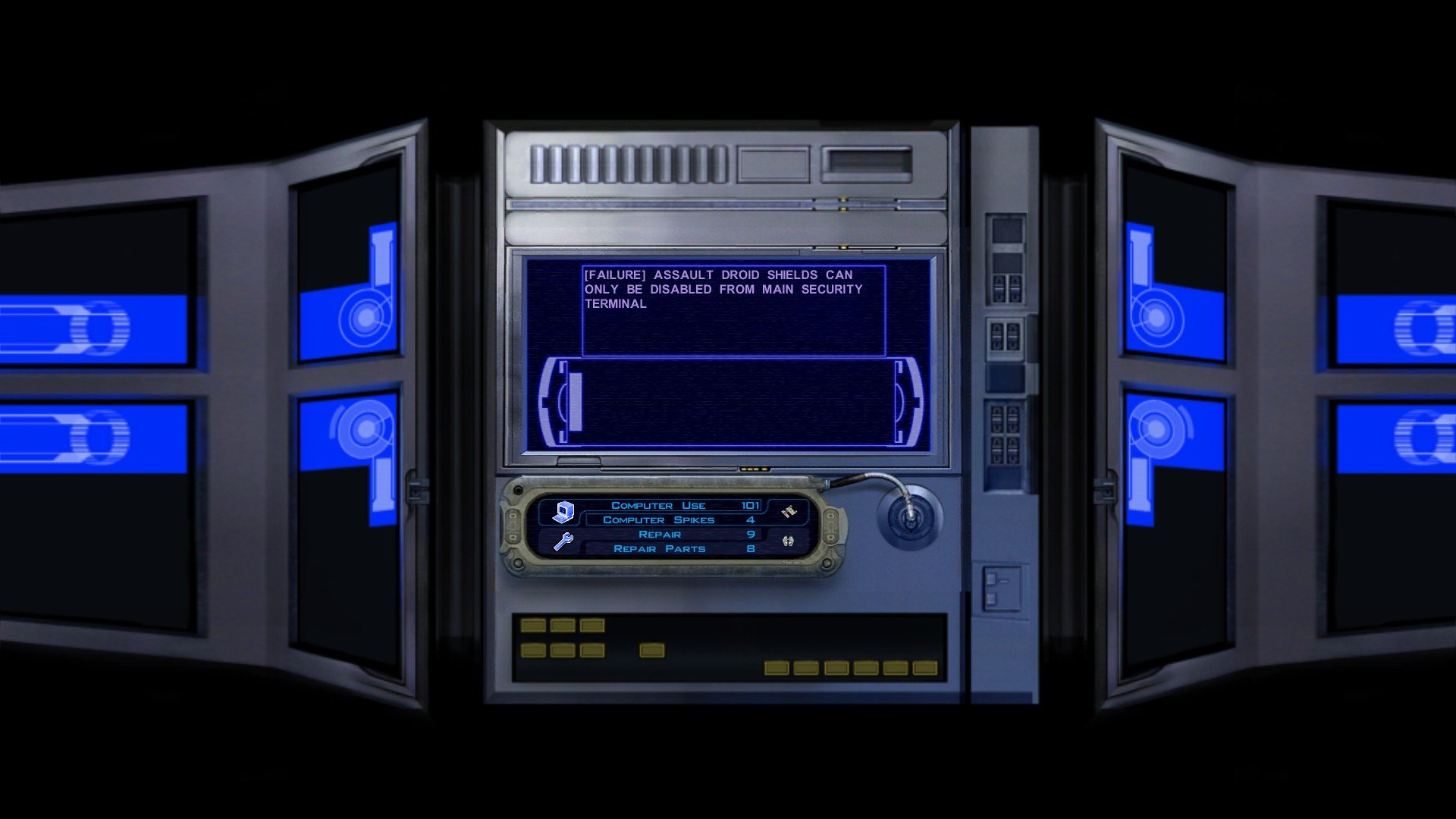
-
 I had a test of it on my end and it worked as expected, though I believe I might've discovered your problem. Soundsets are annoying in these games because to add the sounds they have to be added to something called a "dialog.tlk" file. The dialog.tlk file contains all the text you see in-game, and since my game is in English I believe the soundsets don't work for you because my mod is in English whereas your Kotor isn't and since your game doesn't use English text in its dialog.tlk this mod won't work on non-English Kotor games unless someone where to translate this mod into other languages. That means there'd need to be translated versions for Chinese, French, Russian, Italian, etc.. I am sorry I could not be of more help 😞
 -
I'm going to test it on my end now. What operating system do you use? Windows PC, Mac, Linux, Steam Deck? If you do not understand my question due to the English to Chinese translator please let me know.
-
View File Quanon & Dark Hope Twi'lek Pack A Mod for Star Wars Knights of The Old Republic Author: N-DReW25 1.0.0 Release Date: 18.07.2026 Installation: Please install the K1 Community Patch FIRST before this mod! Simply click on the HoloPatcher.exe, click install, and sit back and watch the HoloPatcher do its magic! Description: On January 4th 2017 the modder Dark Hope released her HD Twilek female 1 mod which updates the female Twi'lek appearance textures with high quality HD textures. On March 1st 2017 the modder Quanon would then release his Quanons Twilek Outfits mod which added high quality HD dancer outfit textures for the female Twi'leks. With Quanon's mod, the idea is that you would install Dark Hope's textures first and then his mod on top to create a sort of HD hybrid between the two textures. But on January 21st 2023 Dark Hope would go on to update her HD Twilek female 1 mod with new textures that used DarthParametric's K1 Thigh-High Boots For Female Twi'lek Body Modder's Resource. Since both Quanon and Dark Hope have given modders permission to use their mods with proper credit given to them, I have decided to take their Twi'lek textures and make a pack which would allow you to use all three mods at once without having to pick one or the other. Dark Hope's HD Twilek female mod from 2017 will replace the three generic Twi'lek female appearances with HD textures for their outfits and heads. 4 new Twi'lek appearances have been added which use the default Twi'lek heads but use Quanons Twilek Outfits for their outfits. 3 new Twi'lek appearances have been added which use Dark Hope's HD Twilek female mod from 2023 which add new outfit textures with Thigh-High Boots and head textures. With this mod installed, there are now 10 Twi'lek female variations that each use a combination of Quanon's textures, Dark Hope's 2017 textures, and Dark Hope's 2023 textures. Known Bugs: This mod shouldn't have any bugs but if you find any please report them to me. Incompatibilities: Incompatible with DarthParametric's K1 Thigh-High Boots For Female Twi'lek Body Modder's Resource (it is also included in the mod). KotOR 1 Twi'lek Female NPC Diversity must be installed AFTER the Quanon & Dark Hope Twi'lek Pack. Lyn Sekla "Legends" must be installed AFTER the Quanon & Dark Hope Twi'lek Pack. [K1] Janice Nall "Legends" and the Incomplete Droids must be installed AFTER the Quanon & Dark Hope Twi'lek Pack. Galaxy of Faces must be installed AFTER the Quanon & Dark Hope Twi'lek Pack. The NPC Diversity Pack must be installed BEFORE the Quanon & Dark Hope Twi'lek Pack. Please report any further incompatibilities! Permissions: As both Quanon and Dark Hope have given their permission for modder's to use their work, you can use assets from this mod as long as you give credit to the original authors. Thanks to: Dark Hope: For creating the 2017 and 2023 versions of the HD Twilek female 1 mod! Quanon: For creating Quanons Twilek Outfits! DarkParametric: For both making K1 Thigh-High Boots For Female Twi'lek Body and making it a modder's resource! Bioware: For such an amazing game! Fred Tetra: For Kotor Tool! Cortisol: For HoloPatcher! Everyone who downloads the mod! Legal: THIS MODIFICATION IS NOT SUPPORTED BY BIOWARE/OBSIDIAN ENTERTAINMENT, LUCASARTS, DISNEY OR ANY LICENSERS/SPONSORS OF THE MENTIONED COMPANIES. USE OF THIS FILE IS AT YOUR OWN RISK AND THE ABOVE-MENTIONED COMPANIES OR THE AUTHOR IS NOT RESPONSIBLE FOR ANY DAMAGE CAUSED TO YOUR COMPUTER FOR THE USAGE OF THIS FILE. Submitter N-DReW25 Submitted 07/18/2026 Category Mods K1R Compatible No
-
Version 1.1.0
78 downloads
A Mod for Star Wars Knights of The Old Republic Author: N-DReW25 1.0.0 Release Date: 18.07.2026 Installation: Please install the K1 Community Patch FIRST before this mod! Simply click on the HoloPatcher.exe, click install, and sit back and watch the HoloPatcher do its magic! Description: On January 4th 2017 the modder Dark Hope released her HD Twilek female 1 mod which updates the female Twi'lek appearance textures with high quality HD textures. On March 1st 2017 the modder Quanon would then release his Quanons Twilek Outfits mod which added high quality HD dancer outfit textures for the female Twi'leks. With Quanon's mod, the idea is that you would install Dark Hope's textures first and then his mod on top to create a sort of HD hybrid between the two textures. But on January 21st 2023 Dark Hope would go on to update her HD Twilek female 1 mod with new textures that used DarthParametric's K1 Thigh-High Boots For Female Twi'lek Body Modder's Resource. Since both Quanon and Dark Hope have given modders permission to use their mods with proper credit given to them, I have decided to take their Twi'lek textures and make a pack which would allow you to use all three mods at once without having to pick one or the other. Dark Hope's HD Twilek female mod from 2017 will replace the three generic Twi'lek female appearances with HD textures for their outfits and heads. 4 new Twi'lek appearances have been added which use the default Twi'lek heads but use Quanons Twilek Outfits for their outfits. 3 new Twi'lek appearances have been added which use Dark Hope's HD Twilek female mod from 2023 which add new outfit textures with Thigh-High Boots and head textures. With this mod installed, there are now 10 Twi'lek female variations that each use a combination of Quanon's textures, Dark Hope's 2017 textures, and Dark Hope's 2023 textures. Known Bugs: This mod shouldn't have any bugs but if you find any please report them to me. Incompatibilities: Incompatible with DarthParametric's K1 Thigh-High Boots For Female Twi'lek Body Modder's Resource (it is also included in the mod). KotOR 1 Twi'lek Female NPC Diversity must be installed AFTER the Quanon & Dark Hope Twi'lek Pack. Lyn Sekla "Legends" must be installed AFTER the Quanon & Dark Hope Twi'lek Pack. [K1] Janice Nall "Legends" and the Incomplete Droids must be installed AFTER the Quanon & Dark Hope Twi'lek Pack. Galaxy of Faces must be installed AFTER the Quanon & Dark Hope Twi'lek Pack. The NPC Diversity Pack must be installed BEFORE the Quanon & Dark Hope Twi'lek Pack. Please report any further incompatibilities! Permissions: As both Quanon and Dark Hope have given their permission for modder's to use their work, you can use assets from this mod as long as you give credit to the original authors. Thanks to: Dark Hope: For creating the 2017 and 2023 versions of the HD Twilek female 1 mod! Quanon: For creating Quanons Twilek Outfits! DarkParametric: For both making K1 Thigh-High Boots For Female Twi'lek Body and making it a modder's resource! Bioware: For such an amazing game! Fred Tetra: For Kotor Tool! Cortisol: For HoloPatcher! Everyone who downloads the mod! Legal: THIS MODIFICATION IS NOT SUPPORTED BY BIOWARE/OBSIDIAN ENTERTAINMENT, LUCASARTS, DISNEY OR ANY LICENSERS/SPONSORS OF THE MENTIONED COMPANIES. USE OF THIS FILE IS AT YOUR OWN RISK AND THE ABOVE-MENTIONED COMPANIES OR THE AUTHOR IS NOT RESPONSIBLE FOR ANY DAMAGE CAUSED TO YOUR COMPUTER FOR THE USAGE OF THIS FILE. -
I took the normal Sith Soldier soundset and used a filter in Audacity to make the male soundset sound famine. What are you saying? Are you saying that the female Sith Soldier is present but makes no sounds?
-
[WIP] TATOOINE - THE LOST TEMPLE EXPANDED
N-DReW25 replied to JuniorModder's topic in Work In Progress
It would be possible to just make a new vision cutscene to replace the old one. The following is how I, a modder, would go about making it (and how it would be less daunting than you may think). Star Map visions depict the Star Map opening as the camera softly pans around it. To recreate this, you, or a volunteer modder, can follow the following steps to achieve this: 1) Install GLIntercept, activating this mod in-game will allow you to move the camera around freely. 2) Set the Star Map inside the Tatooine Temple so that it'll open if you click on it. 3) Download JC's Toolbox for K1 and specifically install JC's Invisible Disguises for K1. It adds an armband which can make the character completely invisible (not stealth mode, as in the player just isn't rendered at all). Equip this armband in-game. 4) Inside the module tat_m18ac, press Caps Lock on your keyboard to go into first person mode and type "warp m19aa" into the cheat console. Doing so will warp you into the Tatooine Temple and, due to a glitch, will disable your GUI so the mouse cursor, icons, portraits, menus, and everything else is rendered invisible. Pressing Caps Lock twice after this (going back into and out of first person mode) will undo this glitch. 5) Down and install the OBS Studio screen recorder. 6) With the invisibility armband and the glitch above in effect, the player and main menus cannot be seen. Move to and stand in front of the Star Map. 7) Slowly drag your cursor to the left using your mouse to cause the camera to pan in a circle around your camera. Since the Player is invisible, use GLIntercept to set your camera back a little bit so that it perfectly pans around the Star Map as it opens in the next step. 8,) When you are confident that you've set everything up properly, press record for OBS and click on the Star Map. Using the technique described above, pan the camera around the Star Map as it opens. Repeat until you're satisfied. 9) Using a video editor of your choosing, add a quick fade in and fade out from black at the beginning and end of the footage. If possible, add an overlay effect over the screen that resembles the vision effect from the original scene. If need be, mute the audio of your recording and outright rip the audio from the original vision and add it to your recording. Ensure that the recording is about 9 seconds long as per the original visions. 10) Convert your .MP4 file into a .BIK file. 11) Test in-game and see if it worked. Whilst many of us can agree that the Star Map needs to be inside the Temple, I think that we should not let the vision cutscene hold us back on creative freedom here. Even if we can't make the scene right now, we still have two options in our sleeves: 1) Make the Tatooine Temple with the Star Map in it, ensure that the Temple is the best it can possibly be, and either make, or have someone else make, the new vision scene later and last. 2) Add two installations, one has the Star Map in the cave and the other has the Star Map in the Temple. This'll appease everyone, those who hate the inconsistency/hate the new vision and those who want the Star Map in the Temple will both have what they want whilst angering none. What triggers are they? From what I can tell, the Player just clicks on the Star Map and the Star Map opens - it doesn't have any triggers. If the cave option is to be retained, I think this might be the best course of action as the Temple will still be required to continue the plotline. Even if the Star Map is removed, I'm sure those triggers will still work. I've been sharing with JuniorModder over Discord some ideas of my own on how these puzzles should be dealt (as I was the one who gave him the idea in the first place). After doing some testing, I have removed the barriers in the temple and have given the Player free reign over the Temple. However, as the Star Map is locked (either in the Saarlac room or in the Cave) then having free reign over the Temple isn't really a benefit as it would be in the current setup. Instead, runed Obelisks inside the Temple would have strange poems and forgotten lore of the Rakatta and their slave races etched into them and, through a combination of this lore and the Storyteller's Lore, the Player will be able to recite the answers to the Ancient Droid and, if spoken correctly, the Player will be able to unlock the Star Map. In my version of the lore, it is implied that the Rakattans moved the Sarlaac into the pit and used it as a site of religious worship and sacrifice. Around the pit I intend to add "sacrifice urns" that were used as sacrificial offerings though some of them will contain basic Lightsaber crystals as loot. The reason why there is no Sarlaac inside the pit is because it'll also be implied that the Rakatta "took it away" before they glassed the planet. Right now the working name for the Sarlaac is "Bar'baloth" and this Sarlaac, despite not being present, plays a religious role in Sand People and Jawa mythology which will be taught to the Player via the Sand Person Chieftan, Storyteller, and Iziz the Jawa. In the lore I'm working on, I have it so that it is the Jawa's outside the Temple who give the Player a third Krayt Dragon Pearl as a reward for clearing out the Temple (this might be exclusive to the DS ending wherein the Player encourages them to migrate into the Temple instead of leaving it). That is something I am considering. I intend to replace the Rakata either with this, or with a Hologram of a Rakata that thinks it is the real Rakata it is depicting when it isn't (imagine a Ronald Reagan AI thinking it is the real Ronald Reagan, that's what this'll be). The above where I suggested removing the barriers as part of the Temple questline would fix this. The following wall of text inside the spoiler below is what I sent to JuniorModder as to why I think the Rakata inside the Temple is a horrible idea: If this character could be replaced with the Ancient Droid, or a delusional hologram of a Rakata that thinks it is a Rakata even though it speaks Twi'lek or something, could remove many of the plot holes I talk about below. By removing the Rakata we need not worry about either porting or making weird Lightsaber designs. This would require voice acted VO, I think the Dantooine one where the droid cycles through slave alien VO would be better as it means we can just reuse VO and not create new ones. That, and the Party recognizes the Player can understand the Rakata on Lehon. If there is a Rakata on Tatooine that's a massive plot hole. The very first thing the Dantooine droid says is in Rakatan yet the Player does not understand. I think the timeline of events in regards to the Player understanding Rakatan goes like this: 3959 BBY > Revan uses the Force to rip the knowledge of the Rakatan language from the Rakata he/she encounters and uses the Force to make the Rakata understand basic, this is confirmed by The Elders and The One. 3957 BBY > Revan is captured and the Jedi Council wipe his/her mind, as a result the memory of being able to understand Rakatan is suppressed. Endar Spire, Taris, and Dantooine > the Player does not understand Rakatan as he/she has amnesia. Korriban > When the Player picks up the Wraith Box, even if it's the first planet, and gets zapped inside the Mind Prison Revan has remembered how to understand Rakatan again. The Imprisoned One implies that Rodians and other creatures got zapped into the box but couldn't understand the Imprisoned One and so ran into the void out of frustration. Lehon > The Player still remembers how to to understand Rakatan to which the Party will acknowledge this in dialogue. For this reason, the Player must be able to understand Rakatan but doing so will cause a plot hole as the Party will recognize this as they do on Lehon. By moving any such lore to the Ancient Droid or Hologram I propose we can keep both the lore and not have plot holes. Correct, perhaps if the Ancient Droid/Hologram believes that the planet is still green that'll serve as some real nice bit of lore for the mod. In my lore I removed the Tusken and all the Speederbikes, how on Earth would anyone get speeder bikes in there? I actually expanded the Jawa bit to have an entire encampment of Jawa's in that little area to compensate for her loss. More on them will be detailed down below. I think a simple conditional after completing the puzzles would work here, it'll function similar to the Kashyyyk Star Map this way. I actually proposed this to JuniorModder but he doesn't like the idea as it reminds him of the plotline of the book series/movie "Dune", however, I'll share my ideas on the matter. Gaining the Eastern Dune Sea Map from either the Sand People Chieftan or Iziz the Jawa should make it clear that the Star Map is inside the Temple whilst the Sand Person Chief in particular talks about how the Temple is taboo in Sand People culture as, not only does the Krayt Dragon guard it, but the God "Bar'baloth" and her "Child" dwell in there and those who go in never return. He goes on to imply that the one who goes in there and defeats Bar'baloth and the Child will go on to become the Sand Person Messiah who'll unify the Sand People under their rule and drive out the invaders. Bar'baloth is the Sarlaac whilst the "Child of Bar'baloth" is actually a Terentatek that is residing inside the Temple. Do note that this particular Terentatek was missed during the Great Hunt that wiped them out and so you'll be able to tell Deesra Luur Jada on Dantooine about how you killed it on Tatooine. Inside an Obelisk as loot you'll find the Saarlac Tooth and from the remains of the Terentatek you'll get a hide of some kind to prove that you killed it. If you were to give both to the Sand Person Chief you'll be proclaimed the Messiah, the Tribe will make plans to migrate into the Temple, you'll be given free reign to loot their belongings, and you won't be able to kill them after this as they'll go through great lengths to prevent you from pissing them off. The Sand Person Chief will imply that he expects you to return after the Star Forge quest to help them drive Czerka off of Tatooine. Proclaiming yourself as the Messiah is a Dark Side ending because the Temple and the Star Map are of the Dark Side and so having them migrate into the Temple is a bad thing (imagine giving the uncontacted Sentinel Islander tribe the One Ring from the Lord of the Rings for example) and having Sand People migrate into the Cave puts the Jawa camp already in there in danger. If you give the Sand Person Chief the Saarlac Tooth and lie about not being able to kill the Terentatek then you'll prevent the Sand People from going there but you won't be proclaimed the Messiah. The Jawa camp I keep talking about got down there because the Jawa's are small enough, and knowledgeable enough of the geography of Tatooine, to have squeezed through the tight cracks on the surface to sneak into the cave system without going near the Krayt Dragon. The reason they're outside the Temple and not in the Temple is because the Terentatek/Ancient Droids keep killing them when they go in there. After the Player defeats the Terentatek the Player can encourage them to stay in the cave which is Dark Side or leave the cave which is Light Sided. As a reward for killing the Terentatek, the Jawa's leader (which I've made a Chadra-Fan) will give a Krayt Dragon Pearl as a reward. I agree with this, though with my Bar'baloth Saarlac lore I've mentioned the idea that the Rakatans "moved it" out of there could imply that this Saarlac that is Bar'baloth could possibly be the same one from the movies - though it's entirely open ended as to whether or not you want to believe that. I am glad that my reasoning appears to have gotten through! I do not think that'll be necessary, the Kashyyyk Star Map can be approached before you talk to the Rakata Computer and it simply doesn't open. This could likewise be done on Tatooine should the Star Map be kept in the cave. I'll have to test it, but I'm certain the Calo Nord encounter in tat_m18ac is not connected to the Star Map. If the Star Map is gone if you walk to the end of the cave they should all still spawn as normal. I don't think this'll make a difference. If the Star Map is in the Cave but requires the Player to complete the puzzles in the Temple, the Player comes back and unlocks the Star Map and leaves. If the Star Map is in the Temple, the Player simply uses the Krayt Dragon cave as an entrance and does everything inside the Temple. And if the content with the Sarlaac Tooth and even the Terentatek hide being required to complete the Sand Person Messiah content is added to the mod then the new content doesn't end in the Temple, the new content would end in the Sand People Camp. This is probably the only justifiable reason as to keep the Star Map in the cave, but should a new vision scene be made then keeping in the cave becomes less tenable as the Temple Star Map becomes easier and easier. It is of my opinion that a Temple Star Map should be attempted, and if it succeeds make it an optional install so that players who want a Temple Star Map get their Temple Star Map whilst Players who want a Cave Star Map get their Cave Star Map. -
I'm obviously not RedRob, though I'd assume no as Kotor II didn't have Party Underwear models whereas Kotor I did hence why he made his own models and textures for Kotor II and for Kotor I we instead get his upscale work as part of the AI Upscale pack.
-
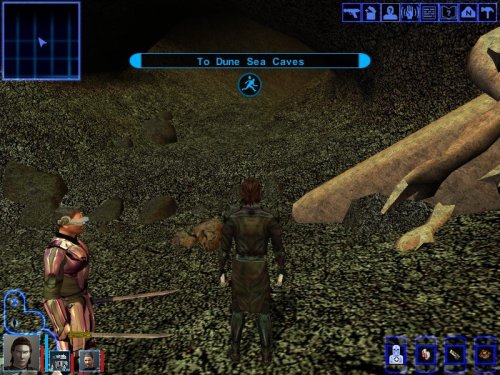 There is a little bag in the Rancor room containing a belt item that activates the speeder, though said belt may be hidden underneath a dung heep placeable if my memory of my exploration of the Temple via Holocron Toolset is correct. I do believe that this is meant to serve as an absolute bare bones attempt at a bonus side quest, hence why it's confusing in its vagueness (not throwing shade at JuniroModder ofc).




