


DarthParametric
-
Posts
4,907 -
Joined
-
Last visited
-
Days Won
557







About DarthParametric

- Birthday 03/12/1976
Recent Profile Visitors
183,187 profile views




DarthParametric's Achievements





-
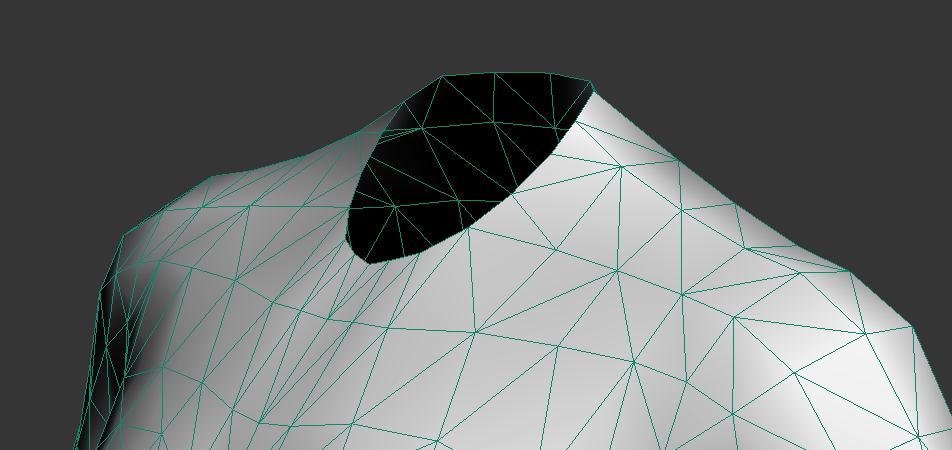
You may not need to worry for armour. Like I said, it's really only for anything with exposed skin, or possibly any of the "skintight" torsos. It will look like this:
-
Oh, that's something I forgot to mention. For any model where you need a seamless neck join (like underwear or anything exposing the base of the neck/shoulders), you'll need to adjust the TOR mesh to fit KOTOR's low poly neck stump. It's literally a case of hexagonal stump in a round hole.
-
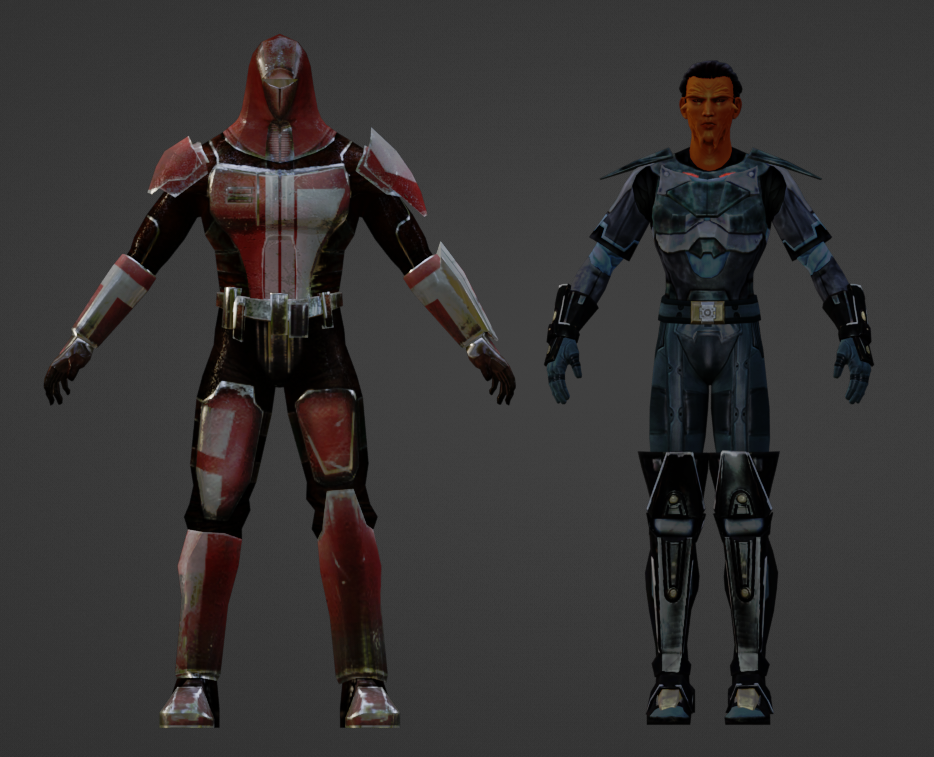
I haven't watched it, but judging from the thumbnail, probably. In specific regards to TOR models, expanding on what I said above you'll need to scale them by around 8 to 9x, depending on the target you're trying to match and rotate 180°. But the two big things are reposing the legs and arms, and adjusting the limb (specifically forearm) lengths. I usually found it was easier to just lop off the TOR hands/gloves and utilise vanilla KOTOR hands rather than try and reposition them. But that will probably vary a bit depending on the specifics of the source model and what rig you're targeting it to. As far as remapping skin weights goes, TOR heads use a lot more face bones, so those need to be condensed down to the nearest KOTOR equivalents.
-
Scale and position it to match vanilla KOTOR models, swap it to the KOTOR rig, remap UVs to fit it all on a single texture (at least if you want variants). TOR models use an A-pose, so you'll need to reposition the rig first before baking the changes. There are also a multitude of scale differences (like the torso and the arms), which typically makes fitting it to the KOTOR rig a pain in the ass.
-
 @Vriff is working on a new multi-platform TPC tool, coming soon™.
 -
 I think the cave uses a single lightmap, m18ac_04a_lm0, which would most likely be a TGA file if it was in the override.
 -
A lightmap issue possibly. Maybe a GPU issue. Shouldn't be anything from K1CP. Looks fine on my end, although it looks worse in a screenshot than it does in-game.
-
The script's OnEnter appears to be: void main() { object trigger = GetObjectByTag("utt_belloq"); DestroyObject(trigger); ActionStartConversation(GetFirstPC(),"unk_belloq"); } So the issue is simple. You're destroying the script owning object (the trigger) while the script it is trying to execute is running. That instantly kills all commands in the script. I would suggest you look at some vanilla trigger OnEnters to get a better idea of how to do this. The two primary approaches are checking and setting a local boolean on the trigger (k_inc_utility has functions for this), or if you want to destroy the trigger either start the convo first and set the destroy on a delay, or signal an external object (invisible placeable typically) and have it fire the convo and destroy the trigger via its UserDefine. The other simple solution is to simply remove the destroy command from the OnEnter and move it to a script on the first node of the conversation.
-
That's an engine limitation due to how globals are defined. People playing that much Pazaak is an extreme edge case, so not something K1CP will address.
-

Editing the Imperial Knight Armor Mod with GIMP
DarthParametric replied to redrebelzero's topic in General Kotor/TSL Modding
You'd need to edit the mod's texture, presumably a TGA given the age of the mod, in an image editor like Photoshop, Gimp, etc. There will presumably be two separate textures, one for females and one for males. -
Kotor 1 - Stuck before Dantooine Star Map
DarthParametric replied to keegs's topic in Knights of the Old Republic General
Here you go. I'm not sure if your game being non-English will be a problem after being saved in my English version. Dantooine_Ruins_Door_Fix_xispect.zip Crash? There shouldn't be any crash. What you encountered is a "soft lock". You managed to break the script that triggers the cutscene, leaving you with no way to continue the main quest. I still don't know how people manage to break it, hence why it's not fixed. I can't replicate the problem on my end. -
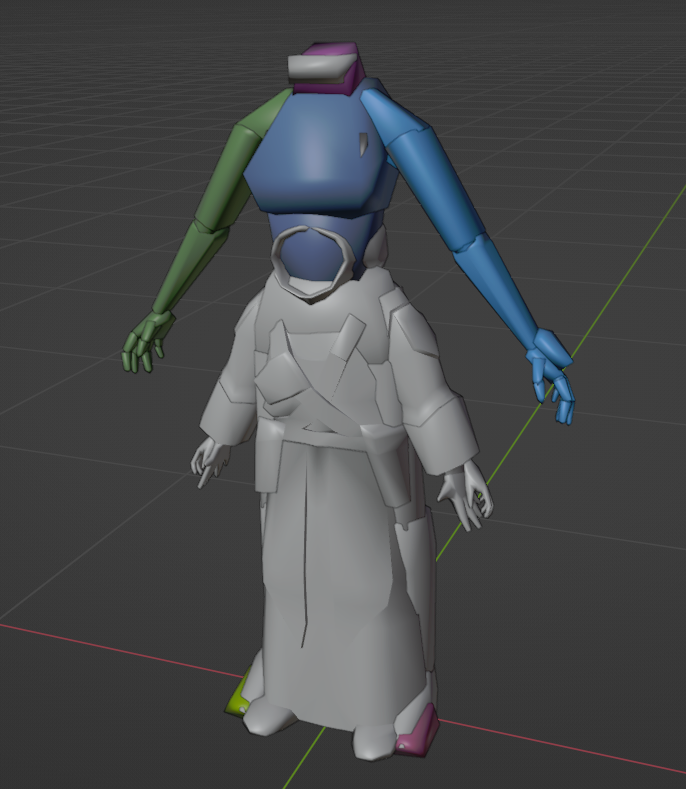
The problem is your rig didn't scale:
-
Attaching the models would be beneficial.
-
Why are you using ASCIIs if you're using KBlender?
-
Because it's a single model with a single texture that just plays two different animations.


