

Mods
891 files
-
TSL Restored Content Mod
By zbyl2
Authors: Zbyl2, DarthStoney, Hassat Hunter & VarsityPuppet
Contact: PM us at Deadlystream
Name: The Sith Lords Restored Content Mod (TSLRCM) 1.8.6
1. Description:
----------
Welcome.
Thank you for downloading and installing TSLRCM 1.8.6.
This mod's intention is to restore much of the content cut from The Sith Lords, that was lost to the main game due to a rush to release the game. This rush also left the game with a plethora of bugs (some of which also blocked out content, so not everything restored was really "cut"; for example the quest 'Corrun Falt'), so this mod should seriously decrease the buginess that plagued TSL.
Overall, our goal is to make the KotOR 2: TSL experience as close as possible for us (as modders can do) as what Obsidian originally intended it to be...
Be sure to check our website (or ModDB page) for potential upgrades, patches and compatible mods for TSLRCM. Our site will always have the most recent version of TSLRCM, something we cannot, sadly enough, promise from other sources.
http://deadlystream.com/forum/
http://www.moddb.com/mods/the-sith-lords-restored-content-mod-tslrcm
Also, if you have issues, questions, or feedback, please post it on the official forums, as otherwise it will be read much later, or not at all. After all, we can't monitor the entire internet.
http://deadlystream.com/forum/forum/4-tslrcm/
2. Installation:
----------
1. If you're using an older version of TSLRCM (1.8.2 or lower), a game re-install is required before applying 1.8.6.
(Steam and GOG users, skip to point 4)
2. After re-installing it's advised to apply the official patch (1.0b). Non-US versions require you to install 1.0a first, then 1.0b, US versions can install 1.0b right away. Make sure to apply the patch that fits your version. Also, after installing 1.8.5, the official patch can no longer be installed!
3. If desired, apply the high quality music and/or movie patches
4. Install 1.8.5. Steam users are advised to use the Steam Workshop download - but ONLY IF YOU DON'T PLAN ON USING ANY OTHER MODS. Steam Workshop mods CANNOT guarantee compatibility, and installing multiple workshop mods will likely lead to issues.
CHECK YOUR INSTALLATION DIRECTORY.
DO NOT INSTALL INTO THE OVERRIDE FOLDER OR YOUR GAME WILL CRASH!
We've had several users on Vista mention that instead of Program files (x86) it would point to Program Files/Program Files, causing the installation to fail. Make sure the installer points to the proper location of your KOTOR2 installation.
Default (32-bit windows); C:\Program Files\LucasArts\SWKotOR2\
Default (64-bit windows); C:\Program Files (x86)\LucasArts\SWKotOR2\
GOG default: C:\GOG Games\Star Wars - KotOR2
5. To check if the installation has succeeded, try launching KOTOR2:TSL. If at the main menu it says "Restored Content Modification 1.8.5" on the screen the installation has been successful.
PLEASE CHECK OUR OFFICIAL WEBSITE OR MODDB FOR ANY POTENTIAL UPDATES
6. While we try our best to make this mod as bug-free as possible, with the many options of KOTOR2 and our small testing team bugs, critical ones, sometimes make it through. We will fix them, so check our site for any potential updates and patches. We would rather not have people play unpatched and then experience issues like the black screen (1.7) or red eclipse (1.6)!
7. Install any TSLRCM-compatible mods you desire now. If you're unsure if a mod you want is compatible, check our list at our forums, or section 6 - Mod compatibility in this readme.
ULTIMATE SABER MOD (USM) IS NOT TSLRCM-COMPATIBLE. MOST REPORTED ISSUES ABOUT TSLRCM ARE FROM USERS STILL USING IT. DON'T!
* You cannot use savegames made with vanilla Sith Lords or TSLRCM 1.8.2 or lower. Saves from 1.8.3 and above can savely be used, although some fixes may not take effect.
A fresh new game is always the best option for the least amount of issues.
3.0 Changelist 1.8.5 Updated - 1.8.6
----------
* Soundset of Coorta and Thugs changed from Mira to Commoner Male
* Fixed always failing persuasion check for the Ithorian coming in when stealing the prototype shield
* Fixed skipped line in 203TEL
* Wrong VO used for aliens on Nar Shaddaa
* Added fix for the "friendly Twin Suns" gamebreaking issue.
* Added alternative female Revan line on Goto's Yacht.
* One revan good/dark convo check was swapped in Disciple conversation
* Fixed issue where one could get stuck if entering the enclave with Kreia and a third party member and was controlling the third member.
* Fixed "good react" suddenly branching to Dark Side dialogue with certain options in Kreia's global dialog.
* Visas: "Is her kind rare" and "What's a Miraluka" response from Atton was swapped.
* Kreia's first good path no longer decreases -INF after selecting "Perhaps you are right", canceling out the loss and gain like the first dark side path.
* Fixed Sith Assassin and Jedi Watchmaster losing ability to select Dual Strike.
* Fixed 232hk50006 not playing on steam
* Fixed NPC rotation when talking to Hanharr
* Fixed a missing script for female players on Onderon.
* Fixed Disciple conversation abrubly ending
* Added a female version of a line to Tobin's dialog
* Fixed typos in dialog.tlk
3.1 Changelist 1.8.4 Updated - 1.8.5
----------
* Added persuasion animation (Thanks to danil_ch for noticing and providing a semi-complete list of locations of all force persuasions)
* Resolved some AR_Error generation with easter egg background and robes.
* Fixed T3 skipped dialogue fix getting broken when fixing Steam dialogue being skipped.
* Removed excess dlg's and stuff from 307NAR (only used for Zhug scenes), drastically reducing it's size.
* (English version) Fixed Revan disrepency in HK-47 dialogue (Thanks to danil_ch for noticing and the VO splices)
* Pre-Malachor: Resolved Handmaiden being present even if she left with Kreia to Malachor. Resolved silent Mandalore line.
* Visas sparring: Fixed Weapon Focus: Lightsaber being skipped during reward section. For the english version it now shows what Feat you've gained (if any).
* Fixed graphical glitches in cutscenes using widescreen resolutions.
* Atris/Kreia convo intro improved as per gameplay developer comments
* Telos Academy: Fixed some minor issues with a cutscene (Thanks to danil_ch)
* Activated dormant placeable in the Telos Academy. (Thanks to JCarter426 for finding the inactive placeable)
* HK Factory: You can no longer trigger HK-50 cutscenes by loading a savegame. Removed dead HK-50 to avoid confusion.
* Force Persuading Terlyn will no longer require persuasion skill to succeed.
* Onderon Wall: Restored missing Bostuco line, made Royalist single line bark rather than cutscene, fixed minor lipsync issues with Vaklu in palace cutscene.
* Trying to (Force) persuade the thug after killing Riiken will now net a dark side gain regardless of success or failure.
* Restored Patto line, removed HK part from Akkare store since storespawn was fixed and was already generating a part, leading to him having 2 instead of the intended 1.
* Ralon: If you have Kreia and Handmaiden/Disciple they can now both comment on the fabled holocron line.
* Malachor Core: Fixed Kreia repeated line by actually intended line.
* Touched up Visquis call cutscene. (thanks to Danil_ch)
* Fixed several missing awareness and persuasion checks.
* Fixed broken T3 interaction with the "meet and greet" droids on Dantooine.
3.2 Changelist 1.8.3B - 1.8.4
----------
* Restored Remote's SFX that was removed by the official 1.0b patch. After 10+ years; it's back! Poor guy!
* Restored original dialogue to prologue, except for 'easter egg mode' users who get the spoken dialogue
* Slightly modified pre-Malachor cutscene
* Fixed reverted instances knowing about Goto in first Bao-Dur/Remote cutscene
* First Bao-Dur/Remote cutscene now requires G0-T0 *or* HK-47, not both. This also means you can get the 3rd cutscene and following cutscenes (including the important one about G0-T0 and Remote) without building HK-47
* Fixed Remote "complaining" sound sticking around when it should not
* Fixed 2 civilians who were lacking their animations in the Telos Cantina
* Benoks goons will now always properly leave the cantina
* Various fixes for the Telos Academy:
** Fixed some unskippable lines during intro-dialogue
** Fixed inproper fadeout during intro that showed character jump
** Modified Atris entrance
** Fixed a few issues with handmaidens removing PC
** Modified Atris exit
* Fixed small issue with door's windows not being see-through in the Coruscant sequence, hiding the PC and Masters until it was opened (Thanks to JCarter426 for the fix!)
* Modified JJT Tunnel sequences if Mira joins the party
* Fixed issue with leftover enemy in arena during ending cutscenes
* Various fixes with the Mandalorian Battle Ring:
** You will now hear what your violation was before being banned from the Battle Ring for cheating twice
** Fixed auto-win against Kex due to victory flag not resetting after the Davrel battle
** Fixed "no item" rule being in effect for the Bralor fight for male PC's. Battle functioned properly already for females
* Added 2 missing Sith to Vaklu palace sequence who triggered a small cutscene
* Leaving Dantooine at the endgame cutscenes did not run for male players. Made them skippable in all cases
* Added missing animation at start of Disciple cutscene (to match Visas scene)
* Slightly improved Disciple warning Admiral cutscene
* Added missing "lipsync" (eye flashing) for HK-Factory
* Slightly improved 903MAL intro, fixed incorrect camera point for females, and the Elite Sith Assassin will now attack the Exile rather than ignore him/her
* Moved DS hit for Slavery from Cahmakt to getting your payment in the cantina. This to prevent the rare issue of this hit triggering the Nihilus intro and getting the player stuck.
* Fixed crashing issue if you try to enter the Telos Surface Shuttle with Atton or Kreia.
* Fixed Peragus Medical Officer speaking the station warning using the Workshop download.
* Added missing installer files: Heads.2da, Movies.2da and Musictable.2da
* Fixed "double Sion" bug by undoing changes to .ncs (this is the vanilla file). Moved "Elite Sith" further back so it wont ignore you. Fixed Sion lipsyncing Kreia.
* Corrected Suulru having the vanilla dialogue attached to him rather than the 1.8.4 version.
* Corrected red X missing texture being visible in Tobin call pre-Freedon Nadd's tomb.
* Resized TSLRCM logo and hyperspace texture. This should fix several (framerate) issues certain configurations had with them.
* Added eye-flashing of HK's to all HK-50 encounters.
* Fixed infinite lightside and Atton influence exploit in the Telos Academy.
* Fixed an issue where some subtitles wouldn't appear in Peragus holograms for non-English version of the game.
Additional fixes thanks to Danil-ch;
* Wrong Atton animation fix post-Peragus cutscene
* Fixed too fast walking Sion on Peragus and Malachor
* Improved Handmaiden vs. sisters intro-cutscene
* Fixed animation issue with Atris using Force Lightning on Handmaiden
3.3 Changelist 1.8.3 - 1.8.3B
----------
* Additional restored lines for Kreia-Atris cutscene.
* Modified Mebla slightly; you can play again after 'asking questions' but you can no longer ask questions after getting her tie breaker.
* Telos Swoopracing;
Traininglap persuasioncheck no longer automatically succeeds.
Fixed trainingrun-dialogue not being properly triggered.
Fixed several issues with 'improved' or 'deproved' time recognition.
* Fixed Lupo not giving credits properly after teammates comment on your Force Persuasion use (my bad).
* HK-50's will no longer appear and then fade away if HK-47 is in your party when going to Goto's Yacht (Thanks Markus Ramikin)
* Losing to Bralor, then winning he would still incorrectly comment you can fight again (Thanks Markus Ramikin)
* Persuading Qimtiq once does no longer guarantee 500 bonus credits per win permanently, you need to re-convince him before each race.
* Missing VO addded to installer.
* Fixed the "forfeit" Swooprace-bug.
* Added proper camerapoints to modified tutorial dialogues.
* Improved Azkul-Merc conversation after invading Khoonda (Merc side) (by danil-ch)
* You will now start with Force Breath active upon learning it in the JJT/fixed flourish animation (by danil-ch)
* Savegames made during the Atton vs. Sion confrontation on Malachor will no longer crash on loading.
* Added missing lightsaber equipped fix (by danil-ch) that made the game also check the off-hand for a lightsaber and detect it.
* Modified Mira technique teaching slightly.
3.4 Changelist 1.8.2 - 1.8.3
----------
Not all fixes are listed here (for size and many misc. small changes were made). Check here;
http://deadlystream.com/forum/topic/2146-183-preview/?p=25588
for more (but not all) fixes from 1.8.2 to 1.8.3.
General - Ebon Hawk;
* Several more typo fixes in the dialog.tlk
* Updated launcher (for the 4CD-version users) (thanks Pra_Viilon)
* Made some lines during the prologue (and Nadaa on Nar Shaddaa) "cutscenes" to prevent questupdates breaking the heard line. Added missing update on getting medpacks. First hatch used outside will no longer be removed.
* Fixed 'Lost Shadows' not closing proper on a certain ending (both TSLRCM and M4-78EP).
* Restored addition HK-47 lines.
* Loot fixes; Missing merchants of 1.8 updated, gloves_03 is missing, if it's rolled it will return gloves_02 now instead of no item at all. Fixed rounding issue allowing low-level drops to something not spawn anything (Peragus).
* Added a few additional lines to the Korriban introduction. A few more for non-M4-78EP users (they will be taken out upon installing M4-78EP) as those were already in use on that planet's intro.
* Added Atton pazaak scene.
* Modified Atton vs Handmaiden, Atton confesses love of Exile to Bao-Dur and G0-T0 modifies Remote cutscenes and adjusted a few odd camera standpoints during 2 disciple cutscenes (all made by danil-ch)
* Extra camera points post-Peragus cutscene.
* Fixes teammates turning upon click during Visas fight, Bao-Dur line's unconscious line was voiced.
* The weapon(s) HK was wearing when the HK vs T3 cutscene started are no longer destroyed, but properly unequipped now.
* Added a missing Mandalore VO.
* Improved quality Kaevee VO. (thanks to danil-ch)
* Restored PMHA03 Male face option for PC. (thanks to Kainzorus Prime)
* Fixed issue with Rubat crystals dissapearing from lightsabers.
* Fixed Crush sound effect.
* You can now train Beast Control after gaining Beast Trick on Dxun. Beast Trick will appear on the upgrade screen once you gain a prestige class, but it cannot be trained, only given.
* "The Polar Cap", "Telos Under Attack" and "Trayus Academy" now appear in the music table.
* 1B, Akkere and Kodin will generate one of 4 HK parts randomly now, instead of basing it on the players' possessed items (which could generate the pacifist package if all 4 were in the PC's inventory).
* Kreia skill-lesson; Automatic completion if awareness was highest skill, unable to complete skill-lesson if awareness was lowest skill. Fixed now.
* PC now shows form just learned from the Jedi Master. During mid-battle Masters actually use form instead of flourish (addition by Danil-ch).
* Visas' lightsaber will no longer be sometimes invisible during training.
* If Bao-Dur is set for Dark Side training but the PC is lightsided, the convo will no longer break without having any more chance to train him.
Peragus - Telos:
* Fixed droids not skittering properly in 102PER
* Fixed same droids when passive allowing disabling option if lower than 0 demolition and higher than 0 demolition, but not when having exactly 0 demolition. It's now possible for them too.
* Fixed Harbinger missing if reloading a save after it docked.
* Fixed protocol droid with quest update being repaired during and after convo.
* Fixed utility droids re-activating if talked to and reloading a savegame.
* Wounded Onderon military will only give teammate influence if you kill him yourself, not if he gets killed by Sith.
* Fixed black screen if talking to a Handmaiden and goading them to fighting if you won the 5 sister battle.
* In attempt to prevent the teammate corruption (which I could not reproduce) the fade-to-black will now last longer, until the sisters turns actually hostile.
* Handmaiden will lower her hood when loading the module from a savegame.
* Handmaiden will no longer always be send with male PC's. Depending on your choices in Atris dialogue she will now be send or crawl on your plane, with slight variations in a few cutscenes as result.
* Aesthetical fixes to cutscene where Atris sends Handmaiden with the exile.
* Modified pre-Malachor Carth sequence per developer commentary (thank danil-ch for noticing them)
* Some aestetical improvements to the cutscenes in the endgame of the Academy.
* Fixed quest update from Lorso about luring Batono in a trap being set too early. It will only appear now if the actual global is also set to allow this option.
* Corrected missing "Exchange" quest update in 3 different instances.
* Bumani Corp Gammorean use proper dialogue line now.
* Hidden academy camera changes to show force field.
* TSF will no longer assist you in killing the Sullustan.
Nar Shaddaa:
* Swoop Droid no longer sounds like Kinrath.
* Extended attack of the Serroco.
* Saquesh; Allows you to "[intimidate] Stop pressuring the Refugees" if Serroco attacked them and intimidation option for Adana will no longer automatically fail.
* Fixed killing Geriel possibly reopening Refugee Woes. It now no longer updates the quests, since the proper updates are already set talking to Saquesh instead, and as stated, was buggy.
* Docks scene with Mira; Hanharr no longer takes 9 seconds (sometimes leaving a pause) but the duration of the VO-line.
* During Mira or Hanharr's escape an actual alarm now sounds.
* Reinforcements at the JJT are no longer deleted after the cutscene deploying them.
* JJT Map back popup dialogue fixed.
* You can no longer dance for the Twi'lek domo during the run to the JJT (after visquis call). This to prevent the player from missing key triggers.
* Zhug Cutscene: Added another global set to the .dlg on an unskippable line as precaution, hopefully fixing the issue some people had with it not being set.
* If you turn over shield from secondary to primary AFTER shutting down primary the zhugs will actually spawn now.
* If the player overloads the droids now after the bounty hunters spawn, the droids will properly reset to hostile if made friendly, as per the description.
* Once the speeder was rebuild, entering the docks or main area would spawn a new one every single time (on top of the old version, causing great performance issues after a while). This has been corrected, and they will only spawn once.
* Turning Lootra over to the Exchange will wield a lightsaber now too (like all other quest-resolutions), and will no longer be seen as a "light side" action by your team members.
* If you lied to Sasquesh and he sold Adanna fast, then killed him, "Sold to the Hutts" would re-open with no way of finishing it anymore. This has been fixed.
* Goto's Yacht console; fixed issue with count's 8 and 9 on consoles being broken and disallowing interaction with the console ever again.
* Kreia Premonition cutscene added (thanks to Danil-ch)
Dxun and Onderon:
* Slight improvements to Kreia's dialogue post-Onderon if Bao-Dur was Dxun Tomb leader.
* Remote is now present if Bao-Dur is the leader of the Dxun Tomb group (thanks JCarter426).
* Covered up some missing area geometry on Onderon (thanks to JCarter426's way too good eyes )
* During the LS conversation with Kavar, asking about Telos no longer locks "I saw the holorecording of my trial." It will instead lock if you ask that.
* Dxun camp: The Gate Guard and Patrol guard will now keep patrolling after being talked to, rather than permanently stop at that point.
* Onderon Western Merchant Quarters: Fixed error with citizen dialogue not looping properly.
Dantooine:
* When the Handmaiden apprehends Kreia, she should have her hood down. It wasn't working however, since the animation was set for the Handmaidens event instead of the Handmaiden one.
* Zherron will now take the will and bodies out of the player's hands when receiving an unmodified will, instead of having you drag them through the entire game (fake will worked fine).
* Fixed issue with restored Vrook line not turning him hostile properly in the cave.
* Fixed infinite Kinrath crystal spawn bug.
* Fixed HK's infront of the academy not updating questlog if 3rd group (display issue, the cutscene would have still triggered on the Hawk).
* During the jedi academy reveil, added clairvoyance effect if Kreia was not in party, and it no longer loops the animated camera (thanks danil-ch).
* During rebuild enclave, removed 3rd party member if entering with Kreia, as (s)he was getting in their pathing's way.
* Mandalore can no longer run away from his solo-fight.
Ravager and Malachor:
* Modified broken soundsets.
* Set hyperspace as EH background when leaving, so it's used during the pre-Malachor cutscene.
* Modified Mandalore-takedown.
* You can no longer start the battle with Nihilus without him draining you (since that's the ingame way to tell why the exile can defeat Nihilus when no-one else can).
* Made the fade-in node unskippable since you could, and never make the fade-in.
* Expanded the kneel and get drained a bit, instead of it instantly leading to combat.
* There's no long pause after killing Visas.
* Visas Suicide; Users where the animation fails (no saber, no clothing, etc) will no longer be stuck on a blackscreen.
* Visas Suicide; Users where the animation works will no longer see Visas falling to the ground twice before dying.
* Changed Mira camera angle during her lift.
* Fixed issue with team turning off their lightsabers if Mira was not in the party during Malachor.
* Light side players will no longer throw the endboss down the core of Malachor.
3.5 Changelist 1.8.1 - 1.8.2
----------
(all included mods are used with permission!)
* Includes 301NAR Txi fix by JCarter426
** Fixes window near Tienn not being see-through. Now you can see Tienn from the docks.
* Includes Zez-Kai Ell Revan Overlook fix by danil-ch
** Because, apparently, we overlooked one. Splicing was done well too.
* Main screen logo updated to 1.8.2, and it no longer inverts suddenly sometimes (thanks Darth_Sapiens). For the best effect remove the kotor2logo.txi 1.8.1 had if you patched up to version 1.8.2 from 1.8.1.
* A few addition grammar fixes.
* Bao-Dur can now use cyan and bronze crystals to create your first saber. Also fixes the issue where you'd get stuck if you only had a cyan crystal and no other. Vanilla issue, only became apparent now since a no-longer broken since 1.8 store on Telos has a fixed Cyan crystal.
* Fixes issues when you leave Adana in her cell, then talk to her again and tell her to run not updating the quest properly, potentially getting it stuck. (Thanks plyinglemon for getting said situation to our attention by suffering from it)
* The workbench will now use the skill of the user, instead of the PC when dismantling items for components.
* Updated modulesave.2da.
* Fixed broken questupdate with the sabotaged protocol droid on the Harbinger (thanks Josh D for finding this).
* Telos, thugs infront of the door to the Exchange compoud; Removed automatic Ithorian journal update, need to actually ask for Loppak and be refused for the journal to update.
* Nar Shaddaa, Pazaak Den; Fixed potential convo-break for males with Dahnis.
* The Security Spike Tunneler now uses the correct skin (it used to look just like the Security Spike, even if it had an unique icon).
* Onderon; Removed the "A Matter of Leadership" mission from your questlog if you leave the planet without finishing it.
* Several improvements to the Rebuild Jedi Enclave cutscene on Dantooine.
* Telos surface; Added lipsync to one of Atton's line since it was missing.
* Updated Vash bodies' lightsaber drop.
*** The following 2 fixes modify feat.2da. Be aware if you use mods overwriting this it will undo those fixes;
* The Jedi Weapon Master and Sith Maurader may purchase the Condition (+saving throw) line of feats.
* Restored the Mobility feat. The mobility feat gives a 10% increase in movement rate.
(thanks to BarnzyBobble for his assistance in testing if it worked properly)
3.6 Changelist 1.8 - 1.8.1
----------
* Modified KOTOR main screen texture (used in the main menu and on loading screens) to make it easier for Steam and KOTOR-compilation users to notice if TSLRCM is properly installed, considering they do not have a launcher, and "how do I notice it's installed properly" was becoming a very popular question.
NOTE: When using the patch it's only an indication that the patch installed properly, not 1.8 as a whole. If in doubt, please re-install TSLRCM 1.8.1 using the full installer. If the main screen is updated then it indicates the entire mod is updated properly.
* Includese Inverted Droid Feat Gain by Hassat Hunter.
** Fixes the feat gain progression of T3 and Goto being swapped around with the feat gain of HK-47. It's correct now, with HK-47 gaining more feats than them rather than less.
* Fixed convo break with Nar Shaddaa arrival scene for male players, and fixed requirement check in convo scanning for handmaiden instead of Visas, leaving Disicple's convo options untriggerable.
* Fixed breaking Nar Shaddaa questline by talking to Ratrin before Cahhmakt. This is no longer possible.
* Fixed bug where talking to Cahhmakt with an NPC instead of the player would leave that NPC "locked", unable to join your party.
* Fixed issue on Ebon Hawk with post-Peragus dialogue with Atton not proceeding properly to the Lightsaber dialogue if certain dialogue options were selected.
* Fixed bronze saber turning other saber also bronze when loading a savegame if dual-wielding. (thank Fair Shade for the fix!)
* Fixed Handmaiden's armor not being properly returned to the inventory when dueling on the Ebon Hawk.
* Corrected small issues with Malachor loading screen story hints, like the first being completely blank.
* Included updated k_003ebo_enter.nss and a_next_scene.nss to 003EBO.mod for modmakers, the version included with 1.8 was outdated.
* Fixed Vrook's lightsaber not activating properly in the rebuild enclave. (Thanks Qui Don Jorn)
English version;
* Fixed subtitle error; HK when talking about "his whiny allies" subtitles "her whiny allies".
* Fixed Zhug brother mentioning "him" for female PC's on Goto's Yacht.
* On Dantooine right outside the Ebon Hawk, when asking the "Battered Protocol Droid" what it knows specifically of your character, it says "You are on the register as one of the Jedi who left the Enclave to fight in the Mandolorian Wars. Should be spelt "Mandalorian."
* Fixed map note in the HK factory missing it's description.
* Fixed minor typo when clicking on the locked door for the reserved section in the Jekk Jekk Tarr.
4. Mod Compatibility:
----------
The following mods are known to have specific install instructions to work properly with TSLRCM 1.8.5
* Game Balance Mod by Achilles - ONLY use Autobalance.2da, don't use any of the other files with the mod!!!
* Improved AI by Stoffe (AKA RevanAnt) - While this mod mostly works, it cause some problems with one scene on Nar Shaddaa (you might be unable to select a third teammember during a cutscene and then have to weather some hard battles with just Bao-Dur and Atton).
* Enchanced Merchants by Shem - We've modified many of the merchants, for the modified loot drops and other fixes, which will most likely be undone by using this mod. So be aware of that!
*Kamaitachis Epic Armours - Read the full description to see how to make it properly work with TSLRCM!
Mods requiring compatibility patches (check deadlystream for comp patches):
* Handmaiden Choice for Females by Stoffe (AKA RevanAnt)
* Admirality Mod by Jinger (AKA Kreia)
* M4-78 by Stoney - Use M4-78EP instead!
* Slender Female Bodies
The following mods are INCOMPATIBLE! Do NOT use these when using TSLRCM 1.8.5!
This is by no means a full list. Mods not listed here can still be incompatible. If you're in doubt, check or ask in our forums! The currently most known list is located at http://deadlystream.com/forum/topic/393-mod-compatibility-list-for-tslrcm-183. You can post questions at http://deadlystream.com/forum/topic/2795-inquiries-on-mod-compatibility-list-for-tslrcm-183/.
* Ultimate Saber Mod by ChAiNz, D333, Sep, Svosh, T7
* TSL Un-Restored Content (TSL:URC) by Zbyl2
* Ravager Rewrite 2.0 by Zbyl2
* Peragus-Harbringer-Prologue Correction Mod by Ulic
* Trayus Academy Clothing Fix by SithRevan
* Dark Apprentice Holowan Consortium
* Lonna Vash Mod by Sikon
* Force Fashion II by jonathan7, Marius Fett and Ender Wiggin
* Nar Shaddaa Hidden Complex by FrantFire
* Get your lightsaber back from Atris by Lit Ridl
* Darth Sion vs Master Vash by zbyl2
* Khoonda Lost rooms by Darth_Tartarus
* 90SK's SUPER Content Mod
* Telos Shuttle Crash Movie Fix by Zbyl2 & DarthParametric
* Telos Polar Sidequest
* GenoHaradan 0.9 beta by Exile007
* Knights of the Old Republic III : The Jedi Masters 2.0 (beta) by Trex
* HOTOR 1.6 by Qui Don Jorn
* Kreia's Assorted Robe Collection
* Trailer Force Crush Sound by Don Kain
* Kolto Tank on Ebon Hawk by Lit Ridl (overrides critical TSL files!!!)
5. FAQ / KNOWN ISSUES
---------
Q. I am having technical issues with The Sith Lords!
A. Try the Steam forums. Even if you do not possess the game it does contain many threads about issues and their sollutions, a quick search might just find you the answer you need.
Q. How do I know TSLRCM is installed? The main screen is unchanged.
A. If the mainscreen is unchanged, TSLRCM isn't installed. Mostly this is related to people installing to the wrong location. Double-check yours (see install instruction #4).
Q. Crash when loading a savegame. The loading screen is corrupted by strange lights all over it.
A. Issue with modern Nvidia graphic drivers. NOT caused by TSLRCM. To fix;
In the Nvidia control panel put Threaded Optimization to "OFF" and uncheck the "read-only" property of your KotOR II directory.
Q. There are no Handmaidens at the academy/Stuck infront of the Hawk after the Academy.
A. You have overwritten our appearance.2da with an incompatible version of another mod, missing certain key entries needed for TSLRCM to work properly. If you still have the original TSLRCM appearance.2da replace it, otherwise a full re-install of TSLRCM is required.
In both cases a save is needed from before entering the academy.
Q. I lost my team at the academy/black screen when entering Ebon Hawk after academy/Atton, Kreia or Bao-Dur don't talk to me when I click them.
A. Sadly, this is a vanilla bug we cannot fix, since the files cannot be de-compiled. It's related to fighting the Handmaiden sisters on the battle mat and "cheating" before they become hostile, giving an error in the script to return your team members. You will have to load a save from before this fight.
Q. The screen becomes black when loading the Jedi Masters scene in the Rebuild Enclave
A. This is due to the module using a custom Kreia with special animations for the cutscenes. If any Kreia-altering skins or mods override this, the result is this black screen. Uninstall your Kreia-skin altering mods for the duration of this module...
Q. After changing the Ebon Hawk's transponder codes, the Duros scene repeats itself and Goto's Yacht doesn't load.
A. In some rare instances the new globals TSLRCM added aren't added to savegames. This is why we suggest playing a new game. In this case the global for the Duros hasn't been increased by 1, leaving the same cutscene. Enabling the cheatmode in the .ini, then using (without quotes) "warp 351nar" will let you continue on without further issues
Q. I cannot spar with the Handmaiden!
A. Due to a bug, sparring with Handmaiden while in outer space (directly after leaving the Telos Academy) made the fight unwinnable. So for TSLRCM you will have to travel to another planet, exit and re-enter for the option to appear, giving a glitch-free sparring. It's not gone, no worries!
Q. When the HK Factory loads, I am spawned on Telos as the Exile, instead of as HK-47 / I get a black screen when arriving on Malachor. I use USM.
A. TSLRCM 1.8.5 is not USM compatbile.
Q. The game crashes when the Nihilus/Visas or Nihilus/Tobin cutscene loads.
A. Delete n_darthnihilu001.ntc from your override.
Q. While in Visquis' lair, when Kreia revives Hanharr, it suddenly turns back to Atton.
A. Delete p_kreia001.utc from your override.
Q. Double Atrises during final confrontation/No dialogue after sisters are defeated.
A. Delete the following files from your override, and load a save from before starting the confrontation:
a_atrend2.ncs
a_atrend3.ncs
a_kreatris.ncs
a_sisend.ncs
n_darthtraya001.utc
Q. No HK-Torture scene/Missing restored EH-scenes/Get stuck in Ebon Hawk on my way to Malachor.
A. Delete k_003ebo_enter.ncs from your override.
Q. Dialogue fast-forwards/cutscenes without sound.
A. Engine issue. Not caused by TSLRCM. Unfortunately, we cannot fix this. May this happen, do a full reboot of the game, and it should work properly again.
Q. I have issues with the grass on Dxun/Rebuild Enclave.
A. This appears to be an issue with ATI-videocards. Try using the textures found here;
http://www.lucasforums.com/showpost.php?p=2824280&postcount=14
Q. Why haven't you fished the issue on Peragus where you need to lower the difficulty to proceed as T3?
A. This is no issue. Playing on hard you need another way through the door rather than the mine, deleting some goodies in the process. It's not required to lower your difficulty.
Q. Does the mod include [x]?
A. Please check our semi-complete inclusion list at:
http://deadlystream.com/forum/topic/139-whats-restored-in-tslrcm/
Q. Why did you fix [x], that wasn't a bug, that was a feature.
A. We have a pretty good indication from developer nodes and scripts what is intended and what not. It's very likely that the bug was infact a bug, and never intended. Developers rarely intend to add bugs and exploits to their game...
Q. My question is not answered here!
A. Feel free to ask us at our official forum;
http://deadlystream.com/forum/
You can also ask at moddb, but I visit that site less frequent...
6. UNINSTALLATION
----------
Run uninstall program created in your game's main directory. On the Steam Workshop unsubscribe.
7. CREDITS:
----------
Major Contributers:
* Jinger/Kreia - the Rebuilt enclave and Handmaidens
* MonoGiganto - T3’s fixed dialog and ZezKiel’s fixed dialog on NarShadaa
* Savvy30039 - the new animations
* SWfan28 - scripting genius of a lot of areas
* Pra_Viilon - launcher
* Danil-ch - Various fixes and cutscenes
* HK-47 & Sith Holocron - VO splicing
Includes mods by:
Jinger/Kreia - Battle for Telos
Mrmarb - Weapon finesse icon fix
DrGhent - Lightsaber parts icon fix
Darth_shan - Bao-Dur shader fix
Darth Insidious and Jcarter426 - Telos Shuttle Modder Resource
Darth Insidious - Goto's Yacht Window Fix
Danil-ch - Female Revan overlook fix
Jcarter426 - TXI-fix
Kainzorus Prime - PMHA03 Restoration
Voice Acting:
* Usagi - Kaevee
* Zhaboka - Taris Traveler
Beta Testing:
* Lord of Hunger
* TriggerGod
* Pra_Viilon
* Garfield
* JoewJ
* DarthDac
Translations:
* Melkor, MrPhil, TTLan, RevanStar11, Leoneros - French
* Alec, Salk, Cair - Italian
* Rodro Lliv, Januszka, Serpol, Dashrendar - Spanish
* Pestilenz, Lex, Ero, Hib – German
* Drazgar, Allard – Russian
Special thanks to:
* Sith Holocron - for his all-time support and VO splicing
* Ulic - his inspirational Peragus modification
* Markus Ramikin – for some other minor fixes
* Tyvokka and The Doctor – for hosting this mod and forums on Deadly Stream
* Darth_Sapiens - Main menu logo
8. DISTRIBUTION NOTES
----------
Thanks to DeadlyStream for giving us space on his forums and all the people of the TSL community that helped with bug finding in the beta.
Thanks to tk102 for the dlg editor.
Thank you to the members of Team Gizka for finding out about the missing HK factory modules and all the content that was cut from KotorTSL and making sense of it all, because without all their previous efforts and hard work none of this would be possible.
Thanks to Jdnoa and Dashus for the tools they created for which none of this would be possible without them.
A special thanks to Ulic for his original Peragus mod; while none of his work or files were used in our fixing of Peragus, a lot of his ideas and “how” things were changed were the inspiration for how we tackled them. His list of fixed stuff in the readme helped too!
THIS MODIFICATION IS PROVIDED AS-IS AND IS NOT SUPPORTED BY BIOWARE/OBSIDIAN ENTERTAINMENT OR LUCASARTS OR ANY LICENSERS/SPONSORS OF THE MENTIONED COMPANIES.
USE OF THIS MODIFICATION IS AT YOUR OWN RISK. THE ABOVE MENTIONED COMPANIES OR THE AUTHOR ARE NOT RESPONSIBLE FOR ANY DAMAGE CAUSED TO YOUR COMPUTER FOR THE USAGE OF THIS MODIFICATION.
ThESE modS may not be modified or REdistributed without the explicit permission of the authors.
Star Wars: Knights of the Old Republic™ , characters, items, etc. are trademarks and copyrights owned by their respective trademark and copyright holders.
Star Wars: Knights of the Old Republic: The Sith Lords™, characters, items, etc. are trademarks and copyrights owned by their respective trademark and copyright holders.
Bioware™
and the Odyssey Engine are trademarks of Bioware Corp.
Obsidian™
is a trademark of Obsidian Entertainment.
All trademarks and copyrights contained in this document
are owned by their respective trademark and copyright holders.
2014
359,854 downloads
-

M4-78 Enhancement Project
By zbyl2
THE SITH LORDS RESTORED CONTENT MOD ADD-ON:
M4-78 Enhancement Project 1.5
1. Description:
----------
This mod adds the planet of M4-78 to the game, where you can find Master Vash alive. The planet is only available after finishing Korriban. You will find a clue on how to get to M4-78 in Korriban's Sith Academy.
Features:
* Brand new planet consisting of seven new, unique locations!
* Over two hours of additional game play!
* Explore the mysterious Droid's Planet in a dialog-heavy adventure, with over 1000 lines of voiced dialogs!
* Your actions on M4-78 have impact on other planets, making it feel like a legitimate part of the game!
* Restored previously unavailable unique droid items for your party members!
Please note that for now, M4-78 Enhancement Project is ONLY COMPATIBLE WITH THE ENGLISH VERSION OF THE SITH LORDS!
2. Installation:
----------
1. First, you will need to get the most up-to-date version of TSL Restored Content Mod (TSLRCM 1.8.5). It's available for download here: http://deadlystream.com/forum/files/file/578-tsl-restored-content-mod/
Please note that M4-78EP will NOT work AT ALL without TSLRCM.
2. Follow TSLRCM's installation instructions.
3. Once TSLRCM is successfully installed, run M4-78EP.exe (or on Steam run the Workshop installation). Installer will ask you where you want to install the mod - it should figure out where TSLRCM is installed by itself, so you probably won't need to change that. If, for some reason, the installer shows an incorrect folder, make sure you change it to directory where KotOR 2 is installed (where swkotor2.exe is located, NOT any of subfolders), same as TSLRCM.
4. While we try our best to make this mod as bug-free as possible, with the many options of KOTOR2 and our small testing team it can happen that bugs, including critical ones, pass through. We will fix them, so check our site for any potential updates and patches.
5. Install any compatible mods you desire now.
3.1 1.5 Major Changes:
----------
* New ending
* New intro (less spliced party members lines)
* Reduced amount of walking
* Fast travel in droid quest - no more running trough the planet multiple times
* You can now do Environmental Zone first and gain Kaak's help, allowing you to skip a large part of the Industrial Zone
* Better filters on VOs so your ears won't bleed (at least not as much)
* Other stuff
3.2 1.3 Update fix list:
----------
! Replaced Voice-Overs (CS-36, Industrial Rogue Droid and more)
! New Voice-Overs
! Gonk droids, courtesy of newbiemodder!!!
General Fixes and changes:
* You will no longer receive a droid army on Telos if M4-78 has been ordered to make Environmental Droids instead.
* All side quests now have "Bonus Mission" behind their name to differentiate them from required missions.
* Complete pass over journal-text and conversation options to make doubly sure it's impossible to get lost.
Central Zone:
* You will no longer magically know about CS-28 if you recover his lost part before talking to him, journal entry will be vague in that occurrence. Also fixed some issues where you could show CS-28 the part without owning it and talking about finding it before asking him what he's looking for.
* Changed footstep sound of repair droids.
Industrial Zone:
* IS-07 renamed to Loading Droid as he has no role in the mod at all.
* Fixed camera issue using the test console.
* Fixed camera issue when talking to Designer droid for the "Recent History" side quest.
* Fixed infinite spawn of combat droids in the droid segment if re-entering the Zone.
* Slightly improved frame rate (if you still have issues turning off shadows is recommended).
* Fixed repaired cleaner droid cut scene running twice.
* IS-43 now moves back to his position after the cleaner droids gets fixed.
* Added a new journal quest for the mission to get into the cleaning droid trash containers.
* Improved consistency between droid segment and exile segment.
Environmental Zone:
* Boss Droid now drops various random droid items (2-6) as additional reward.
* Added clairvoyance effect to the reveal of the Boss.
* Corrected screen that was clipping through a wall.
* Moved back some turrets so it's unlikely they will target you through the wall.
* Renamed ES-44 to Environmental Droid and gave it a unique line.
* Removed trigger that made it difficult to talk to the escort droid that brings you across the minefields.
* Fixed issue where minefield escort cut scene didn't trigger upon certain dialogue choices.
M4-78 Core:
* You can now target the force field control terminal with a controller.
Rapid Transport System:
* Industrial Escort now shows in-module jump without having used the door yet (of course you can't use it until the door is opened).
* You can now use the escort droid to go to IS-24 after unlocking access.
* Industrial droids can no longer escort you to themselves.
* The escort droids in the Central Zone and Industrial Zone now have a map note.
Thanks to geordyjones:
* Made tweaks to the Industrial Zone door cut scenes to make it much clearer why you're looking for cleaner droid access.
* No longer displays party selection at start of the planet (having to convert to droids anyway).
* During T3's side quest fixed all mentions of "construction droid" to "repair droid" as they're properly called.
* Renamed Fight Witness to "Fight Witness" to make it more apparent it's not a generic central zone droid.
* Modified duration on many lines around the planet.
* Fixed unintentional conversation breaks with IS-58.
* Fixed missing line on IS-63.
3.2 1.2 Update fix list:
----------
* Fixed issue with Industrial Zone maintenance droid that allowed infinite experience.
* Fixed main quest breaking glitch involving T3's solo quest.
* Fixed being able to supply fuel by both Vogga and M4-78, rather than making the intended choice.
* Fixed journal being updated when you didn't find a part inside the cleaning droids rather than if you found a part.
* Removed many of the boxes near droid testing, allowed access to the loot of the remaining ones, updated loot tables of several 'containers' in that module to match TSLRCM's fixed loot script.
3.3 1.1B Update fix list:
----------
* Fixed issue where "Data Transfer" could not be completed if acquired after meeting Kaah, but before visiting M4-78EP, or if you triggered the 'hidden' ending.
* After starting the 'Thrash' goal with IS-43 you can ask him again what you’re supposed to do now, in case one might forget.
* Corrected wrong class-check in Black Market Droid conversation that could break the conversation.
* Improved Telos Droid Assistance cut scene.
* Added VO that was missing from the installer.
3.4 Patch fix list:
----------
! Fixed "stuttering droid" bug.
! Additional content!
! Added 2 Easter Eggs. Go find them
! Modified end game sequences.
! Telos Attack and the Rebuild Academy are now properly updated like they should, as they were accidentally left out of the original installation.
! Various spelling and grammatical fixes throughout the mod.
! Updated several quest entries for added clarity.
! Changed learning "Niman" to "Juyo" for Sentinels, Assassins and Jedi Watchmen.
General:
* New side quests "Elimination Required", "Global Infiltration" or "A Droid Too Many" will run together with the droid's solo quest to remove the radiation, and should provide some distraction from the walking. Finishing one of these quests will give the droid you control a small permanent boosts to their functionality.
* Several droids throughout the colony have more to say. And some brand new ones appeared!
* Killing Vash will no longer incorrectly increment 000_Jedi_Killed, which could lead to various issues.
* Fixed Vash appearing on M4-78 too soon when talking to T3 about the Jedi Masters.
* Fixed Vash appearing injured if it stated M4-78 and not dead when talking to T3.
* Changed hyperspace to look a little more like vanilla hopefully.
* The M4-78 landing and leaving movies now appear in the movies screen once seen in game.
* M4-78's music can now be listened at from the 'music' tab after game completion.
* Changed learning "Niman" to "Juyo" for Sentinels, Assassins and Watchmasters, since Vash teaches Niman, and this could lead to game breaking issues if Vash wasn't the last Jedi Master the PC met using these classes.
* Grenn will acknowledge possessing M4-78 fuel during the Telos under Attack sequence.
Korriban:
* Fixed Lost Jedi not updating sometimes. (T3 hint)
* Fixed conversation break and no quest update with Disciple. (No Atton)
* Fixed Disciple vo/st mismatch.
M4-78 Landing Pad:
* Fixed exile appearing shortly before the interlude cut-scene.
M4-78 Central Zone:
* Changed mechanics of the M4-78 door opening, preventing the door to open but an invisible wall still blocking you entrance in certain cases. We also fixed the door still being visibly floating above the building when open.
* Modified broken droid dialogue to make it slightly more obvious where to get the droid legs.
* If you kill Vash you will now also get a proper introduction to M4-78.
* The force field can no longer be bashed by a lightsaber (if so, why was Vash still there?)
* Fixed "hidden ending."
* Modified core-quest update script. It would return 'have 1' if you had 5 or more. Now it will always return you have enough (4) if that's the case.
* Fixed the maintenance droid not giving you 2 cores if you used a certain conversation options and then aborted the conversation.
M4-78 Environmental Zone:
* Fixed HK not being re-added after HK-50 fight (missing file).
* Reduced hit points of boss droid
* Kaah's meeting will now give you a lightsaber (part) whether he remains alive or dies.
M4-78 Industrial Zone:
* Fixed missing quest update from retrieving memory core from living astromech droids.
* Fixed all astromech droids once broken being able to give the part, not just the one who should have got it.
* Fixed IS-56 sometimes not talking about I0-01, blocking progress.
* Some Droid Designers were sent back to work, and will now use the computer animation instead of standing around doing nothing.
* Fixed medical vendor showing all stims twice in his inventory.
* You can now finish "Data Transfer" if you acquire the quest after completing the planet's storyline.
M4-78 Core:
* Fixed Kaah not properly appearing when leaving the mainframe in some cases.
* Kaah will no longer drop a lightsaber upon being killed.
* "M4-78: Recent History" will now close with a failure quest description if you enter the M4-78 core while it being rendered unable to be completed.
* Reduced hit points of Vash
M4-78 radiation flooded sections:
* IS-43 will now look the same during and after the radiation flood.
4. Uninstall
----------
Run uninstall program created in your game's main directory.
5. FAQ / Known Issues
---------
Q. How do I know if the game successfully installed?
A. There are two ways to note. Check when installing that you didn't have any errors. Also when loading the game, did the legal screen get replaced with a full page legal screen that said "M4-78 Enhancement Project"
Q. Conversation breaks with error in the Korriban Academy.
A. M4-78EP is only for the English version of The Sith Lords. Other versions will not be able to start and complete the planet properly, sorry.
Q. M4-78 does not appear on the galaxy map.
A. Finish Korriban, and follow your quest instructions. Alternatively, another mod may conflict, please check our forums if this is the case.
Q. Slow performance in the Industrial Zone.
A. If you experience this, try turning down graphics for the duration of this map. Especially turning off (soft) shadows has noted a great increase in performance. Also make sure the Disable Vertex Buffer Objects=1 fix is in your swkotor2.ini under [Graphics Options]!
Q. I can't finish "Recent history: M4-78"!
A. This quest requires you to very specifically interrogate droids and events around the world. It's intended to be only completable for the very thorough. Try to finish it if you can!
With the patch it will automatically fail if you don't, so it won't remain in your quest log for the entire game may you fail to do so.
Q. I am missing droids.
A. Make sure you have no incompatible mods running along M4-78EP.
Q. I can't find all 4 power cores for the puzzle
A. There are more than 4 cores to be found, so there are several options where you missed one or several. Check with every droid, and make sure to loot everything to find the ones you missed!
Q. My question is not answered here!
A. Feel free to ask us at our official forum;
http://deadlystream.com/forum/
6. Credits:
--------------------------------------------------
» Project Leaders
--------------------------------------------------
- Zbyl2 - Project Leader, scripting, storyline/dialog writing & editing, voice over auditions, texture editing and more
- Stoney - Former project leader, scripting, storyline/dialog writing & editing, texture editing, modeling and more
- Hassat Hunter - dialog correction, scripting, bug fixing, patch lead
--------------------------------------------------
» Storyline
--------------------------------------------------
- Sharen Thrawn - former lead writer
- Lord of Hunger - storyline ideas
- JCarter426 - storyline writing/ideas for the Industrial Zone
- Sith Holocron - input on storyline and planet's past
--------------------------------------------------
» Modeling / Texturing
--------------------------------------------------
- Stoney Many new or edited placeable objects
- Quanon Archon models
- Khrizby New animations and fixed models
- Redrob41 Droid re-skins
- 90SK A LOT OF droid re-skins
- Sith Holocron Animated screen textures
--------------------------------------------------
» Beta Testing
--------------------------------------------------
- Stoney
- Hassat Hunter
- Qui-Gon Glenn
- Atton Rand
- Nsinger998
- LDR
- Zhaboka
- drunklol
- arekushu
- twdarkeh
- dashrendar
- Sith Holocron
--------------------------------------------------
Voice Acting
--------------------------------------------------
Kaah Ohtok Zhaboka
CS-36 (Central Zone Official Information Unit) Danule
M4-78's Main AI Sith Holocron
ES-05 (Environmental Archon) Louise du Cray
IS-24 (Industrial Zone Archon) 90SK
IS-02 (Maintenance Unit} Nolan Tashijan
IS-56/Researcher Droid/KL-92 Edwyn Tiong
LS-44 (Greeter Droid) Ripulesyou
IS-84 (Droid Designer Lead) Runawayjam
Random Design Droids Drew Mochak
War Droids/Central Zone's Maintenance Unit/
Force Field Operator/Escort Droids Caleb Woodard
Force Field Operator Trayusstudent
Sith Soldier Mrcharlton
CS-45 (Central Zone Original Information Unit) James Beagon
Accused Environmental Droid in Central Zone Jerry C
CS-28 (Central Zone Maintenance Droid Assistant) Dylan
Medical Units ABagOfVicodin
Additional Construction Droid/
Landing Arm Supervisor Sonbiru "Dr. Son"
IS-43 (Supervisor of Cleaner Droids) Daniel Conner
Fight Witness Adam Brennecke
I1-02 (Re-programmed Maintenance Unit) Connaugh
The Inquisitive Droid at the end of Industrial Zone Thomo93
Cleaning Droid Warning System ReddHorrocks
Main Manufacturing Unit Kevin Smets
Additional Industrial Zone Droids ThisIsSnaik
Additional Environmental Units Tuomas "Iterator" Kuosmanen
Droid with Missing Legs Dr. John Faller
Black Market Droid CommissarBRO
--------------------------------------------------
Voice Splicing
--------------------------------------------------
- Sith Holocron
- HK-47
--------------------------------------------------
Special Thanks
--------------------------------------------------
Geordyjones - For his excellent TSLRCM and M4-78EP run, which was entertaining and very useful as base to see what potential issues were still in the game, as seeing one actually play and react immediately generally was more of an aid than sometimes vague after-playthrough impressions. Many of the fixes in M4-78EP 1.3 were done due to this run.
JCarter426 – voiceovers in previous versions and the new end credit movie
Revan411 – voiceovers in previous versions
Jaedar – voiceovers in previous versions
Ghostlyhamburger – voiceovers in previous versions
L0ki194 – voiceovers in previous versions
Yceman (aka Darthycey) – For our original end credit movie
Danule’s services can be contracted on Fiverr.com. (https://www.fiverr.com/danule/)
Reddhorrocks’ services can be contracted on Fiverr.com. (https://www.fiverr.com/reddhorrocks/)
Connaugh’s services can be contracted on Fiverr.com. (https://www.fiverr.com/connaugh)
JCarter426’s services can be contracted on Fiverr.com. (https://www.fiverr.com/jcarter426)
7. Distribution Notes
----------
Thanks to Doctor (previous site owner of deadlystream.com, formerly known as DeadlyStream) and Tyvokka (current owner of deadlystream.com) for giving us space on the forums and all the people of the TSL community that helped with bug finding in the original release.
Thanks to tk102 for the dlg editor
Thanks to Jdnoa and Dashus for the tools they created for which none of this would be possible without them.
This mod may not be modified or distributed without the explicit permission of the authors.
THIS MODIFICATION IS PROVIDED AS-IS AND IS NOT SUPPORTED BY BIOWARE/OBSIDIAN ENTERTAINMENT OR LUCASARTS OR ANY LICENSERS/SPONSORS OF THE MENTIONED COMPANIES. USE OF THIS FILE IS AT YOUR OWN RISK AND THE ABOVE MENTIONED COMPANIES OR THE AUTHOR IS NOT RESPONSIBLE FOR ANY DAMAGE CAUSED TO YOUR COMPUTER FOR THE USAGE OF THIS FILE.
70,596 downloads
-
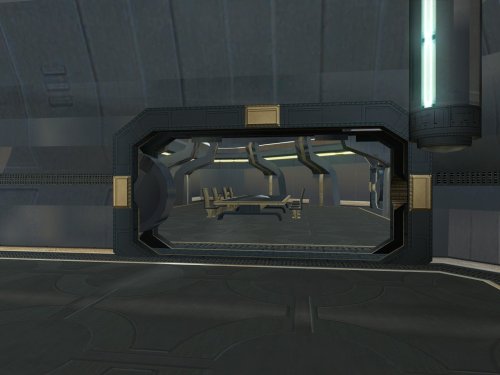
Goto's Yacht Model Fixes
By WildKarrde
Goto's yacht has numerous model issues, including holes open to space, doors which visibly clip through walls, and rooms that disappear when you walk too far away. This pack fixes many of these issues, bringing the yacht to a quality level suitable for a wealthy Exchange boss.
Thank you for downloading, and I hope you enjoy this mod!
-------------------------------------------------------------------
INSTALLATION
If you are using The Sith Lords Restored Content Mod (TSLRCM), install it first. Run "INSTALL.exe" for this mod, and follow the prompts. It is normal to see a warning that 351nar.mod already exists and has been skipped. If you are using The Sith Lords Restored Content Mod (TSLRCM) from the Steam Workshop, see this guide for how to combine installer-based mods with the Workshop: https://steamcommunity.com/sharedfiles/filedetails/?id=488641307.
-------------------------------------------------------------------
COMPATIBILITY
This mod is compatible with The Sith Lords Restored Content Mod (TSLRCM) (https://deadlystream.com/files/file/578-tsl-restored-content-mod/) and the KotOR 2 Community Patch (K2CP) (https://deadlystream.com/files/file/1280-kotor-2-community-patch/). It is also compatible with "TSL Backdrop Improvements" by Kexikus (https://deadlystream.com/files/file/949-tsl-backdrop-improvements/) as well as mods that reskin the yacht. It is not compatible with mods which edit the same area models. For best results, this mod requires a save from before boarding the yacht.
-------------------------------------------------------------------
CREDITS
KotorBlender by seedhartha
tpcview and tga2tpc by ndix UR
K-GFF by tk102
TSL Patcher by stoffe and Fair Strides
ERFEdit by stoffe and Fair Strides
Kotor Tool by Fred Tetra
Holocron Toolset by Cortisol and th3w1zard1
Thanks to Snigaroo for requesting a fix for the holes in the yacht's bridge, which kicked off this whole exercise.
-------------------------------------------------------------------
VERSION HISTORY
1.0 - Initial Release
-------------------------------------------------------------------
DISCLAIMER AND PERMISSIONS
This modification is provided as-is and is not supported by Disney, Lucasarts, or Obsidian. Use at your own risk. The author shall not be held responsible for damage to your game installation, computer, or saved games resulting from the use of this mod.
Material from this mod may be used as the basis for mods which make additional edits to the same area models as long as appropriate credit is given to this mod's author. Other uses require the author's permission. This mod shall not be reposted, in whole or in part, on any sites other than Deadly Stream without the author's permission.
15 downloads
(0 reviews)0 comments
Submitted
-
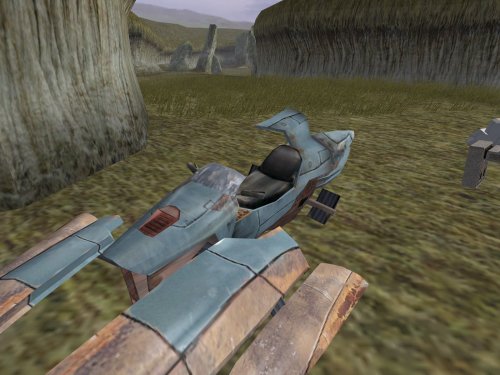
TSL Miscellaneous Model Fixes
By WildKarrde
This mod contains fixes to various models from throughout the game. There is no particular theme to these fixes, which cover elements from nearly every planet. Please see below for a full list.
Separate from the model fixes, I have also provided an additional option adds scripting to open the roof of the Telos underground base's hangar before departing. This is not strictly a fix because the game already included scripting to open the roof...but it happened as the player boarded the shuttle to leave, so even with the fixed animation, there was no opportunity to see the result. This option changes the timing so that the roof opens when the player unlocks the doors with the hangar console.
Thank you for downloading, and I hope you enjoy this mod!
-------------------------------------------------------------------
LIST OF FIXES
GENERAL
- plc_jnkswpb1, plc_jnkswpb2 - Corrected the crashed swoops' windscreen texture to match the non-crashed swoops.
PERAGUS
- dor_per02 - Corrected mirrored texture coordinates on one side of one door panel.
TELOS
- 202tel12, 202tel13, 222tel12 - Corrected typos in the hierarchy which caused overlapping windows to flicker.
- 232tel14 - Fixed a broken animation for the hangar roof to open. Note that the "Telos Hangar Roof Change" option is also required to showcase the result in-game.
EBON HAWK
- 950cori - Filled a blank doorway during the post-Telos cutscene.
NAR SHADDAA
- 301narm - Assigned the correct Ebon Hawk textures during Kreia's telepathy cutscenes.
- 304nar13 - Filled a missing Ebon Hawk corridor while Kreia teaches the player Force Breath.
- 306nare - Filled a gap between the entry corridor's floor and wall.
KORRIBAN
- 701kore - Filled a gap in the face of one of the tombs which was visible as the camera panned across the Valley of the Dark Lords.
DANTOOINE
- 650dan_03 - Filled a hole in the tree stump in the enclave's central courtyard.
HK FACTORY
- 298telp, 299teld, 299telm, 299teln - Resolved overlapping geometry in a console which appears in multiple locations.
- 299telh - Filled a gap in the front of the elevated control platform. Also fixed a gap and overlapping geometry at the central door's frame.
- 299telq - Resolved overlapping geometry and walls misaligned with the edge of a platform at the back of the factory space.
MALACHOR V
- 902malc, 902malj - Grounded some floating rocks.
-------------------------------------------------------------------
INSTALLATION
If you are using The Sith Lords Restored Content Mod (TSLRCM), install it first. Copy all files in the "MAIN INSTALLATION" folder to your game's Override folder. If asked, confirm to overwrite 299telq.mdl.
If you would like to use the option to open the Telos hangar's roof before you leave, open the folder "OPTION - Telos Hangar Roof Change" and run "INSTALL.exe". It is normal to see a warning that 232tel.mod already exists and has been skipped.
-------------------------------------------------------------------
UNINSTALLATION
Delete the files from the Override folder. The "Telos Hangar Roof Change" option cannot be easily uninstalled, but deleting 232tel14.mdl/mdx will effectively disable the roof animation.
-------------------------------------------------------------------
COMPATIBILITY
This mod is compatible with The Sith Lords Restored Content Mod (TSLRCM) (https://deadlystream.com/files/file/578-tsl-restored-content-mod/) and the KOTOR 2 Community Patch (K2CP) (https://deadlystream.com/files/file/1280-kotor-2-community-patch/). It is compatible with texture reskin mods.
Several of these fixes are already included in my mod "Transparent Cockpit Windows for TSL" (https://deadlystream.com/files/file/2355-transparent-cockpit-windows-for-tsl/). If you are using that mod, install it after these fixes, and allow it to overwrite the conflicting files. This mod is incompatible with any other mods that edit the same area files.
-------------------------------------------------------------------
CREDITS
KotorBlender by seedhartha
tpcview by ndix UR
NWNSSCOMP by Torlack and tk102
TSL Patcher by stoffe and Fair Strides
ERFEdit by stoffe and Fair Strides
Kotor Tool by Fred Tetra
Holocron Toolset by Cortisol and th3w1zard1
299telq.mdl includes edits made by the TSLRCM team.
Thanks to DarthParametric for identifying the broken animation in 232tel14 and how to fix it.
Thanks to Snigaroo for identifying the gap in 306nare.
-------------------------------------------------------------------
VERSION HISTORY
1.0 - Initial Release
-------------------------------------------------------------------
DISCLAIMER AND PERMISSIONS
This modification is provided as-is and is not supported by Disney, Lucasarts, or Obsidian. Use at your own risk. The author shall not be held responsible for damage to your game installation, computer, or saved games resulting from the use of this mod.
These models may be used as a basis for mods which make additional edits to the same models as long as appropriate credit is given to this mod's author. Other uses require the author's permission. This mod shall not be reposted on any sites other than Deadly Stream without permission.
14 downloads
(0 reviews)0 comments
Submitted
-
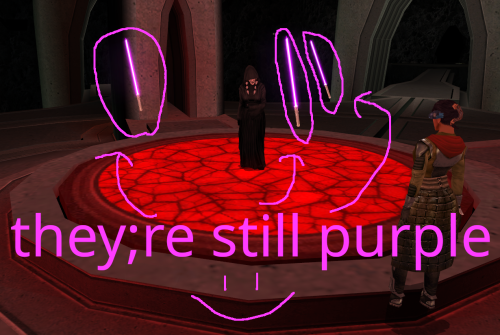
Red Floating Lightsabers but Instead of Red They're Purple Again
One day in 2025, @Crimson Knight, famed creator of Ixgil the Bith, rocked the KOTOR community when he released a mod changing the color of Darth Traya's floating lightsabers to red, and also doing some other stuff to them.
Today, I similarly rock the community by changing them back to purple, and doing even more stuff to them.
*technically speaking I used the vanilla .utc files as a base, so they were never purple to begin with. It was all a dream
What Crimson Knight did:
Gave all three lightsabers immunity to fear, paralysis and stun
Changed all three lightsaber colors to red
What I did:
Gave all three lightsabers immunity to fear, paralysis and stun
Gave all three lightsabers Force Jump before Crimson Knight got the chance to (haha i'm faster)
Removed redundant feats for armor and weapons that the lightsabers don't use
Looked at the purple lightsabers and thought "yeah that seems about right"
What could still be done to these damn lightsabers:
At first, I wanted to do a little bit more to the lightsabers than just add Force Jump, but missing animations screwed me over. Force Jump is technically missing its animations, but I think it looks good enough to ship. The other two things I wanted to do was, first, give one of each lightsaber master level Power Attack, Flurry, and Critical Strike, but the animations don't exist for them on the floating lightsabers. Similarly, I wanted to make a variant where instead of three purple lightsabers, its the three council members' lightsabers, but the floating lightsaber NPCs also don't have animations for dual wielding or saberstaff. If those issues could be ameliorated, then I think we'd finally be able to put this floating lightsaber saga behind us. I'm not doing that though lmao
Installation:
slam dunk the provided utc files into your override folder
Credits:
If it wasn't clear enough already, credit goes to Crimson Knight for being the first to give the lightsabers their immunities in Red Floating Lightsabers.
Credit goes to @Snigaroo for suggesting to give the lightsabers Force Jump.
Special thanks to @SAO1138 for pushing me to actually get into modding, even if this first one is tiny and derivative.
2 downloads
(0 reviews)0 comments
Submitted
-
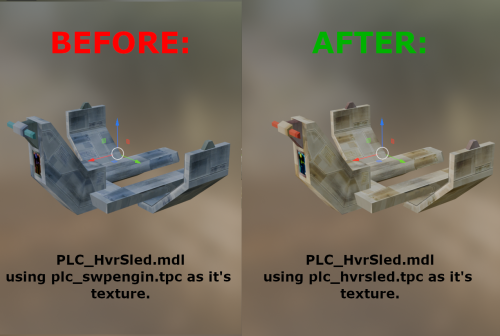
PLC_HvrSled.mdl texture correction - TSL
By FF97
Hello everyone!
This mod assigns the unused texture of the same name to the hover sled model (PLC_HvrSled), instead of the Swoop Engine texture (PLC_Swpengin) used by default.
7 downloads
- texture
- placeables
- (and 1 more)
(0 reviews)0 comments
Submitted
-
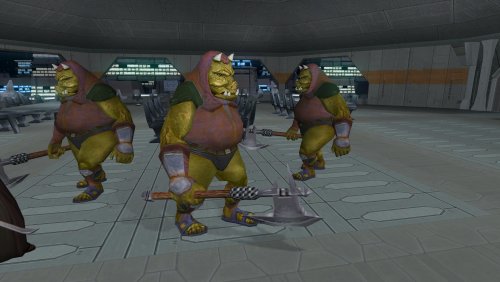
Gamorrean Axe Model and Texture Improvement - TSL Version
By FF97
Hello everyone!
This mod gives the Gamorreans a separate axe model with its own texture, instead of using UVs spread across a tiny area of the creature like the default version.
Credits: "4x Upscale+ Character Textures & Model Fixes (TSL)" - The C_Drdwar model in this mod or rather, the way the "rifle texture bug" was fixed gave me insight into the "reference" model node method.
15 downloads
(0 reviews)0 comments
Updated
-
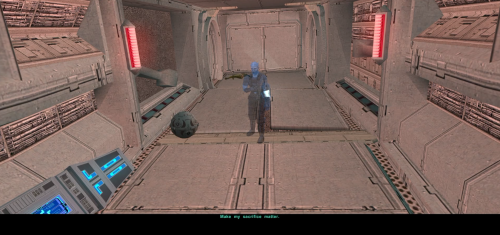
Bao-Dur's Sacrifice
By N-DReW25
A Mod for Star Wars Knights of The Old Republic II
Author: N-DReW25
1.0.0 Release Date: 05.10.2025
Installation:
It is strongly advised that you install the Bao-Dur's Departure mod beforehand.
Simply click on the HoloPatcher.exe, click install, and sit back and watch the HoloPatcher do its magic.
Description:
This mod is an unofficial addon for the mod Bao-Dur's Departure by WildKarrde. In the Bao-Dur's Departure mod, Bao-Dur goes with HK-47 down to the Telos Underground Facility but instead of sacrificing himself so that HK-47 can deal with the Factory Bao-Dur instead stays inside the Telos Underground Facility and spends his time preparing the Remote for the mission to re-activate the Mass Shadow Generator.
That mod ends just before travelling to Malachor V where you can see Bao-Dur observing the Ebon Hawk just before the Exile leaves Telos before going to Malachor, thus confirming that he survived the events of Kotor II.
This mod, however, is a very basic mod which restores the line "make my sacrifice matter". In this mod, once the Remote has re-activated the Mass Shadow Generator the hologram of Bao-Dur will conclude with the line "make my sacrifice matter". The idea is that the line has been recontextualized from 'Bao-Dur dies in a heroic sacrifice' to 'Bao-Dur's first detonation of the Mass Shadow Generator was the sacrifice' and that the Remote re-activating it to defeat the Sith is what makes the sacrifice ultimately matter.
I have discussed this privately with other modders and some of them did disagree with my reinterpretation, the sacrifice in this new context could refer to the sacrifice of countless Republic Soldiers and Jedi during the first activation of the Mass Shadow Generator, the sacrifice referring to Bao-Dur metaphorically as in his PTSD and/or guilt he got after that battle etc.
Either way, unless someone makes a 'real' Bao-Dur's sacrifice where he actually dies onscreen this mod is the best we have to offer which restores the line.
The original line was infamous for having music playing through it, the line in this mod is the original that was edited with AI to remove that music and it has an audio filter through it so that it fits in with the other hologram lines.
Known Bugs:
This mod shouldn't have bugs but if you find any report it to me on Deadlystream.com.
Incompatibilities:
Incompatible with mods that touch "901bao.dlg" and "sensorfi.dlg"
Permissions:
Do NOT claim credit for this mod and do not use assets from this mod without my permission.
Thanks:
Sith Holocron: For providing the filter on the audio lines.
WildKarrde: For making the Bao-Dur's Departure mod!
ElevenLabs Website: For the custom AI VO service!
Obsidian: For such an amazing sequel
Fred Tetra: For Kotor Tool
th3w1zard1: For HoloPatcher!
Everyone who downloads the mod!
Legal:
THIS MODIFICATION IS NOT SUPPORTED BY BIOWARE/OBSIDIAN ENTERTAINMENT, LUCASARTS, DISNEY OR ANY LICENSERS/SPONSORS OF THE MENTIONED COMPANIES. USE OF THIS FILE IS AT YOUR OWN RISK AND THE ABOVE-MENTIONED COMPANIES OR THE AUTHOR IS NOT RESPONSIBLE FOR ANY DAMAGE CAUSED TO YOUR COMPUTER FOR THE USAGE OF THIS FILE.
36 downloads
-
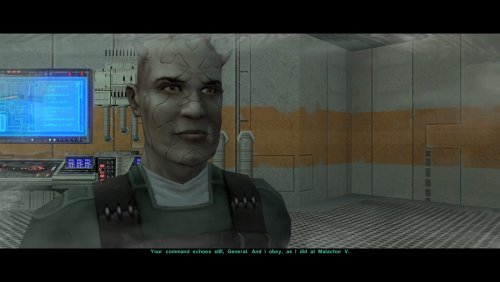
Bao-Dur's Departure
By WildKarrde
One of the many threads left hanging by KOTOR 2's incomplete ending is that Bao-Dur mysteriously disappears just before the Battle of Telos with very little indication of what might have happened to him. This mod attempts to fill the narrative gap with a pair of cutscenes showing Bao-Dur accompanying HK-47 to the Telos underground base and retrieving data from the Republic's database while HK-47 continues alone to the HK factory. It also adds a brief cutscene after the battle showing him staying behind on Citadel Station as the player departs. If the player does not rebuild HK-47 or if the HK factory is not located, essentially the same scenes occur but without HK-47. I have taken some general inspiration from KOTOR 2 writer Chris Avellone's comments on Bao-Dur's intended fate, but I have chosen to go in a different direction with much of it.
Thank you for downloading, and I hope you enjoy this mod!
-------------------------------------------------------------------
INSTALLATION
If you are using any of the mods noted in the "Compatibility" section below, install them first. Afterwards, run "INSTALL.exe", and select the Main Installation option. After the installation is complete, if you are using my mod "Equip Party for Malachor, rerun "INSTALL.exe", and select the option for the compatibility patch. If you are using The Sith Lords Restored Content Mod (TSLRCM) from the Steam Workshop, see this guide for how to combine installer-based mods with the Workshop: https://steamcommunity.com/sharedfiles/filedetails/?id=488641307.
-------------------------------------------------------------------
COMPATIBILITY
This mod requires The Sith Lords Restored Content Mod (TSLRCM) (https://deadlystream.com/files/file/578-tsl-restored-content-mod/). It is also compatible with the KotOR 2 Community Patch (K2CP) (https://deadlystream.com/files/file/1280-kotor-2-community-patch/).
If you are using any of the following mods, they must be installed prior to this mod:
- TSLRCM
- PartySwap by DarthTyren and Leilukin (https://deadlystream.com/files/file/544-partyswap/)
- Equip Party for Malachor by me (https://deadlystream.com/files/file/3128-equip-party-for-malachor/)
- Any other mods which overwrite pcdead2.dlg in the module 003ebo.mod.(*)
This mod is incompatible with mods other than those mentioned above which edit the following files:
- a_221load.ncs
- a_901jump.ncs
- a_escape_851.ncs
- a_hand_pc_end.ncs
(*)This mod may be incompatible with mods which alter pcdead2.dlg significantly compared to the TSLRCM version.
-------------------------------------------------------------------
CREDITS
KotorBlender by seedhartha
tpcview and tga2tpc by ndix UR
NWNSSCOMP by Torlack and tk102
K-GFF by tk102
DLGEditor by tk102
TSL Patcher by stoffe and Fair Strides
ERFEdit by stoffe and Fair Strides
Kotor Tool by Fred Tetra
Holocron Toolset by Cortisol and th3w1zard1
2DA Editor by VarsityPuppet
SithCodec by JCarter426
Reone Toolkit by seedhartha
Edited vanilla and TSLRCM scripts are based on the K2CP team's repository of unaltered, decompiled vanilla scripts, which may be found at https://github.com/KOTORCommunityPatches/Vanilla_KOTOR_Script_Source.
Thanks to N-DReW25 for suggesting that I might try addressing Bao-Dur's fate in some fashion.
Thanks to Leilukin for granting permission to include modified versions of scripts from PartySwap for compatibility.
-------------------------------------------------------------------
VERSION HISTORY
1.0 - Initial Release
-------------------------------------------------------------------
DISCLAIMER AND PERMISSIONS
This modification is provided as-is and is not supported by Disney, Lucasarts, or Obsidian. Use at your own risk. The author shall not be held responsible for damage to your game installation, computer, or saved games resulting from the use of this mod.
This mod shall not be reposted, in whole or in part, on any sites other than Deadly Stream without the author's permission. Scripts from this mod may be modified and redistributed for the purpose of compatibility with this mod as long as credit is given to this mod's author. Otherwise, assets from this mod shall not be redistributed in other modifications without the author's permission. Assets containing work by other authors also require the permission of those authors.
77 downloads
-
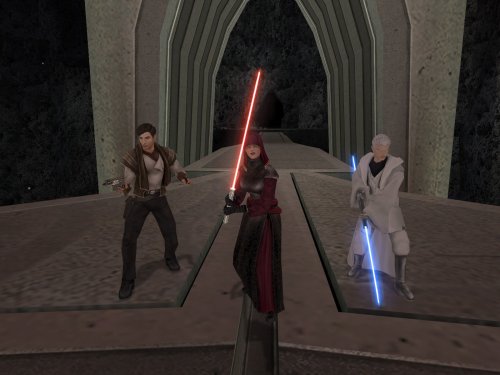
Equip Party for Malachor
By WildKarrde
After the Dantooine Enclave sequence, there are very few opportunities to change your party's equipment before arriving on Malachor V. If you are like me and regularly unequip your party's gear to keep it available, you may then find that your companions unwisely attempt to fight Darth Traya armed with nothing but their fists. This mod makes it so that you return to the Ebon Hawk after finishing the Ravager sequence, giving you the opportunity to select your party's gear for the Malachor cutscenes. It also modifies the "traveling to Malachor" cutscene so that Atton does not appear if he has left with Kreia because of jealousy over the Disciple.
This mod comes in two versions which affect how the galaxy map behaves when you travel to Malachor:
- OPTION A (Limited Galaxy Map): Displays the full galaxy map, including Malachor. All planets are visible, but you will only be allowed to select Malachor as a valid destination.
- OPTION B (No Galaxy Map): Does not display the full map and instead offers a dialog option confirming whether you are ready to go to Malachor. Malachor's appearance is therefore not revealed until the Ebon Hawk arrives there, as in the vanilla game.
Thank you for downloading, and I hope you enjoy this mod!
-------------------------------------------------------------------
INSTALLATION
If you are using any of the mods noted in the "Compatibility" section below, install them first. Afterwards, navigate to the folder for either Option A or B, run "INSTALL.exe", and select the Typical Installation option. After the installation is complete, if you are using "Coruscant Jedi Temple" by deathdisco and/or M4-78 Enhancement Project, rerun "INSTALL.exe", and select the appropriate compatibility patch. If you are using The Sith Lords Restored Content Mod (TSLRCM) from the Steam Workshop, see this guide for how to combine installer-based mods with the Workshop: https://steamcommunity.com/sharedfiles/filedetails/?id=488641307.
-------------------------------------------------------------------
COMPATIBILITY
This mod requires The Sith Lords Restored Content Mod (TSLRCM) (https://deadlystream.com/files/file/578-tsl-restored-content-mod/). It is also compatible with the KotOR 2 Community Patch (K2CP) (https://deadlystream.com/files/file/1280-kotor-2-community-patch/).
If you are using any of the following mods, they must be installed prior to this mod:
- TSLRCM
- PartySwap by DarthTyren and Leilukin (https://deadlystream.com/files/file/544-partyswap/)
- M4-78 Enhancement Project by zbyl2, DarthStoney, and Hassat Hunter (https://deadlystream.com/files/file/277-m4-78-enhancement-project/)
- Coruscant Jedi Temple by deathdisco (https://deadlystream.com/files/file/585-coruscant-jedi-temple-by-deathdisco/)
- Jedi Temple Expansion by HK42 (https://www.gamefront.com/games/knights-of-the-old-republic-ii/file/jedi-temple-expansion)
- Coruscant - Jedi Temple Compatibility by Hassat Hunter (https://deadlystream.com/files/file/394-coruscant-jedi-temple-compatibility/)
This mod is not compatible with any mods which add new planets to the galaxy map other than those listed above. It is compatible with mods which only edit the locations of the planets on the map.
This mod is incompatible with mods other than those mentioned above which edit the following files:
- a_901jump.ncs
- a_escape_851.ncs
- tr_leave_ehawk.ncs
- a_galaxymap.ncs
- k_sup_galaxymap.ncs
It is incompatible with mods which overwrite pcdead2.dlg in 003ebo.mod. It may be compatible with mods which edit pcdead2.dlg in place if this mod is installed first. It is compatible with Extended Enclave (https://deadlystream.com/files/file/428-extended-enclave-tslrcm-add-on/), which edits a file called pcdead2.dlg in a different module which does not conflict.
-------------------------------------------------------------------
CREDITS
KotorBlender by seedhartha
tpcview and tga2tpc by ndix UR
NWNSSCOMP by Torlack and tk102
K-GFF by tk102
DLGEditor by tk102
TSL Patcher by stoffe and Fair Strides
ERFEdit by stoffe and Fair Strides
Kotor Tool by Fred Tetra
Holocron Toolset by Cortisol and th3w1zard1
2DA Editor by VarsityPuppet
TalkEd by stoffe
Edited vanilla and TSLRCM scripts are based on the K2CP team's repository of unaltered, decompiled vanilla scripts, which may be found at https://github.com/KOTORCommunityPatches/Vanilla_KOTOR_Script_Source.
Thanks to Snigaroo for inspiring this by requesting a mod to allow the player to equip the party before the endgame
Thanks to deathdisco and Leilukin for granting permission to include modified versions of scripts from their mods for compatibility.
-------------------------------------------------------------------
VERSION HISTORY
1.0 - Initial Release
-------------------------------------------------------------------
DISCLAIMER AND PERMISSIONS
This modification is provided as-is and is not supported by Disney, Lucasarts, or Obsidian. Use at your own risk. The author shall not be held responsible for damage to your game installation, computer, or saved games resulting from the use of this mod.
This mod shall not be reposted, in whole or in part, on any sites other than Deadly Stream without the author's permission. Scripts from this mod may be modified and redistributed for the purpose of compatibility with this mod as long as credit is given to this mod's author. Otherwise, assets from this mod shall not be redistributed in other modifications without the author's permission. Assets containing work by other authors also require the permission of those authors.
29 downloads
-
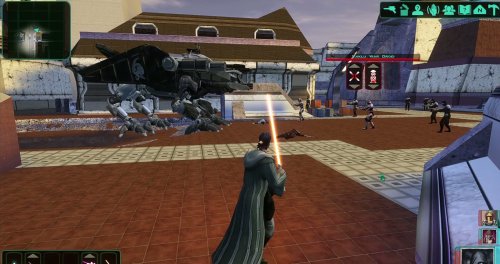
Basilisk War Droid
By ShaolinGhost
AI DISCLOSURE & FEEDBACK
I use AI often in my workflows to assist with creating my mods, including handling monotonous and repetitive tasks. You should assume that anything I post has had AI assistance in some way.
As I stated in my Dathomir WIP post, I expect discussion of my projects to remain professional and focused on the actual artwork, performance, and gameplay. Constructive criticism that helps improve the art or gameplay is welcome. Derogatory statements about AI will be ignored. I am here to improve the finished product, and I will not change my workflow to accommodate personal objections to AI.
Bring a new Basilisk to the invasion of Onderon. Watch it wake in the Dxun hangar, storm Iziz in a replacement cinematic, and join the landing-zone battle as an allied war droid.
FEATURES
• Custom Basilisk model with an animated hangar reveal and boarding ramp.
• Replacement invasion cinematic covering space approach, atmospheric entry, anti-aircraft fire and a heavy landing.
• An allied Basilisk that fights alongside the player in Iziz.
• Shoulder turbolasers, heavy claw attacks, a shockwave slam and an airborne rapid-fire nose-gun barrage.
• Custom combat effects and sound.
• One replacement Basilisk loading screen.
REQUIREMENTS AND COMPATIBILITY
Requires Windows x64 and a supported Steam Aspyr version of KOTOR II. Run the included compatibility check before installing. Other storefronts and executable versions are not currently supported.
Tested on clean Steam game data and an installation of the KOTOR II Full Build:
https://kotor.neocities.org/modding/mod_builds/k2/full
Install after your chosen mod build. Compatibility does not cover every optional mod selection. The English Queen Talia invasion route is tested; the Vaklu route has not been qualified.
The installer merges shared tables and story resources, preserves native party selection, and leaves saves and Steam Cloud settings unchanged. It replaces OndMov07.bik and the load_510OND/load_511OND loading screens.
See COMPATIBILITY.md for supported executable hashes, conflicts and testing limitations.
INSTALLATION
1. Close KOTOR II.
2. Extract the entire archive into a folder outside your game directory. Keep all included folders together.
3. Run Install Basilisk.exe and select the folder containing swkotor2.exe.
4. Click Check compatibility, review the result, then Install Basilisk.
5. Keep Steam running and launch the game using BasiliskLauncher.exe in your game folder.
6. Load a save from before Zuka’s invasion reveal and before first entering the Iziz invasion module.
Required runtime components are bundled. No separate Python or .NET installation or manual patch download is needed.
This package uses its own merge installer. Do not copy the payload into Override or install it through TSLPatcher.
UNINSTALL
Close the game, run Install Basilisk.exe, select the same game folder and choose Restore pre-install files.
Keep the BasiliskInstaller backup folder. Restoration will stop if another mod has subsequently changed a file, protecting those later changes. Return to a save made before installation.
CREDITS
ShaolinGhost — project, direction, playtesting and release.
Lane — KotOR Patch Manager.
PyKotor contributors — resource tooling.
Obsidian Entertainment, LucasArts and Aspyr — KOTOR II and original game resources.
The Force Unleashed Wii Basilisk encounter — design and animation reference.
Full third-party notices and installer/runtime sources are included.
This is an unofficial, free fan modification. Screenshots may show unrelated character, environment and interface mods that are not included.
65 downloads
-
KOTOR High FPS Fixes
By D3M0
KOTOR High FPS Fixes
Fixes several problems in Knights of the Old Republic 1 & 2 that appear when playing above 60 FPS.
Included fixes:
Dialogue letterbox timing
Post-combat movement freeze
Free-look mouse sensitivity
Animated textures such as rivers, waterfalls, and flashing mines
Lightsaber trails
Tree leaves and similar moving effects
Water ripples and force fields
Should make the animations and timings feel as close as possible to their speed when played at 60fps. No longer do you need to lock your frame rate to enjoy either game.
Tested up to 240 FPS.
But should work at even higher fps though let me know if any issues arise.
Requirements:
Kotor Patch Manager 0.6.3 or newer
KOTOR 1: 1.03
KOTOR 2: Aspyr GOG or Steam
This kpatch works with both K1 and K2 no need for separate kpatches.
Latest KPM version 0.7.0 now has the ability to work with modified exe's but if there are any issues still you can try my adapter here. The adapter is only for K1 for now and hopefully will be obsolete in the future.
Do not install the standalone versions of these fixes alongside this combined version, such as J's post combat fix or my individual fixes on my GitHub or previous deadlystream post. Source code and alt download available below.
Links:
Alternative Download - GitHub Releases
Source Code - GitHub
265 downloads
-
Force Lightning Is Dangerous | TSL
By J
Makes force shock, lightning and storm more dangerous and chaotic to the caster. If an enemy passes a will save, against these powers, the damage is halved. With this mod, half of the damage is directed back at the caster. Light/dark alignment modifies the damage taken, plus any resistance/immunity. A fully darkside aligned character will take 0 damage reflected back at them. A fully lightside character will take all reflected damage. This makes the Energy Resistance power, shields, and electrical resist/immunity gear more important. You can still spam force storm but you need to build for it.
Install:
- install Alignment Affects Force Powers [TSL] first
- then install this mod
Credit:
- offthegridmorty - for allowing me to include the alignment modifier for compatibility with Alignment Affects Force Powers [TSL]
14 downloads
(0 reviews)0 comments
Updated
-
Portraits Remade | TSL
By J
200+ portraits to replace party and player portraits.
5 stage lightside/darkside transition restored.
Install
- extract the .TPC files to the game's override folder
- the optional portraits.2da file enables 5 stage lightside/darkside transitions, copy it to override.
How Were These Made
Kotor Blender and ImageMagick.
I will be releasing the scripts to easily generate matching portraits.
Blender and KotorBlender plugin will need to be install but the portrait generation process does not require blender knowledge.
55 downloads
(1 review)0 comments
Updated
-

Level cap 20
By gougougagak
Stop leveling at level 20
Exp needed to level up increased
(exp needed for level 2 is unchanged)
Tested with :
Snigaroo's Kotor 2 mod build
Normal difficulty
LS Guardian/Weaponmaster
Planet order : Dxun -> Nar Shaddaa -> Dantooine -> Korriban -> Onderon
Notes :
Only used Kreia when it's required (so not a lot of exp bonus)
Level 15 on Goto's Yacht, skipped some side quests (Handmaiden Battle Circle, Mandalorian Battle Circle) and accidentally triggered Nar Shaddaa "endgame" before doing stuff in Refugee Sector
Level 20 on Korriban
Was not any harder or easier I would say
Only 5 level in Prestige class, kinda weird
Install : Put the exptable.2da into the override folder
6 downloads
(0 reviews)0 comments
Updated
-
![More information about "[TSL] Exchange Gamorrean Fix"](https://deadlystream.com/downloads/screens/monthly_2026_09/20260912154612_1.thumb.jpg.a7baab39ff2842f8499ca644a681ac76.jpg)
[TSL] Exchange Gamorrean Fix
By Lily
=====================================================
[TSL] Exchange Gamorrean Fix
=====================================================
Mod for Knights of the Old Republic II - The Sith Lords
Author: Lily
File Name: Exchange_Gamorrean_Fix.zip
Latest Version: 1.0
---
1. DESCRIPTION:
With TSLRCM, the Gamorrean Exchange thugs in the refugee sector on Nar Shaddaa have two bugs:
1. They no longer have dialogue if you try to talk to them. I believe the base game had a bug where they had more dialogue lines than they would actually say when you talk to them, and TSLRCM tried to fix this but it ended up even more broken and they just remain silent.
With this mod, all of their dialogue lines are restored.
2. When you security one of the metal boxes near them, they tell you "Get out of there or I bash you!" which is an empty threat as they don't care if you take what's inside the box.
With this mod, they will become hostile and attack you if you open the box to take what's inside (unless you are in stealth) as intended.
---
2. INSTALLATION:
Run Install.exe and select your KotOR 2 game directory.
A "backup" folder is created by the installer in the same directory. Don't delete it if you plan to uninstall later.
---
3. UNINSTALLATION:
Run Install.exe, select your KotOR 2 directory, and use the "Tools > uninstall/restore backup" option to revert all changes made by this mod.
---
4. KNOWN ISSUES:
None.
If you find any bugs or problems, please report them.
---
5. MOD COMPATIBILITY:
This should be compatible with all other mods.
Requires TSLRCM.
Do not use the Steam Workshop for KotOR. It will almost certainly end with compatibility issues.
---
6. SUPPORT:
My mods are free to use. You do not need to pay for them, but if you would like to say thanks, you can buy me a coffee!
---
7. PERMISSIONS:
Please let me know if you plan on using any of the files in my mod for your own mod. The answer is "yes you may", but I would like to know what you are doing with it!
Do not directly reupload this mod anywhere else.
---
8. THANKS:
- Fred Tetra - KotOR Tool
- Cortisol - Holocron Toolset & HoloPatcher
- Fair Strides - TSLPatcher
THIS MODIFICATION IS NOT SUPPORTED BY BIOWARE/OBSIDIAN ENTERTAINMENT OR LUCASARTS OR ANY LICENSORS/SPONSORS OF THE MENTIONED COMPANIES. USE THIS FILE AT YOUR OWN RISK.
57 downloads
(0 reviews)0 comments
Submitted
-
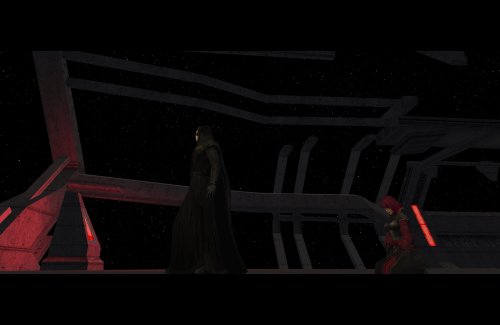
Delayed Story Cutscenes
Delays certain story cutscenes.
DESCRIPTION
Some important cutscenes can occur very early in KOTOR 2 leading to some awkward narrative pacing, specifically the cutscene of Kreia’s past and the cutscene introducing Visas. This mod delays these cutscenes from triggering until certain progress is made.
Visas’ cutscene will no longer trigger until after you’ve left Telos and visited at least one other planet, in addition to meeting the usual alignment requirements.
Kreia’s cutscene is supposed to be locked behind a high influence check. However, you can completely bypass the influence requirement with only 14 Intelligence, making it pretty easy to get the scene as soon as the dialogue option becomes available. This mod increases the Intelligence check difficulty. By default, the dialogue will only become available after leaving Telos, and only while on the Ebon Hawk, as in TSLRCM. An optional patch is included to further delay its availability until at least one Jedi has been found.
INSTALLATION
To install, run HoloPatcher.exe and select the install option corresponding to whether you have TSLRCM or not.
Unaltered copies of any modified files will be place in the “backup” folder in the location of HoloPatcher.
(Optional) Install the option “Kreia Cutscene Extended Delay” if you want to delay the availability of Kreia’s dialogue until at least one Jedi has been found.
UNINSTALLATION
Remove the following files from override:
- kreia.dlg
- k_align_move.ncs
- m_cnd_kreiamovie.ncs
Move any files inside the backup folder to override.
COMPATIBILITY
Compatible with TSLRCM using the TSLRCM-compatible install option. TSLRCM must be installed first before installing this mod.
Compatible with PartySwap but PartySwap must be installed first. Since PartySwap requires TSLRCM, you must use the TSLRCM-compatible option.
PERMISSIONS
Feel free to do whatever you want with this mod.
CREDITS
offthegridmorty
Credit to Snigaroo who requested this mod.
zbyl2, DarthStoney, Hassat Hunter, VarsityPuppet, TSLRCM contributors - TSLRCM source script for k_align_movie
HoloPatcher - Cortisol, th3w1zard1
TSLPatcher - stoffe, Fair Strides
KOTOR Tool - Fred Tetra
DeNCS - JdNoa, Dashus
55 downloads
(0 reviews)0 comments
Updated
-
ROR Addon Pack
By N-DReW25
A Mod for Star Wars Knights of The Old Republic II
Author: N-DReW25
1.0 Release Date: 30.08.2026
Installation:
Please install the Revenge of Revan mod FIRST before this mod! No exceptions!
To install the "Alt Corellia City Reskin" and/or the "TOR Corellia Skybox" addon simply open their folders, copy their files to the Override folder, and overwrite the pre-existing files.
The "Coruscant Skybox Pack" comes in two versions, the "Demo Coruscant Skybox" and the "Vanilla Coruscant Skybox" - you can only install one. Pick the one you want to install and open its folder, copy their files to the Override folder, and overwrite the pre-existing files.
The "Party Clothes" addon is installed via a HoloPatcher. If you want to use this, you must install the "Episode One & a Half" addon BEFORE you install Party Clothes. Once that is installed, just click on the INSTALL.exe, add your Kotor II file directory, click install, and the addon shall be installed.
To install "Episode One & a Half", you must do the following:
1) Copy the "dialog.tlk" file and paste it into your "Knights of the Old Republic II" folder, overwriting the previous one.
2) Open the "For Override" folder, press Cntrl + A on your keyboard to select the files, copy them all into your Override folder, and overwrite the pre-existing files.
3) Open the "For Modules" folder, press Cntrl + A on your keyboard to select the files, copy them all into your Modules folder, and overwrite the pre-existing files.
4) Open the "For StreamMusic" folder, press Cntrl + A on your keyboard to select the files, copy them all into your StreamMusic folder, and overwrite the pre-existing files.
5) Open the "For StreamSounds" folder, press Cntrl + A on your keyboard to select the files, copy them all into your StreamSounds folder, and overwrite the pre-existing files.
6) Open the "For StreamVoice" folder, press Cntrl + A on your keyboard to select the files, copy them all into your StreamVoice folder, and overwrite the pre-existing files.
Consult the "Changelog.txt" for a full list of features added in this patch.
Description:
The ROR Addon Pack is a mod pack for the Revenge of Revan mod (ROR) which contains features for the ROR mod which either got rejected from the main mod, are experimental in nature but could be used by players, or are preview features for an upcoming Episode release.
As of right now, the pack contains the following addons:
Episode One & a Half: This addon contains all of the bug fixes and new content for Episode One that's going to be added in the Episode Two release. Consider this addon a "public beta" before it is added to the main ROR mod as part of Episode Two.
Just so that you know, Episode Two will contain the bug fixes/new content for Episode One's Corellia and add the planet Nar Shaddaa to continue the story from where Episode One left off.
Episode One & a Half shall be removed from the addon pack once Episode Two releases and will probably be replaced with Episode Two & a Half, Episode Three & a Half etc at later dates.
Release 1.0 currently has new content for the opening of the mod up until the Player reports the Tyrena Station Security Recordings to Bao-Dur. A future update shall include improved content for the Esbek Hotel up until the very end of the mod.
Main Changelog:
Item Specific Changelog:
Party Clothes: Similar to Atton and Mira in Kotor II, this addon adds unique clothing that only Uldir and Drayen can wear. Drayen's armor slot will become locked (similar to Mandalore in Kotor II), however, his clothing has very good stats for the early game meaning you won't want to replace it anyway.
In future updates, clothing shall be added to future party members when they are added.
TOR Corellia Skybox: Replaces the ROR skybox with the Corellia skybox from The Old Republic MMO.
Coruscant Skybox Pack: Contains alternative skyboxes for Coruscant. Right now only the ROR Demo Coruscant Skybox and the Vanilla Coruscant Skybox are available.
Alt Corellia City Reskin: This is a WIP addon that replaces the current Corellia textures. These may, or may not, be added to the main mod at some point. It is also possible that different textures may be added to the mod instead of these. As these are a WIP there may be textural anomalies in certain parts of the mod.
Known Bugs:
This mod shouldn't have any bugs but if there are please report them to me on Deadlystream.
Incompatibilities:
To be added!
Permissions:
Assets from this mod may not be used without explicit permission from the authors.
Voice Actors:
JC2: B8-C2.
Sith Holocron: HoloNet News Droid [Coruscant and Corellia].
Thanks to:
Logan: Beginning the restoration effort for K1!
ROR's Main Dev Team: For developing the original K1R mod!
Contributors of the Main ROR mod: For contributing to Episode One's release.
AxConsortium70: Extensive beta testing, to the point that they fixed some of the more illusive bugs they discovered!
Jonathan7: Assets from Force Fashion II, a mod already in ROR, have been modified and included in this pack for the Episode One & a Half addon.
RedRob41: Assets from ROR Episode One have been modified and included in this pack for the Episode One & a Half addon!
90SK: Armor and Mask assets from his mods have been added into this pack for the Episode One & a Half addon!
SilverEdge9: More assets from BOSSR have been modified and included in this pack for the Episode One & a Half addon!
Flammenwerfer: Their mod "The Sith Mask" has been used in this pack for the Episode One & a Half addon. The readme of their mod on NexusMods gives modders free permission to use this asset as long as credit is given to them!
ScrierOne: Their mod "Sith Mask Reskin" has been used in this pack for the Episode One & a Half addon. Their NexusMods page states that modders have permission to use this asset!
Vurt: For making the Hutt textures in his "Vurt's KotOR Visual Resurgence" mod, these textures were used as a base for ROR's Hutts!
Elayerfawkes45: For making the Hutt textures in his "Hutt remesh and retextured with bumps" mod, these textures were used as a base for ROR's Hutts!
Detran: For making the Hutt textures in his Detran's Hutts" mod, these textures were used as a base for ROR's Hutts!
Sith Holocron: Voice filters for B8-C2, the HoloNet News Droids, and a Royal Guard NPC!
Leilukin: Assets from their mod "Missing K1 Party Member Ports for TSL [Modder's Resource]" has been used in this pack for the Episode One & a Half addon. It is a Modder's Resource!
Doc Valentine: Creator of the ROR Demo Coruscant Skybox which has become an addon of this pack!
Scorchlicious: For fetching the TOR Corellian Skybox for the pack!
ElevenLabs Website: For the custom AI VO service!
Bioware: For such an amazing game!
Obsidian: For such an amazing sequel!
Fred Tetra: For Kotor Tool!
Cortisol: For Holocron Toolset!
Everyone who downloads the mod!
Legal:
THIS MODIFICATION IS NOT SUPPORTED BY BIOWARE/OBSIDIAN ENTERTAINMENT, LUCASARTS, DISNEY OR ANY LICENSERS/SPONSORS OF THE MENTIONED COMPANIES. USE OF THIS FILE IS AT YOUR OWN RISK AND THE ABOVE-MENTIONED COMPANIES OR THE AUTHOR IS NOT RESPONSIBLE FOR ANY DAMAGE CAUSED TO YOUR COMPUTER FOR THE USAGE OF THIS FILE.
57 downloads
-
Bashing Overhaul
Improves the mechanics of bashing locked containers.
DESCRIPTION
KOTOR 2 added a neat little mechanic that makes it so bashing containers has a chance of breaking some of the items inside, adding risk and incentivizing putting points in Security or bringing along the right companion to help out.
At least, that’s what the game wants you to think. In truth, this is one of TSL’s several illusory mechanics which don’t really work the way you think.
Here’s how it actually works: Some containers, when unlocked with Security, get a random number of low value items added to their inventory. If you instead bash a container, a random number of broken items are added to the container’s inventory. Nothing inside the container is actually broken.
The first issue with this is that high value items like weapons or upgrades are never broken, making bashing not all that risky, especially later in the game. What’s much worse though is that many of the locked containers in the game actually get a flag set when initially populated that blocks Security from adding the “not broken” items. This means there is no advantage to using Security on these containers outside of saving time. In fact, by bashing you at least get a few broken items you can use for components, and you lose nothing. Another more mundane issue is that many locked containers are simply missing the bashing script, causing the game to abandon this mechanic which it initially presents as important.
This mod overhauls the bashing mechanic, not only fixing its bugs and making it work the way you’d expect, but also giving it more depth and impact.
When you bash a container, there is a chance to break some of the items that are actually inside. You may break multiple items or none at all, with it being most likely to break a small but nonzero number of items. Breakable items now include more valuable items such as weapons, shields, droid tools, implants, upgrades, etc. Armor and droid plating cannot be broken since, well, they’re designed to resist being broken. Plot items and datapads are all protected from being broken, in addition to credits, components, and chemicals.
Some feats, effects and weapons will affect how likely you are to break items. Finesse reduces the chance of breaking an item when using a melee weapon while Precise Shot reduces the chance of breaking an item when using a ranged weapon. Using the Plasma Torch also reduces the chance of breaking items. On the other hand, being under the effects of Fury or Wookie Rage will significantly increase the chance of breaking items.
INSTALLATION
To install, run HoloPatcher.exe. Unaltered copies of any modified files will be placed inside a backup folder in the location of HoloPatcher.exe.
UNINSTALLATION
Remove k_contain_bash.ncs and m_plc_treasdisp.ncs from Override. If k_contain_bash.ncs was created inside the backup folder, move it to Override.
Remove the following files from Modules: 101PER.mod, 102PER.mod, 103PER.mod, 105PER.mod, 106PER.mod, 151HAR.mod, 152HAR.mod, 153HAR.mod, 262TEL.mod, 301NAR.mod, 302NAR.mod, 303NAR.mod, 305NAR.mod, 404DXN.mod, 506OND.mod, 601DAN.mod, 610DAN.mod, 650DAN.mod, 851NIH.mod, 852NIH.mod, 903MAL.mod
If any .mod files were created inside the backup folder, move them to Modules.
COMPATIBILITY
Should be compatible with most mods unless they edit the k_contain_bash script.
PERMISSIONS
Feel free to do whatever you want with this mod, just give credit.
CREDITS
offthegridmorty
HoloPatcher - Cortisol, th3w1zard1
TSLPatcher - stoffe, Fair Strides
KOTOR Tool - Fred Tetra
DeNCS - JdNoa, Dashus
54 downloads
(0 reviews)0 comments
Updated
-
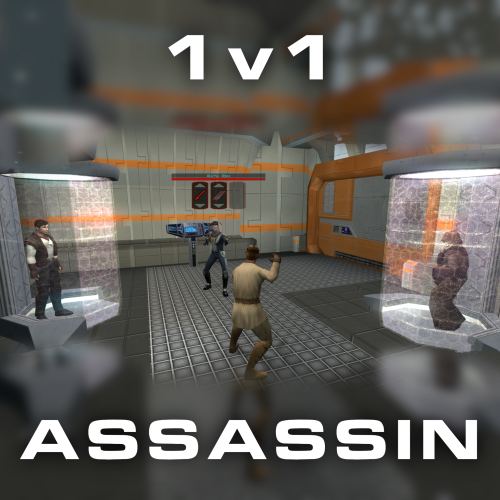
1v1 Assassin - Citadel Station
By J
Citadel Station assassin no longer frees your companions, for a 3v1 fight.
Also includes a fix from TSLRCM and a fix for TSF agents disappearing before the screen fades to black.
Copy 'a_grenn_cut.ncs' to your games 'override' directory.
62 downloads
(0 reviews)0 comments
Updated
-
![More information about "[TSL] Lily's NPC Overhaul - HD Models & Added Diversity"](https://deadlystream.com/downloads/screens/monthly_2026_08/20260826160016_1.thumb.jpg.5545ed435507f3bcbe00441f7407d740.jpg)
[TSL] Lily's NPC Overhaul - HD Models & Added Diversity
By Lily
=====================================================
[TSL] Lily's NPC Overhaul - HD Models & Added Diversity
=====================================================
Mod for Knights of the Old Republic II - The Sith Lords
Author: Lily
File Name: NPC_Overhaul.zip
Latest Version: 1.0
---
1. DESCRIPTION:
Tired of nearly every basic human NPC looking the same?
This mod overhauls the human NPC (commoner) appearances in KotOR II.
Heads:
- Tweaks several of the models to adjust hair and fix some UV mapping.
- 39 head textures are included, 35 reworked and 4 extra ones. They look much more distinct than the vanilla ones.
- The heads are more evenly distributed across characters so, for example, 75% of white male heads were previously "white male 1" and now it should evenly by spread across all of the white male heads.
- Ralon on Dantooine is given his unique appearance that I guess they made and forgot to give him...
Clothing:
- 11 updated clothing texture sets for the standard male and female commoner outfits.
---
2. INSTALLATION:
Run Install.exe and select your KotOR 2 game directory.
There are 2 installation options.
- Heads: includes 39 updated heads with unique looks and gives human NPCs more unique appearances.
- Clothing: includes 11 updated clothing textures for both male and female NPCs.
These two options are independent and can be installed in either order, or separately.
A "backup" folder is created by the installer in the same directory. Don't delete it if you plan to uninstall later.
---
3. UNINSTALLATION:
Run Install.exe, select your KotOR 2 directory, and use the "Tools > uninstall/restore backup" option to revert all changes made by this mod.
---
4. KNOWN ISSUES:
If you have already visited Dantooine, Ralon may not have his updated appearance. You should use a save from before arriving.
If you find any bugs or problems, please report them.
---
5. MOD COMPATIBILITY:
Should be compatible with all mods other than ones that also attempt to change commoner NPC appearances.
Compatible with TSLRCM.
Do not use the Steam Workshop for KotOR. It will almost certainly end with compatibility issues.
---
6. SUPPORT:
My mods are free to use. You do not need to pay for them, but if you would like to say thanks, you can buy me a coffee!
---
7. PERMISSIONS:
Please let me know if you plan on using any of the files in my mod for your own mod. The answer is "yes you may", but I would like to know what you are doing with it!
Do not directly reupload this mod anywhere else.
---
8. THANKS:
- Dark Hope - Uses assets from her various commoner head mods. MOST of the clothing uses Dark Hope's textures. Pretty much all credit for the clothing portion of this mod goes to her other than swapping her alternate textures into the additional slots that KotOR II uses! Thank you!
https://deadlystream.com/profile/16561-dark-hope/content/?type=downloads_file&change_section=1
https://deadlystream.com/files/file/2516-npc-clothing-m/
https://deadlystream.com/files/file/2515-npc-clothing-f/
- Vurt - Some of the clothing textures
- redrob41 - Original model fixes
- Fred Tetra - KotOR Tool
- Cortisol - Holocron Toolset & HoloPatcher
- Fair Strides - TSLPatcher
- seedhartha - KotOR Blender
THIS MODIFICATION IS NOT SUPPORTED BY BIOWARE/OBSIDIAN ENTERTAINMENT OR LUCASARTS OR ANY LICENSORS/SPONSORS OF THE MENTIONED COMPANIES. USE THIS FILE AT YOUR OWN RISK.
225 downloads
-
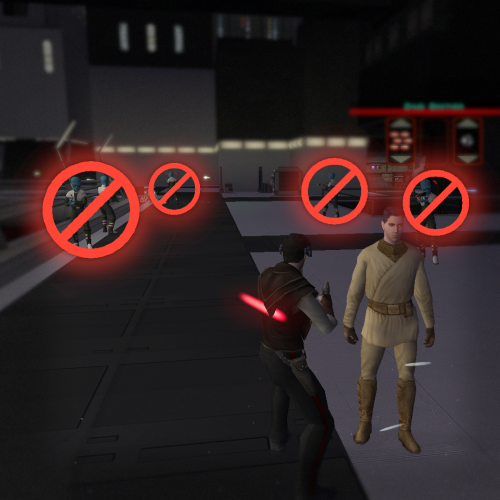
Nar Shaddaa Companion Combat Removal
By J
Removes the two TSLRCM companion fights surrounding the Nar Shaddaa docks.
I have issues with these added fights for the following reasons:
- From a design perspective, this area should be kept a non-hostile zone outside of an occasional skirmish with the locals.
- They negatively affect the pacing of the story. It's already a combat heavy part of the game and telling parts of it through dialogue works, to break it up,
- The 2nd fight, from the docks to the Shop, is especially awkward to navigate. If you don't know where to go, you might find yourself roaming the level checking locked doors and being blocked from entering the Ebon Hawk. Passive NPCs also don't react to the area turning into a battle zone.
Install:
1. Download and extract.
2. Choose 1 or both options.
3. Copy `.ncs` files into the game's `Override` folder.
Use a save from before the Exile approaches the Jekk'Jekk Tarr pit.
42 downloads
(0 reviews)0 comments
Updated
-
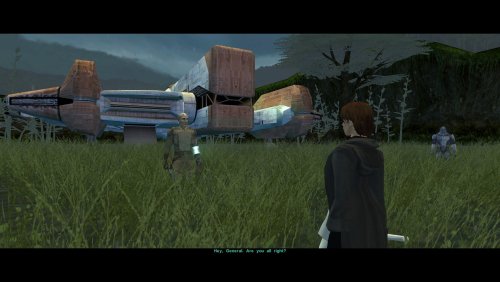
AxC's Bao-Dur's Dxun Reunion Fix
By AxConsortium
As you know, there's a story segment on Dxun where your party splits up. While you're off to Onderon, the other group goes to explore the jungle. After everything's done, there's a little reunion scene with the party leader of your choosing, just a few lines between the Exile and their companion before Kreia interrupts.
Turns out, despite being one of the possible party leaders, Bao-Dur was the only one who didn't have any lines at all. The game simply skipped straight to Kreia rather abruptly.
This little fix adds that missing reunion scene with Bao-Dur, provided he's been chosen to lead the party on Dxun, putting him on par with all other companions.
Requirements:
TSLRCM — for being able to send Bao-Dur at all.
Notes:
The mod can be installed and uninstalled at any time; the changes are minimal and safe.
Since these lines weren't even cut originally (they were just missed), I've reused some of Bao-Dur's existing voice lines that I deemed fit the occasion perfectly.
Installation:
Copy following file from archive's "Override" folder to yours:
reunion.dlg.
Credits:
Fred Tetra, for KOTOR Tool
TK102, for DLGEditor
Torlack, stoffe & TK102, for NWNSSCOMP
JdNoa & Dashus, for DeNCS
Cortisol, for Holocron Toolset
80 downloads
-
![More information about "[TSL] Curvier Handmaiden-Style Underwear for Female Player, Handmaiden, Mira, and Visas"](https://deadlystream.com/downloads/screens/monthly_2026_08/20260821142214_1.thumb.jpg.fca2064aa971070642209846cd7ea8f8.jpg)
[TSL] Curvier Handmaiden-Style Underwear for Female Player, Handmaiden, Mira, and Visas
By Lily
=====================================================
[TSL] Curvier Handmaiden-Style Underwear for Female Player, Handmaiden, Mira, and Visas
=====================================================
Mod for Knights of the Old Republic II - The Sith Lords
Author: Lily
File Name: Curvier_Female_PC_Party_Underwear_v2.zip
Latest Version: 1.2.0
---
1. DESCRIPTION:
Replaces the default underwear model for female player characters, Handmaiden, Mira, and Visas with a curvier Handmaiden-style underwear model. Custom textures are included for each character, with matching dark side transition variants.
---
2. INSTALLATION:
Run Install.exe and select your KotOR 2 game directory.
There are 7 installation options.
- Default Installation: Updates the new underwear model for female player characters and all three party members. You probably want this one.
- Player characters ONLY: Updates player character models to the new underwear model.
- Party members ONLY: Updates party member models to the new underwear model.
- Visas ONLY: Updates Visas to the new underwear model.
- Mira ONLY: Updates Mira to the new underwear model.
- Handmaiden ONLY: Updates Handmaiden to the new underwear model.
- PFHC03 Patch: Updates the look for PFHC03 if you use Effixian's PFHC03 Restoration mod. Install that mod first!
If you use the default installation, you do NOT need to install any of the individual options separately.
The PFHC03 Patch NEEDS to be installed separately - it is NOT included in any other option.
You should be safe to reinstall this mod on top of itself without any problems.
You can mix and match installation options if you want everything except the Visas replacement, for example.
A "backup" folder is created by the installer in the same directory. Don't delete it if you plan to uninstall later.
---
3. UNINSTALLATION:
Run Install.exe, select your KotOR 2 directory, and use the "Tools > uninstall/restore backup" option to revert all changes made by this mod.
---
4. KNOWN ISSUES:
None.
If you find any bugs or problems, please report them.
---
5. MOD COMPATIBILITY:
All files should have unique names. This mod only touches body models, textures, and appearance entries - no dialogue, scripting, or module changes. Should be compatible with all other mods, including TSLRCM.
Anything that changes the underwear texture for female players or Handmaiden, Mira, or Visas will conflict.
If you use Effixian's PFHC03 Restoration mod, install it first, then run this mod's PFHC03 Patch.
Do not use the Steam Workshop for KotOR. It will almost certainly end with compatibility issues.
---
6. Support:
My mods are free to use. You do not need to pay for them, but if you would like to say thanks, you can buy me a coffee!
---
7. PERMISSIONS:
Please let me know if you plan on using any of the files in my mod for your own mod. The answer is "yes you may", but I would like to know what you are doing with it!
Do not directly reupload this mod anywhere else.
---
8. THANKS:
- redrob41 - Original underwear model
- Effixian - PFHC03 Restoration
- bead-v - MDLEdit
- Fred Tetra - KotOR Tool
- Cortisol - Holocron Toolset & HoloPatcher
- Fair Strides - TSLPatcher
- seedhartha - KotOR Blender
- ndix UR - tga2tpc
THIS MODIFICATION IS NOT SUPPORTED BY BIOWARE/OBSIDIAN ENTERTAINMENT OR LUCASARTS OR ANY LICENSORS/SPONSORS OF THE MENTIONED COMPANIES. USE THIS FILE AT YOUR OWN RISK.
129 downloads
(0 reviews)0 comments
Updated
-
![More information about "[TSL] HD Rodians"](https://deadlystream.com/downloads/screens/monthly_2026_08/20260821112801_1.thumb.jpg.ce1b722df7b5c30541478f89b6d4b4c9.jpg)
[TSL] HD Rodians
By Lily
=====================================================
[TSL] HD Rodians
=====================================================
Mod for Knights of the Old Republic II - The Sith Lords
Author: Lily
File Name: HD_Rodians_TSL.zip
Latest Version: 1.0
---
1. DESCRIPTION:
This mod ports Stormie97's High Quality Aliens: Rodians from KotOR 1 to KotOR 2, with Dark Hope's HD retextures included and tweaked.
- Replaces the original low-poly Rodian model with Stormie97's custom high-poly version.
- Five HD texture variants for Rodian NPCs.
- Adds an environment map for specular sheen.
- All four Rodian appearance entries updated in appearance.2da.
- Sitting Rodian placeable updated in placeables.2da.
---
2. INSTALLATION:
Run Install.exe and select your KotOR 2 game directory.
A "backup" folder is created by the installer in the same directory. Don't delete it if you plan to uninstall later.
---
3. UNINSTALLATION:
Run Install.exe, select your KotOR 2 directory, and use the "Tools > uninstall/restore backup" option to revert all changes made by this mod.
---
4. KNOWN ISSUES:
None.
If you find any bugs or problems, please report them.
---
5. MOD COMPATIBILITY:
This mod only touches the Rodian model, Rodian textures, and the relevant rows in appearance.2da and placeables.2da - no dialogue, scripting, or other module changes. Should be compatible with all other mods, including TSLRCM.
If you have any other mods that change Rodian appearances, this mod will obviously stop the old appearances from showing. All files should have unique names, so this should not overwrite other mods, and it would just take Appearance.2da changes (or an uninstallation) to revert.
Do not use the Steam Workshop for KotOR. It will almost certainly end with compatibility issues.
---
6. SUPPORT:
My mods are free to use. You do not need to pay for them, but if you would like to say thanks, you can buy me a coffee!
---
7. PERMISSIONS:
Do not directly reupload this mod anywhere else.
Ask before using any assets.
---
8. THANKS:
- Stormie97 - High Quality Aliens: Rodians
- Dark Hope - Rodian HD Retexture
- bead-v - MDLEdit
- Cortisol - Holocron Toolset & HoloPatcher
- Fair Strides - TSLPatcher
THIS MODIFICATION IS NOT SUPPORTED BY BIOWARE/OBSIDIAN ENTERTAINMENT OR LUCASARTS OR ANY LICENSORS/SPONSORS OF THE MENTIONED COMPANIES. USE THIS FILE AT YOUR OWN RISK.
67 downloads
(0 reviews)0 comments
Updated
-
File Reviews
-
Ok, I hope this helps perfect it because it's a good idea on paper. I'll keep it as "matter-of-factly" as possible.
My experience with this mod: My setup already had TSLRCM+M478PE+PartySwap as a foundation already running. I installed this mod, created a fresh, new character to test it out, made it to the Telos Citadel Station, and after the "house arrest" sequence wrapped up and I was free to move, the quest triggers, unknown to me, were compromised. For example: The ambush on Dock Module 126? The 5 thugs that attack you spawned, I fought them and beat them, but the dialogue script failed to recognize the instance, leaving the TSF NPC in an infinite "text box loop" saying "don't let them hurt the droid; the instance didn't close properly and, naturally, the journal quest didn't update. I reloaded a save file just prior to that beat and it played out correctly a second time. When I showed the "modified holdout blaster" to Lt. Grenn to pick up the "suspicious goods" quest? that dialogue with Grenn played normally, however the journal didn't log the "suspicious goods" quest at all. So, the masked thug that's supposed to ambush you in the Entertainment Module immediately after that dialogue didn't spawn. Another tell-tale sign that something was wrong is that the Dobo Brothers' Merchant Room was completely inaccessible: The door would not open, full stop. Also, one of the doors to the cantina turned into a "one-way" exit. You could exit out of the cantina through it but not go back in. The other door worked fine. And for some reason, some NPCs appeared with no head whatsoever, (though I'm uncertain of this last bit is related.) To solve these problems on my setup, I purged my game's Override, performed a Steam Integrity Check, and re-installed all my mods in the proper order, except this one. I hope this helps you perfect it.
EDIT: To be clear, I don't use the Steam Workshop for anything whatsoever; I only use Steam to launch the game. All my mods were installed through their respective standalone TSLPatcher executable.
Edited by jmorenobothwell -
-

lorddli 1
Perfect companion mod to go along with KMRP
-
You are the pillar of this community
-
The Atton no guyliner with mid scruff is absolutely perfect! Love this!
-
This wonderful black magic fuckery has enabled me to play my favorite game of all time at 240fps without any issues and I am very happy about it. Thank you!
Edited by gilless429-
 1
1
-
-
Excellent addition! Everything worked great, and I love the different logs and the story they tell!
-
 1
1
-
-

Synchro 21
These look great! Now I know what you meant about not being able to get portrait images out of your head

-
-
Incredible that it's taken this long to use grass and shadows again. Incredible.
-
1
-
-
Worked great!
-
The camera effect has always annoyed me so much, this makes running around the ship vastly better!
-
It's a small change but the visions look so much better now!
-
Worked great, no more running all over!
-
 1
1
-
-
Really fun addition to the game, and no bugs encountered! Worked great combined with Easy Pazaak, as directed here I installed this first then added the file from EP to override. Definitely will include in future playthroughs!
-
1
-
-




-
File Comments
-
 Do they not work together? It looks like that mod replaces party member clothing.
 -

By sombertownDS · Posted
damn, there's no good qel-droma robe replacer that doesn't effect the basic robes I guess -
Does it not work with it?
-
By sombertownDS · Posted
Is there any way that this could be made to work without the prerequisite, or without it replacing the robes, so I could use "Unique Party Robes" with this? -

By BrightHand · Posted
Thank you so much for the recent patch, but I'm afraid there's another issue: when using the most recent Russian localization, KMRP installer doesn't recognize exe file as editable, I guess because the localization edits it itstelf, and the Russian localization is not the only one that suffers from it. Don't know if you'll do something about it, but I'm pinning a link to the localization installer just in case. Thanks! https://www.rpgnuke.ru/wp-content/uploads/KotOR_Rus_Allard_1.72.rar
-