All Activity
- Past hour
-
 View File Icons: Feats, Skills and Force Powers [TSL] - Open Beta AUTHOR: Sith Holocron OPEN BETA: 27 MAY 2026 GAMES: Star Wars Knights of the Old Republic II Description: This time, I’m doing this a little differently. This mod collection is being released as an open beta! But first, what is it? I’ve been tinkering with making icons for TSL (and also for K1 but that’s a whole separate story) for quite some time now. I’ve shown off a few of them on the Discords for the KotOR community but I never had a real plan to actually release them in a public way. It’s more of a fun thing that I didn’t need to share. The original icon interest came about from a thread on Deadly Stream from a (now retired) modder named Nomnisang. They made a post about making a collection of icons called the KotOR II High-Res Icon Suite. (link: https://deadlystream.com/topic/3563-kotor-ii-high-res-icon-suite/) They got a promotion in RL, lost a lot of the material, and went on to different things. I had the idea of salvaging what was posted. There were not many icons posted in the thread themselves but enough pieces were there that I could start to do some work. Some of the work came about with me testing out what Topaz Gigapixel could do – both with clean up and with creativity prompts. Some of the icons were my own takes on the vanilla icons. As can be seen in the many pictures posted on the download page, there’s a bit of range from Nomnisang’s style and my own versions of the vanilla icons. The icons as presented here cover Feats, Force Powers, and Skills for TSL. The text included on the icons as shown on the Download page is not included on the icons in the game – it is merely for illustrative purposes. The Open Beta: The feedback I’m looking for. 1) The sizes of the textures here vary. They vary from 128 x 128 to 512 x 512. I do know the general consensus amongst modders about what sizes should be the most effective, but I’d rather hear from the actual end user that would be actually be using this mod. If the feedback left in this open beta suggest I may need to resize the larger of the textures, so be it. But I’d rather not just doing on the whim of folks that will never use the mod in the first place. 2) I like to think that I’m thorough and have found all of the icons that should be in this set. However – despite the rumors – I am actually human. If I’ve missed any, Id like to know which ones. And not just the name of the powers, feats, etc. I’d also need to know the actual file name of the file I’ve missed! 3) Rotting out any bugs. Is everything appearing in the game the way it’s supposed to be? There’s nothing anything showing up upside down, right? If so, that’s something I’d need to remedy! The Open Beta: The feedback I’m NOT looking for. By this time, you’ve seen the icons. You have opinions on them. You might even have suggestions on how you think I could improve them. What they look like now is basically how they’re going to stay. If any of the icons in particular don’t appeal to you, I don’t particularly need to hear about that. So please keep that in mind before posting. Installation: Copy all TGA files to the Override folder on Knights of the Old Republic II. (Example location - C:\Program Files (x86)\Steam\steamapps\common\swkotor\Override) When/if prompted to overwrite files, press okay. If a TPC file is present with the same name, move it to another location outside the game folder. If you like the mod; please leave a comment and/or give me 5 stars! Uninstall: Remove the files you’ve added in Installation instructions. If you’ve moved TPC files as referenced in the Installation instructions, you can move those back into the Override folder after you’ve deleted my TGA files of the same name. If you do decide to move any of the TPC files back, that's completely optional and up to your discretion. Special Thanks: Nomnisang: Thanks for the inspiration for doing this and the icons you did post in your original thread. Dark Hope: Thanks for his open permissions, which allowed me to grab high quality grenades for those relevant feat icons. Sithspecter: Thanks for granting permissions, which allowed me to grab pictures of his weapons from his example pictures for those relevant feat icons. The KotOR Discord: For previously rendered feedback on the icons. Submitter Sith Holocron Submitted 05/27/2026 Category Skins TSLRCM Compatible Yes
 -
![More information about "Icons: Feats, Skills and Force Powers [TSL] - Open Beta"](https://deadlystream.com/downloads/screens/monthly_2026_05/FeatsPrimaryThumbnail4.thumb.png.758a6cf42d6e348fa9c2589cbcafea04.png)
Version 1.0.0
0 downloads
AUTHOR: Sith Holocron OPEN BETA: 27 MAY 2026 GAMES: Star Wars Knights of the Old Republic II Description: This time, I’m doing this a little differently. This mod collection is being released as an open beta! But first, what is it? I’ve been tinkering with making icons for TSL (and also for K1 but that’s a whole separate story) for quite some time now. I’ve shown off a few of them on the Discords for the KotOR community but I never had a real plan to actually release them in a public way. It’s more of a fun thing that I didn’t need to share. The original icon interest came about from a thread on Deadly Stream from a (now retired) modder named Nomnisang. They made a post about making a collection of icons called the KotOR II High-Res Icon Suite. (link: https://deadlystream.com/topic/3563-kotor-ii-high-res-icon-suite/) They got a promotion in RL, lost a lot of the material, and went on to different things. I had the idea of salvaging what was posted. There were not many icons posted in the thread themselves but enough pieces were there that I could start to do some work. Some of the work came about with me testing out what Topaz Gigapixel could do – both with clean up and with creativity prompts. Some of the icons were my own takes on the vanilla icons. As can be seen in the many pictures posted on the download page, there’s a bit of range from Nomnisang’s style and my own versions of the vanilla icons. The icons as presented here cover Feats, Force Powers, and Skills for TSL. The text included on the icons as shown on the Download page is not included on the icons in the game – it is merely for illustrative purposes. The Open Beta: The feedback I’m looking for. 1) The sizes of the textures here vary. They vary from 128 x 128 to 512 x 512. I do know the general consensus amongst modders about what sizes should be the most effective, but I’d rather hear from the actual end user that would be actually be using this mod. If the feedback left in this open beta suggest I may need to resize the larger of the textures, so be it. But I’d rather not just doing on the whim of folks that will never use the mod in the first place. 2) I like to think that I’m thorough and have found all of the icons that should be in this set. However – despite the rumors – I am actually human. If I’ve missed any, Id like to know which ones. And not just the name of the powers, feats, etc. I’d also need to know the actual file name of the file I’ve missed! 3) Rotting out any bugs. Is everything appearing in the game the way it’s supposed to be? There’s nothing anything showing up upside down, right? If so, that’s something I’d need to remedy! The Open Beta: The feedback I’m NOT looking for. By this time, you’ve seen the icons. You have opinions on them. You might even have suggestions on how you think I could improve them. What they look like now is basically how they’re going to stay. If any of the icons in particular don’t appeal to you, I don’t particularly need to hear about that. So please keep that in mind before posting. Installation: Copy all TGA files to the Override folder on Knights of the Old Republic II. (Example location - C:\Program Files (x86)\Steam\steamapps\common\swkotor\Override) When/if prompted to overwrite files, press okay. If a TPC file is present with the same name, move it to another location outside the game folder. If you like the mod; please leave a comment and/or give me 5 stars! Uninstall: Remove the files you’ve added in Installation instructions. If you’ve moved TPC files as referenced in the Installation instructions, you can move those back into the Override folder after you’ve deleted my TGA files of the same name. If you do decide to move any of the TPC files back, that's completely optional and up to your discretion. Special Thanks: Nomnisang: Thanks for the inspiration for doing this and the icons you did post in your original thread. Dark Hope: Thanks for his open permissions, which allowed me to grab high quality grenades for those relevant feat icons. Sithspecter: Thanks for granting permissions, which allowed me to grab pictures of his weapons from his example pictures for those relevant feat icons. The KotOR Discord: For previously rendered feedback on the icons. -
 ironinquisitor joined the community
 - Today
-
 FabulousGumdrop joined the community
 -
 Dremor joined the community
 - Yesterday
-
 Raevyn007 joined the community
 -
 luctop02 joined the community
 -
 Murderus joined the community
 -
 gswizzle joined the community
 -
 DarthDad joined the community
 -
 Teechy joined the community
 -
 ctthogan joined the community
 -
The work has begun.
-
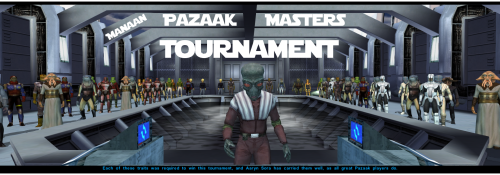 Oh I really don't care lol, use it if you want to. It's just that we've been discussing the correct amount of credits the Tournament should give some months ago. And if you want more credits, go for it ! It's just that a vanilla playthrough doesn't work like that, the devs having thought about how much money you earn during the game thoroughly. However I remember thinking sometimes that Pazaak should give a bit more credits anyway so you do you.
 -
I likely will enjoy the mod and I will still use the Wager Meister unless you recommend against it.
- Last week
-
 SmokedPorkins changed their profile photo
 -
Hey again, no problem, it's already been asked and I explained above why I gave him back his original appearance (in the compatibility section, as you already saw). Regarding the wager meister, the Tournament does not give more than 5k credits because as Snigaroo pointed out, it would break the game's money system (which the wager meister kind of does), because you'd just end up with too many credits (some mods like Sleheyron unfortunately do that too, even though I did warn @SAO1138 about this, idk if he changed the crazy amount of credits you get by killing some more or less special enemies). Anyway, I hope you enjoyed the mod, please consider leaving a 5* review or a thumbs up reaction, doesnt cost much and is very appreciated. Have a good day !
-
 Any luck on finding alternate hosting sites for this?
 -
And does this mod make Jolan Aphett a Nikto again? I think K1CP or on of N-Drew's mods changes his species to Rodian since he uses the Rodian soundset. Edit: NVM, it does! Thanks for making that compatibility feature!
-
 It's a really beautiful reskin. It makes me so happy to see you this active in the modding community after all these years. Thank you for your hard work. Also, if it's no trouble, could you share the head skin as well?
 -
Girl, it took 15 years for you to get a second season.
-
View File Dantooine Raiders Fix Some of the Mandalorian / Duros raiders on Dantooine had no feats to equip their melee weapons, some didn't use their grenades and some just weren't fighting at all. Now that is fixed. Also Sherruk the Mandalorian boss now uses his lightsabers. If you don't like the changes to Sherruk just delete the 'dan14_sherruk.utc' file from the override folder of your game or just do not install it to begin with. Submitter GearHead Submitted 05/25/2026 Category Mods K1R Compatible Yes
-
Version 1.0.1
12 downloads
Some of the Mandalorian / Duros raiders on Dantooine had no feats to equip their melee weapons, some didn't use their grenades and some just weren't fighting at all. Now that is fixed. Also Sherruk the Mandalorian boss now uses his lightsabers. If you don't like the changes to Sherruk just delete the 'dan14_sherruk.utc' file from the override folder of your game or just do not install it to begin with. -
 I think they will work just fine together.
 -
 Indeed, this works very well with K1CP and RC-K1CP, as well as the Manaan Pazaak Tournament. @Cr00ker
 -
Effort.
-
 RedPhoenix1991 changed their profile photo
 -
It's been five years since this was posted? Just what would it take to make this sort of Mod?
-
 Upon completing the game, here's the subsequent issues I found. The fix of "Disable Vertex Buffer Objects=1" works, but it absolutely causes consistent crashes in a few locations. I simply saved the game often, and when a crash occurred I reverted the fix back to normal until I moved past that particular location. I was able to complete the game doing this with minimal annoyance. I had to it something like 6 times. But a crash is always annoying, and I have no other solution to offer yet. I was also getting unrelated crashes. Sometimes the game would crash with a C++ runtime error, and sometimes it would CTD with no explanation at all, even with the fix off. But unlike the above crashes, these crashes were not consistent. It wouldn't crash again when I loaded back up and tried again. I'll do some testing on a new save to track down the culprit, so I can rule out this mod as a contributing factor.
 -
I know there's this mod for the Iriaz.
-
I’m just waiting for the dantooine Iriaz 😏
-
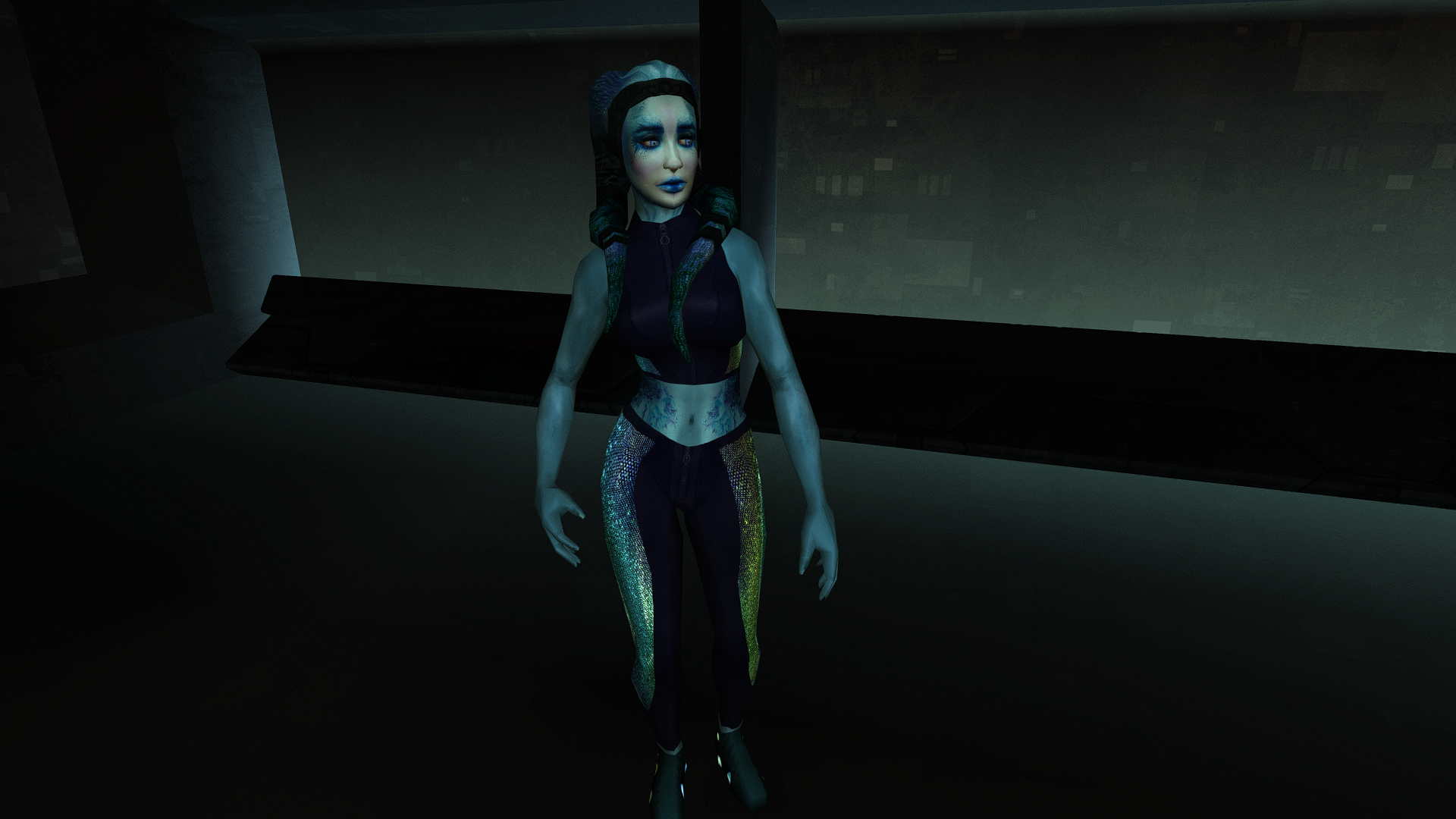
Lyn Sekla dheb_LynSekla.rar
-
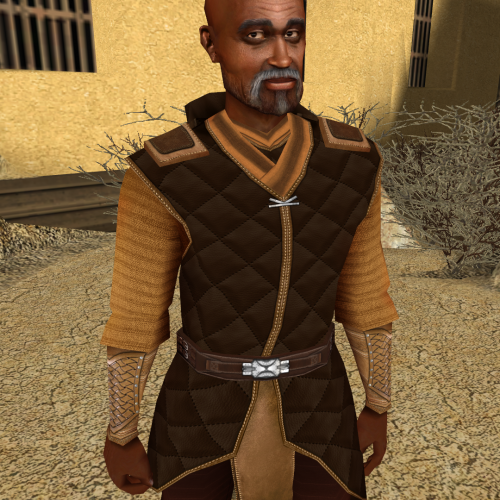 I too would like the head texture please!
 -
Glad to hear it! I'm sure. I even made a post about it here and the files were in K1R.
-
That thing was weird in K1R as it isn't mentioned in the What's Restored thread or on the mod page. Are you sure there aren't any Exar Kun Armor reskin mods out there that can replace this feature? Those two will eventually be added.
-
May I request you keep the old one up as an archive whilst the new ones are uploaded seperately? Whilst I know your HD rework will be far superior to the old ones, some of us do like the 512x512 original quality aesthetic. I might be completely lost with what you are proposing here, but as a modder who uses your modders resources the way you setup your previous upscale mod was very convenient for me. When the mod is setup like this above, these three files are all part of the same download page but I can choose to download one or the other. If I was a player with a low-end PC and slow internet I wouldn't want to download the 4K TGA version due to the file size and so I'd stick with the 2K TPC version instead. This method best caters to everyone's needs, whether it be a low-end player, a player who wants to play with HD textures, and a modder who wants to access the raw TGA files. The only thing one could complain about is how there isn't a 2K TGA version for modders who want to view the lower resolution option. Of course, I might be missing the point of your thread completely - if I am please let me know!