All Activity
- Past hour
-
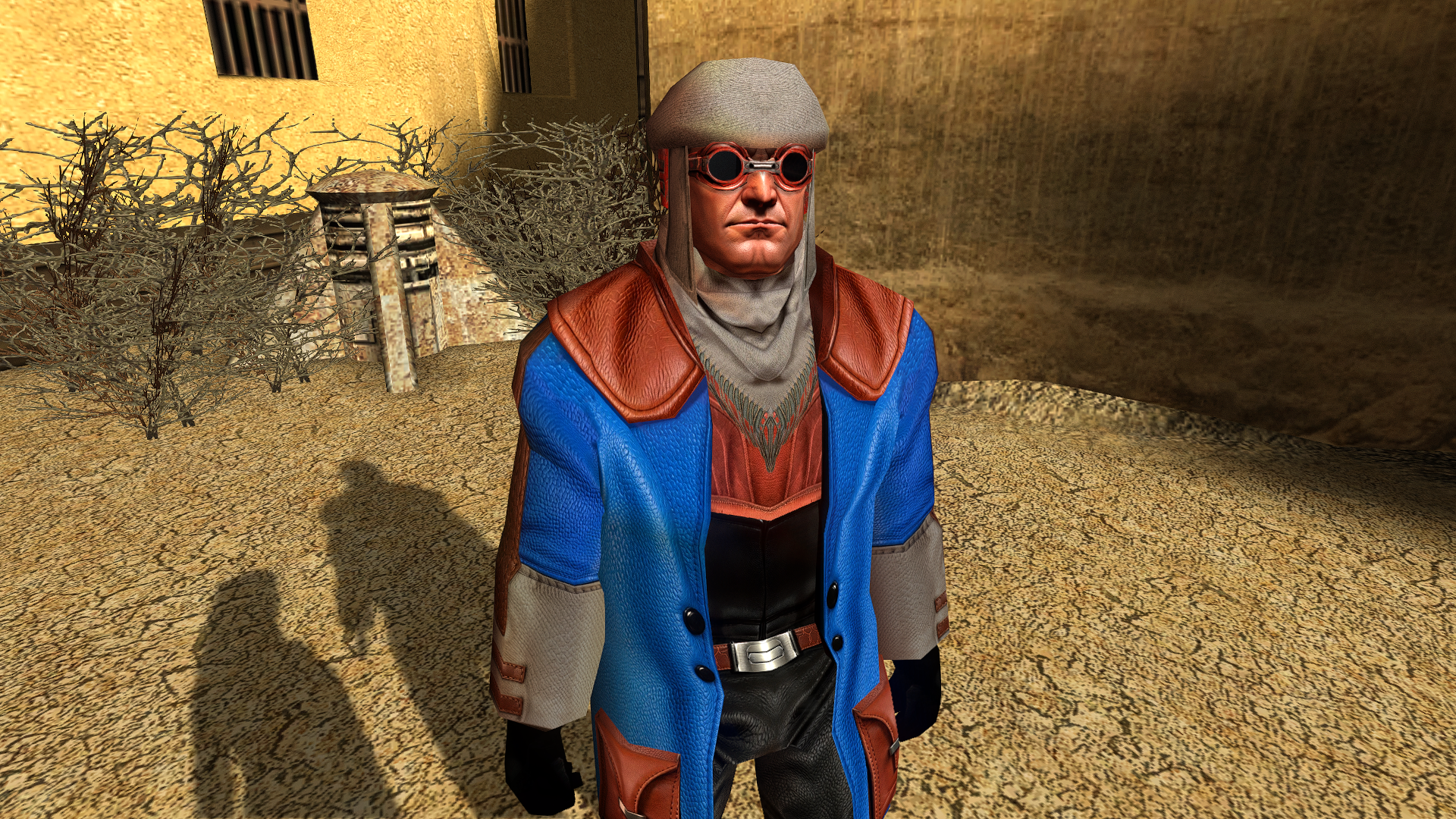
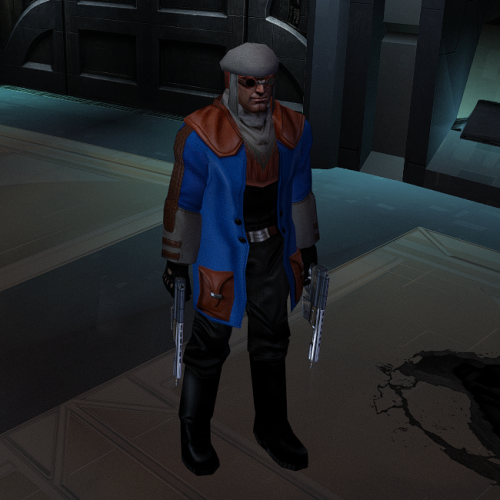
View File CaloNord HD This mod will replace and update texture files. To Install 1. Download: CaloNord.rar 2. Copy all files to the Knights of the Old republic's Override folder. (Example location - C:\Program Files (x86)\Steam\steamapps\common\swkotor\Override) 3. When/if prompted to overwrite files, press okay. 4. If you like the mod; leave a comment or endorse! (It would be much appreciated) Made with love Submitter Dark Hope Submitted 06/22/2026 Category Mods K1R Compatible Yes
-
Version 1.0.0
0 downloads
This mod will replace and update texture files. To Install 1. Download: CaloNord.rar 2. Copy all files to the Knights of the Old republic's Override folder. (Example location - C:\Program Files (x86)\Steam\steamapps\common\swkotor\Override) 3. When/if prompted to overwrite files, press okay. 4. If you like the mod; leave a comment or endorse! (It would be much appreciated) Made with love -
 izzyjade06 joined the community
 - Today
-
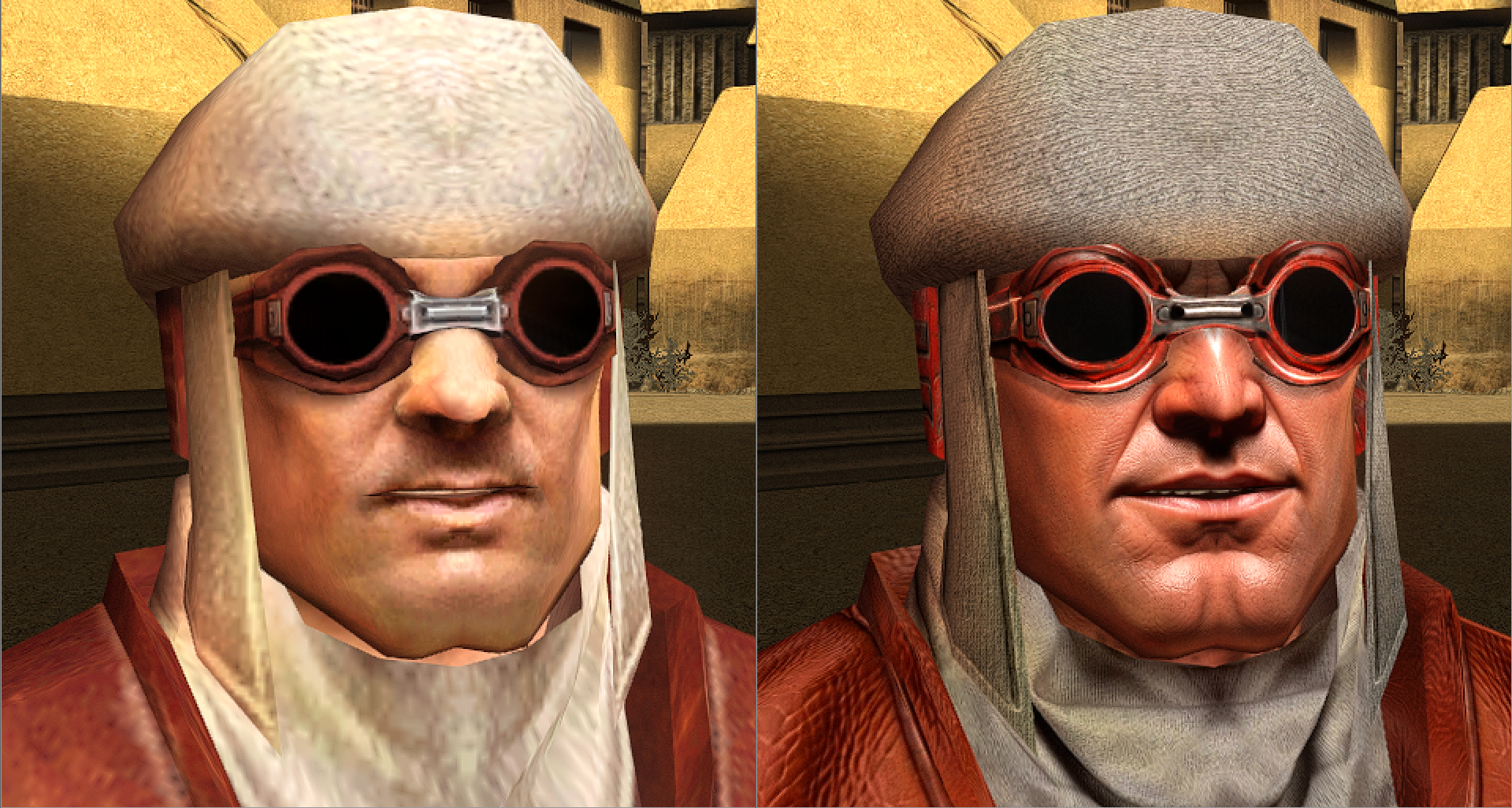
https://deadlystream.com/files/file/3002-calonord-hd/
-
 Grizman3 joined the community
 -
 sdnfvsdllsdf joined the community
 -
 SuSuTheClown joined the community
 -
 KingKong joined the community
 -
 Eirianedryd joined the community
 -
 Haha I'm not mad dw, we know each other pretty well now. You dont need to play the intermediary. Yeah you're right in that it's a big mod, so compatibility was a 2d objective, etc etc. Hm I'm pretty sure it's just from that new update, and that's fortunate coz let's be honest way more people would've had that issue lol. Yeah, yeah, I know... I'm just too stubborn and optimistic so I assume people are smart. Ik, nor was my explanation. Just asked him what he did so he could fix his own situation himself, but ig you already did that. HAHA I hope not coz dang
 -
 Rando joined the community
 -
When I say this this is not directed at JasonRyder. As a modder who has spent a decade at this, I have dealt with many players who are genuinely brain dead when it comes to them installing mods. Following dodgy mod builds made in 2014, not using the TSLPatcher installers, using K1R and K1CP together, to even installing the Lonna Vash in the Korriban Tomb mod with M4-78EP. And those are just the genuinely stupid/ignorant people, in this case the mod page and the readme possess conflicting information - install Sleheyron first VS install K1CP first. Now, for Kotor I you treat K1CP as you treat TSLRCM in Kotor II - K1CP is the "base" mod upon which all other mods come afterwards. But for someone who doesn't make mods or is familiar with this game's file structure, the K1CP being installed first might not seem obvious. And when the mod team leader, SAO, has written "install Sleheyron first" on the mod page why would these users ever think to think otherwise? It's safe to assume that most users who play Kotor mods have never made a mod for any other game, they would look up to the mod author as a "wise sage" who knows what he's doing. If SAO says install Sleheyron first, why wouldn't users trust his word when it's on the mod page, the first page that they read? If SAO added "delete System32" on the mod page's installation process, people would probably follow that instruction and not think twice about it. Again, most people are dumb - unlike you. That, and you literally became a modder yourself, proving that you are far more committed to learning about this game and how Kotor mods work then 90% of users. People will be dumb, and we modders just got to deal with that. And in this case, the inconsistent install order on the mod page and in the readme is the cause of this confusion and not user stupidity. If this problem has been present since the mod has been released back in 2025, then the fact that the mod page's incorrect install order has only just now been reported in June 2026 probably proves that most users probably HAVE followed the readme's installation and not the mod page's installation. Yeah, and they chose the mod page over the readme. SAO wrote the mod page, and users will assume he wrote the readme too (even if you wrote his readme, users will assume SAO wrote it). With most mods, the readme included in the mod is identical to the text found on the mod page so reading the mod page is almost always the same as reading the readme file. If Sleheyron Story Mode's readme file is different from the text on the mod page, that is a massive problem as most users aren't going to read both - they'll pick one or the other. And since users are faced with the mod page before downloading the mod, and reading the readme is optional, users will most likely read the mod page over the readme. As a modder myself, I more often then not leave my info.rtf files blank because I assume that if people have activated the HoloPatcher then players aren't going to stop to read whatever is written on the info.rtf file. The moment they click on the HoloPatcher.exe is after they have already committed to installing the mod. Now I'm sure he had a genuine technical reason as to why he did that, and he just didn't realize that my mod relies on K1CP being installed first or else the Giant Gizka spawns throughout the game as a bug. To be fair, SAO is just some guy who came in out of nowhere in 2025 and dropped the biggest mod to ever release in years, outside of Edge of Darkness and ROR, with up to 30 modules and a recruitable character. He probably self taught himself how to mod the game, maybe even for years too, so I can understand why he focused 100% on Sleheyron and that he is only just now, after the mod has been released, sort of been forced to consider compatibility with vaguely named mods (K1 Community Patch VS Restored Content for the K1 Community Patch etc) because the player base expects to be able to have an uber dubber bug fix + restored content + Sleheyron playthrough. To be fair on SAO, installing Sleheyron first might've worked had it not have been for my use of K1CP's orange Twi'leks so I can entirely forgive him for missing it. And the fact that he's corrected the install instructions means that he's listened to our report, I don't see their being any further reason to continue being mad over this considering he just fixed the problem.
-
 Omakaru_Zumee joined the community
 -
I don't want to sound rude or anything but people need to be a bit more autonomous when modding. When I started installing mods, not even making them, I spent hours downloading manually and thinking about the install order, organising everything for my custom installations. And I'm not even talking about mods like BOSSR for which we literally need to create a folder to make it work. So yeah, people read the mod page ? Sure but if we have something called a ReadMe, READ IT ! To answer your question about how I wrote it, it was indeed in the info.rtf file (WHICH PEOPLE ARE SUPPOSED TO READ AS WELL, OR WE WOULDNT WRITE ANYTHING ON IT) as well as the ReadMe itself, but Sao changed it apparently for some reason. Regarding how I communicated with Sao himself, we talked about it several times on Discord. We've been planning the install order to be K1CP, RC-K1CP, Sleheyron. Of course installing Sleheyron first is stupid and I never would've advised that, DUH. Ik what I'm doing. That being said, ig installing Sleheyron before RC-K1CP would be fine but for the sake of simplicity I prefer the other way around. Edit : actually, I think you're right, RC-K1CP last is better because from what Sao told me, we didn't do the 2DAMemories for the placeables in the ini file. Although I was almost sure we did. Does RC-K1CP add any placeables in the 2DA ? If not, then I'm pretty sure the install order between these 2 doesn't matter. It's just that Sao forgot that K1CP wasn't included in RC-K1CP, somehow.
-
Are you agreeing with me that the install order was K1CP, Sleheyron, then RC-K1CP? Or are you saying that it was meant to be Sleheyron, followed by K1CP, followed by RC-K1CP. Do know that it was I who informed SAO that installing K1CP after Sleheyron broke RC-K1CP and, therefore, the K1CP, Sleheyron, and RC-K1CP order of install was required. Also, not going to lie, if you're referring to the info.rtf file which the HoloPatcher projects before the install I'm fairly certain most users, modders included, ignore that. Most people read the main mod page and/or the mod's readme for the install instructions, and I can confirm that the main mod page did, in-fact, say Sleheyron, followed by K1CP, and followed by RC-K1CP for the installer. Did you tell SAO personally, via DMs, the correct install order or did you rely solely on SAO reading the HoloPatcher info.rtf? JasonRyder probably followed this mod page's instructions which, before this most recent update, said Sleheyron, K1CP, and RC-K1CP.
-
 I've been using this for a few hours now, main issue I have is the text on the computer consoles you can hack and droids you can repair doesn't show up. If there is a way to just revert the font for computer consoles and droids I'd still love to use this for the dialogue font increase. I also had two other issues but I consider them minor. The chat bubble that pops up from random npc that don't have dialogue cutscenes doesn't show text most of the time and as other users mentioned you can't see the amount on some things, like currency when you loot. I'm using the 50% increase on 1440p resolution, I've installed all mods from the kotor community portal build guide. This is the only extra mod I've added outside the build guide.
 -
 Dead-Pool joined the community
 -
 daniso joined the community
 -
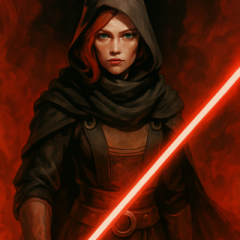
@SAO1138 Correct me if I'm wrong but purple is the color of those who are toeing on the edges of the darkside, right? Like a Vapaad user a la Mace Windu or someone who fell to the darkside willingly like Revan. Now, maybe I am a tad pedantic here but I am very autistic when it comes to kyber crystals and their associated meanings, so if you want Vima to have a purple blade, then I personally would appreciate the lore behind kyber crystals to be kept in mind. Rather than having Vima's blade color only be unique for the sake of it.
- Yesterday
-

expansion MOD:Sleheyron- Story Mode and Battle Arena
gubo replied to SAO1138's topic in Mod Releases
When I go to the Sheriff that then redirects me to the cantina to progress the story and get the new party member, once I click on the dialogue to go to the party selection screen, it crashes (CTD) and I never get to the point to select the party. -
@SAO1138 I LITERALLY WROTE THE INSTALL ORDER BLACK ON WHITE EVERYWHERE IN HOLOPATCHER WHEN I SENT IT TO YOU ! Grrrrrrrr @JasonRyder Did you follow HoloPatcher's instructions and the ReadMe ? They are usually the most accurate and up to date documents you need to follow when installing mods. If Sao didn't change it, the precise install order should've been explicitly written before you clicked Install.
-
I like this. It would be nice if you made the lenses very shiny.
-
 A massiv improvement of the Telos storyline in particular but it is sadly pretty noticeble that there wasn't much else left of the original storyline that can be worked with beyond that. Once you get to Nar Shaddaa, the GenoHaradanpretty much stops being relevant, then pops up right after G0T0's yacht blows up, you have a small boss fight and then their role in the story is already over. You never even get to know who exactly hired them to hunt down the remaining Jedi (or at the very least the Exile) and that is a bit of a bummer. Needless to say, what little there was to be restored has me intrigued for the planned "Enhancement Project".
 -
 I think this mod could use another patch or two, because it seems to me that the team behind it made the mistake of not only including content that Obsidian was unable to put into the game in time but also restored things that were deliberately cut by Obsidian. Cut because they were an early idea that got quickly abandoned, a bad idea or part of a plot-point that simply no longer fit into their final vision for Kotor 2's story. Things such as Kaevee, Sion telling the Exile on Peragus that he's there to warn them despite being there to kill them, Saedhe's original head which clearly doesn't fit his VA, the struggling Duros merchant Dendis Dobo suddenly selling Jedi Robes, Lightsaber Crystals and Melee -as well as ranged weapons just like his criminal brother, Kreia and Atris revealing in their conversation that Kreia manipulated Atris into exiling the Exile or the player now being able to control Brianna AND being given the option to have her stun rather than kill her sisters (doesn't work with Kreia still calling Brianna a slayer of her own kin on Malachor V if the stun option was actually taken). Likewise, there are a few other things that the mod should've restored but didn't for some reason, requiring separate mods to do so instead. The most frustrating example here being the original head model for Brianna's Sisters, as Brianna is constantly stated to look different from her sisters due to her having a different mother despite her and her sisters all using the same head model. Or for less gear grinding but still disappointing examples: Dustil's appearance on Korriban and the Vao Armband.
 -
.thumb.gif.3eede8baaea0ee76df4074bb000acf68.gif) Since this mod is incompatible with any other mod that modifies T3's dialogue, it appears to be incompatible with Sleheyron Story Mode.
Since this mod is incompatible with any other mod that modifies T3's dialogue, it appears to be incompatible with Sleheyron Story Mode. -
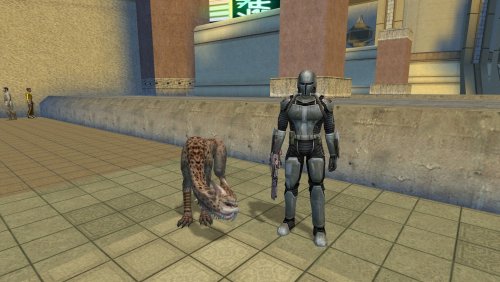 He's more effective than Remote, though he is meant to be overshadowed by other companions. And yes, he won't die, he'll tag along to the ends of the galaxy with you. I'm glad you liked it!
 -
Love your Calo face.
-
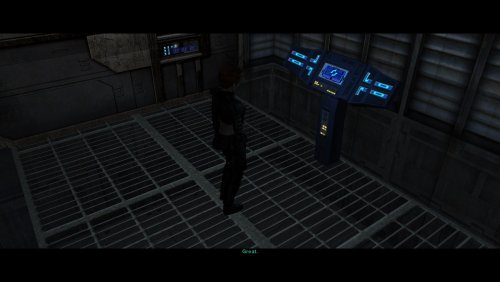 Highly recommend
 -
Updated many of my TSL mods to improve compatibility with Steam's Linux port of TSL, by lowercasing file names and mod install destinations, as well as converting custom voice-overs from MP3 to encoded WAV with SithCodec.
- Show previous comments 1 more
-

@N-DReW25 Steam's Linux port of TSL comes with the Aspyr patch, so yes. Ironically, the Linux port of TSL actually auto-skips VOs with MP3 extensions when played in-game, so the solution was to convert the custom VOs to WAV using SithCodec.
-

-
@N-DReW25 I don't use Windows any more (nor do I want to use Windows any more unless I get paid to do so), but these new WAV files should work on Windows as well. I was aware that before SithCodec, TSL with the Aspyr patch will auto-skip custom VOs in the WAV format, which was why my own mods originally had the VOs with the MP3 file extension as well.
-
Yeah, that's my fault. I honestly just forgot that RC-K1CP itself required the ordinary K1CP first. Thanks for reminding me to edit that; I'll do that now. Funnily enough I know of at least one orange Twi'lek on Sleheyron that won't be turned into a Gizka. I didn't realize the K1CP changed specifically orange ones.
-
Thanks! Oh and I installed the first two parts of Sleheyron before I installed K1CP and RC-K1CP and the K1CP Tweaks, but it turned all the orange Twi'leks into giant gizka! @N-DReW25 said it was because I didn't install K1CP first. But this mod page said to install the first two parts of Sleheyron first.
-
Great question. I balanced the combat to be the first post-Dantooine planet you visit. It's not mandatory at all to visit then, but I did this largely to encourage players to recruit the new companion early. And that's mostly because said companion has voice lines on all those planets you mentioned, and I didn't want players to miss any of them (plus a couple on Dantooine). There is a "hard mode" patch in the zip file if you decide to go later and want the fights to be balanced to roughly the same level as the Unknown World's.
-
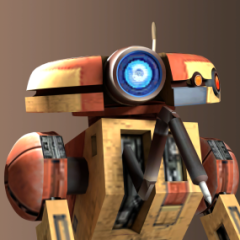
What an awesome idea! Instant download, thank-you - can’t wait to test it out. Curious, what are the combat stats? Assuming it can’t die, right? like Bao-Dur’s remote (I couldn’t handle him dying)
-
View File Prequel Robes Replacement Retex Description I’ve upscaled and retextured some robes from [TSL] Prequel Robe Replacement. Main Features - 2x upscale of all robes from the original mod using Topaz Gigapixel. - Retextured three of the original robes in GIMP: Jedi Robe, Baran Do Novice Robe, and Baran Do Sage Robe. - 1K file available. This version resizes the robes back down to their original resolution. - Optional Robes file included. See the photos for previews of the custom robe options. Requirements This mod requires [TSL] Prequel Robe Replacement 1.0 (no exceptions) Install Instructions - Install the required mod: [TSL] Prequel Robe Replacement first. This mod will not work without it. - Download your preferred files - Extract the contents of the zip file. - Place the override folder into your main KOTOR 2 directory, or place the TGA files directly into the game’s override folder. - Replace files if prompted. Credits Original mod by Kainzorus Prime, Please like/endorse the original mod. Submitter Saul0097 Submitted 06/20/2026 Category Skins TSLRCM Compatible Yes