All Activity
- Past hour
-
 BoomerVergil joined the community
 - Today
-
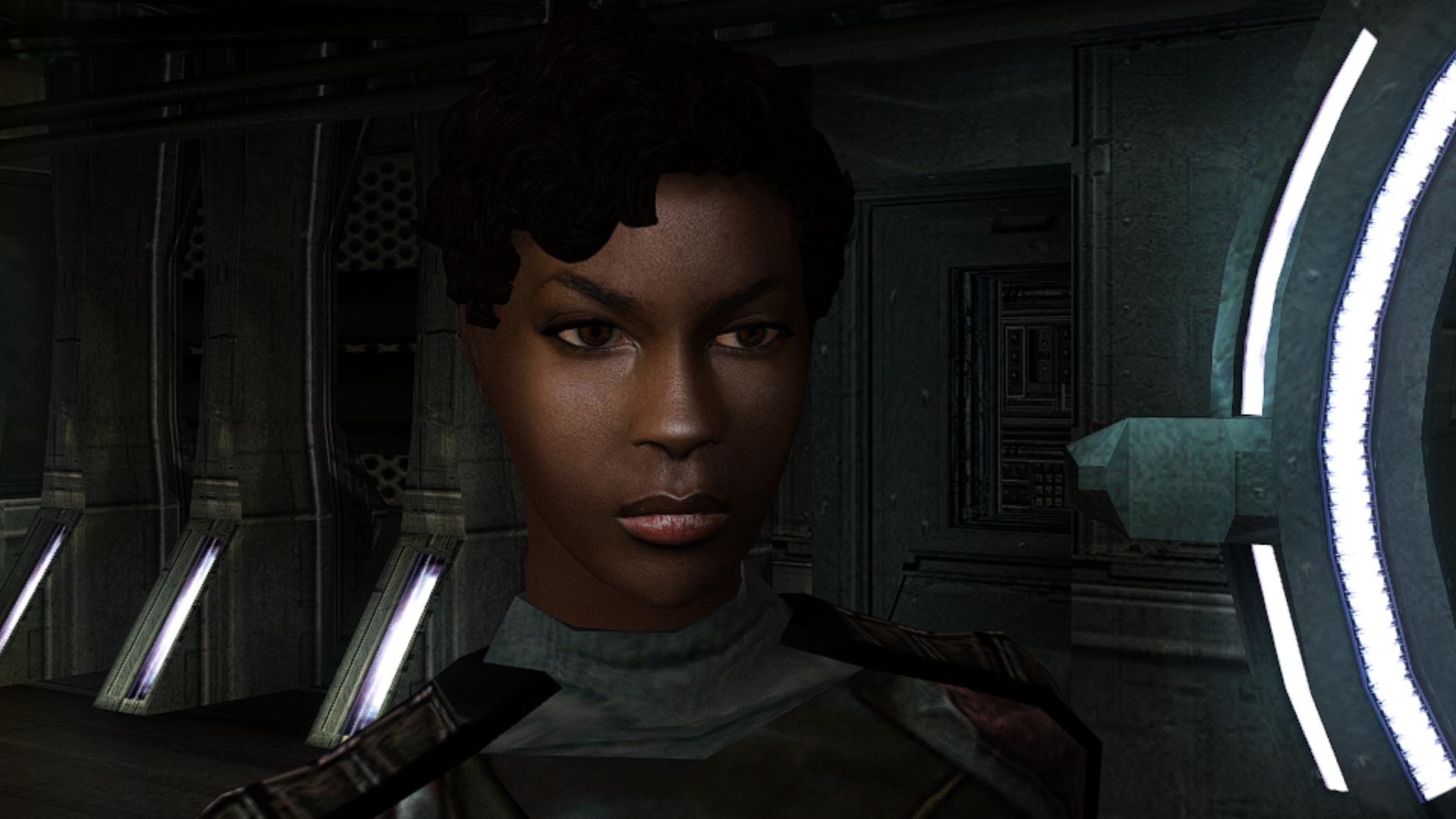
View File High poly PFHB01 The mod replaces the PFHB01 model and textures. To Install 1. Download: PFHB01 2. Copy all files to the Knights of the Old republic's Override folder. (Example location - C:\Program Files (x86)\Steam\steamapps\common\swkotor\Override) 3. When/if prompted to overwrite files, press okay. 4. If you like the mod; leave a comment or endorse! (It would be much appreciated) Made with love. Submitter Dark Hope Submitted 09/15/2026 Category Mods K1R Compatible Yes
-
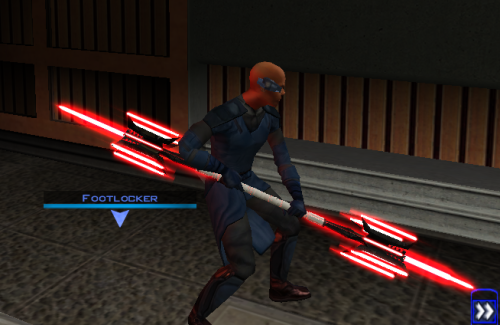
View File Lightmace and 2h Lightmace Thought I already uploaded this here but I forgot so if anyone is interested here you go! The readme's in the zipped files are outdate. Please refer to the standalone ReadMe file or the below instructions regarding instalaltions. To install: *Steps 3 and 4 may not be necessary, try running without doing them first, but if the game crashes do steps 3+ 4 and try again.* 1: Drop all files except readme.txt swkotor.ini files and upcrystals.2da into override folder. 2: A) If you don't an upcrystals.2da file in your override folder, just copy the one provided into your override folder. If you do already have an upcrystals.2da file in your override folder, - Insert a new row at the end of the table. - Copy the last row from the table provided, paste it into the new row you just created. - Save the file. *3: In your folder that contains your swkotor.exe (usually named Star Wars - KotOR) locate the file named swkotor.ini and rename it BACKUPswkotor.ini so that you can revert to it later if you desire. *4: Paste the swkotor.ini file included with this download into that same folder ( Star Wars - KotOR) --note you can use either included .ini but if using WINDOWEDswkotor.ini rename it to swkotor.ini They are basically the same but one is set for fullscreen and the other windowed mode. ---- Uninstall: 1) Delete files from override folder. 2) Delete the .ini file you added, and rename the one you re-named as BACKUPswkotor.ini to it's original name. To get items in game: 1) Enter the cheat menu (~) 2) Type giveitem g_w_lghtsbr45 or giveitem_g_w_dblsbr045 and press enter. ---------- A giant shoutout and thanks to JCarter426 over on the DeadlyStream forums for helping me solve the rendering issue! Credits: This Mod contains source assets from other creators, all credit due to them for their original works. Permissions have been attained and followed per the licenses of their works. I own the $10 unlimited commercial license for 'Goblin Iron Mace - fantasy PBR game ready weapon' by Dominik Maral. https://cubebrush.co/orders/159g6hh95g?token=Eqyy2xDzWuarI9uPcWMzEVscuvTHnBazuWAxvQSkWTc This mod also uses FinBass' 'Battle Mace 3D Model' available at https://sketchfab.com/3d-models/battle-mace-07bfd5d2ff694f94b2f2f77c465fa0f5 a big thanks to them for making this available for free with a CC Attribution license. Also as always a big thanks to Crazy34 for making their lightsaber blades with ambient lighting available as a modders resource for the rest of the community to incorporate into their mods. Check out their mod here: https://deadlystream.com/files/file/1855-new_lightsaber_blades_modders_res/ Credit and thanks also to Kaidon Jorn as from my understanding the hilts used by Crazy's mod come from him "Lightsaber Hilts models and textures and icons are created by Kaidon Jorn " Also a giant thanks, along with credit go to J for making their Glitched Lightsaber Hilt Fix - TSL ASPYR 2.0 mod available as a modders resource! Without this I couldn't have solved the rendering issues. Make sure to go support their work at https://deadlystream.com/files/file/2735-glitched-lightsaber-hilt-fix-tsl-aspyr/ Full credit goes to the original developers, artists, and respective intellectual property rights holders (Lucasfilm, Pandemic Studios, and BioWare). This is a strictly non-profit, fan-made educational project intended exclusively as a technical proof-of-concept demonstrating asset handling for the KOTOR modding community. Furthermore, I do not own or claim rights to any of the third-party tools used or described in this project; all rights belong entirely to their respective developers. Permissions regarding use of this model: Feel free to use as you see fit, but please give due credit. ---------- Purpose: This mod is a prototype WORK IN PROGRESS. It adds a new weapon type, the lightmace (and a 2h version), to the game. I plan to fine tune the hilt textures later. IF you have any color requests please comment as I can easily make different colors with my script (also available for download). Submitter EwokKotor Submitted 09/16/2026 Category Mods K1R Compatible Yes
-
-
 I checked the troubleshooting readme but I didn't see this specific error message. What does it mean?
 -
 Ussernnamee joined the community
 -
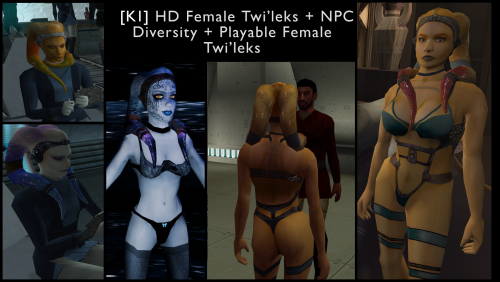 What resolution are you using? I don't see that when running high quality textures with a widescreen mod. I think even a computer from the Windows 7 era would be fine to run this old game in high quality. It actually wasn't too hard to tweak to support lower graphics. Redownload and reinstall the mod - should be better now for the new underwear. I'm not seeing the issue on the second image. Are you just talking about the shading?
 -
 Teppes joined the community
 -
 solarin joined the community
 -
 Tecoloteowl69 joined the community
 -
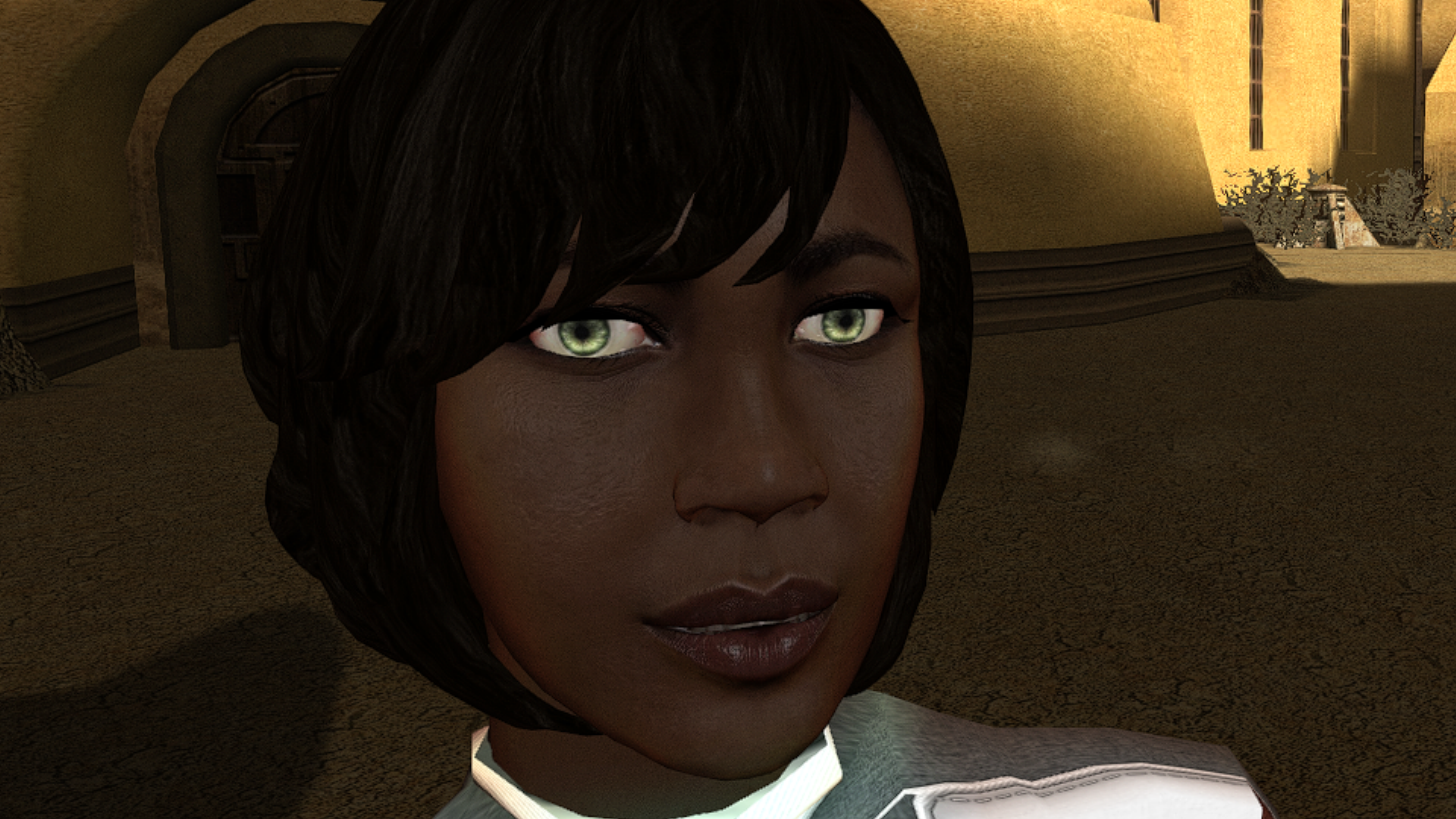
Sadly, these two files didn't help to levitate the problem , but I got screenshots, here take look. It hard to see, but you can see, not only black lines on the bottom checks, but also strange round white lines on the second yellow character here. doesn't happen with default female character. Also is it me or back of 1 blue character, and 3 dark yellow a bit broken in someway?
-
Version 1.0.0
0 downloads
Thought I already uploaded this here but I forgot so if anyone is interested here you go! The readme's in the zipped files are outdate. Please refer to the standalone ReadMe file or the below instructions regarding instalaltions. To install: *Steps 3 and 4 may not be necessary, try running without doing them first, but if the game crashes do steps 3+ 4 and try again.* 1: Drop all files except readme.txt swkotor.ini files and upcrystals.2da into override folder. 2: A) If you don't an upcrystals.2da file in your override folder, just copy the one provided into your override folder. If you do already have an upcrystals.2da file in your override folder, - Insert a new row at the end of the table. - Copy the last row from the table provided, paste it into the new row you just created. - Save the file. *3: In your folder that contains your swkotor.exe (usually named Star Wars - KotOR) locate the file named swkotor.ini and rename it BACKUPswkotor.ini so that you can revert to it later if you desire. *4: Paste the swkotor.ini file included with this download into that same folder ( Star Wars - KotOR) --note you can use either included .ini but if using WINDOWEDswkotor.ini rename it to swkotor.ini They are basically the same but one is set for fullscreen and the other windowed mode. ---- Uninstall: 1) Delete files from override folder. 2) Delete the .ini file you added, and rename the one you re-named as BACKUPswkotor.ini to it's original name. To get items in game: 1) Enter the cheat menu (~) 2) Type giveitem g_w_lghtsbr45 or giveitem_g_w_dblsbr045 and press enter. ---------- A giant shoutout and thanks to JCarter426 over on the DeadlyStream forums for helping me solve the rendering issue! Credits: This Mod contains source assets from other creators, all credit due to them for their original works. Permissions have been attained and followed per the licenses of their works. I own the $10 unlimited commercial license for 'Goblin Iron Mace - fantasy PBR game ready weapon' by Dominik Maral. https://cubebrush.co/orders/159g6hh95g?token=Eqyy2xDzWuarI9uPcWMzEVscuvTHnBazuWAxvQSkWTc This mod also uses FinBass' 'Battle Mace 3D Model' available at https://sketchfab.com/3d-models/battle-mace-07bfd5d2ff694f94b2f2f77c465fa0f5 a big thanks to them for making this available for free with a CC Attribution license. Also as always a big thanks to Crazy34 for making their lightsaber blades with ambient lighting available as a modders resource for the rest of the community to incorporate into their mods. Check out their mod here: https://deadlystream.com/files/file/1855-new_lightsaber_blades_modders_res/ Credit and thanks also to Kaidon Jorn as from my understanding the hilts used by Crazy's mod come from him "Lightsaber Hilts models and textures and icons are created by Kaidon Jorn " Also a giant thanks, along with credit go to J for making their Glitched Lightsaber Hilt Fix - TSL ASPYR 2.0 mod available as a modders resource! Without this I couldn't have solved the rendering issues. Make sure to go support their work at https://deadlystream.com/files/file/2735-glitched-lightsaber-hilt-fix-tsl-aspyr/ Full credit goes to the original developers, artists, and respective intellectual property rights holders (Lucasfilm, Pandemic Studios, and BioWare). This is a strictly non-profit, fan-made educational project intended exclusively as a technical proof-of-concept demonstrating asset handling for the KOTOR modding community. Furthermore, I do not own or claim rights to any of the third-party tools used or described in this project; all rights belong entirely to their respective developers. Permissions regarding use of this model: Feel free to use as you see fit, but please give due credit. ---------- Purpose: This mod is a prototype WORK IN PROGRESS. It adds a new weapon type, the lightmace (and a 2h version), to the game. I plan to fine tune the hilt textures later. IF you have any color requests please comment as I can easily make different colors with my script (also available for download). -
 same thing is happening to me
 -
 Trihne joined the community
 -
 Also want to point out the one issue: The scripts menu being missing, no options visible like in the screenshot of David1337
 -

[TSL] Kreia's Assorted Robe Collection TSLRCM Patch
dachaunmcgee@yahoo.c commented on Lily's file in Mods
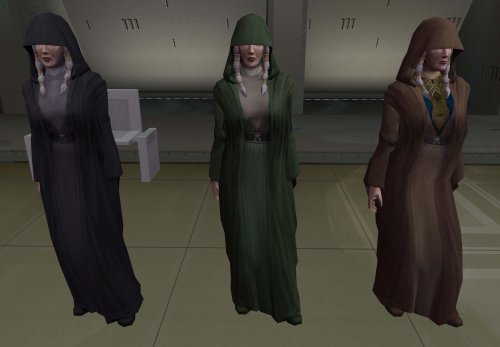 Alrighty! Tank you very much Lily! I will Download it and try. Originally my game crashed when I had it in, but now I see why, cause of the TSLRCM, not due to these mods are a few others had.
 -
Yes, that's compatible too!
-
[TSL] Kreia's Assorted Robe Collection TSLRCM Patch
dachaunmcgee@yahoo.c commented on Lily's file in Mods
Schematic Lightsaber Mod 2024 -
It's compatible with Party Swap and Azgath's Tomb, yes. That's not the tomb mod that needs the patch either. I'm not sure what SLM 2024 is.
-
[TSL] Kreia's Assorted Robe Collection TSLRCM Patch
dachaunmcgee@yahoo.c commented on Lily's file in Mods
IQuestion Lily? is this mod compatible with Party Swap SLM 2024, and Azgath Korriban Tomb? I was just wondering cause I would love to use this mod, but I dont want my game to potentially crash due to the mods I have installed. - Yesterday
-
 jisku joined the community
 -
 nyxthenyx joined the community
 -
Version 1.0.0
3 downloads
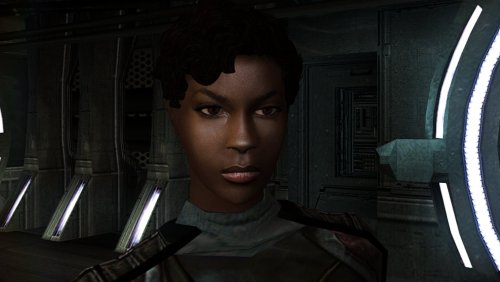
The mod replaces the PFHB01 model and textures. To Install 1. Download: PFHB01 2. Copy all files to the Knights of the Old republic's Override folder. (Example location - C:\Program Files (x86)\Steam\steamapps\common\swkotor\Override) 3. When/if prompted to overwrite files, press okay. 4. If you like the mod; leave a comment or endorse! (It would be much appreciated) Made with love. -
The baked in normals should have been stripped out of the underwear model already with the Kotor 2 version, so it's likely just that the polygons aren't super smooth, if that's the model you're talking about. You can try downloading these 2 files and replacing the ones in your override folder, but I suspect that it will not help. N_TwiUnd.mdxN_TwiUnd.mdl 1. Let me know if that helps. 2. If you can post a picture, that might help me figure out what you're seeing. 3. If anyone reading this has thoughts on smoothing out KotOR model geometry to make the normals look better, I would love to hear it.
-
Crash straight to desktop in the middle of the loading screen, same spot each time. I will see if I can get the MDC update working.
-
 Neptune_Blues joined the community
 -
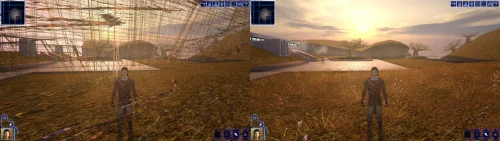 Hey there! I can take a look and see what could be going on. Worth noting that the latest release of the patch fixes a pretty major issue with the metallic shading, so if you aren't running the latest version give that a try.
 -
 ati joined the community
 -
 Thanks, yeah, functionality wise it's done, just needs a UI polish run. I'll try to get some of that done tonight.
 -
This is great, it has fixed the grass issues. Don't know if you can do anything about this but here goes. I had an Ebon Hawk retexture installed, but the outside of the Hawk goes completely black after installing the standalone driver fix. I can still enter it and the inside looks fine, it doesn't seem to cause any other issues except for the skin on the outside, tried playing around with settings for a while to no avail. https://www.nexusmods.com/kotor/mods/1559
-
 Keep up the great work! Can you make a mod with Bastila joining early outside the Enclave on Dantooine, in order to access her dialogue with master Nemo? There's also an unused dialogue for the Council if you visit the ruins early and some unused voice lines for Nemo to teach the player the Jedi code.
 -
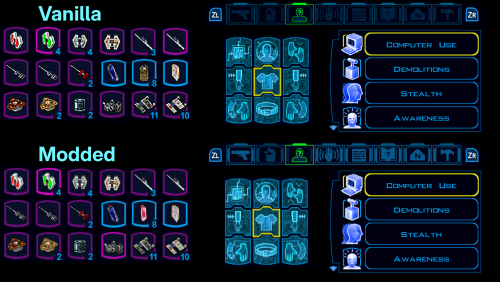 I have an inquiry. I am having a bit of trouble following Dr. Snuggly's Github as well as your Google Doc because I am not really sure what I am doing and cannot commit much time because of my day job, and, I was wondering that, like this file package and files available on GBATemp for KOTORII, are there any ready-to-use file mods for this original KOTOR aside from this one and the portair and character texture? I know this is a super ultra niche but I am lately interested after seeing what was done with KOTOR2. Thank you in advance for your response!
 -
ahh yes the man who just helped me apply the k2 patches on macos. Lovely
-
@Vriff is working on a new multi-platform TPC tool, coming soon™.