_-_Google_Art_Project.jpg.d5978286ce0d43302517f90e5336313f.jpg)

InSidious
-
Posts
496 -
Joined
-
Last visited
-
Days Won
24
Content Type
Profiles
Forums
Blogs
Forum & Tracker Requests
Downloads
Gallery
Store
Events
Everything posted by InSidious
-

Looking for alternate version of Scrapyard Games modules
InSidious replied to Starscream_Seeker's topic in Mod Requests
So had I! @Sith Holocron reminded me. -
Looking for alternate version of Scrapyard Games modules
InSidious replied to Starscream_Seeker's topic in Mod Requests
Nice to see there's still interest in finishing this mod. As far as I know (and recall), after Q and GM, the mod passed to @Stoney, who shared it with me. I did some work on it (in early 2011, according to my old DMs from LucasForums). So far as I remember (and the files say), I wrote some descriptions for the masks (and probably corrected typos etc in the rest), and Stoney and I set up the merchant to work. Stoney, I think, added SG to the Galaxy Map (I remember experimenting with this, too, and with adding an item to Goto's Yacht to allow access). I also worked on the Scrapyard Skirmish scripting, though I don't think we ever sorted it out. Eventually we passed the files on to @Fair Strides. This is the archive I shared with FS in early 2012-ish, which, amazingly, is still there: https://www.box.com/s/c6mxh8h5epzp6jwaeh74 The model files are almost certainly out of date, and the scripts are likely a mess, but if they're of interest, they're here. Stoney and I also talked about potentially adding some gameplay where you took control of a droid to fight, and gradually got access to upgrades and equipment to improve your droid as you went on, but we never got further than vaguely talking about it. Life got in the way, as it does. -
There have been three major repositories of KotOR mods: PCGamemods.com between about 2004-2006, KotORFiles, between about 2007-2012, and DeadlyStream. PCGamemods.com tapped out at around 750 mods for KotOR and 800 for TSL, or roughly about 1550 mods total. KotORFiles'counter stopped working at 1978 files for both games. Today, DeadlyStream has 1200 KotOR files, and 1184 TSL files. This makes it the largest KotOR modding repository ever! 🎉
- 1 comment
-
- 11
-

-

-

-
View File Iziz Workbench Iziz Workbench by Darth InSidious This mod adds a workbench to Iziz on Onderon, which previously didn't have one. There are two options for installing the mod: Option 1 adds the workbench to the landing bay you arrive in; Option 2 addsthe workbench to Dhagon's office. Installation Run 'Install Iziz Workbench.exe', select an option, hit select, and run the installer. Uninstallation Take either di_spnwb_501.ncs or di_spnwb_512.ncs out of your Override folder, and then copy the backup of either 501OND.mod or 512OND.mod in the 'backup' folder that the installer generated when it installed the mod, and copy it into your modules folder. Submitter InSidious Submitted 12/30/2023 Category Mods TSLRCM Compatible Yes
-

Version 1.0.0
373 downloads
Iziz Workbench by Darth InSidious This mod adds a workbench to Iziz on Onderon, which previously didn't have one. There are two options for installing the mod: Option 1 adds the workbench to the landing bay you arrive in; Option 2 addsthe workbench to Dhagon's office. Installation Run 'Install Iziz Workbench.exe', select an option, hit select, and run the installer. Uninstallation Take either di_spnwb_501.ncs or di_spnwb_512.ncs out of your Override folder, and then copy the backup of either 501OND.mod or 512OND.mod in the 'backup' folder that the installer generated when it installed the mod, and copy it into your modules folder. -
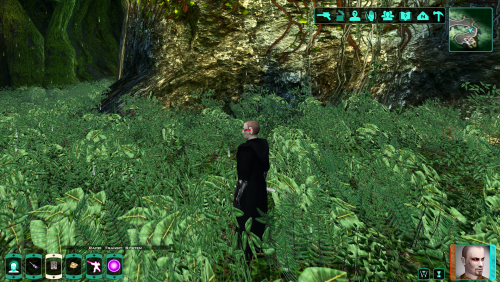 Huh, I had no idea.
 -
... There are?
-
Mr Chandos was a man who spent more time with his gardener than his wife. They discussed plum trees - ad nauseam.
-
Please drop any Lightsaber hilt mods you have created here
InSidious replied to Untold Prophecy's topic in Mod Requests
I've released a few: -

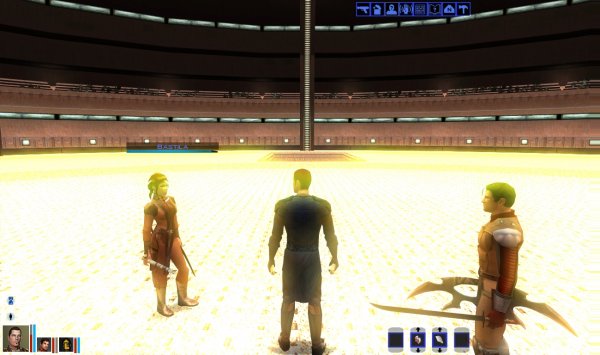
From the album: KotOR/TSL Screenshots
What you can't see here is the clipping issues every time the PC moves. -
General collection of my old screenshots, many of which were uploaded to KotORFiles in the past.
-
-

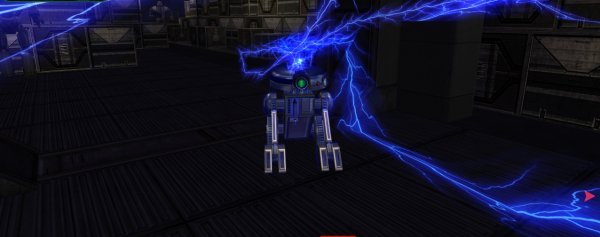
From the album: KotOR/TSL Screenshots
Trying out Holocron Toolset's capabilities. -
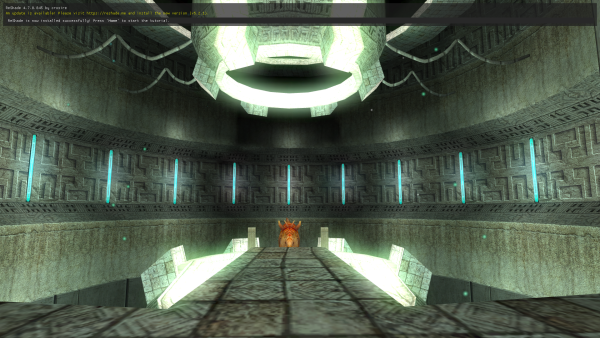
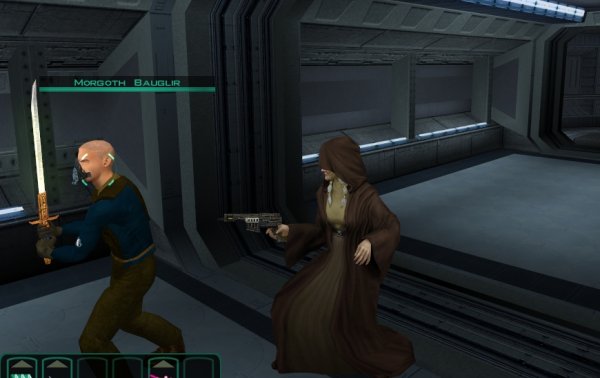
From the album: KotOR/TSL Screenshots
-

From the album: KotOR/TSL Screenshots
-

From the album: KotOR/TSL Screenshots
Less 'unsettling and unreal' than I was hoping, and more 'under the sea' -
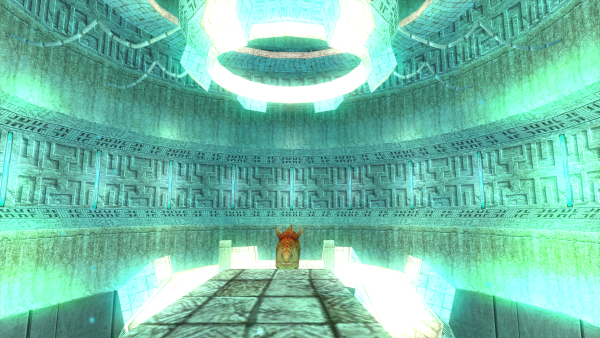
From the album: KotOR/TSL Screenshots
Sometimes you have to try an idea to find out it doesn't work. -
View File HK Stats Rework Description By default, HK-47 has 16 points in Strength, and only 10 in Constitution. This strength stat is almost completely useless, since HK is unable to wield melee weapons. So I have swapped his Constitution and Strength base stats, which should (hopefully) make him a bit more viable as a companion. Installation Double-click 'Install [K1] HK Stats Rework' and use the installer as intended. Uninstallation Remove p_hk47.utc from your Override folder. If TSLPatcher saved a previous version of this file to the backup folder, copy the version in the backup folder into your Override folder. Submitter InSidious Submitted 02/23/2023 Category Mods K1R Compatible Yes
-

Version 1.0.0
537 downloads
Description By default, HK-47 has 16 points in Strength, and only 10 in Constitution. This strength stat is almost completely useless, since HK is unable to wield melee weapons. So I have swapped his Constitution and Strength base stats, which should (hopefully) make him a bit more viable as a companion. Installation Double-click 'Install [K1] HK Stats Rework' and use the installer as intended. Uninstallation Remove p_hk47.utc from your Override folder. If TSLPatcher saved a previous version of this file to the backup folder, copy the version in the backup folder into your Override folder. -
View File K1 MP3 Player Description This mod is based on a K1 mod released by HouseOfAmon in about 2006, and now largely forgotten. It allows you to play your own music in-game, through a device called Music Player. Activating this device allows you to play one of 25 tracks of your own, or to return to playing the game's default music. It will do this via a dialogue menu. I've made a couple of improvements over the original: 1) This mod allows you to use 25 tracks, instead of 20; 2) This mod allows you to reset to the game's default music whenever you want, using the 'Play local radio' option (n.b.: 'Known Bugs', below). You can cheat the item into the game using the code 'giveitem di_mp3' without the quotation marks, or you can get it in game from your footlocker on the Endar Spire. Installation Installation of this mod comes in two parts. 1) Use the TSLPatcher .exe included to install the base mod (i.e., double click 'Install TSL MP3 Player', then click 'install mod', etc.) 2) Adding your tracks to the game: i. Select up to 25 tracks that you have on your computer. These *must* be in MP3 format. ii. Copy the tracks to a new folder. iii. Rename these copies Track1.mp3, Track2.mp3 ... etc., up to Track25.mp3 iv. Copy the renamed files to your StreamMusic folder inside the base game folder. Uninstallation 1. Delete the new tracks you added to your StreamMusic folder. 2. Delete the following files from your Override folder: di_mp3.ncs di_mp3.uti di_mp3p.dlg di_mp3p_1.ncs di_mp3p_2.ncs di_mp3p_3.ncs di_mp3p_4.ncs di_mp3p_5.ncs di_mp3p_6.ncs di_mp3p_7.ncs di_mp3p_8.ncs di_mp3p_9.ncs di_mp3p_10.ncs di_mp3p_11.ncs di_mp3p_12.ncs di_mp3p_13.ncs di_mp3p_14.ncs di_mp3p_15.ncs di_mp3p_16.ncs di_mp3p_17.ncs di_mp3p_18.ncs di_mp3p_19.ncs di_mp3p_20.ncs di_mp3p_21.ncs di_mp3p_22.ncs di_mp3p_23.ncs di_mp3p_24.ncs di_mp3p_25.ncs di_mp3r.ncs k_pend_traskdl40.ncs k_petd40_o.ncs 3. If TSLPatcher created a backup folder during install in the same folder as the tslpatchdata folder, you can copy the following files backed up there, and use them to overwrite the copies in the Override folder: ambientmusic.2da globalcat.2da spells.2da However, it is advised that you do NOT do this unless absolutely necessary, as these files are used in a lot of other mods. Known Bugs and Incompatibilities Pressing the 'Play local radio' button may cause the game to play the default area battle music when you're not in combat. It should return to the normal mode area music once this finishes playing, though. This mod alters a (very small) part of the introductory dialogue with Trask on the Endar Spire, so it may not work with mods which do the same (such as mods allowing you to play as a Jedi from the start). Credits and Thanks HouseOfAmon for the original mod this is based off - it was a great idea! Submitter InSidious Submitted 02/22/2023 Category Mods K1R Compatible Yes
-

Version 1.0.0
159 downloads
Description This mod is based on a K1 mod released by HouseOfAmon in about 2006, and now largely forgotten. It allows you to play your own music in-game, through a device called Music Player. Activating this device allows you to play one of 25 tracks of your own, or to return to playing the game's default music. It will do this via a dialogue menu. I've made a couple of improvements over the original: 1) This mod allows you to use 25 tracks, instead of 20; 2) This mod allows you to reset to the game's default music whenever you want, using the 'Play local radio' option (n.b.: 'Known Bugs', below). You can cheat the item into the game using the code 'giveitem di_mp3' without the quotation marks, or you can get it in game from your footlocker on the Endar Spire. Installation Installation of this mod comes in two parts. 1) Use the TSLPatcher .exe included to install the base mod (i.e., double click 'Install TSL MP3 Player', then click 'install mod', etc.) 2) Adding your tracks to the game: i. Select up to 25 tracks that you have on your computer. These *must* be in MP3 format. ii. Copy the tracks to a new folder. iii. Rename these copies Track1.mp3, Track2.mp3 ... etc., up to Track25.mp3 iv. Copy the renamed files to your StreamMusic folder inside the base game folder. Uninstallation 1. Delete the new tracks you added to your StreamMusic folder. 2. Delete the following files from your Override folder: di_mp3.ncs di_mp3.uti di_mp3p.dlg di_mp3p_1.ncs di_mp3p_2.ncs di_mp3p_3.ncs di_mp3p_4.ncs di_mp3p_5.ncs di_mp3p_6.ncs di_mp3p_7.ncs di_mp3p_8.ncs di_mp3p_9.ncs di_mp3p_10.ncs di_mp3p_11.ncs di_mp3p_12.ncs di_mp3p_13.ncs di_mp3p_14.ncs di_mp3p_15.ncs di_mp3p_16.ncs di_mp3p_17.ncs di_mp3p_18.ncs di_mp3p_19.ncs di_mp3p_20.ncs di_mp3p_21.ncs di_mp3p_22.ncs di_mp3p_23.ncs di_mp3p_24.ncs di_mp3p_25.ncs di_mp3r.ncs k_pend_traskdl40.ncs k_petd40_o.ncs 3. If TSLPatcher created a backup folder during install in the same folder as the tslpatchdata folder, you can copy the following files backed up there, and use them to overwrite the copies in the Override folder: ambientmusic.2da globalcat.2da spells.2da However, it is advised that you do NOT do this unless absolutely necessary, as these files are used in a lot of other mods. Known Bugs and Incompatibilities Pressing the 'Play local radio' button may cause the game to play the default area battle music when you're not in combat. It should return to the normal mode area music once this finishes playing, though. This mod alters a (very small) part of the introductory dialogue with Trask on the Endar Spire, so it may not work with mods which do the same (such as mods allowing you to play as a Jedi from the start). Credits and Thanks HouseOfAmon for the original mod this is based off - it was a great idea!- 2 comments
-
- 2
-
-
-
- kotor mod
- kotor modding
- (and 5 more)
-
 No, you can put anywhere up to 25 songs in. But if you put one, there are still 24 other options in the menu which have no track to play. Yes - I didn't want to make more than 25 versions of the same script. Plus with more than that, the menu dialogue would have started to get very long.
 -
View File TSL MP3 Player Description This mod is based on a K1 mod released by HouseOfAmon in about 2006, and now largely forgotten. It allows you to play your own music in-game, through a device called <FullName>'s Music Player, (where FullName is your character's name). Activating this device allows you to play one of 25 tracks of your own, or to return to playing the game's default music. It will do this via a dialogue menu. I've made a couple of improvements over the original: 1) This mod allows you to use 25 tracks, instead of 20; 2) This mod allows you to reset to the game's default music whenever you want, using the 'Play local radio' option (n.b.: 'Known Bugs', below). You can cheat the item into the game using the code 'giveitem di_mp3' without the quotation marks, or you can make it at the workbench. Installation Installation of this mod comes in two parts. 1) Use the TSLPatcher .exe included to install the base mod (i.e., double click 'Install TSL MP3 Player', then click 'install mod', etc.) 2) Adding your tracks to the game: i. Select up to 25 tracks that you have on your computer. These *must* be in MP3 format. ii. Copy the tracks to a new folder. iii. Rename these copies Track1.mp3, Track2.mp3 ... etc., up to Track25.mp3 iv. Copy the renamed files to your StreamMusic folder inside the base game folder. Uninstallation 1. Delete the new tracks you added to your StreamMusic folder. 2. Delete the following files from your Override folder: di_mp3.ncs di_mp3.uti di_mp3p.dlg di_mp3p_1.ncs di_mp3p_2.ncs di_mp3p_3.ncs di_mp3p_4.ncs di_mp3p_5.ncs di_mp3p_6.ncs di_mp3p_7.ncs di_mp3p_8.ncs di_mp3p_9.ncs di_mp3p_10.ncs di_mp3p_11.ncs di_mp3p_12.ncs di_mp3p_13.ncs di_mp3p_14.ncs di_mp3p_15.ncs di_mp3p_16.ncs di_mp3p_17.ncs di_mp3p_18.ncs di_mp3p_19.ncs di_mp3p_20.ncs di_mp3p_21.ncs di_mp3p_22.ncs di_mp3p_23.ncs di_mp3p_24.ncs di_mp3p_25.ncs di_mp3r.ncs 3. If TSLPatcher created a backup folder during install in the same folder as the tslpatchdata folder, you can copy the following files backed up there, and use them to overwrite the copies in the Override folder: ambientmusic.2da globalcat.2da spells.2da However, it is advised that you do NOT do this unless absolutely necessary, as these files are used in a lot of other mods. Known Bugs Pressing the 'Play local radio' button may cause the game to play the default area battle music when you're not in combat. It should return to the normal mode area music once this finishes playing, though. Submitter InSidious Submitted 02/20/2023 Category Mods TSLRCM Compatible Yes
-
Version 1.0.0
124 downloads
Description This mod is based on a K1 mod released by HouseOfAmon in about 2006, and now largely forgotten. It allows you to play your own music in-game, through a device called <FullName>'s Music Player, (where FullName is your character's name). Activating this device allows you to play one of 25 tracks of your own, or to return to playing the game's default music. It will do this via a dialogue menu. I've made a couple of improvements over the original: 1) This mod allows you to use 25 tracks, instead of 20; 2) This mod allows you to reset to the game's default music whenever you want, using the 'Play local radio' option (n.b.: 'Known Bugs', below). You can cheat the item into the game using the code 'giveitem di_mp3' without the quotation marks, or you can make it at the workbench. Installation Installation of this mod comes in two parts. 1) Use the TSLPatcher .exe included to install the base mod (i.e., double click 'Install TSL MP3 Player', then click 'install mod', etc.) 2) Adding your tracks to the game: i. Select up to 25 tracks that you have on your computer. These *must* be in MP3 format. ii. Copy the tracks to a new folder. iii. Rename these copies Track1.mp3, Track2.mp3 ... etc., up to Track25.mp3 iv. Copy the renamed files to your StreamMusic folder inside the base game folder. Uninstallation 1. Delete the new tracks you added to your StreamMusic folder. 2. Delete the following files from your Override folder: di_mp3.ncs di_mp3.uti di_mp3p.dlg di_mp3p_1.ncs di_mp3p_2.ncs di_mp3p_3.ncs di_mp3p_4.ncs di_mp3p_5.ncs di_mp3p_6.ncs di_mp3p_7.ncs di_mp3p_8.ncs di_mp3p_9.ncs di_mp3p_10.ncs di_mp3p_11.ncs di_mp3p_12.ncs di_mp3p_13.ncs di_mp3p_14.ncs di_mp3p_15.ncs di_mp3p_16.ncs di_mp3p_17.ncs di_mp3p_18.ncs di_mp3p_19.ncs di_mp3p_20.ncs di_mp3p_21.ncs di_mp3p_22.ncs di_mp3p_23.ncs di_mp3p_24.ncs di_mp3p_25.ncs di_mp3r.ncs 3. If TSLPatcher created a backup folder during install in the same folder as the tslpatchdata folder, you can copy the following files backed up there, and use them to overwrite the copies in the Override folder: ambientmusic.2da globalcat.2da spells.2da However, it is advised that you do NOT do this unless absolutely necessary, as these files are used in a lot of other mods. Known Bugs Pressing the 'Play local radio' button may cause the game to play the default area battle music when you're not in combat. It should return to the normal mode area music once this finishes playing, though.- 7 comments
-
- 1
-
-
- kotor 2
- kotor 2 mod
- (and 4 more)
-
View File HK Stats Rework Description By default, HK-47 has 16 points in Strength, and only 10 in Constitution. This strength stat is almost completely useless, since HK is unable to wield melee weapons. So I have swapped his Constitution and Strength base stats, which should (hopefully) make him a bit more viable as a companion. Installation Double-click 'Install [TSL] HK Stats Rework' and use the installer as intended. Uninstallation Remove p_hk47.utc from your Override folder. If TSLPatcher saved a previous version of this file to the backup folder, copy the version in the backup folder into your Override folder. Submitter InSidious Submitted 02/19/2023 Category Mods TSLRCM Compatible Yes
-

Version 1.0.0
555 downloads
Description By default, HK-47 has 16 points in Strength, and only 10 in Constitution. This strength stat is almost completely useless, since HK is unable to wield melee weapons. So I have swapped his Constitution and Strength base stats, which should (hopefully) make him a bit more viable as a companion. Installation Double-click 'Install [TSL] HK Stats Rework' and use the installer as intended. Uninstallation Remove p_hk47.utc from your Override folder. If TSLPatcher saved a previous version of this file to the backup folder, copy the version in the backup folder into your Override folder.