All Activity
- Past hour
-
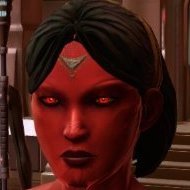
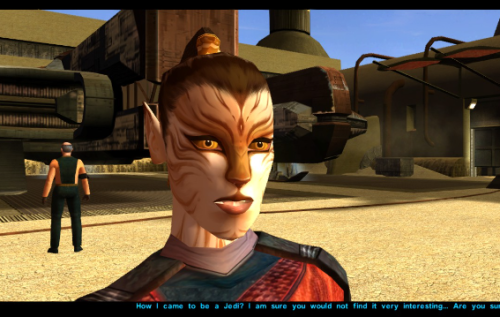 The best Juhani reskin out there easily 5/5
 -
 Hafizjr123 joined the community
 -
It's been more than four years. How about an honest answer?
-
 View File K1 Area Map Fixes - High Resolution Area Map & Map Marker Fix K1 Area Map Fixes High Resolution Area Map & Map Marker Fix TL;DR When you play KOTOR 1 at widescreen or high resolution the area map screen is broken: the map sits shrunken in a corner instead of filling its frame. This mod fixes that. It also corrects 250 map note positions that BioWare put in a strange spot in 2003. It does not change your resolution. It fixes the map after something else has already got the game running at your resolution, so UniWS and KotOR High Resolution Menus have to be installed first, in that order. Steam users need the KOTOR Editable Executable before either of those; GOG users do not. Unzip the folder somewhere and double-click Install.bat. It finds the game and reads your resolution out of the exe, so there is nothing to configure. Uninstall.bat puts your original exe back. Detailed installation instructions are bellow. (next page) What this fixes At widescreen and high resolutions the area map is drawn at its old size in a corner of the frame. This mod rescales the map to fill the frame, puts all three kinds of marker where they belong (scaling the icons up at very high resolutions so they stay big enough to see), and corrects 250 map notes that BioWare left in the slightly (sometimes majorly) wrong spot. One thing it fixes that is not its own bug KotOR High Resolution Menus patcher, the .exe one, leaves the area map shoved off to one side. This patcher checks for it and fixes it, and Uninstall.bat undoes that along with everything else. Requirements Required, in this order 1. KOTOR Editable Executable (for Steam only) https://deadlystream.com/files/file/1320-kotor-editable-executable/ Steam ships a locked swkotor.exe that no mod can edit, including the two below. This is an unlocked copy you drop into your game folder. On GOG, skip this step. GOG's own v1.03 swkotor.exe is already the same unlocked file, byte for byte, apart from 16 bytes of unused header padding. Start at step 2. 2. UniWS https://www.wsgf.org/article/universal-widescreen-uniws-patcher Makes the game run at your screen resolution. Pick "Star Wars: KOTOR" from the list, choose 1024x768 interface. Choose your game folder, type in resolution of your screen and patch it. 3. KotOR High Resolution Menus (k1hrm) by ndix UR https://deadlystream.com/files/file/1159-kotor-high-resolution-menus/ Redraws all the menus for your resolution. Run its patcher, then copy the menu files for your resolution into your game's Override folder. Then this mod, last. If those links are dead by the time you read this, search DeadlyStream for the mod names. They have all been up for years. Resolutions support The maths is checked automatically against all 49 resolutions k1hrm supports, from 800x600 up to 15360x8640. Four of them have actually been played: Resolution Aspect 2560x1600 16:10 1920x1080 16:9 3840x2400 16:10 1600x1200 4:3 Everything else is checked but has not been looked at on a real screen. That includes ultrawide (21:9 and 32:9), because there was no ultrawide monitor here to test on. If you run one, we would genuinely like to hear how it goes, either way. Should be working. Installation Install the requirements above first, in that order. Steam needs all three, GOG needs UniWS and k1hrm only. Unzip this mod's folder somewhere. Do not run it from inside the zip; if you try, it stops and tells you to unzip first. Double-click Install.bat. Wait until it says it has finished. It can take a moment to think. That is the whole thing. It finds your game folder on its own and reads the resolution out of the exe, so it never asks you questions. If it cannot find your game: drag your KOTOR folder onto Install.bat and let go. That means the whole main game folder, the one with swkotor.exe inside it, not the exe itself. If Windows shows a blue "Windows protected your PC" box: click "More info", then "Run anyway". Any small unsigned mod tool gets this warning. If you would rather not run an exe at all: the whole thing is a Python script and it is in the download. python "More info\source\install.py" That does exactly what Install.bat does. This route needs Python installed; Install.bat does not. More info\SHA256SUMS.txt lists a checksum for every file in the download if you want to check nothing changed in transit. Compatibility Tested and working KOTOR 1 Community Patch (K1CP) 1.10.0. Checked by measurement: K1CP moves 35 waypoints and none of them is a map note, so all 250 note corrections still match. The whole stack was then played at 2560x1600 with K1CP, k1hrm and this mod together, and everything was working. K1 Ultrawide Letterbox Fix. Both install orders were tested, and it has to go before this mod. The other way round its patcher refuses to run and blames your game build, which is misleading, because your build is fine. Uninstall in reverse: this mod first, theirs second. 4 GB (Large Address Aware) patch. Confirmed with the real NTCore tool, and it leaves everything this mod uses untouched. Apply it before this mod: nothing breaks if you do it afterwards, but Uninstall.bat restores the exe from the backup taken at install time, so uninstalling this mod later would quietly take the 4 GB patch with it. GOG retail v1.03. Played at 3840x2400, area map and HUD minimap both correct. Compatible 3440x1440 Enhanced HUD/UI and Menus. Be aware it is a replacement for k1hrm's own 3440x1440 set, not an addition to it. Its map frame is identical to k1hrm's, so this mod's checks pass on either. Its bundled exe carries the k1hrm centring defect described above, which this patcher detects and fixes. Override art and texture mods, including HD UI Menu Pack, Pretty Good! Icons, HD portraits, Main Menu Widescreen Fix and KOTOR Widescreen Fade Fix. No shared ground with anything this mod writes. Anything that does not modify the game exe will probably work. Larger Text Fonts. Works alongside this mod. Be aware it is separately known to break item stack counts on its own; that is not caused by this mod. Works, with one setting turned off Kotor Patch Manager (KPM). Fine alongside this mod as long as you switch off its KotorUniResPatch. Everything else KPM does is unaffected. That one patch is an alternative to this mod rather than an addition to it: it rescales the same area map at runtime using the same shared constants, so with both live the map gets scaled twice and comes out wrong, and no install order fixes that. This patcher warns you if it spots KPM's files in your game folder rather than refusing to run, because having KPM installed does not mean that particular patch is switched on. Expected to work, not tested True Controller Support. It is a dinput8.dll ASI that works at the process level and touches none of the same bytes, so there is no reason for it to conflict, but it has not been tested. The other 45 resolutions. Checked automatically, never seen on a screen. Not tested No-CD executables. If yours still measures 4,042,752 bytes the patcher will accept it, but nothing here has been checked against one. Incompatible Flawless Widescreen. It injects into the running process and leaves nothing on disk, so this mod cannot detect it and cannot warn you. Do not use it together with this stack. WSGF themselves recommend UniWS and k1hrm for KOTOR 1 and reserve Flawless Widescreen for KOTOR 2. Maybe we will add support for it in the future. Not supported 4-CD retail build. Probably patchable in principle, but there is no such binary here to test against and its spare code space is not guaranteed to match. The patcher refuses anything that is not 4,042,752 bytes. One thing that is not about mod conflicts but will bite you anyway: Steam's "verify integrity of game files" replaces any exe it does not recognise, which undoes this mod and every other exe mod. Keep a copy of your patched swkotor.exe somewhere outside the game folder. Uninstallation Double-click Uninstall.bat. It puts your original swkotor.exe back, exactly as it was. UniWS and k1hrm stay installed, so your game still runs at your resolution, it just does not have the map fixes any more. You can drag your game folder onto Uninstall.bat as well, the same way as with install, which helps if you have two separate KOTOR installs. Your original exe is copied somewhere safe before anything is changed: %LOCALAPPDATA%\K1AreaMapFixes\backup Paste that into File Explorer's address bar to see it. It is kept out of the download folder and out of the game folder deliberately, so deleting the download cannot cost you your original game file. If you have already deleted the mod folder and want to uninstall, download the mod again and run Uninstall.bat from the new copy. It will find the backup. If you installed the K1 Ultrawide Letterbox Fix, uninstall this mod first and theirs second. What the patcher does It is built to refuse rather than guess. Copies your swkotor.exe to %LOCALAPPDATA%\K1AreaMapFixes\backup before changing anything. Reads your resolution out of the exe instead of asking, then cross-checks it against Override\map.gui, so it will tell you if UniWS and k1hrm disagree with each other. That mismatch is the most common failure in this category of mod. Refuses an executable that is not the expected build, an install where UniWS or k1hrm has not been run, and a second install on top of itself. Refuses to run from inside the zip, so your backup cannot end up in a temp folder Windows later deletes. Warns you if it finds Kotor Patch Manager in your game folder. After writing, re-reads the file from disk and runs 21 checks against it, including one that no byte outside the intended ranges changed. If any check fails it says so and points you at the backup. It does not report success on a write it has not verified. Writes an install record next to the backup listing every step, its offsets, and hashes of the exe before and after. Every run also writes last-run-log.txt next to Install.bat, so if something goes wrong there is a file to attach to a report rather than a command to re-run. Technical details Every offset this mod writes is documented in More info\TECHNICAL.txt in the download, and the full source is in More info\source\. It is published so that a collision with another executable patcher can be diagnosed by someone other than the author, which is the precedent k1hrm set by publishing its own offsets. A few things worth knowing without reading all of it: The patcher only accepts the 4,042,752-byte executable, which is what you have after the Editable Executable (or GOG's own exe) plus UniWS and k1hrm. Anything else is refused rather than written into on the assumption that the spare space matches. The exe grows by 8 KB. That is a reserved region added at the end of the resource section, holding the 250-entry note correction table, and it is the only change to the file's size. The two float constants the area map divides by are shared with the HUD minimap, so they are not rewritten in place. Editing them directly turns the minimap black. Scaled private copies are written elsewhere instead, and only the area map's own operands are pointed at them. The note corrections are keyed on each note's position in the game world rather than on module or index numbers, which is why they survive mods that edit module files. Credits ndix UR for KotOR High Resolution Menus, and for hires_patcher.pl, which the map scaling here is derived from. Required, and not included here. wsgf.org for UniWS. Required, and not included here. LaneDibello for Kotor Patch Manager, whose published address database was a useful cross-check against findings worked out here independently. PyKotor for reading the game's file formats. Everyone at DeadlyStream who documented this engine over the last decade. License GPL version 3 or later. The full text is in More info\LICENSE. The resolution work this builds on is ndix UR's hires_patcher.pl, also GPLv3. None of it is included in this download; you install it yourself, as step 3 of the requirements. Submitter Derslok Submitted 09/01/2026 Category Mods K1R Compatible No
 - Today
-
 BigForceKin joined the community
 -
 DarthSPooner joined the community
 -
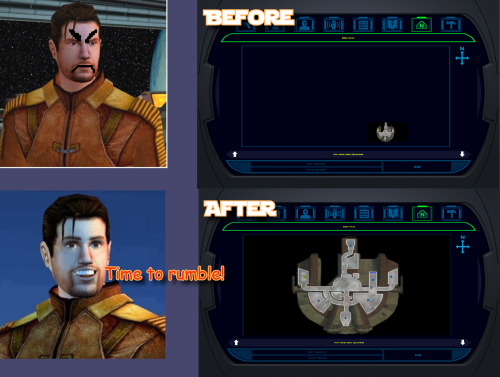
Version 1.0.0
2 downloads
K1 Area Map Fixes High Resolution Area Map & Map Marker Fix TL;DR When you play KOTOR 1 at widescreen or high resolution the area map screen is broken: the map sits shrunken in a corner instead of filling its frame. This mod fixes that. It also corrects 250 map note positions that BioWare put in a strange spot in 2003. It does not change your resolution. It fixes the map after something else has already got the game running at your resolution, so UniWS and KotOR High Resolution Menus have to be installed first, in that order. Steam users need the KOTOR Editable Executable before either of those; GOG users do not. Unzip the folder somewhere and double-click Install.bat. It finds the game and reads your resolution out of the exe, so there is nothing to configure. Uninstall.bat puts your original exe back. Detailed installation instructions are bellow. (next page) What this fixes At widescreen and high resolutions the area map is drawn at its old size in a corner of the frame. This mod rescales the map to fill the frame, puts all three kinds of marker where they belong (scaling the icons up at very high resolutions so they stay big enough to see), and corrects 250 map notes that BioWare left in the slightly (sometimes majorly) wrong spot. One thing it fixes that is not its own bug KotOR High Resolution Menus patcher, the .exe one, leaves the area map shoved off to one side. This patcher checks for it and fixes it, and Uninstall.bat undoes that along with everything else. Requirements Required, in this order 1. KOTOR Editable Executable (for Steam only) https://deadlystream.com/files/file/1320-kotor-editable-executable/ Steam ships a locked swkotor.exe that no mod can edit, including the two below. This is an unlocked copy you drop into your game folder. On GOG, skip this step. GOG's own v1.03 swkotor.exe is already the same unlocked file, byte for byte, apart from 16 bytes of unused header padding. Start at step 2. 2. UniWS https://www.wsgf.org/article/universal-widescreen-uniws-patcher Makes the game run at your screen resolution. Pick "Star Wars: KOTOR" from the list, choose 1024x768 interface. Choose your game folder, type in resolution of your screen and patch it. 3. KotOR High Resolution Menus (k1hrm) by ndix UR https://deadlystream.com/files/file/1159-kotor-high-resolution-menus/ Redraws all the menus for your resolution. Run its patcher, then copy the menu files for your resolution into your game's Override folder. Then this mod, last. If those links are dead by the time you read this, search DeadlyStream for the mod names. They have all been up for years. Resolutions support The maths is checked automatically against all 49 resolutions k1hrm supports, from 800x600 up to 15360x8640. Four of them have actually been played: Resolution Aspect 2560x1600 16:10 1920x1080 16:9 3840x2400 16:10 1600x1200 4:3 Everything else is checked but has not been looked at on a real screen. That includes ultrawide (21:9 and 32:9), because there was no ultrawide monitor here to test on. If you run one, we would genuinely like to hear how it goes, either way. Should be working. Installation Install the requirements above first, in that order. Steam needs all three, GOG needs UniWS and k1hrm only. Unzip this mod's folder somewhere. Do not run it from inside the zip; if you try, it stops and tells you to unzip first. Double-click Install.bat. Wait until it says it has finished. It can take a moment to think. That is the whole thing. It finds your game folder on its own and reads the resolution out of the exe, so it never asks you questions. If it cannot find your game: drag your KOTOR folder onto Install.bat and let go. That means the whole main game folder, the one with swkotor.exe inside it, not the exe itself. If Windows shows a blue "Windows protected your PC" box: click "More info", then "Run anyway". Any small unsigned mod tool gets this warning. If you would rather not run an exe at all: the whole thing is a Python script and it is in the download. python "More info\source\install.py" That does exactly what Install.bat does. This route needs Python installed; Install.bat does not. More info\SHA256SUMS.txt lists a checksum for every file in the download if you want to check nothing changed in transit. Compatibility Tested and working KOTOR 1 Community Patch (K1CP) 1.10.0. Checked by measurement: K1CP moves 35 waypoints and none of them is a map note, so all 250 note corrections still match. The whole stack was then played at 2560x1600 with K1CP, k1hrm and this mod together, and everything was working. K1 Ultrawide Letterbox Fix. Both install orders were tested, and it has to go before this mod. The other way round its patcher refuses to run and blames your game build, which is misleading, because your build is fine. Uninstall in reverse: this mod first, theirs second. 4 GB (Large Address Aware) patch. Confirmed with the real NTCore tool, and it leaves everything this mod uses untouched. Apply it before this mod: nothing breaks if you do it afterwards, but Uninstall.bat restores the exe from the backup taken at install time, so uninstalling this mod later would quietly take the 4 GB patch with it. GOG retail v1.03. Played at 3840x2400, area map and HUD minimap both correct. Compatible 3440x1440 Enhanced HUD/UI and Menus. Be aware it is a replacement for k1hrm's own 3440x1440 set, not an addition to it. Its map frame is identical to k1hrm's, so this mod's checks pass on either. Its bundled exe carries the k1hrm centring defect described above, which this patcher detects and fixes. Override art and texture mods, including HD UI Menu Pack, Pretty Good! Icons, HD portraits, Main Menu Widescreen Fix and KOTOR Widescreen Fade Fix. No shared ground with anything this mod writes. Anything that does not modify the game exe will probably work. Larger Text Fonts. Works alongside this mod. Be aware it is separately known to break item stack counts on its own; that is not caused by this mod. Works, with one setting turned off Kotor Patch Manager (KPM). Fine alongside this mod as long as you switch off its KotorUniResPatch. Everything else KPM does is unaffected. That one patch is an alternative to this mod rather than an addition to it: it rescales the same area map at runtime using the same shared constants, so with both live the map gets scaled twice and comes out wrong, and no install order fixes that. This patcher warns you if it spots KPM's files in your game folder rather than refusing to run, because having KPM installed does not mean that particular patch is switched on. Expected to work, not tested True Controller Support. It is a dinput8.dll ASI that works at the process level and touches none of the same bytes, so there is no reason for it to conflict, but it has not been tested. The other 45 resolutions. Checked automatically, never seen on a screen. Not tested No-CD executables. If yours still measures 4,042,752 bytes the patcher will accept it, but nothing here has been checked against one. Incompatible Flawless Widescreen. It injects into the running process and leaves nothing on disk, so this mod cannot detect it and cannot warn you. Do not use it together with this stack. WSGF themselves recommend UniWS and k1hrm for KOTOR 1 and reserve Flawless Widescreen for KOTOR 2. Maybe we will add support for it in the future. Not supported 4-CD retail build. Probably patchable in principle, but there is no such binary here to test against and its spare code space is not guaranteed to match. The patcher refuses anything that is not 4,042,752 bytes. One thing that is not about mod conflicts but will bite you anyway: Steam's "verify integrity of game files" replaces any exe it does not recognise, which undoes this mod and every other exe mod. Keep a copy of your patched swkotor.exe somewhere outside the game folder. Uninstallation Double-click Uninstall.bat. It puts your original swkotor.exe back, exactly as it was. UniWS and k1hrm stay installed, so your game still runs at your resolution, it just does not have the map fixes any more. You can drag your game folder onto Uninstall.bat as well, the same way as with install, which helps if you have two separate KOTOR installs. Your original exe is copied somewhere safe before anything is changed: %LOCALAPPDATA%\K1AreaMapFixes\backup Paste that into File Explorer's address bar to see it. It is kept out of the download folder and out of the game folder deliberately, so deleting the download cannot cost you your original game file. If you have already deleted the mod folder and want to uninstall, download the mod again and run Uninstall.bat from the new copy. It will find the backup. If you installed the K1 Ultrawide Letterbox Fix, uninstall this mod first and theirs second. What the patcher does It is built to refuse rather than guess. Copies your swkotor.exe to %LOCALAPPDATA%\K1AreaMapFixes\backup before changing anything. Reads your resolution out of the exe instead of asking, then cross-checks it against Override\map.gui, so it will tell you if UniWS and k1hrm disagree with each other. That mismatch is the most common failure in this category of mod. Refuses an executable that is not the expected build, an install where UniWS or k1hrm has not been run, and a second install on top of itself. Refuses to run from inside the zip, so your backup cannot end up in a temp folder Windows later deletes. Warns you if it finds Kotor Patch Manager in your game folder. After writing, re-reads the file from disk and runs 21 checks against it, including one that no byte outside the intended ranges changed. If any check fails it says so and points you at the backup. It does not report success on a write it has not verified. Writes an install record next to the backup listing every step, its offsets, and hashes of the exe before and after. Every run also writes last-run-log.txt next to Install.bat, so if something goes wrong there is a file to attach to a report rather than a command to re-run. Technical details Every offset this mod writes is documented in More info\TECHNICAL.txt in the download, and the full source is in More info\source\. It is published so that a collision with another executable patcher can be diagnosed by someone other than the author, which is the precedent k1hrm set by publishing its own offsets. A few things worth knowing without reading all of it: The patcher only accepts the 4,042,752-byte executable, which is what you have after the Editable Executable (or GOG's own exe) plus UniWS and k1hrm. Anything else is refused rather than written into on the assumption that the spare space matches. The exe grows by 8 KB. That is a reserved region added at the end of the resource section, holding the 250-entry note correction table, and it is the only change to the file's size. The two float constants the area map divides by are shared with the HUD minimap, so they are not rewritten in place. Editing them directly turns the minimap black. Scaled private copies are written elsewhere instead, and only the area map's own operands are pointed at them. The note corrections are keyed on each note's position in the game world rather than on module or index numbers, which is why they survive mods that edit module files. Credits ndix UR for KotOR High Resolution Menus, and for hires_patcher.pl, which the map scaling here is derived from. Required, and not included here. wsgf.org for UniWS. Required, and not included here. LaneDibello for Kotor Patch Manager, whose published address database was a useful cross-check against findings worked out here independently. PyKotor for reading the game's file formats. Everyone at DeadlyStream who documented this engine over the last decade. License GPL version 3 or later. The full text is in More info\LICENSE. The resolution work this builds on is ndix UR's hires_patcher.pl, also GPLv3. None of it is included in this download; you install it yourself, as step 3 of the requirements. -
 blizzfir3 joined the community
 -
Derslok joined the community
-
Sorry about the necropost, but I just read through the entire thread again and thought it is such a shame that so much work done on version 2 never saw the light of the day. @CarthOnastydid write that he cannot let things go and I believed him! 😅
- 182 replies
-
- 1
-

-
- work in progress
- star forge
- (and 1 more)
-
 oliveraelius changed their profile photo
 -
 RndmPyxlz joined the community
 -
 nburlon joined the community
 -
 eidoss joined the community
 -
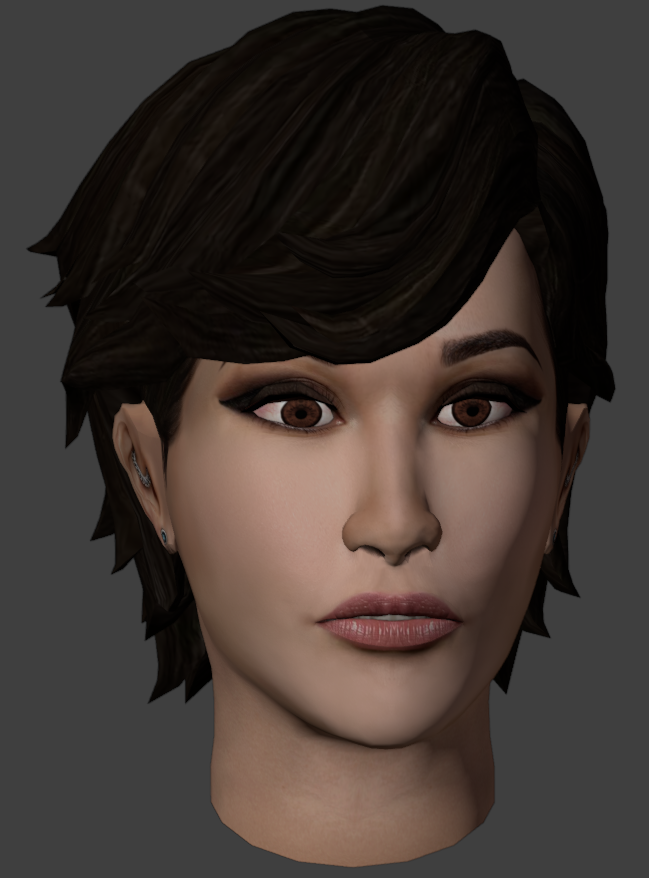
PFHA01
-
 spncrrggs joined the community
 -
 sgdrjames joined the community
 -
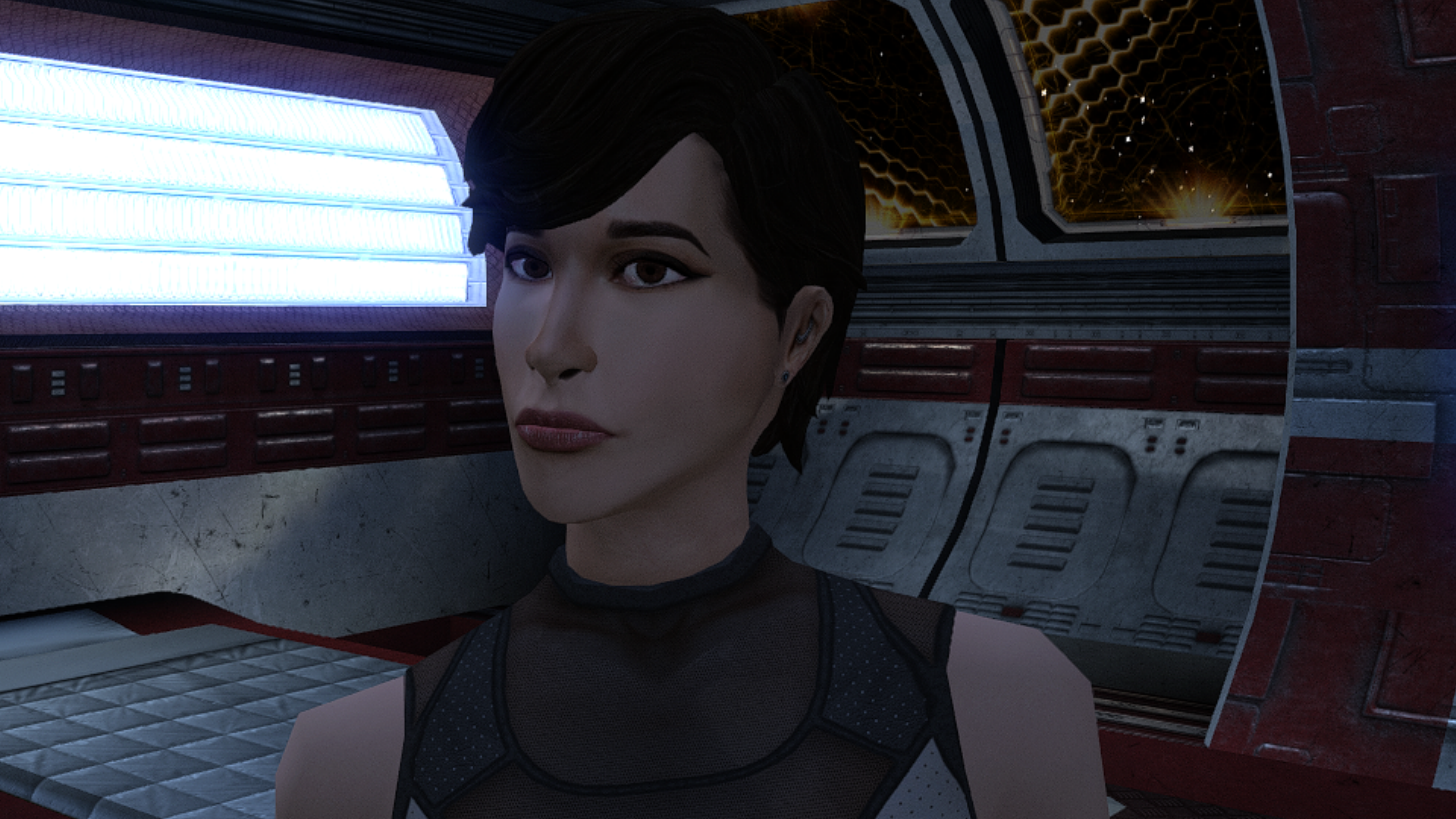
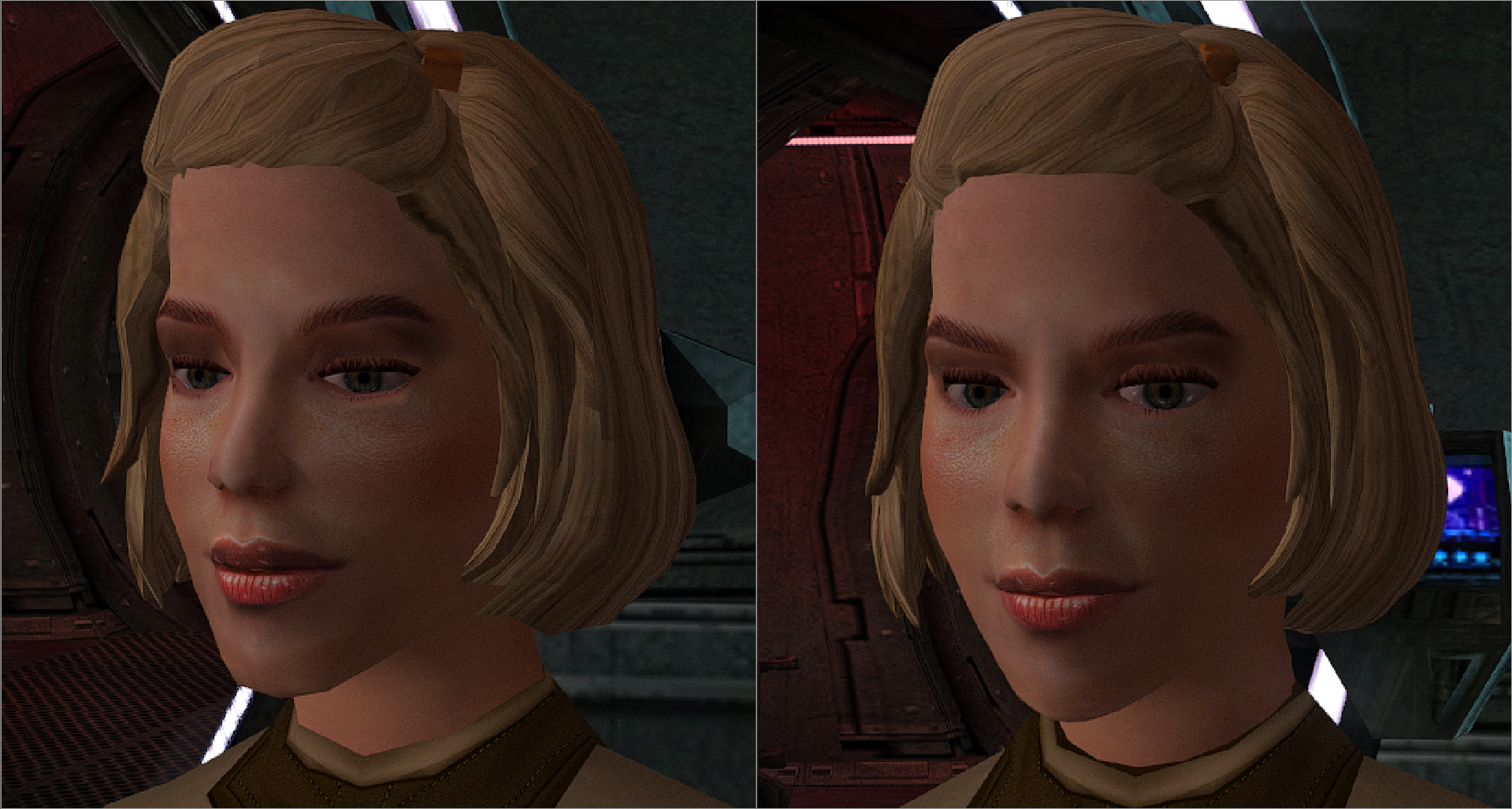
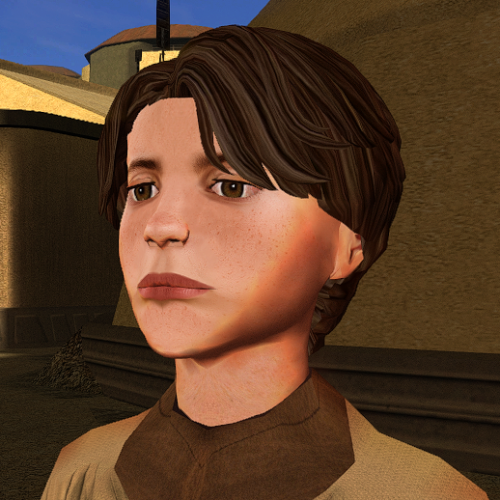 Now you're not too ugly for this game)
 -
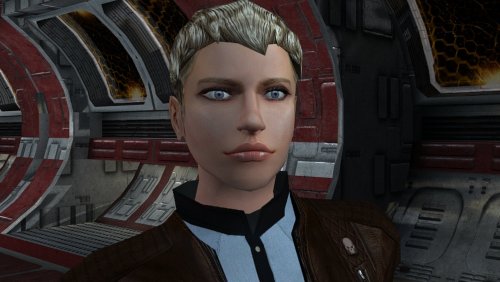 All right, I now have a reason to finally use this head in my latest Dark Lady Revan playthrough. (Who still ultimately decides to destroy the Star Forge and romance Carth, Bastila and Juhani)
 -
"Get out of here you goggle-eyed freak! You're too ugly for the Upper City!"
-
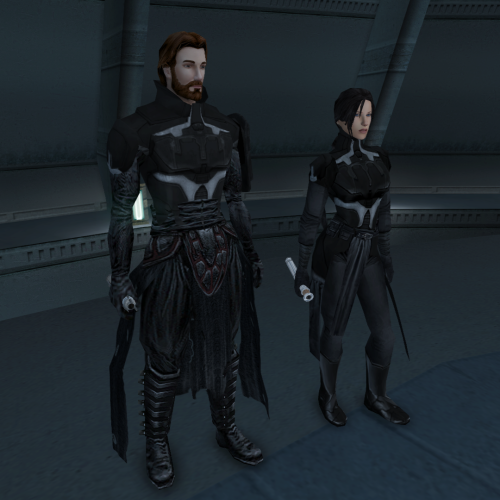 lol poor atton, being denied the drip
 -
View File Delayed Story Cutscenes Delays certain story cutscenes. DESCRIPTION Some important cutscenes can occur very early in KOTOR 2 leading to some awkward narrative pacing, specifically the cutscene of Kreia’s past and the cutscene introducing Visas. This mod delays these cutscenes from triggering until certain progress is made. Visas’ cutscene will no longer trigger until after you’ve left Telos and visited at least one other planet, in addition to meeting the usual alignment requirements. Kreia’s cutscene is supposed to be locked behind a high influence check. However, you can completely bypass the influence requirement with only 14 Intelligence, making it pretty easy to get the scene as soon as the dialogue option becomes available. This mod increases the Intelligence check difficulty. By default, the dialogue will only become available after leaving Telos, and only while on the Ebon Hawk, as in TSLRCM. An optional patch is included to further delay its availability until at least one Jedi has been found. INSTALLATION To install, run HoloPatcher.exe and select the install option corresponding to whether you have TSLRCM or not. Unaltered copies of any modified files will be place in the “backup” folder in the location of HoloPatcher. (Optional) Install the option “Kreia Cutscene Extended Delay” if you want to delay the availability of Kreia’s dialogue until at least one Jedi has been found. UNINSTALLATION Remove the following files from override: - kreia.dlg - k_align_move.ncs - m_cnd_kreiamovie.ncs Move any files inside the backup folder to override. COMPATIBILITY Compatible with TSLRCM using the TSLRCM-compatible install option. TSLRCM must be installed first before installing this mod. Compatible with PartySwap but PartySwap must be installed first. Since PartySwap requires TSLRCM, you must use the TSLRCM-compatible option. PERMISSIONS Feel free to do whatever you want with this mod. CREDITS offthegridmorty Credit to Snigaroo who requested this mod. zbyl2, DarthStoney, Hassat Hunter, VarsityPuppet, TSLRCM contributors - TSLRCM source script for k_align_movie HoloPatcher - Cortisol, th3w1zard1 TSLPatcher - stoffe, Fair Strides KOTOR Tool - Fred Tetra DeNCS - JdNoa, Dashus Submitter offthegridmorty Submitted 08/31/2026 Category Mods TSLRCM Compatible Yes
-
View File ChildM The mod replaces the ChildM model and textures. To Install 1. Download: ChildM 2. Copy all files to the Knights of the Old republic's Override folder. (Example location - C:\Program Files (x86)\Steam\steamapps\common\swkotor\Override) 3. When/if prompted to overwrite files, press okay. 4. If you like the mod; leave a comment or endorse! (It would be much appreciated) Made with love. Submitter Dark Hope Submitted 08/31/2026 Category Mods K1R Compatible Yes
- Yesterday
-
I'll add a high poly version.
-

Echoes of the Republic - an unofficial expansion
ether_vagabond commented on vault13deathclaw's file in Mods
 Ah no, I saw you recently released a new version but I was worried about overwriting my stuff. You have a hotfix folder? Yeah I'll have to pick that up for sure, thanks. EDIT: totally fixed it, cool.
 -
Version 1.0.0
26 downloads
The mod replaces the ChildM model and textures. To Install 1. Download: ChildM 2. Copy all files to the Knights of the Old republic's Override folder. (Example location - C:\Program Files (x86)\Steam\steamapps\common\swkotor\Override) 3. When/if prompted to overwrite files, press okay. 4. If you like the mod; leave a comment or endorse! (It would be much appreciated) Made with love. -
There’s now a good selection of Juhani reskins and remodels, and I have to say that this one is the best so far. However, I do have one criticism regarding the texture. It lacks detail. While this works fine if you’re playing Kotor with vanilla textures, it looks too flat next to all the HD skins. A more refined texture—one that shows the individual hairs in the fur or something similar—would earn 5 stars from me.
-

Echoes of the Republic - an unofficial expansion
vault13deathclaw commented on vault13deathclaw's file in Mods
The IG -12 bug should be fixed in the latest version, plus I essentially put in a failsafe at the Coruscant terminal (it used to check for the item, now it checks for the quest status for that particular one.) Have you tried the hotfix folder? That should have all the corrected files since .90 got released, if you are on that version. -
Echoes of the Republic - an unofficial expansion
ether_vagabond commented on vault13deathclaw's file in Mods
So, I think I maybe found a bug? I was doing the Bounty: IG-12 quest, I went to turn it in and it wouldn't let me turn it in. I'm like, what? So, I thought, okay, maybe I didn't pick up the thing from his body. Well, either he didn't drop anything or it despawned, cause I went back to where I killed him and it's not there. Dunno whether you're aware of this, just thought I'd let you know. Can't find any item in the Save Editor. I tried setting the quest to an earlier stage but he wasn't there. I tried deleting the quest and then resaving and adding it back with the save editor, that also didn't work. I dunno. -
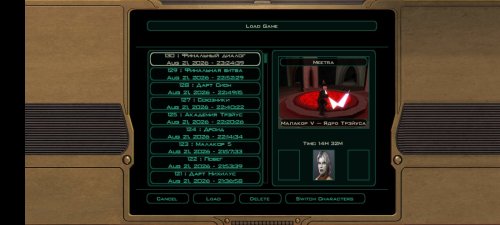
View File KOTOR 2 DARK SIDE SAVES + M4-78 DS female + m4-78 saves. So good saves, but on m4 78 I little use save editor cuz it's bugged and annoyed planet lmao. Good playing! TSLRCM: M4 78 EP:https://deadlystream.com/files/file/277-m4-78-enhancement-project/ Submitter Rozen98 Submitted 08/31/2026 Category Game Saves Mods Used Game The Sith Lords
-
Version 1.0b
7 downloads
DS female + m4-78 saves. So good saves, but on m4 78 I little use save editor cuz it's bugged and annoyed planet lmao. Good playing! TSLRCM: M4 78 EP:https://deadlystream.com/files/file/277-m4-78-enhancement-project/ -
holy shit this is a crazy texture
-
Version 1.0.0
13 downloads
Delays certain story cutscenes. DESCRIPTION Some important cutscenes can occur very early in KOTOR 2 leading to some awkward narrative pacing, specifically the cutscene of Kreia’s past and the cutscene introducing Visas. This mod delays these cutscenes from triggering until certain progress is made. Visas’ cutscene will no longer trigger until after you’ve left Telos and visited at least one other planet, in addition to meeting the usual alignment requirements. Kreia’s cutscene is supposed to be locked behind a high influence check. However, you can completely bypass the influence requirement with only 14 Intelligence, making it pretty easy to get the scene as soon as the dialogue option becomes available. This mod increases the Intelligence check difficulty. By default, the dialogue will only become available after leaving Telos, and only while on the Ebon Hawk, as in TSLRCM. An optional patch is included to further delay its availability until at least one Jedi has been found. INSTALLATION To install, run HoloPatcher.exe and select the install option corresponding to whether you have TSLRCM or not. Unaltered copies of any modified files will be place in the “backup” folder in the location of HoloPatcher. (Optional) Install the option “Kreia Cutscene Extended Delay” if you want to delay the availability of Kreia’s dialogue until at least one Jedi has been found. UNINSTALLATION Remove the following files from override: - kreia.dlg - k_align_move.ncs - m_cnd_kreiamovie.ncs Move any files inside the backup folder to override. COMPATIBILITY Compatible with TSLRCM using the TSLRCM-compatible install option. TSLRCM must be installed first before installing this mod. Compatible with PartySwap but PartySwap must be installed first. Since PartySwap requires TSLRCM, you must use the TSLRCM-compatible option. PERMISSIONS Feel free to do whatever you want with this mod. CREDITS offthegridmorty Credit to Snigaroo who requested this mod. zbyl2, DarthStoney, Hassat Hunter, VarsityPuppet, TSLRCM contributors - TSLRCM source script for k_align_movie HoloPatcher - Cortisol, th3w1zard1 TSLPatcher - stoffe, Fair Strides KOTOR Tool - Fred Tetra DeNCS - JdNoa, Dashus -
 Both. At max LS points with +0 CHA modifier, DS powers are -50% less effective and cost +50% more. Every +1 to CHA reduces the penalty to both cost and effects by 5%. So at 20 CHA, they are only -25% less effective and +25% more costly, and at 30 CHA there is no penalty whatsoever.
- 15 comments
-
- 1
-

-
- difficulty
- force powers
- (and 5 more)
- Last week
-
Just downloaded, this is easily the best retexture for Juhani. Will write a review once I acquire her on my new playthrough 😉
-
View File Juhani - Model and Texture Edits Just a personal mod made public after a few requests on reddit. Let me know if you have any issues. Completely re-textured Juhani's face to unbald her and give her a more cat-like appearance. Made a few edits to her model in blender to make her chin smaller and flatten her nose to reflect the more feline re-texture. Install Drop all three files into your Override folder and enjoy Uninstall Just delete the files in Override, shouldn't be any issues. Submitter servicebutch Submitted 08/30/2026 Category Mods K1R Compatible Yes