All Activity
- Past hour
-

Heyorange's Sith Uniform Reformation [Revised]
JCarter426 commented on Sith Holocron's file in Skins
 The latest version includes some files which were left out of the installation instructions for the Korriban add-on. If you already have the mod installed, you can apply the same fix by copying the following files manually from the tslpatchdata folder to your game's override folder: g_a_clothes38.uti ia_cloths_038.tga N_SithComF38.tga N_SithComM38.tga
 -
 lizfrerot joined the community
 -
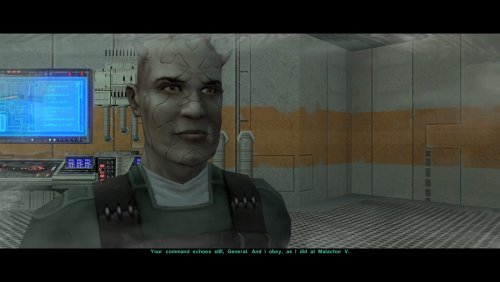 Just to confirm I’m understanding correctly, is the cutscene abruptly ending after Mira’s line where it would usually go to Handmaiden (or Disciple for a female exile)? Or is it ending after Visas’ line where it should go to Atton next? Either way, that’s very strange because I’ve definitely tested it with a male exile, and I haven’t run into an issue like that. The installer should be editing the DLG so that it skips Bao-Dur’s lines, jumps straight from Mandalore to Kreia, and then ends after Kreia. It shouldn’t touch anything before that point in the cutscene. Do you mind if I ask a few troubleshooting questions? Are you using the latest version of TSLRCM? What other mods (if any) are you using? Specifically, are you using anything else which edits pcdead2.dlg? If you still have it, could you please post your copy of pcdead2.dlg from before you got it working? I’m curious to see what its structure looks like. For reference, I’ve attached my copy of the DLG from a fresh installation of TSLRCM plus this mod. EDIT: Do you also still have the backup of the original DLG that TSLPatcher would have copied during the installation process? pcdead2.dlg
 - Today
-
 Markipliers joined the community
 - Yesterday
-
 Had a texture bug when installing this. The file N_SithComM01.tga and N_SithComM03.tga overwrite the files installed by KOTOR 1 Restored. This leads to all sith officer uniforms (eg the soldier you see when first exiting the apartment in the beginning of the game) to display bugged textures. I'm not sure why this happens. Please let me know if its a bug or if I installed the mod incorrecly.
 -
 neversaydude joined the community
 -
 ASquaredX joined the community
 -
 It's visible in the HR menu screenshots.
 -
It wasn't noticeable when I was using HR Menus and UniWS, only when using Scaled Kotor - unless it was in the game previously and UniWS/HR Menus fixed it?
-
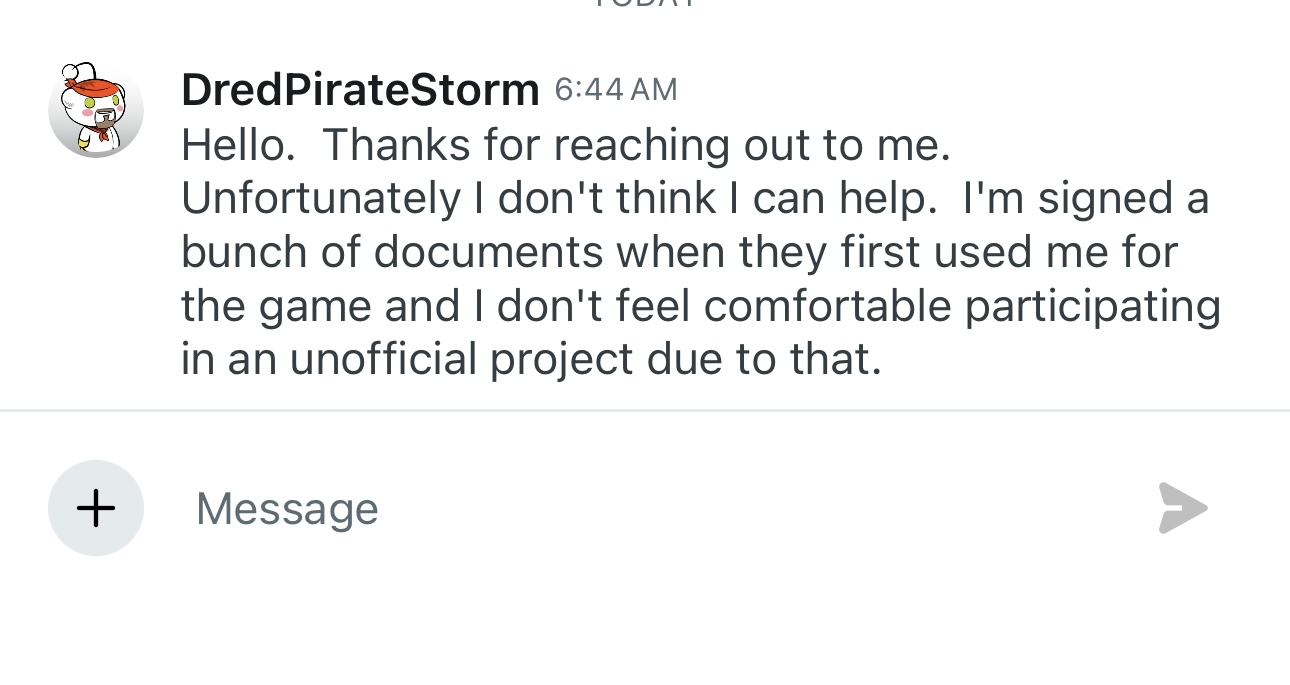
Unfortunately he isn't comfortable with it in unoffical projects
-
 naseweis joined the community
 -
This looks like a vanilla game bug but i can look into it.
-

quest mod MOD:Telos: Citadel Station Medical Unit Quest
jmorenobothwell replied to Doodmane444's topic in Mod Releases
Will do. And after going back to it, you were right. I DID install it incorrectly because I completely forgot to run the installer after dropping the other assets in Override. In any case, here's my current list. I'm still a total newbie to KOTOR/TSL modding and if you or any of the mod writers can give me feedback to getting everything working together, that would be awesome. I'm currently putting together my next build which expands on this one, once I finish my current playthroughs. The new one will definitely have the Telos Medical Droid Quest. STAR WARS_KOTOR II - MOD LIST_v7.0 - Copy.txt STAR WARS_KOTOR II - MOD LIST_v11.4 - Copy.txt -
 draecas joined the community
 -
 Dez joined the community
 -
 benevolent_prompt joined the community
 -
 would this work with Better Jekk'Jekk Tarr Thugs ? Update: It does, noticed the compa patch as i was installing, nvm this
 -
quest mod MOD:Telos: Citadel Station Medical Unit Quest
Doodmane444 replied to Doodmane444's topic in Mod Releases
If you can send your current mod load out that'd be great. I just want to see if the issues can be replicated with a similar install or if I can pinpoint any conflicts with this mod and any of those. -
 This mod is so cool! This would be very useful for squeezing more party interactions the next time I do a playthrough for KOTOR. Good job WildKarrde!
- 24 comments
-
- 1
-

-
- ebon hawk
- conversation
- (and 2 more)
-
This has a showstopper bug during pcdead2.dlg. There is no conditional for the Disciple's line after Visas's line, causing the dialogue the stop there if you are playing as a Male Exile. There is no alternative line if you don't have Disciple. I was able to fix it by restoring the orphaned dialogue VIsas used to have the TSLRCM version of that scene "your ship, my prison" then adjusted it so Bao Dur's line comes in at "you know where you must go."
-
I'm encountering a non-game-breaking bug when using Scaled Kotor: as indicated in the screenshots (regrettably taken on mobile because screenshotting this ingame was proving a challenge), there is a dark line that appears above party member and PC portraits in the stat menu and in the party select menu. It appears to cut down in a 'T' shape on the player's head as well, as is slightly visible in the last picture.
-
View File Ranged Dexterity Scaling Did you know that KOTOR does not add Dex to ranged damage? I see the tradeoff, Dex already gives you defense, so giving you damage as well is pretty powerful. But defense doesn't matter as much when you're attacking at ranged anyway... lol So I fixed that. This will make ranged weapons a lot better in the early game, but it pretty much drowns out by mid game... and honestly making Taris go faster is never a bad thing. lol (Coded with the assistance of AI; presented under the open source MIT license) Requirements and Compatibilities: This installer requires the KOTOR Patch Manager (KPM) runtime. KOTOR Modern Restoration Project (KMRP) is supported and includes the required runtime, but KMRP itself is not technically required.... But seriously, you should be using it, it's incredible. Recommended Installation: 1. Download and install KMRP. 2. Download this mod. 3. Run install.cmd. 4. Enjoy! (To uninstall, simply run uninstall.cmd) Advanced Installation (with KMRP): 1. Download the latest version of KPM. Extract the files. 2. Download the .kpatch version of this mod, and place it in the patches folder. 2. In the bin folder, run KPatchLauncher.exe 3. Use the options at the top to navigate to your swkotor folder, and the KPM folder called patches. 4. Download and install KMRP (You do not need to close KPM). 5. In KPM, select this mod and KMRP (and it's controller support, and any other patches you want except for the 4GB patch, save game memory leak, and Movie Patch, as they are included in or not compatible with KMRP). 6. Click "Apply." 9. ENJOY! Submitter BottomlessThought23 Submitted 10/19/2026 Category Mods K1R Compatible Yes
-
View File Expert Droid Skill Expansion T3 starts with 20 Intelligence. He gets 7 skill points per level... So why can he only spend three of them? I couldn't really find a great answer, but I at least expanded it to five. You'll still have leftover points, but at least it isn't as many. (Coded with the assistance of AI; presented under the open source MIT license) Compatibility and Installation: This is a TSLpatcher mod, so it should have broad compatibility with basically everything. And installation is as easy as double-clicking the TSLpatcher.exe in the download and then using the prompt to find your "swkotor" game folder. Submitter BottomlessThought23 Submitted 10/19/2026 Category Mods K1R Compatible Yes
-
View File Smooth Turret Controls The turret controls are broken. Or they were. Now they aren't. lol Sorry, I'm running out of clever ways to monologue these fixes. lol Basically, KOTOR was doing some janky re-centering math based on the 2003 assumption that 728p was the height of resolution technology. This fixes that. (That's honestly a terrible explanation of how this works, I'm going to release a technical guide soon with all of my findings and it will have a better explanation of this lol) (Coded with the assistance of AI; presented under the open source MIT license) Requirements and Compatibilities: This installer requires the KOTOR Patch Manager (KPM) runtime. KOTOR Modern Restoration Project (KMRP) is supported and includes the required runtime, but KMRP itself is not technically required.... But seriously, you should be using it, it's incredible. Recommended Installation: 1. Download and install KMRP. 2. Download this mod. 3. Run install.cmd. 4. Enjoy! (To uninstall, simply run uninstall.cmd) Advanced Installation (with KMRP): 1. Download the latest version of KPM. Extract the files. 2. Download the .kpatch version of this mod, and place it in the patches folder. 2. In the bin folder, run KPatchLauncher.exe 3. Use the options at the top to navigate to your swkotor folder, and the KPM folder called patches. 4. Download and install KMRP (You do not need to close KPM). 5. In KPM, select this mod and KMRP (and it's controller support, and any other patches you want except for the 4GB patch, save game memory leak, and Movie Patch, as they are included in or not compatible with KMRP). 6. Click "Apply." 9. ENJOY! Submitter BottomlessThought23 Submitted 10/19/2026 Category Mods K1R Compatible Yes
-
- 1
-
-
View File Passive Status Notifications Simple mod. Stops the game from pausing when you get a notification. Still plays the sound, and instead shows a simple, plain white text popup under the menu icons at the top right. This has also been upgraded to show what journal entry as been updated and which items you received or lost, which were previously not shown in notifications at all. Requirements and Compatibilities: This installer requires the KOTOR Patch Manager (KPM) runtime. KOTOR Modern Restoration Project (KMRP) is supported and includes the required runtime, but KMRP itself is not technically required.... But seriously, you should be using it, it's incredible. Recommended Installation: 1. Download and install KMRP. 2. Download this mod. 3. Run install.cmd. 4. Enjoy! (To uninstall, simply run uninstall.cmd) Advanced Installation (with KMRP): 1. Download the latest version of KPM. Extract the files. 2. Download the .kpatch version of this mod, and place it in the patches folder. 2. In the bin folder, run KPatchLauncher.exe 3. Use the options at the top to navigate to your swkotor folder, and the KPM folder called patches. 4. Download and install KMRP (You do not need to close KPM). 5. In KPM, select this mod and KMRP (and it's controller support, and any other patches you want except for the 4GB patch, save game memory leak, and Movie Patch, as they are included in or not compatible with KMRP). 6. Click "Apply." 9. ENJOY! Submitter BottomlessThought23 Submitted 10/17/2026 Category Mods K1R Compatible Yes
-
.thumb.gif.91a11d126eb3f6d5a04eccb0d72ef59c.gif) Lets not keep reposting things, please.
Lets not keep reposting things, please. -
 Tugi2004 joined the community
 -
 simux joined the community
 -
 Hello everyone! I'm Vertex, a 3D artist interested in creating game characters, creatures, props, and game-ready assets. I'm looking to connect with other modders, explore Star Wars modding projects, share my work, and exchange ideas with the community. If you'd like to connect or discuss modding projects, feel free to reach out to me on Discord! Discord: vertex175 Looking forward to meeting you all!
 -
4x Upscale+ Character Textures & Model Fixes (TSL)
jmorenobothwell commented on redrob41's file in Skins
 To answer this question: In my current mod build I have this mod (4x TPC version) ans Sithspecter's High Quality Blasters and so far I've had no issues. All firearms render just fine. I know my screenshot selection isn't the best but here they are, complete with High Quality Blasters.. All my characters' campaigns are currently active and running at the same time under my current mod build.
 -
Version 1.0.0
1 download
Did you know that KOTOR does not add Dex to ranged damage? I see the tradeoff, Dex already gives you defense, so giving you damage as well is pretty powerful. But defense doesn't matter as much when you're attacking at ranged anyway... lol So I fixed that. This will make ranged weapons a lot better in the early game, but it pretty much drowns out by mid game... and honestly making Taris go faster is never a bad thing. lol (Coded with the assistance of AI; presented under the open source MIT license) Requirements and Compatibilities: This installer requires the KOTOR Patch Manager (KPM) runtime. KOTOR Modern Restoration Project (KMRP) is supported and includes the required runtime, but KMRP itself is not technically required.... But seriously, you should be using it, it's incredible. Recommended Installation: 1. Download and install KMRP. 2. Download this mod. 3. Run install.cmd. 4. Enjoy! (To uninstall, simply run uninstall.cmd) Advanced Installation (with KMRP): 1. Download the latest version of KPM. Extract the files. 2. Download the .kpatch version of this mod, and place it in the patches folder. 2. In the bin folder, run KPatchLauncher.exe 3. Use the options at the top to navigate to your swkotor folder, and the KPM folder called patches. 4. Download and install KMRP (You do not need to close KPM). 5. In KPM, select this mod and KMRP (and it's controller support, and any other patches you want except for the 4GB patch, save game memory leak, and Movie Patch, as they are included in or not compatible with KMRP). 6. Click "Apply." 9. ENJOY! -
Version 1.0.0
1 download
T3 starts with 20 Intelligence. He gets 7 skill points per level... So why can he only spend three of them? I couldn't really find a great answer, but I at least expanded it to five. You'll still have leftover points, but at least it isn't as many. (Coded with the assistance of AI; presented under the open source MIT license) Compatibility and Installation: This is a TSLpatcher mod, so it should have broad compatibility with basically everything. And installation is as easy as double-clicking the TSLpatcher.exe in the download and then using the prompt to find your "swkotor" game folder. -
Version 1.0.0
1 download
The turret controls are broken. Or they were. Now they aren't. lol Sorry, I'm running out of clever ways to monologue these fixes. lol Basically, KOTOR was doing some janky re-centering math based on the 2003 assumption that 728p was the height of resolution technology. This fixes that. (That's honestly a terrible explanation of how this works, I'm going to release a technical guide soon with all of my findings and it will have a better explanation of this lol) (Coded with the assistance of AI; presented under the open source MIT license) Requirements and Compatibilities: This installer requires the KOTOR Patch Manager (KPM) runtime. KOTOR Modern Restoration Project (KMRP) is supported and includes the required runtime, but KMRP itself is not technically required.... But seriously, you should be using it, it's incredible. Recommended Installation: 1. Download and install KMRP. 2. Download this mod. 3. Run install.cmd. 4. Enjoy! (To uninstall, simply run uninstall.cmd) Advanced Installation (with KMRP): 1. Download the latest version of KPM. Extract the files. 2. Download the .kpatch version of this mod, and place it in the patches folder. 2. In the bin folder, run KPatchLauncher.exe 3. Use the options at the top to navigate to your swkotor folder, and the KPM folder called patches. 4. Download and install KMRP (You do not need to close KPM). 5. In KPM, select this mod and KMRP (and it's controller support, and any other patches you want except for the 4GB patch, save game memory leak, and Movie Patch, as they are included in or not compatible with KMRP). 6. Click "Apply." 9. ENJOY! -

Really Repeating Blaster Attacks
BottomlessThought23 commented on BottomlessThought23's file in Mods
 Oh, sorry about that, didn't realize I didn't include it. I added it on. I should note that I haven't had time to test the kpatch versions yet... but it's mostly just a packaging and installation difference anyway. Let me know if there are issues!
 - Last week