All Activity
- Today
-
 peak
peak -
 Hi again guys. I am trying to install the K1hrm v1.5 (High resolution Menus Mod) for kotor 2. I just installed the TSL RCM, and am ready to install this, but there is already an override folder in game directory. How do I go about installing this? Help appreciated
 -
 el_guero34 joined the community
 -
 Hi guys. I am trying to install the K1hrm v1.5 (High resolution Menus Mod) for kotor 2 Steam Version. I just installed the TSL RCM, and am ready to install this, but there is already an override folder in game directory. How do I go about installing this? Help appreciated
 -
Hi again guys. I am trying to install the K1hrm v1.5 (High resolution Menus Mod) for kotor 2. I just installed the TSL RCM, and am ready to install this, but there is already an override folder in game directory that has 536 items in it. How do I go about installing this? Help appreciated
- Yesterday
-
 Johan_Arcadia joined the community
 -
 Krustennn joined the community
 -
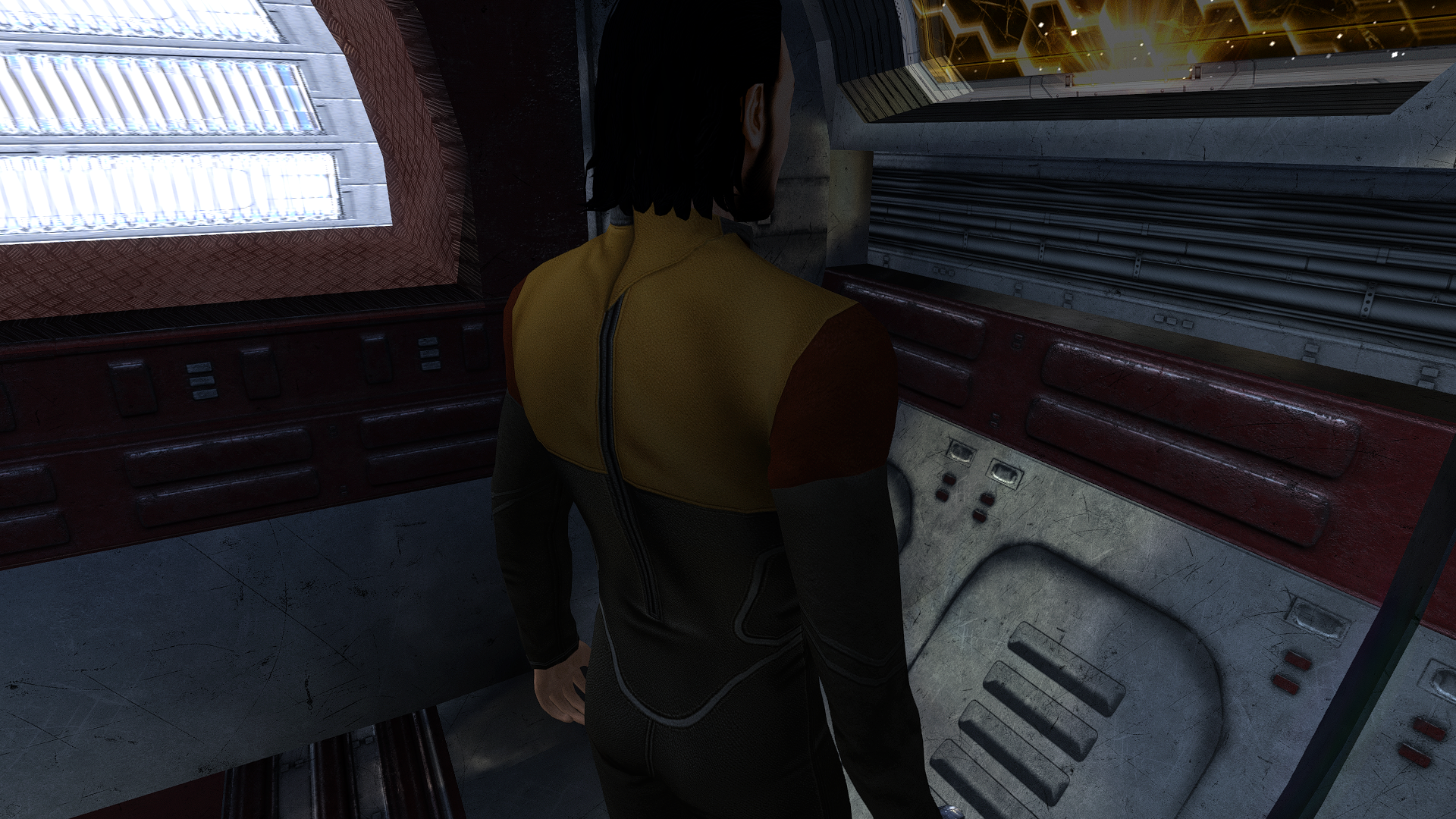
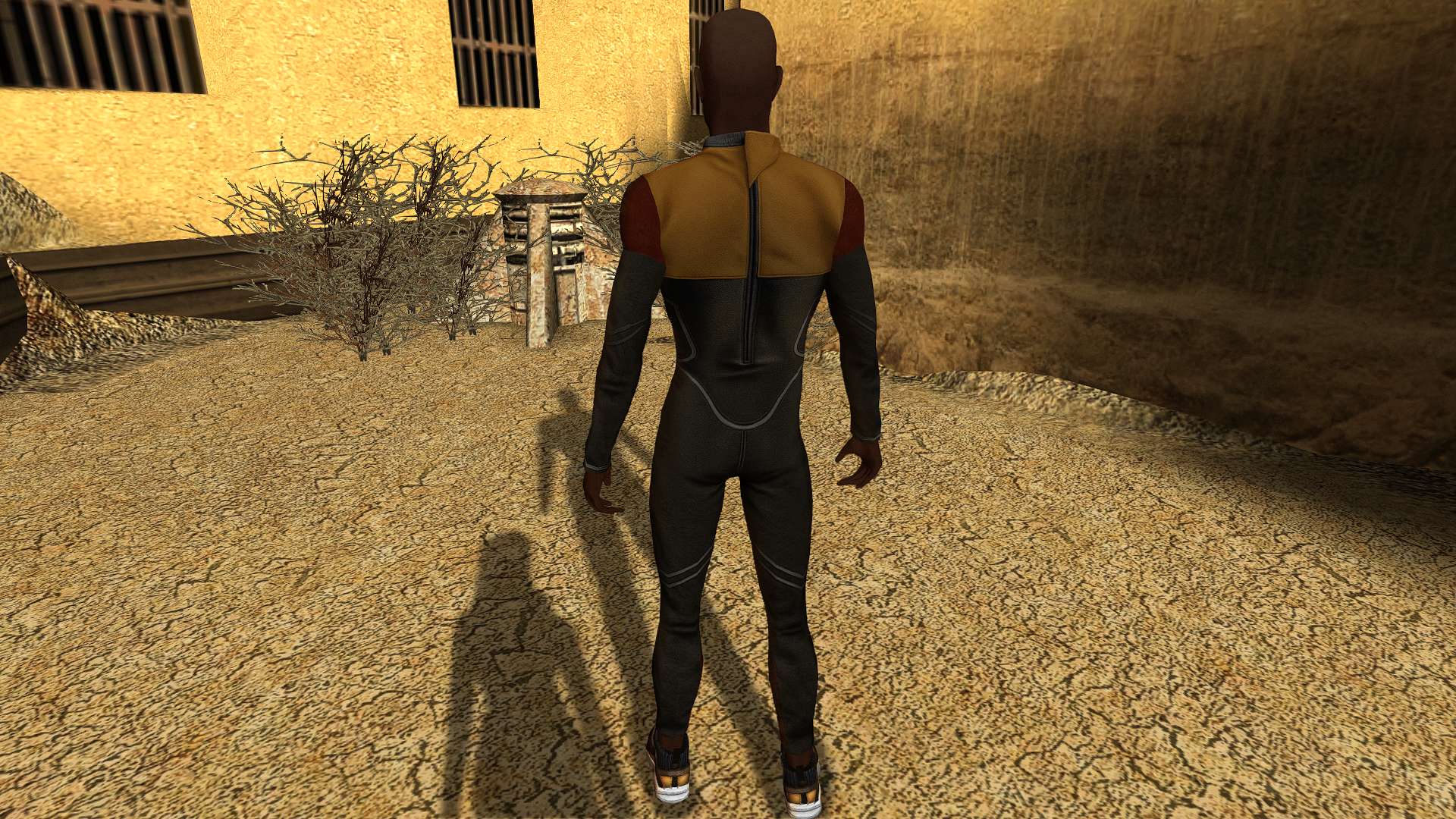
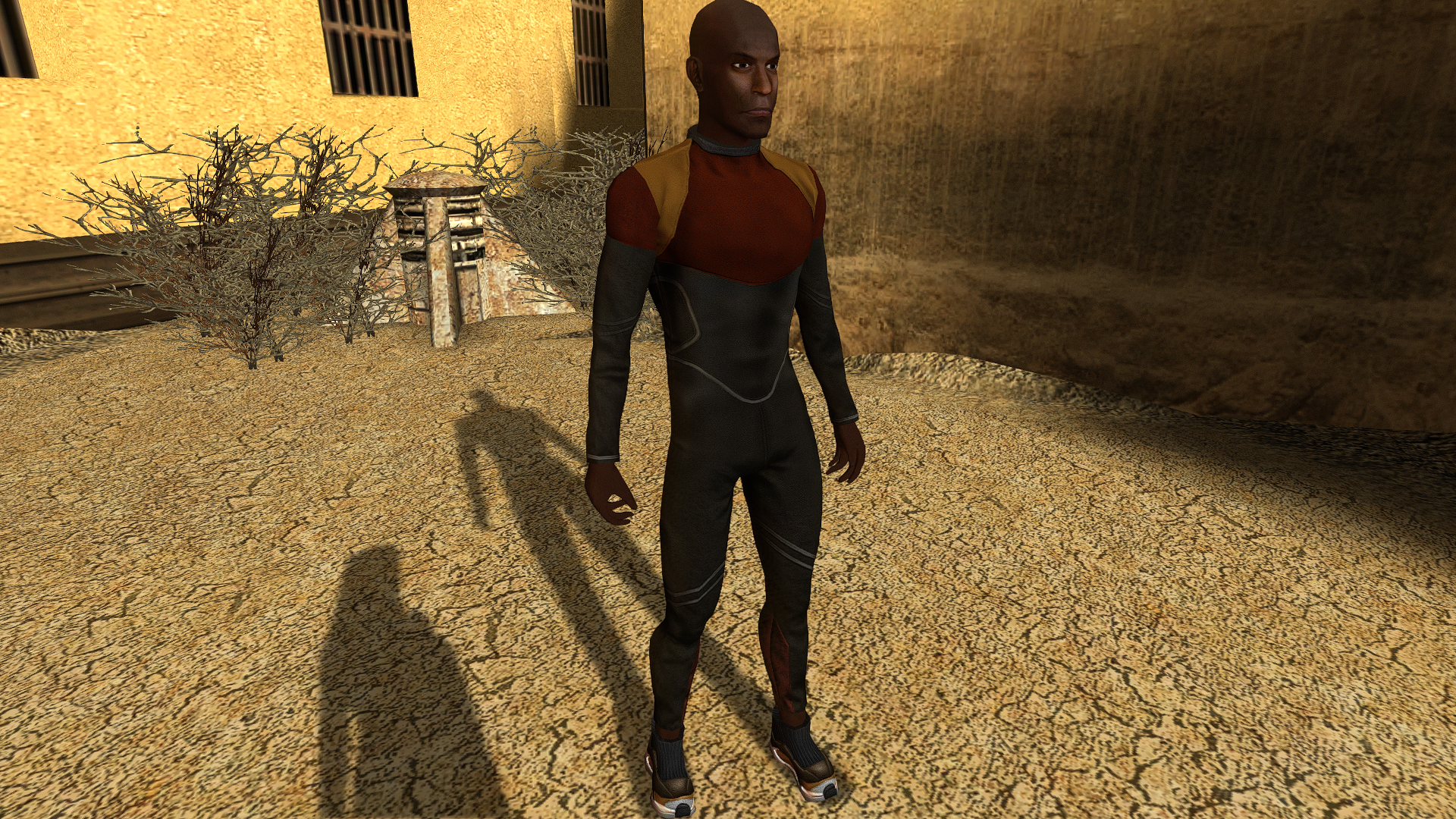
Scout's Underwear
-
Skeet1983 changed their profile photo
-
Hi guys. I recently got a new laptop and am wanting to play Kotor 2 again. I have the Steam version, and my native res is 2560*1600. Is there a way I can play Kotor 2 in my native res, with UI and other things not messed up? Help greatly appreciated
-
 chokladio joined the community
 -
So is this just an impossibility then?
-
It seems this mod is not compatible with BOSSR. Shadow is not present on the Ebon Hawk, instead a new copy of Bastila is spawned. Also removing the file for Bastila manually does not fix the issue. Bastila is not present anylonger. How ever Shadow does still not appear on board.
-
 manutelopo joined the community
 -
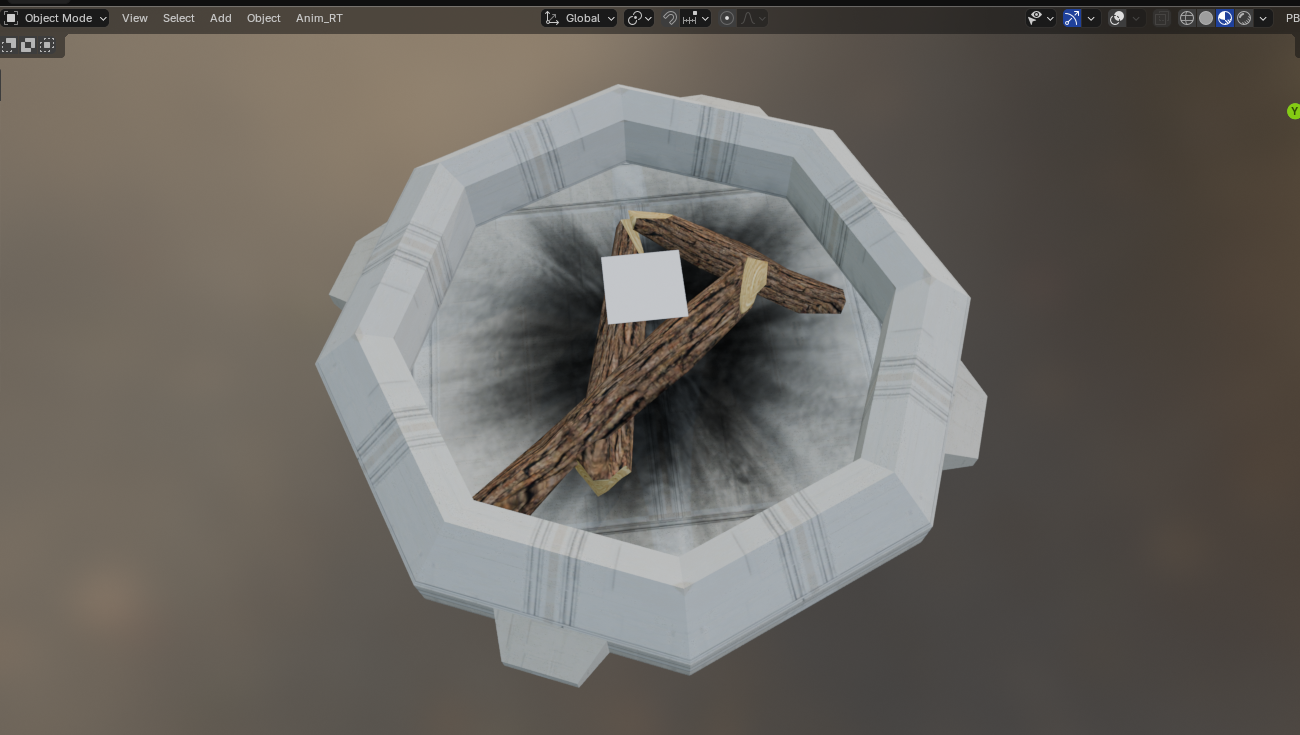
I did a small improvement or call it "fix" for a completely neglected prop. PLC_FirePit. The fire logs in Kotor 2 are using the same texture as the pit, since they didn't port over the necessary wood texture. I added my custom wood log texture and also some charred ground, since it looked too clean beneath the fire.
-
Synchro commented on this in the KOTOR Patch Manager channel in OpenKOTOR "Yeah, unfortunately for TSL the game itself reloads it's context when you load into a save from the main menu for the first time Tried to patch that out of the Linux port (since there were a couple of erroneous resets with the Aspyr release at least) but the best I could do was get rid of all but one"
-
 stormchasingjedi joined the community
 -
I'm not super knowledgable on how the modifications for this game work, but based on some more testing, I feel that whatever change fixed K1 is nested in either J's Scaled Kotor mod or the Alt Tab patch, as K2 has access to the other mods that I mentioned (Movies Patch and Borderless Fullscreen Patch) and is still not functioning. It's worth mentioning that K1 was broken using the old version of the mod builds (UniWS and HR Menus patches) but is fixed when using KPM and the above patches, so I'm fairly confident that it's one of the two that has fixed it. If part of that code could be implemented into a patch for K2 (maybe a rework of the widescreen implementation, maybe? Again, I'm not super savvy here so I will defer to someone with more knowledge and experience), I would be willing to bet that that would fix this issue. I want to clarify again, I am playing K1 in borderless fullscreen using OBS or Discord to stream the entire screen/display, and this allows perfect display of K1 using the KPM and Scaled Kotor. However, using this same method results in choppiness and reduced visibility for K2 unless the Borderless Fullscreen Patch is disabled and the game plays in a window, in which case the game is streamable.
-
 miralynnbelle joined the community
 -
 Stoney661 joined the community
 -
View File Extended Progression This is the mod you've all been waiting for. Designed using KPM patcher. The problem is simple; you can't level your character on Taris, because if you did, you would lose out on Jedi levels later. You can reach Dantooine at level 8 if you do everything on Taris... meaning you'll only ever get 12 levels of Jedi, because the level cap is a hard 20. This fixes that. Finally. Basically, instead of looking at your Character Level to determine if you can level up, this mod makes it so that the game looks at the Class Level. So you can be a level 8 Soldier... and still level to Jedi Guardian Class Level 20, for a total level of 28. This uses KPM's mapping system for levels past 20, which just continues curves already defined by vanilla behavior. It raises the level cap to 40, meaning you could theoretically reach level 20 in your original class and still level to 20 in your Jedi class as well. This also includes a fix for the old problem of not being able to back out of the level screen once you've pressed level up. And that's all in V1, Jedi Extended Progression. V2, Selectable Class Progression, takes it a step beyond that. After you gain your Jedi Class, you will from then on be asked which Class you want to level, up to level 20 for each of the two classes. It does this as minimally as possible, with a simple dialogue box that comes up after you press Level Up. I have included both options, in case people want to preserve a more vanilla feel. With V1 you can literally just play the game like normal, nothing at all changes until you eventually surpass Character Level 20. And nothing really changes then, except that you can keep levelling to Class Level 20. With V2 you could ignore being a Jedi entirely. The single level of Jedi you get on Dantooine is mandatory, but if you want to just keep levelling as a Soldier, Scout, or Scoundrel, you can. Up to level 20 in that Class. Note that you only need ONE of these files. (Coded with the assistance of AI; presented under the open source MIT license ) Requirements and Compatibilities: This installer requires the KOTOR Patch Manager (KMP) runtime. KOTOR Modern Restoration Project (KMRP) is supported and includes the required runtime, but KMRP itself is not technically required.... But seriously, you should be using it, it's incredible. Note that this should not be used alongside KMP's LevelUpLimit patch, as this modifies it for my purposes. Besides that, this should be pretty broadly compatible, as it only modifies Level Up initiation behavior. Safe to use in previous saves, should insert its functionality with no issue no matter where you are in the story. Recommended Installation: 1. Download and install KMRP. 2. Download this mod. 3. Run install.cmd. 4. Enjoy! (To uninstall, simply run uninstall.cmd) Advanced Installation: 1. Download the latest version of KPM. 2. Extract the folder, and in the resulting bin folder, run KPatchLauncher.exe 3. Use the options at the top to navigate to your swkotor folder, and the KPM folder called patches. 4. Download and install KMRP (You do not need to close KPM). 5. In KPM, select KMRP (and it's controller support, and any other patches you want except for the 4GB patch, save game memory leak, and Movie Patch, as they are included in or not compatible with KMRP; and LevelUpLimit as it is not compatible with this mod). 6. Click "Apply." 7. Download this mod. 8. Run install.cmd 9. ENJOY! Submitter BottomlessThought23 Submitted 10/15/2026 Category Mods K1R Compatible Yes
-
- 1
-

-
View File Adaptive Starter Locker This mod allows you to get your basic build online much earlier. Right at the beginning of the game, in fact. It hooks into the OnOpen function of the chest on the Endar Spire that you have to open at the beginning of the game as part of the tutorial. This chest normally contains some basic equipment related to your class, but it leaves a lot to be desired. This simply adds some basic rules: - If you have Two Weapon Fighting, you will find two Short Swords and Two Blasters in the chest (normally just one of each). - If you have Weapon Proficiency: Blaster Rifles, you will find a Blaster Rifle in the chest (which used to only be available to Soldiers). - If you have Weapon Proficiency: Heavy Weapons, you will find a Light Repeating Blaster in the chest (which is normally first reachable at a shop on Taris for 550 credits). - If you have Implants 1, you will find a Cardio Regulator in the chest. - Finally, with the optional Early Lightsaber Compatibility mod, if you have Weapon Proficiency: Lightsaber, you will find a Blue Lightsaber in the chest as well (I didn't fold this into the main mod, because most mods that give you Jedi levels from the start also handle giving you a lightsaber). Also, you may not have known this, I always forget, but if you start with at least 1 point in Stealth, you'll be given a Stealth Field Generator here as well. This is just vanilla behavior, that isn't modified here. Note that since this hooks into OnOpen, it doesn't check your proficiencies until it opens. Thus you can save beforehand and alter your proficiencies with KSE to get more or all of this. (Made with the assistance of AI; Presented under open source MIT license) Compatibility and Installation: This is a TSLpatcher mod, so it should have broad compatibility with basically everything. And installation is as easy as double-clicking the TSLpatcher.exe in the download and then using the prompt to find your "swkotor" game folder. Submitter BottomlessThought23 Submitted 10/15/2026 Category Mods K1R Compatible Yes
-
View File Sentinel Rebalance This mod makes the Sentinel much more powerful, while still remaining balanced through a lack of specific focus. +1 extra skill point per Sentinel level (the one thing that actually makes this class unique). Two extra feats at Sentinel levels 7 and 13 (Like the Guardian). Extra Force powers at Sentinel levels 7 and 15, for 23 total (two more than Guardian, two less than Consular). Sentinel can spend feats on Force Focus and Improved Force Focus, but is not granted them automatically (like a Consular is). Sentinel can spend feats on Force Jump and Advanced Force Jump, but is not granted them automatically (like a Guardian is). Master Force Focus and Master Force Jump remain exclusive to Consular and Guardian respectively. (Made with the assistance of AI; presented under the open source MIT license) Compatibility and Installation: This is a TSLpatcher mod, so it should have broad compatibility with basically everything. And installation is as easy as double-clicking the TSLpatcher.exe in the download and then using the prompt to find your "swkotor" game folder. Submitter BottomlessThought23 Submitted 10/15/2026 Category Mods K1R Compatible Yes
-
View File Really Repeating Blaster Attacks This replaces the old "heartbeat" style implementation of Repeating Blaster Attacks Restored (RBAR), and replaces it with a KPM-powered engine-based system. It hooks into the attack sequence itself... and simply increases the number of Main Attacks by 1, if you're holding a Repeating Blaster. That's it. No messy effects or anything. Stacks properly with Master Speed and Rapid Shot, for five full attacks per round with all of them stacked. (Made with the assistance of AI; presented under the open source MIT license) Requirements and Compatibilities: This installer requires the KOTOR Patch Manager (KPM) runtime. KOTOR Modern Restoration Project (KMRP) is supported and includes the required runtime, but KMRP itself is not technically required.... But seriously, you should be using it, it's incredible. Ironically, it actually should be compatible with the original RBAR. That old heartbeat system basically casts a hidden force power on the player that increments a different value... so these effects would actually stack, if you wanted Repeating Blasters to just be ridiculously good. lol But, of course, you'd fall into the old problems of it breaking on save/load and area transition, intermittently not working at all, and having a limited ability to stack with Master Force Speed. Really, the only thing this should be directly incompatible with is something that also hooks into the attack sequence engine-side. And I'm not aware of anything like that. Since it uses the old "if the weapon you're using is BaseID 23 or 24 trick" to determine if it's a Repeating Blaster, this should even have direct compatibility with mods that add new repeating blasters (unless they, for some reason, add them as an entirely new weapon type). Recommended Installation: 1. Download and install KMRP. 2. Download this mod. 3. Run install.cmd. 4. Enjoy! (To uninstall, simply run uninstall.cmd) Advanced Installation (with KMRP): 1. Download the latest version of KPM. Extract the files. 2. Download the .kpatch version of this mod, and place it in the patches folder. 2. In the bin folder, run KPatchLauncher.exe 3. Use the options at the top to navigate to your swkotor folder, and the KPM folder called patches. 4. Download and install KMRP (You do not need to close KPM). 5. In KPM, select this mod and KMRP (and it's controller support, and any other patches you want except for the 4GB patch, save game memory leak, and Movie Patch, as they are included in or not compatible with KMRP). 6. Click "Apply." 9. ENJOY! Submitter BottomlessThought23 Submitted 10/15/2026 Category Mods K1R Compatible Yes
-
View File Smart Auto Level Vanilla auto-levelling and recommendations... aren't great. The game doesn't make good choices, and late-game characters that have used them extensively are just simply worse than characters levelled by hand. This doesn't aim to perfectly min-max every character. What it does aim to do is take into account their strengths and focus on those. But the heuristic is a little bit smarter than "has good STR so increase STR and get Melee Weapons stuff." In fact, if you auto-level Canderous, you'll find that he moves towards Heavy Ranged weapons over time, increasing his Dex and getting the proper ranged specializations. This is because of the character's feats that point in that direction (you won't find any "Character = Canderous thus Heavy Ranged" code in here, it builds this all from the character as they exist). Trying it out on my player character, I actually ended up with something pretty close to the build I usually use. (Made with the assistance of AI; presented under the open source MIT license) Requirements and Compatibilities: This installer requires the KOTOR Patch Manager (KMP) runtime. KOTOR Modern Restoration Project (KMRP) is supported and includes the required runtime, but KMRP itself is not technically required.... But seriously, you should be using it, it's incredible. This completely bypasses the vanilla recommendation system, and does not modify any .2da files. It is compatible with mods that modify the starting state of characters, or modify the amount of skills, feats, or powers that Classes get (I'm using it with Companion Fix). It is compatible with mods that reuse vanilla feats in other classes, and mods that change level requirements for feats. It has basic detection for feats and powers that are added to to the game, but they aren't weighted intelligently in the system and just fall towards the bottom of the list, unless I design specific compatibility for them. So far I've only built in compatibility for the mods below (just the one so far, but I welcome requests): - K2 Powers for K1 Recommended Installation: 1. Download and install KMRP. 2. Download this mod. 3. Run install.cmd. 4. Enjoy! (To uninstall, simply run uninstall.cmd) Advanced Installation (with KMRP): 1. Download the latest version of KPM. Extract the files. 2. Download the .kpatch version of this mod, and place it in the patches folder. 2. In the bin folder, run KPatchLauncher.exe 3. Use the options at the top to navigate to your swkotor folder, and the KPM folder called patches. 4. Download and install KMRP (You do not need to close KPM). 5. In KPM, select this mod and KMRP (and it's controller support, and any other patches you want except for the 4GB patch, save game memory leak, and Movie Patch, as they are included in or not compatible with KMRP). 6. Click "Apply." 9. ENJOY! Submitter BottomlessThought23 Submitted 10/15/2026 Category Mods K1R Compatible Yes
-
 Do they not work together? It looks like that mod replaces party member clothing.
 -

Effixian's Qel-Droma Robes Reskin for JC's Cloaked Jedi Robes
sombertownDS commented on Effix's file in Mods
damn, there's no good qel-droma robe replacer that doesn't effect the basic robes I guess -
Does it not work with it?
-
Effixian's Qel-Droma Robes Reskin for JC's Cloaked Jedi Robes
sombertownDS commented on Effix's file in Mods
Is there any way that this could be made to work without the prerequisite, or without it replacing the robes, so I could use "Unique Party Robes" with this? -
 LuaLeon33 joined the community
 -

Please drop any Lightsaber hilt mods you have created here
shyskeletonn replied to Untold Prophecy's topic in Mod Requests
I know I'm extremely late but could I get these please? Could i get them? really cool -
 dangelsonicoc joined the community
 - Last week
-
 BottomlessThought23 changed their profile photo
 -
Version 1.0.0
3 downloads
This mod allows you to get your basic build online much earlier. Right at the beginning of the game, in fact. It hooks into the OnOpen function of the chest on the Endar Spire that you have to open at the beginning of the game as part of the tutorial. This chest normally contains some basic equipment related to your class, but it leaves a lot to be desired. This simply adds some basic rules: - If you have Two Weapon Fighting, you will find two Short Swords and Two Blasters in the chest (normally just one of each). - If you have Weapon Proficiency: Blaster Rifles, you will find a Blaster Rifle in the chest (which used to only be available to Soldiers). - If you have Weapon Proficiency: Heavy Weapons, you will find a Light Repeating Blaster in the chest (which is normally first reachable at a shop on Taris for 550 credits). - If you have Implants 1, you will find a Cardio Regulator in the chest. - Finally, with the optional Early Lightsaber Compatibility mod, if you have Weapon Proficiency: Lightsaber, you will find a Blue Lightsaber in the chest as well (I didn't fold this into the main mod, because most mods that give you Jedi levels from the start also handle giving you a lightsaber). Also, you may not have known this, I always forget, but if you start with at least 1 point in Stealth, you'll be given a Stealth Field Generator here as well. This is just vanilla behavior, that isn't modified here. Note that since this hooks into OnOpen, it doesn't check your proficiencies until it opens. Thus you can save beforehand and alter your proficiencies with KSE to get more or all of this. (Made with the assistance of AI; Presented under open source MIT license) Compatibility and Installation: This is a TSLpatcher mod, so it should have broad compatibility with basically everything. And installation is as easy as double-clicking the TSLpatcher.exe in the download and then using the prompt to find your "swkotor" game folder. -
Version 1.0.0
3 downloads
This mod makes the Sentinel much more powerful, while still remaining balanced through a lack of specific focus. +1 extra skill point per Sentinel level (the one thing that actually makes this class unique). Two extra feats at Sentinel levels 7 and 13 (Like the Guardian). Extra Force powers at Sentinel levels 7 and 15, for 23 total (two more than Guardian, two less than Consular). Sentinel can spend feats on Force Focus and Improved Force Focus, but is not granted them automatically (like a Consular is). Sentinel can spend feats on Force Jump and Advanced Force Jump, but is not granted them automatically (like a Guardian is). Master Force Focus and Master Force Jump remain exclusive to Consular and Guardian respectively. (Made with the assistance of AI; presented under the open source MIT license) Compatibility and Installation: This is a TSLpatcher mod, so it should have broad compatibility with basically everything. And installation is as easy as double-clicking the TSLpatcher.exe in the download and then using the prompt to find your "swkotor" game folder. -
Version 1.0.0
0 downloads
This replaces the old "heartbeat" style implementation of Repeating Blaster Attacks Restored (RBAR), and replaces it with a KPM-powered engine-based system. It hooks into the attack sequence itself... and simply increases the number of Main Attacks by 1, if you're holding a Repeating Blaster. That's it. No messy effects or anything. Stacks properly with Master Speed and Rapid Shot, for five full attacks per round with all of them stacked. (Made with the assistance of AI; presented under the open source MIT license) Requirements and Compatibilities: This installer requires the KOTOR Patch Manager (KPM) runtime. KOTOR Modern Restoration Project (KMRP) is supported and includes the required runtime, but KMRP itself is not technically required.... But seriously, you should be using it, it's incredible. Ironically, it actually should be compatible with the original RBAR. That old heartbeat system basically casts a hidden force power on the player that increments a different value... so these effects would actually stack, if you wanted Repeating Blasters to just be ridiculously good. lol But, of course, you'd fall into the old problems of it breaking on save/load and area transition, intermittently not working at all, and having a limited ability to stack with Master Force Speed. Really, the only thing this should be directly incompatible with is something that also hooks into the attack sequence engine-side. And I'm not aware of anything like that. Since it uses the old "if the weapon you're using is BaseID 23 or 24 trick" to determine if it's a Repeating Blaster, this should even have direct compatibility with mods that add new repeating blasters (unless they, for some reason, add them as an entirely new weapon type). Recommended Installation: 1. Download and install KMRP. 2. Download this mod. 3. Run install.cmd. 4. Enjoy! (To uninstall, simply run uninstall.cmd) Advanced Installation (with KMRP): 1. Download the latest version of KPM. Extract the files. 2. Download the .kpatch version of this mod, and place it in the patches folder. 2. In the bin folder, run KPatchLauncher.exe 3. Use the options at the top to navigate to your swkotor folder, and the KPM folder called patches. 4. Download and install KMRP (You do not need to close KPM). 5. In KPM, select this mod and KMRP (and it's controller support, and any other patches you want except for the 4GB patch, save game memory leak, and Movie Patch, as they are included in or not compatible with KMRP). 6. Click "Apply." 9. ENJOY! -
Version 1.0.0
11 downloads
This is the mod you've all been waiting for. Designed using KPM patcher. The problem is simple; you can't level your character on Taris, because if you did, you would lose out on Jedi levels later. You can reach Dantooine at level 8 if you do everything on Taris... meaning you'll only ever get 12 levels of Jedi, because the level cap is a hard 20. This fixes that. Finally. Basically, instead of looking at your Character Level to determine if you can level up, this mod makes it so that the game looks at the Class Level. So you can be a level 8 Soldier... and still level to Jedi Guardian Class Level 20, for a total level of 28. This uses KPM's mapping system for levels past 20, which just continues curves already defined by vanilla behavior. It raises the level cap to 40, meaning you could theoretically reach level 20 in your original class and still level to 20 in your Jedi class as well. This also includes a fix for the old problem of not being able to back out of the level screen once you've pressed level up. And that's all in V1, Jedi Extended Progression. V2, Selectable Class Progression, takes it a step beyond that. After you gain your Jedi Class, you will from then on be asked which Class you want to level, up to level 20 for each of the two classes. It does this as minimally as possible, with a simple dialogue box that comes up after you press Level Up. I have included both options, in case people want to preserve a more vanilla feel. With V1 you can literally just play the game like normal, nothing at all changes until you eventually surpass Character Level 20. And nothing really changes then, except that you can keep levelling to Class Level 20. With V2 you could ignore being a Jedi entirely. The single level of Jedi you get on Dantooine is mandatory, but if you want to just keep levelling as a Soldier, Scout, or Scoundrel, you can. Up to level 20 in that Class. Note that you only need ONE of these files. (Coded with the assistance of AI; presented under the open source MIT license ) Requirements and Compatibilities: This installer requires the KOTOR Patch Manager (KMP) runtime. KOTOR Modern Restoration Project (KMRP) is supported and includes the required runtime, but KMRP itself is not technically required.... But seriously, you should be using it, it's incredible. Note that this should not be used alongside KMP's LevelUpLimit patch, as this modifies it for my purposes. Besides that, this should be pretty broadly compatible, as it only modifies Level Up initiation behavior. Safe to use in previous saves, should insert its functionality with no issue no matter where you are in the story. Recommended Installation: 1. Download and install KMRP. 2. Download this mod. 3. Run install.cmd. 4. Enjoy! (To uninstall, simply run uninstall.cmd) Advanced Installation: 1. Download the latest version of KPM. 2. Extract the folder, and in the resulting bin folder, run KPatchLauncher.exe 3. Use the options at the top to navigate to your swkotor folder, and the KPM folder called patches. 4. Download and install KMRP (You do not need to close KPM). 5. In KPM, select KMRP (and it's controller support, and any other patches you want except for the 4GB patch, save game memory leak, and Movie Patch, as they are included in or not compatible with KMRP; and LevelUpLimit as it is not compatible with this mod). 6. Click "Apply." 7. Download this mod. 8. Run install.cmd 9. ENJOY!