All Activity
- Past hour
-
 Pelahu joined the community
 -
 TrikGallen joined the community
 -
 Alchemaic joined the community
 -
 NoraP joined the community
 - Today
-
 CountLlama joined the community
 -
 Waknafee joined the community
 -
 It shouldn't be incompatible with Sleheyron Story Mode as the head developer, SAO, tries to make it compatible with RC-K1CP. Of course, there have been historic problems in the past which has made it incompatible with RC-K1CP, though in those instances those incompatibilities where due to the unforeseen bugs which later got patched. For Sleheyron Story Mode, I would recommend asking the Sleheyron Story Mode devs themselves as they're the ones responsible for compatibility with RC-K1CP. The latest patch fixes an RC-K1CP incompatibility but if you were to, for whatever reason, discover a new incompatibility you would have to report that to SAO on the Sleheyron Story Mode page. Whilst I do agree that BOSSR is an amazing mod, it's simply too big and too old of a mod for me to worry about compatibility wise, this is the same philosophy as the K1CP devs as well so it's possible it might not even be compatible with K1CP and if it was it's purely by coincidence and not by design. That would depend on exactly what it is you want to see and how complex that bit of restored content is. For the longest time people wanted the Echani in RC-K1CP and they have since been added, in terms of very possible restorations the Iriaz and Outcast Children are my top priority for this mod. Long term, the Pazaak Tournament will be added as I have received permission from Fair Strides to port it from K1R into RC-K1CP. The RC-K1CP's version of the Pazaak Tournament shall be different from K1R's version and The_Chaser_One's version. As The_Chaser_One here is a Sleheyron Story Mode dev, I would trust his advice on both BOSSR and Sleheyron Story Mode compatibility with RC-K1CP.
- 90 comments
-
- 1
-

-
- cut content
- restorati
- (and 3 more)
-
 Devroc joined the community
 -
For the first question, I can already tell you RC-K1CP is compatible with Sleheyron as long as you do K1CP -> RC-K1CP -> Sleheyron. You can also do K1CP -> Sleheyron -> RC-K1CP which would be fine. BOSSR however... That mod is unfortunately basically incompatible with anything because of the high number of new placeables and stuff thrown in the Override folder. I advise that you do your playthrough with K1CP / RC-K1CP / Sleheyron and then make a new installation with BOSSR only and play from the given save game so you have a nice playing experience with no technical issues.
-
 C0debreakerZer0 joined the community
 -

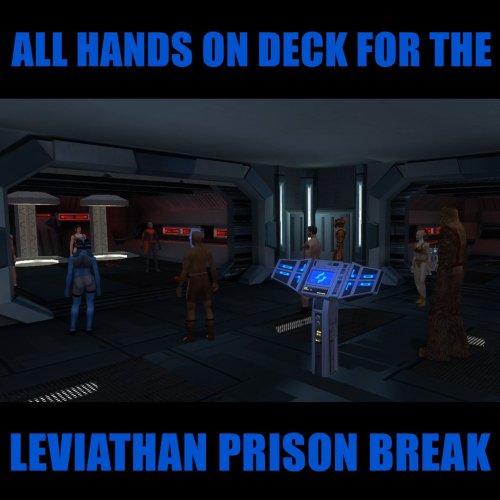
All Hands on Deck for the Leviathan Prison Break
RevanIsSigma commented on DarthParametric's file in Mods
 Mods in the order they were installed: KOTOR Dialogue Fixes Character Startup Changes JC's Minor Fixes Ajunta Pall Appearance KOTOR Community Patch Droid Claw Fix Ported VO Replacements Ultimate Korriban Ultimate Kashyyyk Ultimate Tatooine Ultimate Dantooine Ultimate Endar Spire + Ultimate Manaan Ultimate Taris Ultimate Character Overhaul Ultimate Unknown World Korriban Sith Art Duncan on Manaan Consistent Conditioning HD Pazaak Cards HD PC Portraits PFHB02 Eye Fix High-Poly Grenades HD Gizka Gammorean Reskin Pack War Droids HD HD Cleaning Droids HD Jawas HD Sand People Better Twi'lek Heads HD Twi'lek Females Thigh-High Boots for Twi'lek Shaleena/Lashowe Mouth Fix HD Darth Malak CineMalak Detran's Darth Revan Darth Bandon HD HD Vrook HD UI Elements Male NPC Clothing Juhani Appearance Overhaul Juhani Cathar Head Korriban: Back in Black Cloaked Jedi Robes Cloaks with Shadows Qel-Droma Reskin Quanon's HK-47 HD Sign Placeable HD Kiosk HD Desk HD Escape Pod HD Weapon Placeables K2 Swoops to K1 HD Stun Batons Unique Sith Governor HD Ithorians HD Duros HD Davik HD Doctors HD Deadeye Duncan N_oldAMH01 HD HD Astromech Droids HD Protocol Droids Davik's Trophies HD Carth Onasi HD Canderous Ordo Quanon's Canderous Jolee HD Fen's Jolee Zaalbar HD Sith Uniform Reformation Revised Stylized Portraits Star Map Revamp Background Improvements Kebla Yurt Renovation Hi-Res Ebon Hawk Ebon Hawk Repairs HQ Cockpit Skyboxes Yavin Station Hangar Ebon Hawk Cockpit Upgrade I Ebon Hawk Cockpit Upgrade II High Quality Starfields HQ Skyboxes II Ebon Hawk Transparent Cockpit Windows Hires Beam Effects Animated Energy Shields Animated Cantina Sign Revamped FX Terminal Texture HD Workbench Animated Swoop Monitors Loadscreens in Color Reflective Lightsaber Blades Darth Malak's Lightsaber Blaster Visual Effects Wookiee Warblade Fix Kill The Czerka Guard Senni Vek Mod Male Twi'lek Diversity Ixgil the Bith Hidden Bek Control Room Jedi Choice Dialogue Enhancement Juhani Restoration Vision Enhancement New Leviathan Dialogue Camera Replacement HD Grenades & Mines Turret Minigame Remover Tutorial Remover Leviathan Prison Break Ain't No Air in Space Party Conversations on the Ebon Hawk Dark Sacrifice Sunry Enhancement Davik Slave Change Recruit T3-M4 Early Security Spikes for K1 HQ Blasters Crashed Republic Cruiser Trandoshans Rescaled Custom Selkath Animation Bastila Has TSL Battle Meditation Improved Cantina Sitters Helena Shan Improvement Bastila's Dark Bodysuit Dueling Arena Adjustment Bendak Non-Darkside Option Kashyyyk Forcefield Rework Swoop Platform Repair Engine Lab Bench Missing Lamps Fix Czerka Business Attire Diversified Republic Soldiers Diversified Jedi Captives Juhani Romance Enhancement Dodonna's Transmission Endgame Hologram Fix Twisted Rancor Trio Fix Rakatan Hologram Fix Ending Enhancement Elder Droid Unique VO JC's Mandalorian Armor HQ Gaffi Stick HD Quarterstaffs Training Lightsabers Logical Datapads Realistic Visual Effects NPC Alignment Fix Ultimate Character Overhaul Patches Republic Soldier Fix Republic Soldier's New Shade Character Textures & Model Fixes Turret Cockpit Widescreen HR Menus Galaxy Map Fix HD UI Menu Pack Workbench Camera Tweak Pretty Good! Icons Robe Icons for JC's Cloaked Robes Upscaled Computer Widescreen Fade Fix Main Menu Widescreen Fix i am also providing placeables.2da i also found a file placeableobjsnds.2da in override is that expected placeables.2da
 -
 ugo joined the community
 -
 Gabag joined the community
 -
I'm looking into installing this mod. Is there any reason to believe that it would be incompatible with the new Sleheyron release, or with Brotherhood of Shadow? Different questions, of course. I'm wondering, too -- if you're able to disclose -- roughly in what order any remaining content which is restored in K1R is planned for this mod. I'm about to start up a new playthrough, so I'd love to learn more about the progress of this project. Thank you for the fantastic work so far.
-
 Hm I'm making a full expansion of the game with HT, so... it's not a "complete mess" (at least the version I have), even though it's not perfect. I agree that new tools is a good thing when it brings improvements to the former ones however. But personally I don't see a problem with ChangeEdit either especially for 2DAs. It worked alright for Sleheyron, which is quite a feat.
 -
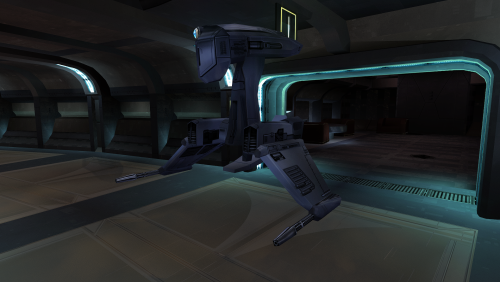 another work of art
 -

All Hands on Deck for the Leviathan Prison Break
DarthParametric commented on DarthParametric's file in Mods
You broke placeables.2da by the looks. The cage is a vanilla placeable, the mod doesn't add any. Attach the placeables.2da from your Override folder. Alternatively, some other mod overwrote my mod's script/s, which seems less likely but isn't out of the question. Post your mod list in the order you installed them. -
I am wondering why you didn't include the texture's TXI file with it. If anyone else needs it, here you go. C_DrdSentry01.txi
-
.thumb.png.f28748a2e0f97c4bd2e46a90e24ee84e.png) Does this mod give Griff a Czerka Uniform? A Twi'lek identical to him appears on Sleheyron wearing one that isn't supposed to. @SAO1138 suggested that this mod may be the cause if it alters Griff's appearance.
Does this mod give Griff a Czerka Uniform? A Twi'lek identical to him appears on Sleheyron wearing one that isn't supposed to. @SAO1138 suggested that this mod may be the cause if it alters Griff's appearance. - Yesterday
-
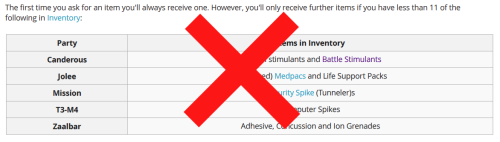
View File Less Annoying Freebies Removes inventory quantity check from free companion items, and makes companions give the items in bulk, instead of one at a time. Description Canderous, Jolee, Mission, T3-M4, and Zaalbar can all give you a selection of free items throughout the game. The way this works is obfuscated from the player, but with some trial and error, it becomes obvious that the system is rather poorly thought out, and encourages extremely degenerate gameplay to exploit it. After first boarding the Ebon Hawk, each of the companions can give up to 10 items (11 in the case of Canderous, Mission, and T3 for some reason). Every time a Star Map is found, this number increases by 20, up to 110 (or 111) items in total. However, if you have more than 10 of the appropriate items, you can also not receive an item. This can be circumvented by dumping the items into a container, or selling them, and talking to the companion again. This extremely annoying. This mod removes the check for the having too many of the given item already in the party inventory. This mean you will no longer have to dump your inventory items in a container to maximize the amount of items you receive. This does not change the total or type of items, it just removes the busywork required to get them. This mod also makes the companions give all of their items in bulk, instead of one at a time. Previously, you only received one item, and would have to repeatedly speak to the companion and ask them for items, until they refused you, to know that you had reached the item limit. This represents 553 conversations of wasted time (not including the conversation where the companions refuse to give you the items). It is now much faster to actually get these items. Canderous has special dialogue based on which items he gives you. He will still play that line, but as he now gives you multiple items as random, this line doesn't actually reflect anything. Similarly the player will still ask for one item, and the companions will respond as if one item was given. I will not be changing that, this is just a convenience mod. There are optional files available to make Zaalbar and Canderous choose a single item type at random, and give only items of that type, instead of randomly choosing which item type to give for each individual item, leading to a relatively even variety. Canderous was originally going to give Battle Stims, in addition to the Adrenals he gives in the vanilla game, and by default he still checked to see if the player had Battle Stims in there inventory when determining whether they were eligible to receive Adrenals. There is an optional file to restore this Battle Stim functionality, making Canderous randomly give Battle Stims in addition to Adrenals. This will not work with the Single Item Type optional, as Canderous' dialogue is not setup to support it. Install/Uninstall Copy the contents of the 0 - Install folder to your game folder. You can copy the contents of one of the 1 - Canderous **** optional folders, if you want that functionality. You can only choose 1 of these You can copy the contents of the 2 - Zaalbar Single Type Items if you want that functionality. Compatibility Will be compatible with all mods that don't make edits to the companion item distribution system. This mod doesn't edit any dialogue, only the underlying scripts. Recommended Mods KotOR 1 Community Patch is strongly recommended. Special Thanks/Acknowledgements KOTOR Tool – Fred Tetra DeNCS – JdNoa & Dashus DLGEditor – tk102 K-GFF – tk102 TSL Patcher – stoffe KotOR Scripting Tool - Blue Holocron Toolset– Cortisol & th3w1zard1 Mirrors Nexus ModPub Other Links Nexus ModPub Deadlystream YouTube Twitch Discord Twitter darth@darthbdaman.com Less Annoying Freebies by darthbdaman is a trivial modification and does not have a copyright license Submitter darthbdaman Submitted 07/07/2026 Category Mods K1R Compatible Yes
-
Version 1.0.0
3 downloads
Removes inventory quantity check from free companion items, and makes companions give the items in bulk, instead of one at a time. Description Canderous, Jolee, Mission, T3-M4, and Zaalbar can all give you a selection of free items throughout the game. The way this works is obfuscated from the player, but with some trial and error, it becomes obvious that the system is rather poorly thought out, and encourages extremely degenerate gameplay to exploit it. After first boarding the Ebon Hawk, each of the companions can give up to 10 items (11 in the case of Canderous, Mission, and T3 for some reason). Every time a Star Map is found, this number increases by 20, up to 110 (or 111) items in total. However, if you have more than 10 of the appropriate items, you can also not receive an item. This can be circumvented by dumping the items into a container, or selling them, and talking to the companion again. This extremely annoying. This mod removes the check for the having too many of the given item already in the party inventory. This mean you will no longer have to dump your inventory items in a container to maximize the amount of items you receive. This does not change the total or type of items, it just removes the busywork required to get them. This mod also makes the companions give all of their items in bulk, instead of one at a time. Previously, you only received one item, and would have to repeatedly speak to the companion and ask them for items, until they refused you, to know that you had reached the item limit. This represents 553 conversations of wasted time (not including the conversation where the companions refuse to give you the items). It is now much faster to actually get these items. Canderous has special dialogue based on which items he gives you. He will still play that line, but as he now gives you multiple items as random, this line doesn't actually reflect anything. Similarly the player will still ask for one item, and the companions will respond as if one item was given. I will not be changing that, this is just a convenience mod. There are optional files available to make Zaalbar and Canderous choose a single item type at random, and give only items of that type, instead of randomly choosing which item type to give for each individual item, leading to a relatively even variety. Canderous was originally going to give Battle Stims, in addition to the Adrenals he gives in the vanilla game, and by default he still checked to see if the player had Battle Stims in there inventory when determining whether they were eligible to receive Adrenals. There is an optional file to restore this Battle Stim functionality, making Canderous randomly give Battle Stims in addition to Adrenals. This will not work with the Single Item Type optional, as Canderous' dialogue is not setup to support it. Install/Uninstall Copy the contents of the 0 - Install folder to your game folder. You can copy the contents of one of the 1 - Canderous **** optional folders, if you want that functionality. You can only choose 1 of these You can copy the contents of the 2 - Zaalbar Single Type Items if you want that functionality. Compatibility Will be compatible with all mods that don't make edits to the companion item distribution system. This mod doesn't edit any dialogue, only the underlying scripts. Recommended Mods KotOR 1 Community Patch is strongly recommended. Special Thanks/Acknowledgements KOTOR Tool – Fred Tetra DeNCS – JdNoa & Dashus DLGEditor – tk102 K-GFF – tk102 TSL Patcher – stoffe KotOR Scripting Tool - Blue Holocron Toolset– Cortisol & th3w1zard1 Mirrors Nexus ModPub Other Links Nexus ModPub Deadlystream YouTube Twitch Discord Twitter darth@darthbdaman.com Less Annoying Freebies by darthbdaman is a trivial modification and does not have a copyright license -
All Hands on Deck for the Leviathan Prison Break
RevanIsSigma commented on DarthParametric's file in Mods
Hello I have installed the mod using holopatcher v1.5.2 and everything is working as expected, except for the main character's force cage which is bugged out .Any idea what might have caused this . no error was reported during installation and the mods I am using are all of the Kotor 1 full modlist mods except the ones marked as mechanics change -
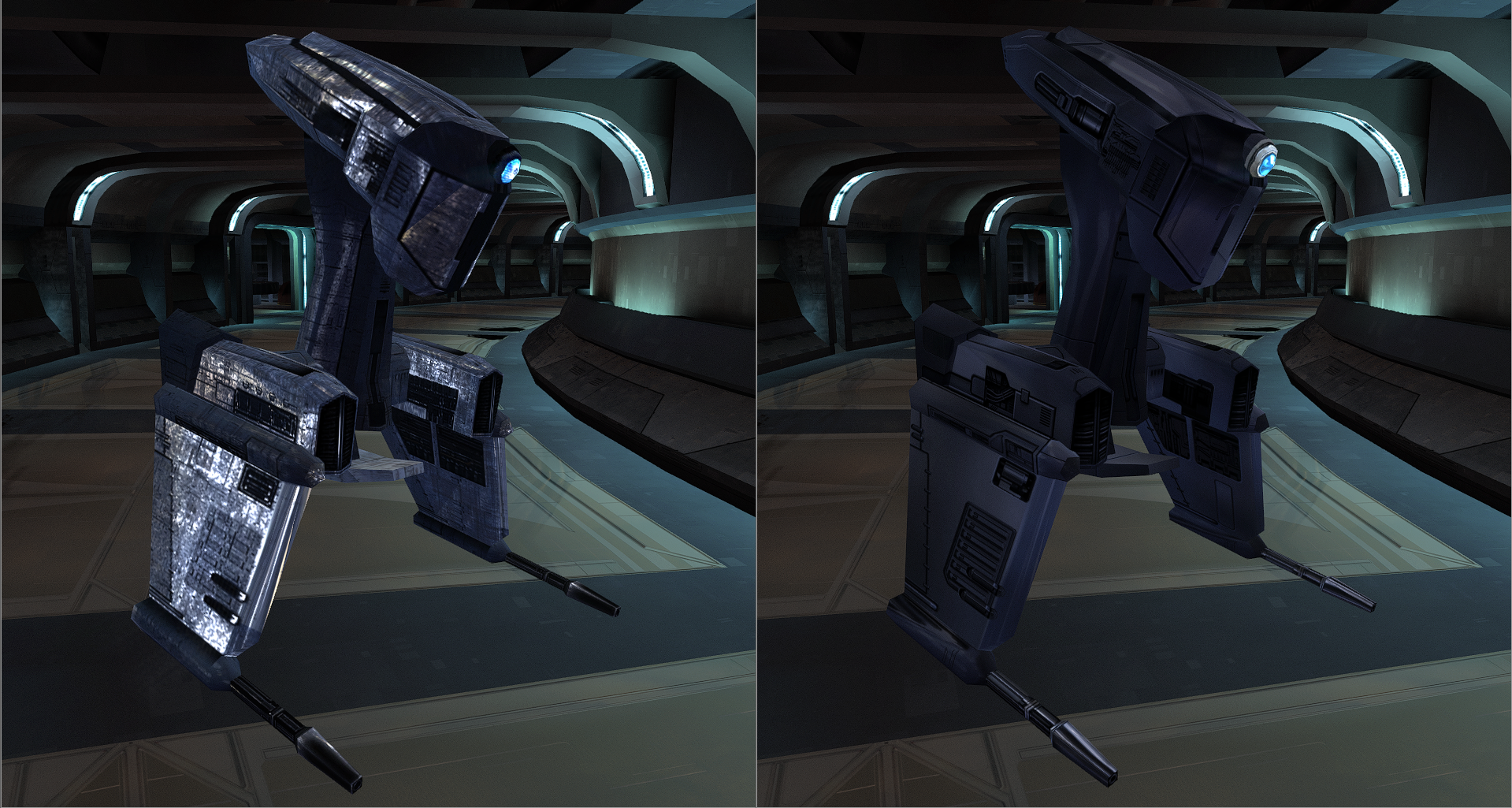
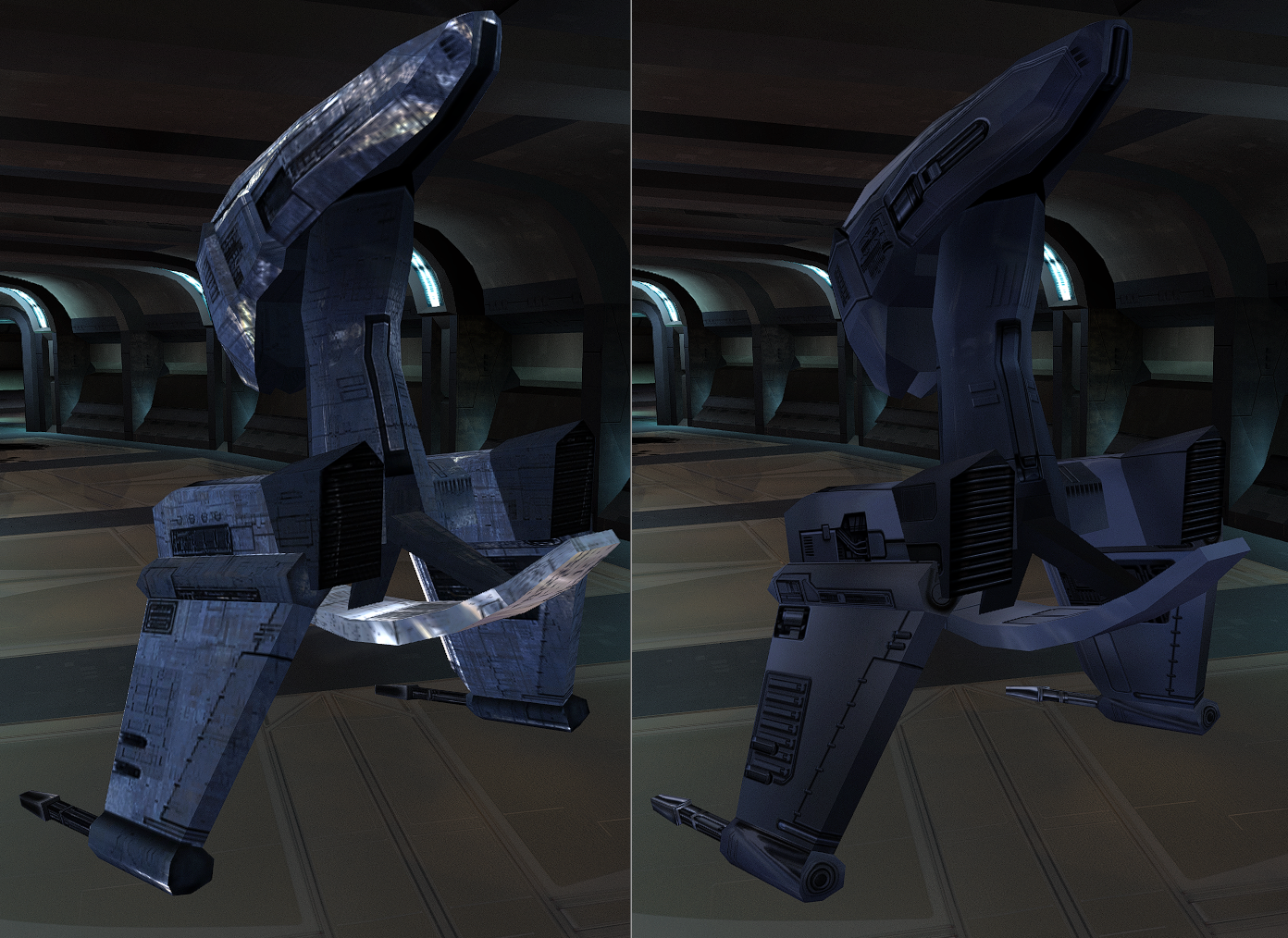
View File Sentry droid This mod will replace and update texture files. To Install 1. Download: C_DrdSentry01.tga 2. Copy all files to the Knights of the Old republic's Override folder. (Example location - C:\Program Files (x86)\Steam\steamapps\common\swkotor\Override) 3. When/if prompted to overwrite files, press okay. 4. If you like the mod; leave a comment or endorse! (It would be much appreciated) Made with love Submitter Dark Hope Submitted 07/07/2026 Category Mods K1R Compatible Yes
-
View File NeoSSF - A Simple Modern SSF Editor NeoSSF opens and saves the three SSF layouts currently used by the supported games: - KotOR / KotOR II `SSF V1.1` StrRef-only tables. - Neverwinter Nights / NWN EE `SSF V1.0` sound ResRef + StrRef tables with 16-byte sound ResRefs. - Neverwinter Nights 2 /NWN2 EE `SSF V1.1` sound ResRef + StrRef tables with 32-byte sound ResRefs. Loading a TLK is optional. Without a TLK, StrRefs remain editable as numbers and NWN/NWN2 direct `SoundFile` ResRefs remain visible and editable. Loading a TLK only fills the preview text/sound columns. Submitter Vriff Submitted 07/07/2026 Category Modding Tools
-
Love the sentry droid! The link doesn't work at the moment but I guess it's because the upload isn't yet approved?
-
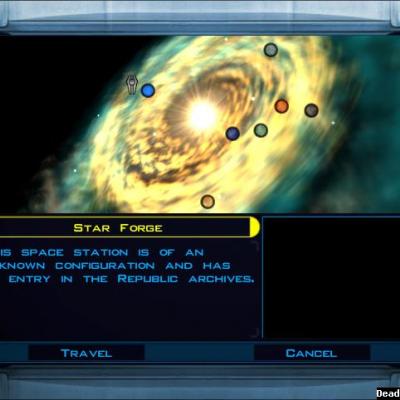 Now that Sleheyron Story Mode's been released, will you update this to include that planet?
 -
Version 1.0.0
16 downloads
This mod will replace and update texture files. To Install 1. Download: C_DrdSentry01.tga 2. Copy all files to the Knights of the Old republic's Override folder. (Example location - C:\Program Files (x86)\Steam\steamapps\common\swkotor\Override) 3. When/if prompted to overwrite files, press okay. 4. If you like the mod; leave a comment or endorse! (It would be much appreciated) Made with love -
Version 1.0.0
2 downloads
NeoSSF opens and saves the three SSF layouts currently used by the supported games: - KotOR / KotOR II `SSF V1.1` StrRef-only tables. - Neverwinter Nights / NWN EE `SSF V1.0` sound ResRef + StrRef tables with 16-byte sound ResRefs. - Neverwinter Nights 2 /NWN2 EE `SSF V1.1` sound ResRef + StrRef tables with 32-byte sound ResRefs. Loading a TLK is optional. Without a TLK, StrRefs remain editable as numbers and NWN/NWN2 direct `SoundFile` ResRefs remain visible and editable. Loading a TLK only fills the preview text/sound columns. -
https://deadlystream.com/files/file/3010-sentry-droid/
-

Help Editing appearance.2da in Override folder
tgritzmodder replied to tgritzmodder's topic in General Kotor/TSL Modding
Unfortunately the 2DA editor didn't really lead me anywhere. I know the kotor tool is old, but I took a screenshot to kinda show what I've been trying to correct. All of the Iridorians on Yavin (except the yellow one) all have the wrong armor color. The blue one in particular looks like a male republic soldier (see image). When you put on the armor after killing that NPC, it makes you look the same. This UTC file I'm using was in Kotor I > ERFs > Modules > Yav_98.mod > Y > yav01_iridorian6.utc. What I'm wondering is if this is the file I need to edit and if it's possible to do so? I doubt it's as simple as changing the appearance from the dropdown menu and saving the file. Sorry if I'm making this more complicated than it needs to be, I'm pretty new to all of this.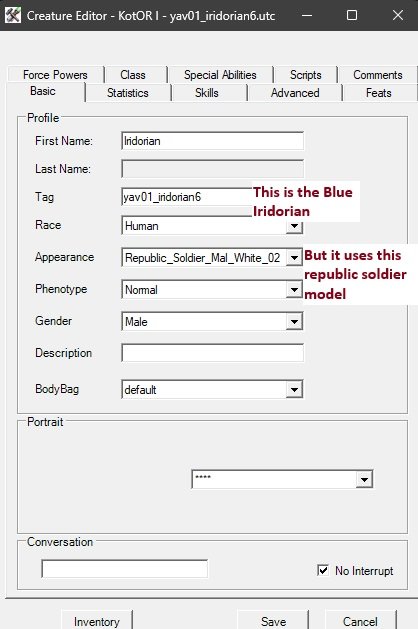
-
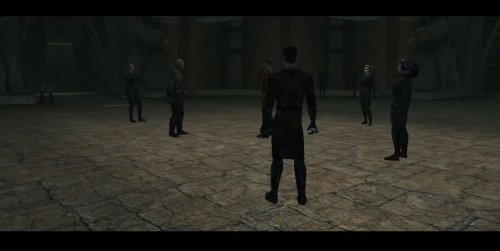 I always thought it made sense for everyone in the academy EXCEPT for Yuthura and Uthar and I guess technically Jorak to wear robes, while the 3 I mentioned should wear the dark/worn Sith officer uniform. Unlike the other Dark Jedi, they are military officials representing the Sith Government within the academy. I'm really glad you made this, thank you!
 -
Help Editing appearance.2da in Override folder
tgritzmodder replied to tgritzmodder's topic in General Kotor/TSL Modding
Thanks for the recommendation, I'll try the new tool and see how it goes. Long story short some of the Yavin Planet mod's models (specifically the 'wraiths' and 'ghost terentateks') are missing their textures, probably as a result of conflicts with other mods like Sleheyron. The Iridorian armor colors are also mismatched (and the blue one just turns you into a republic soldier model). I'm trying to see if I can fix those models/textures somehow. Thanks again! -
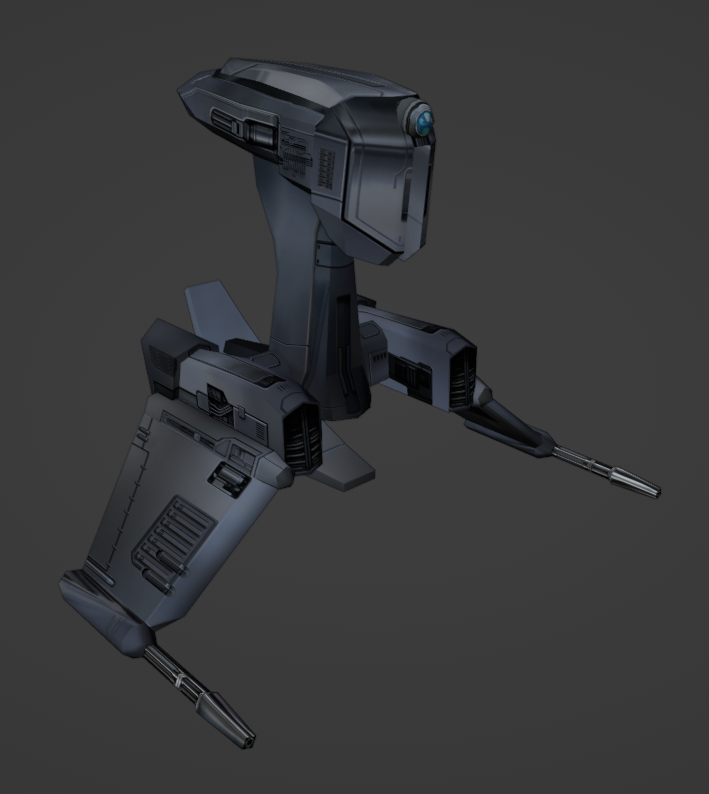
I'm making textures as I progress through the game. I might publish them eventually.
-
Help Editing appearance.2da in Override folder
DarthParametric replied to tgritzmodder's topic in General Kotor/TSL Modding
The Look In Override option just has it parse 2DAs in the Override whenever a 2DA is used in a template like a UTI, UTC, etc. It won't show up in the main asset browser. You'll have to open it manually via the 2DA editor (1st button under the top menu row). But KTool is old and creaky and not recommended to be used any more. There are multiple alternatives these days, including a new 2DA editor that was literally just released in the last 24 hours. -
Hello all, Not sure if this has been asked before, but I've been trying to edit the appearance.2da file in my kotor modding tool. I understand that the appearance.2da file that is in the bifs 2da path is just the base one and not the override one. But, when I check the box for looking in the overrides in Tools>Options, I don't see the "Override" section in the tree that I was expecting to find. Did I miss a step? If anything needs clarifying let me know. Any help would be appreciated!