All Activity
- Today
-
View File IPS Patches for K1 & K2 on Nintendo Switch I am porting the KPM patches to the Switch. I'm also including some Switch-specific fixes. I'm most proud of the AnimatedTextureFix, which fixes a bug on the Switch version of the games where textures wouldn't be animated either at all, or when you got close to them, depending on the mipmap settings (see example here). My patches fix this so that the animated textures work perfectly. I've only just started porting these patches, but I wanted to release the AnimatedTextureFix, because it makes such a huge difference. Installation: Move the patches you want to install into /atmosphere/exefs_patches/ on your Switch or emulator. Move the entire folder with the .ips file, not just the .ips file. To uninstall, delete the folder. Source: https://github.com/VeSeeker/switch-kpm-ips-patches Thanks: To everyone working on the KPM project Submitter VeSeeker Submitted 11/02/2026 Category Mods K1R Compatible Yes
-
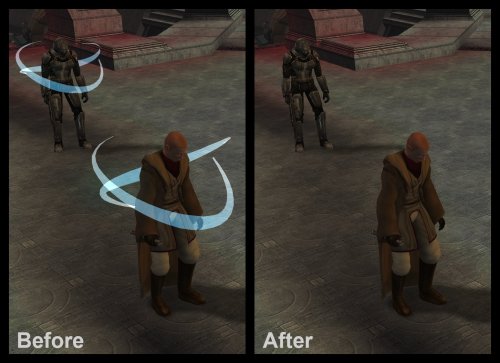
View File Remove Stun VFX Removes the VFX around stunned characters. This is referring to the streaks of light orbiting around characters stunned by things like Push, Critical Strike, Flash Mines, etc., not the VFX on characters affected by the Stun Force power. INSTALLATION To install, run TSLPatcher.exe. UNINSTALLATION Remove visualeffects.2da from your override folder. If a visualeffects.2da was created inside the backup folder, move it to override. COMPATIBILITY Install after any mods that hard overwrite visualeffects.2da to ensure compatibility. Compatible with Realistic Visual Effects by Shem. PERMISSIONS Feel free to do whatever you want with this mod. CREDITS offthegridmorty TSLPatcher - stoffe, Fair Strides Submitter offthegridmorty Submitted 11/02/2026 Category Mods TSLRCM Compatible Yes
-
 View File French Lip Sync for KOTOR II (Synchronisation labiale VF) FRENCH DUBBED VERSION ONLY – do not install on the English version. Since the 2004 French release, KOTOR II has used the English .lip files, which never matched the French voice acting (offsets of up to 5 seconds: frozen mouths while characters speak, moving lips in silence). This mod replaces 13,439 .lip files, regenerated from the French voice files, for the whole game: Peragus, Ebon Hawk & companions, Telos, Nar Shaddaa, Dantooine, Dxun, Onderon, Korriban, Malachor. TSLRCM compatible, Steam/GOG Install last (after any mod that provides .lip files) Droids, terminals and doors excluded; hand-made modder .lip files that already match the French audio are left untouched Installer: HoloPatcher (included) Method: Rhubarb Lip Sync 1.13 (phonetic mode) mapped to the game’s 16 mouth shapes. Credits: Alcias01200 & Claude (Anthropic). Thanks to JCarter426. Rhubarb Lip Sync by Daniel S. Wolf (MIT). HoloPatcher by NickHugi / th3w1zard1 (LGPL-3.0). VERSION FRANÇAISE DOUBLÉE UNIQUEMENT. Depuis 2004, la VF utilise les fichiers .lip de la version anglaise : les bouches ne suivent pas le doublage. Ce mod remplace 13 439 fichiers .lip recalculés sur les voix françaises, pour tout le jeu. Installation : lancer HoloPatcher (fourni), en dernier. Submitter Alcias01200 Submitted 11/03/2026 Category Mods TSLRCM Compatible Yes
-
View File French Translation Patch for the Neocities K2 Mod Build French translation of 109 mods from the Neocities KOTOR II build: dialogue, item descriptions, TSLPatcher/HoloPatcher files and readmes. This patch only contains translated files – the original mods are required. How to use: Extract this patch close to the drive root (e.g. D:\TradFR) – some mods have very long paths. Download the original mods and extract them all into one folder, without renaming the folders. Run “Appliquer la traduction.bat” and select that folder: it applies the French files where they belong (including tslpatchdata) and backs up the English ones. Install your mods normally, in the build order. ⚠️ Do not copy these files directly into Override: for mods with an installer, they would have no effect. All mods remain the property of their authors (full credits included). Any author who wants their mod’s translation removed just has to ask, and it will be taken down right away. Traduction française de 109 mods de la build Neocities. Les mods d’origine sont nécessaires. Décompressez près de la racine du disque, lancez « Appliquer la traduction.bat » sur le dossier de vos mods décompressés, puis installez-les normalement. Ne copiez pas ces fichiers dans Override. Submitter Alcias01200 Submitted 11/03/2026 Category Mods TSLRCM Compatible Yes
-
 ourouvouros joined the community
-
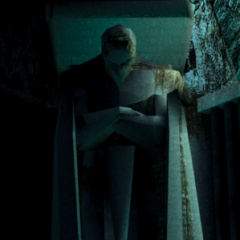
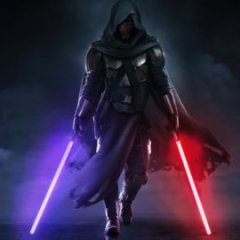
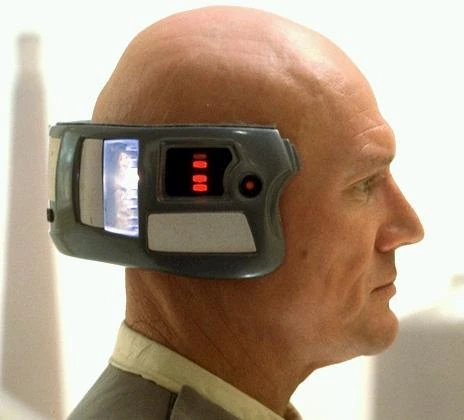
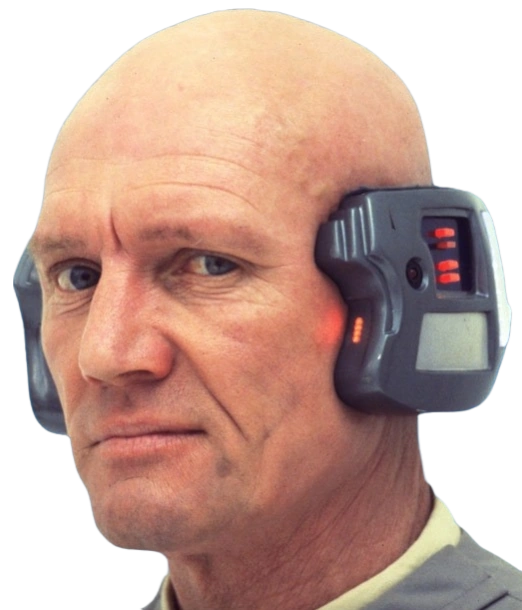
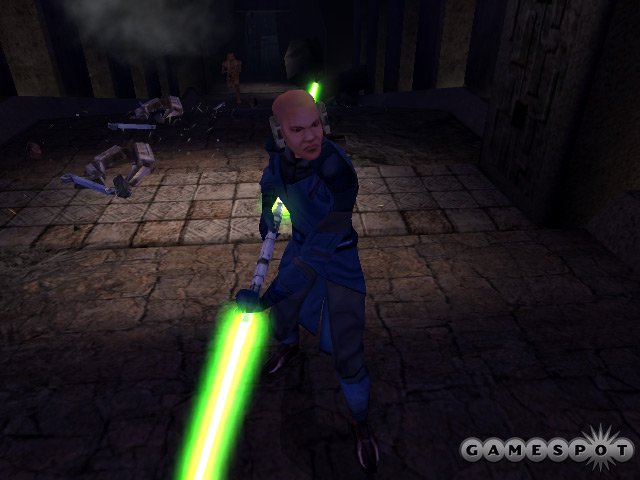
I kinda like this shade of green to be honest. It's rather unique in comparison to other green lightsabers in Star Wars. Edit: I just looked up pictures of Lobot and it looks almost identical in my opinion: The name "Neural Band" also suggests some connection to the brain.
-
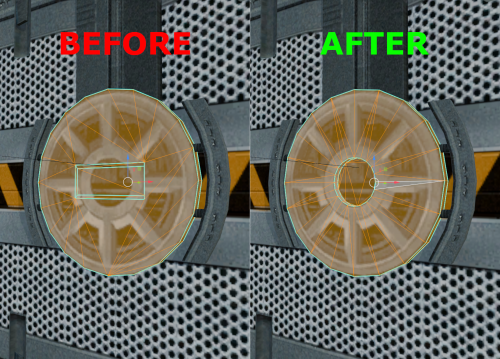 Oh sorry I forgot to take them out or mention the textures. I simply gave the doors an alpha channel so they don't look too flat. The textures are not needed for the model to work and completely optional, there won't be any UV layout error if you use a custom retexture or vanilla.
-
 Nils2409 joined the community
-
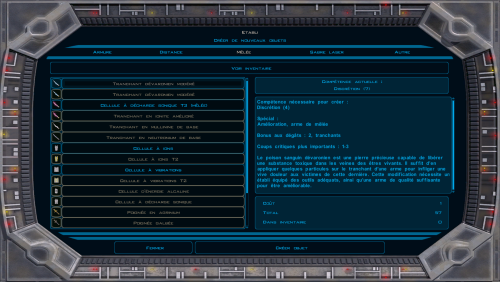
Version 1.0.0
0 downloads
French translation of 109 mods from the Neocities KOTOR II build: dialogue, item descriptions, TSLPatcher/HoloPatcher files and readmes. This patch only contains translated files – the original mods are required. How to use: Extract this patch close to the drive root (e.g. D:\TradFR) – some mods have very long paths. Download the original mods and extract them all into one folder, without renaming the folders. Run “Appliquer la traduction.bat” and select that folder: it applies the French files where they belong (including tslpatchdata) and backs up the English ones. Install your mods normally, in the build order. ⚠️ Do not copy these files directly into Override: for mods with an installer, they would have no effect. All mods remain the property of their authors (full credits included). Any author who wants their mod’s translation removed just has to ask, and it will be taken down right away. Traduction française de 109 mods de la build Neocities. Les mods d’origine sont nécessaires. Décompressez près de la racine du disque, lancez « Appliquer la traduction.bat » sur le dossier de vos mods décompressés, puis installez-les normalement. Ne copiez pas ces fichiers dans Override. -
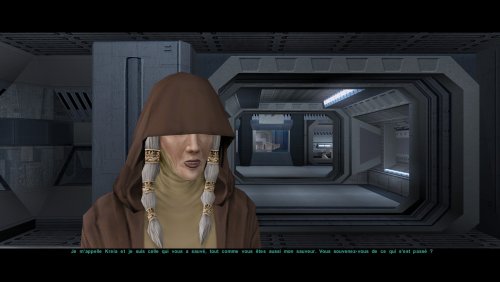
Version 1.0.0
0 downloads
FRENCH DUBBED VERSION ONLY – do not install on the English version. Since the 2004 French release, KOTOR II has used the English .lip files, which never matched the French voice acting (offsets of up to 5 seconds: frozen mouths while characters speak, moving lips in silence). This mod replaces 13,439 .lip files, regenerated from the French voice files, for the whole game: Peragus, Ebon Hawk & companions, Telos, Nar Shaddaa, Dantooine, Dxun, Onderon, Korriban, Malachor. TSLRCM compatible, Steam/GOG Install last (after any mod that provides .lip files) Droids, terminals and doors excluded; hand-made modder .lip files that already match the French audio are left untouched Installer: HoloPatcher (included) Method: Rhubarb Lip Sync 1.13 (phonetic mode) mapped to the game’s 16 mouth shapes. Credits: Alcias01200 & Claude (Anthropic). Thanks to JCarter426. Rhubarb Lip Sync by Daniel S. Wolf (MIT). HoloPatcher by NickHugi / th3w1zard1 (LGPL-3.0). VERSION FRANÇAISE DOUBLÉE UNIQUEMENT. Depuis 2004, la VF utilise les fichiers .lip de la version anglaise : les bouches ne suivent pas le doublage. Ce mod remplace 13 439 fichiers .lip recalculés sur les voix françaises, pour tout le jeu. Installation : lancer HoloPatcher (fourni), en dernier. -
Alcias01200 changed their profile photo
-
 rehied joined the community
-
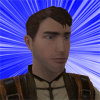
I believe this specific head and the yellow Lightsaber of this kind are shown in the Bastila vs Revan cutscene after the Swoop Race on the Xbox version. The PC version had their models updated in that scene so on PC a Jedi in the background with Bastila had the generic Asian Commoner head whilst on Xbox he used the head you're seeing above. My Knights of the Old Xbox mod adds this cutscene back in, though I'm sure any Xbox playthrough will have the scene shown so you can view this for yourself on YouTube.
-
Wow, I’ve never seen this image before. With his head and the device, he looks almost like Lobot from TESB. Furthermore, it seems to me that the lightsabers were originally different; in these old screenshots, the blades appear more tapered and the colors are somewhat different—especially the green one.
-
I actually restored this mask in RC-K1CP by having it replace the Baragwin Mask. All I did for the icon, though, was recolor the original to match the green one. You should check out the cut neural band model. The model itself is absent from the game, but its texture still remains and it's called "I_NeuralBand" and the in-game mask is worn in this beta screenshot alongside an unused beta head.
-
 sum1confused joined the community
-
expansion Mission to Sleheyron: A New Story Expansion Mod for KOTOR
The_Chaser_One commented on SAO1138's file in Mods
 You can definitely try. Theoretically, there shouldn't be an issue. At least for the executable, I already played Sleheyron with it. As for the patchers, I'd guess it doesnt conflict with Sleheyron, although I cant guarantee anything.
-
 AyoAnuk joined the community
-
 jchee8 joined the community
-
expansion Mission to Sleheyron: A New Story Expansion Mod for KOTOR
jmorenobothwell commented on SAO1138's file in Mods
Hey SAO1138, thanks for the confirmation. Out of curiosity, are there plans to make a compatibility patch/fix down the line? -
JC's Fashion Line I: Cloaked Jedi Robes for K1
jmorenobothwell commented on JCarter426's file in Mods
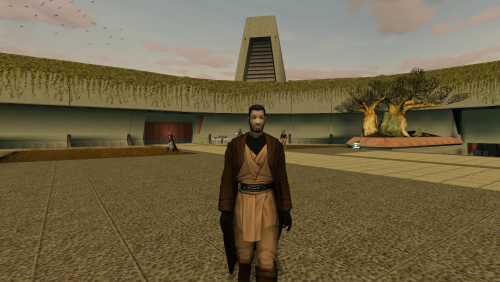 I love it! Finally brings some visual cohesion between the two KOTOR games. I'm having a little...quirk though(for lack of a better word). I installed it, and for some reason, the Jedi character on the Endar Spire (the one that gets blown up after beating that other "Darth Bandon" knockoff), the Jedi strike team on the Star Forge and on the final Medal ceremony are still wearing their "vanilla" tunics. Is that supposed to be the case or am I missing something? Screenshots attached.
-
 degen joined the community
-
 aqualulu joined the community
-
 GhostOfVDV joined the community
-
Sorry to be the bearer of bad news, but afraid it's not compatible with either of those. I actually wasn't even familiar with those acronyms until reading your message just now. My apologies!
- 229 comments
-
- 1
-

-
- expanded universe
- sleheyron
- (and 1 more)
-
Version 1.0.0
0 downloads
Removes the VFX around stunned characters. This is referring to the streaks of light orbiting around characters stunned by things like Push, Critical Strike, Flash Mines, etc., not the VFX on characters affected by the Stun Force power. INSTALLATION To install, run TSLPatcher.exe. UNINSTALLATION Remove visualeffects.2da from your override folder. If a visualeffects.2da was created inside the backup folder, move it to override. COMPATIBILITY Install after any mods that hard overwrite visualeffects.2da to ensure compatibility. Compatible with Realistic Visual Effects by Shem. PERMISSIONS Feel free to do whatever you want with this mod. CREDITS offthegridmorty TSLPatcher - stoffe, Fair Strides -
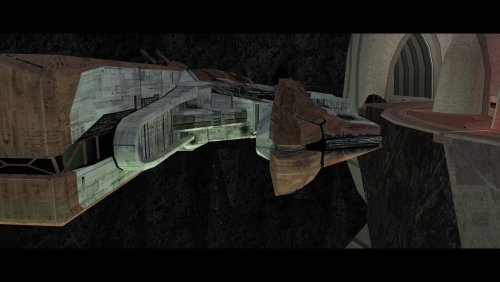 A must-have for KOTOR 2, full stop. Like others have said here, this mod is expertly built and integrated into the base game/TSLRCM framework and polishes the end of the game, wrapping up that escape and giving the entire crew a proper closure to their journey. This one is a lock for all my future TSL mod builds. 10/10.
-
 Specil joined the community
-
I understand about the necessity for the MDL and MDX files as it's a model change. Why are the textures in there though? They appear to be identical to the original textures as far as I can tell. Would other textures or upscales be incompatible with your mod? And does your mod affect the doors that use textures PER_DR01 and PER_DR04?
- Yesterday
-
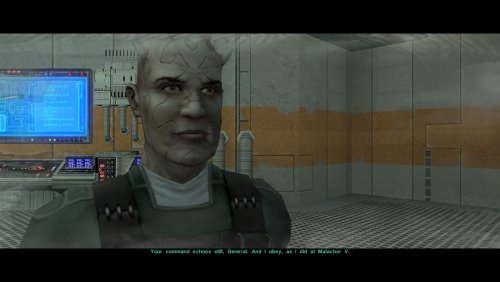 Another great mod by WildKarrde that has earned a permanent spot in my personal mod build. Bao-Dur is one of the most underrated characters in TSL, so I have always been bothered by how vanilla TSL has Bao-Dur disappear throughout the end-game without explanation for what happaned to him, and the lack of even cut content to be able to restore to fix that. I am thrilled that there is finally an endgame story mod that gives Bao-Dur the love he deserves.
-
Truly an incredible mod that makes a permanent spot in my personal mod build for how much it improves the ending, and how well-made the mod is. While TSLRCM did the best it could in restoring cut content to the end-game, there is still room for improvement for the ending, and TSL Expanded Ending proves that.
-
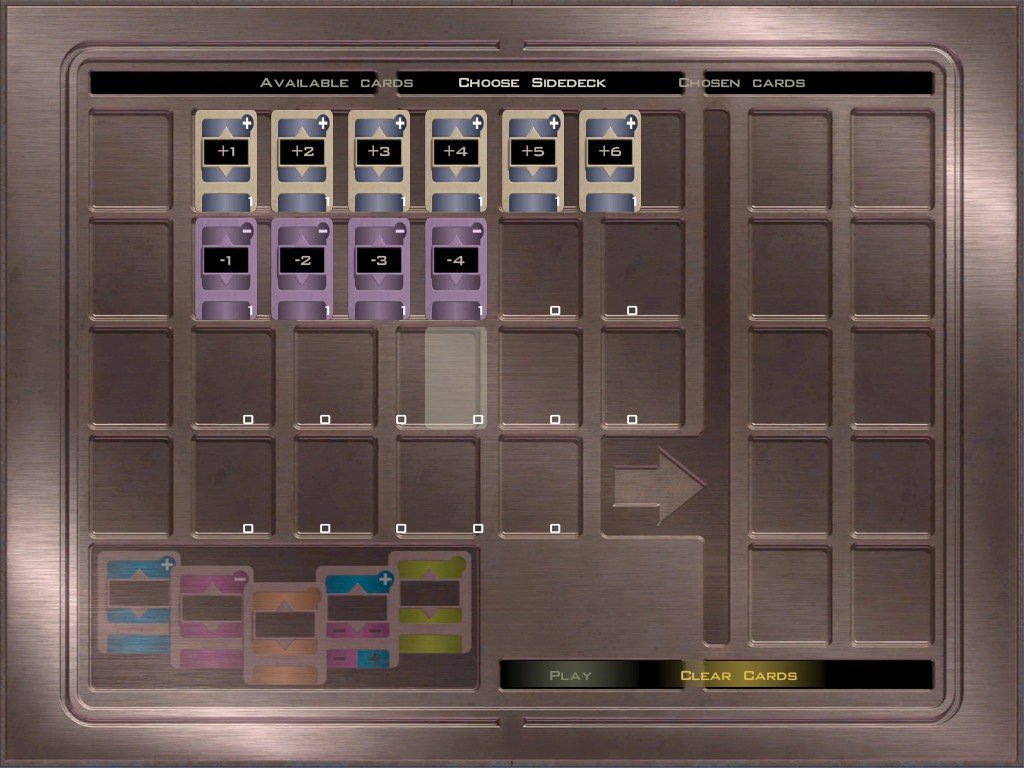
 That seems to be the case. I switched to the legacypc version, the UI changed and the first version of the texture fit perfectly. Thanks for the help!!
-
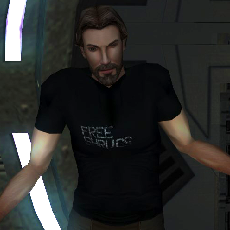 TSLRCM doesn't change the pazaak UI as far as I'm aware. You are either using another mod which does or perhaps the Aspyr patch.
-
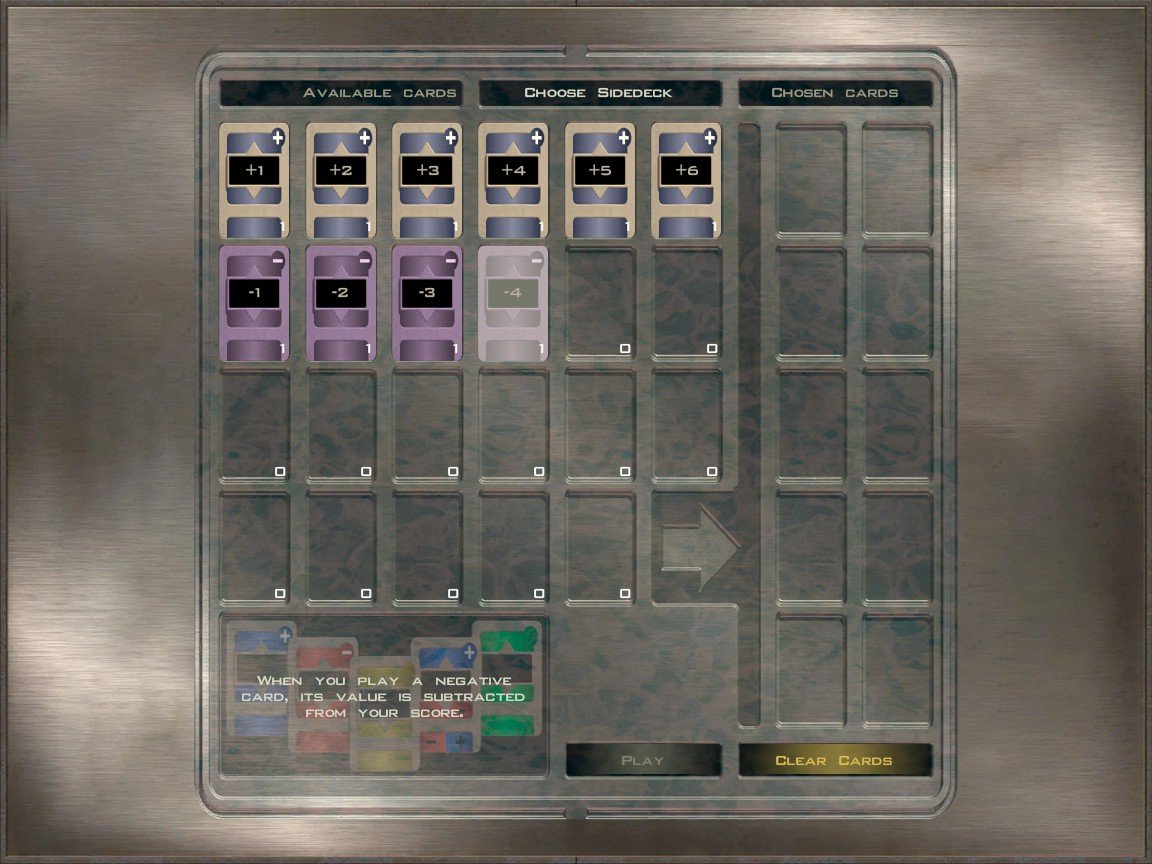
Thanks for the explanation, c ould it be related to TSLRCM? I've noticed that the background appears to be stretched by around 15%, so shrinking the image by roughly the same amount seems to fix the problem for now
-
The background panels use square textures but are normally stretched to have a 4:3 aspect ratio so they fill the screen on 4:3 monitors. It looks like GUI file has been adjusted so the UI elements fit a 1:1 aspect ratio while the background panel is still stretched to 4:3, although I don't know why this would be the case.
-
 J changed their profile photo
-
Hey! This is my first time editing textures for KOTOR. I was playing aroud with the Pazaak textures and the card textures seem to work correctly, but the background texture doesn't display properly in-game. The edited texture is applied, but it looks like the resolution or scaling has changed, even though I didn't modify the image dimensions. Any help would be appreciated