All Activity
- Past hour
-
 JeskoThe1 joined the community
 -
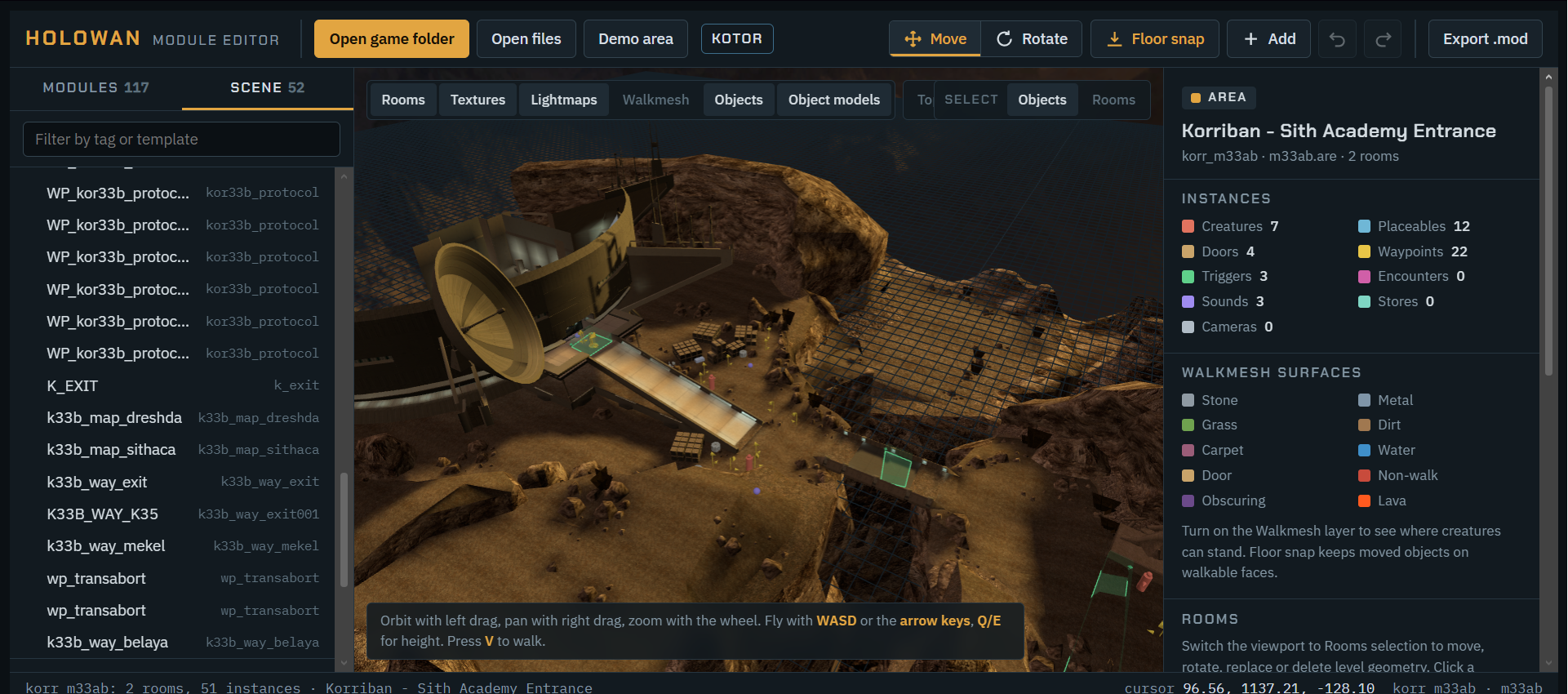
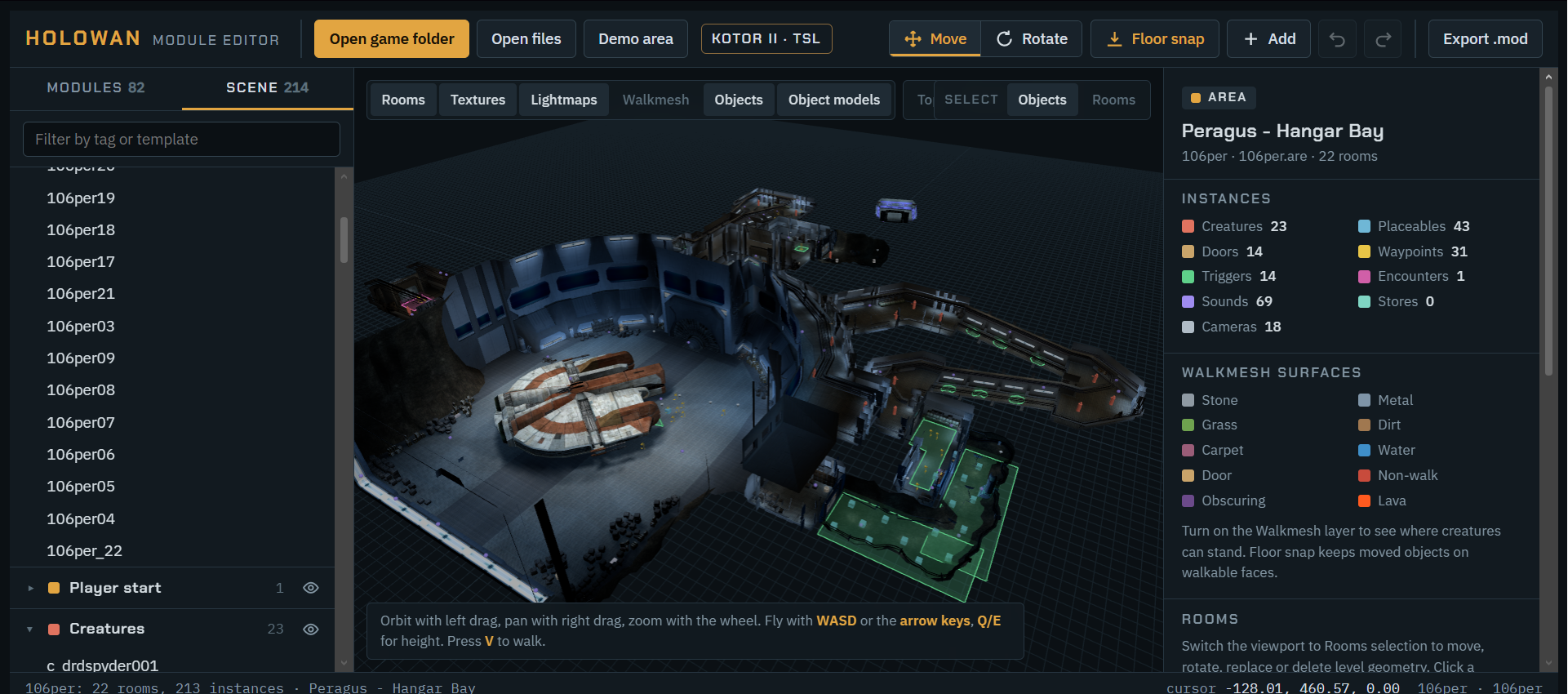
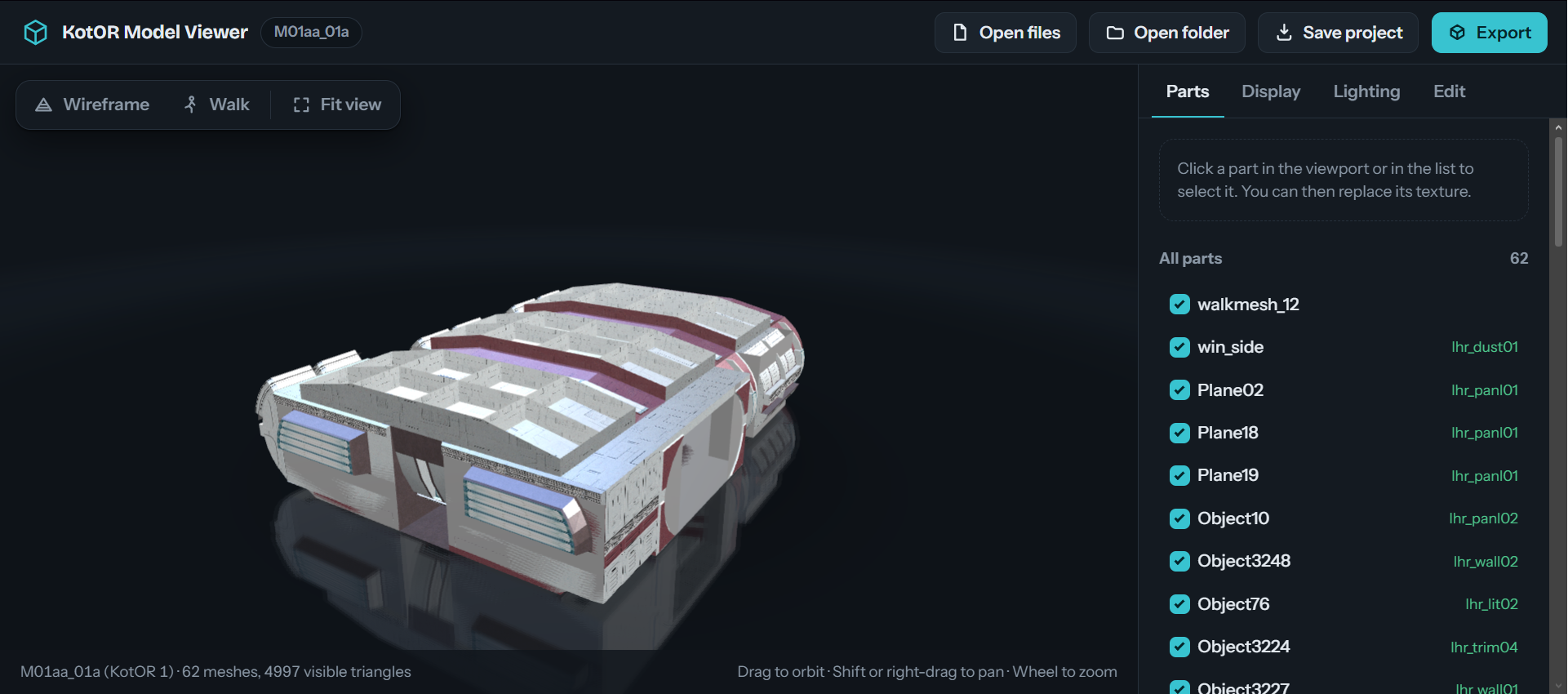
https://pixeldrain.com/u/58qa8CZG https://www.virustotal.com/gui/file/db3448fde5bbe279d34c6f60f52f61cc4a75e86824d6bc90977e1789d4e3f6b2?nocache=1 Keys Click-Select G-Move R-Rotate F-Focus selection CtrlD-Duplicate Del-Delete CtrlZ-Undo WASD-Fly ↑↓←→-Fly with arrows V-Walk in first person QE-Down / up T-Top view O-Select objects L-Select rooms AltClick-Pick a room once Esc-Deselect Placement Drag the arrows to move it inside the room. Meshes below it move too. Collision lives in the room walkmesh and does not follow. Turn Model Replace hides this mesh and puts a model in its place, with the same position and facing. ------ 0.1 Holowan Module Editor, a 3D level editor for KotOR and KotOR II that runs in your browser. Point it at your game install folder and pick an area. It shows the rooms with their textures and baked lighting, plus the walkmesh. You can move, rotate, add and delete objects, then export a .mod file. I haven't run it on real game files, because none were available here. The file-reading code was checked against two existing KotOR tools, PyKotor and xoreos. I also round-tripped files PyKotor wrote, including KotOR and KotOR II models, walkmeshes, .git files and archives. The included demo area worked end to end in a headless browser: selecting, editing, adding objects, undo, and building the .mod. What you can do: Objects you can edit: creatures, placeables, doors, waypoints, triggers, encounters, sounds, stores, cameras, and the player start point. Moving and rotating: use the on-screen handles or type exact numbers. Floor snap keeps objects on walkable ground. Trigger and encounter shapes: you can drag their individual corner points. Real models: placeables and doors use their actual models, looked up from placeables.2da and genericdoors.2da. Creatures show as coloured markers. Other properties: every other field on an object can be edited in the right-hand panel. Undo and redo work for everything. Exporting: How to install it: the .mod contains the whole module with your changes. Drop it into the game's modules folder and the game uses it instead of the original .rim files. Back up first: the .mod changes the area for any save that enters it. Saving from the published page: the page can only save .zip files, so you get the .mod inside a zip. If saving is blocked there, use holowan-editor-standalone.html, which saves the plain .mod directly. Open it in Chrome or Edge. Limits: Area layout: rooms can't be moved, and walkmeshes and scripts can't be edited. Brand-new objects: these need an existing template name, such as a .utp or .utc file from the game or your override folder. Folder prompt: your browser will ask to "upload" the folder when you open it. Nothing leaves your computer. Mac versions: the Aspyr Mac versions use a different folder layout and may not be detected. ------ 0.5 The editor can now select and change the static level geometry (the rooms) and the individual meshes inside them. Both the published page and holowan-editor-standalone.html are updated. I've only tested this on the demo area plus a multi-mesh room model built with PyKotor, not on real game modules. In that test, moving, rotating, retexturing, hiding, duplicating, deleting, undo and export all worked. The edited models and walkmeshes also read back correctly in PyKotor. It's still unconfirmed whether the game accepts a rotated or renamed room in practice, so try one module first and keep backups. How to use it: switch the viewport's Select control to Rooms (or press L, or Alt+click). Click a room to select it, then click it again to drill into the mesh under your cursor. Rooms also appear at the top of the Scene list. Whole rooms: Move and rotate: drag them, or type exact values. The walkmesh moves with the room, and objects standing on it come along unless you untick that option. Replace: swap in another room from the game by typing its name (it suggests names as you type), or load your own .mdl, .mdx and .wok files. Textures can be added alongside. Duplicate, delete, or add: new rooms come from the game or from files via Add. Replaced, duplicated and added rooms get a new name, so the original game model stays untouched. Meshes inside a room: Retexture: change its texture or lightmap, or use your own .tga or .tpc file. Hide or move: hidden meshes show as a faint wireframe while their room is selected. Child meshes move with their parent. Collision doesn't change: collision lives in the walkmesh, so hiding or moving a wall leaves the blocked area where it was. On export: Files written: the .mod includes an updated layout, room visibility list, and any changed models and walkmeshes. Room links: where rooms meet edge to edge, the export recalculates the walkmesh links that let creatures path from one room to another. Doors: door positions recorded in the layout move with their room. Limits: Rotation: rooms rotate around the vertical axis only, and meshes inside a room can be moved but not rotated. Lighting: baked lighting doesn't update, so a moved prop keeps the shadows from its old spot. Game version: a model built for the other game gets a warning and may not show up in game. Bad joins: if two rooms meet with mismatched edges, no link is created between them. ------------ 1.0 Meshes inside a room can now be duplicated, replaced with another model, or have new models added alongside them. The editor and holowan-editor-standalone.html are both updated. I tested this on the demo hangar with a multi-mesh model I made in PyKotor, not on real game files. Duplicate, replace, add, turn, remove, undo/redo and export all worked. The exported models read back correctly in PyKotor, including models moved between KotOR and KotOR II in both directions. The game itself hasn't loaded one yet, so try a single room first and keep backups. How to use it: with Select: Rooms on, click a room, then click one of its meshes. Duplicate: copies the mesh, and anything attached below it, 1.5 m along X. Then drag it into place. Replace: type a game model name (it suggests names as you type), or pick your own .mdl and .mdx files with any textures. The original mesh is hidden rather than deleted, so Show mesh brings it back. The new model takes the original's position and facing. Add a model: in the room's panel, under Add a model to this room, pick a model and click where it should go. It becomes part of that room's model, and the panel lists everything you've added. Turn: ±15° and ±90° buttons rotate a mesh or added model around the vertical. Reset placement undoes both moving and turning. Remove: takes out models you added. Original meshes can only be hidden, which is the safer option for stock geometry. Whole added model: clicking a part of an added model lets you Select all of it, so you move it as one piece. Keyboard: Ctrl+D duplicates and Delete removes or hides the selected mesh. Things to know: Collision: collision comes from the room's walkmesh, so added or moved props have none, and hidden walls still block. Lighting: added models have no baked lighting, so they look flatter than the room around them. Mesh types: only plain meshes copy fully. Animated or skinned meshes are copied without their skinning or sway, and lights, emitters and walkmesh pieces from a source model are dropped. Some meshes can't turn: a few store their rotation in a compressed form the editor can't change, so those can only be moved. -------- 1.1 The editor now has a first-person walk mode, and the arrow keys move you in both walk and fly modes. The published page and holowan-editor-standalone.html are both updated. I tested it in the demo area. Walking forward, turning and dragging to look all worked. Running into a corridor wall stopped me at the edge and slid me along it. The arrow keys also moved the normal editing camera. Turn it on or off: press V or click the new Walk button next to Top and Frame. Esc or V stops walking. Where you start: at the selected object, or where the camera was looking. If neither is on the floor, you start at the Player start. Moving: ↑ / ↓ walk forward and back, ← / → turn, and A / D step sideways (W / S also walk). Hold Shift to run. Looking: drag in the viewport to look around. Double-click to lock the mouse so it looks without dragging. What stops you: like the game, you can only walk on walkable floor. Non-walk areas, walls and the edges of rooms stop you, and you slide along them. You follow stairs and slopes up and down. Leaving walk mode: the editing camera picks up from where you stopped, looking the same way. Phones and touch screens: an on-screen arrow pad appears while walking. Normal editing: ↑ / ↓ fly forward and back and ← / → slide sideways, alongside WASD and Q/E. Doors, placeables and creatures don't block you, because walking only checks the floor's walkmesh. Clicks don't select anything while you're walking. ------ 1.2 The editor now works with a PS4 (DualShock 4) controller for flying, walking, selecting and moving things. The published page and holowan-editor-standalone.html are both updated. I tested it with a simulated DualShock 4, not a physical one. Flying, stepping through objects, grabbing and dropping, cancelling, undo, walking with sprint and looking around all worked. The embedded page may not see the controller, because some browsers block gamepads inside embedded pages. If that happens the right-hand panel says so; open holowan-editor-standalone.html in Chrome or Edge instead. Connecting: plug in by USB or pair over Bluetooth, then press any button. The browser only reveals a controller after a button press. A "connected" message appears, and the full button map shows in the right-hand panel under PS4 controller. Editing view Control Does Left stick Fly around (L3 for a speed boost) Right stick Orbit the camera L2 / R2 Lower / raise D-pad ↑ ↓ Zoom in / out D-pad ← → Previous / next object, with the camera following × Select whatever is at the centre crosshair △ Grab the selection; × drops it as one undo step, ○ puts it back ○ Deselect, or cancel placing □ Focus the selection L1 / R1 Undo / redo R3 Switch between selecting objects and rooms Share / Touchpad Top view / frame the area Options Start walking While grabbed, the left stick moves the object relative to the camera, the right stick turns it, and L2 / R2 lower and raise it. Rooms and meshes inside rooms can be grabbed the same way. Walking Control Does Left stick Walk and sidestep (analog, so a light push walks slowly) Right stick Look around R2 (analog) or L3 Run D-pad Step forward or back, turn left or right × Select what you're looking at ○ or Options Stop walking The controller gives a short rumble when you walk into a wall or the edge of the walkable floor. OPEN to Suggestion on features ------- Kotor Model Viewer 1.4 - Etherael https://pixeldrain.com/u/6yk4y73c https://www.virustotal.com/gui/file/a3faf4989f6611148bf3b181e516b55ebd1711a2ba6d9b37f8298e0c85c39ec7?nocache=1 -------- 1.0 You can now select individual model parts and swap their textures. The published link is updated, and the attached file is the offline copy. I tested the click-to-select logic against your bantha in Node (a click in the middle of the model selected the body, and a click in a corner selected nothing), but I haven't tried the texture swap in a browser. Selecting a part: click it in the 3D view, or click its name in the mesh list. The selected part gets an orange tint and a "Selected part" panel appears. Dragging still rotates the view, and a click only selects if you didn't drag. Clicking empty space deselects. Replacing its texture: press "Replace texture…" and choose a .tga, .png or .tpc file. The part switches to it immediately, and the list marks it with ✎ and the file name. Apply to all parts using this texture: tick this box before replacing (or restoring) to change every part that shares that texture, such as all the body pieces. Restore: puts the selected part, or all parts sharing the texture if that box is ticked, back to their original texture. Limits: The part's normal map still comes from the original texture's name, so your replacement keeps the original surface detail. Replacements exist only for this session and are lost on reload, and you can't save or export the edited model. Hidden parts can't be clicked in the view unless "Show hidden meshes" is on. The orientation caveat from before still applies to .tpc replacements: if one looks upside-down, tick "Flip V". ------- 1.1 The viewer can now save and reload projects, load whole folders, and export OBJ and FBX. The published link is updated in place, and the attached file is the offline copy. I checked the file writers against your bantha in Node, but I haven't run the export buttons in a browser or opened an exported file in 3D software. Save and load Save project bundles the model files, all the textures you loaded, your per-part texture replacements, part visibility and the Flip V setting into one file. To reopen it, drop it on the page or use the file picker. Load folder… picks a whole folder and loads the model, textures and .txi files inside it. A plain .zip containing a model and textures also works. Export Export OBJ produces a zip with .obj, .mtl and a textures/ folder of PNGs. The "OBJ up" setting chooses Y-up (what most tools expect) or the game's Z-up. Export FBX writes a binary FBX with the textures embedded in the file. Only the parts currently visible are exported. Your texture replacements are included. KotOR's .tga, .tpc and .png textures are converted to PNG. If you had "Flip V" on to make textures look right, the export uses the same setting. File names differ between the two copies: Published page: the platform only allows certain file types to be saved, so everything arrives as a zip, such as c_bantha_fbx.zip and c_bantha_project.zip, and you unzip it. Offline copy: it saves .fbx and .kmv files directly. Limits: Checks so far: the OBJ face and vertex counts, the zip files and the FBX file structure all check out on your model. FBX untested: I couldn't try it in Blender, Maya or a game engine, so the model might import facing the wrong way or at the wrong scale. If it does, the OBJ export is the safer choice. Transparency: exported textures are fully opaque, so transparency information in the source textures is dropped. Not exported: the model's bone and animation data isn't included, and neither are the normal maps. -------- 1.2 First-person movement is now in the viewer. The published link is updated in place, and the attached file is the offline copy. I tested the movement math in Node, but I haven't tried the controls in a browser. Tick First-person walk (arrow keys) in the side panel to switch. You start exactly where the orbit camera was, and untick it to go back to the orbit view as you left it. Controls in first-person mode: ↑ / ↓ (or W / S): walk forward and back along the ground. ← / →: turn left and right. A / 😧 strafe sideways. R / F (or Page Up / Page Down): move up and down. Shift: move three times faster. Mouse drag: look around. Mouse wheel: step forward and back. Clicking a part to select it still works from first-person view. "Reset view" puts the first-person camera back at the default starting view. Some things to know: Movement speed scales with the size of the model, so it feels the same on a small prop and on a large creature. No collision: you can walk through the model, because there's no collision. Arrow keys and sliders: if a slider in the panel still has focus, the arrow keys adjust that slider instead. Click the 3D view once and they'll control the camera. Floor: the reflective floor disappears if you move below it. -------- 1.3 The viewer now has HDR environment maps, adjustable light rigs and real-time shadows. This time I opened it in headless Chromium and checked each feature there. What's new HDR environments: drop a Radiance .hdr file on the page, or use "Load HDR…". It lights the model and shows in the reflections. You can turn it on as the background, and there are intensity and rotation sliders. "Studio env" restores the built-in environment. Light rigs: Classic (the old headlight), 3-point, Directional (sun) and Point lights. Sliders set intensity, rig rotation and light height. Real-time shadows: the main light casts soft shadows onto the model and the floor. Shadow softness and strength are adjustable, and there's an on/off checkbox. Bugs found while testing Floating parts (fixed): the horns, head crest and hair floated above the bantha because body meshes weren't getting their node position applied. They now sit on the head and the model reads as a bantha. Export failure (fixed): OBJ and FBX export crashed on any model you hadn't beveled. Exports now work and the zip files check out. I also lowered the default light levels, since the directional rig was washing the model out to white. What I tested: all the shaders compile, and loading, selection, bevel, first-person movement, texture replacement, OBJ/FBX/project export and reloading a saved project all ran with no console errors. Limits: The HDR test used a file I generated, not a photographed one. The .hdr reader handles both the plain and compressed Radiance formats, but I haven't tried it on a real-world HDRI. Shadows come from the single main light, so fill and rim lights in the 3-point rig don't cast their own. ------- 1.4 The viewer now supports a PS4 controller, and I've updated the published page and the offline file. I tested it only with a simulated DualShock 4, not real hardware. The simulation covered every control below, the settings, and connect/disconnect. Controls Right stick: orbit the model, or look around in walk mode. Left stick: pan the view, or walk and strafe in walk mode. R2 / L2: zoom in and out, or fly up and down in walk mode. L1 / R1: select the previous or next part. ✕: select the part under the centre reticle. ○: clear the selection. □: toggle wireframe. △: toggle walk mode. D-pad ◀ ▶: switch lighting rig. D-pad ▲ ▼: raise or lower the light. Share: fit the model to the view. Options: go to the next tab. L3: toggle reflections. R3: toggle shadows. Gamepad tab: it has a connection status, an on/off switch, invert look, vibration, look speed, move speed and stick dead zone. Your settings are remembered. The button list lights up as you press buttons. A small controller indicator and a centre reticle appear in the viewport while a pad is connected. I also tightened the tab bar so all five tabs fit on a phone-width screen. Caveats Hosted page: it may block controller input. If your controller isn't detected there, use the offline file. Chrome and Edge: the browser only reveals a controller after you press a button once. Firefox: the viewer also handles Firefox's raw DualShock layout. I checked that with a mock reading only. Keyboard and mouse: they work as before.
- Today
-
 Mini joined the community
 -

Terminal on Peragus near the first repair bench
Sith Holocron replied to Pancake's topic in Mod Requests
Can you link to that mod? And could you list all of your mods? -
 Adirty93 joined the community
 -
My terminal is gone, I believe it's the better medical room mod but I am unsure. Can anyone give me a file replacing the what used to be terminal so I can progress and play the game? I fixed it, the bench is invisible but I can access
-
 Pancake joined the community
 -
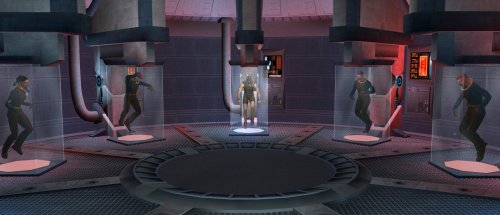 I am missing the computer in the beginning paragus sequence I am trying to progress through Pelagus, but I can't get past the first part because there is no terminal. I believe it is this mod, I am unsure how to install it or to even get the computer back. Could someone help? I know this is a lot to ask, but could you add a patch or send me a file that has the computer terminal there? I cant get the plasma torch to progress never mind, kreia and the bodies are invisible too. this whole small area is effed idk whats wrong I tried removing some parts and I have a frankenstine
 -
 Luke_Stobo45 joined the community
 -
 Silverias joined the community
 -
 I know upscaled textures and retextures have been done in this game for almost a decade, but this mod and the shots you took looks the cleanest I've ever seen, while being FULLY vanilla literally everywhere. REALLY maintains that 2004 feel. Thank you for adding to the modern repertoire of mods for this great game!
 -
 Deeds joined the community
 -
 lifeandfate joined the community
 -

Dathomir Expansion — A New World for TSL [WIP]
Starscream_Seeker replied to ShaolinGhost's topic in Work In Progress
I was very skeptical of this project (and Shaolin in general) at first. after all, it goes against a lot of what we currently know about Dathomir's lore, and the scope of the project just seems to keep increasing. but seeing how it's coming together, plus Shaolin's other projects, as well as the talented people he's working with in OpenKOTOR (@SAO1138 especially is a friend of mine whom I majorly look up to), I'm confident this'll turn out to be the most ambitious mod for either KOTOR to date, and a blast to play. This is one mod we don't have to worry about ending up in development hell and never releasing.- 1 reply
-
- 1
-

-
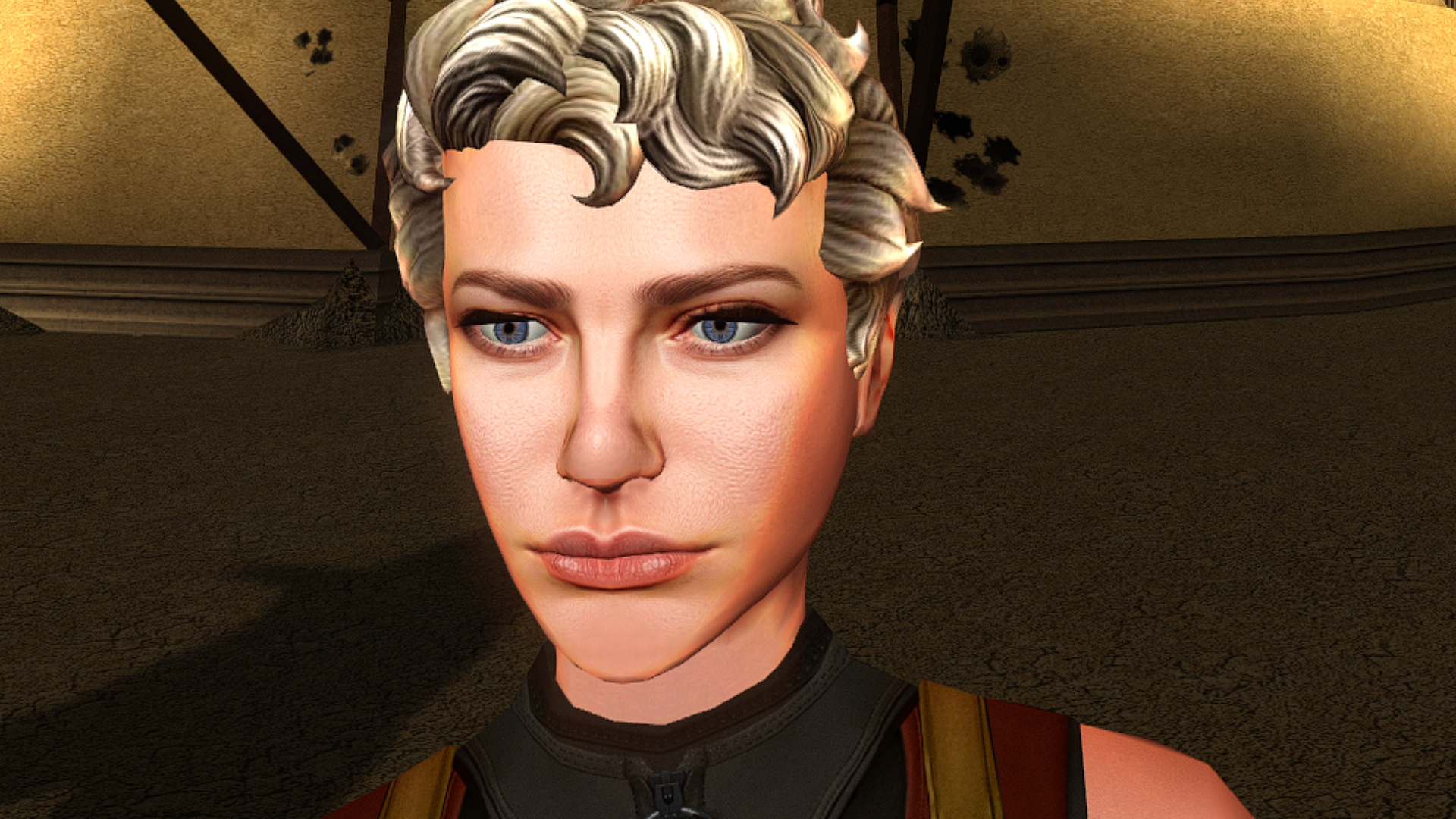
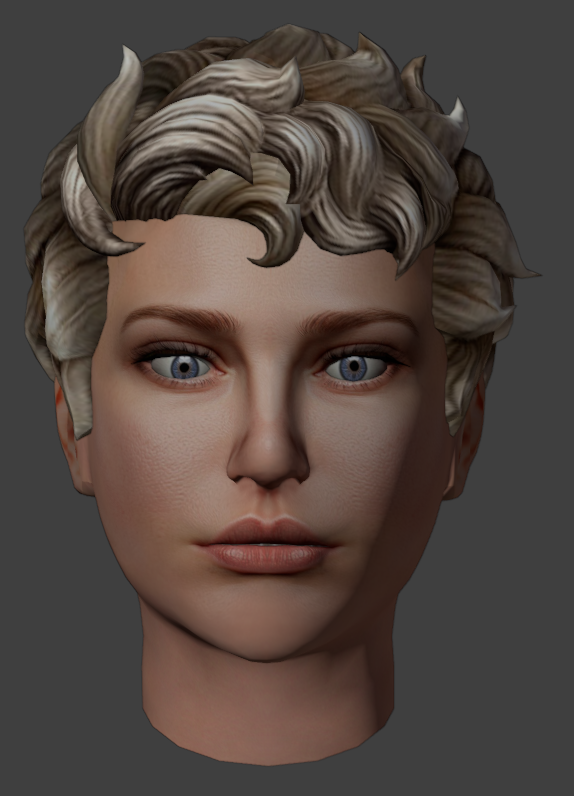
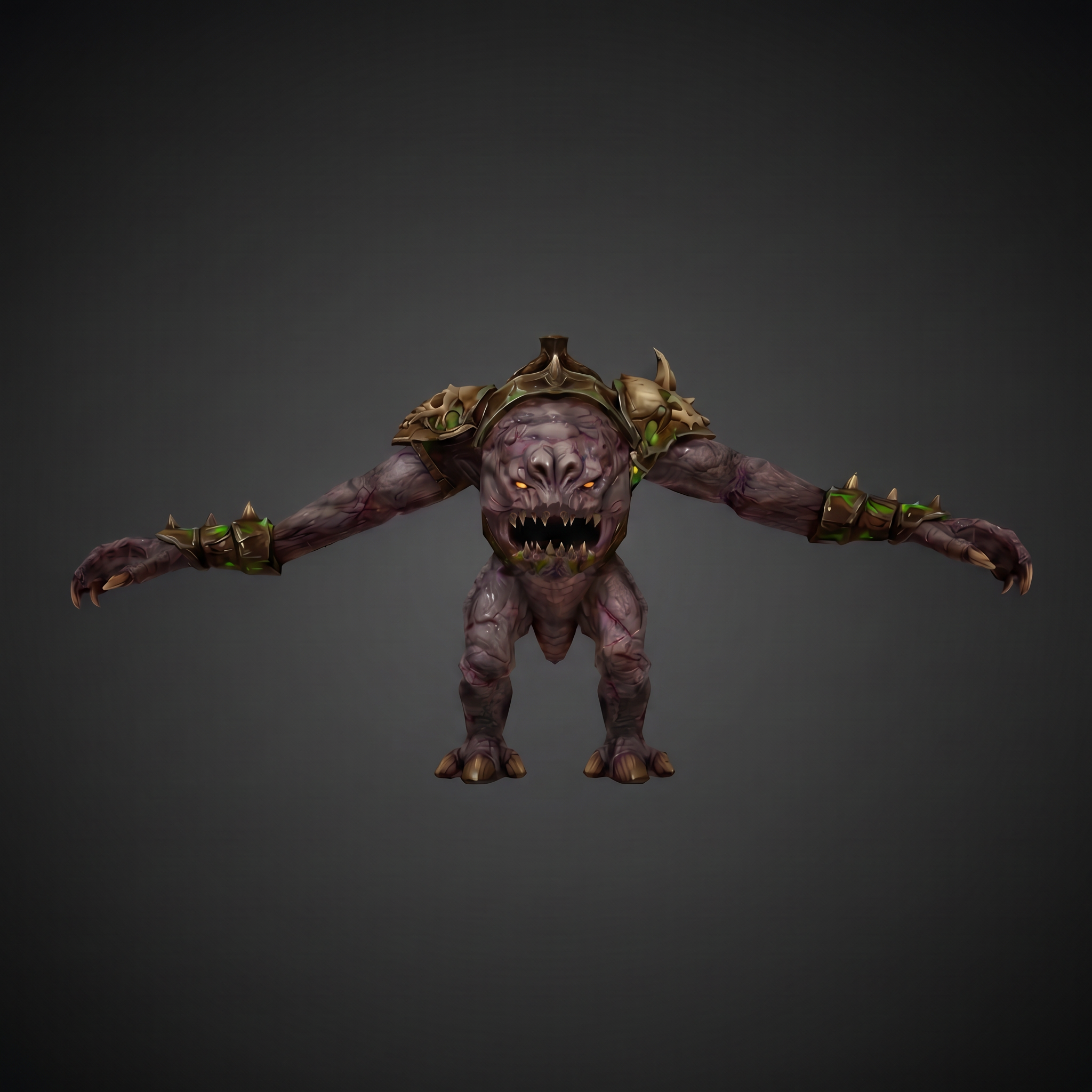
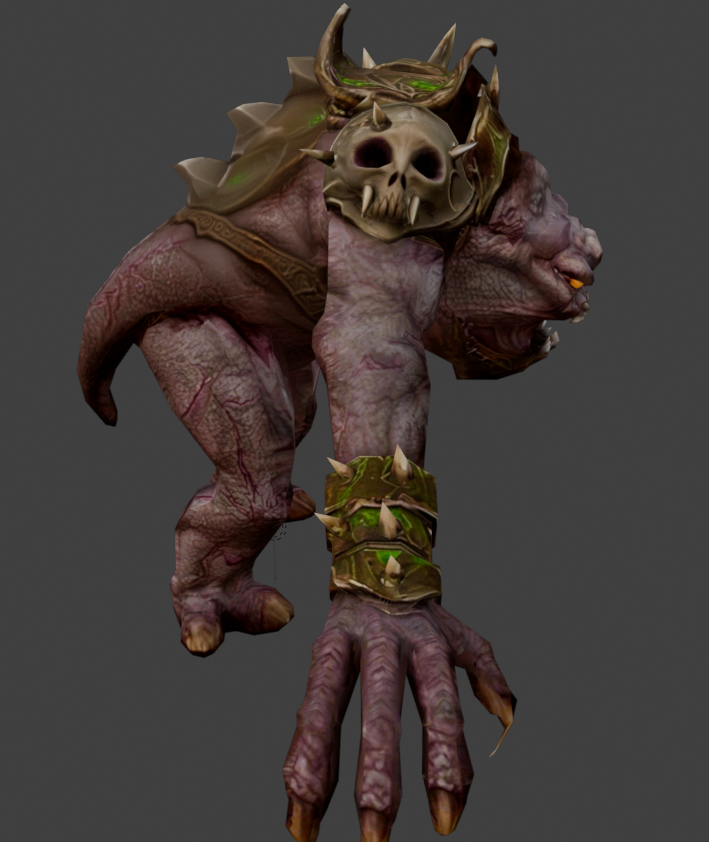
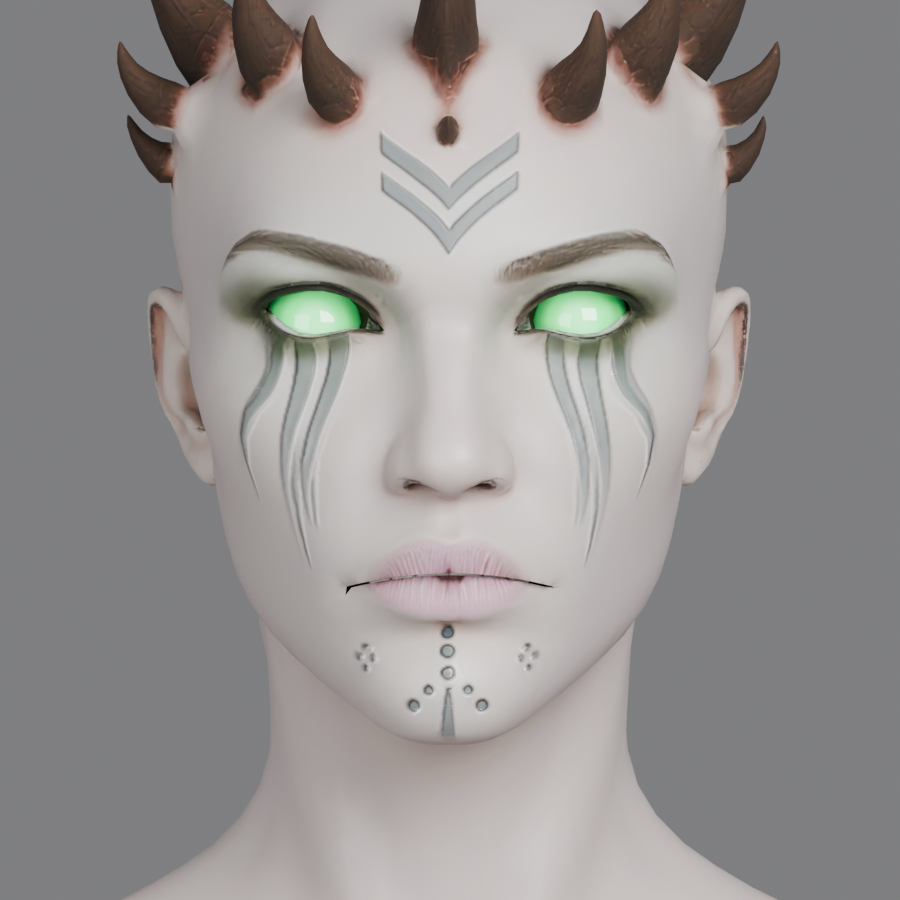
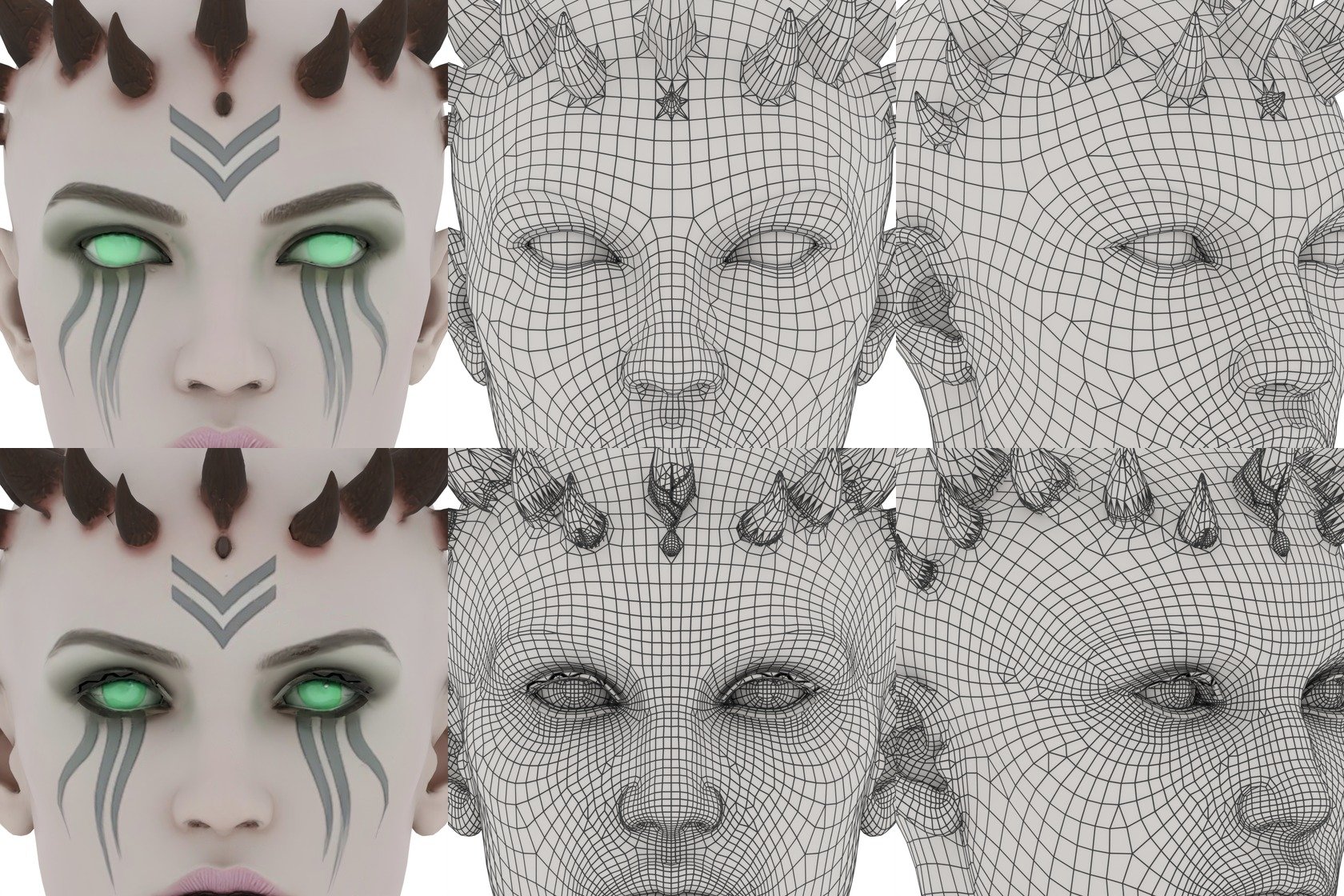
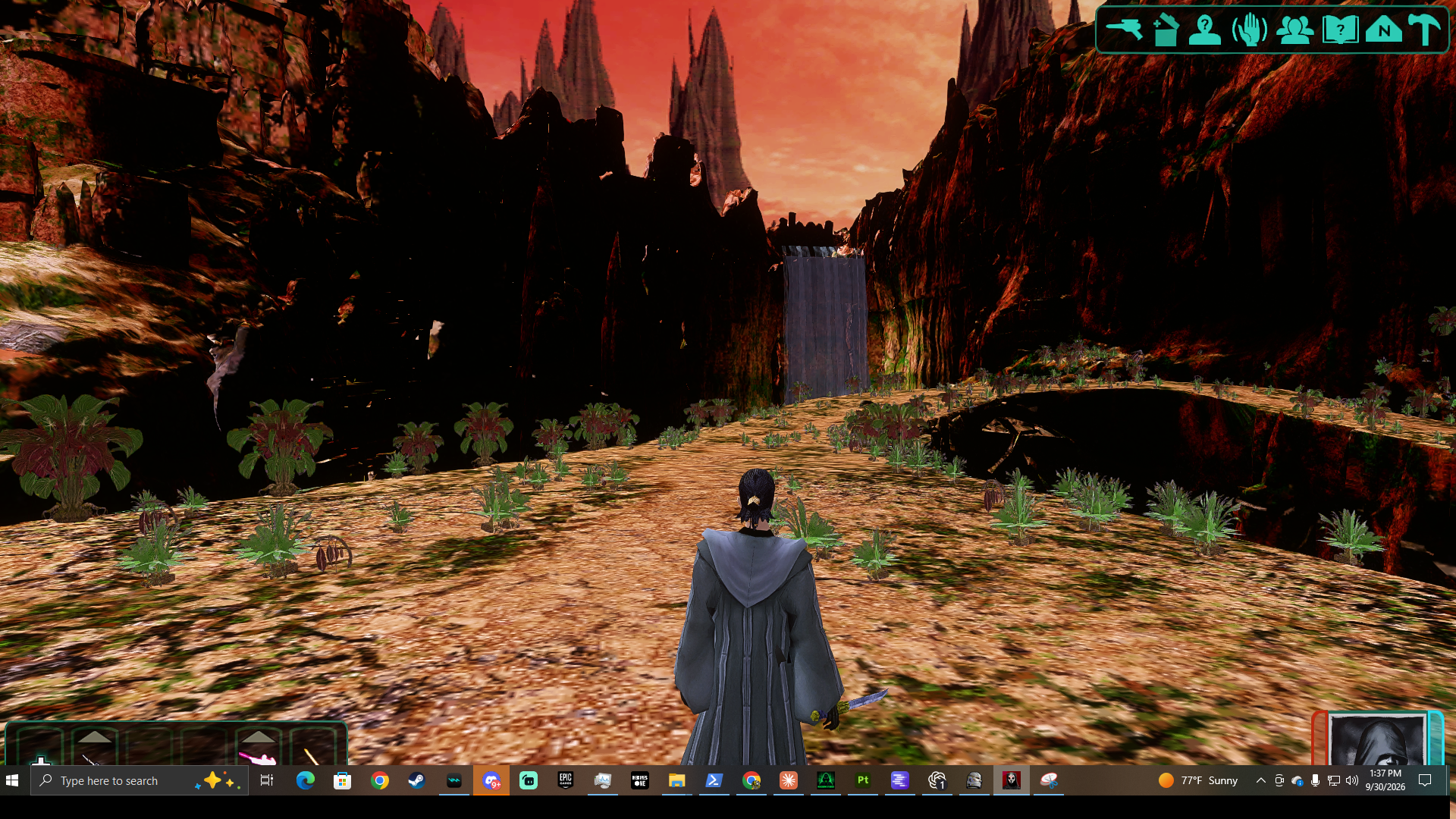
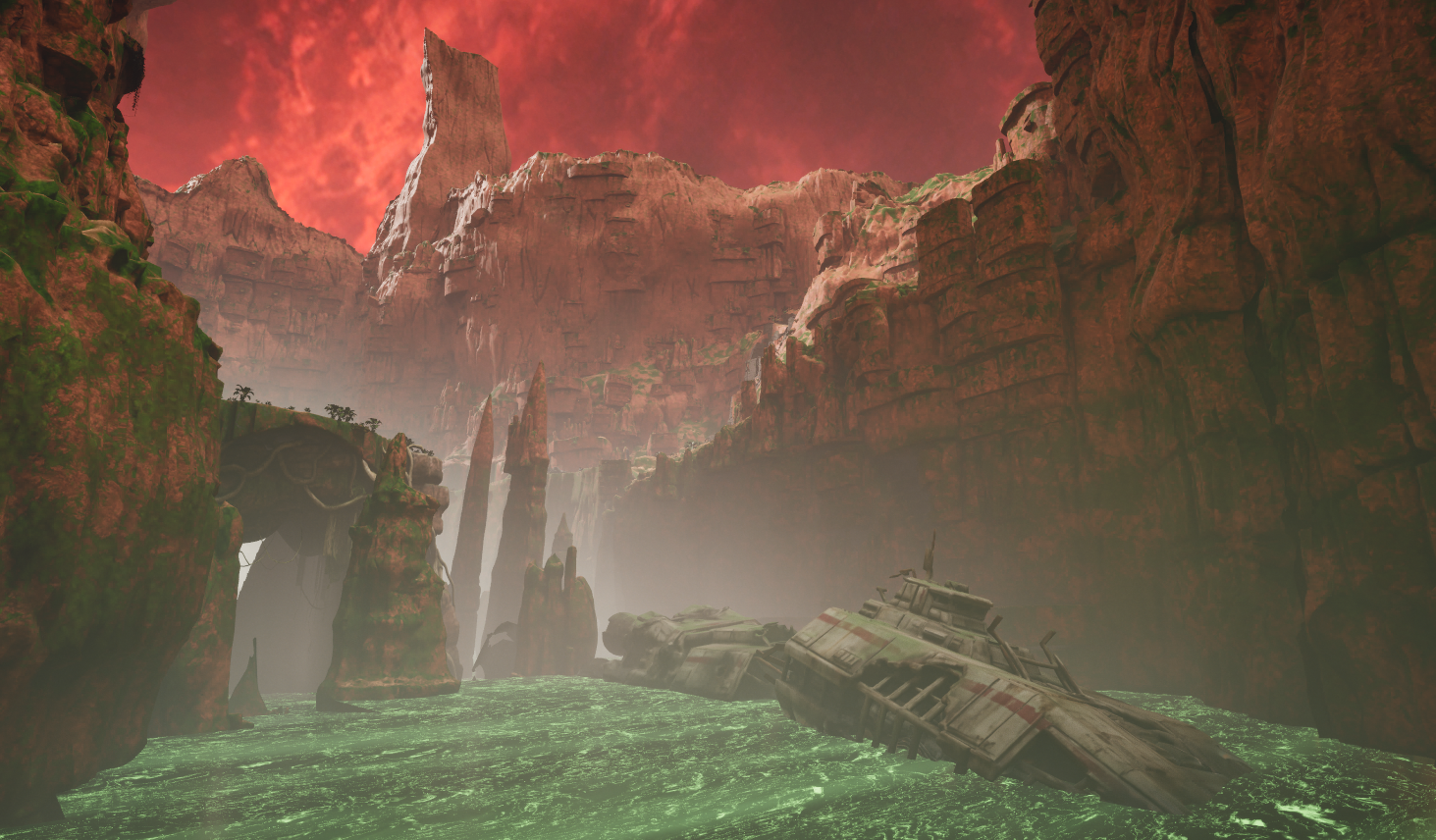
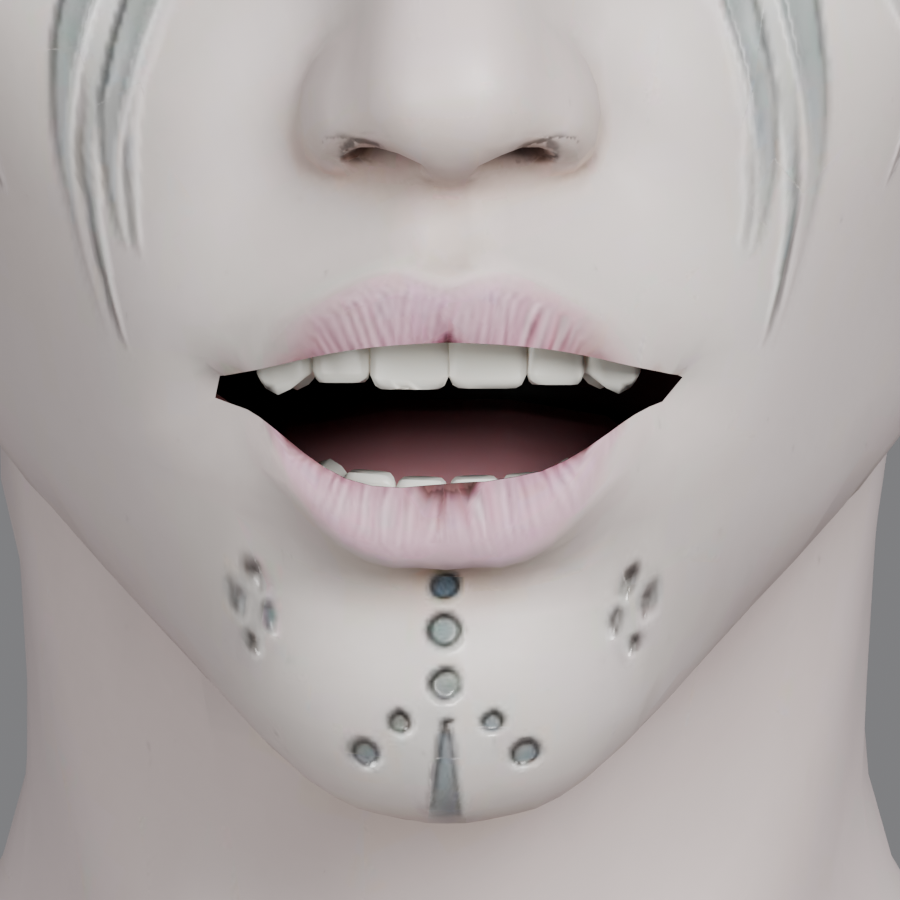
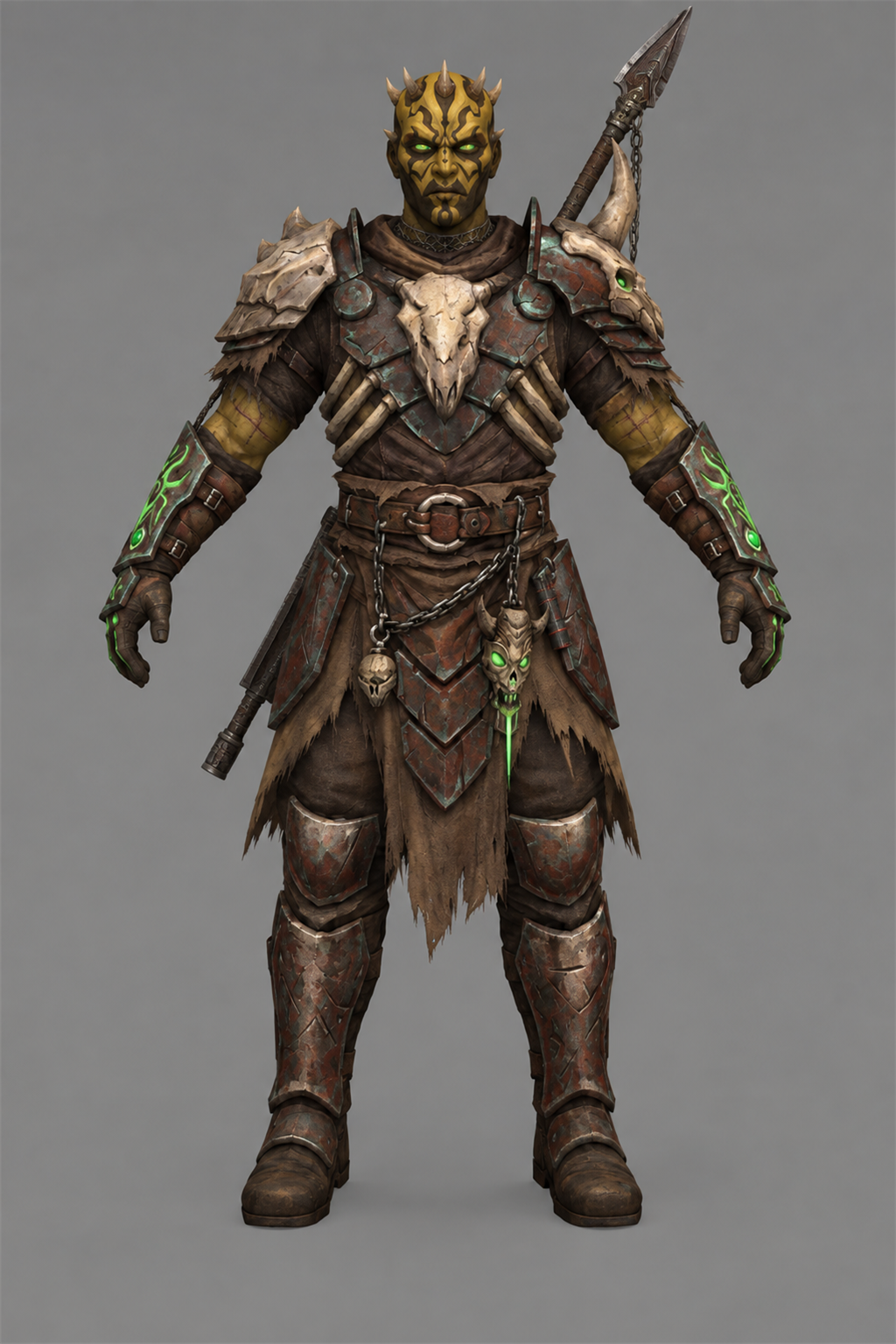
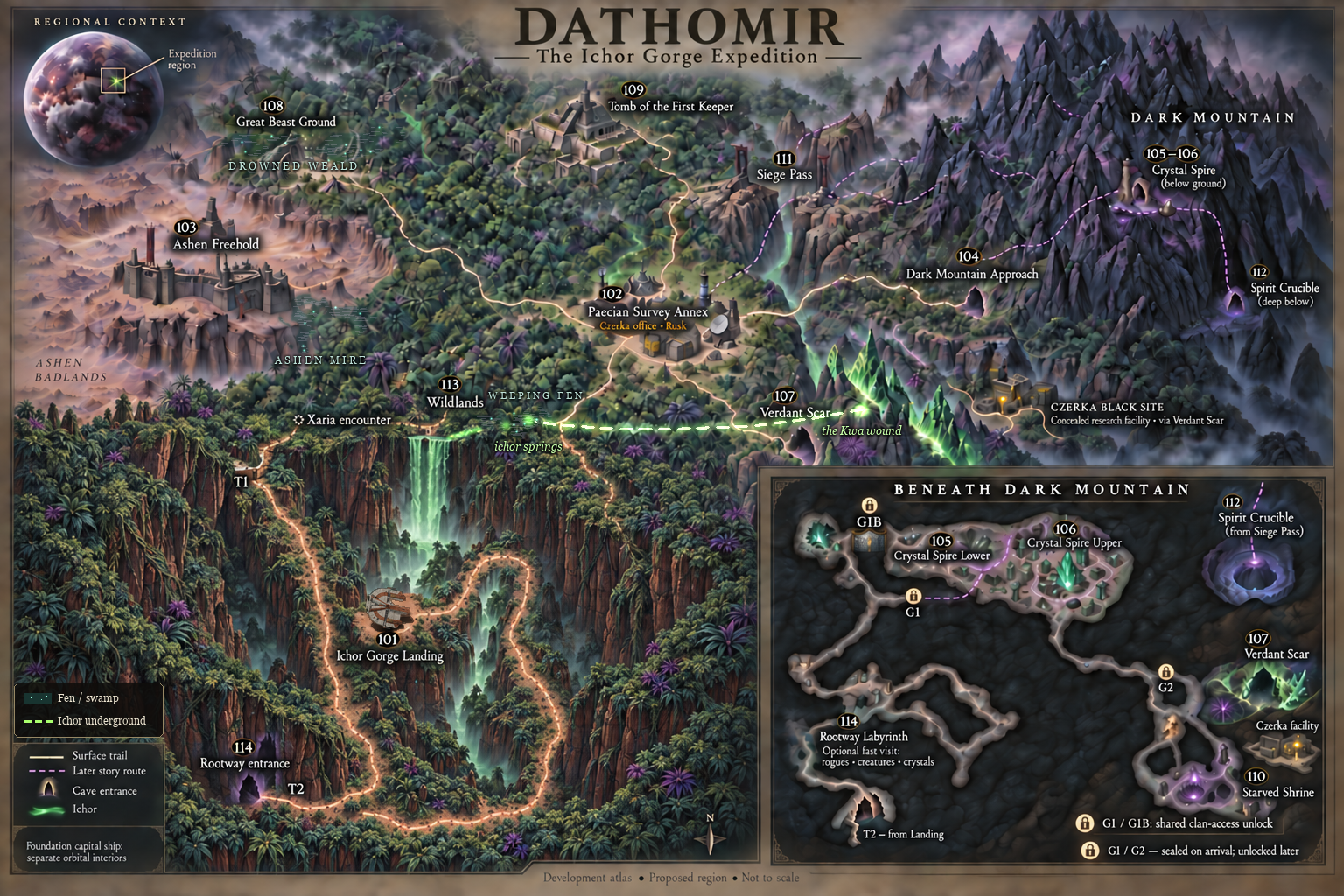
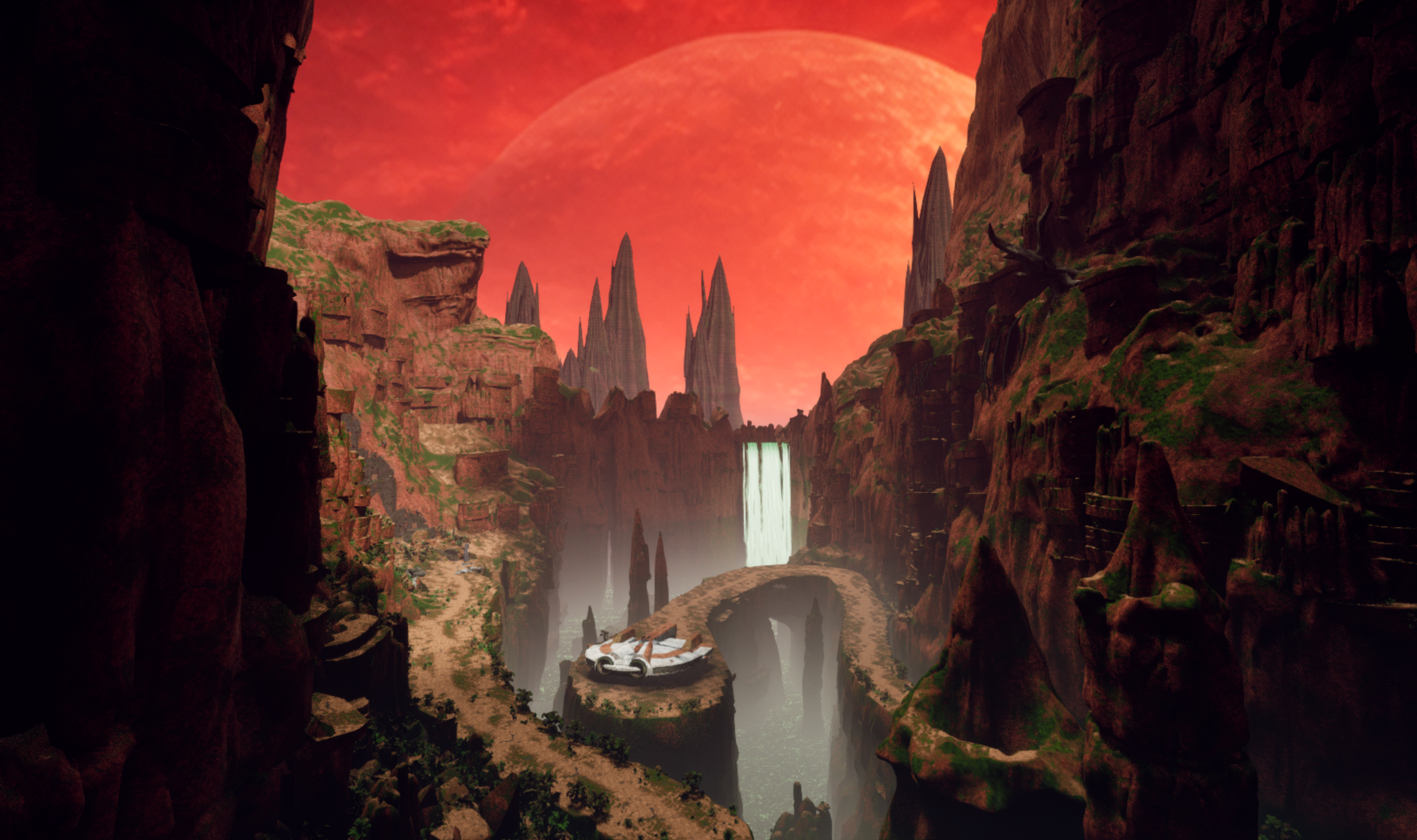
DATHOMIR EXPANSION A new world, a new story, and new companions for Knights of the Old Republic II Development journal · October 2026 Hey everyone, I've been back and forth on Dathomir for quite a while, and I owe this project a proper update. Some stretches have been all Dathomir; in others I've stepped away to work on smaller things, including my Basilisk and terentatek mods. Those projects have helped me learn, solve problems, and come back to this one with more to work with. I fully intend to finish Dathomir. I want to give the Exile a world worth exploring and a story worth carrying back into the rest of TSL. I'll be working in conjunction with @SAO1138to shape that story into something that fits the original game and delivers the kind of epic Star Wars adventure I want to play myself. There's a lot more planned than I've managed to show in scattered updates. This post brings together the current work, the larger design, and the route from one to the other. The screenshots are progress captures; the scope figures below describe the full development plan. 01 · The adventure A relic found on Korriban draws the Jedi Exile to a hidden enclave on Dathomir, where a civil war and a ritual to preserve the dead threaten to turn the bonds between people into something terrible. The story's working subtitle is The Wound and the Chain. It follows the Exile into a place where memory, grief, freedom, and control have become tangled together. The factions all have reasons to want the Exile's help, and reasons to be afraid of what that help might mean. I'm aiming for ancient mysteries, dangerous creatures, political choices, personal companion stories, and some big Star Wars moments. The quieter parts matter just as much: a conversation after a fight, a companion recognizing something you missed, or discovering that the person asking for help has left out a very important detail. This is a lost Dathomiri precursor society in TSL's era, thousands of years before the familiar later Nightsister traditions. Its settlements sit over older Kwa and Rakatan remains, with newer scars left by offworld interference. That history should be visible in the places you explore, rather than existing only in dialogue. There are also plans for a few beloved familiar faces to appear, and for an appropriate end to the story of a character many of us have loved since K1. I'm keeping those identities and circumstances under wraps. I want those moments to mean something when you reach them, with the player's established history respected. 02 · The full plan at a glance 15 planned Dathomir environments: 14 numbered planet modules plus the separately catalogued Czerka Black Site. 4 areas for a new upgrade. A capital ship to house your companions and travel the galaxy with (If you choose): a bridge, hangar, commons, and operations section. Together with Dathomir, that is 19 planned new locations, plus additions to the existing Korriban cave and Ebon Hawk. Final module boundaries may change; the first build combines some spaces. 1 branching main storyline: 11 numbered stages, expanded into 18 quest-and-route design sections, with 8 side quests and further shipboard and endgame story content. 2 recruitable companion candidates: Xaria and Kaius, with the permanent choice determined by the story and your convictions, not player gender. 43 cast catalog entries: 31 individual roles and 12 population/group entries. The individual roles include Oberon (A Rancor Mount), echoes, recordings, and remains as well as living people. 21 bestiary entries, 12 ambient fauna entries, and 37 flora entries. The bestiary includes creature families, variants, manifestations, and ancient Kwa lore forms; I have done extensive research on Dathomir flora and fauna in countless star wars comics thanks to @Lane and his coordination/knowledge of star wars comics. 4 principal conclusions with variations for companions, factions, civilians, and later events. The design targets roughly 5–7 hours for the critical path and 9–12 hours for a broad completionist run. These are planning totals and playtime targets, not finished-content counts or a release promise. The current playable work is still concentrated on the opening area, characters, encounters, and renderer. 03 · First look: Ichor Gorge Landing This is the first official module, and the place I want to set the tone for everything that follows. Red cliffs and a huge sky, green ichor deep below, broken machinery, ancient stone, and a small landing platform that makes the Ebon Hawk feel a long way from safety. The work behind these views includes route planning, blockouts, terrain and rock construction, vegetation, lighting, water, and repeated checks from the player's path. I'm trying to make a place that holds up when you walk around it, turn back, or look over an edge. I am applying all of my skills as a professional 3D environment artist to this work. The Unreal map is the visual master. Preserving that quality is what led me into the renderer work mentioned further down this post. 04 · The world beyond the landing The planet is planned around connected exploration and a hub-based investigation. You arrive as an outsider, get to know both major factions, and follow several lines of evidence before deciding who deserves your support, or whether to pursue another answer. Current illustrated development map: the surface regions and the passages beneath Dark Mountain. Ichor Gorge Landing, Wildlands, and Rootway Labyrinth: the arrival, dangerous open country, and an optional cave network beneath it, with branching routes, wildlife, and buried infrastructure. Paecian Survey Annex: a precarious neutral hub for researchers, traders, supplies, and investigations. Its dependence on outside commerce complicates its claim to neutrality. Ashen Freehold: the Brotherhood's settlement, with workshops, beast handlers, civilians, and a struggle over what freedom will look like after the war. Dark Mountain Approach, Crystal Spire Lower, and Crystal Spire Upper: villages, memorial fields, a public clan hub, archives, and the seats of ritual and political power. Verdant Scar and Czerka Black Site: a reactive crystal ecosystem and a concealed research operation, where the balance between value of living things and profit becomes an eerie choice. Great Beast Ground and Tomb of the First Keeper: large arena like territory with a creature boss encounter, ancient control systems, and a layered ruin central to Kaius and Oberon's story. Starved Shrine, Siege Pass, and Spirit Crucible: the later investigation and finale spaces, changing in meaning as the truth behind the war comes into focus. After the initial journey, survey beacons are planned to ease repeated travel between safe, discovered places. Skills and companions should open useful options: repairs, alternate routes, evidence, negotiations, and ways to handle creatures. Exploration should reward attention to detail of the world and its ecosystem. 05 · People, factions, and the choices between them The two central powers are the Dark Mountain Clan and the Ashen Brotherhood. Mother Sevrana wants to preserve her people's memory and continuity; Marro Venn leads a movement born from escape, labor, and resistance. Both have genuine supporters, internal disagreements, and actions the player will have to judge. The Paecian Survey Annex, led by Doctor Elira Vane, brings research and outside law into the conflict. Czerka, represented by Operations Manager Halden Rusk, brings transport, supplies, and an interest in owning whatever proves valuable. Korl Vesh operates between those interests as an Irodorian mercenary broker. Another familiar presence, has his own interest in the war. Beyond the principal cast, the plan includes wardens, archivists, researchers, quartermasters, displaced families, soldiers, captives, crew, witnesses, and echoes of earlier generations. Characters such as Warden Vaska, Archivist Mera, Pera Voss, and Quartermaster Seln give the settlements people to return to. The larger cast should make the consequences visible in ordinary lives. The ending structure supports backing either major faction, earning an alternative to their war, or pursuing a darker claim of your own. Trust and fear matter separately. I want different choices to change the finale, return visits, and the stories companions tell about what happened here. 06 · Xaria, Kaius, and Oberon Xaria: already speaking and fully working in TSL Xaria already has a working in-game encounter, custom powers and class, custom voice and dialogue, and post-combat recruitment. I have created a patch for the game that unlocks the party selection screen to have 20 open slots. @Vriff Has also released a 32 slot patch recently, and I will be working with him to combine our patches and make it the best experience for modders and mod enthusiats. Seeing her scene work in KOTOR II was a big moment. She is a seer with her own history and judgment of the Exile, and I want her to feel like someone you gradually get to know. 12-xaria-encounter-opening.mp4 In-game development footage — the creature encounter and Xaria’s opening line. Earlier character model, shown in the test module. Her planned combat identity combines ritual casting, stealth, repositioning, and reanimation: Miststep: Retreat, Miststep: Ambush, Veil of the Clanless, Raise Dead, Ichor Lightning, Ichor Drain, and Ichor Heal. Her longer arc includes a personal quest, influence-dependent conversations, six authored future glimpses, and connections to the wider TSL journey. I'm now rebuilding her head. The current work has separate eyes and improvements to the face, mouth, teeth, and topology. Hair, final speech and blink behavior, and testing the replacement in the game are still ahead. An earlier topology study from the same rebuild, before the latest mouth and dental refinements. Her outfit is also planned for an upgrade, drawing on the garment, armor, and material work I've been doing through my upcoming BetterArmor mod. The whole character needs to work in motion and in conversation. Kaius: a warrior with a history to recover Kaius is the other planned recruitable companion: a Zabrak veteran and beast master whose connection to Dathomir reaches into an earlier war. He and Xaria can both take part in the planet's story, but the permanent companion choice is intended to carry a real commitment. Kaius: character concept. His progression includes four staged Force-healing and training sessions, uncovering memories and restoring abilities. His planned kit combines Ichor Warform, Beast Accord, grip, hurl, and crushing techniques, culminating in Ichor Cataclysm. He also gains a retained summon progression of Boma → Zakkeg → Borhek → Terentatek, so a later beast adds an option rather than deleting the earlier ones. Oberon: our custom rancor Oberon is a named part of Kaius's story and one of the project's strongest completed creature assets. His custom model, rig, animation, and KOTOR II creature build are in place. The armor, scarred hide, bone details, and green accents give him a presence of his own. He has a major encounter, a continuing relationship with Kaius, and a planned signature summon and side quest. The way the player treats that relationship will affect its outcome. I'm keeping the scene itself for the game. The existing companions matter too. The design bible SAO and I have written includes travel reactions, environmental interactions, and shipboard scenes for TSL's standard cast. Xaria and Kaius should become part of the party's relationships, with people like Kreia, Atton, Bao-Dur, Visas, Mandalore, and the others responding in their own voices. AI disclosure: my workflow and the voices I want to be open about this: I use AI in my workflow on Dathomir, just as I do across my other projects and tools. I know some people will disagree with that choice, especially coming from a digital creator and professional artist. I understand that people feel strongly about it. The industry is changing, though, and I don’t intend to be left behind in my own industry. I have developed, written, and managed my own programs as part of working with this technology. As a technology professional, I believe I have a duty to explore new tools in a professional and ethical way. AI is amazing technology, and it has already helped us achieve a great deal on this project. I still take responsibility for what I make with it: the artistic decisions, the quality of the finished work, and how it fits into the game. That includes AI-generated voice work for new dialogue involving TSL’s existing cast. These are new AI-generated performances, not recordings made by the original actors for this mod. My intention is to do the characters justice with carefully written dialogue and high-quality scenes that respect who they are and make the world feel more alive. I plan to include an installer option to remove the AI voices; those lines would remain readable through subtitles, without voiced audio. I’m putting this disclosure here because I want to be honest about how the project is made. I hope that honesty will be met with respect and professionalism, and that discussion will focus on the actual work: the art, writing, gameplay, and experience I’m creating. The two short examples below show the current voice work in game. Kreia: AI voice demonstration 13-kreia-ai-voice-demo.mp4 Kreia’s reaction to Xaria. Development dialogue with an AI-generated voice. Atton: AI voice demonstration 14-atton-ai-voice-demo.mp4 Atton’s reaction to Xaria. Development dialogue with an AI-generated voice. 07 · Quests, creatures, and a living planet The main story moves from the Korriban discovery and Hawk decoding scene through arrival, faction audiences, the First Keeper investigation, three interlocking evidence trails, a commitment, a route-dependent siege, and the Spirit Crucible. Its 18 design sections include alternative branches; they are not 18 separate linear quests everyone completes. The eight planned side quests: A Name for the Beast: follow competing claims on Oberon and decide what his bond with Kaius should become. The Verdant Scar: explore a crystal ecosystem where extraction, aggression, and restraint have different consequences. The Dead Do Not Testify: investigate a murder where an apparently supernatural witness still needs evidence checked. The Weight of Ink: decide what to do with records that preserve family histories and enforce ownership. A Clean White Room: confront a medical crisis involving people whose employer and individual actions do not tell the same story. The General's Shadow: work through Xaria's memories and the Exile's wartime legacy. A Soldier After the War: recover Kaius's past through his staged healing and training arc. Hanharr's Hunt: a conditional companion story shaped by the player's Nar Shaddaa outcome and Mira/Hanharr availability. Alongside the quests are environmental puzzles, skill-led solutions, creature-control choices, journals, unique equipment, ritual items, and consequence-based rewards. The item document currently contains 20 item entries and 13 power entries, in addition to Xaria's seven-power list. That includes story and endgame items, not just loot. The bestiary is a mixture of familiar Star Wars creatures and original Dathomir designs. Its 21 entries cover rancors and Oberon; the Elder Terentatek known as the Great Beast; other terentateks; zakkegs; bomas; borheks; chirodactyls; Dathomir wraids; Kwi; whuffa worms; Vesper Kinrath; Rootmimes; Scar-stalkers; Glowwing Shyracks; Fen Maws; Siphon Matrons; Ash-hounds and Ward-hounds; Starved Husks; Czerka specimen splices; echo manifestations; and ancient Kwa represented through echoes and visual history. The original designs have different roles: a Rootmime hides among hanging roots, a Fen Maw imitates a harmless light over the water, and a Scar-stalker disappears among crystal growth. Some encounters can be avoided, calmed, or approached through a companion. The Elder Terentatek also gives the work on my smaller terentatek mod a direct place in the larger project. Ambient life has its own 12-entry roster: Burra Fish, Vesper Moths, Mourning Cranes, Cairn Crabs, Thornback Gliders, Echo-singers, Hide-pickers, Lantern Beetles, Hush-leeches, Kwa-glass Snails, Scar-grazers, and Canopy Tachs. The 37-entry flora plan covers canopy trees, roots and vines, ferns and ground cover, fungi, hazard plants, water plants, dryland growth, reactive crystal vegetation, and cultivated gardens. Grave Thorns, bloodgrass, lantern lilies, glowing cave fungi, memorial trees, and crops should help each place feel different. Settlements need food, medicine, work, and signs that people actually live there. 08 · Beyond Dathomir: the Foundation One of the largest planned additions is Foundation, a worn Republic cruiser (I haven't decided if it will be a hammerhead or another ship that is equipped with a hangar) that can become a mobile home for the party, with the Ebon Hawk docked inside. The opportunity to command it is tied to the Exile's history. Accepting a title, rejecting what it implies, taking an independent charter, or refusing the offer should all be meaningful choices. Its four planned areas are: Bridge: command, navigation, the galaxy map, and story decisions. Hangar: the docked Hawk, cargo handling, party departures, and arrivals. Commons: dormitories, mess, crew life, and companion conversations. Operations: armory storage, a Republic quartermaster, workbench, laboratory, medbay, and training facilities. The fuller plan adds a first-boarding ensemble, room-specific companion scenes, training tournaments, skill sharing, changing supplies, and reactions for companions recruited later. I want boarding the ship to feel like the party moving into a new place together with proper reactions from each character their first time walking onto the crew deck. Later phases extend that into a conditional Onderon arrival crisis, with attempted negotiation, bridge gunnery mini game, boarding defense, evacuation, and a damaged ship's return; Ghosts in the Fleet, a contained HK-50 investigation; and a Ravager support sequence involving Mandalorian battalion preparation scenes, a basilisk fleet launch from the hangar, a tactical protection choice, and consequences for the people doing the fighting. As you recruit mandalorians throughout the galaxy for Mandalore, they will gather and operate on your warship. You will effectively be building your own Mandalorian army throughout the course of the game and watch them interact on the ship. There are also planned responses to Dathomir in the later Sith confrontations, a Malachor perimeter rendezvous, and a final companion moment looking toward the Exile's future. I'm keeping the reveals and the K1 character's intended resolution out of this post. These additions have to respect the original game's events and TSLRCM's restored content. The Ebon Hawk remains the fallback when a ship feature is unavailable, refused, or belongs to a later development phase. 09 · Why we're building a new renderer I don't want to build the Unreal environment you've seen above and then lose the qualities that made it worth building when it reaches KOTOR. That has pushed us toward essentially replacing KOTOR II's world renderer with our own rendering engine. The current direction keeps TSL responsible for the game, characters, rules, dialogue, scripts, and interface while a separate 64-bit renderer built around Diligent and Direct3D 12 takes on the world visuals, connected to the game's camera and frame. There is already an early live milestone: the Dathomir map has been drawn through that new renderer inside KOTOR II. Early in-game renderer test, September 30. This is the KOTOR II capture; the two main showcase images above are from the Unreal environment. The gap in materials, lighting, effects, and presentation is work still to do. Materials, foliage, transparency, lighting, ichor, character integration, stability, and measured performance all need further work. We also need to prove save/load behavior and compatibility. An image appearing in the game is an important step, but the renderer has to survive normal play. If we can make this work well, its value could extend far beyond Dathomir: more detailed geometry, richer surfaces and lighting, and a modern approach to rendering performance. It could change the scale and appearance of what people can build for KOTOR. That's the possibility driving the effort; I want the finished results to justify the ambition. 10 · The process and the road ahead The project now has a narrative bible, quest and level plans, dialogue, companion and continuity coverage, journals, rewards, epilogues, and environment and creature catalogs. Those documents are much further along than the playable planet. They give the work a direction; implementation is where we'll find out what needs to change. On the art side, the process has been references and concepts, models, cleanup, materials, rigging, animation, and repeated engine checks. My tool Ghost Studio (https://github.com/CrispyW0nton/Ghost-Studio) and the surrounding tool work help connect those stages. I've also used AI-assisted concept and asset tools, followed by inspection, rebuilding, and testing and my own drawings. A first asset or attractive render still has a long way to go before it belongs in the mod. Immediate priorities: bring the gorge and renderer closer to the Unreal master; establish reliable navigation, collision, and transitions and lighting; finish Xaria's head and outfit work; and connect the working pieces into a playable opening. The opening slice is planned to run from the Korriban discovery through the Hawk scene, landing, Wildlands, Xaria encounter, a creature encounter with multiple solutions, and arrival at the Annex. That gives us a real section of the adventure to judge as a whole. The broader production plan has four phases: Dathomir core: the main story, all eight side quests, Xaria and Kaius, essential companion scenes, faction outcomes, and the commission choice. Story development with SAO runs through this work. Foundation's first playable hub: bridge, hangar, initially combined commons/operations, storage, vendor, medbay, companion residence, and the first tour. Later-story integration: the HK-50 thread, Ravager preparations and consequences, Malachor rendezvous, and closing scenes. Expanded ship systems: the Onderon action sequence, separate interior areas, fuller training and skill sharing, and the remaining command-path variations. Each stage needs playthroughs across different choices, planet orders, and available companions, alongside performance, installation, save, and compatibility checks. I'm not attaching a release date to this yet. There is substantial work ahead, and I want the updates to show what is actually getting done. I do plan on releasing this sometime close to the official kotor remake by Saber Interactive. Or sometime after it at least, because I feel there will be many players returning to the franchise at that point as well as new players who want to experience the second game after the renewed experience to the first game. I know I've stepped away and come back more than once. I still want to see the Exile land in this gorge, get to know these people, and leave with a story that feels like it belongs in Star Wars. That's what I'm working toward. I'd love to hear what you think of the two gorge shots, Oberon, Xaria's direction, and the wider plan. Thanks to everyone who's followed the smaller mods along the way. I'm looking forward to having more of Dathomir itself to put in your hands. — ShaolinGhost
- 1 reply
-
- 5
-

-

-

-
-
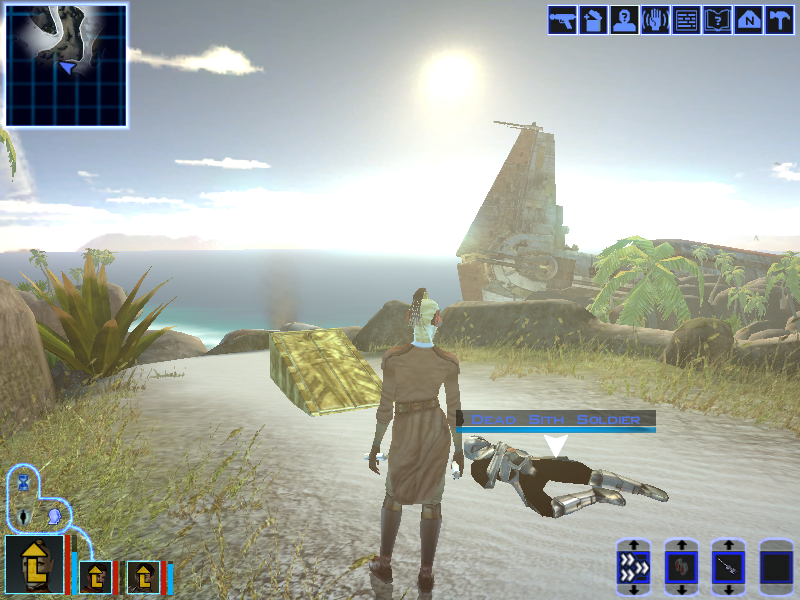
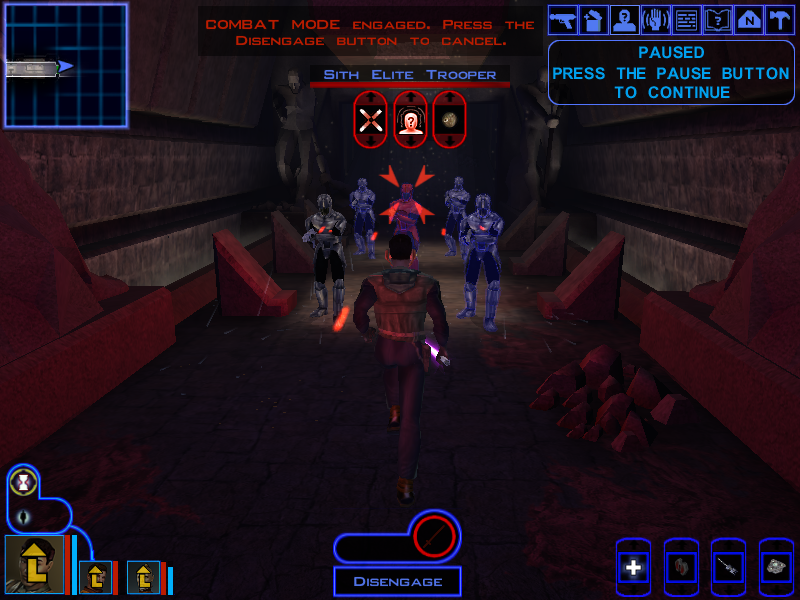
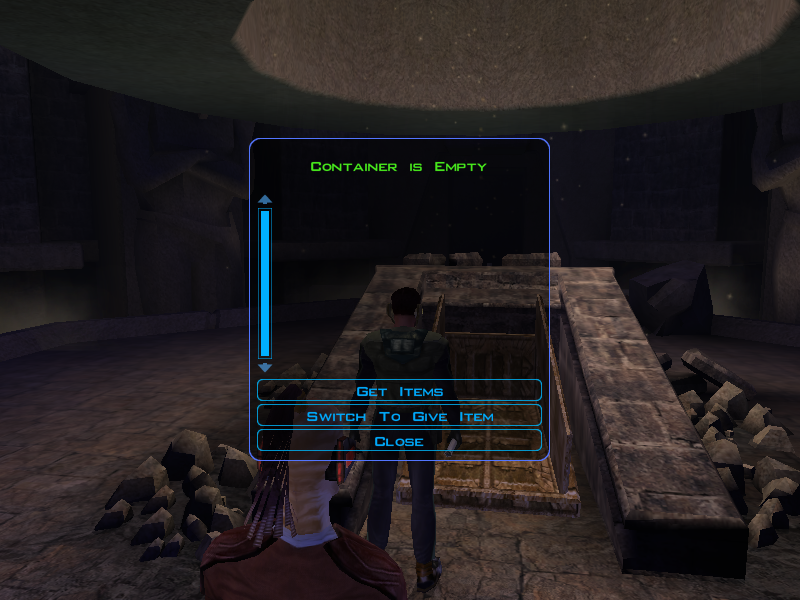
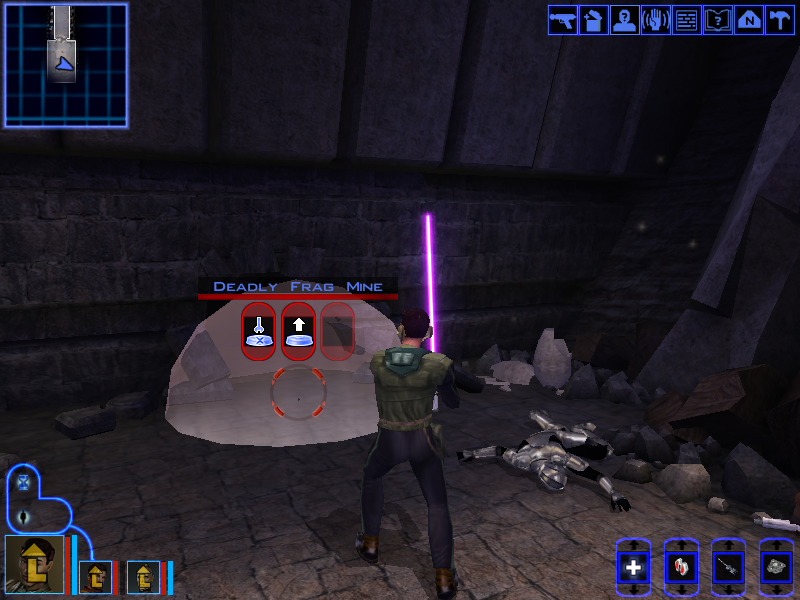
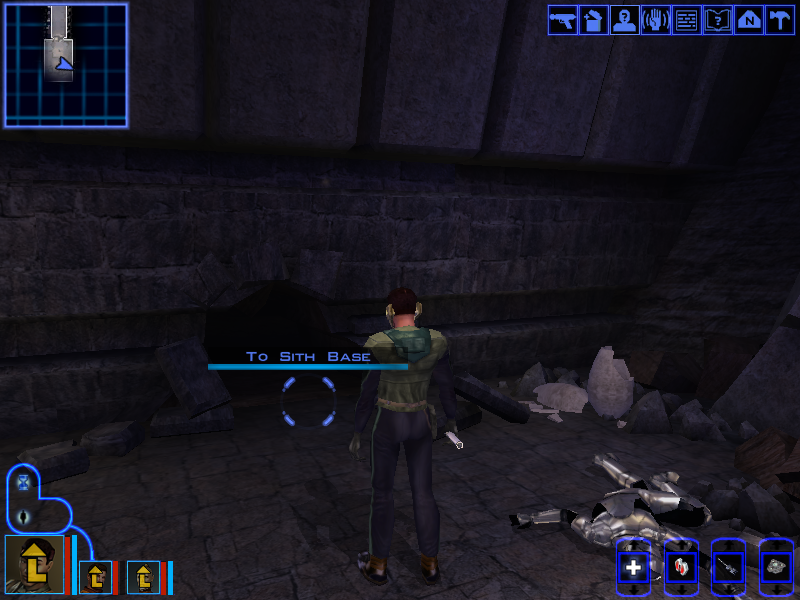
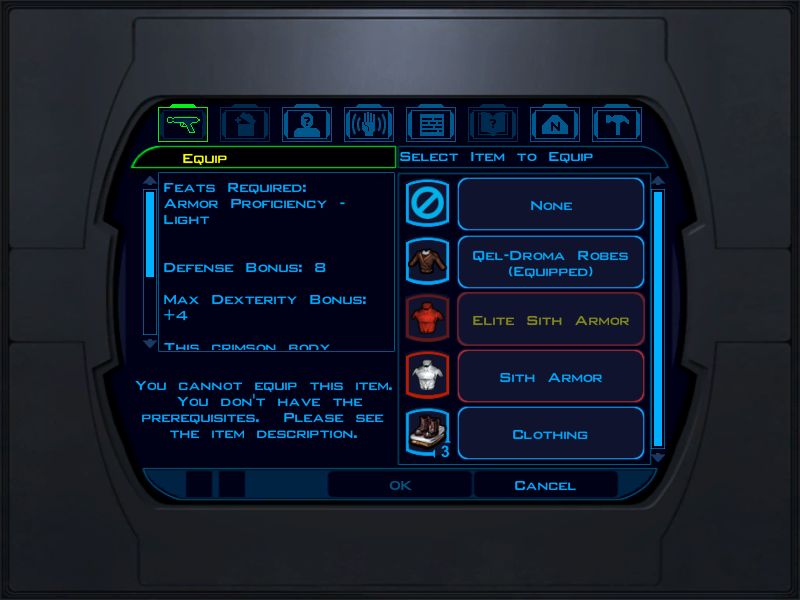
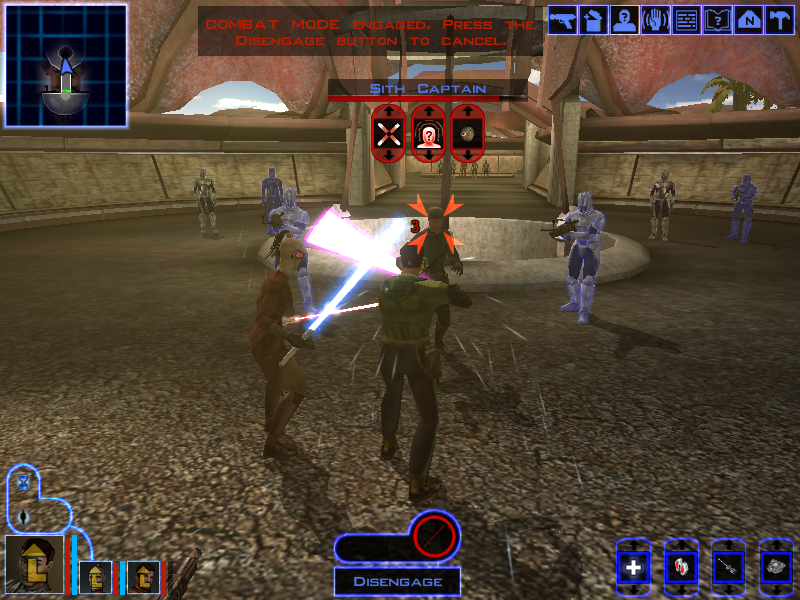
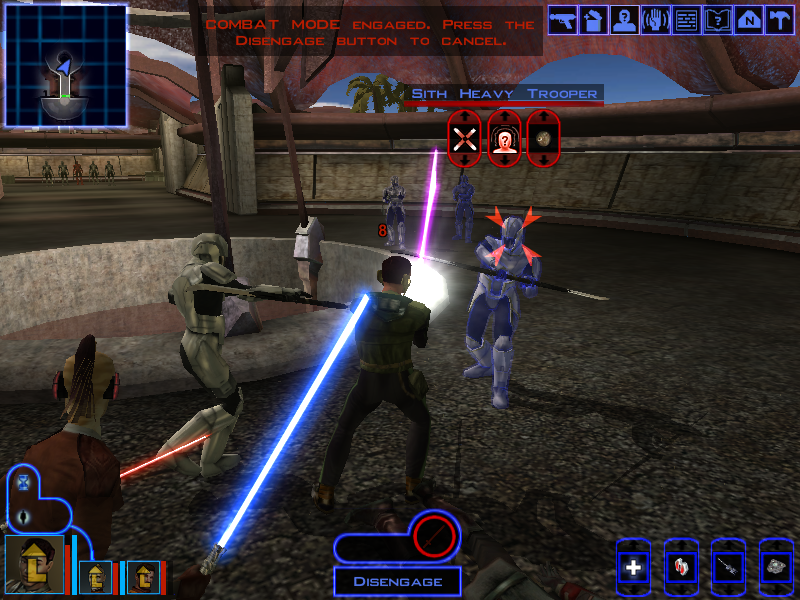
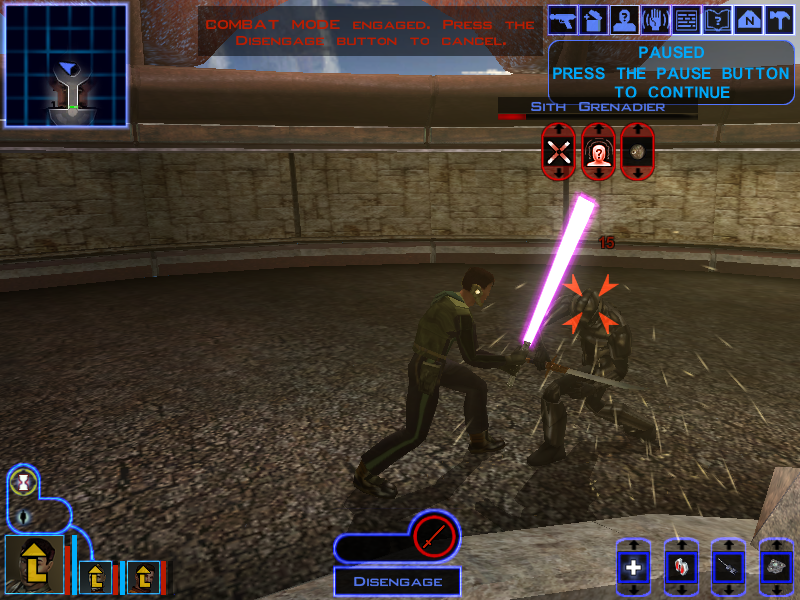
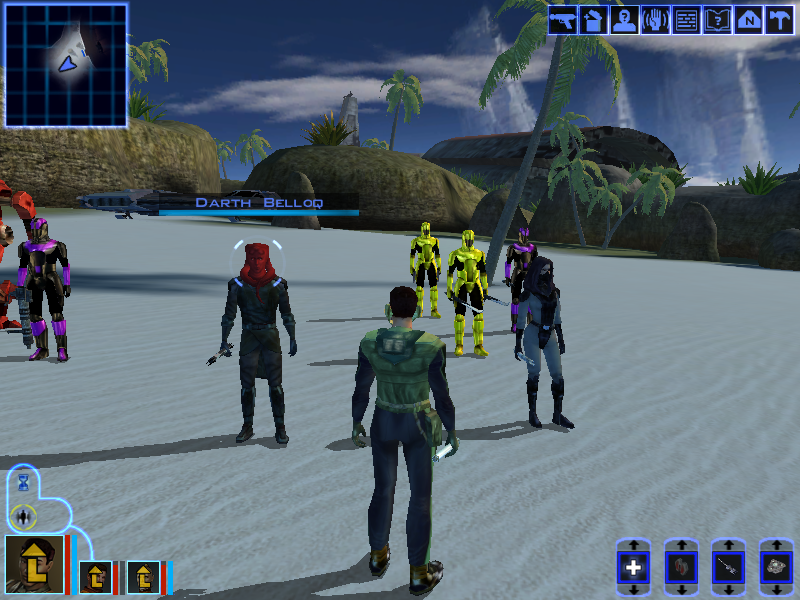
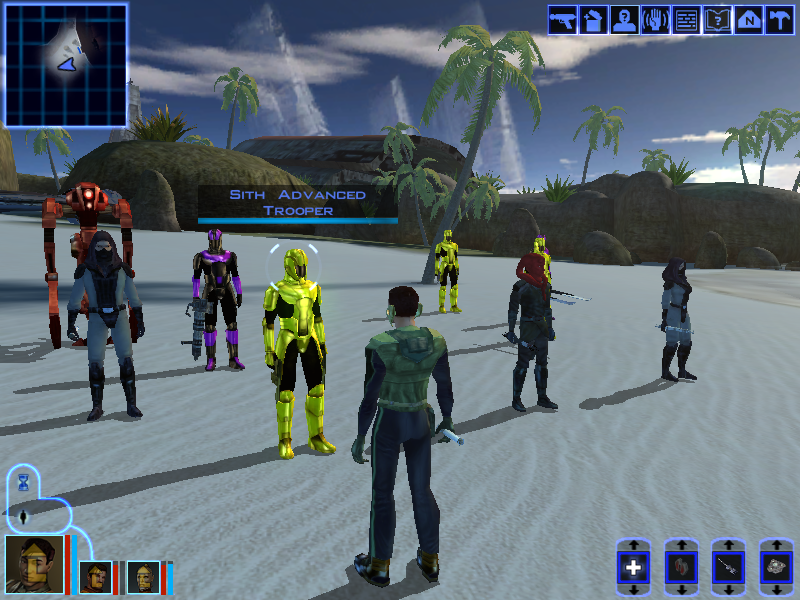
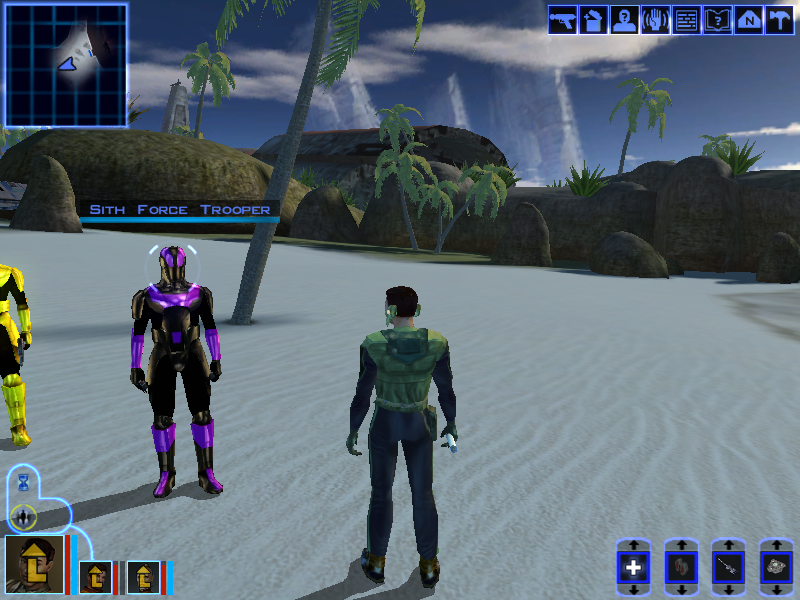
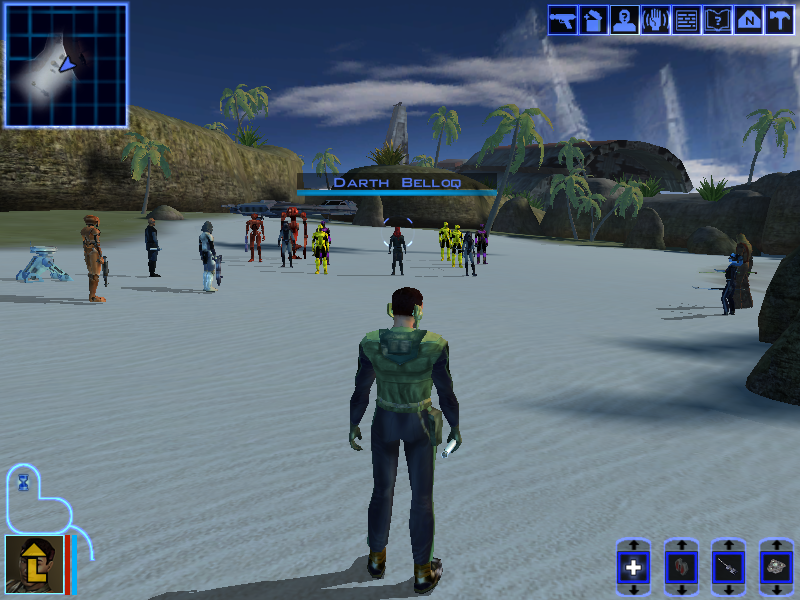
It's been pointed out to me that I don't give a lot of details in my WIP threads, so I thought I'd expand on this topic. War on a Nameless World takes place on Lehon. Specifically, it starts on the overlook in the starting area, where a door lies half-buried next to the corpse of a Sith Soldier. The corpse has a datapad which explains the setting: a rogue Sith Lord named Darth Belloq (yes, thats a Raiders reference) has discovered the Trove, a cache of ancient Rakatan weapons that he intends to use to overthrow Malak. The door, of course, leads inside. (I'll be splitting this up into 1 post per area so the screenshots dont get confusing). The Trove will use the Tomb of Tulak Hord as a base. Inside the player will battle numerous Sith Soldiers in hopes of reaching the Trove before the Sith. There will be regular Sith Soldiers as well as Red Elite Troopers. I should clarify at this point that I will be using the same trooper types and color schemes as in my Sith Soldiers Recolored mod Each soldier will drop some low-level gear and an armor that makes them look like the soldier in question. The regular armor isn't very powerful (standard issue and all), and the red armor is decent, but nothing extraordinary. These are the weaker versions of Sith armor, so most of the appeal is being able to look like the soldiers. Naturally, you reach the Trove only to find it empty. Further exploration of the Trove reveals that hiding underneath a landmine is actually a tunnel leading directly to the Sith Base, implying that this is how they got in. You'll have to follow, of course, to stop Belloq. The Sith Base, much like the Trove, is filled with numerous but relatively weak Sith troopers. In addition to the regular and elite troopers, we have the heavy troopers and grenadiers. Their armors are decent, much like the elite armor, but nothing fancy. After you battle your way around the base, collecting weapons and amor, you will find no sign of Belloq or the Rakata weapons. With no other options, your only way out is the front door. Outside the base, you will find a beach where Belloq and his inner circle are waiting. He has dark jedi, Star Forge battle droids, a next-generation HK assassin droid, and 2 types of elite troopers: the Advanced Trooper from the Star Forge, and the new Force Trooper. Belloq's power rivals the Dark Jedi Master in the Ancient Temple, and is equipped with a number of unique artifacts and powerful robes. Each of his inner circle is similarly equipped with powerful weapons and unique artifacts, some of them Rakatan in origin, others not. Normally, this fight would be unreasonably difficult with only 3 people. Fortunately, your crew is able to join you for a massive team vs team battle like none you've ever seen in K1! I try to keep all of the enemies' gear balanced, though in this area's case a lot of it is more powerful. There's a self-healing droid implant that HK or T7 can use, along with a number of decent droid consumables such as flame throwers and oil slicks. The various Dark Jedi have Rakata- and Jedi-tech armbands, gloves and belts that give small boosts to Wisdom and Charisma (the bonuses are small, but nothing else in those categories give such bonuses, which I think makes them worthwhile). The Advanced Trooper armor is the first genuinely powerful armor, as it gives decent Defense for light armor and offers sizeable Force resistance. The Force Trooper armor is even more powerful: as a disguise item with sizeable defense and a bonus to Wisdom, its comparable to the Qel-Droma robes. Darth Belloq wears a powerful Force-resisting glove, dark side robes comparable to the Qel-Droma robes in power, wields Exar Kun's double-bladed lightsaber, which is DS-aligned and gives a small bonus to Hit. One of the Force Troopers also wields Exar Kun's backup sabers, with another trooper carrying a heavy repeater that is almost as powerful as the Baragwin Heavy Repeater. Overall, this battle is meant to be challenging and rewarding, though hopefully not too big of a departure from the higher levels of the game's item quality. Now, I am nearly finished with this mod. I have 3 bugs to fix before I finish playtesting: When you approach Belloq, a trigger is supposed to start a convo which results in the fight starting. I have a fix for this, I just need to implement it. I discovered while making this post that if you enter the Beach with some party members, then come back without them, those party members aren't summoned to the beach. I'll start working on that fix shortly. The most iconic prize, Exar Kun's lightsaber, is a little buggy (as seen in the first post I made on this thread). Now, I've since realized that its because I was using a janky, crusty, 2 days older than dirt version of Kotorblender, but before I figured that out, a friend offered to try making it for me. I suspect it will be a while before he's done, but I'm optimistic that the final result will be much higher detail than whatever I would've made. Once I get that from him, I'll finalize it (and its variants, gotta keep this upgradeable) and finish testing the mod.
- Yesterday
-
 JBobert joined the community
 -
 Fluffiest1 joined the community
 -
I'll work on that in the future.
-
This was a weird WIP thread. Not a lot of description of what the mod is and not a lot of pictures either.
-
Hi @Narve, great write-up! I’m the author of the modern driver compatibility patch @Vriff mentioned, and I dug into the engine side of what you ran into. It’s the renderer’s design, not due to an authoring or tooling issue as far as I can tell. There are two different kinds of “bump” in K1, and the .txi chooses between them: bumpyshinytexture + bumpmaptexture is environment-mapped bump. The bump map only distorts the cube map reflection; it never affects lighting. The reflection is weighted by your diffuse alpha: dark alpha shows it, white alpha hides it. That’s why you found alpha controls shine and bump together. In this mode they’re the same effect. bumpmaptexture alone is real lit bump, but only from a dynamic light. The engine picks the single strongest light that isn’t ambient-only and has a dynamic type, and bump-lights against that. Without that kind of light nearby, you see no bump at all. The wet highlight is masked by dark alpha, and without an env map, dark alpha also reads as transparency, which is probably the issue you hit. For the Ebon Hawk: with bumpyshinytexture in its .txi and a mostly white alpha, the bump has nothing to show through, so its content can’t matter. Without that line, a lightmapped mesh with tangent space is meant to get lit bump on top of the lightmap near a dynamic light (renderbmlmtype 0 picks a diffuse-only version, otherwise it adds a specular highlight). But that path looks unfinished in the PC release. It loads its vertex program in NVIDIA’s older format through an interface that expects the newer one, and most drivers reject that. So near a dynamic light the hull may not draw at all, and away from one it falls back to the plain lightmap. I haven’t confirmed this in game yet. One catch worth mentioning: in the unmodified game, lit bump on creatures and other non-lightmapped meshes only ever ran on NVIDIA cards. Are you on NVIDIA? If so, you’re seeing what the game was built to show. PS: I wouldn’t use it to test bump on heads quite yet. Reading the code for this, I found it skips lit bump on skinned meshes that use bumpmaptexture without bumpyshinytexture, and I’m fixing that. The lightmapped bump path needs more than shading, because the game’s own vertex program for it doesn’t load. It’s next on my list. The game has two shading backends, one for NVIDIA and one for ATI. The patch is built on the ATI one so it runs on every card, and the ATI backend never had these modes. The NVIDIA one did, so I’m porting them from it.The ATI path handled most of these rendering modes differently, and the patch was built off of them instead of replicating the NV_register_combiners implementation. If you’d like to experiment with the shading itself, every shader the patch generates can be overridden by dropping an ARB fragment program into override/shaders The lightmapped bump modes will become overridable the same way once they exist.
-
Not sure what the typical rules are for this, so I thought I'd give an update. I have completed and uploaded the mod for review. I hope its approved soon so you all can try it and give me any feedback you have.
-
Thank you! And yea it was from ChatGPT lol 😅
- 3 replies
-
- 1
-

-
- tsl
- restoration
- (and 3 more)
-
 https://github.com/CrispyW0nton/Ghost-Studio For anyone following this topic, I completed this tool a while back and it is a very powerful tool for modding both kotor games. Feel free to try it out. I have combined all my original tools into one modding suite
 -
View File High poly PFHC03 The mod replaces the PFHC03 model and textures. To Install 1. Download: PFHC03 2. Copy all files to the Knights of the Old republic's Override folder. (Example location - C:\Program Files (x86)\Steam\steamapps\common\swkotor\Override) 3. When/if prompted to overwrite files, press okay. 4. If you like the mod; leave a comment or endorse! (It would be much appreciated) Made with love. Submitter Dark Hope Submitted 09/30/2026 Category Mods K1R Compatible Yes
-
 Excellent addition! Everything worked great, and I love the different logs and the story they tell!
- 26 comments
-
- 1
-
-
- cruiser
- deadlystream
- (and 4 more)
-
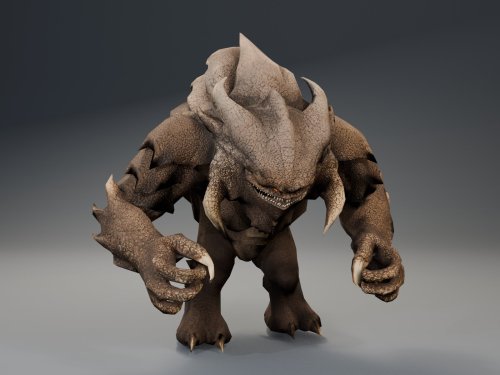 Sorry about the error with the installer! I forgot to add FileExists=1 to te changes.ini .... So weird that exists. Updating the mod again right now to fix some bugs with scripted interactions. I tested all of the scripted appearances of the Terentatek and it works well now
 -
Why are you referring to yourself in the third person? Why even speak like this if you're reporting a bug? Did you copy & paste this from an LLM? But jokes aside, I have fixed your reported issues in version 1.2.2. If the problem persists, or if there are new problems, feel free to report those too and I shall fix them as soon as I can.
- Last week
-
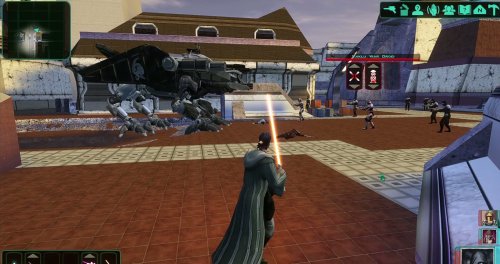 Thanks Shay! I'm working on a better armors mod that will add AAA quality outfits to the game to replace all the current armors in the game, and I'm working with @SAO on a Dathomir expansion mod coming soon!
 -
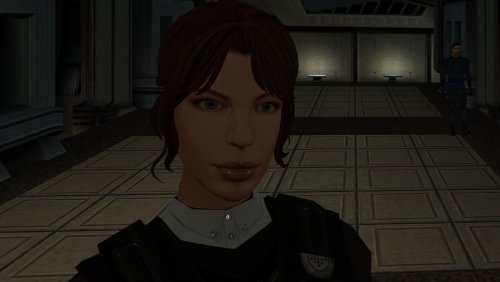
Version 1.0.0
24 downloads
The mod replaces the PFHC03 model and textures. To Install 1. Download: PFHC03 2. Copy all files to the Knights of the Old republic's Override folder. (Example location - C:\Program Files (x86)\Steam\steamapps\common\swkotor\Override) 3. When/if prompted to overwrite files, press okay. 4. If you like the mod; leave a comment or endorse! (It would be much appreciated) Made with love. -
I keep getting errors when trying to install the item restorations mod from the k2CR+1.2.1. Specifically, these files below could not be modded properly: The first error, 'ModelVariation' is the real problem. HoloPatcher hits it while patching a_robe_11.uti, which is the Jal Shey Advisor Armor restoration. The mod’s current Item Restorations component specifically modifies that armor, and K2RC+ 1.2.1 also added the Prototype Mining Laser restoration. Deadly Stream The other thing I don’t love is this warning: Orphaned ini sections found in changes ini: baseitems_row_pro_mining_laser_0 baseitems.2da That strongly suggests parts of the Prototype Mining Laser’s installer configuration aren’t actually being referenced properly. Combined with your previous 1.4.3 run giving an error on prominlaser.uti, this is looking much more like a problem in K2RC+ 1.2.1’s Item Restorations installer/config, rather than something wrong with your PC.
-
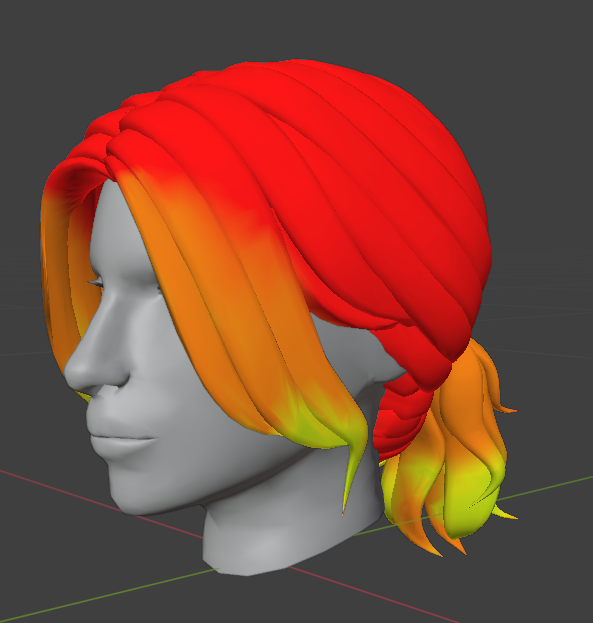
Yes, for short hairstyles the best option is to start from 1. I looked at how different hairstyles are weighted in the vanilla models and noticed that on long tails and other long dangling parts the weight is 0 at the attachment point. I’m not exactly sure what causes this - maybe the length of the danglymesh, or the distance from the attachment point? Or the fact that it’s attached only in a small area rather than across the whole surface of the head? So for now I’ve set roughly the same weights that are in the original model, because I’m afraid of accidentally triggering an unexpected bug somewhere. 😆 Although I myself haven’t noticed any particular difference between weight 0 and weight 1 either.
-
Hi. I noticed something about these weights: the 1 and 0 regions are completely locked. The 0.5 area is where the deformation is strongest and most unnatural. I try to avoid those weights (the blue and green ones) and start from 1 instead of 0 (like in the original). The animation turns out smooth and natural. Привет. Я такую штуку заметила в весах: 1 и 0 области полностью зафиксированные. 0.5 это область с самой сильной и неестественной диформаций. Я стараюсь избегать этих весов (синие и зеленые). И начинаю не от 0 (как в оригинале), а от 1. Анимация получается плавная и естественная.
-
Holly! That's a great mod to add to my collection. Definetly looking forward for new ones.