All Activity
- Past hour
-
View File Kotor script Extender (K1SE)kse-1.0.0.zip K1SE is a script extender for KOTOR 1, in the same tradition as SKSE, OBSE, and NWNX. It is a DLL that loads with the game and gives NWScript functions BioWare never exposed. You write ordinary scripts, compile them with your normal compiler, and add one include line. This is a tool for mod authors. It does not change anything in the game by itself. On its own it is invisible. BEFORE YOU DOWNLOAD: Steam only, and only some Steam builds Every address K1SE uses was derived from one game executable on one machine. At launch it checks your game against eleven fingerprints, and if they do not match it refuses to install and does nothing at all. GOG, retail disc, localized builds, and anything patched have never been tested. Not broken, just never looked at. That refusal is deliberate. K1SE will not run against offsets it cannot confirm, so it cannot quietly corrupt a save on a build it does not recognize. But it does mean the honest supported list right now is a single build. docs/SCOPE.md in the archive lays out exactly what the evidence base is. WHAT IT ADDS Bitwise and integer math. AND, OR, XOR, NOT, three shift variants, popcount, plus min, max, clamp, sign, Euclidean modulo, integer power, and integer square root. NWScript has no bitwise operators at all, so if you have been faking bit flags with arithmetic, that is over. A key-value store. Set and get strings or integers by string key, test existence, delete. In memory only, cleared when the game restarts, 256 entries. Useful for passing state between scripts inside a session. It is not a save system. Feats, skills, and saving throws. Grant or remove a feat, adjust skill ranks, adjust Fortitude, Reflex, and Will base saves. These write into the character and survive save and reload. Utility. A version check, a build id string, an error code you can read after a refused operation, and a logging call so you can drop your own markers into K1SE's log alongside what K1SE did. Full signatures and notes for every function are in docs/API.md. READ THIS IF YOU USE THE FEAT FUNCTIONS A granted feat is permanent. It is written into the creature's feat array and it survives saving and reloading. KOTOR has no engine path that removes an array feat, so K1SE's remover is the only one that exists, and it persists too. Treat every grant as one-way until you have tested removal inside your own mod. Test on a save you do not care about. The same applies to skills and saving throws. INSTALLATION 1. Open your KOTOR folder, the one with swkotor.exe in it. On Steam: right click the game, Manage, Browse local files. 2. Rename the existing binkw32.dll to binkw32_real.dll. 3. Copy K1SE's binkw32.dll into that folder. 4. Copy kse.nss to wherever your script compiler looks for includes. 5. Launch the game. K1SE writes a log to %LOCALAPPDATA%\KSE\kse.log and the top of it tells you whether it loaded. K1SE forwards every call to the real library, so the game behaves normally whether or not K1SE installs itself. UNINSTALLATION Delete K1SE's binkw32.dll and rename binkw32_real.dll back to binkw32.dll. That is the whole uninstall. The only other thing K1SE leaves is its log folder, which you can delete. THE THING THAT WILL CATCH YOU OUT If K1SE is not loaded, K1SE calls do not throw an error. They silently return zero. That is indistinguishable from your mod being broken. Guard every script that uses K1SE: if (KSE_GetVersion() <= 0) return; Use <= 0 and not == 0. An older K1SE returns a negative number rather than zero, and == 0 would let it through. If a K1SE script appears to do nothing, read kse.log. It is the only place that records whether K1SE loaded and, if it refused, which fingerprint failed. COMPATIBILITY Requires the binkw32.dll slot. If you already run another mod that replaces binkw32.dll, the two will conflict and you will have to pick one. KOTOR 2 is not supported and has not been tested. Stability: K1SE ran for 7 hours 10 minutes under sustained script load without crashing or degrading. That is a run length result, not a leak measurement. No leak measurement has been made. WHAT WOULD HELP MOST One read-only check on a non-Steam install. GOG, retail disc, anything that is not the build this was developed against. More testing on my own machine cannot widen the supported list, because it is the same single witness re-attesting itself. One run on a different copy of the game is the contribution that actually changes what this project covers. Come to the Discord if you are willing. PERMISSIONS MIT licensed. Use it, modify it, redistribute it, bundle it inside your own mod, commercial or not. Keep the copyright notice and license text with it. No permission request needed. SUPPORT Discord: https://discord.gg/EqR7uqQy3f Bug reports, questions, and "it will not work on my copy" all welcome. Attach your kse.log. It answers the did-it-load question in about two seconds. Submitter TheMMN Submitted 08/05/2026 Category Modder's Resources
-
View File AxC's Mira/Hanharr - Reputation Over Alignment Recreation of the idea of @muitafruita from an old thread, which I randomly stumbled upon and quite liked. As many of you know, the choice between Mira and Hanharr is locked by the Exile's alignment during the dock scene when going after Visquis. Light and neutral Exiles get Mira, while Dark Exiles are approached by Hanharr instead. Whoever approaches you first gets onto your ship later. Regardless of this, the game tracks a reputation score with the Exchange through the global variable 300NAR_Exchange_Favor, though it isn't utilized quite as well as it could be. And just as proposed by the idea's author, this mod changes the trigger conditions from being alignment-based to reputation-based. Now, if the Exchange favors you, you get Hanharr as a companion. If the Exchange disfavors you or has a mixed opinion, you get Mira instead. Sounds realistic, doesn't it? Your actual actions on Nar Shaddaa should decide, not the mystical Force-alignment no one probably knows or cares about. Notes: The mod can be installed and uninstalled at any time before you encounter Mira or Hanharr at the docks. After that, with or without the mod, your choice is sealed. TSLRCM is not required, but is always recommended. Installation: Copy following files from archive's "Override" folder to yours: a_hanharrconv.ncs; a_miraconv.ncs. Credits: muitafruita, for the original idea Fred Tetra, for KOTOR Tool TK102, for DLGEditor Torlack, stoffe & TK102, for NWNSSCOMP JdNoa & Dashus, for DeNCS Cortisol, for Holocron Toolset Submitter AxConsortium Submitted 08/05/2026 Category Mods TSLRCM Compatible Yes
- Today
-
 Borrachoburro joined the community
 -

Version 1.0.0
0 downloads
K1SE is a script extender for KOTOR 1, in the same tradition as SKSE, OBSE, and NWNX. It is a DLL that loads with the game and gives NWScript functions BioWare never exposed. You write ordinary scripts, compile them with your normal compiler, and add one include line. This is a tool for mod authors. It does not change anything in the game by itself. On its own it is invisible. BEFORE YOU DOWNLOAD: Steam only, and only some Steam builds Every address K1SE uses was derived from one game executable on one machine. At launch it checks your game against eleven fingerprints, and if they do not match it refuses to install and does nothing at all. GOG, retail disc, localized builds, and anything patched have never been tested. Not broken, just never looked at. That refusal is deliberate. K1SE will not run against offsets it cannot confirm, so it cannot quietly corrupt a save on a build it does not recognize. But it does mean the honest supported list right now is a single build. docs/SCOPE.md in the archive lays out exactly what the evidence base is. WHAT IT ADDS Bitwise and integer math. AND, OR, XOR, NOT, three shift variants, popcount, plus min, max, clamp, sign, Euclidean modulo, integer power, and integer square root. NWScript has no bitwise operators at all, so if you have been faking bit flags with arithmetic, that is over. A key-value store. Set and get strings or integers by string key, test existence, delete. In memory only, cleared when the game restarts, 256 entries. Useful for passing state between scripts inside a session. It is not a save system. Feats, skills, and saving throws. Grant or remove a feat, adjust skill ranks, adjust Fortitude, Reflex, and Will base saves. These write into the character and survive save and reload. Utility. A version check, a build id string, an error code you can read after a refused operation, and a logging call so you can drop your own markers into K1SE's log alongside what K1SE did. Full signatures and notes for every function are in docs/API.md. READ THIS IF YOU USE THE FEAT FUNCTIONS A granted feat is permanent. It is written into the creature's feat array and it survives saving and reloading. KOTOR has no engine path that removes an array feat, so K1SE's remover is the only one that exists, and it persists too. Treat every grant as one-way until you have tested removal inside your own mod. Test on a save you do not care about. The same applies to skills and saving throws. INSTALLATION 1. Open your KOTOR folder, the one with swkotor.exe in it. On Steam: right click the game, Manage, Browse local files. 2. Rename the existing binkw32.dll to binkw32_real.dll. 3. Copy K1SE's binkw32.dll into that folder. 4. Copy kse.nss to wherever your script compiler looks for includes. 5. Launch the game. K1SE writes a log to %LOCALAPPDATA%\KSE\kse.log and the top of it tells you whether it loaded. K1SE forwards every call to the real library, so the game behaves normally whether or not K1SE installs itself. UNINSTALLATION Delete K1SE's binkw32.dll and rename binkw32_real.dll back to binkw32.dll. That is the whole uninstall. The only other thing K1SE leaves is its log folder, which you can delete. THE THING THAT WILL CATCH YOU OUT If K1SE is not loaded, K1SE calls do not throw an error. They silently return zero. That is indistinguishable from your mod being broken. Guard every script that uses K1SE: if (KSE_GetVersion() <= 0) return; Use <= 0 and not == 0. An older K1SE returns a negative number rather than zero, and == 0 would let it through. If a K1SE script appears to do nothing, read kse.log. It is the only place that records whether K1SE loaded and, if it refused, which fingerprint failed. COMPATIBILITY Requires the binkw32.dll slot. If you already run another mod that replaces binkw32.dll, the two will conflict and you will have to pick one. KOTOR 2 is not supported and has not been tested. Stability: K1SE ran for 7 hours 10 minutes under sustained script load without crashing or degrading. That is a run length result, not a leak measurement. No leak measurement has been made. WHAT WOULD HELP MOST One read-only check on a non-Steam install. GOG, retail disc, anything that is not the build this was developed against. More testing on my own machine cannot widen the supported list, because it is the same single witness re-attesting itself. One run on a different copy of the game is the contribution that actually changes what this project covers. Come to the Discord if you are willing. PERMISSIONS MIT licensed. Use it, modify it, redistribute it, bundle it inside your own mod, commercial or not. Keep the copyright notice and license text with it. No permission request needed. SUPPORT Discord: https://discord.gg/EqR7uqQy3f Bug reports, questions, and "it will not work on my copy" all welcome. Attach your kse.log. It answers the did-it-load question in about two seconds. -
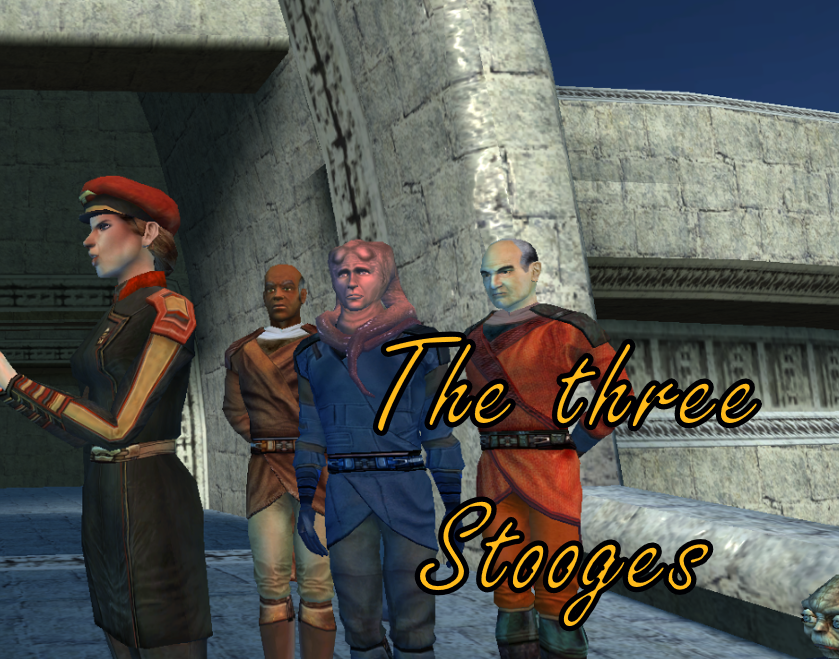
 is there anyway to keep jedi council in there k1 robes like in the CP Revelation Cutscene and having another robe mod installed like this, i would love to have my hands on a mod like this and also have my own robe mods too can someone make this for me and ill give commission it also has to work with the mod Light Side Ending Masters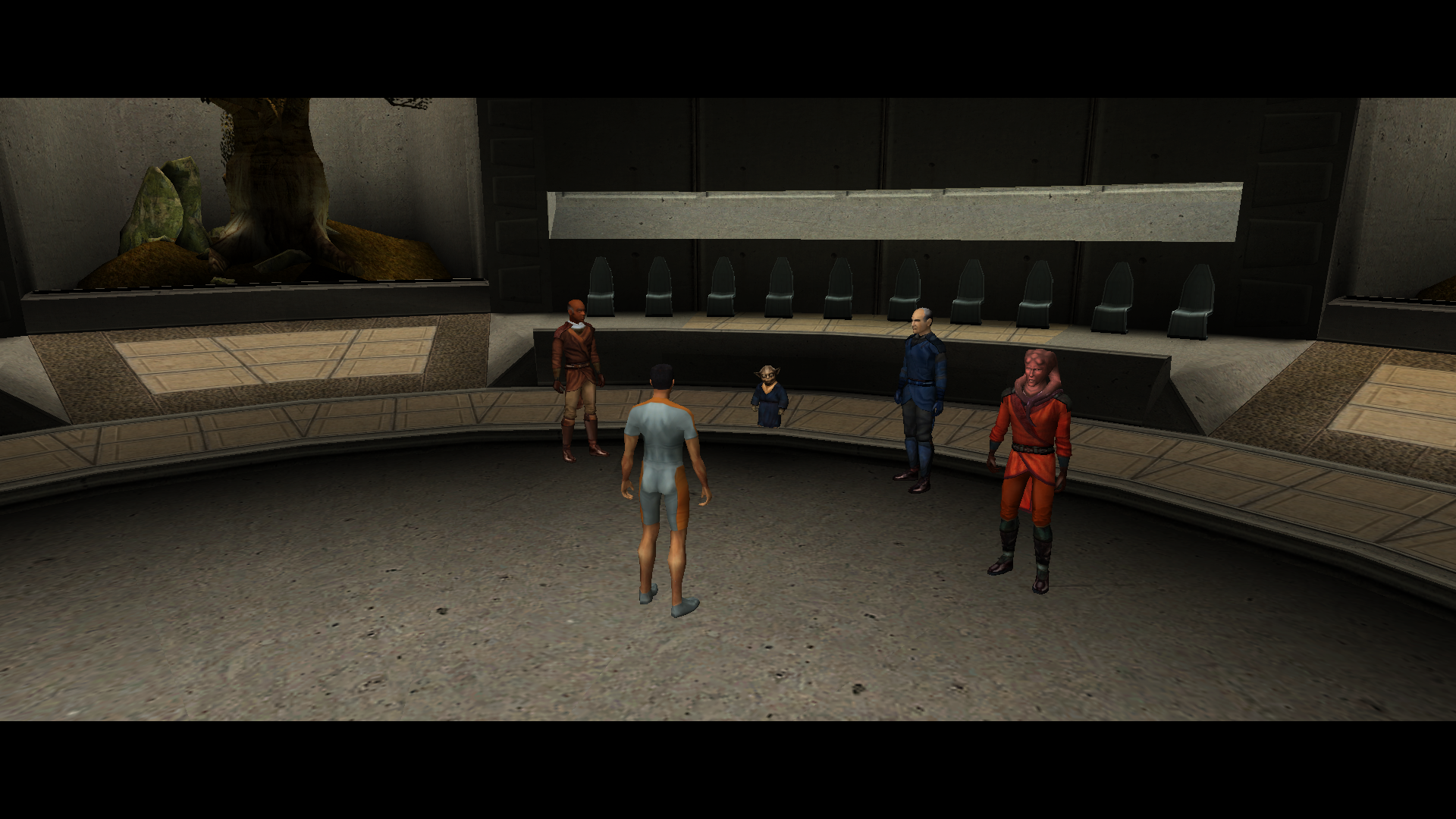
-
 TheMMN joined the community
 -
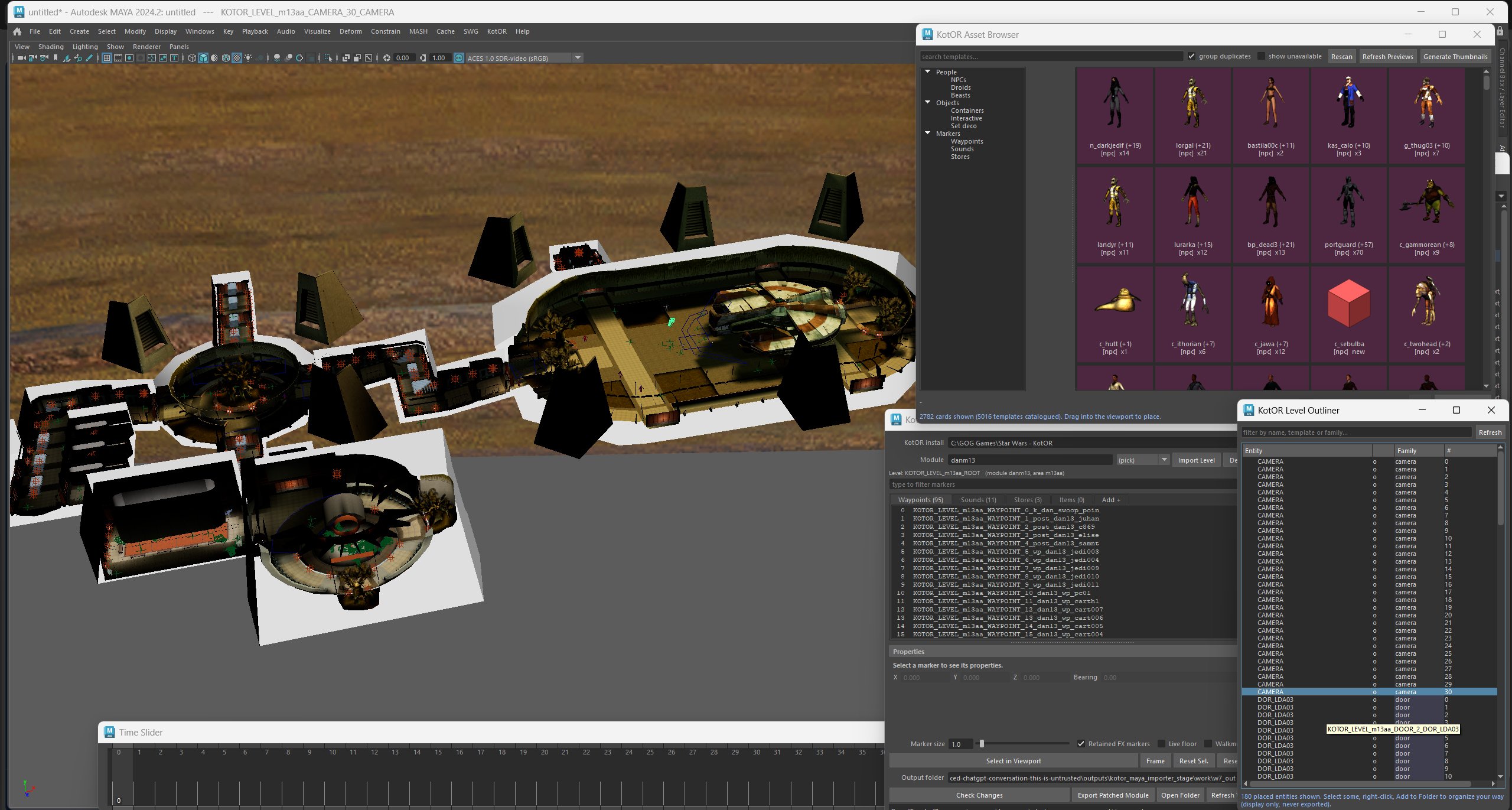
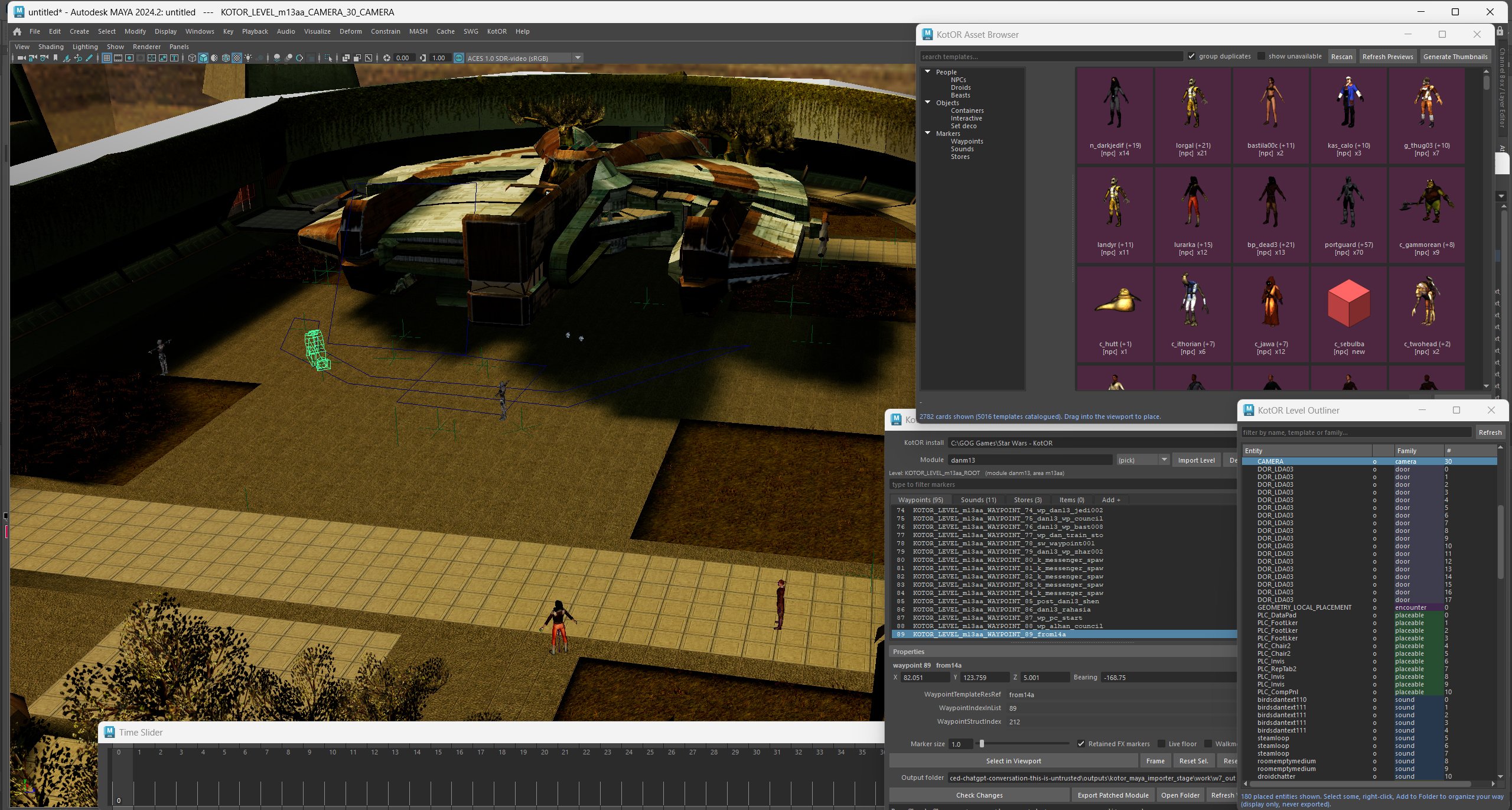
Here are some pics showing the current level editor running in Maya. Asset browser is now working and supports drag and drop placement. The outliner works similar to UE for selecting/editing and organizing all in game assets.
-
 jakubis joined the community
 -
.thumb.png.3301b414885aa5c5ced45535fec5ddfc.png)
Version 1.0.0
0 downloads
Recreation of the idea of @muitafruita from an old thread, which I randomly stumbled upon and quite liked. As many of you know, the choice between Mira and Hanharr is locked by the Exile's alignment during the dock scene when going after Visquis. Light and neutral Exiles get Mira, while Dark Exiles are approached by Hanharr instead. Whoever approaches you first gets onto your ship later. Regardless of this, the game tracks a reputation score with the Exchange through the global variable 300NAR_Exchange_Favor, though it isn't utilized quite as well as it could be. And just as proposed by the idea's author, this mod changes the trigger conditions from being alignment-based to reputation-based. Now, if the Exchange favors you, you get Hanharr as a companion. If the Exchange disfavors you or has a mixed opinion, you get Mira instead. Sounds realistic, doesn't it? Your actual actions on Nar Shaddaa should decide, not the mystical Force-alignment no one probably knows or cares about. Notes: The mod can be installed and uninstalled at any time before you encounter Mira or Hanharr at the docks. After that, with or without the mod, your choice is sealed. TSLRCM is not required, but is always recommended. Installation: Copy following files from archive's "Override" folder to yours: a_hanharrconv.ncs; a_miraconv.ncs. Credits: muitafruita, for the original idea Fred Tetra, for KOTOR Tool TK102, for DLGEditor Torlack, stoffe & TK102, for NWNSSCOMP JdNoa & Dashus, for DeNCS Cortisol, for Holocron Toolset -
 LadyRevanchist joined the community
 -
No Cross Class Skills by Eudalus - HoloPatcher Version
LadyRevanchist commented on HoboKingNiklz's file in Mods
 Is this just K1 or K2 as well?
 -
 w_golem joined the community
 -
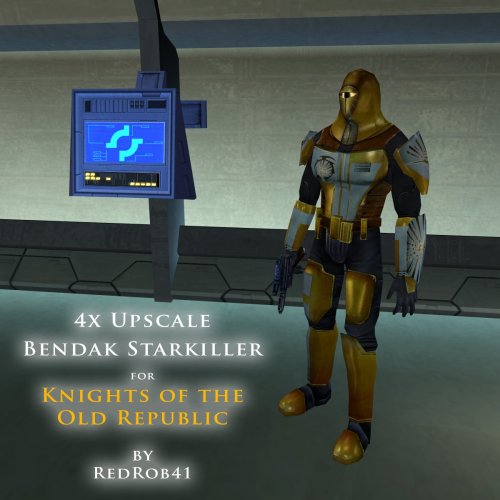 For some reason after i fight with Bendak my simulants and shield isn't turning OFF, im mean before i kill bendak i use simulants and shield, but after i kill him for some reason it won't stop working, even after 14 minutes with Community patch
 -
 Dibble joined the community
 -

Icons: Feats, Skills and Force Powers [TSL] - Open Beta
Sith Holocron commented on Sith Holocron's file in Skins
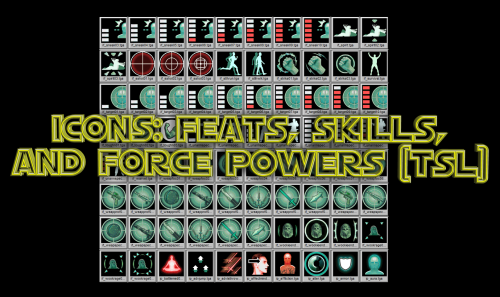 Now that's useful feedback. I'll look into that.
 -
 omelettess joined the community
 -

Icons: Feats, Skills and Force Powers [TSL] - Open Beta
Lily commented on Sith Holocron's file in Skins
The icons for the force barrier line are upside down for me. -

Echoes of the Republic - an unofficial expansion
vault13deathclaw commented on vault13deathclaw's file in Mods
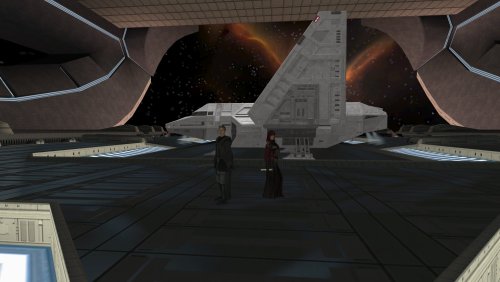 I'm really glad that it works for you now. I want people to get to experience the mod and have fun exploring, questing, and maybe have a chuckle.
 -
 Barkshark joined the community
 -
 The Rakatan plague was due to the Sith species. The Sith were one of if not the only species able to defeat the Rakata and successfully drive them off their world. It's possible that the plague was either Sith alchemy/sorcery, or maybe some kind of literal bacterial/viral plague that the Sith spread to the survivors who fled Korriban to the rest of the Empire. What I think was that the Dark Side of the Force found a new champion. The Rakatan were monsters, but the Sith species were worse. Once the two abominations clashed for dominance, the Dark Side abandoned the Rakatan and found a new proper species more suitable for its primacy. The Force is alive and had plans for everyone, and its plan for the Rakata was to awaken the Sith to their true potential and purpose. Once the Rakata destroyed King Adas, the Sith species changed their entire outlook and sought universal dominion. The ripples throughout the Force from the Rakata/Sith war overwhelmed the Rakata, the weaker of the two evil species, and their connection to the force was cut. BOSSR inspired this theory. Bogus or not, I like it.
 -
Yeah I've been running fresh saves each time (I've gotten really good at speedrunning Peragus), and have never used steam workshop. Thanks for the support though, I'll keep an eye on the mod and try again for 1.0 release. Well on a lark I bought and tried the GOG version and it works fine lol, no idea why steam version messed up
-
Echoes of the Republic - an unofficial expansion
vault13deathclaw commented on vault13deathclaw's file in Mods
Assuming you are starting from a save prior to ever landing on Citadel Station, and somehow its still not somehow using the new modules, and you are absolutely sure you don’t have any workshop subscriptions you forgot about, no. I have no idea. The way KOTOR save work means that if you have ever been to that module before in that save, it will keep the old version of that module for that save forever. If you happen to also have the GOG version, you could try that. Its the same version as the steam version just without any workshop integration. I have no idea why you can’t run it on your install, but other people have been able to install it and have it working. It installs just fine for me on other computers. -
 Hi there! I think I can help with both issues. For the crashing: follow the instructions to enable Compatibility Mode for the game. This is actually a problem with modern PCs that gets worse with Sleheyron, but's something I've seen happen across all of KOTOR with current PCs. Instructions are here: use of Compatibility Mode :: STAR WARS™ Knights of the Old Republic™ General Discussions Regarding the Cassus Fett armor: This one is more complicated, because basically that mod with the new armor wasn't built for compatibility. It's coded to use whatever appearance shows up at a certain line in the Appearances database, which I use for a large Gizka (and other modders use, too!). I think the best I can do is rig you up a custom compatibility patch. If you want to DM me (either here on DeadlyStream or on Discord), I can walk you through what I need to have to make the patch possible. But in really short, I'd need for you to provide me from your Override folder: your Appearance.2da file and your Cassus Fett armor file, which is titled "g_a_class9009.utc." A quick google search tells me there's also something in the game files for Cassus Fett's armor called g_a_class9011.utc... I don't know of that one, but if you have it, send me that too!
 -
I checked and there were no duplicates, I redownloaded and manually checked that those files were being overwritten: I tried downloading some older versions as well as the one on nexus but none of them seem to work. If you have any other ideas as to what I could do I'd appreciate it, otherwise I think I'll just give up for now.
- Yesterday
-
 krushmonkey joined the community
 -
Echoes of the Republic - an unofficial expansion
vault13deathclaw commented on vault13deathclaw's file in Mods
My guess is somehow your folder has case sensitivity turned on for some reason. I would look to see if you have duplicates in the modules folder of stuff like “204TEL.mod” and “204tel.mod” or something. You need to turn case sensitivity off for that folder, which will likely involve reinstalling the game, or you can run a program like renamer or bulk rename utility to make all the files lowercase then try installing the mod or something. If this is the case, you would also have also somehow have a duplicate global.jrl file in your override, just with different capitalization, along with various 2da files being duplicated. -
Unfortunately he is not there and it looks like it's still not installed correctly. If you have any more ideas where I could be going wrong let me know, otherwise I'll stop bothering you and just keep fiddling with it myself. I'll post back if I figure it out. Again, thanks for your help and your hard work on this cool mod.
-
 Romes241 joined the community
 -
Yes it looks like they have been updated. Thank you for letting me know. You can either download the old version or wait for me to update the hashes. EDIT: It's now updated
-
Echoes of the Republic - an unofficial expansion
vault13deathclaw commented on vault13deathclaw's file in Mods
Over by the Ithorians HQ, in the medical center, there is a guy there in a blue shirt named Doctor Ganius who you can talk to. That's the recipient of a delivery quest but he spawns there from the get go. If the mod successfully replaced 204tel, then he will be there. though, I see something kinda odd with your install folder. It looks like it may have case sensitivity on as you have two files called “readme” in the same folder. Though I can’t tell the extension so I don’t know if thats the case. If it is the case, then you’ll need to turn case sensitivity off for that folder or something. This actually explains the issues you are seeing, if they still are there. I actually didn’t know that Windows could be case sensitive but apparently using the fsutil command you can fix it, though that’s about as far as my support can go for the windows os side of things. -
Did it again but this time there seems to be a few (hundred) more files copying over to the game folder, the only thing I did different was dragging the entire mod folder itself to the game folder, however this prevents it from merging the folder in the game folder: When I copy the contents of the folder and paste them into the game folder it copies over less files:Though now that is also a couple hundred files more than it was previously, so I'll give in a run through real quick and see if it works. The only thing I did differently here is dragging the mod folder contents over instead of copy/paste it. Is there somewhere on Telos I could check to see if it is running correctly? That way I don't have to play all the way up to Dantooine to check at the grove. In case it is helpful here is what my game folder looks like after dragging the mod files over:
-
Sorry to bother, I may be doing something wrong as I'm not very handy with MO2 but I get a "Hash Missing" error with some archives (specifically PartySwap, TSL Expanded Ending, JC Crystal Attunement and JC Handmaiden Sisters). Might be because the mods have been recently updated. Thank you
-
Echoes of the Republic - an unofficial expansion
vault13deathclaw commented on vault13deathclaw's file in Mods
Make sure you drag all the contents of the mod folder into the base folder. If that doesn't work, I honestly don't know what went wrong. Maybe try a fresh install? Possibly check the modules folder to see if there is more than one instance of 601dan.mod (note: there should be multiple files with the name 601dan in there, but only one 601dan.mod), for example. I don't think windows is case sensitive, but other than that, I don't know why it would do this. -
Unfortunately I am not using steam workshop or linux. I installed the mod by extracting all the files to the KOTOR 2 folder here: C:\Program Files (x86)\Steam\steamapps\common\Knights of the Old Republic II and overwriting the files when prompted. I'll try dropping the mod folder itself into the game folder and see if that makes a difference. I appreciate the help and timely response!
-
Echoes of the Republic - an unofficial expansion
vault13deathclaw commented on vault13deathclaw's file in Mods
This sounds like you didn't install it right, and/or you're using the steam workshop. Much of the problems you are facing are because it is looking for journal calls that it can't find because it's reading the wrong file. I just double checked the .jrl file included in the mod release in my testing build and I was able to start the various Coruscant Strike Team missions and talk to the captain no problem (that character in particular is dependent on various .jrl entries) as well as do the Tach Hunt quest without issue. If you are not using steam workshop, then ensure that you are dropping the entire folder directly into the game folder (where the .exe is located). This means that the override folder will merge with your current one, the module folder will do the same, etc. Ensure that it overwrites the files in the override and module folders. This really sounds like the steam workshop conflict though, in which case the solution, if I remember right, is install it to the mod's folder. The lack of new content on Dantooine/Korriban/Nar Shaddaa sounds like this issue to a T. It sounds like it's reading module files from another place unless they're new in this mod. I honestly wouldn't recommend the steam workshop as a way to install KOTOR2 mods in general, but I know some people have made this mod work with it. Once you get this fixed, you will need a save file prior to landing on Dantooine/Korriban/Nar Shaddaa to fix this error, and probably prior to accepting any of the new quests (because the quest never updated properly hence why you can't turn in the tach glands to the Kashyyyk merchant). Also, I'm guessing that the medical delivery quest from the Ithorian on Coruscant to Telos will break unless you go WAY back to prior to landing on Citadel Station, but that is a simple delivery quest and you can always just not do that quest. Another possibility is Linux and it's case sensitivity? Are you using Linux? Even the windows version through Proton?