All Activity
- Past hour
-
 bobrosx joined the community
 -
 Argonaut73 joined the community
 -
 Any way to play the mod with upscaled textures still? Like is there any compatible texture mod with Sleheyron or will Sleheyron be updated with non broken textures in the future?
 -
 ZIRAIZZ joined the community
 -
 Emjefffs joined the community
 - Today
-
We removed some of the broken upscaled textures. They were BIG.
-
 BogStandard joined the community
 -
 Charkles joined the community
 -
Was some content removed in 3.2? 3.1 had a file of around 3GB while 3.2 only is around 1GB.
-
 J11517 joined the community
 -
View File [K1] Luke Skywalker - PC Replacement Soundset [K1] Luke Skywalker - PC Replacement Soundset AUTHOR: skymaster ORIGINAL RELEASE: MAY 8 2026 GAMES: Star Wars Knights of the Old Republic. [This mod will need additional work in order to use in Star Wars Knights of the Old Republic II. See Description for more details.] Description: If you are a fan of Knights of the Old Republic, there is a pretty big chance that you are a fan of Star Wars. This is a mod that incorporates dialogue and sound effects (from the films themselves) from the protagonist of the original trilogy, Luke Skywalker, into the game and replaces those of the default main character. In addition to this, there is an SSF file to optionally add in Battle Cries for the main character. NOTE: Certain lines are prioritized over others (or some only play that particular sound). If you like one of the other sounds instead, rename them to one of the italicized names (example: p_plyermw_block2 is the default for security; if you liked “What’s in there?” or p_plyermw_block1 more, you can rename it p_plyermw_block2). This mod is only for the first Knights of the Old Republic. Knights of the Old Republic II, although the voice files for the male and female PC exist within the game files, they are turned off in the settings and need extra work in order to function. If you wish to use this mod in Knights of the Old Republic II, you must install JC's Player Soundset Restoration for K2 in K2 before this mod. Be warned: this mod is strictly designed for K1 and not for K2, any issues that happen are beyond the scope of this mod. List of lines included with this mod: File name Male Battle Cries: Player is making a statement during battle. P_plyermw_bat1 You'll find I'm full of surprises. P_plyermw_bat12 Watch that crossfire, boys! P_plyermw_bat2 I can be a Jedi! P_plyermw_bat4 I’ll never join you! P_plyermw_bat7 Never! P_plyermw_bat9 Just hang on! Lock Picking: Player is attempting to open a lock. p_plyermw_block1 What's in there? p_plyermw_block2 All right, I'll give it a try. p_plyermw_block3 I won't fail you. Critical hit is made. p_plyermw_crit1 You'll find I'm full of surprises. p_plyermw_crit2 This is your last chance. p_plyermw_crit3 This is your last chance. Player has died. p_plyermw_dead1 [Luke’s scream when he loses his hand] p_plyermw_dead2 [Luke’s cry when hit by lighting] p_plyermw_dead3 [Luke’s scream when blasted by lightning] Mines: Disarming mines. p_plyermw_dmin1 Come on, let's go have a look. p_plyermw_dmin2 Go now. p_plyermw_dmin3 I know what you mean. Lock Picking: Failed attempt at picking a lock. p_plyermw_flock1 I can't. p_plyermw_flock2 Hey, you could have broken this. p_plyermw_flock3 Don't do that. Mines: Setting a Mine. p_plyermw_lmin1 Ready for some power? p_plyermw_lmin2 Ready for some power? p_plyermw_lmin3 Ready for some power? Player has been healed. p_plyermw_med1 Please! p_plyermw_med2 [groan] Player has been poisoned. p_plyermw_pois1 I feel cold. p_plyermw_pois2 I can't. p_plyermw_pois3 Maybe I'm just going crazy. The party is coming back together. p_plyermw_rprty1 I've got to go to them. p_plyermw_rprty2 We're going, we're going. p_plyermw_rprty3 Just hang on. p_plyermw_rprty4 Well, come on! p_plyermw_rprty5 That's all right. The player character has been selected. p_plyermw_slct1 Well, come on! p_plyermw_slct2 That's all right. p_plyermw_slct3 Well, come on! p_plyermw_slct4 What's the matter? p_plyermw_slct5 You smell something? Lock Picking: successfully picked a lock. p_plyermw_slock1 Okay. p_plyermw_slock3 Coming in. The Main Character is in solo mode. p_plyermw_sprty1 I'll see you shortly. p_plyermw_sprty2 I'll have a look around. p_plyermw_sprty3 Right, I'll see you shortly. Player is in Stealth Mode. p_plyermw_stlh1 I'm not afraid. p_plyermw_stlh2 There's something not right here. p_plyermw_stlh3 That's why I have to go. Installation: There is one way to install this mod: 1) Go to the “Streamsounds” folder located within your KOTOR folder. Search for the files that start with “p_plyermw” and copy them into a separate folder, in case you wish to revert back to the old sounds (you can also select verify game files in Steam, though be warned this can effect other mods). 2) Extract the .wav files from the rar archive. Grab the files from the extracted folder and put them in the “Streamsounds” folder, replacing what was in there. OPTIONAL: 3) If you wish to have the added Battle Cries to your character (some people prefer their character to be less vocal), add the .ssf file to your “Override” folder. Uninstall: Remove the “p_plyermw” files from the Streamsounds folder (and the optional .ssf file in Override). Add in the original files that you saved earlier back in the Streamsounds folder. Legal Disclaimer: All materials and copyrights belong to LucasArts, Bioware and Obsidian Entertainment Inc. I own none of the materials, and I'm not making any money out of this mod. It is to be distributed as-is without alteration, unless notified in writing of permission granted by me. This mod is not to be distributed for profit, either. I grant permission for anyone to use this audio as needed or wanted, provided that a credit be given. Submitter skymaster Submitted 05/08/2026 Category Mods K1R Compatible Yes
-
View File KotOR Mac TLK Translator (Open Source) This is a lightweight utility specifically designed for macOS users to handle, view, and translate .tlk files in Star Wars: Knights of the Old Republic. Many existing tools are Windows-only or rely on Wine/emulation. This tool aims to provide a native or more accessible way to manage game strings directly on Mac, making it easier for localizers to bring new languages to the platform or port existing translations. Features: Native support for .tlk files. Designed with macOS compatibility in mind. Open Source and open for contributions. Installation & Usage: You can find detailed instructions and the source code on the GitHub repository: https://github.com/Aperezvigoa/KotOR-Mac-TLK-Translator Credits: Developed by aalbizu. Special thanks to the community for keeping this game alive! Submitter chedditar Submitted 05/08/2026 Category Mods K1R Compatible Yes
-
 Tendegern joined the community
 -
 RaidenZ joined the community
 -
Question for the modding community. I have the darksaber mod and sherruk with lightsabers and have been trying to figure out how to add the darksaber to the kotor tool such that i can add the darksaber to him as an equippable item as well as a dropable item. Seems like it should be a simple thing, but I have not for the life of me been able to figure it out. Does anyone know how to do this by chance? Would appreciate the help
- Yesterday
-
 skymaster changed their profile photo
 -
![More information about "[K1] Luke Skywalker - PC Replacement Soundset"](https://deadlystream.com/downloads/screens/monthly_2026_05/lukeskywalkerpcreplacement.thumb.png.c3d42232ce68b05d627549eabda30140.png)
Version 1.0.0
1 download
[K1] Luke Skywalker - PC Replacement Soundset AUTHOR: skymaster ORIGINAL RELEASE: MAY 8 2026 GAMES: Star Wars Knights of the Old Republic. [This mod will need additional work in order to use in Star Wars Knights of the Old Republic II. See Description for more details.] Description: If you are a fan of Knights of the Old Republic, there is a pretty big chance that you are a fan of Star Wars. This is a mod that incorporates dialogue and sound effects (from the films themselves) from the protagonist of the original trilogy, Luke Skywalker, into the game and replaces those of the default main character. In addition to this, there is an SSF file to optionally add in Battle Cries for the main character. NOTE: Certain lines are prioritized over others (or some only play that particular sound). If you like one of the other sounds instead, rename them to one of the italicized names (example: p_plyermw_block2 is the default for security; if you liked “What’s in there?” or p_plyermw_block1 more, you can rename it p_plyermw_block2). This mod is only for the first Knights of the Old Republic. Knights of the Old Republic II, although the voice files for the male and female PC exist within the game files, they are turned off in the settings and need extra work in order to function. If you wish to use this mod in Knights of the Old Republic II, you must install JC's Player Soundset Restoration for K2 in K2 before this mod. Be warned: this mod is strictly designed for K1 and not for K2, any issues that happen are beyond the scope of this mod. List of lines included with this mod: File name Male Battle Cries: Player is making a statement during battle. P_plyermw_bat1 You'll find I'm full of surprises. P_plyermw_bat12 Watch that crossfire, boys! P_plyermw_bat2 I can be a Jedi! P_plyermw_bat4 I’ll never join you! P_plyermw_bat7 Never! P_plyermw_bat9 Just hang on! Lock Picking: Player is attempting to open a lock. p_plyermw_block1 What's in there? p_plyermw_block2 All right, I'll give it a try. p_plyermw_block3 I won't fail you. Critical hit is made. p_plyermw_crit1 You'll find I'm full of surprises. p_plyermw_crit2 This is your last chance. p_plyermw_crit3 This is your last chance. Player has died. p_plyermw_dead1 [Luke’s scream when he loses his hand] p_plyermw_dead2 [Luke’s cry when hit by lighting] p_plyermw_dead3 [Luke’s scream when blasted by lightning] Mines: Disarming mines. p_plyermw_dmin1 Come on, let's go have a look. p_plyermw_dmin2 Go now. p_plyermw_dmin3 I know what you mean. Lock Picking: Failed attempt at picking a lock. p_plyermw_flock1 I can't. p_plyermw_flock2 Hey, you could have broken this. p_plyermw_flock3 Don't do that. Mines: Setting a Mine. p_plyermw_lmin1 Ready for some power? p_plyermw_lmin2 Ready for some power? p_plyermw_lmin3 Ready for some power? Player has been healed. p_plyermw_med1 Please! p_plyermw_med2 [groan] Player has been poisoned. p_plyermw_pois1 I feel cold. p_plyermw_pois2 I can't. p_plyermw_pois3 Maybe I'm just going crazy. The party is coming back together. p_plyermw_rprty1 I've got to go to them. p_plyermw_rprty2 We're going, we're going. p_plyermw_rprty3 Just hang on. p_plyermw_rprty4 Well, come on! p_plyermw_rprty5 That's all right. The player character has been selected. p_plyermw_slct1 Well, come on! p_plyermw_slct2 That's all right. p_plyermw_slct3 Well, come on! p_plyermw_slct4 What's the matter? p_plyermw_slct5 You smell something? Lock Picking: successfully picked a lock. p_plyermw_slock1 Okay. p_plyermw_slock3 Coming in. The Main Character is in solo mode. p_plyermw_sprty1 I'll see you shortly. p_plyermw_sprty2 I'll have a look around. p_plyermw_sprty3 Right, I'll see you shortly. Player is in Stealth Mode. p_plyermw_stlh1 I'm not afraid. p_plyermw_stlh2 There's something not right here. p_plyermw_stlh3 That's why I have to go. Installation: There is one way to install this mod: 1) Go to the “Streamsounds” folder located within your KOTOR folder. Search for the files that start with “p_plyermw” and copy them into a separate folder, in case you wish to revert back to the old sounds (you can also select verify game files in Steam, though be warned this can effect other mods). 2) Extract the .wav files from the rar archive. Grab the files from the extracted folder and put them in the “Streamsounds” folder, replacing what was in there. OPTIONAL: 3) If you wish to have the added Battle Cries to your character (some people prefer their character to be less vocal), add the .ssf file to your “Override” folder. Uninstall: Remove the “p_plyermw” files from the Streamsounds folder (and the optional .ssf file in Override). Add in the original files that you saved earlier back in the Streamsounds folder. Legal Disclaimer: All materials and copyrights belong to LucasArts, Bioware and Obsidian Entertainment Inc. I own none of the materials, and I'm not making any money out of this mod. It is to be distributed as-is without alteration, unless notified in writing of permission granted by me. This mod is not to be distributed for profit, either. I grant permission for anyone to use this audio as needed or wanted, provided that a credit be given. -
Hi, does anyone know of a function I could use in a heartbeat script to increase critical multiplier? Been using the source scripts from the multifire mod to teach myself how to apply conditional attack, damage and defence bonuses based on feats present and items equipped and have all the rest of my changes tested and working but I just can't find any function to edit critical threat or multiplier. Alternatively any way to apply effects to weapons in such a script (so as to slap a Massive Criticals effect on if my condiitions are met)?
-
[KOTOR Patch Manager] K2 Active Party Extension
Vabulletizer replied to Vriff's topic in Work In Progress
I can't believe that after all these years someone has finally achieved this, you are literally a damn wizard, with all due respect, this is a colossal work, my respect. -
so far, so good. Still a lot of work to do, but yeah, i play with partyswap.
-
[KOTOR Patch Manager] K2 Active Party Extension
Vabulletizer replied to Vriff's topic in Work In Progress
Will this work correctly with mods like party swap? -
Version 1.0.0
1 download
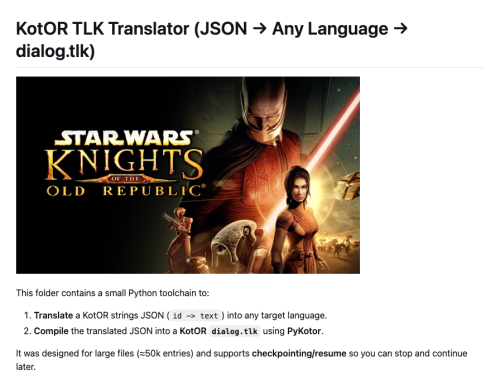
This is a lightweight utility specifically designed for macOS users to handle, view, and translate .tlk files in Star Wars: Knights of the Old Republic. Many existing tools are Windows-only or rely on Wine/emulation. This tool aims to provide a native or more accessible way to manage game strings directly on Mac, making it easier for localizers to bring new languages to the platform or port existing translations. Features: Native support for .tlk files. Designed with macOS compatibility in mind. Open Source and open for contributions. Installation & Usage: You can find detailed instructions and the source code on the GitHub repository: https://github.com/Aperezvigoa/KotOR-Mac-TLK-Translator Credits: Developed by aalbizu. Special thanks to the community for keeping this game alive! - Last week
-
 Vanity and good business-sense. The backstory I have in mind for it is that the arena was built by a non-Hutt businessman on Sleheyron, and he named it after Nal Hutta to honor his Hutt overlords (and more importantly to bring their business to the arena).
 -
 Why is an arena on one planet named for a different planet?
 -
 Technically the Glorious Jewel is Nal Hutta. Nar Shaddaa was just one of its five moons.
 -
Why is an arena on Sleheyron named after Nar Shaddaa?
-
To anyone who thinks they are a master of KOTOR combat... Are you willing to put that to the test?! I'm pleased to announce that my Sleheyron mod now features a special challenge: The Arena of the Glorious Jewel! Face off against infinite waves of randomly-generated enemies with some serious mechanics! Strategize each wave and build the best character you can to see how far you can make it! And to celebrate Star Wars Day, I have a special contest related to this mod: Do you think you have what it takes to be THE champion of KOTOR? Well now's your chance to prove it: Join up in a contest where you'll compete against other Knights of the Old Republic to see who can make it to the furthest wave of the arena! And whoever makes it furthest will win a Star Wars game Steam key from me! (Within reasonable price range, and maybe it doesn’t even have to be a Star Wars game)... If you're interested in partaking in the contest, click the Discord server link here: https://discord.gg/9vSBSh8a And, of course, the Sleheyron mod can be downloaded here: I hope to see you all in the arena!
-
View File Vanilla Maps HD Vanilla Maps HD upscales the map textures in Knights of the Old Republic II to make them sharper and cleaner. I tried other upscaled map mods, but they still were not sharp or high res enough for what I wanted. So I extracted the map textures myself and upscaled them x4 using Topaz Gigapixel. This mod also includes upscaled map textures for The Sith Lords Restored Content Mod and Droid Planet. You do not need either mod installed for Vanilla Maps HD to work. If you do use them, the included map textures are covered. Installation instructions Extract the zip file Place override folder into your main kotor 2 directory Replace files if prompted Main features Upscaled vanilla KOTOR II map textures x4 Topaz Gigapixel upscale Sharper and cleaner map images Includes support for The Sith Lords Restored Content Mod map textures Includes support for Droid Planet map textures Optional file available for Cathalan Improvement Project Requirements No hard requirements. The Sith Lords Restored Content Mod and Droid Planet are not required, but their map textures are included for users who have them installed. Cathalan Improvement Project is only needed if you use the optional Cathalan file. Credits Obsidian Enterainment Authors of The Sith Lords Restored Content Mod and Droid Planet Authors of Cathalan Improvement Project Submitter Saul0097 Submitted 05/06/2026 Category Mods TSLRCM Compatible Yes
-
View File Gamepad Menu Upscaled Upscaled Gamepad Menu improves the gamepad menu and controller icons in Knights of the Old Republic II by upscaling the original blurry low resolution textures to cleaner HD versions. The textures were upscaled 4x using Topaz Gigapixel. AI Upscaled Icon overhaul does not cover these gamepad specific icons. Installation instructions Extract the zip file place the override folder into your KOTOR 2 Main directory (Replace if prompted) Main features Upscaled gamepad menu textures Upscaled controller icons 4x HD upscale using Topaz Gigapixel Requirements and compatibility Knights of the old republic 2 Compatible with The Sith Lords Restored Content Mod Credits Obsidian Entertainment Submitter Saul0097 Submitted 05/06/2026 Category Mods TSLRCM Compatible Yes
-
Version 1.0.0
13 downloads
Upscaled Gamepad Menu improves the gamepad menu and controller icons in Knights of the Old Republic II by upscaling the original blurry low resolution textures to cleaner HD versions. The textures were upscaled 4x using Topaz Gigapixel. AI Upscaled Icon overhaul does not cover these gamepad specific icons. Installation instructions Extract the zip file place the override folder into your KOTOR 2 Main directory (Replace if prompted) Main features Upscaled gamepad menu textures Upscaled controller icons 4x HD upscale using Topaz Gigapixel Requirements and compatibility Knights of the old republic 2 Compatible with The Sith Lords Restored Content Mod Credits Obsidian Entertainment -

Version 1.0.0
23 downloads
Vanilla Maps HD upscales the map textures in Knights of the Old Republic II to make them sharper and cleaner. I tried other upscaled map mods, but they still were not sharp or high res enough for what I wanted. So I extracted the map textures myself and upscaled them x4 using Topaz Gigapixel. This mod also includes upscaled map textures for The Sith Lords Restored Content Mod and Droid Planet. You do not need either mod installed for Vanilla Maps HD to work. If you do use them, the included map textures are covered. Installation instructions Extract the zip file Place override folder into your main kotor 2 directory Replace files if prompted Main features Upscaled vanilla KOTOR II map textures x4 Topaz Gigapixel upscale Sharper and cleaner map images Includes support for The Sith Lords Restored Content Mod map textures Includes support for Droid Planet map textures Optional file available for Cathalan Improvement Project Requirements No hard requirements. The Sith Lords Restored Content Mod and Droid Planet are not required, but their map textures are included for users who have them installed. Cathalan Improvement Project is only needed if you use the optional Cathalan file. Credits Obsidian Enterainment Authors of The Sith Lords Restored Content Mod and Droid Planet Authors of Cathalan Improvement Project -
 Saul0097 changed their profile photo
 -
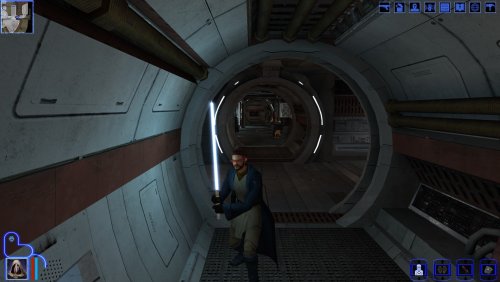 You don't need to bother, I just mentioned Crazy34 as he's the original author of the UV lighting blades, but using J's is fine as well, basically the same thing. Anyway, cool if you already contacted Sao.
 -
I am looking for a mod to have mira without a headband with her hair down instead of the weird bread roll hair she has.
-
 What about compatibility with the HD texture reskin mods?
 -
Kotor 1 - Stuck before Dantooine Star Map
DarthParametric replied to keegs's topic in Knights of the Old Republic General
Here: Ratgo Door Fix.zip I just wish one of you miscreants could tell me how you're managing it. I have never been able to recreate it. Edit the save to add in an armband that runs a custom script to close the door and reset its plot state, load the game and fire the script, save, test the scene triggers correctly and exit, edit the save to remove the armband.