N-DReW25
-
Posts
2,551 -
Joined
-
Last visited
-
Days Won
186
Content Type
Profiles
Forums
Blogs
Forum & Tracker Requests
Downloads
Gallery
Store
Events
Everything posted by N-DReW25
-

Bastila Shan should have been a Jedi Knight
N-DReW25 replied to Salk's topic in Knights of the Old Republic General
I Do believe there were Jedi Knigths in Kotor and TSL though they wern't mentioned for example in TSL during the Battle of Onderon Vaklu Soldiers keep saying things like " We need reinforcements a Jedi Knight has assaulted our flank" and stuff like that. Also I do believe Juhani was a Jedi Knight as well though I could be mistaken -
Bastila Shan should have been a Jedi Knight
N-DReW25 replied to Salk's topic in Knights of the Old Republic General
I can see your point there as well though there are things similar to that in the new canon for example some padawans were trusted to lead the clone armies during the clone wars. Some Padawans were sent on dangerous assignments with their masters to deal with sometimes sith lords (Now Bastila could of been with her master at revans death and he/she was killed in the cutscene were Revan died) -
Bastila Shan should have been a Jedi Knight
N-DReW25 replied to Salk's topic in Knights of the Old Republic General
Well desperate times call for desperate measures and quite frankly a Jedi Knight strike force without battle meditation is just a dying light in the dark. Plus even though Bastila had developed a Power force power that does not grant her the rights to be a Jedi Knight or Master -
Well with the Endar Spire I can agree with you that looks like something from Halo, but Upper city Taris when compared to the old one looks hell of a lot better mainly because of its flashy lights and metallicness. Tatooine in my opinion looks like Jakku and I haven't seen Dantooine yet Well the lower city was once part of a City and it was the Taris equivalent of Down Town meaning there'd be a lot of flashy lights of restaurants and clubs and Ally ways for drug deallers and god knows what else. Though since this is now a place were people kill you for no reason I wouldn't be suprised if they add dead corspes everywhere
-
I don't know how adding toilets ruins Kotor Apeiron.
-
True, Though according to Adum Larp and Kaevae the Cut Padawan a Sith ground force was deployed and they killed anyone they came across and they burned down the matale and sandral estates so even though the skybox shouldn't be crater after crater it shouldn't look as friendly as the K1 Skybox
-
Actually the Rakatan ruins were shown in TSL if you go to the Mercanary camp you can see the Rakatan ruins behind them and you can see for a fact it was bombed to the point were you can't go into it
-
Well then, I'm guessing the 4K Atton mod isn't 4K after all!
-
Well higher resolution textures would be great. For example, the Higher Quality Bastila mod doesn't change the colors or nothing. It's still the same Bastila and it looks great. I'd personally would like to see a HD Carth.

-
I'd recommend making their clothing textures in a 4K resolution like the 4K Atton mod and the Higher Quality Bastila mod
-
And definitely Dxun
-
I do believe this is what you want- http://deadlystream.com/forum/files/file/33-a-leveling-fix/
-
-
Creating Custom Inventory Icons [K1]
N-DReW25 replied to Revanator's topic in General Kotor/TSL Modding
Now there is a Mod already like this but that shoudln't stop you: http://www.nexusmods.com/kotor/mods/541/?tab=3&navtag=http%3A%2F%2Fwww.nexusmods.com%2Fkotor%2Fajax%2Fmodimages%2F%3Fuser%3D0%26id%3D541%26gid%3D234 -
[KotOR] New soundsets for Male and Female protagonist
N-DReW25 replied to Salk's topic in Mod Requests
Well if your going to do that you'd need to replace ALL the PC soundsets because two different voices for one character doesn't quite make sense. And it would have to make sense with all three Head options (White, Asian and Black) for example lets say Samuel Jackson (Actor of Mace Windu) did it his voice over it wouldn't quite fit in for the Asian heads -
[KotOR] New soundsets for Male and Female protagonist
N-DReW25 replied to Salk's topic in Mod Requests
Well if this is Kotor 1 than the voice over actor must sound like the original PC soundsets so it fits in though I don't think that would be a problem by replacing the old soundsets with new ones. -
I'll get to work then
-

Version 1.0
2,673 downloads
A Mod for Star Wars Knights of The Old Republic Author: N-DReW25 Release Date: 25.07.2016 Installation: Simply Copy and Paste or Drag and Drop ALL the files within the "For Override" into your Star Wars Knights of The Old Republic override folder Uninstallation: Remove or Delete the files from your Star Wars Knights of The Old Republic override folder Description: In Kotor 1 you can obtain an armor called Mandalorian Assault Armor which disguises your character into a blue Mandalorian as if your actually wearing there full body armor which was a good feature about the last few missions in kotor but if you play TSL you will know that the Mandalorian Assault Armor has a unique armor reskin which for me was a big slap in the face since I personally liked seeing Canderous as a Mandalorian but when I was searching through the game textures I found out that the TSL Mandalorian Assault Armor texture appears in the files of Kotor 1 meaning that the Texture appearing in TSL was intended for Kotor 1 but was cut at the last minute and replaced with a disguise though personally I would prefer the disguise though the Hardcore Restoration Fans say otherwise Known Bugs: this mod shouldn't have bugs but if their is Just PM me on Deadlystream. Incompatibilities: Is incompatible with anything that edits "g_a_class9010.uti" though I don't know anything that edits those. Permissions: Do NOT claim credit for this mod Thanks: Bioware for such an amazing game,Fred Tetra for Kotor Tool and everyone who downloads the mod. Legal: THIS MODIFICATION IS NOT SUPPORTED BY BIOWARE/OBSIDIAN ENTERTAINMENT, LUCASARTS, DISNEY OR ANY LICENSERS/SPONSORS OF THE MENTIONED COMPANIES. USE OF THIS FILE IS AT YOUR OWN RISK AND THE ABOVE MENTIONED COMPANIES OR THE AUTHOR IS NOT RESPONSIBLE FOR ANY DAMAGE CAUSED TO YOUR COMPUTER FOR THE USAGE OF THIS FILE.- 5 reviews
-
- 1
-

-
- mandalorian
- assault
- (and 7 more)
-
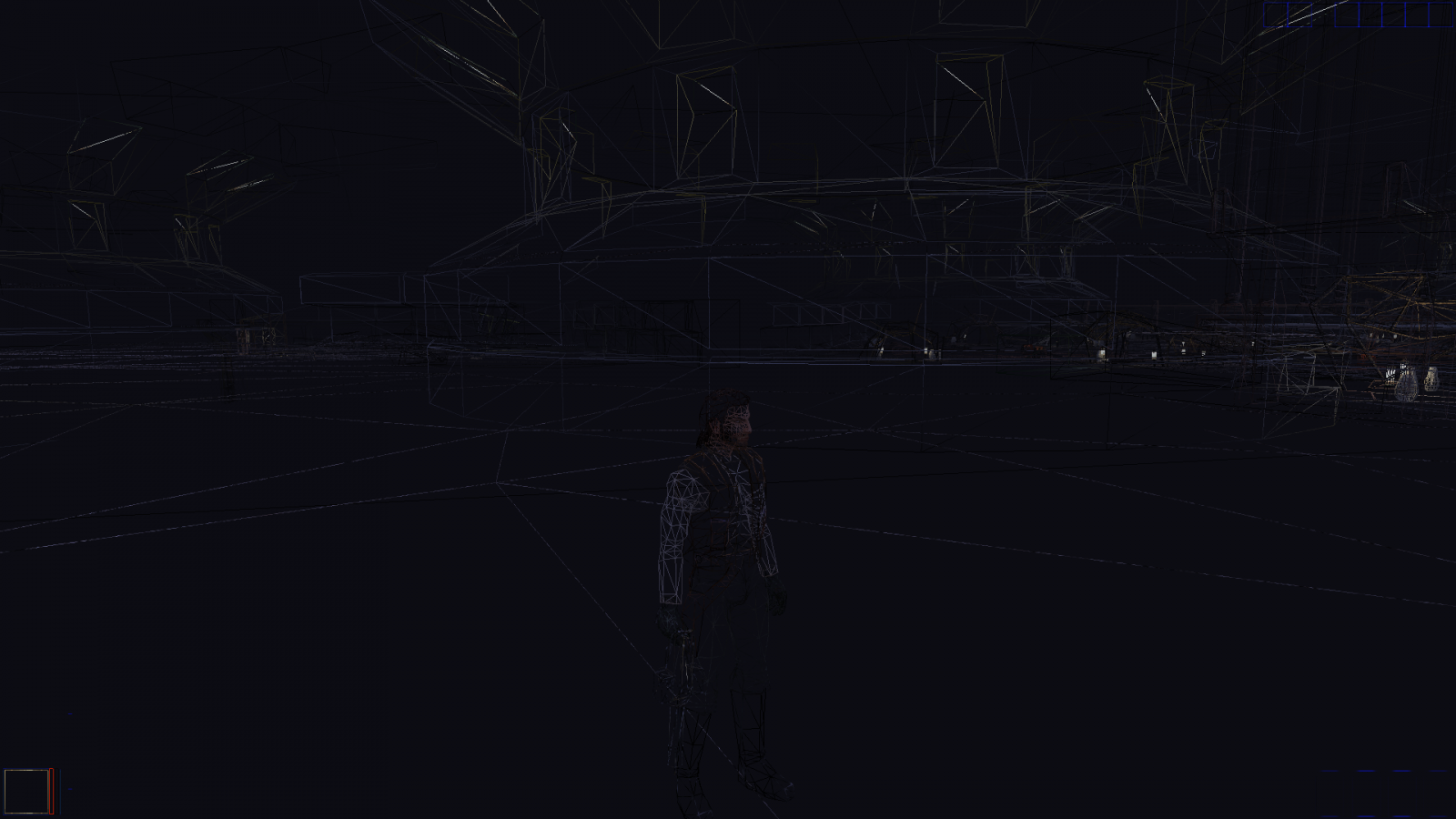
So while working out on my improvement mod I was working on the undercity because I warped their the gate is locked so I decided to use GLintercept (Freecam) to attempt to check on my modifications to the outcast so when I tried to press ctrl, shift, c I instead pressed cntrl, shift and suddenly the game looks like this Now I have no clue what so ever on what this is whether it's a bug or a hidden feature but it is strange the only way I know how to fix it is closing and relaunching kotor it goes back to normal but when I tried cntrl, shift again it doesn't do anything so would anyone know what this is

-
And Controller Support and possibly steam workshop. I don't see how adding toilets is bad its not like your actually going to use them or have an option to walk into the toilet room and bash or security your way through the doors and watch someone use it (Hopefully that isn't an option)
-
I'm not sure if that is apart of TSLRCM but I can assure you I didin't get sion saying "I have come to warn you Jedi you know not the path you walk" And I can still play the game Just fine
-

Version 1.0
627 downloads
A Mod for Star Wars Knights of The Old Republic II The Sith Lords Author: N-DReW25 Release Date: 22.07.2016 Installation: Simply Copy and Paste or Drag and Drop ALL the files within the "For Override" into your Star Wars Knights of The Old Republic override folder Uninstallation: Remove or Delete the files from your Star Wars Knights of The Old Republic override folder Description: When I firsted starting playing TSL I noticed how some armors that appeared in Kotor 1 didn't actually appear to look like how they did in Kotor 1 instead some looked new like the Light Battle Armor and Reinforced Battle Armor had new skins which was nice but then their were things like the Heavy Battle Armor and Verpine Zal Allow Mesh were just ridicolous and kinda unrealistic to the overall story of TSL so I decided to make a fix that turns those armors into their default Kotor 1 look. Now for those who were confused as to why those armors look strange is because they rushed the game without checking over it and it lefted a TON of bugs and mistakes and one of those mistakes were armors having the wrong model but from my perspective they planed to reskin those armors but could only finish at least 4 and they just applied a random model to the armors they didn't finish so they didn't intend for the Armors to appear as they did in kotor 1 so thats why this wasn't included in TSLRCM. The armors that have been affacted by this mod includes *Heavy Battle Armor *Powered Battle Armor *Light Battle Armor *Ulic Qel Dromas Mesh Suit *Reinforced Fiber Mesh *Mandalorian Assault Armor If I missed any please let me know Known Bugs: this mod shouldn't have bugs but if their is Just PM me on Deadlystream. Incompatibilities: Is incompatiable with anything that edits "a_heavy_02.uti", "a_heavy_05.uti", "a_heavy_10.uti", "a_light_13.uti", "a_light_15.uti", "a_medium_02.uti" or "ia_Class9_007.tga" Permissions: Do NOT claim credit for this mod Thanks: Bioware for such an amazing game,Fred Tetra for Kotor Tool and everyone who downloads the mod. Legal: THIS MODIFICATION IS NOT SUPPORTED BY BIOWARE/OBSIDIAN ENTERTAINMENT, LUCASARTS, DISNEY -
So I have been working on Taris i've been trying to replace the NPC's with Lite Models (Low Res Models) with normal heads but when I do the heads are fine but their clothes are all the same. Now this doesn't happen in every module but in the Upper City Cantina its not a problem but in the Upper city south module it is. Now I am pretty sure this doesn't have anything to do with the appearance 2da since it only affects certain modules so would anyone have a clue whats going on here. modules.zip
-
No offence but thats like saying Sith Holocron should change his name since Sith Holocrons are now canon
-
Well 50 is better than 7