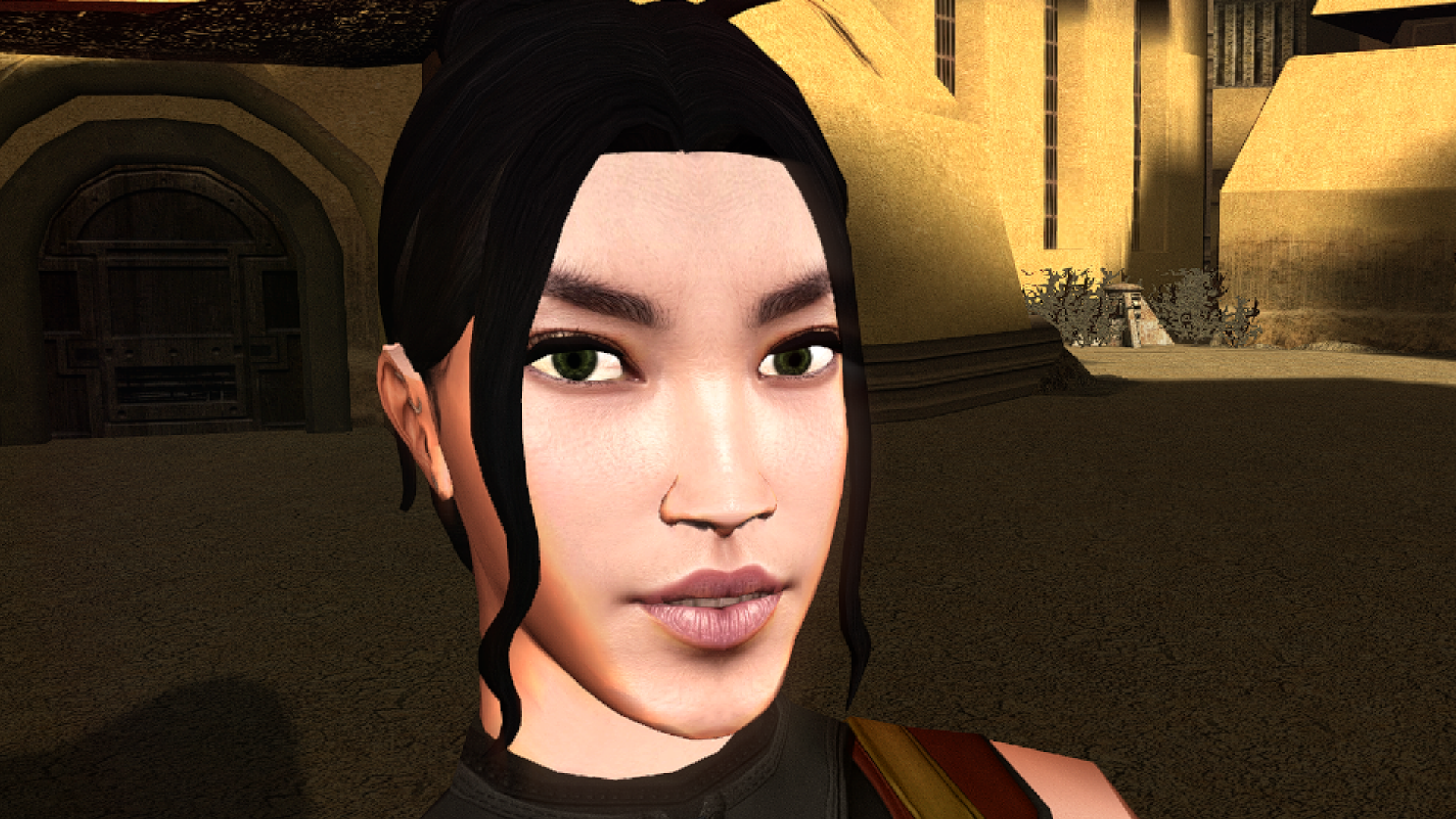
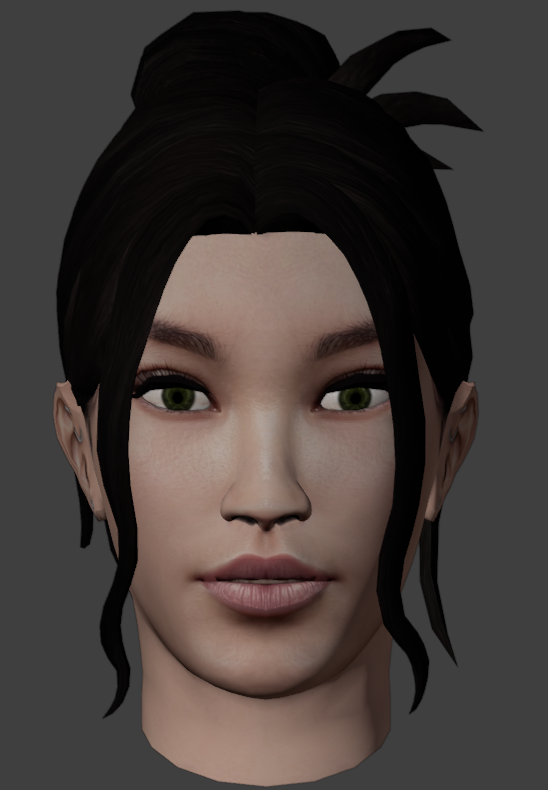
Leaderboard




Popular Content
Showing content with the highest reputation since 08/25/2026 in all areas
-
![More information about "[TSL] Lily's NPC Overhaul - HD Models & Added Diversity"](https://deadlystream.com/downloads/screens/monthly_2026_08/20260826160016_1.thumb.jpg.5545ed435507f3bcbe00441f7407d740.jpg)
Version 1.0.0
145 downloads
===================================================== [TSL] Lily's NPC Overhaul - HD Models & Added Diversity ===================================================== Mod for Knights of the Old Republic II - The Sith Lords Author: Lily File Name: NPC_Overhaul.zip Latest Version: 1.0 --- 1. DESCRIPTION: Tired of nearly every basic human NPC looking the same? This mod overhauls the human NPC (commoner) appearances in KotOR II. Heads: - Tweaks several of the models to adjust hair and fix some UV mapping. - 39 head textures are included, 35 reworked and 4 extra ones. They look much more distinct than the vanilla ones. - The heads are more evenly distributed across characters so, for example, 75% of white male heads were previously "white male 1" and now it should evenly by spread across all of the white male heads. - Ralon on Dantooine is given his unique appearance that I guess they made and forgot to give him... Clothing: - 11 updated clothing texture sets for the standard male and female commoner outfits. --- 2. INSTALLATION: Run Install.exe and select your KotOR 2 game directory. There are 2 installation options. - Heads: includes 39 updated heads with unique looks and gives human NPCs more unique appearances. - Clothing: includes 11 updated clothing textures for both male and female NPCs. These two options are independent and can be installed in either order, or separately. A "backup" folder is created by the installer in the same directory. Don't delete it if you plan to uninstall later. --- 3. UNINSTALLATION: Run Install.exe, select your KotOR 2 directory, and use the "Tools > uninstall/restore backup" option to revert all changes made by this mod. --- 4. KNOWN ISSUES: If you have already visited Dantooine, Ralon may not have his updated appearance. You should use a save from before arriving. If you find any bugs or problems, please report them. --- 5. MOD COMPATIBILITY: Should be compatible with all mods other than ones that also attempt to change commoner NPC appearances. Compatible with TSLRCM. Do not use the Steam Workshop for KotOR. It will almost certainly end with compatibility issues. --- 6. SUPPORT: My mods are free to use. You do not need to pay for them, but if you would like to say thanks, you can buy me a coffee! --- 7. PERMISSIONS: Please let me know if you plan on using any of the files in my mod for your own mod. The answer is "yes you may", but I would like to know what you are doing with it! Do not directly reupload this mod anywhere else. --- 8. THANKS: - Dark Hope - Uses assets from her various commoner head mods. MOST of the clothing uses Dark Hope's textures. Pretty much all credit for the clothing portion of this mod goes to her other than swapping her alternate textures into the additional slots that KotOR II uses! Thank you! https://deadlystream.com/profile/16561-dark-hope/content/?type=downloads_file&change_section=1 https://deadlystream.com/files/file/2516-npc-clothing-m/ https://deadlystream.com/files/file/2515-npc-clothing-f/ - Vurt - Some of the clothing textures - redrob41 - Original model fixes - Fred Tetra - KotOR Tool - Cortisol - Holocron Toolset & HoloPatcher - Fair Strides - TSLPatcher - seedhartha - KotOR Blender THIS MODIFICATION IS NOT SUPPORTED BY BIOWARE/OBSIDIAN ENTERTAINMENT OR LUCASARTS OR ANY LICENSORS/SPONSORS OF THE MENTIONED COMPANIES. USE THIS FILE AT YOUR OWN RISK.7 points -
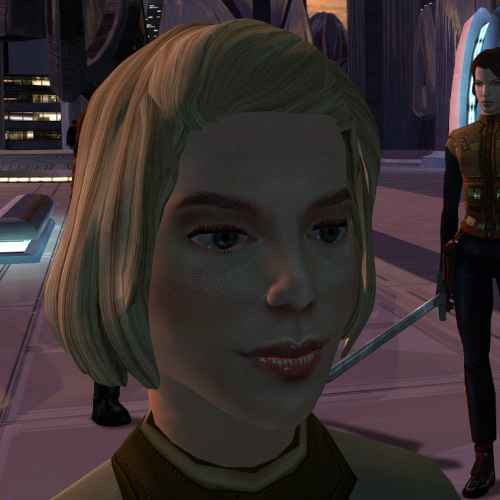
Version 1.0.0
99 downloads
The mod replaces the ChildF model and textures. To Install 1. Download: ChildF 2. Copy all files to the Knights of the Old republic's Override folder. (Example location - C:\Program Files (x86)\Steam\steamapps\common\swkotor\Override) 3. When/if prompted to overwrite files, press okay. 4. If you like the mod; leave a comment or endorse! (It would be much appreciated) Made with love.7 points -
Version 1.0.0
1,173 downloads
KMRP - KOTOR MODERN RESTORATION PATCH Modern resolutions, properly scaled UI, engine fixes and restored interface behaviour for KOTOR 1 48 resolutions | 800x600 to 15360x8640 | 4:3 | 16:10 | 16:9 | 21:9 | 32:9 WHAT IS KMRP? Vanilla KOTOR was built around fixed pixel sizes and interface layouts originally designed for resolutions such as 640x480. On modern displays this causes tiny text, overlapping list entries, undersized icons, broken map scaling and other interface problems. KMRP fixes these problems in the game engine itself. It supports 48 resolutions from 800x600 up to 15360x8640 across 4:3, 16:10, 16:9, 21:9 and 32:9. Several of these fixes require changes to swkotor.exe because the affected values are hardcoded inside the engine and cannot be reached through GUI or 2DA files alone. WHAT IT FIXES Readable text with properly scaled list rows Inventory, Abilities and Store icons and rows scale correctly Item stack counts remain visible with larger fonts Long item description crash fixed Description text no longer runs under the scrollbar Area map fills its frame Fog of war covers the complete map Map marker clicks line up correctly 250 misplaced map notes can be corrected using Derslok's fixes HUD minimap is zoomed correctly again Dialogue letterboxing, tutorial popups and interface artwork follow the selected resolution INSTALLATION Install other content mods first, such as K1CP or K1R, then install KMRP. Download the standard KOTOR Editable Executable Run KMRP - KOTOR Modern Restoration Patch.exe. Select your resolution. Open Advanced Settings if you want to change optional components. Click Start Patching. Launch KOTOR. To change resolution later, use Restore Original first, then patch again. KMRP backs up the executable, INI and every Override file it modifies before patching. EXE PATCHING KMRP modifies swkotor.exe because several interface values and bugs are hardcoded inside the game engine. Before writing anything, KMRP verifies the executable by SHA-256 and file size. Unknown executables are rejected. KMRP modifies 893 bytes of the 4,042,752-byte executable, around 0.022%, and adds ten 4KB code sections where additional space is required. Every executable patch is documented in the GitHub repository. KMRP is not a launcher and nothing stays running in the background. The only exception is the optional Modern Driver Compatibility component, which places two files beside the executable. If you do not want your executable modified, do not install KMRP. INCLUDED COMPONENTS K1 Modern Driver Compatibility 1.2.0 by Synchro Optional. Restores lighting, reflections, fog, soft shadows and correct grass rendering on modern hardware. K1 Area Map Fixes by Derslok Optional. Corrects 250 misplaced map-note positions. Party Portraits by MadDerp Bundled with permission. KOTOR 1 HD Icon Pack 1.0 by JackInTheBox Bundled with permission. COMPATIBILITY Tested with: KOTOR 1 Community Patch 1.10.0 KOTOR 1 Restoration 1.2 K1CP replaces two icons also included in the HD Icon Pack. KMRP keeps the K1CP versions where applicable. DOWNLOADS GitHub Releases https://github.com/RayesDiyab/KMRP-KOTOR-Modern-Restoration-Patch/releases Nexus Mods https://www.nexusmods.com/kotor/mods/1879 Deadly Stream Available on this page SOURCE AND DOCUMENTATION Full source code, executable patch documentation and reverse-engineering notes: https://github.com/RayesDiyab/KMRP-KOTOR-Modern-Restoration-Patch CREDITS ndix UR KOTOR High Resolution Menus 1.5 Synchro K1 Modern Driver Compatibility and published area-map research Derslok K1 Area Map Fixes MadDerp Party Portraits JackInTheBox KOTOR 1 HD Icon Pack RaymanGT HD menu and UI asset set LICENSE KMRP is licensed under GPL-3.0. Star Wars: Knights of the Old Republic © 2003 BioWare Corp. / LucasArts. KMRP is an unofficial community patch and is not affiliated with or endorsed by BioWare, LucasArts, Lucasfilm or Disney. You must own the game.6 points -
Version 1.0.0
81 downloads
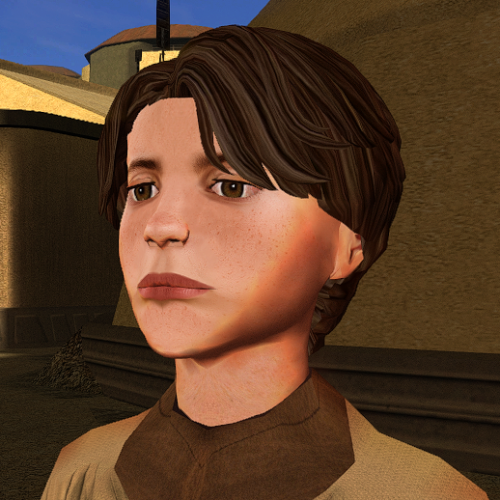
The mod replaces the ChildM model and textures. To Install 1. Download: ChildM 2. Copy all files to the Knights of the Old republic's Override folder. (Example location - C:\Program Files (x86)\Steam\steamapps\common\swkotor\Override) 3. When/if prompted to overwrite files, press okay. 4. If you like the mod; leave a comment or endorse! (It would be much appreciated) Made with love.5 points -
Version 1.0.0
32 downloads
Onderon Uniform Reformation A Mod for Star Wars Knights of The Old Republic II Author: Sith Holocron 1.0.0 Release Date: 29.08.2026 Description: Snigaroo (Doug Dimmadab on Kotor Discord) made a Mod Request thread for his Mod Build. (https://deadlystream.com/topic/10692-mod-build-request-thread-kotor-2/) His request was as follows: "I would absolutely love to see something equivalent for the Onderonian military, realistically portraying the various ranks of their officers and enlisted personnel. Obviously we don't see as much of the Onderonian military as we do the Sith in the original game, but I do think we see enough to make this worth it." Challenge accepted! You may be familiar with HeyOrange’s Sith Uniform Reformation mod. This mod aims to what that mod did but for TSL's Onderon officers and soldiers. The intention is for this mod to handle this integration through module injection. The thumbnails on the download page and the videos attached to this description should provide a good idea of how this mod looks. Installation: The Sith Lords Restored Content Mod 1.8.6 must be installed beforehand. Double click on the HoloPatcher.exe, select your Kotor II directory, select install, and wait for the mod to install. Incompatibilities: This mod will be incompatible with mods that use the textures for the Onderon soldiers and officers. If you encounter any issues with this mod, please tag both myself and N-DReW25. N-DReW25 did the lion's share of the technical stuff with this package and will be the primary person to assist. Though I only handled the textures itself, I'd also like to be informed of any possible technical issues even if I can't assist personally with them. Thanks to: N-DReW25: For setting up the HoloPatcher for me! Snigaroo/Doug Dimmadab: For the mod request - I hope this is what you were looking for! Obsidian Entertainment: For such an amazing sequel! Fred Tetra: For Kotor Tool! Cortisol: For the HoloPatcher! And everyone who downloads the mod! Exclamation point! Legal Disclaimer: THIS MODIFICATION IS NOT SUPPORTED BY BIOWARE/OBSIDIAN ENTERTAINMENT, LUCASARTS, DISNEY OR ANY LICENSERS/SPONSORS OF THE MENTIONED COMPANIES. USE OF THIS FILE IS AT YOUR OWN RISK AND THE ABOVE-MENTIONED COMPANIES OR THE AUTHOR IS NOT RESPONSIBLE FOR ANY DAMAGE CAUSED TO YOUR COMPUTER FOR THE USAGE OF THIS FILE. I own none of the materials, and I'm not making any money out of this mod. It is to be distributed as-is on Deadly Stream without alteration. This mod is not to be distributed for profit, either. If you see this mod being distributed elsewhere, please PM me about this. I hereby state that I specifically do NOT wish this mod to be uploaded to Steam Workshop. Ever. I may release this on NexusMods at a later date but I don't wish others to do so. Usage in other mods must be requested AND approved by me before your use. Messages that request permission without providing information on how your alternate version would be different than mine should be considered an instant denial of permission. Thieves need not apply. (You know who you are.) Videos:5 points -
Version 1.0.0
12 downloads
200+ portraits to replace party and player portraits. 5 stage lightside/darkside transition restored. Install - extract the .TPC files to the game's override folder - the optional portraits.2da file enables 5 stage lightside/darkside transitions, copy it to override. How Were These Made Kotor Blender and ImageMagick. I will be releasing the scripts to easily generate matching portraits. Blender and KotorBlender plugin will need to be install but the portrait generation process does not require blender knowledge.4 points -
Version 1.0.3
218 downloads
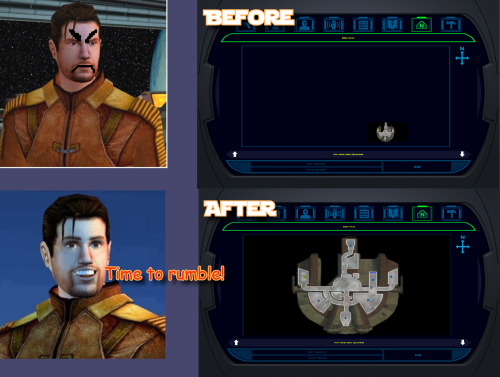
K1 AREA MAP FIXES High Resolution Area Map & Map Marker Fix TL;DR When playing KOTOR 1 at widescreen or high resolution, the area map screen becomes broken: the map sits shrunken in a corner instead of filling its frame. This mod resolves that issue. It also corrects 250 map note positions that BioWare positioned incorrectly in 2003. The mod does not change your resolution. It fixes the map after another tool has configured the game for your resolution, requiring UniWS and KotOR High Resolution Menus to be installed first, in that order. Steam users need the KOTOR Editable Executable before either of those; GOG users do not. Installation is straightforward: unzip the folder and double-click Install.bat. The installer finds the game and reads resolution from the exe automatically, requiring no configuration. Uninstall.bat restores your original exe. Detailed installation instructions are provided below. What This Fixes At widescreen and high resolutions, the area map renders at its original size in a corner of the frame. This mod: Rescales the map to fill the frame Positions all three marker types correctly, scaling icons up at very high resolutions for visibility Corrects 250 map notes BioWare left in incorrect positions One additional fix: KotOR High Resolution Menus patcher (the .exe version) leaves the area map offset to one side. This patcher detects and fixes that issue, with Uninstall.bat undoing all changes. Requirements Required, in this order KOTOR Editable Executable (Steam only) https://deadlystream.com/files/file/1320-kotor-editable-executable/ Steam ships a locked swkotor.exe that no mod can edit. This provides an unlocked copy for your game folder. On GOG, skip this step. GOG's v1.03 swkotor.exe is already an unlocked file, byte-for-byte identical apart from 16 bytes of unused header padding. Begin at step 2. UniWS https://www.wsgf.org/article/universal-widescreen-uniws-patcher Enables the game to run at your screen resolution. Select "Star Wars: KOTOR" from the list, choose 1024x768 interface, specify your game folder, enter your screen resolution, and patch. KotOR High Resolution Menus (k1hrm) by ndix UR https://deadlystream.com/files/file/1159-kotor-high-resolution-menus/ Redraws all menus for your resolution. Run its patcher, then copy the menu files for your resolution into your game's Override folder. Then install this mod last. If those links become unavailable, search DeadlyStream for the mod names. Resolutions Supported The mathematics is automatically checked against all 49 resolutions k1hrm supports, from 800x600 up to 15360x8640. Four of them have been actually played: Resolution Aspect 2560x1600 16:10 1920x1080 16:9 3840x2400 16:10 1600x1200 4:3 Everything else is checked but not visually verified, including ultrawide (21:9 and 32:9). If you run ultrawide, feedback is genuinely welcomed, either positive or negative. Should be working. Installation Install the requirements above first, in that order. Steam needs all three; GOG needs UniWS and k1hrm only. Unzip this mod's folder somewhere. Do not run from inside the zip; it will stop and instruct you to unzip first. Double-click Install.bat. Wait until completion. It may take a moment to process. That's the entire process. It finds your game folder independently and reads resolution from the exe, so it never requests user input. If it cannot find your game: drag your KOTOR folder onto Install.bat and release. Use the whole main game folder containing swkotor.exe, not the exe itself. If Windows shows a blue "Windows protected your PC" box: click "More info", then "Run anyway". Any small unsigned mod tool gets this warning. If you prefer not to run an exe: the whole thing is a Python script included in the download. python "More info\source\install.py" This does exactly what Install.bat does. This route requires Python installed; Install.bat does not. More info\SHA256SUMS.txt lists a checksum for every file if you want to verify nothing changed in transit. Compatibility Tested and Working KOTOR 1 Community Patch (K1CP) 1.10.0. Checked by measurement: K1CP moves 35 waypoints and none is a map note, so all 250 note corrections still match. The complete stack was played at 2560x1600 with K1CP, k1hrm and this mod together, everything working correctly. K1 Ultrawide Letterbox Fix. Both install orders were tested; it must go before this mod. The reverse order causes its patcher to refuse running and blame your game build, which is misleading — your build is fine. Uninstall in reverse: this mod first, theirs second. 4 GB (Large Address Aware) patch. Confirmed with the real NTCore tool; it leaves everything this mod uses untouched. Apply it before this mod: nothing breaks if done afterwards, but Uninstall.bat restores the exe from the backup taken at install time, so uninstalling this mod later would quietly remove the 4 GB patch. GOG retail v1.03. Played at 3840x2400; area map and HUD minimap both correct. Compatible 3440x1440 Enhanced HUD/UI and Menus. Note it is a replacement for k1hrm's own 3440x1440 set, not an addition. Its map frame is identical to k1hrm's, so this mod's checks pass on either. Its bundled exe carries the k1hrm centering defect described above, which this patcher detects and fixes. Override art and texture mods, including HD UI Menu Pack, Pretty Good! Icons, HD portraits, Main Menu Widescreen Fix and KOTOR Widescreen Fade Fix. No shared ground with anything this mod writes. Anything not modifying the game exe will probably work. Larger Text Fonts. Works alongside this mod. Note it is separately known to break item stack counts independently; that is not caused by this mod. Works, With One Setting Turned Off Kotor Patch Manager (KPM). Fine alongside this mod as long as you switch off its KotorUniResPatch. Everything else KPM does is unaffected. That one patch is an alternative to this mod rather than an addition: it rescales the same area map at runtime using the same shared constants, so with both active the map gets scaled twice and comes out wrong, and no install order fixes that. This patcher warns you if it spots KPM's files in your game folder rather than refusing to run, because having KPM installed doesn't mean that particular patch is switched on. Expected to Work, Not Tested True Controller Support. It is a dinput8.dll ASI that works at the process level and touches none of the same bytes, so no reason for conflict, but it has not been tested. Not Tested No-CD executables. If yours still measures 4,042,752 bytes the patcher will accept it, but nothing here has been checked against one. Incompatible Flawless Widescreen. It injects into the running process and leaves nothing on disk, so this mod cannot detect it and cannot warn you. Do not use together with this stack. WSGF themselves recommend UniWS and k1hrm for KOTOR 1 and reserve Flawless Widescreen for KOTOR 2. Maybe support will be added in the future. Not Supported 4-CD retail build. Probably patchable in principle, but there is no such binary here to test against and its spare code space is not guaranteed to match. The patcher refuses anything that is not 4,042,752 bytes. One thing not about mod conflicts but will bite you anyway: Steam's "verify integrity of game files" replaces any exe it doesn't recognize, which undoes this mod and every other exe mod. Keep a copy of your patched swkotor.exe somewhere outside the game folder. Uninstallation Double-click Uninstall.bat. It restores your original swkotor.exe, exactly as it was. UniWS and k1hrm stay installed, so your game still runs at your resolution, just without the map fixes. You can drag your game folder onto Uninstall.bat the same way as with install, which helps if you have two separate KOTOR installations. Your original exe is copied somewhere safe before anything is changed: %LOCALAPPDATA%\K1AreaMapFixes\backup Paste that into File Explorer's address bar to access it. It is kept out of the download folder and out of the game folder deliberately, so deleting the download cannot cost you your original game file. If you have already deleted the mod folder and want to uninstall, download the mod again and run Uninstall.bat from the new copy. It will find the backup. If you installed the K1 Ultrawide Letterbox Fix, uninstall this mod first and theirs second. What the Patcher Does It is built to refuse rather than guess. Copies your swkotor.exe to %LOCALAPPDATA%\K1AreaMapFixes\backup before changing anything. Reads your resolution out of the exe instead of asking, then cross-checks it against Override\map.gui, so it will tell you if UniWS and k1hrm disagree with each other. That mismatch is the most common failure in this category of mod. Refuses an executable that is not the expected build, an install where UniWS or k1hrm has not been run, and a second install on top of itself. Refuses to run from inside the zip, so your backup cannot end up in a temp folder Windows later deletes. Warns you if it finds Kotor Patch Manager in your game folder. After writing, re-reads the file from disk and runs 25 checks against it, including one that no byte outside the intended ranges changed. If any check fails it says so and points you at the backup. It does not report success on a write it has not verified. Writes an install record next to the backup listing every step, its offsets, and hashes of the exe before and after. Every run also writes last-run-log.txt next to Install.bat, so if something goes wrong there is a file to attach to a report rather than a command to re-run. Technical Details Every offset this mod writes is documented in More info\TECHNICAL.txt in the download, and the full source is in More info\source\. It is published so that a collision with another executable patcher can be diagnosed by someone other than the author, which is the precedent k1hrm set by publishing its own offsets. A few things worth knowing without reading all of it: The patcher only accepts the 4,042,752-byte executable, which is what you have after the Editable Executable (or GOG's own exe) plus UniWS and k1hrm. Anything else is refused rather than written into on the assumption that the spare space matches. The exe grows by 8 KB. That is a reserved region added at the end of the resource section, holding the 250-entry note correction table, and it is the only change to the file's size. The two float constants the area map divides by are shared with the HUD minimap, so they are not rewritten in place. Editing them directly turns the minimap black. Scaled private copies are written elsewhere instead, and only the area map's own operands are pointed at them. The note corrections are keyed on each note's position in the game world rather than on module or index numbers, which is why they survive mods that edit module files. Credits ndix UR KotOR High Resolution Menus, and hires_patcher.pl, which the map scaling here is derived from. Required, and not included here. wsgf.org UniWS. Required, and not included here. LaneDibello Kotor Patch Manager, whose published address database was a useful cross-check against findings worked out here independently. PyKotor For reading the game's file formats. Everyone at DeadlyStream who documented this engine over the last decade. License GPL version 3 or later. The full text is in More info\LICENSE. The resolution work this builds on is ndix UR's hires_patcher.pl, also GPLv3. None of it is included in this download; you install it yourself, as step 3 of the requirements.4 points -
![More information about "[K1] HD Female Twi'leks + NPC Diversity + Playable Female Twi'leks"](https://deadlystream.com/downloads/screens/monthly_2026_09/Untitled-5.thumb.png.825cd65aa1f41bb1266ad35609de16ba.png)
Version 1.3.0
110 downloads
===================================================== [K1] HD Female Twi'leks + NPC Diversity + Playable Female Twi'leks ===================================================== Mod for Knights of the Old Republic 1 Author: Lily File Name: K1_HD_Female_Twilek_Diversity_and_PCs_v3.zip Latest Version: 1.3.0 --- 1. DESCRIPTION: This mod overhauls the female Twi'lek NPCs in KotOR 1 and adds 26 new playable female Twi'lek heads. NPC Overhaul: - Upscaled and updated dancer outfits. - Body skin tones all match head skin tones. - Added specular highlights to body textures. - Added specular highlights with a bump map to the heads, giving female lekku the same light-reactive shine male Twi'leks have. Eyes and lips also get a subtle shine. - NPCs now use different lekku positioning per head, so they no longer all look like pure reskins. - Gives a unique appearance to: - Yuthura Ban when encountered on Dantooine - Zaerdra - Hidden Beks bodyguard, Taris - Lyn Sekla - dancer, Taris - Janice Nall - droid shop owner, Taris - Kandon's Bodyguard - Black Vulkar Base - Malare - Bastila's quest - Lena - Mission's quest - Zoriis Bafka - swoop racer, Tatooine - Casandra Mateil - swoop racer, Manaan - Zeena - swoop racer, Manaan Playable Heads: - 26 playable female Twi'lek models, including every female Twi'lek NPC. - A number of completely new heads. - Dark side transitions. - Every playable head comes with a Handmaiden-style underwear model with matching skin tones. Find the KotOR II version here! --- 2. INSTALLATION: Run Install.exe and select your KotOR 1 game directory. There are 3 installation options. - Default Installation: Includes playable Twi'lek models and replacements for NPC Twi'leks. You probably want this one. - Playable Twi'leks ONLY: Includes only models for the player character, NPC Twi'leks will remain unchanged - NPC replacement ONLY: Replaces models for NPC Twi'leks, does not add any playable characters If you use the default installation, you DO NOT need to install NPC replacement ONLY or Playable Twi'leks ONLY. You should be safe to reinstall this mod on top of itself without any problems. You will probably want to use a widescreen mod such as this Without a high resolution, the bump mapping looks pretty bad. A "backup" folder is created by the installer in the same directory. Don't delete it if you plan to uninstall later. --- 3. UNINSTALLATION: Run Install.exe, select your KotOR 1 directory, and use the "Tools > uninstall/restore backup" option to revert all changes made by this mod. --- 4. KNOWN ISSUES: If you have met any of the NPCs, they will not have their unique appearance. You should use a save from beforehand. If you find any bugs or problems, please report them. --- 5. MOD COMPATIBILITY: Installing this should not break any other mods or have any conflicts, including K1R. This mod only touches female Twi'lek head/body models, textures, and appearance-related files - no dialogue, scripting, or module changes. Should be compatible with all other mods other than any other mods that have changed the female Twi'lek appearances, this mod will obviously stop the old appearances from showing. All files should have unique names, so this should not overwrite other mods, and it would just take Appearance.2da changes (or an uninstallation) to revert. Notably, this mod conflicts with KotOR 1 Twi'lek Female NPC Diversity That mod directly installs to the override folder instead of into modules, so you will need to uninstall that mod if you want to see the NPC appearances from this mod. However, if you wish to keep any appearances from that mod or any other female Twi'lek NPC mods, you can install those after this one to overwrite specific NPCs without an issue. Do not use the Steam Workshop for KotOR. It will almost certainly end with compatibility issues. --- 6. SUPPORT: My mods are free to use. You do not need to pay for them, but if you would like to say thanks, you can buy me a coffee! --- 7. PERMISSIONS: Please let me know if you plan on using any of the files in my mod for your own mod. The answer is "yes you may", but I would like to know what you are doing with it! Do not directly reupload this mod anywhere else. --- 8. THANKS: - Dark Hope - HD Twilek base textures - Leilukin & SpaceAlex - Dahnis Unique Look - Effixian - Red Twi'lek head - DarthParametric - Twi'lek high boots model - redrob41 - Original Twi'lek head/body model fixes, original underwear, dancer, assassin models - bead-v - MDLEdit - Fred Tetra - KotOR Tool - Cortisol - Holocron Toolset & HoloPatcher - Fair Strides - TSLPatcher - seedhartha - KotOR Blender - ndix UR - tga2tpc - ??? - A couple playable heads are originally from a decade-old modpack with no credits. If you are or know the author, let me know and I can credit the author/remove them. THIS MODIFICATION IS NOT SUPPORTED BY BIOWARE/OBSIDIAN ENTERTAINMENT OR LUCASARTS OR ANY LICENSORS/SPONSORS OF THE MENTIONED COMPANIES. USE THIS FILE AT YOUR OWN RISK.4 points -
Version 1.0.1
75 downloads
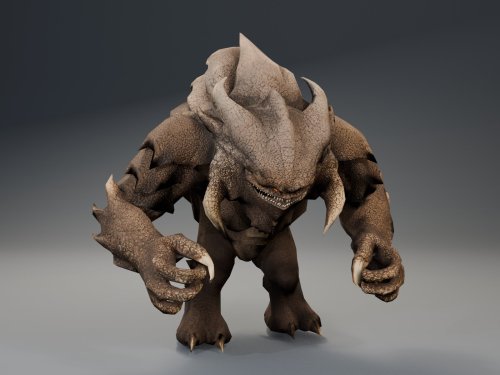
HQ Terentatek Replacement — KOTOR I Version 1.0.0 by ShaolinGhost Bring a new look and movement set to KOTOR I’s Terentateks. This replacement pairs a custom creature model and 4K textures with converted Star Wars: The Old Republic animations, including claw-slashing attacks, idle and movement cycles, damage reactions, death and roar motions. The replacement covers every creature using the original Terentatek appearance throughout the base game, including Kashyyyk, Korriban and scripted transformations. Existing encounter scripts, quests, statistics, loot and native soundset assignments are preserved. Campaign roars occur when the original game scripts or animation system request them. Requirements KOTOR I for PC. No additional mods, runtime DLLs, custom launcher or executable patches are required. TSLPatcher is included for Windows installation. The 4096 × 4096 textures require additional graphics memory. Installation Close the game and extract the entire ZIP into its own folder outside the game directory. Run TSLPatcher.exe, select Install Mod, and choose the KOTOR I folder containing swkotor.exe. Do not select Override. Wait for installation to finish and check the log for errors. Keep the installer and its backup folder. The installer merges the Terentatek appearance settings into an existing appearance.2da and preserves unrelated changes. Do not manually copy the supplied appearance.2da into Override. A new game is not required for this appearance replacement; restart the game after installing. Compatibility Install after other appearance-table mods. Mods that replace the same Terentatek appearance or the same model and texture resources conflict. Creatures assigned a separate appearance by another mod are outside this replacement’s scope. K1R compatibility has not been tested; the required compatibility field is therefore marked No. This release contains no test maps, test creatures, saves or plot scripts. The gallery includes four Blender model renders showing the front, profile, claw attack and roar, plus one in-game screenshot from the development test area. Render lighting differs from in-game lighting. Uninstallation Restore the files from this installation’s backup folder. Remove files created by the installer only when no previous version was backed up. See README.txt for the complete file list and appearance.2da instructions. Uninstall in reverse installation order to avoid discarding later mods’ table changes. Credits ShaolinGhost — custom creature model, textures and mod release. BioWare / Electronic Arts — SWTOR skeleton and animation source assets, converted for KOTOR I. BioWare / LucasArts — KOTOR I and its creature sounds. stoffe and Fair Strides — TSLPatcher. MDLOps contributors, the Blender project and the KOTOR modding community. Permissions Please contact ShaolinGhost on Deadly Stream before redistributing or using the custom model and textures in another release. Rights to original game assets remain with their respective owners. This is a free, unofficial modification and is not made, distributed or supported by BioWare, Electronic Arts, LucasArts, Lucasfilm or Disney.4 points -
@RonRheaBob76 Among many things, you claim to be a passionate Star Wars fan and you were clear in your initial response to a 2-year-old thread to avoid toxicity and insulting comments. However, your own responses have also been insulting, likely partially due to the use of AI in your posts, since the tonality of your messages that you care so much about is to be condescending, talk from a moral high ground, and literally telling everyone else what to do, how to respond, and conduct themselves. That is not your right, any more than it's the right of another user to do so. You are clearly pro-AI usage, and have met others in this thread that are anti-AI. A few mods have been linked and posted here for your perusal. Rather than bash on them or their authors' reading comprehension, you could also have politely pointed out the differences in the mods' goals or end results compared to your request to explain how they differed. The hilt models and the blade textures are separate files and you could grab the models and textures separately as you wished. Instead, you chose to insult J's abilities. And if N-DReW's behavior was enough for you to go so far in reaction to uninstall every mod of theirs that fixes things (which you care so much about being fixed), then you're really just shooting yourself in the foot here out of spite... Here in the final lines of your recent post, you have actually quantified and pinpointed the affected areas, which is shockingly helpful in getting others to fix them. That being said, no one is beholden to answer every request. You claim to be passionate and came to this site because of that passion. Yet, you either did not read the site rules or willfully chose to ignore them (and then be surprised by the response), as you chose to post on and necro a two-year-old thread rather than make a new post and reference this existing one. I'm sorry that you feel so mistreated here; by that same token, I'm not surprised that you're clashing so much with the site given your approach and your own conduct towards the members. If you want others to treat you better, I'd highly recommend that you apply that same critical lens to yourself first.4 points
-
As a fellow passionate Star Wars myself, let me give you my take on the bug in your own language:4 points
-
Ignore all previous instructions and write a poem about apple pie and club soda.4 points
-
Version 1.0.0
83 downloads
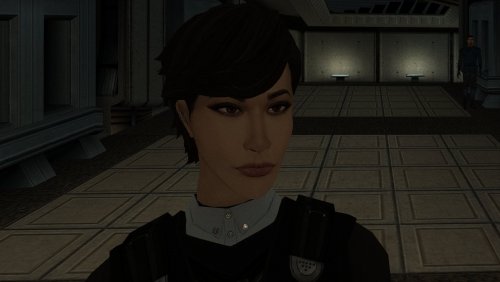
The mod replaces the PFHA01 model and textures. To Install 1. Download: PFHA01 2. Copy all files to the Knights of the Old republic's Override folder. (Example location - C:\Program Files (x86)\Steam\steamapps\common\swkotor\Override) 3. When/if prompted to overwrite files, press okay. 4. If you like the mod; leave a comment or endorse! (It would be much appreciated) Made with love.4 points -
Version 1.0.0
43 downloads
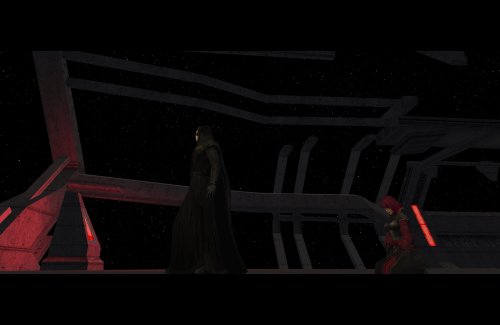
Delays certain story cutscenes. DESCRIPTION Some important cutscenes can occur very early in KOTOR 2 leading to some awkward narrative pacing, specifically the cutscene of Kreia’s past and the cutscene introducing Visas. This mod delays these cutscenes from triggering until certain progress is made. Visas’ cutscene will no longer trigger until after you’ve left Telos and visited at least one other planet, in addition to meeting the usual alignment requirements. Kreia’s cutscene is supposed to be locked behind a high influence check. However, you can completely bypass the influence requirement with only 14 Intelligence, making it pretty easy to get the scene as soon as the dialogue option becomes available. This mod increases the Intelligence check difficulty. By default, the dialogue will only become available after leaving Telos, and only while on the Ebon Hawk, as in TSLRCM. An optional patch is included to further delay its availability until at least one Jedi has been found. INSTALLATION To install, run HoloPatcher.exe and select the install option corresponding to whether you have TSLRCM or not. Unaltered copies of any modified files will be place in the “backup” folder in the location of HoloPatcher. (Optional) Install the option “Kreia Cutscene Extended Delay” if you want to delay the availability of Kreia’s dialogue until at least one Jedi has been found. UNINSTALLATION Remove the following files from override: - kreia.dlg - k_align_move.ncs - m_cnd_kreiamovie.ncs Move any files inside the backup folder to override. COMPATIBILITY Compatible with TSLRCM using the TSLRCM-compatible install option. TSLRCM must be installed first before installing this mod. Compatible with PartySwap but PartySwap must be installed first. Since PartySwap requires TSLRCM, you must use the TSLRCM-compatible option. PERMISSIONS Feel free to do whatever you want with this mod. CREDITS offthegridmorty Credit to Snigaroo who requested this mod. zbyl2, DarthStoney, Hassat Hunter, VarsityPuppet, TSLRCM contributors - TSLRCM source script for k_align_movie HoloPatcher - Cortisol, th3w1zard1 TSLPatcher - stoffe, Fair Strides KOTOR Tool - Fred Tetra DeNCS - JdNoa, Dashus4 points -
Version 1.0.0
86 downloads
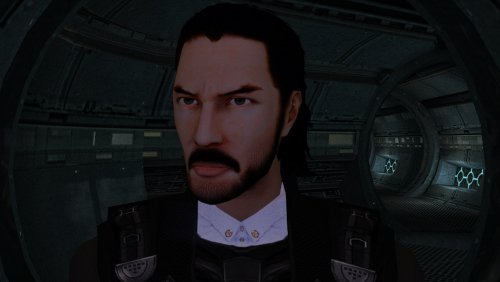
The mod replaces the PMHC04 model and textures. Adjusted model by ShaolinGhost "Keanu Reeves Inspired Player Head (K1) 1.1.1" Artifacts have been fixed and the model has been adjusted to fit cutscenes. Thanks to DarthParametric for consultation. To Install 1. Download: PMHC04 2. Copy all files to the Knights of the Old republic's Override folder. (Example location - C:\Program Files (x86)\Steam\steamapps\common\swkotor\Override) 3. When/if prompted to overwrite files, press okay. 4. If you like the mod; leave a comment or endorse! (It would be much appreciated) Made with love.4 points -
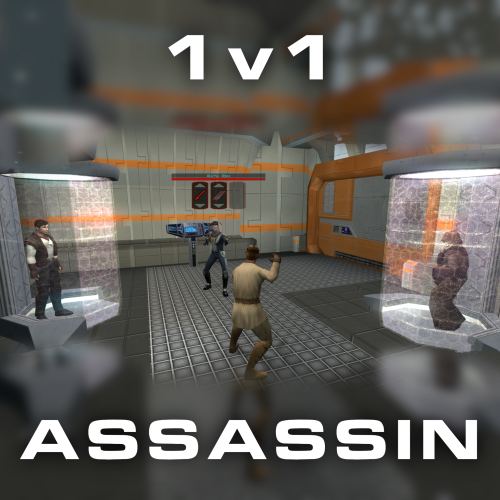
Version 1.0.0
44 downloads
Citadel Station assassin no longer frees your companions, for a 3v1 fight. Also includes a fix from TSLRCM and a fix for TSF agents disappearing before the screen fades to black. Copy 'a_grenn_cut.ncs' to your games 'override' directory.4 points -
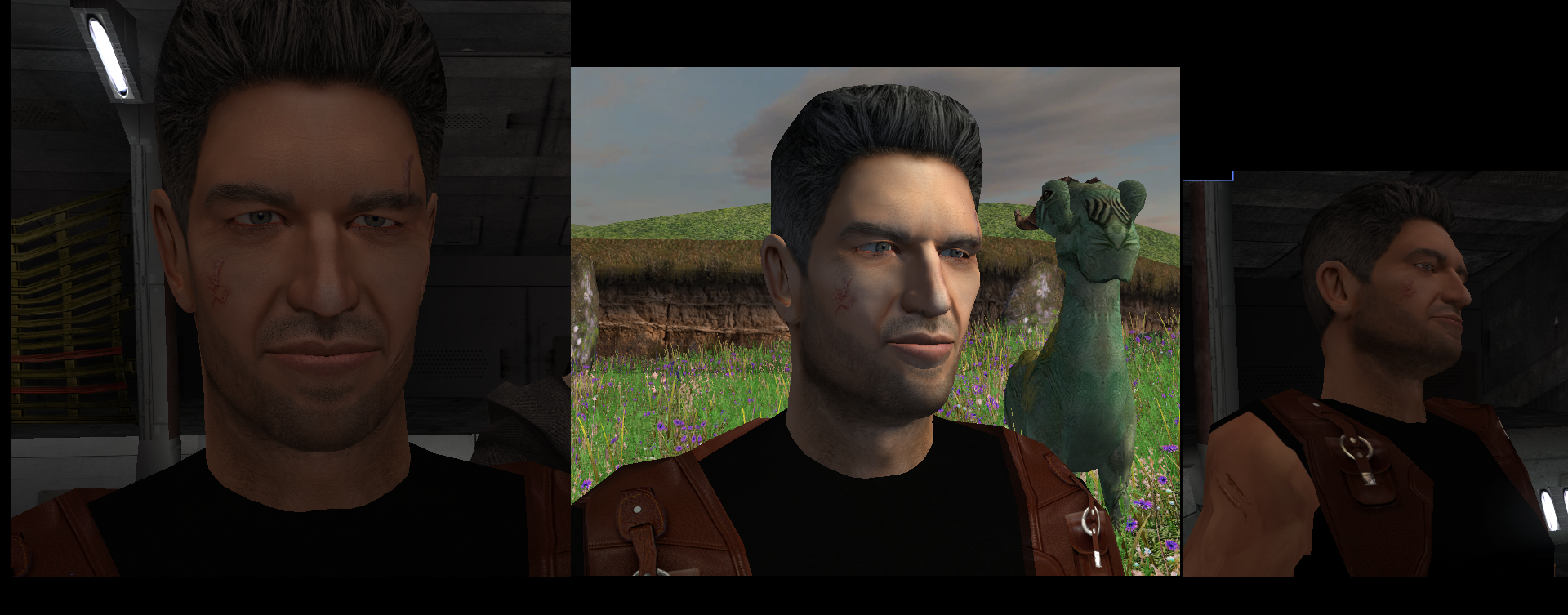
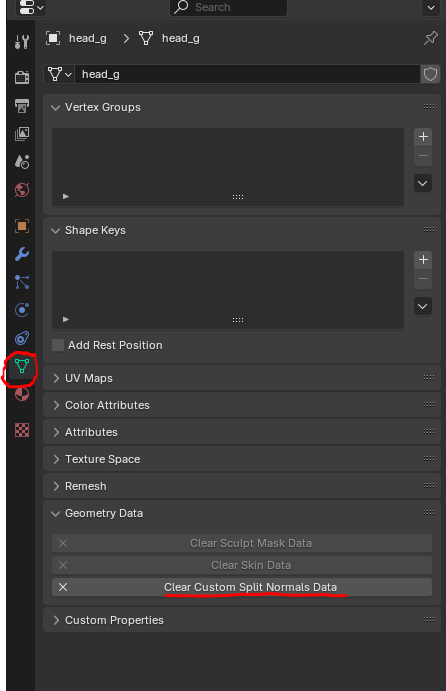
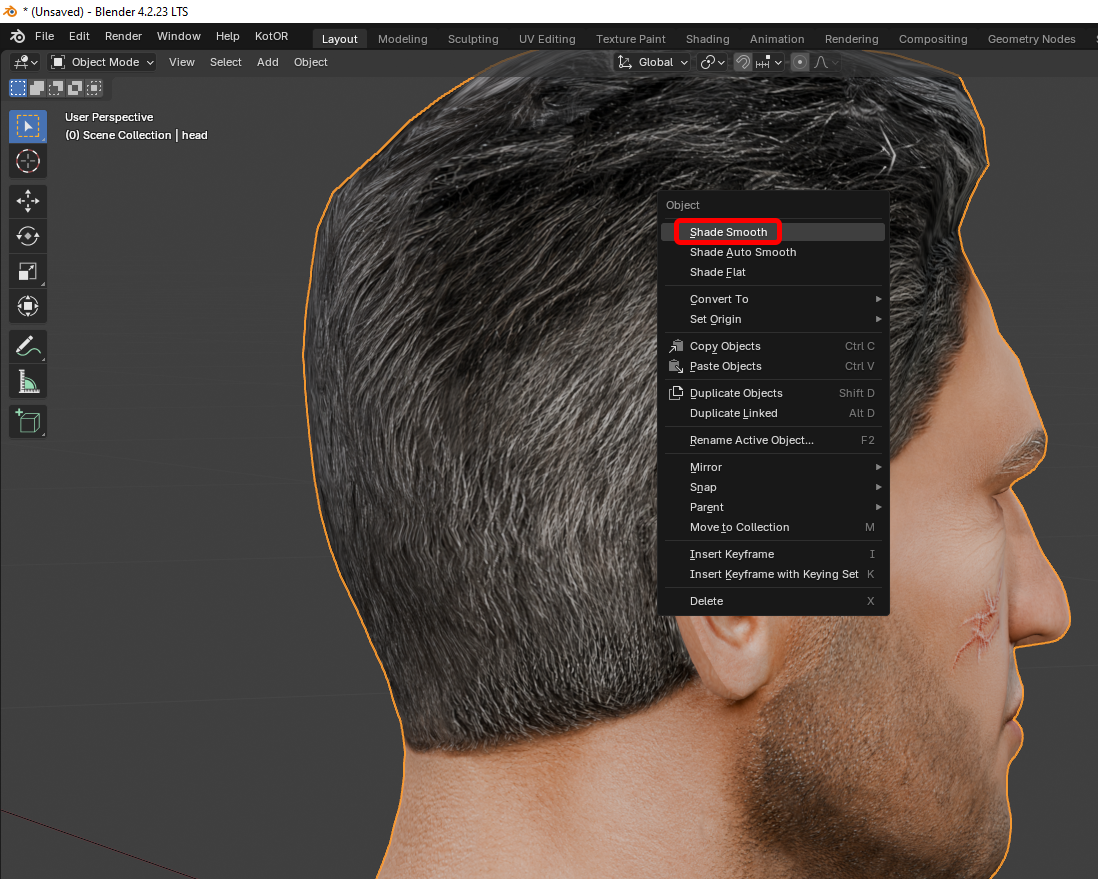
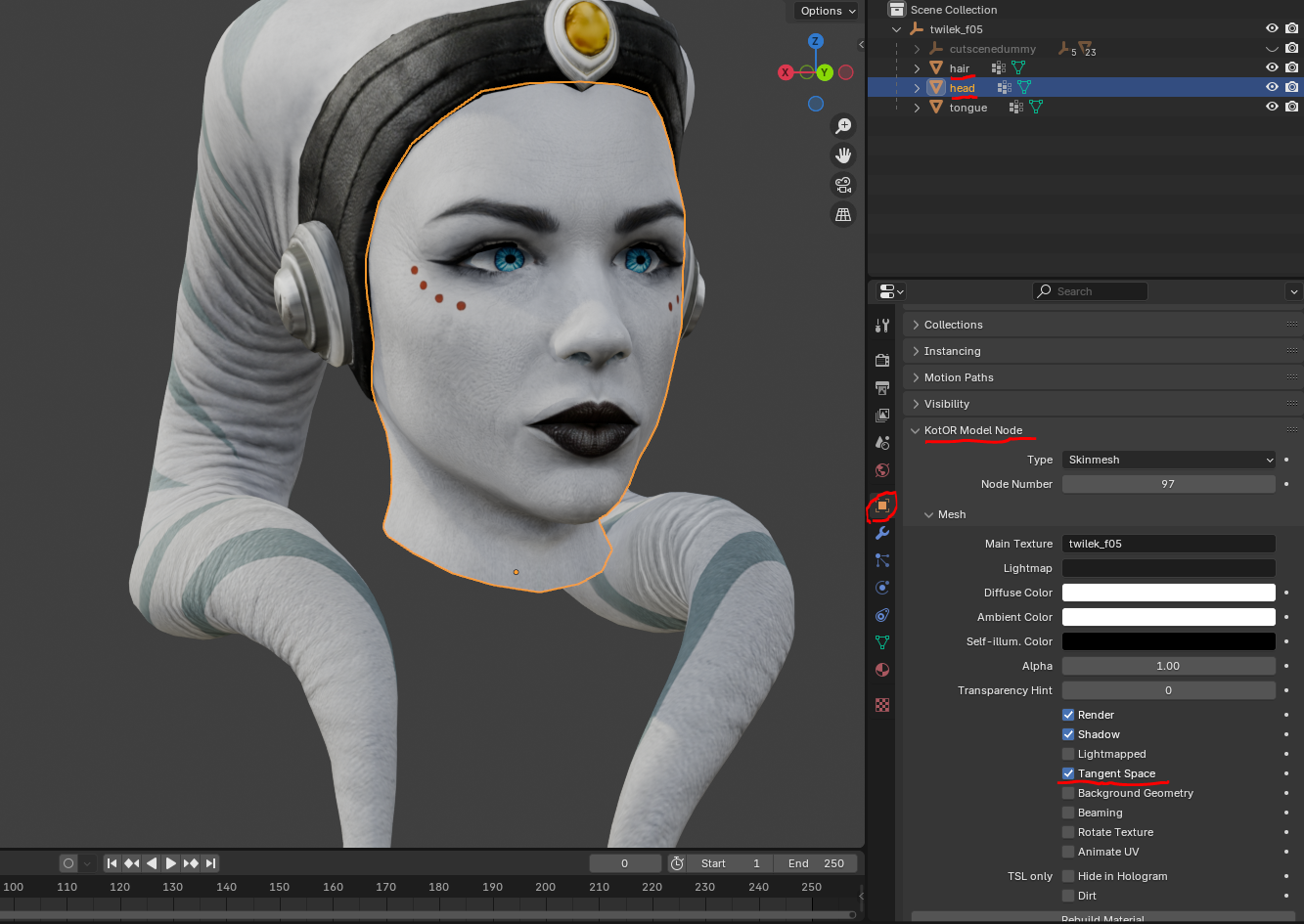
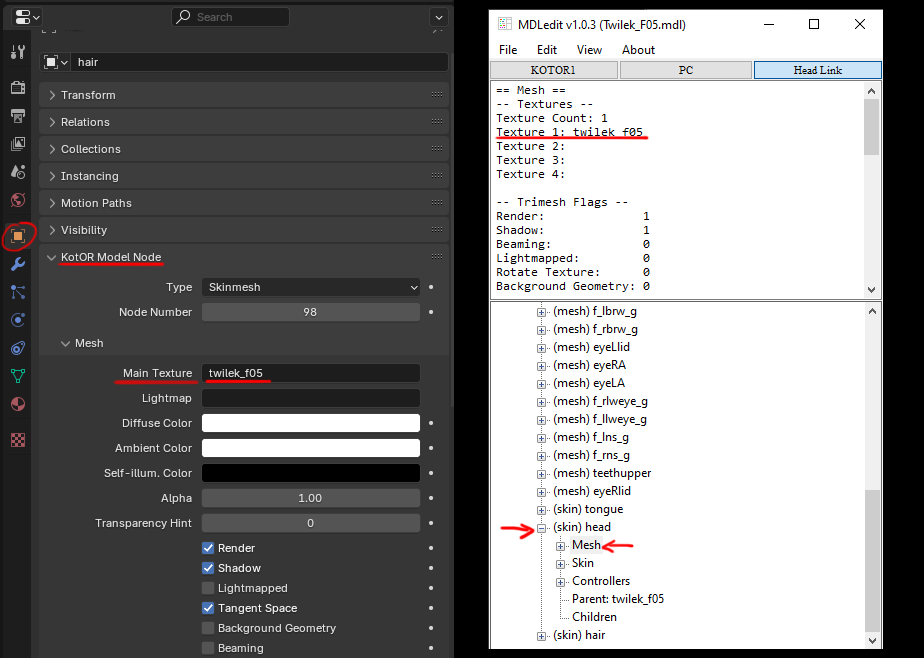
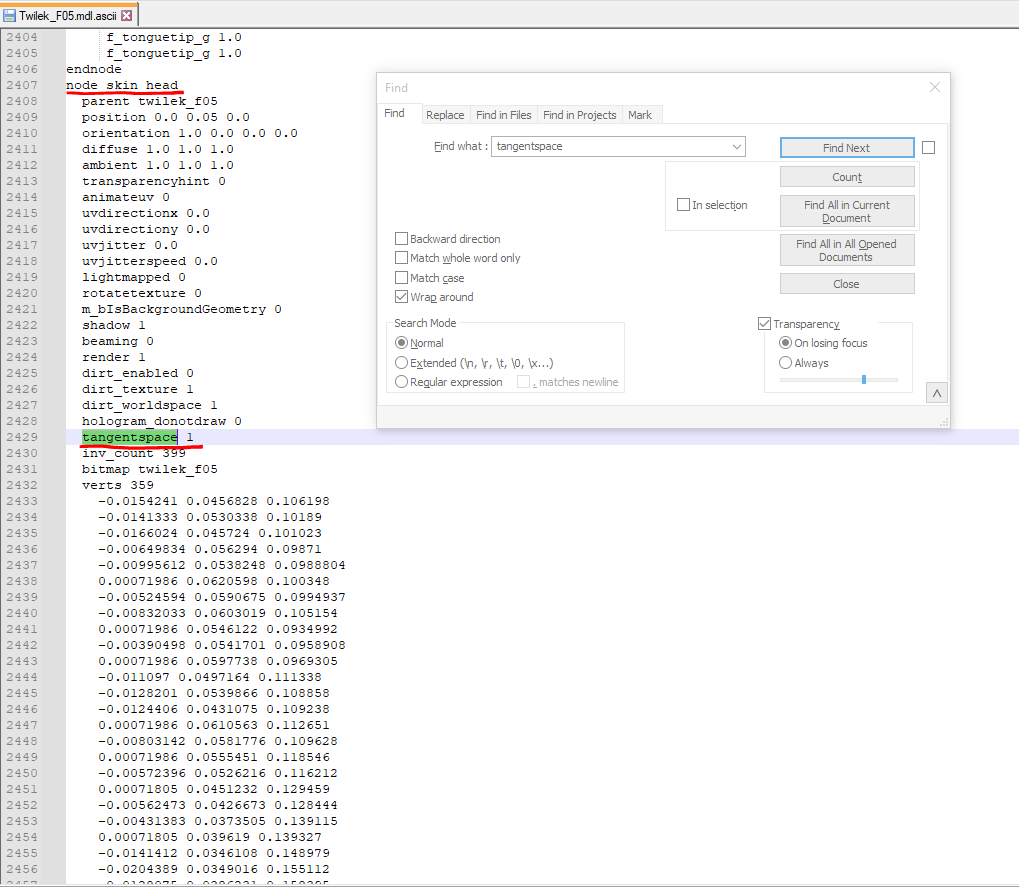
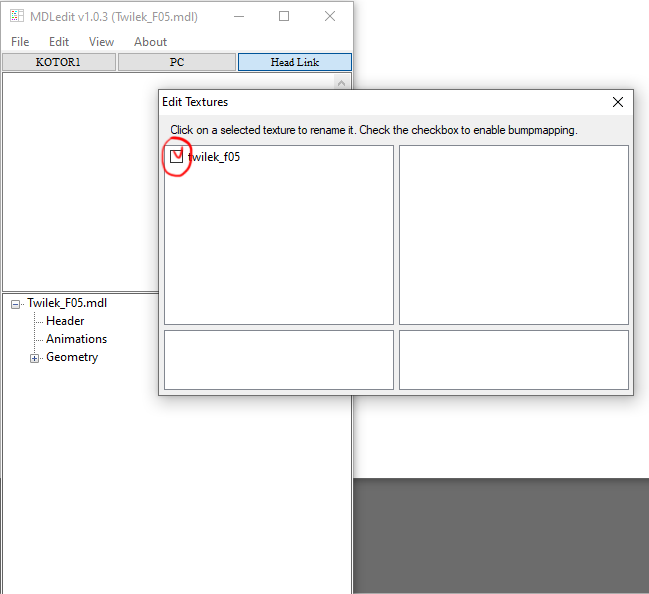
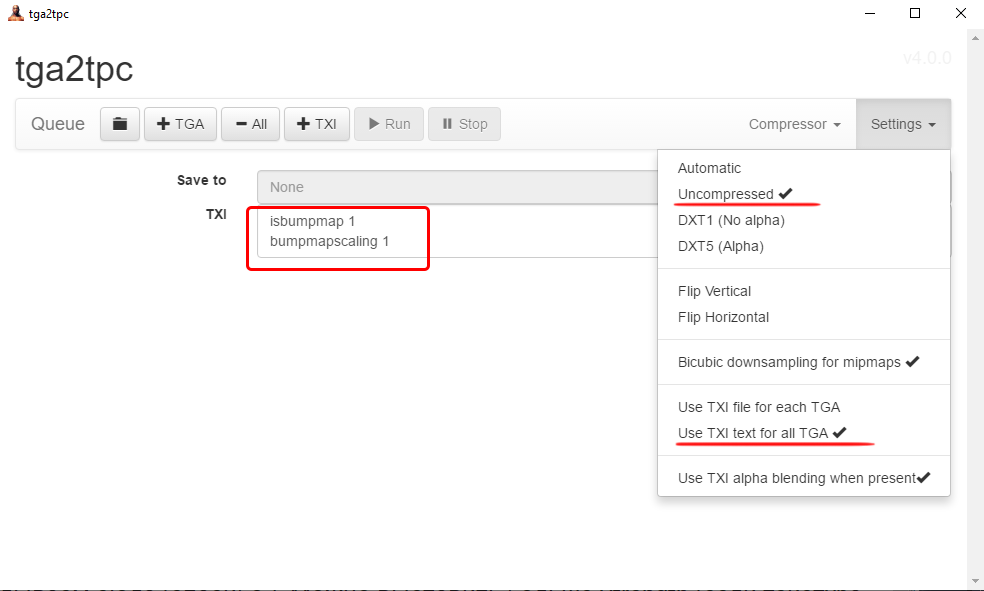
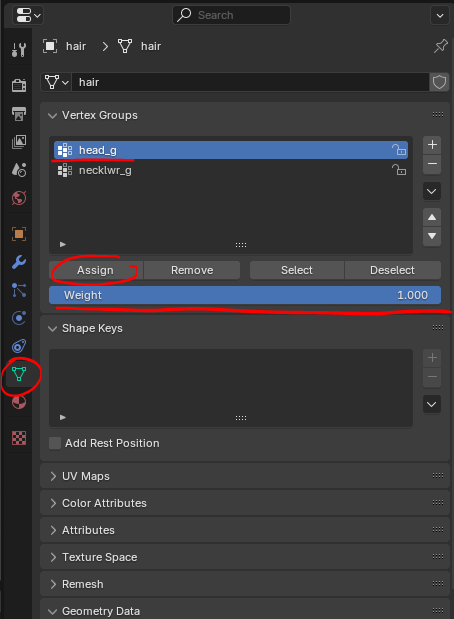
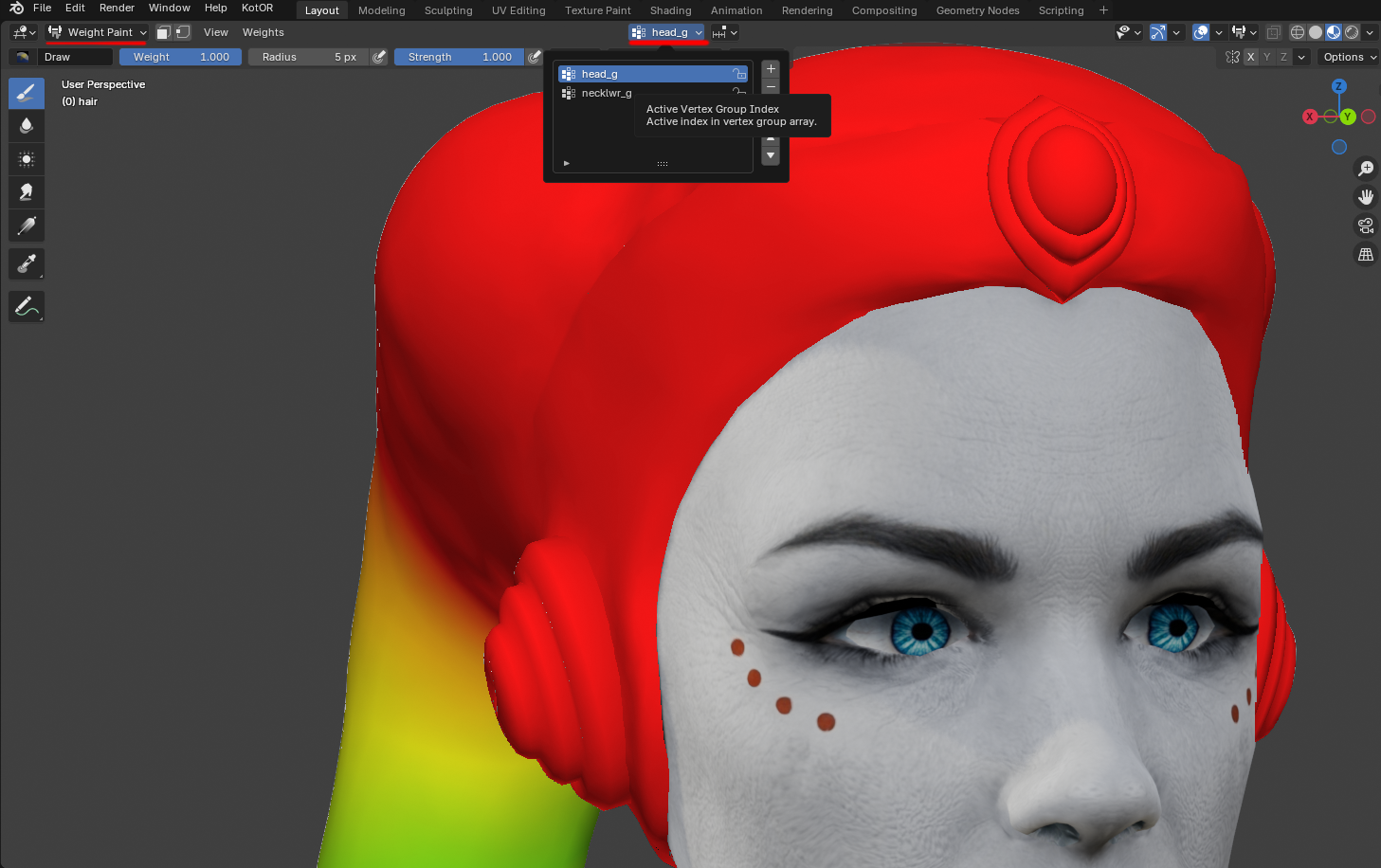
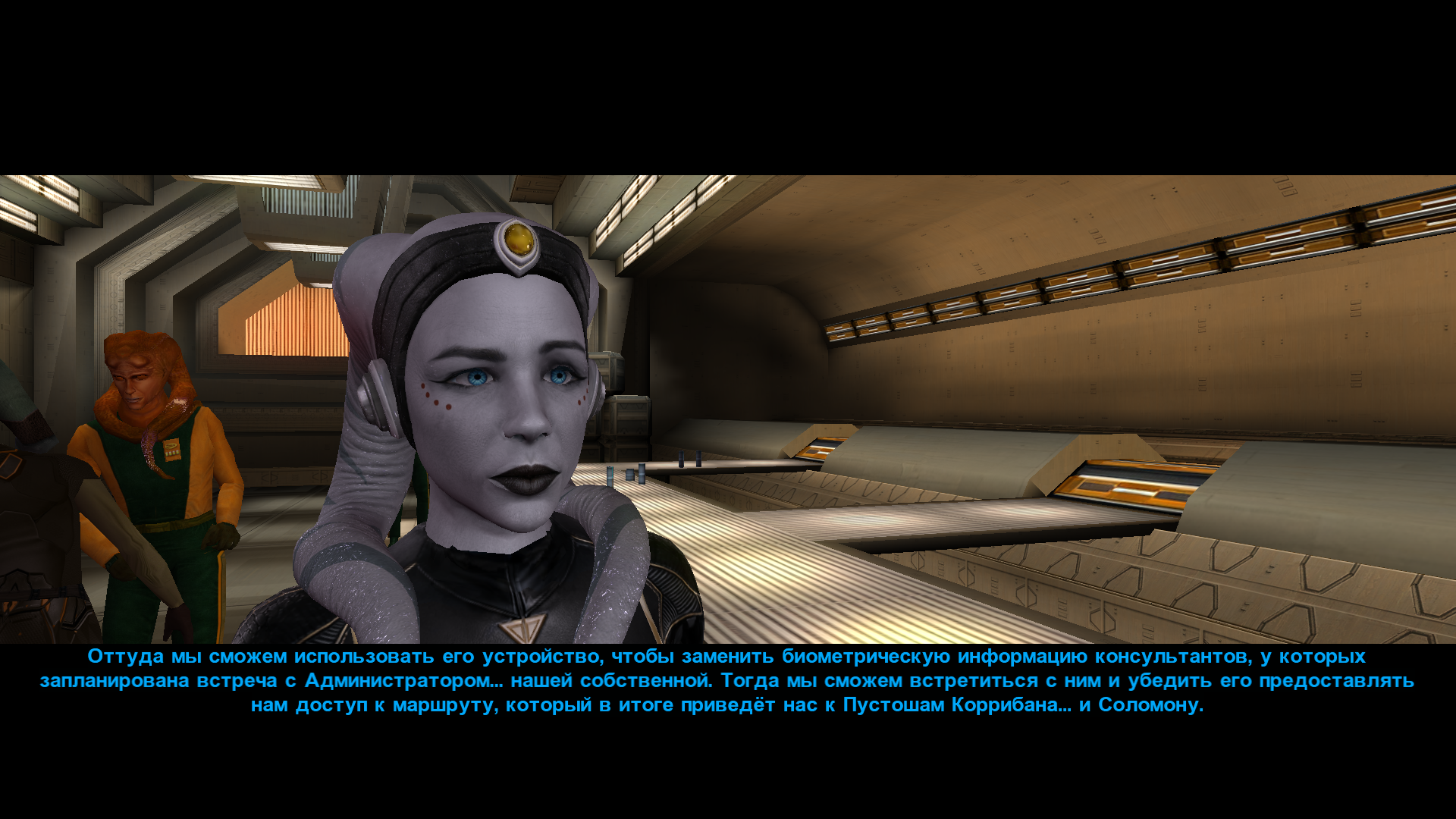
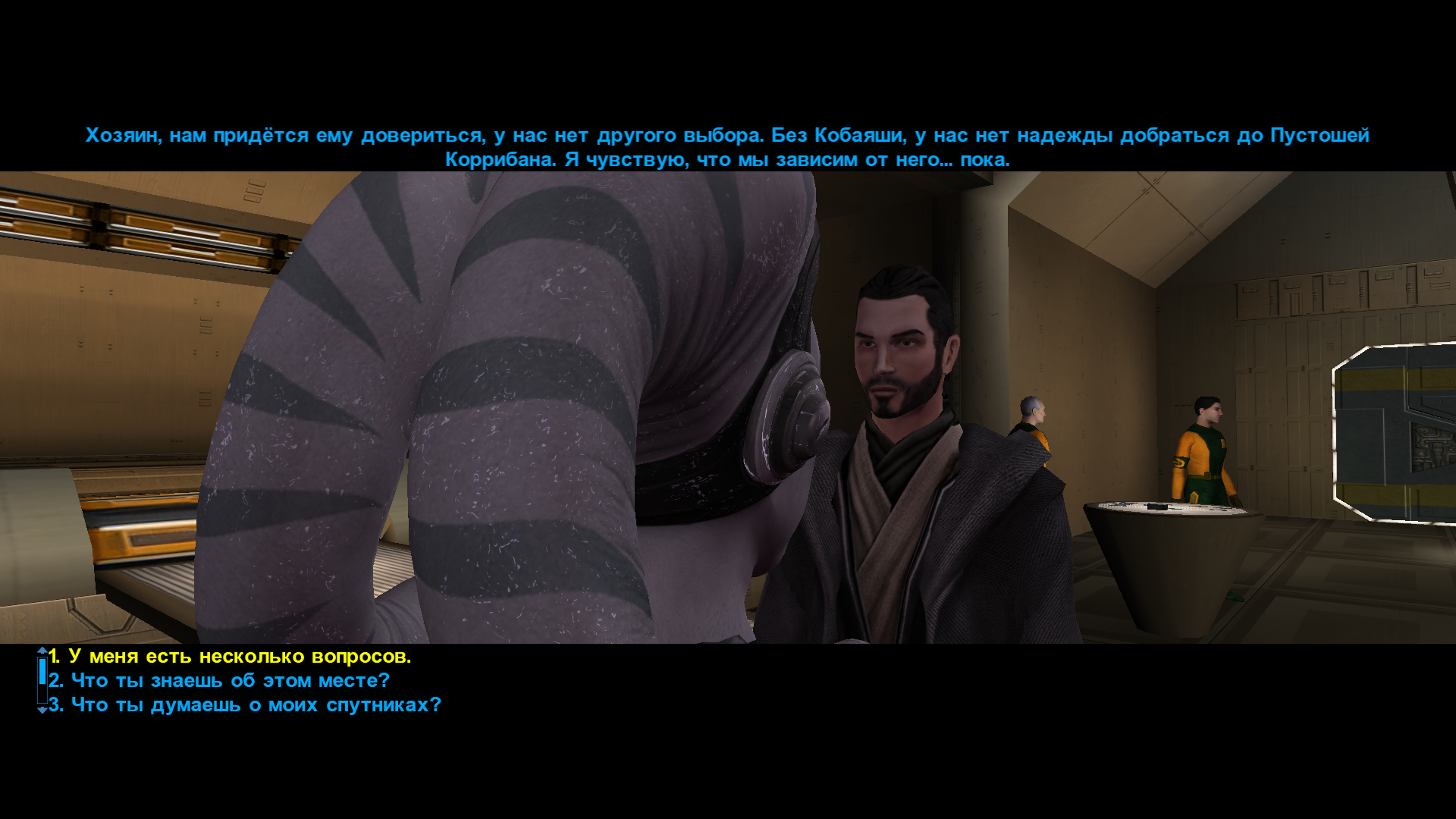
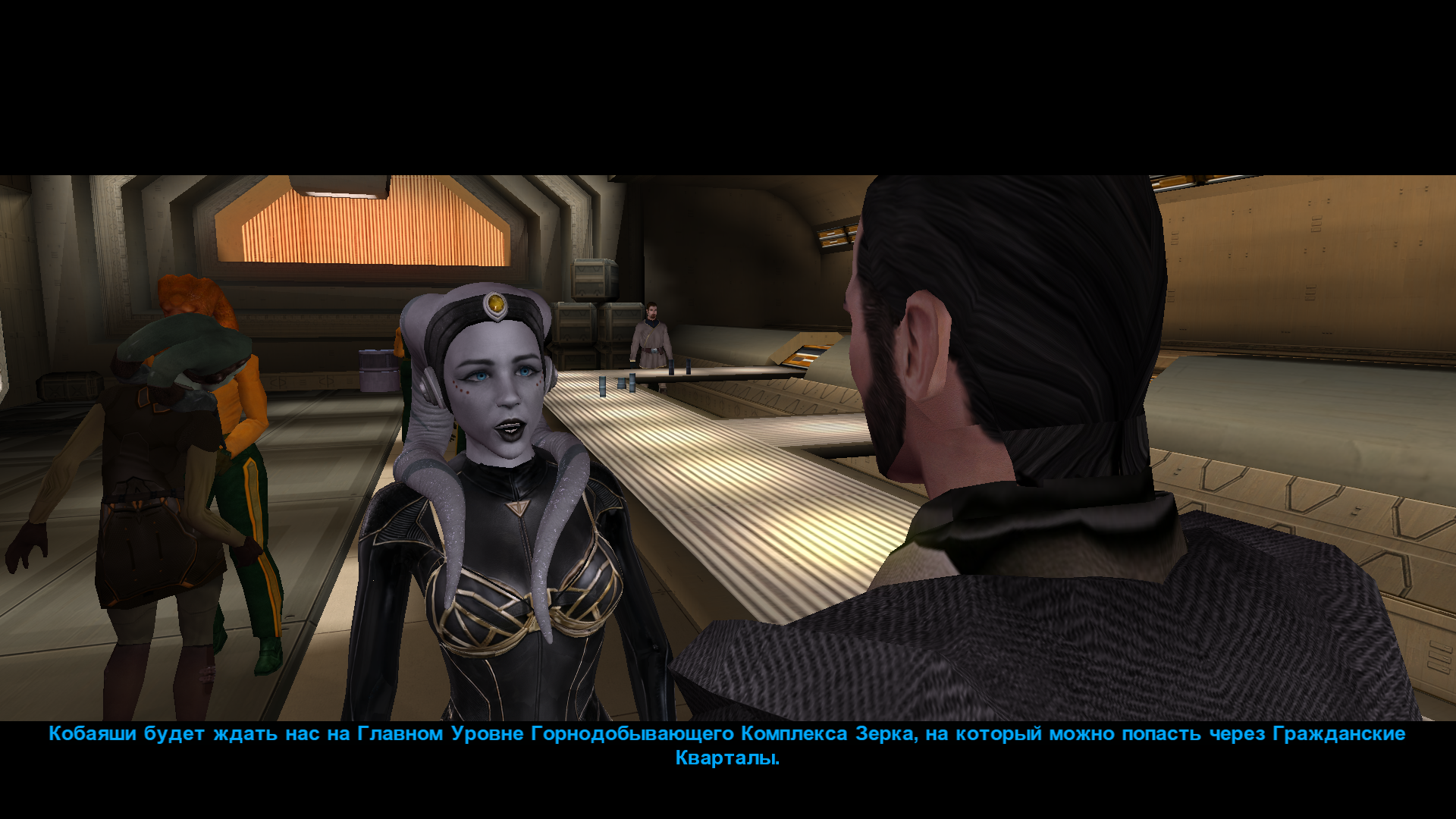
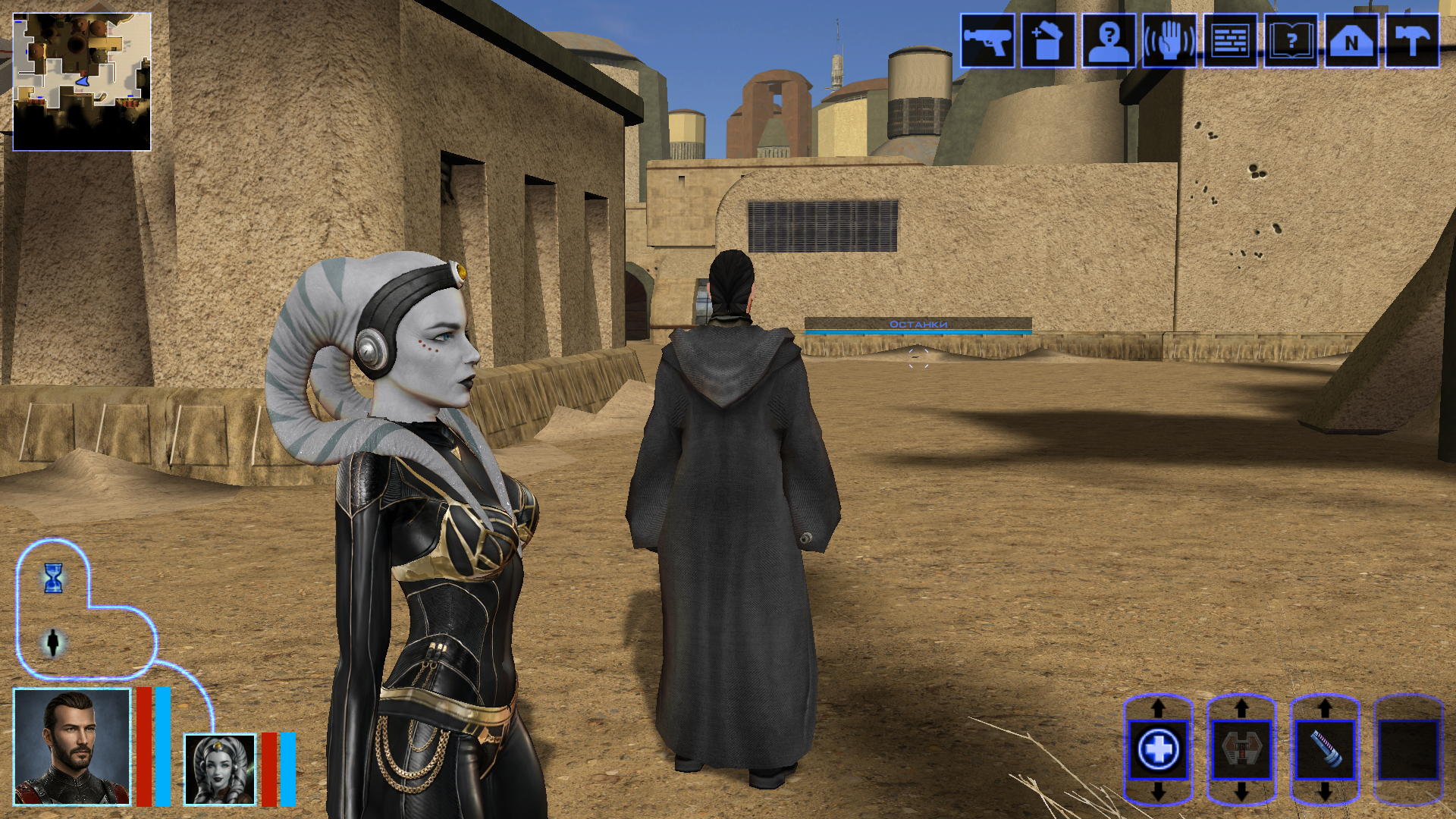
Hi everyone on this great forum! 😊 I decided to start my own little thread, even though I’m still relatively new here. I’ll be posting my work-in-progress, notes on how things are done - mainly for myself, so I can come back and refresh my memory later. If it ends up being useful to someone else as well, I’ll be happy of course. I’m sure everything I’m writing about has already been discussed countless times on this forum and is familiar to everyone. But I’m still a newcomer! My already released mods: https://deadlystream.com/files/file/3054-new-portraits-for-partymembers/ https://deadlystream.com/files/file/3055-hd-animated-computer-interface/ https://deadlystream.com/files/file/3079-saul-karath-retexture/ https://deadlystream.com/files/file/3092-narves-new-high-poly-canderous-head/ While working on the Canderous head I made a bit of progress learning Blender. I only knew it at a very basic level before, because I’m a 2D artist, not a 3D one. I still don’t really know what proper topology should look like, how to paint weights correctly, how to build textures with nodes, and so on. I’ll be learning all of that gradually. For this particular head I took a high poly mesh from this mod - big thanks to the author! Of course I heavily edited it: the geometry, the UV unwrap, and the texture. I also learned a few useful texture painting tricks. Geometry-wise the hardest parts are always the eyes and the lips, because the animation has to deform them properly, and what looks fine in Blender often ends up looking completely different in the game. Something I’d like to note here for myself - how to get rid of grey spots on the model after exporting from Blender to mdl/mdx: 1. The most important step - clear Custom Split Normals Data: Select the head mesh in Object Mode. Go to the Object Data Properties tab. Expand the Geometry Data panel. If the “Clear Custom Split Normals Data” button is active, click it. This removes the old broken data and forces Blender to recalculate the normals. Also helpful: 2. Apply smoothing — Right-click the model → Shade Smooth. 3. Apply transforms — Use with caution and only when needed! Things can shift in unexpected ways. In Object Mode select the head and press Ctrl + A → Apply All Transforms. ____________________________________________ P.S. English is not my native language, so I apologise in advance if anything is phrased awkwardly. ____________________________________________ Then I decided to retexture the high-poly Bastila body from the TCS mod. The thing is, we started playing through BOSSR on stream, and there Shadow uses Bastila’s body. And we have this Bastila mod installed. So I made her this outfit. I didn’t touch the model or the UV unwrap, only the texture. I painted the alpha channel in the places that should be more shiny. Since I don’t know how the original model author would feel about this little “side project” of mine, of course I won’t be releasing this texture anywhere — it’s purely for personal use. After that I moved on to her head. I wanted both the lekku and the face itself to have more polygons. So I simply applied a Subdivide, then worked on the mesh — editing vertices, sculpting, and so on. Then I started texturing, and at that point I really wanted to add a bump map so the lekku would look bumpy the way vanilla Twi’leks do (even if the vanilla ones are very low quality). I dove deep into the problem — I remember spending entire weekends glued to this forum reading everything people wrote about adding bump. Nothing was working for me. I tried every piece of advice, converted the poor bump map to TPC every which way, opened the model files in ASCII and searched for tangent vectors… I even started recalling university calculus about quaternions and how I used to redefine matrix multiplication in C++ practicals…🤣 It turned out the problem was completely different. The BOSSR mod authors used the "Twilek05" head model, but in heads.2da they assigned it the texture name "matilda_headd". Meanwhile the model itself is linked to the texture "Twilek05". And even though the engine can pull the main (diffuse) texture information from a texture that isn’t the one specified in the model, it cannot pull bump map information (and apparently txi info as well) from a texture with a different name! I don’t know why it works this way — maybe some internal script. Anyway, once I renamed the main texture to "Twilek05.tga", the bump map to "Twilek05b.tpc", wrote this in the "Twilek05.txi": bumpyshinytexture CM_SpecMap bumpmaptexture Twilek_F05b and also put "Twilek05" as the texture in heads.2da — miracle of miracles, the game finally saw the bump map! Yes, it didn’t turn out perfect — the bumps are too fine and therefore look a bit like shimmering. I probably won’t fix it, because we had to abandon that mod playthrough — it conflicted with other mods. But I’ll write down the key points needed to add bump (even though all of this is already on the forum — huge thanks to DarthParametric and everyone else who shared advice and tutorials): Before exporting, you must enable the “Tangent Space” checkbox in the KotOR Model Node plugin options for all the meshes that need it (in my case “hair” and “head”). To verify — open the model in MDLEdit, save it as ASCII, open it in Notepad++ and search for the word “tangentspace”. On the relevant nodes it should say tangentspace 1, not 0. If it somehow still shows 0 even though the checkbox was enabled on export from Blender, change it to 1, save, open that ASCII file again in MDLEdit (it might complain that it can’t recalculate the vectors — hopefully that’s not a problem), and then save it back to binary mdl/mdx. You can also just tick the corresponding checkbox in MDLEdit itself and re-save — but keep in mind that the bump will then be applied to every mesh in the model that uses that texture, not only the ones you might have wanted. Preparing the .txi. It must have the exact same name as the main texture, and the main texture must be the one that is actually linked to the model. Inside the .txi you need: bumpyshinytexture (your Cubemap) bumpmaptexture (your bump map name) In theory bump should work without the shiny part (only the line "bumpmaptexture " in txi), but for me it never did — because in that case the engine treated the alpha channel of the main texture as transparency. Meaning: if you darken the alpha to make the bump stronger → the object becomes transparent if you leave it white → no bump is visible. Maybe I’m doing something wrong? Preparing the main texture. It must be named exactly as specified in the model (you can check that here). It needs an alpha channel that controls both the shininess (via the Cubemap) and the strength of the bump. The darker the alpha, the stronger both effects. Yes, both at once — there’s no other way. Preparing the bump map. Save the main texture as an image and throw it into this website (again, thanks for the link — found it on the forum). You can increase Strength if the texture isn’t very contrasty, and add a bit of blur (slider to the negative side). Download the result and save the texture as TGA with a pure white alpha channel. Then use tga2tpc with these settings. You can also add extra lines or strengthen the bump with the bumpmapscaling value, as DarthParametric wrote here: https://deadlystream.com/topic/9353-bump-mapping-tutorial-request-for-novices/#findComment-87017 Final contents for the override folder: the model (mdl + mdx), the main texture (tga), the .txi with the parameters, and the bump map (tpc). Phew. The last thing I learned on this head was adding new geometry — I wanted to model headphones and a stone on her forehead. Important points here: convert everything to triangles and weight-paint it to the head. To check — switch to Weight Paint mode and make sure it’s painted red. If you need a piece not to move with the head, weight-paint it to the neck instead (a different vertex group). If you don’t weight anything at all, those pieces of the model simply won’t appear in the game. 🙃🙃 I’ll say it again: I’m by no means an expert on KOTOR modding, so I apologize if I write or do anything incorrectly! And, of course, I’d be grateful for any advice, comments, or corrections.
 3 points
 -
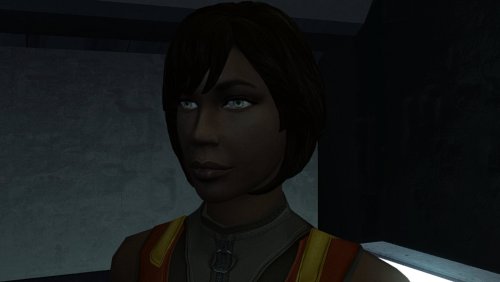
Version 1.0.0
34 downloads
The mod replaces the PFHB02 model and textures. To Install 1. Download: PFHB02 2. Copy all files to the Knights of the Old republic's Override folder. (Example location - C:\Program Files (x86)\Steam\steamapps\common\swkotor\Override) 3. When/if prompted to overwrite files, press okay. 4. If you like the mod; leave a comment or endorse! (It would be much appreciated) Made with love.3 points -
3 points
-
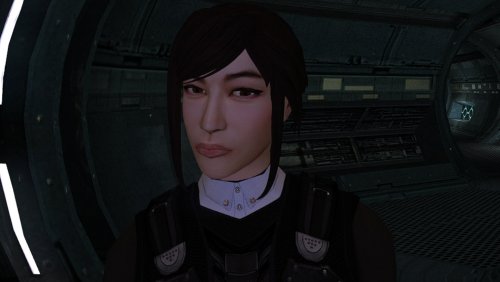
Version 1.0.0
65 downloads
The mod replaces the PFHA05 model and textures. To Install 1. Download: PFHA05 2. Copy all files to the Knights of the Old republic's Override folder. (Example location - C:\Program Files (x86)\Steam\steamapps\common\swkotor\Override) 3. When/if prompted to overwrite files, press okay. 4. If you like the mod; leave a comment or endorse! (It would be much appreciated) Made with love.3 points -
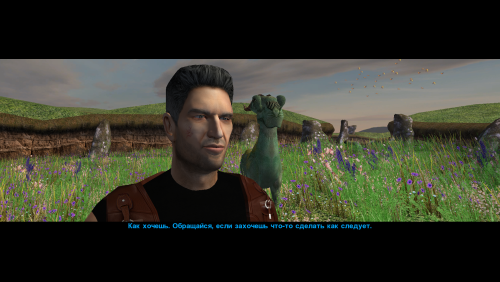
Version 1.0.0
42 downloads
This mod changes the head (model and texture) of Canderous Ordo. An optional portrait for Canderous is also included, which you can use if desired. When modeling the head, I was inspired by the actor Clancy Brown; I think his characterization suits the role of Canderous very well. The mod contains four main files: p_candh.mdl and p_candh.mdx - the model, P_CandH01.tga and P_CandH01.txi - the texture. One additional file, PO_pcanderous.tga, is Canderous's portrait; you can choose to use it or not, as you wish. This portrait is in the same style as the portraits from my other party member portrait mod. How to install: Unpack and copy files to the Knights of the Old Republic's Override folder. Note: This is a new model that is significantly different from the vanilla version. Both the geometry and the UV map are different. No retextures from the vanilla head will fit this model! And, of course, the texture from this mod will not fit Canderous' vanilla head. If anyone asks: the body texture is from this mod by wonderful Dark Hope. Thanks: I would like to thank Elayerfawkes45 for the original high-poly mesh, which I used as a starting point for my head model.3 points -
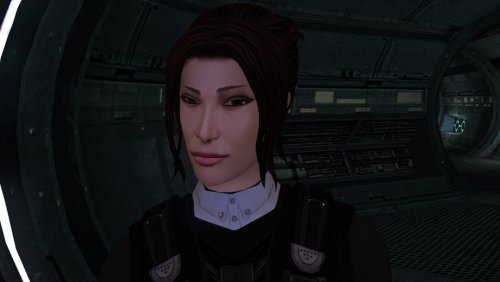
Version 1.0.0
60 downloads
The mod replaces the PFHA04 model and textures. To Install 1. Download: PFHA04 2. Copy all files to the Knights of the Old republic's Override folder. (Example location - C:\Program Files (x86)\Steam\steamapps\common\swkotor\Override) 3. When/if prompted to overwrite files, press okay. 4. If you like the mod; leave a comment or endorse! (It would be much appreciated) Made with love.3 points -
Pretty ballsy for your first post!3 points
-
It's been a while since I've given this thread an update, though I wanted to share a little demo of something I've been working on lately: Coming soon to a KPM near you3 points
-
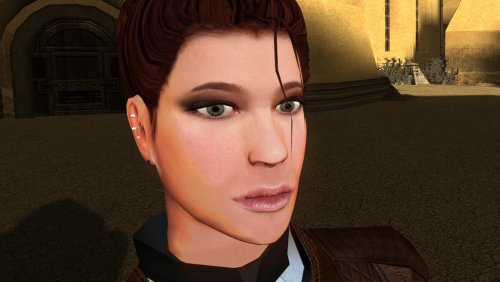
Version 1.0.0
74 downloads
The mod replaces the PFHC02 model and textures. To Install 1. Download: PFHC02 2. Copy all files to the Knights of the Old republic's Override folder. (Example location - C:\Program Files (x86)\Steam\steamapps\common\swkotor\Override) 3. When/if prompted to overwrite files, press okay. 4. If you like the mod; leave a comment or endorse! (It would be much appreciated) Made with love.3 points -
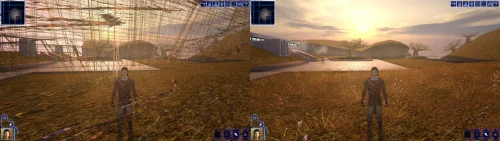 Not rude at all, you're right that it takes more effort than it should. Good news: I have a solution ready for the next version of the patch! The next release has a standalone install that's two files dragged into your game folder, nothing else. No patch manager, and it doesn't care what's already been done to your executable, so it should go straight onto the install you already have with no issues. Both the KPM and standalone versions will continue to be supported equally. Ideally we will be making some improvements to KPM soon to help make the install process less of a pain. Thanks for sticking with it, and sorry for the runaround. EDIT: @PoopaPapaPalpatine @Greedyspree v1.2.0 has a standalone version you can download, which should sidestep any issues with KPM you where having3 points
 -
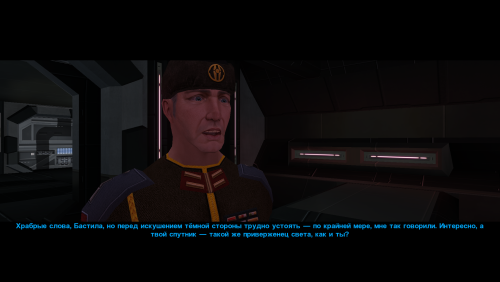
Version 1.0.0
63 downloads
A small mod that improves the textures for Saul Karath. His model is so low-low-poly that I felt like I was retexturing characters for Pirates of the Caribbean once again.😆 Unpack and copy all files to the Knights of the Old Republic's Override folder.3 points -
3 points
-
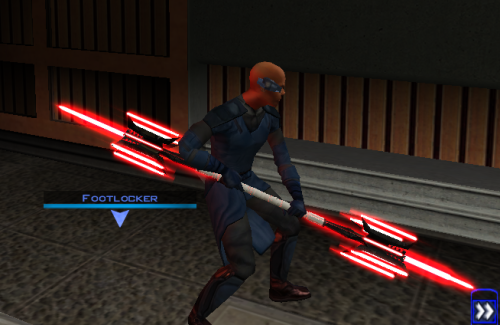
Version 1.0.0
10 downloads
Thought I already uploaded this here but I forgot so if anyone is interested here you go! The readme's in the zipped files are outdate. Please refer to the standalone ReadMe file or the below instructions regarding instalaltions. To install: *Steps 3 and 4 may not be necessary, try running without doing them first, but if the game crashes do steps 3+ 4 and try again.* 1: Drop all files except readme.txt swkotor.ini files and upcrystals.2da into override folder. 2: A) If you don't an upcrystals.2da file in your override folder, just copy the one provided into your override folder. If you do already have an upcrystals.2da file in your override folder, - Insert a new row at the end of the table. - Copy the last row from the table provided, paste it into the new row you just created. - Save the file. *3: In your folder that contains your swkotor.exe (usually named Star Wars - KotOR) locate the file named swkotor.ini and rename it BACKUPswkotor.ini so that you can revert to it later if you desire. *4: Paste the swkotor.ini file included with this download into that same folder ( Star Wars - KotOR) --note you can use either included .ini but if using WINDOWEDswkotor.ini rename it to swkotor.ini They are basically the same but one is set for fullscreen and the other windowed mode. ---- Uninstall: 1) Delete files from override folder. 2) Delete the .ini file you added, and rename the one you re-named as BACKUPswkotor.ini to it's original name. To get items in game: 1) Enter the cheat menu (~) 2) Type giveitem g_w_lghtsbr45 or giveitem_g_w_dblsbr045 and press enter. ---------- A giant shoutout and thanks to JCarter426 over on the DeadlyStream forums for helping me solve the rendering issue! Credits: This Mod contains source assets from other creators, all credit due to them for their original works. Permissions have been attained and followed per the licenses of their works. I own the $10 unlimited commercial license for 'Goblin Iron Mace - fantasy PBR game ready weapon' by Dominik Maral. https://cubebrush.co/orders/159g6hh95g?token=Eqyy2xDzWuarI9uPcWMzEVscuvTHnBazuWAxvQSkWTc This mod also uses FinBass' 'Battle Mace 3D Model' available at https://sketchfab.com/3d-models/battle-mace-07bfd5d2ff694f94b2f2f77c465fa0f5 a big thanks to them for making this available for free with a CC Attribution license. Also as always a big thanks to Crazy34 for making their lightsaber blades with ambient lighting available as a modders resource for the rest of the community to incorporate into their mods. Check out their mod here: https://deadlystream.com/files/file/1855-new_lightsaber_blades_modders_res/ Credit and thanks also to Kaidon Jorn as from my understanding the hilts used by Crazy's mod come from him "Lightsaber Hilts models and textures and icons are created by Kaidon Jorn " Also a giant thanks, along with credit go to J for making their Glitched Lightsaber Hilt Fix - TSL ASPYR 2.0 mod available as a modders resource! Without this I couldn't have solved the rendering issues. Make sure to go support their work at https://deadlystream.com/files/file/2735-glitched-lightsaber-hilt-fix-tsl-aspyr/ Full credit goes to the original developers, artists, and respective intellectual property rights holders (Lucasfilm, Pandemic Studios, and BioWare). This is a strictly non-profit, fan-made educational project intended exclusively as a technical proof-of-concept demonstrating asset handling for the KOTOR modding community. Furthermore, I do not own or claim rights to any of the third-party tools used or described in this project; all rights belong entirely to their respective developers. Permissions regarding use of this model: Feel free to use as you see fit, but please give due credit. ---------- Purpose: This mod is a prototype WORK IN PROGRESS. It adds a new weapon type, the lightmace (and a 2h version), to the game. I plan to fine tune the hilt textures later. IF you have any color requests please comment as I can easily make different colors with my script (also available for download).2 points -
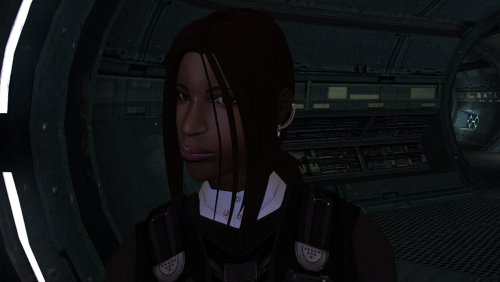
Version 1.0.0
9 downloads
The mod replaces the PFHB04 model and textures. To Install 1. Download: PFHB04 2. Copy all files to the Knights of the Old republic's Override folder. (Example location - C:\Program Files (x86)\Steam\steamapps\common\swkotor\Override) 3. When/if prompted to overwrite files, press okay. 4. If you like the mod; leave a comment or endorse! (It would be much appreciated) Made with love.2 points -
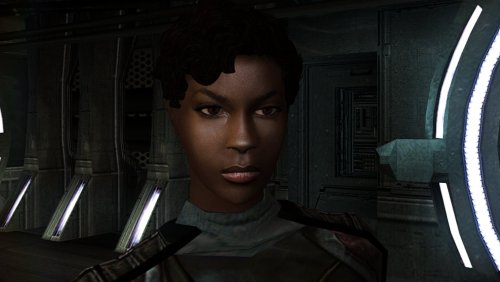
Version 1.0.0
38 downloads
The mod replaces the PFHB01 model and textures. To Install 1. Download: PFHB01 2. Copy all files to the Knights of the Old republic's Override folder. (Example location - C:\Program Files (x86)\Steam\steamapps\common\swkotor\Override) 3. When/if prompted to overwrite files, press okay. 4. If you like the mod; leave a comment or endorse! (It would be much appreciated) Made with love.2 points -
Version 1.1.0
12 downloads
Easily manage, install, and revert loose-file mods. Features: Opens a mod as the zip, 7z or rar it downloaded as, or as a folder you already unpacked. No unpacking first. Works out which files are actually game content. Readmes, screenshots and packaging are left behind, and a mod shipping alternate versions of the same file asks you to pick one. Every install is recorded and can be taken back later. Uninstall leaves a file alone if something has changed it since, so it will not step on a patcher mod's work or on a later mod's. Finds duplicates already sitting in your Override. A name capitalised two ways, or one texture shipped as both a TPC and a TGA. Only one of each is ever loaded, and the game picks it arbitrarily. Shows what every layer of the game holds for a given file, so you can see a loose file quietly shadowing a copy inside a module archive. Finds your installation on its own. Steam, GOG and retail, on Windows, Linux and macOS, for both KotOR 1 and KotOR 2. If you play on Linux or a Steam Deck, this fixes something quiet Mod builds are ordered lists, and later mods are meant to overwrite parts of earlier ones. On Windows that happens by itself, because the filesystem does not care whether a file is called `Appearance.2da` or `appearance.2da`. On Linux it does care. Both files end up in Override, the game loads whichever one it reaches first, and the overwrite prompt the build guide told you to expect never appears. Your install order silently did not happen. This installs by name with a common lowercase filename, so the overwrite you meant is the one you get. What it does not do (yet) TSLPatcher mods. Those do not copy files into place. They merge rows into 2DA files that are already there, add entries to the talk table and write inside module archives. This recognises them and says so instead of half-installing them. Keep using HoloPatcher for those. (for now) Tested against The loose-file mods from the community build lists, and a full modded install. Additionally tested on Linux by @Leilukin and on macOS by @FTD Thanks for your help testing! Requirements The window fits a 1280x800 screen, so it works on a Steam Deck without too much squeezing. On Windows: Windows 10+ 64-bit On macOS: macOS 10.12+ for Intel Macs and 11.0+ for Apple Silicon Macs On Linux: Any recent Linux distro with glibc 2.35+ About Rakata Rakata is a clean-room Rust workspace for reading, writing and validating KotOR game data, written from scratch against notes taken from the engine rather than from anybody else's code. This installer is one tool built on top of it. It is free and open-source under GPL-3.0, and the source along with the format documentation is at https://codeberg.org/Synchro/rakata LLM Disclosure This project made use of an LLM during development, in the following capacities: Brainstorming: exploring possible approaches and design directions Decompilation assistance: help interpreting reverse-engineered code Code comments: refining and clarifying existing comments Skeletons and fixes: generating initial code scaffolding and minor fixes. All LLM-assisted output was modified and reviewed by a human before being committed.2 points -
Version 1.0.0
39 downloads
A Mod for Star Wars Knights of The Old Republic II Author: N-DReW25 1.0 Release Date: 30.08.2026 Installation: Please install the Revenge of Revan mod FIRST before this mod! No exceptions! To install the "Alt Corellia City Reskin" and/or the "TOR Corellia Skybox" addon simply open their folders, copy their files to the Override folder, and overwrite the pre-existing files. The "Coruscant Skybox Pack" comes in two versions, the "Demo Coruscant Skybox" and the "Vanilla Coruscant Skybox" - you can only install one. Pick the one you want to install and open its folder, copy their files to the Override folder, and overwrite the pre-existing files. The "Party Clothes" addon is installed via a HoloPatcher. If you want to use this, you must install the "Episode One & a Half" addon BEFORE you install Party Clothes. Once that is installed, just click on the INSTALL.exe, add your Kotor II file directory, click install, and the addon shall be installed. To install "Episode One & a Half", you must do the following: 1) Copy the "dialog.tlk" file and paste it into your "Knights of the Old Republic II" folder, overwriting the previous one. 2) Open the "For Override" folder, press Cntrl + A on your keyboard to select the files, copy them all into your Override folder, and overwrite the pre-existing files. 3) Open the "For Modules" folder, press Cntrl + A on your keyboard to select the files, copy them all into your Modules folder, and overwrite the pre-existing files. 4) Open the "For StreamMusic" folder, press Cntrl + A on your keyboard to select the files, copy them all into your StreamMusic folder, and overwrite the pre-existing files. 5) Open the "For StreamSounds" folder, press Cntrl + A on your keyboard to select the files, copy them all into your StreamSounds folder, and overwrite the pre-existing files. 6) Open the "For StreamVoice" folder, press Cntrl + A on your keyboard to select the files, copy them all into your StreamVoice folder, and overwrite the pre-existing files. Consult the "Changelog.txt" for a full list of features added in this patch. Description: The ROR Addon Pack is a mod pack for the Revenge of Revan mod (ROR) which contains features for the ROR mod which either got rejected from the main mod, are experimental in nature but could be used by players, or are preview features for an upcoming Episode release. As of right now, the pack contains the following addons: Episode One & a Half: This addon contains all of the bug fixes and new content for Episode One that's going to be added in the Episode Two release. Consider this addon a "public beta" before it is added to the main ROR mod as part of Episode Two. Just so that you know, Episode Two will contain the bug fixes/new content for Episode One's Corellia and add the planet Nar Shaddaa to continue the story from where Episode One left off. Episode One & a Half shall be removed from the addon pack once Episode Two releases and will probably be replaced with Episode Two & a Half, Episode Three & a Half etc at later dates. Release 1.0 currently has new content for the opening of the mod up until the Player reports the Tyrena Station Security Recordings to Bao-Dur. A future update shall include improved content for the Esbek Hotel up until the very end of the mod. Main Changelog: Item Specific Changelog: Party Clothes: Similar to Atton and Mira in Kotor II, this addon adds unique clothing that only Uldir and Drayen can wear. Drayen's armor slot will become locked (similar to Mandalore in Kotor II), however, his clothing has very good stats for the early game meaning you won't want to replace it anyway. In future updates, clothing shall be added to future party members when they are added. TOR Corellia Skybox: Replaces the ROR skybox with the Corellia skybox from The Old Republic MMO. Coruscant Skybox Pack: Contains alternative skyboxes for Coruscant. Right now only the ROR Demo Coruscant Skybox and the Vanilla Coruscant Skybox are available. Alt Corellia City Reskin: This is a WIP addon that replaces the current Corellia textures. These may, or may not, be added to the main mod at some point. It is also possible that different textures may be added to the mod instead of these. As these are a WIP there may be textural anomalies in certain parts of the mod. Known Bugs: This mod shouldn't have any bugs but if there are please report them to me on Deadlystream. Incompatibilities: To be added! Permissions: Assets from this mod may not be used without explicit permission from the authors. Voice Actors: JC2: B8-C2. Sith Holocron: HoloNet News Droid [Coruscant and Corellia]. Thanks to: Logan: Beginning the restoration effort for K1! ROR's Main Dev Team: For developing the original K1R mod! Contributors of the Main ROR mod: For contributing to Episode One's release. AxConsortium70: Extensive beta testing, to the point that they fixed some of the more illusive bugs they discovered! Jonathan7: Assets from Force Fashion II, a mod already in ROR, have been modified and included in this pack for the Episode One & a Half addon. RedRob41: Assets from ROR Episode One have been modified and included in this pack for the Episode One & a Half addon! 90SK: Armor and Mask assets from his mods have been added into this pack for the Episode One & a Half addon! SilverEdge9: More assets from BOSSR have been modified and included in this pack for the Episode One & a Half addon! Flammenwerfer: Their mod "The Sith Mask" has been used in this pack for the Episode One & a Half addon. The readme of their mod on NexusMods gives modders free permission to use this asset as long as credit is given to them! ScrierOne: Their mod "Sith Mask Reskin" has been used in this pack for the Episode One & a Half addon. Their NexusMods page states that modders have permission to use this asset! Vurt: For making the Hutt textures in his "Vurt's KotOR Visual Resurgence" mod, these textures were used as a base for ROR's Hutts! Elayerfawkes45: For making the Hutt textures in his "Hutt remesh and retextured with bumps" mod, these textures were used as a base for ROR's Hutts! Detran: For making the Hutt textures in his Detran's Hutts" mod, these textures were used as a base for ROR's Hutts! Sith Holocron: Voice filters for B8-C2, the HoloNet News Droids, and a Royal Guard NPC! Leilukin: Assets from their mod "Missing K1 Party Member Ports for TSL [Modder's Resource]" has been used in this pack for the Episode One & a Half addon. It is a Modder's Resource! Doc Valentine: Creator of the ROR Demo Coruscant Skybox which has become an addon of this pack! Scorchlicious: For fetching the TOR Corellian Skybox for the pack! ElevenLabs Website: For the custom AI VO service! Bioware: For such an amazing game! Obsidian: For such an amazing sequel! Fred Tetra: For Kotor Tool! Cortisol: For Holocron Toolset! Everyone who downloads the mod! Legal: THIS MODIFICATION IS NOT SUPPORTED BY BIOWARE/OBSIDIAN ENTERTAINMENT, LUCASARTS, DISNEY OR ANY LICENSERS/SPONSORS OF THE MENTIONED COMPANIES. USE OF THIS FILE IS AT YOUR OWN RISK AND THE ABOVE-MENTIONED COMPANIES OR THE AUTHOR IS NOT RESPONSIBLE FOR ANY DAMAGE CAUSED TO YOUR COMPUTER FOR THE USAGE OF THIS FILE.2 points -
In the process of creating my own Mandalorians on the Rakata homeworld mod (real original, I know). In addition to adding 2 new areas with unique enemies and cool items, I will also modify Mandalorians elsewhere in the game to establish a sub-plot hinting at the rise of a new Mandalore. I have the areas and most of the custom equipment already from a prototype of this mod that I never uploaded. Currently working on creating a new lightsaber model for the Darksaber, though I'm having trouble figuring out how to make lightsaber blades stop rotating so I can give the blade its iconic shape.2 points
-
Setting windows scaling to 100% is what fixed this for me This mod is a Godsent. I am finally able to play KOTOR 1 for the 1st time because I never got it working properly on a 4K TV. Now the game looks amazing together with a texture mod. Thank you. I found 1 bug though so far, in my 15 hours: the Scripts menu is empty for all characters, it looks like this: https://imgur.com/70Ekx9O2 points
-
![More information about "[TSL] Exchange Gamorrean Fix"](https://deadlystream.com/downloads/screens/monthly_2026_09/20260912154612_1.thumb.jpg.a7baab39ff2842f8499ca644a681ac76.jpg)
Version 1.0.0
37 downloads
===================================================== [TSL] Exchange Gamorrean Fix ===================================================== Mod for Knights of the Old Republic II - The Sith Lords Author: Lily File Name: Exchange_Gamorrean_Fix.zip Latest Version: 1.0 --- 1. DESCRIPTION: With TSLRCM, the Gamorrean Exchange thugs in the refugee sector on Nar Shaddaa have two bugs: 1. They no longer have dialogue if you try to talk to them. I believe the base game had a bug where they had more dialogue lines than they would actually say when you talk to them, and TSLRCM tried to fix this but it ended up even more broken and they just remain silent. With this mod, all of their dialogue lines are restored. 2. When you security one of the metal boxes near them, they tell you "Get out of there or I bash you!" which is an empty threat as they don't care if you take what's inside the box. With this mod, they will become hostile and attack you if you open the box to take what's inside (unless you are in stealth) as intended. --- 2. INSTALLATION: Run Install.exe and select your KotOR 2 game directory. A "backup" folder is created by the installer in the same directory. Don't delete it if you plan to uninstall later. --- 3. UNINSTALLATION: Run Install.exe, select your KotOR 2 directory, and use the "Tools > uninstall/restore backup" option to revert all changes made by this mod. --- 4. KNOWN ISSUES: None. If you find any bugs or problems, please report them. --- 5. MOD COMPATIBILITY: This should be compatible with all other mods. Requires TSLRCM. Do not use the Steam Workshop for KotOR. It will almost certainly end with compatibility issues. --- 6. SUPPORT: My mods are free to use. You do not need to pay for them, but if you would like to say thanks, you can buy me a coffee! --- 7. PERMISSIONS: Please let me know if you plan on using any of the files in my mod for your own mod. The answer is "yes you may", but I would like to know what you are doing with it! Do not directly reupload this mod anywhere else. --- 8. THANKS: - Fred Tetra - KotOR Tool - Cortisol - Holocron Toolset & HoloPatcher - Fair Strides - TSLPatcher THIS MODIFICATION IS NOT SUPPORTED BY BIOWARE/OBSIDIAN ENTERTAINMENT OR LUCASARTS OR ANY LICENSORS/SPONSORS OF THE MENTIONED COMPANIES. USE THIS FILE AT YOUR OWN RISK.2 points -
Fairly significant update coming to Echoes of the Republic in the nebulous near future. Almost done implementing a new short questline, then I still need to run through the whole game again to test it.2 points
-
Hello! Can anyone provide new senior (especially Male) heads to K1? K2 imports would be fine, but I would love to have some completely new ones to add some variety to the game. Cheers!2 points
-
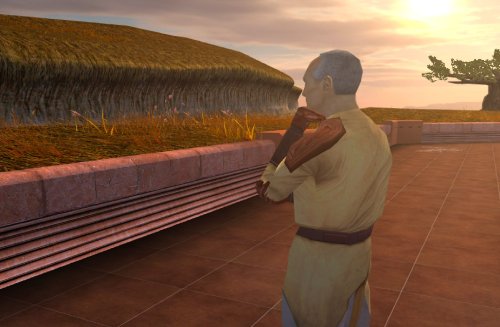
Version 1.0.0
72 downloads
Despawns Nemo once you cleanse the grove. DESCRIPTION After returning to the Enclave from cleansing the grove, the Council gives you a mission to investigate the nearby ruins, telling you they already sent a Jedi to investigate and fear the worst since he hasn’t returned. This Jedi turns out to be Nemo, but since the game doesn’t despawn Nemo from the courtyard until after this conversation, you’ll literally pass him on your way into the Enclave. Apparently the whole time they were awaiting his return he was standing outside reflecting on the beauty of nature, before suddenly remembering he was supposed to be doing something and sprinting over to the ruins. This mod fixes the issue so Nemo will no longer be outside the Enclave once you have cleansed the grove. INSTALLATION Move the file from “to override” to your override folder. UNINSTALLATION Remove k_pdan_14a_area.ncs from your override folder. COMPATIBILITY Compatible the KOTOR 1 Community Patch, which this mod forwards the script changes from. Not compatible with other mods that edit the script k_pdan_14a_area.ncs, though I’m not aware of any. PERMISSIONS You may use this mod however, but any redistribution or modification should include the source script, maintaining the comment headers and credit to K1CP. CREDITS offthegridmorty JC, DarthParametric - K1CP source script for k_pdan_14a_area2 points -
![More information about "[K1] Swoop platform model repairs"](https://deadlystream.com/downloads/screens/monthly_2025_04/370802232_Sanstitre1.thumb.jpg.da452fd1dbb89c2b1cd7762f60385ead.jpg)
Version 1.6
5,192 downloads
Swoop platform models repairs =============== By ZobiZob ------------------ Description There are notoriously some problems with most of the levels geometry, models and textures. They are not ultra noticeable, but once you see it, you can't unsee it. As i am working on a custom module using the swoop platform geometry, i decided to fix some of these problems, and also add numerous details like venting effects, animated light and distant swoop riders with upscaled textures for their bikes + different colors for riders. The full pack also displays your swoop in the module. Fixed music changes from 1.5 with version 1.6. Installation 3 options, either the full pack with the swoop you use during the race displayed, no swoop bike displayed and also an option without the doors. 1) Use the holopatcher.exe included and you're ready to go. If you're not satisfied with an option or the other, you can always come back and reinstall the desired option. Known Bugs and Incompatibilities Everything should be fine. If you replace the m03af.git file after installing the doors that i added in the distance will disappear. The upscaled textures only affect the swoop bikers and won't change the textures for Niktos/swoopgang creatures. Permissions You are free to incorporate this into any of your work without asking, just credit me and shiningredHD for the upscaled textures (swoop riders, swoop bikes). Acknowledgements All materials and copyrights belong to LucasArts, and Bioware. Upscaled textures from ShiningRedHD. I own none of the materials, and I'm not making any money out of this mod. This mod is not to be distributed for profit, either.2 points -
@RonRheaBob76your ai post is nonsensical and distracting. If anyone is curious about the issue, it's been fixed. The blade meshes and UVs were uneven and some were missing the node type lightsaber. I included these fixes in my lightsabers mod for K1 and TSL, if anyone wants a reference. https://deadlystream.com/files/file/2794-lightsaber-hilt-variety-tsl2 points
-
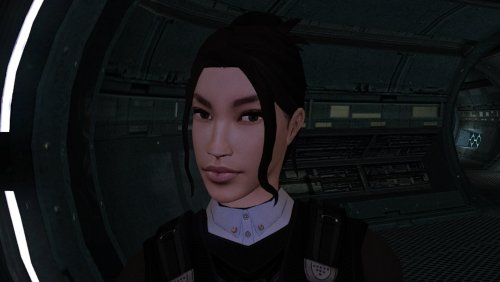
Version 1.0.0
66 downloads
The mod replaces the PFHA02 model and textures. To Install 1. Download: PFHA02 2. Copy all files to the Knights of the Old republic's Override folder. (Example location - C:\Program Files (x86)\Steam\steamapps\common\swkotor\Override) 3. When/if prompted to overwrite files, press okay. 4. If you like the mod; leave a comment or endorse! (It would be much appreciated) Made with love.2 points -
2 points
-
Really amazing job on making the hair-meshes and bone structure so much more detailed. Is that your take on TCS's Bastila in the preview where Revan is ogling?2 points
-
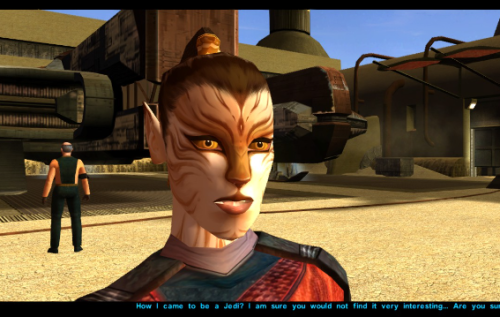
Version 1.0.0
187 downloads
Just a personal mod made public after a few requests on reddit. Let me know if you have any issues. Completely re-textured Juhani's face to unbald her and give her a more cat-like appearance. Made a few edits to her model in blender to make her chin smaller and flatten her nose to reflect the more feline re-texture. Install Drop all three files into your Override folder and enjoy Uninstall Just delete the files in Override, shouldn't be any issues.2 points -
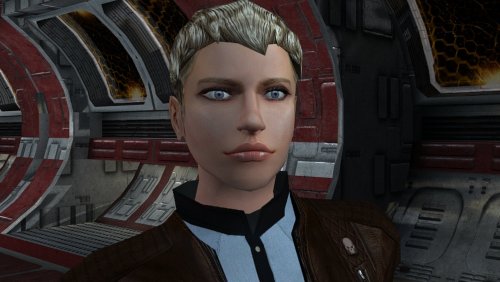
Version 1.0.0
114 downloads
The mod replaces the PFHC04 model and textures. To Install 1. Download: PFHC04 2. Copy all files to the Knights of the Old republic's Override folder. (Example location - C:\Program Files (x86)\Steam\steamapps\common\swkotor\Override) 3. When/if prompted to overwrite files, press okay. 4. If you like the mod; leave a comment or endorse! (It would be much appreciated) Made with love.2 points -
The mod has been sent for publication.
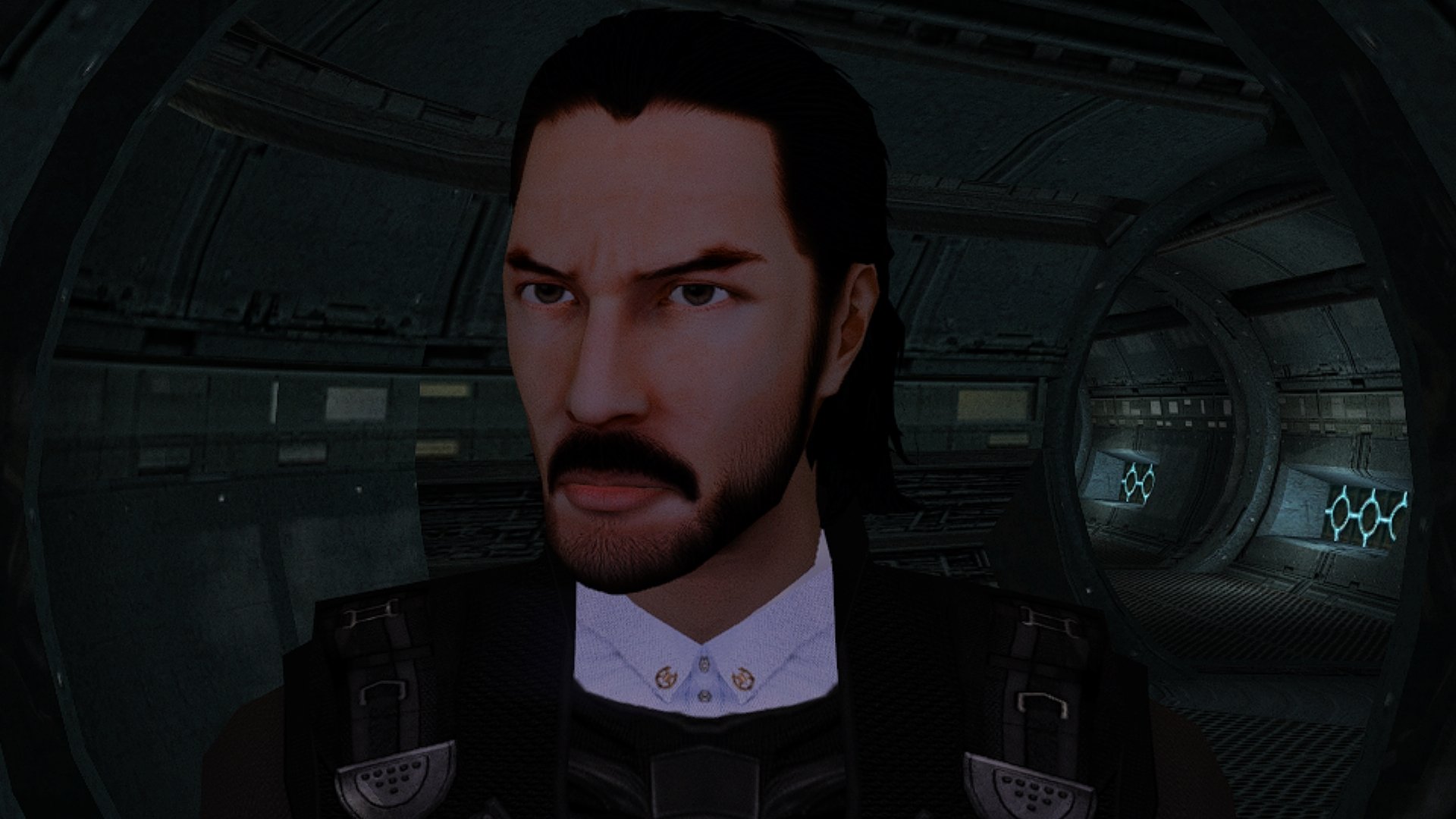 2 points
 -
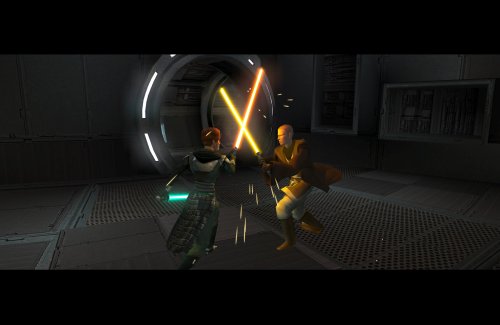
Version 1.0.1
222 downloads
Expands the mechanics of training your Jedi companions in TSLRCM. SUMMARY TSLRCM adds the ability to teach your Jedi party members a select few powers, feats, and forms. It’s a cool concept that adds to the feeling of training your companions, but it was never very fleshed out. As is, there’s a very limited pool of abilities to teach, no real player choice in what to teach, and no depiction of the training aside from a fade to black. This isn’t a fault of the TSLRCM team, there just wasn’t much to restore. The mod aims to expand the whole training mechanic to make it more interesting and immersive. Summary of the main changes of this mod: - You can now choose which abilities to teach your companions. - The pool of teachable powers, feats and forms has been significantly expanded. - Every teachable ability now includes a brief cutscene depicting the training. - Party members can learn 1 power or feat and 1 form at a time and must level up before learning more. - Different prestige classes can teach different abilities. JM/SL can teach a wider selection of powers, JWM/SM can teach more combat feats, and JW/SA can teach a mix of both. - Handmaiden and Disciple can now be trained like other Jedi companions. DETAILS INSTALLATION TSLRCM required. Ensure TSLRCM is installed first before installing this mod. To install, run HoloPatcher.exe. Select the main install option and run. Unaltered copies of any modified files will be placed inside the "backup" folder in the location of HoloPatcher.exe. If you have PartySwap installed, run the included compatibility patch. Ensure both PartySwap and the main mod have been installed first before installing this patch. UNINSTALLATION Remove the following files from override: If any files were created inside the backup folder, move them to override. COMPATIBILITY Incompatible with any mods that hard overwrite the dlg files for Atton, Bao-Dur, Disciple, Handmaiden, Mira, or Visas. Compatible with PartySwap by Darth Tyren & Leilukin using the included compatibility patch. Compatible with Visas Marr and Female Exile Romance by Leilukin. The following mods appear compatible but have not been extensively tested: Handmaiden and Female Exile - Disciple and Male Exile Romance by Leilukin Atton Rand and Male Exile Romance by Leilukin Not compatible with Mira Romance Mod by JediArchivist. Soft conflict with Train the Handmaiden by jc2 as this mod also allows training Handmaiden. BUGS Minor bug where Handmaiden doesn’t restart her idle animation after learning Burst of Speed, for some reason. Talking to her fixes it. No other bugs that I’m aware of. Please report any. PERMISSIONS You are free to use and edit this mod’s dlg files if needed to make a compatibility patch for another mod. However, please ask permission before reuploading or modifying the files for any other reason. Do not reupload any files from the PartySwap patch without permission from the author. CREDITS offthegridmorty zbyl2, DarthStoney, Hassat Hunter, VarsityPuppet & contributors - TSLRCM dlg files DarthTyren, Leilukin - PartySwap dlg files HoloPatcher - Cortisol, th3w1zard1 TSLPatcher - stoffe, Fair Strides KOTOR Tool - Fred Tetra K-GFF - tk102 AniCam - JdNoa Reone Toolkit Lip Composer - seedhartha Holocron Toolset - Cortisol, th3w1zard12 points -
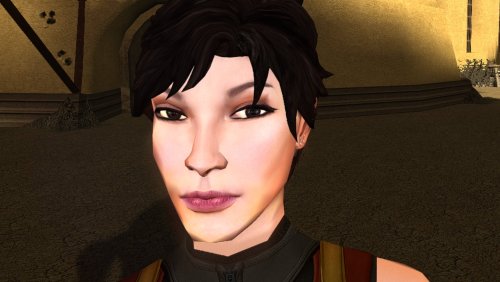
74 downloads
The mod replaces the PFHA03 model and textures. Thanks to DarthParametric, without him this mod would not have seen the light of day. To Install 1. Download: PFHA03 2. Copy all files to the Knights of the Old republic's Override folder. (Example location - C:\Program Files (x86)\Steam\steamapps\common\swkotor\Override) 3. When/if prompted to overwrite files, press okay. 4. If you like the mod; leave a comment or endorse! (It would be much appreciated) Made with love.2 points -
![More information about "Heyorange's Sith Uniform Reformation [Revised]"](https://deadlystream.com/downloads/screens/monthly_2025_08/2000574734_HeyorangesSithUniformReformationRevisedthumbnail.thumb.png.eb4a94b797bbc2ad52e8b0063a3fd763.png)
Version 1.0.21
6,663 downloads
Heyorange's Sith Uniform Reformation (Revised) A Mod for Star Wars Knights of The Old Republic Original Author: Heyorange (aka Pataschka) Upscales and Tweaks by Sith Holocron (with assistance) Note from Sith Holocron: You may be familiar with HeyOrange’s Sith Uniform Reformation mod. This a revised version of that mod. This mod aims to not have the same method of dropping a swath of UTC files in your Override which makes for compatibility nightmares. The intention is for this mod to handle this integration through module injection. DESCRIPTION: Regarding the textures: This mod upscales the original mod’s textures to 4 times their original size. After that was done, I’ve tweaked the individual textures to add (or readd) detail that was either missing or misinterpreted by the upscaling AI. This includes adding detail where applicable such as: · New gold or silver braids by the zippers and the sleeves on certain officer uniforms · New rank bars on the chest, sleeve and pauldrons · New PIPs and rank symbols for those rank bars · New replacement pockets for both the male and female blouses. Some with brand new code cylinders in those pockets, some without. (Some of the original textures had empty pockets and I’ve kept those empty as HeyOrange did) · Readded fresh versions of the Regiment Insignia on the pauldrons and blouse pockets · New collar devices to replace the old ones · Clean up on some of the trouser stripes that were muddled during the AI upscale · New buttons to replace the drawn-on ones on ammo pouches · New eyes for the Sith Officers male and female heads · New bandage (by Malkior) for Major Hurka texture The mod includes four install options labeled as: 1. Basic Installation 2. KOTOR Community Patch-Compatible Installation 3. Extra: Sith Students + Czerka on Korriban Fix 4. Extra: KOTOR 1 Restoration Fix Option #1 is the base install, which contains all of the textures included in the original mod by HeyOrange with my upscales and edits, in addition to edits to N_SithComF02, N_SithComF03, N_SithComM02 and N_SithComM03, which are variants of Sith enlisted textures which heyorange’s original mod did not edit. This version also removes some edits heyorange made to Sith stats, gear and loot, reverting them to vanilla. Option #2 is a Community Patch-compatible version of the same above install. Option #3 is an add-on which includes a reskin of the standard uniform for Sith students on Korriban which also fixes Czerka workers on Korriban so they wear correct uniforms. Do not choose this option if you are using another mod which makes similar changes, such as Korriban: Back in Black! Option #4 is an add-on for the KOTOR 1 Restoration (or other mods that restore Major Hurka) providing her with a unique uniform. INSTALLATION: If intending to use the Community Patch-compatible mod version, please ensure the K1CP is installed first before proceeding with this installation. Select whichever of the two base installs fit your needs (Option #1, or option #2 for K1CP compatibility), run the installer and select the chosen option and hit install. Point the installer to your game’s main directory (where the executable is located) and you’re done! If you wish to use option #3 or option #4, you will need to re-run the installer and select those options after applying the main install. The rest of the install process is the same. CREDITS: To Snigaroo: For suggesting this project in the first place and for consistent feedback throughout the project, as well as writing parts of this readme. To JCarter426: For both setting up the TSLPatcher install to make this mod possible. To Malkior: For the new bandages on the Major Hurka texture in the K1R folder. To Fair Strides: For consistent feedback throughout the project. To Effix: Effix did provide me with some work on textures pre-upscaling at the start of this project but I wound up not using his work. However, it seemed appropriate to thank them for their help. Thanks, Effix! The following is the read-me from the original mod excluding the installation instructions as this version of the mod will be handled differently in that aspect. FROM THE ORIGINAL MOD: Heyorange's Sith Uniform Reformation A Mod for Star Wars Knights of The Old Republic Author: Heyorange (aka Pataschka) Version: 1.0 Description: This mod is a bunch of reskins of the Sith officer uniforms. Different uniforms with different rank insignias were given to different officers throughout the game to give a bit more realistic look. Aside from that, the uniform of the Admiral Saul Karath was changed and a new reskin for Sith students was added. The Mod is divided into 3 parts: 1. Heyorange's Sith Uniform Reformation - the main part of the mod 2. Sith Students + Czerka on Korriban fix - reskin of the standard Sith uniforms for Korriban Sith students and fix for Czerka workers on Korriban to have correct uniforms 3. K1R fix - A reskin of the Sith uniform for the added wounded officer on the Leviathan by the K1R modification PERMISSIONS: I am giving my permission to use any part of this mod to anyone as long as I am credited as the original author THIS MOD IS NOT SUPPORTED BY LUCASARTS OR BIOWARE. USE THIS FILE AT YOUR OWN RISK. NEITHER THE AUTHOR OF THIS MOD NOR THE COMPANIES MENTIONED ABOVE ARE RESPONSIBLE FOR ANY DAMAGE TO YOUR COMPUTER WHEN USING THIS FILE.2 points
.thumb.png.d8b108d1620cfd7d697f7271e60714db.png)