Leaderboard




Popular Content
Showing content with the highest reputation since 09/20/2025 in all areas
-
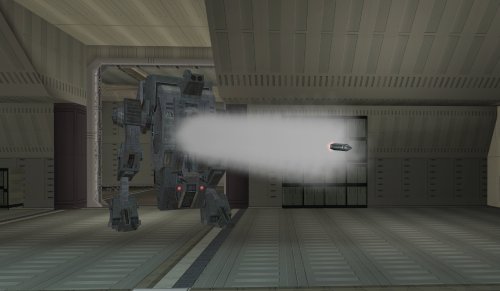
Version 1.0.0
122 downloads
Makes the tank droid more tank-like. SUMMARY The tank droid is a pretty cool unique enemy in TSL, but a couple of things bother me about it. I always found it disappointing that it has these giant gun barrels which look like they’re for launching missiles, like a tank, but instead it just tosses frag grenades at you. The game even has functioning rockets but for whatever reason they weren’t given to the tank droid. It also has a super high defense which makes it dodge attacks like the Matrix, which feels pretty odd. This is just a feature of the game mechanics, but it becomes particularly glaring on the tank droid. I mean it’s a giant droid, can it really be that hard to hit? This mod makes a few changes to make the tank droid more true to form. It will now shoot rockets instead of throwing grenades. These are not your average wrist rockets; they are bigger and more deadly, dealing 60 pts of piercing AOE damage. Additionally, the tank droid gets a -5 defense penalty for being a chonker but its base health is doubled and it gets Master Toughness granting -10% damage immunity. Its natural energy resistance is also reduced from -15 to -10 but it gains -5 slashing, piercing and bludgeoning resistance. Essentially you’ll miss significantly less but you’ll need more hits using the right weapons and moves to take it down. INSTALLATION To install, run TSLPatcher.exe. Unaltered copies of any modified files will be placed inside the backup folder in the location of TSLPatcher.exe. UNINSTALLATION Remove the following files from Override: c_drdmkfour001.utc, crhide_tankdroid.uti, c_tankdroid.mdl, c_tankdroid.mdx, w_roktank.mdl, w_roktank.mdx, m_imp_tankrocket.ncs, m_rnd_tankdroid.ncs, and spells.2da. If any files were created inside the backup folder, move them to Override. COMPATIBILITY Should be compatible with most other mods unless they edit the tank droid. When in doubt, install this mod after others. This mod edits the c_tankdroid model to line up the rocket with the gun barrels a little better, which will overwrite model changes made by other mods. Install after Droid Models Animation Fix by CapitaineSpoque, which this mod forwards the relevant changes from. PERMISSIONS Please do not reupload this mod without my permission. CREDITS offthegridmorty CapitaineSpoque - base tank droid model, Droid Models Animation Fix TSLPatcher - stoffe, Fair Strides KOTOR Tool - Fred Tetra KotorBlender - seedhartha Mods in screenshot: Ultimate High Resolution Pack - ShiningRedHD Ultimate Character Overhaul - ShiningRedHD13 points -
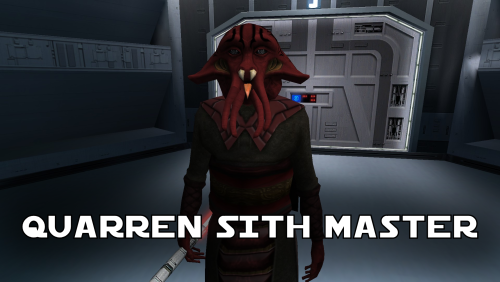
Version 1.1.0
298 downloads
A Mod for Star Wars Knights of The Old Republic Author: N-DReW25 1.1.0 Release Date: 05.02.2026 Installation: Simply click on the HoloPatcher.exe, select your swkotor directory, click install and sit back and watch the HoloPatcher do its magic. Description: In the 19th Century, European Colonizers would use non-European collaborators to help pacify and/or assimilate non-European cultures into their Empires. The European Colonizers and the non-European target for colonization might have major linguistic and cultural differences making dialogue between the two groups almost impossible, but by taking a non-European collaborator of the Europeans and using them as an intermediary between the two groups the non-European group might become more suspectable to the Europeans through the use of the non-European collaborator who is closer to the non-European group than they are to the Europeans. A random example of this might be the Italians using the Arabs to help them colonize the Somalis. The Italians want to colonize Somalia but they do not speak Somali and aren't at all culturally similar, whereas the Somalis would more than likely know Arabic and would be more culturally similar to Arabs so using Arabs to help Italians colonize the Somalis would be a viable tactic. This concept of wanting to colonize a group that is different from you so you instead use a culturally similar group to make it easier for you to colonize the original group is central to this mod. On Manaan, the Sith Empire is secretly training Selkath youths into becoming Dark Jedi and Sith Agents to one day stage a coup against the Manaan government to take over their planet and exploit their precious resources. Similar to the real life example above the same hurdles that applied to Europeans and non-Europeans still apply to the Sith in this scenario. The Sith Empire is predominantly human and are shown to be quite racist to non-human species throughout the game. The Selkath are an aquatic alien species so not only is there a differing alien culture the Sith have to deal with but the Selkath primarily live underwater. The leader behind this Sith plot to train Selkath youth is a human Sith Master who appears as a generic Sith Master in-game. This mod changes this NPC so that the Sith Master is now an alien Quarren, another aquatic alien species. With this mod installed, it makes much more sense as to why the Sith are trying to train and convert Selkath youth to the Sith when the mastermind behind this plot is a fellow aquatic alien who would be much more culturally similar to his Selkath students and would be a much easier leader for the Selkath to blindly follow despite this master serving an empire that would be racist towards them all. Known Bugs: This mod shouldn't have any bugs but if you find any please feel free to report them on Deadlystream.com. A third install was planned but could not be implemented due to a bizarre bug. The third option was a version of the vanilla dialogue which had an AI filter over it to make it sound like the Quarren from Kotor II (this same method was used in the ROR mod for the Quarren Jedi Master). This could not be added as the VO in-game would be sped up with the pitch increased for reasons unknown to me. This install has been included in the mod but cannot currently be installed, when this bug can be fixed I will add the ability to install it. Incompatibilities: Please report any incompatibilities! Permissions: Do NOT claim credit for this mod and do not use assets from this mod without my permission. The textures for this mod comes from Quanon's Big Sellout, a modder's resource that was published on LucasForums back in the day. These are the same textures that are used in Quanon's Sith Quarren PC mod found on NexusMods. As these textures came from Quanon's Big Sellout, they can be used in your mod though I strongly advise you credit Quanon as the original artist and acknowledge Quanon's Big Sellout to avoid people thinking you stole it from the Sith Quarren PC mod. Thanks to: Quanon: For making the original textures and including it in your Big Sellout modder's resource! Marius Fett: For fixing the Death Field animation bug which projected the lightning from his feet instead of his hands! ElevenLabs Website: For the custom AI VO service! Bioware: For such an amazing game! Obsidian Entertainment: For creating the original Quarren models, textures, and VO! Fred Tetra: For Kotor Tool! th3w1zard1: For HoloPatcher! Everyone who downloads the mod! Legal: THIS MODIFICATION IS NOT SUPPORTED BY BIOWARE/OBSIDIAN ENTERTAINMENT, LUCASARTS, DISNEY OR ANY LICENSERS/SPONSORS OF THE MENTIONED COMPANIES. USE OF THIS FILE IS AT YOUR OWN RISK AND THE ABOVE-MENTIONED COMPANIES OR THE AUTHOR IS NOT RESPONSIBLE FOR ANY DAMAGE CAUSED TO YOUR COMPUTER FOR THE USAGE OF THIS FILE.12 points -
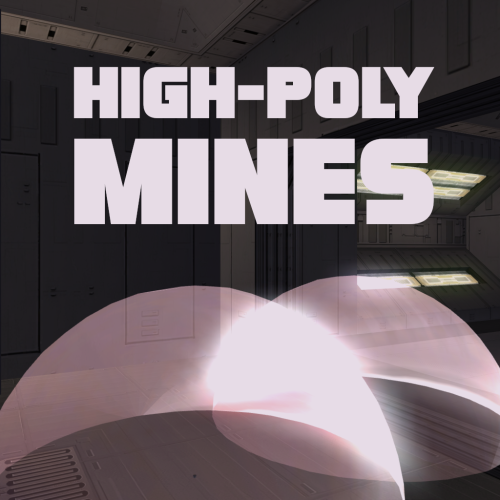
Version 1.0.0
352 downloads
Smoother mine effect edges. Nice and simple. Install: 1) Choose either Regular Version or For Mines Overhaul Version 2) Extract to override Regular version is for vanilla game Mines Overhaul [TSL] mod required for the Mines Overhaul version. Credit: offthegridmorty - Mines Overhaul [TSL] - models from this mod were used to make a compatible version10 points -
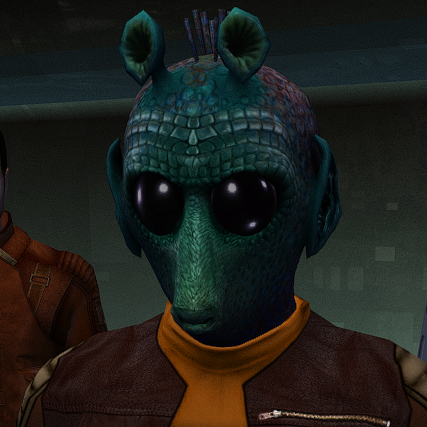
Version 1.0.0
757 downloads
This mod will replace and update texture files. For proper operation, High Quality Aliens: Rodians 1.1.0 must be installed. Thanks to Stormie97 for the wonderful mod. To Install 1. Download: ST_Rodian HD.rar 2. Copy all files to the Knights of the Old republic's Override folder. (Example location - C:\Program Files (x86)\Steam\steamapps\common\swkotor\Override) 3. Delete the ST_Rodian 01 - 05.tpc files 4. If you like the mod; leave a comment or endorse! (It would be much appreciated) Made with love9 points -
377 downloads
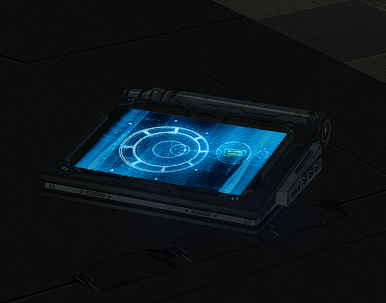
New models and textures for the datapad. Models created by DarthParametric. To Install 1. Download: DarthParametric's Datapad.rar 2. Copy all files to the Knights of the Old republic's Override folder. (Example location - C:\Program Files (x86)\Steam\steamapps\common\swkotor\Override) 3. When/if prompted to overwrite files, press okay. 4. If you like the mod; leave a comment or endorse! (It would be much appreciated) Made with love.9 points -
Version 1.0.0
147 downloads
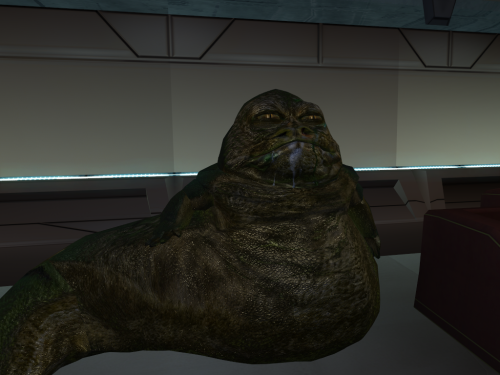
I used the great textures from Vurt and had his permission to upload my version . I remade my custom hutts with those high quality textures. I also thank Dark Hope for the help i had and the patience i recieved https://www.nexusmods.com/kotor/mods/17309 points -
Version 1.0.0
390 downloads
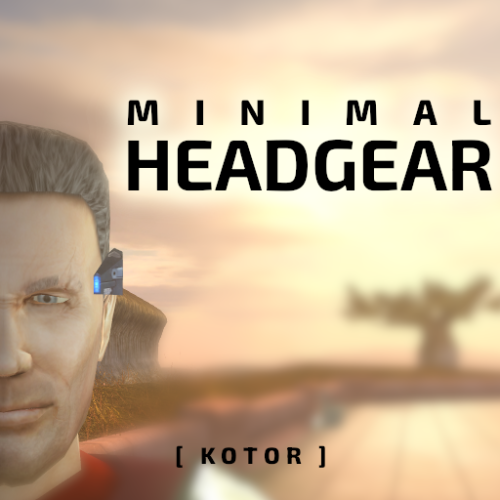
Replaces all headgear to be much smaller. The breath mask is the only one that covers the face but it has been slimmed down and made less pointy.9 points -
Hey everyone! My Name is Lane. Some of you know me from Kotor Speedrunning, and others from my various Youtube exploits. I don't ever really post on Deadly Stream, but I've been lurking in and around the KotOR modding community for about a decade now. I have a degree in computer Science and decided to put it to good use, and reverse engineer KotOR 1 (the GoG version). This has been an on-going project for about 2-3 years now, and I've been sharing my progress with friends, and in some Youtube Videos. However, I've pretty much hit a wall with what I can do with this effort now. So I wanted to release my progress publicly, so other smart and clever people can start doing fun stuff with this. Linked below is a Google Drive with several useful things: A Ghidra Zip File (GZF) containing everything you need to use this A Ghidra SARIF export that contains all data types, function labels, parameters, Classes, and other additions I've made A Ghidra Format XML that contains the labels and function adjustments I've worked on. This is lighter weight than the SARIF file, but has more limitations when it comes to import fidelity. A generated `.h` file, that contains the Header information I have pieced together over time. Even lighter-weight, and more limited than the above What this is not: True Debug Symbols for kotor BioWare Intellectual Property A runnable or compilable program Kotor's Source Code A reverse engineering of Kotor 2 A reverse engineering of the Steam version * * A note about Kotor 1 Steam: While this reverse engineering effort targeted the GoG release of KotOR 1, the Steam version has MANY similarities; often times having identical memory addresses for most functions. Any Patch made for the GoG version can be pretty reasonably ported to Steam with a little bit of effort. What this is: A decently representative result of what Kotor's debug symbols might look like (format and terminology pulled from the MacOS symbols, and existing NWN docs) A research-based labeling and reverse engineering of the GoG version of Kotor 1 A labor of love for the past several years that I'm happy to share Why this is cool/important: This provides a stepping off point for creating proper patches for KotOR 1 This also provides a means for researching underlying issues with things such as memory management, graphical limitations, and compatibility This also provides a researching angle for coming to understand some of the more mysterious file formats, and how they interact with the game itself There are also a variety of fundamental similarities between this and KotOR 2. Which may unlock some insights for that game This is also the first step towards a proper re-compilation (though that is a long-ways off) How do I use the GZF? (New way) You need Ghidra installed, with a modern Java Runtime Download `k1_win_gog_swkotor.exe.gzf` from the google drive below Create a new Ghidra project Drag the GZF into the project Double click it to begin browsing You now have a decently labeled/decompiled instance of KotOR 1 How do I use the SARIF or XML? (Old way) You need Ghidra installed, with a modern Java Runtime Create a new project, and import swkotor.exe (as purchased from GoG) Open the EXE in Ghidra's code browser When it asks if you want it analyzed, select 'Yes" The default analyzers are fine, technically you could speed this up by stripping out a few unneeded analyzers The analyzers will take several minutes to complete (progress can be tracked in the bottom right) Once the analyzers have run, we can proceed Select "File > Add To Program..." and select the SARIF (or XML) file (download below) The importer will analyze the symbols and apply them to the project You now have a decently labeled/decompiled instance of KotOR 1 Limitations: 99.9% of the functions have been labeled, however there were a few stragglers that I was never able to work out. These will appear as `FUN_<address>` 92.3% of the Data is labeled, with stragglers being named `DAT_address` Data Types are VERY incomplete. The labeled ones consist mostly of frequently used types, and known fields. Unknown fields are marked `field<index>_<offset>` Virtual Function calls are very under labeled (largely due to the difficultly of labeling vtables in Ghidra). Though you can determine the underlying function by applying the offset to the associated Class vtable. Most functions have only automatic variables defined within their decomp. Typing and purpose of underlying variables beyond function names, and parameter types, are left up to inference. Overlapping functions. Certain functions overlap in this compilation, due optimizations within the Visual C++ runtime. As a result some functions such as `GetProperty0x30` are shared by multiple classes, and thus lack a name-space. You can usually work out their purpose by checking the associated data type at that offset. If you used the XML import, you will be missing a lot of typing and Function Class/Namespace info Final Notes: Please feel free to ask me any questions about this effort, or any thing strange you might find within the decomp. I've grown to be quite the kotor expert over the years, and I'd be happy to share any insights. You can reach out to me on Discord @lane_d, I'm in the Kotor server, OpenKotOR server, DeadlyStream server, and the kotor speedrunning server. I will be periodically posting updates to this drive, whenever I get the chance to work on this more. If anyone has any major contributions they'd like to see added, please reach out! I'd be happy to chat. Google Drive Link Here8 points
-
Version 1.0.0
370 downloads
THE SITH LORDS RESTORED CONTENT MOD ADD-ON: M4-78EP Unofficial Patch 1.0 1. Description: ---------- One of the most ambitious Kotor II mods is also one of its most controversial. The M4-78 Enhancement Project, or M4-78EP, was the culmination of years of hard work to restore the legendary Droid Planet of M4-78 back into Kotor II, however, the first releases of M4-78EP was plagued by two critical issues which gave the mod a bad reputation. 1) A mix of low-quality, amateurish voice acting and bizarre Droid filter choices. 2) Crippling lag in the Industrial Zone. Updates 1.3 and 1.5 of the M4-78EP were intended to fix these two issues. The majority of the Droid VO is now reasonably competent for a fan mod and the lag in the Industrial Zone was fixed, however, these updates also added more problems which simply replaced the old issues with new issues. 1) The teleportation mechanic during the Radiation section was controversial with some players. 2) The removal of the side quest “Termination Required” during the Radiation section was controversial with some players. 3) Removal of content was unfinished in some places. The Security Droid trio which was removed spill spawn during the Radiation section and could be found if you ran backwards in the Industrial Zone before clearing the Radiation. 4) Kaah’s new dialogue in ES-05’s Archon Chamber was amateurishly written when you compare it to the old dialogue. 5) Having Vash and possibly Kaah be killed by the weak Sith Assassins you mow down throughout the game was hardly seen as an improvement over the old ending. 6) In the attempt to fix the lag an important placeable was deleted which prevented the side quest “Fixing Droids” from being completed. This mod, the M4-78EP Unofficial Patch, is the work of a coalition of modder’s who have come together to fix M4-78 to improve the new content added in updates 1.3 and 1.5 whilst restoring the much beloved features which were removed in those updates from update 1.2. Features: Please note the following: Whilst M4-78EP 1.5 has language support for English and Russian the M4-78EP Unofficial Patch is ONLY SUPPORTS ENGLISH AT THIS TIME! Whilst M4-78EP 1.5 is available on the Steam Workshop via TSLRCM (English) + M4-78EP (English), the M4-78EP Unofficial Patch ONLY SUPPORTS THE DEADLSYTREAM VERSION OF TSLRCM AND M4-78EP! 2. Installation: ---------- Note: TSLRCM must be installed FIRST, M4-78EP 1.5 must be installed SECOND, and the M4-78EP Unofficial Patch must be installed THIRD, in that PRECISE order, and ALL other mods are to be installed AFTER these three mods. 1. First, you will need to get the most up-to-date version of TSL Restored Content Mod (TSLRCM 1.8.5). It's available for download here: http://deadlystream.com/forum/files/file/578-tsl-restored-content-mod/ Please note that M4-78EP will NOT work AT ALL without TSLRCM. 2. Follow TSLRCM's installation instructions. 3. Once TSLRCM is successfully installed, run M4-78EP.exe. Installer will ask you where you want to install the mod - it should figure out where TSLRCM is installed by itself, so you probably won't need to change that. If, for some reason, the installer shows an incorrect folder, make sure you change it to directory where Kotor II is installed (where swkotor2.exe is located, NOT any of subfolders), same as TSLRCM. 4. If you want to install the “British Female Warning Voice” open the “British Female Warning Voice” and copy the audio files from there into the “tslpatchdata” folder inside the M4-78 Unofficial Patch download and overwrite the existing audio files. Doing this will install the British Female Warning Voice instead of the American Female Warning Voice. 5. Run the HoloPatcher.exe inside the M4-78 Unofficial Patch download, navigate to your Kotor II install folder and click install. Warning: Never run the installer from inside the archive! Always extract the archive onto your hard drive first. 6. While we try our best to make this mod as bug-free as possible, with the many options of KOTOR2 and our small testing team it can happen that bugs, including critical ones, pass through. We will fix them, so check our site for any potential updates and patches. 7. Install any of the included Bonus Addons from the “Bonus Addons” folder that you’d like. Note: If you plan on using Ashton Scorpius’ TSL Better Male Twi'lek Heads mod, install that mod, open the folder “TSL Better Male Twi'lek Compatibility Patch” in the “Bonus Addons” folder, choose between Vanilla Quality and High Quality, and copy the two files from one of these folders and place them into your Override folder. 8. Install any other compatible mods you desire now. 4. Uninstall ---------- Not possible. Make sure you backup your Kotor II game folder before installing TSLRCM and M4-78EP 1.5 to ensure that you can go back and reinstall your mods without M4-78EP 1.5 should you change your mind. 5. Known Issues --------- - When entering 812DRO, the Droid Manufacturing Module, the side quest Deadly Upgrade reactivates again for unknown reasons should it have already been completed. - Whilst the shadow of the Droid Construction Boss model, L5-65’s model, was fixed I suspect it has a few problems. The Environmental Zone’s Guardian Droid boss fight appears to be doing a T-Stance when Kaah has his final line and, when talking to L5-65, the Droid will “Moon Walk” on the spot without stopping. - The Escort Droid will still teleport you to 810DRO and 811DR (M4-78EP 1.5’s Droid Manufacturing and Research & Development modules) instead of 812DRO which is the new Droid Manufacturing Module made by Thor110 which merges 810DRO and 811DRO into one module. - Kaah Ohtok’s unique death scene if you spare him in the Environmental Archon Chamber and then try to “recruit” him into your Party may not fire properly. If this is the case and it can’t be fixed the option to fake recruit him may be removed, however, do know that this scene not firing should not break your game. 6. Future Plans --------- - Improve Korriban content. - Restore the bonus side quests for HK-47, T3-M4, and G0-T0 during the Radiation section of M4-78. - Rename every single Droid on M4-78 to make Droids easier to identify. For example, instead of “CS-36” he’d be named “Greeter Droid CS-36” and journal entries will specify that detail so that he should stand out amongst the plethora of CS named Droids. - Give every single named Droid a unique texture to make Droids easier to identify. For example, if CS-36 was the only droid that was colored hot pink and the journal entry said he was hot pink it would be easier to identify that Droid. An optional HD pack is also planned for these new Droid textures. - Reword and reorganize certain Droid dialogues so that the dialogue is more consistent with the rest of the game. - Add more Party dialogue interjections throughout M4-78. Some of these could be lifted from other parts of the game, spliced together, or created with AI so that Party members can actually interact with the planet they are on. Do note that Hanharr uses alien VO and can be written to actually talk about M4-78. - Fix the 1.5 content where you could use Bao-Dur to break into the Environmental Zone first before going to the Industrial Zone. - Add more Power Cores. - Revoice Master Vash with a human voice actor, NO AI, and change the ending to allow her to reunite with the others on Dantooine. 7. Credits: -------------------------------------------------- » Developers -------------------------------------------------- - N-DReW25 - Project Leader, dialog correction, dialog editing, git file editing, texture editing, VO splicing. - Thor110 - Project Leader, scripting, git file editing, modeling. - Sith Holocron – Major graphics artist, creator of the optional HD M4-78 textures, several upscaled droid textures, texture editing in general, and edited VO. -------------------------------------------------- » Beta Testing -------------------------------------------------- - AxConsortium - Doodmane444 - Vriff 8. Contributors: -------------------------------------------------- - Ashton Scorpius – Creator of the TSL Better Male Twi'lek Heads mod which contained an M4-78 compatibility patch which was used as a base for the Kaah Ohtok Compatibility Patch found in this mod as Kaah’s texture was changed. - Dark Hope – Creator of the PROTOCOL DROID HD mod and the, as of today unreleased, HD Male Twi’lek head texture, which served as a base for IS-18’s HD texture and Kaah Ohtok’s HD texture. - ndix UR – For fixing the glowing eyes of the Foreman Droid model. -------------------------------------------------- Special Thanks -------------------------------------------------- Zbyl2, Stoney, Hassat Hunter and the other developers and contributors of M4-78EP. Please consult the M4-78EP page for the full list of users. 8. Distribution Notes ---------- This mod may not be modified or distributed without the explicit permission of the authors. THIS MODIFICATION IS PROVIDED AS-IS AND IS NOT SUPPORTED BY BIOWARE/OBSIDIAN ENTERTAINMENT OR LUCASARTS OR ANY LICENSERS/SPONSORS OF THE MENTIONED COMPANIES. USE OF THIS FILE IS AT YOUR OWN RISK AND THE ABOVE MENTIONED COMPANIES OR THE AUTHOR IS NOT RESPONSIBLE FOR ANY DAMAGE CAUSED TO YOUR COMPUTER FOR THE USAGE OF THIS FILE.8 points -
Version 1.0.0
401 downloads
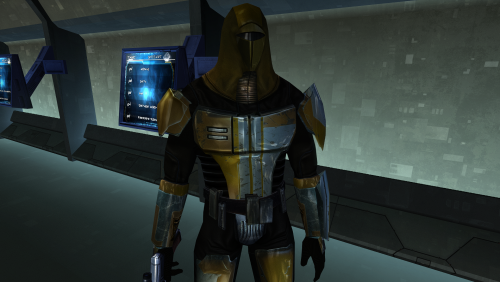
This mod will replace and update Mandalorian Neo-Crusaders texture files. The Vurt textures have been edited. Seams have been refined, and details have been added and removed. Thanks to Vurt for the wonderful textures. It was a pleasure working with them. To Install 1. Download: N_Mandalorian (Vurt's KotOR Visual Resurgence).rar 2. Copy all files to the Knights of the Old republic's Override folder. (Example location - C:\Program Files (x86)\Steam\steamapps\common\swkotor\Override) 3. When/if prompted to overwrite files, press okay. 4. If you like the mod; leave a comment or endorse! (It would be much appreciated) Made with love.8 points -
![More information about "[TSL] Lily's NPC Overhaul - HD Models & Added Diversity"](https://deadlystream.com/downloads/screens/monthly_2026_08/20260826160016_1.thumb.jpg.5545ed435507f3bcbe00441f7407d740.jpg)
Version 1.0.0
134 downloads
===================================================== [TSL] Lily's NPC Overhaul - HD Models & Added Diversity ===================================================== Mod for Knights of the Old Republic II - The Sith Lords Author: Lily File Name: NPC_Overhaul.zip Latest Version: 1.0 --- 1. DESCRIPTION: Tired of nearly every basic human NPC looking the same? This mod overhauls the human NPC (commoner) appearances in KotOR II. Heads: - Tweaks several of the models to adjust hair and fix some UV mapping. - 39 head textures are included, 35 reworked and 4 extra ones. They look much more distinct than the vanilla ones. - The heads are more evenly distributed across characters so, for example, 75% of white male heads were previously "white male 1" and now it should evenly by spread across all of the white male heads. - Ralon on Dantooine is given his unique appearance that I guess they made and forgot to give him... Clothing: - 11 updated clothing texture sets for the standard male and female commoner outfits. --- 2. INSTALLATION: Run Install.exe and select your KotOR 2 game directory. There are 2 installation options. - Heads: includes 39 updated heads with unique looks and gives human NPCs more unique appearances. - Clothing: includes 11 updated clothing textures for both male and female NPCs. These two options are independent and can be installed in either order, or separately. A "backup" folder is created by the installer in the same directory. Don't delete it if you plan to uninstall later. --- 3. UNINSTALLATION: Run Install.exe, select your KotOR 2 directory, and use the "Tools > uninstall/restore backup" option to revert all changes made by this mod. --- 4. KNOWN ISSUES: If you have already visited Dantooine, Ralon may not have his updated appearance. You should use a save from before arriving. If you find any bugs or problems, please report them. --- 5. MOD COMPATIBILITY: Should be compatible with all mods other than ones that also attempt to change commoner NPC appearances. Compatible with TSLRCM. Do not use the Steam Workshop for KotOR. It will almost certainly end with compatibility issues. --- 6. SUPPORT: My mods are free to use. You do not need to pay for them, but if you would like to say thanks, you can buy me a coffee! --- 7. PERMISSIONS: Please let me know if you plan on using any of the files in my mod for your own mod. The answer is "yes you may", but I would like to know what you are doing with it! Do not directly reupload this mod anywhere else. --- 8. THANKS: - Dark Hope - Uses assets from her various commoner head mods. MOST of the clothing uses Dark Hope's textures. Pretty much all credit for the clothing portion of this mod goes to her other than swapping her alternate textures into the additional slots that KotOR II uses! Thank you! https://deadlystream.com/profile/16561-dark-hope/content/?type=downloads_file&change_section=1 https://deadlystream.com/files/file/2516-npc-clothing-m/ https://deadlystream.com/files/file/2515-npc-clothing-f/ - Vurt - Some of the clothing textures - redrob41 - Original model fixes - Fred Tetra - KotOR Tool - Cortisol - Holocron Toolset & HoloPatcher - Fair Strides - TSLPatcher - seedhartha - KotOR Blender THIS MODIFICATION IS NOT SUPPORTED BY BIOWARE/OBSIDIAN ENTERTAINMENT OR LUCASARTS OR ANY LICENSORS/SPONSORS OF THE MENTIONED COMPANIES. USE THIS FILE AT YOUR OWN RISK.7 points -
Version .93
393 downloads
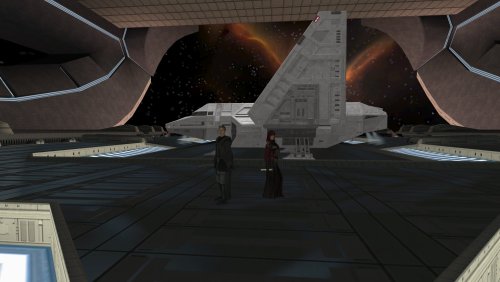
This is an early release of a mod that adds the KOTOR 1 planets to KOTOR 2 with quests and content. Around 70 quests are added. Help the Republic retrieve stolen data and medical shipments. Deal with a disturbance in the Force on Tatooine. Fight Sith on Yavin. Fight in the arena on Coruscant. This is just some of what's in store. This mod adds Manaan, Coruscant (different from Deathdisco's classic mod), Tatooine, Kashyyyk, Yavin, Rakata Prime, and Sleheyron to KOTOR 2. On these planets, you will find over 70 new quests. The general feel of this mod is to add content that largely fits the style of mid 2000s BioWare games. There are quests/scenes/gags that are inspired by those games. SWTOR was also a huge inspiration to the quests. I would guess that this mod adds somewhere in the neighborhood of 8-12 hours (give or take) of gameplay if you do everything. The mod also features additional banter between companions. Currently, only Visas and Mandalore as a pair are featured. Try taking Visas and Mandalore out adventuring with you. More to come. Mod name still being worked on. IMPORTANT: You must start from a save PRIOR to docking with Citadel Station. Ideally a fresh save. Quests WILL break otherwise. How do I start? As soon as you finish Telos, you can visit the new planets. This mod does not have any main quest. It adds many side quests that you can choose to do. Much of the quests can be done in any order, though there are some quests that follow others and/or unlocked through doing other quests. A save prior to arriving on Telos is required to play all the content, though currently, starting after Telos will only prevent you from completing a minor delivery side quest to the medical bay. Starting from a save that has already landed on other planets will further complicate things. Korriban, Nar Shadaa, and Dantooine all have content added to them so you definitely need to start from a save prior to going there. Some of these quests include: *Bounty Hunting: -On Coruscant, Tatooine and Manaan, you will find terminals that will automatically update you with bounties that are available (similar to talking to Zax in KoTOR1) *Deliveries: -Some people in the galaxy just want someone to act as courier and this is a good way to get some easy credits *Operations: -Inspired by SWTOR’s operations and flashpoints, you will find a Republic Trooper milling around by a shuttle on Coruscant. He can tell you more about operations which might be somewhat challenging dungeon style content *Story driven quests: Certain NPCs give storyline quests. Lt. Rene on Coruscant can get you started on one particular questline. Sometimes landing on a planet will lead to a storyline. Some storylines can only be done after others (Manaan’s, for example starts after Coruscant’s and then Manaan’s storyline is one prerequisite to start another questline on Coruscant if you also help a twi’lek at the Coruscant bar obtain an artifact from Yavin). The Hunting Lodge on Tatooine has a cryptic old man who wants you to do him some favors. *Korriban additions: The cave has an addition over in the back leading to several new modules with temples. *Dantooine addition: Over by the Kinrath cave is a path that was blocked off in vanilla that will lead you to the Grove. Upon entering the grove, you will start a new quest. *Companion Quests: -Visas Marr has a quest if you ask her some questions after getting to know her a bit. -Mira has a quest if you enter the Manaan docking bay with her and walk around -Handmaiden has a quest if you talk to her after training her to become a Jedi *Kreia's vanilla plot hook about about "Tulak Hord's lost holocron where he recorded his techniques" is now something that grants a quest of sorts. Though some things are better left buried... *On the planet Sleheyron, rumors persist of someone trying to free slaves from a local Hutt's rule. *There are some "inspired by SMT fiend fights" sort of "super bosses", usually at the end of a quest (though I can think of one who is just chilling in her temple for now). I can't really reveal much about these fights as it would spoil the surprise, but if you think about force "power levels" you might understand why about half a dozen special fights should be hard considering who you are fighting. There are a few legendary galactic figures (or aspects of them) that you can fight and some of them drop pretty good loot so come with buffs and medpacs. *More to discover This mod was voiced using AI. No other aspects of this mod involves AI. Installation instructions 1. Install TSLRCM 2. Install M4-78 EP 3. Copy the contents of this mod into your install folder, ensuring that you overwrite when prompted. A few aspects to be aware of in this mod: 1. It doesn't take into account a dark side Revan. It was specifically written to take into account both Male and Female Revan, but some characters appear in this that couldn't otherwise. 2. The mod is intended for a Male Exile, however I did make some modifications that allow a Fem Exile to experience all the content. The training holocrons for Handmaiden currently do not work with Disciple, however. 3. There aren't a lot of moral choices at this time. 4. This mod is in English. 5. Currently the NPCs milling standing around the settlements don't serve much purpose. Their little flavor blurbs haven't been implemented yet. That will be done soon. 6. This mod SHOULD be compatible with mods that replace textures except for the ebon hawk cockpit skyboxes. Reskin away other than that. 7. This mod is still being developed. The difficulty especially is being worked on. All content should be playable though. ------------------------------ INCOMPATIBILITIES: This mod, out of the box is incompatible with Newbiemodder's Korriban Expansion and Deathdisco's Jedi Temple. The mod was designed for future compatibility with Deathdisco's Jedi Temple, however. This can be addressed by a simple drag and drop optional compatibility fix in the future. This mod includes (with permission) a modified version of NewbieModder's Korriban Expansion. Party Swap is incompatible at this time. Any mod that gives Visas Marr a prestige class is incompatible as this mod grants her one at the end of her personal quest. Ebon Hawk cockpit skyboxes are currently incompatible. Schematic Lightsaber Mod is VERY incompatible due to edits to companion dlg files and an edit to Nar Shaddaa's refuge quad module. Additional testing seems to indicate that the incompatibilities are much more serious than a cursory glance indicated. Apparently in concert with this mod, it breaks Korriban in several places due to some changes in utc files. Content Pack- Feats and Powers has been reported to be incompatible ------------------------------- Known to be compatible: Extended Enclave by danil-ch Expanded Ending by WildKarrde Genoharadan Legacy by N-DReW25 Just the those installers after you install this mod. I personally use those mods in my own build and I recommend them. -------------------------------- KNOWN ISSUES: There are some issues that may cause you some minor annoyance, but they have no effect on the actual mod. The imported modules have mini maps that are off. They still serve a purpose to let you see where you are going. The .vis files going from KOTOR 1 to 2 seem to not work all that well and have usually been omitted. This has the unfortunately annoyance of disabling some visual effects (shadows/force speed/stealth field effect) within that particular module. Certain modules have been modified so their .vis file works. These specific modules are usually because I needed a visual effect for a cutscene. Balance is being worked on and my response to reports on balance is to try and get a new version out ASAP. So if you find something to be egregiously difficult, then let me know and I will immediately try and address this. --------------------------------- The following mods and modders resources were used in this mod. Sithspectre's Sleyheyron Demo for modules and planetary icons. [K1/TSL] Modder's Resource - Holocrons by InSidious/Darth InSidious (also enclosed with this mod is a copy of that mod's readme, per the requirements of usage) Jolee's hut resource by djh269 Sleyheyron Arena modder's resource by Thor110 Expanded Galaxy v0.4.0 [MODDERS RESOURCE] 0.4.0 version by Thor110 Specialized Combat Suits for Kotor & TSL by RedRob41 Modder's Resource: Dejarik Table by: newbiemodder Dahnis Unique Look by Leilukin SpaceAlex for textures in Dahnis Unique Look Droid models animations fix By Zobizob Kashyyk cut module restoration v1.0 By Zobizob Czerka Depot Restoration v1.0 By Zobizob Terentateks in TSL by LDR Tulak Hord's lore accurate mask by The_Chaser_One Quanon gave permission for his Sith Temple mod for KOTOR 1, as well as provided the modder's resource for their Yavin modules. Modder's Resource: SpaceAlex's Unfinished K1 Enhancement Pack 1.0.0 by SpaceAlex Yavin Station Hangar 1.5 by WildKarrde is here with permission. Permission granted from Quanon for modules Ancient Cave, Temple Main Chamber, and Canyon from Silveredge9's Brotherhood of Shadow's Solomon's Revenge. Silveredge9 has given a blanket permission that their mods are free for people to utlize in mods now. InSidious/Darth InSidious granted permission to utilize their K1 Lost Modules mod (Tatooine Temple module). TOR Ports: Pureblood Sith Male Player Head for TSL 1.0.0 By DarthParametric TOR Ports: Pureblood Sith Female Player Head for TSL 1.1 By DarthParametric Effix for K2 Effixian's PMHC04 Gray Reskin 1.0.0 (texture file used) Quanon for Korriban Canyon/Lost City modder's resource modules Quanon for modders resource modules used in Coruscant Arena (scrapyard games modders resource from Quanons Big Sell out) EwokKotor for Playable Ewok mdl BioWare/Disney/LucasFilm for assets from KOTOR 1 Obsidian/Disney/LucasFilm for assets from KOTOR 2 Pandemic/Disney/LucasFilm for assets from Battlefront 2 Newbiemodder for his Korriban Expansion mod, implemented here in a modified form with permission. Said modifcations do not reflect the original artistic vision of the original mod author. Sith Holocron for the 2018 version of his mod: Coruscant Hi-Resolution Pack, here with permission. 90SK for Realistic Skybox for Deathdisco's Coruscant mod, here with permission. Lily for [TSL] HD Female Twi'leks + NPC Diversity + Playable Female Twi'leks 1.1.0, assets used with permission. Specific to KOTOR tools and plugins used include KOTOR blender, Holocron Toolset, KoTOR TOOL, mdlops, kgff, dlgeditor, kotor scripting tool, reone_tools, mdledit, Probably others as well, at some point. Shout outs: I have to say, all of the modders who gave permission for using non-modders resources assets were extremely kind and nice. Shout out to Quanon, WildKarrde, InSidious/Darth InSidious, DarthParametric, Newbiemodder, Sith Holocron, 90SK and Lily. You were very kind! The KOTOR modding community in general for largely being so accommodating and kind. This mod wouldn't be possible without you. Nexus user BlackWind1909 was very good about providing a lot of feedback regarding difficulty.7 points -
Version 1.0.0
92 downloads
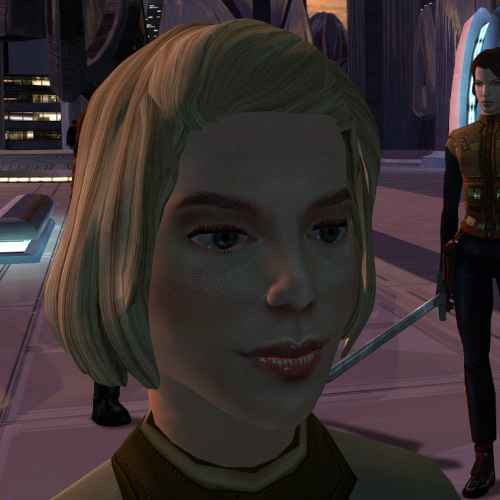
The mod replaces the ChildF model and textures. To Install 1. Download: ChildF 2. Copy all files to the Knights of the Old republic's Override folder. (Example location - C:\Program Files (x86)\Steam\steamapps\common\swkotor\Override) 3. When/if prompted to overwrite files, press okay. 4. If you like the mod; leave a comment or endorse! (It would be much appreciated) Made with love.7 points -
Version 1.0.1
203 downloads
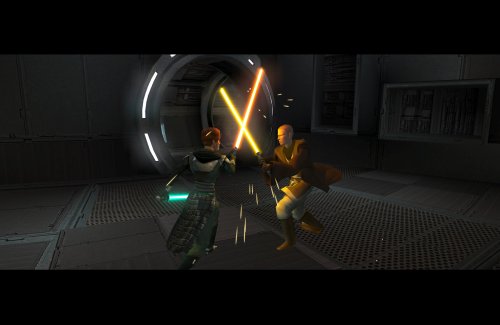
Expands the mechanics of training your Jedi companions in TSLRCM. SUMMARY TSLRCM adds the ability to teach your Jedi party members a select few powers, feats, and forms. It’s a cool concept that adds to the feeling of training your companions, but it was never very fleshed out. As is, there’s a very limited pool of abilities to teach, no real player choice in what to teach, and no depiction of the training aside from a fade to black. This isn’t a fault of the TSLRCM team, there just wasn’t much to restore. The mod aims to expand the whole training mechanic to make it more interesting and immersive. Summary of the main changes of this mod: - You can now choose which abilities to teach your companions. - The pool of teachable powers, feats and forms has been significantly expanded. - Every teachable ability now includes a brief cutscene depicting the training. - Party members can learn 1 power or feat and 1 form at a time and must level up before learning more. - Different prestige classes can teach different abilities. JM/SL can teach a wider selection of powers, JWM/SM can teach more combat feats, and JW/SA can teach a mix of both. - Handmaiden and Disciple can now be trained like other Jedi companions. DETAILS INSTALLATION TSLRCM required. Ensure TSLRCM is installed first before installing this mod. To install, run HoloPatcher.exe. Select the main install option and run. Unaltered copies of any modified files will be placed inside the "backup" folder in the location of HoloPatcher.exe. If you have PartySwap installed, run the included compatibility patch. Ensure both PartySwap and the main mod have been installed first before installing this patch. UNINSTALLATION Remove the following files from override: If any files were created inside the backup folder, move them to override. COMPATIBILITY Incompatible with any mods that hard overwrite the dlg files for Atton, Bao-Dur, Disciple, Handmaiden, Mira, or Visas. Compatible with PartySwap by Darth Tyren & Leilukin using the included compatibility patch. Compatible with Visas Marr and Female Exile Romance by Leilukin. The following mods appear compatible but have not been extensively tested: Handmaiden and Female Exile - Disciple and Male Exile Romance by Leilukin Atton Rand and Male Exile Romance by Leilukin Not compatible with Mira Romance Mod by JediArchivist. Soft conflict with Train the Handmaiden by jc2 as this mod also allows training Handmaiden. BUGS Minor bug where Handmaiden doesn’t restart her idle animation after learning Burst of Speed, for some reason. Talking to her fixes it. No other bugs that I’m aware of. Please report any. PERMISSIONS You are free to use and edit this mod’s dlg files if needed to make a compatibility patch for another mod. However, please ask permission before reuploading or modifying the files for any other reason. Do not reupload any files from the PartySwap patch without permission from the author. CREDITS offthegridmorty zbyl2, DarthStoney, Hassat Hunter, VarsityPuppet & contributors - TSLRCM dlg files DarthTyren, Leilukin - PartySwap dlg files HoloPatcher - Cortisol, th3w1zard1 TSLPatcher - stoffe, Fair Strides KOTOR Tool - Fred Tetra K-GFF - tk102 AniCam - JdNoa Reone Toolkit Lip Composer - seedhartha Holocron Toolset - Cortisol, th3w1zard17 points -
Please see the official GitHub repo to get support and find updates: https://github.com/OpenKotOR/DeNCS DeNCS - Turn Your Compiled KOTOR Scripts Back Into Readable Code! Ever wanted to see what's inside those compiled .ncs script files from KOTOR? Or maybe you found a mod with scripts you want to understand or modify? DeNCS can take those compiled script files and turn them back into readable source code that you can actually understand and edit! What does it do? Simply put, DeNCS converts compiled KOTOR scripts (.ncs files) back into source code (.nss files). It's like having a translator that converts the game's internal script format back into human-readable code. Works with both KOTOR 1 and KOTOR 2! How to use: There are two ways to use DeNCS - a simple graphical program (GUI) or command-line tools. Most users will want the GUI version! Option 1: The Easy Way (GUI - Recommended!) 1. Download the DeNCS folder 2. Double-click DeNCS.exe (Windows) or DeNCS.app (Mac) 3. That's it! No Java installation needed - everything is included! Once it opens: Drag and drop any .ncs file onto the window to decompile it Or use File → Open to browse for files The decompiled code will appear with syntax highlighting (color-coded keywords, functions, etc.) You can edit the code right there if you want Press Ctrl+S (or Cmd+S on Mac) to save your changes Open multiple files at once - each gets its own tab The program supports both KOTOR 1 and 2 (configurable in the settings) and attempts to unify most nwnnsscomp.exe variants, but has mainly been tested with kotorscript and ktool's variants. Option 2: Command Line (For Advanced Users) If you prefer using the command line or want to automate tasks: Windows: .\DeNCSCLI.exe -i "script.ncs" -o "script.nss" --k2 Mac/Linux: ./DeNCSCLI -i "script.ncs" -o "script.nss" --k2 This reads script.ncs and creates script.nss with the decompiled code. Use --k1 for KOTOR 1 scripts, or --k2 for KOTOR 2 scripts. Decompile an entire folder: .\DeNCSCli.exe -i "scripts_folder" -r --k2 -O "output_folder" This processes all .ncs files in the folder (including subfolders) and saves the results to your output folder. Features: Works with both KOTOR 1 and KOTOR 2/TSL scripts Beautiful graphical interface with syntax highlighting Edit decompiled scripts and compile them back Round-trip verification - see if your edited code compiles correctly Batch process entire folders of scripts at once View bytecode if you're curious about the low-level details Self-contained - no Java installation needed! Cross-platform - works on Windows, Mac, and Linux What can you do with it? Decompile .ncs files to see the original source code Understand how game scripts work Edit scripts and recompile them for mods Analyze scripts from your favorite mods Batch process entire script folders quickly Troubleshooting: "Error: nwscript file not found" Make sure you haven't deleted or moved the tools folder that came with the download The program should find everything automatically, but if you get this error, check that the tools folder is in the same directory as the executable "Program won't start" (Windows) Windows might be blocking it. Right-click DeNCS.exe → Properties → Check "Unblock" → Apply Try running as Administrator if you get permission errors "Program won't start" (Mac) You may need to allow the app in System Preferences → Security & Privacy Right-click the app and select "Open" the first time "Program won't start" (Linux) Make sure the executable has permission to run: Make sure the executable has permission to run: chmod +x DeNCSCli/DeNCSCli For more help: Run .\DeNCSCLI.exe --help (Windows) or ./DeNCSCLI --help (Mac/Linux) to see all available options Check the included README files for detailed documentation Source code and more info: https://github.com/OpenKotOR/DeNCS Credits: Original Developers (The Foundation): JdNoa - Created the original script decompiler engine Dashus - Created the original GUI These developers did the hard foundational work that made this tool possible. The original DeNCS was an internal tool used by TSLRP (The Sith Lords Restoration Project) and was released to the public "as is" with no warranty. Current Maintainer: th3w1zard1 - Complete rewrite and modernization You! if you like! just head to https://github.com/OpenKotOR/DeNCS and start contributing. This version represents a near-complete rewrite and modernization of the original DeNCS tool. While based on the original developers' foundational work, the current version has been extensively revamped with a new GUI, modernized codebase, cross-platform support, and many new features. The core decompilation concepts from the original work remain, but the implementation has been significantly rewritten for modern development practices. License: This software is provided under the Business Source License 1.1 (BSL 1.1). See LICENSE.txt in the download for full license information. Enjoy decompiling! 🎮✨ NCSDecomp-v1.0.2-Windows.zip7 points
-
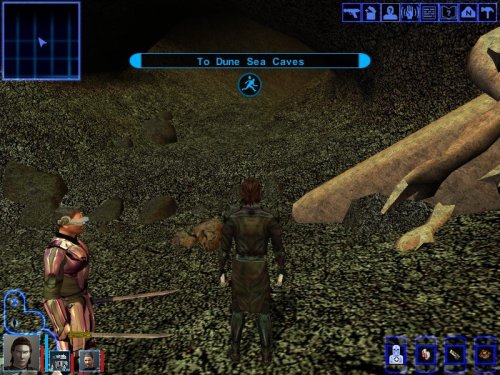
Version 1.1
350 downloads
V1.1 update This version has been tested and ensured for compatibility for the following mods: K1R v1.2 K1CP v1.10.0 K1CP+RP Demo v0.13.0 Sleheyron Story Mode and Battle Arena v3.3 STAR WARS: KNIGHTS OF THE OLD REPUBLIC TATOOINE - THE LOST TEMPLE v1.1 A restoration and expansion project for Star Wars: Knights of the Old Republic. “While searching Tatooine for clues to the Star Map, the player can venture beyond the familiar path to uncover a long-forgotten temple buried beneath the Dune Sea.” This mod restores and expands the Tatooine Eastern Dune Sea ruins, adding new quests, characters, items, dialogue, and enemies. Features: - Restores m19aa module. -New loading screen and minimap. -New quest and datapads. - New enemies, NPCs and dialogue. -New items. This mod requires HoloPatcher or TSLPatcher to install correctly. Run HoloPatcher.exe and allow the installer to place all files into your Knights of the Old Republic installation directory. Known Issues This mod modifies globalcat.2da, and global.jrl; compatibility with other mods editing these files depends on proper patching and install order. Due to an unpolished walkmesh in the restored area, party members may occasionally become stuck in walls, terrain, or beneath the map. In most cases, this can be resolved by repositioning the character and moving in different directions until they break free. Some stalagmites and cave geometry appear to float above the terrain. This is a limitation of the original area models and would require edits to the 3D geometry to fully correct. During the swoop bike repair sequence, the Sandperson and swoop bike disappear after the screen fades back in rather than during the fade to black as originally intended. This is a cosmetic issue only and does not affect gameplay or quest progression. Tools used: - HoloPatcher - ChangeEdit / TSLPatcherConfig - Holocron Toolset - DLG Editor - K-GFF Editor - GIMP -"Lost Modules Pack" by InSidious Special thanks to the Knights of the Old Republic modding community for providing a rich library of modding tutorials and resources, and keeping the game alive through years of restoration and expansion projects. Created by Caleb Behrens (JuniorModder) 20267 points -
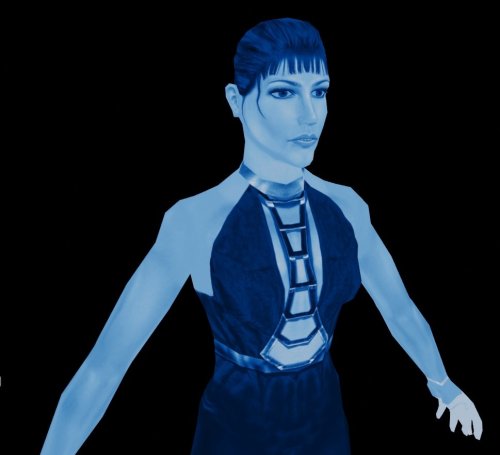
Version 1.0.0
180 downloads
I created textures for the Movie-Style Holograms For Twisted Rancor Trio Puzzle 1.0.0 mod. 1. Download: DP_Holo.rar 2. Copy all files to the Knights of the Old Republic's Override folder. (Example location - C:\Program Files (x86)\Steam\steamapps\common\swkotor\Override) 3. Delete the .tpc files with the same name.. 4. If you like the mod; leave a comment or endorse! (It would be much appreciated) Made with love.7 points -
Version 1.0.1
491 downloads
3 new Force powers inspired by the powers of the Sith Triumvirate. SUMMARY This mod adds 3 new high level Force powers to KOTOR 2 which represent the defining abilities of the Sith Triumvirate. Hunger - Passively drain the Force and vitality of everyone around you over time. Pain - Restore up to 120% of your maximum vitality and get a bonus to Will, both of which increase the lower your current vitality is. Betrayal - Turn groups of enemies against each other. When confusion expires, targets become horrified, or worse. These are intended to be strong late game powers but hopefully not too OP, with stringent class, level, and Force power prerequisites and high FP costs to limit spamming. The effects become stronger the closer you get to the Dark Side. The powers also include their own unique VFX made by reskinning some vanilla VFX. The mod includes an optional add-on to give Nihilus the Hunger power. It will be constantly active, healing Nihilus and dealing AOE damage. There is only one way to remove it. If you’ve found the difficulty of that fight lacking in the past, you might try this option. See below for detailed descriptions of the power effects and prerequisites. DETAILS The powers become available at character level 24 and are each restricted to one of the 3 Sith prestige classes. They first require mastery of two separate Force power trees before learning and each carry a substantial Force point cost. While the base FP costs appear very large, keep in mind the alignment adjusted cost is decreased by up to 50% at DS mastery, which you’re likely to be pretty close to if you’re using these powers in the first place. Plus at level 24 you’ll have more than enough FPs to spend. Hunger Pain Betrayal INSTALLATION To install, run TSLPatcher.exe and select the “Main Install” option. (Optional) After installing the main mod, you can install the “Nihilus Has Hunger” add-on, which gives Nihilus the Hunger power. Select the TSLRCM version only if you have TSLRCM installed, otherwise, select the non-TSLRCM option. Unaltered copies of any modified files will be placed inside the "backup" folder in the location of TSLPatcher.exe. UNINSTALLATION 1. Remove the following files from override: 2. (Nihilus Has Hunger only) Remove 852NIH.mod from the Modules folder. If 852NIH.mod was created inside the backup folder, move it to override. 3. Move dialog.tlk from the backup folder to the main game folder (outside override). 4. If any other files were created inside the backup folder, move them to override. COMPATIBILITY Compatible with TSLRCM. Includes a TSLRCM-compatible option for the Nihilus Has Hunger add-on. This mod edits the s_female02 supermodel and will conflict with other mods that do so. Thanks to his permission, this mod includes the relevant edits from JC’s Supermodel Fixes, therefore it is compatible as long as my mod is installed last. This mod uses the unused animations.2da line c3f2 and will conflict with other mods that do so, though I am not aware of any. Nihilus Has Hunger add-on makes hard edits to 852nih.dlg and will conflict with other mods that do so (excluding TSLRCM). Should be compatible with most other mods. PERMISSIONS Do not reupload this mod or any contained files without my permission. This mod includes edits from JC’s Supermodel Fixes with permission. CREDITS offthegridmorty Thanks to JC for help with scripting and animations, and for permission to include his supermodel fixes. KOTOR Tool - Fred Tetra TSLPatcher, TLKed - stoffe, Fair Strides7 points -
Version 4.1.2
12,610 downloads
While you sleep in the medical room, 3C-FD is patching your game. Restores fog and reflections which were broken in the Aspyr update. Works with both Steam and GOG versions. Compatible for KOTOR 1 and 2. Graphical INI edtor. Included KOTOR2 Patches: - Fog Fix - Reflections Fix - 4GB Patch - Subtle Color Shift (yellow tint removal) - Music Volume During Dialogue Fix - Borderless Window Mode Included KOTOR1 Patches: - 4GB Patch - Borderless Window Mode How to use: Place in game directory and run it. Load kotor exe on the 'patches' tab, select patches to install, click apply. How this was made: - The fog shading was just covered up when the latest version was released. I was able to send that data to the new Fracture shaders and apply fog coloring. It checks if the fog color is set to black and if not then it applies fog. Modules that don't use fog have a default fog color of black, Duxn and Dantoonie use a grayish color. - The shader for when both a lightmap and a cubemap is applied, to the same model, had a typo. Cubemap was labeled as a '2D' instead of 'CUBE'. Easy fix. Luckily the shaders are a plain text string, in the exe, and can be modified with a hex editor. The only issue is that the character length needs to be the same or smaller. The only way to get more data in the shader is to remove extra spaces/linebreaks and to shorten variables to single characters. - The music was lowered so much during dialogue that it was almost non existent. I was able to find the functions for calling volume control, using ghidra. The call was made only 3 times and from there it was process of elimination. Ultimately disabling a variable change if in dialogue, before the first volume change call, worked. Bugs: - Fog fix does not work with M478 Special Thanks: HappyFunTimes101 - ShaderOverride - I could not have done this without this tool. This made sorting out and identifying the shader data much easier. I probably wouldn't have even attempted or known where to look if this didn't exist. JCarter426 - For pointing out that the music was broken during dialogue. I hadn't noticed but couldn't stand it after hearing for myself. Source: https://github.com/J0-o/3C-FD-Patcher Browser-based Version: https://j0-o.github.io/3C-FD-Patcher-js/7 points -
Version 1.0.0
636 downloads
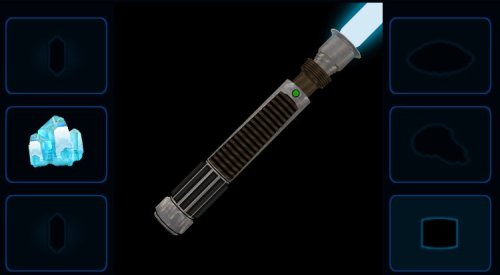
Default Hilt Replacement Mod 2025 ---------------------- Author Kaidon Jorn, December-March 2025/2026 DHRM 2025 Changes: ---------------------------------- Blade models and planes are set to the correct Z position. New blue double-bladed model made from original blue single bladed model. New (old) models for red single and double bladed. Green single bladed made into new green double bladed. Yellow single and double model textures touched up. Purple models reskinned. New orange single bladed made from orange double bladed. New viridian single bladed made from viridian double bladed. New silver single and double bladed models made from (very old) yellow double bladed model. New cyan double bladed model made from cyan single bladed model. Bronze models textures touched up. Otherwise no change. Short saber model remapped and reskinned. Made new icons for all models. Purple blade is now violet instead of amethyst. This mod will replace all of the default game's lightsaber hilt models and adds new 3D blade models and textures - courtesy of Crazy34 and his crazy awesome modder's resource. I have, of course, tweaked his blade textures again to my own preferences and increased the ambient lighting glows by 0.2 on all single and double bladed lightsabers (short stayed the same). In this version I've removed most of my old hilt models and replaced them with ones that may have never been released before, but if I didn't replace the entire model then I remapped and reskinned that previously existing model. All saber icons have been remade to be consistent with my SLM2024 icon backgrounds (I know I said I wouldn't, but to heck with that). Much thanks to Crazy34 for use of his new 3D blade models and textures and thank you to Deadly Stream for hosting all my mods. To install run the .exe and choose the location of the game (not the override itself). To uninstall take them all back out.7 points -
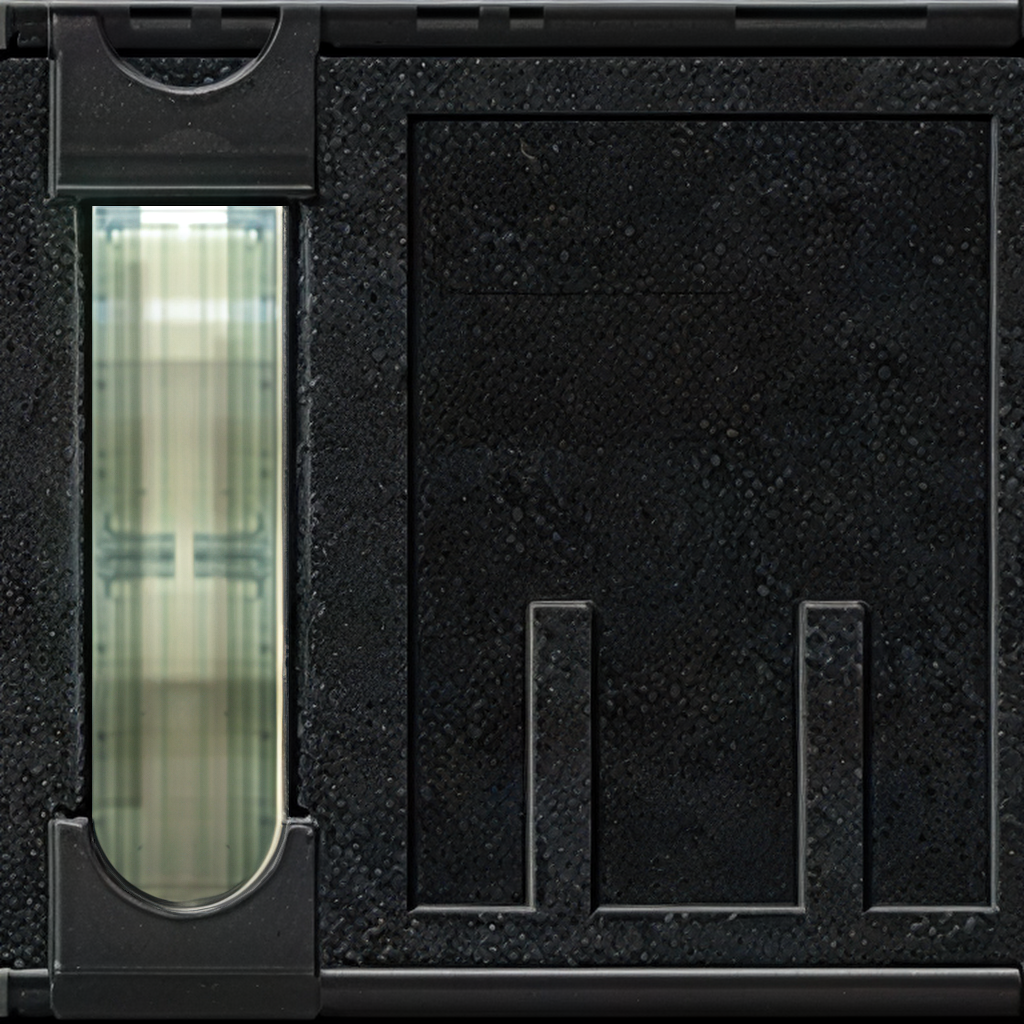
I was wondering if anyone would be willing to add glass overlays to these upscaled Nar Shaddaa windows for me. These would be for personal use but obviously anyone could download them off this request page if they chose to. For illustration purposes I have attached these textures as PNGs but to save you some time, I've also made a DropBox link here where these textures are in TGA format. Thank you for your consideration in this matter.
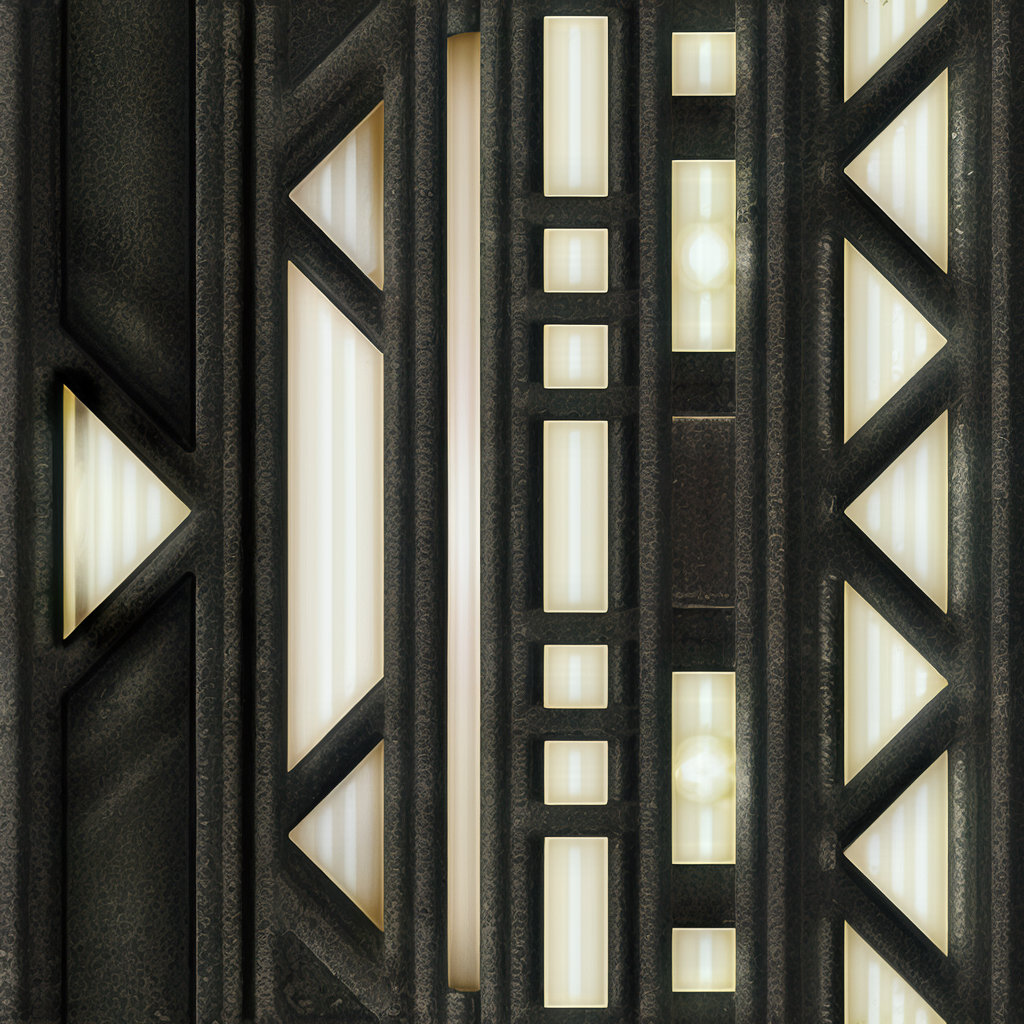
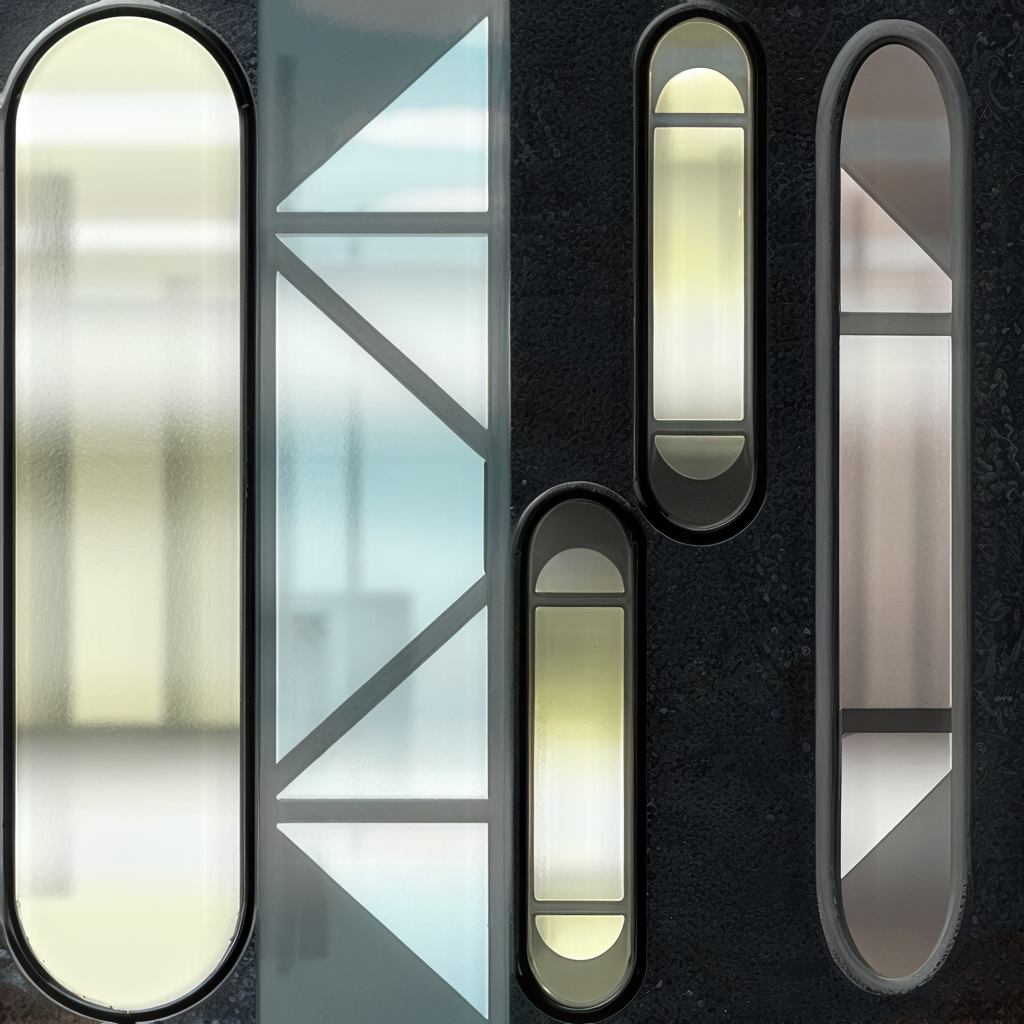
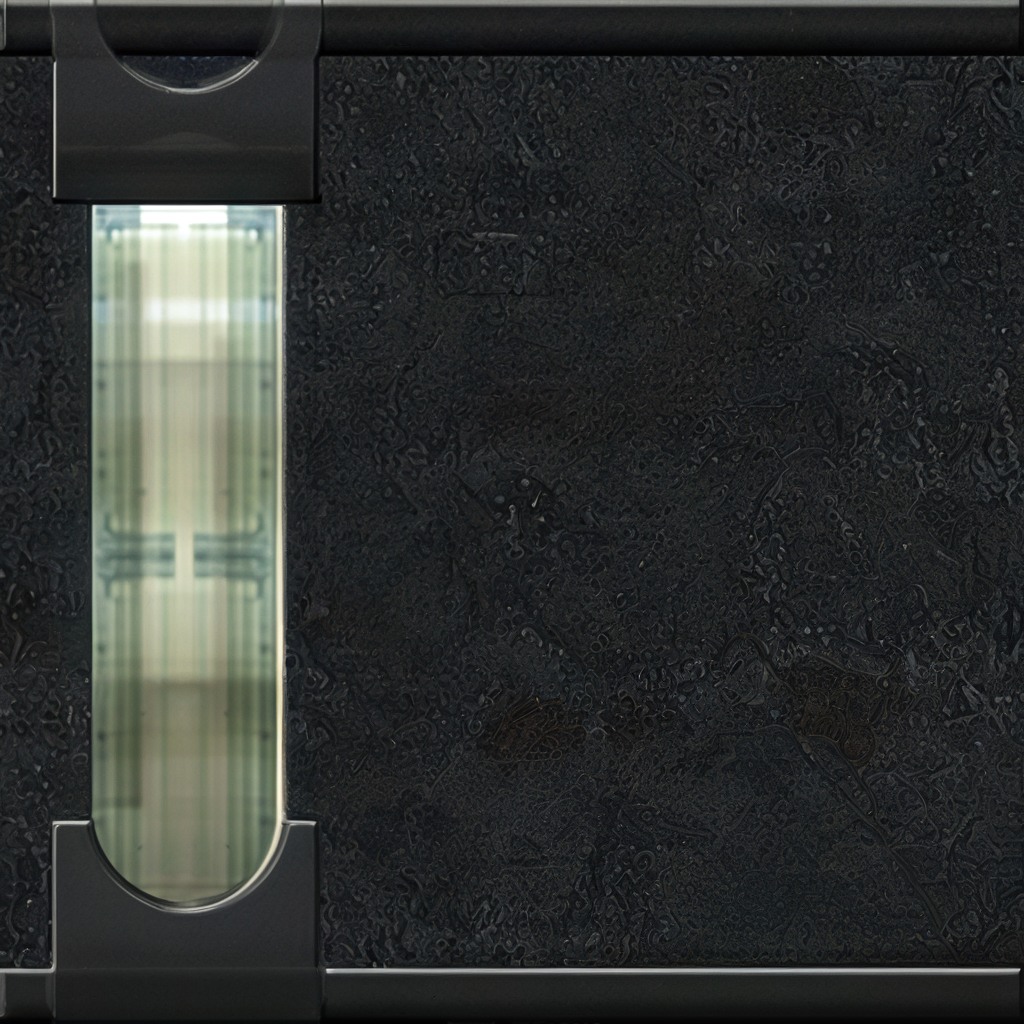
 7 points
 -
Version 1.0.0
144 downloads
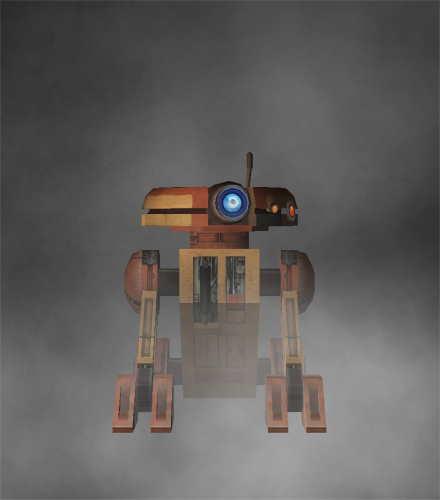
This mod recruits the droid T3-H8 to the party when he is purchased from Janice Nall's droid shop. Installation You must start a new game to experience the full effects of this mod. Extract files from the downloaded archive. Run INSTALL.exe. Click "Install Mod" and select your game directory. Uninstallation During installation, TSLPatcher generates a backup folder and a log recording which files were affected. Copy portraits.2da from the backup folder to replace the one in your game's Override folder if a backup was created, otherwise delete the file from your game's Override folder. Copy tar_m02ab.mod from the backup folder to replace the one in your game's Modules folder if a backup was created, otherwise delete the file from your game's Modules folder. Delete all other files installed by this mod from your game's Override folder. Credits KOTOR Tool—Fred Tetra TSLPatcher—stoffe & Fair Strides DeNCS—JdNoa & Dashus DLGEditor—tk102 ERFEdit—stoffe & Fair Strides K-GFF—tk102 NWNSSCOMP—Torlack, stoffe, & tk102 tga2tcp—ndix UR This mod contains assets ported from Star Wars: Knights of the Old Republic II - The Sith Lords. License This work is licensed under a Creative Commons Attribution-NonCommercial 4.0 International License. Donations If you enjoy my mods and would like to show your support in a monetary manner, you may do so via PayPal at https://www.paypal.me/carterunited.7 points -
Version 1.0.0
914 downloads
KMRP - KOTOR MODERN RESTORATION PATCH Modern resolutions, properly scaled UI, engine fixes and restored interface behaviour for KOTOR 1 48 resolutions | 800x600 to 15360x8640 | 4:3 | 16:10 | 16:9 | 21:9 | 32:9 WHAT IS KMRP? Vanilla KOTOR was built around fixed pixel sizes and interface layouts originally designed for resolutions such as 640x480. On modern displays this causes tiny text, overlapping list entries, undersized icons, broken map scaling and other interface problems. KMRP fixes these problems in the game engine itself. It supports 48 resolutions from 800x600 up to 15360x8640 across 4:3, 16:10, 16:9, 21:9 and 32:9. Several of these fixes require changes to swkotor.exe because the affected values are hardcoded inside the engine and cannot be reached through GUI or 2DA files alone. WHAT IT FIXES Readable text with properly scaled list rows Inventory, Abilities and Store icons and rows scale correctly Item stack counts remain visible with larger fonts Long item description crash fixed Description text no longer runs under the scrollbar Area map fills its frame Fog of war covers the complete map Map marker clicks line up correctly 250 misplaced map notes can be corrected using Derslok's fixes HUD minimap is zoomed correctly again Dialogue letterboxing, tutorial popups and interface artwork follow the selected resolution INSTALLATION Install other content mods first, such as K1CP or K1R, then install KMRP. Download the standard KOTOR Editable Executable Run KMRP - KOTOR Modern Restoration Patch.exe. Select your resolution. Open Advanced Settings if you want to change optional components. Click Start Patching. Launch KOTOR. To change resolution later, use Restore Original first, then patch again. KMRP backs up the executable, INI and every Override file it modifies before patching. EXE PATCHING KMRP modifies swkotor.exe because several interface values and bugs are hardcoded inside the game engine. Before writing anything, KMRP verifies the executable by SHA-256 and file size. Unknown executables are rejected. KMRP modifies 893 bytes of the 4,042,752-byte executable, around 0.022%, and adds ten 4KB code sections where additional space is required. Every executable patch is documented in the GitHub repository. KMRP is not a launcher and nothing stays running in the background. The only exception is the optional Modern Driver Compatibility component, which places two files beside the executable. If you do not want your executable modified, do not install KMRP. INCLUDED COMPONENTS K1 Modern Driver Compatibility 1.2.0 by Synchro Optional. Restores lighting, reflections, fog, soft shadows and correct grass rendering on modern hardware. K1 Area Map Fixes by Derslok Optional. Corrects 250 misplaced map-note positions. Party Portraits by MadDerp Bundled with permission. KOTOR 1 HD Icon Pack 1.0 by JackInTheBox Bundled with permission. COMPATIBILITY Tested with: KOTOR 1 Community Patch 1.10.0 KOTOR 1 Restoration 1.2 K1CP replaces two icons also included in the HD Icon Pack. KMRP keeps the K1CP versions where applicable. DOWNLOADS GitHub Releases https://github.com/RayesDiyab/KMRP-KOTOR-Modern-Restoration-Patch/releases Nexus Mods https://www.nexusmods.com/kotor/mods/1879 Deadly Stream Available on this page SOURCE AND DOCUMENTATION Full source code, executable patch documentation and reverse-engineering notes: https://github.com/RayesDiyab/KMRP-KOTOR-Modern-Restoration-Patch CREDITS ndix UR KOTOR High Resolution Menus 1.5 Synchro K1 Modern Driver Compatibility and published area-map research Derslok K1 Area Map Fixes MadDerp Party Portraits JackInTheBox KOTOR 1 HD Icon Pack RaymanGT HD menu and UI asset set LICENSE KMRP is licensed under GPL-3.0. Star Wars: Knights of the Old Republic © 2003 BioWare Corp. / LucasArts. KMRP is an unofficial community patch and is not affiliated with or endorsed by BioWare, LucasArts, Lucasfilm or Disney. You must own the game.6 points -
.thumb.png.3301b414885aa5c5ced45535fec5ddfc.png)
Version 1.0.0
58 downloads
Recreation of the idea of @muitafruita from an old thread, which I randomly stumbled upon and quite liked. As many of you know, the choice between Mira and Hanharr is locked by the Exile's alignment during the dock scene when going after Visquis. Light and neutral Exiles get Mira, while Dark Exiles are approached by Hanharr instead. Whoever approaches you first gets onto your ship later. Regardless of this, the game tracks a reputation score with the Exchange through the global variable 300NAR_Exchange_Favor, though it isn't utilized quite as well as it could be. And just as proposed by the idea's author, this mod changes the trigger conditions from being alignment-based to reputation-based. Now, if the Exchange favors you, you get Hanharr as a companion. If the Exchange disfavors you or has a mixed opinion, you get Mira instead. Sounds realistic, doesn't it? Your actual actions on Nar Shaddaa should decide, not the mystical Force-alignment no one probably knows or cares about. Notes: The mod can be installed and uninstalled at any time before you encounter Mira or Hanharr at the docks. After that, with or without the mod, your choice is sealed. TSLRCM is not required, but is always recommended. Installation: Copy following files from archive's "Override" folder to yours: a_hanharrconv.ncs; a_miraconv.ncs. Credits: muitafruita, for the original idea Fred Tetra, for KOTOR Tool TK102, for DLGEditor Torlack, stoffe & TK102, for NWNSSCOMP JdNoa & Dashus, for DeNCS Cortisol, for Holocron Toolset6 points -
![More information about "[TSL] Immersive TSL Maps"](https://deadlystream.com/downloads/screens/monthly_2026_08/Screenshot2026-08-06063718.thumb.png.55ee84f8ed71feecd0adc61432c09a15.png)
Version 1.1
89 downloads
[TSL] Immersive TSL Maps AUTHOR: Sith Holocron ORIGINAL RELEASE: 13 AUG 2026 UPDATED RELEASE: 15 AUG 2026 GAMES: Star Wars Knights of the Old Republic II Description: This will be a longer description. Buckle up. I didn’t originally set out to make this a full mod. I suppose this originally started as a response to a request. In the comments for Ashton Scorpius’ “TSL Ebon Hawk Downloadable Map” (https://deadlystream.com/files/file/1406-tsl-ebon-hawk-downloadable-map/?tab=comments) someone asked if the swoop bike could be removed from the Ebon Hawk’s map. I decided to take this on – partly as a challenge to myself and partly because the requester has been making ridiculous specific requests for years. In short, I worked on a mod request out of spite. I thought that would be the end of it. Then at some point, I was working on textures for the Dantooine Enclave sublevel. I was doing a lot of fooling around with textures back then. (This was before I picked up a subscription to Topaz Gigapixel.) While checking - and rechecking - textures in game, I kept seeing that map. Since I already had new textures to work with, why not put them in the map? I requested a upscale of that map from someone and I went to work. I never posted as a mod but I do recall showing it on Discord at some point. Later, I wound up redoing the maps for the M4-78 Enhancement Project as one-off. As there weren’t many maps to do there, I figured that would be the end of it. (Yes, I have also updated that mod recently as N-DReW25 has adjusted some of the maps for his Unofficial Patch.) Not too long ago in Discord, there was a discussion about how the Ebon Hawk seemingly has supposed to be in another hangar on Telos Citadel Station at one point in development. As the participants were discussing that, I did some preliminary work on a map for that Docks section and then quickly posted it in that discussion so folks new to the conversation would have a better idea of the area they were talking about. Realizing that I kept on coming back to this part of texturing, I just decided to jump into this as my next project. I’ve mainly concentrated on the interior maps but all of the standard maps have been upscaled. Additionally, most maps of external spaces have also had tweaks made to the as well. My Workflow: For starters, I generally extract the maps from the game and then upscale them to use as the foundation. There have been occasions where I have acquired maps from elsewhere (such as 204TEL, 208TEL, and 506OND from N-DReW25) which show extra rooms that may not be accessible through in game play but can be entered via the whereami armband mod. I warp to each of the map locations armed with that whereami armband. Using GLIntercept, I’ll take numerous screenshots of the area I’m in from above so I can compare what textures they used for each of the rooms I’m tackling. I sort through my textures, adjust the lighting/coloring depending on the variable they’ve set for that area, and just paste them over the upscaled map. Repeat ad nauseum. In addition to this method, I’ll sometimes take a picture of an area from directly above and paste that directly into the map. There’s also the fun part of sometimes having to redraw the white borders of rooms because the AI doesn’t know exactly what’s important in the thing it’s upscaling. When the map has a background, I’ve sometimes reinterpreted what it should look like but if there wasn’t a background, I’ve left it alone. To sum up, it’s not just a simple upscale but it is a time-consuming pain in the ass which is why I’ve only created an average of one map per day during the project’s creation period. You’re welcome? Installation: If you’re using “TSL Ebon Hawk Downloadable Map 1.2.3” by Ashton Scorpius, you’ll want to install my mod after Ashton’s mod. Copy all TGA files (excepting those in the “Alternate 003EBO map” folder) to the Knights of the Old Republic II's Override folder. (Example location - C:\Program Files (x86)\Steam\steamapps\common\swkotor2\Override) When/if prompted to overwrite files, press okay. If you prefer the alternate map in the “Alternate 003EBO map”, now copy that one file to the Knights of the Old Republic II's Override folder. Please let me know in the comment or review section which of the maps is your favorite. If you like the mod; please leave a comment or endorse! It would be much appreciated. Uninstall: Remove the files you’ve added in Installation instructions. Changelog: 1.1: Updated the 401DXN (Dxun - Jungle Landing) map. The Ebon Hawk and crashed freighter have been replaced on the map. Thanks: N-DReW25: For both feedback on the maps themselves and providing three of the maps for be to have a more complete version. Fair Strides: For continual feedback on the maps. Vriff: For continual feedback on the maps. Kharak (of SketchFab.com): For hosting a viewable 3d model of the Ravager on this website used in my two Ravager maps: https://sketchfab.com/3d-models/sith-centurion-battlecruiser-3f2934da83cb421c87a3510ce62ceb8d To the too many folks in the KOTOR Discord’s media section to name for all of their feedback. P.S. I have no plans to redo the KotOR1 maps. Besides the map window being extremely small in that game, it’s also a game I find myself returning to less and less. You’ll have to convince someone else to work on the KotOR1 maps.6 points -
Version 1.8.6
357,025 downloads
Authors: Zbyl2, DarthStoney, Hassat Hunter & VarsityPuppet Contact: PM us at Deadlystream Name: The Sith Lords Restored Content Mod (TSLRCM) 1.8.6 1. Description: ---------- Welcome. Thank you for downloading and installing TSLRCM 1.8.6. This mod's intention is to restore much of the content cut from The Sith Lords, that was lost to the main game due to a rush to release the game. This rush also left the game with a plethora of bugs (some of which also blocked out content, so not everything restored was really "cut"; for example the quest 'Corrun Falt'), so this mod should seriously decrease the buginess that plagued TSL. Overall, our goal is to make the KotOR 2: TSL experience as close as possible for us (as modders can do) as what Obsidian originally intended it to be... Be sure to check our website (or ModDB page) for potential upgrades, patches and compatible mods for TSLRCM. Our site will always have the most recent version of TSLRCM, something we cannot, sadly enough, promise from other sources. http://deadlystream.com/forum/ http://www.moddb.com/mods/the-sith-lords-restored-content-mod-tslrcm Also, if you have issues, questions, or feedback, please post it on the official forums, as otherwise it will be read much later, or not at all. After all, we can't monitor the entire internet. http://deadlystream.com/forum/forum/4-tslrcm/ 2. Installation: ---------- 1. If you're using an older version of TSLRCM (1.8.2 or lower), a game re-install is required before applying 1.8.6. (Steam and GOG users, skip to point 4) 2. After re-installing it's advised to apply the official patch (1.0b). Non-US versions require you to install 1.0a first, then 1.0b, US versions can install 1.0b right away. Make sure to apply the patch that fits your version. Also, after installing 1.8.5, the official patch can no longer be installed! 3. If desired, apply the high quality music and/or movie patches 4. Install 1.8.5. Steam users are advised to use the Steam Workshop download - but ONLY IF YOU DON'T PLAN ON USING ANY OTHER MODS. Steam Workshop mods CANNOT guarantee compatibility, and installing multiple workshop mods will likely lead to issues. CHECK YOUR INSTALLATION DIRECTORY. DO NOT INSTALL INTO THE OVERRIDE FOLDER OR YOUR GAME WILL CRASH! We've had several users on Vista mention that instead of Program files (x86) it would point to Program Files/Program Files, causing the installation to fail. Make sure the installer points to the proper location of your KOTOR2 installation. Default (32-bit windows); C:\Program Files\LucasArts\SWKotOR2\ Default (64-bit windows); C:\Program Files (x86)\LucasArts\SWKotOR2\ GOG default: C:\GOG Games\Star Wars - KotOR2 5. To check if the installation has succeeded, try launching KOTOR2:TSL. If at the main menu it says "Restored Content Modification 1.8.5" on the screen the installation has been successful. PLEASE CHECK OUR OFFICIAL WEBSITE OR MODDB FOR ANY POTENTIAL UPDATES 6. While we try our best to make this mod as bug-free as possible, with the many options of KOTOR2 and our small testing team bugs, critical ones, sometimes make it through. We will fix them, so check our site for any potential updates and patches. We would rather not have people play unpatched and then experience issues like the black screen (1.7) or red eclipse (1.6)! 7. Install any TSLRCM-compatible mods you desire now. If you're unsure if a mod you want is compatible, check our list at our forums, or section 6 - Mod compatibility in this readme. ULTIMATE SABER MOD (USM) IS NOT TSLRCM-COMPATIBLE. MOST REPORTED ISSUES ABOUT TSLRCM ARE FROM USERS STILL USING IT. DON'T! * You cannot use savegames made with vanilla Sith Lords or TSLRCM 1.8.2 or lower. Saves from 1.8.3 and above can savely be used, although some fixes may not take effect. A fresh new game is always the best option for the least amount of issues. 3.0 Changelist 1.8.5 Updated - 1.8.6 ---------- * Soundset of Coorta and Thugs changed from Mira to Commoner Male * Fixed always failing persuasion check for the Ithorian coming in when stealing the prototype shield * Fixed skipped line in 203TEL * Wrong VO used for aliens on Nar Shaddaa * Added fix for the "friendly Twin Suns" gamebreaking issue. * Added alternative female Revan line on Goto's Yacht. * One revan good/dark convo check was swapped in Disciple conversation * Fixed issue where one could get stuck if entering the enclave with Kreia and a third party member and was controlling the third member. * Fixed "good react" suddenly branching to Dark Side dialogue with certain options in Kreia's global dialog. * Visas: "Is her kind rare" and "What's a Miraluka" response from Atton was swapped. * Kreia's first good path no longer decreases -INF after selecting "Perhaps you are right", canceling out the loss and gain like the first dark side path. * Fixed Sith Assassin and Jedi Watchmaster losing ability to select Dual Strike. * Fixed 232hk50006 not playing on steam * Fixed NPC rotation when talking to Hanharr * Fixed a missing script for female players on Onderon. * Fixed Disciple conversation abrubly ending * Added a female version of a line to Tobin's dialog * Fixed typos in dialog.tlk 3.1 Changelist 1.8.4 Updated - 1.8.5 ---------- * Added persuasion animation (Thanks to danil_ch for noticing and providing a semi-complete list of locations of all force persuasions) * Resolved some AR_Error generation with easter egg background and robes. * Fixed T3 skipped dialogue fix getting broken when fixing Steam dialogue being skipped. * Removed excess dlg's and stuff from 307NAR (only used for Zhug scenes), drastically reducing it's size. * (English version) Fixed Revan disrepency in HK-47 dialogue (Thanks to danil_ch for noticing and the VO splices) * Pre-Malachor: Resolved Handmaiden being present even if she left with Kreia to Malachor. Resolved silent Mandalore line. * Visas sparring: Fixed Weapon Focus: Lightsaber being skipped during reward section. For the english version it now shows what Feat you've gained (if any). * Fixed graphical glitches in cutscenes using widescreen resolutions. * Atris/Kreia convo intro improved as per gameplay developer comments * Telos Academy: Fixed some minor issues with a cutscene (Thanks to danil_ch) * Activated dormant placeable in the Telos Academy. (Thanks to JCarter426 for finding the inactive placeable) * HK Factory: You can no longer trigger HK-50 cutscenes by loading a savegame. Removed dead HK-50 to avoid confusion. * Force Persuading Terlyn will no longer require persuasion skill to succeed. * Onderon Wall: Restored missing Bostuco line, made Royalist single line bark rather than cutscene, fixed minor lipsync issues with Vaklu in palace cutscene. * Trying to (Force) persuade the thug after killing Riiken will now net a dark side gain regardless of success or failure. * Restored Patto line, removed HK part from Akkare store since storespawn was fixed and was already generating a part, leading to him having 2 instead of the intended 1. * Ralon: If you have Kreia and Handmaiden/Disciple they can now both comment on the fabled holocron line. * Malachor Core: Fixed Kreia repeated line by actually intended line. * Touched up Visquis call cutscene. (thanks to Danil_ch) * Fixed several missing awareness and persuasion checks. * Fixed broken T3 interaction with the "meet and greet" droids on Dantooine. 3.2 Changelist 1.8.3B - 1.8.4 ---------- * Restored Remote's SFX that was removed by the official 1.0b patch. After 10+ years; it's back! Poor guy! * Restored original dialogue to prologue, except for 'easter egg mode' users who get the spoken dialogue * Slightly modified pre-Malachor cutscene * Fixed reverted instances knowing about Goto in first Bao-Dur/Remote cutscene * First Bao-Dur/Remote cutscene now requires G0-T0 *or* HK-47, not both. This also means you can get the 3rd cutscene and following cutscenes (including the important one about G0-T0 and Remote) without building HK-47 * Fixed Remote "complaining" sound sticking around when it should not * Fixed 2 civilians who were lacking their animations in the Telos Cantina * Benoks goons will now always properly leave the cantina * Various fixes for the Telos Academy: ** Fixed some unskippable lines during intro-dialogue ** Fixed inproper fadeout during intro that showed character jump ** Modified Atris entrance ** Fixed a few issues with handmaidens removing PC ** Modified Atris exit * Fixed small issue with door's windows not being see-through in the Coruscant sequence, hiding the PC and Masters until it was opened (Thanks to JCarter426 for the fix!) * Modified JJT Tunnel sequences if Mira joins the party * Fixed issue with leftover enemy in arena during ending cutscenes * Various fixes with the Mandalorian Battle Ring: ** You will now hear what your violation was before being banned from the Battle Ring for cheating twice ** Fixed auto-win against Kex due to victory flag not resetting after the Davrel battle ** Fixed "no item" rule being in effect for the Bralor fight for male PC's. Battle functioned properly already for females * Added 2 missing Sith to Vaklu palace sequence who triggered a small cutscene * Leaving Dantooine at the endgame cutscenes did not run for male players. Made them skippable in all cases * Added missing animation at start of Disciple cutscene (to match Visas scene) * Slightly improved Disciple warning Admiral cutscene * Added missing "lipsync" (eye flashing) for HK-Factory * Slightly improved 903MAL intro, fixed incorrect camera point for females, and the Elite Sith Assassin will now attack the Exile rather than ignore him/her * Moved DS hit for Slavery from Cahmakt to getting your payment in the cantina. This to prevent the rare issue of this hit triggering the Nihilus intro and getting the player stuck. * Fixed crashing issue if you try to enter the Telos Surface Shuttle with Atton or Kreia. * Fixed Peragus Medical Officer speaking the station warning using the Workshop download. * Added missing installer files: Heads.2da, Movies.2da and Musictable.2da * Fixed "double Sion" bug by undoing changes to .ncs (this is the vanilla file). Moved "Elite Sith" further back so it wont ignore you. Fixed Sion lipsyncing Kreia. * Corrected Suulru having the vanilla dialogue attached to him rather than the 1.8.4 version. * Corrected red X missing texture being visible in Tobin call pre-Freedon Nadd's tomb. * Resized TSLRCM logo and hyperspace texture. This should fix several (framerate) issues certain configurations had with them. * Added eye-flashing of HK's to all HK-50 encounters. * Fixed infinite lightside and Atton influence exploit in the Telos Academy. * Fixed an issue where some subtitles wouldn't appear in Peragus holograms for non-English version of the game. Additional fixes thanks to Danil-ch; * Wrong Atton animation fix post-Peragus cutscene * Fixed too fast walking Sion on Peragus and Malachor * Improved Handmaiden vs. sisters intro-cutscene * Fixed animation issue with Atris using Force Lightning on Handmaiden 3.3 Changelist 1.8.3 - 1.8.3B ---------- * Additional restored lines for Kreia-Atris cutscene. * Modified Mebla slightly; you can play again after 'asking questions' but you can no longer ask questions after getting her tie breaker. * Telos Swoopracing; Traininglap persuasioncheck no longer automatically succeeds. Fixed trainingrun-dialogue not being properly triggered. Fixed several issues with 'improved' or 'deproved' time recognition. * Fixed Lupo not giving credits properly after teammates comment on your Force Persuasion use (my bad). * HK-50's will no longer appear and then fade away if HK-47 is in your party when going to Goto's Yacht (Thanks Markus Ramikin) * Losing to Bralor, then winning he would still incorrectly comment you can fight again (Thanks Markus Ramikin) * Persuading Qimtiq once does no longer guarantee 500 bonus credits per win permanently, you need to re-convince him before each race. * Missing VO addded to installer. * Fixed the "forfeit" Swooprace-bug. * Added proper camerapoints to modified tutorial dialogues. * Improved Azkul-Merc conversation after invading Khoonda (Merc side) (by danil-ch) * You will now start with Force Breath active upon learning it in the JJT/fixed flourish animation (by danil-ch) * Savegames made during the Atton vs. Sion confrontation on Malachor will no longer crash on loading. * Added missing lightsaber equipped fix (by danil-ch) that made the game also check the off-hand for a lightsaber and detect it. * Modified Mira technique teaching slightly. 3.4 Changelist 1.8.2 - 1.8.3 ---------- Not all fixes are listed here (for size and many misc. small changes were made). Check here; http://deadlystream.com/forum/topic/2146-183-preview/?p=25588 for more (but not all) fixes from 1.8.2 to 1.8.3. General - Ebon Hawk; * Several more typo fixes in the dialog.tlk * Updated launcher (for the 4CD-version users) (thanks Pra_Viilon) * Made some lines during the prologue (and Nadaa on Nar Shaddaa) "cutscenes" to prevent questupdates breaking the heard line. Added missing update on getting medpacks. First hatch used outside will no longer be removed. * Fixed 'Lost Shadows' not closing proper on a certain ending (both TSLRCM and M4-78EP). * Restored addition HK-47 lines. * Loot fixes; Missing merchants of 1.8 updated, gloves_03 is missing, if it's rolled it will return gloves_02 now instead of no item at all. Fixed rounding issue allowing low-level drops to something not spawn anything (Peragus). * Added a few additional lines to the Korriban introduction. A few more for non-M4-78EP users (they will be taken out upon installing M4-78EP) as those were already in use on that planet's intro. * Added Atton pazaak scene. * Modified Atton vs Handmaiden, Atton confesses love of Exile to Bao-Dur and G0-T0 modifies Remote cutscenes and adjusted a few odd camera standpoints during 2 disciple cutscenes (all made by danil-ch) * Extra camera points post-Peragus cutscene. * Fixes teammates turning upon click during Visas fight, Bao-Dur line's unconscious line was voiced. * The weapon(s) HK was wearing when the HK vs T3 cutscene started are no longer destroyed, but properly unequipped now. * Added a missing Mandalore VO. * Improved quality Kaevee VO. (thanks to danil-ch) * Restored PMHA03 Male face option for PC. (thanks to Kainzorus Prime) * Fixed issue with Rubat crystals dissapearing from lightsabers. * Fixed Crush sound effect. * You can now train Beast Control after gaining Beast Trick on Dxun. Beast Trick will appear on the upgrade screen once you gain a prestige class, but it cannot be trained, only given. * "The Polar Cap", "Telos Under Attack" and "Trayus Academy" now appear in the music table. * 1B, Akkere and Kodin will generate one of 4 HK parts randomly now, instead of basing it on the players' possessed items (which could generate the pacifist package if all 4 were in the PC's inventory). * Kreia skill-lesson; Automatic completion if awareness was highest skill, unable to complete skill-lesson if awareness was lowest skill. Fixed now. * PC now shows form just learned from the Jedi Master. During mid-battle Masters actually use form instead of flourish (addition by Danil-ch). * Visas' lightsaber will no longer be sometimes invisible during training. * If Bao-Dur is set for Dark Side training but the PC is lightsided, the convo will no longer break without having any more chance to train him. Peragus - Telos: * Fixed droids not skittering properly in 102PER * Fixed same droids when passive allowing disabling option if lower than 0 demolition and higher than 0 demolition, but not when having exactly 0 demolition. It's now possible for them too. * Fixed Harbinger missing if reloading a save after it docked. * Fixed protocol droid with quest update being repaired during and after convo. * Fixed utility droids re-activating if talked to and reloading a savegame. * Wounded Onderon military will only give teammate influence if you kill him yourself, not if he gets killed by Sith. * Fixed black screen if talking to a Handmaiden and goading them to fighting if you won the 5 sister battle. * In attempt to prevent the teammate corruption (which I could not reproduce) the fade-to-black will now last longer, until the sisters turns actually hostile. * Handmaiden will lower her hood when loading the module from a savegame. * Handmaiden will no longer always be send with male PC's. Depending on your choices in Atris dialogue she will now be send or crawl on your plane, with slight variations in a few cutscenes as result. * Aesthetical fixes to cutscene where Atris sends Handmaiden with the exile. * Modified pre-Malachor Carth sequence per developer commentary (thank danil-ch for noticing them) * Some aestetical improvements to the cutscenes in the endgame of the Academy. * Fixed quest update from Lorso about luring Batono in a trap being set too early. It will only appear now if the actual global is also set to allow this option. * Corrected missing "Exchange" quest update in 3 different instances. * Bumani Corp Gammorean use proper dialogue line now. * Hidden academy camera changes to show force field. * TSF will no longer assist you in killing the Sullustan. Nar Shaddaa: * Swoop Droid no longer sounds like Kinrath. * Extended attack of the Serroco. * Saquesh; Allows you to "[intimidate] Stop pressuring the Refugees" if Serroco attacked them and intimidation option for Adana will no longer automatically fail. * Fixed killing Geriel possibly reopening Refugee Woes. It now no longer updates the quests, since the proper updates are already set talking to Saquesh instead, and as stated, was buggy. * Docks scene with Mira; Hanharr no longer takes 9 seconds (sometimes leaving a pause) but the duration of the VO-line. * During Mira or Hanharr's escape an actual alarm now sounds. * Reinforcements at the JJT are no longer deleted after the cutscene deploying them. * JJT Map back popup dialogue fixed. * You can no longer dance for the Twi'lek domo during the run to the JJT (after visquis call). This to prevent the player from missing key triggers. * Zhug Cutscene: Added another global set to the .dlg on an unskippable line as precaution, hopefully fixing the issue some people had with it not being set. * If you turn over shield from secondary to primary AFTER shutting down primary the zhugs will actually spawn now. * If the player overloads the droids now after the bounty hunters spawn, the droids will properly reset to hostile if made friendly, as per the description. * Once the speeder was rebuild, entering the docks or main area would spawn a new one every single time (on top of the old version, causing great performance issues after a while). This has been corrected, and they will only spawn once. * Turning Lootra over to the Exchange will wield a lightsaber now too (like all other quest-resolutions), and will no longer be seen as a "light side" action by your team members. * If you lied to Sasquesh and he sold Adanna fast, then killed him, "Sold to the Hutts" would re-open with no way of finishing it anymore. This has been fixed. * Goto's Yacht console; fixed issue with count's 8 and 9 on consoles being broken and disallowing interaction with the console ever again. * Kreia Premonition cutscene added (thanks to Danil-ch) Dxun and Onderon: * Slight improvements to Kreia's dialogue post-Onderon if Bao-Dur was Dxun Tomb leader. * Remote is now present if Bao-Dur is the leader of the Dxun Tomb group (thanks JCarter426). * Covered up some missing area geometry on Onderon (thanks to JCarter426's way too good eyes ) * During the LS conversation with Kavar, asking about Telos no longer locks "I saw the holorecording of my trial." It will instead lock if you ask that. * Dxun camp: The Gate Guard and Patrol guard will now keep patrolling after being talked to, rather than permanently stop at that point. * Onderon Western Merchant Quarters: Fixed error with citizen dialogue not looping properly. Dantooine: * When the Handmaiden apprehends Kreia, she should have her hood down. It wasn't working however, since the animation was set for the Handmaidens event instead of the Handmaiden one. * Zherron will now take the will and bodies out of the player's hands when receiving an unmodified will, instead of having you drag them through the entire game (fake will worked fine). * Fixed issue with restored Vrook line not turning him hostile properly in the cave. * Fixed infinite Kinrath crystal spawn bug. * Fixed HK's infront of the academy not updating questlog if 3rd group (display issue, the cutscene would have still triggered on the Hawk). * During the jedi academy reveil, added clairvoyance effect if Kreia was not in party, and it no longer loops the animated camera (thanks danil-ch). * During rebuild enclave, removed 3rd party member if entering with Kreia, as (s)he was getting in their pathing's way. * Mandalore can no longer run away from his solo-fight. Ravager and Malachor: * Modified broken soundsets. * Set hyperspace as EH background when leaving, so it's used during the pre-Malachor cutscene. * Modified Mandalore-takedown. * You can no longer start the battle with Nihilus without him draining you (since that's the ingame way to tell why the exile can defeat Nihilus when no-one else can). * Made the fade-in node unskippable since you could, and never make the fade-in. * Expanded the kneel and get drained a bit, instead of it instantly leading to combat. * There's no long pause after killing Visas. * Visas Suicide; Users where the animation fails (no saber, no clothing, etc) will no longer be stuck on a blackscreen. * Visas Suicide; Users where the animation works will no longer see Visas falling to the ground twice before dying. * Changed Mira camera angle during her lift. * Fixed issue with team turning off their lightsabers if Mira was not in the party during Malachor. * Light side players will no longer throw the endboss down the core of Malachor. 3.5 Changelist 1.8.1 - 1.8.2 ---------- (all included mods are used with permission!) * Includes 301NAR Txi fix by JCarter426 ** Fixes window near Tienn not being see-through. Now you can see Tienn from the docks. * Includes Zez-Kai Ell Revan Overlook fix by danil-ch ** Because, apparently, we overlooked one. Splicing was done well too. * Main screen logo updated to 1.8.2, and it no longer inverts suddenly sometimes (thanks Darth_Sapiens). For the best effect remove the kotor2logo.txi 1.8.1 had if you patched up to version 1.8.2 from 1.8.1. * A few addition grammar fixes. * Bao-Dur can now use cyan and bronze crystals to create your first saber. Also fixes the issue where you'd get stuck if you only had a cyan crystal and no other. Vanilla issue, only became apparent now since a no-longer broken since 1.8 store on Telos has a fixed Cyan crystal. * Fixes issues when you leave Adana in her cell, then talk to her again and tell her to run not updating the quest properly, potentially getting it stuck. (Thanks plyinglemon for getting said situation to our attention by suffering from it) * The workbench will now use the skill of the user, instead of the PC when dismantling items for components. * Updated modulesave.2da. * Fixed broken questupdate with the sabotaged protocol droid on the Harbinger (thanks Josh D for finding this). * Telos, thugs infront of the door to the Exchange compoud; Removed automatic Ithorian journal update, need to actually ask for Loppak and be refused for the journal to update. * Nar Shaddaa, Pazaak Den; Fixed potential convo-break for males with Dahnis. * The Security Spike Tunneler now uses the correct skin (it used to look just like the Security Spike, even if it had an unique icon). * Onderon; Removed the "A Matter of Leadership" mission from your questlog if you leave the planet without finishing it. * Several improvements to the Rebuild Jedi Enclave cutscene on Dantooine. * Telos surface; Added lipsync to one of Atton's line since it was missing. * Updated Vash bodies' lightsaber drop. *** The following 2 fixes modify feat.2da. Be aware if you use mods overwriting this it will undo those fixes; * The Jedi Weapon Master and Sith Maurader may purchase the Condition (+saving throw) line of feats. * Restored the Mobility feat. The mobility feat gives a 10% increase in movement rate. (thanks to BarnzyBobble for his assistance in testing if it worked properly) 3.6 Changelist 1.8 - 1.8.1 ---------- * Modified KOTOR main screen texture (used in the main menu and on loading screens) to make it easier for Steam and KOTOR-compilation users to notice if TSLRCM is properly installed, considering they do not have a launcher, and "how do I notice it's installed properly" was becoming a very popular question. NOTE: When using the patch it's only an indication that the patch installed properly, not 1.8 as a whole. If in doubt, please re-install TSLRCM 1.8.1 using the full installer. If the main screen is updated then it indicates the entire mod is updated properly. * Includese Inverted Droid Feat Gain by Hassat Hunter. ** Fixes the feat gain progression of T3 and Goto being swapped around with the feat gain of HK-47. It's correct now, with HK-47 gaining more feats than them rather than less. * Fixed convo break with Nar Shaddaa arrival scene for male players, and fixed requirement check in convo scanning for handmaiden instead of Visas, leaving Disicple's convo options untriggerable. * Fixed breaking Nar Shaddaa questline by talking to Ratrin before Cahhmakt. This is no longer possible. * Fixed bug where talking to Cahhmakt with an NPC instead of the player would leave that NPC "locked", unable to join your party. * Fixed issue on Ebon Hawk with post-Peragus dialogue with Atton not proceeding properly to the Lightsaber dialogue if certain dialogue options were selected. * Fixed bronze saber turning other saber also bronze when loading a savegame if dual-wielding. (thank Fair Shade for the fix!) * Fixed Handmaiden's armor not being properly returned to the inventory when dueling on the Ebon Hawk. * Corrected small issues with Malachor loading screen story hints, like the first being completely blank. * Included updated k_003ebo_enter.nss and a_next_scene.nss to 003EBO.mod for modmakers, the version included with 1.8 was outdated. * Fixed Vrook's lightsaber not activating properly in the rebuild enclave. (Thanks Qui Don Jorn) English version; * Fixed subtitle error; HK when talking about "his whiny allies" subtitles "her whiny allies". * Fixed Zhug brother mentioning "him" for female PC's on Goto's Yacht. * On Dantooine right outside the Ebon Hawk, when asking the "Battered Protocol Droid" what it knows specifically of your character, it says "You are on the register as one of the Jedi who left the Enclave to fight in the Mandolorian Wars. Should be spelt "Mandalorian." * Fixed map note in the HK factory missing it's description. * Fixed minor typo when clicking on the locked door for the reserved section in the Jekk Jekk Tarr. 4. Mod Compatibility: ---------- The following mods are known to have specific install instructions to work properly with TSLRCM 1.8.5 * Game Balance Mod by Achilles - ONLY use Autobalance.2da, don't use any of the other files with the mod!!! * Improved AI by Stoffe (AKA RevanAnt) - While this mod mostly works, it cause some problems with one scene on Nar Shaddaa (you might be unable to select a third teammember during a cutscene and then have to weather some hard battles with just Bao-Dur and Atton). * Enchanced Merchants by Shem - We've modified many of the merchants, for the modified loot drops and other fixes, which will most likely be undone by using this mod. So be aware of that! *Kamaitachis Epic Armours - Read the full description to see how to make it properly work with TSLRCM! Mods requiring compatibility patches (check deadlystream for comp patches): * Handmaiden Choice for Females by Stoffe (AKA RevanAnt) * Admirality Mod by Jinger (AKA Kreia) * M4-78 by Stoney - Use M4-78EP instead! * Slender Female Bodies The following mods are INCOMPATIBLE! Do NOT use these when using TSLRCM 1.8.5! This is by no means a full list. Mods not listed here can still be incompatible. If you're in doubt, check or ask in our forums! The currently most known list is located at http://deadlystream.com/forum/topic/393-mod-compatibility-list-for-tslrcm-183. You can post questions at http://deadlystream.com/forum/topic/2795-inquiries-on-mod-compatibility-list-for-tslrcm-183/. * Ultimate Saber Mod by ChAiNz, D333, Sep, Svosh, T7 * TSL Un-Restored Content (TSL:URC) by Zbyl2 * Ravager Rewrite 2.0 by Zbyl2 * Peragus-Harbringer-Prologue Correction Mod by Ulic * Trayus Academy Clothing Fix by SithRevan * Dark Apprentice Holowan Consortium * Lonna Vash Mod by Sikon * Force Fashion II by jonathan7, Marius Fett and Ender Wiggin * Nar Shaddaa Hidden Complex by FrantFire * Get your lightsaber back from Atris by Lit Ridl * Darth Sion vs Master Vash by zbyl2 * Khoonda Lost rooms by Darth_Tartarus * 90SK's SUPER Content Mod * Telos Shuttle Crash Movie Fix by Zbyl2 & DarthParametric * Telos Polar Sidequest * GenoHaradan 0.9 beta by Exile007 * Knights of the Old Republic III : The Jedi Masters 2.0 (beta) by Trex * HOTOR 1.6 by Qui Don Jorn * Kreia's Assorted Robe Collection * Trailer Force Crush Sound by Don Kain * Kolto Tank on Ebon Hawk by Lit Ridl (overrides critical TSL files!!!) 5. FAQ / KNOWN ISSUES --------- Q. I am having technical issues with The Sith Lords! A. Try the Steam forums. Even if you do not possess the game it does contain many threads about issues and their sollutions, a quick search might just find you the answer you need. Q. How do I know TSLRCM is installed? The main screen is unchanged. A. If the mainscreen is unchanged, TSLRCM isn't installed. Mostly this is related to people installing to the wrong location. Double-check yours (see install instruction #4). Q. Crash when loading a savegame. The loading screen is corrupted by strange lights all over it. A. Issue with modern Nvidia graphic drivers. NOT caused by TSLRCM. To fix; In the Nvidia control panel put Threaded Optimization to "OFF" and uncheck the "read-only" property of your KotOR II directory. Q. There are no Handmaidens at the academy/Stuck infront of the Hawk after the Academy. A. You have overwritten our appearance.2da with an incompatible version of another mod, missing certain key entries needed for TSLRCM to work properly. If you still have the original TSLRCM appearance.2da replace it, otherwise a full re-install of TSLRCM is required. In both cases a save is needed from before entering the academy. Q. I lost my team at the academy/black screen when entering Ebon Hawk after academy/Atton, Kreia or Bao-Dur don't talk to me when I click them. A. Sadly, this is a vanilla bug we cannot fix, since the files cannot be de-compiled. It's related to fighting the Handmaiden sisters on the battle mat and "cheating" before they become hostile, giving an error in the script to return your team members. You will have to load a save from before this fight. Q. The screen becomes black when loading the Jedi Masters scene in the Rebuild Enclave A. This is due to the module using a custom Kreia with special animations for the cutscenes. If any Kreia-altering skins or mods override this, the result is this black screen. Uninstall your Kreia-skin altering mods for the duration of this module... Q. After changing the Ebon Hawk's transponder codes, the Duros scene repeats itself and Goto's Yacht doesn't load. A. In some rare instances the new globals TSLRCM added aren't added to savegames. This is why we suggest playing a new game. In this case the global for the Duros hasn't been increased by 1, leaving the same cutscene. Enabling the cheatmode in the .ini, then using (without quotes) "warp 351nar" will let you continue on without further issues Q. I cannot spar with the Handmaiden! A. Due to a bug, sparring with Handmaiden while in outer space (directly after leaving the Telos Academy) made the fight unwinnable. So for TSLRCM you will have to travel to another planet, exit and re-enter for the option to appear, giving a glitch-free sparring. It's not gone, no worries! Q. When the HK Factory loads, I am spawned on Telos as the Exile, instead of as HK-47 / I get a black screen when arriving on Malachor. I use USM. A. TSLRCM 1.8.5 is not USM compatbile. Q. The game crashes when the Nihilus/Visas or Nihilus/Tobin cutscene loads. A. Delete n_darthnihilu001.ntc from your override. Q. While in Visquis' lair, when Kreia revives Hanharr, it suddenly turns back to Atton. A. Delete p_kreia001.utc from your override. Q. Double Atrises during final confrontation/No dialogue after sisters are defeated. A. Delete the following files from your override, and load a save from before starting the confrontation: a_atrend2.ncs a_atrend3.ncs a_kreatris.ncs a_sisend.ncs n_darthtraya001.utc Q. No HK-Torture scene/Missing restored EH-scenes/Get stuck in Ebon Hawk on my way to Malachor. A. Delete k_003ebo_enter.ncs from your override. Q. Dialogue fast-forwards/cutscenes without sound. A. Engine issue. Not caused by TSLRCM. Unfortunately, we cannot fix this. May this happen, do a full reboot of the game, and it should work properly again. Q. I have issues with the grass on Dxun/Rebuild Enclave. A. This appears to be an issue with ATI-videocards. Try using the textures found here; http://www.lucasforums.com/showpost.php?p=2824280&postcount=14 Q. Why haven't you fished the issue on Peragus where you need to lower the difficulty to proceed as T3? A. This is no issue. Playing on hard you need another way through the door rather than the mine, deleting some goodies in the process. It's not required to lower your difficulty. Q. Does the mod include [x]? A. Please check our semi-complete inclusion list at: http://deadlystream.com/forum/topic/139-whats-restored-in-tslrcm/ Q. Why did you fix [x], that wasn't a bug, that was a feature. A. We have a pretty good indication from developer nodes and scripts what is intended and what not. It's very likely that the bug was infact a bug, and never intended. Developers rarely intend to add bugs and exploits to their game... Q. My question is not answered here! A. Feel free to ask us at our official forum; http://deadlystream.com/forum/ You can also ask at moddb, but I visit that site less frequent... 6. UNINSTALLATION ---------- Run uninstall program created in your game's main directory. On the Steam Workshop unsubscribe. 7. CREDITS: ---------- Major Contributers: * Jinger/Kreia - the Rebuilt enclave and Handmaidens * MonoGiganto - T3’s fixed dialog and ZezKiel’s fixed dialog on NarShadaa * Savvy30039 - the new animations * SWfan28 - scripting genius of a lot of areas * Pra_Viilon - launcher * Danil-ch - Various fixes and cutscenes * HK-47 & Sith Holocron - VO splicing Includes mods by: Jinger/Kreia - Battle for Telos Mrmarb - Weapon finesse icon fix DrGhent - Lightsaber parts icon fix Darth_shan - Bao-Dur shader fix Darth Insidious and Jcarter426 - Telos Shuttle Modder Resource Darth Insidious - Goto's Yacht Window Fix Danil-ch - Female Revan overlook fix Jcarter426 - TXI-fix Kainzorus Prime - PMHA03 Restoration Voice Acting: * Usagi - Kaevee * Zhaboka - Taris Traveler Beta Testing: * Lord of Hunger * TriggerGod * Pra_Viilon * Garfield * JoewJ * DarthDac Translations: * Melkor, MrPhil, TTLan, RevanStar11, Leoneros - French * Alec, Salk, Cair - Italian * Rodro Lliv, Januszka, Serpol, Dashrendar - Spanish * Pestilenz, Lex, Ero, Hib – German * Drazgar, Allard – Russian Special thanks to: * Sith Holocron - for his all-time support and VO splicing * Ulic - his inspirational Peragus modification * Markus Ramikin – for some other minor fixes * Tyvokka and The Doctor – for hosting this mod and forums on Deadly Stream * Darth_Sapiens - Main menu logo 8. DISTRIBUTION NOTES ---------- Thanks to DeadlyStream for giving us space on his forums and all the people of the TSL community that helped with bug finding in the beta. Thanks to tk102 for the dlg editor. Thank you to the members of Team Gizka for finding out about the missing HK factory modules and all the content that was cut from KotorTSL and making sense of it all, because without all their previous efforts and hard work none of this would be possible. Thanks to Jdnoa and Dashus for the tools they created for which none of this would be possible without them. A special thanks to Ulic for his original Peragus mod; while none of his work or files were used in our fixing of Peragus, a lot of his ideas and “how” things were changed were the inspiration for how we tackled them. His list of fixed stuff in the readme helped too! THIS MODIFICATION IS PROVIDED AS-IS AND IS NOT SUPPORTED BY BIOWARE/OBSIDIAN ENTERTAINMENT OR LUCASARTS OR ANY LICENSERS/SPONSORS OF THE MENTIONED COMPANIES. USE OF THIS MODIFICATION IS AT YOUR OWN RISK. THE ABOVE MENTIONED COMPANIES OR THE AUTHOR ARE NOT RESPONSIBLE FOR ANY DAMAGE CAUSED TO YOUR COMPUTER FOR THE USAGE OF THIS MODIFICATION. ThESE modS may not be modified or REdistributed without the explicit permission of the authors. Star Wars: Knights of the Old Republic™ , characters, items, etc. are trademarks and copyrights owned by their respective trademark and copyright holders. Star Wars: Knights of the Old Republic: The Sith Lords™, characters, items, etc. are trademarks and copyrights owned by their respective trademark and copyright holders. Bioware™ and the Odyssey Engine are trademarks of Bioware Corp. Obsidian™ is a trademark of Obsidian Entertainment. All trademarks and copyrights contained in this document are owned by their respective trademark and copyright holders. 20146 points -
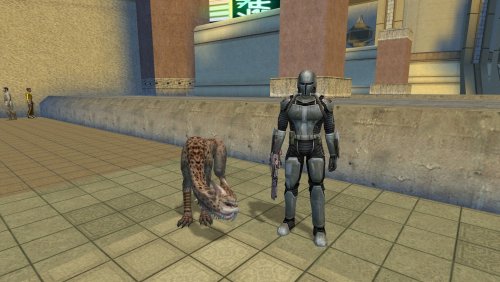
Version 1.1.0
245 downloads
Give the Mand'alor a companion worthy of his station. This mod adds a unique Maalraas, named Galaar (Mando'a for "Hawk"), as a permanent and interactive companion for Mandalore. I've always loved Mandalore as a character but felt he was lacking compared to other party members. This mod helps him stand out by giving him Galaar, a personal Maalraas that will follow him much like Bao-Dur's Remote, and one that will hopefully prove its worth in battle. But Galaar is more than just a follower; he's a character in his own right. His loyalty isn't given freely, it's earned through your actions and, most importantly, your relationship with Mandalore himself. To acquire Galaar, you must head to the Western Square on Onderon. There, you will find a Sullustan merchant named Kobbegg standing near a cage containing the beast. Speak to him, but be prepared to spend a considerable amount of credits for such a rare creature... or find another way to negotiate the price. Kobbegg's attitude and your options will change based on a choice you made long ago on Peragus. Features: A Deeply Reactive Companion: Galaar is a fully interactive party member. You can speak with him aboard the Ebon Hawk and in the field. His demeanor and dialogue are not static; they are a direct reflection of your Influence with Mandalore, shifting from hostile wariness to absolute devotion. A Unique Judge of Character: Galaar forms his own opinions! Ask him what he thinks, and he'll give you his instinctual, animal-level read on every member of your crew. This includes everyone from Atton to HK-47, and even recognizes the GONK droid from my other mod, GONK and Loaded! He Senses Who You Are: Galaar's opinion of you is complex. He will comment on your chosen path, whether you are a Guardian, Sentinel, or Consular, and even recognize your Prestige Class. Furthermore, he intuitively senses your alignment, offering a unique perspective on your journey to the Light Side, Dark Side, or somewhere in between. Planetary Instincts: Galaar can sense the nature of each world you visit. Ask him how he feels on planets from the jungles of Dxun to the tombs of Korriban, and get a creature's-eye view of the galaxy. Lore-Friendly & Interactive Acquisition: The quest to get Galaar is a multi-layered conversation with the merchant Kobbegg, featuring persuasion, intimidation, and even Force-based solutions. Additional Merchant: Kobbegg also operates as a general merchant, selling armor, weapons, and implants. Seamless Integration: If you have my Customizing Droids mod installed, Kobbegg will also sell Droid Customization Kits. Notes: The mod can be installed at any time, but the encounter will only trigger before your first visit to the Western Square. TSLRCM is not required, but is always recommended. Credits: Princess Artemis, for Cati (inspiration) Fred Tetra, for KOTOR Tool TK102, for DLGEditor Torlack, stoffe & TK102, for NWNSSCOMP JdNoa & Dashus, for DeNCS Cortisol, for Holocron Toolset6 points -
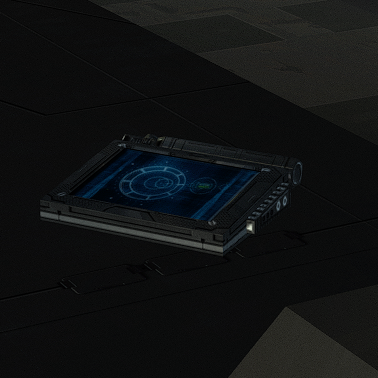
Version 1.0.0
284 downloads
New animated texture. To Install 1. Download 2. Copy all files to the Knights of the Old republic's Override folder. (Example location - C:\Program Files (x86)\Steam\steamapps\common\swkotor\Override) 3. When/if prompted to overwrite files, press okay. 4. If you like the mod; leave a comment or endorse! (It would be much appreciated) Made with love.6 points -
All of these textures you've been doing for KotOR1 have been wonderful. But I'm seeing a need that you haven't seemed willing to tackle: textures for KotOR2: The Sith Lords. Granted, there's a lot of overlap between many KotOR1 and TSL textures but I'd love to see you start on TSL specific textures. Whether it's for the new locations available there, the different heads for the PC characters, or the NPC team members, I am curious what you could come up for those textures. If anyone else agrees, drop a comment?6 points
-
Version 1.0.0
41 downloads
Revenge of Revan Upscales Created by: Sith Holocron Game: Knights of the Old Republic 2 (using Loagn23’s “Revenge of Revan” mod) Version 1.0 Uploaded: 08 JAN 2026 Description: The Revenge of Revan Reinterpretation mod was designed to upscale and/or enhance the many (oh so many) textures seen in the mod. For sake of my sanity, I’ll be abbreviating “Revenge of Revan” to ROR from here on. It is an extensive mod pack (as might be indicated by the size) but as seen listed below, it is not a complete overhaul. ROR uses textures from both KotOR1 and TSL. As there are already two fine upscale packages on Deadly Stream – and they both have liberal use policies – I was able to grab a bunch of upscales that already existed after renaming them to the ROR conventions. (See credits section for the other mods that were sourced.) Some of the ROR textures required new upscales as many of them are simply recolored vanilla textures and I didn’t want to manually recolor all of the original textures. Additionally, some of the textures in ROR are new or sourced from places outside the vanilla game. I’ve adjusted textures to my liking when I thought it would benefit the texture but I’ve mostly attempted to remain faithful to the – shall we say unique? - visual style of this mod. New upscales were (generally) set to upscale at 4 times the original size. The exceptions to this scaling are textures that would be larger than 2048 x 2048 if upscaled at 4x. As ROR is extensive and I didn’t have access to a beta team for this – screenshots excluded – so please report any textures that I may missed an alpha layer for. Feel free to post pictures of areas over in the Release thread but before you do so, please confirm that it’s for a texture that my mod actually includes. What’s not included and why: I have not upscaled the following categories of textures included with ROR: ROR’s Custom Skyboxes: Many of these are already near my self-imposed 2048 x 2048 limit. In my humble opinion, they would not benefit from upscaling. I skipped doing skyboxes as they are huge as they are and some of them were made by Kexikus so I didn't want to get involved messing with other people's work. Kexikus’ skyboxes are excellent as they are anyway. Many inventory Items and their icons, including clothing and weapons: These fall outside of the scope of my original plans. Others that concentrate work on these types of mods would a better choice than me for this. Portraits and Character skins: Characters and aliens (and their outfits), creature, droid textures for ROR were originally handled by Redrob41. As Redrob41 has been working on his own upscale and model fixes package for those categories for both K1 and TSL, he will presumably be handling those for ROR at some point. However, if any upscales/updates for ROR are done by him will likely not be released at any time soon so please don’t harass him about release dates – especially he hasn’t made any confirmation that he is working on such a thing. If you are interested in what this mod doesn’t cover, you can always request other folks to work on it/them in the Mod Requests section on Deadly Stream. I wish you the best of luck with that. Installation: Make sure Revenge of Revan is correctly installed first. This may seem obvious but let’s cover all bases. Optional Step: If you’re going to use a different package to cover the rest of the textures for TSL that ROR doesn’t include, install that before installing my textures. You’ll want to use TGA versions of these other mods in this particular case. At this time, I have no particular preference for any of the packages but I’m sure you can find files for these on Deadly Stream. Additionally, discussion on this subject can be found (or started anew) on the KOTOR Discord. Now, please drop all of the upscaled TGA and TXI files and the one TPC file included in this mod into your Override folder. There shouldn’t be any overlap between files but if there are, allow my versions to overwrite what’s there. This is why I wanted you to use TGA versions rather than TPC versions in the optional step. Credits: All upscaling done by Topaz Gigapixel. Manual adjustments afterwards done by me. Thanks to N-DReW25 for the screenshots of the upscale package in action. Thanks to Fair Strides for texture feedback and moral support. Legal Disclaimer: All materials and copyrights belong to LucasArts, Bioware and Obsidian Entertainment Inc. I own none of the materials, and I'm not making any money out of this mod. This mod is not to be distributed for profit, either. I hereby state that I specifically do NOT wish this mod to be uploaded to Steam Workshop. With the current state of NexusMods claiming mods as their property. it is unlikely for me that I’ll upload this mod over there. With that, Deadly Stream will be your one place to download this collection. Usage of my textures in other mods must be requested and approved by me before your use.6 points -
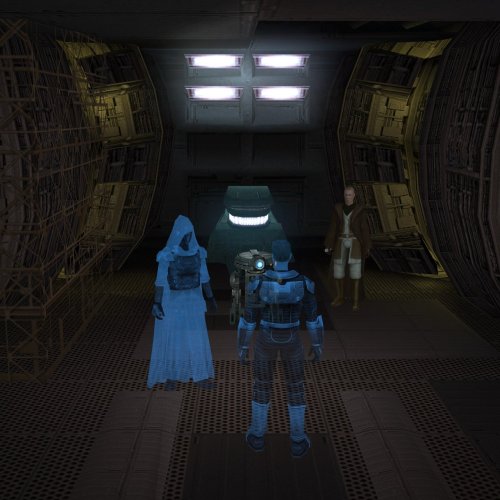
Version 1.0.1
300 downloads
Changes the appearance of the Revan hologram in TSLRCM to reflect your dialogue choices at the beginning of the game. SUMMARY TSLRCM restores a cutscene featuring a hologram recording of Revan. The scene is slightly different depending on your dialogue choices at the start of the game. However, no matter what you choose, Revan still appears in their Sith Lord getup. With this mod, if you chose the LS option at the beginning of the game, Revan will now appear in masked Star Forge robes. This mod also adjusts the orientation of some of the characters to make the scene look a little more natural. TSLRCM is required to use this mod. INSTALLATION Make sure TSLRCM is installed. Run HoloPatcher.exe to install the mod. Unaltered copies of any modified files will be placed inside the "backup" folder in the location of HoloPatcher.exe. UNINSTALLATION Remove appearance.2da, a_t3_candrec.ncs, revanholo_light.utc, and jedirevanholo.tga from override. If any files were created inside the backup folder, move them to override. COMPATIBILITY Compatible with and dependent on TSLRCM. Should be compatible with any other mods as long they don’t modify the affected cutscene, specifically the script a_t3_candrec.ncs. PERMISSIONS Feel free to use this mod however you want as long as the credits listed below are included. CREDITS offthegridmorty L0ki194 - base for Star Forge Robes texture (Star Forge Robes Texture Enhancement) zbyl2, DarthStoney, Hassat Hunter, VarsityPuppet - TSLRCM and original a_t3_candrec script HoloPatcher - Cortisol, th3w1zard1 TSLPatcher - stoffe, Fair Strides KOTOR Tool - Fred Tetra K-GFF - tk1026 points -
Version 2.0.0
104 downloads
Adds snow to Dantooine, Duxn, Telos. Grass got a haircut.6 points -
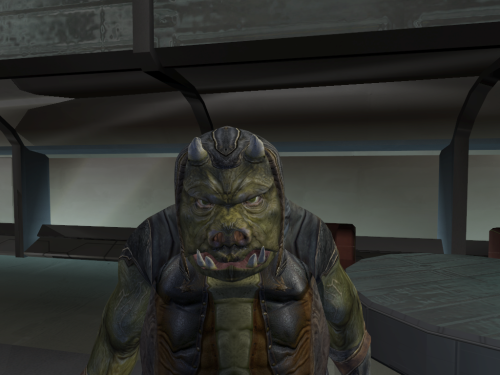
Version 1.0.0
231 downloads
I modified the mesh. The textures are not included they are a custom upscaled version of this great mod https://www.nexusmods.com/kotor/mods/1730 The textures names are C_Gammorean_Low, C_Gammorean_01,C_Gammorean_02,C_Gammorean_03,C_Gammorean_046 points -
Two demos in one day! In this one I show, kotor 1 working with more than 256 rows in placeables 2DA (something that previously wasn't possible).6 points
-
Version 2.2.7
319 downloads
## Quick Setup 1. Download the Latest Archive version of **Mod Organizer 2 Beta 2.5.3** from the MO2 Discord and extract it somewhere with plenty of free space. 2. Download the **KOTORganizer plugin** and extract it into your MO2 folder. 3. Launch MO2 and complete the first-time setup: * Choose **KOTOR** or **KOTOR 2** as the game. * Choose **portable instance**. * Login to your nexus account, in the settings. 4. Open the **Sync** tab on the right side of MO2. 5. Click **Refresh** to pull the latest mod build instructions. 6. Click **Download All** and wait for the downloads to finish. * Some downloads will open in your browser and require you to click the download button manually. 7. Once all downloads are finished, click **Refresh** again to validate the files. * If any files are missing or mismatched, download them again. 8. When all files are validated, click **Sync** to install the mod list. * This may take some time. * The process is complete when the patcher window shows the final error and warning count. 9. Click **Run** to start the game. NOTE: The following are not included and will need to be patched/installed manually: - Widescreen Patches for KOTOR - 4GB patches for both games - 3C-FD Patcher for KOTOR2 - Upscaled Movies for KOTOR and KOTOR2 KOTORganizer MO2 Plugin KOTORganizer extends Mod Organizer 2 for both STAR WARS Knights of the Old Republic and STAR WARS Knights of the Old Republic II: The Sith Lords. Why Mod Organizer 2? Mod Organizer 2 already provides a stable foundation for mod management across many games. Extending it for Star Wars: Knights of the Old Republic and Star Wars: Knights of the Old Republic II: The Sith Lords gives KOTOR modding access to MO2’s biggest strength: the virtual file system. With MO2, the game sees modded files as if they are in the game directory, while the real game folder stays untouched. This keeps the base install closer to vanilla, makes mods easier to enable or disable, and gives better visibility into how files overlap or conflict. MO2 does have a learning curve, but for advanced KOTOR/KOTOR2 builds, the extra structure is worth it. Who Is This For? This plugin is mainly intended for larger KOTOR/KOTOR2 mod builds, repeatable installs, and users who want better insight into file conflicts. An auto downloader and installer is included to easily deply the Mod Builds from https://kotor.neocities.org/ If you only install a few simple loose-file mods, this may be more tool than you need. If you are building a large mod list with many TSLPatcher mods, texture overrides, and compatibility concerns, MO2 provides a much cleaner workflow. Installing Mod Organizer 2.5.3 Beta is required. The current unreleased beta builds include features that KOTOR support depends on. A beta build can be acquired from the Mod Organizer 2 Discord in the dev-build channel. Development has been more active recently, so an official release should be available soon. Once you download and extract MO2, download and extract KOTORganizer to the MO2 directory. Launch ModOrganizer.exe and you can verify the plugin is loaded by opening the Info tab on the right. The sync tab can download and install the mod builds from https://kotor.neocities.org/ Texture Management KOTOR uses several texture-related file types, including .tpc, .tga, .dds, and .txi. MO2 normally only detects exact filename conflicts, but KOTOR has additional texture priority rules that can cause problems even when the extensions differ. The texture management tab helps bridge that gap. It detects conflicts across supported texture formats and highlights them by severity. The highest-severity conflicts are cases that may cause hard crashes in-game. Lower-severity warnings include cases where a .tpc takes priority over a .tga or .dds unexpectedly. An Auto Fix button is included to resolve supported texture conflicts based on the current MO2 mod priority order. TSLPatcher Management Many KOTOR mods use TSLPatcher-style installers instead of simple loose-file installs. The patcher tab lists enabled mods that contain a tslpatchdata folder and can consolidate their patched output into a single MO2-managed mod. Double-clicking a patcher mod shows more detail, including: the changes.ini parsed human-readable install actions detected conflicting patch actions the latest install log A test tab is also available for simulating or testing a single mod install before running the full patcher process. When the patcher process is run, enabled patcher-style mods are processed in priority order and consolidated into a [PATCHER FILES] mod in MO2’s left panel. Automatic Mod Deployment The sync tab is designed to help download, validate, and install mod builds that follow the instructions from the KOTOR Mod Builds site. The Refresh button pulls the latest instruction set and checks for missing files. Download All starts downloading missing mods in sequence. Nexus Mods downloads require logging in with a Nexus account inside MO2. Deadly Stream mods can be downloaded automatically when supported. Mods from other sources open in an Edge browser window, where the user only needs to click the download button. The browser window closes automatically after the download completes. Downloads can still fail. Servers can be slow, unavailable, or inconsistent, and some files may need to be retried manually. Once all files are validated through Refresh, the Sync button becomes available. Sync extracts the downloaded files, runs the multi-patcher, and applies supported texture conflict fixes. When the patcher summary appears with the number of errors and warnings, the process is complete. Manual Mod Installing KOTOR mods are often packed inconsistently. The plugin includes a KOTOR-specific mod data checker that recognizes common archive layouts and can fix many of them automatically. This is especially useful for loose-file mods and patcher-style archives that would otherwise require manual cleanup before MO2 can install them correctly. Steam Workshop Warning If the game is installed through Steam and Workshop content is detected, the plugin warns the user. The intended workflow is MO2-managed content, not a mixed MO2 plus Steam Workshop setup. Mixing both can make conflicts harder to understand and can lead to unexpected file priority issues. Save Support The plugin integrates the game’s saves folder into MO2. Save entries can show timestamps, basic metadata, and screenshot previews. Profile-specific saves can also be enabled through MO2 settings. Limitations This plugin is meant to reduce repetitive setup work, improve conflict visibility, and make large KOTOR/KOTOR2 builds easier to manage. It does not remove the need to read mod instructions. Mods with unusual installers, custom compatibility patches, manual edit requirements, or unsupported archive layouts may still require manual review.5 points -
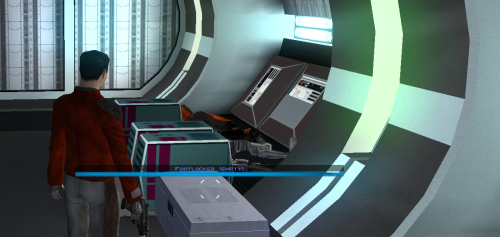
Version 1.0.1
304 downloads
Description Appends " (empty)" to the floating hover name of any container or lootable corpse that currently holds nothing. Now you can tell an empty footlocker from a full one at a glance without stopping to open it. Shows the moment you first see an initially-empty container. Updates live the instant you loot one empty, while you're still hovering over it. Covers lootable corpses too (KOTOR stores them as "Remains" containers) Installation instructions 1. Copy these three files into your KOTOR folder, next to `swkotor.exe` (typically `C:\Program Files (x86)\Steam\steamapps\common\swkotor\`): - MarkEmptyContainers.exe - Apply Container Patch.bat - Revert Container Patch.bat 2. Double-click `Apply Container Patch.bat`. It prints `SUCCESS` and makes a backup. Launch the game and enjoy. Uninstallation instructions 1. Double-click `Revert Container Patch.bat`. This restores `swkotor.exe` exactly as it was (from the backup it made: `swkotor.exe.MarkEmpty.bak`). Requirements Requires the KOTOR Editable Executable mod to allow the patcher to work. https://deadlystream.com/files/file/1320-kotor-editable-executable/5 points -
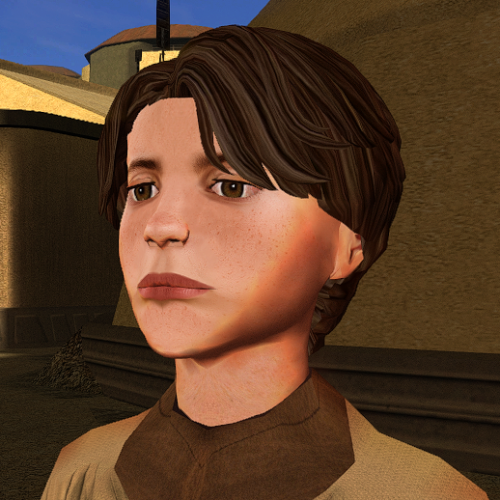
Version 1.0.0
71 downloads
The mod replaces the ChildM model and textures. To Install 1. Download: ChildM 2. Copy all files to the Knights of the Old republic's Override folder. (Example location - C:\Program Files (x86)\Steam\steamapps\common\swkotor\Override) 3. When/if prompted to overwrite files, press okay. 4. If you like the mod; leave a comment or endorse! (It would be much appreciated) Made with love.5 points -
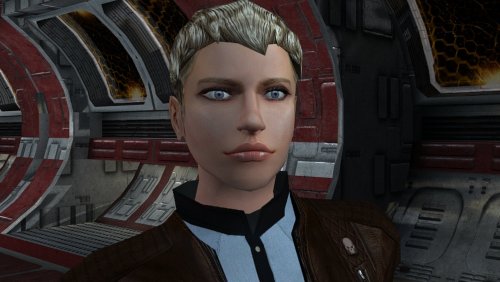
Version 1.0.0
112 downloads
The mod replaces the PFHC04 model and textures. To Install 1. Download: PFHC04 2. Copy all files to the Knights of the Old republic's Override folder. (Example location - C:\Program Files (x86)\Steam\steamapps\common\swkotor\Override) 3. When/if prompted to overwrite files, press okay. 4. If you like the mod; leave a comment or endorse! (It would be much appreciated) Made with love.5 points -
Version 1.0.0
29 downloads
Onderon Uniform Reformation A Mod for Star Wars Knights of The Old Republic II Author: Sith Holocron 1.0.0 Release Date: 29.08.2026 Description: Snigaroo (Doug Dimmadab on Kotor Discord) made a Mod Request thread for his Mod Build. (https://deadlystream.com/topic/10692-mod-build-request-thread-kotor-2/) His request was as follows: "I would absolutely love to see something equivalent for the Onderonian military, realistically portraying the various ranks of their officers and enlisted personnel. Obviously we don't see as much of the Onderonian military as we do the Sith in the original game, but I do think we see enough to make this worth it." Challenge accepted! You may be familiar with HeyOrange’s Sith Uniform Reformation mod. This mod aims to what that mod did but for TSL's Onderon officers and soldiers. The intention is for this mod to handle this integration through module injection. The thumbnails on the download page and the videos attached to this description should provide a good idea of how this mod looks. Installation: The Sith Lords Restored Content Mod 1.8.6 must be installed beforehand. Double click on the HoloPatcher.exe, select your Kotor II directory, select install, and wait for the mod to install. Incompatibilities: This mod will be incompatible with mods that use the textures for the Onderon soldiers and officers. If you encounter any issues with this mod, please tag both myself and N-DReW25. N-DReW25 did the lion's share of the technical stuff with this package and will be the primary person to assist. Though I only handled the textures itself, I'd also like to be informed of any possible technical issues even if I can't assist personally with them. Thanks to: N-DReW25: For setting up the HoloPatcher for me! Snigaroo/Doug Dimmadab: For the mod request - I hope this is what you were looking for! Obsidian Entertainment: For such an amazing sequel! Fred Tetra: For Kotor Tool! Cortisol: For the HoloPatcher! And everyone who downloads the mod! Exclamation point! Legal Disclaimer: THIS MODIFICATION IS NOT SUPPORTED BY BIOWARE/OBSIDIAN ENTERTAINMENT, LUCASARTS, DISNEY OR ANY LICENSERS/SPONSORS OF THE MENTIONED COMPANIES. USE OF THIS FILE IS AT YOUR OWN RISK AND THE ABOVE-MENTIONED COMPANIES OR THE AUTHOR IS NOT RESPONSIBLE FOR ANY DAMAGE CAUSED TO YOUR COMPUTER FOR THE USAGE OF THIS FILE. I own none of the materials, and I'm not making any money out of this mod. It is to be distributed as-is on Deadly Stream without alteration. This mod is not to be distributed for profit, either. If you see this mod being distributed elsewhere, please PM me about this. I hereby state that I specifically do NOT wish this mod to be uploaded to Steam Workshop. Ever. I may release this on NexusMods at a later date but I don't wish others to do so. Usage in other mods must be requested AND approved by me before your use. Messages that request permission without providing information on how your alternate version would be different than mine should be considered an instant denial of permission. Thieves need not apply. (You know who you are.) Videos:5 points -
Hey KotOR community, I need help. As you may know, I like making model and texture mods. My biggest weakness though, is actually packaging them up and releasing them. I'm sitting on a few small piles that I should just stop nitpicking and release them already. Since I don't check in very often, I fall out of the loop and so I have some questions which leads to option paralysis. Specialized Combat Suits HD I have made 4x upscale versions of my Combat Suits mod, so I'd like to replace the old one. The thing is, I don't know the best way to group the files for the end users. I want to have versions for 4x tga files (2048x2048 px), 4x tpc files, and 2x tpc files. Should I make three separate mod releases or combine them into one 7zip download and ask the user to pick their preferred files? What size icons should I include 128px or 64px? I don't know if there are issues with the icons depending on if someone is using upscaled and/or widescreen menus or maybe it doesn't matter? I do plan on releasing separate K1 and TSL versions. There are eight combat suits to choose from. Here's a K1 sample: Here's a TSL sample: Any advice you have will help me with the Read-Me instructions.
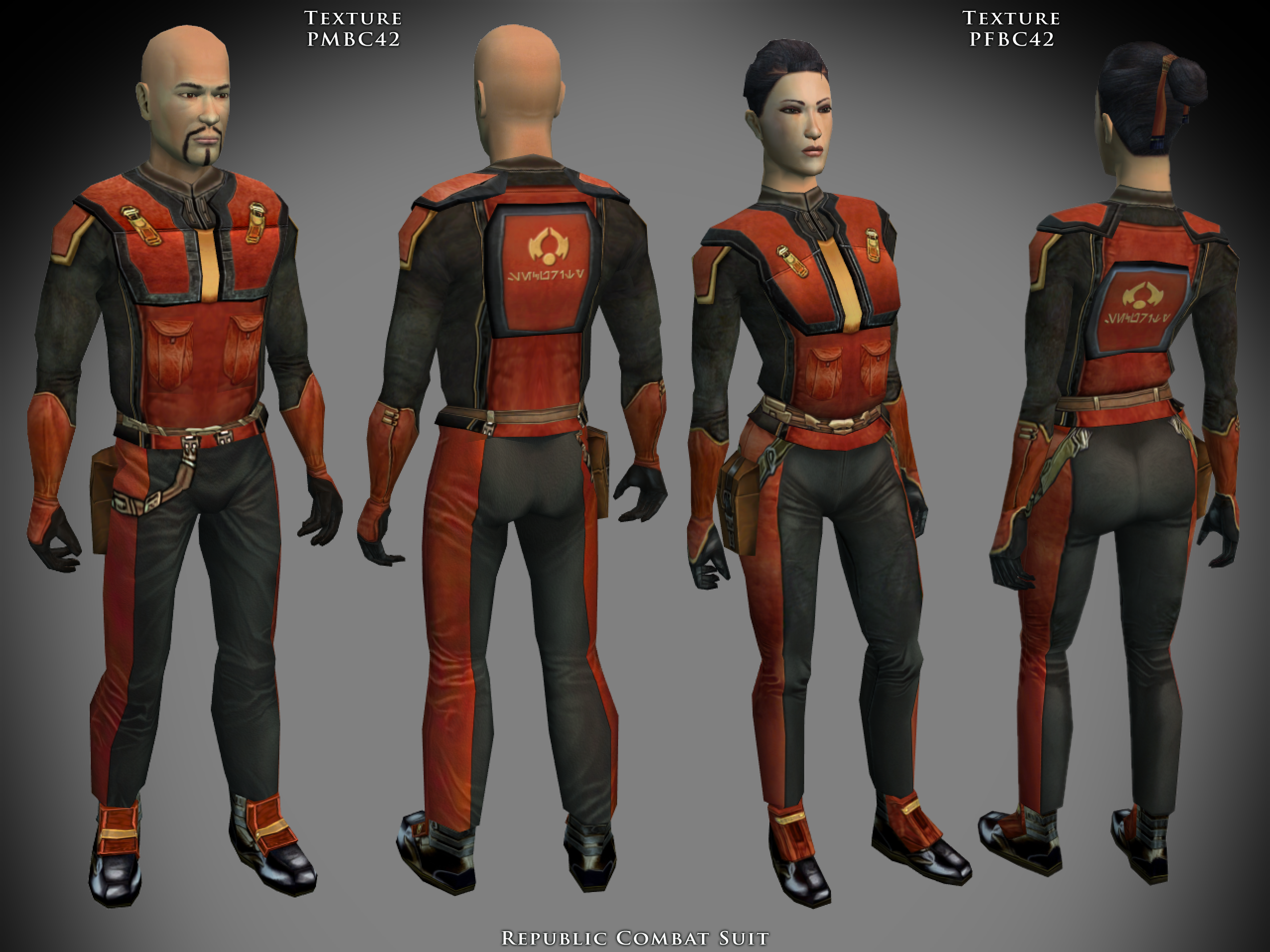
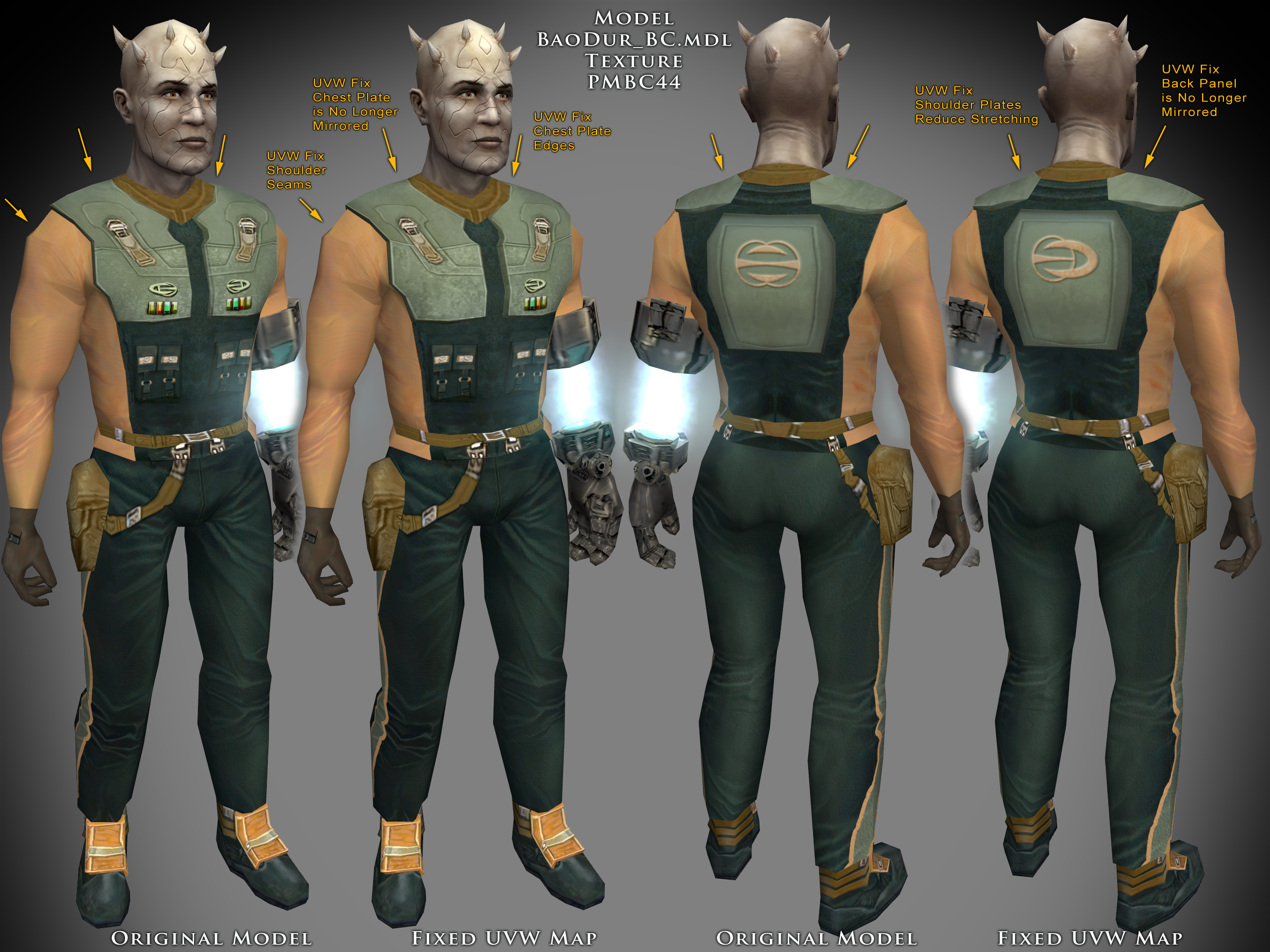 5 points
 -
Version 1.0.0
48 downloads
Removes inventory quantity check from free companion items, and makes companions give the items in bulk, instead of one at a time. Description Canderous, Jolee, Mission, T3-M4, and Zaalbar can all give you a selection of free items throughout the game. The way this works is obfuscated from the player, but with some trial and error, it becomes obvious that the system is rather poorly thought out, and encourages extremely degenerate gameplay to exploit it. After first boarding the Ebon Hawk, each of the companions can give up to 10 items (11 in the case of Canderous, Mission, and T3 for some reason). Every time a Star Map is found, this number increases by 20, up to 110 (or 111) items in total. However, if you have more than 10 of the appropriate items, you can also not receive an item. This can be circumvented by dumping the items into a container, or selling them, and talking to the companion again. This extremely annoying. This mod removes the check for the having too many of the given item already in the party inventory. This mean you will no longer have to dump your inventory items in a container to maximize the amount of items you receive. This does not change the total or type of items, it just removes the busywork required to get them. This mod also makes the companions give all of their items in bulk, instead of one at a time. Previously, you only received one item, and would have to repeatedly speak to the companion and ask them for items, until they refused you, to know that you had reached the item limit. This represents 553 conversations of wasted time (not including the conversation where the companions refuse to give you the items). It is now much faster to actually get these items. Canderous has special dialogue based on which items he gives you. He will still play that line, but as he now gives you multiple items as random, this line doesn't actually reflect anything. Similarly the player will still ask for one item, and the companions will respond as if one item was given. I will not be changing that, this is just a convenience mod. There are optional files available to make Zaalbar and Canderous choose a single item type at random, and give only items of that type, instead of randomly choosing which item type to give for each individual item, leading to a relatively even variety. Canderous was originally going to give Battle Stims, in addition to the Adrenals he gives in the vanilla game, and by default he still checked to see if the player had Battle Stims in there inventory when determining whether they were eligible to receive Adrenals. There is an optional file to restore this Battle Stim functionality, making Canderous randomly give Battle Stims in addition to Adrenals. This will not work with the Single Item Type optional, as Canderous' dialogue is not setup to support it. Install/Uninstall Copy the contents of the 0 - Install folder to your game folder. You can copy the contents of one of the 1 - Canderous **** optional folders, if you want that functionality. You can only choose 1 of these You can copy the contents of the 2 - Zaalbar Single Type Items if you want that functionality. Compatibility Will be compatible with all mods that don't make edits to the companion item distribution system. This mod doesn't edit any dialogue, only the underlying scripts. Recommended Mods KotOR 1 Community Patch is strongly recommended. Special Thanks/Acknowledgements KOTOR Tool – Fred Tetra DeNCS – JdNoa & Dashus DLGEditor – tk102 K-GFF – tk102 TSL Patcher – stoffe KotOR Scripting Tool - Blue Holocron Toolset– Cortisol & th3w1zard1 Mirrors Nexus ModPub Other Links Nexus ModPub Deadlystream YouTube Twitch Discord Twitter darth@darthbdaman.com Less Annoying Freebies by darthbdaman is a trivial modification and does not have a copyright license5 points -
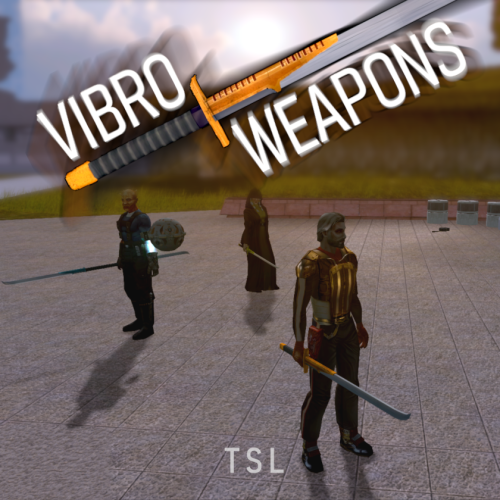
Version 1.0.0
433 downloads
Vibro Weapons with vibration effects. All vanilla vibroswords, vibroblades, and vibro double-blades updated. Toasty Fresh vibro models were used as a base and each texture was color matched to the vanilla style. Vibrocutter and Ludo Kressh's War Sword now have their own unique textures and icons. Vibration and motion blur effects were added to the blades. 4 Vibroblades Vibrocutter - vibrocutter Vibroblade - w_melee_05 Zabrak Vibroblade - w_melee_10 Tehk'la Blade - w_melee_27 3 Vibroswords Vibrosword - w_melee_06 Echani Vibrosword - w_melee_21 Sith Tremor Sword - w_melee_22 5 Vibro Double- Blades Sith War Sword - w_melee_12 Vibro Double-Blade - w_melee_15 Trandoshan Double-Blade - w_melee_20 Zhaboka - w_melee_28 Ludo Kressh's War Sword - w_melee_x12 Credit: KoTOR Weapon Model Overhaul by Toasty Fresh - 3 models/textures were used as base KOTOR Blender5 points -
Hey everyone! I'm ShaolinGhost, a second-year Game Design student at AAU finishing my bachelor's degree and moving onto my Masters this year. I'm working on both of these tools as part of my thesis project, and I'm super excited to share what I've been building. Why I'm Making This KotOR isn't just my favorite game. It literally shaped how I see video games and the world. I played it when I was a kid, and it's stuck with me ever since. That's the whole reason I want to do this: give modders and game devs a toolkit that actually feels like real game development software. Right now, modding KotOR is awesome, but the tools are spread all over the place. You bounce between different programs, learn different interfaces, and it's honestly kind of a pain. I want to fix that. My goal is to bring KotOR modding and the game itself to Unity with a professional-grade modding kit. Two tools that work together perfectly: GhostRigger-K1-K2 — Your all-in-one 3D model editor (import/export, rigging, texturing, the whole pipeline) GhostScripter-K1-K2 — Your IDE for writing quests, dialogues, scripts, and managing everything else Both tools are built to feel like actual game development software based purely off of my experience using things like RizomUV, Zbrush, Maya, Topogun, Acurig, UnrealEngine etc. clean dark theme, intuitive layouts, everything in one place. What GhostRigger Can Do Browse and load any KotOR model directly from your game files Real-time 3D viewport with orbit, pan, zoom, and wireframe view Import your own models from OBJ or FBX (sculpt in ZBrush/Maya, bring it in) Auto-rigging to KotOR skeleton templates Manual Rigging in the tool supported Export back to KotOR format, compile, and test in seconds Handle all your textures (TGA → TPC conversion, UV viewing, the works) Basically: Sculpt your stuff outside, import it clean, and let GhostRigger handle the KotOR technical stuff. What GhostScripter Can Do Script Editor — Write NWScript with full syntax highlighting, auto-complete, and a built-in function reference Dialogue Editor — Build dialogue trees visually with a node-based graph (way easier than text editors) Quest Builder — Templates that scaffold out quests automatically with the right variable names and structure 2DA Manager — Edit spreadsheets like globalcat.2da without pain One-Click Export — Push your mod straight to the override folder or package it as an ERF It all connects together. You can even rig models in GhostRigger, and GhostScripter will automatically pull them in. What I'm Looking For I want to make sure these tools actually solve real problems for modders. So I'm opening this up for feedback: For GhostRigger: What features would make rigging faster for you? Are there things you wish you could do that other tools make hard? What about the workflow? Does the architecture I stated so far feel natural? For GhostScripter: Should I add a visual quest state editor, or is the current form good? Would a script dependency checker (find broken references) be useful? What about integrating a decompiler so you can edit existing mods? Any other QoL features you'd want in an IDE? Drop your thoughts in the replies! I'm building this for the community, and I want to make sure it's something you'll actually use. Timeline & Release Right now, both tools are functional and I'm actively testing them. Once I've verified that all the core features work smoothly and reliably, I'll release them for public use and testing. I want to make sure they're stable and solid before I put them in your hands. I'll keep you posted on progress, and when they're ready, you'll be the first to know!


 5 points
 -
Version 2.0
892 downloads
Covers regular, short and doubleblade lightsabers Vanilla colors + JCs Extra Saber Colors In the base game, every lightsaber you find has the same hilt model. My goal was to add some variability to the lightsaber hilts while also fitting within Kotor's engine limitations. Hilts are still tied to crystal color but should give the illusion that every saber hilt isn't exactly the same. The Blade I have rebuilt the original blade model, so that JC's Lightsaber Visual Effects for K1 is compatible (and recommended). The blades are now perfectly symmetrical after some UV editing. I also fixed a bug where some models didn't render all of the blade planes. A glowing light source has been added to each blade thanks to Crazy34's Light saber models. The Hilt I started with a base hilt design and then tweaked each one to have a slightly different shaped grip, emitter, and pummel. One hilt shouldn't stand out or overshadow the design of the others. Hopefully they feel like they belong. Hilts are completed for each crystal color. I added a custom hilt for Malak as well. Install Steps: - JC's Lightsaber Visual Effects for K1 is recommended. The glowing light colors were made to match these. - Extract and copy main mod files to override directory - Alternative texture is also in the downloads, with less gold/bronze - for the extra colors install JC's Extra Saber Colors first and then extra colors from this mod. Overwrite when asked. To-do - rework the texture, the lines render differently in K1 vs K2 Credits: - Crazy34's Light saber models for the glowing light effect - JC's Lightsaber Visual Effects for K1, amazing blade texture, I matched the glowing effect to work with these - JC's Extra Saber Colors for K1, glow effect color matched to be compatible5 points -
Version 1.0.0
127 downloads
Description: The Plateau in the polar region of Telos always felt like you were meant to be kind of lost and blind finding the entrance to the Polar Academy. I think the fog helps with that, even though you know the area from playing before. I've also done a loading screen and edited the map so it seems like the crashed shuttle and Academy entrance are your landmarks. Installation: If you're playing with the Aspyr Patch, I'd recommend using J's 3C-FD Patcher to fix fog for TSL. Just drop the files after extracting the .zip archive into your override folder. The .are is necessary for the fog, but lbl_map261tel.tga and load_261tel.tga aren't required for the fog to function. Delete/overwrite any files with the same name. Credits: Holocron Toolset by Cortisol JC's Loadscreen template modders resource GIMP5 points -
Version 1.0.0
186 downloads
Higher poly model for the plasma torch, with ambient light effects. Also adds HD texture with reflective metal material.5 points -
For those who are hungry for updates, thanks for all the kind words and support. As holidays are around the corner, my free-time has been a bit taxed lately as I strike the balance between KotOR things and spending time with my and my fiance's family. (Not to mention keeping up with my real job 😬) However, I did spend some time formalizing some of the various "wishlist" features, as well as other pending investigations within the repository issues view. Most upcoming work on my radar for this project is of the unexciting sort. I want to adjust the way I'm modelling game objects in the patching framework to better reflect the underlying inheritance in the base game (i.e. Functions that take a CSWCObject can accept a CSWCCreature, which is derivative, as valid input, etc). I also want to improve/expand the address database system. Right now, they're being stored in plain-text TOML format, which is fine at the current scale, but as this project has grown, this system is already becoming unwieldy. I'm looking to swap to using SQLIte, such that we can have efficient, live, swappable local databases that we can just dump address data directly out Ghidra into. Finally, kotor 2 reverse engineering just needs more work. Kotor 1 is in a great place, such that if we were only targeting that game, I could really accelerate this project. But since I'm endeavoring to provide a solid framework for both games, some TL&C is required to get kotor 2 at least somewhat up to speed. I likley will be giving DarthOuroboros's GhidraMCP suggestion a shot to see if that can accelerate things more here. As a lot of the work to be done is mostly comparative reverse engineering, which I hope falls into the low-complexity class of problem that AI typically excels at. As always let me know if there are any questions or suggestions! P.S. @ajdrenter Galaxy map stuff would be pretty interesting, I've added an issue for me to investigate that at some point in the future. Thanks for the suggestion!5 points
-
Vurt's TSL Visual Resurgence at Star Wars Knights of the Old Republic 2 - Mods and community Please report bugs. * This is v0.5 which means this is not a finished mod, but finished enough to test and give feedback. * The mod contains 2900+ textures, recreated with my AI model, photos and a lot of photoshop. 4X the resolution (usually) of the original textures.
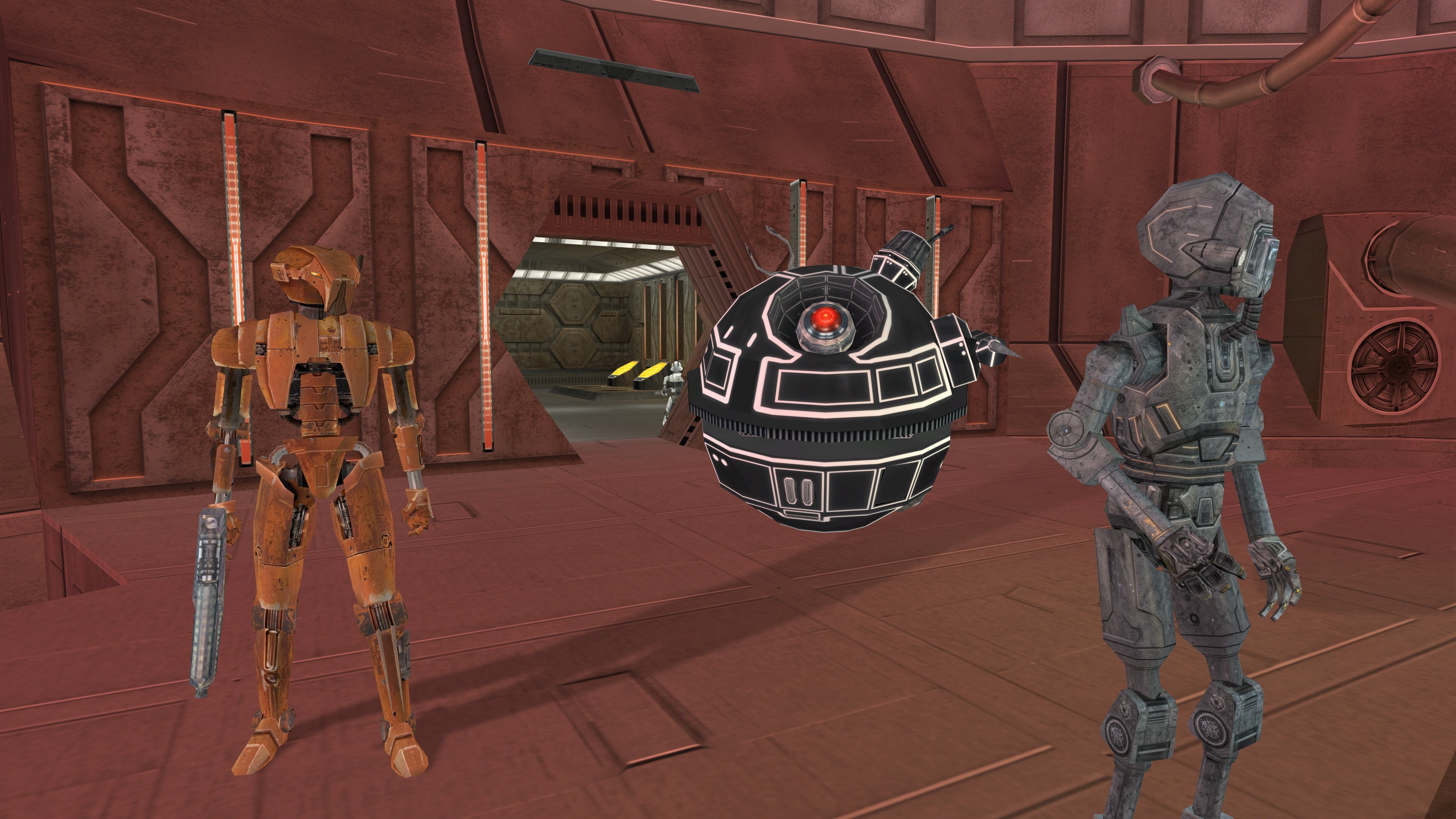
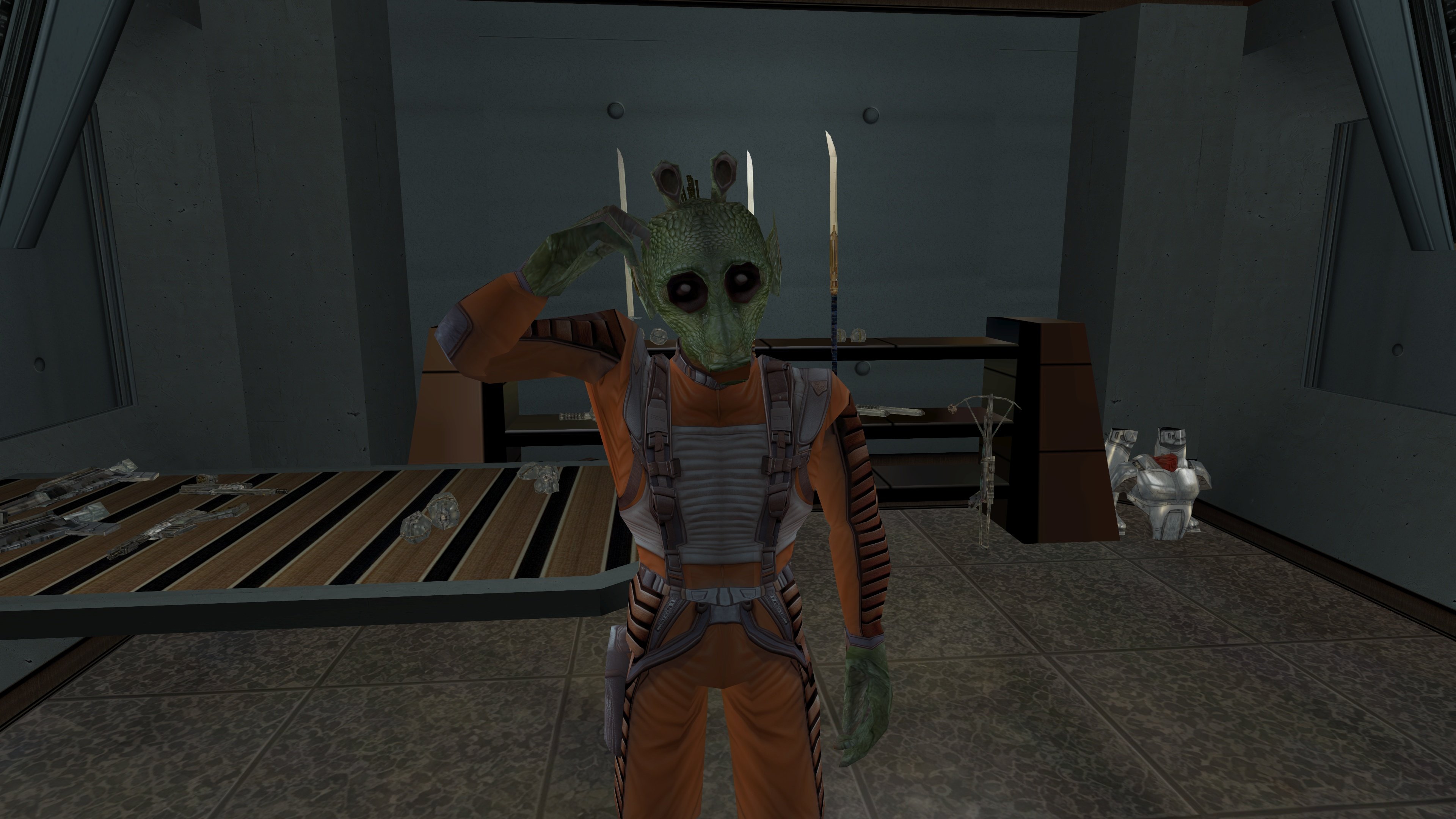
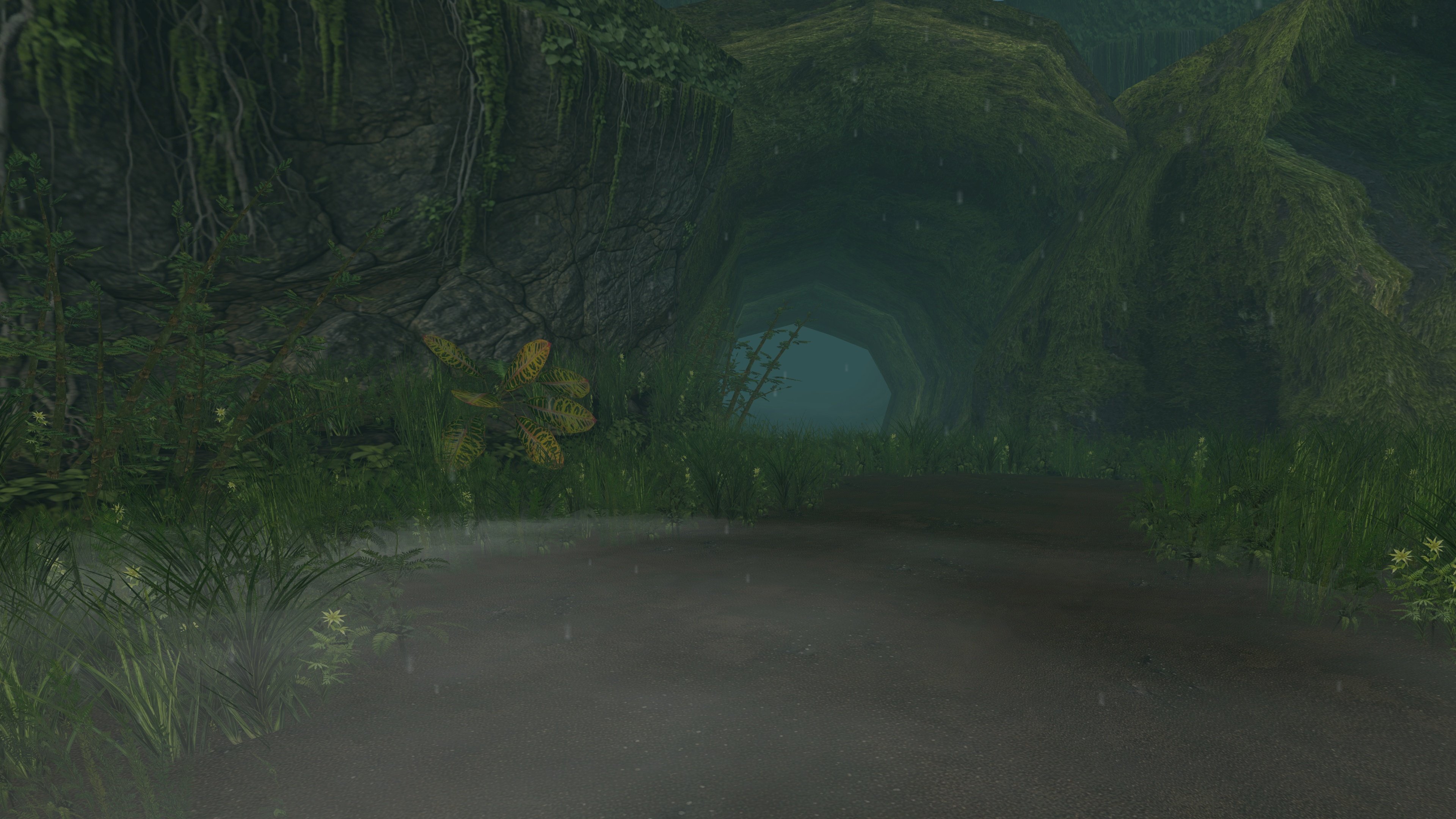
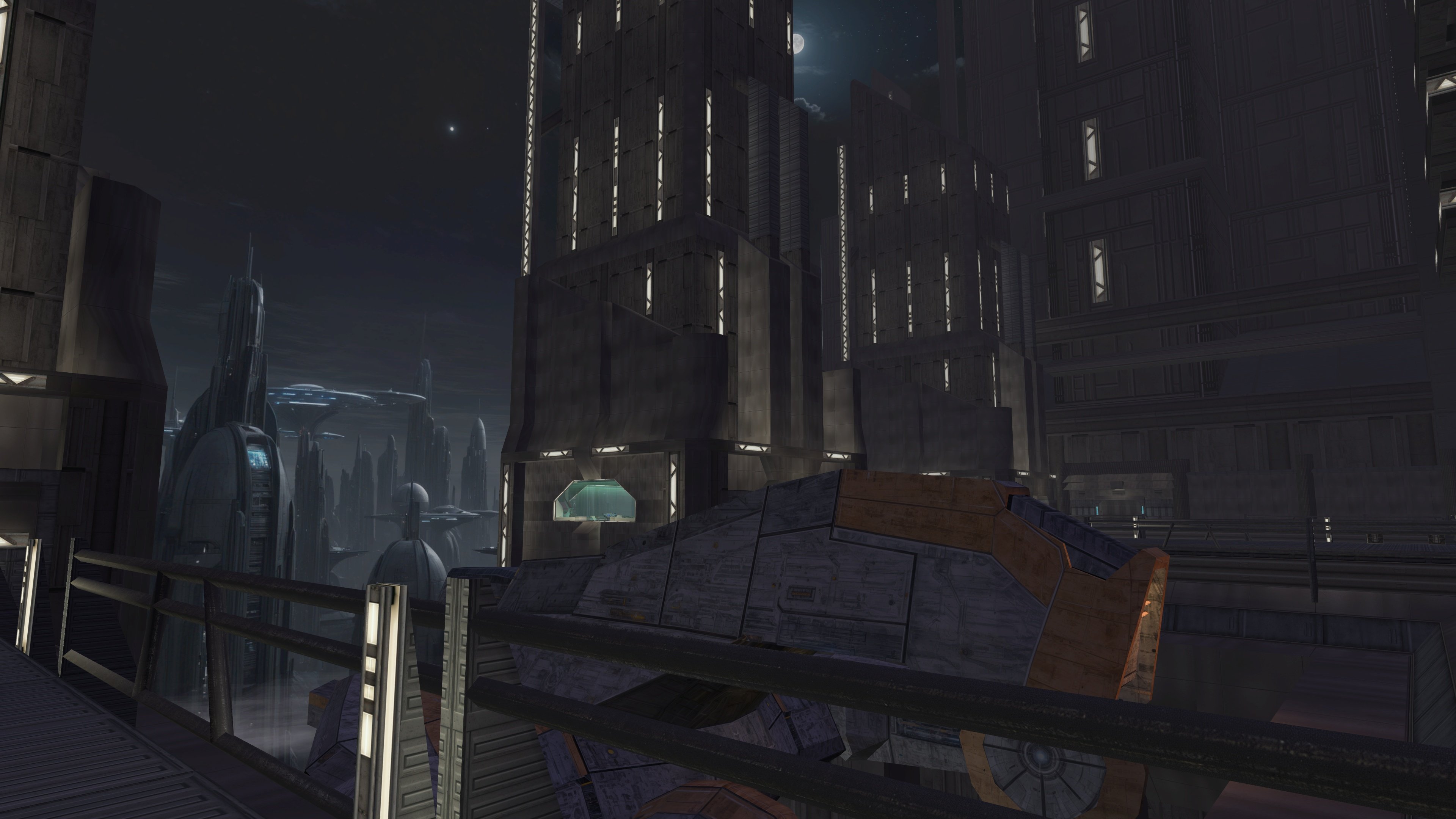
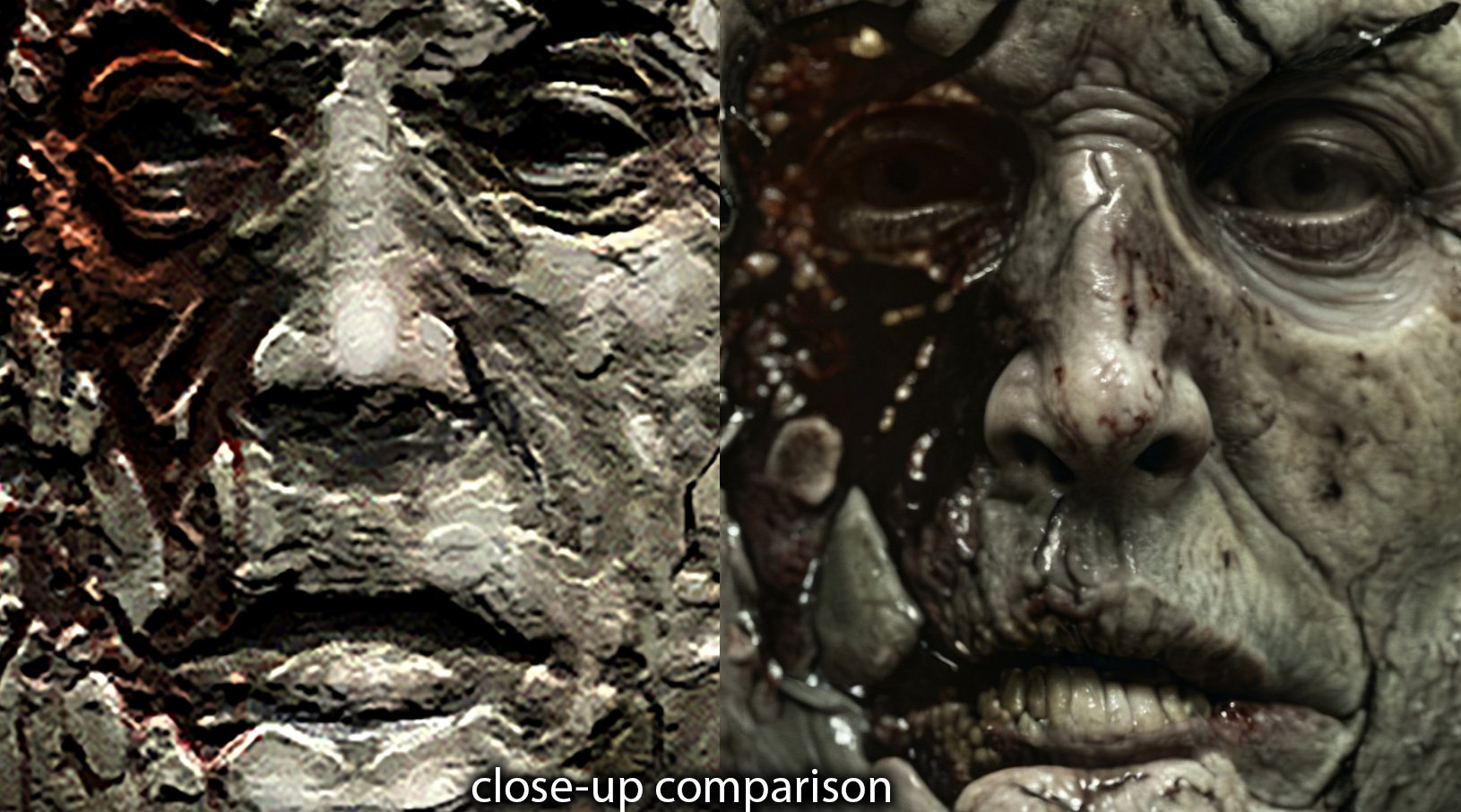
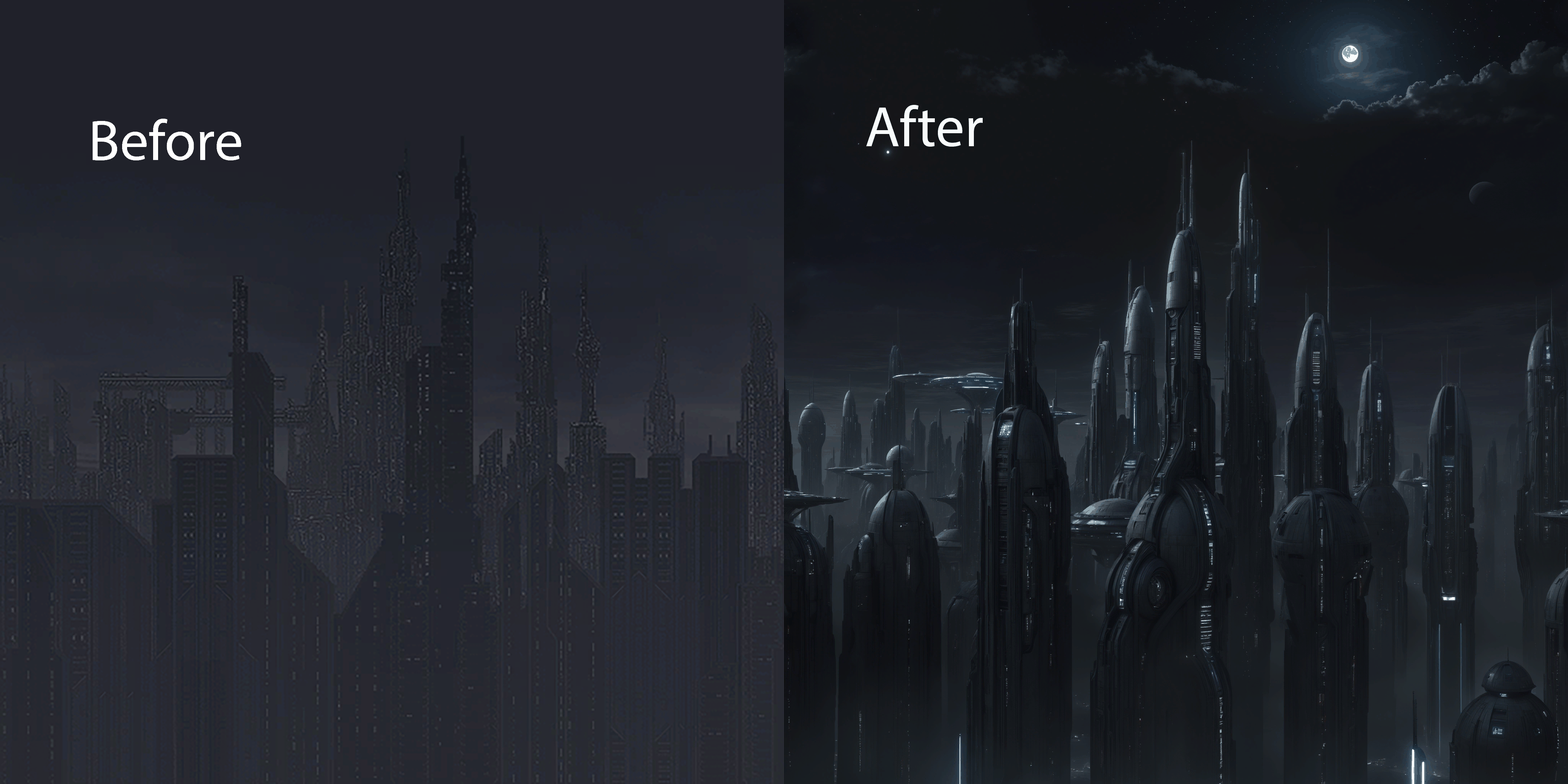
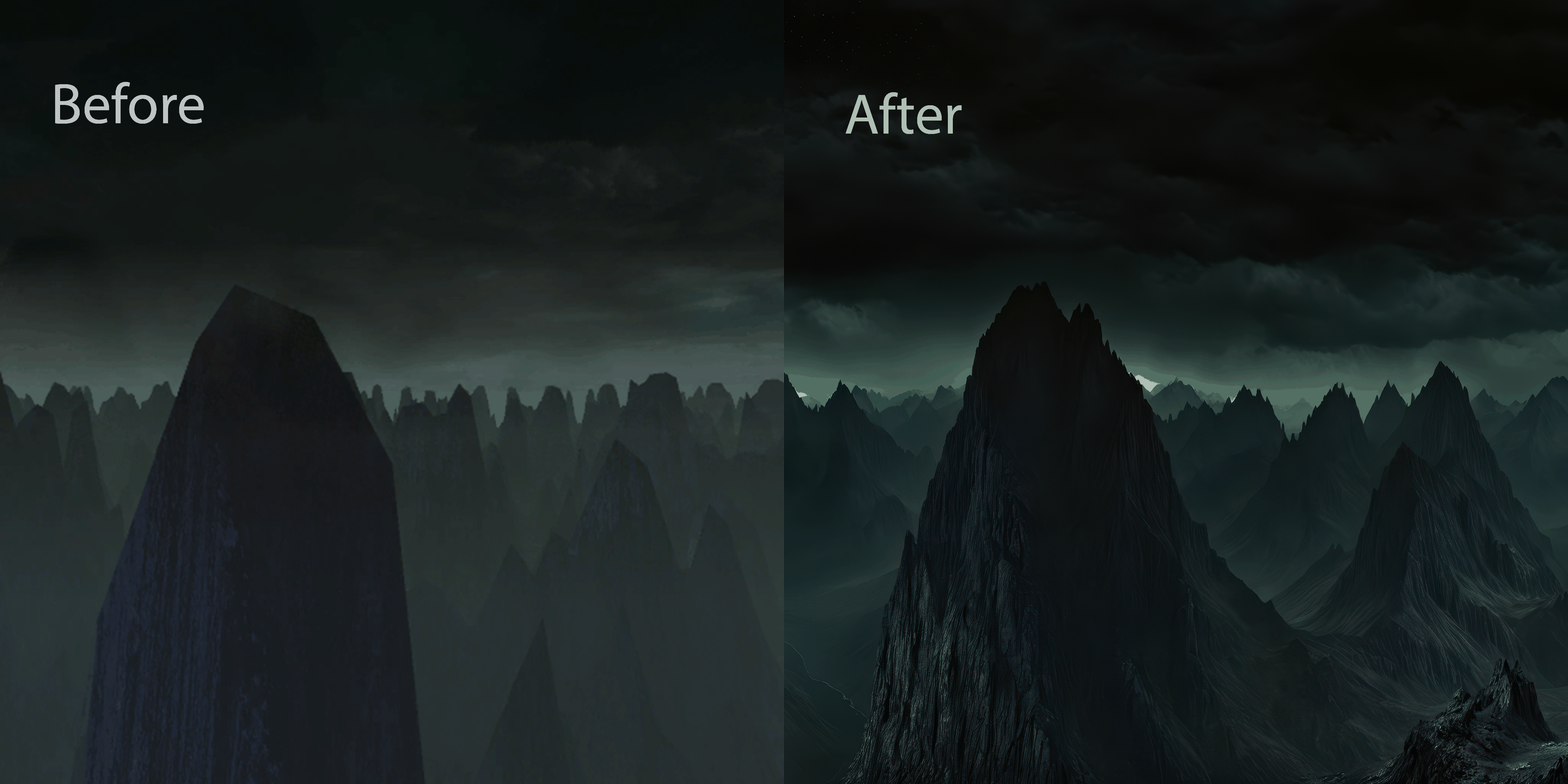
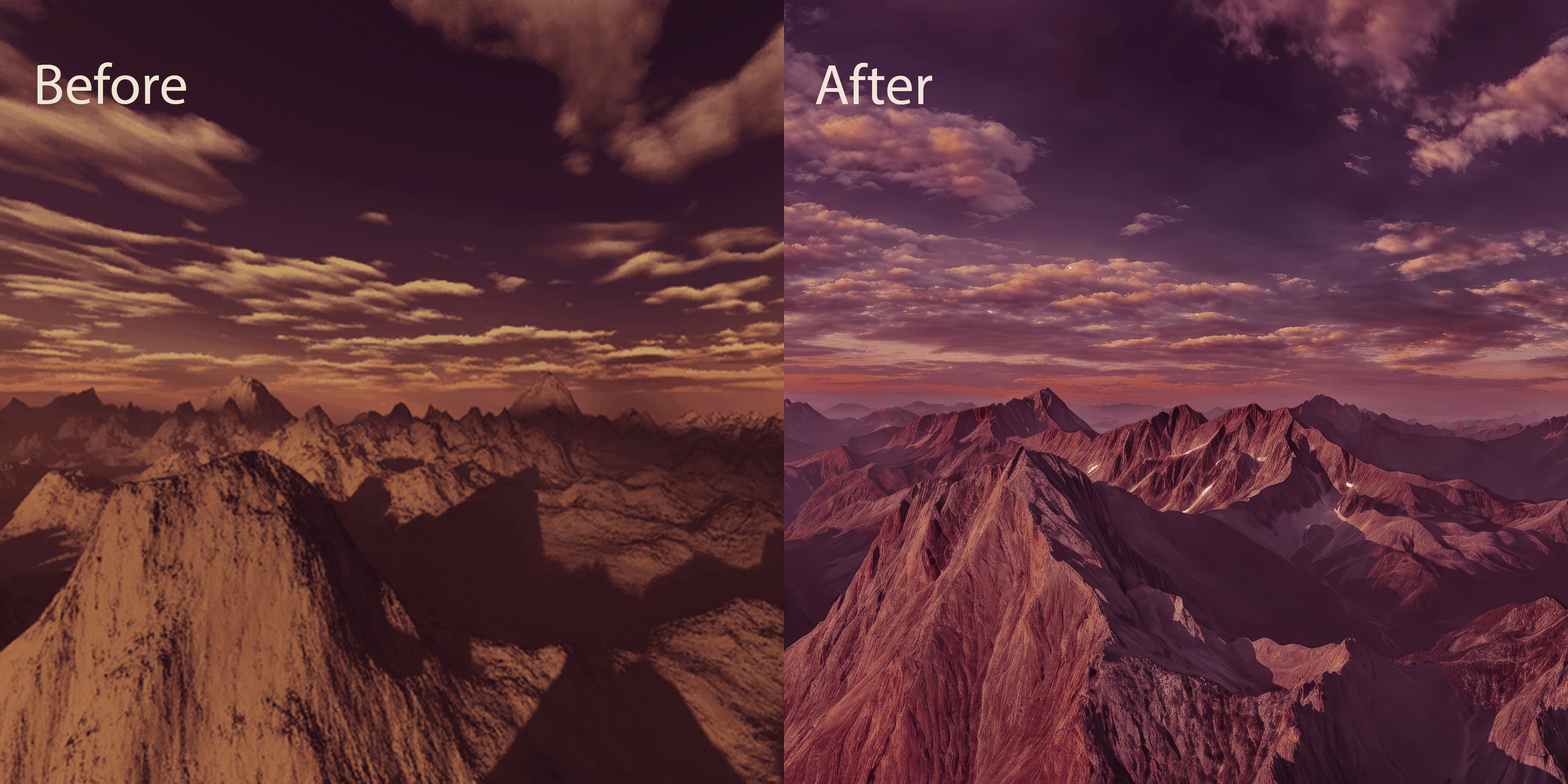 5 points
 -
Version 1.0.0
86 downloads
Simple Reskin - Malachor V KotOR2: TSL ------------------------------------------ Author: Kaidon Jorn October 2025 This mod is a simple reskin of the planet Malachor V All done with random textures from the internet. It's the second time I've attempted a planet or area reskin, so please, go easy on me. It may not be my forte, but I enjoyed making it anyway. Installation: Extract the .zip file to somewhere on your PC then just copy the subfolder to the game's Override folder. To uninstall just delete the folder from Override. Permissions: For personal use only, do not redistribute the contents herein. Thanks to the modders at DeadlyStream.com for teaching me how to mod the KotOR games and for hosting my mods. THIS MODIFICATION IS PROVIDED AS-IS AND IS NOT SUPPORTED BY BIOWARE/OBSIDIAN ENTERTAINMENT OR LUCASARTS OR ANY LICENSERS/SPONSORS OF THE MENTIONED COMPANIES. USE OF THIS FILE IS AT YOUR OWN RISK AND THE ABOVE MENTIONED COMPANIES OR THE AUTHOR IS NOT RESPONSIBLE FOR ANY DAMAGE CAUSED TO YOUR COMPUTER FOR THE USAGE OF THESE FILES.5 points -
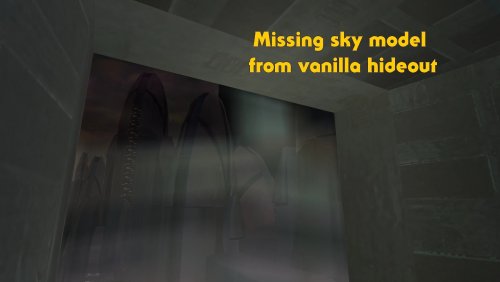
Version 1.0.0
6,111 downloads
High quality skyboxes model fixes v1.0 By Zobizob Description: Kexikus released this amazing skyboxes mod : High quality skyboxes, but while i was working on the models, i noticed there was a little problem with Taris exteriors. Some lights from the buildings were not animated anymore. While i was at it, i also noticed there was a problem with the hideout skybox (not caused by the mod tho, just a missing object in the model from vanilla). Everything is fixed now. Work done and disclaimer : All the vanilla lights animations from Taris buildings are animated again The skybox in the hideout is fixed Install Kexikus mod first, then drop my files into override and replace when asked. Credit: Kexikus for the original High quality skyboxes mod. Kotor discord channel for insights on developping mods for this awesome game. Permissions: You shall not use this into your own work without asking Kexikus authorization, as he is the original authors. I only fixed the models, nothing else. Legal: THIS MODIFICATION IS PROVIDED AS-IS AND IS NOT SUPPORTED BY BIOWARE/OBSIDIAN ENTERTAINMENT, LUCASARTS, DISNEY OR ANY LICENSERS/SPONSORS OF THE MENTIONED COMPANIES. USE OF THIS FILE IS AT YOUR OWN RISK AND THE ABOVE MENTIONED COMPANIES OR THE AUTHOR IS NOT RESPONSIBLE FOR ANY DAMAGE CAUSED TO YOUR COMPUTER FOR THE USAGE OF THIS FILE.5 points
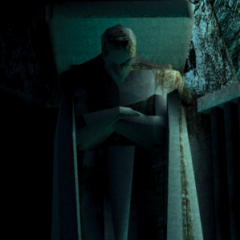
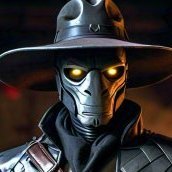






.thumb.png.d8b108d1620cfd7d697f7271e60714db.png)