All Activity
- Past hour
-
 TheRebellion joined the community
 - Today
-
 I'm really thrilled. Originally, to make these modifications, you had to download a lot of texture packs and apply various patches—and in the correct order, too. With this patch, it's much more convenient, and it works without a hitch. I'd also recommend these two texture mods to round out the result. https://www.nexusmods.com/kotor/mods/1556 https://www.nexusmods.com/kotor/mods/1873
 -
 TheoA joined the community
 -
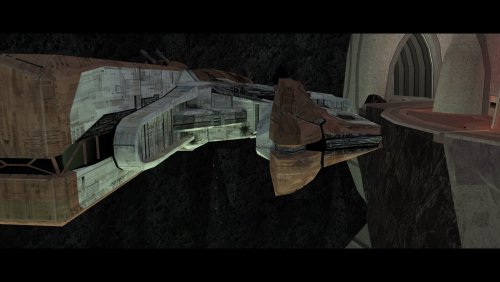 An absolute must have.
 -
 NOTQan joined the community
 -
 shinenolr joined the community
 -
 🔍 Technical Analysis: Resolving the Vanilla Lightsaber Hilt Bug in KotOR I & II 🛠️ Troubleshooting Overview & Context Tools Utilized: 💻 KotOR Blender, 🛠️ KotOR Tool, and 🔢 Hex Editing. Investment: ⏱️ Lots of hours. Core Discovery: 🎯 Most definitely a legitimate bug or glitch, and glad someone else raised the subject. It's certainly possible somehow, but it requires somebody with greater modding knowledge. The error was pinpointed as emanating not from blade textures, but strictly from the hilt models. 📊 Comparative Analysis: Model A vs. Model B The effort was organized like this: Model A: Colors: 🔵 Blue, 🟢 Green, 🔴 Red, 🟡 Yellow, and Bronze (introduced via TSLRCM). Status: ⚠️ Broken/glitched. Less bright from behind. Brighter at the front with straighter blade geometry only at the front. Model B: Colors: 🟠 Orange/HOTG, 🩵 Cyan/MOTF, 🟣 Purple, plus Silver and Viridian (under KotOR 2). Status: ✨ Appears normal from behind with a slight distortion (very minimal) from the front. The saber blades do not thin out but rather keep the same brightness at the back and front. ✨ This model is much nicer and perfectly acceptable as a vanilla lightsaber. 💡 Context Note: Within KotOR 2 we have Silver and Viridian under Model B. TSLRCM introduces bronze under Model A. To fix the cyan bug glitch, it will change to Model A. (loading in to new areas) 🚀 Conclusion & Next Steps The Final Verdict: 🏆 No doubts about it. Model B is your winner. Somebody just needs to get all the hilts on the same footing :) All the hilts should be changed under Model B. This provides a better visual from both behind and in front with very minimal distortion at the front. Overcoming Distortion: Alongside a model B conversion, depending on the various saber blade textures provided, one might be able to completely overcome the distortion. Perhaps certain animations or blade effects can produce the illusion that it's not there. Community Call to Action: The initial mod request was honest, upfront, and determined to find a fix. The lack of a constructive response—and telling the person behind those requests to do it themselves—was disappointing to discover when there are clearly people with the correct model-fixing expertise, such as leading Deadly Stream modders. It is unfortunate that vanilla lightsabers could have ended up as so much more, and fully resolving this requires a collaborative group effort rather than a single person's burden. 🙌 If any experienced modders fix the vanilla hilts, please upload and post the models for the community. Keep fixing bugs and glitches; stay on them like white on rice. Nobody wants bugs and glitches in their games. No drama, toxic comments, arguments, and disagreements. Please arrive at this fix with a committed effort and emotional maturity. I will not return/respond to negative comments and opposition towards a proven fact. The model A lightsaber hilts are broken and they need to be fixed. This bug/glitch should not exist for such a popular and well loved game. Thank you. May the force be with you.
 -
RonRheaBob76 joined the community
-
 mczxdovahkiin joined the community
 -
 Redfield81 joined the community
 -
 jubjub joined the community
 -
It's been a while since I've given this thread an update, though I wanted to share a little demo of something I've been working on lately: Coming soon to a KPM near you
- 43 replies
-
- 1
-

-
- reverse engineering
- modding
- (and 4 more)
-
Finally fixed that atrocious dialogue bug that came from ultra-wide displays! You are my hero!
-
 From Arkanian to Zabrak with Bondan, Bothan, Cinnagar, Echani, GenoHaradan, Mandalorian, Massassi, Sith and Verpine in between. In the vein of [TSL] More Upgradeable Guns Mod by smugglerAlex, mass-produced standardised gear could also allow for mounted scopes. I'd especially like to get my hands on the UTI file for the Arkanian Sonic Rifle to make it a true debilitation monster. Balancing might be an issue but I'm sure we can sort out something that makes all the gear in the game stand out a bit more and become more competitive with the OP Baragwin items.
 -
I will look into it, thank you for the feedback
-
 areentare joined the community
 -
Yes 100% noticed this, cutscenes are completely borked if you try to use any type upscaled cutscenes mod with this one. This needs to be fixed ASAP to prevent the game from minimizing which is very much still present even if you don't install an upscale mod.
-
 Eureka00 joined the community
 -
It's not working for me :c Everything's huge and just blown up into the left corner; I can't see anything at all, even after following the instructions and ensuring it was the correct resolution. EDIT: Fixed that problem by forcing the DPI scaling; however, it lags and stutters something fierce on my native resolution.
-
View File High poly PFHA01 The mod replaces the PFHA01 model and textures. To Install 1. Download: PFHA01 2. Copy all files to the Knights of the Old republic's Override folder. (Example location - C:\Program Files (x86)\Steam\steamapps\common\swkotor\Override) 3. When/if prompted to overwrite files, press okay. 4. If you like the mod; leave a comment or endorse! (It would be much appreciated) Made with love. Submitter Dark Hope Submitted 09/04/2026 Category Mods K1R Compatible Yes
- Yesterday
-
 DarthSpector changed their profile photo
 -

Calo Nord Cantina Cutscene Freezes
Aspa3597 replied to Aspa3597's topic in General Kotor/TSL Modding
Update: I'm still trying to find the culprit for the reason as to why there was two aliens, broken cutscene and Bib going missing. From what I could tell, these *could* be the cause: 1 Improved Cantina Sitters 2 Taris Dueling Arena Adjustment 3 Taris Rapid Transit 4 Senni Vek Restoration 5 Hidden Bek Control Room Restoration 6 Kebla Yurt Renovation 7 Droid Claw Fix 8 DJC 9 Diversified Republic Soldiers 10 Czerka Business Attire I just tested 1 and 2 with a new game each. Nothings broken yet. 5 to 10 are less likely, so !'m gonna try 3 then 4. As for your question... all of it? I'm just trying to find the problem before I get it again. Update again: I tested one with a new game, then added two with a new game, then three, then four. Still no problem. Ugh... I don't want to install the full build, just to face this problem again. -
Mod itself works great. One compatibility error, I'm trying to use this with K1 Cutscenes Rescaled (specifically the 3440x1440 version), and the movies don't play right when used with this mod.
-
is it possible to do this for Macos?
-
Version 1.0.0
18 downloads
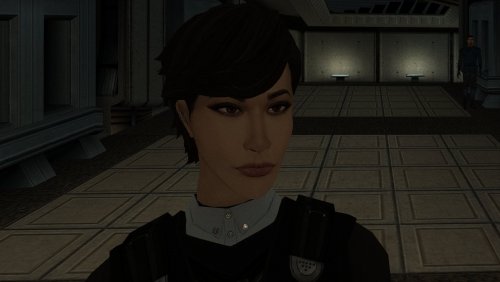
The mod replaces the PFHA01 model and textures. To Install 1. Download: PFHA01 2. Copy all files to the Knights of the Old republic's Override folder. (Example location - C:\Program Files (x86)\Steam\steamapps\common\swkotor\Override) 3. When/if prompted to overwrite files, press okay. 4. If you like the mod; leave a comment or endorse! (It would be much appreciated) Made with love. -
Hello. Congratulations on this release. There's something I would like to ask: the bundled mods (Party Portraits and KOTOR 1 HD Icon Pack) are mandatory installations or am I misunderstanding? If they are, may I ask why? Also, I'm one of the thirteen people playing at 800x600. Would I have any tangible benefits from this modification? Thanks!
-
The first problem you reported is likely due to a .dlg issue. That cutscene gets interrupted because of a missing UTC file used in the Speaker field, if I had to guess. But you reported additional problems as well. It seems you have it working now, though, right? What other mods did you intend to install?
-
Calo Nord Cantina Cutscene Freezes
Aspa3597 replied to Aspa3597's topic in General Kotor/TSL Modding
After making a clean new installation without any mods, starting a new game and getting to the scene, 3 aliens walked up to him and the scene happened as normal. Him counting down to three and all. What I don't get is that I followed the KOTOR 1 Spoiler-Free Build to a T. Removing the files it wanted me to remove, installing the patches it wanted me to install in their respective order, yet from what I could tell, the most likely candidate for the problem are the Community Patch 1.10.0, or the **Twi'lek Male NPC Diversity **mod or the two overwriting the same file/editing the same NPC's. With the modlist? There are only 2 aliens that walk up to Calo, scene is broken, and Bib Surool is completely missing. Without anything? 3 aliens walk up to Calo and Bib is where he should be. Cutscene works as it should. Without the diversity mod? There are only 2 aliens that walk up to Calo, scene is broken, and Bib is where he should be. To answer your question, yes. And I got results. Such as, Bib being where he should be if I removed the diversity mod. In short: The Build needs a update about the potential conflicts mods within it can produce. And, from what I can tell from my file by file disection, only those two mods effect the tar_m03ae.mod file. Because the only mods that made a backup of that file, are the patch and the diversity mod. Next, I'll be testing a new game with the communitty patch only, and then another new game with the diversity mod on top of it. Update: Made a new game with only these mods installed; KOTOR Dialogue Fixes by Salk & Kainzorus Prime. Character Startup Changes by jonathan7, patch by A Future Pilot, plus the patch provided by the website. Thematic KOTOR Companions by Sniggles & JCarter426. JC's Minor Fixes by JCarter426, moved everything from the Straight Fixes, Resolution Fixes, and Aesthetic Improvements folders to my Override folder. Also moved the "Things what bother me" folders selective files and skipped the Bugfix folder as instructed. Ajunta Pall Unique Appearance by Silveredge9, Patch by A Future Pilot. Installed the patch before the mod as instructed. And the Kotor Community Patch. Result? Cutscene worked, 3 aliens, Bib present. Why Those mods? Those are the mods in order of the build untill you get to the CP. Then another test with these mods on top; Better Twi'lek Heads by Ashton Scorpius. HD Twi'lek Females by Dark Hope with the 'hd_twilek_female.rar' file as instructed. Thigh-High Boots for Twi'lek by DarthParametric, moved only the six files within the 'NPC Replacement' folder as instructed. Male Twi'lek Diversity by Leilukin, without the explicit Senni Vek Restoration mod. Unless the mod is a part of the CP. Why Those mods? Those are the only mods that effect Twi'lek in the game explicitly. Besides the Senni Vek Restoration. Results? Cutscene worked, 3 aliens, Bib present. So... I don't know. Unless some other mod within the modlist effects quests within that bar or NPC's within that mod, I do not know what is causing the scene to break if the full modlist is installed as intended. And I don't want to install ten mods, make a new save, test out the scene, exit, install another ten, repeat. My best guess is a mod within the modlist that is effecting; tar_m03ae.mod Javyar's Cantina Taris NPCs Bib Surool the Black Vulkars Calo dialogue/cutscene scripts Taris area scripts Are causing the problem. Maybe some mods touch different things that involve the things mentioned above. Or its a combination. -
View File KMRP - KOTOR Modern Restoration Patch KMRP - KOTOR MODERN RESTORATION PATCH Modern resolutions, properly scaled UI, engine fixes and restored interface behaviour for KOTOR 1 48 resolutions | 800x600 to 15360x8640 | 4:3 | 16:10 | 16:9 | 21:9 | 32:9 WHAT IS KMRP? Vanilla KOTOR was built around fixed pixel sizes and interface layouts originally designed for resolutions such as 640x480. On modern displays this causes tiny text, overlapping list entries, undersized icons, broken map scaling and other interface problems. KMRP fixes these problems in the game engine itself. It supports 48 resolutions from 800x600 up to 15360x8640 across 4:3, 16:10, 16:9, 21:9 and 32:9. Several of these fixes require changes to swkotor.exe because the affected values are hardcoded inside the engine and cannot be reached through GUI or 2DA files alone. WHAT IT FIXES Readable text with properly scaled list rows Inventory, Abilities and Store icons and rows scale correctly Item stack counts remain visible with larger fonts Long item description crash fixed Description text no longer runs under the scrollbar Area map fills its frame Fog of war covers the complete map Map marker clicks line up correctly 250 misplaced map notes can be corrected using Derslok's fixes HUD minimap is zoomed correctly again Dialogue letterboxing, tutorial popups and interface artwork follow the selected resolution INSTALLATION Install other content mods first, such as K1CP or K1R, then install KMRP. Download the standard KOTOR Editable Executable Run KMRP - KOTOR Modern Restoration Patch.exe. Select your resolution. Open Advanced Settings if you want to change optional components. Click Start Patching. Launch KOTOR. To change resolution later, use Restore Original first, then patch again. KMRP backs up the executable, INI and every Override file it modifies before patching. EXE PATCHING KMRP modifies swkotor.exe because several interface values and bugs are hardcoded inside the game engine. Before writing anything, KMRP verifies the executable by SHA-256 and file size. Unknown executables are rejected. KMRP modifies 893 bytes of the 4,042,752-byte executable, around 0.022%, and adds ten 4KB code sections where additional space is required. Every executable patch is documented in the GitHub repository. KMRP is not a launcher and nothing stays running in the background. The only exception is the optional Modern Driver Compatibility component, which places two files beside the executable. If you do not want your executable modified, do not install KMRP. INCLUDED COMPONENTS K1 Modern Driver Compatibility 1.2.0 by Synchro Optional. Restores lighting, reflections, fog, soft shadows and correct grass rendering on modern hardware. K1 Area Map Fixes by Derslok Optional. Corrects 250 misplaced map-note positions. Party Portraits by MadDerp Bundled with permission. KOTOR 1 HD Icon Pack 1.0 by JackInTheBox Bundled with permission. COMPATIBILITY Tested with: KOTOR 1 Community Patch 1.10.0 KOTOR 1 Restoration 1.2 K1CP replaces two icons also included in the HD Icon Pack. KMRP keeps the K1CP versions where applicable. DOWNLOADS GitHub Releases https://github.com/RayesDiyab/KMRP-KOTOR-Modern-Restoration-Patch/releases Nexus Mods Coming soon. Deadly Stream Available on this page. SOURCE AND DOCUMENTATION Full source code, executable patch documentation and reverse-engineering notes: https://github.com/RayesDiyab/KMRP-KOTOR-Modern-Restoration-Patch CREDITS ndix UR KOTOR High Resolution Menus 1.5 Synchro K1 Modern Driver Compatibility and published area-map research Derslok K1 Area Map Fixes MadDerp Party Portraits JackInTheBox KOTOR 1 HD Icon Pack RaymanGT HD menu and UI asset set LICENSE KMRP is licensed under GPL-3.0. Star Wars: Knights of the Old Republic © 2003 BioWare Corp. / LucasArts. KMRP is an unofficial community patch and is not affiliated with or endorsed by BioWare, LucasArts, Lucasfilm or Disney. You must own the game. Submitter RaymanGT Submitted 09/04/2026 Category Mods K1R Compatible Yes
-

Calo Nord Cantina Cutscene Freezes
Sith Holocron replied to Aspa3597's topic in General Kotor/TSL Modding
Jist to piggyback off of what Salk has already said: Were you removing mods after you started and then expecting things to work on the old save? -
Something is seriously broken in your game. Considering how loading a saved game before entering the cantina didn't help, my recommendation is to go for a totally new installation. Having a minimal install with only K1 CP is guaranteed to not break the game. Good luck!
-
Version 1.0.0
136 downloads
KMRP - KOTOR MODERN RESTORATION PATCH Modern resolutions, properly scaled UI, engine fixes and restored interface behaviour for KOTOR 1 48 resolutions | 800x600 to 15360x8640 | 4:3 | 16:10 | 16:9 | 21:9 | 32:9 WHAT IS KMRP? Vanilla KOTOR was built around fixed pixel sizes and interface layouts originally designed for resolutions such as 640x480. On modern displays this causes tiny text, overlapping list entries, undersized icons, broken map scaling and other interface problems. KMRP fixes these problems in the game engine itself. It supports 48 resolutions from 800x600 up to 15360x8640 across 4:3, 16:10, 16:9, 21:9 and 32:9. Several of these fixes require changes to swkotor.exe because the affected values are hardcoded inside the engine and cannot be reached through GUI or 2DA files alone. WHAT IT FIXES Readable text with properly scaled list rows Inventory, Abilities and Store icons and rows scale correctly Item stack counts remain visible with larger fonts Long item description crash fixed Description text no longer runs under the scrollbar Area map fills its frame Fog of war covers the complete map Map marker clicks line up correctly 250 misplaced map notes can be corrected using Derslok's fixes HUD minimap is zoomed correctly again Dialogue letterboxing, tutorial popups and interface artwork follow the selected resolution INSTALLATION Install other content mods first, such as K1CP or K1R, then install KMRP. Download the standard KOTOR Editable Executable Run KMRP - KOTOR Modern Restoration Patch.exe. Select your resolution. Open Advanced Settings if you want to change optional components. Click Start Patching. Launch KOTOR. To change resolution later, use Restore Original first, then patch again. KMRP backs up the executable, INI and every Override file it modifies before patching. EXE PATCHING KMRP modifies swkotor.exe because several interface values and bugs are hardcoded inside the game engine. Before writing anything, KMRP verifies the executable by SHA-256 and file size. Unknown executables are rejected. KMRP modifies 893 bytes of the 4,042,752-byte executable, around 0.022%, and adds ten 4KB code sections where additional space is required. Every executable patch is documented in the GitHub repository. KMRP is not a launcher and nothing stays running in the background. The only exception is the optional Modern Driver Compatibility component, which places two files beside the executable. If you do not want your executable modified, do not install KMRP. INCLUDED COMPONENTS K1 Modern Driver Compatibility 1.2.0 by Synchro Optional. Restores lighting, reflections, fog, soft shadows and correct grass rendering on modern hardware. K1 Area Map Fixes by Derslok Optional. Corrects 250 misplaced map-note positions. Party Portraits by MadDerp Bundled with permission. KOTOR 1 HD Icon Pack 1.0 by JackInTheBox Bundled with permission. COMPATIBILITY Tested with: KOTOR 1 Community Patch 1.10.0 KOTOR 1 Restoration 1.2 K1CP replaces two icons also included in the HD Icon Pack. KMRP keeps the K1CP versions where applicable. DOWNLOADS GitHub Releases https://github.com/RayesDiyab/KMRP-KOTOR-Modern-Restoration-Patch/releases Nexus Mods https://www.nexusmods.com/kotor/mods/1879 Deadly Stream Available on this page SOURCE AND DOCUMENTATION Full source code, executable patch documentation and reverse-engineering notes: https://github.com/RayesDiyab/KMRP-KOTOR-Modern-Restoration-Patch CREDITS ndix UR KOTOR High Resolution Menus 1.5 Synchro K1 Modern Driver Compatibility and published area-map research Derslok K1 Area Map Fixes MadDerp Party Portraits JackInTheBox KOTOR 1 HD Icon Pack RaymanGT HD menu and UI asset set LICENSE KMRP is licensed under GPL-3.0. Star Wars: Knights of the Old Republic © 2003 BioWare Corp. / LucasArts. KMRP is an unofficial community patch and is not affiliated with or endorsed by BioWare, LucasArts, Lucasfilm or Disney. You must own the game. - Last week
-
KOTOR 1 – Calo Nord Cantina Cutscene Freezes / Javyar’s Cantina Scripts Break – Community Portal Mod Build I'm having a game-breaking scripting issue in KOTOR 1 while following the Community Portal spoiler-free mod build. I installed the mods in the prescribed order, including the Community Patch compatibility versions where specified. The problem occurs in Javyar's Cantina on Taris, during Calo Nord's introductory cutscene. The problem When I enter the cantina and trigger Calo Nord's scene: Calo says "Go away." One of the Black Vulkars responds. The dialogue/cutscene then stops progressing. Calo remains standing in the cantina instead of continuing the scripted sequence. The rest of the expected sequence never happens — Calo does not perform the countdown/throw the grenade/kill the Vulkars/leave. This also causes other scripted content in the cantina to malfunction. For example, Bib Surool is missing from his expected position next to Lyn Sekla, which breaks the Starlight Entertainers-related content. I've also noticed that companions can behave incorrectly/not follow properly after this point, which makes me suspect that the game is failing to complete some scripted state rather than this simply being a visual issue. What I've already tried I've tried the following: Game/display set to 60 Hz Game capped at 60 FPS V-sync ON V-sync OFF Restarting the game Loading a save from before entering Javyar's Cantina Starting the scene with no companions in the party Removing mods from Override that specifically appeared to make changes to Calo Trying to use save editing to bypass/complete the event Retesting the scene from an earlier save The problem consistently reproduces. Community Patch I am using K1 Community Patch 1.10.0, as specified by the mod build. I also have a separate archive/folder called "K1CP Patch" containing: n_fatcomm.mdl n_fatcomm.mdx These appear to be model files, so I don't believe they are related to the Calo scripting problem. Important discovery: tar_m03ae.mod Since Javyar's Cantina is module M03AE, I started investigating tar_m03ae.mod. I found two versions associated with the installation of K1 Twi'lek Male NPC Diversity: Backup version: approximately 843 KB, dated/associated with the August 28 installation Current installed version: approximately 857 KB, last modified September 1 The Twi'lek Diversity mod was installed using the Community Patch-compatible version, as instructed by the mod/build. Interestingly, when I use the Diversity-modified module, Bib Surool is actually present in the correct location next to Lyn Sekla. Before using that module version, Bib was missing. So the mod clearly affects the state/contents of the cantina module even though its primary purpose is NPC appearance diversity. I inspected the m03ae.git files from the different module versions. The root contains: Areaproportions [Struct] = 14 Creature List [List] = 27 Cameralist [List] = 12 Door List [List] = 2 Encounter List = 0 List [List] = 0 Placable List [List] = 36 Soundlist [List] = 2 Storelist [List] = 1 Triggerlist [List] = 6 UseTemplates [UInt8] = 1 WaypointList [List] = 28 I specifically compared Calo's creature entry (entry 12) between the 843 KB and 857 KB module versions. Calo's TemplateResRef is: tar03_calo031 The values for Calo's creature entry were identical between the two versions. So at least from that comparison, Calo's physical placement/orientation in the area GIT does not appear to be the difference. Relevant precedent I found a Deadly Stream discussion from 2025 involving a broken Javyar's Cantina scripted scene where a modified tar_m03ae.mod was ultimately involved. In that case, a K1CP Tweak Pack bug-fix component affecting the cantina sitter was found to be responsible for breaking the scene, and removing that component allowed the scene to work again. I realize this does not necessarily mean my problem has the same cause, but it seems significant because my issue is also a scripted Javyar's Cantina scene failure involving tar_m03ae.mod. Calo script information I also looked at the K1CP script source for the Calo cantina scene (k_ptar_calobar.nss). The end of the script manipulates Calo and the three aliens and then resumes the conversation after a delay. It contains logic involving: taproomvic031 taproomvic032 taproomvic033 calo031 and eventually: ActionPauseConversation(); ... AssignCommand(oCalo, PlayAnimation(ANIMATION_FIREFORGET_THROW_LOW)); DelayCommand(0.6, PlaySound("cs_grentoss")); DelayCommand(1.2, ActionResumeConversation()); There is also a comment in the source regarding an apparently incorrect UT_SetPlotBooleanFlag function assignment. I don't know whether that is relevant to my particular failure, but I'm including it in case someone familiar with K1CP scripting recognizes something. Current theory At this point I'm wondering whether some mod is modifying tar_m03ae.mod in a way that interferes with the Calo cutscene's dialogue/script state. The main possibilities I've identified are: K1 Twi'lek Male NPC Diversity, despite installing its Community Patch-compatible version exactly as instructed. Another mod from the Community Portal build that modifies tar_m03ae.mod. An interaction involving K1CP 1.10.0 and another mod. A problem with the Calo cutscene script itself. I do not have the K1CP Tweak Pack installed. Proposed next test My next planned test is to start a completely new game with: K1CP 1.10.0 No other mod that modifies tar_m03ae.mod and then rush to Javyar's Cantina to test Calo's scene. The idea is to determine whether the problem disappears when the cantina module is isolated from the other module-changing mods. If the Calo scene works, I'll know the problem is almost certainly caused by one of the other mods modifying the cantina module. If it still fails, I'll know to stop focusing on those mods and investigate K1CP/the Calo script or another global conflict. What I'm hoping someone can help with I'd particularly appreciate help from someone familiar with K1CP, module injection/HoloPatcher, or KOTOR scripting who can tell me: Which mods in the Community Portal build modify tar_m03ae.mod Whether the K1CP Tweak Pack has a known component that can interfere with Calo's cantina scene Whether the K1 Twi'lek Male NPC Diversity compatibility patch is expected to modify tar_m03ae.mod Whether the Calo script shown above has any known failure conditions Whether the missing Bib Surool and the frozen Calo cutscene are likely related Whether there is a known conflict between K1CP 1.10.0 and another component of the Community Portal build in Javyar's Cantina I followed the build's installation instructions, including the Community Patch compatibility version of the Twi'lek Diversity mod, so I'm particularly interested in finding out whether this is a mod interaction/patching problem rather than an installation-order mistake. Thanks to anyone willing to take a look. I've already spent a considerable amount of time troubleshooting this, so I'd really appreciate any suggestions that can narrow it down without requiring me to reinstall the entire build. One other thing Maybe I'm just an idiot and I'm missing something obvious here, but I'd really like to have a legitimate playthrough of the game. I don't want to have to use cheats, save editing, or console commands to force quests and scripts to complete because of a mod-related bug. I'm perfectly fine troubleshooting this and doing whatever testing is necessary, but my goal is to eventually have a playthrough where the game works as intended and I don't have to wonder whether I've broken something by bypassing a bug.
-
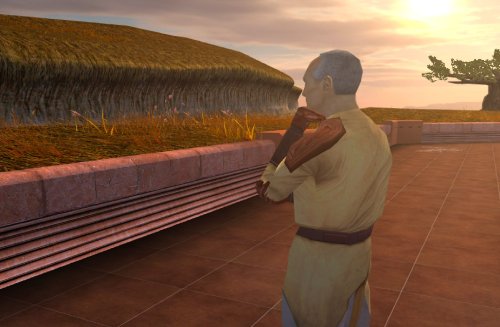 Keep up the good work! Is it possible to add an option for Bastila to join early outside the Enclave, in order to access her dialogue with master Nemo? There's also an unused dialogue for the Council if you visit the ruins early and for Nemo to teach the player the Jedi code.
 -
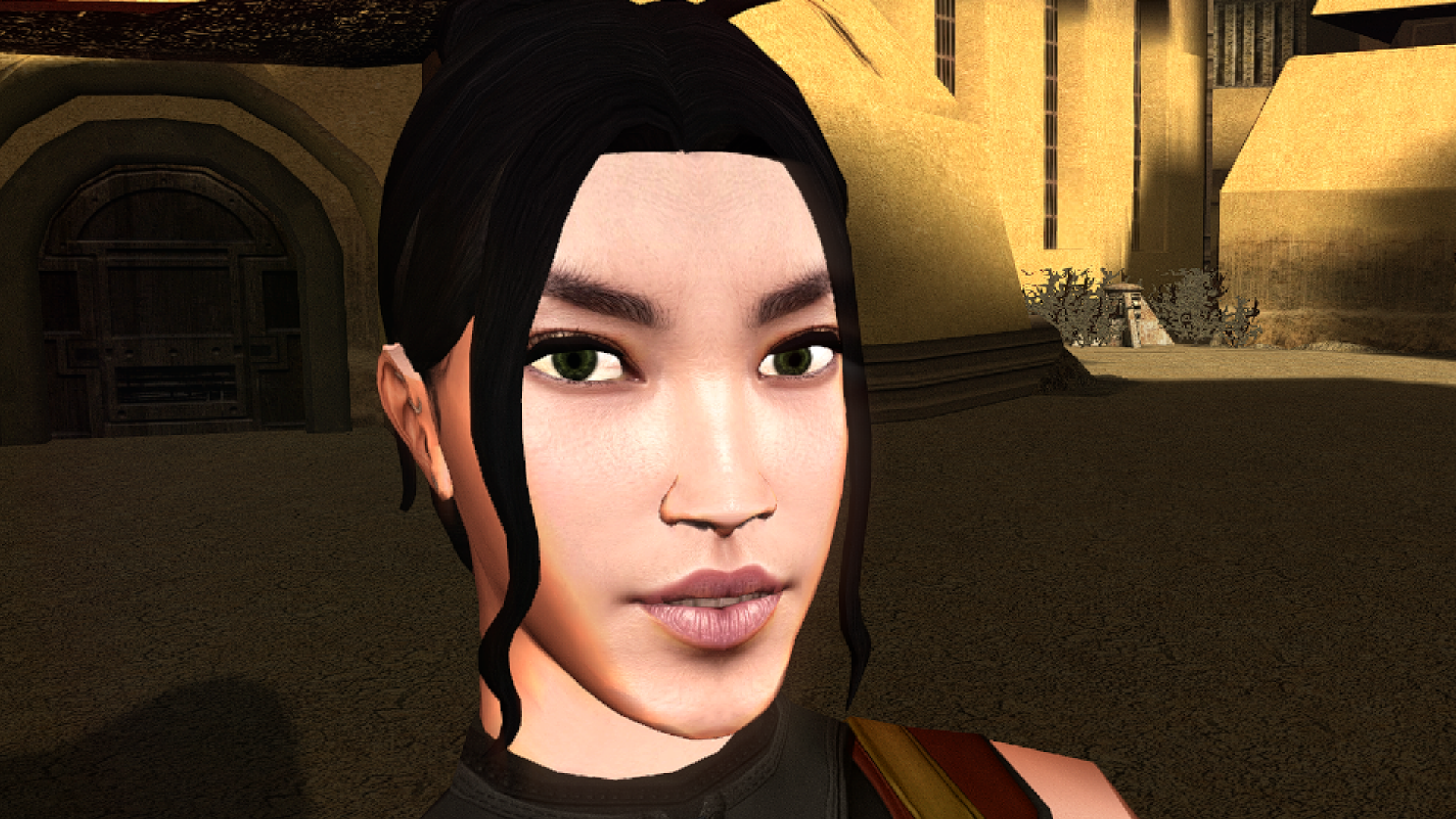
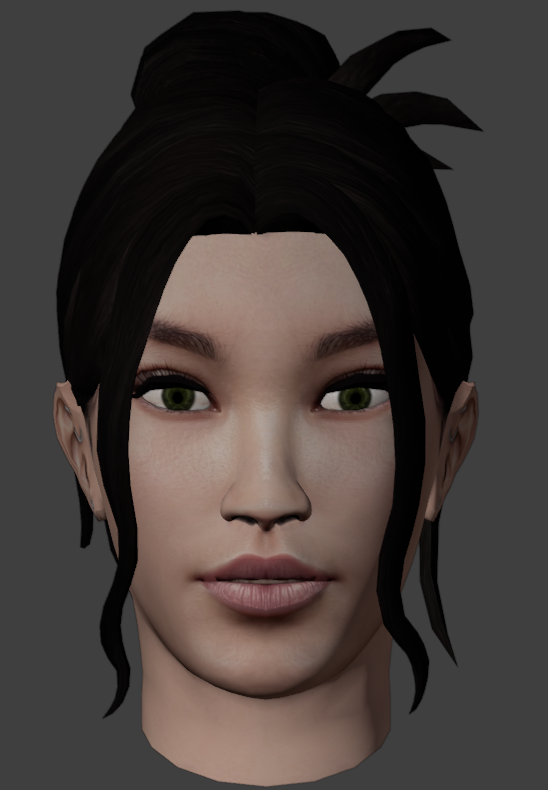
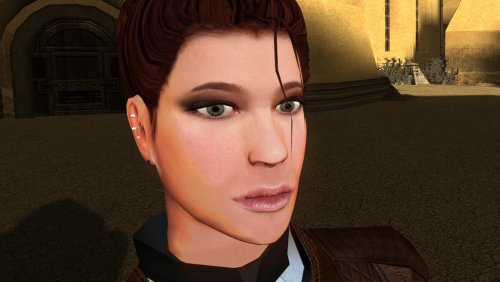 Really amazing job on making the hair-meshes and bone structure so much more detailed. Is that your take on TCS's Bastila in the preview where Revan is ogling?


.thumb.png.d8b108d1620cfd7d697f7271e60714db.png)