All Activity
- Past hour
-
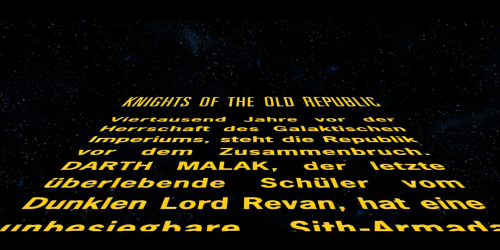
View File KOTOR 1 – German HD Cutscenes All 61 cutscenes of the German version of KOTOR 1, upscaled x4 to 2560 pixels wide. What's included The 61 original German cutscenes, upscaled x4 with Video2X (Real-ESRGAN, AI upscaling), from the game's own videos. The German opening crawl and all burned-in German subtitles, now crisp and readable. The original German audio, unchanged and in sync. A new legal screen in 16:9 (2560x1440): the upscaled artwork fills the screen with a slow camera push-in, and the German legal text has been re-typeset to be perfectly readable. Installation Back up your game's movies folder. Copy the content of this archive's movies folder into your game's movies folder, overwriting the files. Screen resolution: these cutscenes are made in 2560 pixels wide, but they work on any screen. The game scales them to your resolution: they look great on a 1080p screen too, and on 4K. For the German version of the game. If your game is in French, see KOTOR 1 – French HD Cutscenes. Credits Original cutscenes: BioWare / LucasArts. Upscaling and assembly: Alcias01200. Legal screen re-typesetting and quality checks done with the help of Claude (Anthropic AI). _____________________________________________________________________________________________________________________________ Alle 61 Zwischensequenzen der deutschen Version von KOTOR 1, vierfach hochskaliert auf 2560 Pixel Breite. Inhalt Die 61 originalen deutschen Zwischensequenzen, mit Video2X (Real-ESRGAN, KI-Hochskalierung) aus den Videos des Spiels vierfach hochskaliert. Die deutsche Eröffnungs-Laufschrift und alle eingeblendeten deutschen Untertitel, jetzt gestochen scharf und gut lesbar. Der deutsche Originalton, unverändert und synchron. Ein neuer rechtlicher Hinweis im Format 16:9 (2560x1440): Die hochskalierte Illustration füllt den ganzen Bildschirm, mit einer langsamen Kamerafahrt, und der deutsche Rechtstext wurde neu gesetzt, damit er perfekt lesbar ist. Installation Sichern Sie den Ordner movies Ihres Spiels. Kopieren Sie den Inhalt des Ordners movies aus diesem Archiv in den Ordner movies des Spiels und ersetzen Sie die vorhandenen Dateien. Bildschirmauflösung: Diese Zwischensequenzen sind 2560 Pixel breit, funktionieren aber auf jedem Bildschirm. Das Spiel passt sie an Ihre Auflösung an: Auch auf einem 1080p- oder 4K-Bildschirm sehen sie hervorragend aus. Für die deutsche Version des Spiels. Credits Original-Zwischensequenzen: BioWare / LucasArts. Hochskalierung und Zusammenstellung: Alcias01200. Neugestaltung des rechtlichen Hinweises und Qualitätskontrollen mit Hilfe von Claude (KI von Anthropic). Looking for German testers: I'm preparing a German translation pack for the KOTOR 1 full mod build (Neocities guide), installed by my build installer. If you play the German version and would like to test it, send me a private message. Tester gesucht: Ich bereite ein deutsches Sprachpaket für den kompletten KOTOR-1-Mod-Build (Neocities-Guide) vor, das mit meinem Build-Installer installiert wird. Wenn Sie die deutsche Version spielen und es testen möchten, schreiben Sie mir eine private Nachricht. Submitter Alcias01200 Submitted 11/25/2026 Category Media
-
Version 1.0.0
0 downloads
All 61 cutscenes of the German version of KOTOR 1, upscaled x4 to 2560 pixels wide. What's included The 61 original German cutscenes, upscaled x4 with Video2X (Real-ESRGAN, AI upscaling), from the game's own videos. The German opening crawl and all burned-in German subtitles, now crisp and readable. The original German audio, unchanged and in sync. A new legal screen in 16:9 (2560x1440): the upscaled artwork fills the screen with a slow camera push-in, and the German legal text has been re-typeset to be perfectly readable. Installation Back up your game's movies folder. Copy the content of this archive's movies folder into your game's movies folder, overwriting the files. Screen resolution: these cutscenes are made in 2560 pixels wide, but they work on any screen. The game scales them to your resolution: they look great on a 1080p screen too, and on 4K. For the German version of the game. If your game is in French, see KOTOR 1 – French HD Cutscenes. Credits Original cutscenes: BioWare / LucasArts. Upscaling and assembly: Alcias01200. Legal screen re-typesetting and quality checks done with the help of Claude (Anthropic AI). _____________________________________________________________________________________________________________________________ Alle 61 Zwischensequenzen der deutschen Version von KOTOR 1, vierfach hochskaliert auf 2560 Pixel Breite. Inhalt Die 61 originalen deutschen Zwischensequenzen, mit Video2X (Real-ESRGAN, KI-Hochskalierung) aus den Videos des Spiels vierfach hochskaliert. Die deutsche Eröffnungs-Laufschrift und alle eingeblendeten deutschen Untertitel, jetzt gestochen scharf und gut lesbar. Der deutsche Originalton, unverändert und synchron. Ein neuer rechtlicher Hinweis im Format 16:9 (2560x1440): Die hochskalierte Illustration füllt den ganzen Bildschirm, mit einer langsamen Kamerafahrt, und der deutsche Rechtstext wurde neu gesetzt, damit er perfekt lesbar ist. Installation Sichern Sie den Ordner movies Ihres Spiels. Kopieren Sie den Inhalt des Ordners movies aus diesem Archiv in den Ordner movies des Spiels und ersetzen Sie die vorhandenen Dateien. Bildschirmauflösung: Diese Zwischensequenzen sind 2560 Pixel breit, funktionieren aber auf jedem Bildschirm. Das Spiel passt sie an Ihre Auflösung an: Auch auf einem 1080p- oder 4K-Bildschirm sehen sie hervorragend aus. Für die deutsche Version des Spiels. Credits Original-Zwischensequenzen: BioWare / LucasArts. Hochskalierung und Zusammenstellung: Alcias01200. Neugestaltung des rechtlichen Hinweises und Qualitätskontrollen mit Hilfe von Claude (KI von Anthropic). Looking for German testers: I'm preparing a German translation pack for the KOTOR 1 full mod build (Neocities guide), installed by my build installer. If you play the German version and would like to test it, send me a private message. Tester gesucht: Ich bereite ein deutsches Sprachpaket für den kompletten KOTOR-1-Mod-Build (Neocities-Guide) vor, das mit meinem Build-Installer installiert wird. Wenn Sie die deutsche Version spielen und es testen möchten, schreiben Sie mir eine private Nachricht. - Today
-
 Inuit2930 joined the community
- Yesterday
-
 woahgeez joined the community
-
 WCS117 joined the community
-
Kotor 1 Movies Crashing?
DarthParametric replied to Skeet1983's topic in Knights of the Old Republic General
Just the vanilla movies, not anything else. -
 esmeriz joined the community
-
 Yellowmods10 joined the community
-
Kotor 1 Movies Crashing?
Skeet1983 replied to Skeet1983's topic in Knights of the Old Republic General
Hello. I did not revert back to vanilla Kotor as I thought Widescreen resolutions would only work with a modded/editable EXE of game. Further thoughts and help appreciated -
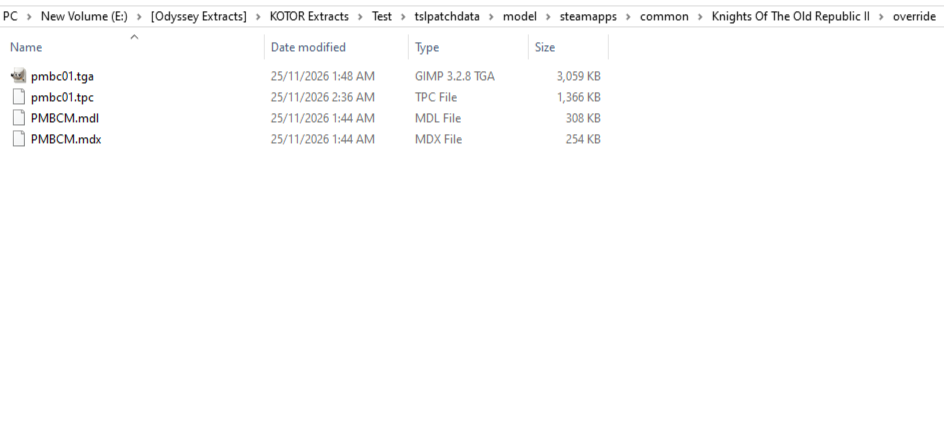
@DarthParametric @Dark Hope When testing the mod, do I set the files (attached image) up through an installation package when manually installing mods for something like Skyrim (i.e. Steam/steamapps/common/Skyrim/Data) but (Steam/steamapps/common/KOTOR II/override) for KOTOR II through a mod manager so I can switch it on/off whenever?
-
 Kyoichi joined the community
-
 The best cutscene mod out there without any doubt.
-
Kotor 1 Movies Crashing?
DarthParametric replied to Skeet1983's topic in Knights of the Old Republic General
I saw you post in the upscaled movies thread. Did you revert to vanilla and see if those crash? I'm pretty sure other people had crashes with the upscaled videos. I know I had crashes myself with my own rescale experiments. -
 Markuz joined the community
-
 hjsmarais joined the community
-
Kotor 1 Movies Crashing?
Skeet1983 replied to Skeet1983's topic in Knights of the Old Republic General
My laptop has the following specs: Lenovo Legion 5 Pro - Windows 11 Version 26H2 - 32GB System RAM - Nvidia RTX 5060 with 8GB VRAM, 2560*1600 native res - Processor: AMD Ryzen 7 8745HX with Radeon Graphics @ 3.60 GHz -
 LonelyFire joined the community
-
 Drutar changed their profile photo
-
 bendak joined the community
-
Hi Pops, First, thank you for K1 Cutscenes Rescaled. The quality is impressive, and I've added it as an option to my installer for the K1 Neocities build. While testing, I ran into a reproducible issue that I thought you'd want to know about: Version: 1.5.2, 30 fps, 2560x1440 (k1rs_30fps_2560x1440.7z), main files only (no alts). Game: fresh Steam copy of KOTOR 1 with the K1 Neocities build and KMRP 1.6.0, running at 2560x1440. Issue: the game closes to the desktop right at the end of the opening crawl (01a.bik), with no error message. It happened twice in a row. If I skip the crawl with a click, everything carries on normally, and the other movies before it (legal, logos) play fine. KMRP hooks the movie decoding, so it may be an interaction between the size of 01a.bik (about 928 MB) and KMRP rather than an issue with your files. I'm reporting it here first in case you've seen it before or have a hint. I can run more tests if that helps. Thanks again for your work, Alcias01200
-
 leonchiro71 changed their profile photo
-
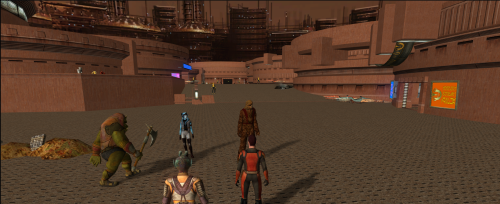 I believe it would be "KOTOR Weapons Overhaul!" But that other one might be the issue, too... really, I'm doing my best guesses here.
- Last week
-
Kotor 1 Movies Crashing?
DarthParametric replied to Skeet1983's topic in Knights of the Old Republic General
I wouldn't say it is normal, but it was a known problem for many years for some people on certain hardware/OS combos. List your OS version, CPU, GPU. -
Hi guys. Is it normal for in-game movies to cause Kotor 1 to crash to desktop without an error message or anything? I went to travel to Tatooine on Galaxy Map, and the game crashed as soon as I clicked "Travel". Fortunately I usually save game before I travel anywhere, and next time I went to go to Tatooine the game did it ok. Should I be concerned about this? My Kotor 1 game is only using the following mods: - k1hrm-1.5 - K1-Area-Map-Fixes-1.0.3 - Only other Mod is 2 files that skip the random and story scripted space battles minigame I am playing Kotor 1 with Widescreen through UniWS (editable EXE file). Thoughts and help appreciated
-
 I have the pistols converted for my kotor 2 game. Can someone please make them fully upgradeable? Calo Nord Heavy Repating Pistols.rar
-
View File PLC objects A set of new models for PLC objects. To Install 1. Download: Scout 2. Copy all files to the Knights of the Old republic's Override folder. (Example location - C:\Program Files (x86)\Steam\steamapps\common\swkotor\Override) 3. When/if prompted to overwrite files, press okay. Delete the corresponding .tpc file. 4. If you like the mod; leave a comment or endorse! (It would be much appreciated) Made with love. Submitter Dark Hope Submitted 11/23/2026 Category Mods K1R Compatible Yes
-
- 1
-

-
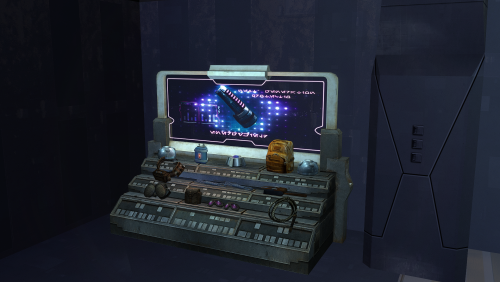
Version 1.0.0
17 downloads
A set of new models for PLC objects. To Install 1. Download: Scout 2. Copy all files to the Knights of the Old republic's Override folder. (Example location - C:\Program Files (x86)\Steam\steamapps\common\swkotor\Override) 3. When/if prompted to overwrite files, press okay. Delete the corresponding .tpc file. 4. If you like the mod; leave a comment or endorse! (It would be much appreciated) Made with love. -

Handmaiden and Female Exile - Disciple and Male Exile Romance
ShaneisDog commented on Leilukin's file in Mods
 Awesome thanks a bunch!
-
Thanks for the report. I have found out that the cause of the issue was in Handmaiden's dialogue tree during the cutscene where Atton warns the party members. I'll update the mod to fix the issue soon, but as a hotfix, you can put this attached attwarn2.dlg file in your game's Override folder, and reload a save before the cutscene of Atton warning the party mmbers after defeating Twin Suns in the cantina. attwarn2.dlg UPDATE: Turns out actually implementing the fix in the mod installer instructions is taking more time than I expected, but I will update the mod to fix the issue as soon as possible.
-
Handmaiden and Female Exile - Disciple and Male Exile Romance
ShaneisDog commented on Leilukin's file in Mods
Both are in English and I don't have any mods downloaded except TSLRCM and this mod -
Did you play KotOR 2 and TSLRCM in English? Aside from TSLRCM and my mod, are you using any other mods? If so, list all of them.
-
Handmaiden and Female Exile - Disciple and Male Exile Romance
ShaneisDog commented on Leilukin's file in Mods
I'm having an issue on Nar Shaddaa right after Atton is attacked in the cantina when my crew is talking at the ship, it keeps giving the error (CONVERSATION ERROR: Last Conversation Node Contains Either an END NODE or CONTINUE NODE. Please contact a Designer!). I've had this problem across 2 save games and with the first i restarted and re downloaded everything which didn't help. -
I fixed it already
-
expansion Mission to Sleheyron: A New Story Expansion Mod for KOTOR
JasonRyder commented on SAO1138's file in Mods
Which Blaster Overhaul mod are you talking about? Is it the High-Quality Blasters mod by Sithspecter? -
 Hey, just figured I'd chime in as a steam deck user: Unfortunately, the installer won't let me patch the game because it doesn't detect a monitor that can render at 1080p or higher. Makes sense, since the Steam Deck has a 1280x800 resolution. If there is ever a way to support that resolution (or even just 720p with a letterbox), or even just to install the mod without the HD resolution patches, that would be appreciated. If not, then I understand. But no one does controller support anywhere near as well as this mod does, so I figured I'd ask. Just so that I'm not totally negative, I also want to say that I've been playing on my linux laptop, and it's been a dream. This is the best way to play this game with or without a controller, and I really appreciate what you've done. Thank you very much.
-
 Are we able to install mods for the Xbox versions of each game now that they are available on PC? Specifically, will the Xbox version of TSLRCM work for the PC port now that Microsoft has brought it over?
-
Other people have reported this issue on Discord, here is the site owners reply: "Yea it’s a php issue I’ve been trying to figure out, hopefully in the next few days". Hope this helps