All Activity
- Past hour
-
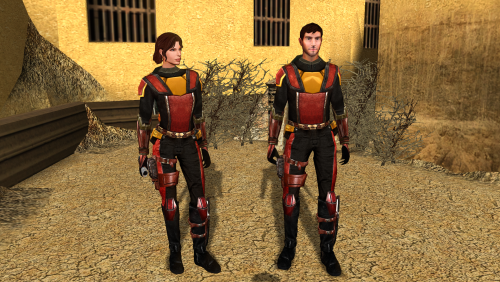 this is looking great! will the republic soldiers be next since they don't match?
- Today
-
 Laughingfoxx567 joined the community
-
 nickp905 joined the community
-
 snwoto joined the community
-

SWKotOR (Original Xbox and Hacked BC 360 Mods)
Hellraiser988 replied to YourSoul1sMine's topic in Work In Progress
How did you get it not to crash in character selection using the Revan mod - Yesterday
-
 trevor joined the community
-
 Balta joined the community
-
 Topherwatch joined the community
-
 roflcopter247 joined the community
-
 Kevalexj23 joined the community
-
 burgesswift joined the community
-
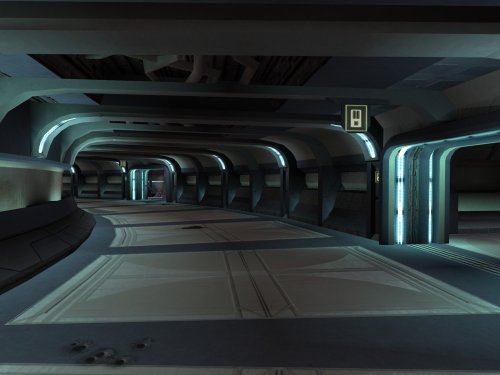
View File Taris Interior Reflection Fix A few interior areas on Taris incorrectly use textures which reflect the outside sky (environment map CM_m02abB) rather than a generic room interior (CM_m02aa). This is not especially noticeable in the vanilla game because both environment maps are rather blurry and have similar coloring. However, it is more noticeable when using "High Quality Skyboxes II" by Kexikus (https://deadlystream.com/files/file/723-high-quality-skyboxes-ii/), which adds a higher quality outdoor environment map. This mod corrects the reflections for any indoor spaces to use the proper interior version. I have also included a higher-resolution version of LTS_floor02 which is based on LTS_floor01. Thank you for downloading, and I hope you enjoy this mod! ------------------------------------------------------------------- INSTALLATION If you are using one or more of the mods listed in the "Compatibility" section below, install them first. Copy all files in "Main Installation" to your game's Override folder. If you are using a mod which alters LTS_floor02, then do not copy LTS_floor02.tpc from this mod. Then, copy files from any required compatibility patches into Override as well, overwriting when asked. ------------------------------------------------------------------- UNINSTALLATION Delete the files back out of the Override folder. ------------------------------------------------------------------- COMPATIBILITY Except as noted below, this mod is incompatible with any other mods that edit the same files. If you are using any mods which conflict other than those listed below, I recommend installing them after this mod and allowing them to overwrite this mod's changes. This mod is compatible with most mods which reskin Taris. If you are using a mod which edits LTS_floor02, then do not install this mod's copy of LTS_floor02.tpc. This mod is compatible with the following mods if they are installed first: - KOTOR 1 Community Patch (K1CP) (https://deadlystream.com/files/file/1258-kotor-1-community-patch/) - Taris Upper City Cantina Entrance Panel Wall Fix by Darth Parametric (https://deadlystream.com/files/file/1345-taris-upper-city-cantina-entrance-wall-panel-fix/) I have included compatibility patches for the following mods, which should also be installed before this one: - Taris Dueling Arena Adjustment by DarthParametric (https://deadlystream.com/files/file/1404-taris-dueling-arena-adjustment/) - Diversified Wounded Republic Soldiers on Taris by DarthParametric (https://deadlystream.com/files/file/1179-diversified-wounded-republic-soldiers-on-taris/) - High Quality Blasters by Sithspecter (https://deadlystream.com/files/file/861-high-quality-blasters/) - JC's Merchant Inventory Fix for K1 (https://deadlystream.com/files/file/863-jcs-merchant-inventory-fix-for-k1/) ------------------------------------------------------------------- CREDITS KotorBlender by seedhartha MDLedit by bead-v tpcview and tga2tpc by ndix UR Kotor Tool by Fred Tetra Holocron Toolset by Cortisol and th3w1zard1 m02ae_01a.mdl/mdx and m02ae_09a.mdl/mdx include fixes from K1CP originally from Taris Upper City Cantina Entrance Panel Wall Fix by DarthParametric. Thanks to DarthParametric for allowing me to include those fixes here. ------------------------------------------------------------------- VERSION HISTORY 1.0 - Initial Release ------------------------------------------------------------------- DISCLAIMER AND PERMISSIONS This modification is provided as-is and is not supported by Disney, Lucasarts, or Bioware. Use at your own risk. The author shall not be held responsible for damage to your game installation, computer, or saved games resulting from the use of this mod. These models may be used as a basis for mods which make additional edits to the same models as long as appropriate credit is given to this mod's author. Other uses require the author's permission. Use of any assets which are based on or incorporate material from other authors also requires permission from those authors. This mod shall not be reposted on any sites other than Deadly Stream without permission. Submitter WildKarrde Submitted 11/28/2026 Category Mods K1R Compatible Yes
-
Version 1.0
2 downloads
A few interior areas on Taris incorrectly use textures which reflect the outside sky (environment map CM_m02abB) rather than a generic room interior (CM_m02aa). This is not especially noticeable in the vanilla game because both environment maps are rather blurry and have similar coloring. However, it is more noticeable when using "High Quality Skyboxes II" by Kexikus (https://deadlystream.com/files/file/723-high-quality-skyboxes-ii/), which adds a higher quality outdoor environment map. This mod corrects the reflections for any indoor spaces to use the proper interior version. I have also included a higher-resolution version of LTS_floor02 which is based on LTS_floor01. Thank you for downloading, and I hope you enjoy this mod! ------------------------------------------------------------------- INSTALLATION If you are using one or more of the mods listed in the "Compatibility" section below, install them first. Copy all files in "Main Installation" to your game's Override folder. If you are using a mod which alters LTS_floor02, then do not copy LTS_floor02.tpc from this mod. Then, copy files from any required compatibility patches into Override as well, overwriting when asked. ------------------------------------------------------------------- UNINSTALLATION Delete the files back out of the Override folder. ------------------------------------------------------------------- COMPATIBILITY Except as noted below, this mod is incompatible with any other mods that edit the same files. If you are using any mods which conflict other than those listed below, I recommend installing them after this mod and allowing them to overwrite this mod's changes. This mod is compatible with most mods which reskin Taris. If you are using a mod which edits LTS_floor02, then do not install this mod's copy of LTS_floor02.tpc. This mod is compatible with the following mods if they are installed first: - KOTOR 1 Community Patch (K1CP) (https://deadlystream.com/files/file/1258-kotor-1-community-patch/) - Taris Upper City Cantina Entrance Panel Wall Fix by Darth Parametric (https://deadlystream.com/files/file/1345-taris-upper-city-cantina-entrance-wall-panel-fix/) I have included compatibility patches for the following mods, which should also be installed before this one: - Taris Dueling Arena Adjustment by DarthParametric (https://deadlystream.com/files/file/1404-taris-dueling-arena-adjustment/) - Diversified Wounded Republic Soldiers on Taris by DarthParametric (https://deadlystream.com/files/file/1179-diversified-wounded-republic-soldiers-on-taris/) - High Quality Blasters by Sithspecter (https://deadlystream.com/files/file/861-high-quality-blasters/) - JC's Merchant Inventory Fix for K1 (https://deadlystream.com/files/file/863-jcs-merchant-inventory-fix-for-k1/) ------------------------------------------------------------------- CREDITS KotorBlender by seedhartha MDLedit by bead-v tpcview and tga2tpc by ndix UR Kotor Tool by Fred Tetra Holocron Toolset by Cortisol and th3w1zard1 m02ae_01a.mdl/mdx and m02ae_09a.mdl/mdx include fixes from K1CP originally from Taris Upper City Cantina Entrance Panel Wall Fix by DarthParametric. Thanks to DarthParametric for allowing me to include those fixes here. ------------------------------------------------------------------- VERSION HISTORY 1.0 - Initial Release ------------------------------------------------------------------- DISCLAIMER AND PERMISSIONS This modification is provided as-is and is not supported by Disney, Lucasarts, or Bioware. Use at your own risk. The author shall not be held responsible for damage to your game installation, computer, or saved games resulting from the use of this mod. These models may be used as a basis for mods which make additional edits to the same models as long as appropriate credit is given to this mod's author. Other uses require the author's permission. Use of any assets which are based on or incorporate material from other authors also requires permission from those authors. This mod shall not be reposted on any sites other than Deadly Stream without permission. -
Echoes of the Republic - an unofficial expansion
plampa commented on vault13deathclaw's file in Mods
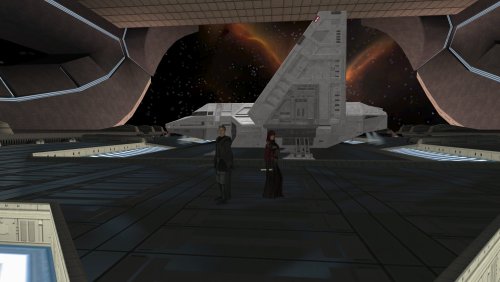 It's possible I'll face a ghost in the Leviathan because it didn't appear in the ones I played. Thank you, and sorry for all the trouble.
-
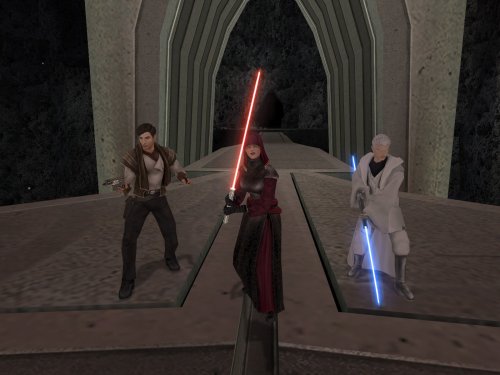 Each area (or “module”) in KOTOR has a set of scripts, dialogs, placeables character templates, etc. packaged in a .mod or .rim file in the Modules folder. (The vanilla game files use .rim files, but mods generally use .mod files which don’t overwrite the original RIMs.) For example, 003ebo.mod contains files specific to the main Ebon Hawk, and 650dan.mod contains files for the Dantooine enclave interior. Files placed in the MOD only apply within that area, so in this case, even though both mods have files called pcdead2.dlg, they don’t conflict because mine goes in 003ebo.mod and Extended Enclave’s goes in 650dan.mod. You are correct that if one of them ended up in Override, that would override both instances and break at least one of them. The game has numerous cases of files with the same names in different modules, so that’s one reason why many mods use a TSLPatcher installer to put them in the correct modules instead of simply dropping them into Override.
-
Echoes of the Republic - an unofficial expansion
plampa commented on vault13deathclaw's file in Mods
Hi vault13deathclaw, how are you? I wanted to tell you what's going on. I was testing the mod in English and now I'm testing it in Spanish with the translations. I'm translating from completed planet to completed planet and then testing it again with the translation. It's going great. But I've run into some problems that I don't understand (it could also be due to my lack of experience since I'm new to this). The first is that sometimes when I translate the name of a UTC file, some change and others don't. In Dantooine, I translated the 4 new nodes, but when I talk to the Mandalorian... The game has parts in English and Spanish. The corrected file is danexpboss2.dlg. It's fully translated, but the text displayed in the game is the translated version, with some parts remaining in English. In the Coruscant underground, when I activate stealth with Visas, the screen glitches. This doesn't happen with other NPCs, only when I have Visas as my character. Then, when I switch characters, it happens with the other NPCs. Otherwise, it's fine. Gameplay questions: Can the missions on the new planets be updated so you can craft the lightsaber, like when Visas arrives, so it's not the first time you have to go to the old, repetitive planets? In boss battles, like the Leviathan mission or the Ice Planet mission, could there be a pre-battle conversation to provide context for their actions and motivations? This can be used so that the NPCs give you random so that the NPCs don't always give you the same ones. The standard script you should assign to the OnSpawn field of that NPC's .utc file (like the corassassindroid.utc file you have open in KotOR Tool) is k_def_spawn01. • How it works: When the NPC spawns, this script internally executes the function PlaceCritterTreasure(OBJECT_SELF, Random(4)-2);, which calls the game's button library (k_inc_treas_k2) and generates random items automatically scaled to your character's current level. • Other variations depending on the NPC type: If you want to adjust the quantity or type of button dropped upon death, you can use any of these official scripts in the same OnSpawn field: • k_def_spn_t_less: Generates a lower probability or fewer random buttons. • k_def_spn_t_more: Guarantees a greater number of random items based on your level. • k_def_spn_t_drd: Ideal if this NPC is a droid (as the name corassassindroid indicates), since it prioritizes droid parts and upgrades at your level. • k_def_spn_t_jedi: Prioritizes crystals, robes, and Jedi-related items. • k_def_spn_t_empt: Makes the NPC appear without a random drop button (it will only drop what you have manually placed in its inventory). Important note about the inventory: Everything you manually add to the Inventory Editor window (such as the item already equipped or in the backpack) will be added to the random drop button generated by the script upon entering the module. If you want it to drop a specific guaranteed item in addition to the random drop button, or if you need to edit the exact drop probabilities for that NPC, tell me what you want it to drop, and I'll send you the .nss code ready to compile. Here's the exact breakdown of what each script in your screenshot does: • OnSpawn (k_def_spawn01): This is the most important one for what you were looking for; When the droid spawns, it activates its basic behavior and generates standard random loot based on the player's level. • OnHeartbeat (k_def_heartbt01): This runs every few seconds to check its surroundings and keep its patrol or animation routines active. • OnNotice (k_def_percept01): This controls its perception; it detects if it sees or hears the player to enter alert or combat mode. • OnSpellAt (k_def_spellat01): This defines how it reacts if a Force power or grenade is thrown at it. • OnAttacked (k_def_attacked01): This makes the NPC hostile and causes it to counterattack if attacked. • OnAttacked (k_def_attacked01): This causes the NPC to become hostile and counterattack if attacked. • OnDamaged (k_def_damage01): Manages its response when taking damage (e.g., switching targets or using shields/repairs if its AI allows it). • OnDisturbed (k_def_disturb01): Triggered if someone tries to steal from it or interact with its inventory. • OnEndRound (k_def_combend01): Controls the tactical AI at the end of each combat turn (choosing which attack or ability to use in the next round). • OnEndDialogue (k_def_endconv): Clears variables or restores its normal state when a conversation with it ends. • OnDialogue (k_def_dialogue01): Starts its assigned dialogue file (.dlg) if you try to talk to it (if it is not hostile). • OnRested: Empty because NPCs do not use the rest mechanic. • OnDeath (k_def_death01): Handles your death, grants the corresponding experience points, and notifies other scripts on the map if necessary. • OnBlocked (k_def_blocked01): Tells you how to bypass obstacles or open doors if something is blocking your path. • OnUserDefined (k_def_userdef01): Listens for custom events sent by other scripts in the area or mission. TLK references 116583 Trandoshan Thug 36004 Gamorrian 16367 Yuthura 34798 Naga Shadow Tomb 16372 Tomb Door 598 Locker 617 Cylinder 584 Desk 114984 Elite Mandalorian 115284 Force Field 109721 to 109747 as expressed by hk47 116112 Sith Assassin 73004 Dark Jedi 73005 Dark Jedi Master 17013 Elite Sith Soldier 114568 Sith Commando With Dardo, I could teach Feats like Evasion, Increase Combat Damage, and Precise Shot. And holocrons could grant "Reconstituent" and "Beast Control" to teach. Do you have future plans to teach the Maiden and Disciple more things? Gracias -
Both mods use a file named "pcdead2.dlg" and both state that they replace the .dlg during patching. Don't know what you mean by "different module" but in override the .dlg gets replaced by both mods. Is it still compatible? I installed Extended Enclave first, then your mod after. New to modding, so sorry for annoying question.
-
A template for a con artist character.
-
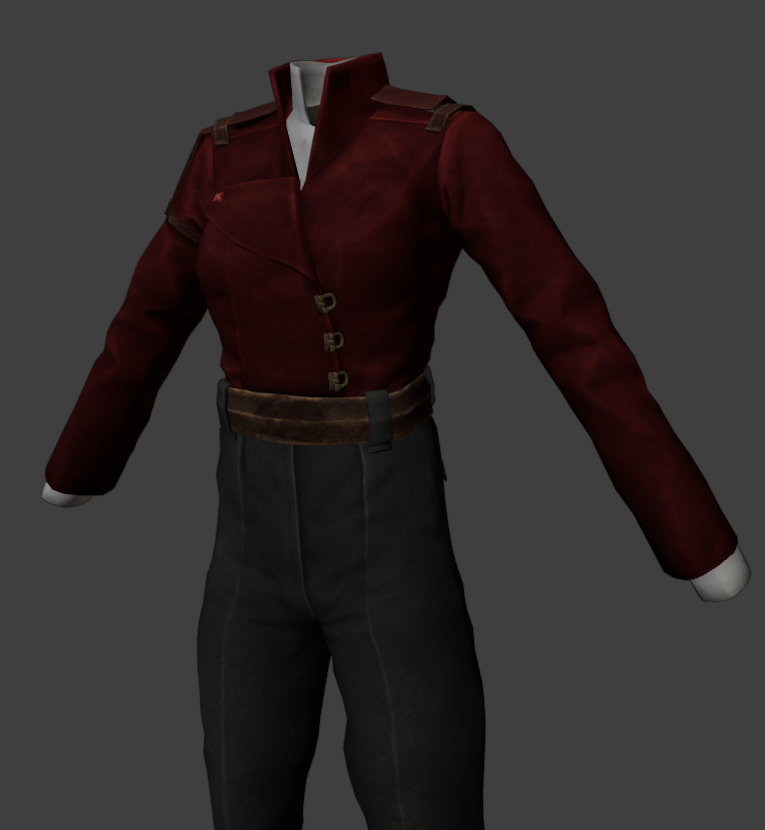
View File Soldier uniform The mod replaces the Soldier model and textures. To Install 1. Download: Soldier 2. Copy all files to the Knights of the Old republic's Override folder. (Example location - C:\Program Files (x86)\Steam\steamapps\common\swkotor\Override) 3. When/if prompted to overwrite files, press okay. 4. If you like the mod; leave a comment or endorse! (It would be much appreciated) Made with love. Submitter Dark Hope Submitted 11/27/2026 Category Mods K1R Compatible Yes
-
Kotor 1 Movies Crashing?
DarthParametric replied to Skeet1983's topic in Knights of the Old Republic General
You can try setting compatibility mode by right-clicking on the game exe. Set it to run in compatibility mode for Win 7 or XP and see if that changes anything. From prior experience, movie crashes used to occur for me in places where multiple movies were strung together back-to-back. The Taris escape sequence is probably one example. -
Kotor 1 Movies Crashing?
Skeet1983 replied to Skeet1983's topic in Knights of the Old Republic General
Hello. I didn't disable integrated GPU in BIOS. But my laptop is set to use the dedicated Nvidia GPU only, set through Legion Space App. - Last week
-
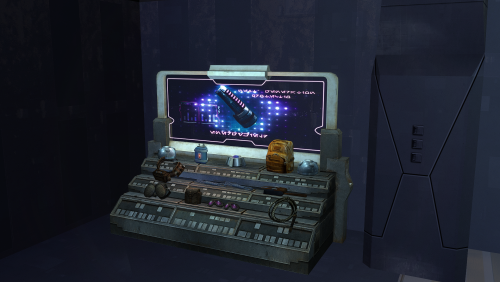 Gotcha. Was hoping someone had already done a placeable reskin i could download. Lol
-
Kotor 1 Movies Crashing?
DarthParametric replied to Skeet1983's topic in Knights of the Old Republic General
That sounds like vanilla movies then. You are playing this through the nVidia GPU, correct? Did you disable the integrated GPU in BIOS? -
1. File updated. 2. Soldier loaded.
-
Version 1.0.0
17 downloads
The mod replaces the Soldier model and textures. To Install 1. Download: Soldier 2. Copy all files to the Knights of the Old republic's Override folder. (Example location - C:\Program Files (x86)\Steam\steamapps\common\swkotor\Override) 3. When/if prompted to overwrite files, press okay. 4. If you like the mod; leave a comment or endorse! (It would be much appreciated) Made with love. -
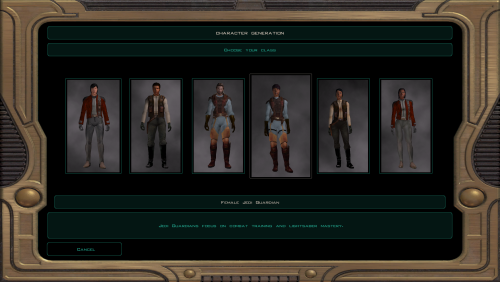 Has the underwear been accounted for?
-
I have enough work to do on KOTOR 1 as it is. I don’t object to my mods being converted for KOTOR 2.
-
 W1ter changed their profile photo
-
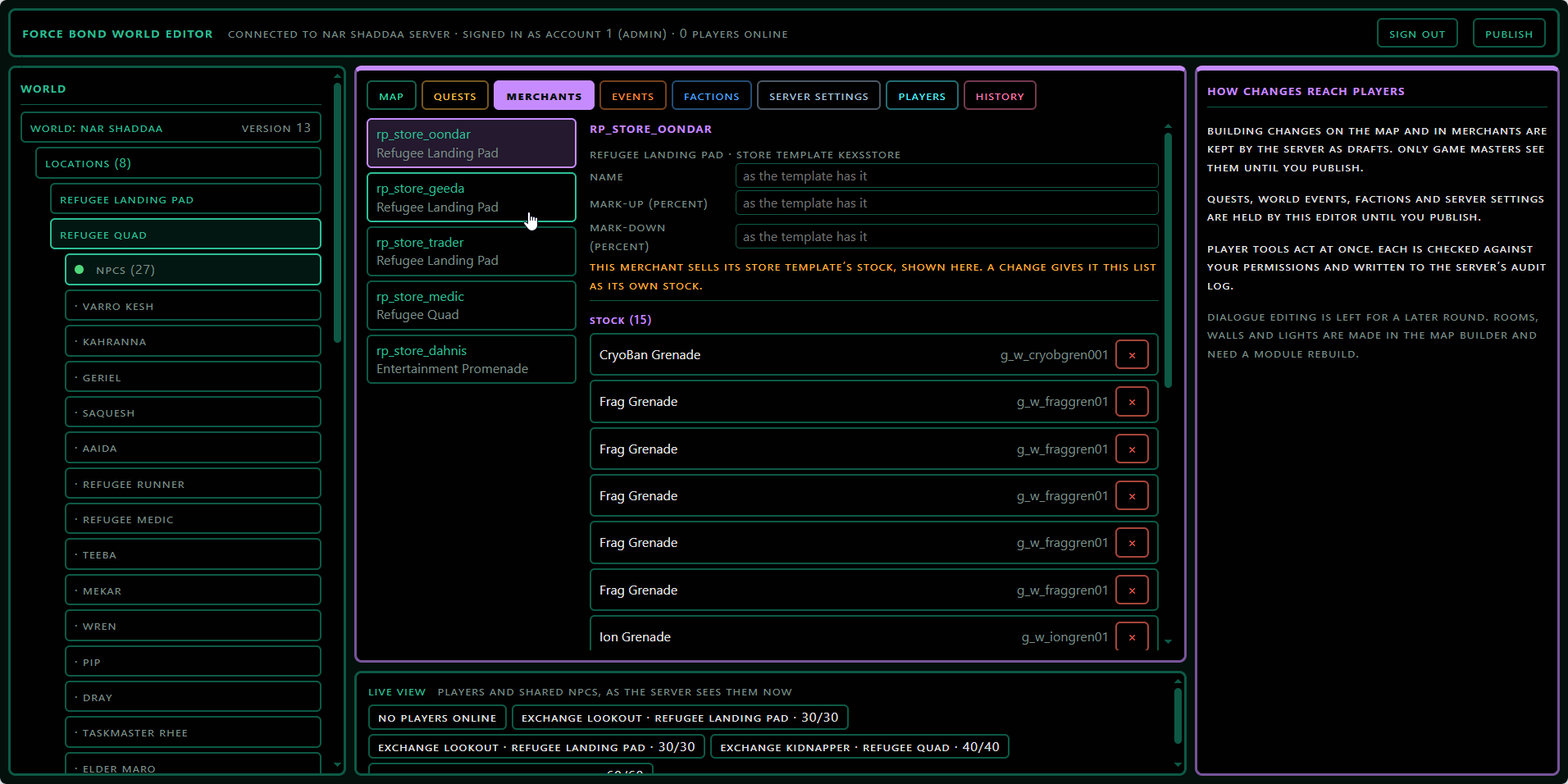
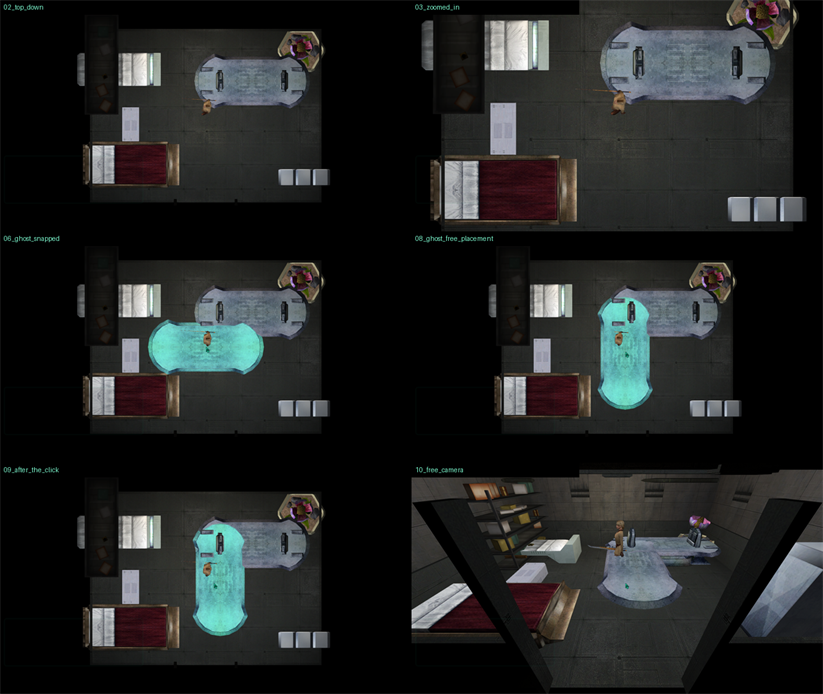
We’re developing a separate Roleplay mode for KOTOR II: Force Bond, built around persistent multiplayer worlds in the Old Republic. We plan to start with an official Force Bond server focused on hard roleplay. Beyond that, players will be able to discover community servers through a server browser and host their own, with their own rules, settings and content. Our goal is to give server owners extensive tools to shape their worlds: choose locations, configure travel between them, place NPCs and objects, and create quests, merchants, factions and events. A server won’t be restricted to a single location - it can connect many areas, with players exploring different locations at the same time. Here’s a look at our team’s current work: • Character creation with playable species beyond humans. • Force Bond World Editor - tools for administrators to build and manage their server’s locations, NPCs, quests and activities. • Reworked settings and controls. • An early look at the housing editor. The attached video and screenshots show development progress, rather than a finished release. Roleplay is being developed separately from the Story and Story+ campaign co-op modes. chargen_layout_c.mp4 If you’d like to follow development, share ideas or eventually build your own RP community, join us: Discord: https://discord.gg/9bPWjkaqBn Website: https://force-bond.pages.dev
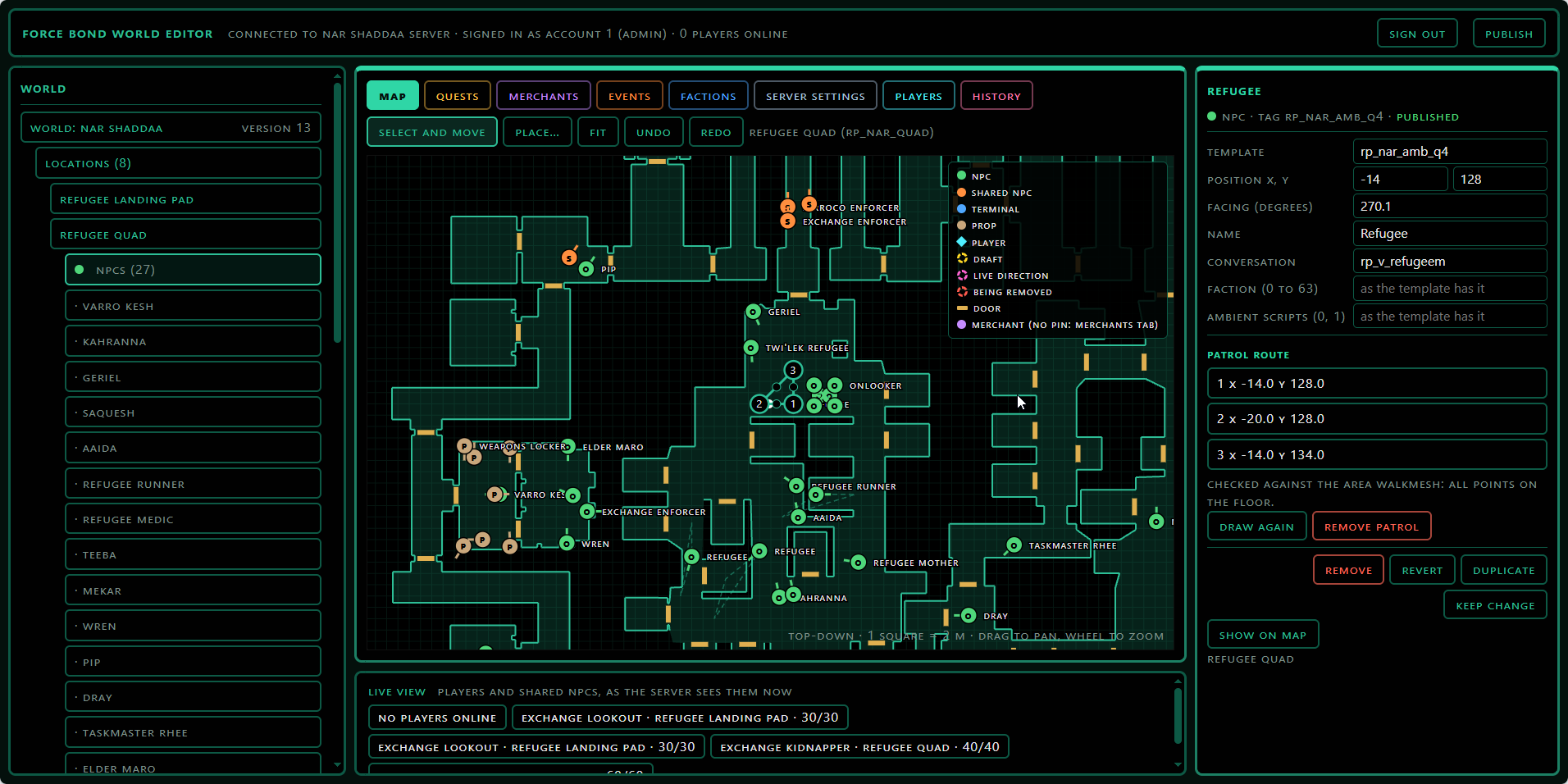
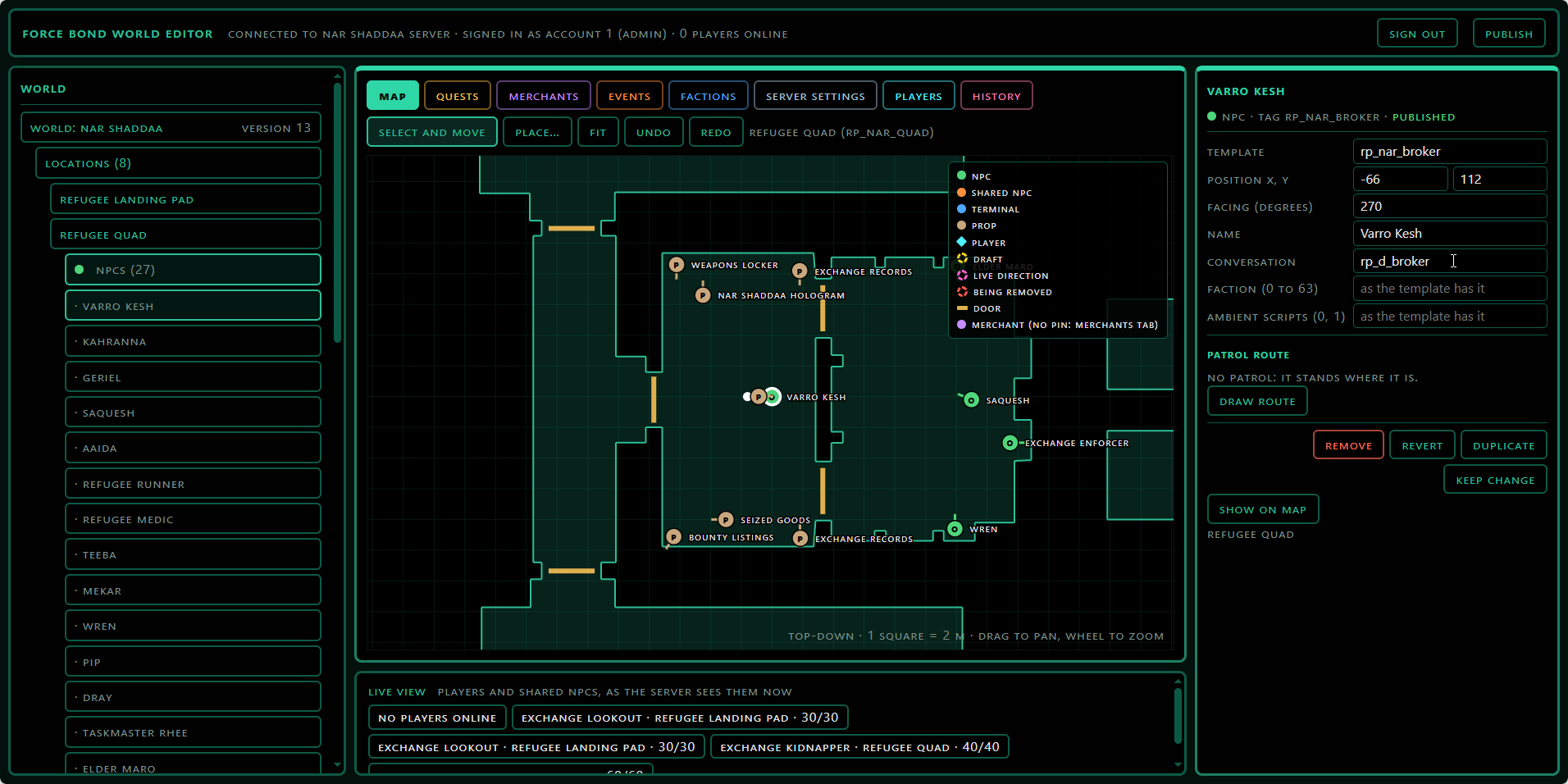
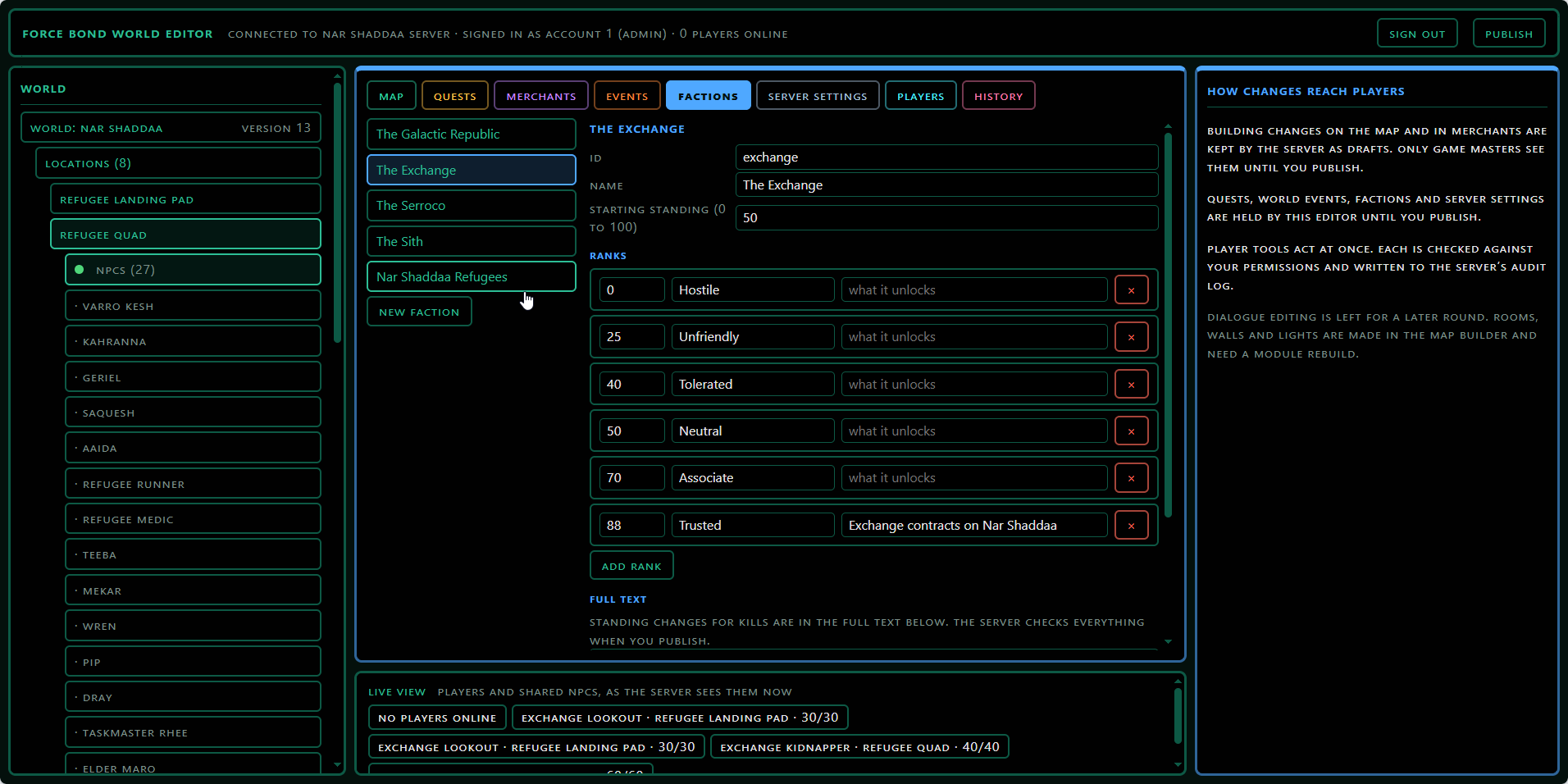
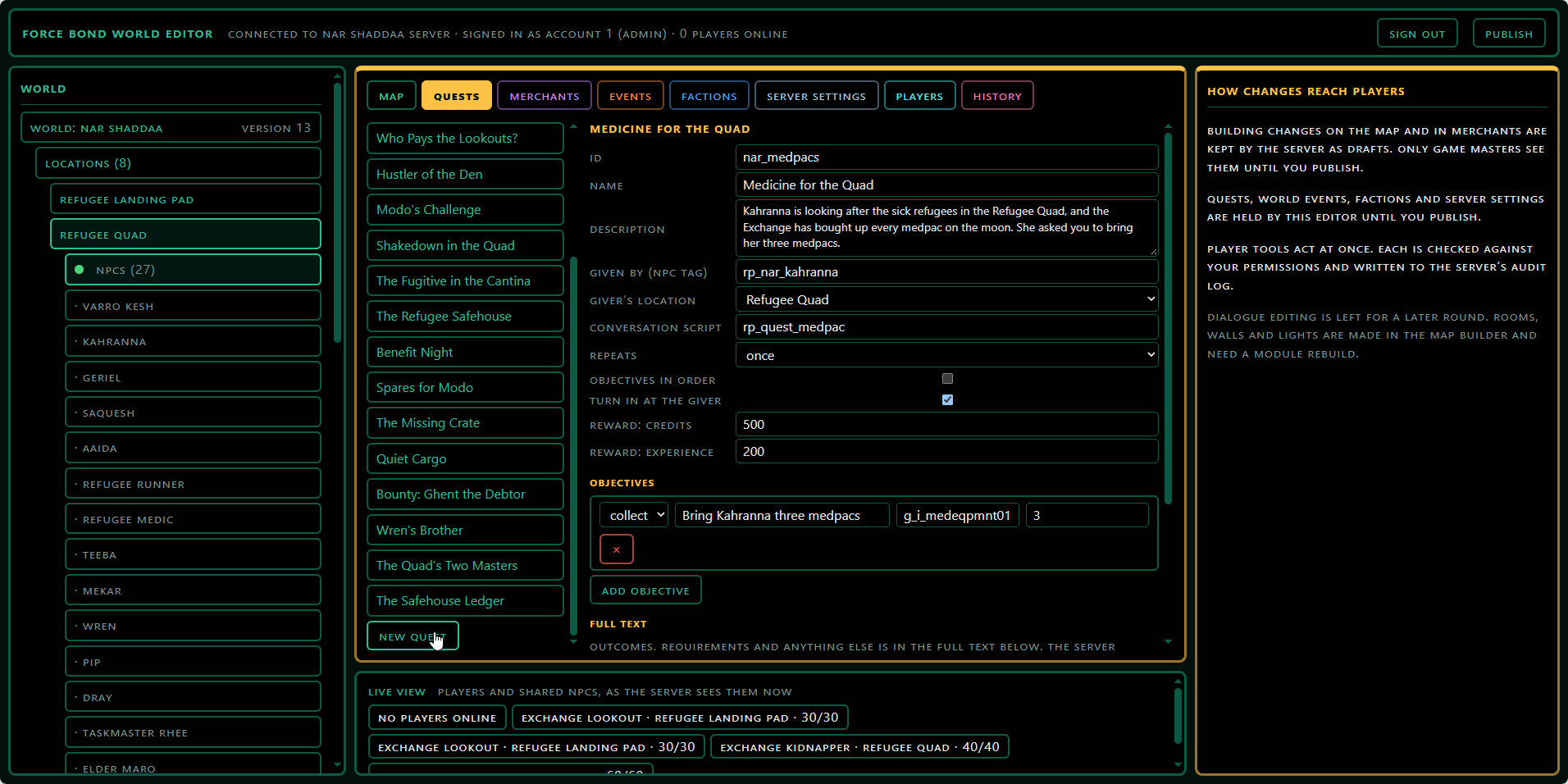
-
Hey, I'm wondering if you do any work in K2 TSL? Or plan to?
-
View File Same body height for K1 basic clothing models Hello everyone! This mod applies the body size of the PFBBM / PMBBM models to the base clothing models for all three KOTOR 1 class variants. My mod does not work on its own—meaning it won't be visible in-game—but rather requires another mod that assigns the K1 models to these three classes. I recommend using this one: https://www.gamefront.com/games/knights-of-the-old-republic-ii/file/new-pc-clothes Submitter FF97 Submitted 11/27/2026 Category Mods TSLRCM Compatible Yes
-
View File Kreia Retexture Hello everyone! This skin mod enhances Kreia’s textures by adding detail to the fabric of her clothing, refining her skin texture, and incorporating cubemap reflections. The overall appearance remains intact and has not been significantly altered. For the design of her outer robe, I drew inspiration from concept art as well as her pre-release look. As a foundation for this retexture, I used the 2x version of "4x Upscale+ Character Textures & Model Fixes (TSL) 0.52.0" by RedRob41, along with the Kreia models included in that same mod. Submitter FF97 Submitted 11/27/2026 Category Skins TSLRCM Compatible Yes
-
View File KOTOR 1 – Italian HD Cutscenes This mod replaces the original Italian cutscenes of Star Wars: Knights of the Old Republic with upscaled 1440p versions, following the same standard as my French, German and Spanish HD Cutscenes. Installation: Back up your Movies folder. Copy the files from this archive into the Movies folder of your Italian KOTOR installation, and overwrite when prompted. These cutscenes will also be included in the Italian pack of my KOTOR 1 Mod Build Installer, coming soon. Italian players wanted! If you play KOTOR in Italian, I'd love your feedback: playback issues, sound sync, anything that looks off. The truth always comes from the field! All credit for the original cutscenes goes to BioWare and LucasArts. Alcias01200 Submitter Alcias01200 Submitted 11/27/2026 Category Media
-
I haven’t seen this in the game. And there is no model by that name.
-
Presumably, it's a pike. https://en.wikipedia.org/wiki/Pike_(weapon)