All Activity
- Past hour
- Today
-
 Of course I did lmao. I tried a LOT of things. What made me furious is it WAS supposed to work, there's literally nothing wrong with the dialogue and script, which is probably why it worked for you. But me... just a black screen. Anyway. Glad you can finish the mod ! (My K1 expansion will be a LOT easier to install. :D)
 -
 haniru joined the community
 -
Did you really expect someone to hold on to saves for 11 years?

-
 FIXED Mod will be posted soon! It was a user error where since I only had the Base (PFBCS) selected and didnt have cutscenedummy explicitly selected it was not applying the transform to cutscene dummy, rather only to the base. I then ran into an error where this caused warping, but found by unparenting the mesh before scaling then reparenting once the changes were applied to the rig enabled me to find a workaround. Submitting on deadlystream also in meantime this should be live https://www.nexusmods.com/kotor/mods/1837
 -
 What version of blender and kotorblender are you using?
 -
I hate to say this but I just got past Freedom Nadd's tomb, did you ever try just... walking through the door? Like I know that sounds bad but I mean literally running into the door? It stayed closed for me but it had no collision and I loaded into Dxun fine. Thank you for the installation guide, it didn't solve my own problem but I'll leave what worked for me (so far) here for any future users. I installed TJM manually onto the Aspyr patch version on Steam, along with the wonderful 3C-FD Patcher by J. The mod launches and runs fine on the modern version to my knowledge but to fix the dialogue you gotta play around with it; imo it's worth it for the qol that the Aspyr patch + 3D-FD patch provide. Go into the TJM part 2 installation ZIP, >StreamVoice>GBL. You'll see a bunch of folders with .wav files inside; you need to convert all of them to .mp3. There's about 3000 of them and it took me about 15-25 minutes of work with Audacity. Once you do that, use JCarter's SithCodec to encode the .mp3s into the VO format, then put the encoded files back into their GBL folders. Keep all the folders under GBL in order (IE, keep all the "bast.mp3/wav" files in the bast file) and then in your Kotor 2 directory, pop the new Streamvoice folder into your Kotor 2 directory, overwrite the old files, and it should work a-okay. Hope this helps someone in the future.
-
For some reason in Blender when i scale down the whole base and apply the transforms the scale applies to the mesh but not the dummy. I am attaching a very short video demonstrating this. I will try to see if I can figure out how to scale the rig using the ASCII, unless there is a better way? KBlender Problem Export Scaled Rig.mp4
-
could you please reupload the save, they are empty. tia
-
 marrodbrosis joined the community
 -
 ckb000a joined the community
 -
Are you talking about Nadd's tomb ? Or installing the mod ? If it's the latter yeah no problem, I can help you if needed. Here are some detailed installation instructions : 0) Make sure you have a clean install of KotOR 2 without any mods, as this completely replaces the game with a "new one". 1) Download parts 1 and 2 of the mod then unzip both files. 2) Open part 1, go in Override, press CTRL + A then CTRL + C to copy everything, then go to your game's Override folder (probably this if you're on Steam : C:\Program Files (x86)\Steam\steamapps\common\Knights of the Old Republic II\Override ) and paste everything here. 3) Open part 2 and do the same steps for the 3 folders "Modules", "Movies" and "StreamVoice" (copy paste every file that's in these folders in your game's respective folders (Modules, Movies, StreamVoice). You can skip "launcher"). The Legacy install worked better for me as for the Aspyr version the voice lines of the dialogues wouldn't work. If you're talking about Nadd's tomb... I gave up lol. I myself am a modder and mostly wanted to try this mod for reference points on several fields (story, fights, dialogues and lip syncing, etc.) for my own K1 post-game expansion so after trying for 10 minutes to see what was wrong I let it go.
-
 Seacade111 joined the community
 -
 I for the life of me cannot get this damn mod to work on pc. I have tried so many ways, but the quest will not pop up after getting the force back on peragus. it works perfectly on mobile, but not on pc, its like the global.jrl file isnt being updated.
 -
 marianatoitalina joined the community
 -
 TheMattMJ joined the community
 -
 glennyxtreme joined the community
 -
Did you end up getting this working? I've been having a ton of trouble getting the mod going both on the Aspyr patch and on the legacy beta. Help would be greatly appreciated
-
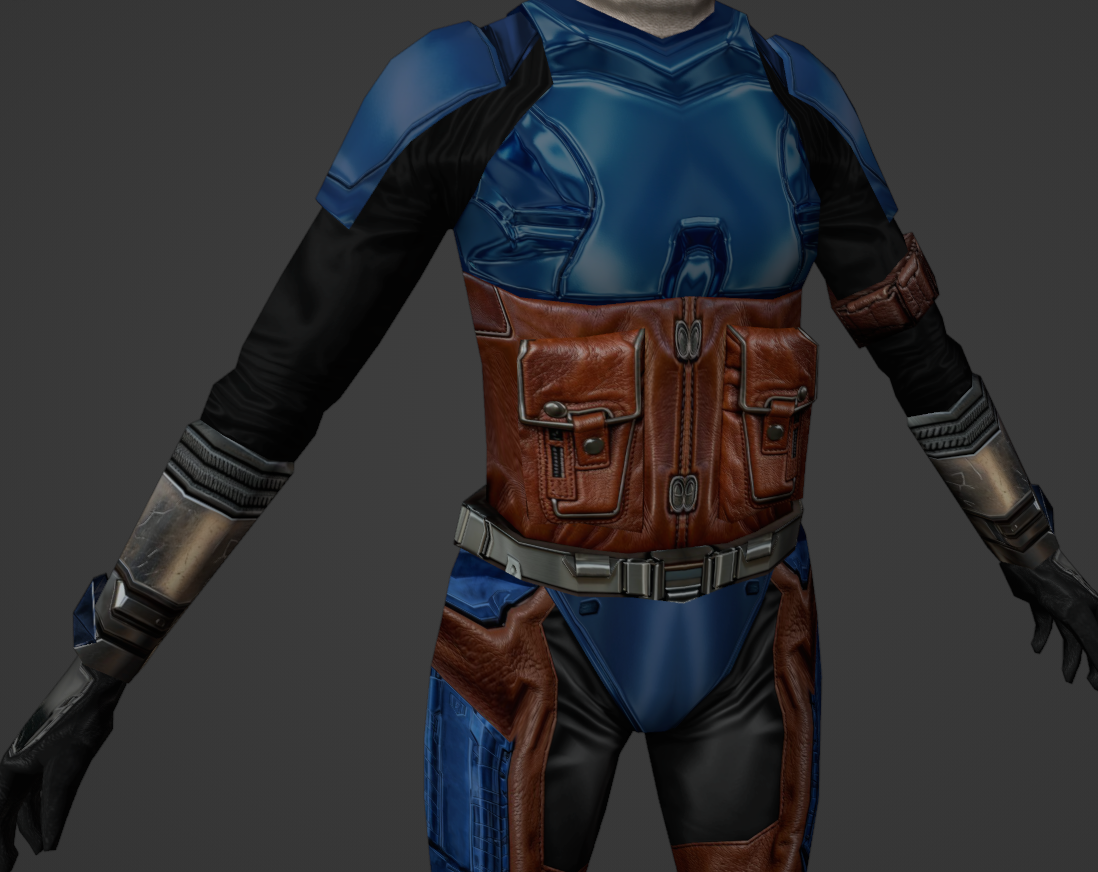
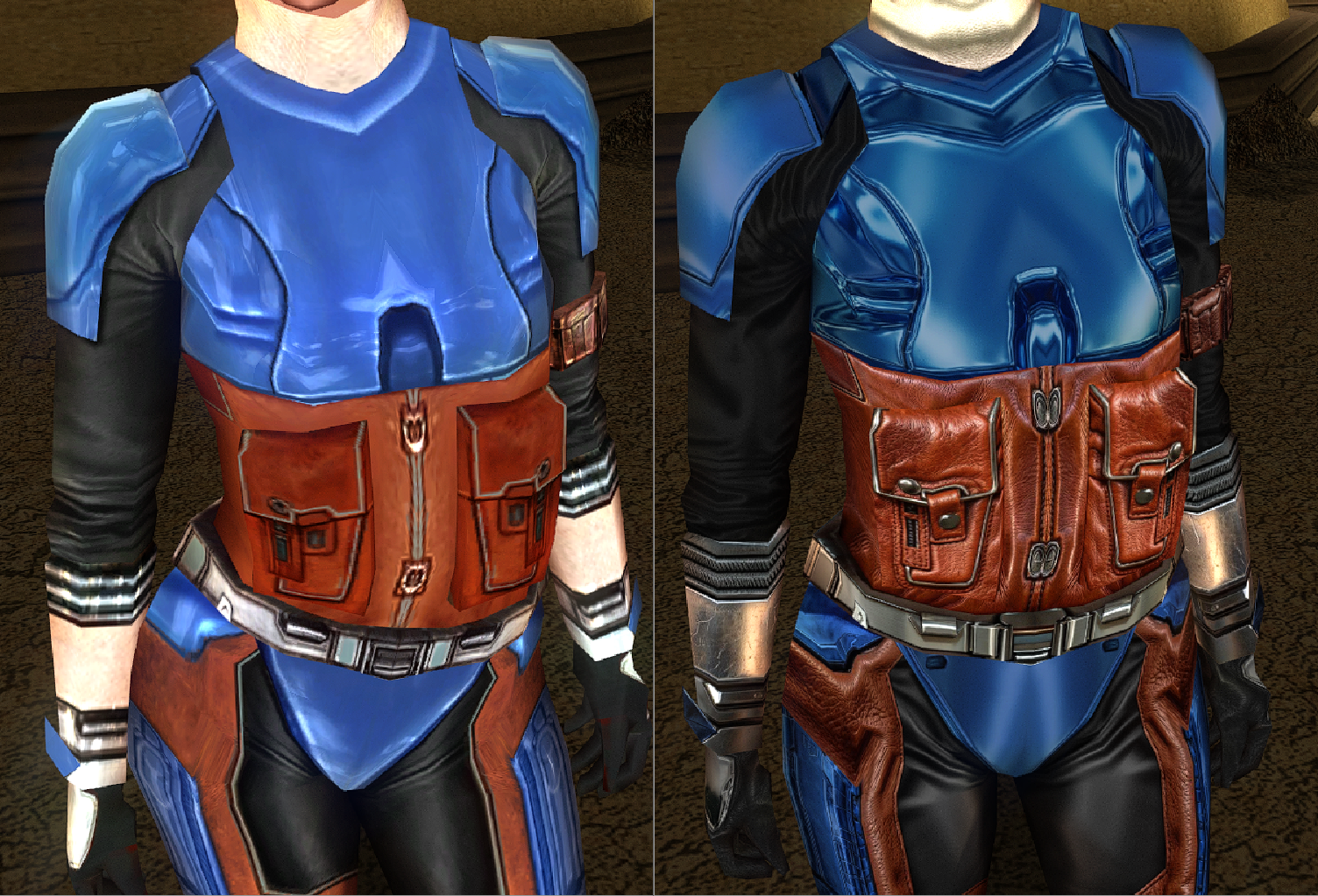
 The problem is your rig didn't scale: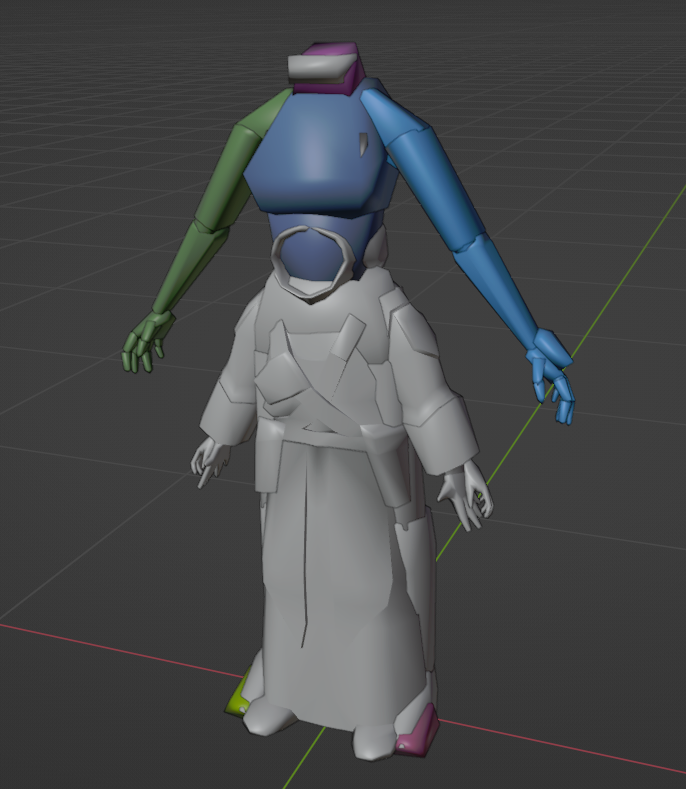
-
pmbal.mdxpmbal.mdl Here are the Mdl and Mdx.
-
Attaching the models would be beneficial.
-
Because I made an error while trying to use Blender to adjust the hand hooks and mistakenly concluded it had an problem exporting weapon hooks. But you are right Blender works. I was able to adjust the hand hook placement in blender but now while the lightsaber hilt IS aligned while in combat animations it is now floating behind during idle, well the right weapon floats behind the left weapon floats on the right and in front. Also interesting enough moving rhand and lhand worked for the mele weapons but blasters still are not sitting in hand during animation.
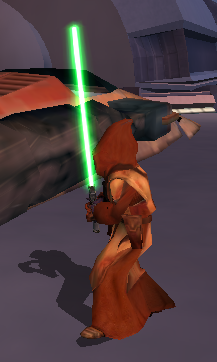
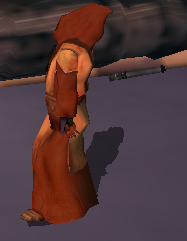
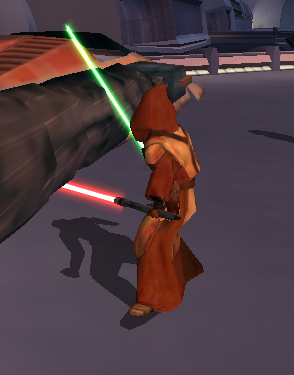
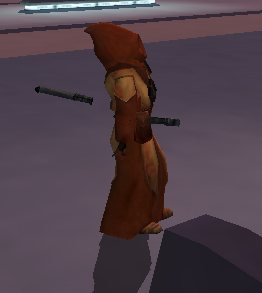
-
Why are you using ASCIIs if you're using KBlender?
-
 murkrowplays joined the community
 -
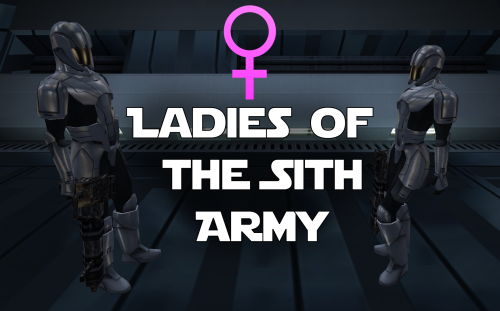 when the sith trooper die,they don't have the sound
- 28 comments
-
- 1
-

-
- sith soldier
- marius fett
- (and 1 more)
- Yesterday
-
 dueler94 joined the community
 -
 SallyWally joined the community
 -
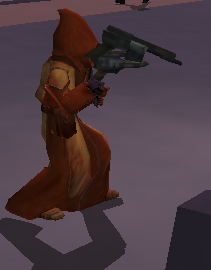
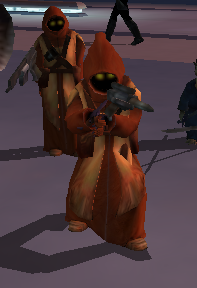
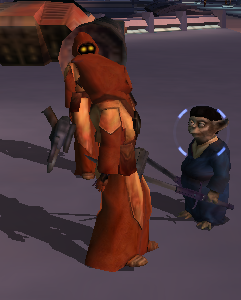
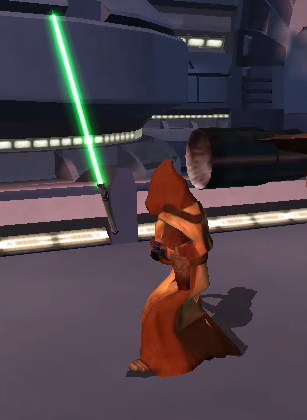
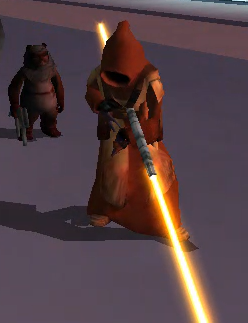
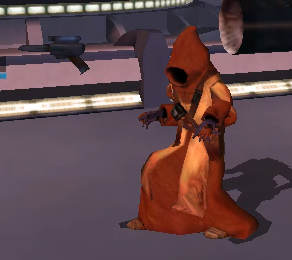
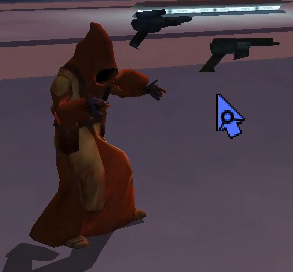
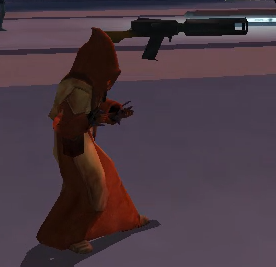
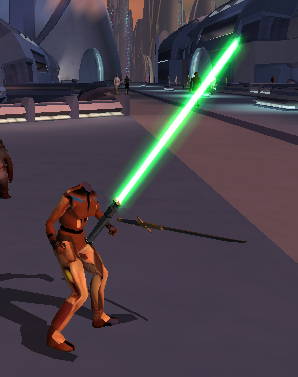
As the title says I am currently trying to work on a playable Jawa mdl and am having problems with the weapons in game placement specifically when in combat animations. Essentially my ,admittedly convoluted, process was that I scaled down pfbcs.mdl/.mdx to the size of a jawa in blender, scaled down the animation to match, and applied all transformations excluding rotation. I then exported that, used MDLedit to batch an ASCII file from the export, then with the supermodel in the same folder using MDLedit batched it back to Binary. Regular animations such as walking and combat stances work fine with no stretching, but the problem is I think the weapons seem to still be spawning in the original location from before scaling down. In Blender I tried creating a custom scaled down supermodel, I even edited the hand hooks placement for the g2r1 (which from what I could tell was the idle mele 1h animation) in the graph-editor panel in the animation section, and tried compiling the player character again using that as the supermodel but it didn't seem to work. I am thinking that maybe the game is drawing the weapon placements from the hooks in the actual main supermodel in the game files? Anyways I am kind of at a loss. I am thinking maybe this might be fixable by editing the ASCII file, but if it IS just pulling from some global animation array regarding the weapon hook placement I don't think it would be. But am honestly running out of ideas and any help would be much appreciated. The steps adding the actual Jawa mesh I did after and it seems to be working ok but the part I have described is what produced the bug. Anyways any help or feedback would be great thanks, for your time.
-

The Sith Lords Restored Content Modification - LOTO's Xbox Version
Iceni_Blue commented on LOTO's file in Mods
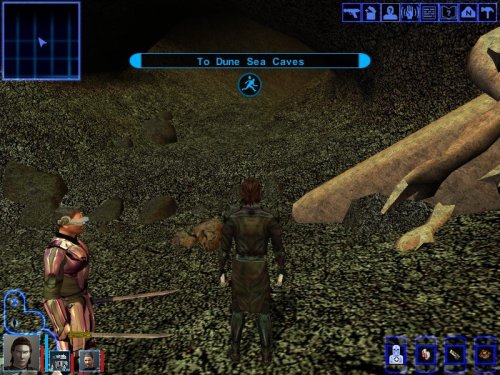
 Hiya, I recently installed this mod and have been really enjoying it but I've ran into a small problem and would really appreciate some help. I've just left Telos and arrived on Nar Shadaa with my Exile and when I talk to Kreia she will say her usual line of "Yes?, have you come with questions?" Or something to that effect however any further dialogue choices are not accomanied by voice lines. The issue does not effect other party members that I know of and when comparing to the file on my pc, the size appears to be relatively similar. Any help would be greatly appreciated, thanks :).
 -
 Thank you!
 - Last week
-
 I still don't get the assumption that there were any development plans to allow T3-M4 to be recruited early. Canderous Ordo's line: "But that little T3 unit you got from Janice should be good enough to get the job done" can be heard in the unmodded game normally if you purchase the droid and immediately go to Javyar's cantina to ask Canderous again what you need to do. It was added for him to not to tell you to purchase a droid at this point when he can clearly see you already have one.
 -
Not the mod author, but I can tell you it's because you already completed Tatooine on that save. Basically, you can't modify a module after you've already visited it in a save (with very few exceptions). But that being said: you can just use the cheat code "warp m19aa" to teleport to the start of the Tatooine temple, just past the entrance within the Krayt cave. Have fun!
-
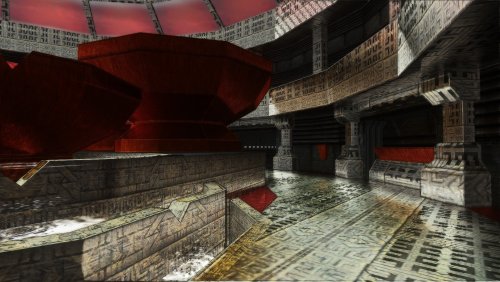 Yes that would be nice thanks. Especially since K2 already looks pretty good.
 -
View File Quanon & Dark Hope Twi'lek Pack A Mod for Star Wars Knights of The Old Republic Author: N-DReW25 1.0.0 Release Date: 18.07.2026 Installation: Please install the K1 Community Patch FIRST before this mod! Simply click on the HoloPatcher.exe, click install, and sit back and watch the HoloPatcher do its magic! Description: On January 4th 2017 the modder Dark Hope released her HD Twilek female 1 mod which updates the female Twi'lek appearance textures with high quality HD textures. On March 1st 2017 the modder Quanon would then release his Quanons Twilek Outfits mod which added high quality HD dancer outfit textures for the female Twi'leks. With Quanon's mod, the idea is that you would install Dark Hope's textures first and then his mod on top to create a sort of HD hybrid between the two textures. But on January 21st 2023 Dark Hope would go on to update her HD Twilek female 1 mod with new textures that used DarthParametric's K1 Thigh-High Boots For Female Twi'lek Body Modder's Resource. Since both Quanon and Dark Hope have given modders permission to use their mods with proper credit given to them, I have decided to take their Twi'lek textures and make a pack which would allow you to use all three mods at once without having to pick one or the other. Dark Hope's HD Twilek female mod from 2017 will replace the three generic Twi'lek female appearances with HD textures for their outfits and heads. 4 new Twi'lek appearances have been added which use the default Twi'lek heads but use Quanons Twilek Outfits for their outfits. 3 new Twi'lek appearances have been added which use Dark Hope's HD Twilek female mod from 2023 which add new outfit textures with Thigh-High Boots and head textures. With this mod installed, there are now 10 Twi'lek female variations that each use a combination of Quanon's textures, Dark Hope's 2017 textures, and Dark Hope's 2023 textures. Known Bugs: This mod shouldn't have any bugs but if you find any please report them to me. Incompatibilities: Incompatible with DarthParametric's K1 Thigh-High Boots For Female Twi'lek Body Modder's Resource (it is also included in the mod). KotOR 1 Twi'lek Female NPC Diversity must be installed AFTER the Quanon & Dark Hope Twi'lek Pack. Lyn Sekla "Legends" must be installed AFTER the Quanon & Dark Hope Twi'lek Pack. [K1] Janice Nall "Legends" and the Incomplete Droids must be installed AFTER the Quanon & Dark Hope Twi'lek Pack. Galaxy of Faces must be installed AFTER the Quanon & Dark Hope Twi'lek Pack. The NPC Diversity Pack must be installed BEFORE the Quanon & Dark Hope Twi'lek Pack. Please report any further incompatibilities! Permissions: As both Quanon and Dark Hope have given their permission for modder's to use their work, you can use assets from this mod as long as you give credit to the original authors. Thanks to: Dark Hope: For creating the 2017 and 2023 versions of the HD Twilek female 1 mod! Quanon: For creating Quanons Twilek Outfits! DarkParametric: For both making K1 Thigh-High Boots For Female Twi'lek Body and making it a modder's resource! Bioware: For such an amazing game! Fred Tetra: For Kotor Tool! Cortisol: For HoloPatcher! Everyone who downloads the mod! Legal: THIS MODIFICATION IS NOT SUPPORTED BY BIOWARE/OBSIDIAN ENTERTAINMENT, LUCASARTS, DISNEY OR ANY LICENSERS/SPONSORS OF THE MENTIONED COMPANIES. USE OF THIS FILE IS AT YOUR OWN RISK AND THE ABOVE-MENTIONED COMPANIES OR THE AUTHOR IS NOT RESPONSIBLE FOR ANY DAMAGE CAUSED TO YOUR COMPUTER FOR THE USAGE OF THIS FILE. Submitter N-DReW25 Submitted 07/17/2026 Category Mods K1R Compatible No
-
View File HQ Vibro Weapons + Effects - K1 Vibro Weapons with vibration effects. All vanilla vibroswords, vibroblades, and vibro double-blades updated. Toasty Fresh vibro models were used as a base and each texture was color matched to the vanilla style. Vibration and motion blur effects were added to the blades. 6 Vibroblades Vibroblade - g_w_vbroshort01 Krath Blood Blade - g_w_vbroshort02 Echani Vibroblade - g_w_vbroshort03 Sanasiki's Blade - g_w_vbroshort04 g_w_vbroshort05 g_w_vbroshort06 g_w_vbroshort07 Mission's Vibroblade - g_w_vbroshort08 Prototype Vibroblade - g_w_vbroshort09 7 Vibroswords VibroSword - g_w_vbroswrd01 Krath Dire Sword - g_w_vbroswrd02 Sith Tremor Sword - g_w_vbroswrd03 Echani Foil - g_w_vbroswrd04 Bacca's Ceremonial Blade - g_w_vbroswrd05 g_w_vbroswrd06 g_w_vbroswrd07 g_w_vbroswrd08 Baragwin Assault Blade - g1_w_vbroswrd01 GenoHaradan Poison Blade - geno_blade 4 Vibro Double- Blades Vibro Double-Blade - g_w_vbrdblswd01 Sith War Sword - g_w_vbrdblswd02 (not used)Echani Double-Brand - g_w_vbrdblswd03 Yusanis' Brand - g_w_vbrdblswd04 g_w_vbrdblswd05 g_w_vbrdblswd06 g_w_vbrdblswd07 Credit: KoTOR Weapon Model Overhaul by Toasty Fresh - 3 models/textures were used as base KOTOR Blender Submitter J Submitted 07/18/2026 Category Mods K1R Compatible No