All Activity
- Past hour
-
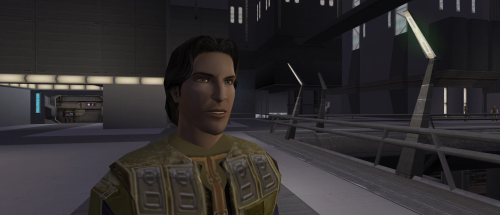 the canon Meetra Surik Head
 -
 Zandyr joined the community
 -
 Right. Well to be honest, as much of a KOTOR fan that I am, I did not ever play a full playthrough with K1R. Never even got to the undercity. So I'll be honest, I've got no idea what you're talking about lol. But anyway, I guess if you ask N-Drew he might be able to throw this in RC-K1CP if the creators can be contacted.
 - Today
-
 SSJosh joined the community
 -
 Derae99 joined the community
 -
 Bmoney05 joined the community
 -
 thimbleujio joined the community
 -
 yenadread joined the community
 -
Thank you for letting me know about Rule 18. I won't ask about or suggest this in the future. There's three things I want from K1R. The reskinned "Exar Kun's Light Battle Armor" that's black and grey, the Outcast Children in the Taris Undercity, and the mechanic that allows the player to both attend the Sith Party and stop the Sith interrogation to get two Sith soldier armors.
-
 lure0702 joined the community
 -
 alapaska joined the community
 -
 Of course it is. I found that file in Kaidon Jorn's "KSR 2022." Odd that it would be in there.
 -
Can I move this mod to skins? I accidentally uploaded it to mods.
-
 NyarVAthotep joined the community
 -
I'm gonna add some facial hairs to some select heads, I've already done them, just need to darkside transitions and sith eyes. Which female head did you have in mind? I'm gonna update the last transition. I want to add the reddish ring around the eye.
-
 Aaronlc joined the community
 -
Ah this is great to hear- thank you, Wild Karrde for this compatibility patch! I’ll throw it into the next update and give you credit for it.
-
 Here's my experience getting this mod to work in 2026. It was a struggle, but it is mostly working now. I will document any later or remaining issues. Note that I am just a modder, so I don't know why things work, only that they do or don't. Every mod is from Deadly Stream or Nexus, never Steam Workshop. Mods installed, in this order: Base game (Steam, C drive, non-protected folder, set to run as Admin) TSLRCM 1.8.6 [installer] Kirin's Female Playable Characters (so I can play a Twi'lek) [put files in override] Handmaiden and Female Exile - Disciple and Male Exile Romance [installer] Holowan Duplisaber Beta .215B (this mod) [installer] Holowan Duplisaber Fix [put files in override] Ultimate High Resolution Texture Pack [put files in override] Fixes: Texture/Mesh issues: Open swkotor2.ini, found where you installed the game. Change "DisableVertexBufferObjects=1" to "Disable Vertex Buffer Objects=1" (without the quotation marks obviously) Wrong colours: Don't use VP's Hi Poly Tin Cans 1.1 (and probably any other lightsaber mod besides the aforementioned Duplisaber Fix) Remaining issues: Kreia doesn't recognize the lightsaber. The one I made with Bao-dur is the only one I have, and she still thinks I don't have one. It seems the sabers from this mod are not recognized by the game for checks like that one. Buying crystals from the "Crystal Surplus" menu at the workbench doesn't work. It will take your credits, but you don't get the crystal. Tips: Save yourself some time and effort by looking at this image gallery of every hilt. I think they're all here. But the images don't do the sabers justice. They look better in-game. Personally, I like the Rose hilt for red blades. http://imgur.com/a/BPofz/all Freedon Nadd's lightsaber is found under the "Short" lightsaber section and has the +2 defense, -2 attack modifiers of a short saber, but visually has the length of a long saber. This mod doesn't give you the ability to make more lightsabers. It simply turns the upgrade slot for crystals into a slot for new upgrades that change both the colour and hilt.
 -
That worked perfectly! Thank you so much!
-
 https://github.com/CrispyW0nton/Kotor-3D-Model-Converter/tree/qt-ghostrigger Development Update: GhostRigger Has Taken a Big Step Forward Hey everyone, I wanted to post an update on GhostRigger because the project has been moving fast lately. The short version: GhostRigger is still very much a WIP, but it has grown from a basic model viewer / importer concept into a much more serious KotOR development toolkit. A lot of recent work has focused on making the tool feel less like a loose utility and more like professional game-dev software for working with Odyssey/Aurora assets. Major Recent Progress GhostRigger now has much stronger support for: Loading and browsing KotOR 1 and KotOR 2 game assets directly from the game directory Rendering MDL/MDX models in a modern Qt viewport Texture handling improvements, including fixes for wrapping/clamping issues on module and character textures Better module/area model categorization and labeling Improved viewport controls, including transform/gizmo work Measurement tools for inspecting models and scene scale A new lighting system inspired by the Aurora/Odyssey render pipeline Experimental lightmap baking tools Better module rendering, including ongoing work around baked lightmaps MCP tooling for automated inspection, validation, and asset transfer workflows Continued work on the Character Builder pipeline One big area of research recently has been KotOR’s “mesh objects as bones” system. KotOR does not use a modern armature system like Blender, Unity, or Unreal. Instead, the named MDL node hierarchy itself is the skeleton, and many _g meshes are both visible geometry and animation bones. That changes how the Character Builder needs to work. The “Build Skeleton” step is being reworked around this native KotOR logic instead of trying to force modern FBX armature assumptions onto the game. Character Builder Direction The Character Builder is being reshaped around a clearer workflow: Choose a base KotOR model/skeleton Load the custom mesh Align the mesh to the KotOR skeleton Assign/build the KotOR node hierarchy correctly Assign or preview animations through the supermodel chain Preview heads, weapons, equipment, and attachments Export a game-ready MDL/MDX There is still work to do here. I do not want to pretend this is launch-ready yet. The goal is not just “can it import a model,” but “can a KotOR modder actually use this smoothly to get a model in-game without fighting the tool.” That means the rigging, preview, animation assignment, texture handling, and export flow all need to feel reliable. Huge Thanks to LordVader I also want to give a major shoutout to LordVaderCW, who has been contributing a lot of important work through his fork. Recent collaboration from LordVader has brought in substantial improvements, including: A new Aurora-style lighting system A new transform gizmo system Measurement tooling Experimental lightmap baker work Lightmap/rendering patches Fixes around rendering artifacts, including Windows-specific GPU issues General cleanup and modernization across the Qt branch This collaboration has been extremely helpful. A lot of the recent progress is coming from comparing approaches, merging work, testing real KotOR assets, and trying to make sure GhostRigger behaves like a proper KotOR tool rather than just a generic model viewer. Current Focus Right now the main priorities are: Making module rendering more accurate Improving lightmap and texture correctness Continuing the Character Builder rework around native KotOR skeleton logic Making the viewport/gizmo workflow smoother Building a real animation and equipment preview system Making sure exported assets are structurally valid for K1 and K2 The big question I keep coming back to is: would this actually help a KotOR modder get a custom model into the game faster and with fewer headaches? That is the standard I am aiming for. Thanks again to everyone who has been following the project, and especially to LordVader for the recent collaboration. There is still a lot to do, but GhostRigger is becoming much closer to the kind of full game-dev toolkit I originally wanted to build for KotOR.
 -
Hey there. Sorry, didn’t mean to ignore this question. So short answer: no, this isn’t exactly compatible, but using the Light Side mod isn’t going to break anything on Sleheyron itself. I added a little Sleheyron-related content to Hulas that you would be replacing with the Light Side mod. But it’s a very small amount of content. So between the Light Side mod and Sleheyron you can pick either version you want, but you can’t have them both. But that being said I’ve been meaning to make a merged compatibility file for this mod for awhile. I can get working on it through this weekend. Is that soon enough to get it done for you?
-

Kotor 1 - Stuck before Dantooine Star Map
Luiz replied to keegs's topic in Knights of the Old Republic General
Thank you very much my friend, saved me a lot of time, God bless you and your family. -
Jason is suggesting that I just outright add most, if not all, of K1R to RC-K1CP with no regards to gaining permission. The thing about permission is that it's like following the speed limit. You don't follow the speed limit because you personally want to do 40 on a road that looks as if 60 would work just fine, you follow the speed limit so that you don't get a speed ticket from the Police. Unless Deadlystream Staff and/or site owner Tyvokka decide to amend Rule 18 to allow for reusing assets from abandoned mods without needing to contact unreachable/AWOL authors as long as credit is given to said authors then I'm afraid Rule 18 will still be followed for the RC-K1CP mod. Here is a quotation of Rule 18 for reference: But as The_Chaser_One has pointed out, whilst K1R's lead developer, ZM90, is gone the other members of the K1R Team are still present and we can ask them for the assets that they personally made. The_Chaser_One asked Fair Strides, the modder behind K!R's Pazaak Tournament, for permission to take said Tournament out of K1R and now it's become it's own standalone mod. I, likewise, asked Fair Strides permission myself and I do intend to make my own Pazaak Tournament for RC-K1CP based on Fair Strides' work.
-
Why do you say that, is what you want in K1R ? By the way, Fair Strides is still around, it's thanks to her I made this (modernized Manaan Pazaak Tournament).
-
Hmm well he still should show up in that area as normal now, and not changed to that Rodian. Not sure why any mod would even change that .utc, but basically a utc is its character file. Usually if a character has a changed appearance or dialogue, it's because their utc file was edited and put in the override. Sleheyron doesn't edit that specific duros utc, so some other mod must have changed it for some odd reason.
-
are u planning to do remakes of all the heads male and female?
-

Kotor 1 - Stuck before Dantooine Star Map
DarthParametric replied to keegs's topic in Knights of the Old Republic General
I really would like to know how you people keep doing this. 000220 - Game219.zip -
Honestly, some modders need to stop worrying about getting permission to use assets from the K1R mod. If most of the developers are long gone, they likely don't care what we do with their old mod. And as the old saying goes, 'It's easier to ask for forgiveness than it is to get permission.'
-
He's seen in the Taris Sith Base and you have to free him. Mind telling me how you knew what file to delete to fix my heavily-modded game? And what do UTC files do?
-
All good. Attached is an updated patch which should open that door too, let me know if it still doesn't do the trick. Yavin Station Hangar Compatibility Patch (Beta 0_2).zip
- 148 comments
-
- 2
-

-
- expanded universe
- sleheyron
- (and 1 more)
-
View File Custom Exile HD This mod gives the Male Jedi Exile (PMHH01) a custom visual overhaul with realistic pale green eyes, a custom skin tone, brown hair with subtle realistic highlights, custom portraits, and movie inspired dark side transitions. Features HD Custom Exile face texture Realistic pale green eyes Custom skin tone Brown hair with subtle realistic highlights Custom portraits Movie inspired dark side transitions Second Sith transition with yellow eyes and a reddish undertone Simple texture replacement Installation Place the override folder into your main kotor 2 directory. If asked to overwrite files, choose yes. Compatibility This mod may conflict with other mods that replace the same Exile head, portraits, or dark side transition textures. Requirements None. Submitter Saul0097 Submitted 05/19/2026 Category Mods TSLRCM Compatible Yes
-
Sorry, I probably should've been clearer in my wording! This is, in fact, what I meant.
-
Kotor 1 - Stuck before Dantooine Star Map
Luiz replied to keegs's topic in Knights of the Old Republic General
Can you help me please, I managed to somehow trigger one time but pressed the reload button by mistake and now it wont go... 000001 - AUTOSAVE.rar - Yesterday
-
Version 1.1
3 downloads
This mod gives the Male Jedi Exile (PMHH01) a custom visual overhaul with realistic pale green eyes, a custom skin tone, brown hair with subtle realistic highlights, custom portraits, and movie inspired dark side transitions. Features HD Custom Exile face texture Realistic pale green eyes Custom skin tone Brown hair with subtle realistic highlights Custom portraits Movie inspired dark side transitions Second Sith transition with yellow eyes and a reddish undertone Simple texture replacement Installation Place the override folder into your main kotor 2 directory. If asked to overwrite files, choose yes. Compatibility This mod may conflict with other mods that replace the same Exile head, portraits, or dark side transition textures. Requirements None. -
 This is an incredible innovation for Knights Of The Old Republic and The Sith Lords modding. It handles everything I throw at it and deserved status as the next KOTOR Tool.