All Activity
- Past hour
-
 I don’t even know what this is.
-
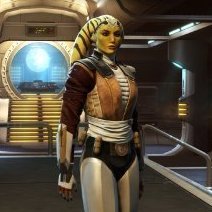
Heyorange's Sith Uniform Reformation [Revised]
jmorenobothwell reviewed Sith Holocron's file in Skins
 The Sith uniforms look 1000% more menacing with this installed, hands down. 10/10!
- Today
-
@Dark HopeAny plans to expand this to include the PLC_Pike?
-
expansion Mission to Sleheyron: A New Story Expansion Mod for KOTOR
jmorenobothwell commented on SAO1138's file in Mods
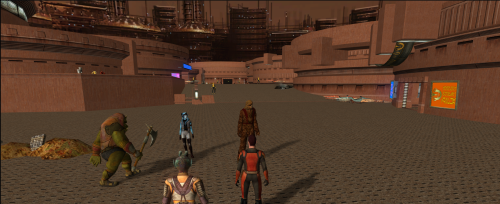 I figured that would be the case. When I finish my current playthrough/s I'll rebuild it with this. I sent you my current mod list via DM here.
-
Yeah, thinking about it, I would probably recommend a full reinstall. I can't say for sure how much that throwing it in now would break things, but I can only say with confidence a reinstall is how you avoid anything breaking. My apologies if this means restarting a game you've already put hours into... If you want to show me your mod stack, you can message me on Discord (username sao1138 there). Or if you'd prefer to just list it here that works too, it's just I'd definitely see it sooner on Discord.
-
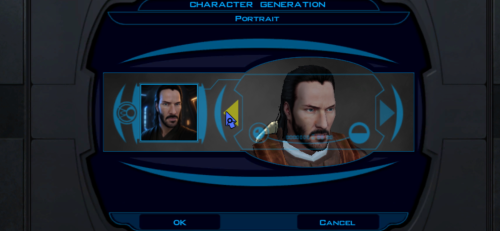 I keep getting a error when i click "install mod". "Unable to load the changes.ini file make sure the "tslpatchdata" folder is located in the same folder as this application" and it is.
-
Kotor 1 Movies Crashing?
Skeet1983 replied to Skeet1983's topic in Knights of the Old Republic General
First 4 are about 3mb, 5th is 40mb(01a.bik)... -
expansion Mission to Sleheyron: A New Story Expansion Mod for KOTOR
jmorenobothwell commented on SAO1138's file in Mods
Excellent, thank you! I'll give it another go. For clarity's sake, since I'm still new at this I can show you my current mod stack. I assume adding Sleheyron will requires a full rebuild/reinstall ans I'd like to get it right. Thanks for confirming it's compatible with Kotor Patch Manager and KMRP. -
Kotor 1 Movies Crashing?
DarthParametric replied to Skeet1983's topic in Knights of the Old Republic General
Well a simple test is to look in the movies folder and list the file sizes of the first couple of BIKs. You can also just play them with something like VLC and check what size it says the file is. -
Kotor 1 Movies Crashing?
Skeet1983 replied to Skeet1983's topic in Knights of the Old Republic General
Hello again. Before I do those steps, I want to mention that I don't remember installing a Mod that had HD Movies or whatever. Besides the Space Battles skip Mods, the only other 2 Mods I installed are High Res Menus and the Area Maps Fix Mods... Further thoughts and help appreciated -
 ate0ate joined the community
-
 Lowren joined the community
-
Where's the crash on Yavin happen? As soon as you load into the module? If so, I did just update that module file... might be worth installing that replacement .mod? For the Spectres' loot: Have you tried to completing their quest first? We'll get this figured out. Thank you for your patience.
- 255 comments
-
- 1
-

-
- expanded universe
- sleheyron
- (and 1 more)
-
 sevv joined the community
-
 CountXero joined the community
- Yesterday
-
 Death1oo joined the community
-
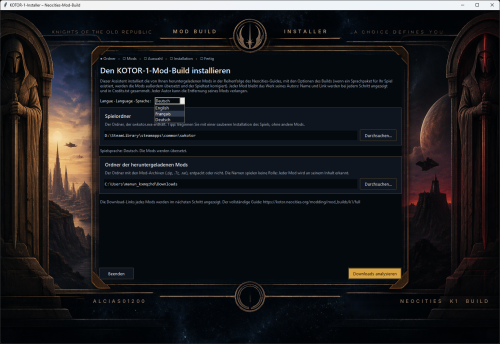 This installer is an amazing tool for anyone who wants to enjoy KOTOR 1 with a complete mod build without spending countless hours installing everything manually. I initially encountered an issue with some mod archives not being recognized, but it turned out that my 7-Zip installation was located in a non-standard directory. The developer was incredibly friendly, responsive, and genuinely interested in understanding the problem. Once I fixed the 7-Zip installation path, everything worked perfectly, and the installer successfully recognized all 185 mods! The interface is clear, the installation process is well organized, and the support for multiple languages, including French, is a huge bonus. What I appreciate most is the amount of work this tool saves, while bringing together so many fantastic mods created by the KOTOR community. A huge thank you to Alcias01200 and all the talented modders whose work makes this compilation possible. Highly recommended!
-

 *Ahem* Did you clear this with me?
-

MOD:KOTOR 1 Mod Build Installer (Neocities guide)
Alcias01200 replied to Alcias01200's topic in Mod Releases
Hi Blackheart! No need to apologize at all. I'm really glad it's working for you now, and thanks for coming back to let me know! Your report was actually useful: it showed me that 7-Zip isn't always installed in the default folder, so I'll look into making the installer detect it wherever it is. If you enjoy the installer, a short review on the mod page would mean a lot to me. It helps other players find it and gives credit to all the modders whose work it brings together. Thanks again, and have fun with your playthrough! Alcias01200 Feel free to follow the file so you'll be notified whenever a new update comes out. -

MOD:KOTOR 1 Mod Build Installer (Neocities guide)
Blackheart replied to Alcias01200's topic in Mod Releases
Update – Issue resolved! Hi Alcias01200! I just wanted to give you a quick update and apologize for the confusion regarding my previous report. You were absolutely right about 7-Zip! It turns out that I had installed 7-Zip on my Desktop instead of its usual location (C:\Program Files\7-Zip). After reinstalling 7-Zip in the correct directory, I tested your installer again, and everything is now working perfectly! All the mod archives are being recognized correctly. So the issue was actually caused by my 7-Zip installation path, not by a bug in your installer. I'm sorry for the confusion, and thank you very much for taking the time to investigate my report and help identify the problem. Your installer is a fantastic tool, and I really appreciate the work you've put into it! Thanks again, and keep up the great work! -

expansion Mission to Sleheyron: A New Story Expansion Mod for KOTOR
ReanGalliams commented on SAO1138's file in Mods
Yavin IV is also a crash -
 View File Kainzorus' Qui-Don Jorn Hilts Conversion with Crazy34's New Lightsaber Blades – K1 Rebuilt the saber models from Kainzorus Prime's K1 conversion of Qui-Don Jorn's hilts using Crazy34's New Lightsaber Blades Modder's Resource, allowing the hilts to use Crazy34's blade system. Installation: Extract the files into your swkotor\Override folder. Compatibility: This mod replaces the corresponding lightsaber .mdl and .mdx files. Any other mod replacing the same saber models will conflict. No item .uti files, crystal properties, scripts, or gameplay statistics are modified. Special thanks to: @Kaidon Jorn— for creating the amazing original lightsaber hilt designs and models. @Kainzorus Prime— for converting the Qui-Don Jorn saber set to K1 and for allowing me to release this version. @Crazy34— for creating the fantastic New Lightsaber Blades and providing the Modder's Resource used to rebuild these models. Submitter Revanknight Submitted 11/25/2026 Category Mods K1R Compatible Yes
-
MOD:KOTOR 1 Mod Build Installer (Neocities guide)
Alcias01200 replied to Alcias01200's topic in Mod Releases
Hi Blackheart, Thank you very much for this detailed report and for taking the time to test the installer, it really helps! The four mods you list have one thing in common: they are .rar archives. The installer reads .zip and .7z files by itself, but for .rar files it asks the 7-Zip installed on your PC to list their content. If that 7-Zip is an older version, the listing fails silently and the archive ends up in "Unrecognized, ignored". That would explain why many other mods were detected without problems. Could you tell me: Which 7-Zip version you have (open 7-Zip File Manager, then Help > About 7-Zip)? Where it is installed (normally C:\Program Files\7-Zip)? If it is an old version, installing the latest one from https://www.7-zip.org (in its default folder) and clicking "Reanalyze" should fix it. In any case, the next version of the installer will handle this better and show a clear message instead of failing silently. Thanks again, and sorry for the trouble! Alcias01200 Hi Blackheart, Thank you very much for this detailed report and for testing the installer! I just ran a test: fresh game, installer v1.2.2 downloaded from Deadly Stream, and all 186 mods were found, including the Ultimate Tatooine, Kashyyyk and Taris TPC versions. So the archives themselves are fine, and these mods haven't been updated since 2022. Two things could explain what you saw: Your 7-Zip version. The four mods you list are .rar archives. The installer reads .zip and .7z files by itself, but for .rar files it asks the 7-Zip installed on your PC to list their content. An older 7-Zip can fail silently, and the archive then ends up in "Unrecognized, ignored". Could you tell me which version you have (7-Zip File Manager > Help > About 7-Zip) and where it is installed? If it's old, installing the latest one from https://www.7-zip.org in its default folder and clicking "Reanalyze" should fix it. The file you downloaded. For Background Ship Improvements, the Deadly Stream page offers two files: you need "hd_kt_400_military_droid_carrier_and_lethisk_class_armed_freighter.rar", not "Freight 2026.rar". Clicking a mod in the list shows which file to take. Either way, the next version of the installer will show a clear message instead of failing silently. Thanks again! Alcias01200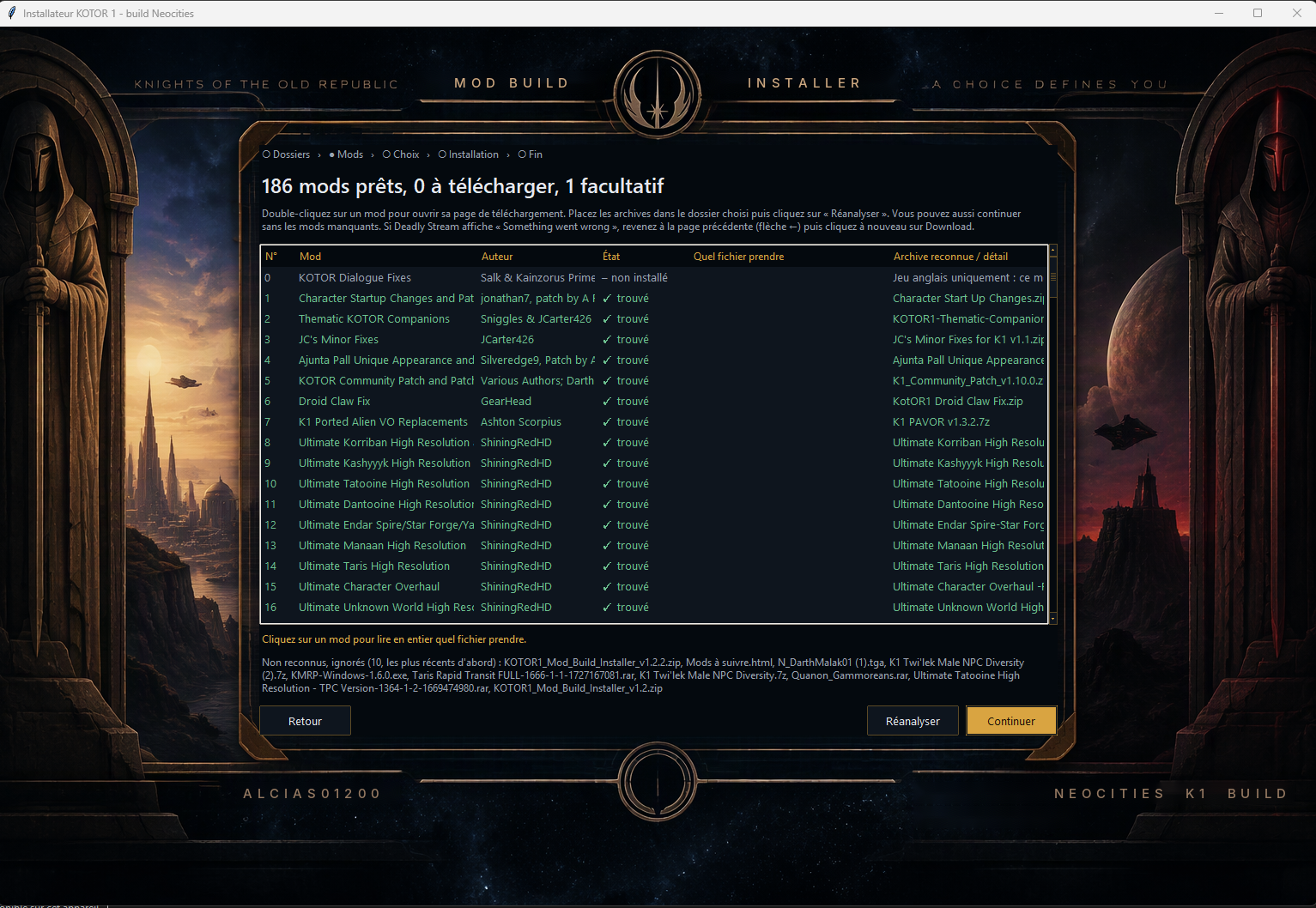
-
 Absolutely not, because: It is much, much easier to miss out on or shut down Juhani's romance than Bastila's or Carth's, due to a variety of bugs (if you don't use the KotOR 1 Community Patch) with Juhani's dialogue and personal questline and the fact any mean dialogue option even early in Juhani's conversation arc, will end Juhani's romance. I have spent a great deal of effort in promoting Juhani's romance throughout the years, from writing the most comprehensive Juhani romance guide possible, to making multiple Juhani-related mods for both KotOR games, including one that can make KotOR 2 acknowledge Juhani's romance and make Juhani appear in the game, in large part because of how underappreciated Juhani and her romance are, to the extent there were KotOR players who were not aware that Juhani is an actual romance option in KotOR 1. Making any mod that removes Juhani's romance counters my goal to promote Juhani's romance. Juhani's romance content is already infamously buggy in vanilla KotOR 1, not to mention considerably more understated than Bastila's and Carth's romance, so it does not need any more "encouragement" to diminish or erase.
-
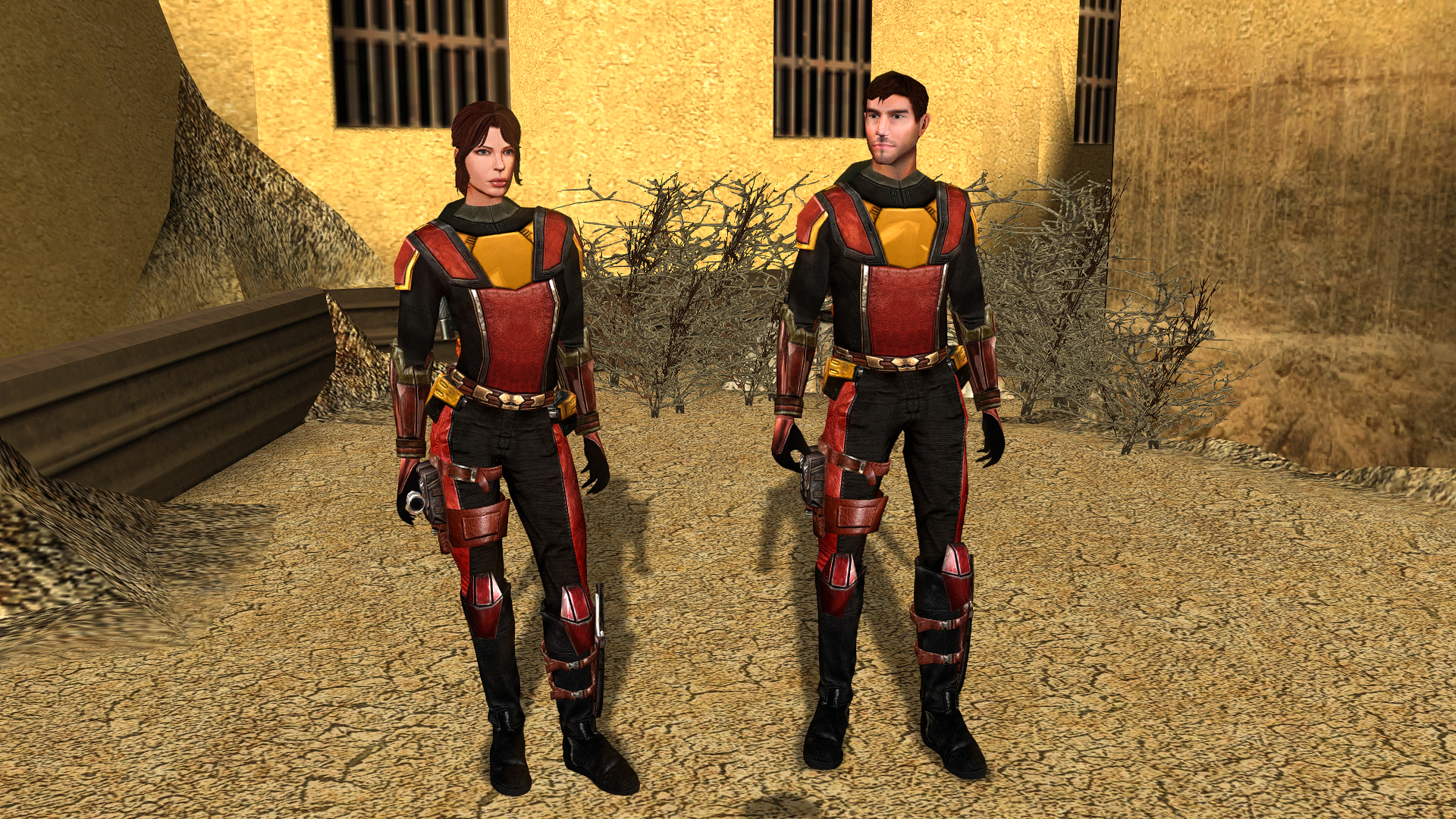
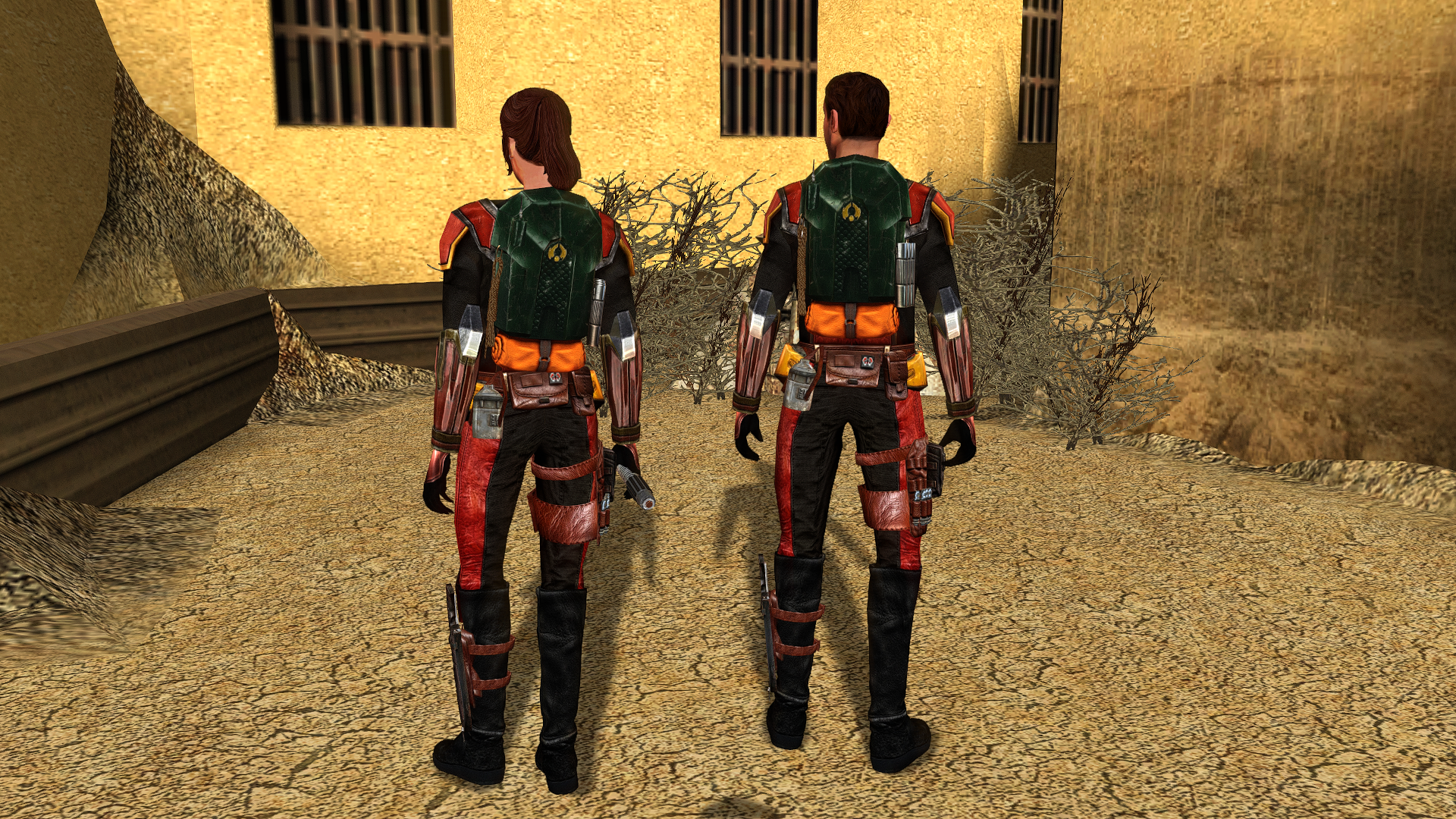
-
Any chance this mod will be updated to also remove the Juhani romance?
-
expansion Mission to Sleheyron: A New Story Expansion Mod for KOTOR
ReanGalliams commented on SAO1138's file in Mods
No crash in Aratech, but still crash with gangster's loot and dying to Vanessus's after menu reload -
 OccultCenturion joined the community
-
 EazyWyder joined the community
-

KVP: KotOR Vulkan Pipeline: Graphic enhancements project
serugodes replied to serugodes's topic in Work In Progress
Hey folks! Here's a little showcase of some other features that are now present to the project. Below is a little preview video that I have recorded recently. This time I covered slight information about particles casting point lights and planar reflections, which adds more details to the environment.