



N-DReW25
-
Posts
2,465 -
Joined
-
Last visited
-
Days Won
176
Content Type
Profiles
Forums
Blogs
Forum & Tracker Requests
Downloads
Gallery
Store
Events
File Comments posted by N-DReW25
-
-
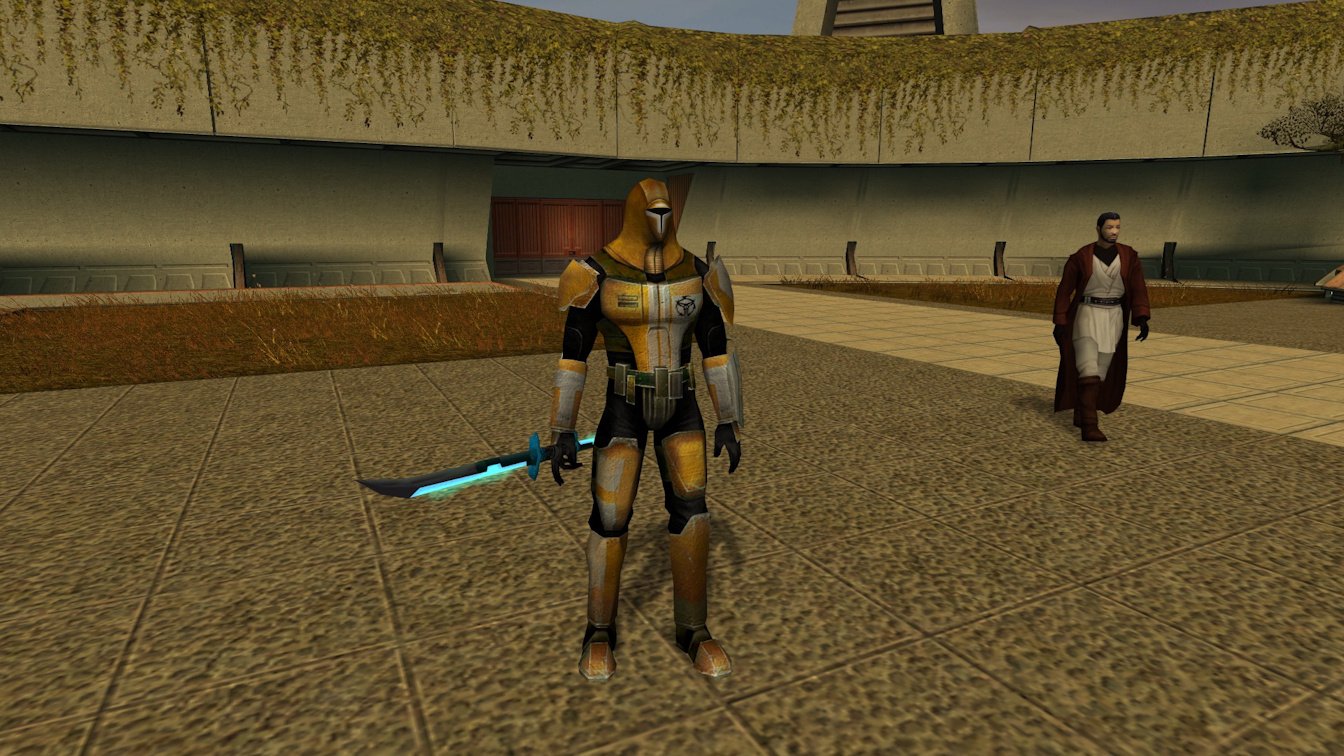
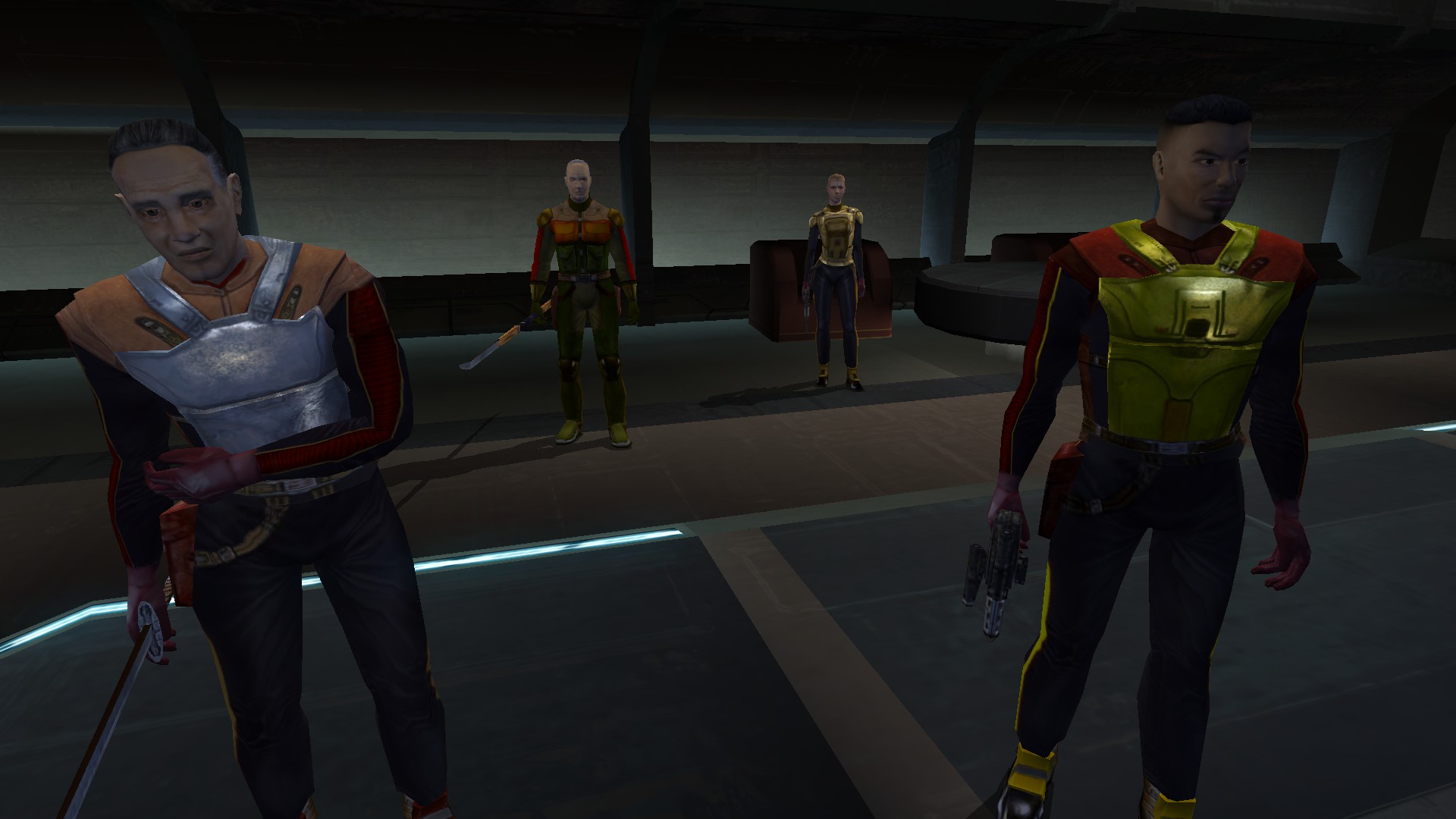
Might I suggest using the modded Cassus Fett Armor over the vanilla armor for the mod's thumbnail?
If you update the mod it's possible for modders to select which image is the thumbnail by clicking the small circular checkbox on the bottom corner of the uploaded image.
-
3 hours ago, Starwarsfiles said:
I can't screenshot within Steam games for some reason but it's just the original Etti IV.
No, they are just in the override folder as is. No sub-folders.
If you installed this mod but still see the original Etti IV that leaves a few possibilities:
1) SH didn't include/forgot to include Etti IV, which I think is very unlikely.2) You have not copied all of the files into the Override folder. Pressing Ctrl + A will select all files for you should that be an issue.
3) If you are copying all of the files, are you meet with the "Replace or Skip Files" window? Since TJM already has the original files in the Override and you are installing a mod which replaces the original files you NEED to have this pop up.
4) If you are being met with the "Replace or Skip Files" window are you selecting "Replace the files in the destination" option and NOT the "Skip these files" option? If you select "Skip these files" then you aren't replacing the TJM mod textures with the textures offered through this mod.
5) If you are not getting a "Replace or Skip Files" window but you have TJM's running are you using the Steam Workshop version of the mod? If you are then you may have to install SH's mod into the Steam Workshop verison of TJM.
-
 1
1
-
-
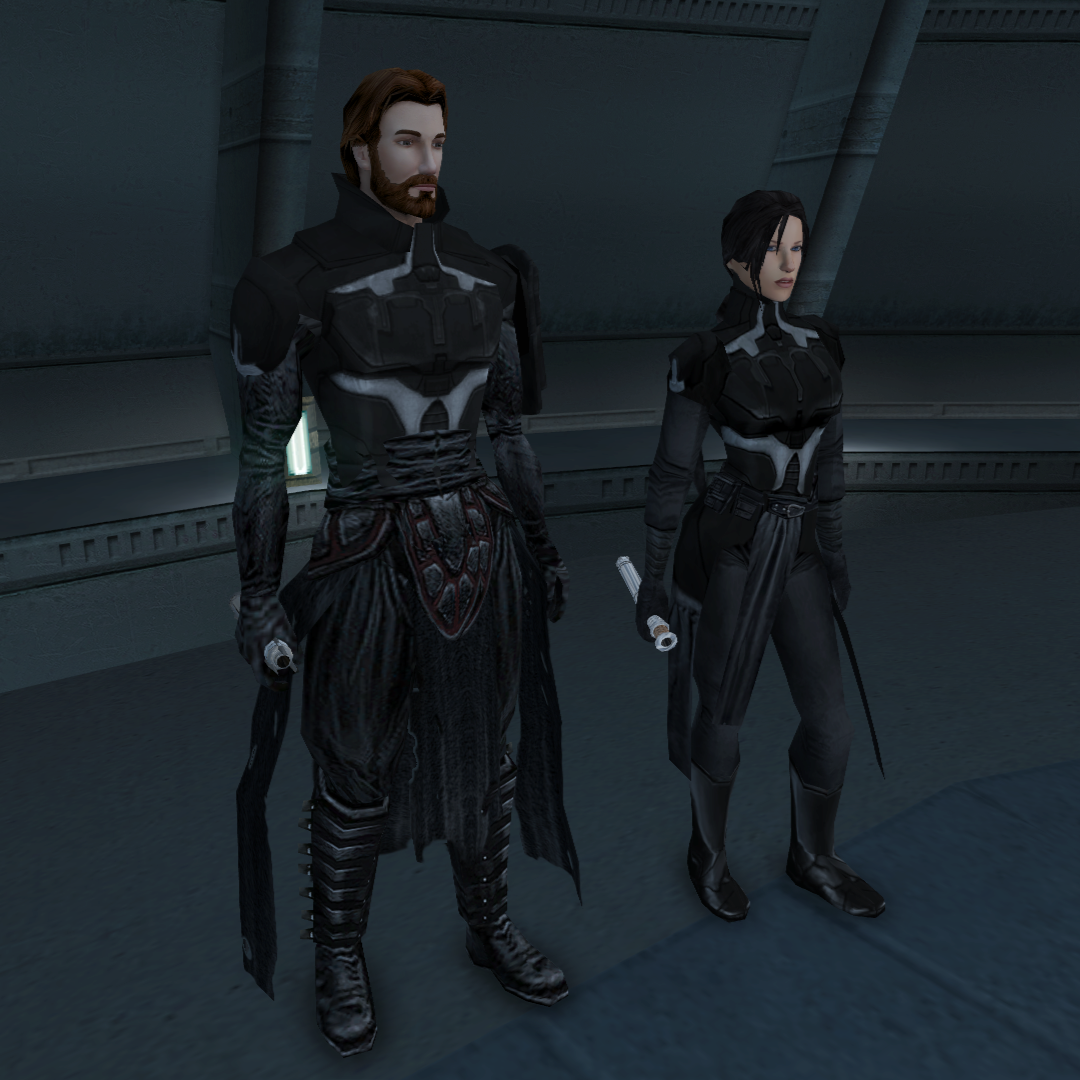
Two things:
One - can we get a reskin of the Sion's textures for the armor so that it doesn't look like an obvious Sion rip? (FYI - the model itself is AMAZING!)
Two - I noticed there is some clipping on the male model where the Sion legs meets the Bandon body near the abdomen. Is this fixable or is this the cost for cool armor?
-
And what of my Extended Enclave Tweaks mod?
-
 10 hours ago, Sdub said:
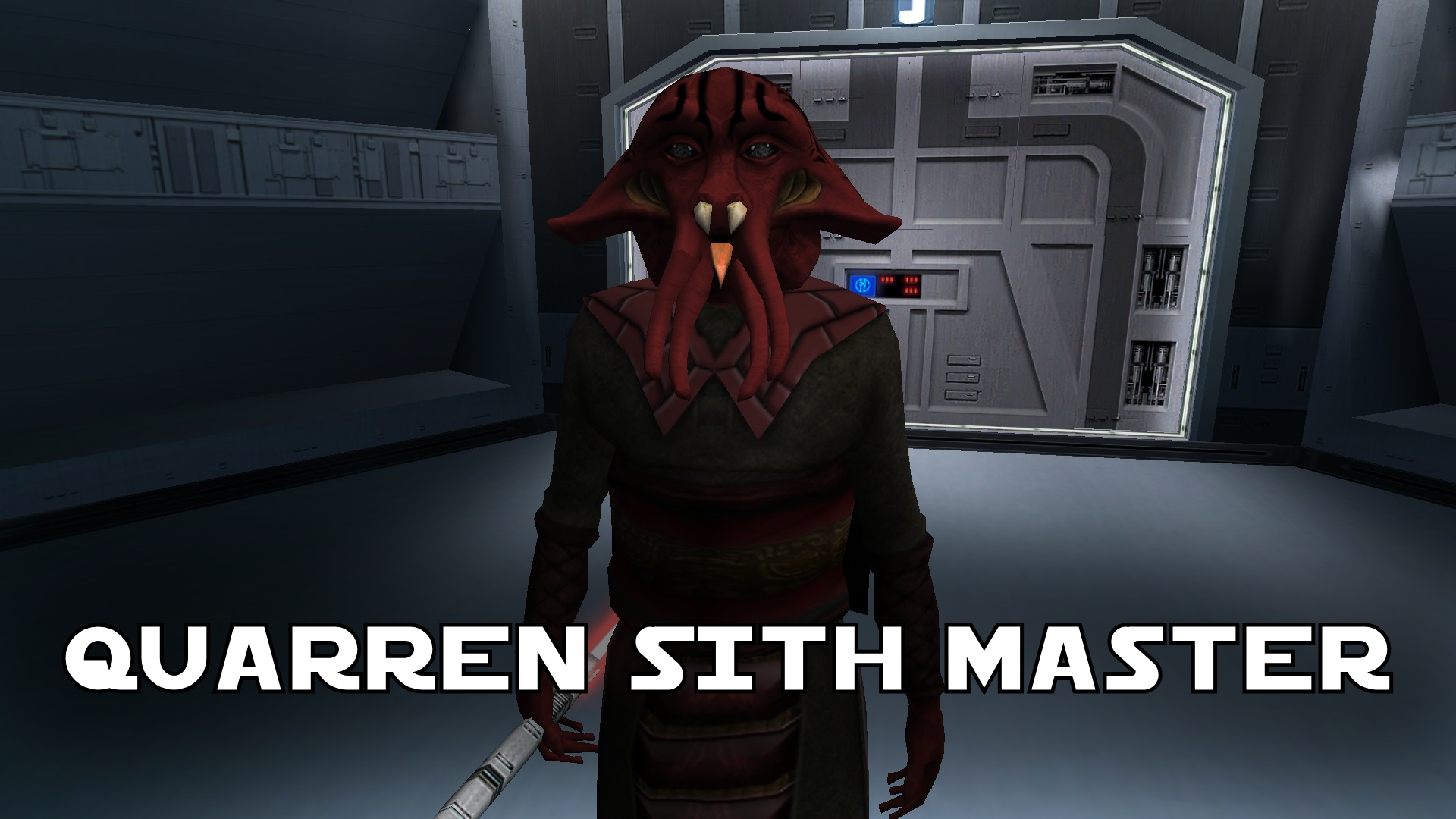
Now this is a really cool idea! I want to make sure I am understanding correctly, does this mod make the Quarren have its own language voice or does it have a human voice? I see the note about KOTOR II and was just curious on how it sounded. I appreciate the irony that the Sith hate all non human species, but would absolutely use a non-human one to gain an advantage.
The mod currently has two installs.
The "No New Voice" install does not add a new voice, it uses the vanilla human voice.
The "Quarren Voice" ports the alien Quarren voice from Kotor II, this is the same voice that Loppak Slusk and Visquis use.
There was going to be an AI version which took the Quarren voice and made it speak English, the ROR mod does this for the Quarren Jedi Master NPC but when this voice was used in-game it was sped up and the pitch raised for some unknown reason. Because of this bug you currently cannot install the AI version but it exists for when it eventually does get fixed.
Open each folder inside the tslpatcher folder and click on the .MP3 files to hear what the new voices sound like.
10 hours ago, Sdub said:awesome mod
10 hours ago, JasonRyder said:Another mod I wasn't expecting, AND another good one that makes sense!
Thank you both!
If you installed the 1.0.0 version with the bugged Death Field animation just copy "Q_Quarren.mdl" and "Q_Quarren.mdx" from the 1.1.0 version and paste them into your Override overwriting the old version.
-
 1
1
-
-
 8 hours ago, Etienne76 said:
Thank you again!
I have all of these .mod files in my folder except three (tat_m17ae.mod, tar_m11aa.mod and kas_m22aa.mod). Does this mean I won't have Devaronians in some of the three locations, but they will appear in the others?They will appear in all modules except those three you listed.
They include the Tatooine Swoop Registration, Hidden Bek Base, and the Kashyyyk Landing Pad modules.You should get a warning in the installer about those areas being missing and that their installs were skipped, but hopefully the rest should install just fine.
-
1 hour ago, Etienne76 said:
I just looked in the downloaded Dev folder of this mod and didn't find a single .mod file.
That is because this mod is supposed to be installed with the Kotor 1 Community Patch, it is that mod that provides the .MOD files to which my mod installs the Devaronians into K1CP's .MOD files.
As long as K1R provides the same .MOD files my mod uses than you can install the Devaronians into K1R.
1 hour ago, Etienne76 said:Therefore, I don't understand what .mod file I should theoretically have in my K1R "modules" folder for the Devaronians to appear in my game.
Here is the list for the Devaronians.
Spoilertat_m18aa.mod
tar_m03ad.mod
tar_m02aa.mod
tar_m10ac.mod
tat_m17ae.mod
korr_m33ab.mod
tar_m11aa.mod
tat_m17af.mod
danm13.mod
tar_m03aa.mod
tar_m10aa.mod
manm26ab.mod
manm26aa.mod
tar_m03ab.mod
tat_m17aa.mod
kas_m22aa.mod
kas_m22ab.mod
As long as K1R has these than you can have Devaronians in K1R.
1 hour ago, Etienne76 said:Incidentally, I did find two N_DevH01 files, one in .tga and one in .tpc. They'll overwrite each other, isn't it?
The installer only installs the .TPC file so the .TGA is untouched and won't cause any problems.
-
18 hours ago, Etienne76 said:
Is it possible to install only Devaronians if I have K1R, or is it impossible in principle with K1R?
The installer is modular, so you can install just the Devaronians.
You can try, though if K1R is missing a .MOD/module file that K1CP provides but K1R doesn't than there would be an incompatibility there. If K1R does have all the modules then the installer should install fine and you can install the Devaronian component into K1R.
-
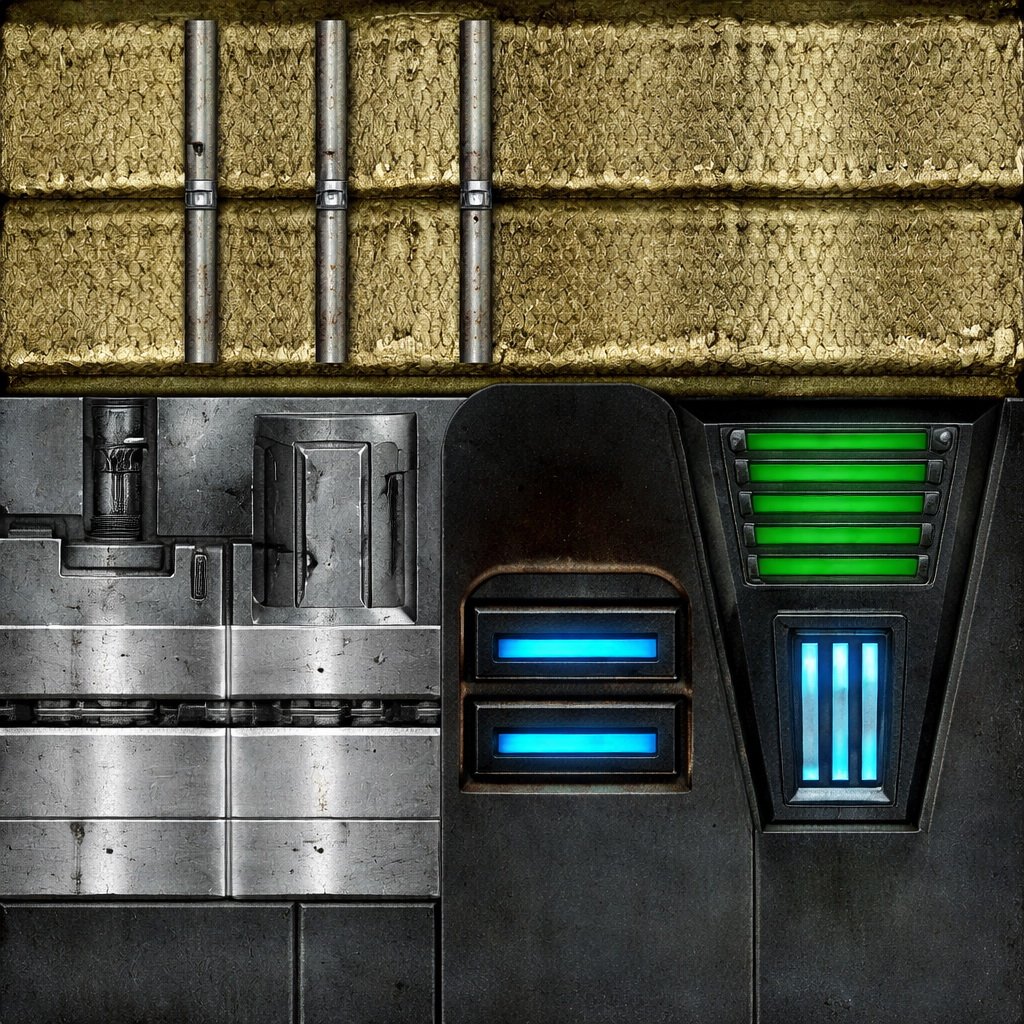 23 hours ago, Etienne76 said:
It's just unclear why these textures even exist in the game if they're not being used.
Kotor went through one or more engine revamps during its early development before Bioware settled on the Odyssey Engine. That's how we have screenshots of Sleheyron even though it doesn't exist in the game files except one or two heavily broken module model files and some area textures.
It is possible Bioware wanted to have belts, gauntlets, implants, and energy shields all be visible on a character when you wear them just like armor and mask items. Or, alternatively, Kotor was going to have a pick up and drop item feature similar to other games wherein you could find items on tables/on the floor and you'd pick them up and these were the textures they were going to use. It is possible that this feature was somewhat implemented in one of these pre-Odyssey Engine Kotor iterations before the Odyssey Engine was embraced and it became apparent that such a thing was not viable. So just like Sleheyron, only the unused textures from a bygone era remain in the game files. -
These textures do not appear in-game, we only ever see their icons.
-
 Quote
QuoteDue to this mod installing to override, it will overwrite changes to the duelists made by K1 NPC Diversity Pack by N-DReW.
Why not include a second install which installs Differentiated Duelists into the tar_m02ae.MOD file instead of the Override?
My mod cannot be installed without K1CP, so this hypothetical patch would require K1CP to be installed first, followed by Differentiated Duelists, followed by the NPC Diversity Pack.All my mod does is switch out Gerlon's head for the Tatooine Asian Head and give them different armors as seen here. My mod might make your mod harder as, even though they do get progressively stronger, I'd say my choice of armors are twice as strong as yours.
The real sweetener for this hypothetical second install would be for compatibility with the Galaxy of Faces mod which adds Effix's heads and adds them as just the heads which are installed via the .MOD based installer as used in the Diversity Pack.
With this in mind, if you were to make this hypothetical patch the install would require K1CP, followed by Differentiated Duelists, followed by the NPC Diversity Pack, and followed by Galaxy of Faces. I suppose you could mix and match them too - maybe install the NPC Diversity Pack before Differentiated Duelists so that the Galaxy of Faces duelists are given your armor alongside the NPC Overhaul. -
 1 minute ago, Masirimso24 said:
Yikes, you're right. Aside from the modules added by mods, I'm missing every MOD file. Below is all I have. That's so odd. Supposedly, that was a clean install. But I guess I have to reinstall with the discs. That's probably going to be for the best. Sorry to be such a bother.

You have Kotor II module files in there, if they're named "101PER.mod" with numbers those are Kotor II mods. You might want to double check your Kotor II install as well as you probably installed a Kotor II mod in Kotor I. You might've even installed K1CP in your Kotor II folder as well 😬.
-
10 hours ago, Masirimso24 said:
Hi, since my last install and playthrough became a buggy mess, I decided to reinstall my game and mods, and so far have installed only unrelated 4k widescreen mods/text size/loading screens, PC Response Moderation, Sunry Murder Recording Enhancement (these being the only ones recommended to install before K1CP and RC-K1CP), and the "Higher Quality Textures", "Persuade Fixes," and "Regeneration" of the override mods of this same mod pack. With this information there shouldn't be any issues with installing the newest version of the "Main Bug Fixes". However, my log shows 48 errors: installlog.txt
Is this normal? Should I go ahead with installing other mods?
No, not normal at all.
All of K1CP's module files appear to be missing, hence why the 48 or so files that were modified inside the K1CP's .MOD module files didn't install.
Can you please go to your swkotor folder, open the Module folder, and tell me if you can see any files with a .MOD extension?
-
![More information about "Restored Content for K1CP [DEMO]"](https://deadlystream.com/downloads/screens/monthly_2023_07/qWN6hjo.png.2079f568760e8845aeb95464d56c916b.png) 9 hours ago, Masirimso24 said:
9 hours ago, Masirimso24 said:Do note that @ing someone on Deadlystream is the same as @ing someone on Discord - it sends a notification/ping to the @ed user and directs them here to this thread.
You might not want to do that unless you want their direct input on the topic, if I alone can diagnose your problem then @ing Leulikin was pointless though if a compatibility patch is needed for her mod I can contact her privately as I have done with my other mods that require patches.
9 hours ago, Masirimso24 said: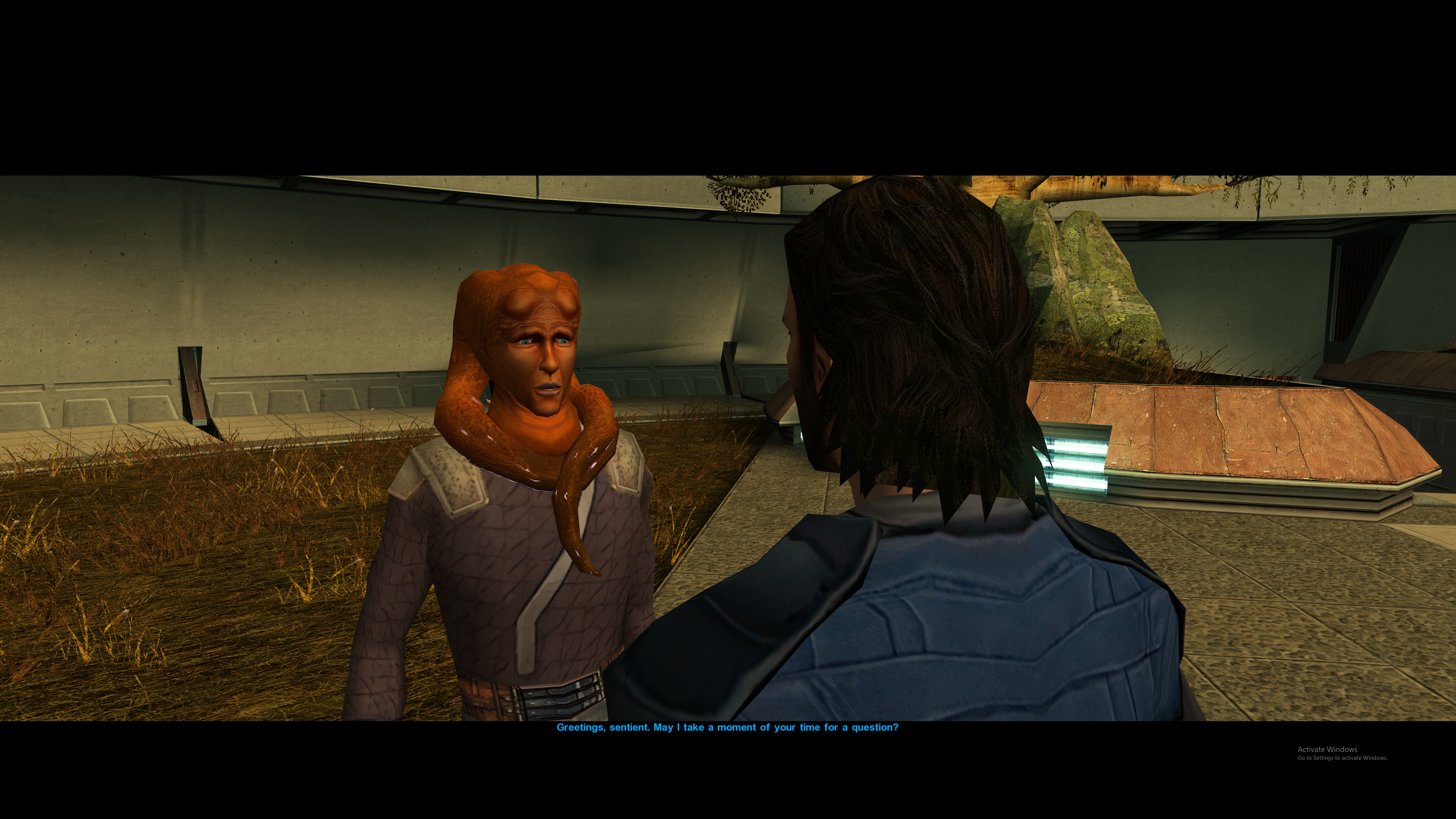
This orange Twi'lek appearance was restored in the K1CP and RC-K1CP further restores it to a few more NPCs in the game, including Lur Arka Sulas.
The ideal way of installing KotOR 1 Twi'lek Male NPC Diversity with RC-K1CP is to install her mod after RC-K1CP. This will overwrite the restored generic appearance with Leulikin's modded appearance.
9 hours ago, Masirimso24 said: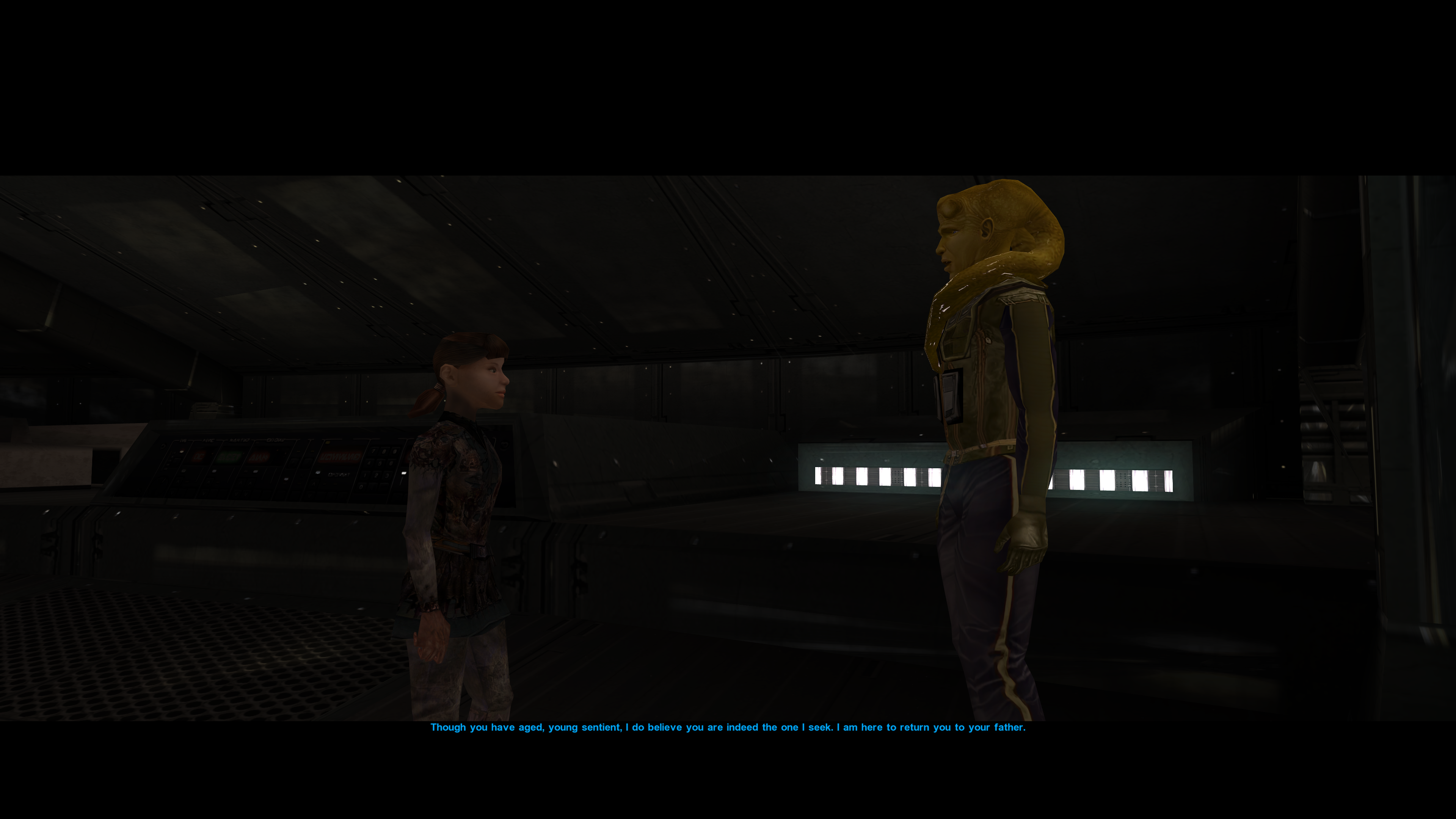
This here is the interest bit, so you're saying the two screenshots from above are from the same install? That on Dantooine Lur Arka Sulas is orange whilst on the Ebon Hawk he's yellow and wearing a Zabrak Combat Suit?
This raises an interesting question, which mod turned Sasha into an Outcast Child and which mod gave Lur Arka Sulas armor?
I'll check the RC-K1CP and the NPC-DP again as they're the most likely culprits, but this looks like something out of the old NPC Overhaul mod.9 hours ago, Masirimso24 said:For that matter, I am confused about the order of many of these mods. Could you provide an order to install the following (after K1CP and RC-K1CP of course): Better Male Twi'lek Heads (slim neck and original neck versions), K1 Twi'lek Male NPC Diversity, your NPC packs (NPC Diversity, K1 Alien Pack, Galaxy of Faces), and Senni Vek Mod?
This seems to be correct, though I'll have to investigate further to see what the problem is.
-
![More information about "Galaxy of Faces [K1]"](https://deadlystream.com/downloads/screens/monthly_2023_12/goflogo.png.7496bee593fa40cf77a9bd4da3372d66.png) 9 hours ago, Masirimso24 said:
9 hours ago, Masirimso24 said:So there might be an issue with the mod itself, just wanted to let you know.
You are correct. I shall update the Duros install when I get the chance

-
1
-
-
![More information about "NPC Diversity Pack [Beta/K1]"](https://deadlystream.com/downloads/screens/monthly_2023_03/1416398385_FY81IosWYAUXZrx(2).png.ffbdc33dd75060be2f3d786720f2b5c4.png) 2 hours ago, Masirimso24 said:
2 hours ago, Masirimso24 said:Seems like I have a similar issue, but instead of the commoner robes Bolook is wearing Dark Jedi Robes for some reason, even with the older Bolook patch--checked with loading a save before entering the grove.
Can I see a screenshot of this?
Because the NPC-DP doesn't have changes to Bolook as far as I can remember because of that incompatibility with other Bolook mods. -
 3 hours ago, Masirimso24 said:
I am wondering if it is because of running the mod installer multiple times? But I doubt that the patcher works by just adding and not overwriting.
I'm afraid that is an RC-K1CP issue and one that is caused by you running the installer multiple times.
The reason the patcher adds new NPCs instead of overwriting the .GIT file (which houses the NPC location data) is because if it were to overwrite the .GIT file it would be overwriting any previous modded content you've installed.Sleheyron Story Mode once used an overwriting system which is how installing SSM once broke RC-K1CP as, by overwriting the previously installed content, the installer would end up reverting all of the restored content back into vanilla content and thus removed most of the restored content added in my mod.
By installing RC-K1CP multiple times, you have added Shuma, and an untold many number of other restored content, multiple times over.
It is highly recommended that you keep a backup of your game files so that, assuming a mistake is made and/or a bug is found in the installer you can simply delete the ruined install, copy over the backup, and start again.
-
2
-
-
RC-K1CP has been updated to 0.12.1, the installation errors have been fixed and it now uses the HoloPatcher.
As a side note, if any of us see any oddities in-game whether it's suspected restored content not working properly, not appearing at all, or restored item descriptions being blank please report them as that may be a bug with the HoloPatcher (not HoloPatcher's fault but there may be some differences in the way TSLPatcher and HoloPatcher install their work).
-
15 minutes ago, lady_revanchist said:
Seconding that I also just got this error when installing the Main Mod on a new installation. Already installed was KOTOR Dialogue Fixes, Character Startup Changes, Ajunta Pall Appearance, JC's Minor Fixes, K1CP, and Unofficial K1CP Tweak Pack. I've attached the generated install log if that is at all helpful! Thank you for any help you are able to provide, and for the work you've done to restore K1 content.

Bug fix patch is about 90% done, I got work tonight so expect a bug fix update within the next couple of days.
For those of you who have already installed the mod, do not worry about reinstalling your game as this bug fix will only include some very minor restorations as well.
-
 1
1
-
-
1) The text is a bit too big on the mod page here, you should reduce them to size 12 just like most mods on this site.
2) Isn't the textures of option two done by 90SK?
-
1
-
-
31 minutes ago, Leilukin said:
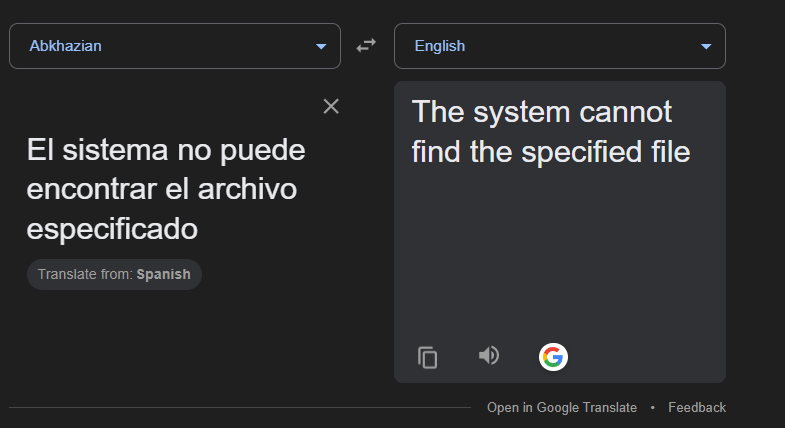
I don't recognise the language in the error message in your screenshot. What does it mean in English?
It's Spanish.
Since it is both a short text and it is in the Latin alphabet (the same alphabet that both Spanish and English use) it is possible for you to manually write the unknown Spanish into Google translate and Google will auto-detect the language being spoken and from there you can translate the Spanish into English.
"El sistema no puede encontrar el archivo especificado" translates to "The system cannot find the specified file".
-

Can you add screenshots of these new stats in-game?
-
1
-
-

@AxConsortium The mod as it is setup in version 1.0.0 will break your game, the game is unplayable with this mod installed due to a critical installation oversight.
The Twin Sun dialogue in the Cantina module 306NAR is named attwarn.dlg. A dialogue named this is also present in the Refugee Landing Pad module 301NAR.
attwarn.dlg in 301NAR is the dialogue where Atton warns you about the Jekk'Jekk Tarr and gives you the antidote kits, and since this mod has you install 306NAR's attwarn.dlg in the Override folder thatmeans 301NAR's attwarn.dlg is going to be replaced in-game too.
A TSLPatcher/HoloPatcher setup will fix this, if you do not know how to set this up let me know and I'll do it for you.
-
1
-
-
 4 hours ago, Kätzchen said:
Oh, that's neat. Thanks for letting me know
One last question:
Besides MVE, I currently have the following mods installed:
1. K2CP
2. TSLRCM
Make sure TSLRCM is installed first before the K2CP. In Kotor II the restored content mod is the "base" mod that all other mods are installed onto, whereas in Kotor I the K1CP is the "base" mod.
4 hours ago, Kätzchen said:3. PartySwap
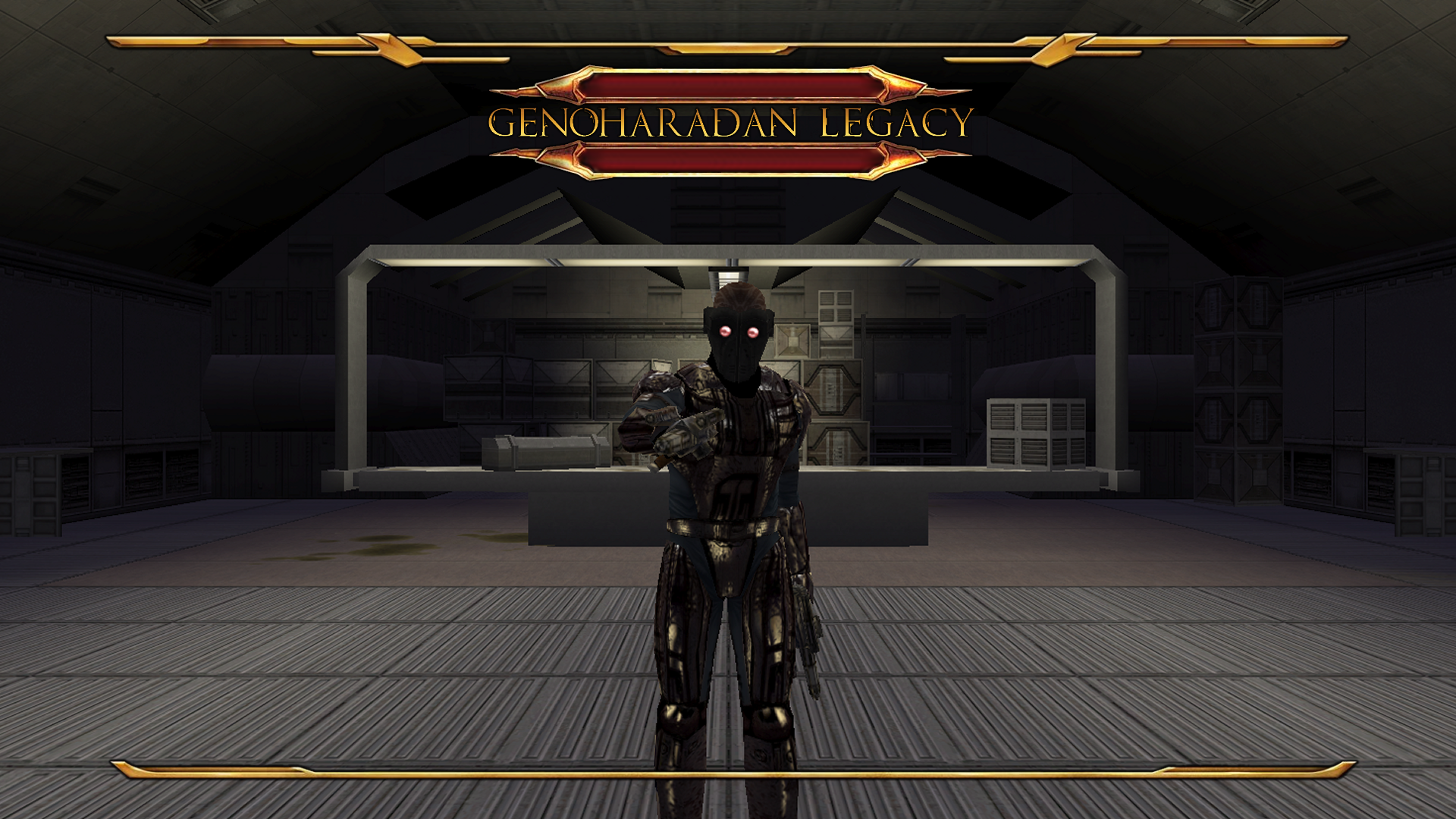
I am currently experimenting with adding more dialogue wherein NPCs/party members acknowledge the GenoHaradan. Should a dialogue changed by PartySwap also be changed by GL then I'll be sure to include a compatibility patch.
4 hours ago, Kätzchen said:4. Extended Enclave (plus compatibility patch for Party Swap and EE as well as EE Tweaks)
5. TSL Expanded Ending
These mods take place in the end game after the GenoHaradan content ends. I am not adding a Darth Traya GenoHaradan predicition using AI in this update so these two mods are fine.
4 hours ago, Kätzchen said:6. Unofficial TSLRCM Tweak pack
7. Dustil Restoration (using pure restoration component)
8. Lonna Vash Mod for TSLRCM
I'm fairly certain the GL won't touch Korriban and I'm sure the UTTP mod is too specific in its features to cause any real problems. These mods should be safe.
4 hours ago, Kätzchen said:9. Remote Tells Influence
GL won't touch the remote. This mod is safe.
4 hours ago, Kätzchen said:10. Prologue Item Recovery
GL won't touch the prologue. This mod is safe.
4 hours ago, Kätzchen said:11. Juhani Item Pack for TSL
GL won't touch robe models or Daralaa's merchant inventory. This mod is safe.
4 hours ago, Kätzchen said:12. Consistent Bastila Recognition
GL probably won't touch T3-M4's dialogue, though if I do I'll include a compatibility patch. This mod is safe.
4 hours ago, Kätzchen said:13. Vao Armband Drop
This drops in the Telos Academy, right? GL won't touch the Telos Academy. This mod is safe.
4 hours ago, Kätzchen said:14. TSL Character Start Up Change
GL is an added content mod, it won't touch character stat progression. This mod is safe.
4 hours ago, Kätzchen said:15. Extended Korriban Arrival
Whilst the Nar Shaddaa arrival intro is under consideration, Korriban's arrival intro isn't. This mod is safe.
4 hours ago, Kätzchen said:16. A reskin for Mira's Basic Clothes
GL won't retexture Mira. This mod is safe.
4 hours ago, Kätzchen said:17. A reskin of Chodo Habat
GL won't retexture Chodo Habat. This mod is safe.
4 hours ago, Kätzchen said:18. JC's Handmaiden Sisters
GL won't touch the Handmaiden Sisters. This mod is safe.
4 hours ago, Kätzchen said:And if I was to do a new playthrough with said final version installed, once it comes out, would I have to install GL immidiately after TSLRCM or would it be okay if it was installed last?
That is an interesting question. Usually you install TSLRCM first, M4-78EP second if you are going to use it, and install the bigger content driven mods after that before going to the smaller ones.
In your install order, I'd say install TSLRCM, K2CP, and then GL. If you were to somehow experience bugs in your future playthrough, report them to me and I'll see whether or not they're my fault or if there is an unknown incompatibility somewhere.
![More information about "[TSL] Jedi Masters' Force-Drain Death [EE Add-On]"](https://deadlystream.com/downloads/screens/monthly_2026_02/Capture1.JPG.780fa0e6dcf6e17159084f1cf6b6a032.JPG)
![More information about "Bao-Dur Jedi Robe Variants - [ORIGINAL MOD NEEDED]"](https://deadlystream.com/downloads/screens/monthly_2026_01/3.png.787d53f6981ec7c55729e554dc216365.png)

Cassus Fett's Armor Reskin
in Mods
Posted
I'll explain it to you.
A "thumbnail" is the image that appears on the download page.
Right now, your mod's thumbnail looks like this:
Think of your mod like a product you are trying to sell, or like a YouTube video, the "thumbnail" is what attracts clicks and attention to your mod. As your thumbnail is the "before" image not many people will click on this mod as they would had this been the thumbnail.
This image above is a Photoshop, but what I'm trying to tell you is that you can change your mod thumbnail to look like this Photoshop here.
On the bottom of the mod, click "File Action" and "Edit Details".
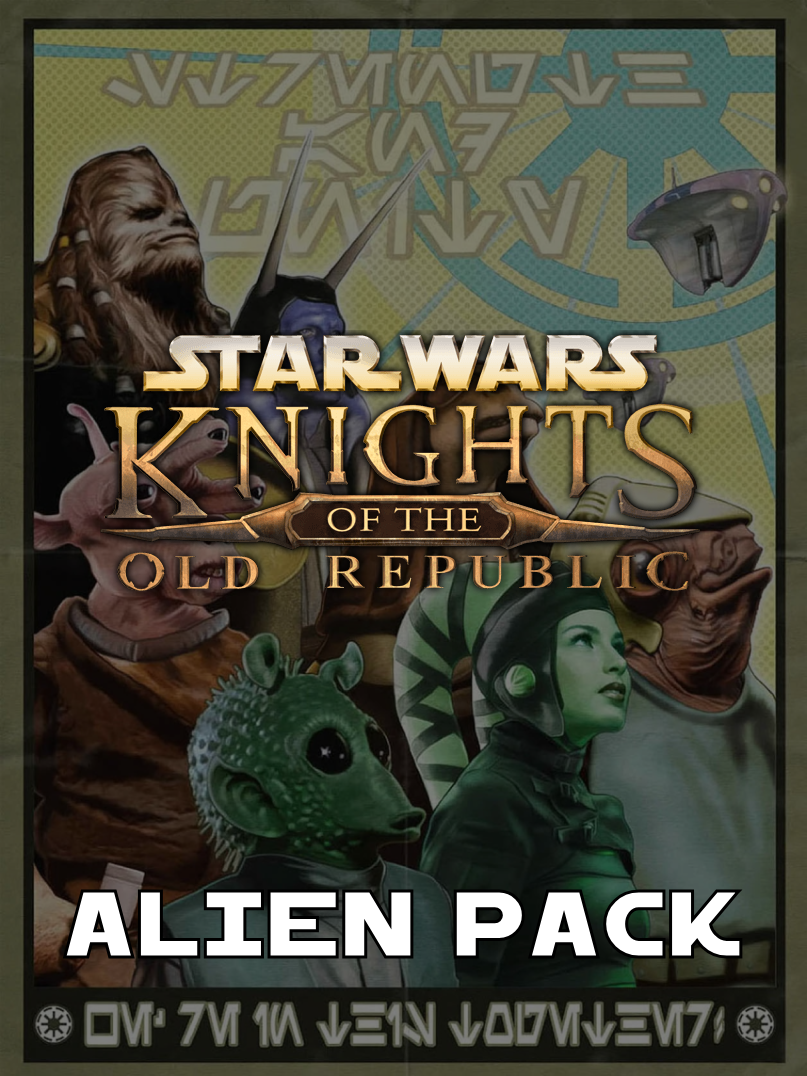
Below is my K1 Alien Pack as an example, you see how most of the images have a circle that is blank and how the "Alien Pack" image has a circle that is white. If I were to click on the blank circle underneath "Pink Devaronian" then the "Pink Devaronian" image would become the mod thumbnail and the blank circle, once clicked, would become white and the "Alien Pack" image would go blank.
You can try this with your mod to change the thumbnail from the "Before" image to the "After" image with the Yellow Cassus Fett Armor.