


AxConsortium
-
Posts
68 -
Joined
-
Last visited
-
Days Won
7
Content Type
Profiles
Forums
Blogs
Forum & Tracker Requests
Downloads
Gallery
Store
Events
Everything posted by AxConsortium
-
 Hey! I’m glad you like the mod. Yes, I plan to make a HoloPatcher version once I’m done with the stuff I’m working on right now, since it’s long overdue. As for the double-bladed red lightsaber, I removed it because I couldn’t give it to Traya without conflicting with several other files of the same name, which soft-locked the game. I pulled it after I got a report that someone near the end of the game couldn’t progress past the Telos Academy. Back then, I didn’t fully understand how Override files interact with same-named files in each module. That would’ve been avoided if I’d used HoloPatcher from the start, but skill issue. Since then I’ve learned how to handle it properly, and I’ll re-include the red lightsaber as an optional install.
 -
 Thanks for the report! Turns out I missed some conditional scripts, but I’ve now re-added them to the archive. I’ve uploaded an updated version, and the changes are retroactive, even if you’ve already trained your companions. Just pulled an update based on your reports. The issue has been fixed, please download the new version.
 -
 Surprised and pleased to hear that this little mod means so much. Glad I could help, and that it's unblocked your playthroughs! Thought I should tell you that I liked this idea a lot, and just updated the mod to include it. Sounds more nuanced than what we had before, and I'm all for it. I've read your notes, there's a lot of useful info in there. A few bits I can add from my side: The exact vanilla condition for this line is that the reputation with the Exchange be less than 1. The first convo in the docks between Mira and Hanharr indeed has 3 different lines for light, gray and dark PCs, but it doesn't set anything yet. The real choice is set by two invisible triggers in the docks, that fire only when you're first directed to Jekk'Jekk Tarr to meet Visquis, and haven't met Mira and Hanharr personally. Then, depending on the alignment (now reputation), one of the two triggers fires the corresponding dialogue with one of them approaching. This is the moment when the future companion gets chosen. The fate of the refugees is the consequence in this case, and the condition is reputation with the Exchange. If it's greater than 0, then Nar Shaddaa gets the Exchange ending; if it's 0 or lower, it's the Refugees ending. Curiously, I had no idea about this, and how the Nar Shaddaa questline truly worked before I started working on this mod. Wish I'd seen this sooner, great find! It is indeed mixed up. In most cases, the game tracks your reputation through a single conditional script called c_excfavor. 0 The Exchange really dislikes player (rep is <= -4) 1 The Exchange dislikes player (rep is >-4 && <= -2) 2 The Exchange is neutral towards player (rep is >-2 && <= 1) 3 The Exchange likes player (rep is >1 && <= 3 4 The Exchange really likes player (rep is > 4) In vanilla game, you get positive reaction from Zez-Kai Ell, if your reputation with the Exchange is 1 or 2; negative if 3 or 4; neutral if else. TSLRCM fixed this, and now Zez-Kai Ell gives positive reaction if 0 or 1; negative if 3 or 4; neutral if else.
 -
AxC's Mira/Hanharr - Reputation Over Alignment
AxConsortium commented on AxConsortium's file in Mods
.thumb.png.3301b414885aa5c5ced45535fec5ddfc.png) Uploaded an optional file using the idea you proposed. Thanks for the good suggestion!
Uploaded an optional file using the idea you proposed. Thanks for the good suggestion! -
AxC's Mira/Hanharr - Reputation Over Alignment
AxConsortium commented on AxConsortium's file in Mods
I'd rather keep it as it is, since this mirrors vanilla behavior, where neutral alignment leads to Mira. But it's a good idea for an optional file, I'll look into it! -
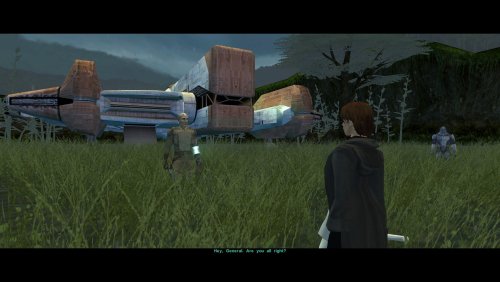 I didn't realize it's not, but you are right. Description corrected! Thanks for pointing this out.
 -
View File AxC's Bao-Dur's Dxun Reunion Fix As you know, there's a story segment on Dxun where your party splits up. While you're off to Onderon, the other group goes to explore the jungle. After everything's done, there's a little reunion scene with the party leader of your choosing, just a few lines between the Exile and their companion before Kreia interrupts. Turns out, despite being one of the possible party leaders, Bao-Dur was the only one who didn't have any lines at all. The game simply skipped straight to Kreia rather abruptly. This little fix adds that missing reunion scene with Bao-Dur, provided he's been chosen to lead the party on Dxun, putting him on par with all other companions. Notes: The mod can be installed and uninstalled at any time; the changes are minimal and safe. Since these lines weren't even cut originally (they were just missed), I've reused some of Bao-Dur's existing voice lines that I deemed fit the occasion perfectly. TSLRCM is not required, but is always recommended. Installation: Copy following file from archive's "Override" folder to yours: reunion.dlg. Credits: Fred Tetra, for KOTOR Tool TK102, for DLGEditor Torlack, stoffe & TK102, for NWNSSCOMP JdNoa & Dashus, for DeNCS Cortisol, for Holocron Toolset Submitter AxConsortium Submitted 08/22/2026 Category Mods TSLRCM Compatible Yes
-
Version 1.0
87 downloads
As you know, there's a story segment on Dxun where your party splits up. While you're off to Onderon, the other group goes to explore the jungle. After everything's done, there's a little reunion scene with the party leader of your choosing, just a few lines between the Exile and their companion before Kreia interrupts. Turns out, despite being one of the possible party leaders, Bao-Dur was the only one who didn't have any lines at all. The game simply skipped straight to Kreia rather abruptly. This little fix adds that missing reunion scene with Bao-Dur, provided he's been chosen to lead the party on Dxun, putting him on par with all other companions. Requirements: TSLRCM — for being able to send Bao-Dur at all. Notes: The mod can be installed and uninstalled at any time; the changes are minimal and safe. Since these lines weren't even cut originally (they were just missed), I've reused some of Bao-Dur's existing voice lines that I deemed fit the occasion perfectly. Installation: Copy following file from archive's "Override" folder to yours: reunion.dlg. Credits: Fred Tetra, for KOTOR Tool TK102, for DLGEditor Torlack, stoffe & TK102, for NWNSSCOMP JdNoa & Dashus, for DeNCS Cortisol, for Holocron Toolset -
 This is the definitive map mod for TSL! You don't realize how much of a pain the low-res vanilla maps are until you find a good replacement for them. Each map here is done with tremendous quality and is very pleasant to look at. Especially in the smaller locations, like cantinas, you can clearly see all the details in each room. Honestly impressive. The bigger exterior locations get detailed backgrounds (Onderon's maps with outlined city streets are my favorites!), which completes the look just right. Thank you so much for your work!
 -
Better late than never, but I executed your idea into a working mod! Thank you for such a thoughtful idea. You can find it here.
-
View File AxC's Mira/Hanharr - Reputation Over Alignment Recreation of the idea of @muitafruita from an old thread, which I randomly stumbled upon and quite liked. As many of you know, the choice between Mira and Hanharr is locked by the Exile's alignment during the dock scene when going after Visquis. Light and neutral Exiles get Mira, while Dark Exiles are approached by Hanharr instead. Whoever approaches you first gets onto your ship later. Regardless of this, the game tracks a reputation score with the Exchange through the global variable 300NAR_Exchange_Favor, though it isn't utilized quite as well as it could be. And just as proposed by the idea's author, this mod changes the trigger conditions from being alignment-based to reputation-based. Now, if the Exchange favors you, you get Hanharr as a companion. If the Exchange disfavors you or has a mixed opinion, you get Mira instead. Sounds realistic, doesn't it? Your actual actions on Nar Shaddaa should decide, not the mystical Force-alignment no one probably knows or cares about. Additionally, Mira's line about saving everyone on the moon (previously, alignment-locked too) now plays if you killed Saquesh. If you haven't, she only mentions you've made some powerful enemies. Notes: The mod can be installed and uninstalled at any time before you encounter Mira or Hanharr at the docks. After that, with or without the mod, your choice is sealed. TSLRCM is not required, but is always recommended. An alternative file changes a behavior for neutral reputation with the vanilla alignment choice. Install only one version at a time. Installation: Copy following files from archive's "Override" folder to yours: a_hanharrconv.ncs; a_miraconv.ncs; miraboun.dlg. Credits: muitafruita, for the original idea Fred Tetra, for KOTOR Tool TK102, for DLGEditor Torlack, stoffe & TK102, for NWNSSCOMP JdNoa & Dashus, for DeNCS Cortisol, for Holocron Toolset Submitter AxConsortium Submitted 08/05/2026 Category Mods TSLRCM Compatible Yes
-
Version 1.1.0
81 downloads
Recreation of the idea of @muitafruita from an old thread, which I randomly stumbled upon and quite liked. As many of you know, the choice between Mira and Hanharr is locked by the Exile's alignment during the dock scene when going after Visquis. Light and neutral Exiles get Mira, while Dark Exiles are approached by Hanharr instead. Whoever approaches you first gets onto your ship later. Regardless of this, the game tracks a reputation score with the Exchange through the global variable 300NAR_Exchange_Favor, though it isn't utilized quite as well as it could be. And just as proposed by the idea's author, this mod changes the trigger conditions from being alignment-based to reputation-based. Now, if the Exchange favors you, you get Hanharr as a companion. If the Exchange disfavors you or has a mixed opinion, you get Mira instead. Sounds realistic, doesn't it? Your actual actions on Nar Shaddaa should decide, not the mystical Force-alignment no one probably knows or cares about. Additionally, Mira's line about saving everyone on the moon (previously, alignment-locked too) now plays if you killed Saquesh. If you haven't, she only mentions you've made some powerful enemies. Notes: The mod can be installed and uninstalled at any time before you encounter Mira or Hanharr at the docks. After that, with or without the mod, your choice is sealed. TSLRCM is not required, but is always recommended. An alternative file changes a behavior for neutral reputation with the vanilla alignment choice. Install only one version at a time. Installation: Copy following files from archive's "Override" folder to yours: a_hanharrconv.ncs; a_miraconv.ncs; miraboun.dlg. Credits: muitafruita, for the original idea Gat4, for the optional file suggestion Fred Tetra, for KOTOR Tool TK102, for DLGEditor Torlack, stoffe & TK102, for NWNSSCOMP JdNoa & Dashus, for DeNCS Cortisol, for Holocron Toolset -
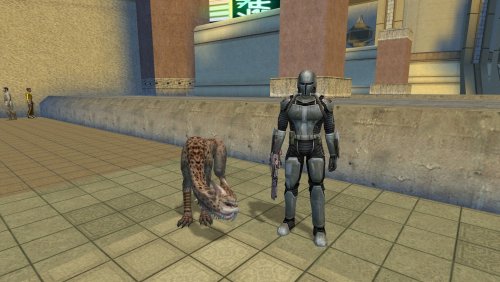 He's more effective than Remote, though he is meant to be overshadowed by other companions. And yes, he won't die, he'll tag along to the ends of the galaxy with you. I'm glad you liked it!
 -
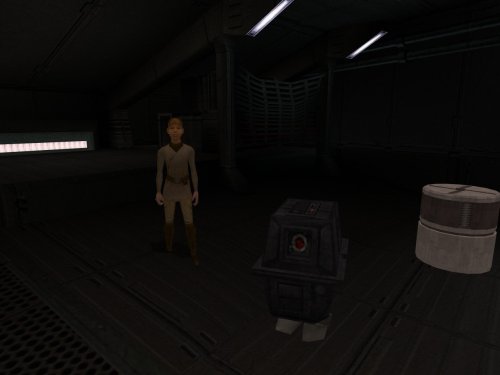 No need to worry, it doesn’t affect the module at all. And Gonk is an NPC, not a placeable. It spawns via a script that fires once Sasha is spawned (or through a dialogue option with her, if loaded on a save where she’s already present). It should be quite compatible.
 -
Well if she is, she's not very vocal about it! In my headcanon, the droid isn't as much hers as it is family property. And with its limited vocabulary, she finds it a boring companion anyway. That's why, if I ever decide to update this, I'll include the option to choose what to do with each of them, who to send away and who gets to stay.
-
Absolutely. The idea is that the girl just brought it aboard with herself. The quest itself remains unaltered, at least for now.
-
That's basically the entire meaning of the mod
-
View File AxC's The Stowaway's GONK By popular demand (exactly one, looking at you @The_Chaser_One), I recreated my GONK and Loaded mod for KOTOR 1. Technically, this mod is a prequel that explains how the power droid we see in KOTOR 2 could even get on the Ebon Hawk in the first place. This is mostly the same mod, allowing you to obtain your very own GONK droid on the Ebon Hawk. Once restored, this little power pack becomes an infinite energy source, letting you recharge personal shields, droid shields, and droid utility items for free. The mod works only on saves where you have not dealt with a certain Strange Stowaway. Once you board the ship, you can find the droid at the same place as you find your new passenger. If you have already met her, but still yet to deal with her, you should try asking her questions until you get the opportunity to ask her about her droid. This will trigger a failsafe that brings the droid to you, if it isn't around anywhere. Bugs: The droid is a bit stupid (or is it me?), so he does not differentiate between your fully and partially charged items. You should have the exact amount of 1 of the item you want to recharge, or the droid will just do its thing at random. Plans: Adding a way to remove the droid along with Sasha, or keep them both. For variety. Installation: Use the HoloPatcher installer included in the archive. Credits: Sith Holocron, for the HD retexture (GONK never looked so good) The_Chaser_One, for the request that only took me a year to finally get around to newbiemodder, for Modder's Tool: Power/Gonk Droid zbyl2, for M4-78 Enhancement Project Fred Tetra, for KOTOR Tool TK102, for DLGEditor Torlack, stoffe & TK102, for NWNSSCOMP JdNoa & Dashus, for DeNCS Cortisol, for Holocron Toolset Submitter AxConsortium Submitted 04/01/2026 Category Mods K1R Compatible Yes
-
Version 1.0.0
92 downloads
By popular demand (exactly one, looking at you @The_Chaser_One), I recreated my GONK and Loaded mod for KOTOR 1. Technically, this mod is a prequel that explains how the power droid we see in KOTOR 2 could even get on the Ebon Hawk in the first place. This is mostly the same mod, allowing you to obtain your very own GONK droid on the Ebon Hawk. Once restored, this little power pack becomes an infinite energy source, letting you recharge personal shields, droid shields, and droid utility items for free. The mod works only on saves where you have not dealt with a certain Strange Stowaway. Once you board the ship, you can find the droid at the same place as you find your new passenger. If you have already met her, but still yet to deal with her, you should try asking her questions until you get the opportunity to ask her about her droid. This will trigger a failsafe that brings the droid to you, if it isn't around anywhere. Bugs: The droid is a bit stupid (or is it me?), so he does not differentiate between your fully and partially charged items. You should have the exact amount of 1 of the item you want to recharge, or the droid will just do its thing at random. Plans: Adding a way to remove the droid along with Sasha, or keep them both. For variety. Installation: Use the HoloPatcher installer included in the archive. Optional: You can now install an HD retexture by Sith Holocron as an optional download. Be sure to remove plc_bdroid.tpc from your Override folder first before installing this. Credits: Sith Holocron, for the HD retexture (GONK never looked so good) The_Chaser_One, for the request that only took me a year to finally get around to newbiemodder, for Modder's Tool: Power/Gonk Droid zbyl2, for M4-78 Enhancement Project Fred Tetra, for KOTOR Tool TK102, for DLGEditor Torlack, stoffe & TK102, for NWNSSCOMP JdNoa & Dashus, for DeNCS Cortisol, for Holocron Toolset -
Salk, I'm genuinely flattered that you're putting this much thought into my little mod. It wasn't meant to be ideal, more like a personal test for myself, which I decided to publish upon completion. I welcome your changes and additions, especially your idea to rewrite Deesra's greeting trigger. That was a smart and smooth decision, and I hadn't thought of that. Feel free to share your edited files with me if you'd like. I'd be happy to upload an update with full credit to you. Or I could recreate the changes myself and still credit you either way. After the update, I may submit this mod to the KOTOR Mod Build if I can get in contact with someone who oversees it. But only after I'm confident about the quality of my mod.
-
First, thank you for verifying my mod. That is very nice of you! And yes, your finding is correct. I've set up both in-game dialogues and journal entries to reflect if the player has ever met Nemo in person before, or missed him and hence doesn't know him. That is what the "c_dan_nemof_done" conditional is for. Of course, I originally wanted the player to give the body to the Council. And who is Deesra anyway? He's just the dude who loves to talk about terentateks. In lore, he is also an apprentice to Master Dorak (the one I would have preferred to give the body to) and he eventually succeeds him as Jedi Chronicler after the story of both KOTORs. So I used a bit of my headcanon and decided that during the player's training on Dantooine, they become acquainted with Deesra and his goal to become a Chronicler. In that case, the in-universe decision to give the body to Deesra is that the player character just knows he will want to deal with the body himself as part of his training. But the meta reason is dialogue voicing, sure.
-
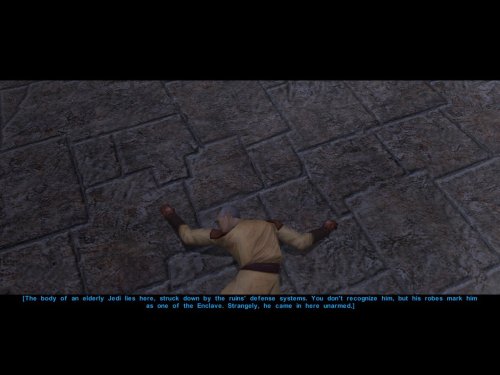
View File AxC's Recover Nemo's Body In the game, the Council acknowledges they sent a Jedi to investigate the ruins, but he has not returned. They do nothing about it, never mention him again, and simply send you instead and call it a day. Consequently, we can do nothing either, except rob the corpse of his belongings and leave him in his tomb. This small immersion mod allows you to recover the body of Nemo from the Dantooine ruins. Or not. The choice is yours. Bring him not to the apathetic Council, but to Deesra, who trains under Master Dorak to one day become Chronicler of the Jedi Order. He will properly document Nemo's fate and attend to his burial. A short quest begins once you search Nemo's remains and decide to take his body back to the Enclave. You may also choose to deliberately leave him there, as the Council always intended, and the quest will auto-complete, affirming your decision. Upon completion, you receive a purple crystal that once belonged to Nemo himself. In my opinion, a fitting way to obtain this signature crystal before leaving Dantooine for the first time. Note: Due to how the game works, it's best to install this mod before entering the Dantooine Ruins for the first time. Otherwise, the dialogue after interacting with the corpse may not trigger naturally. As a failsafe, I've added an additional dialogue option with the Ancient Droid. After finishing your business in the ruins, ask him questions and a new line will appear: "Did you kill the Jedi over there?". This allows you to investigate the body the same way as after searching him. Bugs: Nothing major, but if installed on an existing save and using the failsafe route, the body may only disappear after you revisit the location. Installation: Use the HoloPatcher installer included in the archive. Credits: Fred Tetra, for KOTOR Tool TK102, for DLGEditor Torlack, stoffe & TK102, for NWNSSCOMP JdNoa & Dashus, for DeNCS Cortisol, for Holocron Toolset and HoloPatcher Submitter AxConsortium Submitted 03/10/2026 Category Mods K1R Compatible Yes
-
Version 1.0.0
270 downloads
In the game, the Council acknowledges they sent a Jedi to investigate the ruins, but he has not returned. They do nothing about it, never mention him again, and simply send you instead and call it a day. Consequently, we can do nothing either, except rob the corpse of his belongings and leave him in his tomb. This small immersion mod allows you to recover the body of Nemo from the Dantooine ruins. Or not. The choice is yours. Bring him not to the apathetic Council, but to Deesra, who trains under Master Dorak to one day become Chronicler of the Jedi Order. He will properly document Nemo's fate and attend to his burial. A short quest begins once you search Nemo's remains and decide to take his body back to the Enclave. You may also choose to deliberately leave him there, as the Council always intended, and the quest will auto-complete, affirming your decision. Upon completion, you receive a purple crystal that once belonged to Nemo himself. In my opinion, a fitting way to obtain this signature crystal before leaving Dantooine for the first time. Note: Due to how the game works, it's best to install this mod before entering the Dantooine Ruins for the first time. Otherwise, the dialogue after interacting with the corpse may not trigger naturally. As a failsafe, I've added an additional dialogue option with the Ancient Droid. After finishing your business in the ruins, ask him questions and a new line will appear: "Did you kill the Jedi over there?". This allows you to investigate the body the same way as after searching him. Bugs: Nothing major, but if installed on an existing save and using the failsafe route, the body may only disappear after you revisit the location. Installation: Use the HoloPatcher installer included in the archive. Credits: Fred Tetra, for KOTOR Tool TK102, for DLGEditor Torlack, stoffe & TK102, for NWNSSCOMP JdNoa & Dashus, for DeNCS Cortisol, for Holocron Toolset and HoloPatcher -
Please drop any Lightsaber hilt mods you have created here
AxConsortium replied to Untold Prophecy's topic in Mod Requests
Is there a chanсe I could get those? Thanks in advance! -
View File AxC's Dantooine Star Map Placement Fix n the original game, the Star Map on Dantooine is positioned awkwardly off-center, despite the room clearly being designed for it to be in the middle. Thanks to a Reddit user who spotted this, I couldn't ignore it any longer. This mod corrects the placement so the Star Map now sits properly at the room's center. An additional optional file does the same for the Ancient Droid, centering him in his chamber as well. This mod will only apply it's changes on saves, where the ruins were not yet entered. Credits: WilliamDarkstar4, for the unfortunate discovery that drove me to this Fred Tetra, for KOTOR Tool TK102, for DLGEditor Torlack, stoffe & TK102, for NWNSSCOMP JdNoa & Dashus, for DeNCS Cortisol, for Holocron Toolset Submitter AxConsortium Submitted 02/12/2026 Category Mods K1R Compatible Yes




