Leaderboard



Popular Content
Showing content with the highest reputation on 10/11/2026 in all areas
-
Version 4.0
3,534 downloads
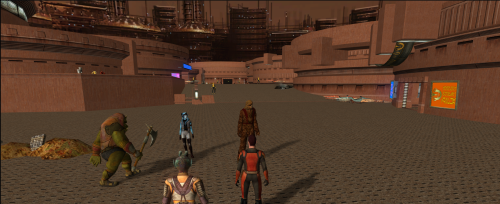
Introducing: Mission to Sleheyron... A brand new planet expansion to add to your next KOTOR play-through: Sleheyron! Built upon the Sleheyron demo mod by the legendary SithSpecter (with his permission), this new mod adds a huge new story that brings this lost-absent planet back to KOTOR. I was inspired by SithSpecter’s work, and I’m hoping in the future my mod will be compatible with his. It would be a worthy venture for me to undertake to make our Sleheyron stories co-exist. After all, I owe him a HUGE debt of thanks for permitting other modders to build off his Sleheyron demo! This new mod is my first ever mod project, and I’m quite excited to share it with you. Sleheyron will feature: 1: A roughly 5 hours long story, voice-acted (no AI voices either). 2: A fully-voice acted new party member, complete with a post-Sleheyron story and romance (The new companion can even do the Leviathan rescue!). 3: 25 new modules of various shapes and sizes (including the four published by SithSpecter, which are amazing and I owe him a huge thanks!) 4: New weapons and armor. 5: Lots of connections to Tales of the Jedi, as I am a big fan of those comics. Playable for Windows, Mac, and Linux! If you are interested in using other mods, please install them in this order. If you aren't using a certain one, go ahead and skip it. K1 Community Patch (K1CP) (optional) Restored Content for K1CP (RC-K1CP) (optional) Brotherhood of Shadow: Solomon’s Revenge (BOSSR) (optional) BOSSR 1.1 Patch (if using BOSSR) Genoharadan - Light Side (optional — by DarthRevan101) All Hands on Deck mod (optional) Sleheyron 4.0 - Base Install (that's this mod!) Sleheyron Compatibility Patch — BOSSR Compatibility Patch (if BOSSR is installed) Sleheyron Compatibility Patch — K1CP Compatibility Patch (if K1CP is installed) Sleheyron Compatibility Patch — Genoharadan Quest Light Side Compatibility Patch (if Genoharadan - Light Side is installed) Mission to Sleheyron — Hard Mode (optional) Sleheyron Compatibility Patch: All Hands on Deck Compatibility Patch [if using AHOD] Any other Sleheyron sub mods, including those from the optional alternative texture pack The story for Mission to Sleheyron starts shortly after the player gets their main mission from the Jedi Council on Dantooine. There is a save file in this mod that will allow players to skip right to that moment with a pre-built character. Then you just need to fly to Sleheyron... But I also encourage players to make their own characters, too! Sleheyron can be visited at any time between Dantooine and the Unknown World. I, of course, recommend going early to enjoy the new companion as long as you would like. And when you're done with the main story on Sleheyron... Perhaps you're up for another challenge? Introducing the new minigame: The Arena of the Glorious Jewel! Following the events of the main Sleheyron storyline, return to Sleheyron for some of the hardest KOTOR combat you've ever seen! Jump into the arena- with your Hutt sponsorship behind you- and endure as much as you can of INFINITE waves of the worst machines, mercenaries, and monsters the KOTOR games have to offer! The waves keep getting more difficult, and you'll win 100 credits per wave. You can choose to resign whenever you want with your winnings... But surely you want a chance to see if you're the greatest Knight of the Old Republic ever? Some acknowledgements! Modders: Of all the people I need to thank, there are three above all others: First and foremost, the absolute biggest thanks to SithSpecter: Not just for creating the Sleheyron Demo that this mod is built off of, but for granting permission to use that Demo. When the day comes your Sleheyron Restoration Mod is complete, I know that it will be the very best Sleheyron mod out there! And right after SithSpecter is my good friend, The_Chaser_One. Chaser has been an extremely great friend (and a talented KOTOR modder himself) and is responsible for making this mod compatible. He's talked through many ideas, he was the best beta tester anyone could ask for, and he really did work hard to make this project a better one to share with all of you. Thank you for your help, Chaser- really! And lastly, one new acknowledgement: My good friend "FTD." Despite the fact he was totally new to modding, he not only is responsible for making this mod Mac-compatible, but also having made this mod EXTREMELY optimized! So many glitches have been fixed! And the mod runs better and is more lightweight than ever. Thank you, FTD! Others to thank: Thor110, for helping me out with the basics of module design, as well as introduced me to some cut modules to use. DarthParametric, for teaching me to retexture NPCs as well as two "larger creature" mods that became resources for Sleheyron (is there a single KOTOR mod out there that he hasn't been credited on?). SithHolocron, who early on helped teach me how to retexture modules. ZobiZob, for amazing YouTube tutorials for how to use Holocron Toolset and solving my problem with playing movies, as well as helping out in getting a Sullustan model from KOTOR 2 to work on Sleheyron, and a glowing goo pile model... and really so much more, really! GlaspyLawson, who learned modding at the same time as me, and shared his knowledge; and for contributing a side quest to Sleheyron! JC for just answering so many of my questions through the entire modding process. Really, the whole Mod Development KOTOR Discord Group! Thank you for either offering advice or tolerating my simplistic questions! Testers: Mikael, the absolute most enthusiastic alpha tester anyone could ask for. StellarExile, who helped me out with learning how to use the patcher. MistahJayGarrick for his high praise of the story content (and occasional blunt, but necessary, advice). Tool Developers: Cortisol and Th3W1zard1 designed and kept updated the incredible Holocron Toolset, that was instrumental in this mod's design. I owe them a massive thanks for their work, and the hours they spent helping me out with bug-fixing! And also Wizard for a pretty fun voice, too. The amazingly talented Vriff and his update to Holopatcher has made this mod playable on MacOS and Linux, so thank you Vriff! Voice cast: LadyWarden, the talented actress that gave us the incredible voice of Vima; giving this long-standing fan-favorite character a perfectly excellent rendition (she was also an excellent audio assistant and helped design the load screens). Mikael, for various voiceovers around Sleheyron that made the planet feel alive (including the dulcet tones of an exhausted Hutt). C4 for the excellent performance as Commander Forcay, praised by a tester as "Sounds exactly like an NPC from KOTOR!" PuckShadows for his Sith Lt. Savage. Juice Phanta for a pitch-perfect protocol droid. Black Rose for literally hundreds of Iridorian mercenary lines, giving me an impressively huge range of pitches to work with. Schofield-HD for an officer of vice and virtue, as well as a few Sith troops. Gwoopp and MerakiSky for two fun little roles in the Sleheyron cantina. Companies: Of course, BioWare and Lucasfilm, for making this game that we all enjoy so much. NexusMods and Deadly Stream for being the places to discuss and host mods. Discord for enabling communication that made this mod a collaborative effort. Final Dedications: My wife, who tolerated me spending nearly six months isolated to make this. To a relative who isn't around anymore to enjoy Sleheyron. I think this mod would make you proud! (even if you did spoil this game for me) My apologies if I missed anyone else; but I appreciate all of your hard work! I hope you all enjoy Mission to Sleheyron!1 point -
Version 1.6
6,024 downloads
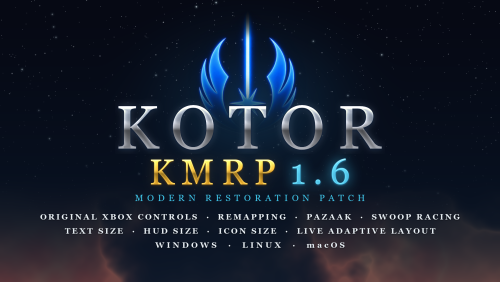
KMRP - KOTOR MODERN RESTORATION PATCH 1.6 Any resolution, properly scaled UI, text and HUD sizes of your choice, controller support and engine fixes for KOTOR 1 Any resolution | 800x600 to 8K | 4:3 | 16:10 | 16:9 | 21:9 | 32:9 | Windows, macOS and Linux ━━━━━━━━━━━━━━━━━━━━━━━━━━━━━━━━━━━━━━━━ NEW IN 1.6 The biggest update since 1.0, for Windows, Linux and macOS. Over 1.5 or 1.5.1, run the installer and press Upgrade: it keeps your settings, and there is no need to restore first. The original Xbox controls. LB pauses, RB switches party member, the triggers change target, X queues, Y flourishes, B disengages, and Start opens the menus where you left them. Every button can be remapped. Pazaak, swoop racing and the gun turret with a controller, as on the Xbox. Text Size and Font. Four text sizes in Graphics Options, and HD Font, the game's own font redrawn sharp, as the new default. Original Font, and Modded Font for fonts in your Override folder, are there too. HUD Size and Icon Size. Every part of both HUDs, and feat, power and skill icons, larger or smaller. Live Adaptive Layout. 73 of the game's 85 menu layouts are laid out as the game runs, a mod's included, so GUI mods are no longer forced to 640x480. Mods keep their changes. A mod's copy of a file KMRP also changes keeps both, and the mod wins where they disagree. No menu flashing on NVIDIA, and Windows Auto HDR and RTX HDR keep working. Movies and Alt-Tab. 16:9 movies on ultrawide screens, no screen reset after a movie, and Alt-Tab in full screen comes back at once. A 57 MiB installer instead of 140, every resolution ready before the first start, and Apply New Settings to change an option without installing again. A native Linux installer, and the Mac version updated to 1.6, now for the Mac App Store game as well. Marked Empty Containers by ShaeMyName, on by default. The full list is in the changelog on GitHub. ━━━━━━━━━━━━━━━━━━━━━━━━━━━━━━━━━━━━━━━━ WHAT IS KMRP? Vanilla KOTOR was built around fixed pixel sizes and interface layouts designed for resolutions such as 640x480. On modern displays this causes tiny text, overlapping list entries, undersized icons, broken map scaling and other interface problems. KMRP fixes these problems in the game engine itself. One installer, one click, and one click to undo everything. It changes how the game looks, fits and controls, and nothing about its story, quests or balance. ━━━━━━━━━━━━━━━━━━━━━━━━━━━━━━━━━━━━━━━━ SINCE 1.5 No resolution to choose. The game starts at your display's own resolution. Its Screen Resolution setting lists every size and refresh rate your display supports, and a change takes effect at once, with no restart and no patching again. Controller support, built in. A controller works on every screen, with the right button pictures for your pad (Xbox, PlayStation, Switch or Steam Deck), rumble and a Controller Layout screen. Xbox-style HUD. Modelled on the console version. On by default, can be switched off. Above 60 frames per second. An option installs D3M0's High FPS Fixes, switched on by itself above 60 Hz. swkotor.exe is not rewritten. On Windows the changes are applied in memory each time the game starts, through KOTOR Patch Manager's runtime. ━━━━━━━━━━━━━━━━━━━━━━━━━━━━━━━━━━━━━━━━ WHAT IT FIXES Every shape from 4:3 to 32:9 is covered, from 800x600 up to 8K: 66 common resolutions have menus built for them, and any other size gets menus fitted to it. ━━━━━━━━━━━━━━━━━━━━━━━━━━━━━━━━━━━━━━━━ PLATFORMS Windows: the Steam, GOG and disc 1.03 versions. The installer checks the game's file before doing anything and refuses any other build. Linux: a native installer (AppImage) for the game under Proton, or the Windows installer through Protontricks. SteamOS is tested and working. No Steam Deck itself was tested. macOS: the Steam game and the Mac App Store game, on Intel and Apple Silicon Macs, with its own installer. The Linux and macOS installers are on the GitHub release page. ━━━━━━━━━━━━━━━━━━━━━━━━━━━━━━━━━━━━━━━━ INSTALLATION Install other content mods (K1CP, K1R and so on) first. Start the game once so its settings file exists. Run the KMRP installer and press Start Patching (Upgrade over an older KMRP). There is no resolution to pick. To change an option later, change it in Advanced Settings and press Apply New Settings. To undo everything, run it again and press Restore Original. Linux and SteamOS: run the AppImage, or the Windows installer with protontricks-launch --appid 32370, then set KOTOR's controller layout in Steam to Gamepad. Otherwise the game gets no controller. KOTOR Patch Manager: KMRP's two patches are listed there, and other patches can be added beside them. ━━━━━━━━━━━━━━━━━━━━━━━━━━━━━━━━━━━━━━━━ INSTALLER OPTIONS Controller support, and with it the Xbox-style HUD High FPS Fix (D3M0's High FPS Fixes) HD item icons Map-note corrections (Derslok) Marked Empty Containers (ShaeMyName) Driver compatibility for lighting, fog and shadows on modern graphics cards (Synchro's K1 Modern Driver Compatibility 2.0.1) ━━━━━━━━━━━━━━━━━━━━━━━━━━━━━━━━━━━━━━━━ COMPATIBILITY KMRP 1.0 was tested with KOTOR 1 Community Patch 1.10.0 and KOTOR 1 Restoration 1.2. KMRP 1.5.1 was tested with KOTOR 1 Community Patch 1.10.0 and with the Polish translation. Files that other mods put in the Override folder always win over KMRP's. Since 1.6, a mod's menus are laid out for your screen like the game's, and a mod's copy of a file KMRP also changes keeps both sets of changes. ━━━━━━━━━━━━━━━━━━━━━━━━━━━━━━━━━━━━━━━━ CREDITS Bundled work is included with its authors' permission or under its licence. Full notices are in the repository. ━━━━━━━━━━━━━━━━━━━━━━━━━━━━━━━━━━━━━━━━ SOURCE AND CHANGELOG github.com/RayesDiyab/KMRP-KOTOR-Modern-Restoration-Patch Licence: GPL-3.0. Unofficial; you must own the game.1 point -

Version 1.0.2
1,989 downloads
NOTE : This is included with the Expanded Galaxy Project already. Another request by @Snigaroo that I thought was worth taking on because it is something that has always bothered me too. This mod removes the appearance of mines on Malachor by adding a new trap type to the game that uses a new model that doesn't contain a mine. Compatibility This mod should be compatible with any and all other mods, unless they happen to change the mines on these levels ( 901MAL & 902MAL ) or replace k_trp_generic.ncs Installation : HoloPatcher Use HoloPatcher to install the mod. Uninstallation : HoloPatcher HoloPatcher also generates an uninstall script after installation, use this to uninstall, you can also access that feature under Tools -> Uninstall in HoloPatcher itself. Thor110 Please do not redistribute or release anywhere without my express permission. Tools used that helped make this possible. Kotor Tool - http://www.starwarsknights.com/tools.php @ Fred Tetra KotOR Scripting Tool - https://deadlystream.com/files/file/191-kotor-scripting-tool/ @Blue HxD - https://mh-nexus.de/en/hxd/ @Maël Hörz HoloPatcher - https://github.com/NickHugi/PyKotor/tree/master/Tools/HoloPatcher @Wizard & @Cortisol1 point -
Another WIP: New particle effects for the plasma torch, to bring it closer to how it would look in reality.
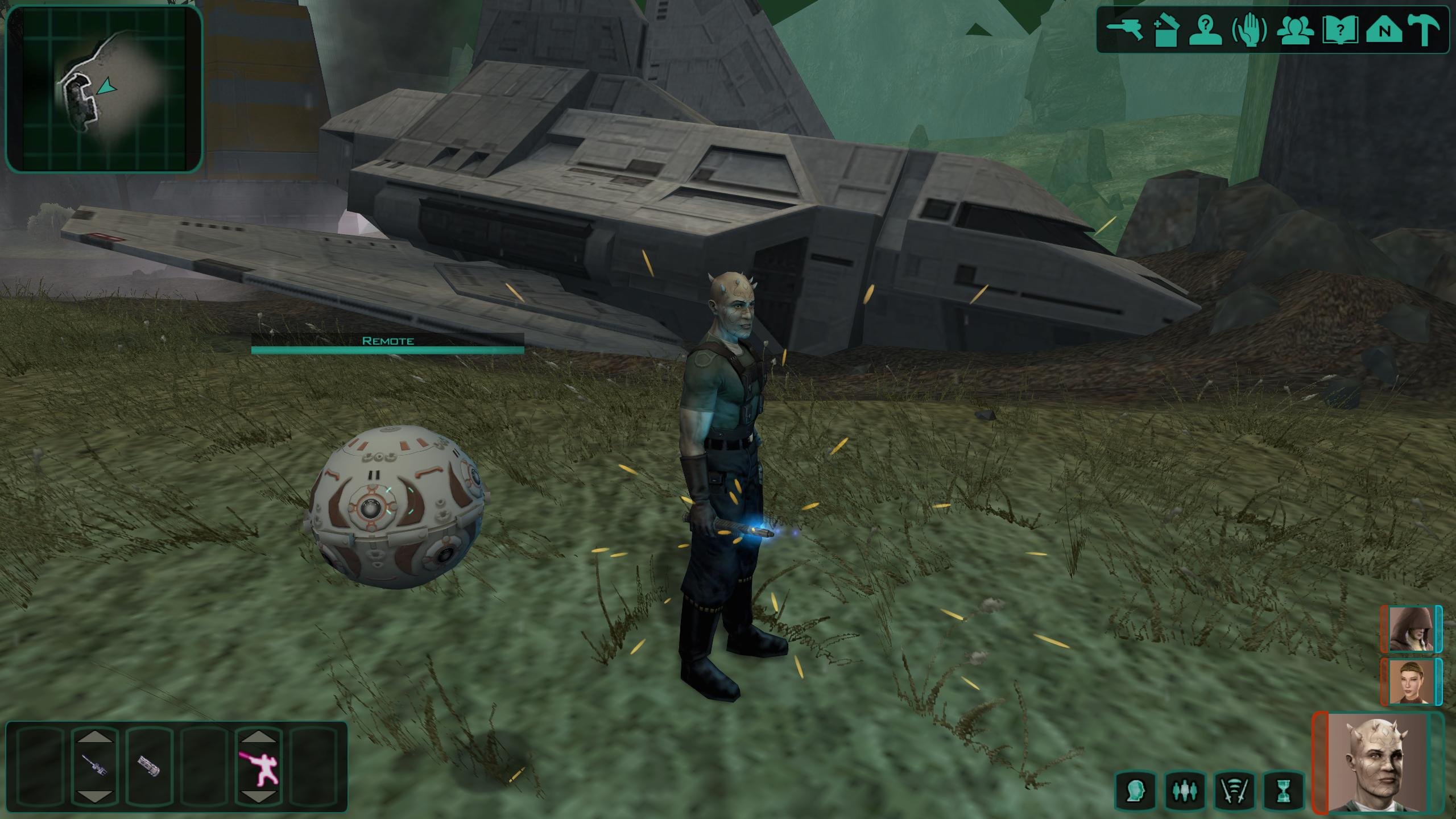
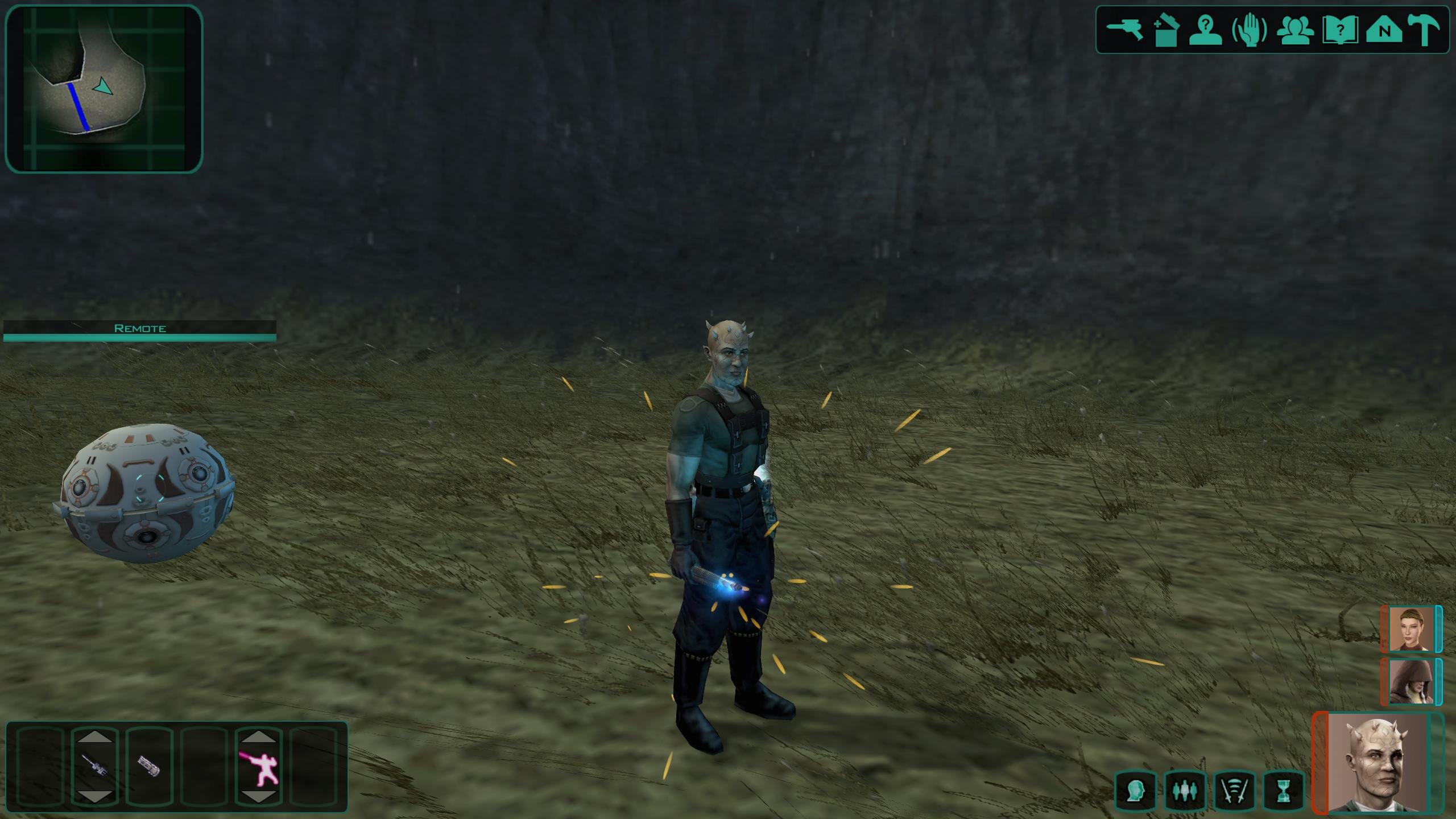 1 point
-
 @mackmitchell94 I have forwarded your post to Marius Fett. Hopefully you two can figure out what your issue is. Good luck!1 point
-

Version 1.1
5,782 downloads
Very Nice! Load Screens for KotOR 1.1 by ajdrenter Description: This is a complete set of replacement load screens for high resolution UI scaled configurations. It includes compatibility patches for Jorak Uln's reskins, jc2's "Lehon Mandalorian Expansion", and Silveredge9's "Brotherhood of Shadow: Solomon's Revenge". So far there is a 16x9 version and 4x3 version. This mod requires a high resolution user interface mod such as "KotOR High Resolution Menus" by ndix UR. I also recommend "HD MENUS AND UI Assets" by JackInTheBox, who's mod provided the template for this mod. Installation: Just drag and drop from your desired folders to your override. FOLDER LIST kotor - All base game load screens jorak - Screens for Jorak Uln's reskins jc2mando - Load screen for jc2's "Lehon Mandalorian Expansion" bos - All screens for Silveredge9's "Brotherhood of Shadow: Solomon's Revenge" Credits: JackInTheBox for the base load screen texture which I used to do this whole mod. Thanks! Thanks to the whole community for such a wonderful wealth of content over the years. Usage: You may use this mod for any non commercial use and without contacting me as long as you give me credit for my assets. If you use assets belonging to JackInTheBox you must obtain consent from him either through his release documents or personal contact.1 point -
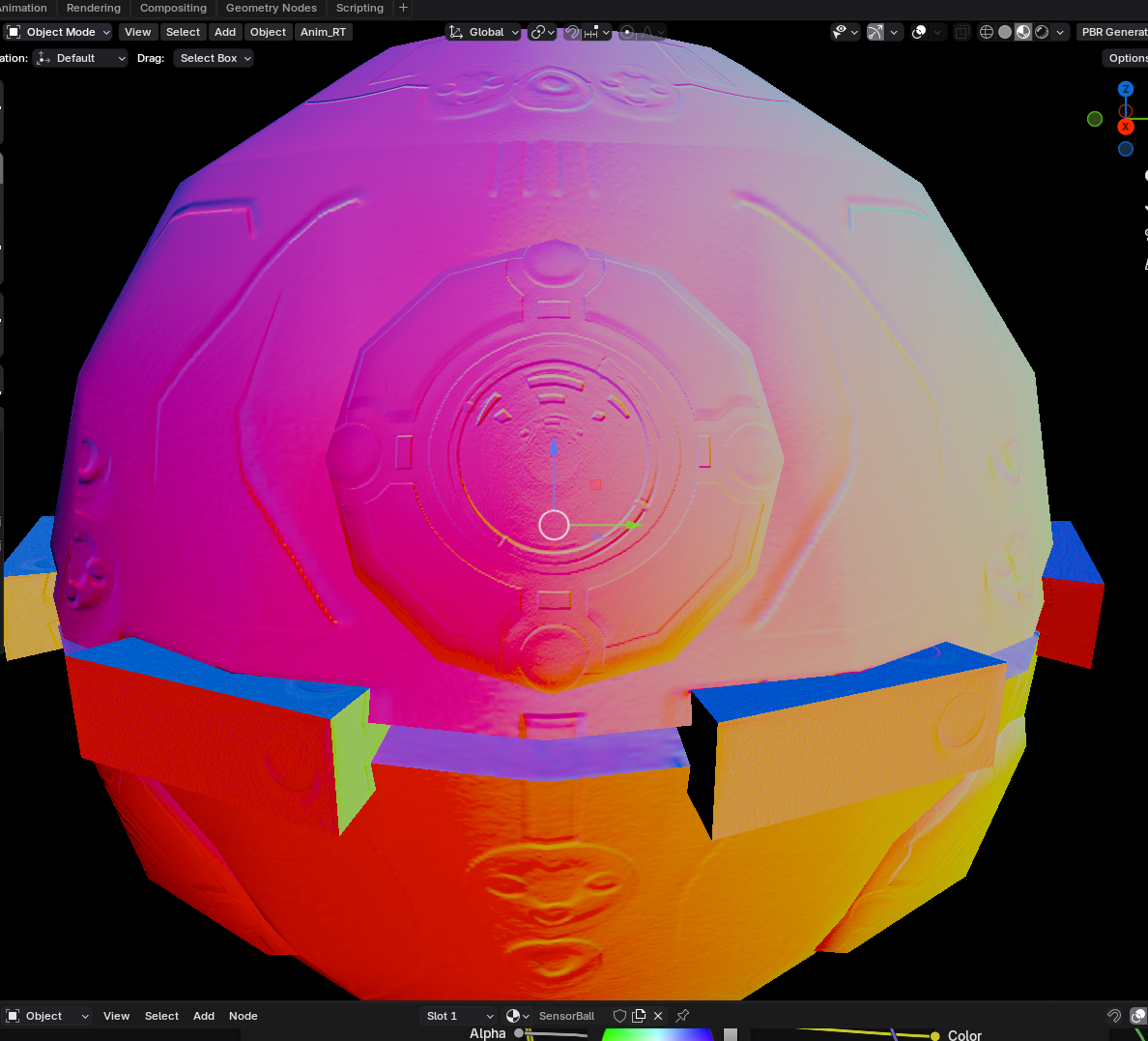
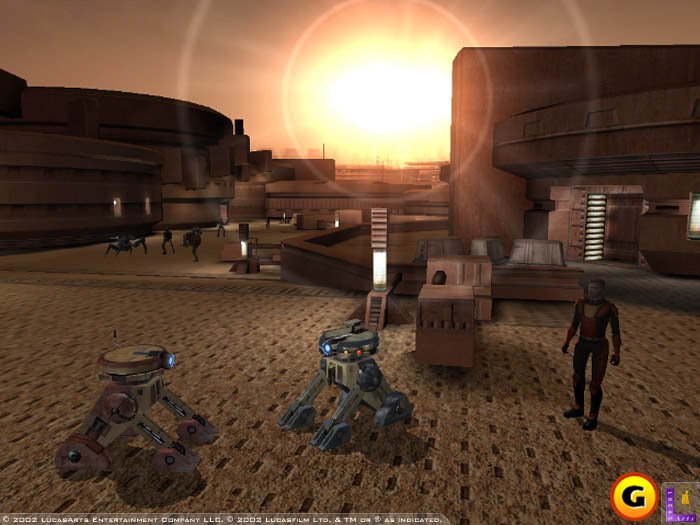
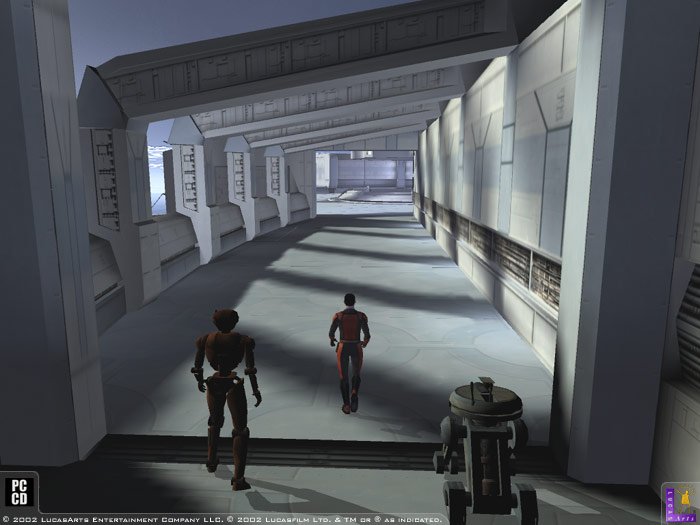
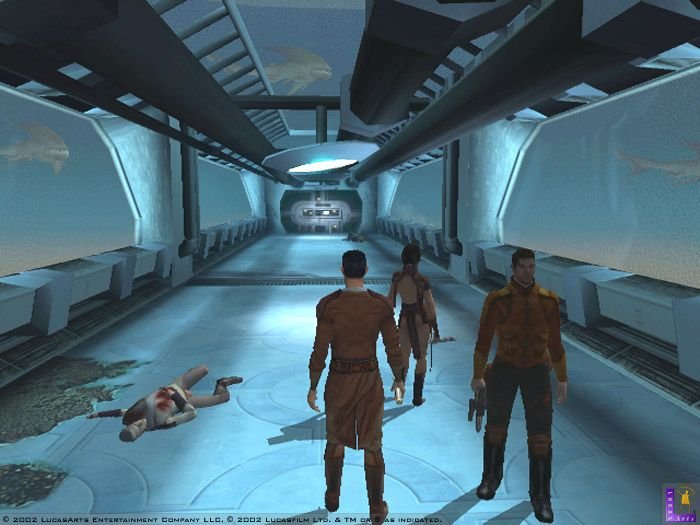
Yes, I would love to see my fixes included in someone's mods or Kotor/TSL mod lists. You have my permission as long as you credit me! Bao-Dur's Remote actually has an unused bump map texture. However it's horrible in multiple aspects. For example: The reflections on the sensor lights are "engraved" into the normal map etc. Well, there are some other interesting things I noticed about early beta Kotor 1 which are completely changed in the final version. For example: T3 Droids are much bigger. The "old Jedi" corpse model features bloody wounds in early screenshots, whereas the finished game shows signs of decomposition.
 1 point
-
Version 1.0.0
30 downloads
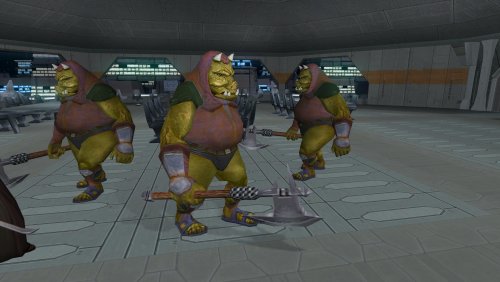
Hello everyone! This mod gives the Gamorreans a separate axe model with its own texture, instead of using UVs spread across a tiny area of the creature like the default version. Credits: "4x Upscale+ Character Textures & Model Fixes (TSL)" - The C_Drdwar model in this mod or rather, the way the "rifle texture bug" was fixed gave me insight into the "reference" model node method.1 point -
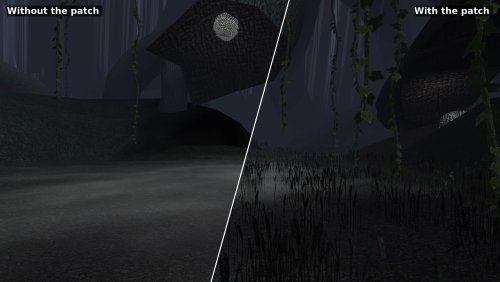 Hey there! Thanks for trying the patch out! I will take a look and see if I can reproduce the issue on my end, keep an eye out for a fix. EDIT: Have reproduced the issue and have a fix! The same issue also killed HK-47's eyes as well as a couple other issues. I should have a new release up shortly. Released!1 point
-
Version 1.0.0
7,114 downloads
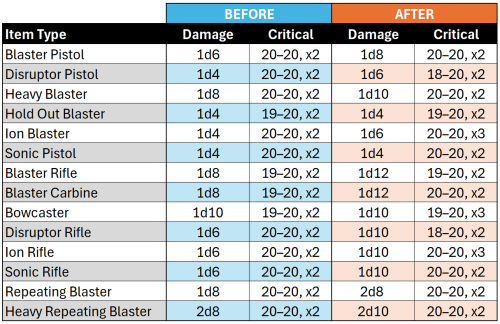
This mod adjusts the statistics of blaster items in Star Wars: Knights of the Old Republic to bring them more in line with their statistics in Star Wars: Knights of the Old Republic II - the Sith Lords and correct some balance issues. A table showing the base item type changes is included in the screenshots. Heavy Weapon Damage According to developer commentary, Heavy Weapon items were intended to make an extra attack per round, but this feature was never implemented. Due to this discrepancy, several Heavy Weapon items are mechanically worse than comparable Blaster Rifle items, despite costing more and having a more niche prerequisite feat. Other mods exist which grant the extra attack through other means; however, there are limitations to adding extra attacks and complications with mod compatibility. Instead, I have opted to add an extra damage roll for these item types. I have also adjusted the item properties of the Baragwin Assault Gun and Baragwin Heavy Repeating Blaster because items seem to have been designed with this limitation in mind, having been added to the game later with the Yavin Station DLC. Instead of a +2d6 damage bonus, these items receive a flat +2 damage bonus. The expected damage output is still slightly higher than in the base game. Installation Options Multiple installation options are provided for for compatibility with other mods which make similar changes to individual item classes. Full Installation: This option modifies the damage and critical rolls for all blaster items. Heavy Weapon items are given additional damage to replace the missing attack roll which is missing for these item types. Blaster Pistol & Blaster Rifle + Critical: This option modifies the damage rolls for Blaster Pistol and Blaster Rifle items and the critical rolls for all blaster items. Blaster Pistol + Critical: This option modifies the damage rolls for Blaster Pistol items and the critical rolls for all blaster items. Installation Extract files from the downloaded archive. Run INSTALL.exe. Select which option you want to install. Click "Install Mod" and select your game directory. Uninstallation During installation, TSLPatcher generates a backup folder and a log recording which files were affected. Restore or delete all all .2da files affected by this mod. For each, copy the corresponding .2da file from the backup folder to replace the one in your game's Override folder if a backup was created, otherwise delete the .2da file from your game's Override folder. Delete all other files installed by this mod from your game's Override folder. Credits KOTOR Tool—Fred Tetra TSLPatcher—stoffe & Fair Strides License This work is licensed under a Creative Commons Attribution-NonCommercial 4.0 International License. Donations If you enjoy my mods and would like to show your support in a monetary manner, you may do so via PayPal at https://www.paypal.me/carterunited.1 point -
 Best cutscenes upscale mod by far, they look just gorgeous, thank you.1 point
-
Hello, as some of you may recall, Malachor V's outdoor modules have a visible Lightning strike effect that accompanies the Skybox. In-case you don't know what I am talking about, here is an image of the lightning which has been reskinned in Sith Holocron's Replacement Texture for Lightning on Malachor V 1.2 mod: So my question is, if I wanted to add this lightning effect to other modules how might I do it? From what I can tell, the lightning texture is part of the Malachor textures so I assume that it's done either by the module info files or via the Skybox/Module model mdl files.1 point
-
Version 2.0
472 downloads
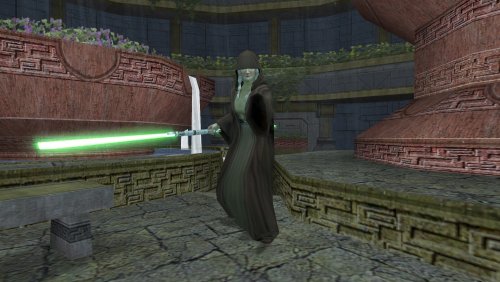
Although Kreia cannot wield a double-bladed lightsaber in the unmodded game, The Complete Star Wars Encyclopedia states that she wielded one during her travels with the Exile, and the Star Wars Miniatures model of Kreia also depicts her using one. From the moment I learned about it, it felt odd that the game couldn't reflect this at all. So I decided to create this mod to bring Kreia's canonical weapon to The Sith Lords. Also, the weapon grants Kreia her cut feat "Kinetic Combat" (game description: "Kreia is highly attuned to the Force. She can use weapons effectively without her hands."). The feat has no gameplay function assigned to it, but it's still more or less suitable for Kreia wielding an explicitly two-handed weapon with one hand and the Force. If you opt to install optional files, she will also wield a double-bladed lightsaber during her time on Malachor (red/purple versions) and in Korriban's cave (blue/green/red/purple versions). However, if you're already past Peragus (specifically, the point of no return when you board the Ebon Hawk), you can still add the lightsabers using cheats: Credits: Fred Tetra, for KOTOR Tool TK102, for DLGEditor Torlack, stoffe & TK102, for NWNSSCOMP JdNoa & Dashus, for DeNCS Cortisol, for Holocron Toolset bead-v, for their mod "Kreia's Lightsaber / Long sword", which inspired me and allowed me to edit and include 2 of his scripts in my mod (the mod has open permissions)0 points -
This might be considered a sequel of sorts to another blog I've made (found here) but you needn't read it to understand this one. (It is there so you could read afterwards but that's up to you, of course.) I've been around this community for some time. I've seen a lot of projects announced. I have seen very few of them to make it to a point of release. So I'm going to make a hot-take which is: Work first on everything that could feasibly be released separately if you don't finish the project. Let's be honest with ourselves: real-life happens. Sometimes, an author might lose interest in a project before it is done. And sometimes, the spirit is there but time requirements must be given elsewhere: work, family, school, etc. And even if these folks do manage to grab back some of that free time, that doesn't mean the passion for the old project is going to return. If work on large scale projects (such as a planet mod or a total conversion, for example) is doled out with possible smaller mods in mind, then at least the modder can at least release the parts they have completed. Net gain: the end user who could at least appreciate what did get uploaded to the community. If the modders does return to work on a project, they even have the added advantage of their materials being safe on a website without it being accidentally deleted or suffer being lost to a hard drive failure.0 points