All Activity
- Past hour
-
 valares joined the community
 - Today
-
 bigtim1990 joined the community
 -
 Dorniere joined the community
 -
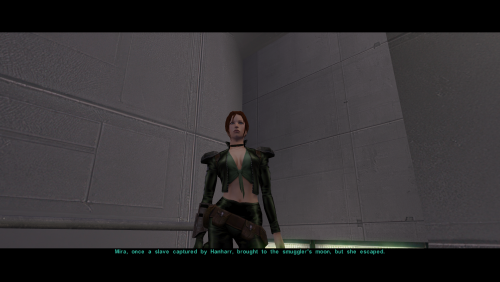
View File Lore Friendly Mira Edit Lore Friendly Mira Replacer gives Mira red hair, 2K textures, and custom portraits while keeping Mira's look lore accurate. Installation instructions Install Kirin’s Mira Replacer first, use PFHX01 Make sure Kirin’s PFHX01 replacer for Mira is installed. Place this mod’s files into your Override folder. Replace files if prompted. Main features Red hair for Mira Slightly adjusted eye color 2K HD textures Custom portraits Lore friendly Requirements Requires Kirin's Mira Replacer PFHX01 This mod will not work without it. No dark side transitions are included in this version, but they may be added in a future update. Credits Thanks to Kirin for the original Mira replacer. Submitter Saul0097 Submitted 05/21/2026 Category Skins TSLRCM Compatible Yes
-
 KarnPizza joined the community
 -
 Guacamanly joined the community
 -
 xcloudx117 joined the community
 -
Hey RedRob41! I wanted to ask. Would you ever consider updating your Juhani Catlike Head Mod with HD textures? Also, what about the armors in SpaceAlex's K1 Enhancement Pack?
-
 GoldZephyr joined the community
 -
 Gerbbs joined the community
 -
I would recommend three separate downloads given the size. I'd probably go with 128. Icons tend to look worse when scaled up too much, but on a 1080p screen the equipment icons are about 96 pixels.
-
 Critchin joined the community
 -
 colacao joined the community
 -
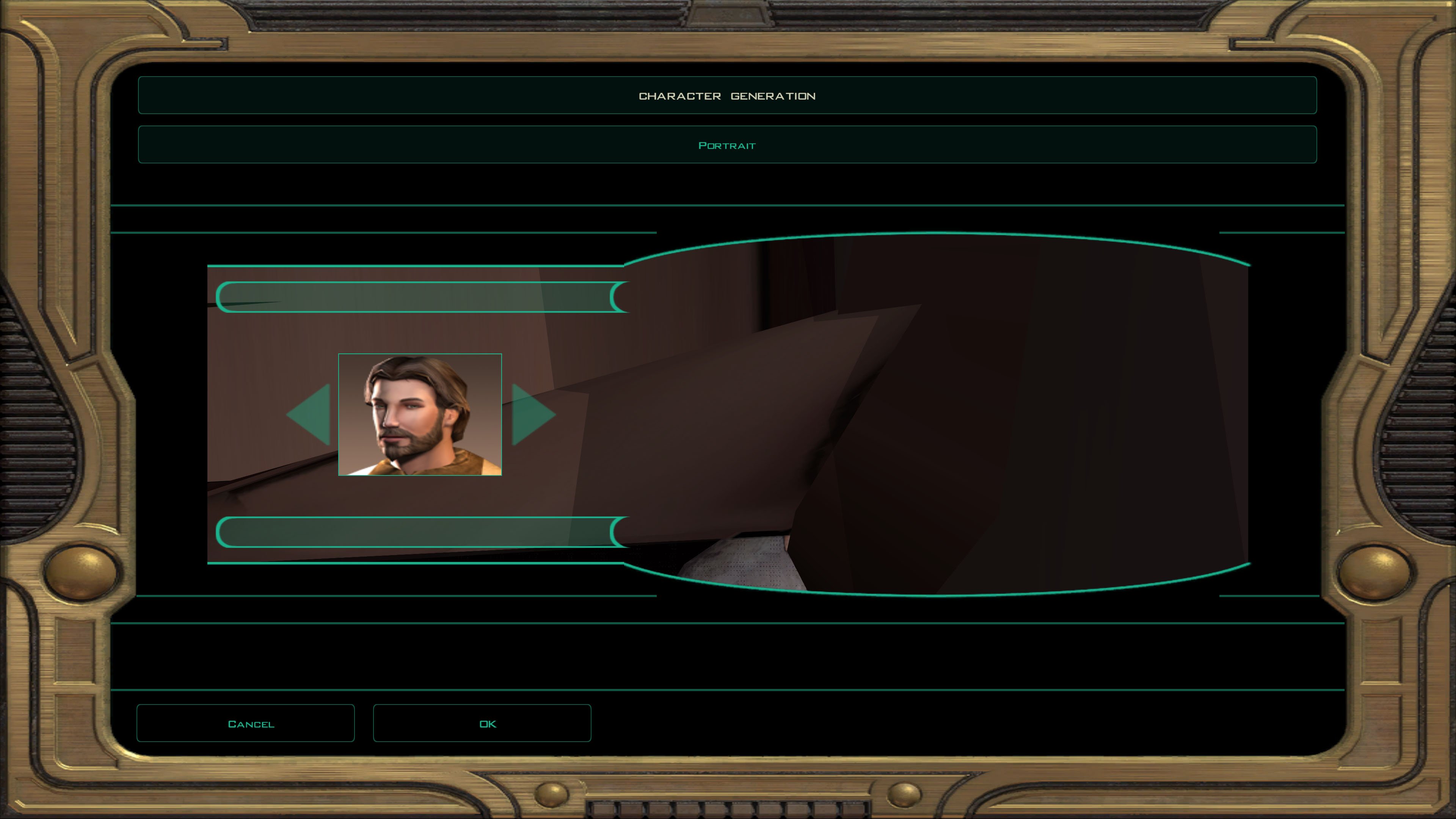
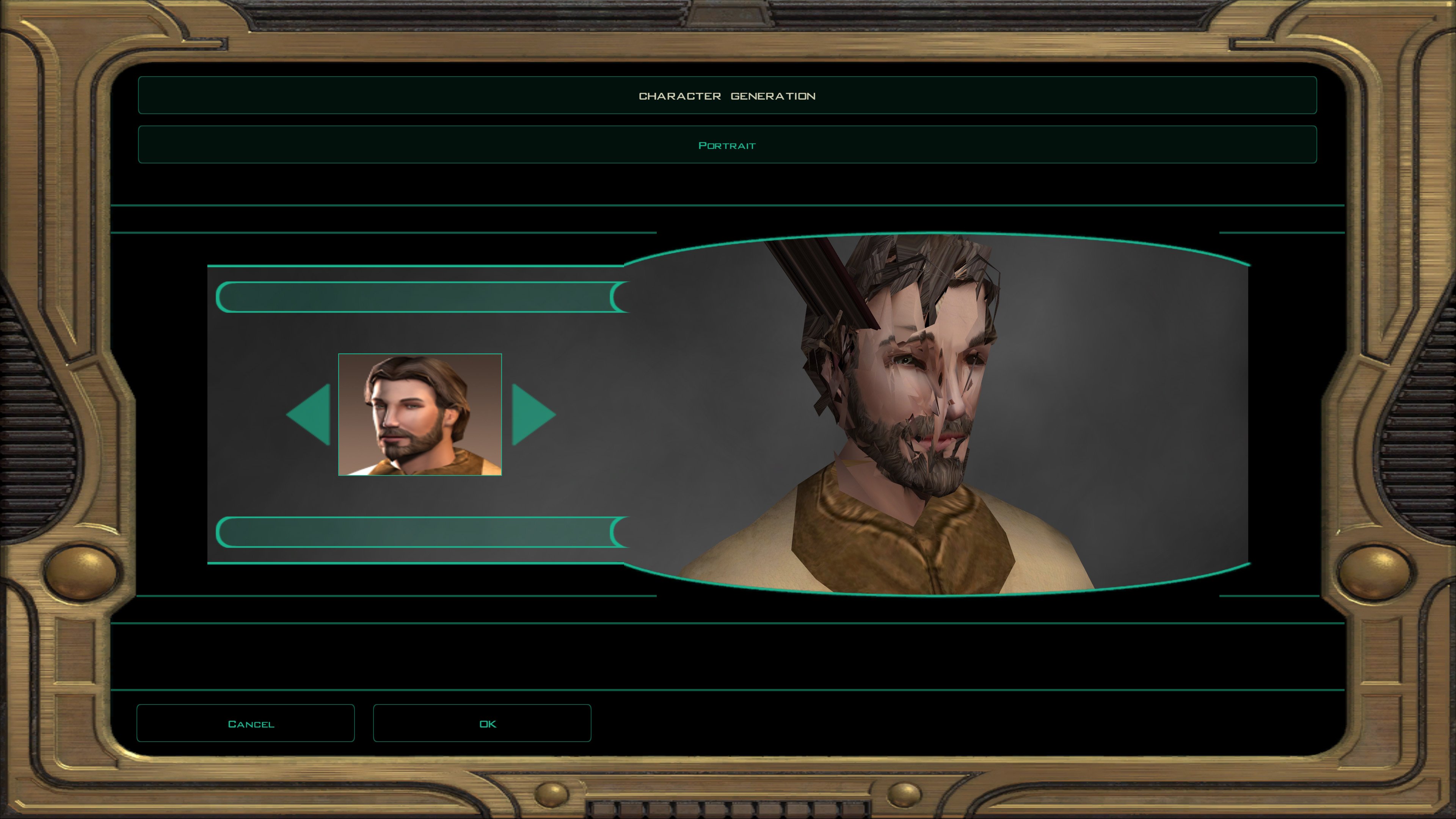
Even worse. This is pretty much how it looks when I compile with MDLOps 1.0.2 as well.
- Yesterday
-
What does the KBlender version look like? If you were running the game natively on a Mac (or Linux) it could potentially be a factor, but since you're running it inside Win 10 it should be irrelevant.
-
I tried it again; the files from the MDLEdit folder comes out like this: Mind you, my old disc version of the game doesn't run well on my current computer (iMac running Win10 through Bootcamp) so I'm forced to use a Steam version of TSL. I don't know if that has anything to do with it.
-
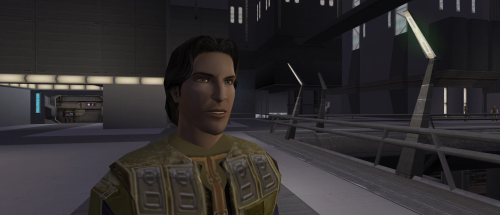 btw the head that people say is the canon head for is based off of this PFHC05d1 like something base on the lore canon meetra Surik. make her look more like this blue eyes brown hair fair skin and upscaled dark side look
 -
Maybe I'll do something with some female head, did you have anything particular... you wanted changed, hair color, eye color, skin tone etc...?
-
Version 1.0.0
0 downloads
Lore Friendly Mira Replacer gives Mira red hair, 2K textures, and custom portraits while keeping Mira's look lore accurate. Installation instructions Install Kirin’s Mira Replacer first, use PFHX01 Make sure Kirin’s PFHX01 replacer for Mira is installed. Place this mod’s files into your Override folder. Replace files if prompted. Main features Red hair for Mira Slightly adjusted eye color 2K HD textures Custom portraits Lore friendly Requirements Requires Kirin's Mira Replacer PFHX01 This mod will not work without it. No dark side transitions are included in this version, but they may be added in a future update. Credits Thanks to Kirin for the original Mira replacer. -
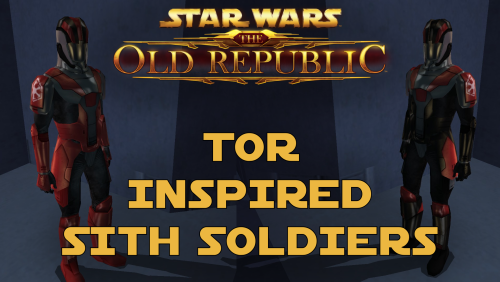 It should work with the Female Sith Soldier mod, yes.
 -
Hello everyone! Now I've been "Modding" KOTOR for years, but when it comes to how it works, I'm a complete noob. I'm trying to figure out some issues I'm having with my mod setup. Specifically, I am trying to use the following mod: https://www.nexusmods.com/kotor/mods/78?tab=posts for my base Revan. Though specifically, it says it's a model only and can be used with other Revan textures. So naturally, I am using a different one since I don't like the base textures, so I'm using this one: However, it won't retexture it. It will only have the updated texture with the cape, or the old model with no cape. How can I fix this? Now the second thing I am trying to do is update the horrible Star Forge robes - yet I'm having a dreadful time doing that because I'm sure there are conflicting mods. I was trying to use this mod: https://www.gamefront.com/games/knights-of-the-old-republic/file/star-forge-revan-s-robes However, whenever I use it, I turn into a Rodian Jedi from the Diversify Jedi mod lol Anytime on how to use the KOTOR tool to fix this, or what tools I do need, would be great.
-
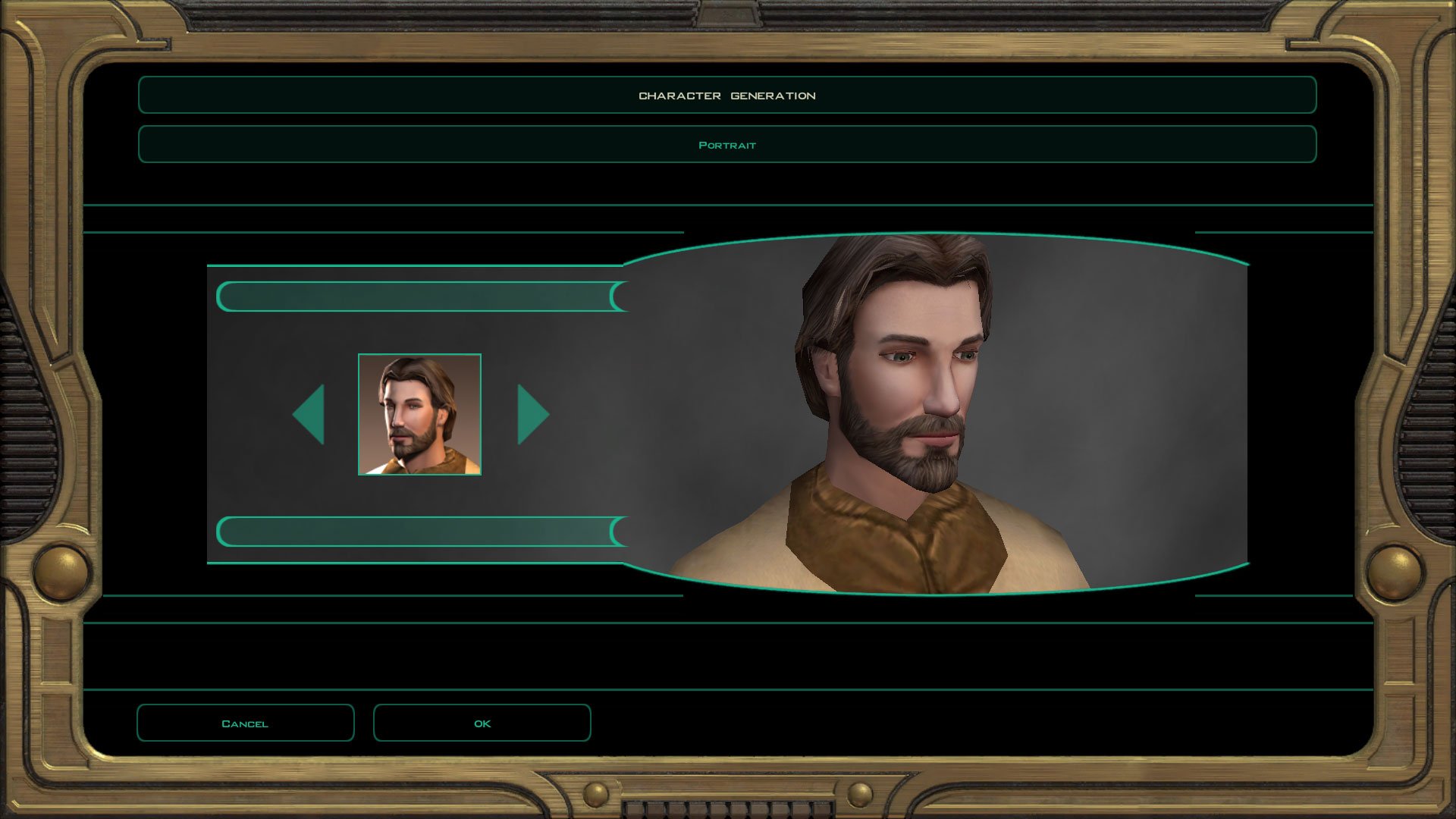
I quickly checked the MDLEdit one in the character creator and it's fine?
-
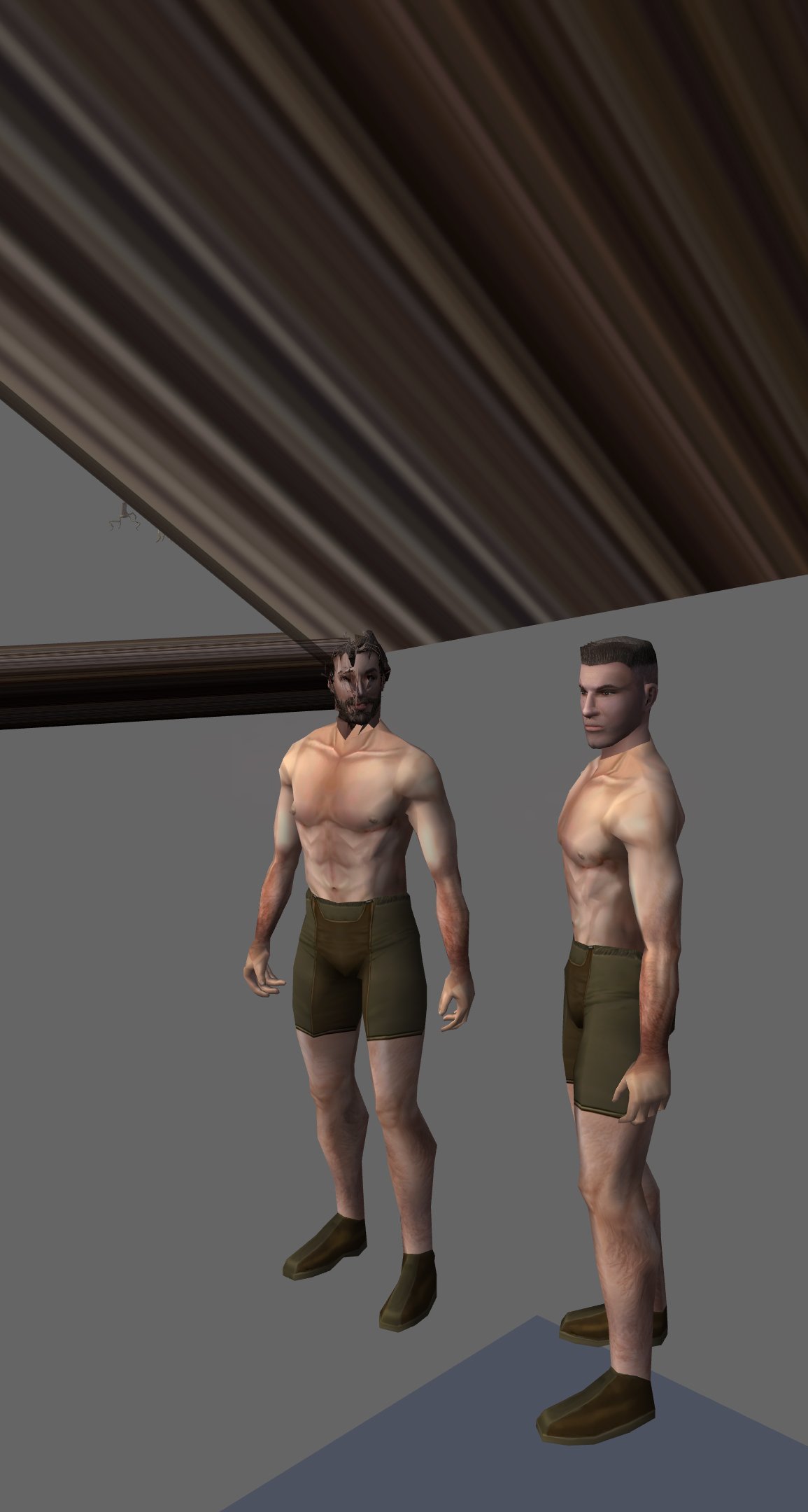
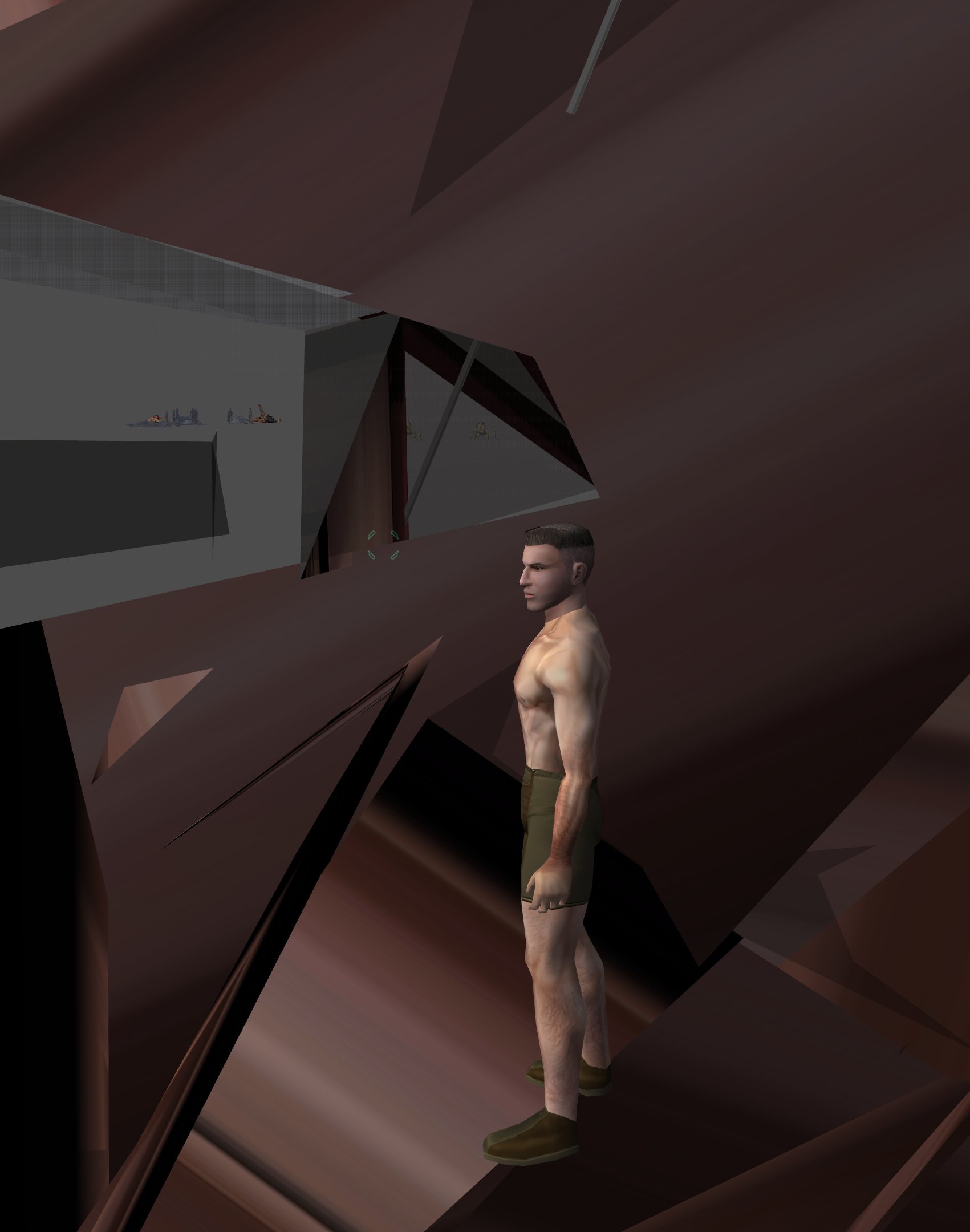
Thanks for the effort, but they don't seem to work any better in-game than mine. Hmmm. My ascii looks just fine in 3DS Max; it seems that it is only after compiling it to binary that the problems start.
-
Try these: TSL_PMHC04_Test.zip Imported your ASCII into KMax, re-exported, loaded into MDLEdit and saved as binary. Loaded the binary into KBlender, looked fine, exported as new binary.
-
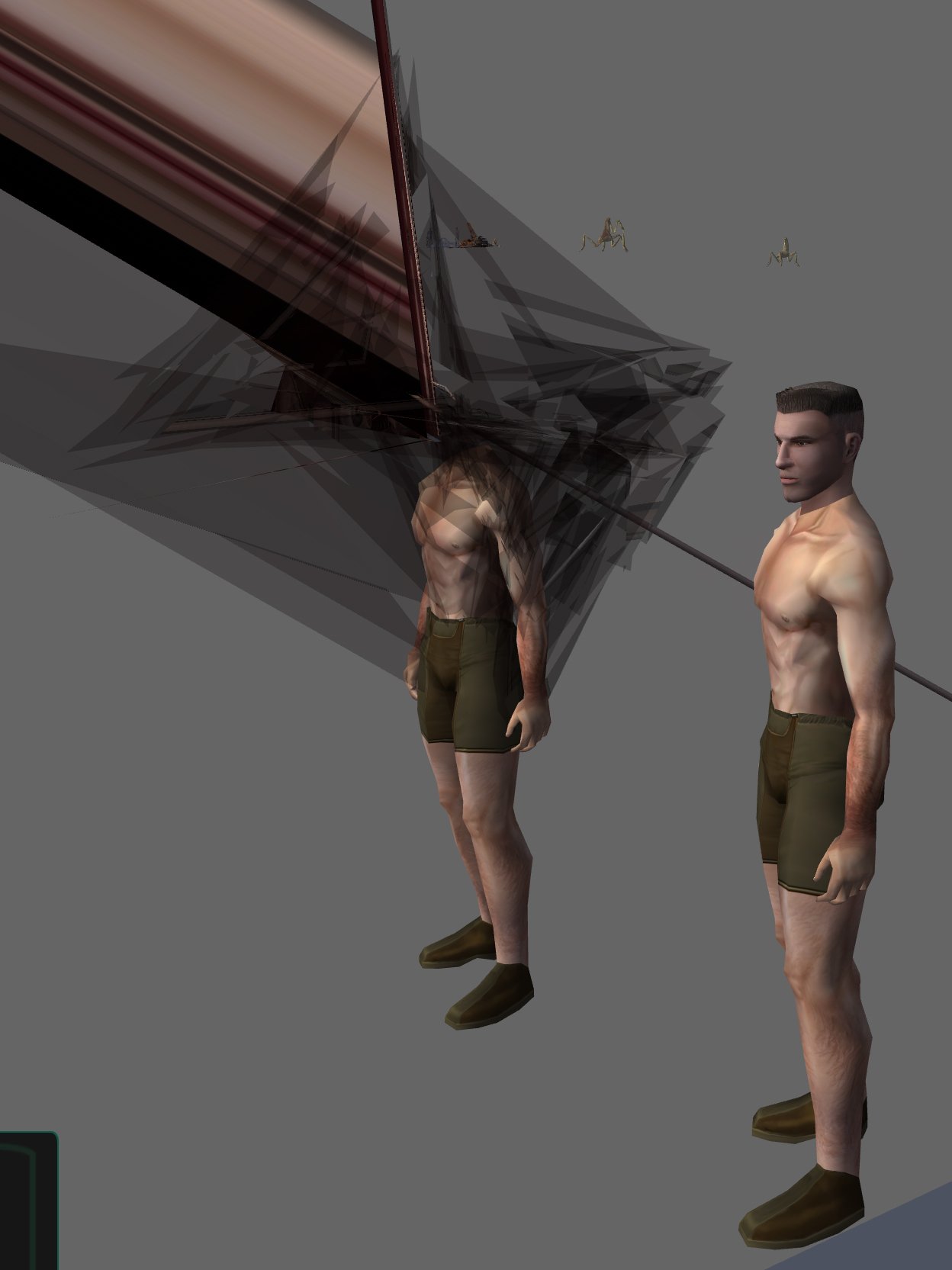
As many of the long time members here will know, I had been using MDLOps 7a2 with GMax in 3DS Max, and Taina's Replacer for the longest time. For the past 6 months or so I have switched to MDLOps 1.0.2, KotorMax in 3DS Max and have been enjoying the successes. I like how it allows me to fix more than just xyz coordinates and uvw maps; now I can also fix vertex welds, bone weights, and smooth groups. I was merrily working on more of my 4x Upscale+ mods, and recently started doing PC heads. But, I ran into a snag with PMHC04, PMHH01, and others in TSL. Some of them come out looking like this: When I did the PMHC04 above, all I did was use MDLOps 1.0.2 to make the mdl.ascii file, renamed it, ran it back through MDLOps 1.0.2 to make the bin.mdl & mdx (with "Head model fix link to neck_g" checked) then renamed files and moved to Override folder. I had previously worked on it with much more extensive edits, but every time it would be messed up in-game. PMHC03 on the other hand, I had loaded the ascii into KotorMax and made many changes to it. I broke some of the vertices and welded others; I modified the uvw map and the smooth groups. This was all to get rid of the stretched triangle that went from the back of the head to the base of the flat top bangs. After exporting it, I recompiled to binary and dropped them in the override. This one worked really well. I wish they all went like this. I'm just wondering if there is a setting or something that MDLOps needs, or if I need to hex edit the binary mdl or text edit the ascii mdl or something else? I found out that if the file path and file name is too long, that it can cause problems with read/write in MDLOps, but I don't think that is the issue here. I haven't tried MDLedit yet, is there any tutorials for it? Are there future compatibility issues for re-modding the resultant mdl? I figure that this issue will also affect every head model that I tried to fix a long time ago (TSL Head Model Fixes) since the three mangled heads I've gotten so far coincide with it. I'd really like to be able to fix those head models for good. I've attached three of the ascii models, just in case someone wants to take a peek. Any help would be greatly appreciated. PMHC04-kotormax-Export5-FixUVWsmooth.mdl.ascii PMHH01-kotormax-Export1-FixUVW.mdl.ascii pfhc03-kotormax-Export2-FixUVW.mdl.ascii
-
Hey KotOR community, I need help. As you may know, I like making model and texture mods. My biggest weakness though, is actually packaging them up and releasing them. I'm sitting on a few small piles that I should just stop nitpicking and release them already. Since I don't check in very often, I fall out of the loop and so I have some questions which leads to option paralysis. Specialized Combat Suits HD I have made 4x upscale versions of my Combat Suits mod, so I'd like to replace the old one. The thing is, I don't know the best way to group the files for the end users. I want to have versions for 4x tga files (2048x2048 px), 4x tpc files, and 2x tpc files. Should I make three separate mod releases or combine them into one 7zip download and ask the user to pick their preferred files? What size icons should I include 128px or 64px? I don't know if there are issues with the icons depending on if someone is using upscaled and/or widescreen menus or maybe it doesn't matter? I do plan on releasing separate K1 and TSL versions. There are eight combat suits to choose from. Here's a K1 sample: Here's a TSL sample: Any advice you have will help me with the Read-Me instructions.
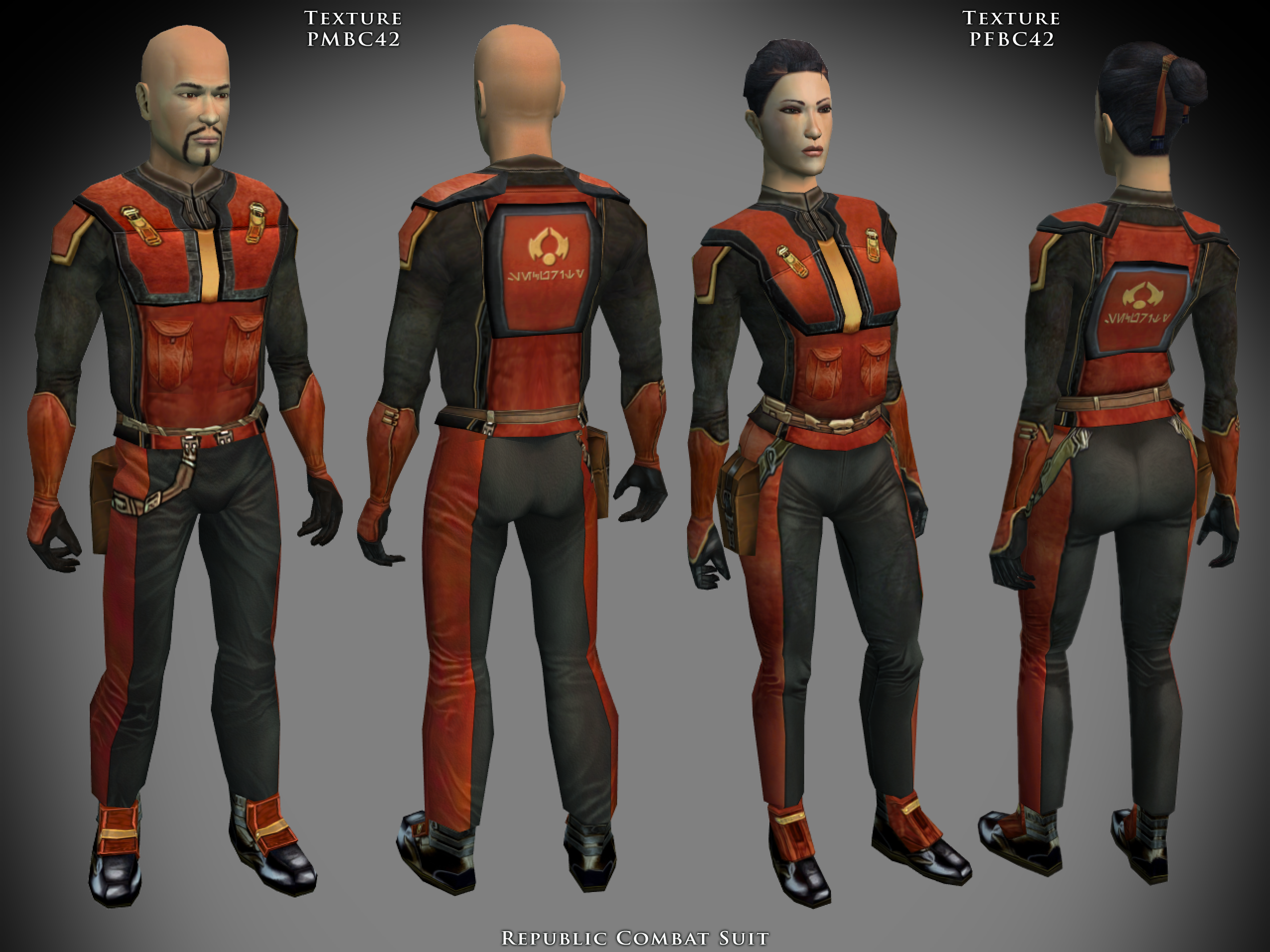
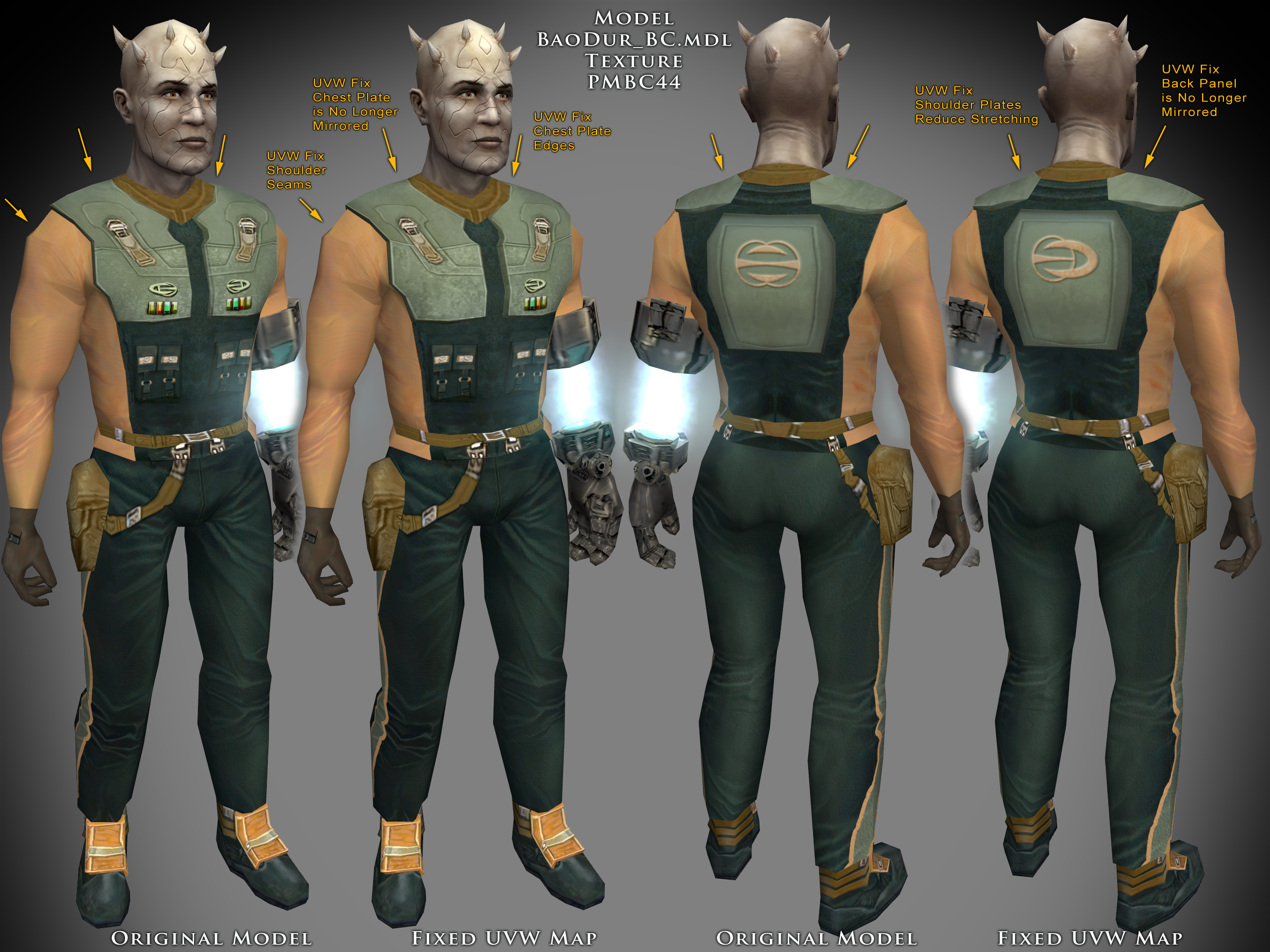
-
 this mod is cursed
 - Last week
-
View File Vanilla Planets HD Vanilla Planets HD is a texture upscale mod for kotor 2 the sith lords. This mod upscales all planet and area textures using Topaz Gigapixel at 4x resolution. The goal is to keep the game as close to the original vanilla look as possible, but with cleaner, sharper, higher-resolution textures. I made this because while I really like ShiningRed’s planet texture mods, some surfaces looked a little too reflective and glossy for my taste. I wanted HD textures that keep the original look. Main features Upscaled planet and area textures using Topaz Gigapixel at 4x resolution. Covers all major planet and area textures. All screens and displays are included Keeps the look as close to vanilla as possible. No reshade, lighting edits, shader changes, or major visual redesigns. Designed for players who want sharper textures without changing the original KOTOR II style. Covered areas include: Peragus, Harbringer and Shared textures Telos Ebon Hawk interior Dantooine Dxun Malachor V Korriban Nar Shaddaa Onderon Installation instructions There are nine files total. Download and extract the files you want to use. Extract the Override folders into your main Knights of the Old Republic II directory. You can also place the TGA files directly into your Override folder. Replace files if prompted. Requirements This mod does not cover skyboxes, backdrops, or cockpit window views. I left those untouched because there are already three amazing mods that cover them really well. Those mods will be linked in the Requirements and Recommended Mods sections. Recommended Mods For the best overall visual setup, I recommend using this mod alongside High Quality Skyboxes II TSL Backdrop Improvements TSL HD Cockpit Skyboxes Ebon Hawk HD - 4X or HD Ebon Hawk by J (for ebon hawk exterior) Remove Duplicate TGA-TPC (to remove duplicate tpc files) Submitter Saul0097 Submitted 05/20/2026 Category Mods TSLRCM Compatible Yes
-
the canon Meetra Surik Head
-
 Right. Well to be honest, as much of a KOTOR fan that I am, I did not ever play a full playthrough with K1R. Never even got to the undercity. So I'll be honest, I've got no idea what you're talking about lol. But anyway, I guess if you ask N-Drew he might be able to throw this in RC-K1CP if the creators can be contacted.
 -
Thank you for letting me know about Rule 18. I won't ask about or suggest this in the future. There's three things I want from K1R. The reskinned "Exar Kun's Light Battle Armor" that's black and grey, the Outcast Children in the Taris Undercity, and the mechanic that allows the player to both attend the Sith Party and stop the Sith interrogation to get two Sith soldier armors.
-
 Of course it is. I found that file in Kaidon Jorn's "KSR 2022." Odd that it would be in there.
 -

Version 1.0.0
40 downloads
Vanilla Planets HD is a texture upscale mod for kotor 2 the sith lords. This mod upscales all planet and area textures using Topaz Gigapixel at 4x resolution. The goal is to keep the game as close to the original vanilla look as possible, but with cleaner, sharper, higher-resolution textures. I made this because while I really like ShiningRed’s planet texture mods, some surfaces looked a little too reflective and glossy for my taste. I wanted HD textures that keep the original look. Main features Upscaled planet and area textures using Topaz Gigapixel at 4x resolution. Covers all major planet and area textures. All screens and displays are included Keeps the look as close to vanilla as possible. No reshade, lighting edits, shader changes, or major visual redesigns. Designed for players who want sharper textures without changing the original KOTOR II style. Covered areas include: Peragus, Harbringer and Shared textures Telos Ebon Hawk interior Dantooine Dxun Malachor V Korriban Nar Shaddaa Onderon Installation instructions There are nine files total. Download and extract the files you want to use. Extract the Override folders into your main Knights of the Old Republic II directory. You can also place the TGA files directly into your Override folder. Replace files if prompted. Requirements This mod does not cover skyboxes, backdrops, or cockpit window views. I left those untouched because there are already three amazing mods that cover them really well. Those mods will be linked in the Requirements and Recommended Mods sections. Recommended Mods For the best overall visual setup, I recommend using this mod alongside High Quality Skyboxes II TSL Backdrop Improvements TSL HD Cockpit Skyboxes Ebon Hawk HD - 4X or HD Ebon Hawk by J (for ebon hawk exterior) Remove Duplicate TGA-TPC (to remove duplicate tpc files) -
Can I move this mod to skins? I accidentally uploaded it to mods.
-
I'm gonna add some facial hairs to some select heads, I've already done them, just need to darkside transitions and sith eyes. Which female head did you have in mind? I'm gonna update the last transition. I want to add the reddish ring around the eye.