All Activity
- Past hour
-
 scorchlicious changed their profile photo
-
 papi_ocho joined the community
- Today
-
 F*cking great for getting immersion further. Must-have for me. Also, is there a bug where the saber lighting reflection only works inside the Ebon Hawk when the blade is turning off?
-
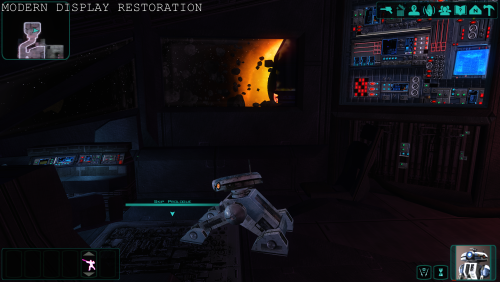 Hi, It's a color and luminance reproduction restoration, fixed via postprocessing. Nothing to do with resolution.
-

expansion Mission to Sleheyron: A New Story Expansion Mod for KOTOR
ReanGalliams commented on SAO1138's file in Mods
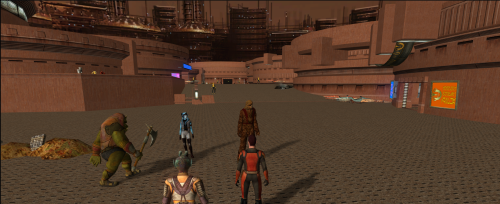 Well, perhaps I was wrong about that it was the KMRP files causing the crash, as now I crash when I try to interact with the gangster's loot, found out that I have to get through rayshield without party members, and now crash when the supervisor finished speaking.
-
 Best of it: it's a .exe, you just open it and click a button to patch. A must-have for anyone who just want to play the vanilla experience in a modern-day PC, but without the hassle of searching, downloading and installing dozens of mods or altering the game. (I also recommend the New_Lightsaber_Blade_Model_K1 1.0.0 mod if you want better lightsaber effects, but that requires just a little bit more of fiddling, as it needs TSLPatcher)
-
 Computerplayer1 joined the community
-
 abaish joined the community
-
 phKoon joined the community
-
 groguyodahellsin joined the community
-
 SuperBlades joined the community
-
 oliveraelius changed their profile photo
-
 noodles_of_udon joined the community
-
How does this compare and contrast with the various other resolution mods?
-
 luzuzu joined the community
-
 I'm using the latest version of the Expanded Galaxy Mod and the Steam Kotor 2 aspyr patched version. All the planets for the Expanded Galaxy Mod don't appear on the galaxy map. Only Malachor V and Sleheyron do after being able to use the galaxy map for the first time in the game. I installed the required mods in the correct order like the instructions said. I did install the Jedi Temple compatibility mod for M4-78 mod after I installed the listed mods in order. Can you please help me get the mod working?
-
 Ulti2137 joined the community
-
Animation in a room's mdl not playing
Stanlej95 replied to Stanlej95's topic in General Kotor/TSL Modding
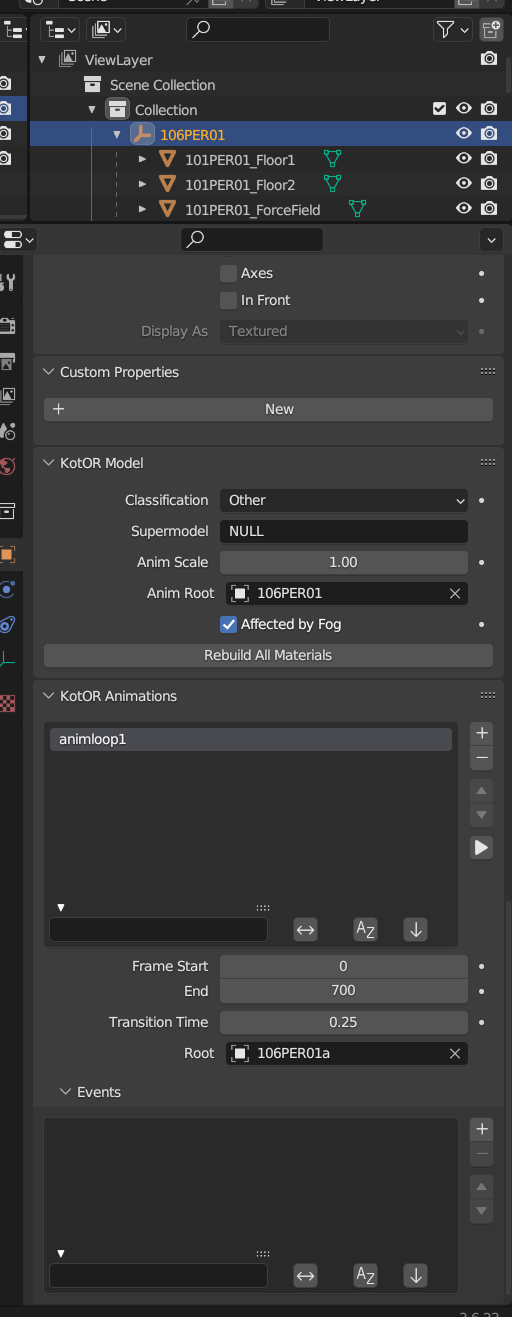
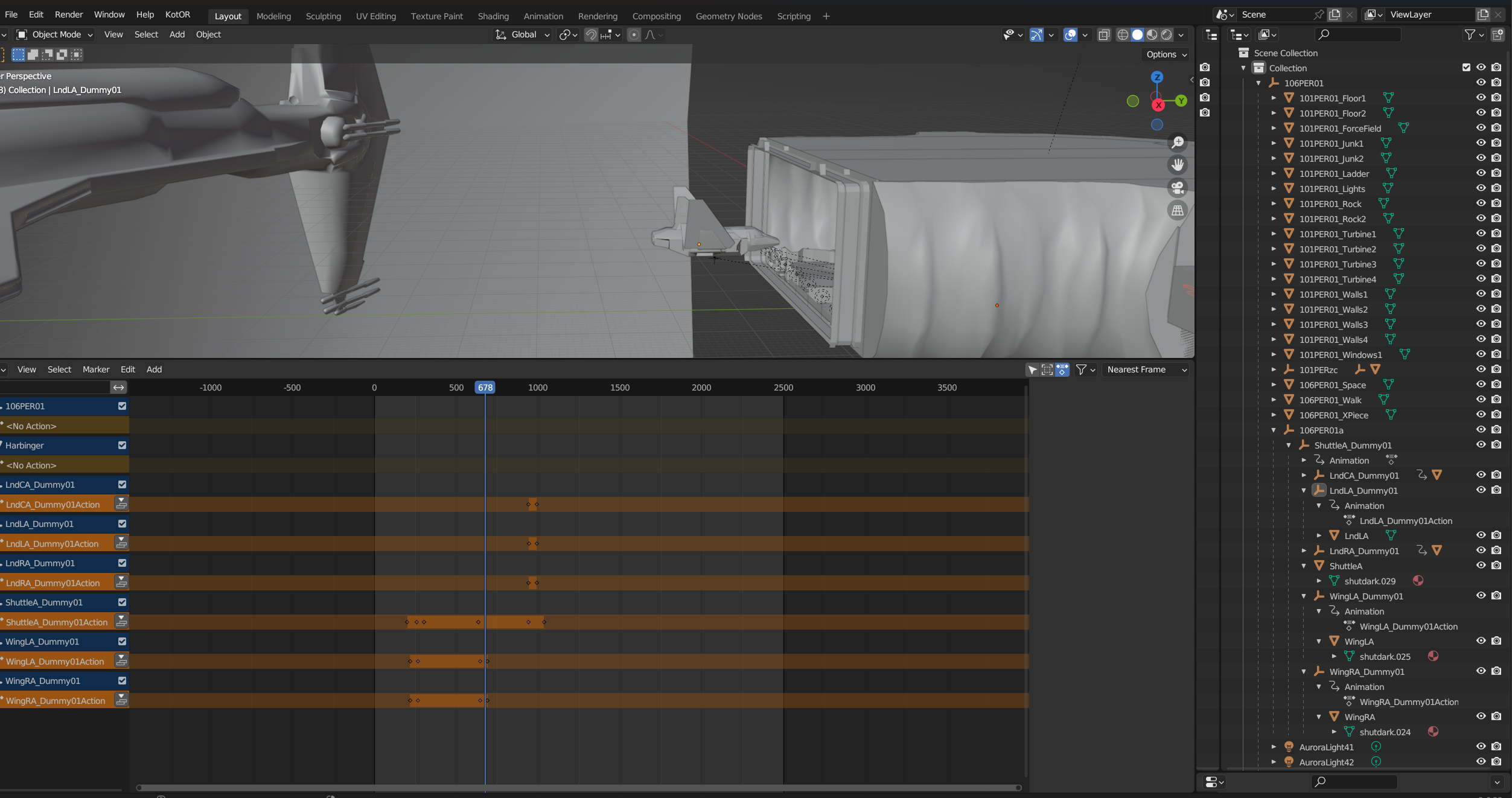
That's an interesting point, I never noticed that the hangar itself has a position controller. I think the problem is with nesting the movable elements under shuttle parent because if every movable object node is on the same level under 106PER01a the nesting problem and hangar position controller does not appear and the structure in mdledit looks fine. But what is the point of having movable wings that are not attached to the shuttle? 🤔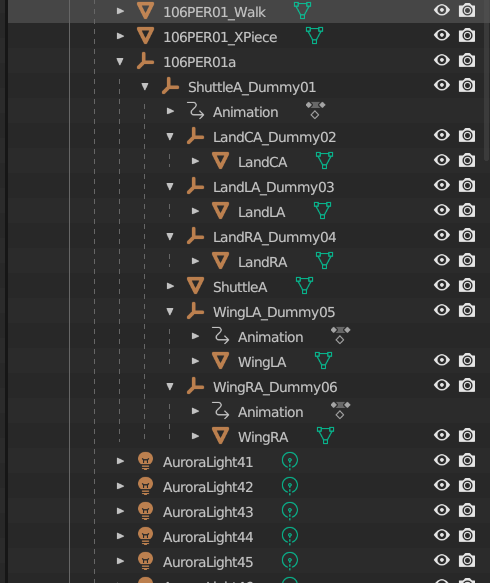
-
 Anybody have a global.jrl file that doesn't have blank values for HK factory quest? When I checked the global.jrl file contained in this TSLRCM installer on the toolset the HK journals were blank. EDIT: Nvm, just had to restore my dialog.tlk file.
-
 Astree12 changed their profile photo
-
Animation in a room's mdl not playing
DarthParametric replied to Stanlej95's topic in General Kotor/TSL Modding
Well it's definitely borked. Crashes KMax, and in KBlender it seems the entire hangar room itself moves as well as the shuttle. -
 Burnoutdevil13 joined the community
-
expansion Mission to Sleheyron: A New Story Expansion Mod for KOTOR
ReanGalliams commented on SAO1138's file in Mods
Just keep in mind to delete the KMRP folder In User/ your username(for me its Teawi),/AppData/Local/Temp/KMC781E.temp. When you use KMRP's restore original or a new patch install, files not deleted can conflict, I ended up with half of the screen being blacked out and no texts ingame. -
expansion Mission to Sleheyron: A New Story Expansion Mod for KOTOR
JasonRyder commented on SAO1138's file in Mods
Great to hear! I'm planning on installing KMRP and Sleheyron in my next playthrough. - Yesterday
-
 wyrd changed their profile photo
-
expansion Mission to Sleheyron: A New Story Expansion Mod for KOTOR
ReanGalliams commented on SAO1138's file in Mods
Somehow, the issue is resolved, it could be because of KMRP stored temp files were conflicting or the updated 1.60 changed something, but aside from still crashing into a new zone everything looks good. -
Kotor Academy: Jedi Academy Combat in TSL [WIP]
Chirrungaso replied to ShaolinGhost's topic in Work In Progress
Holy crossover. Any plans to adjust droids companion movement? -
expansion Mission to Sleheyron: A New Story Expansion Mod for KOTOR
ReanGalliams commented on SAO1138's file in Mods
Sorry, but I have already deleted all the saves. I will try using the premade save to test. -
Animation in a room's mdl not playing
Stanlej95 replied to Stanlej95's topic in General Kotor/TSL Modding
In the meantime I managed to fix the crash on exiting the module. Leaving what worked for me here. I removed every placeable, creature, script, sound, dialogue, etc from .mod and placed it in dedicated folder named as my module tag in override (/override/ph1). So the only files left in .mod are mdls, are, ifo, git, vis, lyt and doors, placeables and sounds wich were initially cloned from the original module. -
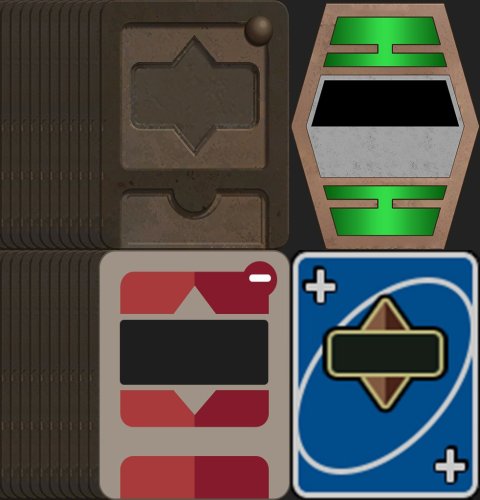
View File Pazaak Deck Collection A Pazaak card collection. Pick one and... Pure Pazaak! Last Deck uploaded: Low Res! INSTALLATION: To install, just extract the files into your override folder. This mod only replaces Pazaak card textures and/or backgrounds, so it shouldn't cause any conflicts. Previews for each deck: Alternative Colors Color Swap KOTOR I Flat Colors Minimalist Deck Sabacc-style Standard Pazaak UNO-style SABACC TEXTURE WARNING: To avoid a stretched background UI, make sure to use the correct background version depending on whether you're using the Aspyr update or not. Submitter Chirrungaso Submitted 11/13/2026 Category Skins TSLRCM Compatible Yes
-
Animation in a room's mdl not playing
Stanlej95 replied to Stanlej95's topic in General Kotor/TSL Modding
Sure, here are my shuttle and room blender files. I'm also attaching more screens and complete room files from for more context. Shuttle.blend hangar.blend swkotor2 2026-11-14 11-28-34-64.bmp swkotor2 2026-11-14 11-28-37-96.bmp swkotor2 2026-11-14 11-28-49-80.bmp 106PER01.mdl 106PER01.mdx 106PER01.wok Here is a quick video with detailed behavior of the model in game. swkotor2 2026-11-14 11-34-25-37.mp4 -
Animation in a room's mdl not playing
DarthParametric replied to Stanlej95's topic in General Kotor/TSL Modding
Can you attach the model? -
Stanlej95 changed their profile photo
-
Animation in a room's mdl not playing
Stanlej95 replied to Stanlej95's topic in General Kotor/TSL Modding
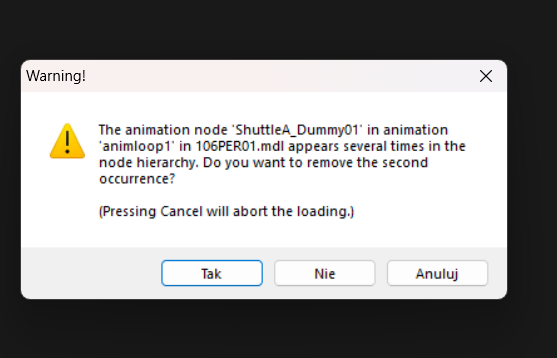
@DarthParametric Thanks, adding the 106PER01a node and putting animated elements in it did the trick. But it created another issue. I want my shuttle to fold wings and retract it's landing gear. I extracted a high-res shuttle from the .utp and separated all parts, put them under their own dummy nodes and moved them to the correct places along with meshes pivot points. I animated keyframes and in Blender everything works smoothely. But in-game the animations work but every moving element beyond the fuselage is rotating and moving in relation to the shuttles main dummy node instead of their own. I tried applying transforms in blender, renaming nodes, meshes and so on. When I open the room model in MDLEdit it gives me this warning and confusing tree structure even though in Blender the hierarchy seems proper. swkotor2 2026-11-14 08-23-37-07.bmp swkotor2 2026-11-14 08-23-33-94.bmp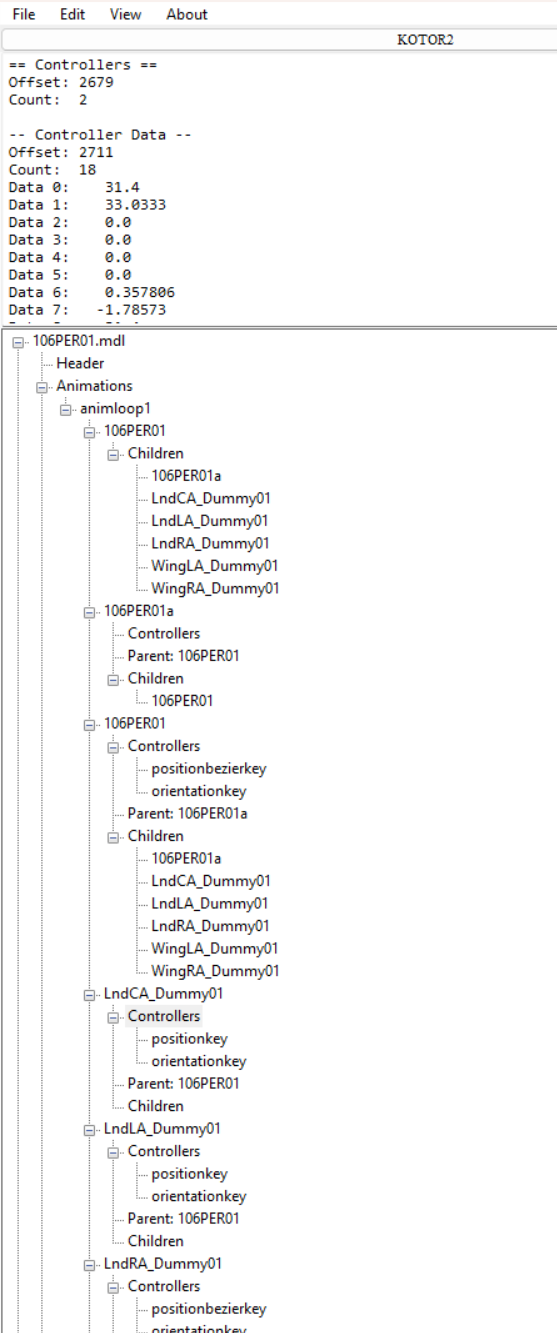
-
Subject: Two UI issues with KMRP 1.5.1 on the French version (XP tooltip, curly apostrophes) Hi RaymanGT, First, thank you for KMRP. Widescreen, the HD interface and in-memory patching without touching the executable make a huge difference, and the installer is remarkably clear. I’m Alcias01200 on Deadly Stream. I maintain the French translation patches for the Neocities KOTOR 1 and KOTOR 2 mod builds. While testing my KOTOR 1 install, I found two interface issues that seem to come from KMRP. Here are the details: Setup KMRP 1.5.1 (default options: map-notes=1, hd-icons=1) KOTOR 1, French Steam release, swkotor.exe 1.03 detected as “CD 1.03 / Editable” (4 GB flag set by KMRP) 2560 × 1440, Windows Full Neocities K1 build installed before KMRP 1. Experience tooltip missing on party portraits In vanilla, hovering the mouse over a party member’s portrait shows a tooltip with the XP needed for the next level. With KMRP applied, no tooltip appears on hover anymore. To reproduce: load any save, hover over the leader’s portrait in the bottom-left corner. 2. Curly apostrophes displayed as boxes (French version) The official French dialog.tlk uses the typographic apostrophe (’, cp1252 0x92) in 4,165 entries. With KMRP, every one of them is displayed as an empty box: “C□est pour cela que j□ai décidé d□arrêter…”. Without KMRP, the same lines display correctly, so the font used by KMRP’s HD interface probably lacks this glyph. Workaround I’m using: replacing ’ and ‘ with a straight apostrophe (‘) in dialog.tlk. It works, but it means editing a core game file. Any non-English release that uses typographic quotes may be affected. I’m happy to test a fix or provide screenshots, logs (kmrp-kpm.log, KMRP.log) or my dialog.tlk if that helps. Thanks again for your work. Best regards, Manu (Alcias01200) Quick update after upgrading to KMRP 1.6 (using “Upgrade”, settings kept): Apostrophes: fixed on my side with the new font options. Thanks! XP tooltip on party portraits: still missing in 1.6. Hovering over the leader’s portrait in the bottom-left corner shows no tooltip with the XP needed for the next level.
-

force bond [WIP] KOTOR II: Force Bond - Campaign Co-op | Closed Playtest
Vriff replied to W1ter's topic in Work In Progress
Thanks for the clarification. -
force bond [WIP] KOTOR II: Force Bond - Campaign Co-op | Closed Playtest
W1ter replied to W1ter's topic in Work In Progress
Thanks for raising this. I should have been clearer in the devlog. Every OdysseyMP beta build we’ve distributed has included an `EngineSource.zip` alongside the binaries, so playtesters already receive the engine source with their build. When I said we planned to release the source later, I meant that we plan to open a public repository after the full release. Playtesters can already modify and redistribute the GPL-covered code under the terms of GPLv3. -
Version 1.0.1
28 downloads
A Pazaak card collection. Pick one and... Pure Pazaak! Last Deck uploaded: Low Res! INSTALLATION: To install, just extract the files into your override folder. This mod only replaces Pazaak card textures and/or backgrounds, so it shouldn't cause any conflicts. Previews for each deck: Alternative Colors Color Swap KOTOR I Flat Colors Minimalist Deck Sabacc-style Standard Pazaak UNO-style SABACC TEXTURE WARNING: To avoid a stretched background UI, make sure to use the correct background version depending on whether you're using the Aspyr update or not. - Last week
-
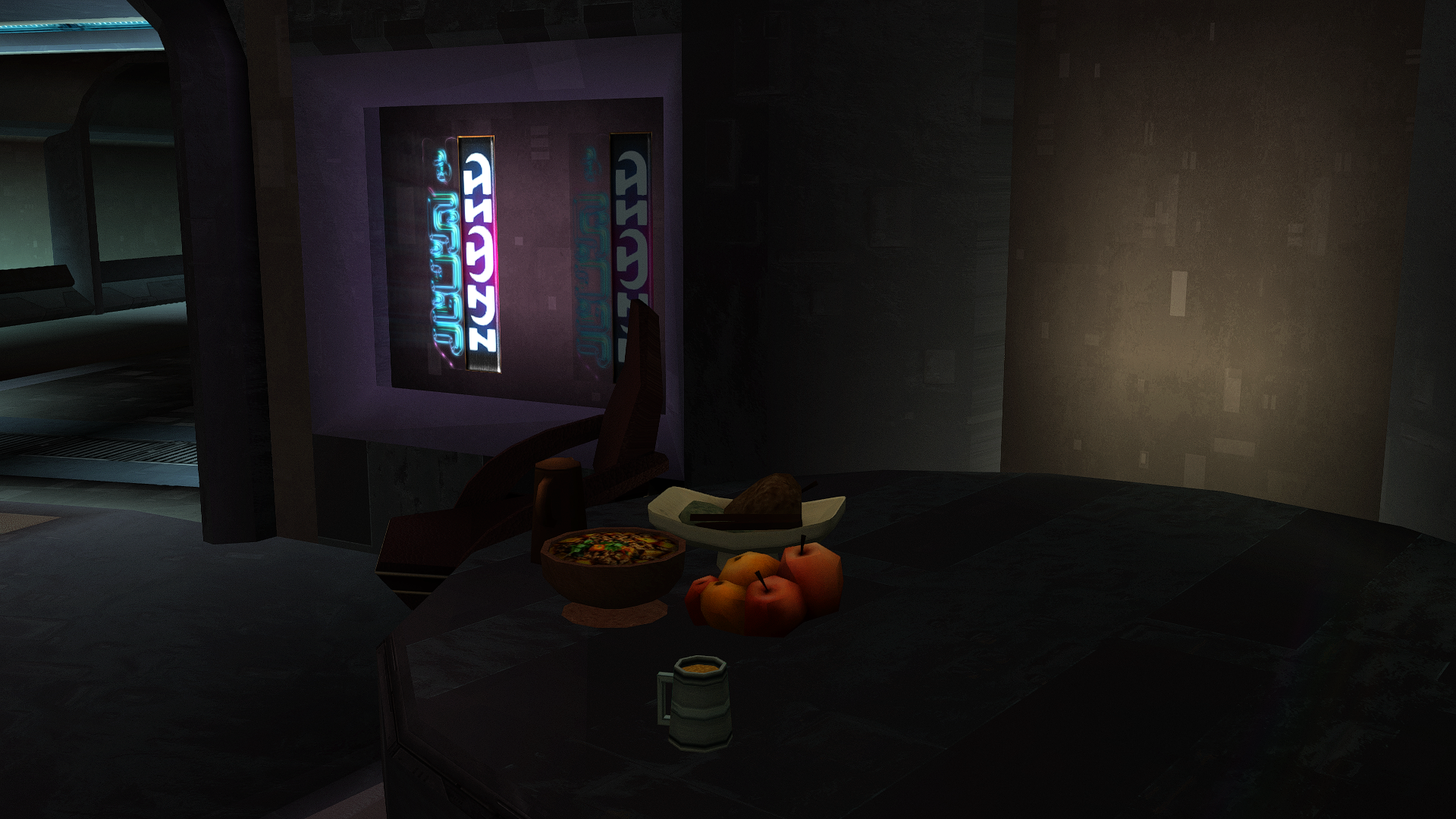
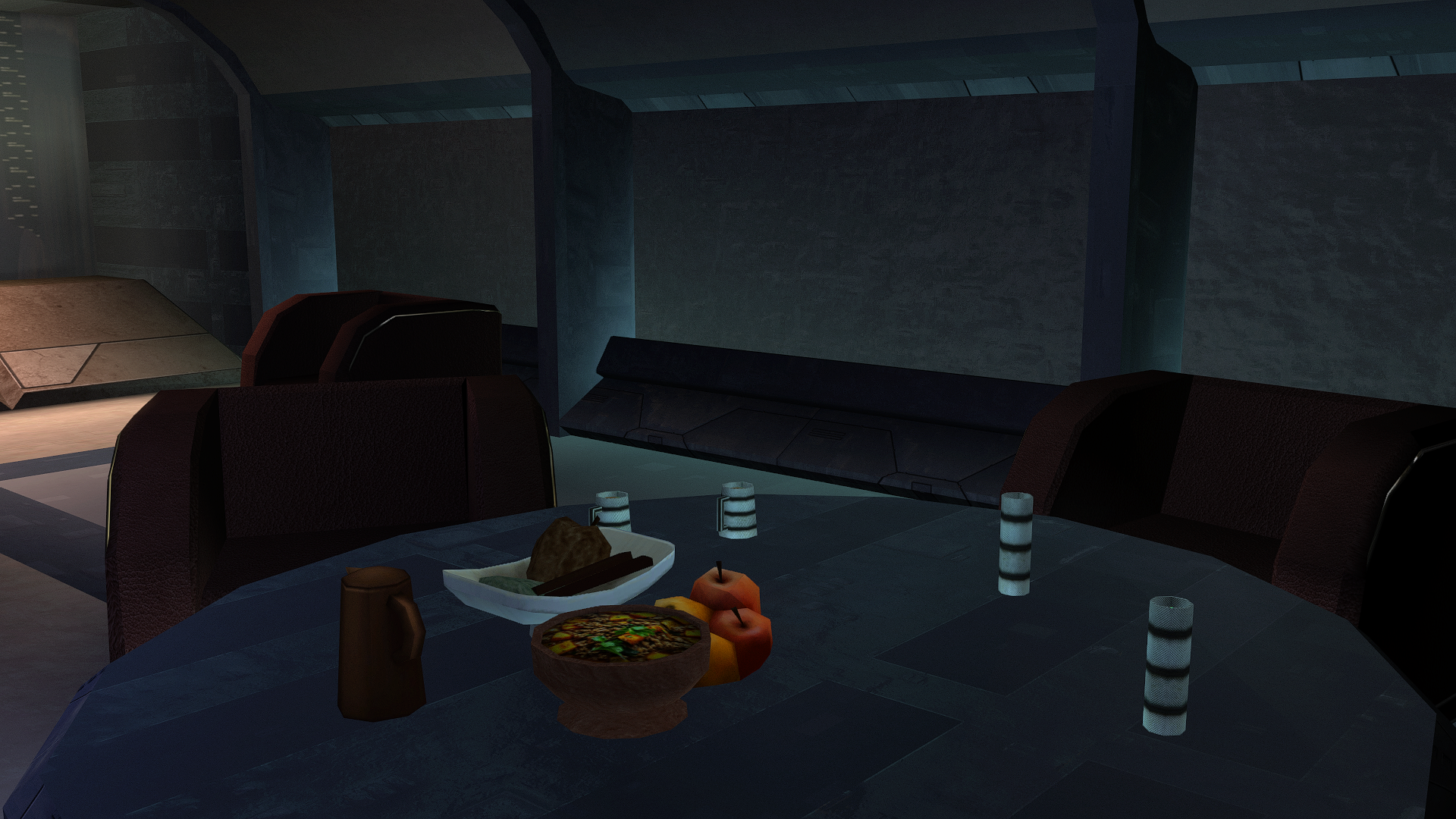
Let's feed the big Z deliciously.
-
force bond [WIP] KOTOR II: Force Bond - Campaign Co-op | Closed Playtest
Vriff replied to W1ter's topic in Work In Progress
Reone is a GPLv3 project, and you have said you are building off of it for this OdysseyMP engine. Do you plan on distributing the source alongside these binaries in the beta test? You indicate in your dev blog video that you only intend on releasing it after it's done. This is a violation of the GPLv3 license terms.