All Activity
- Past hour
-
Friends of KotOR and TSL modding: I have extended my renovation of Edge Of Darkness mod into next year, and I have set the exact date of an alternate new release. The date is February 1st. What to expect: AI voiceovers. An after ending chapter of the game. A surprise ending that is variable on a player choice. And if I can, I'll spread LS and DS points across all party members. There is an intro sequence for each planet explaining the mission that will be redeveloped. At least one landing zone NPC for every planet. A main quest in addition to planet quests. And a set of side quest, ideally one per planet.
For now and for the entirety, EOD is a secret project. I cheated for a few years with the open source demo. My hat is off to all of you, Wizard, Thor, N-DReW, and Sith Holocron specifically have been incredibly helpful to reach this present state of affairs.
See you all in 2027
-
- Today
-
 shirogee joined the community
 -
 Yeah, I had the same error, hopefully offthegridmorty will take a look into it
 -
 bigmcnuggets joined the community
 -
 sagittusviridis1 joined the community
 -
 MilliJon joined the community
 -
 moonlitgreed joined the community
 -
Nice work, yeah, might be worth testing if Synchro's patch for Kotor Patch Manager fixes this in k1. Some of the shaders are long broken, and it's possible that on period correct hardware this actually worked differently. If you port to K2, to work in the Aspyr version you'll have to have my bump map fix, otherwise bump and normal maps simply don't work.
-
Hi, where can I find the fixed version of PFHC03 for the K1?
-
 Stardust13 changed their profile photo
 -
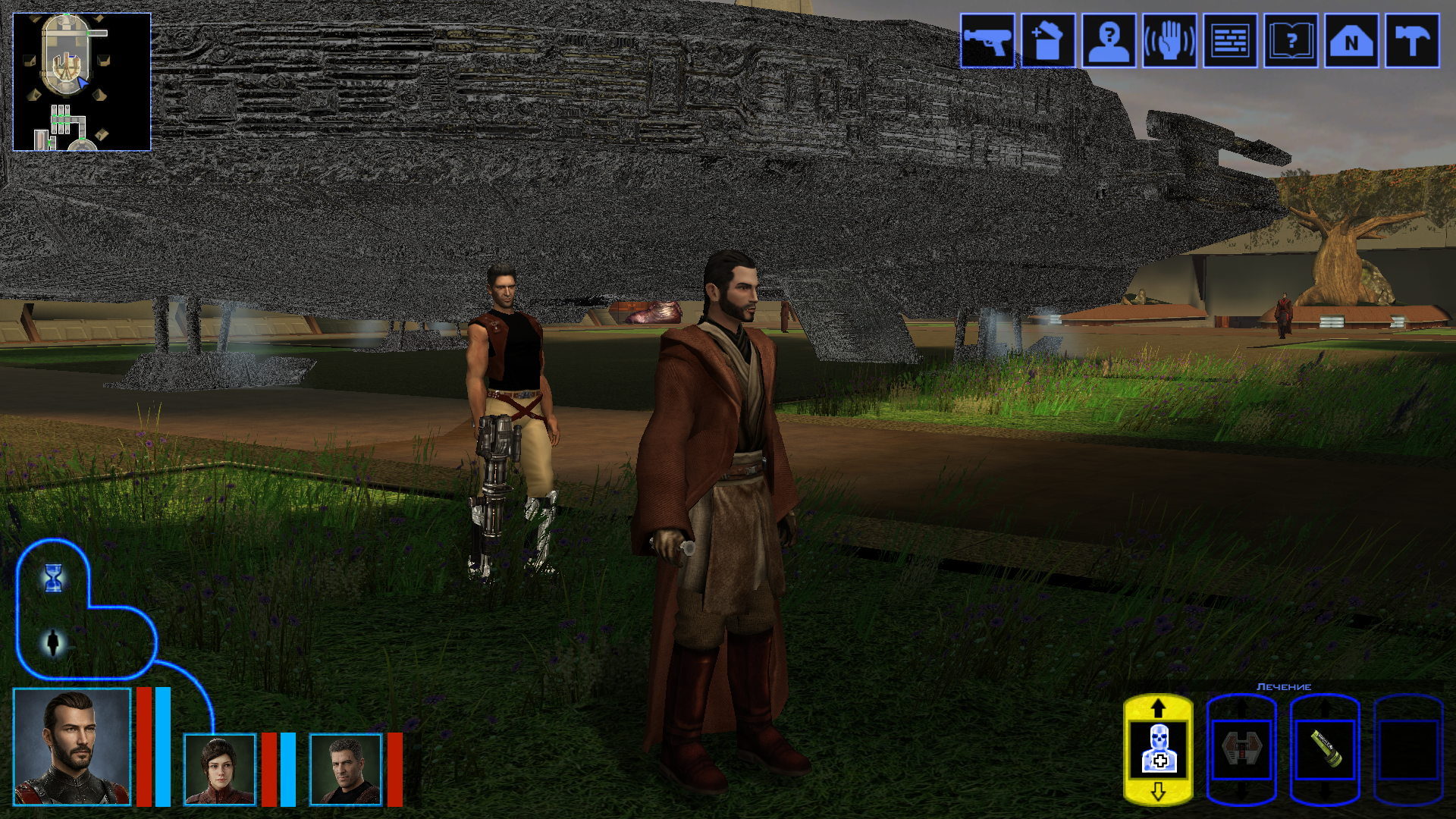
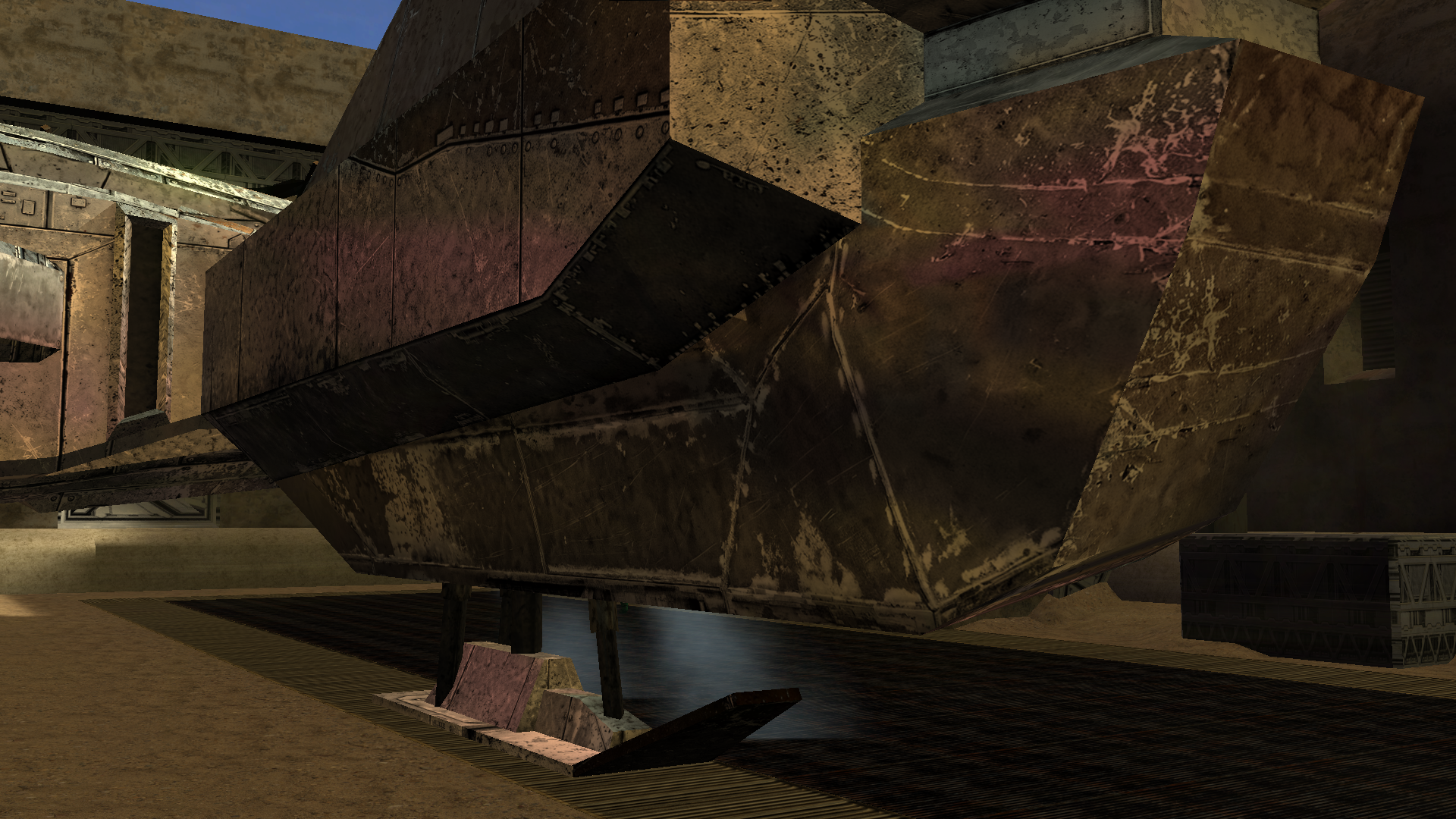
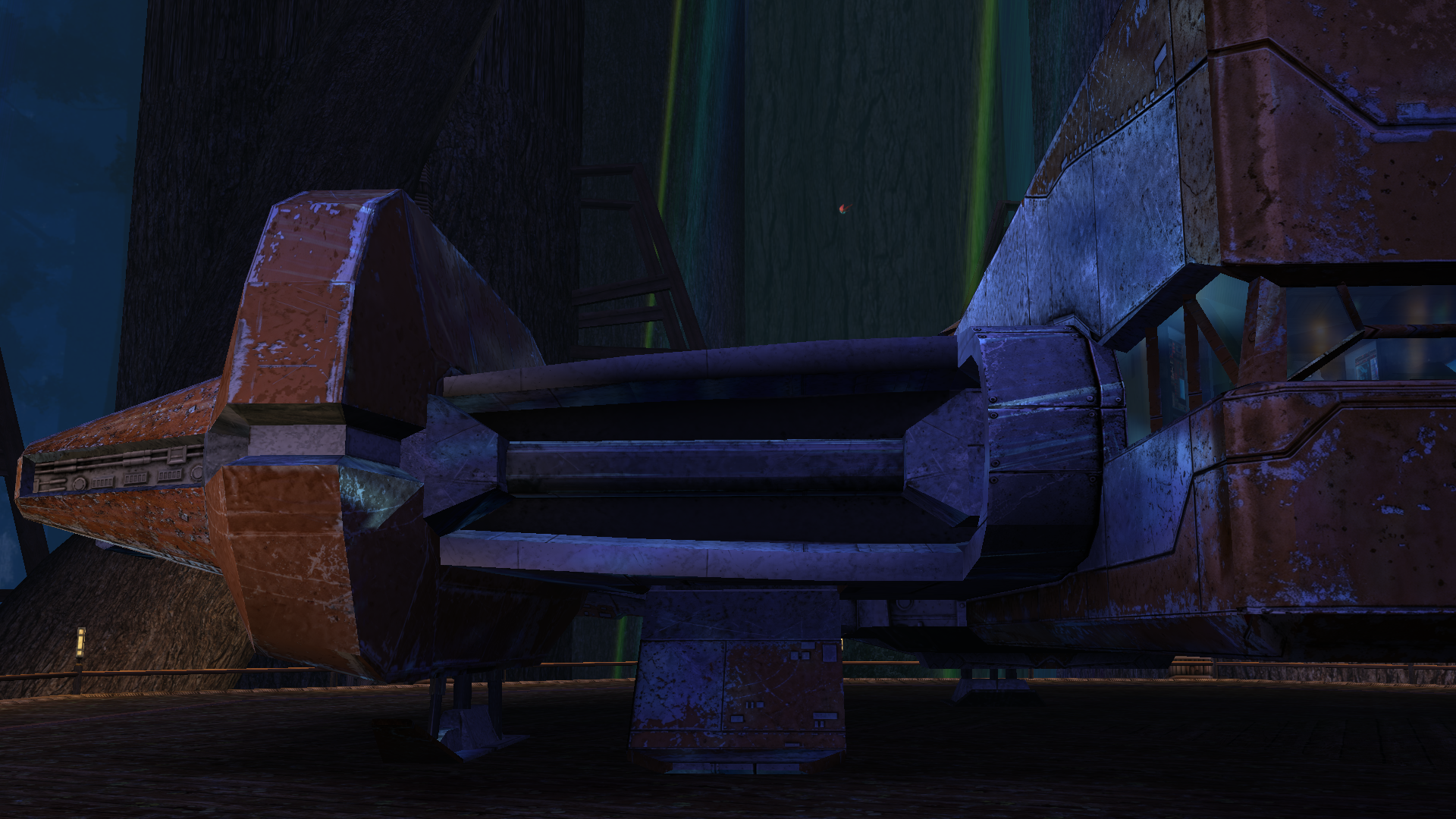
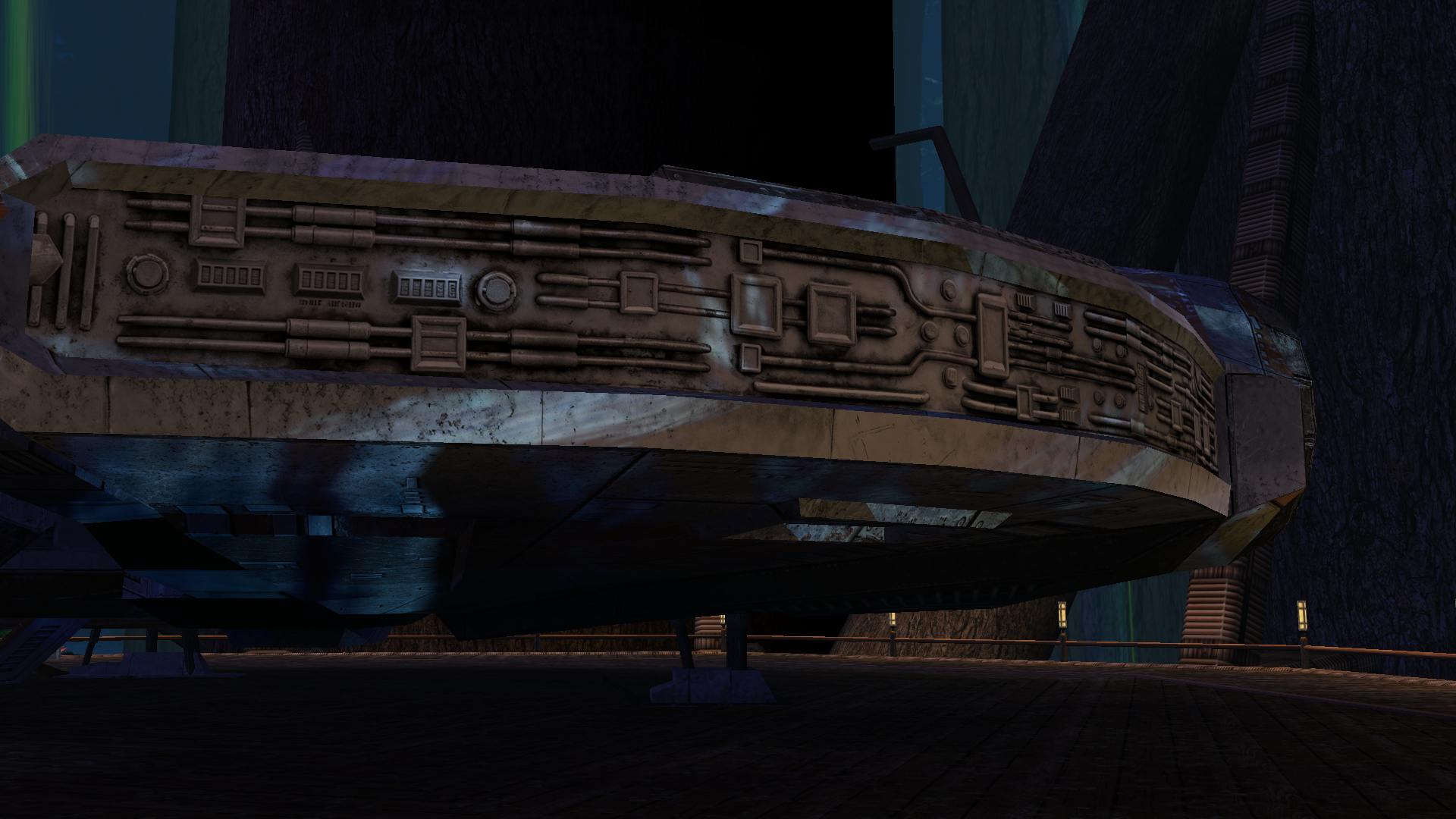
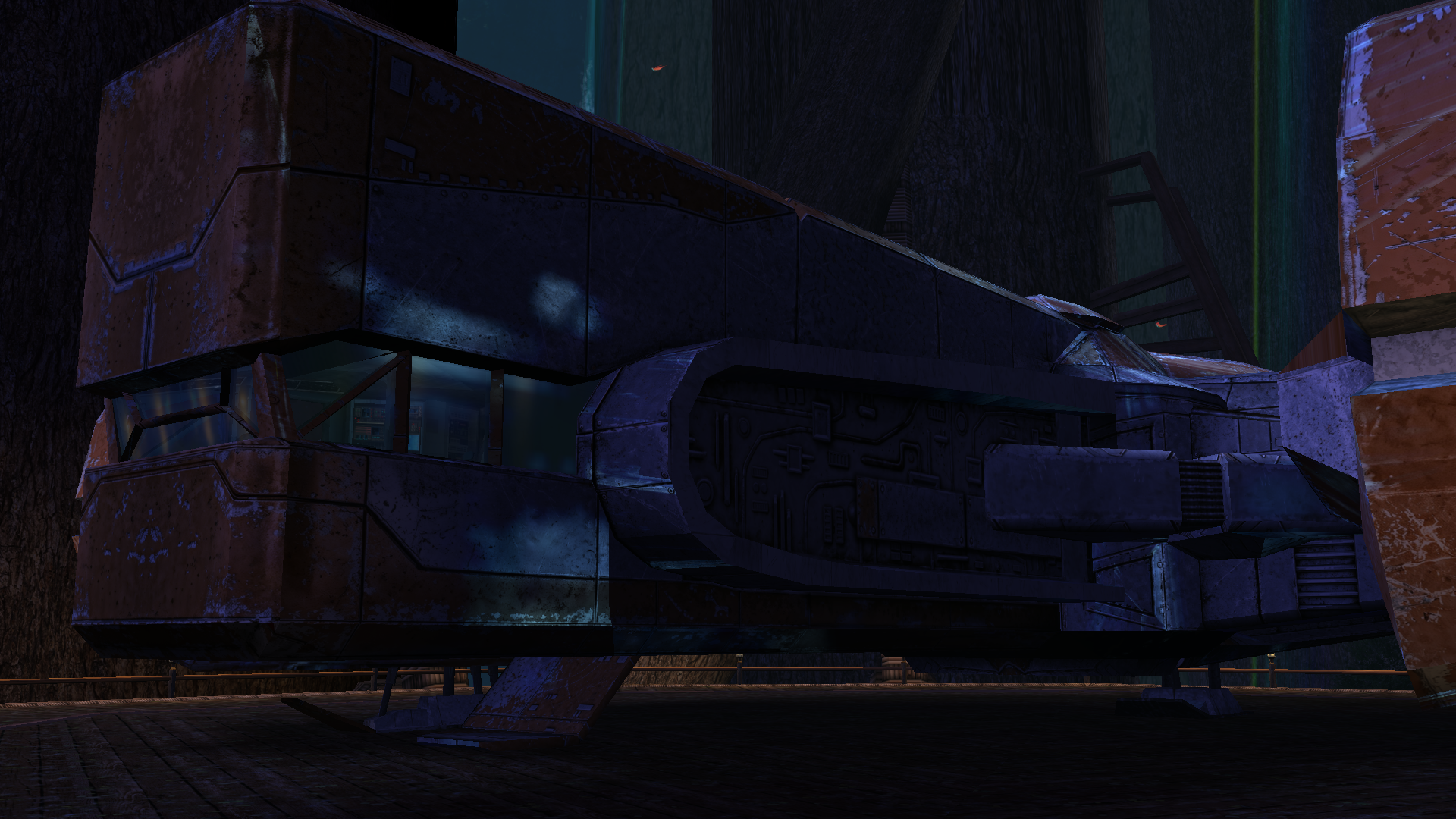
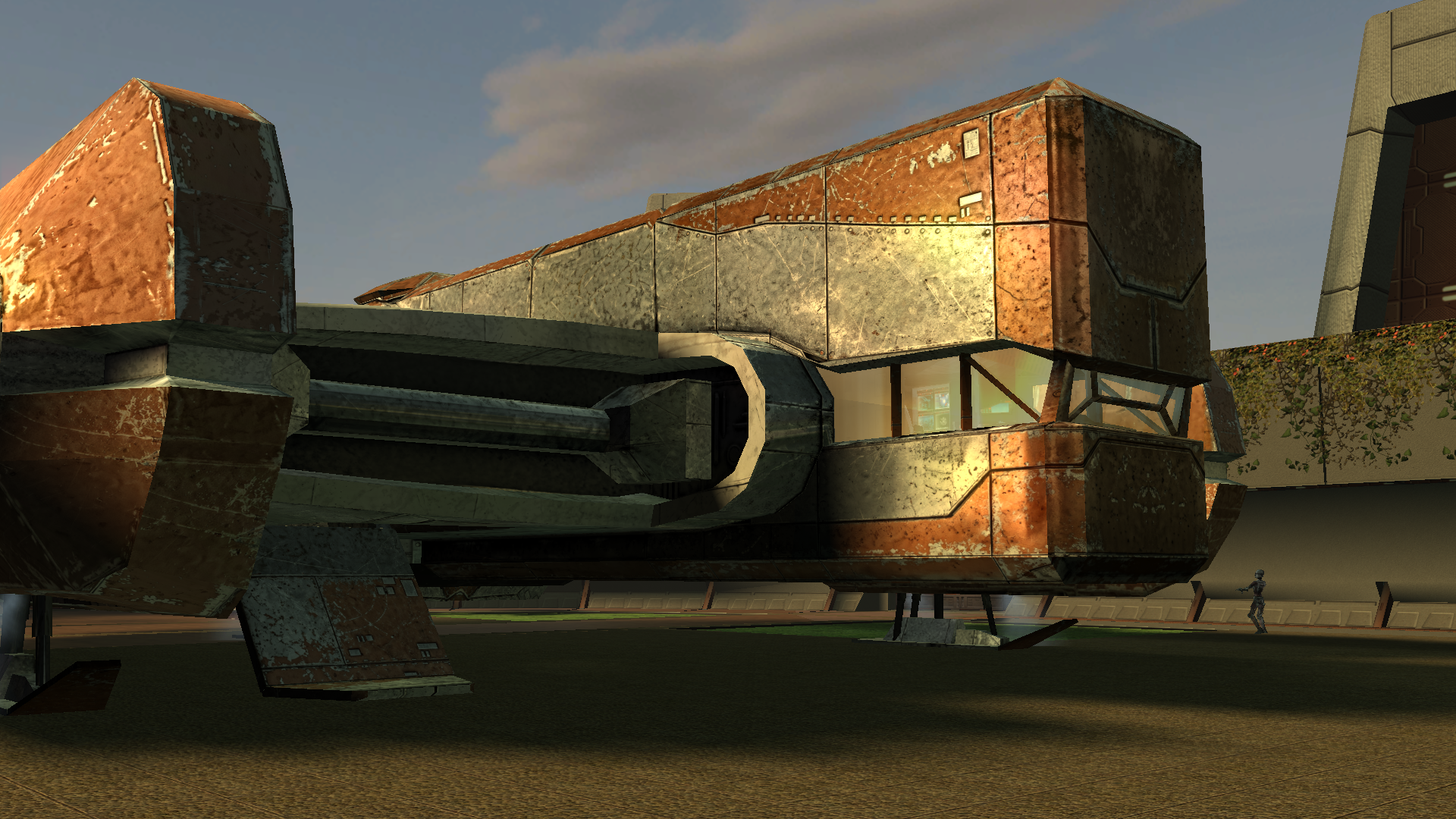
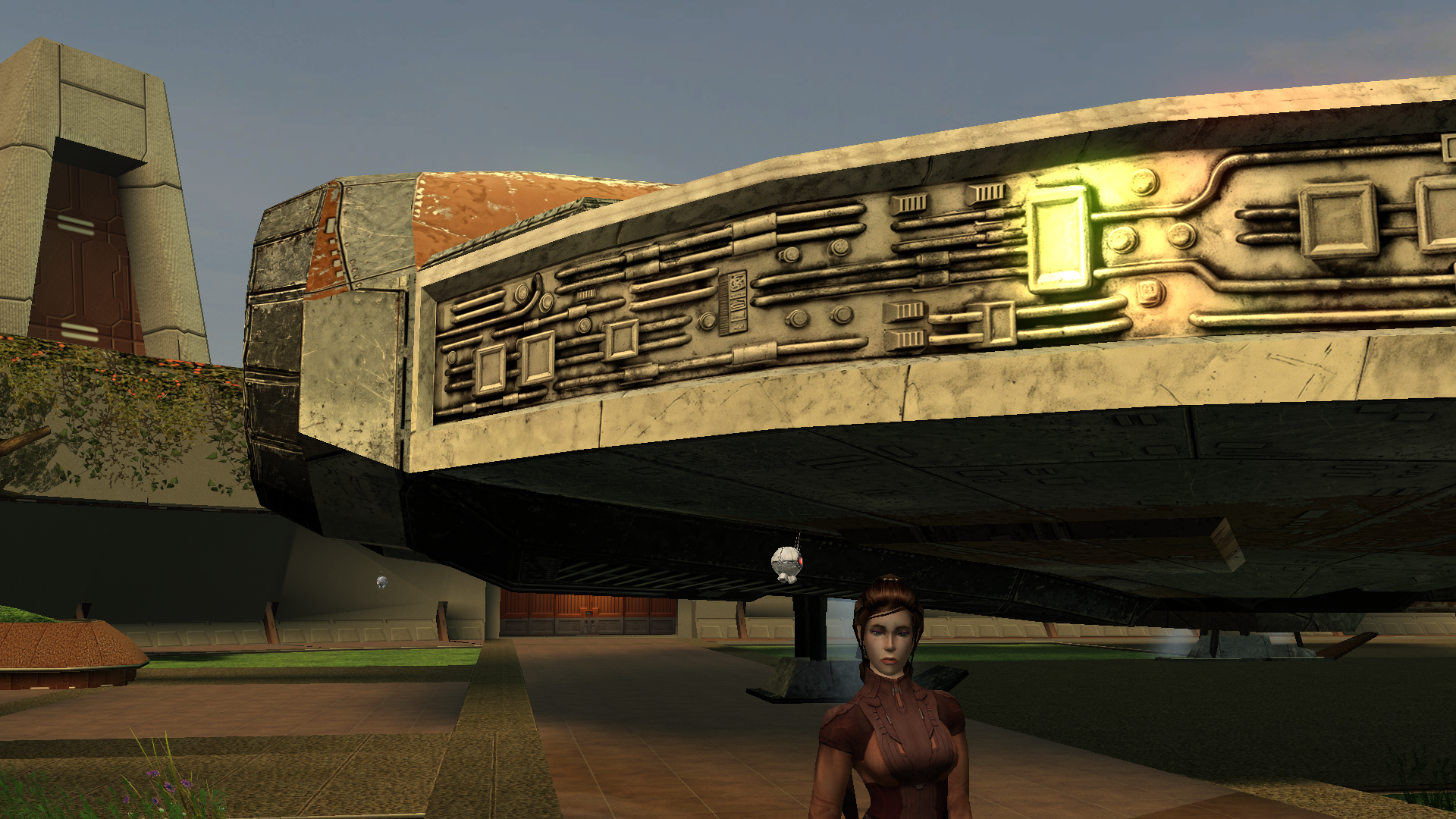
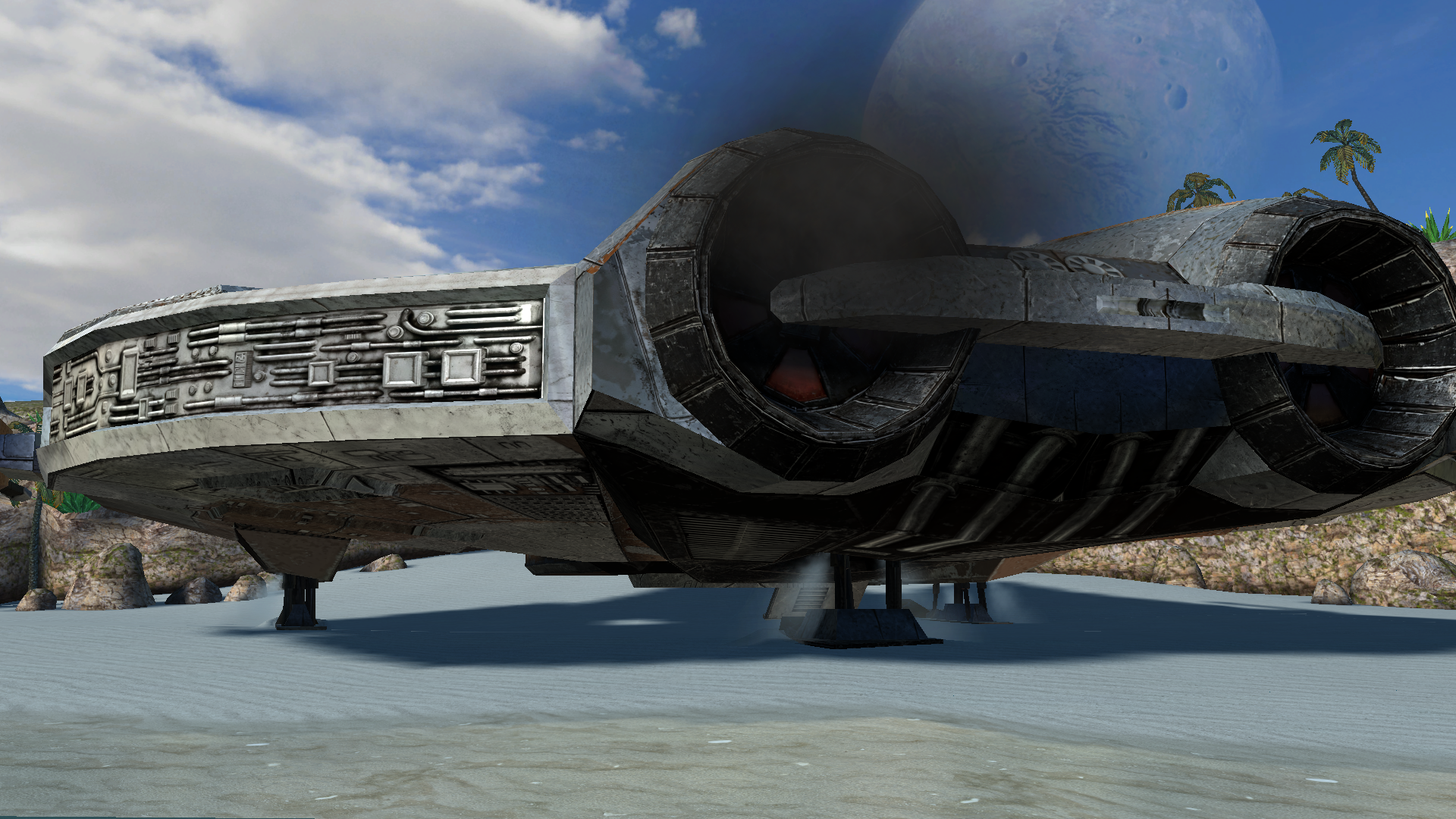
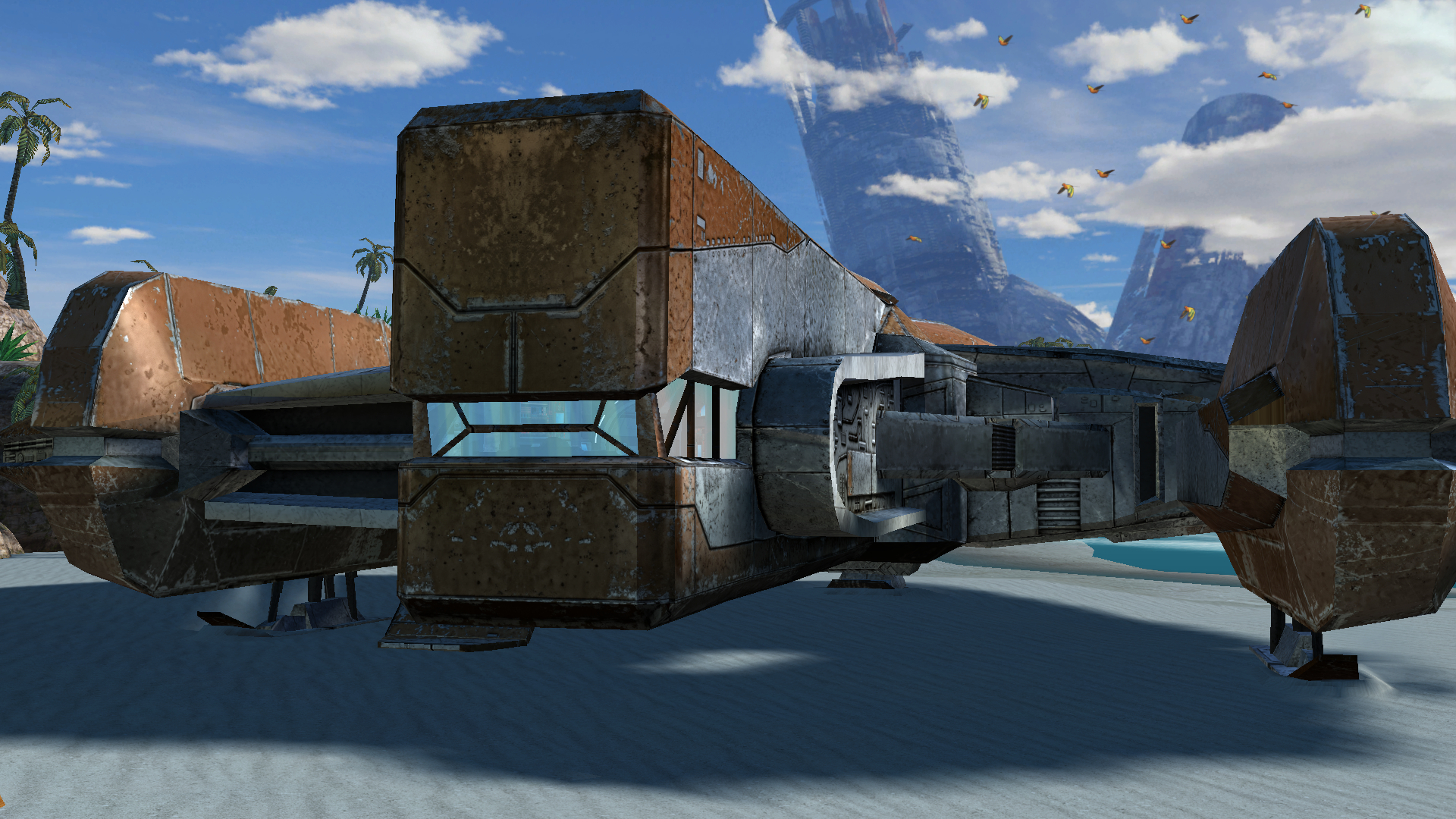
The next big project was a retexture of the Ebon Hawk’s exterior hull. Looking at the vanilla one was genuinely painful, and the existing retextures didn’t really improve the situation. I really wanted to bring its appearance closer to this: https://www.artstation.com/artwork/GXwXyB Because in my game I’ve replaced the original cutscenes with several very beautiful ones that use this model. And the model itself is just awesome! But I immediately ran into the problem that the UV layout was completely unsuitable - a lot of overlapping, and many areas of the texture were shared between completely different parts. And… I went down the wrong path. I found the "v_ehawk" model in the game files and started fixing the UV unwrap. I did everything properly: separated the overlaps, made the areas that are visible up close when you walk around the ship larger. Texture in 4K. I was even about to start editing vertices and adding polygons. But then I discovered that none of my changes were visible in the game at all. I spent several days scratching my head, thinking I was exporting the model incorrectly somehow. Of course it turned out to be much more mundane - the model I was editing had nothing to do with the ones that appear on the landing pads on different planets. I have no idea where the game actually uses it - probably in some cutscenes? What we see on the landing pads and in the docks is part of the area, not a separate model. And if I want to edit it, that means editing the entire area - which automatically means incompatibility with any other mod that also edits that area. So I sulked a bit, complained a bit, and decided for now to limit myself to pure texture work. But then another “brilliant” idea struck me - we don’t look for easy ways, right? Realising that adding polygons wasn’t going to happen, I wanted to add a normal map, inspired by my previous experience with the Twi’lek head. I thought, at least it won’t be a flat picture stretched over polygons, there will be some relief. I also spent a long time on the texture itself, adjusting it so that the overlapping UV pieces still looked decent… It was challenging to strike a balance between the desire to match the reference and the limitations of the existing UV layout. I hope the result turned out well. I wanted to make 8K textures, but the engine was clearly starting to struggle when loading areas, so I settled on 6K. But with the bump I was in for a fiasco. Actually, I could have suspected something when looking at the original game files - there was no bump specified in the .txi files at all, even though bump maps were provided for every texture. Why do they exist? I still don’t know the answer to that question. Interestingly, the engine did react to the presence or absence of the bump map - the shaders changed and the image looked different. But the actual content of the bump map didn’t affect anything. For the experiment I tried both a completely flat solid “blue” bump map and an extremely contrasty one amplified 15× during conversion to TPC. There was zero difference. After quite a long series of experiments with different bump settings, .txi options, and the alpha channel of the main texture, I finally found the answer — and I’m sure it has been discussed somewhere on this forum, I just never came across it. On area objects the lighting is almost completely baked into the lightmap. Dynamic bump (the kind that reacts to real-time light direction) barely shows up at all. Especially if the lightmapped flag is enabled on the mesh. I looked into the node of the long-suffering ship, and sure enough, there it was: As an experiment I turned off the lightmapped flag. And to my astonished eyes this is what appeared (the bump map at that moment was the extreme one) — view with caution! 🤣 Of course it’s pure horror, some kind of Dark Side of the Force visions. 😁 So I don’t know whether to include these normal maps in the mod release for the textures where the ship is part of the area. Are they needed? Probably not. For the model that isn’t part of an area - apparently the one used in some cutscenes - I will of course add the bump. Might be useful. A few nice pictures: All that’s left is to add the texture for the upper hull (roof) model that is used in the mini-game where you shoot down fighters, and touch up small details here and there. And then the mod can be released.
-
 JamokeBloke joined the community
 -
 Delilah joined the community
 -
 Blueknight9077 joined the community
 -
-
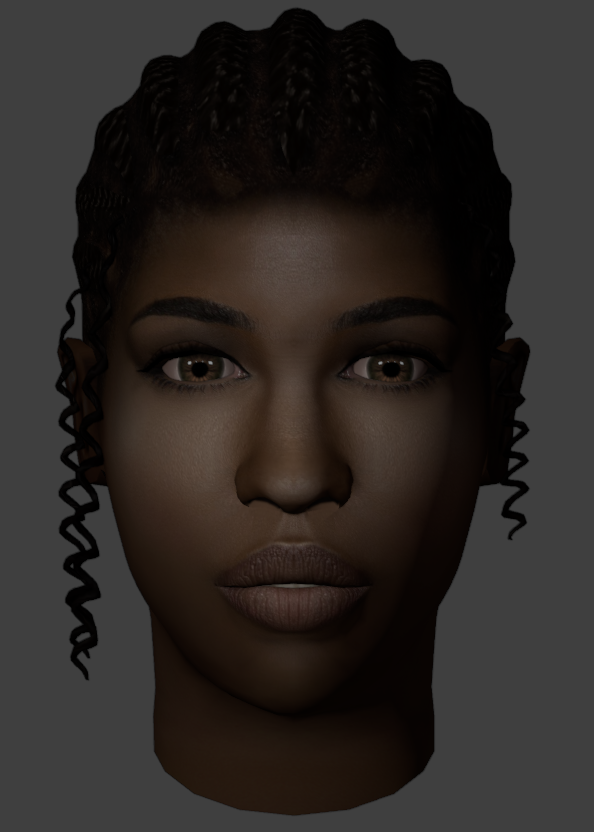
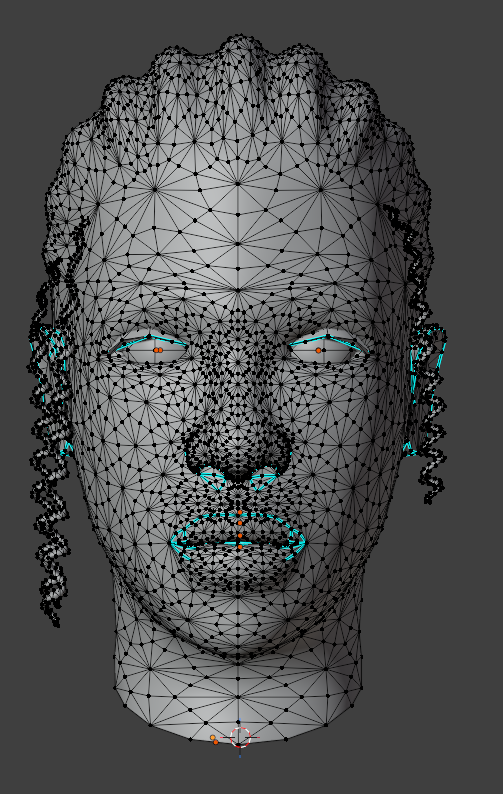
Hi, I can make the hd icon packs and portraits optional in the next update And yes I am releasing full native controller support with rumble on the next update, that works even on 800x600
-
 josnek joined the community
 -
 These look great! Now I know what you meant about not being able to get portrait images out of your head
 -
 tgsg_official joined the community
 - Yesterday
-
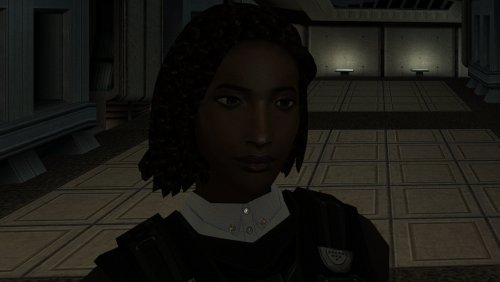
View File High poly PFHB03 The mod replaces the PFHB03 model and textures. To Install 1. Download: PFHB03 2. Copy all files to the Knights of the Old republic's Override folder. (Example location - C:\Program Files (x86)\Steam\steamapps\common\swkotor\Override) 3. When/if prompted to overwrite files, press okay. 4. If you like the mod; leave a comment or endorse! (It would be much appreciated) Made with love. Submitter Dark Hope Submitted 09/23/2026 Category Mods K1R Compatible Yes
-
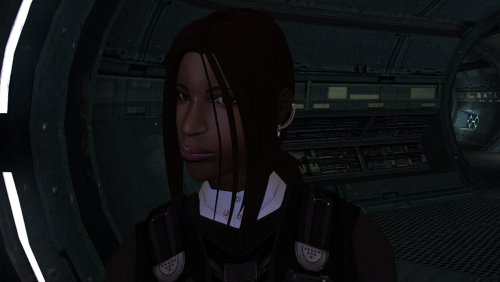
View File High poly PFHB04 The mod replaces the PFHB04 model and textures. To Install 1. Download: PFHB04 2. Copy all files to the Knights of the Old republic's Override folder. (Example location - C:\Program Files (x86)\Steam\steamapps\common\swkotor\Override) 3. When/if prompted to overwrite files, press okay. 4. If you like the mod; leave a comment or endorse! (It would be much appreciated) Made with love. Submitter Dark Hope Submitted 09/23/2026 Category Mods K1R Compatible Yes
-
View File Level cap 20 Stop leveling at level 20 Exp needed to level up increased Tested with : Snigaroo's Kotor 2 mod build Normal difficulty LS Guardian/Weaponmaster Planet order : Dxun -> Nar Shaddaa -> Dantooine -> Korriban -> Onderon Notes : Only used Kreia when it's required (so not a lot of exp bonus) Level 15 on Goto's Yacht, skipped some side quests (Handmaiden Battle Circle, Mandalorian Battle Circle) and accidentally triggered Nar Shaddaa "endgame" before doing stuff in Refugee Sector Level 20 on Korriban Was not any harder or easier I would say Only 5 level in Prestige class, kinda weird Install : Put the exptable.2da into the override folder Submitter gougougagak Submitted 09/23/2026 Category Mods TSLRCM Compatible Yes
-
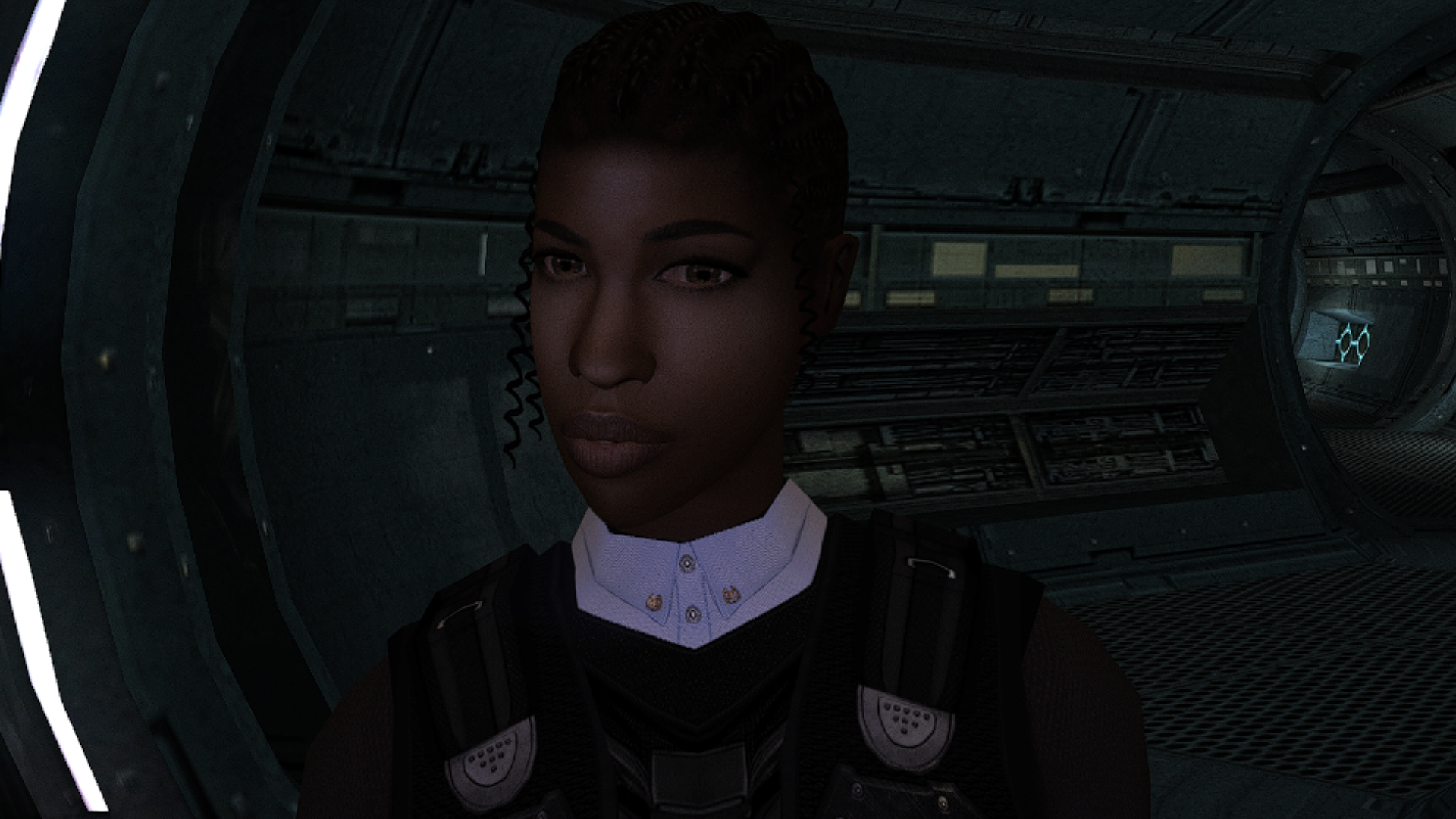
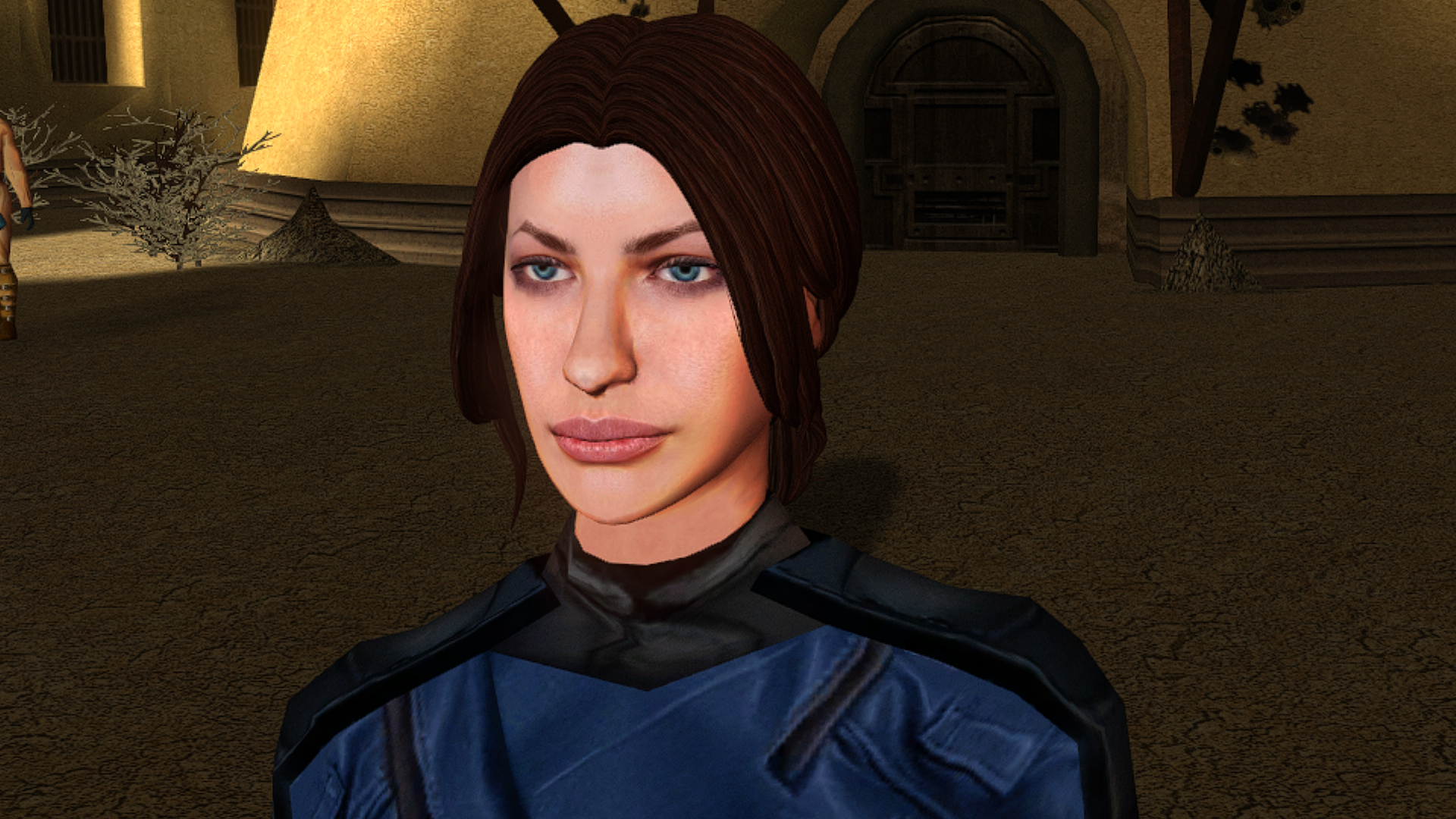
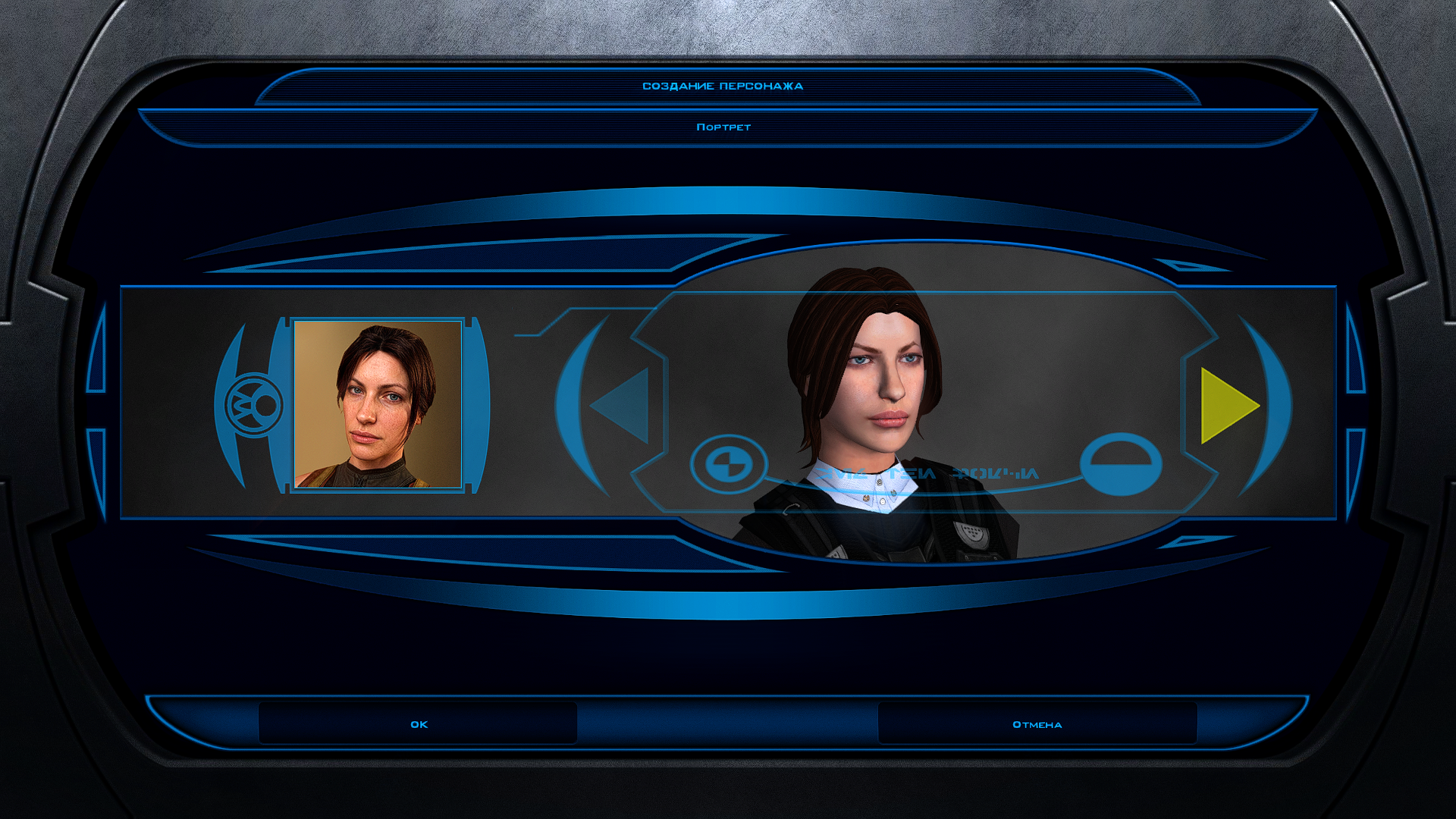
View File Portraits Remade | TSL 200+ portraits to replace party and player portraits. 5 stage lightside/darkside transition restored. Install - extract the .TPC files to the game's override folder - the optional portraits.2da file enables 5 stage lightside/darkside transitions, copy it to override. How Were These Made Kotor Blender and ImageMagick. I will be releasing the scripts to easily generate matching portraits. Blender and KotorBlender plugin will need to be install but the portrait generation process does not require blender knowledge. Submitter J Submitted 09/24/2026 Category Mods TSLRCM Compatible Yes
-
Version 1.0.0
12 downloads
200+ portraits to replace party and player portraits. 5 stage lightside/darkside transition restored. Install - extract the .TPC files to the game's override folder - the optional portraits.2da file enables 5 stage lightside/darkside transitions, copy it to override. How Were These Made Kotor Blender and ImageMagick. I will be releasing the scripts to easily generate matching portraits. Blender and KotorBlender plugin will need to be install but the portrait generation process does not require blender knowledge.- 1 review
-
- 4
-

-
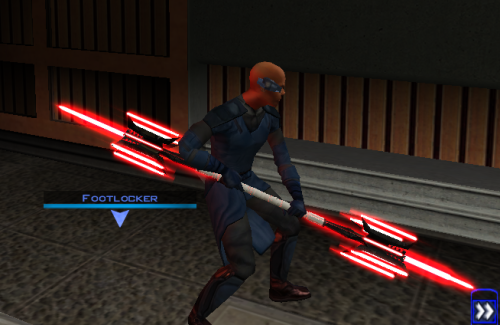 That would also be pretty cool!
 -

Editing the Imperial Knight Armor Mod with GIMP
Reverse_Studios replied to redrebelzero's topic in General Kotor/TSL Modding
Have you figured it out yet? If not, were you looking for something along the lines of this? I do not know what color you want specifically (hex codes), but I tried to see what I could do with the information given. Btw, the tga files were too similar, so I couldn't tell what gender each one was so I just edited a random one. imperial_knight_recolor - prev.zip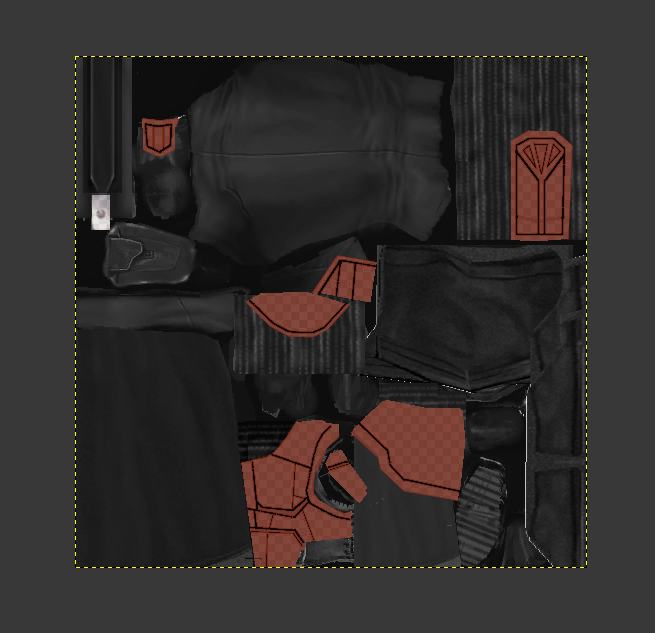
- Last week
-

Version 1.0.0
0 downloads
Stop leveling at level 20 Exp needed to level up increased (exp needed for level 2 is unchanged) Tested with : Snigaroo's Kotor 2 mod build Normal difficulty LS Guardian/Weaponmaster Planet order : Dxun -> Nar Shaddaa -> Dantooine -> Korriban -> Onderon Notes : Only used Kreia when it's required (so not a lot of exp bonus) Level 15 on Goto's Yacht, skipped some side quests (Handmaiden Battle Circle, Mandalorian Battle Circle) and accidentally triggered Nar Shaddaa "endgame" before doing stuff in Refugee Sector Level 20 on Korriban Was not any harder or easier I would say Only 5 level in Prestige class, kinda weird Install : Put the exptable.2da into the override folder -
Version 1.0.0
9 downloads
The mod replaces the PFHB04 model and textures. To Install 1. Download: PFHB04 2. Copy all files to the Knights of the Old republic's Override folder. (Example location - C:\Program Files (x86)\Steam\steamapps\common\swkotor\Override) 3. When/if prompted to overwrite files, press okay. 4. If you like the mod; leave a comment or endorse! (It would be much appreciated) Made with love. -
Version 1.0.0
10 downloads
The mod replaces the PFHB03 model and textures. To Install 1. Download: PFHB03 2. Copy all files to the Knights of the Old republic's Override folder. (Example location - C:\Program Files (x86)\Steam\steamapps\common\swkotor\Override) 3. When/if prompted to overwrite files, press okay. 4. If you like the mod; leave a comment or endorse! (It would be much appreciated) Made with love. -
 whosdes changed their profile photo
 -
 If your Windows scaling is above 100%, the game will zoom into a corner. Set scaling to 100% to fix it.
 -
 Sounds strange, so the exact same mod file seems to load if you throw it into a directory that has the complete mod build installed, but it doesn't if you throw it into your vanilla game directory? Are any of the files in your .mod referencing files that aren't in the vanilla game?
 -
I am running into a very strange engine-level issue with vanilla KOTOR while developing a new module for an expansion project. I originally started building the project inside my community mod build game, which is the setup I normally use for my main playthroughs. After the project scaled, I moved to building in vanilla kotor and completely rewrote the module for vanilla kotor. Shortly after, vanilla KOTOR began refusing to load any updated resources inside the rebuilt Korriban Valley module (korr_m36aa), even when the module is fully overwritten. In that modded environment, everything works exactly as intended. The context is as follows. I have a custom NPC whose dialogue was newly marked skippable, and after speaking with him, a G-Wing ship spawns. Clicking on the G-Wing initiates a transition script I had made updated changes to. The transition script fires correctly in both versions of the game. It updates the journal and performs all of its other functions. However, in vanilla KOTOR, StartNewModule never actually transitions the player into the target module. The camera just glitches and offsets for a split second while the script performs it's other actions flawlessly. In the modded community build that i use for normal playthroughs, the transition works perfectly and the Valley’s Shadow module loads without issue. In vanilla, none of the changes inside the rebuilt m36aa module apply. The NPC's dialogue is not skippable. The updated DLG does not load. Trigger changes do not apply. Waypoint changes do not apply. The transition script fires but the module never starts. The module behaves exactly like the original unmodified m36aa with no changes to it's actual files other than the added utc for the npc, new placeables and a few new scripts. Meanwhile, the exact same rebuilt module, when placed into the modded community build, loads all changes correctly. The dialogue is skippable, the triggers work, the waypoint is correct, and the transition script successfully moves the player into the target module. I have already verified that I am loading the correct module. I overwrote the original korr_m36aa.mod file directly. The IFO, ARE, and GIT files inside the module are correct. The transition script does not reference anything from Korriban and works perfectly in the modded build. The target module is not corrupted and loads fine in the modded build. I have tested with multiple fresh saves, including saves that never visited Korriban and saves created before the module existed. I have fully restarted the game each time fixes were attempted and cleared all possible cached data. None of this changes the behavior in vanilla. At this point, the rebuilt module works perfectly in the modded community build game that i have installed on a thumbdrive (because i had to back it up when i reinstalled the game fresh to use for modding development), but vanilla KOTOR wants to be annoying for what looks like to me, no reason at all and refuses to load the updated resources inside korr_m36aa even when the module is fully overwritten with the changes. At this point, I am just trying to determine if this is just me being a dumbass and not seeing any errors, or whether this is a known engine quirk with KOTOR, or korr_m36aa specifically where the game refuses to run and load clean modules correctly, and use changes that were made to dialogue, scripts, and more, regardless if the changes were clearly made and have seemingly no errors. I don't know whether there is a known fix or workaround for vanilla refusing to load updated module resources despite a full rebuild. If no solution exists, I will pivot to having the NPC only be hosted in the Valley, but have all the vital scripts run in a different module that becomes available after talking to the NPC. Thanks, Rever$e
-
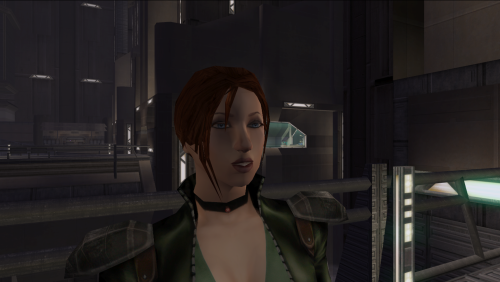 would you mind if i uploaded a version of this i fixed to work as a player head for kotor 1 i will credit you
 -
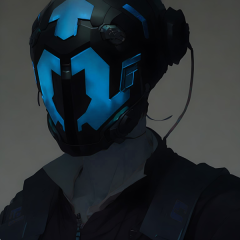
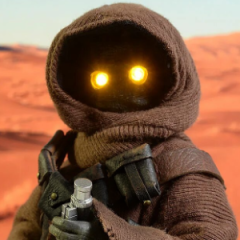
TTW kinda mod that puts kotor 1 and 2 together



.thumb.png.d8b108d1620cfd7d697f7271e60714db.png)