All Activity
- Past hour
-
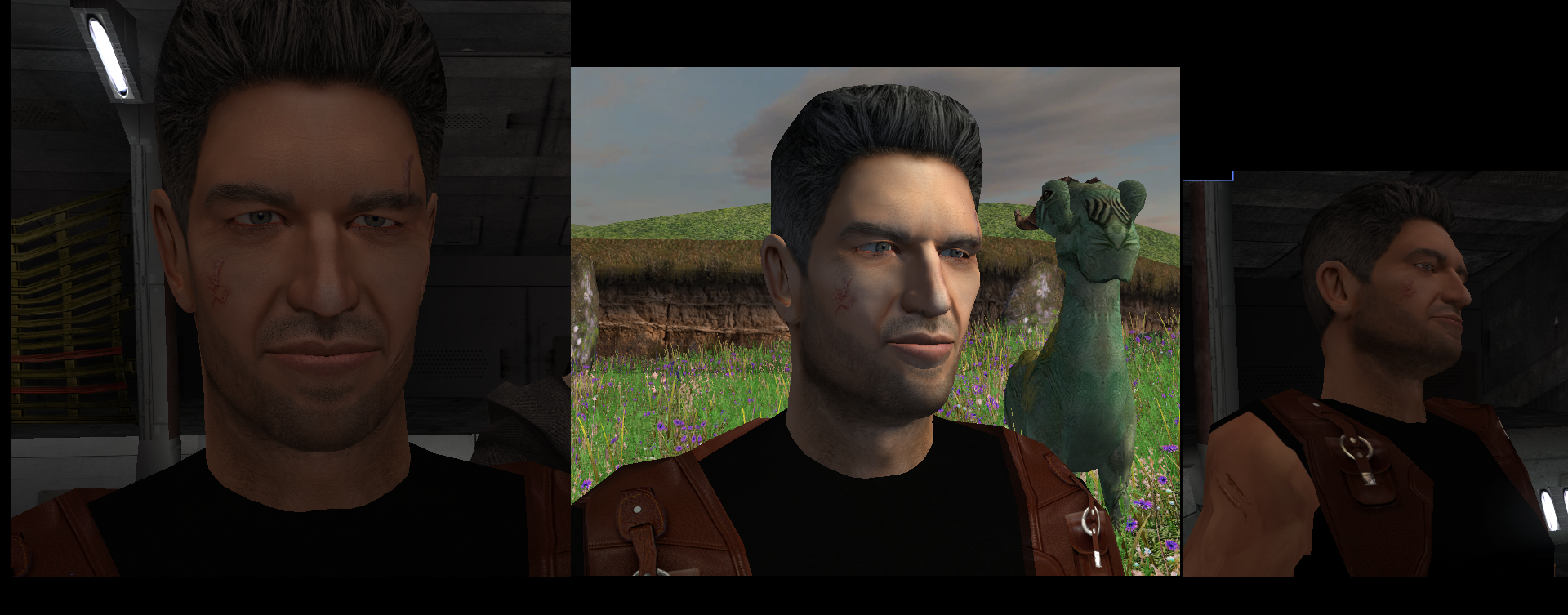
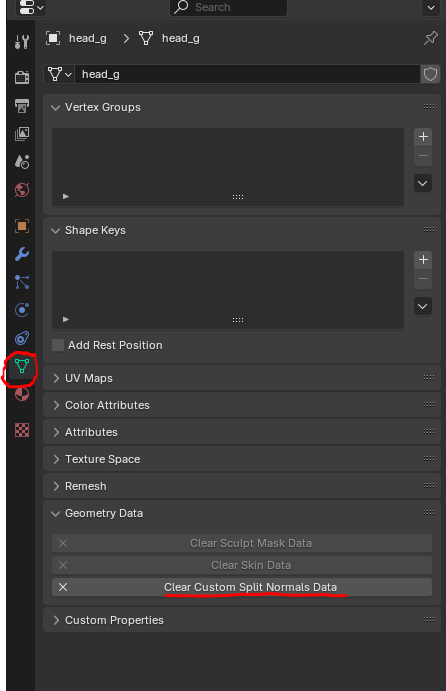
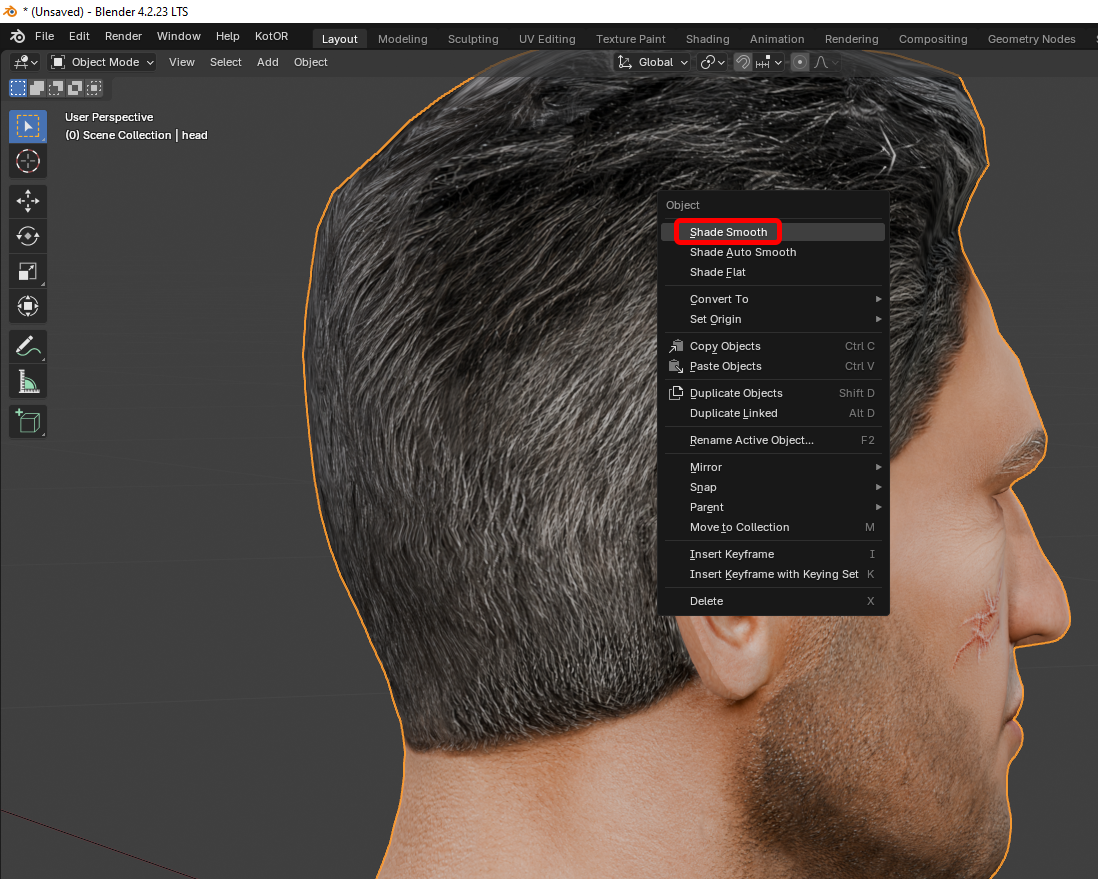
Hi everyone on this great forum! 😊 I decided to start my own little thread, even though I’m still relatively new here. I’ll be posting my work-in-progress, notes on how things are done - mainly for myself, so I can come back and refresh my memory later. If it ends up being useful to someone else as well, I’ll be happy of course. I’m sure everything I’m writing about has already been discussed countless times on this forum and is familiar to everyone. But I’m still a newcomer! My already released mods: https://deadlystream.com/files/file/3054-new-portraits-for-partymembers/ https://deadlystream.com/files/file/3055-hd-animated-computer-interface/ https://deadlystream.com/files/file/3079-saul-karath-retexture/ https://deadlystream.com/files/file/3092-narves-new-high-poly-canderous-head/ While working on the Canderous head I made a bit of progress learning Blender. I only knew it at a very basic level before, because I’m a 2D artist, not a 3D one. I still don’t really know what proper topology should look like, how to paint weights correctly, how to build textures with nodes, and so on. I’ll be learning all of that gradually. For this particular head I took a high poly mesh from this mod - big thanks to the author! Of course I heavily edited it: the geometry, the UV unwrap, and the texture. I also learned a few useful texture painting tricks. Geometry-wise the hardest parts are always the eyes and the lips, because the animation has to deform them properly, and what looks fine in Blender often ends up looking completely different in the game. Something I’d like to note here for myself - how to get rid of grey spots on the model after exporting from Blender to mdl/mdx: 1. The most important step - clear Custom Split Normals Data: Select the head mesh in Object Mode. Go to the Object Data Properties tab. Expand the Geometry Data panel. If the “Clear Custom Split Normals Data” button is active, click it. This removes the old broken data and forces Blender to recalculate the normals. Also helpful: 2. Apply smoothing — Right-click the model → Shade Smooth. 3. Apply transforms — Use with caution and only when needed! Things can shift in unexpected ways. In Object Mode select the head and press Ctrl + A → Apply All Transforms. ____________________________________________ P.S. English is not my native language, so I apologise in advance if anything is phrased awkwardly.
-
 _evil_jake joined the community
 -
I've seen it be tested, and it seems to work. https://youtu.be/2qNOMzYqz_k I just reeeeeaaaaally want my hands on a Rodian player character without it being the weird model you get in the base game.
- Today
-
 I haven't tested that, but probably, unfortunately.
 -
 JO5H joined the community
 -
I am talking about the dangling hair by the forehead. Could the model be tweaked to reduce the amount of swinging?
-
What do you mean?
-
Great work! Do you know if it is possible to slightly reduce the sway animation of the fringe? Cheers!
-
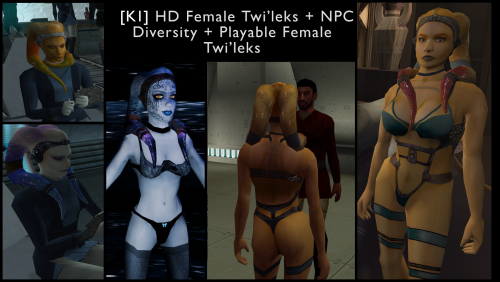
Ahh I see, much better that default dark side underwear, which frankly speaking isn't my cup of tea. Ohh, also during Darth Revan reveal scene in the game, do head-tails pops out of Revan's hood?
-
Yep! You can see an example in the first screenshot.
-
 Xeye joined the community
 -
Ahh, I see, it is what it is, anyway thanks for your help, a quick last question, do Playable Female Twi'leks change their underwear when their tansitions to dark side, if so, how do they look like?
-
 Sw1fty joined the community
 -
 NightGerm joined the community
 - Yesterday
-
 MikeyNixon joined the community
 -
 EmeraldGamer joined the community
 -
Unfortunately that's not something I can fix. It's just the way that shadows work on that model because it's all skin. You can see the same thing happening in KotOR II on Handmaiden's default model. If you stand in the light you can see that the color on the texture is correct, it's just the lighting.
-
 Alex-Can joined the community
 -
View File High poly PFHB02 The mod replaces the PFHB02 model and textures. To Install 1. Download: PFHB02 2. Copy all files to the Knights of the Old republic's Override folder. (Example location - C:\Program Files (x86)\Steam\steamapps\common\swkotor\Override) 3. When/if prompted to overwrite files, press okay. 4. If you like the mod; leave a comment or endorse! (It would be much appreciated) Made with love. Submitter Dark Hope Submitted 09/16/2026 Category Mods K1R Compatible Yes
-
 Zemurin joined the community
 -
I would leave the RCM files in place, personally.
-

T3 skins for KotOR 2 not working.
Aishoena replied to confuuzed's topic in General Kotor/TSL Modding
Check if the file extension is lowercase (.tga not .TGA) and ensure Android file permissions allow game to read Override folder. -
Yep, it works thanks, now it's not noticeable, one last thing, could you look into fixing shoulders if it is possible?
-
Try redownloading and reinstalling again. Hopefully this fix works for you!
-
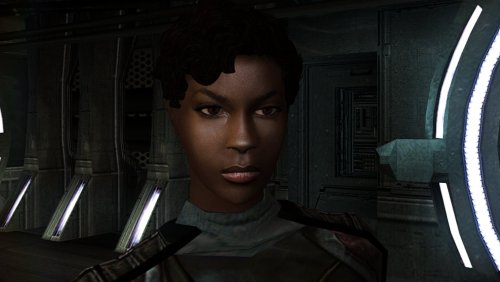 Wow this is really cool! Thank you!
 - Last week
-
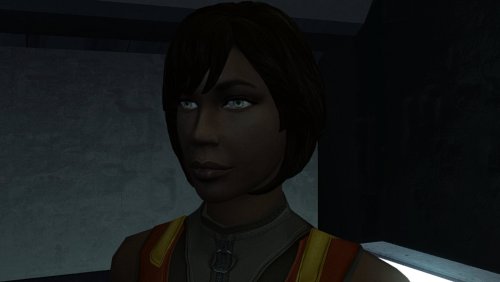
Version 1.0.0
13 downloads
The mod replaces the PFHB02 model and textures. To Install 1. Download: PFHB02 2. Copy all files to the Knights of the Old republic's Override folder. (Example location - C:\Program Files (x86)\Steam\steamapps\common\swkotor\Override) 3. When/if prompted to overwrite files, press okay. 4. If you like the mod; leave a comment or endorse! (It would be much appreciated) Made with love. -
 Worked great!
 -
 The camera effect has always annoyed me so much, this makes running around the ship vastly better!
 -
 It's a small change but the visions look so much better now!
 -
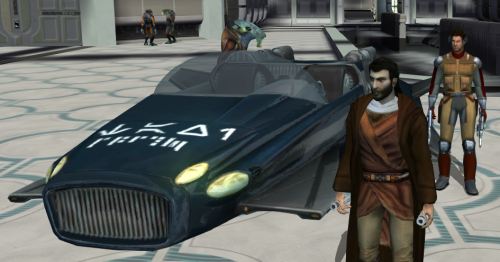 Worked great, no more running all over!
 -
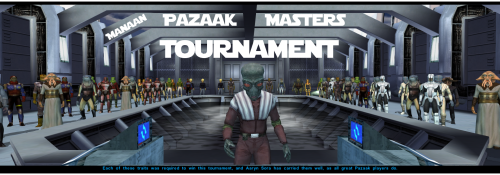 Really fun addition to the game, and no bugs encountered! Worked great combined with Easy Pazaak, as directed here I installed this first then added the file from EP to override. Definitely will include in future playthroughs!
 -
I have a fix for you. I'll post it in a few hours when I'm free.
-

MOD:Handmaiden and Female Exile - Disciple and Male Exile Romance
hroodee replied to Leilukin's topic in Mod Releases
Thanks! I definitely understand the value of sending the actual error log. Unfortunately, I was still figuring out how to do all that on the desktop mode of my steam deck and couldn't seem to find a way to do any copying or exporting of the error log. If I do some more modding in the future and have further issues I'll aim to give you a more detailed report if I can figure out how! Thanks for all the great work on this mod! I'm enjoying having Handmaiden in my party. Bit of an aside, but do you know if it's possible to simultaneously romance the Handmaiden and Atton using your mod? I can't seem to find any reason why jealousy would become an issue in that case. Thanks again! -
I'm using 1920x1080 resolution, and I've have download the mod, replaced the files, but the issue is still there. The date on N_TwiUndBlue01.tpc file is 16.09.2026. and no driver anti aliasing doesn't work either.