


JCarter426
-
Posts
1,599 -
Joined
-
Last visited
-
Days Won
140
Content Type
Profiles
Forums
Blogs
Forum & Tracker Requests
Downloads
Gallery
Store
Events
Everything posted by JCarter426
-
 That's an interesting problem. If anybody has a save that's been bugged in that way, you could do the following to get more information: Load up the bugged save. Unequip any disguises. Transit to another area, either by warping or exiting through normal means. This will generate a file called pifo.ifo located in SWKotOR/Temp. Copy that file somewhere so it's saved. This file contains everything there is to know about the player character. If you open it in K-GFF, you should be able to see your current Appearance_Type and maybe we'll be able to see if anything weird is going on.
 -
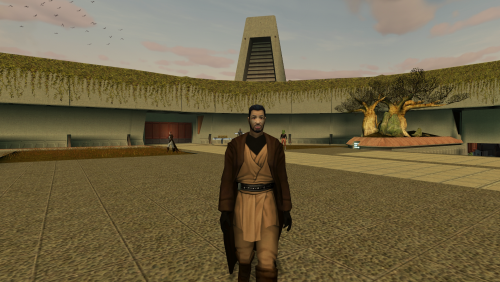 I could provide an alternate supermodel set too. I was going to do that at one point before I decided to do the full-on replacement. I'll add that to the next version of the mod resource.
 -
The Revan robes use their own animations rather than the player supermodel, so they would be unaffected. The full body masked version, anyway. The other ones would still be subject to the possible head/body mismatch.
-
Yeah, the short answer is it isn't. You're right that individual models can have their own animations that override the supermodels, but head models load their animations separately from the body. So I could have set it up so only the robe models use the K2 animations, but then the heads would all still have K1 animations. And a lot of animations don't look so good with the K1 version on the head and K2 version on the body, or vice versa. Just on account of the animations being different, mostly the running ones. And I imagine the only reason those animations were changed in the first place was so they would behave with the new rig. So the simplest solution was to overwrite everything with the K2 version. I did make some some adjustments to get the running closer to the K1 style, and more could possibly be done with this, though I have no specific plans for that at the moment. To be honest it doesn't look all that different to me to begin with, and you'd really need somebody more bothered by it than me to work on it so they'd know what to fix.
-
Oh, that makes more sense than what I was thinking. And it's obvious considering what the textures look like, but it's been a while since I did look at them. So you could get some interesting results by adjusting the probabilities too. Like in the example above, two of the tiles have some pink flowers, and I would guess they're given lower probabilities than the other two.
-
There are two things at play here. The first is the grass texture file, which you can edit like any other texture, and that is determined by the module's ARE file as Grass_TexName. In addition to the texture name, the ARE file configures everything else about the grass. The two other settings of interest are the Grass_QuadSize and Grass_Density. The quad size determines how big the grass is. The "quad" in question is essentially a single instance of the texture. Each blade of grass is a rectangular plane with the grass texture drawn on each side. So the quad size is just how big those rectangles are. Increasing the quad size can produce giant corn field-sized stalks of grass. The density determines how spread out the grass is over a surface. It's something like how many quads per square meter, though I'm only guessing with the units. So a higher density means thicker grass, more rectangles closer together. The game distributes the grass quads semi-randomly over any walkmesh that has the grass material on it. There are other settings in the ARE file for affecting that probability, but I'm not entirely sure how they work and I doubt it's worth messing with them.
-
They were always stiff. I looked into improving them by skinning the flaps to the robe bones as I did with Juhani's model, but I wasn't happy with my initial results. The back flap was ok, but the front flap either animated too far in front of her and looked silly, or if I dialed back it clipped through her legs. Though probably not as bad as the original clips through her legs. I'll probably take another look at some point.
-
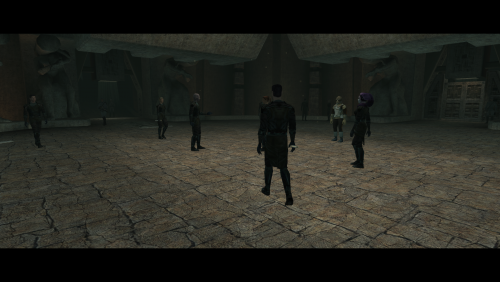 I can't imagine why that would be happening with just those two mods. I would guess either something went wrong during installation, or some conflict with another mod. On my test build that has almost no other mods installed, they wear black robes as intended.
 -
For feats and most other stats, yes. I don't recall if Force powers can be granted through items. That's a reference to a string in dialog.tlk. The number is the line number in that file. Though applying a hide item to the player would require editing a global script such as k_hen_heartbt01, which is a bit messy. Other mods have done it, so of course there would be compatibility issues. This has to do with how the feat is displayed - whether it's something you get automatically from your class, whether it's something you have to select when you level up, that sort of thing. I believe 4 is to have it not display at all (for example, the player can't see any droid feats) but honestly every time I look at it, I forget how it works five minutes later.
-
Unlike K2, K1 doesn't have any script functions to give the player feats or Force powers either, unfortunately.
-

[KotOR] Sand People Enclave bug
JCarter426 replied to Salk's topic in Knights of the Old Republic General
I believe it's the last parameter: void ActionStartConversation(object oObjectToConverse, string sDialogResRef = "", int bPrivateConversation = FALSE, int nConversationType = CONVERSATION_TYPE_CINEMATIC, int bIgnoreStartRange = FALSE, string sNameObjectToIgnore1 = "", string sNameObjectToIgnore2 = "", string sNameObjectToIgnore3 = "", string sNameObjectToIgnore4 = "", string sNameObjectToIgnore5 = "", string sNameObjectToIgnore6 = "", int bUseLeader = FALSE); I'm guessing it's executed through a custom OnDialogue script for the NPC, but I'm not sure what the exact code would be. -
I don't believe there's any way to remove or change a class once it's been applied to the character and they've leveled up. Multiclassing Canderous or other characters would be fine though. The issue is that the player already multiclasses from their starting class to Jedi, but nobody else does so it's fine.
-
[KotOR] Sand People Enclave bug
JCarter426 replied to Salk's topic in Knights of the Old Republic General
I never tried talking to them in 15 years. 🤔 It seems any NPC I talk to turns hostile, but they don't attack unless I attack them. And none of the others seem to care if we start fighting. -
K1R 1.2 Impressions and Bug-Reports [READ ME FIRST]
JCarter426 replied to Fair Strides's topic in KotOR1 Restoration (K1R)
I was sent an image through Discord. Pazaak was not mentioned at all, just the fish swoop track, so I wasn't sure if it was K1R or the original game. That's what I'd expect. So K1R's version of the dialogue file was corrupted in some way and needs to be fixed. I've seen that error happen when there's no valid player response to a dialogue node, like from a misplaced conditional script. -
You can't, unfortunately. The game only supports two classes and will crash when a third is added.
-
K1R 1.2 Impressions and Bug-Reports [READ ME FIRST]
JCarter426 replied to Fair Strides's topic in KotOR1 Restoration (K1R)
Hmm, that sounds like it must be a K1R problem, then. I'm not familiar with the changes it makes, unfortunately. Only thing I can think of is to try using the original dialogue and see if you talk talk to the Selkath with it. That would at least confirm if it's a problem with the dialogue file or something else (like scripts that were left out of the .mod, which the older tools did sometimes). I've attached the swoop registrar's original dialogue, just put it in Override. You'll also have to put the .mod file back and load a save from before you entered that area to test it. man26_swpreg.dlg -
K1R 1.2 Impressions and Bug-Reports [READ ME FIRST]
JCarter426 replied to Fair Strides's topic in KotOR1 Restoration (K1R)
Could you describe the steps needed to reproduce this bug? This has been reported before and I looked into it, but couldn't reproduce it and couldn't see anything wrong in the files. I was told at the time that K1R shouldn't be editing anything related to those dialogues, too, so it was a total mystery. -
She doesn't have a separate head model, so it would have to be extracted. I have a tutorial for this. It's a bit out of date (pre-MDLEdit and MDLOps v1.0) but the procedure is basically the same. She also wears a hood, and without looking at the model I wouldn't be able to say how easy it would be to get rid of that. But her face is geometrically similar to Atris', so it might be possible to borrow some assets from her instead. The model is only the first step. To add a new player appearance would require edits to appearance.2da, heads.2da, and portraits.2da, plus the creation of portrait textures. That's not as difficult as the model stuff, though.
-
Probably a custom environment map for Korriban. Most outdoor modules have them.
-
Latest robe progress:

This is my replacement for the Ossus Keeper robes. Used Atris and Jocasta Nu for reference because they're librarian robes. I might take a second look and tweak some things later, but for now I'm moving on to the Norris robe.
Also, I'm looking for input here regarding the remaining texture variants. There's some weird stuff going on with the original designs.
-
-
Hmm, maybe. My options are limited, though, because every texture variant on the model uses the same TXI file. So if I added a normal map, for example, then no other robes could have one. They could share a cube map, but then they'll have to all use the same one. I'll have to finish the textures before deciding, but it might be worth doing if only to have the metal parts of the belt shiny.
Also, I'm already making adjustments to the Ossus Keeper. I sought advice on Discord about the Norris robe, and that led me to have some new ideas for the Ossus Keeper. It was actually something that I had tried before and it looked bad, but with the power of cosplay reference photos I was able to figure out a way to make it look not as bad. Essentially, the patterned sashes will be closer to how Atris' are.
-
-
-
[KotOR] Sand People Enclave bug
JCarter426 replied to Salk's topic in Knights of the Old Republic General
I did some more testing, but it only raises more questions. I noticed that, regardless the save and transit bugs, if you repeatedly enter and exit the Sand People enclave without triggering the the greeter's dialogue, then the Sand People faction switches back and forth with each repeated entrance. I'd suggest executing the original heartbeat script first. That way you know all of it runs correctly and then the part that went wrong is fixed. But I don't think you need to edit 18aa's at all. My guess is that it's actually the OnEnter for 17ab that's going wrong. I'm not sure how, though, because the globals are correct. With both those in mind, I would guess that the scripts are somehow checking the globals incorrectly. Maybe a bunch of if trees that fail to account for a specific combination of things, or maybe something more obscure like case sensitivity. Though we can only keep guessing so long as we can't actually look at the scripts. -
That's the master robe model. So far I've only ported the knight robes. You're right, though, it will work with the supermodel port just as well. In the long term, I plan to add support for more models, but that's... in the long term. On a modding timescale, the distant future. I do want to take a look at the master robes eventually, though. That's an entirely different model, so there's no practical way to make that happen.
-
I'm not sure which mod you're talking about, but again, since the models are different, it's not as simple as borrowing textures from another mod. They have to be edited to fix the texture mapping on my fixed model. I'm in the process of doing this for the original K2 textures currently. The same thing could possibly be done for modded textures, depending on which model they made for, but rendering the new textures requires a modeling program such as 3ds Max and is a bit time intensive. I don't have any plans to do this for any other mods - mostly because I would have to seek out permission to use them from the original mod authors, many of which are no longer active. But I have made my stuff available as a mod resource for anybody who wants to make other stuff compatible.
-
I know I've been cheating on my WIP thread with Discord and random status updates, but I hadn't realized I'd been neglecting it so badly. Anyway, I recently ported the K2 robes to K1 and I'm currently working on the actually-for-K2 version of the mod. I didn't just port the robes before; I fixed various things on the model and made new textures specifically for the K1 items. I'm applying the same process to the original K2 textures now. For most of them, I'm simply updating them to fit my new model. For others, though, I've decided to make new textures to fit them better. That's where things get complicated. I've run into a few oddities. First, one of the textures is never used in the game. There isn't any item with texture variant #5. I figured it may have been designed for an item that never made it into the game, so I went digging through the game files. I found this in dialog.tlk: I find that very interesting, but it just raises more questions. There's already an item a_robe_10 - the Norris robe. Time for a little show and tell: Above are all the fishy textures. Texture #5 is unused. Textures 7-10 use what I'm going to call the Baran Do template. They have a distinctive rectangular bit than the random bath robe folds of the other texture variants. I suspect that three of these were originally intended for the three-tiered Baran Do robes (novice, advisor, and sage). Given that Ossus was a Jedi library, I also suspect that the unused #5 could've been for the Ossus Keeper robe. If so, texture #8 presumably would then be the missing Baran Do link. Or maybe the Norris robe texture is the one that's wrong. The point of all this speculation is that I don't want to reproduce this weirdness with my mod. I'd like to straighten things out. I've already decided I don't like the Ossus Keeper and Norris robes looking like Baran Do robes, so I'm going to come up with new designs for them. I already have ideas in mind, so we can put those aside. I'm not entirely sure what to do with the Baran Do robes, though. For one, we now have a pick of four different textures rather than two. Also, we might be dealing with not two but three Baran Do robes, if we include the unused advisor tier. I could use some input on both matters. To implement the third Baran Do robe would require placing the new item somewhere in the game. I've already checked the random loot scripts and they won't support any new robe items. So it' would have to be placed manually. I have no idea where. As for the textures, I actually like the Ossus Keeper and Norris variants rather than the actual Baran Do ones, so I might be inclined to use those designs instead. But I'm open to suggestions, particularly if a third texture has to be made too.
-
[KotOR] Sand People Enclave bug
JCarter426 replied to Salk's topic in Knights of the Old Republic General
Oh, so that might not even be setting the faction state at all. 🤔


