Leaderboard


Popular Content
Showing content with the highest reputation on 11/10/2026 in all areas
-
Version 1.0
17 downloads
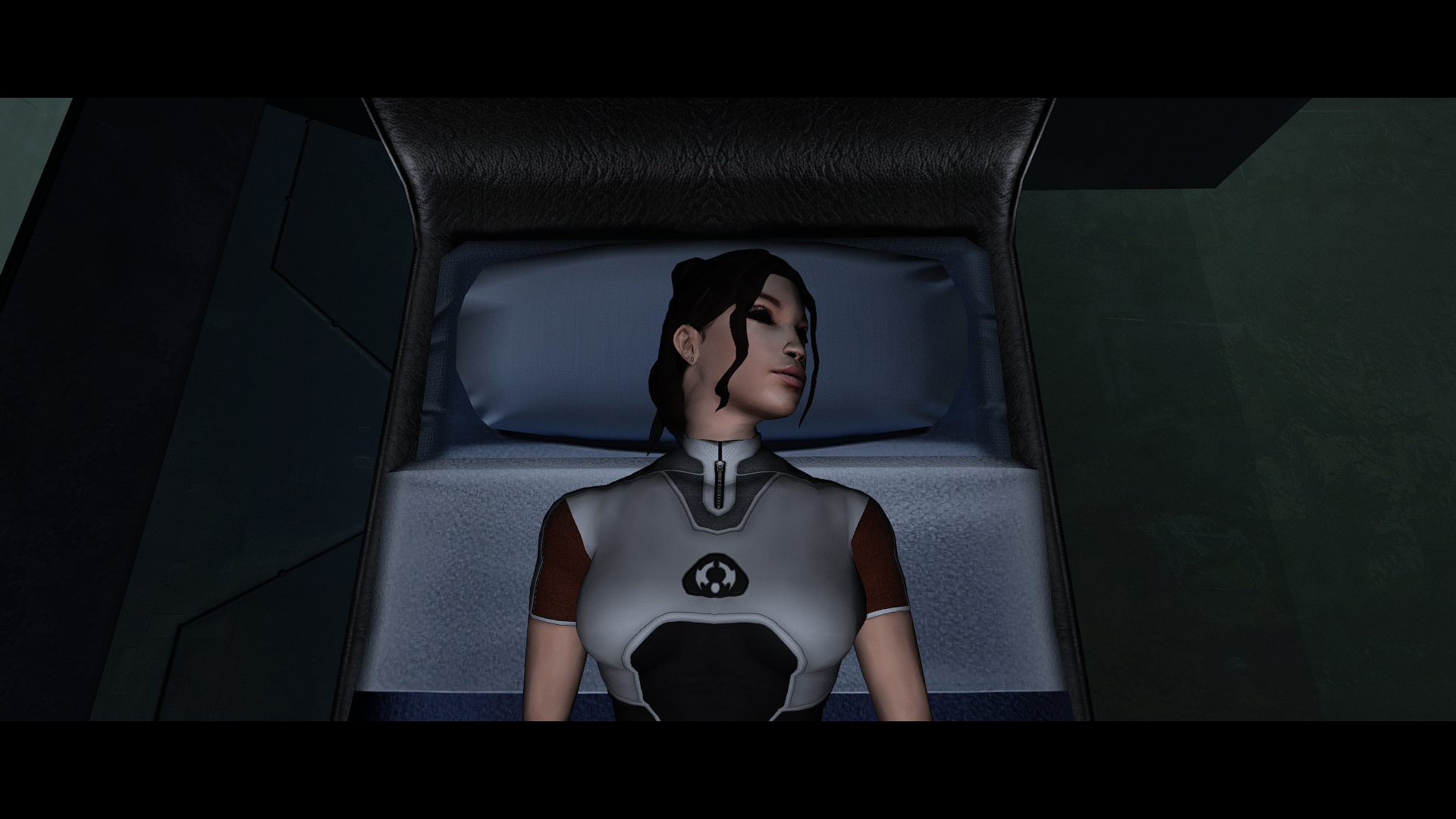
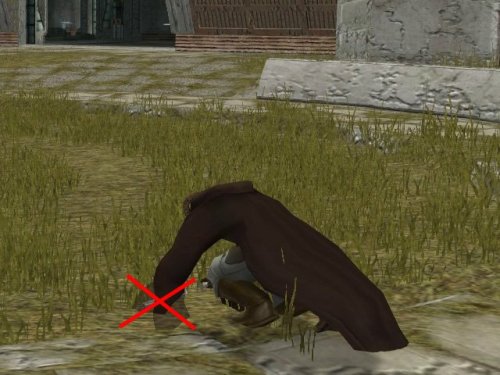
The animation where a character is bent down on their hands and knees has an issue where, if they are wearing robes, their sleeves flap rapidly as if there is a high wind. This mod edits the animation to remove the distracting flapping. It also edits the animation of the robe's back panel to eliminate a noticeable jump when the animation loops. Sleeve Animation Fix - Comparison.mp4 Thank you for downloading, and I hope you enjoy this mod! ------------------------------------------------------------------- INSTALLATION Copy all files in "Main Installation" to your game's Override folder. ------------------------------------------------------------------- UNINSTALLATION Delete the files back out of the Override folder. ------------------------------------------------------------------- COMPATIBILITY This mod is incompatible with any other mods that edit s_male01.mdl/mdx. It is compatible with the KOTOR 2 Community Patch (https://deadlystream.com/files/file/1280-kotor-2-community-patch/). I highly recommend using this mod with JC's Supermodel Fix for K2 (https://deadlystream.com/files/file/1141-jcs-supermodel-fix-for-k2/), which fixes several other issues with the character animations. ------------------------------------------------------------------- CREDITS KotorBlender by seedhartha Kotor Tool by Fred Tetra Holocron Toolset by Cortisol and th3w1zard1 ------------------------------------------------------------------- VERSION HISTORY 1.0 - Initial Release ------------------------------------------------------------------- DISCLAIMER AND PERMISSIONS This modification is provided as-is and is not supported by Disney, Lucasarts, or Bioware. Use at your own risk. The author shall not be held responsible for damage to your game installation, computer, or saved games resulting from the use of this mod. This material may be used as a basis for mods which make additional edits to the same supermodel as long as appropriate credit is given to this mod's author. Other uses require the author's permission. This mod shall not be reposted on any sites other than Deadly Stream without permission.5 points -
Not as finished mods, no. I can make the assets available for anyone else that wants to do it though. Although I can't recall what state the Trando progressed to. http://www.darthparametric.com/files/kotor/misc/DP_TOR_Ports_Aliens_Trandoshans_WIP.7z http://www.darthparametric.com/files/kotor/misc/DP_TOR_Ports_Aliens_Wookiees_WIP.7z I have a set of KOTOR hand meshes with remapped UVs that fit the TOR hand textures if those are of use to anyone. I was far too lazy to deal with fixing TOR fingers. http://www.darthparametric.com/files/kotor/misc/K1_Hands_TOR_UVs.7z2 points
-
Version 1.0.0
19 downloads
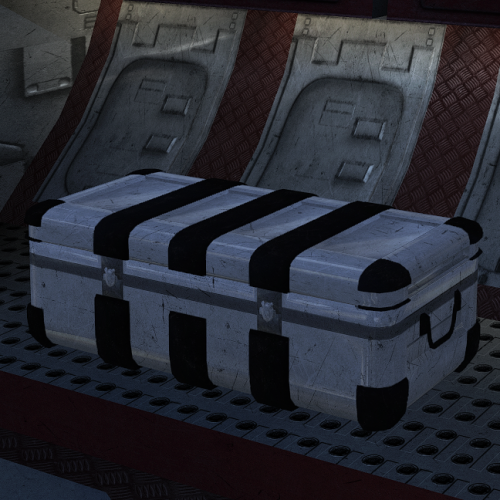
New model and texture for the container (plc_footlker). Original source of the model: https://creazilla.com/media/3d-model/5343/weapon-ammo-box-set2 points -
Version 1.1.8
7 downloads
NeoDLG is a conversation editor for Aurora Engine DLG resources. The editor supports: Star Wars: Knights of the Old Republic and Star Wars: Knights of the Old Republic II dialogue files including second scripts, conditional parameters, node IDs, camera fields, VO flags, emotions, and post-processing fields. Jade Empire dialogue files, including positional TagList participants, Jade string references, voice-over IDs, entry/reply camera scripts and tags, entry animation performers, reply animation/emotion pairs, skippable entries, designer numbers, and reversed conditions. TLK lookup for resolved dialogue text. Support is offered in the OpenKotOR Discord. Special thanks to: @Leilukin for testing and providing plenty of feedback. @DarthParametric for suggesting the single panel option. @darthbdaman for providing initial feedback on what they'd want out of a new DLG editor1 point -
Version 1.0.1
3 downloads
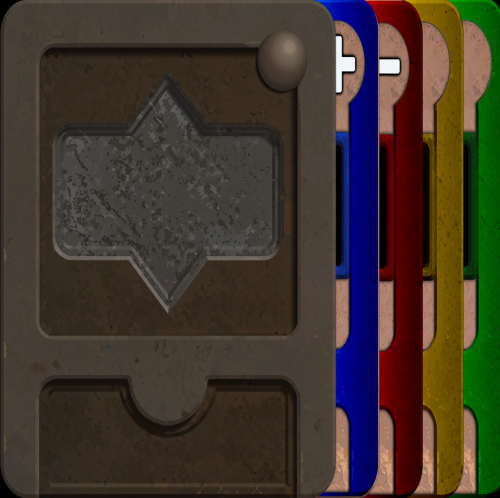
Pazaak card with their colors swapped with the border... This mod only replaces Pazaak card textures, so it shouldn't cause any conflicts. To install, just extract the files into your override folder.1 point -
1 point
-
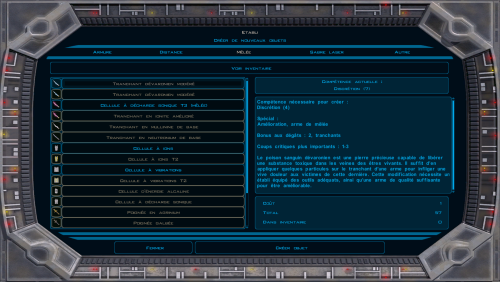 La traduction française a été intégralement exploitée textuellement sur les 109 mods mais il était hors de question de remplacer les voix enregistrées en anglais par des voix IA. La voix reste donc en VO sous titrée en français hors le cas où la même réplique était disponible dans le dlg. Suite à ta question, je me suis interrogé sur la pertinence d'engager la même démarche sur K1 et la réponse est oui !1 point
-
Version 1.0.0
76 downloads
200+ portraits to replace party and player portraits. 5 stage lightside/darkside transition restored. Install - extract the .TPC files to the game's override folder - the optional portraits.2da file enables 5 stage lightside/darkside transitions, copy it to override. How Were These Made Kotor Blender and ImageMagick. I will be releasing the scripts to easily generate matching portraits. Blender and KotorBlender plugin will need to be install but the portrait generation process does not require blender knowledge.1 point -

Version 1.2
107,304 downloads
~~~~~~~~~~~~~~~~~~~~~~~~~~~~~~~~~~~~~~~~~~ » KotOR 1 Restoration 1.2 Read-Me ~~~~~~~~~~~~~~~~~~~~~~~~~~~~~~~~~~~~~~~~~~ NAME: KotOR 1 Restoration 1.2 TYPE: Restoration VERSION: 1.2 SIZE - Unzipped: 145 Megabytes, Zipped: 47.2 Megabytes DATE RELEASED: May 31, 2016 KOTOR 1 RESTORATION FORUMS: http://deadlystream.com/forum/forum/31-kotor1-restoration-k1r/ ~~~~~~~~~~~~~~~~~~~~~~~~~~~~~~~~~~~~~~~~~~ » DESCRIPTION ~~~~~~~~~~~~~~~~~~~~~~~~~~~~~~~~~~~~~~~~~~ WARNING: IN ALMOST ALL CASES, IT IS RECOMMENDED TO INSTALL THE K1R RESTORATION BEFORE ANY OTHER MODS!!! THE ONLY EXCEPTION SO FAR IS KAINZORUS PRIME'S NPC OVERHAUL... The KotOR 1 Restoration Mod is an attempt to restore almost all the content that was cut from the game Star Wars: Knights of the Old Republic by BioWare Corp. Of course, these restorations will be within reason and things that were cut because they did not fit with the plot, and cannot be made to fit with the plot, will most definitley NOT be restored. ~~~~~~~~~~~~~~~~~~~~~~~~~~~~~~~~~~~~~~~~~~ » INTEGRATED MODS ~~~~~~~~~~~~~~~~~~~~~~~~~~~~~~~~~~~~~~~~~~ ~~~~~~~~~~~~~~~~~~~~~~~~~~~~~~~~~~~~~~~~~~ » RESTORED CONTENT ~~~~~~~~~~~~~~~~~~~~~~~~~~~~~~~~~~~~~~~~~~ ~~~~~~~~~~~~~~~~~~~~~~~~~~~~~~~~~~~~~~~~~~ » BUG FIXES/CHANGE LOG FOR 1.2 ~~~~~~~~~~~~~~~~~~~~~~~~~~~~~~~~~~~~~~~~~~ »» Original game: »» K1R Bugs: ~~~~~~~~~~~~~~~~~~~~~~~~~~~~~~~~~~~~~~~~~~ » BUG FIXES/CHANGE LOG FOR 1.1 ~~~~~~~~~~~~~~~~~~~~~~~~~~~~~~~~~~~~~~~~~~ There weren't too many bugs in KotOR 1, thus there is such a short list. ~~~~~~~~~~~~~~~~~~~~~~~~~~~~~~~~~~~~~~~~~~ » INSTALLATION ~~~~~~~~~~~~~~~~~~~~~~~~~~~~~~~~~~~~~~~~~~ An installation which involves the TSL Patcher has been made ready for your use and is the simplest and easiest way to carry out installation. Alternatively, a secondary installer has been made for convenience. It will not patch the files like the TSL Patcher will, but it should be less of a headache for most users. HOWEVER, IT WILL NEED TO BE INSTALLED BEFORE ANY OTHER MODS!!! Note: The K1R team is not responsible for any incompatibility issues that may arise from the use of this mod in conjunction with other mods. Also, in order to provide the best feedback for us we recommend that you play K1R with NO other mods installed. Note 2: If using the TSL Patcher AND your game is in English, before installing, copy the dialog.tlk file bundled with this package into the KotOR directory. This will give you the grammar and typo fixes to the vanilla text. ~~~~~~~~~~~~~~~~~~~~~~~~~~~~~~~~~~~~~~~~~~ »»»» TSL PATCHER INSTALLATION ~~~~~~~~~~~~~~~~~~~~~~~~~~~~~~~~~~~~~~~~~~ 1) Double click K1R_1.2_Installer.exe found in the main directory of the unpacked folder. 2) Click the button labeled Install Mod. 3) Click yes to the box that'll pop up... if you wish to proceed with installation. 4) Watch as all the little file names and progress reports scroll by and wait until the installer is complete. ~~~~~~~~~~~~~~~~~~~~~~~~~~~~~~~~~~~~~~~~~~ » BUG REPORTING ~~~~~~~~~~~~~~~~~~~~~~~~~~~~~~~~~~~~~~~~~~ There are 2 ways to report bugs: 1: Post your issues in the Bug Reporting Thread. 2: PM your issues to Fair Strides at Deadlystream. TO REPORT THROUGH PM 1) Go to DeadlyStream (http://deadlystream.com/) and search for the user Fair Strides ( http://deadlystream.com/forum/user/9107-fair-strides/ ) 2) Send a private message with as much detail as possible of what is occurring in your game. He will likely report back to you within a week. TO REPORT THROUGH THE BUG THREAD: 1) Go to the Bug Thread ( http://deadlystream.com/forum/topic/4457-k1r-12-impressions-and-bug-reports-read-me-first/ ) 2) Reply quoting and answering all of the questions as they apply to your issue. ~~~~~~~~~~~~~~~~~~~~~~~~~~~~~~~~~~~~~~~~~~ » VOICE ACTOR ~~~~~~~~~~~~~~~~~~~~~~~~~~~~~~~~~~~~~~~~~~ Pazaak Tournament Mandalorians...Zhaboka Filters for Zaerdra's lines......Zhaboka Filters for sea floor lines......Zhaboka Thanks Zhaboka. You really brought life to the characters, and those parts would be pretty lame without you. ~~~~~~~~~~~~~~~~~~~~~~~~~~~~~~~~~~~~~~~~~~ » CONTRIBUTORS ~~~~~~~~~~~~~~~~~~~~~~~~~~~~~~~~~~~~~~~~~~ A BIG thanks to all of you! ~~~~~~~~~~~~~~~~~~~~~~~~~~~~~~~~~~~~~~ » TEAM MEMBERS ~~~~~~~~~~~~~~~~~~~~~~~~~~~~~~~~~~~~~~ - ZM90, Team Leader - Mandalore, Team Member - Jatku, Team Member - Fallen Guardian, Team Member - LDR, Team Member - Fair Strides, Team Member and main producer of the 1.1 update (and 1.2 update) - Malkior, Beta Tester - LiliArch, Beta Tester (though, putting them on a test is more like setting off a permacrete detonator in an apartment... ) - GrandmasterArcturus, 1.2 Beta-tester and LPer ~~~~~~~~~~~~~~~~~~~~~~~~~~~~~~~~~~~~~~ » SPECIAL THANKS ~~~~~~~~~~~~~~~~~~~~~~~~~~~~~~~~~~~~~~ To the tool creators of the community ~ Kotor Tool.....................A VERY special thanks to Fred Tetra ~ K-GFF GFF Editor/DLGEditor.....tk102 ~ Lipsynch Editor................JDNoa ~ DeNCS Script Decompiler........JDNoa ~ AniCAM.........................JDNoa ~ ERF Editor/TSLPatcher..........stoffe (and later Fair Strides) And a shoutout for SithRevan (RIP) for beginning the restoration crusade for KotOR 1. ~~~~~~~~~~~~~~~~~~~~~~~~~~~~~~~~~~~~~~ » REDISTRIBUTION ~~~~~~~~~~~~~~~~~~~~~~~~~~~~~~~~~~~~~~ The K1R 1.2 OFFICIAL may NOT be redistributed in any way without the explicit permission of the K1R team and the proper credit given. ~~~~~~~~~~~~~~~~~~~~~~~~~~~~~~~~~~~~~~ » LEGAL ~~~~~~~~~~~~~~~~~~~~~~~~~~~~~~~~~~~~~~ THIS MODIFICATION IS PROVIDED AS-IS AND IS NOT SUPPORTED BY BIOWARE CORP/OBSIDIAN ENTERTAINMENT OR LUCASARTS OR ANY LICENSERS/SPONSORS OF THE AFOREMENTIONED COMPANIES. USE OF THIS FILE IS AT YOUR OWN RISK AND THE AFOREMENTIONED COMPANIES OR THE AUTHORS ARE NOT RESPONSIBLE FOR ANY DAMAGE CAUSED TO YOUR COMPUTER FOR THE USAGE OF THIS FILE.1 point -
Hello everyone! I think that it would be great if there was a more minimalist version of this mod that would have bug fixes and add lines and areas in the game that are really important, such as the additional scenes with the party members in Malachor V. While I really appreciate certain aspects of TSLRCM, over time I have really felt like there are things added to the game that are detrimental to it, usually in terms of pacing. For example, I think that things like the Telos crash landing scenes where it has to load from the .bik file to the game really hurt the pacing of that scene and are inelegantly done. It would be great if someone could really examine what is really necessary to the game and what is not really needed or doesn't work well.1 point
-
wouldn't it be more canon if the player had a mission before building his or her lightsaber by finding a lightsaber Crystal in the caves as a misson and if someone does make this mod possible can someone make a patch for a modders lightsaber mod I know I'll give the link at the bottom https://deadlystream.com/files/file/2048-revans-jedi-lightsaber-swtor-port/ And if u can make a patch for all his mods but of course u need to ask him first if someone does make this mod
 1 point
-
Version 1.0
18 downloads
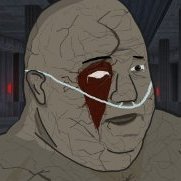
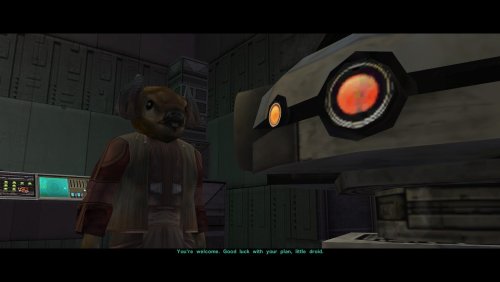
The Nar Shaddaa Pazaak champ's talking animation is hard-coded to look up at a typical player character. Because of this, when The Champ briefly speaks with T3-M4, he still looks upwards even though T3 is shorter than him. This mod adds a modified animation so that he correctly makes eye contact with T3 in that cutscene. Thank you for downloading, and I hope you enjoy this mod! ------------------------------------------------------------------- INSTALLATION If you are using The Sith Lords Restored Content Mod (TSLRCM), install it first. Run "INSTALL.exe" for this mod, and follow the prompts. It is normal to see a warning that 303nar.mod already exists and has been skipped. If you are using The Sith Lords Restored Content Mod (TSLRCM) from the Steam Workshop, see this guide for how to combine installer-based mods with the Workshop: https://steamcommunity.com/sharedfiles/filedetails/?id=488641307. ------------------------------------------------------------------- COMPATIBILITY This mod is compatible with The Sith Lords Restored Content Mod (TSLRCM) (https://deadlystream.com/files/file/578-tsl-restored-content-mod/) and the KotOR 2 Community Patch (K2CP) (https://deadlystream.com/files/file/1280-kotor-2-community-patch/). It is not compatible with mods that edit c_jawa.mdl/mdx, but it is compatible with mods which modify The Champ's model (l_alien03.mdl/mdx) and textures. It should be compatible with mods which modify kodinnot.dlg if they are installed before this mod. ------------------------------------------------------------------- CREDITS KotorBlender by seedhartha K-GFF by tk102 DLGEditor by tk102 TSL Patcher by stoffe and Fair Strides ERFEdit by stoffe and Fair Strides Kotor Tool by Fred Tetra Holocron Toolset by Cortisol and th3w1zard1 ------------------------------------------------------------------- VERSION HISTORY 1.0 - Initial Release ------------------------------------------------------------------- DISCLAIMER AND PERMISSIONS This modification is provided as-is and is not supported by Disney, Lucasarts, or Obsidian. Use at your own risk. The author shall not be held responsible for damage to your game installation, computer, or saved games resulting from the use of this mod. Material from this mod may be used as the basis for mods which make additional edits to the same model as long as appropriate credit is given to this mod's author. Other uses require the author's permission. This mod shall not be reposted, in whole or in part, on any sites other than Deadly Stream without the author's permission.0 points -

Version 0.13.2
8,210 downloads
Restored Content for K1CP [DEMO] A Mod for Star Wars Knights of The Old Republic Author: N-DReW25 0.13.0 Demo Release Date: 02.01.2026 Installation: Please install the K1 Community Patch FIRST before this mod! No exceptions! Once you click on the INSTALL.exe, you'll be given five options. Main Mod- This is the installation which installs the RC-K1CP mod. Lite NPCs Restored- This restores the Lite NPCs that were removed in the K1CP, install this option if you want these back in your game. Restored Gloveless Clothing- Left over textures and pre-release screenshots suggests that the commoner clothing didn't always have gloves that hid the NPCs hands, with this option installed all the generic NPCs will have exposed hands that correspond with the skin color of that NPCs race (White, Black and Asian). This option is fully compatible with the K1 Clothing Pack but is incompatible with Dark Hope's Commoner Clothing reskins. Restored Sith Officer Uniforms- Restores the unused Sith Officer uniform variants throughout the game, this option is incompatible with Heyorange's Sith Uniform Reformation. Restored Party Dialogue- As of right now, this option restores unused lines for Canderous' dialogue about Korriban. This option is cripplingly incompatible with mods that edit "k_hcan_dialog.dlg" so don't install this option if that file is already in your Override folder. Restored Unique Blaster- Restores unused textures for Carth's Blaster and the Baragwin Ion-X Weapon. These are an optional install as they are incompatible with the High Quality Blasters mod by Sithspecter. RestoredJedi Appearances- Restores many unused Jedi appearances and soundsets on both Dantooine and the Star Forge. This option is most likely incompatible with the NPC Diversity Pack, Jedi Diversity on the Star Forge, Diversified Jedi Captives on the Star Forge, or KotOR 1 Twi'lek Male NPC Diversity. Description: The Kotor 1 Community Patch (K1CP) is the biggest bug fix mod for Kotor 1 and is arguably the number one go-to mod for Kotor 1, similar to TSLRCM for Kotor 2. The Kotor 1 Restoration (K1R) mod is NOT compatible with the K1CP and as such players have to pick between hundreds of bug fixes offered by the K1CP or the restored content of K1R, they couldn't pick both... until now! Restored Content for K1CP is a restoration mod for Kotor 1 which has been developed for use alongside the K1CP mod, with this mod installed you shall experience restored content alongside the bug fixes of the K1CP mod. This mod also does not follow the same "rules" as K1R, that means this mod might restore cut content that K1R didn't restore either because the original K1R Dev Team didn't want to restore it or because they didn't know about it. This mod is an INDEPENDENT project developed by a single modder (and any future contributors) with no connection to the original K1R mod, everything in this mod was developed from scratch as getting permission to use K1R assets is impossible due to the disappearance of the K1R team leader. This mod is a DEMO meaning it does not restore all the cut content that K1R restores, future updates shall add more content and fix any bugs present in the mod. Whilst this mod is a Demo, it is not necessarily incomplete... what little restored content this mod has to offer is complete and will not standout as unfinished (in terms of the mod itself, your opinion on the cut content might be different). If you have feedback or any bugs to report for the next update, I urge you to report these to me so that the Restored Content for K1CP mod may be the best it can be! Restorations: Item Restoration: Known Bugs: This mod shouldn't have any bugs but if there are please report them to me on Deadlystream. Incompatibilities: To be added! Permissions: Do NOT claim credit for this mod and do not use assets from this mod without my permission. Thanks to: SithRevan (RIP): Beginning the restoration effort for K1! K1R Team: For developing the original K1R mod! The_Chaser_One: For producing Lip Sync files for the restored lines! Leilukin: For granting me permission to integrate her Juhani Dialogue Restoration mod into the RC-K1CP! SpaceAlex: For making the Bastila's Extra Dialog on Tatooine and allowing modders to use it freely! A Future Pilot: For kickstarting the K1 Community Patch mod, for making the Sith Soldier Texture Restoration mod and for allowing modders to use it freely! Sekan and Seamhainn: For including the source scripts in their Garrum and Tar'eelok Restoration mod which allowed me to recreate the restoration of those characters in this mod! DarthParametric and JCarter426: For maintaining the K1 Community Patch with ongoing updates! DarthParametric and Salk: For valuable feedback! Sith Holocron: For both the mod logo and VO filters! ElevenLabs Website: For the custom AI VO service! Bioware: For such an amazing game! Fred Tetra: For Kotor Tool! Cortisol: For Holocron Patcher! Everyone who downloads the mod! Legal: THIS MODIFICATION IS NOT SUPPORTED BY BIOWARE/OBSIDIAN ENTERTAINMENT, LUCASARTS, DISNEY OR ANY LICENSERS/SPONSORS OF THE MENTIONED COMPANIES. USE OF THIS FILE IS AT YOUR OWN RISK AND THE ABOVE-MENTIONED COMPANIES OR THE AUTHOR IS NOT RESPONSIBLE FOR ANY DAMAGE CAUSED TO YOUR COMPUTER FOR THE USAGE OF THIS FILE.0 points