Leaderboard


Popular Content
Showing content with the highest reputation on 10/01/2025 in all areas
-
Version 1.0.0
774 downloads
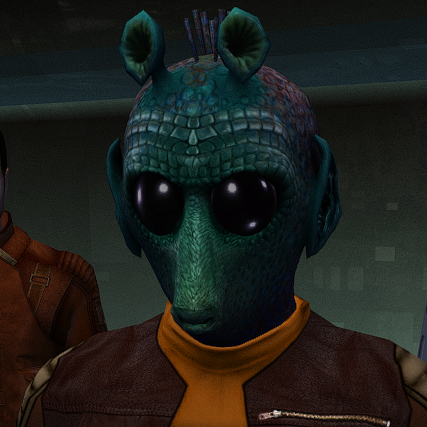
This mod will replace and update texture files. For proper operation, High Quality Aliens: Rodians 1.1.0 must be installed. Thanks to Stormie97 for the wonderful mod. To Install 1. Download: ST_Rodian HD.rar 2. Copy all files to the Knights of the Old republic's Override folder. (Example location - C:\Program Files (x86)\Steam\steamapps\common\swkotor\Override) 3. Delete the ST_Rodian 01 - 05.tpc files 4. If you like the mod; leave a comment or endorse! (It would be much appreciated) Made with love1 point -
Version 1.1
6,001 downloads
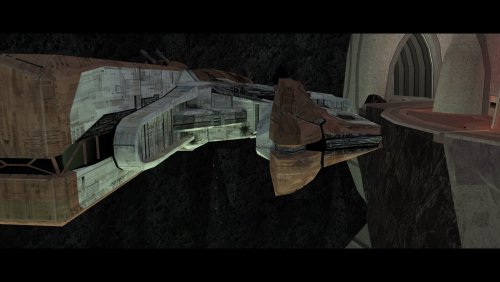
Knights of the Old Republic 2 infamously has a rather abrupt ending: The player fights the final boss, there is some final dialog with said boss, and the game ends. The Sith Lords Restored Content Mod (TSLRCM) restores a couple of short scenes which provide some closure, but it arguably still feels like there are some gaps. This mod attempts to make the ending a bit more complete with the following changes: - A restored dialog option allows the player to choose to stay on Malachor and train other Force users. - After the final dialog, the player contacts Bao-Dur's remote and chooses whether or not to destroy Malachor, which may be chosen regardless of player alignment. (If G0-T0 succeeded in disabling the remote, this conversation will not occur, and the player cannot choose to destroy Malachor.) - If the player decides to destroy Malachor, all subsequent dialog takes place on the Ebon Hawk. If Malachor is not destroyed, the remaining party members rejoin the player in the Trayus Core. - The player has a short conversation with T3-M4 and reiterates what they intend to do next. - Atton, Visas, and/or the Handmaiden express their desire to accompany the player, as in the scenes previously restored by TSLRCM. The Visas/Handmaiden conversation is now available even if Malachor is destroyed, as long as the player freed the party from the academy's prison. Atton's dialogs will now only occur if the player has medium to high influence with him, loosely inspired by the "Unoffical TSLRCM Tweak Pack" by Pavijan357 (https://deadlystream.com/files/file/296-unofficial-tslrcm-tweak-pack/). Note that since these scenes all refer to the player leaving, they will not occur if the player decides to stay on Malachor. Thank you for downloading, and I hope you enjoy this mod! ------------------------------------------------------------------- ASPYR (STEAM/GOG) COMPATIBILITY NOTES When using this mod with the Aspyr version of the game from Steam or GOG, some of the background sound effects will be almost inaudible, making the destruction of Malachor feel strangely quiet. This seems to be due to a "feature" added by Aspyr which reduces the volume of the music (and, apparently, some sound effects) during cutscenes. I strongly recommend using the 3C-FD patcher by J (https://deadlystream.com/files/file/2734-fog-fix-more-3c-fd-patcher/), which returns the volume to its pre-Aspyr behavior and also fixes some graphical issues. I have not tested this mod with the achievements system, and it is possible that it might interfere with achievements related to the ending of the game. Use at your own risk. ------------------------------------------------------------------- INSTALLATION Run "INSTALL.exe" and follow the prompts. When asked, select the "MAIN INSTALL" option which matches your display's aspect ratio, 4:3 or 16:9. It is normal to see a warning that modulesave.2da already exists and has been skipped. If you are installing with Holopatcher instead of the INSTALL.exe included with this mod, see the compatibility instructions below. If you are using The Sith Lords Restored Content Mod (TSLRCM) from the Steam Workshop, see this guide for how to combine installer-based mods with the Workshop: https://steamcommunity.com/sharedfiles/filedetails/?id=488641307. If you are using an aspect ratio other than 4:3 or 16:9, try the 16:9 option. The camera differences between the two versions are fairly minor, so ultimately you may use whichever one looks better to you. To switch between the two versions after the mod has already been installed, run "INSTALL.exe" and select "Convert to 16:9" or "Convert to 4:3". For best results, I recommend using a saved game from before arriving on Malachor. However, using a save from after reaching Malachor will only result in a few missing sound effects, and the majority of the mod will still work. ------------------------------------------------------------------- HOLOPATCHER COMPATIBILITY INSTRUCTIONS This mod's installer uses a tslPatcher parameter which Holopatcher does not interpret correctly. If you are installing this mod with Holopatcher, copy the files in "Holopatcher-Compatible INIs" into the "tslpatchdata" folder before installing the mod, overwriting when asked. ------------------------------------------------------------------- TRANSPARENT COCKPIT WINDOWS Options are available to make the Ebon Hawk's cockpit interior visible through the front window during the new ending sequence, as in my mod "Transparent Cockpit Windows for TSL" (https://deadlystream.com/files/file/2355-transparent-cockpit-windows-for-tsl/). To use them, run "INSTALL.exe" again after the main installation is complete, and select one of the following options: - "OPTION - Transparent Cockpit Windows, Enhanced Reflections" - Adds an area-specific reflection to the Ebon Hawk's exterior. Not recommended if you use any mods that reskin/upscale the Ebon Hawk exterior. - "OPTION - Transparent Cockpit Windows, Reskin Friendly" - More readily compatibility with reskins of the Ebon Hawk exterior. Does not include the new reflection. "Transparent Cockpit Windows" does not need to be installed to use these options. ------------------------------------------------------------------- COMPATIBILITY This mod requires The Sith Lords Restored Content Mod (TSLRCM) (https://deadlystream.com/files/file/578-tsl-restored-content-mod/). It has not been tested without TSLRCM installed. It is also compatible with the KotOR 2 Community Patch (K2CP) (https://deadlystream.com/files/file/1280-kotor-2-community-patch/). For best results, install this mod after TSLRCM, K2CP, and any other mods which make significant changes to the Trayus Core module. This mod is incompatible with other mods which edit the ending sequence, including "Unofficial TSLRCM Tweak Pack" component 4 ("Atton's Ending Dialogue") by Pavijan357 (https://deadlystream.com/files/file/296-unofficial-tslrcm-tweak-pack/). It is also incompatible with any other mods which edit the Trayus Core area layout. ------------------------------------------------------------------- CREDITS KotorBlender by seedhartha MDLedit by bead-v tpcview and tga2tpc by ndix UR NWNSSCOMP by Torlack and tk102 K-GFF by tk102 DLGEditor by tk102 TSL Patcher by stoffe and Fair Strides ERFEdit by stoffe and Fair Strides Kotor Tool by Fred Tetra Holocron Toolset by Cortisol and th3w1zard1 SithCodec by JCarter426 2DA Editor by VarsityPuppet AniCam by JdNoa Lipsynch Editor by JdNoa TSL Loadscreen Template by JCarter426 Reone Toolkit by seedhartha Edited vanilla and TSLRCM scripts are based on the K2CP team's repository of unaltered, decompiled vanilla scripts, which may be found at https://github.com/KOTORCommunityPatches/Vanilla_KOTOR_Script_Source. Thank you to the TSLRCM team for doing so much to expand and complete the original game and for restoring the original concluding scenes. The final scenes with Atton on Malachor still follow their staging, as I couldn't think of much I could do to improve upon them. Thank you to Pavijan357 for pointing out in his "Unofficial TSLRCM Tweak Pack" that Atton's ending dialog makes less sense if the player has low influence with him. The modified Ebon Hawk room models incorporate fixes by PapaZinos. Thank you to him for allowing me to use his fixes in my work. This mod includes material ported from Star Wars: Knights of the Old Republic by Bioware. ------------------------------------------------------------------- VERSION HISTORY 1.0 - Initial Release 1.1 - Improved lip syncing for Kreia's restored line. - Corrected minor punctuation and spacing errors. Thanks to Snigaroo for pointing them out. - Fixed incorrect references to a different mod in the installer text. Thanks to Cancerous Ordo for reporting the error. - Included previously-published INI files for use with Holopatcher. Thanks to nadrino for reporting the issue and testing the fix. ------------------------------------------------------------------- DISCLAIMER AND PERMISSIONS This modification is provided as-is and is not supported by Disney, Lucasarts, or Obsidian. Use at your own risk. The author shall not be held responsible for damage to your game installation, computer, or saved games resulting from the use of this mod. This mod shall not be reposted, in whole or in part, on any sites other than Deadly Stream without the author's permission. Assets from this mod shall not be redistributed in other modifications without the author's permission.1 point -
.thumb.png.951b22687332612a5c2130a605b9d21c.png)
Version 1.0.0
686 downloads
Author: EAF97 Description: Most of the Sith students, teachers, and workers at the Sith academy on Korriban in K1 will now wear Dark Jedi robes according to rank and ported in from K2 that are worn by the Dark Jedi at Trayus Sith Academy on Malachor V in K2. Visually-speaking, this mod is meant to make the same appearance enhancement for Korriban Sith that JCarter426's "Cloaked Jedi Robes for K1" makes to Jedi robes with ported K2 models and could also be installed over JC's "Back in Black" which edits the NPCs' equipment (and which this mod itself doesn't do). -There will be two main options for installation: Version 1 installs both the clothing overhaul and gives unique heads to several of the NPCs who have direct conversations with the players such as Kel Algwinn and Dak Vesser, while Version 2 only overhauls the clothing. -Lashowe, Mekel, Shaardan, and other students will wear “low” robes -Yuthura and other teachers will wear “mid” robes -Masters (just Uthar) will wear “high” robes. -Students and teachers who are out working in the valley will wear darker variants of Dark Jedi Padawan and Master robes, respectively, with the ported player and companion robe models from K2 -Those who are dueling or practicing combat skills will wear “training” outfits (K1-style “tunics”) from Unused K1 Tunics for TSL -Captives will wear “prisoner” outfits -Workers (Tariga, Adrenas) will wear a darker variant of Onderon commoner clothing from Effixian's Zeison Sha/Jal Shey to Onderon Clothing -All of the “Lite” NPCs will be upgraded based on the new heads and gender given to them in K1CP but will have the new clothing. -A compatibility patch for K1CP will be available for both versions to give Tariga (the Huttese-speaking human NPC who gives directions to the Valley) a female appearance. -There will be an optional add-on to install the female variant of the Trayus-style Dark Jedi “Master” robes for Yuthura which I decided to include since nobody else wears it. -Sith guards, troopers, soldiers, and archaeologists will NOT be affected. I would **strongly** recommend installing K1CP **before** this mod in order to get a full overhaul of NPCs in the area but it isn’t necessary in order for the mod to work and the base installation will assume that K1CP isn’t installed -Equipment of NPCs will NOT be edited, this is purely a **visual** overhaul but is compatible with any mod that edits the NPCs’ equipment such as “Back in Black” by JCarter426 -Aside from any Sith students or teachers who are encountered in Dreshdae, the "Prospective" Sith students as well as Czerka employees and other civilians in the area will NOT be affected. I would recommend some of the other NPC overhaul mods listed below for enhancing those characters. For the most part, this mod mainly aims to change the Sith students, teachers, and staff at the Academy itself -Any Sith or Dark Jedi outside of Korriban will NOT be affected and there are multiple mods (listed below) which sufficiently enhance them and which I would recommend to be installed along with this mod. Installation: Just run the TSLPatcher the direct it to your game file. If you plan on using this mod alongside K1CP, I'd recommend installing K1CP **first** if you haven't already. Install either Version 1 (Clothes & Heads) OR Version 2 (Clothes Only) and then install either version of the Tariga patch for K1CP based on whichever version of the base installation was chosen (basically gives Tariga a female appearance in line with K1CP's changes that also adds the changes made to other NPCs in the main mod). To Uninstall: Remove the files from your Override folder and add the backup .2da file to it Credit: Special thanks to Effix, 90SK, Dark Hope, Laast, and ShiningRedHD for allowing me to use some of their models and textures, to N-DReW25 for advice given on the mod, and to JCarter426 whose work with porting Jedi robes from K2 inspired this mod Recommended Mods to accompany this one: "Kotor 1 Community Patch" by A Future Pilot: https://deadlystream.com/files/file/1258-kotor-1-community-patch/ The following mods by JCarter426: https://deadlystream.com/files/file/1378-jcs-fashion-line-i-cloaked-jedi-robes-for-k1/ https://deadlystream.com/files/file/2309-jcs-czerka-business-attire-for-k1/ "Dark Jedi Wear Robes (for JC's Cloaked Jedi Robes Mod)" by DarthParametric: https://deadlystream.com/files/file/1411-dark-jedi-wear-robes-for-jcs-cloaked-jedi-robes-mod/ The following mods by N-DReW25: https://deadlystream.com/files/file/2469-czerka-redux/ https://deadlystream.com/files/file/2310-k1-clothing-pack/ https://deadlystream.com/files/file/1109-sith-stalkers-k1/ The following mods by Dark Hope: https://deadlystream.com/files/file/2316-sithcom-dh/ https://deadlystream.com/files/file/2164-darth-bandon-hd/ https://deadlystream.com/files/file/2042-sith-soldier-hd/ https://deadlystream.com/files/file/2188-war-droid-mark-i-hd/ "K1 Better Male Twilek Heads" by Ashton Scorpius https://deadlystream.com/files/file/1430-k1-better-male-twilek-heads/ The following mods by Leiluken: https://deadlystream.com/files/file/2228-kotor-1-twilek-male-npc-diversity/ https://deadlystream.com/files/file/2179-kotor-1-twilek-female-npc-diversity/ Compatibility: If you're using any mods that change the appearance of NPCs in the Academy or on Korriban generally such as K1CP, I would recommend installing them BEFORE installing this mod. If you're using Leilukin's "Belaya's Unique Look" for example, install this mod AFTER it; it uses the same unique head for the character that Leilukin's mod uses and sources it from SpaceAlex's "K1 Enhancement Pack" modder's resource but also gives Belaya the same clothing overhaul as the others at the Academy if she appears. This mod should also be compatible with JCarter426's "Back in Black" mod (and I would even recommend using it alongside mine but it isn't necessary in order for my mod to work), but should be installed AFTER JC's mod so that the appearance overhaul in this mod won't be overwritten. Compatible with both K1CP **and** K1R but I would **strongly** encourage using it alongside K1CP. However, neither one is required in order for the mod to work COPYRIGHT I used the models from JCarter426's modder's resource "JC's Cloaked Jedi Robes & Supermodel Port": https://deadlystream.com/files/file/1379-jcs-cloaked-jedi-robes-supermodel-port-for-k1/ I have also utilized the following mods in my work with general permission (given in their "read me" files) from the authors to use their mods as long as they are given credit: "New Male Caucasian Bearded PC Head" by SHB: "You may use these skins etc. in your own mods without my expressed permission, as long as the original files stay intact, and proper credit is given." https://www.gamefront.com/games/knights-of-the-old-republic-ii/file/new-male-caucasian-bearded-pc-head "Character Overhaul -Redux-" by ShiningRedHD: "You are allowed to use the assets in this file without permission as long as you credit me" https://www.nexusmods.com/kotor2/mods/1060 Legal: THIS MODIFICATION IS NOT SUPPORTED BY BIOWARE/OBSIDIAN ENTERTAINMENT, LUCASARTS, DISNEY OR ANY LICENSERS/SPONSORS OF THE MENTIONED COMPANIES. USE OF THIS FILE IS AT YOUR OWN RISK AND THE ABOVE-MENTIONED COMPANIES OR THE AUTHOR IS NOT RESPONSIBLE FOR ANY DAMAGE CAUSED TO YOUR COMPUTER FOR THE USAGE OF THIS FILE.1 point -

Version 1.0.1
1,694 downloads
----------------------------------------------------------------------- Knights of the Old Republic - The Sith Lords ----------------------------------------------------------------------- TITLE: TSL Effixian's Zeison Sha & Jal Shey Alternative 2021 AUTHOR: Effix(ian) CONTACT: PM me on the forums or find me on Steam ----------------------- DESCRIPTION ----------------------- This mod replaces all Zeison Sha and Jal Shey armors and adds a few variations that you can only cheat in*. I've tried to keep them in line with each other, but there's quite a few differences between the female and male versions. The female version uses the Atris 3D robe model (provided by DarthParametric) and the male uses the Disciple's model. * Apart from that, without TSLRCM and without cheating it's practically impossible to acquire some of these robes. https://strategywiki.org/wiki/Star_Wars_Knights_of_the_Old_Republic_II:_The_Sith_Lords/Robes#Armor Armored Jedi Robe (item: a_robe_06) Replaces: Zeison Sha Initiate Armor • Dantooine (Enclave Courtyard) - Purchased from Daraala Files: PFBM02, PMBM02 & ia_ClassZS_002 Cost: 350-490 Cannot Equip: Bao-Dur Defense Bonus: 4 Max Dexterity Bonus: +4 Saves: Fortitude +1 Does not restrict use of force powers. Polar Historian Robe (item: a_robe_07) Replaces: Jal Shey Neophyte Armor • Onderon (Merchant Quarter) - Purchased from Gegorran • Nar Shaddaa (Refugee Landing Pad) - Purchased from Geeda after opening up trade routes Files: PFBM03, PMBM03 & ia_ClassZS_03 Cost: 570-840 Cannot Equip: Bao-Dur Defense Bonus: 3 Max Dexterity Bonus: +4 Charisma: +1 Skills: Persuade +1 Does not restrict use of force powers. Ansata Librarian Robe (item: a_robe_11) Replaces: Jal Shey Advisor Armor * • This item is either very common or randomly placed throughout the game. Files: PFBM07, PMBM07 & ia_ClassZS_07 Cost: 1300 Cannot Equip: Bao-Dur Defense Bonus: 3 Max Dexterity Bonus: +4 Skills: Persuade +1 Charisma: +2 Wisdom: +1 Does not restrict use of force powers. Robe of the Living Force (item: a_robe_16) Replaces: Zeison Sha Warrior Armor • This item is either very common or randomly placed throughout the game. Files: PFBM01, PMBM01 & ia_ClassZS_001 Cost: 5000 Cannot Equip: Bao-Dur Defense Bonus: 5 Max Dexterity Bonus: +4 Saves: Fortitude +1 Does not restrict use of force powers. Ancient Master Robe (item: a_robe_20) Replaces: Jal Shey Mentor Armor • This item cannot be obtained through any conventional means. Files: PFBM06, PMBM06 & ia_ClassZS_006 Cost: 11500 Cannot Equip: Bao-Dur Defense Bonus: 4 Max Dexterity Bonus: +4 Skills: Persuade +1 Charisma: +4 Wisdom: +1 Does not restrict use of force powers. Sith Lord Robe (item: a_robe_26) Replaces: Darth Malak's Armor TSLRCM only, this item is not random loot in the vanilla game. Files: PFBM05, PMBM05 & ia_ClassZS_005 Cost: 25000 Cannot Equip: Bao-Dur Defense Bonus: 7 Max Dexterity Bonus: +4 Restricted to: Dark Side Strength: +1 Regeneration: 2 Does not restrict use of force powers. Armored Dark Jedi Robe (item: a_robe_37) • This item can only be obtained through cheats (giveitem a_robe_27). Files: PFBM08, PMBM08 & ia_ClassZS_008 Cost: 350 Cannot Equip: Bao-Dur Defense Bonus: 5 Max Dexterity Bonus: +4 Strength: +1 Saves: Fortitude +1 Does not restrict use of force powers. Sith Inquisitor Robe (item: a_robe_38) • This item can only be obtained through cheats (giveitem a_robe_28). Files: PFBM09, PMBM09 & ia_ClassZS_009 Cost: 350 Cannot Equip: Bao-Dur Defense Bonus: 4 Max Dexterity Bonus: +4 Skills: Persuade +1 Charisma: +4 Wisdom: +2 Does not restrict use of force powers. ------------------------- INSTALLATION ------------------------- Extract the zip somewhere, copy the files to your override folder. You don't need to start a new game, but Zeison Sha and Jal Shey armors that you have acquired will keep their original item name. You can choose to only take parts of this mod, for example leave out the changed item names, male or female updates, icons. Feel free to contact me for help with that. * Note: Similar to my Zeison Sha & Jal Shey Reskin 2020 mod: In the vanilla game the Jal Shey Neophyte Armor (a_robe_07) and the Jal Shey Advisor Armor (a_robe_11) use the same texture and icon. I've changed that in this mod. However it won't change a Jal Shey Advisor Armor (=Ansata Librarian Robe) item that you've already acquired in a save. That said, you don't need to start a new game if you want to use this mod, if you do already have the Jal Shey Advisor Armor (=Ansata Librarian Robe) then it will simply look the same as the Jal Shey Neophyte Armor (=Polar Historian Robe). ---------------------------- COMPATABILITY ---------------------------- This mod will conflict with other mods that change the Zeison Sha and Jal Shey armors. This includes a couple of my own mods. ------------------------- UNINSTALLING ------------------------- Remove from your override: a_robe_06.uti a_robe_07.uti a_robe_11.uti a_robe_16.uti a_robe_20.uti a_robe_26.uti a_robe_37.uti a_robe_38.uti ia_ClassZS_001.tga ia_ClassZS_002.tga ia_ClassZS_003.tga ia_ClassZS_005.tga ia_ClassZS_006.tga ia_ClassZS_007.tga ia_ClassZS_008.tga ia_ClassZS_009.tga PFBM01.tga PFBM01.txi PFBM02.tga PFBM03.tga PFBM05.tga PFBM06.tga PFBM07.tga PFBM08.tga PFBM09.tga pfbmm.mdl pfbmm.mdx PMBM01.tga PMBM01.txi PMBM02.tga PMBM03.tga PMBM05.tga PMBM06.tga PMBM07.tga PMBM08.tga PMBM09.tga pmbmm.mdl pmbmm.mdx ------------------------------------ DISTRIBUTION NOTES ------------------------------------ You may NOT use the material from this mod in your own mod without giving me credit, implying it was your own creation. You will likely get permission to reuse material from this mod in your own mods if you simply ask me. -------------------- THANKS TO -------------------- DarthParametric for providing me with a headless Atris robe model With the above in mind, I'd like to also thank those that did a similar mod: mjpb3 and Oldflash Stoffe and Fred Tetra for the needed tools and tutorials waifu2x.udp.jp for offering free AI upscaling ----------------- Donations ----------------- My mods are free. If you would like to show your support then you can buy me a coffee at ko-fi.com/effix ------------------- THIS MODIFICATION IS NOT MADE, DISTRIBUTED, OR SUPPORTED BY BIOWARE, OBSIDIAN, OR LUCASARTS ENTERTAINMENT COMPANY LLC. ELEMENTS TM & © LUCASARTS ENTERTAINMENT COMPANY LLC AND/OR ITS LICENSORS.1 point -
 Im going to try to finish the new version soon if anyone is still interested. Maybr have it before december but i dunno1 point
 -
ah yes, i will fix those, but they have very low priority since i have never seen them in game-game on Dantooine. But i think i know where they might be, likely on top of those rocky parts, so basically out of view, its why they gave them super low resolution so their generated outcome is not great either. Maybe i'll turn them into bushes or something which is more visible so that they serve a purpose.1 point
-
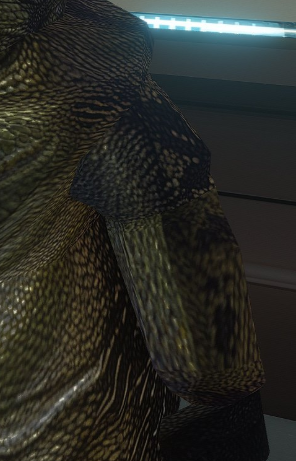
The seams have disappeared)
 1 point
 -
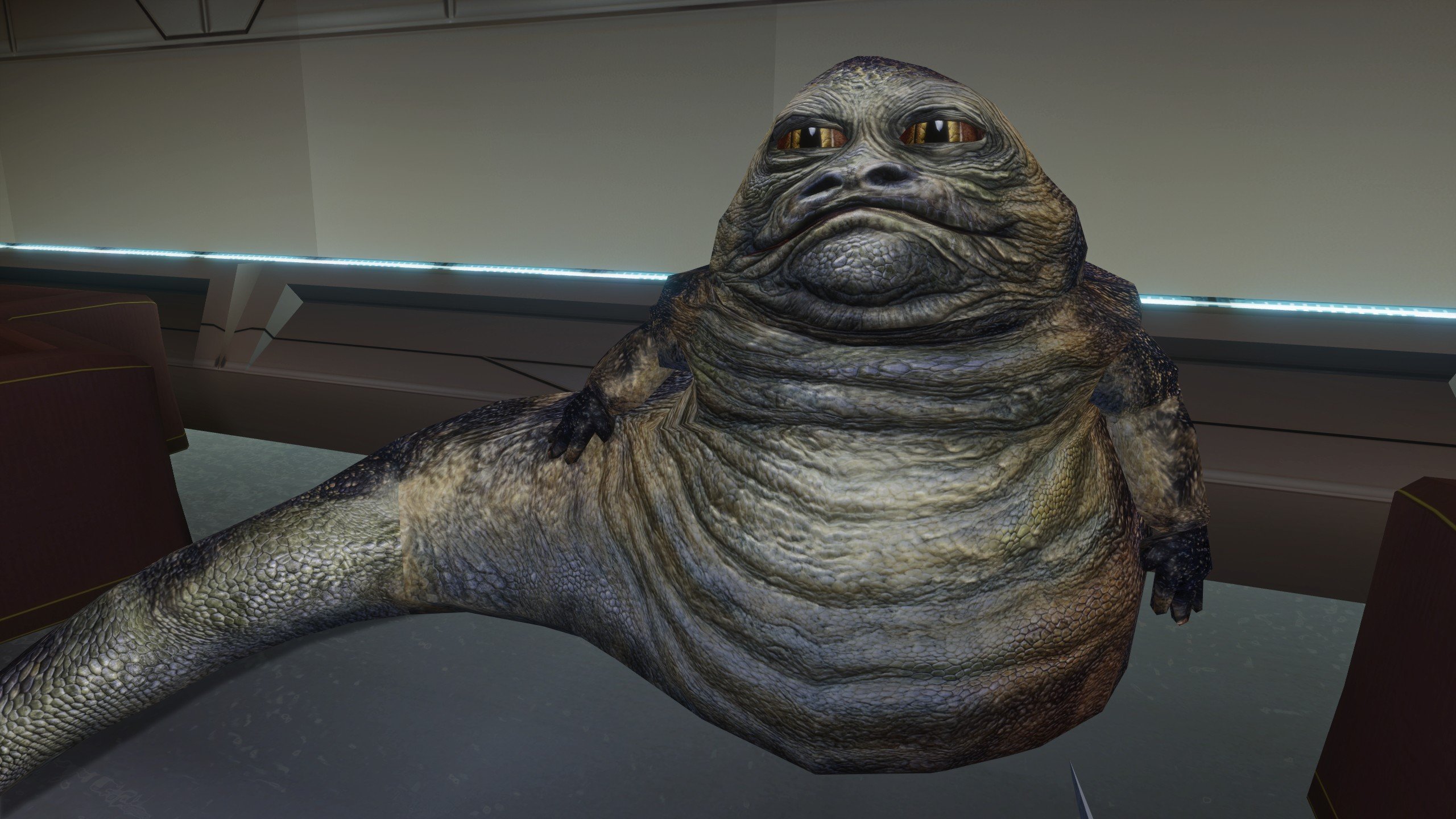
yes the various NPC's aren't great, it's by far the least effort in the mod + the wookies.. again, the mod is basically a sketch until v1.0 Hutt again, now normal mapped. bump scaling does nothing unfortunately. 1 or 9 doesnt matter it will look 100% the same. I can try some extreme values though to see if that does something. I think i'll make the pupils of the eyes slightly less wide to remove the almost cartoonish look it gets.
 1 point
 -
Cool. I saw this thread. I've been wanting to apply a normal map to the female Twi'leks' heads for a while. Another note: The map must be square in resolution.1 point
-
That is SO strange. I have the same version. For me it doesn't work at all, i use those exact settings. It's also like it worked for a while and now i get this effect where it just goes transparent every time i use it. You didn't do anything to the .txi files? I'll try reinstalling it. Are you on Windows 11? That is SO strange. I have the same version. For me it doesn't work at all, i use those exact settings. It's also like it worked for a while and now i get this effect where it just goes transparent every time i use it. You didn't do anything to the .txi files? I'll try reinstalling it. Are you on Windows 11? Edit: i installed tga2tpc-4.0.0-win32-ia32 and it now works again. lol... before i had x64 version since i am on x64 Windows. very strange!! But yeah, i can now finally start experimenting with normal maps. I know we should able to make them more pronounced in the .txi files with the scaling option. I can try them on things that doesn't have them per default and add more normals to the game, if i can get a good effect from it.1 point
-
I'm modding my Steam Deck install of KOTOR and used Doiinko's steps mentioned earlier in the thread to make a Steam Deck version of this mod. Haven't gotten to test it myself yet but I've attached it. fade.gui1 point
-
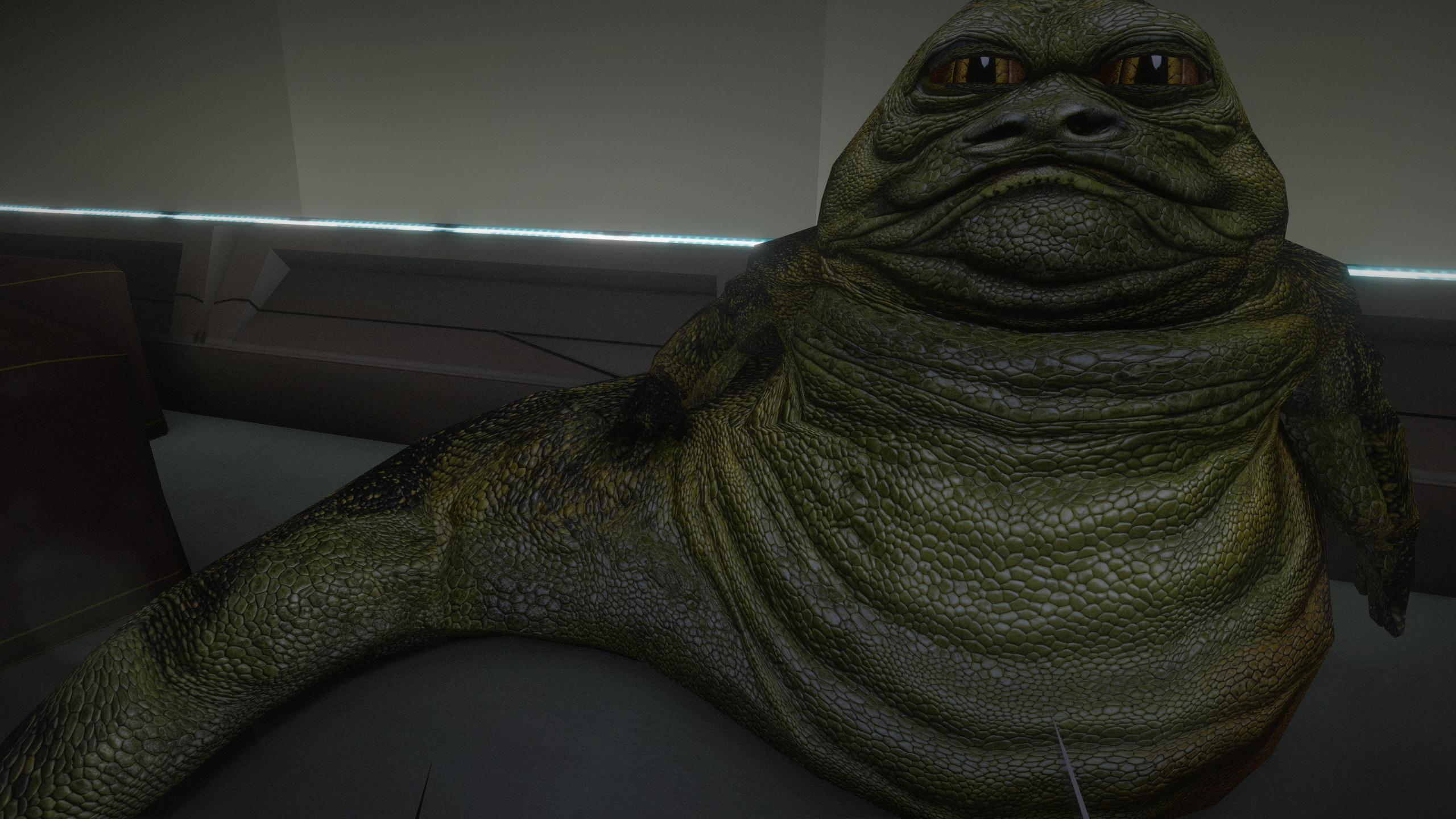
Fixed 2 more TXI bugs updated one of the Hutts (4K) I'll do the other 2 as well in 4K, i think i can make them look a bit varied using various patterns on their skin, change their eyes a bit. This one got the more typical Jabba eyes (with wide pupils) and no longer round. maybe do the next more green and the last more desaturated. and yes, they probably shouldn't have scales, but meh, its my interpretation of a hutt, makes them look a bit more intimidating too + a good way to make their large mesh have tons of detail. i think bioware also wanted them to have scales, if you look closely on the texture at a few places.
 1 point
 -
@Dark Hope have you ever considered doing a bulk pack of all of your retextures into one download? I'd absolutely replace my current upscale version of characters with all of your work.1 point
-
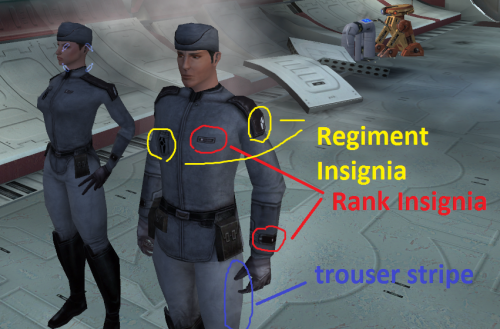 great work, of all the mods in the comminty build this is one of my favorites1 point
 -

Version 1.0.4
611 downloads
COUNCIL ROBES BASIC RESKIN Description: This mod adds the council robes, a variant normally only worn by NPCs, and makes them available alongside the vanilla game robes in KotOR 1. The robes are added to 3 merchants in the game: the basic, lowest level variety is available at Crattis’ general store on Dantooine with 3 texture variants, although the variants for this robe all look pretty similar. They are also available with better stats as Knight robes at the Czerka Representative’s store on Korriban in Dreshdae, and as Master Robes at Mic’tunan’jus’ store on Tatooine in front of the Ebon Hawk. This mod should be compatible with other mods that modify these merchants, but this mod is not at all compatible with other mods that modify the base robe models OR add new textures. The idea behind this mod is to have the option to wear both council robes and base game robes at the same time, being compatible with base game items but not other similar mods. This mod will also not place the robes properly if you have been to Dantooine, Tatooine, or Korriban before installing the mod. Installation: Start the Council Robes Basic Reskin Installer executable. It should prompt you for the location of your KotOR 1 directory and move all the necessary files itself. With the exception of the merchant files, the installer will fully replace any files of the same name as the ones in the ‘tslpatchdata’ folder, so won’t be compatible with other mods modifying those files or using the same names, since they are not standard game resources. Uninstallation: To uninstall, remove all the files listed in the ‘tslpatchdata’ folder from the Override folder. Acknowledgements: Of course, without use of Fred Tetra’s KotOR Tool, MDLOps by Chuck Chargin, KotOR Blender by Symmetric, Purifier, and Ndix UR, k-gff from tk102, and TSL Patcher by stoffe, this would not be possible. Thanks to all of you. NOTE: This is really the first mod I have made, and I have only tested the new models and textures so much. If there are issues you come across that I did not foresee, or perhaps simply any quality-of-life things that may be added, let me know, either by sending a message on deadlystream.com or sending an email to flooggoog@gmail.com. -cubis182 readme.rtf1 point -

Version 1.0
42,483 downloads
HD PC Portraits for Knights of the Old Republic v1.0 - 20190909 by ndix UR (DeadlyStream user) This modification adds high resolution (1K) portrait images for player characters (PCs). All 30 male and female vanilla player characters are provided, with all 5 light-dark variants, for a total of 150 new portraits. The 1K portraits have 256x the resolution of the 64x64 originals. The portraits are rendered to match the poses, colors, facial expressions, and lighting of the original images as closely as possible given the following constraints: Only vanilla textures (and my own additional maps based on same) are used A couple face textures had the eye in the wrong place and had to be fixed I reduced the number of background gradients to a set of 4 standards. The originals are all over the place in terms of the gradients and I didn't have time to replicate every one. An effort was made to match each individual set of portraits to its appropriate set of background gradients. While the textures are mostly crap, most of the work was in material setup using a modern rendering engine, so even the vanilla textures still wind up looking much better than they have any right to. This is because of real lights, shading, and materials, of which the original diffuse textures are only a part. I didn't really redo geometry, beyond appropriate use of subdivision surface modifiers. See the included images in preview/ for an idea of how the portraits look. INSTALL / UNINSTALL To install, copy the files from the package Override/ folder to the Override/ folder for your KOTOR game installation. To uninstall, remove the TPC files for this package from your KOTOR game Override/ folder. LEGAL THIS MODIFICATION IS NOT MADE, DISTRIBUTED, OR SUPPORTED BY OBSIDIAN, OR LUCASARTS ENTERTAINMENT COMPANY LLC. ELEMENTS TM LUCASARTS ENTERTAINMENT COMPANY LLC AND/OR ITS LICENSORS. The content of this mod is free for use and reuse, with no implied warranty, you can redistribute it, in original or modified form. If you do, a credit of some kind is nice but not required.1 point -

Version 1.1
509 downloads
Warning: ========== Currently, TSLRCM compatibility is unknown, as files from Visas' arrival sequence were modified to give her the robes... ========== Original Review on Filefront:1 point -

Version 1.0
2,467 downloads
Going through some archives, I managed to put hands on this again. Thanks to the following: Prime - for allowing use of his base texture. Darth InSidious - for rescuing this mod from the clutches of the now-defunct PCGameMods Fred Tetra - for his still-amazing KotOR Tool The old Lucas Forums thread for this mod can be found here: http://lucasforums.com/showthread.php?t=135937 Note: I haven't played KotOR in years and I'm not even sure if KotOR Mod Manager even exists. The readme provides VERY DETAILED INSTRUCTIONS WHICH MUST BE FOLLOWED if you don't want to bork the install. Feel free to ping me if you have any questions* *no guarantee the I'll remember the answer1 point