All Activity
- Today
-
KOTOR ACADEMY Jedi Academy's movement and lightsaber combat inside Knights of the Old Republic II, with KOTOR keeping the rules Development journal · October 2026 Hey everyone, This one is quite different from my usual art and world-building posts. It's got far enough that it needs a proper write-up rather than the odd clip. Kotor Academy brings Jedi Academy's movement, acrobatics and live lightsaber combat into KOTOR II. KOTOR still does what it does best: your stats, the dice rolls, the Force powers and the story. First, where it stands. Everything in this post runs in a single test arena. It isn't playable in the campaign game modules yet by design, there's no download, and I won't give a release date. What I can show is that the core idea works. There are two videos of it running, and the rest of this post covers the larger design and the route from here to something you could actually play through. 01 · What Kotor Academy is Kotor Academy lets you play KOTOR II with Jedi Academy's movement and live saber combat, while KOTOR's d20 still decides every blow that gets through. You run, jump, flip and Force-jump the way you would in Jedi Academy. You swing your saber in real time, and your opponent blocks, parries and fights back using Jedi Academy's own AI. Your character is still your KOTOR character, though. The model, equipment, feats, Force powers, HP and FP all come from KOTOR. When a blow gets past the enemy's guard, KOTOR rolls for it the same way it does in vanilla combat. If that isn't for you, there's a single checkbox in the options menu that turns it all off and puts you back in standard KOTOR. One caveat: switching it off while you're on a platform or mid-air isn't safe yet. The hand-off that puts you back on solid ground is built but not tested. 02 · How it works Two engines run at the same time. KOTOR II is the game you see and play, and a hidden Jedi Academy handles movement, collision, saber combat and enemy AI behind it. Two games, one experience The inspiration is chasmlol's SkyCraft, which pairs Skyrim with a hidden Minecraft running underneath. Kotor Academy does the same thing with KOTOR II and Jedi Academy. KOTOR II is the visible game and renders the world, characters, effects and GUI. Behind it runs a fork of the open-source OpenJK single-player engine, which loads Jedi Academy's base assets from your own install. A patch DLL inside KOTOR II talks to the hidden Jedi Academy through shared memory every frame. KOTOR sends your input and your equipped weapons, so Jedi Academy only ever carries what KOTOR has equipped. Jedi Academy sends back your position, camera and skeleton pose, and KOTOR applies them to your KOTOR character model. The result is your KOTOR character, in your KOTOR gear, playing Jedi Academy animations. Every key has exactly one owner, so overlapping binds never fire twice. KOTOR keeps the rules KOTOR II handles: dialogue, quests, scripts, saves, inventory and equipment, party, XP and level-up, feats, alignment, HP and FP, Force power costs and saves, and all of the d20 combat math. Jedi Academy handles: player movement and acrobatics, collision against a Jedi Academy copy of the area geometry, saber swings, blocks and parries, the third- and first-person camera, and Reborn AI for the enemies handed to it. Hand-offs: dialogue, menus, pause and death all hand control back to KOTOR. Who decides a hit Jedi Academy detects saber, melee and other contacts. If Jedi Academy blocks or parries a swing, it never lands and nothing is rolled. Every contact that does get through goes to KOTOR, which makes its own attack roll (attack bonus against Defense, natural 20s included) and applies its own damage and death. The result goes back to Jedi Academy for presentation. This works in both directions, for your hits on enemies and for theirs on you. The patch is off by default and locked to one exact game executable. If anything doesn't match, it falls back to vanilla behaviour. 03 · Movement and acrobatics Your KOTOR character now moves like a Jedi Academy character, running, flipping and Force-jumping through an arena built for verticality. Showcase1.mp4 Jedi Academy movement on the KOTOR character in the test arena: running, flips, Force jumps up the red-topped towers, stepping stones and balance beams, saber lit. The test arena (plcaa) has purpose-built stations for exactly this: stepping stones, towers, balance beams, stairs and tables. The running, jumping, flips and Force jumps all come straight from Jedi Academy and drive the KOTOR model. Force Jump follows your feats How high you can jump depends on your character's own KOTOR II Force Jump feats, so it depends on your build. The cap is configurable and defaults to level 2. A data file can also set caps per area and mark no-jump zones, so an area that was never designed for a Jedi going over the walls doesn't have to allow it. Being honest: my test character got those Force Jump feats from a save edit, and plcaa is the only area that exists so far, so per-area caps haven't been tried anywhere else yet, and no-jump zones haven't been live-tested yet. The acrobatics also aren't polished on the KOTOR body yet. There's still foot sliding to clean up. 04 · Saber combat and the first duel The first real opponent is a Sith duelist driven by Jedi Academy's own Reborn AI and fighting under KOTOR's rules. CombatShowcase.mp4 The Sith duel: Reborn acrobatics and flips, saber exchanges, Force powers and Lightsaber Throws, with KOTOR's HUD throughout. The Sith is a KOTOR character spawned into Jedi Academy as a Reborn fencer. He fights with Jedi Academy's attack chains, flips, kicks and knockdowns, and he blocks and parries on his own. He also Force-jumps onto platforms to follow you, and in the video he follows me onto the teal table platform. He has since been levelled up to make the fight harder. The logged duel numbers below come from an earlier, lower-level version of him. The numbers behind it Across the logged duel runs, 12 of his contacts reached KOTOR's roll and only one hit, for 20 damage. Eight of mine reached the roll and all eight hit, and one run included a critical on a natural 20 for 33 damage. (My test character was levelled by save edits for testing, so don't read those numbers as balance.) In a separate test, 16 contacts went through the whole hand-off with zero faults. Two duels ran all the way to a native KOTOR death. When he goes down, KOTOR handles damage and death natively (and XP, as an earlier kill showed). His hits on you go through KOTOR as well, with Jedi Academy's pain reactions, and if you lose you get KOTOR's own death screen with control handed back to the game. Weapons Lightsabers: single, double-bladed, short and dual sabers render on the KOTOR model and follow Jedi Academy's swings, with the ignite and retract animation every time you toggle (key 1). The hilt stays in your hand through attacks, jumps, a back-flip and a cartwheel. With dual sabers, each hand's hits get their own d20 roll. Melee and unarmed: these work under KOTOR's rules too. A vibrosword landed 4 contacts on a droid with 2 crits (60 to 14 HP), and unarmed landed 10 punches (25 to 7 HP). Kicks: they roll the d20 and knock the target down but deal no damage. That's by design. Grenades: thrown with Jedi Academy's physics, then KOTOR takes over with its frag explosion, smoke, scorch mark and damage number. A direct hit took a droid from 60 to 40 HP. Stims: a quickbar stim (Adrenal Strength) worked in Live Combat with no round wait. Hostiles only Only enemies can be hurt, using KOTOR's own hostility check. KOTOR's queued, round-based attacks are blocked for the player while Live Combat is on, so the old attack queue can't fire on top of live combat. Scripted scenes are exempt. What's still rough Block and parry feedback: visible sparks, sounds and a Jedi Academy-style attacker bounce on misses aren't in yet. Block rates haven't been measured or balanced either. Hurt reactions: a short torso flinch that never interrupts movement or saber moves is in the build and waiting on my retest. Flourish: the X flourish plays real flourish motion, but one press still showed a brief body turn. Tuning: the Sith's FP pool and level still need tuning. 05 · The Force, KOTOR's way Force powers are KOTOR's own powers, cast through KOTOR's own system, while Jedi Academy keeps your body moving as you cast. You press F to cast from an interim selector bar at the lower right, which shows KOTOR's own power icons and scrolls with the mouse wheel. Push, Stun, Lightning, Lightsaber Throw and self powers go through KOTOR's native cast, with KOTOR's FP cost, saving throws, effects and visuals. Out-of-range or busy casts are refused the way KOTOR would refuse them. As in Jedi Academy, you can cast on the move: you keep running and a torso gesture plays. Two changes are specific to Live Combat. Armor no longer blocks Force powers (my call), and targeted powers auto-aim at the nearest enemy in front of the camera. Lightsaber Throw This is KOTOR's own Lightsaber Throw with its native damage, which is half your caster level (rounded down) in d6. The saber item's damage doesn't factor in. My level 15 test character rolls 7d6 and hit for 17, 27 and 29 in testing. It works from platforms and aims with the crosshair. If you haven't learned the power, right-click keeps the saber in your hand. Right now you stand still while throwing. Throwing on the move, with the saber returning to wherever you are, is on the list. The Sith casts too Jedi Academy's AI decides when he uses a power. KOTOR decides whether it works, based on the powers he knows, his FP and your saves. He cast Push on me and I resisted it on a KOTOR save, and he has cast Stasis too. Later in the fight his casts were refused because he'd run out of FP, which is how it should work. Not there yet Untested powers: plenty of KOTOR's powers, haven't been tried live in a fight yet but ill be testing every power in the game in depth. Built but not live-tested: Force Speed affecting Jedi Academy movement, stun and stasis freezing the target (or you), and a native KOTOR-HUD Force selector to replace the interim bar. Physics: powers don't use Jedi Academy physics yet (push knockback, grip lift and hold). That's planned, not done. 06 · Making it feel native to KOTOR The goal is for Kotor Academy to feel like an option KOTOR always had, not a different game bolted on top. The Live Combat option There's a Live Combat checkbox in KOTOR's Gameplay Options. Turning it on gives you Jedi Academy movement and live combat with KOTOR's d20. Turning it off gives you vanilla KOTOR movement and round-based combat, with the platform and mid-air caveat from section 01 still applying. It's a native checkbox added to the existing panel at runtime, with no .gui file replaced, and your choice is saved in swkotor2.ini under [Kotor Academy]. HUD In Live Combat, KOTOR's combat-queue and target action buttons are hidden (26 controls in all). The enemy you're aiming at gets a compact name and HP panel above its head, clear of the crosshair. Pausing brings back the native HUD. Pause, dialogue and camera Tactical pause: middle mouse uses KOTOR's own pause and gives you the free cursor, native UI and quickbar. Dialogue: conversations hand control to KOTOR, and Live Combat resumes afterwards. First person: F7 switches to a view from the eyes with the head hidden. Arms and saber in first person, and camera collision with walls and props, are still to do. Camera and input fixes: the camera no longer stops on bodies, and clicking with your saber holstered in combat draws it. Lightsaber forms The first pass of form rules is installed in the test build. Soresu works with any saber setup, and its Obi-Wan guard stance plays only with a single blade. All other forms are single-blade only, and dual and double-bladed setups get style buffs instead. This works in the test build but isn't final. I plan to author the final stance animations for each form myself, starting with the Soresu guard, and the buff numbers are first-pass values that still need tuning. Feats and d20 numbers Every contact that gets through is resolved from your character sheet. Your attack bonus and Defense decide hits, natural-20 criticals roll as in KOTOR (seen live), your Force Jump feats set your jump height, and every power costs KOTOR FP. Full KOTOR critical rules, shields, resistances and sneak attacks are still to verify. Stability A recurring crash when loading from the in-game menu or quitting was the big blocker. I traced it to a resource-teardown bug in KOTOR itself, which the arena's station models triggered because they're packed inside the module file (module-local models). A guard now handles it: 5 out of 5 in-game loads and a clean Exit Game, with no new crash dumps. To be clear, this is a fix for the case the arena triggered, not a general KOTOR crash fix. 07 · Shaped by the community A lot of these decisions came out of conversations with other modders, and the project is better for it. I've been sharing progress and asking questions on Discord, and that feedback has shaped the design in a few clear places: Verticality: Jedi Academy movement could carry you over a lot of KOTOR's level design. The discussion around that fed directly into jump height coming from your Force Jump feats, with a configurable cap, per-area limits and no-jump zones. Forms: conversations about how forms should behave with different saber setups helped settle the current form rules. Enemies: the point that the real fun is in fighting enemies, not just moving around, pushed enemy AI up the list, starting with the Sith duelist. Mod compatibility: the discussion made full compatibility with other mods a hard rule rather than a nice-to-have. Jedi Academy required: for legal reasons, owning Jedi Academy is a requirement rather than anything being bundled. Thank you to everyone who has weighed in. Please keep it coming, especially on how the combat feels. 08 · What's next Blasters come next, with more of the Force in parallel, then more enemy types, companions and, eventually, real modules. Blasters Blaster vs blaster: player blasters with Jedi Academy bolts and a KOTOR d20 for every shot. An early pistol prototype fired KOTOR's own red bolt and impact effects, and the d20 decided each hit on a training droid. The muzzle flash doesn't attach yet, I haven't checked the shot sounds, and repeaters, disruptors, bowcasters, ion and sonic weapons are all untested. Blaster vs lightsaber: deflecting and reflecting bolts, decided by the d20 and shown on screen. This isn't in yet. More of the Force Lower tiers (in progress): lower tiers will stay selectable as separate slots, grouped by family: Push/Whirlwind/Wave, Stun/Stasis/Stasis Field, Lightning/Storm, Drain/Death Field and Choke/Kill. Other power chains will show only their top tier. Presentation: every KOTOR Force power will get Jedi Academy presentation. That means KOTOR's visual effects by default, Jedi Academy body animation blended with KOTOR's cast animation, and Jedi Academy physics where it fits. For example, Choke will stay a KOTOR cast and Kill will become a hold-and-move grip. Enemies and companions Enemies: every enemy type driven by Jedi Academy AI and movement under KOTOR's rules, with Force users fighting as Jedi or Reborn and everyone else as troopers. Right now the Sith duelist is the only one. Blaster troopers on Jedi Academy AI and melee enemies who aren't Jedi are both in progress. Companions: party members fighting in Live Combat, with party AI, switching and follow. Combat depth Blocking and parrying: today Jedi Academy's own defence blocks first. The plan is for block skill to scale from KOTOR stats, and for blaster deflection to be decided by the d20 and shown on screen, with every balance number in ini and data files. KOTOR rules: energy shields, resistances, on-hit properties, sneak attacks and the full critical rules behaving as they do in KOTOR. These aren't verified yet, and neither is medpac healing in Live Combat. Dismemberment: Jedi Academy-style dismemberment for every KOTOR creature and character. Jedi Academy decides the cut, KOTOR confirms the death, and an offline pipeline pre-builds the stump caps and severed limbs. So far this is telemetry only. Real modules This is the big one. Jedi Academy collision has to be generated for each KOTOR area and loaded on area transitions. After that comes the campaign from Peragus to the ending, with cutscenes, scripts, puzzles, saves, party changes and mini-games all working. Longer term, I want to remake areas so they reward verticality, with jump rules tuned per area. That's my own level-design project, and it will take a while. Also on the list: merging character creation, visual polish (acrobatics on the KOTOR body without foot sliding, an optional first-person saber), and an additive, reversible installer and uninstaller. 09 · Requirements and compatibility You'll need both games, and Kotor Academy is being built to sit alongside other mods rather than replace their files. Both games: you need to own KOTOR II and Jedi Academy. No Jedi Academy assets are redistributed. The OpenJK fork stays under GPL-2.0, and its base assets load from your own Jedi Academy install. Your JA folder is untouched: Kotor Academy reads the base assets (assets0-3.pk3) from your install and never modifies it, and it doesn't load your Jedi Academy mod pk3s. Tested build: Steam KOTOR II with TSLRCM 1.8.6 installed. The patch is locked to the exact executable I tested with, so GOG and other versions are untested and currently wouldn't activate. Compatibility rule: no wholesale replacement of base 2DA, GUI, dialog or script files. KOTOR data is read at runtime through the game's own resource lookup, so your Override mods win, and Kotor Academy's files are namespaced kja_*. Installs are meant to be additive and reversible. GUI mods: the Live Combat checkbox is added at runtime, and a custom optgameplay_p.gui is accepted. A heavily rearranged GUI overhaul may make it back off safely, leaving the panel as it is without the checkbox. I'm not claiming support for every GUI overhaul. Other patches: its hooks are checked against the other patches in the shared patch_config.toml so nothing gets hooked twice, and it only edits its own section. With Live Combat off, the game is meant to behave like vanilla. My custom animation patches: they coexist. Single-saber custom clips now play only with a single saber, and a fix that hands the X flourish to Kotor Academy in Live Combat is in, waiting on my retest. Still to test: a broader live test with TSLRCM and M4-78EP and an install-manifest audit are planned. Only the test arena has Jedi Academy collision so far. Performance: two engines run at once, and I haven't done any performance or frame-rate testing yet. 10 · Credits Kotor Academy builds on other people's work, and they deserve credit up front. JACoders and the OpenJK project: the open-source (GPL-2.0) Jedi Academy engine that the hidden half of Kotor Academy runs on. chasmlol's SkyCraft: the idea of pairing two games, with one running hidden underneath the other. The TSLRCM team: TSLRCM is part of my test setup and the baseline this is built to respect. The community: for the design discussions that shaped a lot of this. The makers of KOTOR II and Jedi Academy: the two games this is built on. So that's where Kotor Academy is today: one arena and one opponent, and the foundation is doing what I hoped it would. I'm happy to answer questions about the design, and feedback on the combat feel is welcome below. — ShaolinGhost AI DISCLOSURE & FEEDBACK I use AI often in my workflows to assist with creating my mods, including handling monotonous and repetitive tasks. You should assume that anything I post has had AI assistance in some way. As I stated in my Dathomir WIP post, I expect discussion of my projects to remain professional and focused on the actual artwork, performance, and gameplay. Constructive criticism that helps improve the art or gameplay is welcome. Derogatory statements about AI will be ignored. I am here to improve the finished product, and I will not change my workflow to accommodate personal objections to AI.
-
- 1
-

-
 jotchua111 joined the community
 -
 Willey411 joined the community
 -
 Suppy13 joined the community
 -
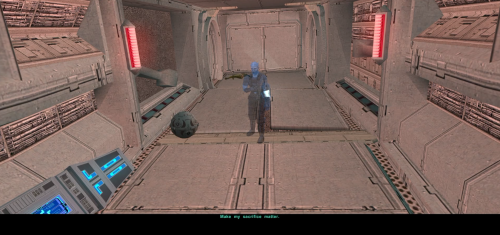 Congrats on this addon! EDIT: I have already installed all of the mods as shown in the comments section of WildeKarrde's Bao-Dur Departure mod section, and I am wondering if I have to do a clean install for this addon to work.
 -
 Sup3 joined the community
 -
 UpTheKOTOR joined the community
 -
 perilousarcher joined the community
 - Yesterday
-
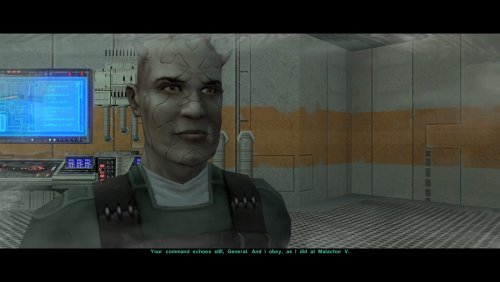 So I decided to hop on the band wagon and I've released the work I did on Bao-Dur's sacrifice in the form of an addon to this mod. My mod takes place on Malachor V and it adds the "make my sacrifice" matter line to the end of the hologram sequence, I think it will pair well when installed with this mod.
 -
View File Bao-Dur's Sacrifice A Mod for Star Wars Knights of The Old Republic II Author: N-DReW25 1.0.0 Release Date: 05.10.2025 Installation: It is strongly advised that you install the Bao-Dur's Departure mod beforehand. Simply click on the HoloPatcher.exe, click install, and sit back and watch the HoloPatcher do its magic. Description: This mod is an unofficial addon for the mod Bao-Dur's Departure by WildKarrde. In the Bao-Dur's Departure mod, Bao-Dur goes with HK-47 down to the Telos Underground Facility but instead of sacrificing himself so that HK-47 can deal with the Factory Bao-Dur instead stays inside the Telos Underground Facility and spends his time preparing the Remote for the mission to re-activate the Mass Shadow Generator. That mod ends just before travelling to Malachor V where you can see Bao-Dur observing the Ebon Hawk just before the Exile leaves Telos before going to Malachor, thus confirming that he survived the events of Kotor II. This mod, however, is a very basic mod which restores the line "make my sacrifice matter". In this mod, once the Remote has re-activated the Mass Shadow Generator the hologram of Bao-Dur will conclude with the line "make my sacrifice matter". The idea is that the line has been recontextualized from 'Bao-Dur dies in a heroic sacrifice' to 'Bao-Dur's first detonation of the Mass Shadow Generator was the sacrifice' and that the Remote re-activating it to defeat the Sith is what makes the sacrifice ultimately matter. I have discussed this privately with other modders and some of them did disagree with my reinterpretation, the sacrifice in this new context could refer to the sacrifice of countless Republic Soldiers and Jedi during the first activation of the Mass Shadow Generator, the sacrifice referring to Bao-Dur metaphorically as in his PTSD and/or guilt he got after that battle etc. Either way, unless someone makes a 'real' Bao-Dur's sacrifice where he actually dies onscreen this mod is the best we have to offer which restores the line. The original line was infamous for having music playing through it, the line in this mod is the original that was edited with AI to remove that music and it has an audio filter through it so that it fits in with the other hologram lines. Known Bugs: This mod shouldn't have bugs but if you find any report it to me on Deadlystream.com. Incompatibilities: Incompatible with mods that touch "901bao.dlg" and "sensorfi.dlg" Permissions: Do NOT claim credit for this mod and do not use assets from this mod without my permission. Thanks: Sith Holocron: For providing the filter on the audio lines. WildKarrde: For making the Bao-Dur's Departure mod! ElevenLabs Website: For the custom AI VO service! Obsidian: For such an amazing sequel Fred Tetra: For Kotor Tool th3w1zard1: For HoloPatcher! Everyone who downloads the mod! Legal: THIS MODIFICATION IS NOT SUPPORTED BY BIOWARE/OBSIDIAN ENTERTAINMENT, LUCASARTS, DISNEY OR ANY LICENSERS/SPONSORS OF THE MENTIONED COMPANIES. USE OF THIS FILE IS AT YOUR OWN RISK AND THE ABOVE-MENTIONED COMPANIES OR THE AUTHOR IS NOT RESPONSIBLE FOR ANY DAMAGE CAUSED TO YOUR COMPUTER FOR THE USAGE OF THIS FILE. Submitter N-DReW25 Submitted 10/04/2026 Category Mods TSLRCM Compatible Yes
-
Version 1.0.0
10 downloads
A Mod for Star Wars Knights of The Old Republic II Author: N-DReW25 1.0.0 Release Date: 05.10.2025 Installation: It is strongly advised that you install the Bao-Dur's Departure mod beforehand. Simply click on the HoloPatcher.exe, click install, and sit back and watch the HoloPatcher do its magic. Description: This mod is an unofficial addon for the mod Bao-Dur's Departure by WildKarrde. In the Bao-Dur's Departure mod, Bao-Dur goes with HK-47 down to the Telos Underground Facility but instead of sacrificing himself so that HK-47 can deal with the Factory Bao-Dur instead stays inside the Telos Underground Facility and spends his time preparing the Remote for the mission to re-activate the Mass Shadow Generator. That mod ends just before travelling to Malachor V where you can see Bao-Dur observing the Ebon Hawk just before the Exile leaves Telos before going to Malachor, thus confirming that he survived the events of Kotor II. This mod, however, is a very basic mod which restores the line "make my sacrifice matter". In this mod, once the Remote has re-activated the Mass Shadow Generator the hologram of Bao-Dur will conclude with the line "make my sacrifice matter". The idea is that the line has been recontextualized from 'Bao-Dur dies in a heroic sacrifice' to 'Bao-Dur's first detonation of the Mass Shadow Generator was the sacrifice' and that the Remote re-activating it to defeat the Sith is what makes the sacrifice ultimately matter. I have discussed this privately with other modders and some of them did disagree with my reinterpretation, the sacrifice in this new context could refer to the sacrifice of countless Republic Soldiers and Jedi during the first activation of the Mass Shadow Generator, the sacrifice referring to Bao-Dur metaphorically as in his PTSD and/or guilt he got after that battle etc. Either way, unless someone makes a 'real' Bao-Dur's sacrifice where he actually dies onscreen this mod is the best we have to offer which restores the line. The original line was infamous for having music playing through it, the line in this mod is the original that was edited with AI to remove that music and it has an audio filter through it so that it fits in with the other hologram lines. Known Bugs: This mod shouldn't have bugs but if you find any report it to me on Deadlystream.com. Incompatibilities: Incompatible with mods that touch "901bao.dlg" and "sensorfi.dlg" Permissions: Do NOT claim credit for this mod and do not use assets from this mod without my permission. Thanks: Sith Holocron: For providing the filter on the audio lines. WildKarrde: For making the Bao-Dur's Departure mod! ElevenLabs Website: For the custom AI VO service! Obsidian: For such an amazing sequel Fred Tetra: For Kotor Tool th3w1zard1: For HoloPatcher! Everyone who downloads the mod! Legal: THIS MODIFICATION IS NOT SUPPORTED BY BIOWARE/OBSIDIAN ENTERTAINMENT, LUCASARTS, DISNEY OR ANY LICENSERS/SPONSORS OF THE MENTIONED COMPANIES. USE OF THIS FILE IS AT YOUR OWN RISK AND THE ABOVE-MENTIONED COMPANIES OR THE AUTHOR IS NOT RESPONSIBLE FOR ANY DAMAGE CAUSED TO YOUR COMPUTER FOR THE USAGE OF THIS FILE. -
 MrBananaMan joined the community
 -
Looking at the Extended Enclave DLG for that scene (pcdead_ebo2.dlg in 020EBO), it looks like Bao-Dur's lines there are the same as TSLRCM (krehand1.dlg in 650DAN): For my mod, I repurposed the lines from the scene while reading the party's mind on the way to Malachor (pcdead2.dlg in 003EBO): I edited pcdead2.dlg to remove those lines, so there shouldn't be any duplicates of those lines. If there are, then they already would have been duplicating pcdead2.dlg. Please let me know if there's another instance of those lines that I'm missing, though.
-
 freakynoblegas joined the community
 -
 mmateusmartins1910 joined the community
 -
 Fantastic mod. The Mando fights in the cave, holy crap were those hard. I don’t really have a critique other than some of the items found are OP as fuuuckk lol. Created an account just so I could let you know I enjoyed the mod.
 -
 This was a fantasticly made mod. Well done. 15/10. I will make this one of my required mods for every playthrough. No notes
- 220 comments
-
- 1
-

-
- expanded universe
- sleheyron
- (and 1 more)
-
 Darth_Lardy joined the community
 -
 Fix?
Fix? -
I am going to uninstall my mods and try again, if I still have issues I will give you the list. I believe it is because I deleted some of the files from the character resolution mod not knowing which ones to delete so I could see my dark harbinger mod. The bodies were invisible and the computer was invisible.
-
I was referring to the Party Mind reading scenes after the Enclave scene. After the Jedi Masters die and/or the Exile "die" the party can have their minds read, Bao-Dur included - which the Extended Enclave mod further elaborates on. Regardless, I shall go through and correct the Extended Enclave Tweaks mod. I do believe that mod adds a new module which is where its new vision dialogues have been moved too. I'll remove Bao-Dur's lines and, in the readme, recommend players use this mod in addition to the Extended Enclave mod.
-
 Good point, that’s another way you could look at this mod (or at least Option A). Thanks for pointing that out. It doesn’t look like the Unofficial Patch modifies any of the galaxy map scripts, so it arguably shouldn’t matter if you install it before or after this mod. But yes, that would also be compatible with this mod.
 -
I haven’t tested all of those, but I don’t see anything in them that would conflict, so I think they should all be safe. Thank you! I actually relocated those lines from the cutscene where you hear the party’s thoughts while traveling to Malachor (and edited that scene accordingly), so there shouldn’t be any overlap with the Enclave sequence, unless they were already duplicates. Are you maybe thinking of Bao-Dur’s “I need to do this or I will die inside” lines from that cutscene?
-
Fantastic Work! An important thing of note though, some of the Bao-Dur lines that take place "within the Exile's head" actually appear in the Enclave sequences in TSLRCM (I am 90% certain) and the Extended Enclave mod (100% certain). I shall do you a solid though, as I am the developer of the Extended Enclave Tweaks mod I shall remove Bao-Dur's lines from the Enclave sequences for you when I get the chance.
-
If we were to ignore the intended premise of the mod this mod is essentially the "Restore Malachor V to the Galaxy Map" mod? I'm not saying that's a bad thing if that's the case, I've been waiting for this to be properly restored for a long time and the fact that you managed to do a two-in-one mod (restore the galaxy map and the re-equip party for Malachor) only makes it better! There is another mod you might wish to add to this list. You may or may not know this, but M4-78EP 1.5 is in a fairly broken state. That is why the M4-78EP Unofficial Patch mod was made to make it playable with as few bugs as possible.
-
Hey Wilde Karrde. Interesting mod! Question: Other than the PartySwap, (the Patch version without the PartySwap item), I have the following mods installed: The Unofficial TSLRCM Tweak Pack, (only components 1, 2, 3, 5, and 6), the KOTOR 2 Community Patch, GenoHaradan Legacy mod, the Extended Enclave mod with the Extended Enclave Tweaks installed along, the TSL Expanded Ending, the Train the Handmaiden mod, the Coruscant Jedi Temple mod, and the "Kreia's Fall Cutscene (In-game)" mod. Any one of these have the files that you listed are incompatible with your mod here?
-
Okay, finished my playthrough and I have the following additions: Verbal gets some high-quality droid gear he can't even use. I need to double-check if we get to keep these items, but if so I intend to get rid of them When we fight Solomon in the Temple of Shadow, he has a TON of health, especially considering his multiple phases. I intend to reduce those number significantly. There are a number of changes I plan to make to Akirakon Sin's final battle. For starters, he is very powerful. It might be just that his equipment is too strong, but I suspect I will reduce his stats. I will also look at removing Force Stasis and reducing his Stun resistance As strong as he is, in the final 2 fights his minions can be just as dangerous. Rather than weaken them tho, I think first I want to try setting Akirakon to neutral so he cant fight you until youve cleared out his minions. On a related note, the dialogue boxes really interfere with the gameplay. I'm thinking of restructuring those fights entirely: when you start, Akirakon will give the first dialogue as part of the initial cutscene, then the fight will start. He will be stuck in neutral and invincible, so you'll have to focus the minions around him. When they're gone, he'll have a cutscene to give the second dialogue (if there is one), then lose his invincibility and finally become hostile. I found a couple other points where scripts are broken (see Bug Fixes #14 above). Fortunately, it looks like recompiling the source scripts and inserting them in made that easy. At Malachor V, some of the Mandalorians can be glitched so they dont turn hostile. I'll review those scripts later to find a fix Some of the files didn't properly extract when I unzipped the files from 1.5. Some of these are voice files, which we kinda need. I'm going to make a list of items and see if an older copy of the mod is more cooperative, then add a patch to install those files. Speaking of dialogue, some of Kobayashi's prison dialogue may have broken branch paths. I'll investigate this when I review the dialogue as a whole. I didn't mention this one earlier, but when I re-balance the Revan we fight in pt 1, I was planning to make them lv 5 in all 3 Jedi classes, as a nod to the fact that there is no canon class for Revan. To maintain this mystery, and to be consistent with the comics, I intend to make Revan's lightsaber purple instead of blue After Solomon saves Kobayashi, there is a long pause in darkness. I may shorten this so it doesn't leave us wondering if the dialogue has broken
- 1 reply
-
- 2
-
-
Perfect timing, I'm on a playthrough showing a modded kotor 2 to the wife for the first time right now. Will download and try it this fall Great content as always @WildKarrde!
-
 Since my new mod Rise of the Liberator just got approved, I wanted to submit a potential opponent: Mandalore the Liberator. Potential rewards include his Darksaber and his Mandalorian Champion armor (either helmeted or helmetless):
 -
View File Equip Party for Malachor After the Dantooine Enclave sequence, there are very few opportunities to change your party's equipment before arriving on Malachor V. If you are like me and regularly unequip your party's gear to keep it available, you may then find that your companions unwisely attempt to fight Darth Traya armed with nothing but their fists. This mod makes it so that you return to the Ebon Hawk after finishing the Ravager sequence, giving you the opportunity to select your party's gear for the Malachor cutscenes. It also modifies the "traveling to Malachor" cutscene so that Atton does not appear if he has left with Kreia because of jealousy over the Disciple. This mod comes in two versions which affect how the galaxy map behaves when you travel to Malachor: - OPTION A (Limited Galaxy Map): Displays the full galaxy map, including Malachor. All planets are visible, but you will only be allowed to select Malachor as a valid destination. - OPTION B (No Galaxy Map): Does not display the full map and instead offers a dialog option confirming whether you are ready to go to Malachor. Malachor's appearance is therefore not revealed until the Ebon Hawk arrives there, as in the vanilla game. Thank you for downloading, and I hope you enjoy this mod! ------------------------------------------------------------------- INSTALLATION If you are using any of the mods noted in the "Compatibility" section below, install them first. Afterwards, navigate to the folder for either Option A or B, run "INSTALL.exe", and select the Typical Installation option. After the installation is complete, if you are using "Coruscant Jedi Temple" by deathdisco and/or M4-78 Enhancement Project, rerun "INSTALL.exe", and select the appropriate compatibility patch. If you are using The Sith Lords Restored Content Mod (TSLRCM) from the Steam Workshop, see this guide for how to combine installer-based mods with the Workshop: https://steamcommunity.com/sharedfiles/filedetails/?id=488641307. ------------------------------------------------------------------- COMPATIBILITY This mod requires The Sith Lords Restored Content Mod (TSLRCM) (https://deadlystream.com/files/file/578-tsl-restored-content-mod/). It is also compatible with the KotOR 2 Community Patch (K2CP) (https://deadlystream.com/files/file/1280-kotor-2-community-patch/). If you are using any of the following mods, they must be installed prior to this mod: - TSLRCM - PartySwap by DarthTyren and Leilukin (https://deadlystream.com/files/file/544-partyswap/) - M4-78 Enhancement Project by zbyl2, DarthStoney, and Hassat Hunter (https://deadlystream.com/files/file/277-m4-78-enhancement-project/) - Coruscant Jedi Temple by deathdisco (https://deadlystream.com/files/file/585-coruscant-jedi-temple-by-deathdisco/) - Jedi Temple Expansion by HK42 (https://www.gamefront.com/games/knights-of-the-old-republic-ii/file/jedi-temple-expansion) - Coruscant - Jedi Temple Compatibility by Hassat Hunter (https://deadlystream.com/files/file/394-coruscant-jedi-temple-compatibility/) This mod is not compatible with any mods which add new planets to the galaxy map other than those listed above. It is compatible with mods which only edit the locations of the planets on the map. This mod is incompatible with mods other than those mentioned above which edit the following files: - a_901jump.ncs - a_escape_851.ncs - tr_leave_ehawk.ncs - a_galaxymap.ncs - k_sup_galaxymap.ncs It is incompatible with mods which overwrite pcdead2.dlg in 003ebo.mod. It may be compatible with mods which edit pcdead2.dlg in place if this mod is installed first. It is compatible with Extended Enclave (https://deadlystream.com/files/file/428-extended-enclave-tslrcm-add-on/), which edits a file called pcdead2.dlg in a different module which does not conflict. ------------------------------------------------------------------- CREDITS KotorBlender by seedhartha tpcview and tga2tpc by ndix UR NWNSSCOMP by Torlack and tk102 K-GFF by tk102 DLGEditor by tk102 TSL Patcher by stoffe and Fair Strides ERFEdit by stoffe and Fair Strides Kotor Tool by Fred Tetra Holocron Toolset by Cortisol and th3w1zard1 2DA Editor by VarsityPuppet TalkEd by stoffe Edited vanilla and TSLRCM scripts are based on the K2CP team's repository of unaltered, decompiled vanilla scripts, which may be found at https://github.com/KOTORCommunityPatches/Vanilla_KOTOR_Script_Source. Thanks to Snigaroo for inspiring this by requesting a mod to allow the player to equip the party before the endgame Thanks to deathdisco and Leilukin for granting permission to include modified versions of scripts from their mods for compatibility. ------------------------------------------------------------------- VERSION HISTORY 1.0 - Initial Release ------------------------------------------------------------------- DISCLAIMER AND PERMISSIONS This modification is provided as-is and is not supported by Disney, Lucasarts, or Obsidian. Use at your own risk. The author shall not be held responsible for damage to your game installation, computer, or saved games resulting from the use of this mod. This mod shall not be reposted, in whole or in part, on any sites other than Deadly Stream without the author's permission. Scripts from this mod may be modified and redistributed for the purpose of compatibility with this mod as long as credit is given to this mod's author. Otherwise, assets from this mod shall not be redistributed in other modifications without the author's permission. Assets containing work by other authors also require the permission of those authors. Submitter WildKarrde Submitted 10/01/2026 Category Mods TSLRCM Compatible Yes
-
- 1
-

-
View File Bao-Dur's Departure One of the many threads left hanging by KOTOR 2's incomplete ending is that Bao-Dur mysteriously disappears just before the Battle of Telos with very little indication of what might have happened to him. This mod attempts to fill the narrative gap with a pair of cutscenes showing Bao-Dur accompanying HK-47 to the Telos underground base and retrieving data from the Republic's database while HK-47 continues alone to the HK factory. It also adds a brief cutscene after the battle showing him staying behind on Citadel Station as the player departs. If the player does not rebuild HK-47 or if the HK factory is not located, essentially the same scenes occur but without HK-47. I have taken some general inspiration from KOTOR 2 writer Chris Avellone's comments on Bao-Dur's intended fate, but I have chosen to go in a different direction with much of it. Thank you for downloading, and I hope you enjoy this mod! ------------------------------------------------------------------- INSTALLATION If you are using any of the mods noted in the "Compatibility" section below, install them first. Afterwards, run "INSTALL.exe", and select the Main Installation option. After the installation is complete, if you are using my mod "Equip Party for Malachor, rerun "INSTALL.exe", and select the option for the compatibility patch. If you are using The Sith Lords Restored Content Mod (TSLRCM) from the Steam Workshop, see this guide for how to combine installer-based mods with the Workshop: https://steamcommunity.com/sharedfiles/filedetails/?id=488641307. ------------------------------------------------------------------- COMPATIBILITY This mod requires The Sith Lords Restored Content Mod (TSLRCM) (https://deadlystream.com/files/file/578-tsl-restored-content-mod/). It is also compatible with the KotOR 2 Community Patch (K2CP) (https://deadlystream.com/files/file/1280-kotor-2-community-patch/). If you are using any of the following mods, they must be installed prior to this mod: - TSLRCM - PartySwap by DarthTyren and Leilukin (https://deadlystream.com/files/file/544-partyswap/) - Equip Party for Malachor by me (https://deadlystream.com/files/file/3128-equip-party-for-malachor/) - Any other mods which overwrite pcdead2.dlg in the module 003ebo.mod.(*) This mod is incompatible with mods other than those mentioned above which edit the following files: - a_221load.ncs - a_901jump.ncs - a_escape_851.ncs - a_hand_pc_end.ncs (*)This mod may be incompatible with mods which alter pcdead2.dlg significantly compared to the TSLRCM version. ------------------------------------------------------------------- CREDITS KotorBlender by seedhartha tpcview and tga2tpc by ndix UR NWNSSCOMP by Torlack and tk102 K-GFF by tk102 DLGEditor by tk102 TSL Patcher by stoffe and Fair Strides ERFEdit by stoffe and Fair Strides Kotor Tool by Fred Tetra Holocron Toolset by Cortisol and th3w1zard1 2DA Editor by VarsityPuppet SithCodec by JCarter426 Reone Toolkit by seedhartha Edited vanilla and TSLRCM scripts are based on the K2CP team's repository of unaltered, decompiled vanilla scripts, which may be found at https://github.com/KOTORCommunityPatches/Vanilla_KOTOR_Script_Source. Thanks to N-DReW25 for suggesting that I might try addressing Bao-Dur's fate in some fashion. Thanks to Leilukin for granting permission to include modified versions of scripts from PartySwap for compatibility. ------------------------------------------------------------------- VERSION HISTORY 1.0 - Initial Release ------------------------------------------------------------------- DISCLAIMER AND PERMISSIONS This modification is provided as-is and is not supported by Disney, Lucasarts, or Obsidian. Use at your own risk. The author shall not be held responsible for damage to your game installation, computer, or saved games resulting from the use of this mod. This mod shall not be reposted, in whole or in part, on any sites other than Deadly Stream without the author's permission. Scripts from this mod may be modified and redistributed for the purpose of compatibility with this mod as long as credit is given to this mod's author. Otherwise, assets from this mod shall not be redistributed in other modifications without the author's permission. Assets containing work by other authors also require the permission of those authors. Submitter WildKarrde Submitted 10/01/2026 Category Mods TSLRCM Compatible Yes
-
View File Rise of the Liberator Rise of the Liberator Game: KOTOR 1 Author: Dodrari Kaan Version: 1.0.0 GitHub: https://github.com/danielstegink/Kotor.RiseOfTheLiberator Within the world of Kotor, there are hints that the Mandalorians are stirring, that a new Mandalore is rising to claim the mantle after the fall of Mandalore the Ultimate. Now, with Rise of the Liberator, that mystery has a name and a face. Face the Mandalorians of Kotor as you haven't faced them before, with new types, new equipment, new maps, and a mighty foe waiting for you at the end of the galaxy! This mod adds 2 new maps to the Rakata homeworld, where a new Mandalore and a small army of Mandalorians wait for you. Additionally, Mandalorian encounters throughout the game hint at the rise of this new Mandalore, transforming the Mandalorian experience into a proper sub-plot. Encounter new Mandalorian types, each with a unique armor that comes in both heltmetless and helmeted versions, and face the final boss to claim a very special weapon. Instructions Install BoS:SR (https://deadlystream.com/files/file/761-brotherhood-of-shadow-solomons-revenge) Use the TSLPatcher Permissions Use this mod however you want. Just make sure to credit me. Compatibility This mod should be compatible with the Jagi Mandalorian and Sherruk with Lightsabers mods. This mod uses GFF and overrides to modify the following characters and items. Any mods that modify the same may not be compatible: Bendak's Blaster dan14ac_mand04 in danm14ac (one of Sherruk's cronies) tat18_ in tat_m18aa (one of Jagi's minions) tat_thug3 in tat_m18aa (the GenoHaradan Mandalorian) kas25_mandcomm in kas_m25aa (the Mandalorian Commander in the Shadowlands) kas25_mandalor03 in kas_m25aa (one of the Mandalorians in the Shadowlands) kas25_mandalor04 in kas_m25aa (one of the Mandalorians in the Shadowlands) kas25_mandalor06 in kas_m25aa (one of the Mandalorians in the Shadowlands) kas25_mandalor07 in kas_m25aa (one of the Mandalorians in the Shadowlands) mikastore in korr_m33aa (Mika Dorin's merchant inventory in Dreshdae) g_mandalor004 in unk_m41ad (the Mandalorian Captain on the Rakata homeworld) m41ad.git in unk_m41ad (the map for the area around the Ancient Temple on the Rakata Homeworld) mand_armor_red (the Mandalorian Scout Armor in BoS:SR) g_a_class9004 (the unused Mandalorian Heavy Armor item) g_a_class9010 (the Mandalorian Assault Armor item) This mod adds item texture variations which may overlap with texture variations added by other mods D9 Heavy Armor - Texture Variations 21, 22, 23, 24, 25, 26 Lightsaber, Shortsaber and Doublesaber - Texture Variation 21 Lightsaber Crystal - Texture Variation 22 Special Thanks Fred Tetra - Kotor Tool tk102 - DLG Editor, K-GFF Stoffe and Fair Strides - ERFEdit Fair Strides - MdlOps Stoffe - TSLPatcher ndix UR - TPCView SilverEdge9 - Brotherhood of Shadow: Solomon's Revenge Vriff and Synchro - Kotorblender Disclaimer THIS MODIFICATION IS NOT MADE, DISTRIBUTED, OR SUPPORTED BY BIOWARE, OR LUCASARTS ENTERTAINMENT COMPANY LLC. ELEMENTS TM & © LUCASARTS ENTERTAINMENT COMPANY LLC AND/OR ITS LICENSORS. Submitter dodrarikaan Submitted 10/01/2026 Category Mods K1R Compatible No
-
View File Swap Jolee and Bastila Classes Swap Jolee and Bastila Classes Game: KOTOR 1 Author: Dodrari Kaan Version: 1.0.0 GitHub: https://github.com/danielstegink/Kotor.SwapJoleeAndBastilaClasses It occurred to me that Bastila's and Jolee's classes don't make a lot of sense for them. Jolee is an ex-Padawan who has tried just about every career path in the galaxy. Meanwhile, Bastila is a (relatively) sheltered Jedi prodigy with unique Force powers. This mod swaps their classes, and it slightly modifies their stats and abilities. I didn't change their starting lightsabers to ensure compatibility with any mods that modify those lightsabers. Instructions If you have any mods that modify Bastila's and Jolee's character files, such as offthegridmorty's "Bastila Has TSL Battle Meditation", install those first Use the TSLPatcher Permissions Use this mod however you want. Just make sure to credit me. Compatibility This mod uses GFF to modify Bastila's and Jolee's classes and abilities. It may overwrite any changes made to these files by other mods, but it should be compatible with any mods that don't have any overlapping changes on these files. Special Thanks Fred Tetra - Kotor Tool Stoffe - TSLPatcher Disclaimer THIS MODIFICATION IS NOT MADE, DISTRIBUTED, OR SUPPORTED BY BIOWARE, OR LUCASARTS ENTERTAINMENT COMPANY LLC. ELEMENTS TM & © LUCASARTS ENTERTAINMENT COMPANY LLC AND/OR ITS LICENSORS. Submitter dodrarikaan Submitted 10/01/2026 Category Mods K1R Compatible No
-
- 1
-
-
View File High poly PFHC04 The mod replaces the PFHC05 model and textures. To Install 1. Download: PFHC05 2. Copy all files to the Knights of the Old republic's Override folder. (Example location - C:\Program Files (x86)\Steam\steamapps\common\swkotor\Override) 3. When/if prompted to overwrite files, press okay. 4. If you like the mod; leave a comment or endorse! (It would be much appreciated) Made with love. Submitter Dark Hope Submitted 10/03/2026 Category Mods K1R Compatible Yes
-
View File High poly PFHC04 The mod replaces the PFHC04 model and textures. To Install 1. Download: PFHC04 2. Copy all files to the Knights of the Old republic's Override folder. (Example location - C:\Program Files (x86)\Steam\steamapps\common\swkotor\Override) 3. When/if prompted to overwrite files, press okay. 4. If you like the mod; leave a comment or endorse! (It would be much appreciated) Made with love. Submitter Dark Hope Submitted 10/02/2026 Category Mods K1R Compatible Yes