



WildKarrde
-
Posts
115 -
Joined
-
Days Won
25
Content Type
Profiles
Forums
Blogs
Forum & Tracker Requests
Downloads
Gallery
Store
Events
File Comments posted by WildKarrde
-
-
 3 hours ago, CatcheJagger said:
Sorry, I probably should've been clearer in my wording! This is, in fact, what I meant.
All good. Attached is an updated patch which should open that door too, let me know if it still doesn't do the trick.
-
 2
2
-
-
5 hours ago, Doodmane444 said:
I believe they were referring to the door behind that one, the one that leads into and out of the station. I tested both mods and was able to replicate the issue with that door. There doesn't seem to be an access panel for it. The hangar/airlock doors still seem to work.
Ah, of course, I didn't think about that one. That door's tag is "yavinarea", so adding the following lines should do the trick:
object oDoor4 = GetObjectByTag("yavinarea");
AssignCommand(oDoor4, ActionOpenDoor(oDoor4));
I'll update the patch when I get a chance.
-
24 minutes ago, SAO1138 said:
Hey, thanks for providing this. If this ends up working out for players using both of our mods, would you mind if I included this patch in my next mod update?
Please do! Assuming it works, of course.
-
7 hours ago, CatcheJagger said:
Hey, currently a couple of hours into the mod and really enjoying it! I just want to report what seems to be a mod conflict with Yavin Station hangar. I honestly should've anticipated this, but I didn't realize that this mod would include a Yavin IV mission.
Basically, when reloading into Yavin Station after completing the quest on the surface, the door to the hangar is closed, and there's no way to open it from the station side, trapping the player on the station with no way to leave.6 hours ago, The_Chaser_One said:Damn we actually had to fix this for the vanilla game... And now it doesnt work anyway when this mod is on. What a shame, I did want to try that hangar mod.
The cause is actually fairly straightforward: The OnLoad script for the Yavin Station module, yav50_load.nss, includes code to close all of the doors whenever loading the station, except when loading from a saved game. For my hangar mod, I extended that to include my new airlock doors too. I haven’t played Sleheyron, but based on the source scripts, it looks like it reopens the original doors with the script open_yav.nss. In theory, a compatibility patch should be as simple as adding the following lines to open the station-side airlock door too:
 object oDoorHangar = GetObjectByTag("wk_yavhgr_door01");
 AssignCommand(oDoorHangar, ActionOpenDoor(oDoorHangar));
Attached is an edited version of the script and source code. I haven’t tested it, but try putting open_yav.ncs into Override and seeing if it works. Not knowing when the script is triggered, you may need to backtrack to a save from before you finish the quest and return to the station.
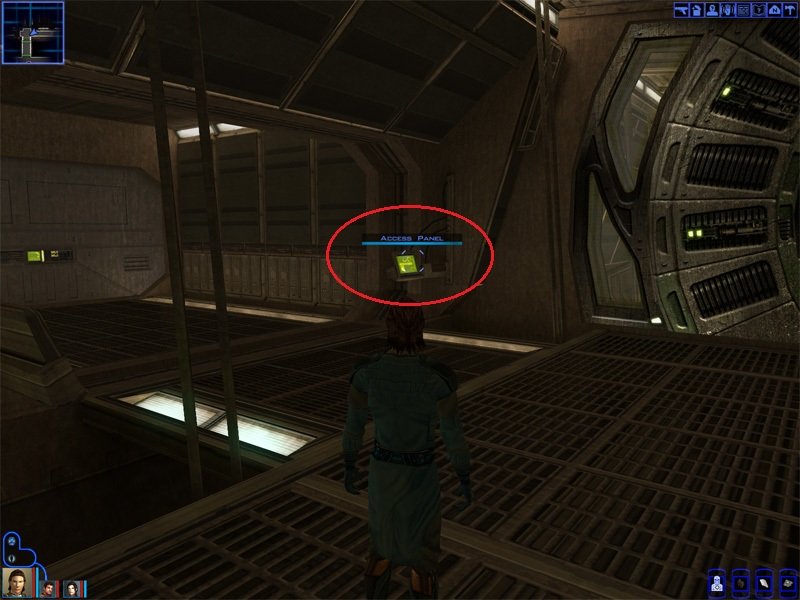
What’s puzzling is that you should be able to open the airlock from the station side using the console to the right of the door in the corridor. I included it as a fail-safe in case I missed a case where the player might get stuck like this. Does that console show up for you as something that can be interacted with? If you’re truly stuck, you can always use the cheat console to warp directly back to the Ebon Hawk (warp ebo_m12aa).
-
 1
1
-
-
@MproutyUnfortunately I don't have any insight, but maybe see if any of the solutions in these threads work for you:
https://deadlystream.com/topic/6052-tsl-patcher-cant-choose-game-folder/
https://deadlystream.com/topic/7481-tsl-patcher-freezes/
If it's some kind of random behavioral issue with TSLPatcher, you could also try installing with Holopatcher instead of the TSLPatcher EXE. There's a slight difference in how Holopatcher interprets the installation instructions, so you'll probably need to swap in the Holopatcher-compatible version of changes.ini posted a few comments up.
-
 10 hours ago, JackDouglas42 said:
It was using the alternate Door Texture
The terminals were a bit finicky but mainly it would play the open animation but the door would stay like there was two different doors in the same space, also if i saved after that happened and went back to the main menu and then loaded back in the door would be gone
I use Snigaroos mod build
Very strange, I never run into anything like that in my testing. I can’t think of anything on the mod build which would cause that either. My only other thought is if maybe you inadvertently ran the main installation twice? The installer adds the new doors by editing the module GIT, so if you ran the installer twice, then it could end up with a duplicate set of doors in the same places. The airlock terminal script would open one but still leave the duplicate closed.
-
On 3/29/2026 at 1:45 AM, JackDouglas42 said:
Got to yavin and the doors don't work properly and had to uninstall and start over
Sorry for the delay in seeing this. Would you mind providing a few more details?
- Which doors gave you problems, the new airlock doors or the original Yavin doors?
- Did they just not do anything when you clicked on the control terminal, or was the problem something else?
- What other mods do you have installed? Anything which also edits Yavin Station?
-
20 minutes ago, Masirimso24 said:
My apologies, you are right, I was missing lyv_shinybeamb.tpc (God knows why!) and redownloading the mod and adding it to override made the error go away.
I seem to have overwritten the installog afterwards by installing the visible force field option. But I ran a test install to an empty folder (after reimporting lyv_shinybeamb, which is what the installer complained about, not the other one) and here's what happened: installlog.rtf
Seems like I was also missing "CM_WK_YavHgrBm.tpc", and I've completely misread both warnings. This was totally my bad. Perhaps there were remnants of a past version? In any case I'm replacing the entire mod folder now! Again, sorry for wasting your time!
Weird--Not sure why those files would have been missing before, but it sounds like you've got it sorted out. Feel free to report back if you run into any further issues.
-
20 minutes ago, Masirimso24 said:
Just want to report a small bug, when I load into the module I get this error:
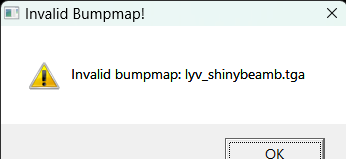
Which is odd considering the file in override is "lyv_shinybeam.tpc" (with no "b" at the end), and the installer doesn't mention it (but does mention not being able to find "lyv_shinybeam.tpc" plus "CM_WK_YAVHGR.tpc"--but both are in my override no problem.
Do you also have a copy of lyv_shinybeamb.tpc (with the "b" at the end) in Override, or is that missing? There should be two files--lyv_shinybeam.tpc (the texture for the ceiling beams) and lyv_shinybeamb.tpc (the bumpmap for the ceiling beams). If it is missing, try manually copying it from tslpatchdata into Override. Both files install like they should for me, so it may be something on your end. That's also strange that the installer complained about lyv_shinybeam.tpc and CM_WK_YAVHGR.tpc, could you please upload your install log so I can take a look?
-
 14 hours ago, Revanbeta50 said:
but the thing is i dont have a d drive only a c drive so dose that mean i cant use any new mods for sure?
I haven't tried this specific mod, but I personally haven't had any significant issues with installing Holopatcher mods like K1CP when KOTOR is on my C drive. I suggest at least giving it a try and seeing what happens. Windows does put extra security around the Program Files directory, so if you run into any permissions issues, you can try right-clicking Holopatcher and selecting "Run as Administrator" to bypass the permissions. You can also try installing KOTOR somewhere outside of Program Files (but still on C), which may also help to avoid the permissions issue.
DISCLAIMER: Running a program as Administrator grants it high-level access to your computer. Only do this if you are confident that you trust the program in question. Running a malicious program as Administrator may have disastrous consequences.
2 hours ago, N-DReW25 said:I don't know how to help you activate your D Drive or what you should do if you somehow don't have a D Drive.
Computers without D drives aren't that uncommon, at least in my experience. For what it's worth, my last three computers (including the one I'm typing this on) came with only C drives with no D drive.
-
1
-
-
2 hours ago, Vanguard2023 said:
What changes were made to the latest patch?
No changes to the mod, I just edited the description. I discovered that the Aspyr version of TSL plays havoc with the volume of the some of the sound effects and practically mutes the loud rumble of Malachor collapsing, so I added a section recommending @Jiiprah's 3C-FD patcher to prevent the game from messing with the volume.
-
 1
1
-
-
11 hours ago, nadrino said:
I've got an issue installing it with HoloPatcher:
```
[Note] [18:48:32] Loading [Settings] section from ini...
[Note] [18:48:32] Loading [TLKList] patches from ini...
[Note] [18:48:32] Loading [InstallList] patches from ini...
[Note] [18:48:32] Loading [2DAList] patches from ini...
[Note] [18:48:32] Loading [GFFList] patches from ini...
[Error] [18:48:32] ValueError: Invalid TypeId: expected int but got 'ListIndex' in [gff_904atton_ReplyList_29_0]
The installation was aborted with errors
```Looks like a small bug in how Holopatcher interprets changes.ini compared to TSLPatcher. Try the attached INI files, any issues with them? The instruction that I think causes the error is for a minor DLG parameter that I don't think the game really cares about anyway, so I've edited the attached files to remove the problematic command.
-
 1
1
-
-
7 minutes ago, cwacker said:
This mod says its not compatible with the tslcrm tweak pack atton ending dialogue which is part of the mod build. So unless you dont install that (which is at the very beginning of the mod build) its not compatible. but im not sure in what way they mean its incompatible whether it will conflict or just overwrite
Good catch, I forgot about that when @Leilukin responded. I haven't tested it, but I think my mod will still work fine if you install it after Atton's Ending Dialog from the Tweak Pack, it should just overwrite their changes. It also should still be compatible with the other options in the Tweak Pack and most of the rest of the mod build, keeping in mind Leilukin's note to install after PartySwap.
-
14 hours ago, vacalobroxa said:
hey, does it works with the m4-78 mod?
I haven't tested it, but I don't think M4-78 makes any changes to the final Malachor module, so it should be compatible.
-
1
-
-
2 hours ago, Vanguard2023 said:
Is this compatible with the KOTOR Mod Build? https://kotor.neocities.org/modding/mod_builds/k1/full
It should be, you'll want to install it somewhere after K1CP but before Ebon Hawk Transparent Cockpit Windows. Although if you do install Transparent Cockpit Windows first, you'll just need to make sure to install its Yavin compatibility patch after the Hangar.
-
On 3/28/2025 at 1:44 PM, Shingyoji_ said:
Great job!
Pardon me if my question sounds weird or disrespectful (please don't take it the wrong way), but how much of this mod is actual restored content? Or is it mostly a fan-made "reinterpretation" of the ending?
In any case, thank you for your hard work!Thank you! Not a weird question at all, I had actually considered putting a disclaimer about that in my readme. Basically, most of the truly restored content was already restored by TSLRCM (namely the final conversations with Atton, Handmaiden, and/or Visas, which are explicitly described in the developer comments as taking place on Malachor). The option to say you want to stay at Malachor and train Jedi is the only restored content which wasn’t in TSLRCM, although I believe @danil-ch had also included it in his Extended Ending mod. (I also made use of a cut line for Atton which wasn’t used by TSLRCM, but the context was completely different, so it doesn’t really count.) Everything else is my own extrapolation to try to logically tie things together and make the sequence feel a little more complete. So it definitely skews pretty far in the “fan-made reinterpretation” direction, although I hope I’ve successfully stayed fairly consistent with what was originally there.
Actually, this whole thing originally got started because I just wanted a way for a light-sided player to be able to see the Handmaiden/Visas scene. I’d say it kind of snowballed from there…
-
2
-
-
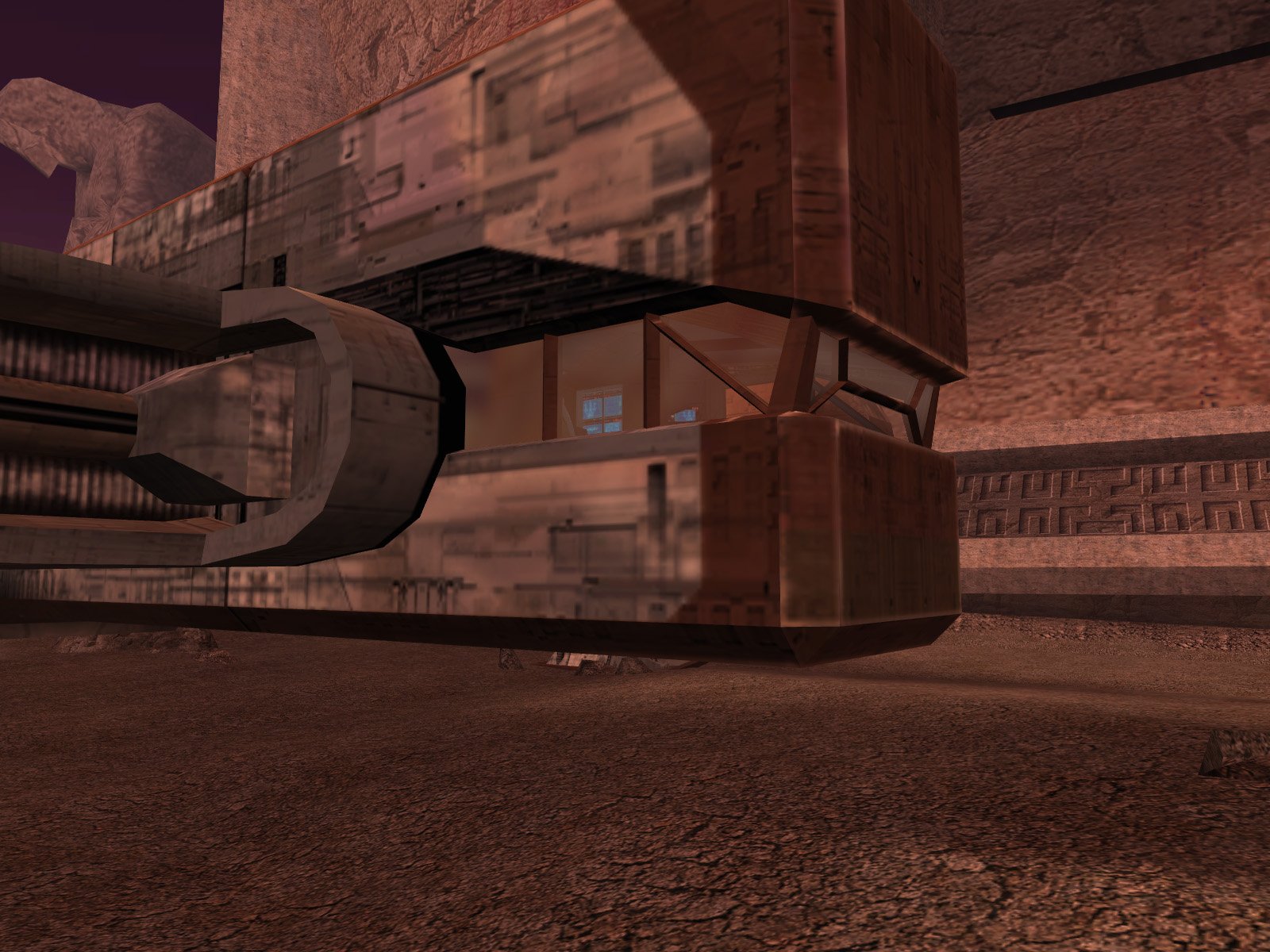 4 hours ago, Jiiprah said:
The fix is simple. Change the bushes in that korriban model from danglymesh to trimesh. For some reason they cause other vertices in the model to go to (0,0,0).
That's unfortunate, but at least it's a straightforward edit. Attached is a copy of the Korriban area model with the danglymeshes made static, can someone please test it and confirm it resolves the issue?
-
1
-
-
1 hour ago, Emil8000 said:
While trying to find the source I tried both versions, it happens regardless. The screenshot is from the re-skin friendly one.
Yikes, that does not look good. I can’t reproduce it on my end, could it maybe be partly some kind of system-specific rendering issue? Are you using the Steam version of the game? I take it no other models have gone haywire like that? I’ve tried importing and directly re-exporting the model with a couple of methods to see if one of them might magically fix it, can you please try the attached files and let me know if any of them work?
52 minutes ago, StellarExile said:Sorry to but in but I think this happens when DVBO is disabled.
Does DVBO = Disable Vertex Buffer Objects? I haven’t had to deal with that myself, what’s the general fix for that?
-
3 hours ago, Emil8000 said:
Specifically on Korriban, the windows on the cockpit appear broken, kinda like disconnected triangles. In the same location, when looking at a specific angle a large texture stretches to the left of the Ebon Hawk. I am not using any reskin and the windows function normally on other planets.
That's weird, can you please post a screenshot of the glitch? On my end, it looks like it should:
Spoiler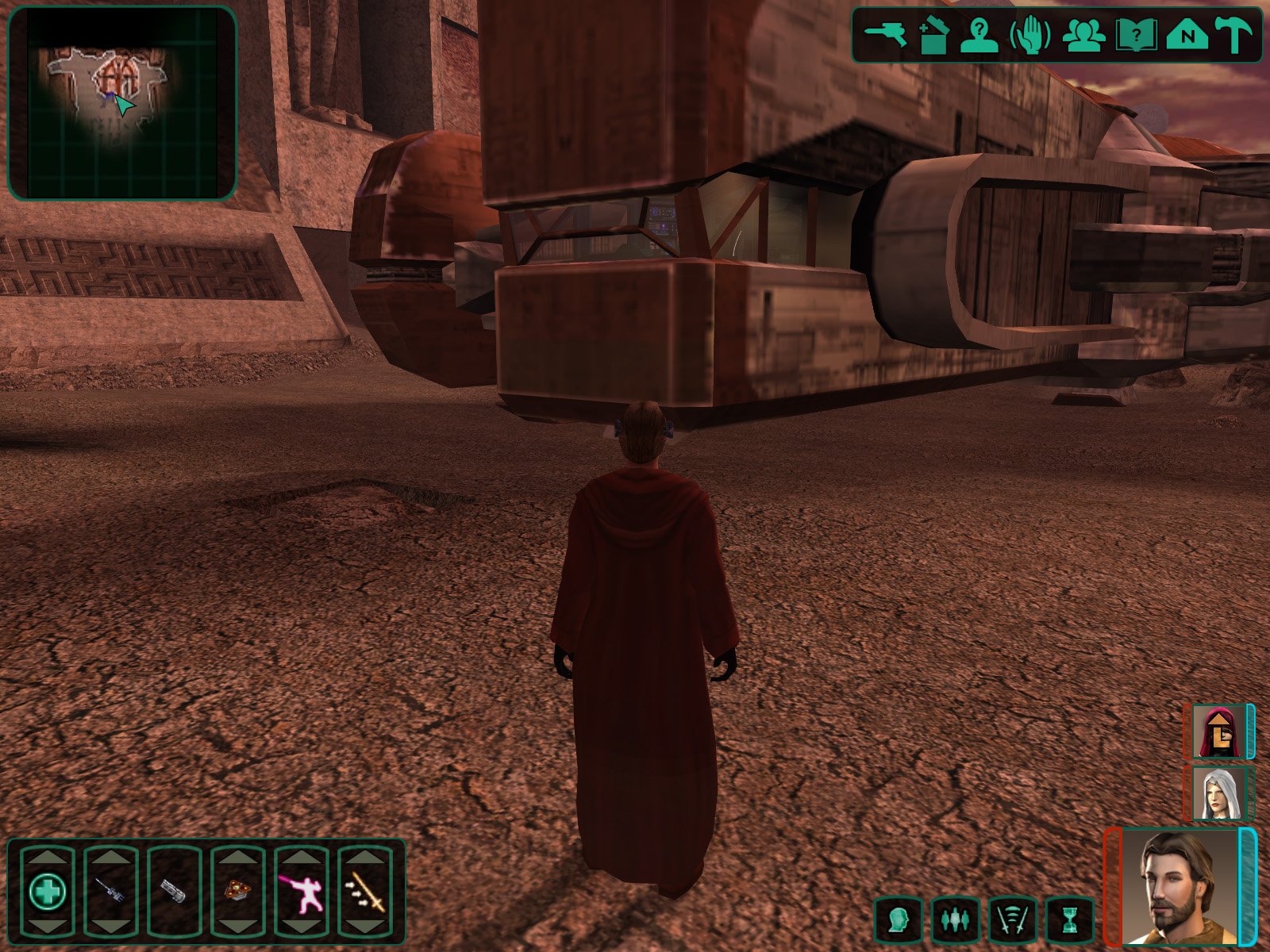 Spoiler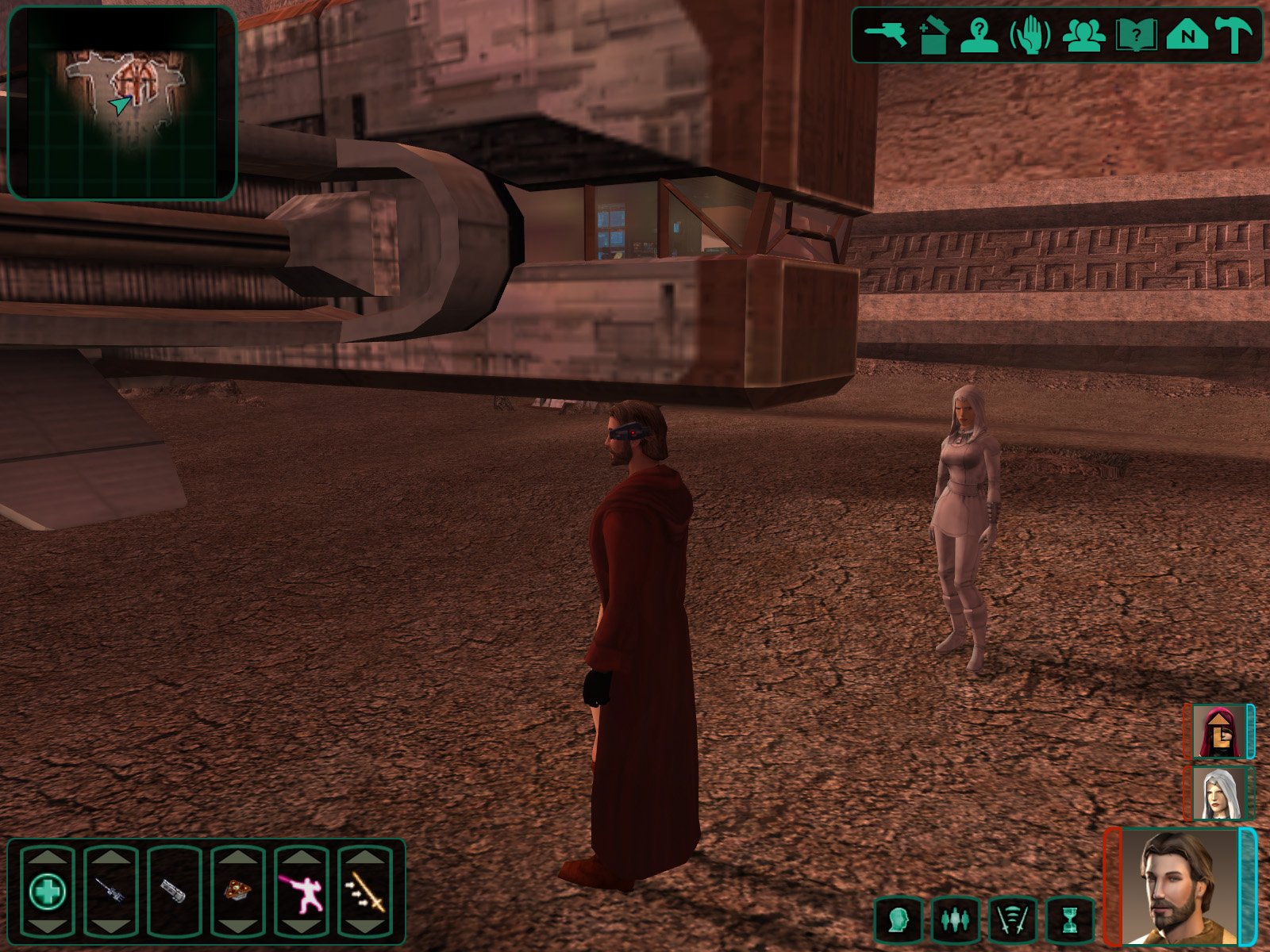
Which version are you using, Enhanced Reflections or Reskin-Friendly?
-
 3 hours ago, martixy said:
Thank you for the responses and I apologize for wasting your time.
No worries, all good. Glad to hear it seems to be working after all.
-
1
-
-
2 hours ago, martixy said:
I meant on Ebon Hawk I only saw the 2 convos between Mission and Zaalbaar and no others.
Got it, thanks for clarifying. The fact that you’ve at least had some conversations on the Ebon Hawk is a good sign. Would you mind please providing the following information:
- Does your version of tar_02af.mod contain a copy of wk_basvis_next.ncs?
- Which Star Maps have you found so far?
- If you open your saved game with the KOTOR SaveGame Editor, under Globals --> Booleans, what are the values of G_Banter1 through G_Banter11? (If you have just found a Star Map, please return to the Ebon Hawk, let any conversations play out, and save your game before checking.)
- Under Globals --> Numerics, what is the value of K_STAR_MAP?
If you’re curious, here’s roughly how the scripting code determines if it should play a conversation when entering the Hawk:
SpoilerThere are 11 total conversations between party members. When the player enters the Ebon Hawk, the game counts up how many conversations have played so far (tracked in the global booleans listed above), and it compares that to a target number based on how many Star Maps have been found so far. If the number played is less than the target, then it plays random conversations until the target number is met. The targets are:
- On Taris – 3 conversations (usually governed by which party members are available)
- 1 Star Map (i.e. just finished Dantooine) – 4
- 2 Star Maps – 6
- 3 Star Maps – 8
- 4 Star Maps (pre-Leviathan) – 10
This count doesn’t include the second conversation between Mission and Carth (the one where they apologize for getting upset with each other) because that one is triggered solely by whether Mission and Carth have had their first conversation.
All of this means that if you have already passed the target number while running around on planets, then you won’t see any conversations on the Hawk until you find more Star Maps. Basically I'm looking to confirm whether there is a bug or if maybe the code is just acting as designed.
-
1
-
11 hours ago, martixy said:
Reasonably certain this mod isn't working for me.
I just saw 2 convos between Mission and Zaalbar by halfway through the game.
Have any conversations happened at the Ebon Hawk/Taris Apartment, or have you only had them while running around? If you’re getting any of them at the Hawk, then the main scripts are triggering like they should, although I can’t think why you would see so few conversations. By the time you leave Dantooine to go looking for Star Maps, you definitely should have seen:
Spoiler- Mission ask Carth about how Taris compares to other planets
- Carth tease Bastila about losing her lightsaber when she was captured by the Black Vulkars
- Zaalbar tell Mission about biting a chunk out of a Gamorrean’s arm
- Canderous antagonizing Bastila by calling her a “spoiled Jedi princess”
At least one of those probably would have happened right after the Apartment conversations after rescuing Bastila. Are you using any mods aside from K1CP which edit k_pebn_pophawk.ncs?
11 hours ago, martixy said:Running around with various combos still triggers them - I just got Carth v Jolee asking about the war while walking outside.
Is it possible that you’re just too good at triggering them outside and there aren’t any left to see back at the Hawk? I’m guessing that probably isn’t the issue, but I thought I’d still ask to rule it out.
-
 9 hours ago, OMGitsJoemo123 said:
I do have one small issue though, I am using the extra scene where Mira meets Atton at the docks, everything went but once they move to the safehouse she repeats a line of her dialogue again, something along the lines of "you're a little late, your friend has been caught in a trap in the jek jek tarr. Just wondering if you could take a look at that
That’s odd. I just double-checked, and on my end it seems to be working like it should with no duplicated line. Is it possible that you somehow installed both the “Vanilla Sequence” version and the “With Added Scene” version together? The “Vanilla Sequence” version returns that line to the beginning of the scene in Mira’s apartment, so I could see that you could get it in both places if both versions were installed.
-
17 hours ago, Inraviel said:
It is the second ever conversation with him (to "know him better"), only explored the upper parts of Taris, not even lower city. It might be somehow related to the mod changing Carth from 'Soldier' to 'Pilot'.
Got it. I don't edit any of the files related to Carth's individual conversation series (they should all be part of k_hcar_dialog.dlg), so I don't think my mod is causing the issue. The mods you linked for making Carth a pilot don't seem to edit any DLG or NCS files either, so I don't think they would be causing it either. I'm not sure what else to suggest except maybe see if you have any mods that edit k_hcar_dialog.dlg, or possibly even dialog.tlk.
High-Quality Sandral Ship
in Mods
Posted
DarthParametric's model uses completely different texture mapping than the vanilla ship, so if you wanted a more vanilla-like texture, it would unfortunately need to be created from scratch. @Dark Hope's suggestion to reduce the texture resolution could get you partway there, though, at least from a sharpness (or lack thereof) standpoint.