



WildKarrde
-
Posts
115 -
Joined
-
Days Won
25
Content Type
Profiles
Forums
Blogs
Forum & Tracker Requests
Downloads
Gallery
Store
Events
Everything posted by WildKarrde
-
 DarthParametric's model uses completely different texture mapping than the vanilla ship, so if you wanted a more vanilla-like texture, it would unfortunately need to be created from scratch. @Dark Hope's suggestion to reduce the texture resolution could get you partway there, though, at least from a sharpness (or lack thereof) standpoint.
 -
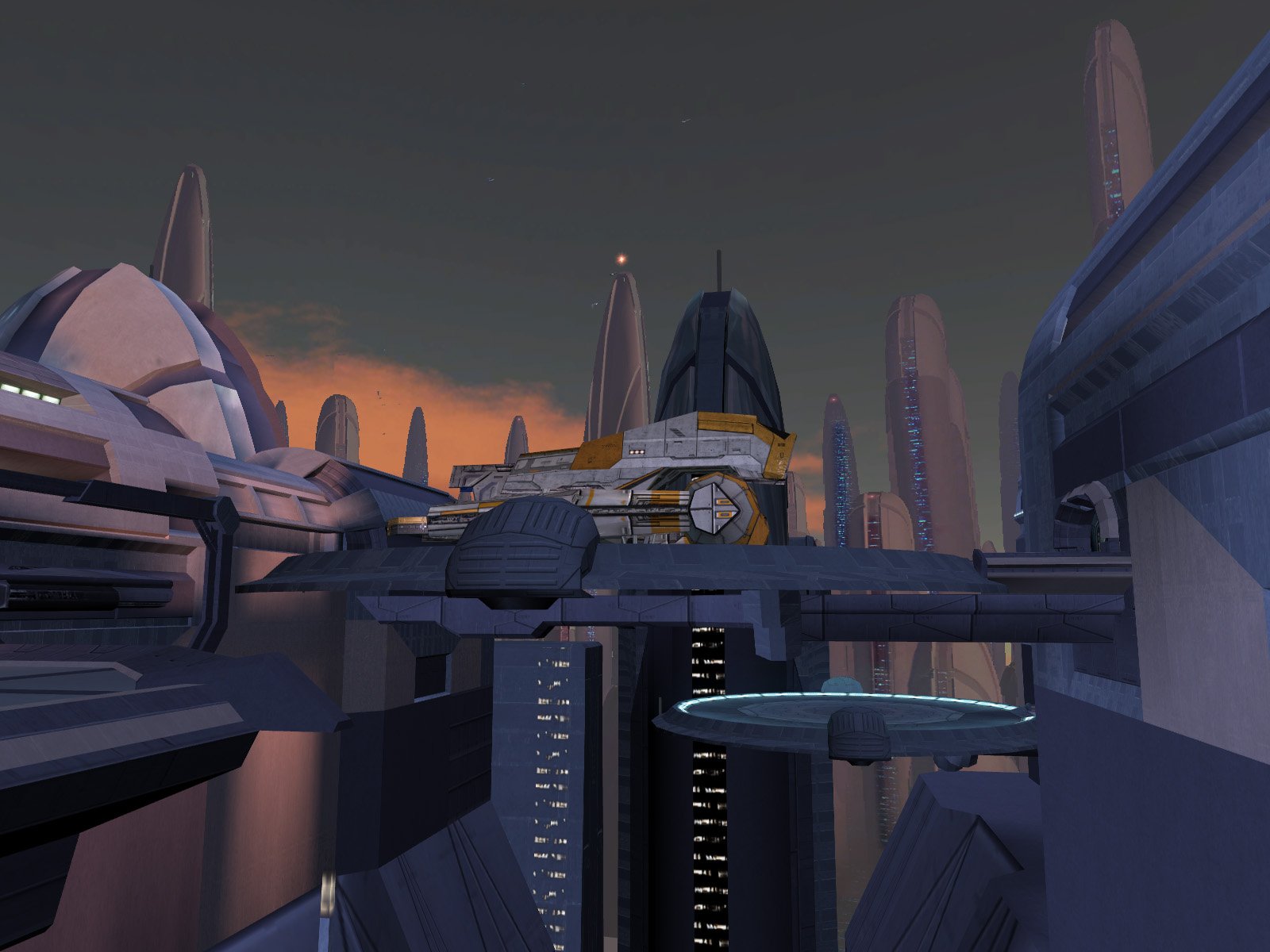
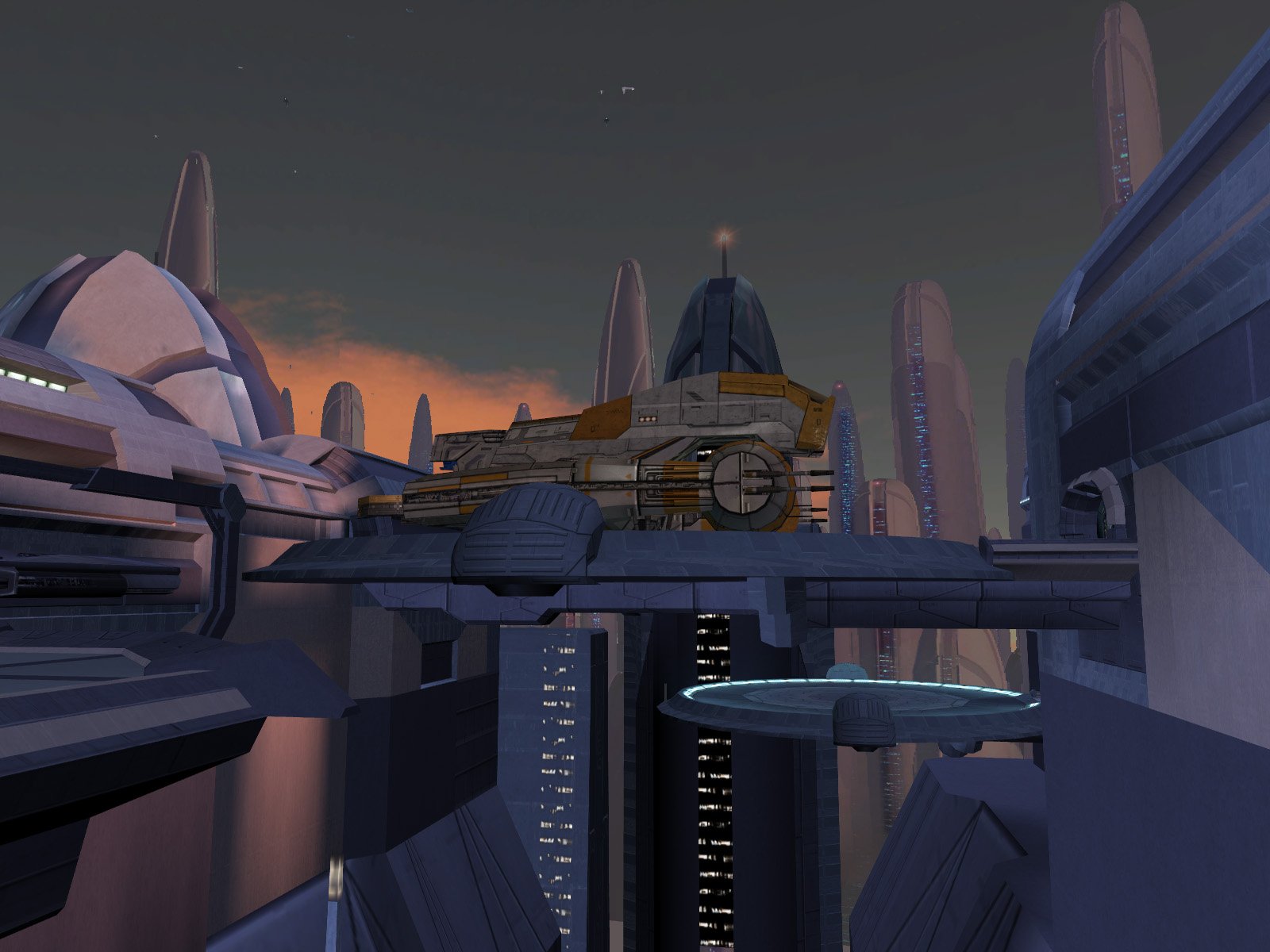
View File High-Quality Sandral Ship by Dark Hope, DarthParametric, and WildKarrde The Sandral Estate on Dantooine features a unique ship parked on its roof which, for some reason, uses the same texture as the completely different freighters seen throughout the rest of the game. This mod replaces that ship with a higher-quality model by DarthParametric and a unique high-resolution texture by Dark Hope. Thank you for downloading, and we hope you enjoy this mod! ------------------------------------------------------------------- INSTALLATION Copy all files except for the README to your game's Override folder. ------------------------------------------------------------------- UNINSTALLATION Delete the files from Override. ------------------------------------------------------------------- COMPATIBILITY This mod is compatible with the KOTOR 1 Community Patch (K1CP). It is incompatible with mods which edit m14ad_05f.mdl/mdx. ------------------------------------------------------------------- CREDITS Texture by Dark Hope Ship model by DarthParametric (https://deadlystream.com/files/file/856-lethisk-freighter-aka-i-wing-placeable-modders-resource-for-tsl/) Additional model edits and lightmapping by WildKarrde KotorBlender by seedhartha MDLOps by ndix UR NWMax by Joco Holocron Toolset by Cortisol and th3w1zard1 TGA2TPC by ndix UR Thanks to Dark Hope for proposing this collaboration. Thanks to Sith Holocron for bringing up the possibility of using DarthParametric's model to replace the vanilla Dantooine ship. ------------------------------------------------------------------- VERSION HISTORY 1.0 - Initial Release ------------------------------------------------------------------- DISCLAIMER AND PERMISSIONS This modification is provided as-is and is not supported by Disney, Lucasarts, or Bioware. Use at your own risk. The author shall not be held responsible for damage to your game installation, computer, or saved games resulting from the use of this mod. This mod shall not be reposted, in whole or in part, on any sites other than Deadly Stream without the authors' permission. Assets from this mod shall not be redistributed in other modifications without the authors' permission. Submitter WildKarrde Submitted 06/17/2026 Category Mods K1R Compatible Yes
-
- 3
-

-

-
Well, I think I'll circle back to the question of a suitable/available place to showcase it at a later date. In the meantime, I have published the final edited Dantooine model with Dark Hope's texture, pending moderator approval: https://deadlystream.com/files/file/2998-high-quality-sandral-ship/ Thank you all for your input!
-
Version 1.0
115 downloads
by Dark Hope, DarthParametric, and WildKarrde The Sandral Estate on Dantooine features a unique ship parked on its roof which, for some reason, uses the same texture as the completely different freighters seen throughout the rest of the game. This mod replaces that ship with a higher-quality model by DarthParametric and a unique high-resolution texture by Dark Hope. Thank you for downloading, and we hope you enjoy this mod! ------------------------------------------------------------------- INSTALLATION Copy all files except for the README to your game's Override folder. ------------------------------------------------------------------- UNINSTALLATION Delete the files from Override. ------------------------------------------------------------------- COMPATIBILITY This mod is compatible with the KOTOR 1 Community Patch (K1CP). It is incompatible with mods which edit m14ad_05f.mdl/mdx. ------------------------------------------------------------------- CREDITS Texture by Dark Hope Ship model by DarthParametric (https://deadlystream.com/files/file/856-lethisk-freighter-aka-i-wing-placeable-modders-resource-for-tsl/) Additional model edits and lightmapping by WildKarrde KotorBlender by seedhartha MDLOps by ndix UR NWMax by Joco Holocron Toolset by Cortisol and th3w1zard1 TGA2TPC by ndix UR Thanks to Dark Hope for proposing this collaboration. Thanks to Sith Holocron for bringing up the possibility of using DarthParametric's model to replace the vanilla Dantooine ship. ------------------------------------------------------------------- VERSION HISTORY 1.0 - Initial Release ------------------------------------------------------------------- DISCLAIMER AND PERMISSIONS This modification is provided as-is and is not supported by Disney, Lucasarts, or Bioware. Use at your own risk. The author shall not be held responsible for damage to your game installation, computer, or saved games resulting from the use of this mod. This mod shall not be reposted, in whole or in part, on any sites other than Deadly Stream without the authors' permission. Assets from this mod shall not be redistributed in other modifications without the authors' permission. -
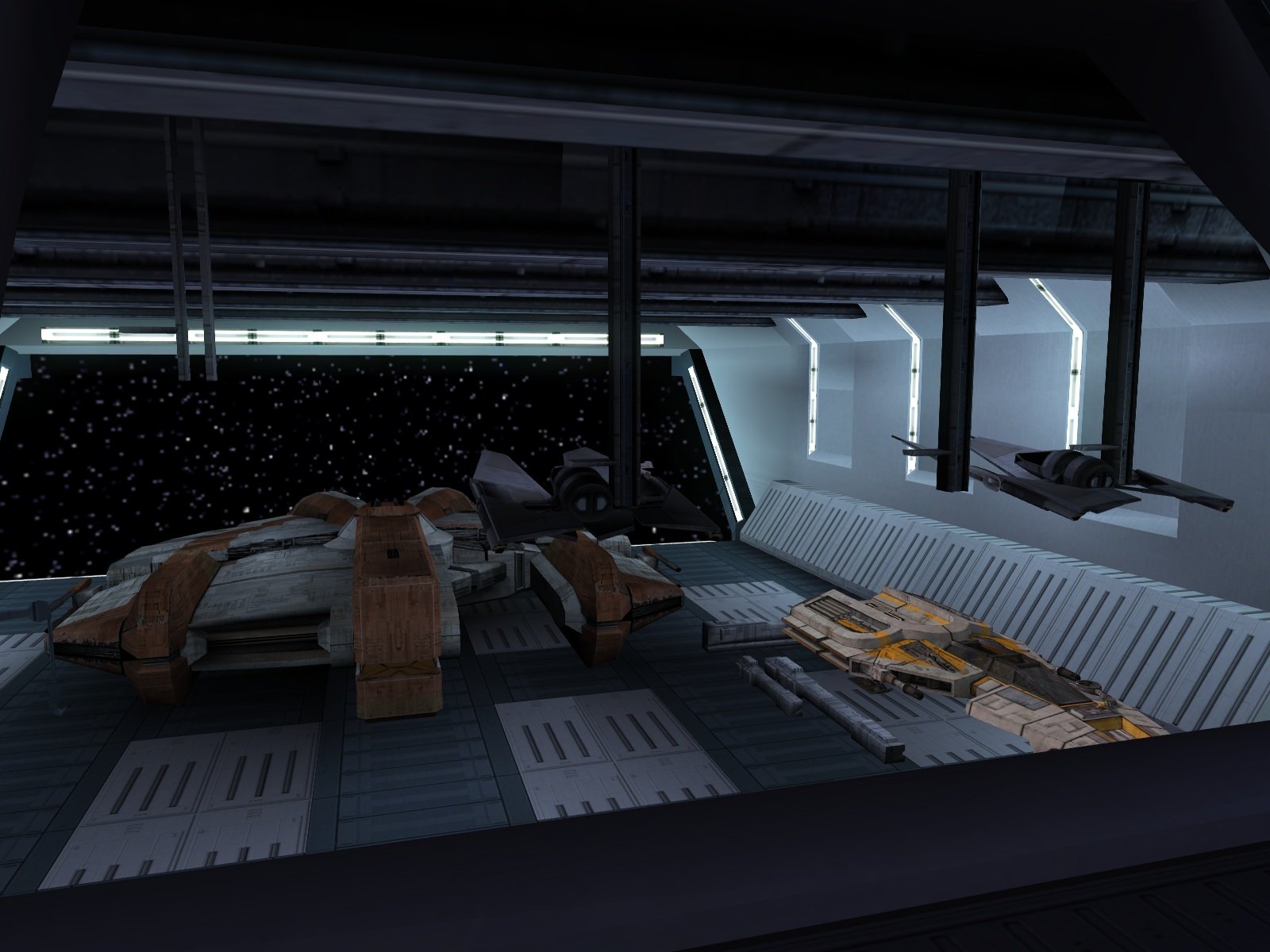
Will do, thanks for your hard work! I will package it up and submit it very soon. Onderon could be a possibility, but the ship would nearly fill the hangar, so I would probably need to either shrink the ship or enlarge/remodel the hangar. That empty platform on Taris could work, but it might not be the best view if the purpose is to show off the new texture and model. So far the only other convenient space I’ve found is in the Leviathan hangar, although I’m not sure if it makes the most sense to have a second civilian (?) ship in there. Here’s a screenshot of a quick mock-up, what do you all think?
-
Try the attached TXI. I added the line "bumpyshinytexture mycube", and that made it work for me. My guess is that the game didn't know what to do with a mesh that had a lightmap and a bump map but no reflection, so it just shrugged and didn't draw anything. Fantastic work on the texture as usual! I'm just sad that you won't be able to see half of it because the ship is up high away from the player. I'm half tempted to add a similar ship on the ground somewhere else to show off the rest of it... DP_I-Wing.txi
-
It didn't, but it should now. Try this version. Dantooine I-Wing (Tangent Space).zip
-
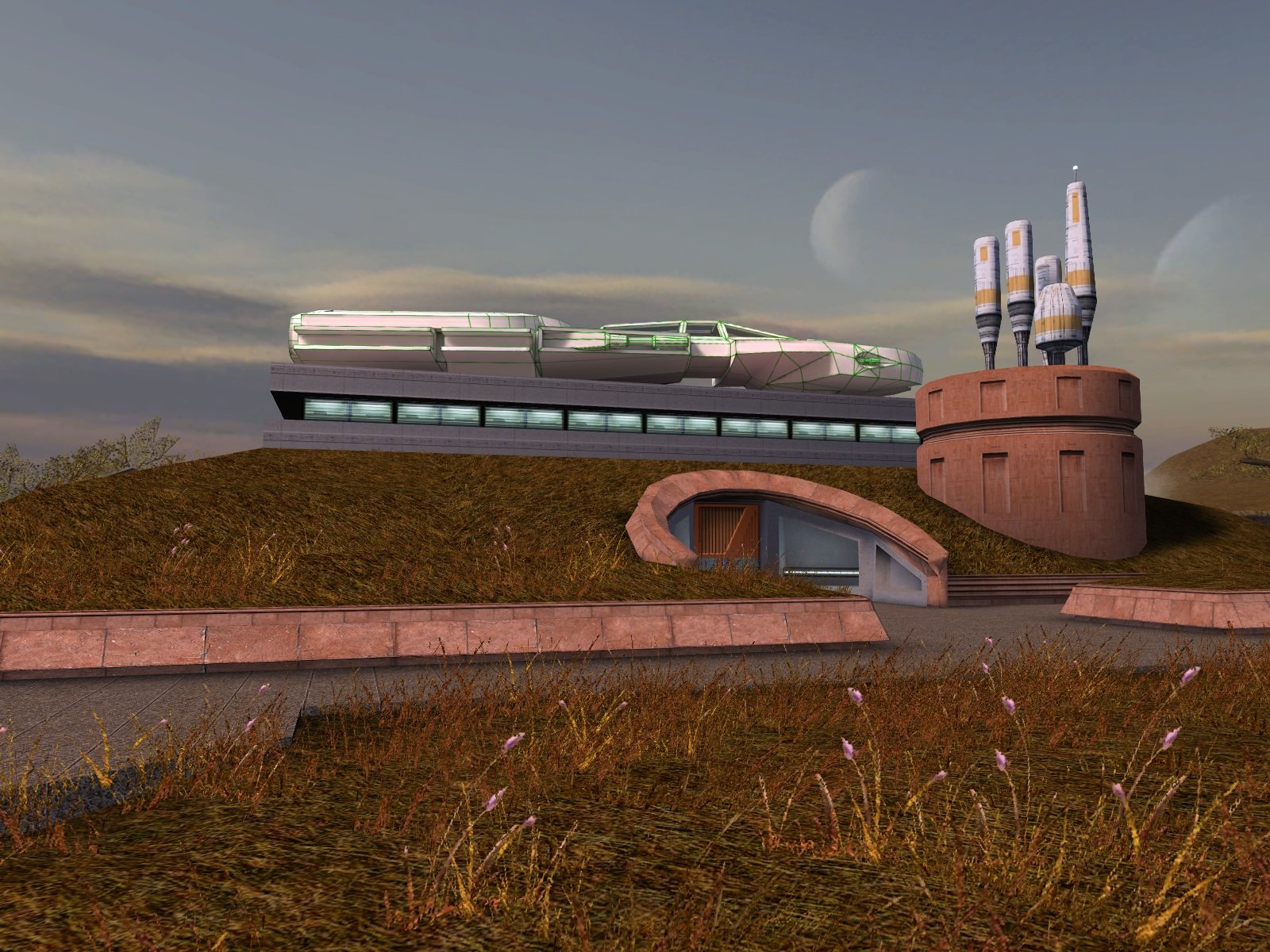
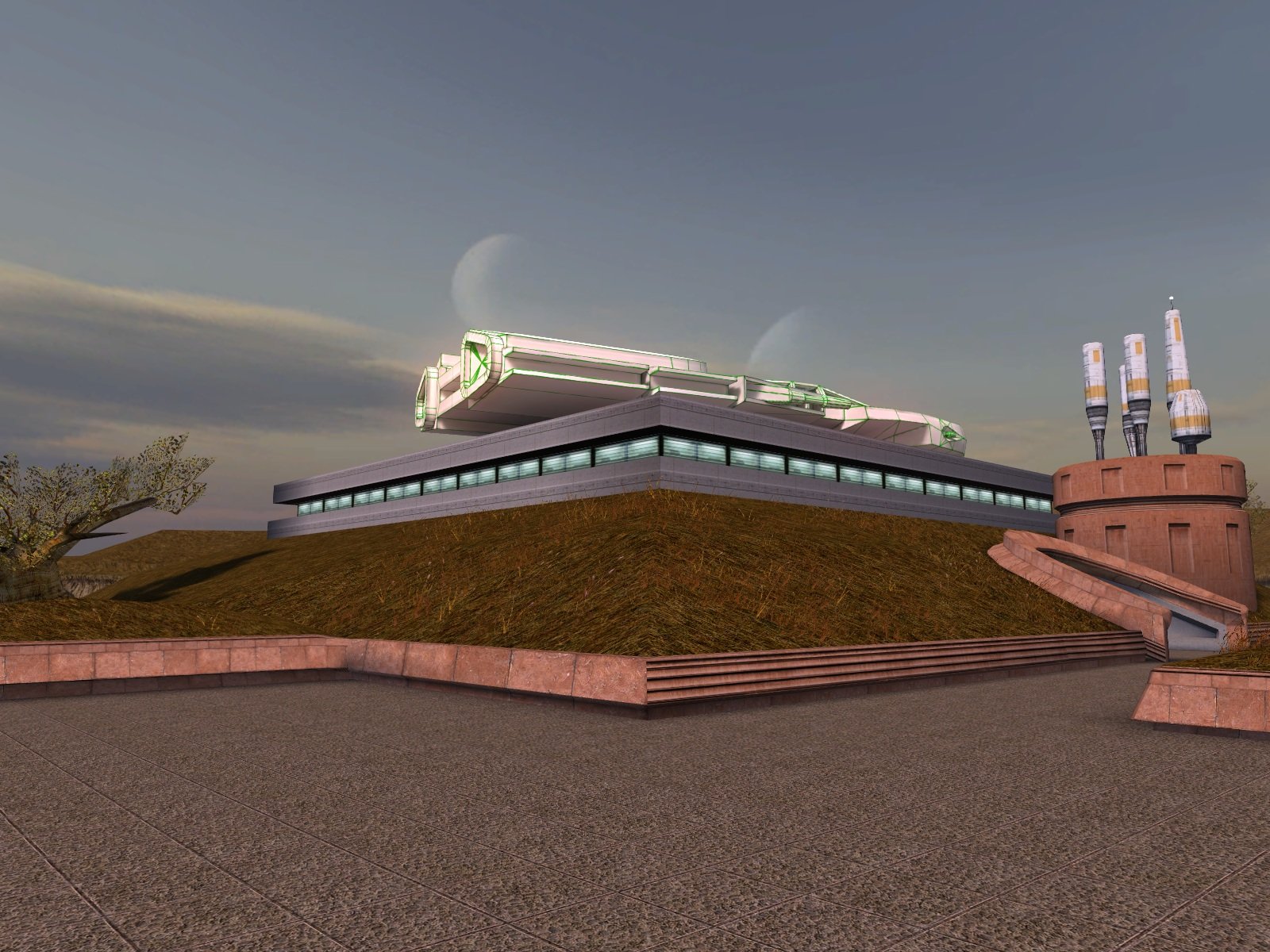
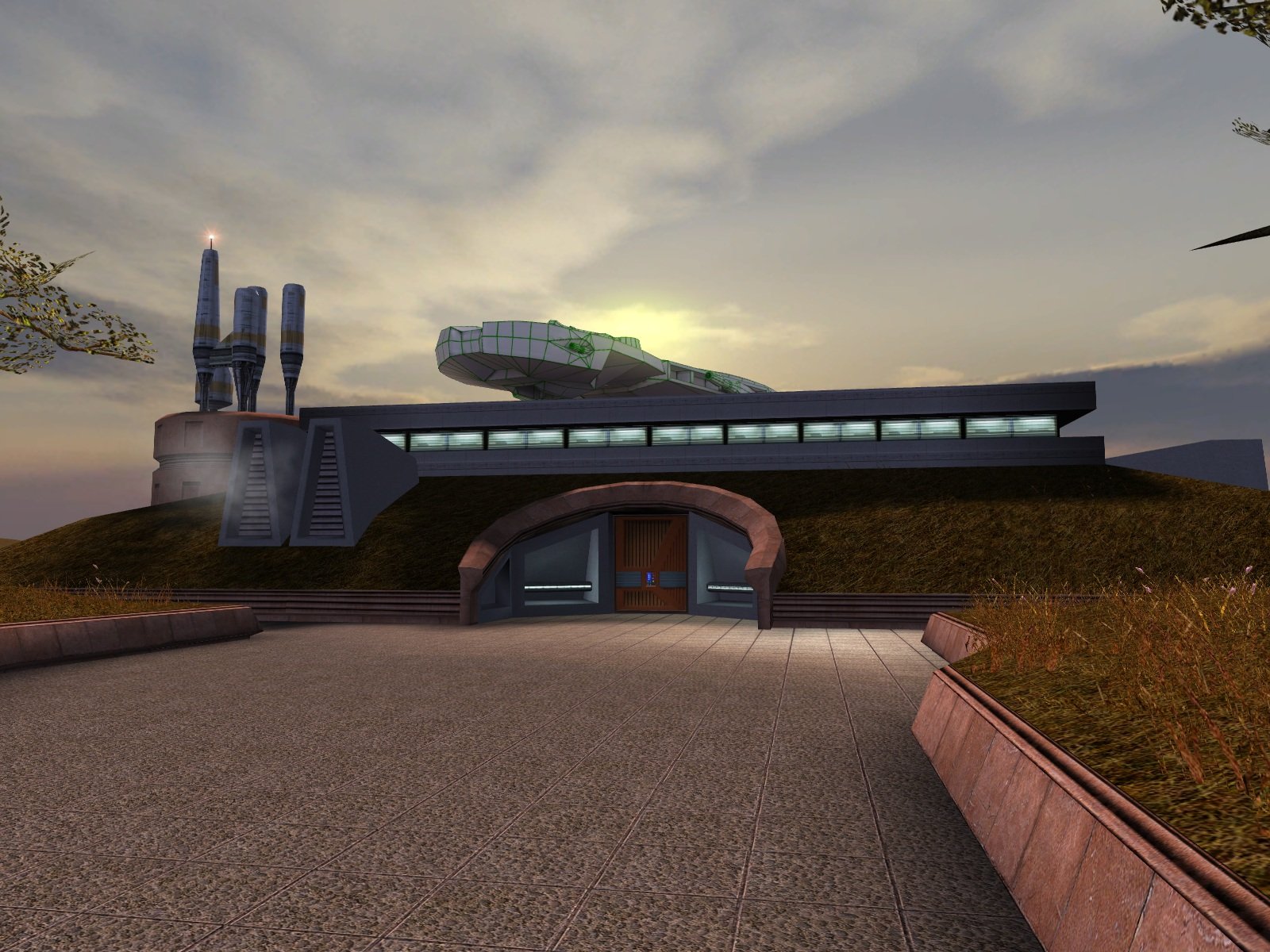
Update: I have finished the lightmapping and attached the updated version. Now all it needs is someone talented to create a texture for it. Dantooine I-Wing (Lightmapped).zip
-
 All good. Attached is an updated patch which should open that door too, let me know if it still doesn't do the trick. Yavin Station Hangar Compatibility Patch (Beta 0_2).zip
- 219 comments
-
- 2
-
-
- expanded universe
- sleheyron
- (and 1 more)
-
Ah, of course, I didn't think about that one. That door's tag is "yavinarea", so adding the following lines should do the trick: object oDoor4 = GetObjectByTag("yavinarea"); AssignCommand(oDoor4, ActionOpenDoor(oDoor4)); I'll update the patch when I get a chance.
-
Please do! Assuming it works, of course.
-
The cause is actually fairly straightforward: The OnLoad script for the Yavin Station module, yav50_load.nss, includes code to close all of the doors whenever loading the station, except when loading from a saved game. For my hangar mod, I extended that to include my new airlock doors too. I haven’t played Sleheyron, but based on the source scripts, it looks like it reopens the original doors with the script open_yav.nss. In theory, a compatibility patch should be as simple as adding the following lines to open the station-side airlock door too: object oDoorHangar = GetObjectByTag("wk_yavhgr_door01"); AssignCommand(oDoorHangar, ActionOpenDoor(oDoorHangar)); Attached is an edited version of the script and source code. I haven’t tested it, but try putting open_yav.ncs into Override and seeing if it works. Not knowing when the script is triggered, you may need to backtrack to a save from before you finish the quest and return to the station. What’s puzzling is that you should be able to open the airlock from the station side using the console to the right of the door in the corridor. I included it as a fail-safe in case I missed a case where the player might get stuck like this. Does that console show up for you as something that can be interacted with? If you’re truly stuck, you can always use the cheat console to warp directly back to the Ebon Hawk (warp ebo_m12aa). Yavin Station Hangar Compatibility Patch (Beta).zip
- 219 comments
-
- 1
-

-
- expanded universe
- sleheyron
- (and 1 more)
-
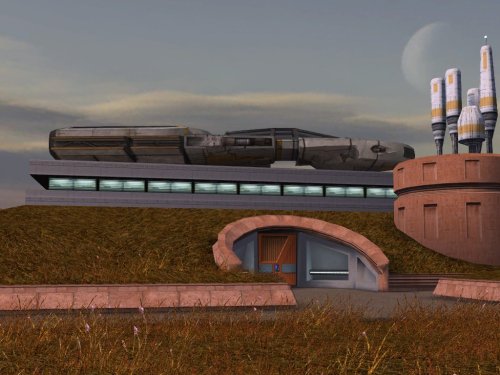
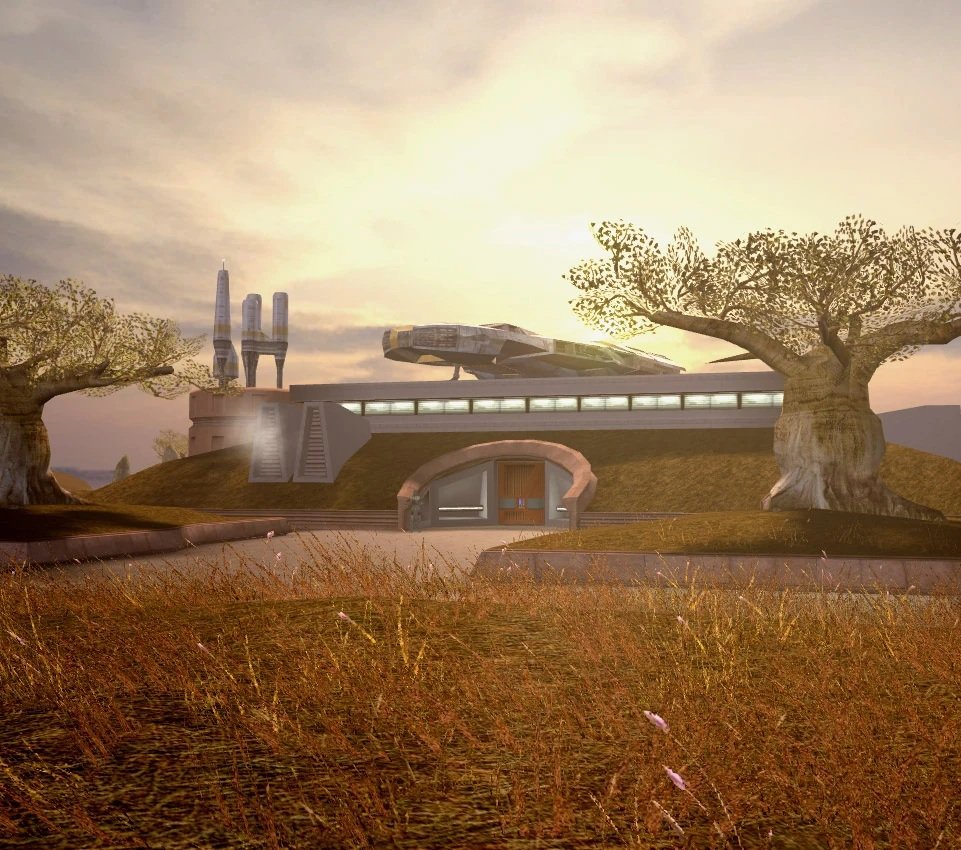
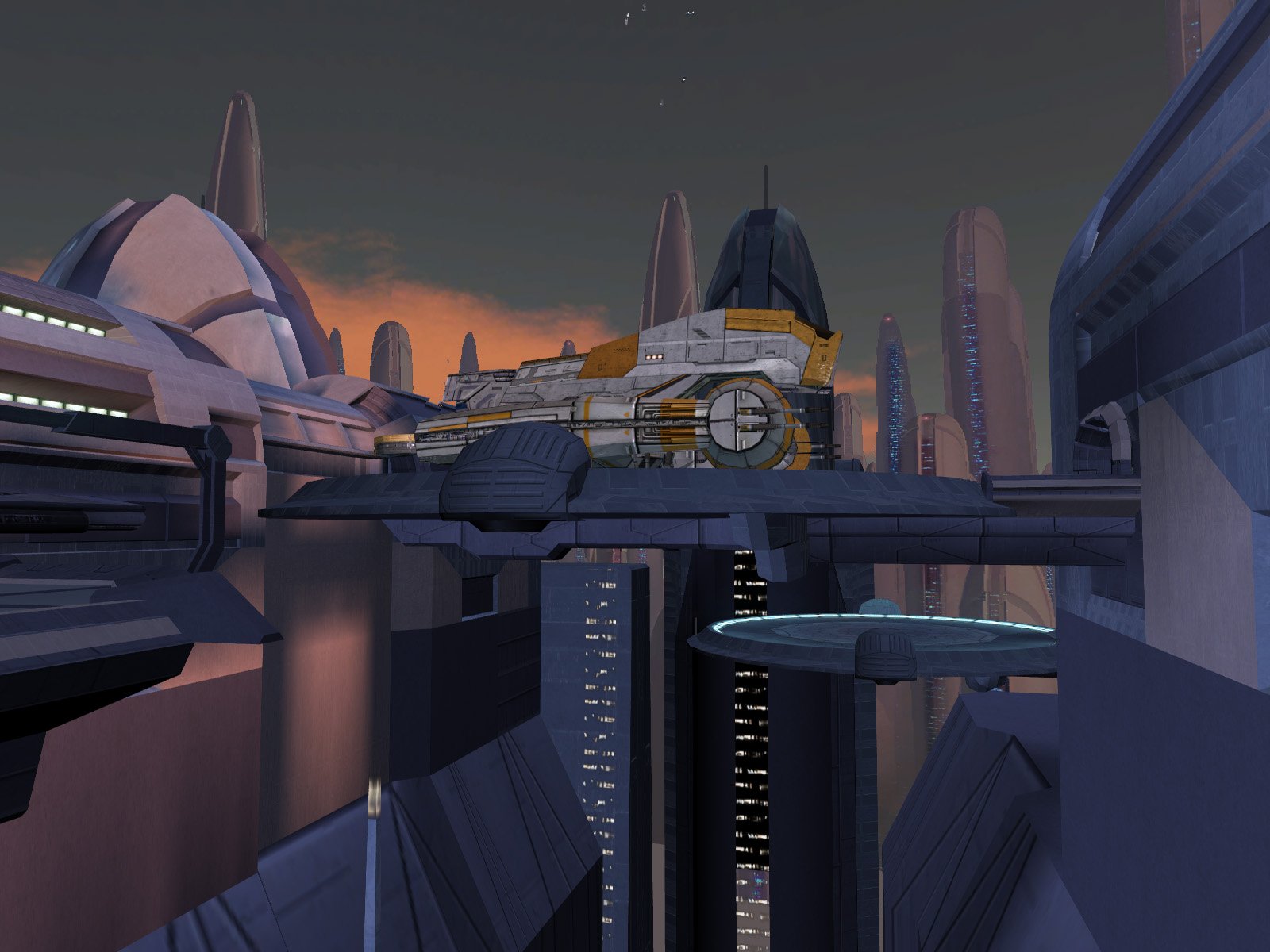
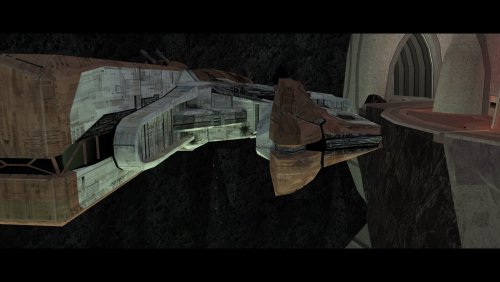
The I-Wing was already there in the vanilla game, I'm just swapping in DarthParametric's remodeled version. I always assumed it was the Sandrals' personal ship or something like that. (Screenshot stolen from Wookieepedia)
-
View File High-Quality Taris Freighters This mod replaces the freighters parked outside the Sith base on Taris with the higher-quality version from Manaan. While I was at it, I also patched a large hole in the bottom of the upper freighter's landing platform. Lastly, I have replaced the freighters' texture with higher-resolution version from elsewhere in the original game files. Thank you for downloading, and I hope you enjoy this mod! ------------------------------------------------------------------- INSTALLATION Copy all files in "Installation" to your game's Override folder. If you are using a mod that reskins the freighter, do not copy "v_freightl02.tpc" into Override. ------------------------------------------------------------------- UNINSTALLATION Delete the files back out of the Override folder. ------------------------------------------------------------------- COMPATIBILITY This mod is compatible with the KOTOR 1 Community Patch (K1CP). It is incompatible with mods which edit m02ab_03b.mdl/mdx/wok. If you are using a mod that reskins the freighter, see the INSTALLATION section for special instructions. ------------------------------------------------------------------- CREDITS KotorBlender by seedhartha Kotor Tool by Fred Tetra Holocron Toolset by Cortisol and th3w1zard1 TGA2TPC by ndix UR Thanks to Dark Hope for requesting this mod and for pointing out the higher-quality version of the freighter on Manaan. ------------------------------------------------------------------- VERSION HISTORY 1.0 - Initial Release ------------------------------------------------------------------- DISCLAIMER AND PERMISSIONS This modification is provided as-is and is not supported by Disney, Lucasarts, or Bioware. Use at your own risk. The author shall not be held responsible for damage to your game installation, computer, or saved games resulting from the use of this mod. These models may be used as a basis for mods which make additional edits to the same models as long as appropriate credit is given to this mod's author. Other uses require the author's permission. This mod shall not be reposted on any sites other than Deadly Stream without permission. Submitter WildKarrde Submitted 05/17/2026 Category Mods K1R Compatible Yes
-
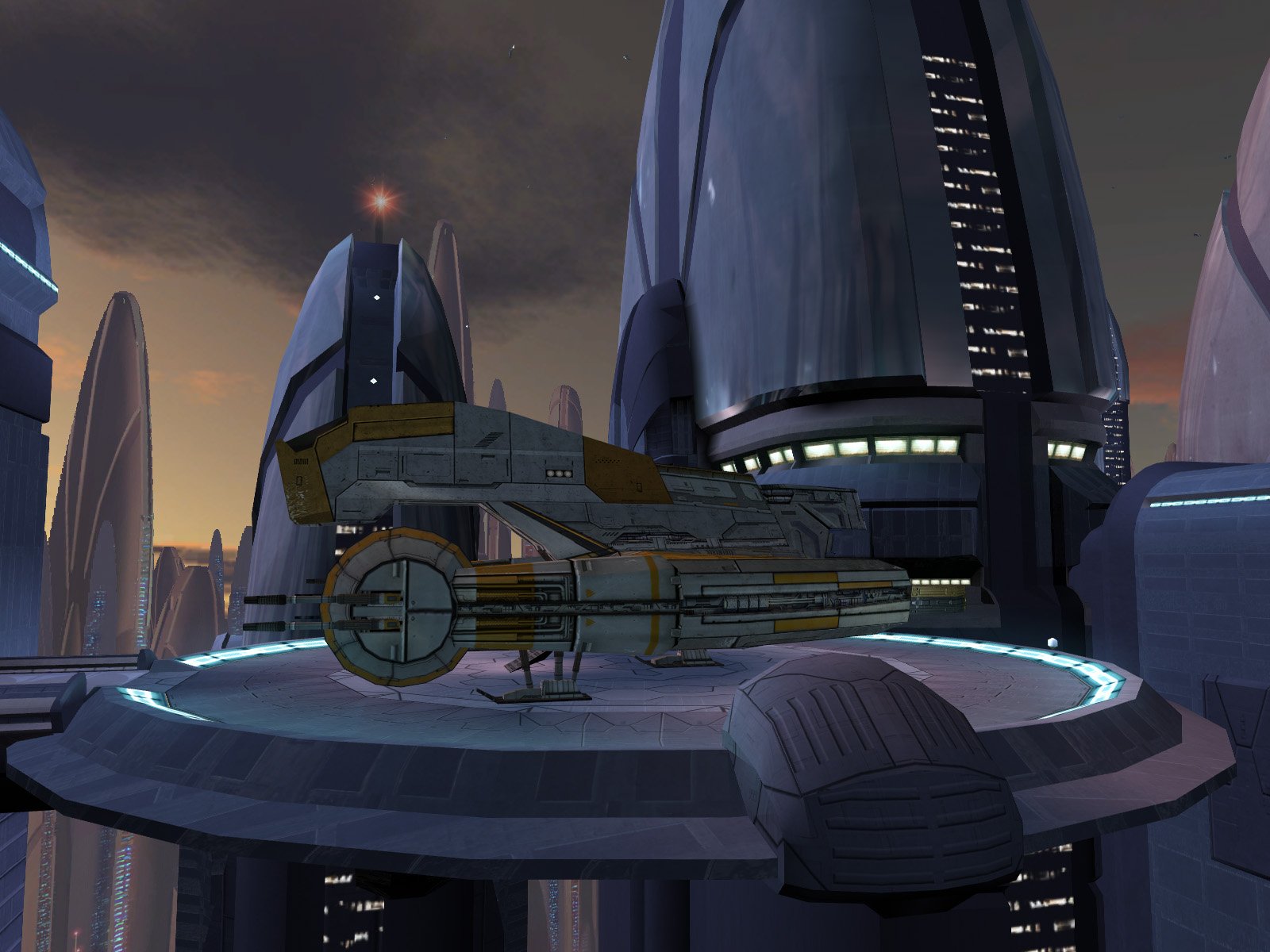
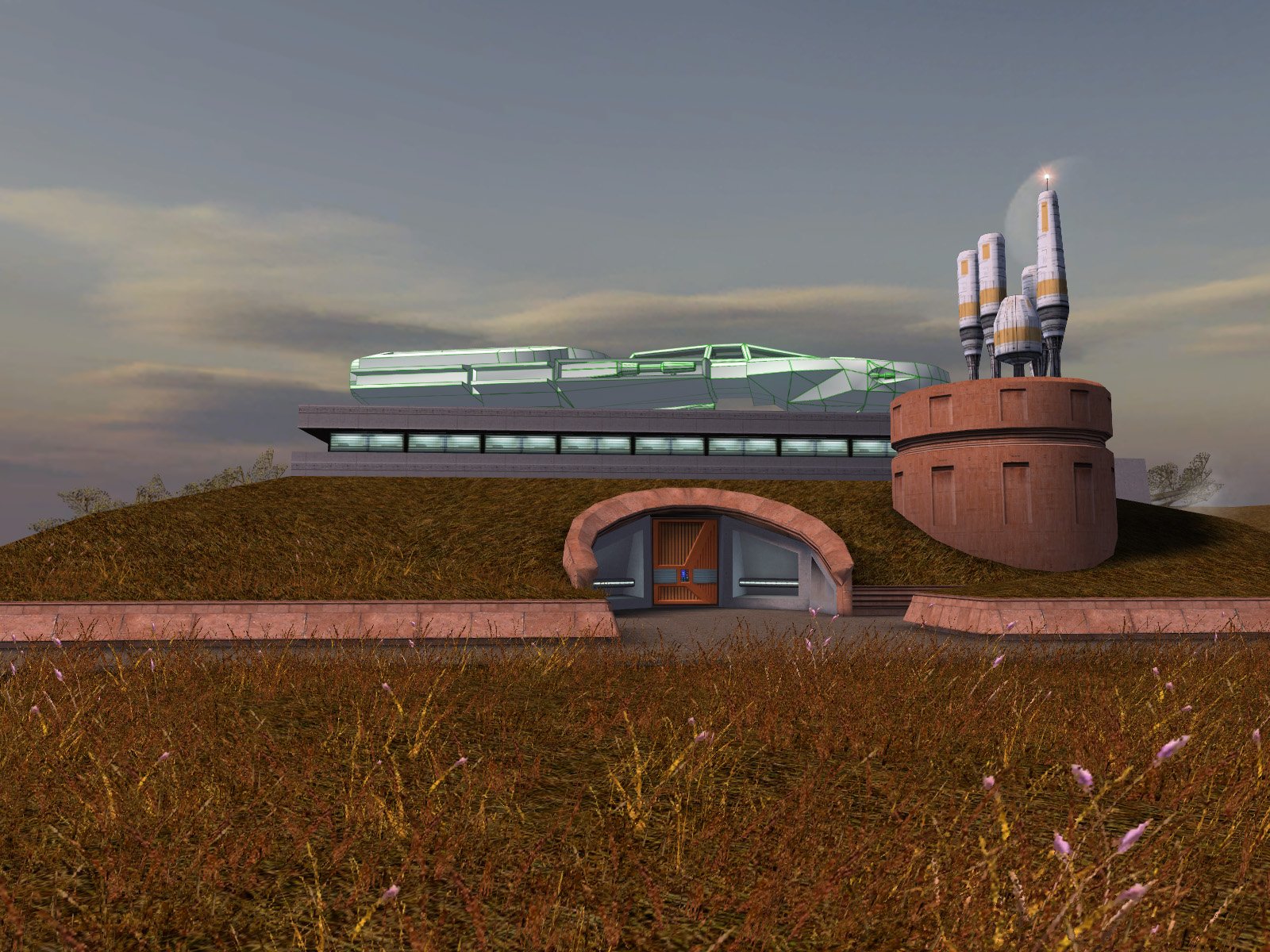
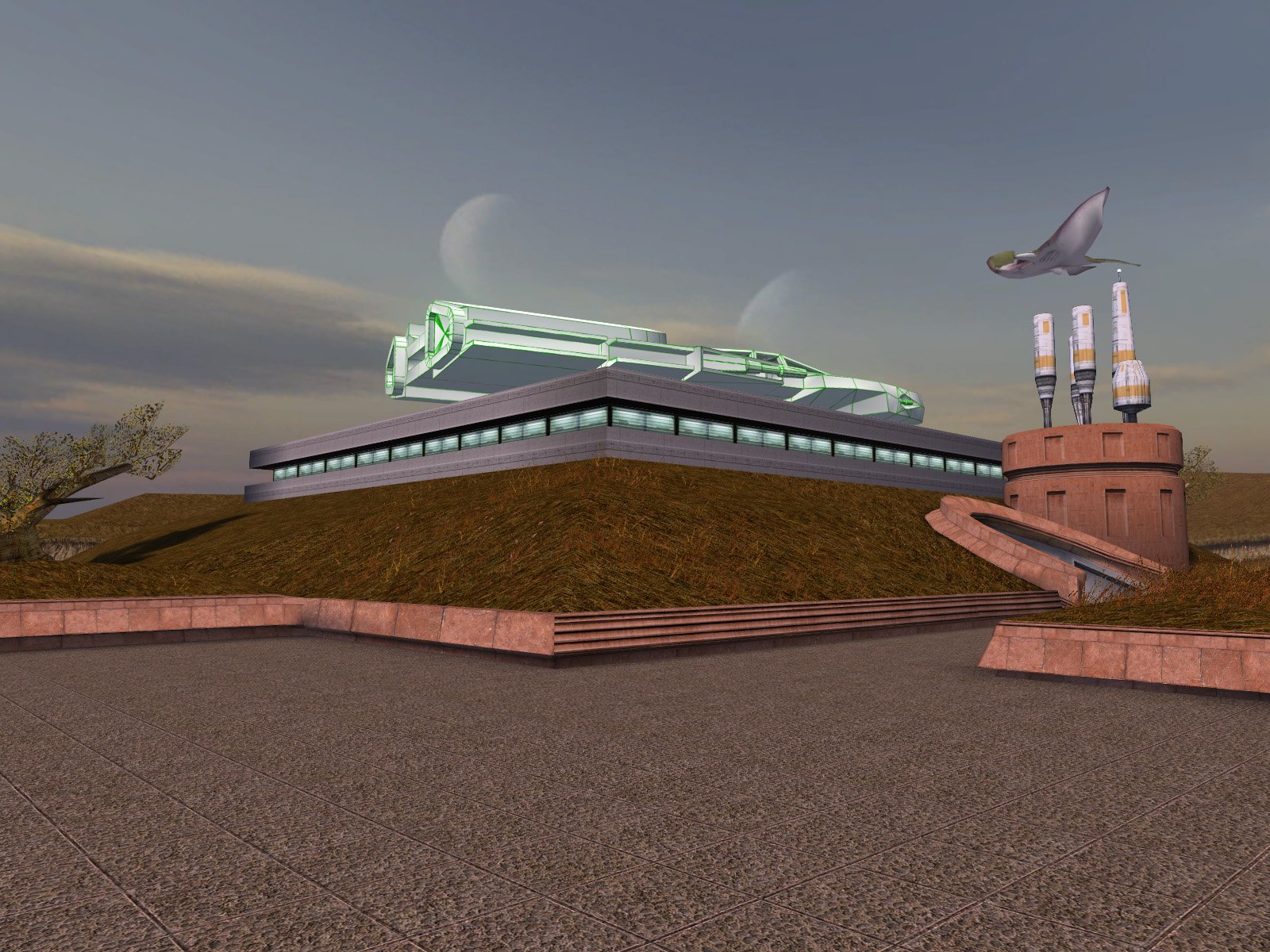
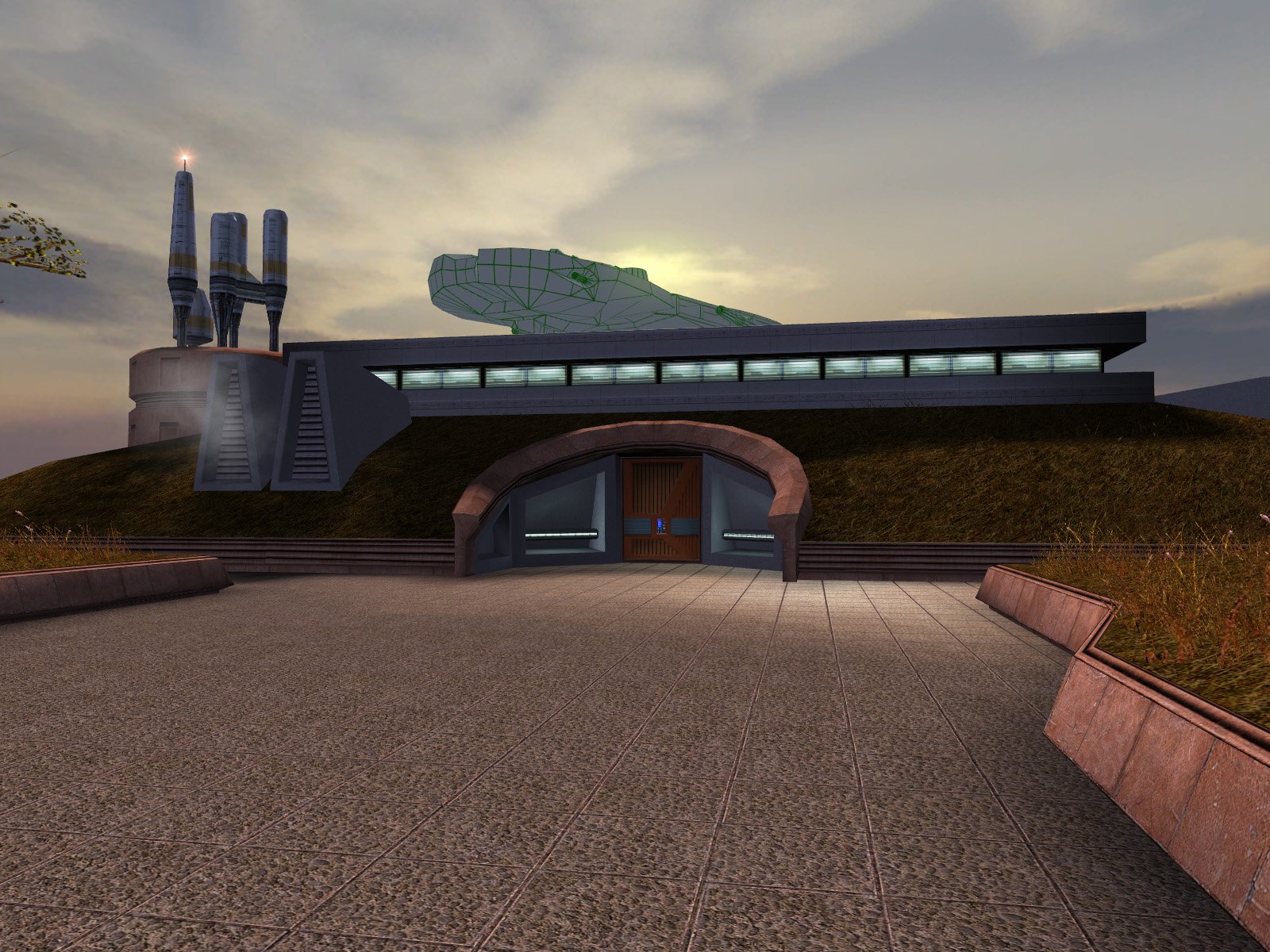
OK, I have completed the lightmaps and submitted the finalized mod for approval: https://deadlystream.com/files/file/2973-high-quality-taris-freighters/. The lightmaps should bring the freighters' brightness much closer to vanilla levels. In other news, I have put together a rough draft of DarthParametric's I-Wing on the roof of the Sandral Estate. I still need to lightmap it, but I have attached the current draft for reference in the meantime. Since DarthParametric's model already included seats and control console boxes, I did my best to finish off the inside of the cockpit frame and made the glass transparent...but of course you can't see most of the interior from the ground anyway. I think the transparency still enhances it, but if people prefer, I can black out the windows instead. Dantooine I-Wing (Draft).zip
-
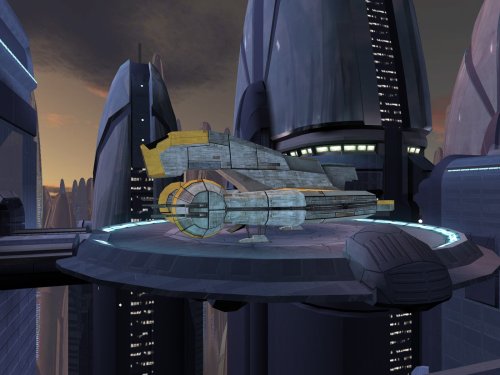
Version 1.0
160 downloads
This mod replaces the freighters parked outside the Sith base on Taris with the higher-quality version from Manaan. While I was at it, I also patched a large hole in the bottom of the upper freighter's landing platform. Lastly, I have replaced the freighters' texture with higher-resolution version from elsewhere in the original game files. Thank you for downloading, and I hope you enjoy this mod! ------------------------------------------------------------------- INSTALLATION Copy all files in "Installation" to your game's Override folder. If you are using a mod that reskins the freighter, do not copy "v_freightl02.tpc" into Override. ------------------------------------------------------------------- UNINSTALLATION Delete the files back out of the Override folder. ------------------------------------------------------------------- COMPATIBILITY This mod is compatible with the KOTOR 1 Community Patch (K1CP). It is incompatible with mods which edit m02ab_03b.mdl/mdx/wok. If you are using a mod that reskins the freighter, see the INSTALLATION section for special instructions. ------------------------------------------------------------------- CREDITS KotorBlender by seedhartha Kotor Tool by Fred Tetra Holocron Toolset by Cortisol and th3w1zard1 TGA2TPC by ndix UR Thanks to Dark Hope for requesting this mod and for pointing out the higher-quality version of the freighter on Manaan. ------------------------------------------------------------------- VERSION HISTORY 1.0 - Initial Release ------------------------------------------------------------------- DISCLAIMER AND PERMISSIONS This modification is provided as-is and is not supported by Disney, Lucasarts, or Bioware. Use at your own risk. The author shall not be held responsible for damage to your game installation, computer, or saved games resulting from the use of this mod. These models may be used as a basis for mods which make additional edits to the same models as long as appropriate credit is given to this mod's author. Other uses require the author's permission. This mod shall not be reposted on any sites other than Deadly Stream without permission. -
 @MproutyUnfortunately I don't have any insight, but maybe see if any of the solutions in these threads work for you: https://deadlystream.com/topic/6052-tsl-patcher-cant-choose-game-folder/ https://deadlystream.com/topic/7481-tsl-patcher-freezes/ If it's some kind of random behavioral issue with TSLPatcher, you could also try installing with Holopatcher instead of the TSLPatcher EXE. There's a slight difference in how Holopatcher interprets the installation instructions, so you'll probably need to swap in the Holopatcher-compatible version of changes.ini posted a few comments up.
 -
Sure, I'll work on that next after I finish the Taris Freighter lightmaps.
-
The wrecked ones should be OK as-is, they look like they already have a similar detail level as the Manaan/Nar Shaddaa freighters. To clarify, for Taris I just borrowed the higher-quality freighter model from Manaan as noted by Dark Hope in this thread:
-
Thank you! I may just do that after I explore the lighting/lightmapping a bit more. It’s only two freighters, so I suppose it wouldn't be too much work. Creating the lightmap UVs tends to be the slow part for me, but I would only need to do that once for both freighters. There is also the drawback that the baked lighting will remain static when the freighters are moving around…but on the other hand, that never bothered me with the vanilla version. On a quick examination, I see it at the Nar Shaddaa docks (which already uses the higher-quality version) and flying over the Onderon spaceport. I don’t suppose anyone happens to know of any others offhand?
-
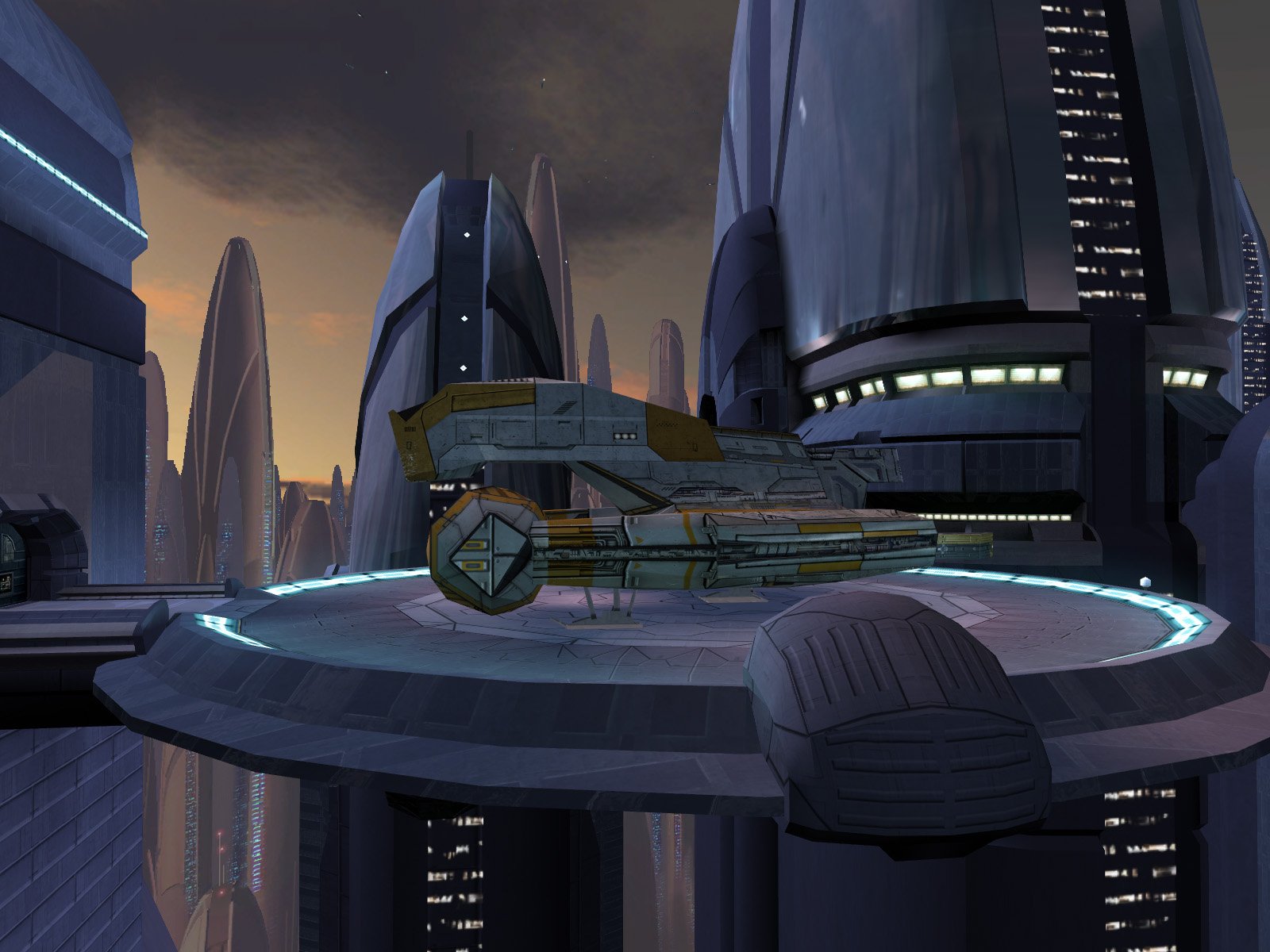
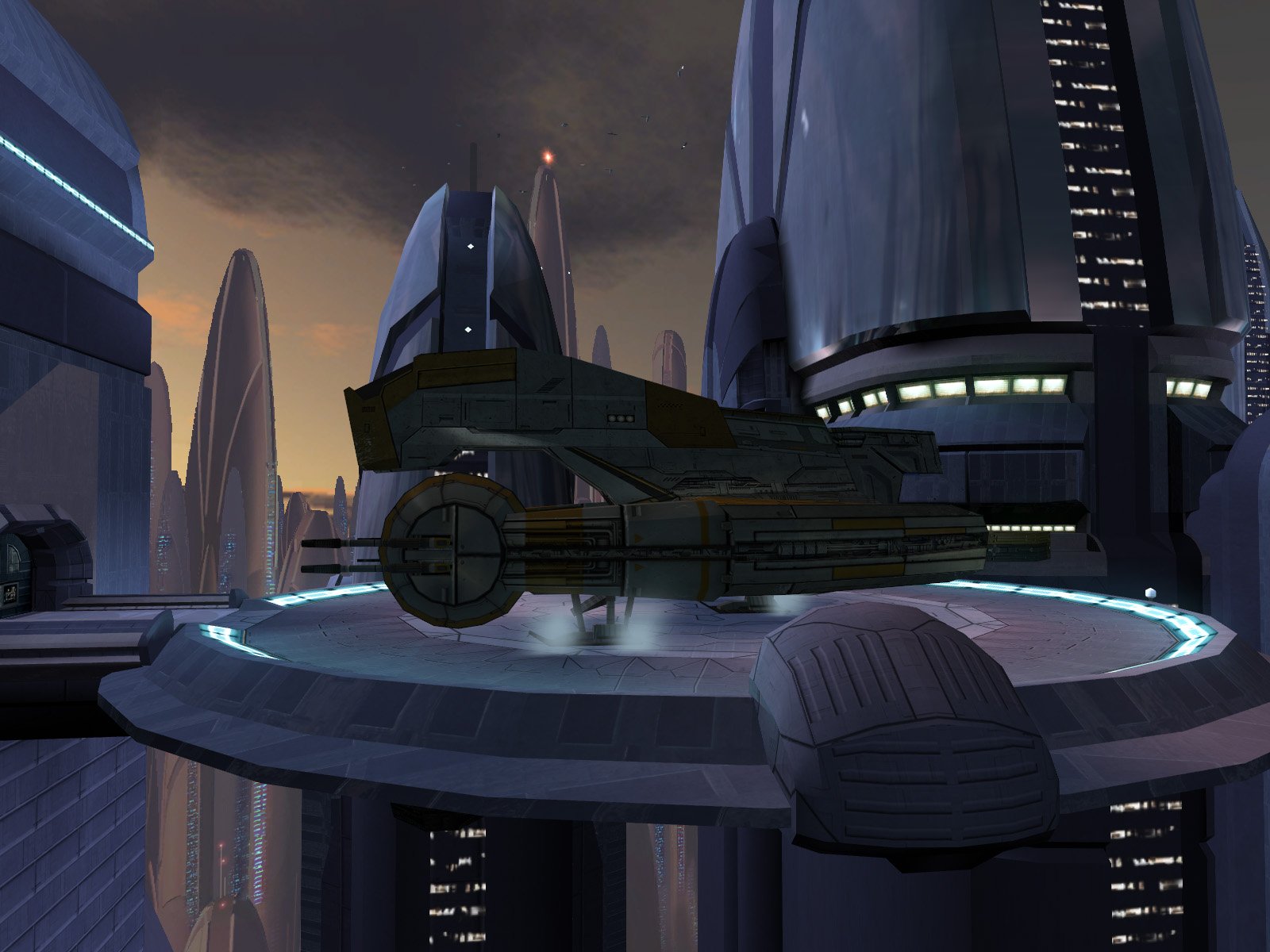
I know I'm a little late, but how about this? Before: After: Before: After: A few notes on the edits: The Manaan freighter is slightly larger than the original ones on Taris. I chose to keep the Manaan sizing instead of trying to scale them down. I relied on the in-game lighting instead of creating new lightmaps, which is why the new freighters look somewhat darker than the originals. While I was at it, I also patched a major hole in the bottom of the upper freighter's platform. High Quality Taris Freighter.zip
-
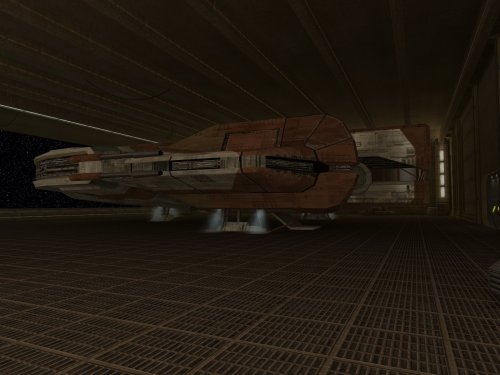 Very strange, I never run into anything like that in my testing. I can’t think of anything on the mod build which would cause that either. My only other thought is if maybe you inadvertently ran the main installation twice? The installer adds the new doors by editing the module GIT, so if you ran the installer twice, then it could end up with a duplicate set of doors in the same places. The airlock terminal script would open one but still leave the duplicate closed.
 -
Sorry for the delay in seeing this. Would you mind providing a few more details? Which doors gave you problems, the new airlock doors or the original Yavin doors? Did they just not do anything when you clicked on the control terminal, or was the problem something else? What other mods do you have installed? Anything which also edits Yavin Station?
-
Weird--Not sure why those files would have been missing before, but it sounds like you've got it sorted out. Feel free to report back if you run into any further issues.
-
Do you also have a copy of lyv_shinybeamb.tpc (with the "b" at the end) in Override, or is that missing? There should be two files--lyv_shinybeam.tpc (the texture for the ceiling beams) and lyv_shinybeamb.tpc (the bumpmap for the ceiling beams). If it is missing, try manually copying it from tslpatchdata into Override. Both files install like they should for me, so it may be something on your end. That's also strange that the installer complained about lyv_shinybeam.tpc and CM_WK_YAVHGR.tpc, could you please upload your install log so I can take a look?

