Leaderboard


Popular Content
Showing content with the highest reputation on 08/07/2026 in all areas
-

Version 2.1
3,310 downloads
The Jedi Masters is a story conversion mod for Kotor2, a fan made Kotor3 with it's own storyline spanning up to 14 hours. For installation instructions, visit : http://www.the-jedi-masters.com/download.html Trailer :1 point -
Version 1.1.0
6 downloads
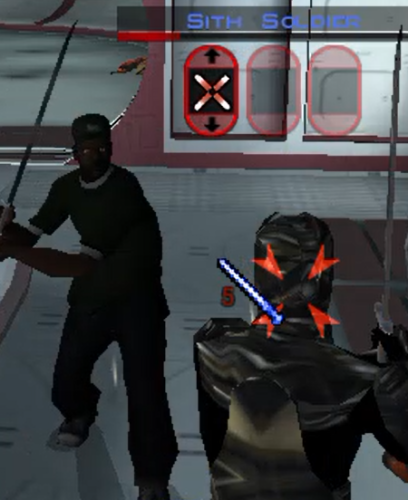
Adds playable Sweet, Ryder, and OG Loc to KOTOR 1. Mouths should be weighted for dialogue. Any feedback much appreciated! Special thanks to huckpie for their permission to use the source files from their San Andreas Guitar Hero World Tour mods on Nexus, as I lacked the assets and tools to port the vanilla San Andreas Files into Blender. Go check out their mods on Nexus! Planning on releasing Big Smoke later potentially with voiced lines for the Player character, although right now experiencing some trouble with audio breaking the game at certain points but stay tuned! If not will at the least release the model.1 point -
View File PartySwap =PartySwap= A KNIGHTS OF THE OLD REPUBLIC II: THE SITH LORDS MODIFICATION ORIGINAL AUTHOR: DarthTyren (darthtyren@gmail.com) CURRENT MAINTAINER: Leilukin LATEST VERSION: 1.5 FILE NAME: PartySwap 1.5.7z CONTACT: E-mail to Leilukin at contact@leilukin.com, or message to Leilukin on Deadly Stream 1. DESCRIPTION: This mod allows the player to recruit both Handmaiden and Disciple in the same playthrough regardless of the player character's gender. This mod also modifies certain parts of the game where potentially both Handmaiden and Disciple can become involved in cutscenes. In addition, this mod prevents Handmaiden and Disciple from referring to the player character with the wrong pronouns by editing dialog and splicing voiceovers. If you install the “PartySwap Item” add-on of this mod, after Disciple joins your party on Dantooine, a usable item named PartySwap will be added to your inventory, and will appear in the shield item slot of the quick bar. You can use this PartySwap item to add or remove Handmaiden from your current party, including replacing any member of your current party with Handmaiden, as long as you are able to choose your party at that point of the game. This item was created to work around the limitations of not being able to select Handmaiden from the party selection screen after Disciple joins your party and takes Handmaiden’s slot in the party selection screen. However, Handmaiden remains part of the Ebon Hawk crew, and you can still talk to Handmaiden. Alternatively, you can choose to install the “Full Party Select” patch from KotOR Patch Manager, which expands the number of slots displayed in the party selection screen, and thus allows you to add Handmaiden to your current party, or remove her from your current party, without needing to install the “PartySwap Item” add-on and use the PartySwap item. NOTE: Since July 2023, the original mod author DarthTyren has officially handed over the management and development of this mod to Leilukin, due to DarthTyren's departure from the KotOR modding scene. Therefore, if you have questions about or encountered any issues with this mod, Leilukin is the one to contact for. 2. INSTALLATION: First and foremost, make sure you have The Sith Lords Restored Content Mod (TSLRCM) installed, since TSLRCM is REQUIRED for this mod to work. After downloading this mod, extract the mod’s 7z file to anywhere you like, as long as it is not within the KotOR 2 directory. Run PartySwap Installer.exe located inside the extracted folder. You may only choose ONE of these two options to install the main part of the mod: Default Installation: Choose this option if you use TSLRCM without M4-78EP. M4-78EP Installation: Choose this option if you use M4-78 Enhancement Project (M4-78EP) in addition to TSLRCM. You must install M4-78EP first before running this installation option. FOR REGULAR TSLRCM USERS: Choose the installation option you want, and select your KotOR 2 game folder as your KotOR 2 directory path, click the “Install” button and let the installer do its job. FOR STEAM WORKSHOP USERS: If you have subscribed to The Sith Lords Restored Content Mod (TSLRCM) from the Steam Workshop, for your KotOR directory path, you must choose TSLRCM's Steam Workshop folder, NOT the main KOTOR 2 directory. The directory of the Steam Workshop version of TSLRCM is \Steam\SteamApps\Workshop\content\208580\485537937, while the directory of the TSLRCM + M4-78EP combined Steam Workshop mod is \Steam\SteamApps\Workshop\content\208580\1402798020. Note that PartySwap will NOT be added to the Steam Workshop. Reading this on why it is NOT recommended to use the Steam Workshop for modding the KotOR games: PARTYSWAP ITEM ADD-ON OR FULL PARTY SELECT PATCH: To keep being able to add Handmaiden to your current party after Disciple joins your party, you have two options: Install the “PartySwap Item” add-on from this mod: After installing the main part of this PartySwap mod, select “ADD-ON: PartySwap Item” from the install option drop-down of PartySwap Installer.exe, and click the “Install” button. Install the “Full Party Select” patch from KotOR Patch Manager: Download and install KotOR Patch Manager, extract the archive, then run KpatchLauncher from the “bin” folder. Set the "Game" path to target your KotOR 2 game executable (i.e. swkotor2.exe), and the "Patches" path to target the Patch Manager’s “patches” folder, then select and apply the “Full Party Select” patch. Go to the Patch Manager’s “patch” folder, then the “FullPartySelect additional files” folder, and put the partyselect_p.gui file into your game’s Override folder. Note that it does not matter if you apply the Full Party Select patch before or after installing this PartySwap mod. When you install this mod, two new folders named "backup" and “uninstall” will be created by the installer in the same folder as the installer. Do not delete the folders or any of the files within the folder if you are planning on uninstalling this mod. This mod also provides a compatibility patch for deathdisco’s Coruscant Jedi Temple and danil-ch's Kreia's Fall Cutscene (In-Game).Go to the “Compatibility Patches” folder from this mod, read the READ ME files within the sub-folders and follow the instructions to make PartySwap compatible with these mods. Go to the “Coruscant Jedi Temple Compatibility Patch” folder from this mod, read the READ ME files within the subfolder and follow the instructions to make PartySwap compatible with Coruscant Jedi Temple. Note: The "Source" folder includes the source of the script used by this mod for modders' reference. Ignore the "Source" folder if you only want to install and play this mod. 3. UNINSTALLATION: Run PartySwap Installer.exe. rom the “Tools” drop-down menu, select “Uninstall Mod / Restore Backup”, then confirm to uninstall the mod. If you have also installed the PartySwap Item add-on, it will uninstall the add-on first. After uninstalling the add-on, you need to select Yes to delete the most recent backup folder, then select “Uninstall Mod / Restore Backup” from the drop-down menu again to uninstall the main part of the mod. 4. KNOWN ISSUES: None currently known. If you find any bugs or issues, please report them by posting on PartySwap’s download page or support thread on the Deadly Stream forums, or contact Leilukin directly. 5. MOD COMPATIBILITY: Apart from The Sith Lords Restored Content Mod (TSLRCM), which is required for this mod to work, any mod that edits Kreia's endgame dialog (904kreia.dlg) or Zuka's dialog on Dxun (zuka.dlg) is incompatible with this mod, unless they merge in installation. In that case, you must install PartySwap first. This mod is not compatible with any other mod that involves putting the holorec.dlg file in the Override folder. If you want to use this mod, make sure you DO NOT have holorec.dlg in your Override folder, or Handmaiden will not be able to join your party when you play a female character! This mod provides compatibility patches for deathdisco’s Coruscant Jedi Temple and danil-ch's Kreia's Fall Cutscene (In-Game). This mod is compatible with KOTOR 2 Community Patch. This mod is compatible with JC2's Train the Handmaiden. This mod is compatible with all Leilukin’s mods for KotOR 2, including the romance mods, as long as you follow the instructions from Leilukin’s mod. If you want to use danil-ch and Darth Hayze’s Extended Enclave, downloading and installing a separate compatibility patch is required to make PartySwap compatible with Extended Enclave. If you use Leilukin’s Handmaiden and Female Exile – Disciple and Male Exile Romance, you need to use the patch included in that mod. Otherwise, go to this page for a standalone compatibility patch: https://deadlystream.com/files/file/1304-partyswap-and-extended-enclave-compatibility-patch/ This mod is compatible with WildKarrde’s TSL Expanded Ending, as long as you install PartySwap first before installing TSL Expanded Ending. 6. PERMISSION: You may modify this mod for personal use or show this mod in screenshots. However, please do not redistribute or re-host this mod. Do not release your mods containing assets from this mod without permission. 7. CREDITS: Fair Strides — Can almost take credit for half the mod getting done, by helping with scripts, understanding Waypoints and TSLPatcher, etc. Thank you! Thanks to the wonderful modding community at Holowan Labs/DeadlyStream for helping with the problems faced with the development of this mod. Special thanks to VarsityPuppet, for teaching about #include scripts and how this mod does not need to bother with them. Sith Holocron — Thanks for the aid with VO splicing! Snigaroo — For testing and reporting bugs, including the game breaking bug surrounding Disciple's endgame dialog, suggesting improvements to the mechanics of the PartySwap item, as well as transferring the ownership of this mod file to Leilukin on Deadly Stream. Cortisol — For developing HoloPatcher as a better alternative to TSLPatcher to make installing and uninstalling this mod faster. danil-ch — For giving permission to create compatibility patch for Kreia’s Fall Cutscene (in-game) JCarter426 — For developing SithCodec for modding audio files of the KotOR games THIS MODIFICATION IS NOT SUPPORTED BY BIOWARE/OBSIDIAN ENTERTAINMENT OR LUCASARTS OR ANY LICENSERS/SPONSORS OF THE MENTIONED COMPANIES. USE THIS FILE AT YOUR OWN RISK AND NEITHER THE ABOVE MENTIONED COMPANIES NOR THE AUTHOR IS RESPONSIBLE FOR ANY DAMAGE CAUSED TO YOUR COMPUTER FOR THE USAGE OF THIS FILE. Submitter Leilukin Submitted 05/21/2015 Category Mods TSLRCM Compatible Yes1 point
-
If you're referring to the model variation, there are 255 model variations available for each item class. It's possible to add new item types with a different one but otherwise the same properties in most cases if you really need to. I note which ones I use in my readme files and hope there isn't a conflict.1 point
-
Try this. Drop it where your patches are, overwrite the previous. FullPartySelect.kpatch1 point
-
so you've swapped the exes, cleared out any yaml/json files from your directory, have the .gui in your override, and are launching with *just* fullpartyselect?1 point
-
I'll send you the GOG executable via PM1 point
-
To be honest, to be as safe as possible, I would recommend you to back up your save files and do a clean reinstallation of KotOR 2, which means you need to not just uninstall the game on Steam, but also manually delete the KotOR 2 game folder as well. If you're subscribing to any Steam Workshop mods, unsubscribe and delete the Steam Workshop folders. Also, install TSLRCM and M4-78EP by running the EXE installers downloaded from Deadly Stream, and do not use any Steam Workshop mods. After you reinstall KotOR 2, back up the fresh swkotor2.exe executable, then install TSLRCM, M4-78EP and PartySwap, try to apply the Full Party Select Patch again. If that doesn't work, uninstall all the patches, try the KotOR 2 EXE converter, and reapply the patch again.1 point
-
KotOR Patch Manager is specific about which game versions and the executables it supports. This is one of the reasons I still keep the PartySwap item as an optional add-on even with the existence of the Full Party Select patch; in case a player is unable to use KotOR Patch Manager and the Full Party Select patch, they still have the PartySwap item add-on to fall back to so they can continue to add Handmaiden to their party after Disciple joins. Can you try to verify integrity of game files of your KotOR 2 game on Steam, and see what happens?1 point
-
@NovaPolaris Try these steps: Open KotOR Patch Manager and uninstall all patches with the "Uninstall All" button at the bottom. Make a backup of your game executable (swkotor2.ext). Download KOTOR 2 Editable Executable from Deadly Stream. Replace your game executable with the downloaded one. Open KotOR Patch Manager and apply the Full Party Select patch again.1 point
-
@NovaPolaris You have not answered this question I asked you: When you used KotOR Patch Manager and applied the Full Party Select Patch, did KotOR Patch Manager say at the bottom that the patches are applied successfully1 point
-
@NovaPolaris Which platform are you playing KotOR 2 on: Steam, GOG or somewhere else? When you used KotOR Patch Manager and applied the Full Party Select Patch, did KotOR Patch Manager say at the bottom that the patches are applied successfully? After applying the Full Party Select patch, did you follow through my instructions by putting the partyselect_p.gui file from the "FullPartySelect additional files" folder of KotOR Patch Manager's patch folder into your KotOR 2 game's override folder? Putting the partyselect_p.gui file in your KotOR 2 game's override folder is required to make the changes made by the Full Party Select patch actually show up in game, and allowing you to see and directly select Handmaiden in the party selection screen after Disciple joins your party.1 point
-
.thumb.png.3301b414885aa5c5ced45535fec5ddfc.png)
Version 1.0.0
28 downloads
Recreation of the idea of @muitafruita from an old thread, which I randomly stumbled upon and quite liked. As many of you know, the choice between Mira and Hanharr is locked by the Exile's alignment during the dock scene when going after Visquis. Light and neutral Exiles get Mira, while Dark Exiles are approached by Hanharr instead. Whoever approaches you first gets onto your ship later. Regardless of this, the game tracks a reputation score with the Exchange through the global variable 300NAR_Exchange_Favor, though it isn't utilized quite as well as it could be. And just as proposed by the idea's author, this mod changes the trigger conditions from being alignment-based to reputation-based. Now, if the Exchange favors you, you get Hanharr as a companion. If the Exchange disfavors you or has a mixed opinion, you get Mira instead. Sounds realistic, doesn't it? Your actual actions on Nar Shaddaa should decide, not the mystical Force-alignment no one probably knows or cares about. Notes: The mod can be installed and uninstalled at any time before you encounter Mira or Hanharr at the docks. After that, with or without the mod, your choice is sealed. TSLRCM is not required, but is always recommended. Installation: Copy following files from archive's "Override" folder to yours: a_hanharrconv.ncs; a_miraconv.ncs. Credits: muitafruita, for the original idea Fred Tetra, for KOTOR Tool TK102, for DLGEditor Torlack, stoffe & TK102, for NWNSSCOMP JdNoa & Dashus, for DeNCS Cortisol, for Holocron Toolset1 point -
This is really clever!1 point
-
The Rakatan plague was due to the Sith species. The Sith were one of if not the only species able to defeat the Rakata and successfully drive them off their world. It's possible that the plague was either Sith alchemy/sorcery, or maybe some kind of literal bacterial/viral plague that the Sith spread to the survivors who fled Korriban to the rest of the Empire. What I think was that the Dark Side of the Force found a new champion. The Rakatan were monsters, but the Sith species were worse. Once the two abominations clashed for dominance, the Dark Side abandoned the Rakatan and found a new proper species more suitable for its primacy. The Force is alive and had plans for everyone, and its plan for the Rakata was to awaken the Sith to their true potential and purpose. Once the Rakata destroyed King Adas, the Sith species changed their entire outlook and sought universal dominion. The ripples throughout the Force from the Rakata/Sith war overwhelmed the Rakata, the weaker of the two evil species, and their connection to the force was cut. BOSSR inspired this theory. Bogus or not, I like it.1 point
-
PartySwap has been updated to 1.5, by making the PartySwap item to an optional add-on, since the Full Party Select patch from KotOR Patch Manager provides another method to allow you to keep being able to add Handmaiden to your party after Disciple joins your party.1 point
-
Version 0.52.0
6,010 downloads
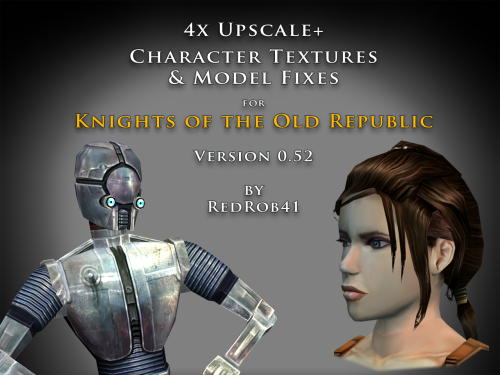
================================================================ IF YOU ARE EVER IN ANY DOUBT ABOUT INSTALLING ANY MODS, PLEASE REMEMBER TO ALWAYS BACKUP YOUR FILES BEFORE INSTALLATION, JUST IN CASE. ================================================================ Description: This mod is more than just a simple process of running all the character textures through an A.I. upscaling program. The purpose is to increase the size and fidelity of the character textures while maintaining the painterly style of the original game artists. This mod does not attempt to create photo realistic textures or add extra detail (like zippers, clothing stitches, fabric patterns, skin pores, etc) that are not already part of the existing style. This mod also fixes many of the UVW mapping errors, lighting errors, and some XYZ errors that the original model .mdl & .mdx files may have had. The process followed is generally: run texture files through A.I. upscaling program multiple times using different settings. Some settings result in "crunchy" textures (high contrast, sharp edges). Some result in "soft" textures (smooth gradients, lower contrast, blurry edges). Some result in better straight/parallel lines. Early tests used Vance AI; Deep Image; ImageUpscaler; or Let's Enhance. Eventually Topaz Labs' Gigapixel AI was chosen and used on the majority of textures. combine textures in multi layered Photoshop file, using layer masks to isolate the best parts of each upscaled image. This allows for some portions to be smooth (like skin, glass, metal or tubing), others to be sharp (like burlap, skin folds, hair, scratches, etc). touch up by manually painting away errors (such as jaggies due to original low resolution jpeg compression). manually recolor areas that the original artists missed (like commoner clothes where the pants seat do not match the pant leg; or player armors where pouches are inconsistent between male & female; etc). strategically add painted detail (such as highlights and shadows along the shoulders and neck of Player Character soldier's underwear; adding glove details to armors F, G, H, I, J; etc). painting personal choices (like changing P_BastilaBA02 to have different pants and remove wrist & neck restraints than P_BastilaBAS01 slave outfit). recreating entire textures (such as Player Character male scoundrel dark side underwear PMBASD01). fix the models' UVW maps to reduce some texture stretching (like collar of TSL robes I); adjust areas that are poorly mapped to the wrong locations or too large/small (such as PFBD collar); fix edge seams from one area to another; close gaps (like Mission's arms). manually fix texture seams by copying small areas of the image from one area to another; stretching and scaling them. This should result in model seams that are hidden or difficult to notice. sometimes the Alpha 1 channel is upscaled, but usually it is recreated directly from the final HD color texture. personal choice to add punchthrough transparency to the Alpha 1 channels of some female head models' eyelashes (like P_BastilaH04). recreate the Normal map (for bumpyshiny effects) from the final HD color texture. These work best when saved as .tpc format For most models, they only needed to be manipulated in 3DS Max, exported, and then run through Taina's replacer. This is usually sufficient to fix any XYZ and/or UVW coordinates. I prefer Taina's replacer method so that the model retains its smoothing groups data. For some models (like C_RancorS or C_Terantanak), Taina's won't work, so for those files, I had to resort to manually hex editing the binary .mdl & .mdx files. This is a much more labourious process, but in the end I got them to work. A few models required fixing the model weights of individual verticies. This was done to reduce portions of the model clipping through other parts in different animations. Again, this was done by manually hex editing. For many head models, the UVW coordinates for the tongue and inside of mouth may be moved significantly, especially for the KotOR heads. This is because the originals often map the tongue to a single pixel located in the lips area, which results in almost no detail. By moving the UVW to a free area of the texture, there may be room for painting a detailed tongue. For the party members that have specific underwear textures and basic clothing textures, there has been an effort to make any skin areas (like hands & arms) match between them. Usually the hand area from the underwear texture is copied to the hand area of the clothes texture. This creates more consistency of the party characters' appearance. For low resolution versions of models (like C_Gammorean_Low, C_Protocol_Low, N_Swoopgang_low) or placeables (such as PLC_EndPlA, PLC_RakatCrp, Stunt_WarDrd01) the original textures were not simply upscaled. Instead, the new versions were actually taken from similar high resolution versions and scaled down. Sometimes the textures were rebuilt from parts of other higher resolution images, with some touch up painting. Included is a spreadsheet labelled "KotOR upscale completed list v0_52.xlsx" which has more detailed information as to what files were changed, and in what ways. As of this update, 52.71% of the texture files that I intend to upscale have been completed. As such, this mod should be considered a beta test. The percentage is calculated for both games together, however the mod is released with files separated for K1 & TSL. The spreadsheet was created with Google Sheets and exported as .xlsx, so hopefully the formatting remains correct. I have also attached a copy of the spreadsheet to this mod thread. There will be three versions of this mod to choose to download: 4x .tga version. Highest resolution, the typical texture is now 2048x2048 pixels which = 16MB. This version is a total 5.2GB, hopefully it isn't too large or cause problems for some PCs. This version is also the best choice to use as a modder's resource. 4x .tpc version. Created by running full size .tgas through tga2tpc program which compresses a 2048x2048 pixel file to 5.5MB. This version is a total of 1.8GB, so it should be easier on PC systems, with no noticeable loss of visual fidelity. 2x .tpc version. Created by reducing full size .tgas by half in Photoshop, then running them through tga2tpc which further compresses them to 1.4MB. This version is a total of 530MB, which should be much easier on PC systems. All versions include the same .mdl & .mdx files. I have tested the .tga version exclusively, but have not tested the .tpc versions in-game. Please let me know if there are any issues. Most of the screenshots have been taken in TSL, because I find that it renders the characters better and has higher resolution screen grabs. My computer doesn't seem to render some of the CM shader effects properly (especially the bumpyshinytexture CM_SpecMap always seems too strong on my computer). I would appreciate any in-game screen shots that you take of characters like Hutts, Rakghouls, Rakata, or Selkath so that I can compare how other computers render their shader. ================================================================ Compatiblity: For best results, the model and texture files included with this mod should be used together. In most cases, the models can be mixed and matched with textures from other mods, but results will vary. For instance, the other textures won't be as perfect along the seams. Some other photo realistic HD texture mods may have been created using the original model's UVW layout, which will not perfectly line up with this mod's corrected UVW maps. Conflicts may also occur if there is another mod uses a .tpc file with the same name as one of this mod's .tga files (or vice versa if you install one of the .tpc versions). I would suggest installing other large mods (such as "KotOR 1 Restoration" or "KOTOR 1 Community Patch") first, then this one. ================================================================ Installation: Copy and paste the desired model and texture files into KotOR's Override folder. You may need to over write any existing files, so always have a backup. An effort was made that these textures and models require no 2da editing. The folder marked "Reference Normal Map" is not required to be copied to the Override forlder. These .tga files are simply a modders' resource. The normal maps seem to work best if they are saved in .tpc format. The "Copy contents to Override" folder should already have .tpc files in it for the normal maps. ================================================================ Uninstall: Delete unwanted files from the game's Override folder. ================================================================ Thanks for modding tools: KOTOR Tool – Fred Tetra mdlops (used version 7a2) - cchargin, JdNoa NWMax – Joco Replacer - Taina tga2tpc - ndix UR KotOR/KotOR2 Savegame Editor v3.3.2 - tk102, Fair Strides Hex-editor XVI32 2.55 - Christian Maas ================================================================ Permission: Consider this as a modder's resource. I give permission to any modder to use these files as a base for their own creations; as long as their creation remains free to use (not for profit); and credit is given to me as the source of any modded files. Please include a statement that specifies this mod's title and version. The original credit of course goes to the talented artists who worked on the original games for BioWare and Obsidian. Without their work, none of this would have been possible. I have tried my best to maintain the artistic style that they created long ago. This mod may NOT be uploaded or redistributed, in whole or in part, to any mod hosting site without my explicit permission. As always, this mod is free for your non-commercial/personal use. There should never be a requirement to pay for it. If you like the work I do, and would like to encourage me to create more, you can always donate to my tip jar at https://buymeacoffee.com/redrob416 where the funds collected will be used towards additional graphics tools and software. ================================================================ THIS MODIFICATION IS PROVIDED AS-IS AND IS NOT SUPPORTED BY BIOWARE CORP/OBSIDIAN ENTERTAINMENT OR LUCASARTS OR ANY LICENSERS/SPONSORS OF THE AFOREMENTIONED COMPANIES. USE OF THIS FILE IS AT YOUR OWN RISK AND THE AFOREMENTIONED COMPANIES OR THE AUTHORS ARE NOT RESPONSIBLE FOR ANY DAMAGE CAUSED TO YOUR COMPUTER FOR THE USAGE OF THIS FILE. KotOR upscale completed list v0_52.xlsx1 point -
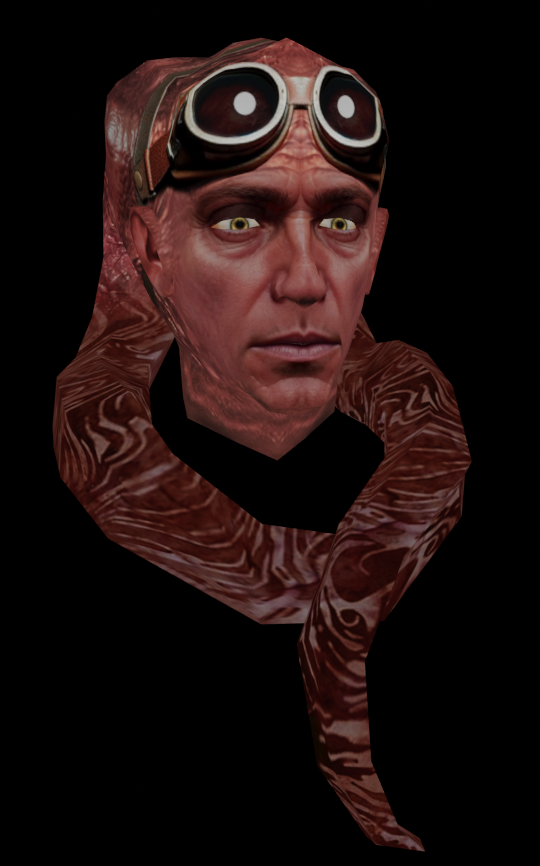
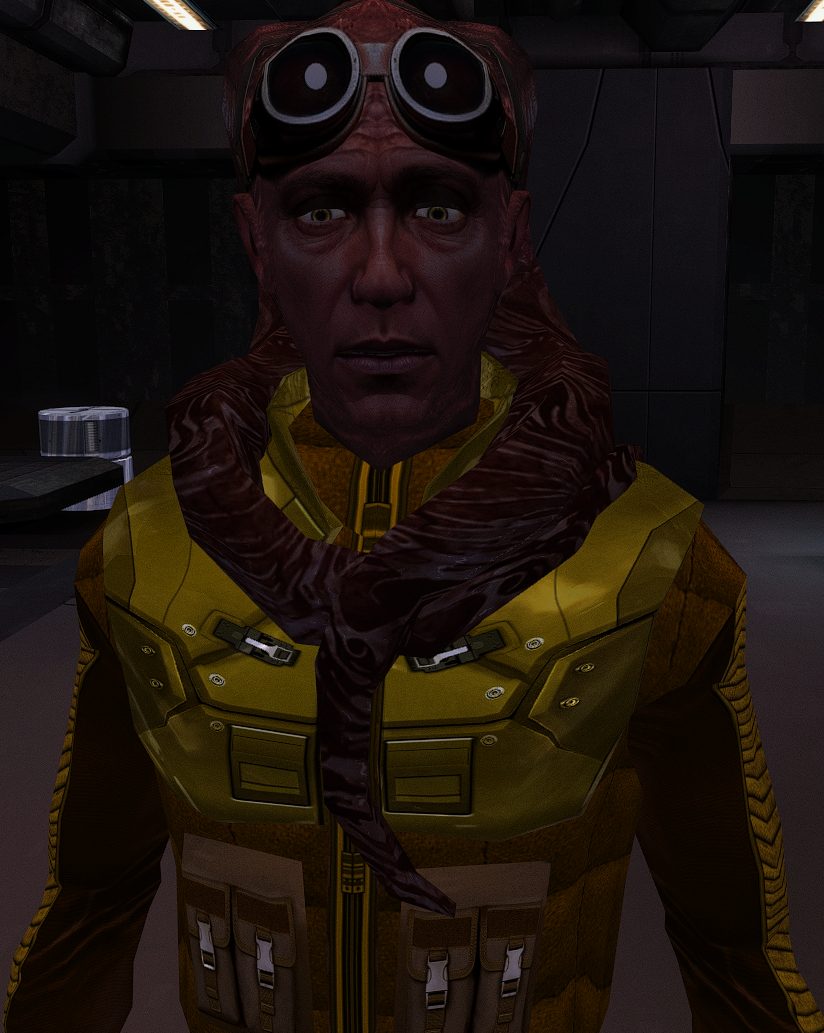
Matrik llk_Matrik.rar
 1 point