Leaderboard




Popular Content
Showing content with the highest reputation on 12/14/2025 in all areas
-
Please see the official GitHub repo to get support and find updates: https://github.com/OpenKotOR/DeNCS DeNCS - Turn Your Compiled KOTOR Scripts Back Into Readable Code! Ever wanted to see what's inside those compiled .ncs script files from KOTOR? Or maybe you found a mod with scripts you want to understand or modify? DeNCS can take those compiled script files and turn them back into readable source code that you can actually understand and edit! What does it do? Simply put, DeNCS converts compiled KOTOR scripts (.ncs files) back into source code (.nss files). It's like having a translator that converts the game's internal script format back into human-readable code. Works with both KOTOR 1 and KOTOR 2! How to use: There are two ways to use DeNCS - a simple graphical program (GUI) or command-line tools. Most users will want the GUI version! Option 1: The Easy Way (GUI - Recommended!) 1. Download the DeNCS folder 2. Double-click DeNCS.exe (Windows) or DeNCS.app (Mac) 3. That's it! No Java installation needed - everything is included! Once it opens: Drag and drop any .ncs file onto the window to decompile it Or use File → Open to browse for files The decompiled code will appear with syntax highlighting (color-coded keywords, functions, etc.) You can edit the code right there if you want Press Ctrl+S (or Cmd+S on Mac) to save your changes Open multiple files at once - each gets its own tab The program supports both KOTOR 1 and 2 (configurable in the settings) and attempts to unify most nwnnsscomp.exe variants, but has mainly been tested with kotorscript and ktool's variants. Option 2: Command Line (For Advanced Users) If you prefer using the command line or want to automate tasks: Windows: .\DeNCSCLI.exe -i "script.ncs" -o "script.nss" --k2 Mac/Linux: ./DeNCSCLI -i "script.ncs" -o "script.nss" --k2 This reads script.ncs and creates script.nss with the decompiled code. Use --k1 for KOTOR 1 scripts, or --k2 for KOTOR 2 scripts. Decompile an entire folder: .\DeNCSCli.exe -i "scripts_folder" -r --k2 -O "output_folder" This processes all .ncs files in the folder (including subfolders) and saves the results to your output folder. Features: Works with both KOTOR 1 and KOTOR 2/TSL scripts Beautiful graphical interface with syntax highlighting Edit decompiled scripts and compile them back Round-trip verification - see if your edited code compiles correctly Batch process entire folders of scripts at once View bytecode if you're curious about the low-level details Self-contained - no Java installation needed! Cross-platform - works on Windows, Mac, and Linux What can you do with it? Decompile .ncs files to see the original source code Understand how game scripts work Edit scripts and recompile them for mods Analyze scripts from your favorite mods Batch process entire script folders quickly Troubleshooting: "Error: nwscript file not found" Make sure you haven't deleted or moved the tools folder that came with the download The program should find everything automatically, but if you get this error, check that the tools folder is in the same directory as the executable "Program won't start" (Windows) Windows might be blocking it. Right-click DeNCS.exe → Properties → Check "Unblock" → Apply Try running as Administrator if you get permission errors "Program won't start" (Mac) You may need to allow the app in System Preferences → Security & Privacy Right-click the app and select "Open" the first time "Program won't start" (Linux) Make sure the executable has permission to run: Make sure the executable has permission to run: chmod +x DeNCSCli/DeNCSCli For more help: Run .\DeNCSCLI.exe --help (Windows) or ./DeNCSCLI --help (Mac/Linux) to see all available options Check the included README files for detailed documentation Source code and more info: https://github.com/OpenKotOR/DeNCS Credits: Original Developers (The Foundation): JdNoa - Created the original script decompiler engine Dashus - Created the original GUI These developers did the hard foundational work that made this tool possible. The original DeNCS was an internal tool used by TSLRP (The Sith Lords Restoration Project) and was released to the public "as is" with no warranty. Current Maintainer: th3w1zard1 - Complete rewrite and modernization You! if you like! just head to https://github.com/OpenKotOR/DeNCS and start contributing. This version represents a near-complete rewrite and modernization of the original DeNCS tool. While based on the original developers' foundational work, the current version has been extensively revamped with a new GUI, modernized codebase, cross-platform support, and many new features. The core decompilation concepts from the original work remain, but the implementation has been significantly rewritten for modern development practices. License: This software is provided under the Business Source License 1.1 (BSL 1.1). See LICENSE.txt in the download for full license information. Enjoy decompiling! 🎮✨ NCSDecomp-v1.0.2-Windows.zip2 points
-
Version 1.0.0
356 downloads
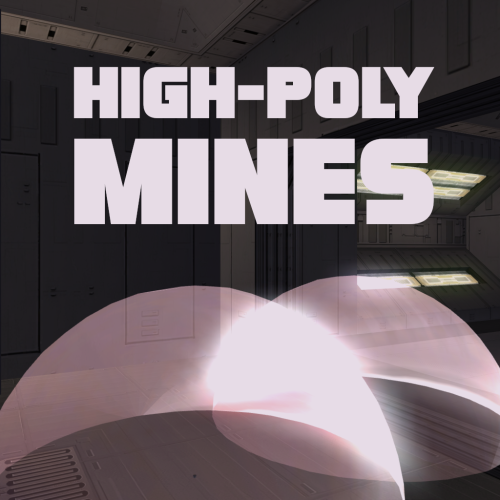
Smoother mine effect edges. Nice and simple. Install: 1) Choose either Regular Version or For Mines Overhaul Version 2) Extract to override Regular version is for vanilla game Mines Overhaul [TSL] mod required for the Mines Overhaul version. Credit: offthegridmorty - Mines Overhaul [TSL] - models from this mod were used to make a compatible version1 point -
Hello. I request permission to publish textures using elements from your mod. Example:

 1 point
 -
So... how are we all feeling about the Star Wars: Fate of the Old Republic announcement? Methinks they're using it as a testing ground for the reception to the potential remakes.1 point
-
An item property disguise will only work if it is applied to an armour/robe/clothing item in the torso slot that points to the appearance row to replace it with. The only way to do it via an armband would be to create a script that fires EffectDisguise. But it would be quicker and easier for you to just use KSE to edit your save and change the appearance there.1 point
-
An armband you say? Is your current appearance P_FEM_C_SML_01? If it is, have you tried wearing clothing and not armor/robes?1 point
-
As I said on the DS Discord, it's literally a nothingburger. It's pure concept art at this stage. The developer is a company started by Hudson earlier this year. Come back in 2030 and it might have a release date.1 point
-
Hello, Lane. One thing I would like to see happen, if possible at all, is to extend the numerical display for replies in dialogue files. The way it is now if you have more than 9 alternatives to choose among, the next ones have a "-" rather than the next number. It does not look good. Perhaps something can be done about it? There are not many such situations. The replies are very often limited to a number that is lower than 10, but it does happen in few cases. Example: in the Temple of the Ancient on Lehon. The file unk_comp.dlg contains an entry node with 11 replies. Cheers!1 point
-
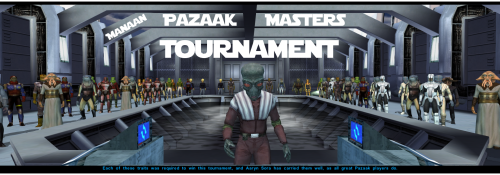 Alright, I get it. Although your reasoning doesn't seem very clear to me as Gonto is actually one of the few humans (so english speaking) characters in the Tournament (but I think it was a vanilla character so translation isn't an issue ?). It's a shame I can't recommend you most of the mods I made... Even my Manaan taxi speeder system has some english lines, although if you know how to use Holocron Toolset a little, I'm sure you could translate it, as there's no one actually speaking. However, you can definitely check out this SWTOR style music overhaul if hearing the same old music kinda bores you or your fellow brasilians. Tbh with you, even I, as a French, am not a native english speaker. But damn, not being able to speak english and being a Star Wars must suck. At any rate and last but not least, do not forget that you need Thor110's room restoration before installing my option. Anyway, good luck with your project !1 point
 -
0 points