
DarthParametric
-
Content Count
4,677 -
Joined
-
Last visited
-
Days Won
533
File Comments posted by DarthParametric
-
-
9 hours ago, Vanguard2023 said:When should I install this mod in the KOTOR Mod Builds? https://kotor.neocities.org/modding/mod_builds/k1/full
No idea, never used it. Install it last if you're unsure.
-

6 hours ago, RogueHippie said:that file wasn't in the folder for the mod
It doesn't exist in the mod because there is no need of a physical file. All the required patch info is contained in the ini.
This is a problem on your end, not the mod itself (it works fine for everyone else). Attach the log file that TSLPatcher spat out.
-
6 hours ago, LoneWanderer said:What kind of scary, game-affecting, unpleasant or at least noticeable glitches and bugs are we even talking about?
Off the top of my head, the most egregious bug that K1CP fixes is probably with Xor. There have been many attempts before, but none of the previous mods actually fixed him. Hell, I'm still not 100% sure even K1CP's multiple revisions of fixes have finally solved the problem permanently. Beyond that, there are a couple of minor soft-locks that people somehow manage to get themselves into, the Sand People disguise glitches, and things like that. But you're correct that there's no one big earth-shattering fix that makes K1CP indispensable. Rather, it simply tries to smooth out some of the rough edges. If people don't really notice, then that's actually a compliment. After all, the idea is to keep the game in line with the original developer-intended experience as much as possible.
6 hours ago, LoneWanderer said:But is such self-sacrifice even necessary when most people won't see a difference?
It keeps me amused and off the streets.
-
 1
1
-
 1
1
-
-
15 minutes ago, N-DReW25 said:it is for this reason why the K1CP mod, a bug fix mod, didn't bother making their mod compatible with K1R
Not really. When AFP first started it and it was just a collection of pre-existing fixes, there was no issue because the scope was pretty limited. It wasn't until JC and I got involved and the project changed from a collection of other people's mods to custom fixes that encompassed every facet of the game that incompatibilities started to creep in. It was just an inevitability when faced with two mods both trying to make fundamental changes to the same crucial components like OnEnters, plot-critical DLGs, and so forth. Add to that, once JC and AFP went AWOL and control of the project was ceded to me, there was never going to be any effort to try and address the incompatibilities simply because I have zero interest in K1R and what it does.
-
1
-
 2
2
-
-

41 minutes ago, EbonHawkStowaway999 said:changelog
Readme rather than changelog, but thanks. Corrected.
-
3 hours ago, tff500 said:can you update it for 1.1
Perhaps you should actually read the mod's description....
A custom dancer outfit was added in v1.1. A patch has been provided for users of v1.0 to add this to their existing game. Only use it if you have v1.0.
-
.png.12430dd78fb8c1b7c50573c9ec6af08d.png)
Yes, it's heuristic flagging of the Python exe that gets extracted into a temp directory to run the code under the hood:
Detects the image load of "Python Core" by a non-Python process. This might be indicative of a Python script bundled with Py2Exe
It's a problem with all versions of HoloPatcher and no-name AV packages. It won't be solved until/unless HP migrates away from Python.
-
1
-
-
Make her "appear" in what context? As-in she was in stealth on the Leviathan and is invisible in the post-escape scene on the Hawk? That should already be accounted for.
Edit: Oh, you don't have K1CP? There is no simple Override dump. That whole module has extensive edits.
-
Oh wait, the Revelation cutscene. That uses its own layout, M44AD, but shares the M44ad_01x and m44ad_01a room models with the ending layout (stunt_unktemp). So it's getting the edited room models with the door blockers but not the GIT changes to add the actual doors. Whoops. Not sure how I missed that. Guess I need to fix that for both this and K1CP.
-
Sounds like the doors themselves are actually missing and you're seeing the blockers behind them.
-

12 minutes ago, turtleonmars said:Could you also confirm if "Movie-Style Final Planet Holograms" is your "Movie-Style Rakatan Holograms" mod?
No idea. I certainly never released anything under that name. But I have no association with the list. I have no idea what's in it, or if they are repacking people's stuff and renaming it without permission. Pretty much everything I have released is here on DS, aside from a couple of odds and sods on Nexus and Github.
-
The link still works fine: https://darthparametric.com/files/kotor/k1/[K1]_DJC_v1.2_R-KOTOR_BUILD.7z
There was never any difference in the content, it was just the "spoiler free" version that had minimal info in the readme. But if you saw the pictures in this thread then you're already seen the spoilers anyway. It is, however, several versions out of date, since I washed my hands of the whole /r/kotor bunch and their list several years ago. The current version is 1.2.4, which you should just download from here on DS.
-
34 minutes ago, JasonRyder said:I noticed there's four columns behind the KOTOR logo
You're looking at the positive space. The III is the negative space (the cutouts).
-
 1
1
-
-
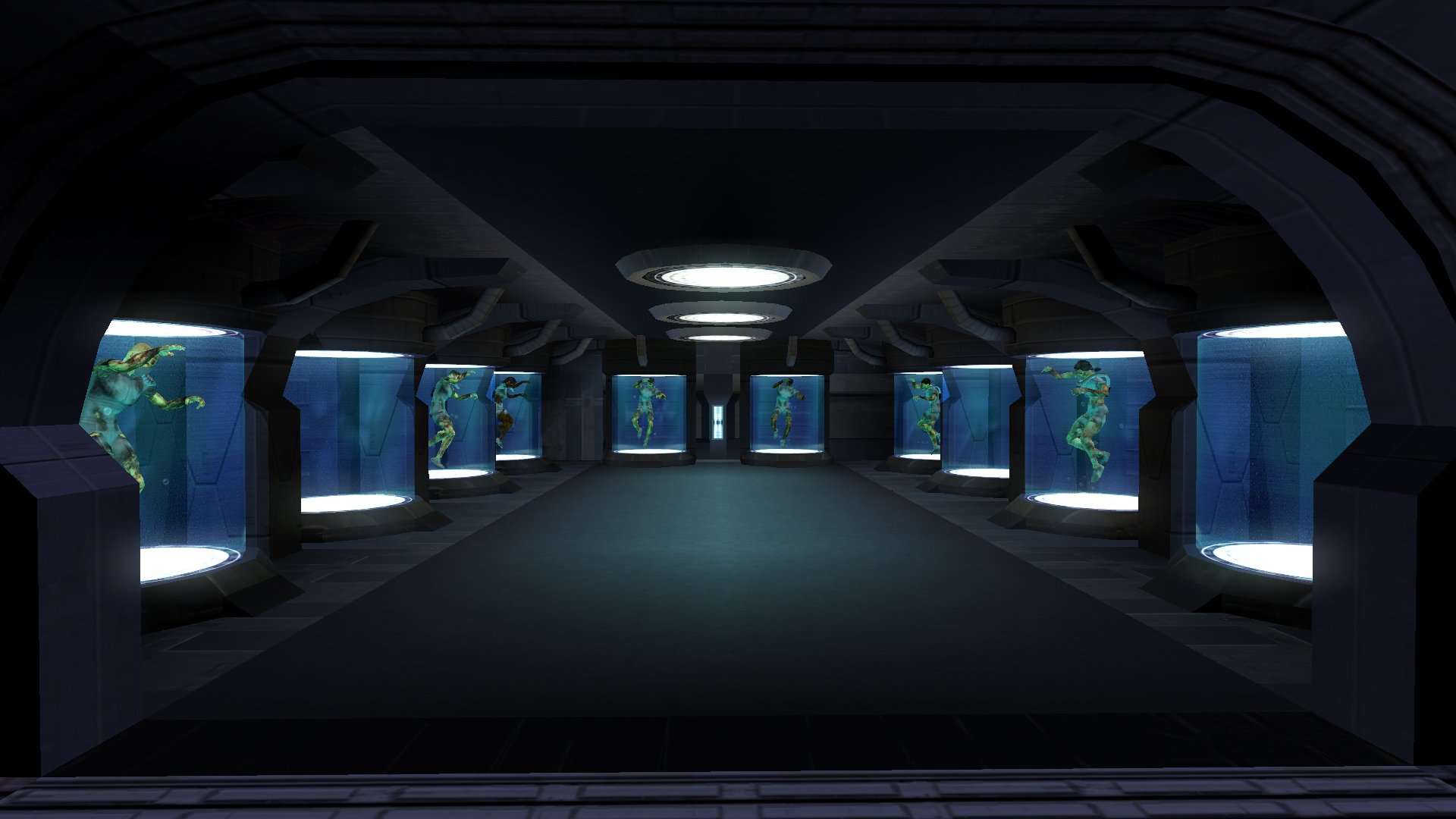
46 minutes ago, Synchro said:graphics drivers on Linux are a bit different when it comes to enforcing OpenGL standards
It's unlikely it has anything to do with OpenGL or GPU drivers. It's more likely to be something in the model that is not adhering exactly to the format when exported by KMax and compiled by MDLEdit/MDLOps. For whatever reason it doesn't trip up the Windows version. You'd probably need to attach a debugger and step through the game process to the point of the crash to find what the root cause is exactly.
Btw, it would be useful if you could try the MDL/MDX/WOK sets for each room one at a time to see whether it's one or both of them that causes the crash. Might help narrow down the problem.
46 minutes ago, Synchro said:STUNT_34.rim
K1CP replaces one of the models there to fix some visibility issues, so that would be the cause of that one presumably (since it was from me via KMax/MDLEdit again). I guess I'll need to re-export all the models for the next release.
-
I don't think Kex and I ever figured out what the core issue was with his problem. Even after re-exporting with KBlender, there were still some models causing crashes as I recall. But you can try these and see if it changes anything:
-
1
-
-
The mobile versions are not an "officially" supported platform for the mod. The mod is developed for - and only tested on - the Windows version. An Android-specific version would require a dedicated contributor that could ascertain, create, and test the required changes. The likelihood of that happening seems low given that nobody (that I am aware of) has volunteered to do so during the better part of a decade that the mod has been around for.
-
1
-
-
4 minutes ago, ACrock21 said:glitch
It's not a "glitch", you just broke your install with incompatible mods.
-

1 hour ago, SpyBionicN7 said:part of the community patch
No, there will never be Iriaz in K1CP. It's not a content restoration mod.
Besides, doesn't the K1R installer already offer Iriaz as a standalone option? Although presumably it would need to edit OnEnters and thus be a hard incompatibility with K1CP.
-

No, K1 models do not work for TSL, or vice-versa. They need to be recompiled for the target game. I have no interest in creating a TSL version.
-
@Scirs: Please try again with a fresh install of the game using this version of HP - https://github.com/NickHugi/PyKotor/releases/tag/v1.60-patcher-beta4
Grab HoloPatcher_Windows_x64.zip if you're on Windows.
Speaking of which, can you please provide some details of your system. What OS version are you running? Where's the game installed? What version of the game is it (Steam, etc.).
-
There's definitely something weird going on. It's complaining about the ini lacking things that should be there. Can you confirm what version of K1CP you have?
-
We'll need to wait for the authors of HP to chime in on the technical side of things, but it looks like you're trying to reinstall it over a previous installation. Don't ever do that. K1CP needs to be done over a clean, unmolested copy of the game.
-
7 hours ago, Scirs said:the program crashes
Does it generate any logs? If so, post them.
Try downloading a newer version of HP and using that - https://deadlystream.com/files/file/2243-holopatcher/
Perhaps @th3w1zard1 can help troubleshoot and/or provide a newer beta version.
-
51 minutes ago, OtterBoom said:when I run patcher, it says: Warning! The Sith female pureblood rows were not found! Patch process aborted.
That's the dancer outfit patch. You need to install the actual mod first. The other file in the available downloads.

All Hands on Deck for the Leviathan Prison Break
in Mods
Posted
As a general rule you do not "uninstall" complex mods. At least when you have installed other mods afterwards. You nuke the entire game installation and reinstall everything from scratch.
Without knowing what other mods you might have installed, the only non-nuclear suggestion I have is to create a dummy install of the game somewhere, install K1R onto that, check its Modules folder for lev_m40aa.mod and ebo_m40aa.mod, and copy those to your actual game's Modules folder. Although I don't know if K1R actually edits ebo_m40aa, so that mod may not exist, in which case you can delete the one in your game's Module's folder. Of course if you have installed any other mods that edit either or both of those modules then you'll likely end up breaking something else.