Leaderboard




Popular Content
Showing content with the highest reputation on 12/07/2025 in all areas
-
I got it now. Been able to extract and install it with the help of 7-zip. Thanks2 points
-
Version 1.1.0
261 downloads
High quality floor textures. The goal was to retain the original look while improving the clarity of the various floor textures. The Peragus grate texture, was really low resolution and terrible quality so it has been remade. The grate flooring into Atris' room was also low quality and repared using another grate texture. Many others required manual cleaning. Almost all textures are doubled in resolution and with a tiling trick brought to 4x original.1 point -

Version 1.0.0
15,643 downloads
This mod will replace and update texture files. To Install 1. Download: Ithorian HD.rar 2. Copy all files to the Knights of the Old republic's Override folder. (Example location - C:\Program Files (x86)\Steam\steamapps\common\swkotor\Override) 3. When/if prompted to overwrite files, press okay. 4. If you like the mod; leave a comment or endorse! (It would be much appreciated) Made with love1 point -
I agree, it's the weak point of the games, how immensely dead and empty the areas are, but i do think TSL takes the cake. I am working on my game right now, but i will get back to modding when i'm sick of it lol1 point
-
 perfect! thank you for posting this.1 point
 -
I would like to mention my favorite project in this regard. It's unfortunately still far from being complete, but it has much going for itself already. I'm talking of redrob41's upscale. He's released a K2 version, too.1 point
-
Version 2.0.0
104 downloads
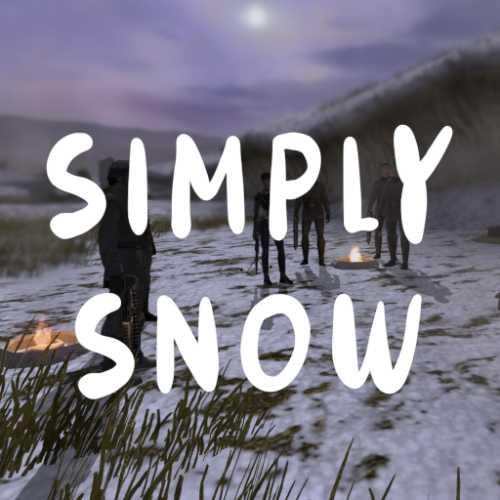
Adds snow to Dantooine, Duxn, Telos. Grass got a haircut.1 point -
![More information about "[K1] Mandalore the Unknown"](https://deadlystream.com/downloads/screens/monthly_2025_11/0.thumb.JPG.6dc4dd29780906efac2fa5c8fac23e49.JPG)
Version 1.0.0
207 downloads
[K1] Mandalore the Unknown Author: RavenFal Release Date: 11/28/2025 "Yes, that's him. I toyed with calling him dar'Mand'alor, loosely translating Mandalore the Unknown." ―Abel G. Peña This mod changes the Mandalorian Captain found by the Temple on the Unknown World to be “Mandalore the Unknown”, the self-proclaimed Mandalore referenced several times in KOTOR by HK-47 and the Mandalorians on Kashyyyk, but never seen in-game. Per the campaign guide, Canderous defeated him between games and took his armor and helmet as a way to honor him, combining the helmet with Mandalore the Ultimate's mask (which is why Manalore's helmet in KOTOR 2 looks so different compared to the mask from the comics). This mod moves that confrontation earlier in the timeline, allowing players to experience Canderous acquiring his armor from KOTOR 2 and letting him (or anyone in your party who can equip heavy armor) to rock up to the Star Forge wearing one of the coolest armor sets from either game. “Mandalore the Unknown” is wearing an upgradeable armor set with the appearance of Mandalore's Armor from KOTOR 2. Upon his defeat, he'll drop this armor instead of the “Mandalorian Assault Armor” the Mandalorian Captain drops in the base game. The appearance is set up as a disguise, and so it will work for both male and female characters. He also drops a datapad that explains why he was sending teams of Mandalorians to hunt in the Shadowlands, what he's doing on the Unknown World, and changes up events a little more to make to him the one who made the modifications to Mandalore's mask. I have also included optional files to change Mandalore the Ultimate from SilverEdge9's Brotherhood of Shadow: Solomon's Revenge mod to also have the appearance of Mandalore from KOTOR 2. The mask looted from the “Non-Canon” chest remains unaltered and has its original appearance. This mod is not compatible with any mod that alters g_mandalor004.utc (the Mandalorian Captain on the Unknown World). To Install the main mod: 1. Run the “Install.exe” program from the mod folder. To Install Optional files to change the appearance of Mandalore the Ultimate in BOSSR: 1. Copy all files from the “Optional – BOSSR Mandalore Replacement” folder into your Override folder. To Uninstall the main mod: 1. Delete the following files from your Override folder: bos_mandhelm.uti g_a_mandotsl.uti g_mandalor004.utc mandotsl_datapad.uti p_mandalorebb.mdl p_mandalorebb.mdx P_MandB.tga 2. Replace the “appearance.2da” file from your Override folder with the “appearance.2da” file saved in the “backup” folder found in the main mod folder. To Uninstall the Optional files for BOSSR: 1. Delete the following files from your Override folder: brg_mandalore.utc msp_mandalore.utc myp_mandalore.utc mzp_mandalore.utc Credits: SilverEdge9 for the original Brotherhood of Shadow: Solomon's Revenge files.1 point -
Version 1.0.0
8,420 downloads
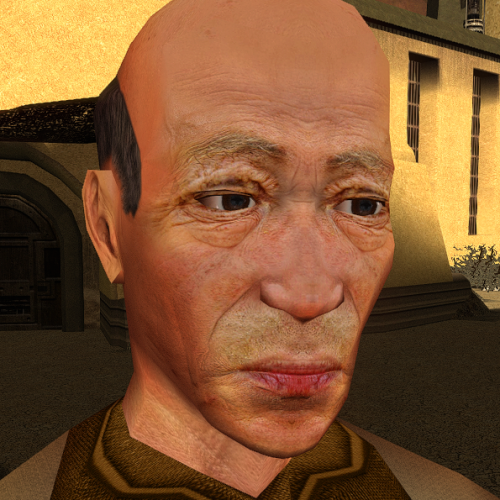
This mod will replace and update texture files. To Install 1. Download:N_oldAMH01.rar 2. Copy all files to the Knights of the Old republic's Override folder. (Example location - C:\Program Files (x86)\Steam\steamapps\common\swkotor\Override) 3. When/if prompted to overwrite files, press okay. 4. If you like the mod; leave a comment or endorse! (It would be much appreciated) Made with love1 point -
Looks like a small bug in how Holopatcher interprets changes.ini compared to TSLPatcher. Try the attached INI files, any issues with them? The instruction that I think causes the error is for a minor DLG parameter that I don't think the game really cares about anyway, so I've edited the attached files to remove the problematic command. Holopatcher-Compatible INIs.zip1 point
-
 I beat the mod. Or at least whats on the planet itself. That was great. Not perfect, but great which is pretty dang close. I seriously haven't had this much fun with a Kotor mod since I was a little kid playing BOSSR or the old Yavin 4 mod when those mods first came out. This was a blast from the past. And the writing was way better than I expected. Well, It would take me a looooong time to explain what I loved most about this mod, so I'll just focus this review on the few things I think could benefit from some improvement. -consider populating Sleheyron with various types of citizens even with the Iridonians walking around from start to finish. It feels weird without them, regardless of story. -make the one-text dialogue with characters like Sith and Iridonians not transition into full dialogue sequences, but just react like other simple NPCs with a text bubble only -Having a lot of areas look just like Taris again, even if it wasn't the exact same module, was still slightly immersion breaking. Please consider reskinning these areas in any way you like, just make it different. You already did this half the time with these modules and it worked well. -this might just be me, I'm not sure, but Rudos shop module is completely broken. The walls and floor are missing. I am running a clean install of the game, outside a resolution mod and some icon texture mods. I even reinstalled the resolution several times to see if that made a difference, the room is still bugged. If this is just me, I'm at a loss as to what could be the cause of this. -Some enemies give way too little experience for what they're worth. The (very neat) reference to the special NPC you fight in the Czerka lab is worth like 30XP which is a joke considering how tough he is. -Try to see if you can make a custom Sleheyron-themed door for all these modules. Having the doors not fully cover the entry/exit just feels kinda odd -Although I think the splicing of modules was really cool to see, it sometimes leaves holes in level geometry. Some weren't so noticable, others glaringly bad. -My biggest gripe with the mod, A few of the modules have absolutely terrible level transition boxes. I think it would be best to just edit the module so that you add an extra hallway that connects to these transition areas instead. This was most noticable in the Czerka lab area. This was frustrating and confusing at times. I'd give it 4.9/5 if possible but we don't have that so I'll settle with 5/5 Oh and what you did with Vanasseus, you're insane man lmao that was too funny1 point
 -

Version 1.0.0
16,110 downloads
This mod will replace and update texture files. To Install 1. Download: Duros HD 2. Copy all files to the Knights of the Old republic's Override folder. (Example location - C:\Program Files (x86)\Steam\steamapps\common\swkotor\Override) 3. When/if prompted to overwrite files, press okay. 4. If you like the mod; leave a comment or endorse! (It would be much appreciated) Made with love.1 point -

Version 1.0.0
41,212 downloads
This mod will replace and update DrdWar texture files. To Install 1. Download: C_DrdWar.rar 2. Copy all files to the Knights of the Old republic's Override folder. (Example location - C:\Program Files (x86)\Steam\steamapps\common\swkotor\Override) 3. When/if prompted to overwrite files, press okay. 4. If you like the mod; leave a comment or endorse! (It would be much appreciated) Made with love.1 point