



BabylonAS
-
Posts
26 -
Joined
-
Last visited
BabylonAS's Achievements
Scout (1/15)
2
Reputation
-
 I guess the story of Ahsoka Tano has some parallels to that of KotOR 2's main character. Both were weighted down by their past, having fought in wars and seen so many people die due to their actions. Both had left the Jedi Order shortly before it got decimated, and both have witnessed it being reborn. Therefore, a mod that allows using Ahsoka's appearance for the Jedi Exile in TSL seems to be quite appropriate, even more so than the K1 version. At the very least, just like Ahsoka did in Rebels, you can have the Jedi Exile say: "I'm no Jedi". The model itself is well-done, even if subject to limitations of a game made two decades ago. Though the forehead accessory clearly gives out The Clone Wars' season 7 finale as inspiration, the overall appearance — including the dark-colored civilian clothing — evokes comparison to Rosario Dawson's portrayal of Ahsoka in The Mandalorian (which also had her lekku be shortened, just like this mod). Unfortunately, the mod suffers from a resolution mismatch between Stormie97's highly detailed head design, which uses 2048×2048 files, and Effix's lower-res, 512×512 textures for the body and clothes. This is especially apparent when the character is in underwear only (like during much of the Peragus events), further accented by an improper connection between the head and body parts. Also, I've found some clipping issues with the dancer outfit (as seen in the attachment). The back lekku also clips through certain hooded robe models. This was noted before the mod's release when a user tested the head model, and Stormie97 even mentioned a possible workaround, that is flattening the hoods on problematic models. Alas, no such patch has been given. Likewise, custom robe/armor models added by 3rd party mods would have to feature their own patches if their authors want them to be compatible with this custom head. Finally, there's something that no mod like this could easily change. The game has been written with a human main character in mind, and it shows in things like dialogue with the Bumani Exchange entrance guard, as well as the Jekk'Jekk Tarr. While minor, these issues do break immersion a bit. But again, it's not specific to this mod, and it's not easily fixable without overwriting certain elements of the core game, which is well beyond the scope of a player appearance mod. It's quite unfortunate that Stormie97 didn't have time to fix the model issues or add the Siege of Mandalore outfit as they planned. But I hope to see the mod improved further. Despite the issues, it's pretty good, especially since it adds a model for a Star Wars species not previously seen in the game (which is worthy of praise by itself). Ahsoka Tano is my favorite character in Star Wars, and I've enjoyed playing as her imaginary distant ancestor/relative. Her fans will be delighted in using this mod together with TSL's expanded lightsaber color selection, which includes "viridian" (in reality yellowish green, a bit like Ahsoka's original shoto, unless changed by a mod) and silver crystals, allowing players to recreate all her lightsaber sets. The only missing thing would be custom lightsaber hilts. But that's a story for another mod... P. S. I'd also love to see a more visible dark side transition, based on Ahsoka's appearance in TCW's episode "Altar of Mortis" when she was temporarily corrupted by The Son.
 -
The issue happens with some vanilla robes as well. Stormie97 once noted that the it might be better to remodel the robes to have their hoods flattened out. You're using a set of modded robes with custom models, so it's up to the mod's author to provide a compatibility patch. I'm not sure how popular are custom heads with new models, though. Also, nice to see a fellow Ahsoka fan!
-
 Does the ambient lighting on surfaces require framebuffer effects enabled? If it doesn't, then looks like I have a bug - though it might instead be due to an alien iGPU of my Intel Core i5-1135G7... On characters and placeables the effect works fine. That said, there is a bunch of other mods that I've installed afterwards, so maybe I might only need to edit something with Kotor Tool? UPDATE: Here is a better image of the bug, now involving a placeable:
 -
 Oh well... I've just had the unique lightsaber vanish too, after a visit to the workbench. It's been almost three years now and the mod is unfortunately not updated. I assume I have to manually cheat in the lost 'saber after applying the patch? Using the body & lightsaber option combined with mori42's Real Cathar Head, by the way, the latter further augmented with an upscale by ShiningRedHD. Sadly the body seems less detailed when wearing the armored robes.
 -
Missing textures on Sith Troopers in modded K1
BabylonAS posted a topic in General Kotor/TSL Modding
Getting bugged Sith troopers with a null-texture outfit with my new modded installation (see "Sith Trooper bug.webp" file). The full mod build is in the attached text file; some of the relevant mods are ShiningRedHD's Ultimate Character Overhaul, K1CP, and Sith Trooper Texture Restoration. My attempts to manually edit the appearances.2da file (also included) with Kotor Tool have so far been unsuccessful. The Override folder has all the N_SithTrooper0[123].tpc files. UPDATE: the restored Elite Sith armor (the white version) is not bugged. Sith Trooper bug.webp My mod build.txt appearance.2da -
 Do I have to install the main mod (not the compatibility patch) before or after the Jedi Diversity mod?
 -
What's up with Ahsoka's Season 7 costume being ported to KotOR? It's been a while.
-
Well, the game seems to work this way, though I’ve encountered some issues. For starters, the Harbinger, Visas & Nihilus, and Kreia cutscenes (latter remade as an in-game one with a certain mod) don’t have their music files playing. In the Coruscant Jedi Council scene, my character’s hands were empty — she was inserting an invisible lightsaber into the stone; later on I find the lightsaber (silver double-bladed one, by the way) in my inventory, before Bao-Dur gets a chance to assemble one (I did not use the “cheaty” ’saber until that point though). Now, the Onderon swoop race is not working — after talking to Qimtiq, all I get is a black screen, with no sort of “load screen” and only Alt+F4 key combination working. I did not experience anything like that on my first TSL playthrough, which was also on Linux and only had TSLRCM installed through Steam Workshop without anything else. I could send a full list of the mods I use (and a few modifications to the files) but it would take some time to put it in a nice format. EDIT (2022-07-05): I think I had simply forgot to change the associated .mod file’s name to all-lowercase, as I did not use the auto-rename script on the modules folder. While I abandoned the Onderon swoop track without ever racing on it, I encountered the same issue with a certain scene involving Sion and Nihilus, which is guaranteed to appear, thus blocking the game until I renamed the relevant .mod file to lowercase. So far I am making good progress, having made it to Malachor V.
-
 I’ve just made Atton a Jedi Sentinel and he has got a bunch of free feats. Is it intentional? I assume the same would happen with a few other trainable companions.
 -
So I can't just rename everything in Override to lowercase? EDIT: I have just taken a look at the Linux commands provided in the link, and they do in fact rename everything to lowercase — which is what I have indeed anticipated. I've already written a shell script to do just that, so I guess it would not be much of a problem.
-
While waiting for the answer to my question, I’ve successfully tried out the workaround with symbolic links. The course of action is quite straightforward. In the “Knights of the Old Republic II” folder, I’ve created symlinks to Data, Lips, Modules, Movies, Override, StreamMusic, StreamSounds, StreamVoice and TexturePacks folders in the steamassets subfolder (though some of these links might not be necessary — I’ve made them just in case), named identically to the respective targets. With these symlinks, the installer works as usual, unpacking its files into the needed folders. Once the installation has finished, I manually copied the loose dialog.tlk file to the steamassets, overwriting the original one. Upon launch, I saw the TSLRCM banner on the main menu, suggesting that the trick worked fine, though I think there could be some subtle issues related to case-sensitivity of the Linux filesystem (this means dialog.tlk and DIALOG.TLK are two different files on Linux, and I don’t know how Aspyr’s Linux port handles this).
-
After zero success with making a heavily modded Legacy PC version playable via Wine past a certain point, I was going to revert to Aspyr’s official Linux port because, for all its flaws, it might be the only stable working alternative. However, I found that TSLRCM’s installer (which runs without a hitch under Wine) does not understand how directories are arranged in TSL on Linux. On Linux, “/home/<username>/.local/share/Steam/steamapps/common/Knights of the Old Republic II” — which kinda corresponds to “C:\Program Files (x86)\Steam\steamapps\common\Knights of the Old Republic II” on Windows — does not directly contain the files and folders affected by TSLRCM’s installer. All of them are located in the “steamassets” subfolder instead. However, TSLRCM’s installer, which apparently takes care of locating the required folder by itself, does not recognize this difference and installs everything in the main “Knights of the Old Republic II” folder, as it would on Windows (where this would work fine, because dialog.tlk, Override, StreamVoice etc. are in their supposed places). Unfortunately, I have no idea on how to manually choose the folder for installing TSLRCM (and whether is it really possible), and the only other option I think of is some symbolic link hacking and manually moving a few files. I know I could use Steam Workshop to install TSLRCM but not only it’s one out of several dozen mods I’m going to install, it’s not even the first one — the first one is going to be ShiningRedHD’s Ultimate Character Overhaul. Workshop’s unsuitability for complex TSL mod builds is well-known. Is there a way to force TSLRCM’s installer to unpack files into the folder I need, instead of the folder it chooses automatically?
-
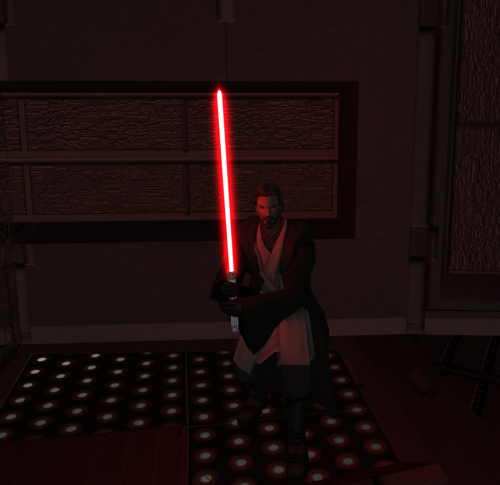
I decided to start all over again with the Aspyr port - I ran out of ideas and hope on how to get the Legacy PC version work under Wine without crashes. Hence I redownloaded the mod, and now I've noticed that several texture files are missing yet are still mentioned in changes.ini. The files in question are P_AhsokaBB01.tga (the jacket) and PFBTG_Ahsoka01.tga (the outfit Atton Rand would see first).
-
 So I take it the mod won't work correctly on Aspyr's updated release of TSL?
 -
It seems like I’ve got more issues with this mod. First, I can apparently confirm Elwood288’s comment about Ahsoka being allergic to Jal Shey and Zeison Sha armor sets, as I’ve managed to find Jal Shey Initiate Armor aboard the Harbinger and tried to put it on my player character, only for the game to crash. That was a single case though, as I didn’t find other Jal Shey or Zeison Sha sets yet. Second, while I’m not sure if this is actually related, I’m having crashes when doing the quest involving Ramana the Twi’lek dancer, namely after I manage to liberate her from servitude under Doton Het. While trying to investigate this, I’ve come across a file in the game’s folder, called AR_ERROR.LOG. It only has one line: “Names Differ: N_TwilekF pftam”. pftam.(mdl|mdx) are files added by the Ahsoka mod, while N_TwilekF is quite obviously the female Twi’lek model. Again, I‘m not sure if the crash is caused by Ahsoka or perhaps some other mod, though the AR_ERROR.LOG provides somewhat suspicious evidence. I use a slightly modified Snigaroo’s updated K2 mod build from r/kotor, with ShiningRedHD’s texture upgrades and the Ahsoka mod installed in place of the Canonical Jedi Exile mod. Unfortunately my game is currently being plagued by loadscreen crashes that I don’t know how to bypass (I’m running it on Linux in Legacy PC variant, hence workarounds that are usually suggested like disabling Framebuffer Effects — which I did — don’t help), therefore I might be unable to devote enough time in order to investigate issues with the Ahsoka mod. However, overall I’m pleased with it — it feels especially interesting to play with Ahsoka’s appearance considering the fact that both she and the main character of KotOR 2 ended up leaving the Jedi Order, and so just like her, you can choose to say “I’m no Jedi” 😄
