Leaderboard



Popular Content
Showing content with the highest reputation on 05/11/2026 in all areas
-
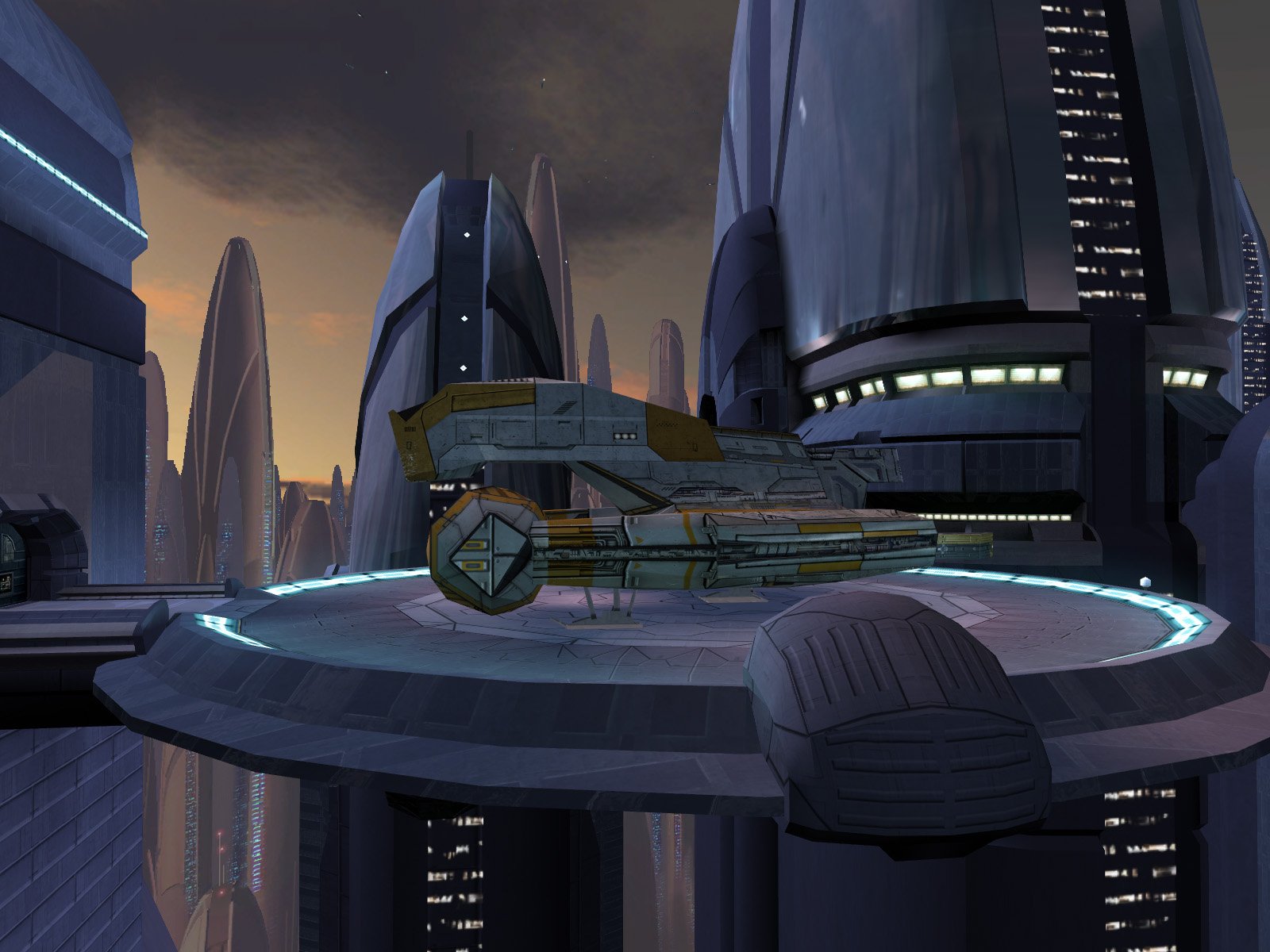
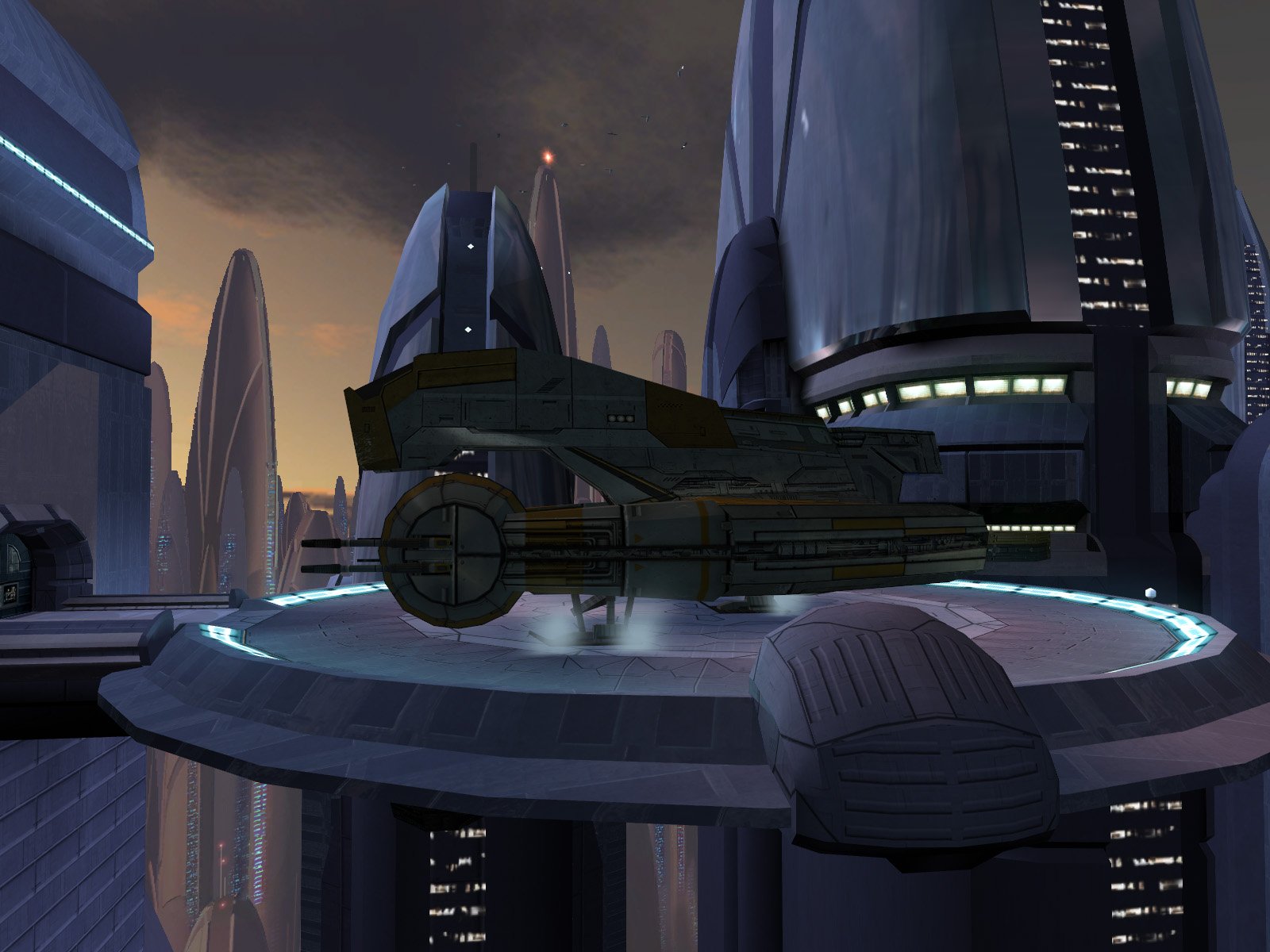
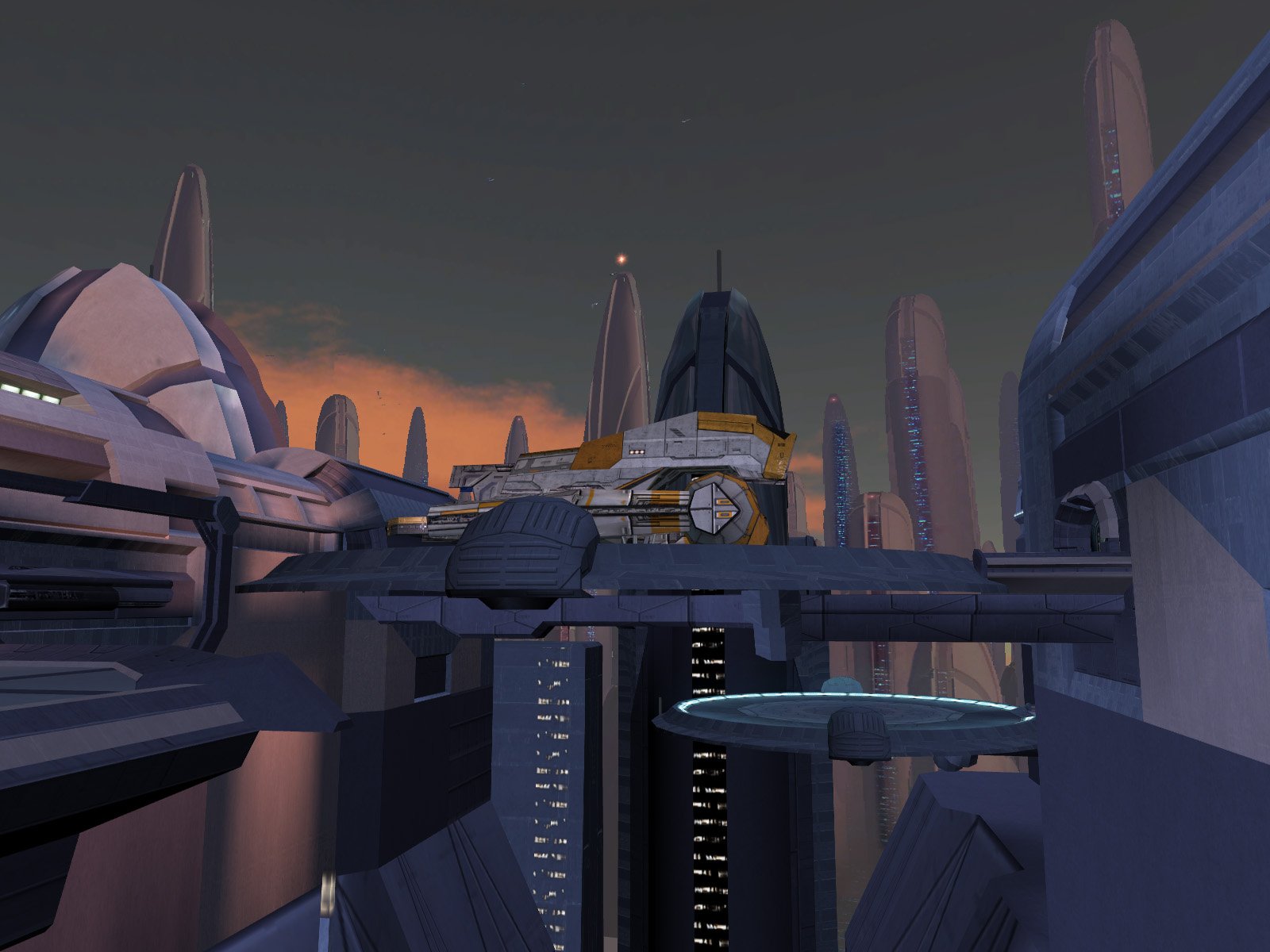
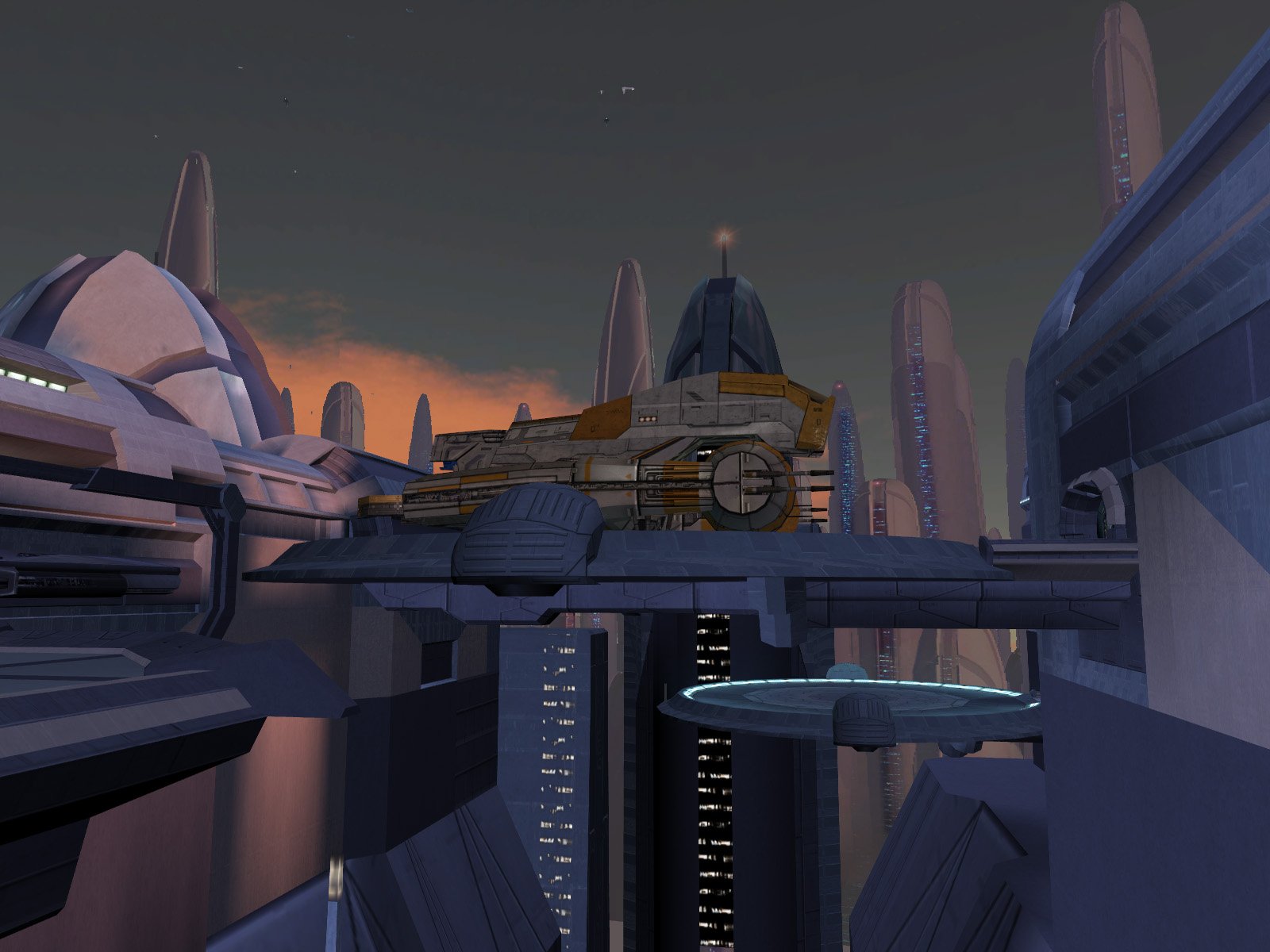
The wrecked ones should be OK as-is, they look like they already have a similar detail level as the Manaan/Nar Shaddaa freighters. To clarify, for Taris I just borrowed the higher-quality freighter model from Manaan as noted by Dark Hope in this thread:2 points
-
FYI Folks, many new patches have been released. https://github.com/LaneDibello/Kotor-Patch-Manager New Aspyr Fixes: Lightsaber Hilt rendering - Lightsaber modders rejoice, the hilt textures no longer disappear Bump Map Restoration - bump maps are back! Others: Allowing all 12 of the K2 Portraits to be visible on party select - Modders can now use a slot for a recruitment mod by using whatever slot the user isn't using for mira/hanarr, and no longer need to utilize the armband while using partyswap. Wiring for Good and Very Good Alignment heads. - If any modders want to take up making good and very good alignment heads, these were in heads.2da already but there wasn't any exe logic calling to them, it now works at 70 and 90 alignment. Also working on a patch to expand the max dynamic lights to 9 instead of the vnailla 3. All of J's fixes have been ported as well.2 points
-
Version 3.0
434 downloads
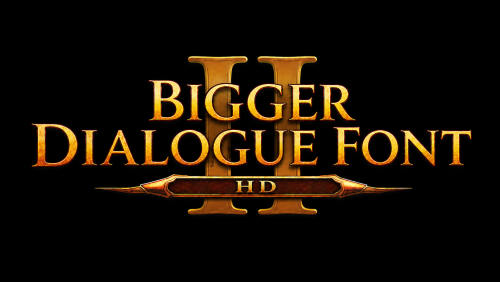
BIGGER DIALOG FONT ━━━━━━━━━━━━━━━━━━━━━━━━━━━━━━━━━━━━ DESCRIPTION Bigger Dialog Font increases dialogue and menu description font size in KOTOR 2 for better readability on modern displays. The main download includes all available font sizes: 20% Bigger 25% Bigger 30% Bigger 40% Bigger 50% Bigger 60% Bigger 70% Bigger 80% Bigger Choose whichever size works best for your resolution and setup. The download also includes an optional Font Upscaled folder. Increasing the original font size can make the text appear low-resolution or blurry, so these upscaled font textures can be used to make the larger text look clearer. ━━━━━━━━━━━━━━━━━━━━━━━━━━━━━━━━━━━━ DIALOG SUBTITLE WORD WRAP BETA The optional Dialog Subtitle Word Wrap beta modifies dialog.tlk to add line breaks to dialogue subtitles, helping prevent subtitle text from extending off-screen when using the larger font sizes. The add-on is now modular and includes three versions: Vanilla TSLRCM TSLRCM + KOTOR 2 Community Patch Choose the version that matches your installation. The requirements only apply to the Dialog Subtitle Word Wrap version you choose. The regular Bigger Dialog Font files do not have any known mod requirements. Important: Always back up your original dialog.tlk before installing the Dialog Subtitle Word Wrap beta. ━━━━━━━━━━━━━━━━━━━━━━━━━━━━━━━━━━━━ INSTALLATION Main Font Files Download and extract the ZIP file. Open the extracted folder. Choose your preferred font size. Place the files from your chosen size folder into your KOTOR 2 override folder. Replace files if prompted. Optional Upscaled Font If you want clearer font textures, open the Font Upscaled folder and place its files into your override folder. This is optional, but recommended if the enlarged font looks blurry or low-resolution. Dialog Subtitle Word Wrap Beta Read the included README first. Choose the version that matches your setup: Vanilla TSLRCM TSLRCM + KOTOR 2 Community Patch Back up your original dialog.tlk. Place the new dialog.tlk into your main KOTOR 2 directory, where the game executable is located. ━━━━━━━━━━━━━━━━━━━━━━━━━━━━━━━━━━━━ EXTRA NOTES Screenshots were taken at 1920x1080. ━━━━━━━━━━━━━━━━━━━━━━━━━━━━━━━━━━━━ CHANGELOG Consolidated all font sizes into the main download. Added 20%, 25%, 30%, 40%, 50%, 60%, 70%, and 80% font size options. Added optional upscaled font textures for clearer enlarged text. Dialog Subtitle Word Wrap beta is now modular. Added separate Dialog Subtitle Word Wrap versions for Vanilla, TSLRCM, and TSLRCM + KOTOR 2 Community Patch.1 point -
Version 4.1
359 downloads
VANILLA ICONS AND GUI HD 1,539 UPSCALED ICON AND INTERFACE TEXTURES FOR KOTOR II ━━━━━━━━━━━━━━━━━━━━━━━━━━━━━━━━━━━━ OVERVIEW Vanilla Icons and GUI HD contains 1,539 upscaled textures in the main file, not including compatibility-patch textures. The mod upscales every icon, GUI icon, and interface texture that could be safely enhanced while preserving the original appearance of Star Wars: Knights of the Old Republic II — The Sith Lords. This includes item icons, weapons, armor, clothing, portraits, menu icons, galaxy-map assets, GUI backgrounds, controller icons, and other interface textures. All included textures were upscaled to 4x their original resolution using Topaz Gigapixel. The mod began as Gamepad Menu Upscaled, later expanded into Forgotten UI Textures, and has now grown into a complete icon and interface overhaul. ━━━━━━━━━━━━━━━━━━━━━━━━━━━━━━━━━━━━ MAIN FILE CONTENTS The main file includes: • Item, weapon, armor, clothing, and equipment icons • Usable-item and inventory icons • Force-power, feat, ability, and interface icons • Player-character, party-member, and other character portraits • Gamepad menu textures and controller icons • Menu and GUI icons • Galaxy-map textures and icons • GUI backgrounds • Additional interface textures The vanilla blue lightsaber icons have also been recolored to correct their noticeably purple appearance. (See image) while preserving their original design, glow, and transparency. ━━━━━━━━━━━━━━━━━━━━━━━━━━━━━━━━━━━━ COMPATIBILITY PATCHES Only install a compatibility patch when using its corresponding mod. THE SITH LORDS RESTORED CONTENT MOD PATCH Includes additional and replacement interface textures used by The Sith Lords Restored Content Mod. Requires the main file and TSLRCM. KOTOR 2 COMMUNITY PATCH Includes additional and replacement interface textures used by the KOTOR 2 Community Patch. Requires the main file and the KOTOR 2 Community Patch. ━━━━━━━━━━━━━━━━━━━━━━━━━━━━━━━━━━━━ MISCELLANEOUS FILES SWOOP RACE OVERLAYS Upscales the interface overlays used during swoop races. The latest version of Vanilla Planets HD already includes these textures. You do not need this optional file if using my other mod. TSLRCM MAIN MENU LOGO Upscales the TSLRCM main menu logo The TSL Main Menu Model Fix and all of its prerequisites are hard requirements for this file. ━━━━━━━━━━━━━━━━━━━━━━━━━━━━━━━━━━━━ INSTALLATION 1. Download and extract the main file. 2. Copy the included Override folder into your main KOTOR II installation directory. 3. Place the folders and replace files when prompted. 4. Install the TSLRCM or KOTOR 2 Community Patch compatibility files afterward, when applicable. 5. If you’re using both TSLRCM and the KOTOR 2 Community Patch, install the TSLRCM icon patch first, followed by the K2CP icon patch. ━━━━━━━━━━━━━━━━━━━━━━━━━━━━━━━━━━━━ REQUIREMENTS AND COMPATIBILITY • Requires Star Wars: Knights of the Old Republic II — The Sith Lords • Compatible with The Sith Lords Restored Content Mod • Compatible with the KOTOR 2 Community Patch • Compatibility patches require the main file and their corresponding mods • The optional TSLRCM main-menu file requires the TSL Main Menu Model Fix and all of its prerequisites COMPATIBILITY NOTE The main file replaces many of the same textures included in: TSL - AI Upscaled Icon Overhaul TSL - AI Upscaled PC and Party Portrait Overhaul Installing Vanilla Icons and GUI HD afterward will overwrite matching icons and portraits from those mods. ━━━━━━━━━━━━━━━━━━━━━━━━━━━━━━━━━━━━ CREDITS Obsidian Entertainment — Original KOTOR II textures and assets1 point -
Having a quick look at it, the main issue is that the landing gear is split out to a dozen other meshes for animation, which makes it way more of a pain to deal with. Fortunately though most of the work is in the main body which is all one mesh. I'd suggest putting that on its own 512x512 map, and then group the landing gear into its own separate map that can be 256x256.1 point
-
I know I'm a little late, but how about this? Before: After: Before: After: A few notes on the edits: The Manaan freighter is slightly larger than the original ones on Taris. I chose to keep the Manaan sizing instead of trying to scale them down. I relied on the in-game lighting instead of creating new lightmaps, which is why the new freighters look somewhat darker than the originals. While I was at it, I also patched a major hole in the bottom of the upper freighter's platform. High Quality Taris Freighter.zip
 1 point
 -
Sorry I've been slow to update this thread. A lot of the discussion has moved to Discord for better or for worse. But I'll try to put major updates here when I can. @DarthOuroboros Regarding a Lua machine, I had considered this option previously when I was planning out the script extender, but discarded it as the scripting community is already very well established, and asking people to adopt a new scripting paradigm might be a hard sell. However, that's not to say there'll never be a Lua machine implemented as you describe. There's room in the patching project for all sorts of ideas and features (provided someone is willing to create them). It just isn't currently on my or anyone elses docket to look into that.1 point
-

23,497 downloads
Original Review on Filefront: Star Wars if you look through all of the movies, games, fan media, ect. always had one thing in common, masks, and not your normal run of the mill costume masks that you could by at your local convenient store. They have these great elaborate masks that give them special abilities or give them some extra bounus that they need to do what they are doing. The only thing that is bad about those masks is that they are UUUUUUUUUUGLY (excluding a few choice ones of course.) Now you ask "SithRevan what can we do about these ugly masks that make our characters look stupid?". Well my friends I have the solution. Actually Shem our Site Manager and all around cool guy has come up with the solution... I am just reviewing it. Anyway though I am proud to announce that the solution to making the ugly masks go away is to simply make them invisible and that is exactly what Shem did. What this mod does is makes all of the default masks in the game completely invisible so that you can get the bonuses with out having to make a fashion statement in the process. So I say awesome work Shem. I am glad to see you have a couple cool mods left in ya. Now to all of the other out there waiting to get you greedy little hands on this treasure... Enjoy. Note: Please leave the author feedback, especially if you download this mod and use it. It really helps encourage the author to make more mods in the future. -SithRevan1 point -
 you stole this from https://www.nexusmods.com/kotor2/mods/935?tab=description uploaded 3 years before you reuploaded it here, don't claim credit for other peoples work1 point
 -
Version 2.2.7
326 downloads
## Quick Setup 1. Download the Latest Archive version of **Mod Organizer 2 Beta 2.5.3** from the MO2 Discord and extract it somewhere with plenty of free space. 2. Download the **KOTORganizer plugin** and extract it into your MO2 folder. 3. Launch MO2 and complete the first-time setup: * Choose **KOTOR** or **KOTOR 2** as the game. * Choose **portable instance**. * Login to your nexus account, in the settings. 4. Open the **Sync** tab on the right side of MO2. 5. Click **Refresh** to pull the latest mod build instructions. 6. Click **Download All** and wait for the downloads to finish. * Some downloads will open in your browser and require you to click the download button manually. 7. Once all downloads are finished, click **Refresh** again to validate the files. * If any files are missing or mismatched, download them again. 8. When all files are validated, click **Sync** to install the mod list. * This may take some time. * The process is complete when the patcher window shows the final error and warning count. 9. Click **Run** to start the game. NOTE: The following are not included and will need to be patched/installed manually: - Widescreen Patches for KOTOR - 4GB patches for both games - 3C-FD Patcher for KOTOR2 - Upscaled Movies for KOTOR and KOTOR2 KOTORganizer MO2 Plugin KOTORganizer extends Mod Organizer 2 for both STAR WARS Knights of the Old Republic and STAR WARS Knights of the Old Republic II: The Sith Lords. Why Mod Organizer 2? Mod Organizer 2 already provides a stable foundation for mod management across many games. Extending it for Star Wars: Knights of the Old Republic and Star Wars: Knights of the Old Republic II: The Sith Lords gives KOTOR modding access to MO2’s biggest strength: the virtual file system. With MO2, the game sees modded files as if they are in the game directory, while the real game folder stays untouched. This keeps the base install closer to vanilla, makes mods easier to enable or disable, and gives better visibility into how files overlap or conflict. MO2 does have a learning curve, but for advanced KOTOR/KOTOR2 builds, the extra structure is worth it. Who Is This For? This plugin is mainly intended for larger KOTOR/KOTOR2 mod builds, repeatable installs, and users who want better insight into file conflicts. An auto downloader and installer is included to easily deply the Mod Builds from https://kotor.neocities.org/ If you only install a few simple loose-file mods, this may be more tool than you need. If you are building a large mod list with many TSLPatcher mods, texture overrides, and compatibility concerns, MO2 provides a much cleaner workflow. Installing Mod Organizer 2.5.3 Beta is required. The current unreleased beta builds include features that KOTOR support depends on. A beta build can be acquired from the Mod Organizer 2 Discord in the dev-build channel. Development has been more active recently, so an official release should be available soon. Once you download and extract MO2, download and extract KOTORganizer to the MO2 directory. Launch ModOrganizer.exe and you can verify the plugin is loaded by opening the Info tab on the right. The sync tab can download and install the mod builds from https://kotor.neocities.org/ Texture Management KOTOR uses several texture-related file types, including .tpc, .tga, .dds, and .txi. MO2 normally only detects exact filename conflicts, but KOTOR has additional texture priority rules that can cause problems even when the extensions differ. The texture management tab helps bridge that gap. It detects conflicts across supported texture formats and highlights them by severity. The highest-severity conflicts are cases that may cause hard crashes in-game. Lower-severity warnings include cases where a .tpc takes priority over a .tga or .dds unexpectedly. An Auto Fix button is included to resolve supported texture conflicts based on the current MO2 mod priority order. TSLPatcher Management Many KOTOR mods use TSLPatcher-style installers instead of simple loose-file installs. The patcher tab lists enabled mods that contain a tslpatchdata folder and can consolidate their patched output into a single MO2-managed mod. Double-clicking a patcher mod shows more detail, including: the changes.ini parsed human-readable install actions detected conflicting patch actions the latest install log A test tab is also available for simulating or testing a single mod install before running the full patcher process. When the patcher process is run, enabled patcher-style mods are processed in priority order and consolidated into a [PATCHER FILES] mod in MO2’s left panel. Automatic Mod Deployment The sync tab is designed to help download, validate, and install mod builds that follow the instructions from the KOTOR Mod Builds site. The Refresh button pulls the latest instruction set and checks for missing files. Download All starts downloading missing mods in sequence. Nexus Mods downloads require logging in with a Nexus account inside MO2. Deadly Stream mods can be downloaded automatically when supported. Mods from other sources open in an Edge browser window, where the user only needs to click the download button. The browser window closes automatically after the download completes. Downloads can still fail. Servers can be slow, unavailable, or inconsistent, and some files may need to be retried manually. Once all files are validated through Refresh, the Sync button becomes available. Sync extracts the downloaded files, runs the multi-patcher, and applies supported texture conflict fixes. When the patcher summary appears with the number of errors and warnings, the process is complete. Manual Mod Installing KOTOR mods are often packed inconsistently. The plugin includes a KOTOR-specific mod data checker that recognizes common archive layouts and can fix many of them automatically. This is especially useful for loose-file mods and patcher-style archives that would otherwise require manual cleanup before MO2 can install them correctly. Steam Workshop Warning If the game is installed through Steam and Workshop content is detected, the plugin warns the user. The intended workflow is MO2-managed content, not a mixed MO2 plus Steam Workshop setup. Mixing both can make conflicts harder to understand and can lead to unexpected file priority issues. Save Support The plugin integrates the game’s saves folder into MO2. Save entries can show timestamps, basic metadata, and screenshot previews. Profile-specific saves can also be enabled through MO2 settings. Limitations This plugin is meant to reduce repetitive setup work, improve conflict visibility, and make large KOTOR/KOTOR2 builds easier to manage. It does not remove the need to read mod instructions. Mods with unusual installers, custom compatibility patches, manual edit requirements, or unsupported archive layouts may still require manual review.0 points -
If you're working on a lightsaber hilt mod or any texture using a bump map, you may be interested in my recently published fixes on KOTOR Patch Manager that restore both in the Aspyr versions of the game.0 points
-
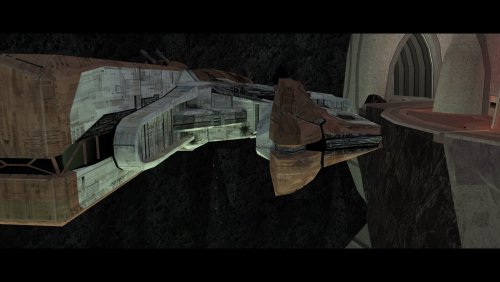 Just finished the game for the first time with this mod, and... wow. This is... so much better than the vanilla/TSLRCM ending, holy crap. It patches so many of the holes (well, kinda, I mean there's an attempt to explain T3 and the Hawk surviving the fall into the chasm), the choice of whether to destroy Malachor V being present regardless of the 'side' you end up on is cool, and I liked the extra dialogue with T3 and Brianna in the hold, as well as seeing everybody (well, again, mostly) alive and well in the Hawk to confirm that your efforts saving them weren't in vain. And then, of course, moving Atton's send-off dialogue to the cockpit (where he always is), and having it be the last thing before the credits roll was great. Like, idk, I could so clearly imagine my Exile rolling her eyes and plopping down into the co-pilot's seat. Phenomenal work! I wasn't sure how well it was going to integrate, but it would feel very hollow to play the ending again without this mod, which puts it up there with TSLRCM for me.0 points