Leaderboard



Popular Content
Showing content with the highest reputation on 09/25/2026 in all areas
-
Version 1.0.0
14 downloads
200+ portraits to replace party and player portraits. 5 stage lightside/darkside transition restored. Install - extract the .TPC files to the game's override folder - the optional portraits.2da file enables 5 stage lightside/darkside transitions, copy it to override. How Were These Made Kotor Blender and ImageMagick. I will be releasing the scripts to easily generate matching portraits. Blender and KotorBlender plugin will need to be install but the portrait generation process does not require blender knowledge.3 points -
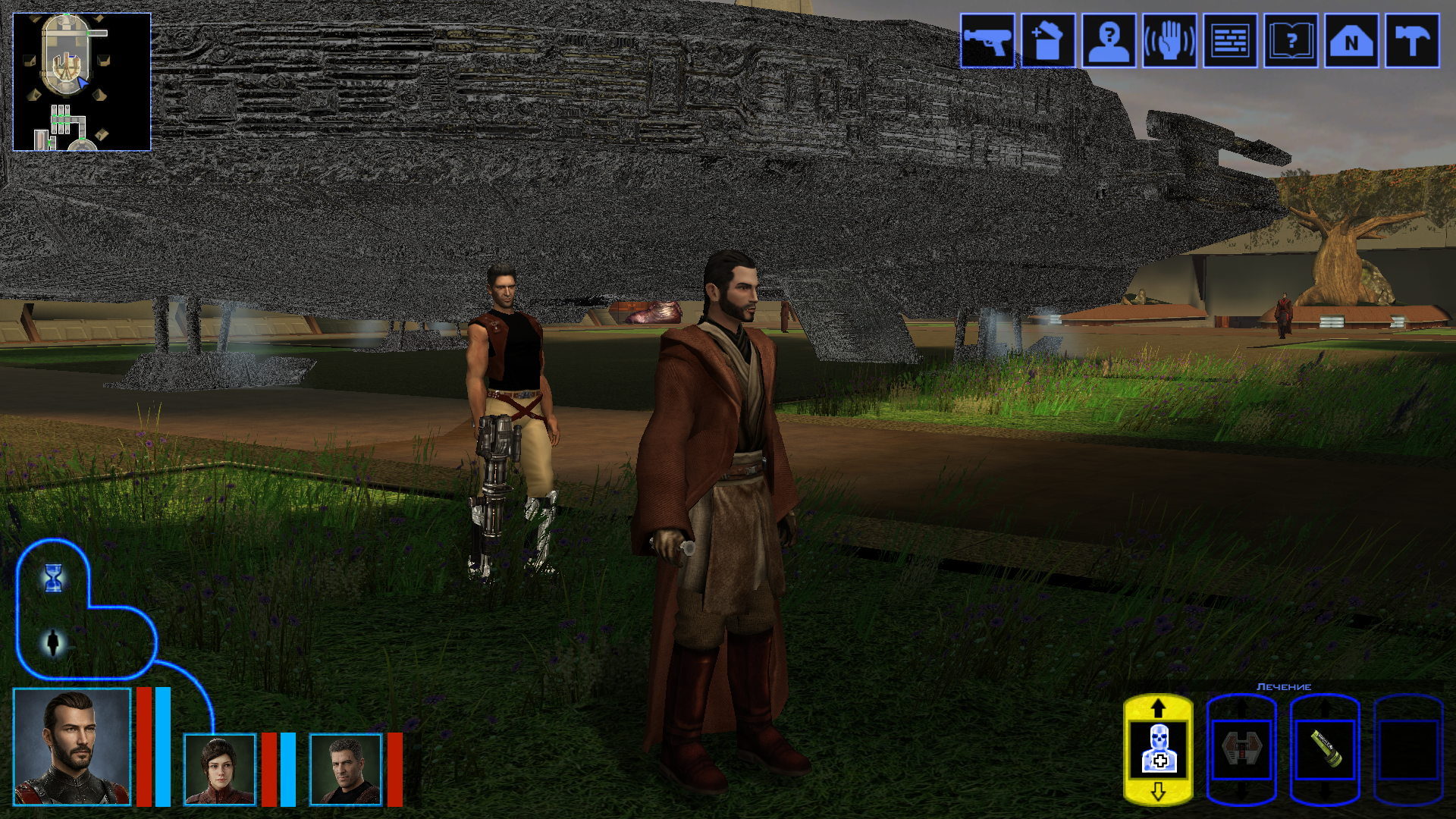
The next big project was a retexture of the Ebon Hawk’s exterior hull. Looking at the vanilla one was genuinely painful, and the existing retextures didn’t really improve the situation. I really wanted to bring its appearance closer to this: https://www.artstation.com/artwork/GXwXyB Because in my game I’ve replaced the original cutscenes with several very beautiful ones that use this model. And the model itself is just awesome! But I immediately ran into the problem that the UV layout was completely unsuitable - a lot of overlapping, and many areas of the texture were shared between completely different parts. And… I went down the wrong path. I found the "v_ehawk" model in the game files and started fixing the UV unwrap. I did everything properly: separated the overlaps, made the areas that are visible up close when you walk around the ship larger. Texture in 4K. I was even about to start editing vertices and adding polygons. But then I discovered that none of my changes were visible in the game at all. I spent several days scratching my head, thinking I was exporting the model incorrectly somehow. Of course it turned out to be much more mundane - the model I was editing had nothing to do with the ones that appear on the landing pads on different planets. I have no idea where the game actually uses it - probably in some cutscenes? What we see on the landing pads and in the docks is part of the area, not a separate model. And if I want to edit it, that means editing the entire area - which automatically means incompatibility with any other mod that also edits that area. So I sulked a bit, complained a bit, and decided for now to limit myself to pure texture work. But then another “brilliant” idea struck me - we don’t look for easy ways, right? Realising that adding polygons wasn’t going to happen, I wanted to add a normal map, inspired by my previous experience with the Twi’lek head. I thought, at least it won’t be a flat picture stretched over polygons, there will be some relief. I also spent a long time on the texture itself, adjusting it so that the overlapping UV pieces still looked decent… It was challenging to strike a balance between the desire to match the reference and the limitations of the existing UV layout. I hope the result turned out well. I wanted to make 8K textures, but the engine was clearly starting to struggle when loading areas, so I settled on 6K. But with the bump I was in for a fiasco. Actually, I could have suspected something when looking at the original game files - there was no bump specified in the .txi files at all, even though bump maps were provided for every texture. Why do they exist? I still don’t know the answer to that question. Interestingly, the engine did react to the presence or absence of the bump map - the shaders changed and the image looked different. But the actual content of the bump map didn’t affect anything. For the experiment I tried both a completely flat solid “blue” bump map and an extremely contrasty one amplified 15× during conversion to TPC. There was zero difference. After quite a long series of experiments with different bump settings, .txi options, and the alpha channel of the main texture, I finally found the answer — and I’m sure it has been discussed somewhere on this forum, I just never came across it. On area objects the lighting is almost completely baked into the lightmap. Dynamic bump (the kind that reacts to real-time light direction) barely shows up at all. Especially if the lightmapped flag is enabled on the mesh. I looked into the node of the long-suffering ship, and sure enough, there it was: As an experiment I turned off the lightmapped flag. And to my astonished eyes this is what appeared (the bump map at that moment was the extreme one) — view with caution! 🤣 Of course it’s pure horror, some kind of Dark Side of the Force visions. 😁 So I don’t know whether to include these normal maps in the mod release for the textures where the ship is part of the area. Are they needed? Probably not. For the model that isn’t part of an area - apparently the one used in some cutscenes - I will of course add the bump. Might be useful. A few nice pictures: All that’s left is to add the texture for the upper hull (roof) model that is used in the mini-game where you shoot down fighters, and touch up small details here and there. And then the mod can be released.
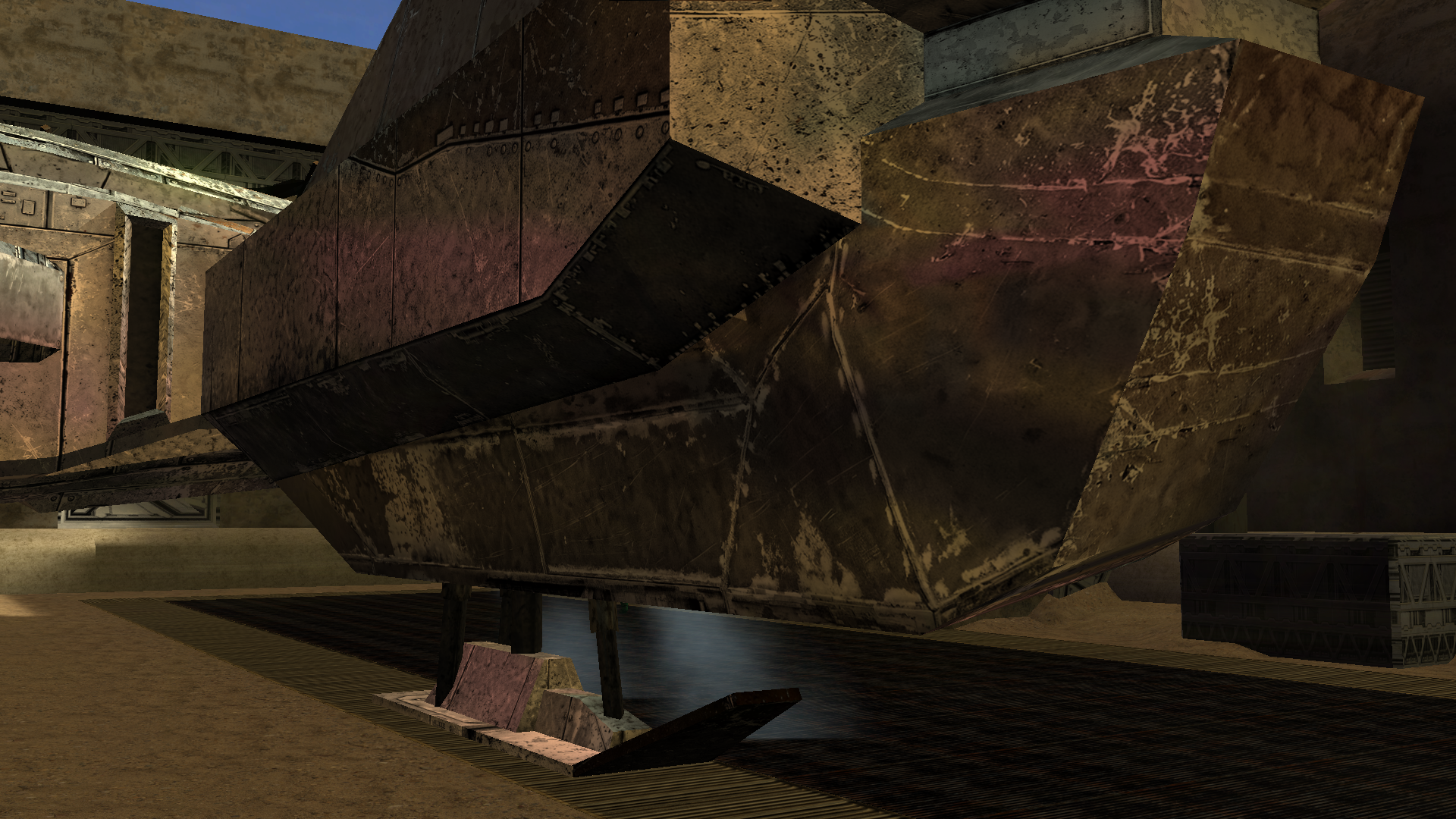
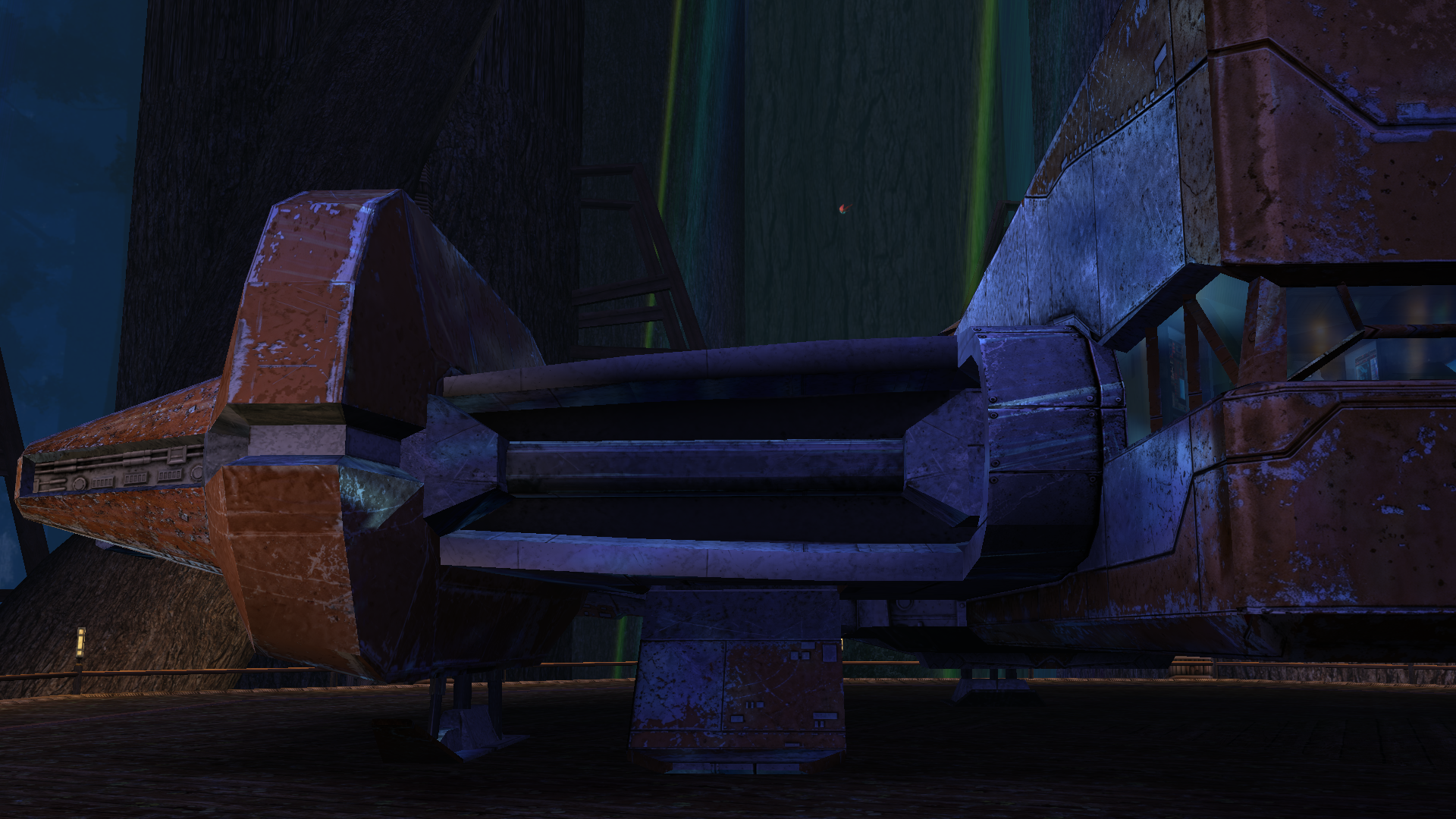
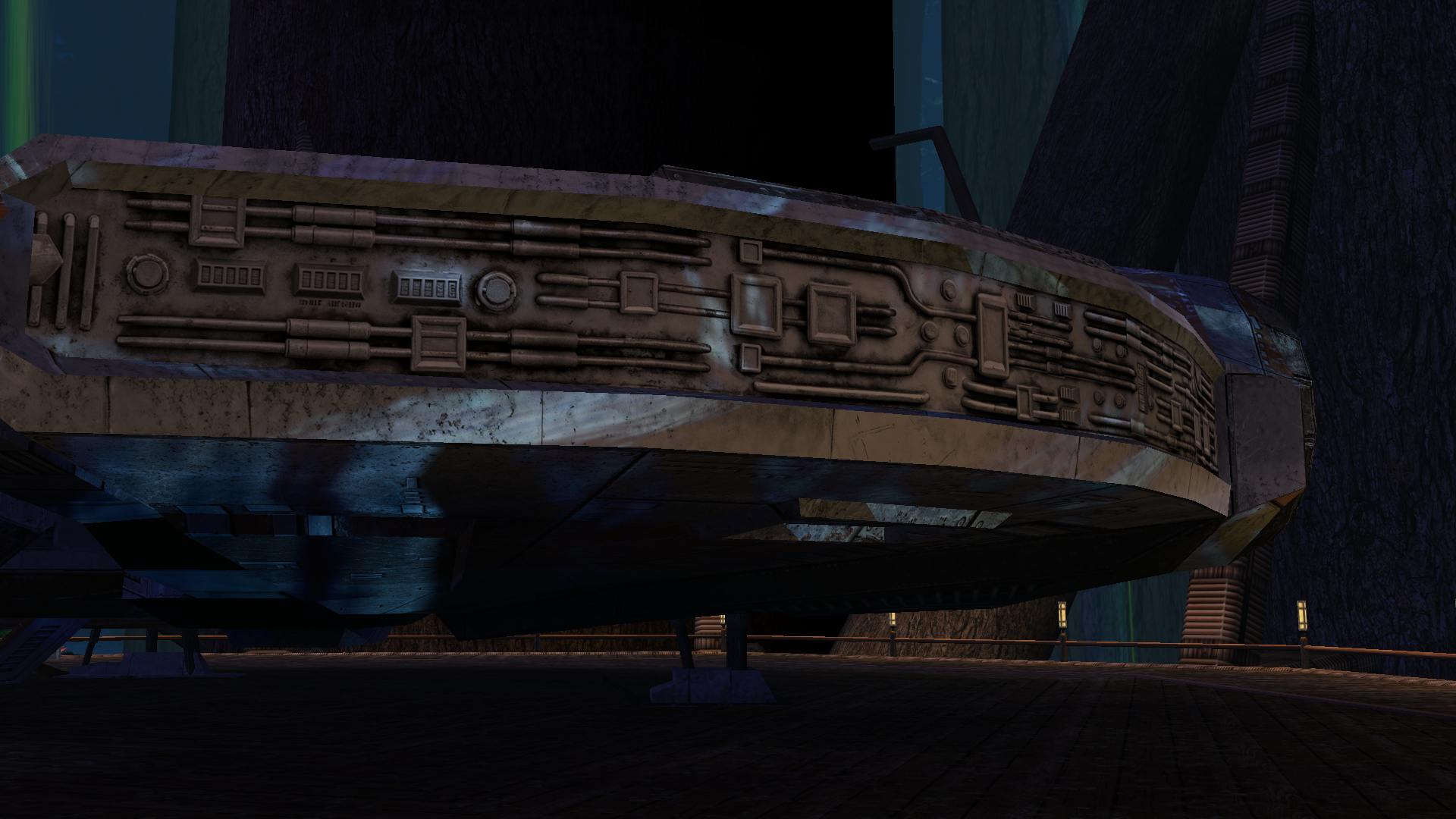
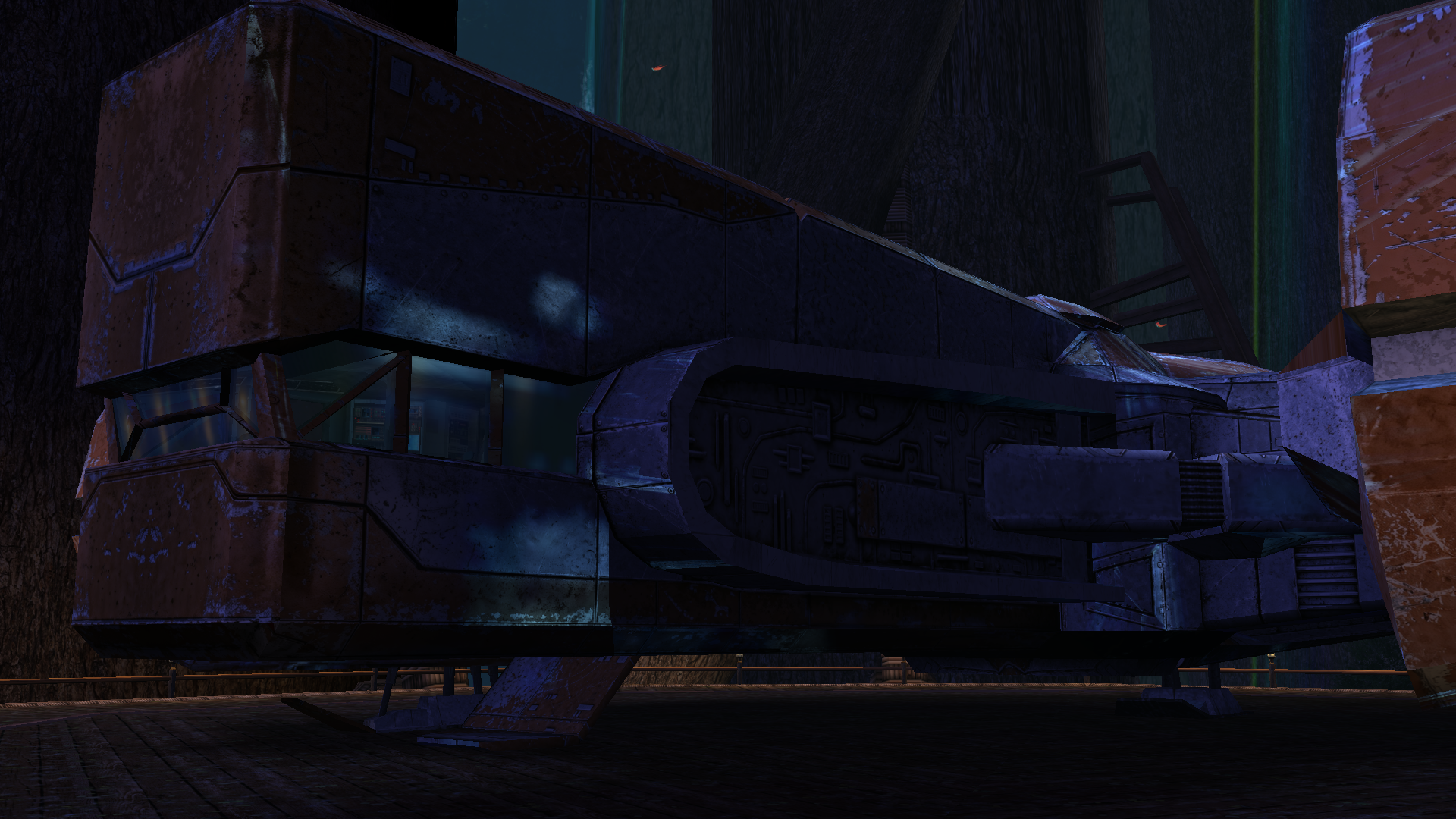
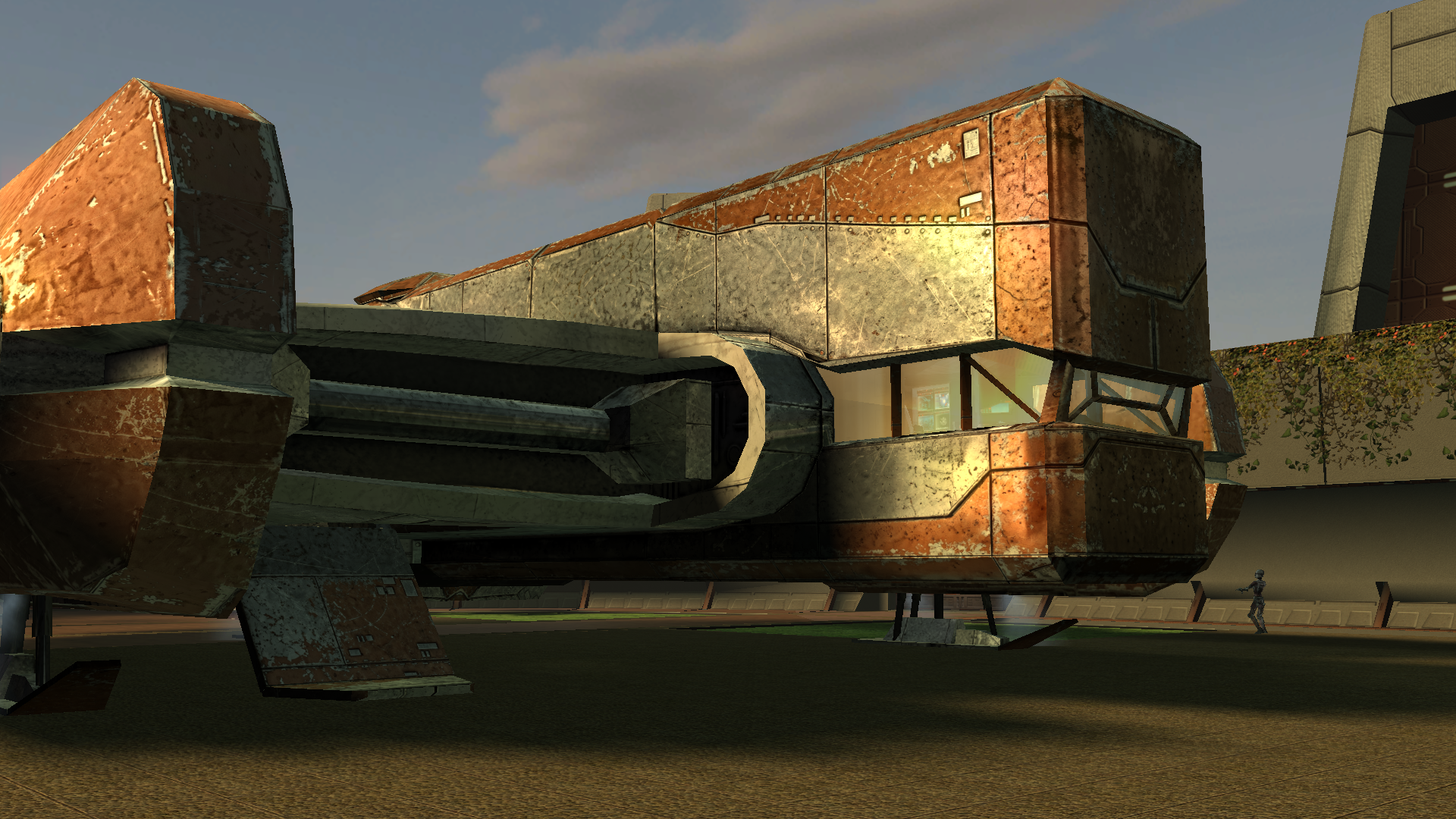
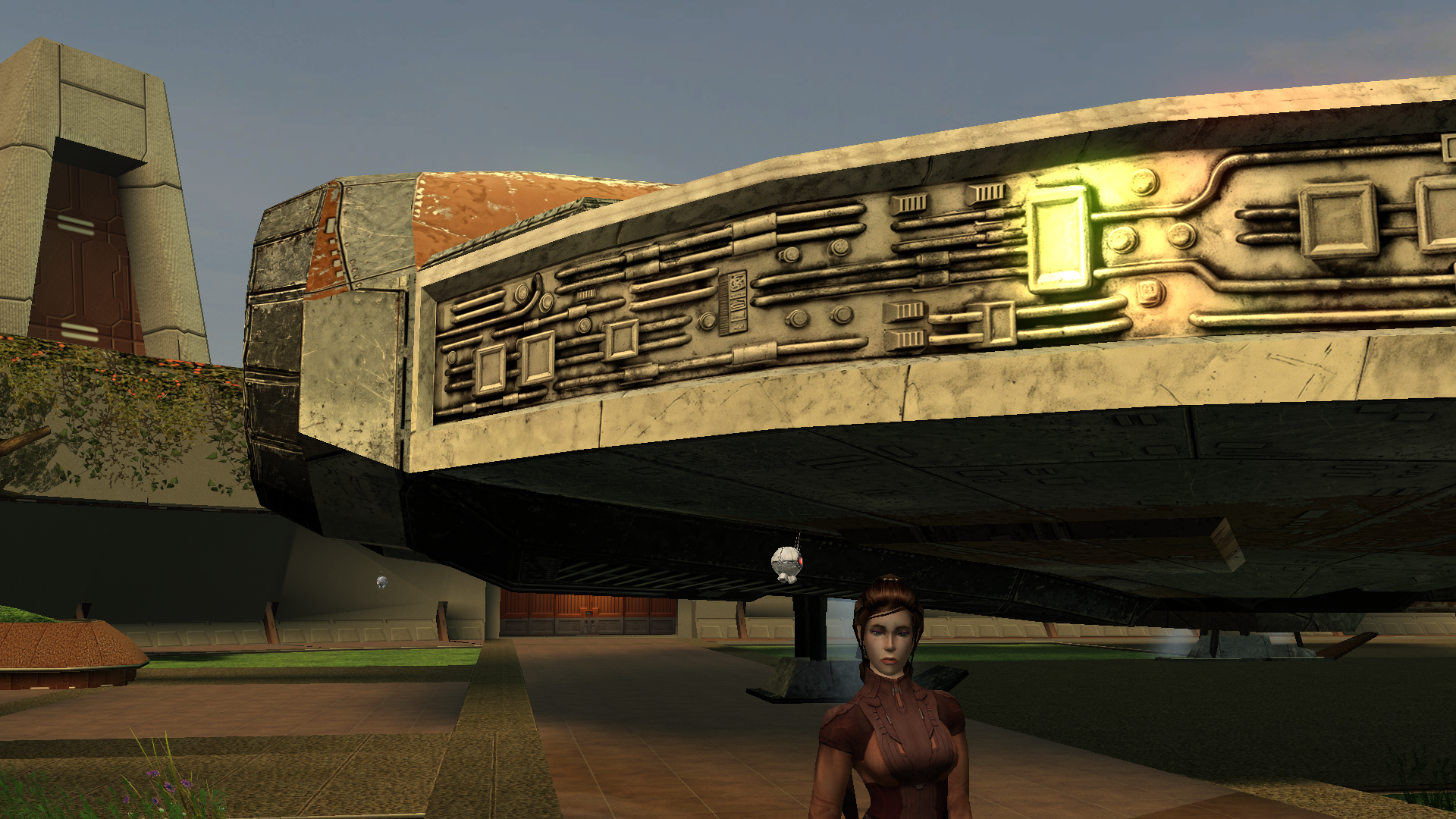
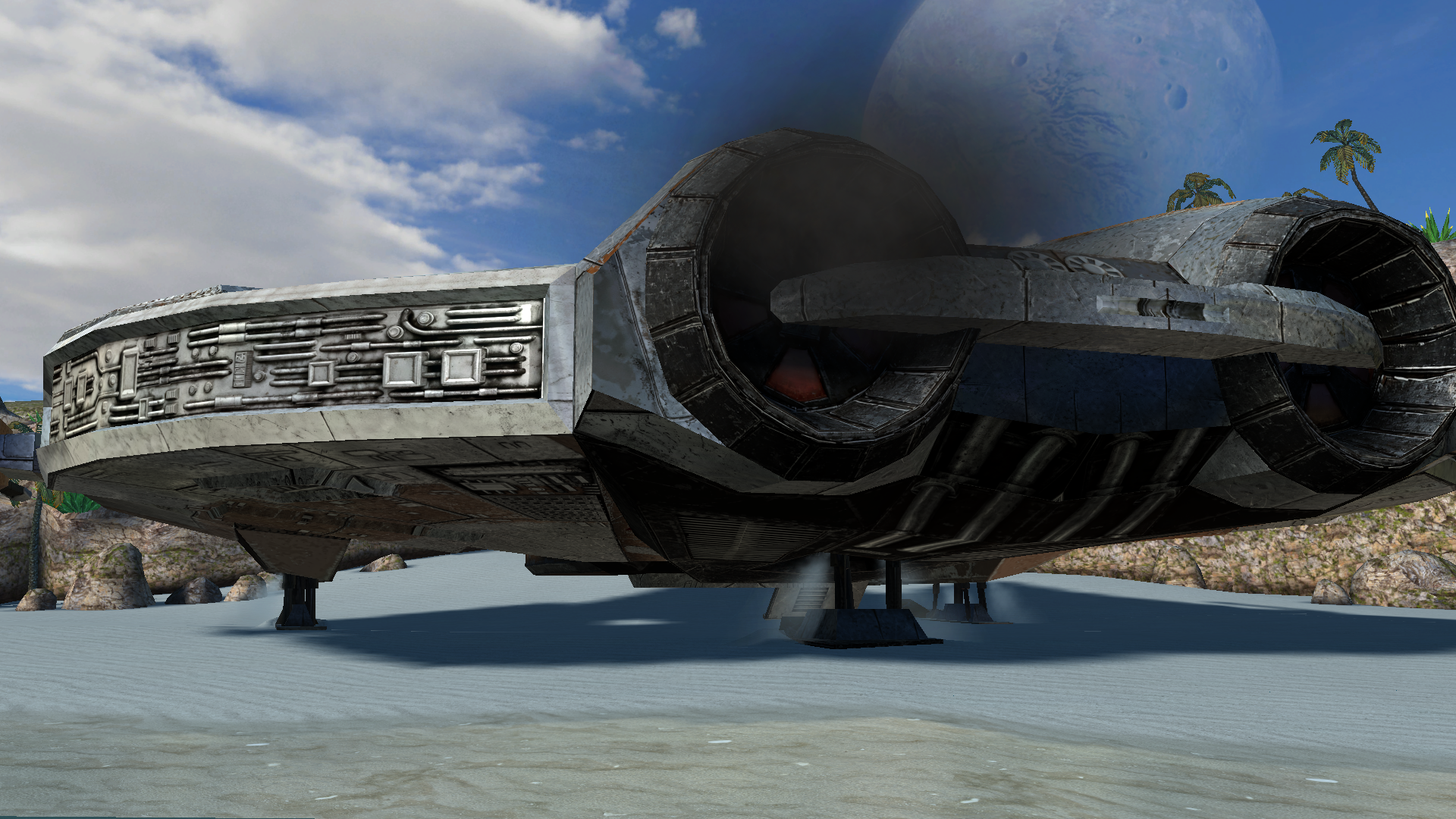
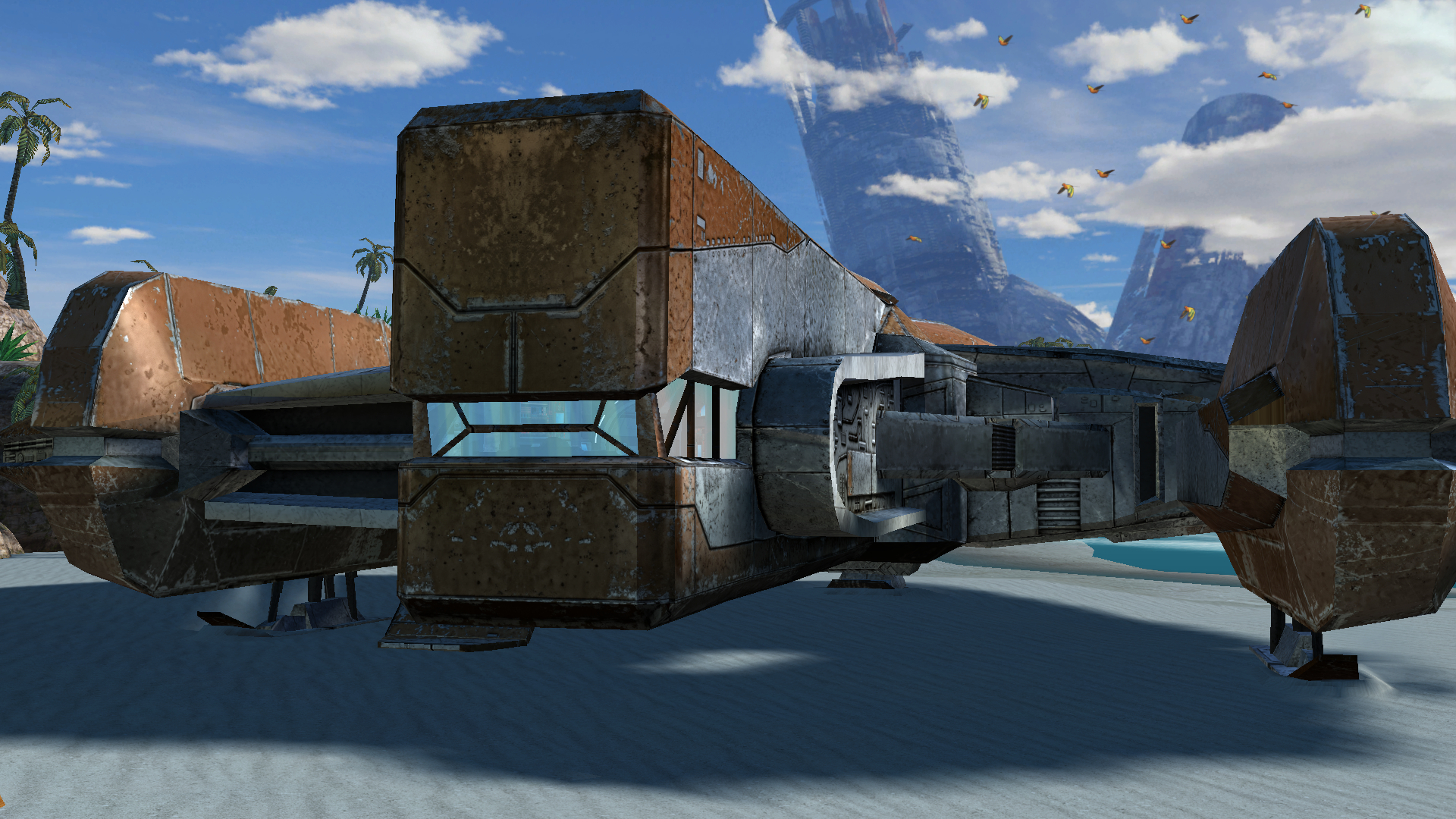 1 point
 -
Hi, I can make the hd icon packs and portraits optional in the next update And yes I am releasing full native controller support with rumble on the next update, that works even on 800x6001 point
-
1 point
-
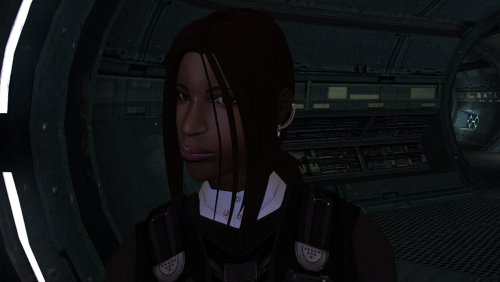
Version 1.0.0
21 downloads
The mod replaces the PFHB04 model and textures. To Install 1. Download: PFHB04 2. Copy all files to the Knights of the Old republic's Override folder. (Example location - C:\Program Files (x86)\Steam\steamapps\common\swkotor\Override) 3. When/if prompted to overwrite files, press okay. 4. If you like the mod; leave a comment or endorse! (It would be much appreciated) Made with love.1 point -
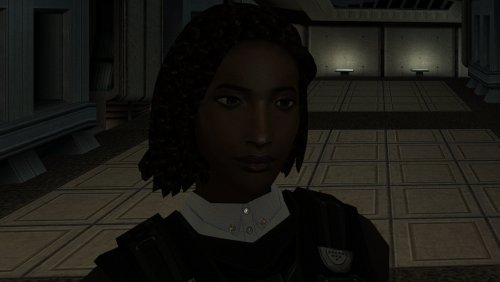
Version 1.0.0
22 downloads
The mod replaces the PFHB03 model and textures. To Install 1. Download: PFHB03 2. Copy all files to the Knights of the Old republic's Override folder. (Example location - C:\Program Files (x86)\Steam\steamapps\common\swkotor\Override) 3. When/if prompted to overwrite files, press okay. 4. If you like the mod; leave a comment or endorse! (It would be much appreciated) Made with love.1 point -
 So I have a problem with the mod Last time when I installed it it worked fine, but this time I get multiple errors about temporary files not found, or some files not compiling properly, and I don't really know what to do here If somebody could help me, it would be greatly appreciated Here is the error report if it's any help installlog.txt1 point
 -
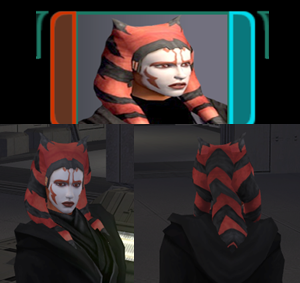
Version 1.0.0
32 downloads
After starting a playthrough with Stormie97 & Effix's playable Ahsoka (https://deadlystream.com/files/file/1995-tsl-stormie97-effixs-ahsokatogruta/), I thought it would be cool if there was a more visible dark side transition, so I made one.... this was initially for personal use and it's not to the highest of standards, but here it is, I hope somebody can get some enjoyment out of it. I also included an alternate light side portrait, should you wish to use it. Installation: 1. Install https://deadlystream.com/files/file/1995-tsl-stormie97-effixs-ahsokatogruta/ 2. Download the Dark Side Transitions.zip 3. Drop the files into your override folder Uninstallation: 1. Delete the following files from your override folder - po_PFHAHSD2.tga - po_PFHAHSD1.tga - po_PFHAHS.tga - PFHAHS01D2.tga - PFHAHS01D1.tga Full credit goes to @Stormie97 & @Effix for their amazing work creating the original. Legal Disclaimer ================= All materials and copyrights belong to LucasArts, Bioware and Obsidian Entertainment Inc. & I own none of the materials and are not making money for this. Please don't upload this on other sites, I will handle that. You may request use in other mods, pending approval; any mods using the assets should credit all the below parties.1 point -
 126 Gb ???1 point
 -
DP, in case you believe this won't ever become a published modification, I was wondering if you could share the room model with the TSL ponds but without the additional trees, if you still have those files somewhere.1 point
-

Version v1.0.3
2,767 downloads
MDLedit is a (de)compiler for KOTOR and KOTOR2 model files. Which version should I download? There are two packages on the download page. They differ in whether the program uses Visual Styles or not. The difference is purely visual, they are completely equivalent in terms of functionality. The version in the mdledit_v0.0.0xp.zip package will work on Windows XP or newer as well as on MacOS through Wine, but it will look like crap. The version in the mdledit_v0.0.0.zip package will look better, but will only work on Windows Vista and up. How do I set it up? Open the .zip archive, extract the .exe and run it. If you want MDLedit to keep track of your option between sessions, create a blank mdledit.ini file in the same folder as your .exe. How do I use it? The program comes with a help documentation window accessible from the About menu, read that to learn how to use it. If something is not mentioned there please let me know in the relevant thread (link to be added) and I will explain the functionality and add the explanation to the help window for the next version. MDLedit was designed to be used with KOTORmax and the new version of KotORBlender by ndix UR. Using the ascii model files that it produces with NWmax will cause data to be ignored in the best case and a crash in the worst. The program crashed/froze/reported a weird error! Describe your issue in the relevant thread and I will look into it. Attaching a .zip archive with the files that MDLedit was processing when the problem appeared is also very welcome. Thanks A big thank you goes out to ndix UR, without whom MDLedit would have maybe half the functionality it has now. I would also like to thank the testers, who also made a lot of great suggestions that made MDLedit that much better: – DarthParametric – JCarter426 – Quanon – VarsityPuppet – FairStrides The program was built on the knowledge about the MDL format, which is the result of the work of many modders, including CChargin, Magnusll, JdNoa, ndix UR, DarthSapiens, VarsityPuppet, FairStrides, and others! Thank you for your efforts! Lastly I'd like to thank the KOTOR modding community, which makes taking the time to make such a tool worth it.1 point
.thumb.png.d8b108d1620cfd7d697f7271e60714db.png)