Leaderboard



Popular Content
Showing content with the highest reputation on 08/28/2026 in all areas
-
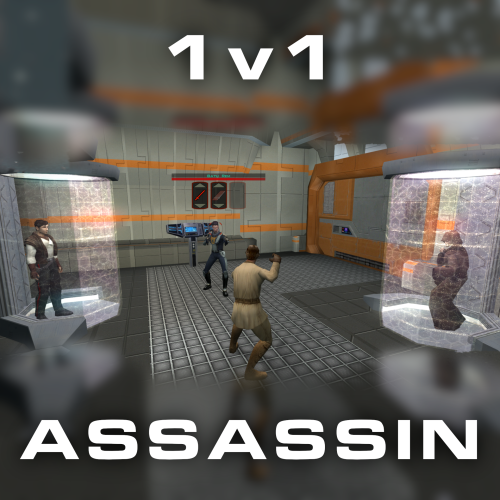
Version 1.0.0
73 downloads
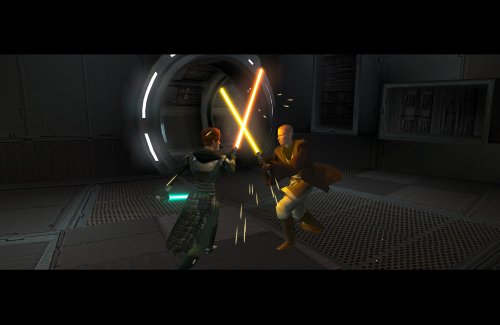
Citadel Station assassin no longer frees your companions, for a 3v1 fight. Also includes a fix from TSLRCM and a fix for TSF agents disappearing before the screen fades to black. Copy 'a_grenn_cut.ncs' to your games 'override' directory.3 points -
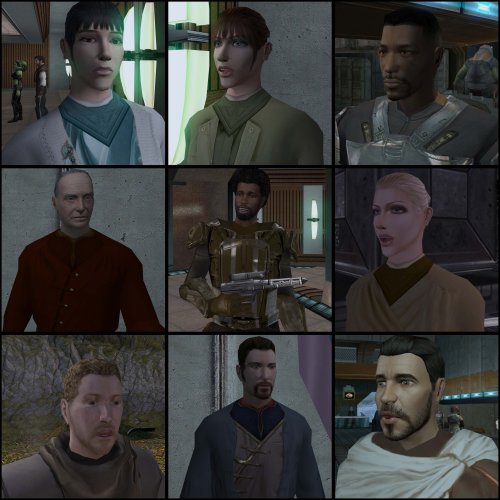
Version 1.0.0
267 downloads
===================================================== [TSL] Lily's NPC Overhaul - HD Models & Added Diversity ===================================================== Mod for Knights of the Old Republic II - The Sith Lords Author: Lily File Name: NPC_Overhaul.zip Latest Version: 1.0 --- 1. DESCRIPTION: Tired of nearly every basic human NPC looking the same? This mod overhauls the human NPC (commoner) appearances in KotOR II. Heads: - Tweaks several of the models to adjust hair and fix some UV mapping. - 39 head textures are included, 35 reworked and 4 extra ones. They look much more distinct than the vanilla ones. - The heads are more evenly distributed across characters so, for example, 75% of white male heads were previously "white male 1" and now it should evenly by spread across all of the white male heads. - Ralon on Dantooine is given his unique appearance that I guess they made and forgot to give him... Clothing: - 11 updated clothing texture sets for the standard male and female commoner outfits. --- 2. INSTALLATION: Run Install.exe and select your KotOR 2 game directory. There are 2 installation options. - Heads: includes 39 updated heads with unique looks and gives human NPCs more unique appearances. - Clothing: includes 11 updated clothing textures for both male and female NPCs. These two options are independent and can be installed in either order, or separately. A "backup" folder is created by the installer in the same directory. Don't delete it if you plan to uninstall later. --- 3. UNINSTALLATION: Run Install.exe, select your KotOR 2 directory, and use the "Tools > uninstall/restore backup" option to revert all changes made by this mod. --- 4. KNOWN ISSUES: If you have already visited Dantooine, Ralon may not have his updated appearance. You should use a save from before arriving. If you find any bugs or problems, please report them. --- 5. MOD COMPATIBILITY: Should be compatible with all mods other than ones that also attempt to change commoner NPC appearances. Compatible with TSLRCM. Do not use the Steam Workshop for KotOR. It will almost certainly end with compatibility issues. --- 6. SUPPORT: My mods are free to use. You do not need to pay for them, but if you would like to say thanks, you can buy me a coffee! --- 7. PERMISSIONS: Please let me know if you plan on using any of the files in my mod for your own mod. The answer is "yes you may", but I would like to know what you are doing with it! Do not directly reupload this mod anywhere else. --- 8. THANKS: - Dark Hope - Uses assets from her various commoner head mods. MOST of the clothing uses Dark Hope's textures. Pretty much all credit for the clothing portion of this mod goes to her other than swapping her alternate textures into the additional slots that KotOR II uses! Thank you! https://deadlystream.com/profile/16561-dark-hope/content/?type=downloads_file&change_section=1 https://deadlystream.com/files/file/2516-npc-clothing-m/ https://deadlystream.com/files/file/2515-npc-clothing-f/ - Vurt - Some of the clothing textures - redrob41 - Original model fixes - Fred Tetra - KotOR Tool - Cortisol - Holocron Toolset & HoloPatcher - Fair Strides - TSLPatcher - seedhartha - KotOR Blender THIS MODIFICATION IS NOT SUPPORTED BY BIOWARE/OBSIDIAN ENTERTAINMENT OR LUCASARTS OR ANY LICENSORS/SPONSORS OF THE MENTIONED COMPANIES. USE THIS FILE AT YOUR OWN RISK.2 points -
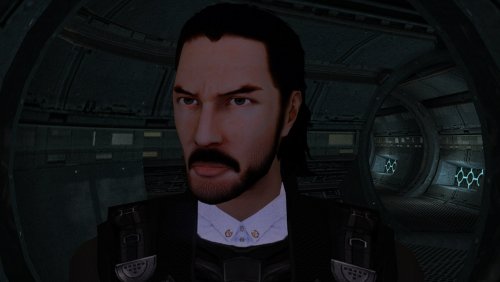
Version 1.0.0
186 downloads
The mod replaces the PMHC04 model and textures. Adjusted model by ShaolinGhost "Keanu Reeves Inspired Player Head (K1) 1.1.1" Artifacts have been fixed and the model has been adjusted to fit cutscenes. Thanks to DarthParametric for consultation. To Install 1. Download: PMHC04 2. Copy all files to the Knights of the Old republic's Override folder. (Example location - C:\Program Files (x86)\Steam\steamapps\common\swkotor\Override) 3. When/if prompted to overwrite files, press okay. 4. If you like the mod; leave a comment or endorse! (It would be much appreciated) Made with love.2 points -
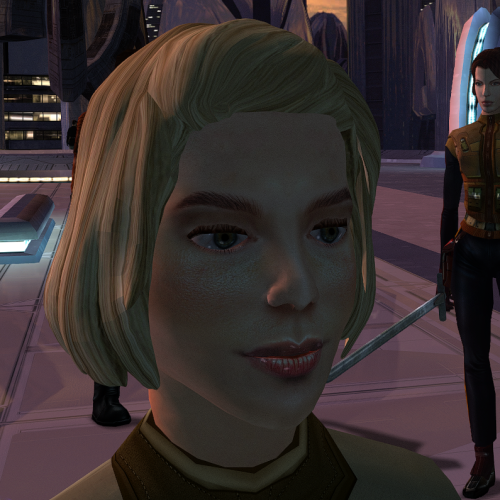
Version 1.0.0
161 downloads
The mod replaces the ChildF model and textures. To Install 1. Download: ChildF 2. Copy all files to the Knights of the Old republic's Override folder. (Example location - C:\Program Files (x86)\Steam\steamapps\common\swkotor\Override) 3. When/if prompted to overwrite files, press okay. 4. If you like the mod; leave a comment or endorse! (It would be much appreciated) Made with love.2 points -
Version 1.0.1
370 downloads
Expands the mechanics of training your Jedi companions in TSLRCM. SUMMARY TSLRCM adds the ability to teach your Jedi party members a select few powers, feats, and forms. It’s a cool concept that adds to the feeling of training your companions, but it was never very fleshed out. As is, there’s a very limited pool of abilities to teach, no real player choice in what to teach, and no depiction of the training aside from a fade to black. This isn’t a fault of the TSLRCM team, there just wasn’t much to restore. The mod aims to expand the whole training mechanic to make it more interesting and immersive. Summary of the main changes of this mod: - You can now choose which abilities to teach your companions. - The pool of teachable powers, feats and forms has been significantly expanded. - Every teachable ability now includes a brief cutscene depicting the training. - Party members can learn 1 power or feat and 1 form at a time and must level up before learning more. - Different prestige classes can teach different abilities. JM/SL can teach a wider selection of powers, JWM/SM can teach more combat feats, and JW/SA can teach a mix of both. - Handmaiden and Disciple can now be trained like other Jedi companions. DETAILS INSTALLATION TSLRCM required. Ensure TSLRCM is installed first before installing this mod. To install, run HoloPatcher.exe. Select the main install option and run. Unaltered copies of any modified files will be placed inside the "backup" folder in the location of HoloPatcher.exe. If you have PartySwap installed, run the included compatibility patch. Ensure both PartySwap and the main mod have been installed first before installing this patch. UNINSTALLATION Remove the following files from override: If any files were created inside the backup folder, move them to override. COMPATIBILITY Incompatible with any mods that hard overwrite the dlg files for Atton, Bao-Dur, Disciple, Handmaiden, Mira, or Visas. Compatible with PartySwap by Darth Tyren & Leilukin using the included compatibility patch. Compatible with Visas Marr and Female Exile Romance by Leilukin. The following mods appear compatible but have not been extensively tested: Handmaiden and Female Exile - Disciple and Male Exile Romance by Leilukin Atton Rand and Male Exile Romance by Leilukin Not compatible with Mira Romance Mod by JediArchivist. Soft conflict with Train the Handmaiden by jc2 as this mod also allows training Handmaiden. BUGS Minor bug where Handmaiden doesn’t restart her idle animation after learning Burst of Speed, for some reason. Talking to her fixes it. No other bugs that I’m aware of. Please report any. PERMISSIONS You are free to use and edit this mod’s dlg files if needed to make a compatibility patch for another mod. However, please ask permission before reuploading or modifying the files for any other reason. Do not reupload any files from the PartySwap patch without permission from the author. CREDITS offthegridmorty zbyl2, DarthStoney, Hassat Hunter, VarsityPuppet & contributors - TSLRCM dlg files DarthTyren, Leilukin - PartySwap dlg files HoloPatcher - Cortisol, th3w1zard1 TSLPatcher - stoffe, Fair Strides KOTOR Tool - Fred Tetra K-GFF - tk102 AniCam - JdNoa Reone Toolkit Lip Composer - seedhartha Holocron Toolset - Cortisol, th3w1zard11 point -

Version 3.7
1,264 downloads
VANILLA PLANETS HD A VANILLA-FAITHFUL ENVIRONMENTAL TEXTURE OVERHAUL ━━━━━━━━━━━━━━━━━━━━━━━━━━━━━━━━━━━━ OVERVIEW ━━━━━━━━━━━━━━━━━━━━━━━━━━━━━━━━━━━━ Vanilla Planets HD is an environmental texture upscale for Star Wars: Knights of the Old Republic II — The Sith Lords. The mod upscales the game’s planet, area, environmental, screen, display, and panel textures using Topaz Gigapixel at up to four times their original resolution. The goal is to keep KOTOR II as close to its original visual style as possible while making the textures cleaner, sharper, and more detailed. I created this mod because I wanted an HD environmental overhaul that preserved the original materials without making surfaces excessively reflective or glossy. There are no ReShade presets, lighting edits, shader changes, or major visual redesigns. FEATURES ━━━━━━━━━━━━━━━━━━━━━━━━━━━━━━━━━━━━ • Planet and area textures upscaled at up to 4x resolution • All major environments included • Screens, displays, monitors, and panels included • Ebon Hawk interior and exterior included • Optimized TPC textures • Vanilla-faithful appearance • Separate add-ons for TSLRCM and the KOTOR 2 Community Patch INCLUDED AREAS ━━━━━━━━━━━━━━━━━━━━━━━━━━━━━━━━━━━━ Peragus and the Harbinger Telos Ebon Hawk Interior and Exterior Dantooine Dxun Onderon Nar Shaddaa Korriban Malachor V Shared planet and environmental textures Screens, displays, monitors, and panels DOWNLOADS ━━━━━━━━━━━━━━━━━━━━━━━━━━━━━━━━━━━━ There are three files total. MAIN FILE The complete Vanilla Planets HD texture overhaul. This file is required for all users. TSLRCM ADD-ON Additional textures for users of The Sith Lords Restored Content Mod. Requires the Vanilla Planets HD main file and TSLRCM. KOTOR 2 COMMUNITY PATCH ADD-ON Additional textures for users of the KOTOR 2 Community Patch. Requires the Vanilla Planets HD main file and the KOTOR 2 Community Patch. INSTALLATION ━━━━━━━━━━━━━━━━━━━━━━━━━━━━━━━━━━━━ UPDATING FROM A PREVIOUS VERSION If you are updating from a previous version of Vanilla Planets HD, delete the following files from your override folder if they are present: DAN_blst03.tpc DAN_fall.tpc DAN_gobo1.tpc DAN_gobo2.tpc DAN_LBms.tpc DAN_leaf02.tpc DANfx_mots.tpc KOR_lightbeams.tpc DXN_treeline2.tpc PLC_Water01b.tpc After removing these files, install the new version normally using the instructions below. MAIN FILE 1. Download and extract the Vanilla Planets HD main file. 2. Copy the included override folder into your main KOTOR II installation directory. 3. replace files if prompted. ADD-ONS If you use TSLRCM or the KOTOR 2 Community Patch, install the corresponding Vanilla Planets HD add-on after installing the main file. If you use both TSLRCM and the KOTOR 2 Community Patch, install the TSLRCM add-on first, followed by the KOTOR 2 Community Patch add-on. Replace files when prompted. Highly Recommended After Installation After installation, download and install Remove Duplicate TGA-TPC. Run the included .bat file and delete any duplicate TGA files. IMPORTANT The TSLRCM and KOTOR 2 Community Patch files are add-ons and are not standalone downloads. Always install the Vanilla Planets HD main file first. SKYBOXES AND BACKDROPS ━━━━━━━━━━━━━━━━━━━━━━━━━━━━━━━━━━━━ Vanilla Planets HD does not replace the game’s major skyboxes, distant backdrops, or cockpit window views. These assets were intentionally left untouched because Kexikus has already created excellent high-resolution skybox and backdrop mods, while tjsase has created a dedicated mod for the cockpit views. The following mods are highly recommended: High Quailty Skyboxes II TSL Backdrop Improvements TSL HD Cockpit Skyboxes COMPATIBILITY ━━━━━━━━━━━━━━━━━━━━━━━━━━━━━━━━━━━━ Vanilla Planets HD is compatible with most gameplay, character, interface, bug-fix, and audio mods. Conflicts may occur with other planet or environmental texture overhauls that replace the same files. When two mods contain textures with the same filename, the files installed last will take priority. CREDITS ━━━━━━━━━━━━━━━━━━━━━━━━━━━━━━━━━━━━ Obsidian Entertainment and BioWare — Original KOTOR II textures and assets ━━━━━━━━━━━━━━━━━━━━━━━━━━━━━━━━━━━━ VANILLA PLANETS HD The original worlds of KOTOR II in higher definition.1 point -
Version 1.0.0
117 downloads
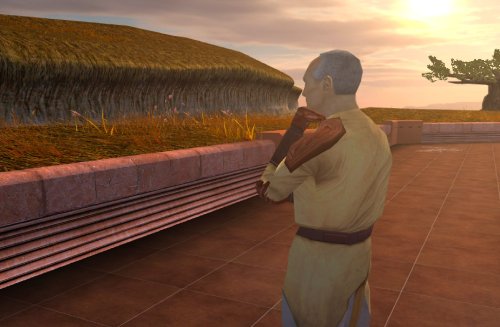
Despawns Nemo once you cleanse the grove. DESCRIPTION After returning to the Enclave from cleansing the grove, the Council gives you a mission to investigate the nearby ruins, telling you they already sent a Jedi to investigate and fear the worst since he hasn’t returned. This Jedi turns out to be Nemo, but since the game doesn’t despawn Nemo from the courtyard until after this conversation, you’ll literally pass him on your way into the Enclave. Apparently the whole time they were awaiting his return he was standing outside reflecting on the beauty of nature, before suddenly remembering he was supposed to be doing something and sprinting over to the ruins. This mod fixes the issue so Nemo will no longer be outside the Enclave once you have cleansed the grove. INSTALLATION Move the file from “to override” to your override folder. UNINSTALLATION Remove k_pdan_14a_area.ncs from your override folder. COMPATIBILITY Compatible the KOTOR 1 Community Patch, which this mod forwards the script changes from. Not compatible with other mods that edit the script k_pdan_14a_area.ncs, though I’m not aware of any. PERMISSIONS You may use this mod however, but any redistribution or modification should include the source script, maintaining the comment headers and credit to K1CP. CREDITS offthegridmorty JC, DarthParametric - K1CP source script for k_pdan_14a_area1 point -
Version 1.1.0
156 downloads
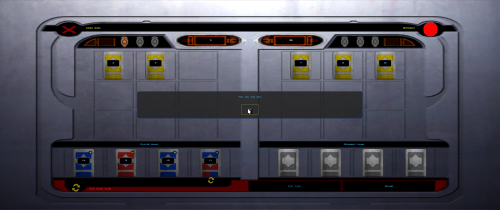
In the vanilla game, the player always goes first. This means you're more likely to bust, since you'll always have one more bust-possible draw than the AI at any given time. It also means the AI can look at your hand and Stand, where you have to Stand before you see their next draw. How to install: Unzip and put the following in the game dire (beside swkotor.exe): FairPazaak.exe, Apply Fair Pazaak Patch.bat, and Revert Fair Pazaak Patch.bat Double click Apply Fair Pazaak Patch.bat If switching between versions, make sure that you use the Revert bat BEFORE using the Apply bat of the other version! Requirements Only requires KOTOR Editable Executable (https://deadlystream.com/files/file/1320-kotor-editable-executable/). This mod is entirely compatible with any and all Pazaak deck mods like Easy Pazaak or Balanced Pazaak. readme.txt1 point -
Hello there, I use Deadly stream semi-regularly to keep of with kotor modding things. I noticed that after the redesign the site became borderline unusable for me. With extreme stuttering when trying to scroll down the page. I finally got around to profiling the issues today. I am on Firefox, I typically run with the config `layers.acceleration.disabled = true`, which disabled a lot of the hardware acceleration. For 99% of website this isn't a problem. However, Deadlystream seems to rely and the render pipeline HARD, such that when I would access the site with that setting, my CPU would jump to 100%. I was rasterizing at 2560×1440 with 1.25× scaling (about 4.6 million pixels) at 60 fps. A tough job sure, but nothing a modern CPU shouldn't be able to handle. Looking into the profiling results I had several findings: It would seem the entire viewport is getting re-rasterized on every scroll. Freeing basically all of the picture cache tiles. Scrolling should translate cached tiles, not redraw them. Something is killing WebRender's tile cache completely. The layout is also being flushed every frame from what I can tell. In my 7 second profile I saw around 304 reflows (40+ per second). Something in the JS handling scrolling is not behaving here This seems related to however the scroll bar is handled. To recreate: Using a recent version of Firefox Open `about:config` in the search bar Find the `layers.acceleration.disabled ` setting, and set it to true Load up Deadlystream and attempt to scroll1 point
-
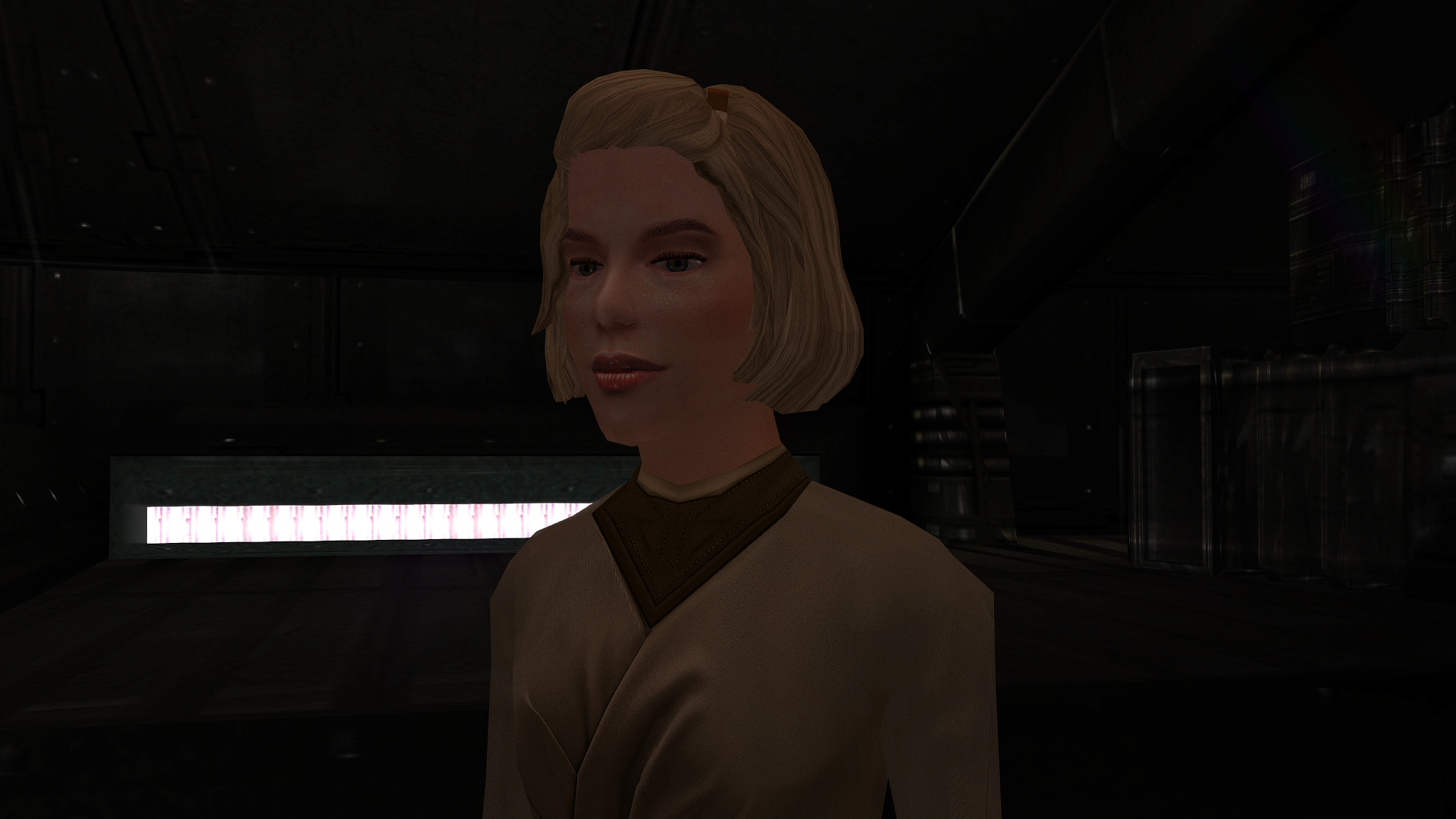
The mod has been sent for publication.
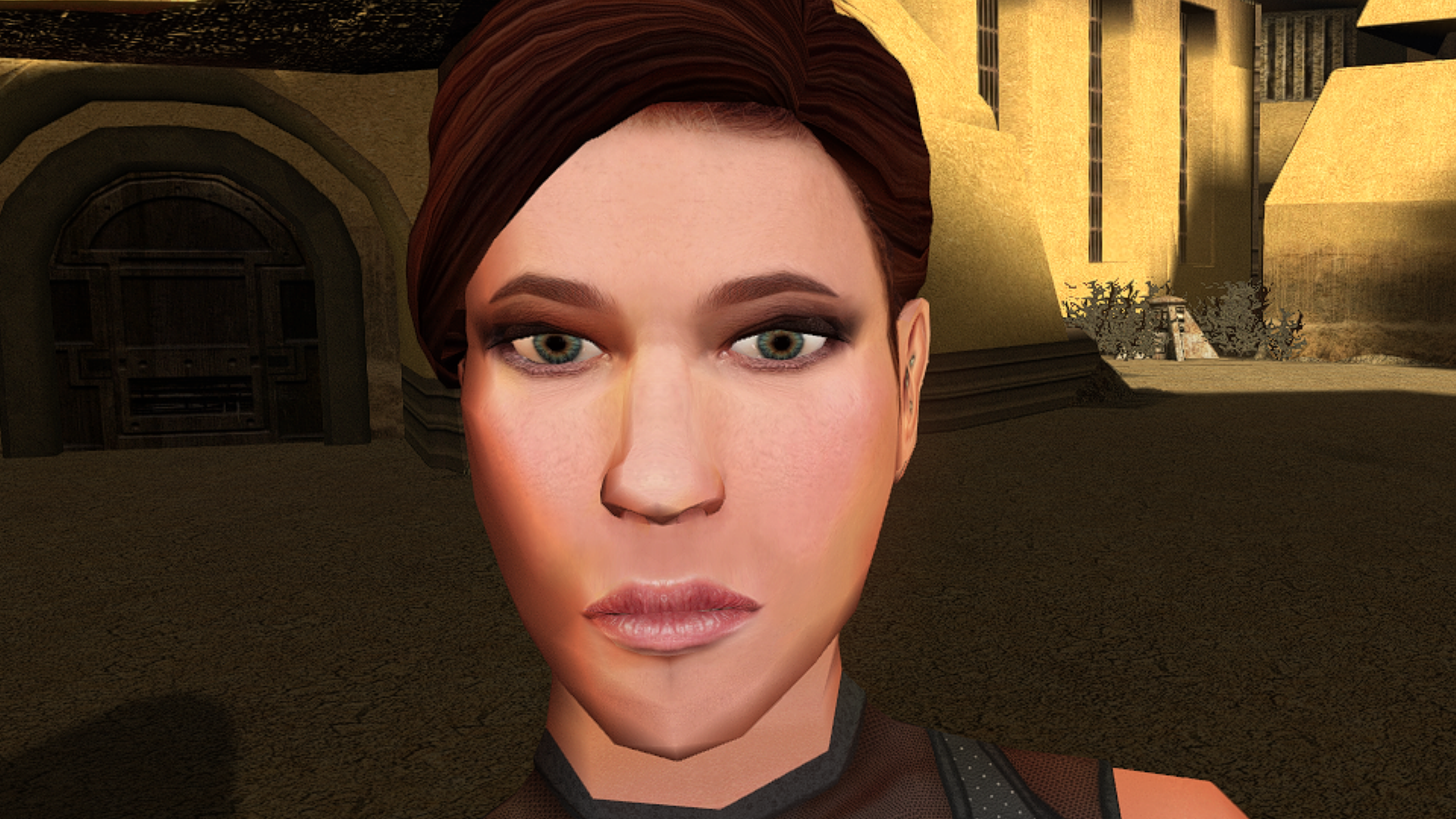 1 point
-
View File Nemo's Timely Departure Despawns Nemo once you cleanse the grove. DESCRIPTION After returning to the Enclave from cleansing the grove, the Council gives you a mission to investigate the nearby ruins, telling you they already a Jedi to investigate and fear the worst since he hasn’t returned. This Jedi turns out to be Nemo, but since the game doesn’t despawn Nemo from the courtyard until after this conversation, you’ll literally pass him on your way into the Enclave. Apparently the whole time they were awaiting his return he was standing outside reflecting on the beauty of nature, before suddenly remembering he was supposed to be doing something and sprinting over to the ruins. This mod fixes the issue so Nemo will no longer be outside the Enclave once you have cleansed the grove. INSTALLATION Move the file from “to override” to your override folder. UNINSTALLATION Remove k_pdan_14a_area.ncs from your override folder. COMPATIBILITY Compatible the KOTOR 1 Community Patch, which this mod forwards the script changes from. Not compatible with other mods that edit the script k_pdan_14a_area.ncs, though I’m not aware of any. PERMISSIONS You may use this mod however, but any redistribution or modification should include the source script, maintaining the comment headers and credit to K1CP. CREDITS offthegridmorty JC, DarthParametric - K1CP source script for k_pdan_14a_area Submitter offthegridmorty Submitted 08/23/2026 Category Mods K1R Compatible Yes1 point
-
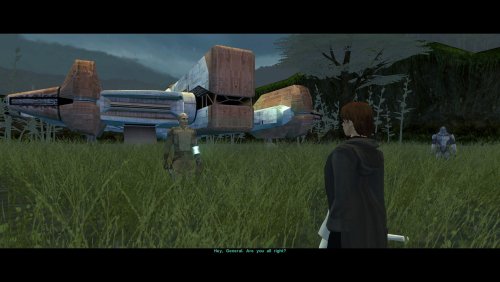
Version 1.0
107 downloads
As you know, there's a story segment on Dxun where your party splits up. While you're off to Onderon, the other group goes to explore the jungle. After everything's done, there's a little reunion scene with the party leader of your choosing, just a few lines between the Exile and their companion before Kreia interrupts. Turns out, despite being one of the possible party leaders, Bao-Dur was the only one who didn't have any lines at all. The game simply skipped straight to Kreia rather abruptly. This little fix adds that missing reunion scene with Bao-Dur, provided he's been chosen to lead the party on Dxun, putting him on par with all other companions. Requirements: TSLRCM — for being able to send Bao-Dur at all. Notes: The mod can be installed and uninstalled at any time; the changes are minimal and safe. Since these lines weren't even cut originally (they were just missed), I've reused some of Bao-Dur's existing voice lines that I deemed fit the occasion perfectly. Installation: Copy following file from archive's "Override" folder to yours: reunion.dlg. Credits: Fred Tetra, for KOTOR Tool TK102, for DLGEditor Torlack, stoffe & TK102, for NWNSSCOMP JdNoa & Dashus, for DeNCS Cortisol, for Holocron Toolset1 point -
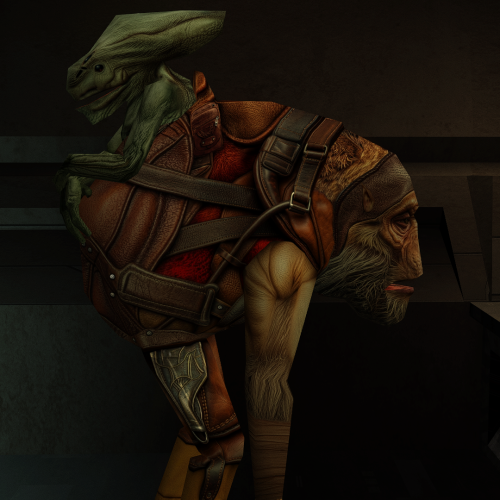
Version 1.0.0
219 downloads
This mod will replace and update texture files. To Install 1. Download: Paaerduag HD.rar 2. Copy all files to the Knights of the Old republic's Override folder. (Example location - C:\Program Files (x86)\Steam\steamapps\common\swkotor\Override) 3. When/if prompted to overwrite files, press okay. 4. If you like the mod; leave a comment or endorse! (It would be much appreciated) Made with love1 point -
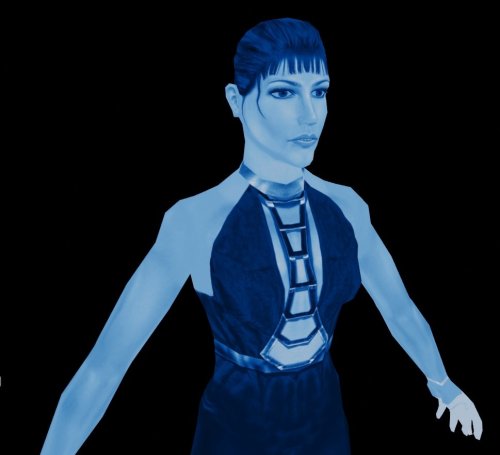
Version 1.0.0
228 downloads
I created textures for the Movie-Style Holograms For Twisted Rancor Trio Puzzle 1.0.0 mod. 1. Download: DP_Holo.rar 2. Copy all files to the Knights of the Old Republic's Override folder. (Example location - C:\Program Files (x86)\Steam\steamapps\common\swkotor\Override) 3. Delete the .tpc files with the same name.. 4. If you like the mod; leave a comment or endorse! (It would be much appreciated) Made with love.1 point -
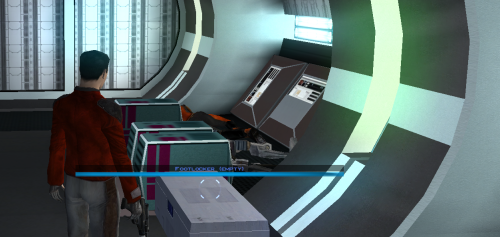 This should absolutely be included in the K1 Community Patch. I've been waiting 20 years for this!1 point
-

Version 1.0.0
107 downloads
HD head for Bastila. (Recommended to use it with the Party Model fixes and HD Bastila mod by redrob41.)1 point -
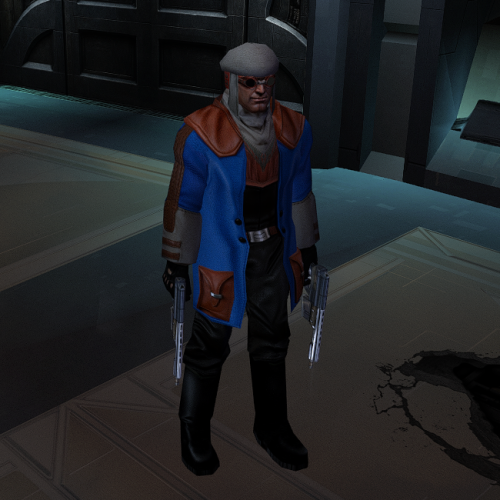
Version 1.0.0
239 downloads
This mod will replace and update texture files. To Install 1. Download: CaloNord.rar 2. Copy all files to the Knights of the Old republic's Override folder. (Example location - C:\Program Files (x86)\Steam\steamapps\common\swkotor\Override) 3. When/if prompted to overwrite files, press okay. 4. If you like the mod; leave a comment or endorse! (It would be much appreciated) Made with love1 point -
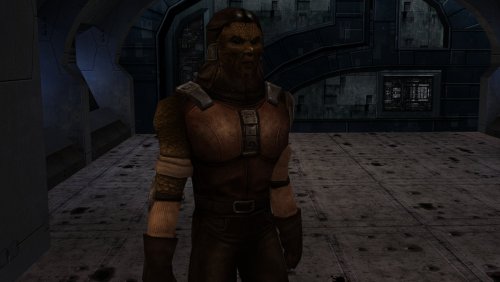
Version 1.0.0
260 downloads
Новые HD-текстуры для Niktos Vulkar Swoopgang. Модифицированные текстуры для Niktos Swoopgang от Detran. Оригинальный источник: https://www.nexusmods.com/kotor/mods/1766?tab=description To Install 1. Download: Kadas'sa'Nikto.rar 2. Copy all files to the Knights of the Old republic's Override folder. (Example location - C:\Program Files (x86)\Steam\steamapps\common\swkotor\Override) 3. When/if prompted to overwrite files, press okay. 4. If you like the mod; leave a comment or endorse! (It would be much appreciated) Made with love1 point -
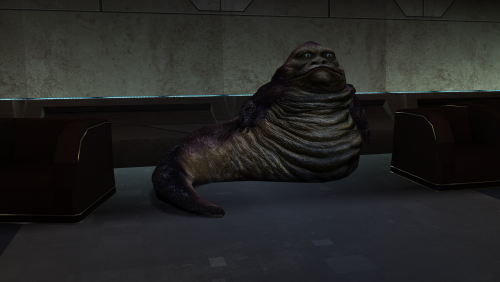
Version 1.0.0
281 downloads
Modified textures for Detran's Hutt Original source: https://www.nexusmods.com/kotor/mods/1743 To Install 1. Download: Hutt.rar 2. Copy all files to the Knights of the Old republic's Override folder. (Example location - C:\Program Files (x86)\Steam\steamapps\common\swkotor\Override) 3. When/if prompted to overwrite files, press okay. 4. If you like the mod; leave a comment or endorse! (It would be much appreciated) Made with love1 point -
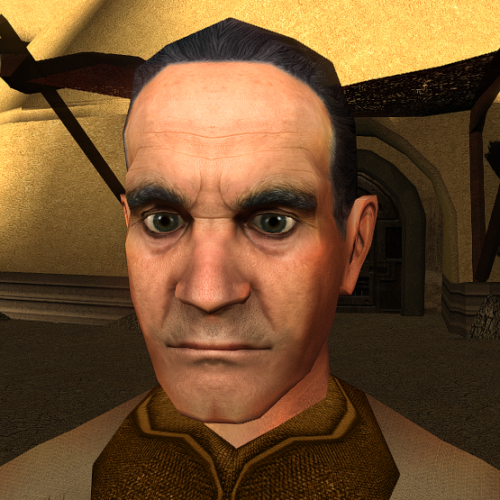
Version 1.0.0
6,921 downloads
This mod will replace and update texture files. To Install 1. Download:N_DeadeyeH01.rar 2. Copy all files to the Knights of the Old republic's Override folder. (Example location - C:\Program Files (x86)\Steam\steamapps\common\swkotor\Override) 3. When/if prompted to overwrite files, press okay. 4. If you like the mod; leave a comment or endorse! (It would be much appreciated) Made with love1 point -
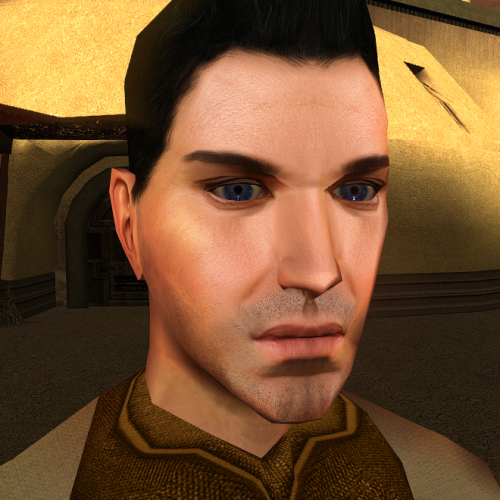
Version 1.0.0
446 downloads
This mod will replace and update texture files. To Install 1. Download:N_Comm_w_m.rar 2. Copy all files to the Knights of the Old republic's Override folder. (Example location - C:\Program Files (x86)\Steam\steamapps\common\swkotor\Override) 3. When/if prompted to overwrite files, press okay. 4. If you like the mod; leave a comment or endorse! (It would be much appreciated) Made with love1 point -
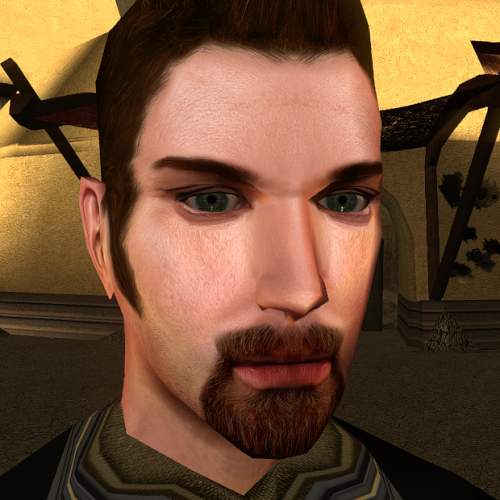
Version 1.0.0
410 downloads
This mod will replace and update texture files. To Install 1. Download: N_Comm_w_m02.rar 2. Copy all files to the Knights of the Old republic's Override folder. (Example location - C:\Program Files (x86)\Steam\steamapps\common\swkotor\Override) 3. When/if prompted to overwrite files, press okay. 4. If you like the mod; leave a comment or endorse! (It would be much appreciated) Made with love1 point -
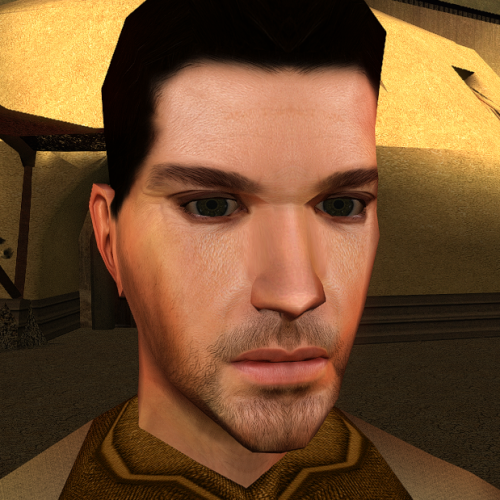
Version 1.0.0
437 downloads
This mod will replace and update texture files. To Install 1. Download:N_TatComW_M.rar 2. Copy all files to the Knights of the Old republic's Override folder. (Example location - C:\Program Files (x86)\Steam\steamapps\common\swkotor\Override) 3. When/if prompted to overwrite files, press okay. 4. If you like the mod; leave a comment or endorse! (It would be much appreciated) Made with love1 point -
Version 1.0.2
62 downloads
Improves the mechanics of bashing locked containers. DESCRIPTION KOTOR 2 added a neat little mechanic that makes it so bashing containers has a chance of breaking some of the items inside, adding risk and incentivizing putting points in Security or bringing along the right companion to help out. At least, that’s what the game wants you to think. In truth, this is one of TSL’s several illusory mechanics which don’t really work the way you think. Here’s how it actually works: Some containers, when unlocked with Security, get a random number of low value items added to their inventory. If you instead bash a container, a random number of broken items are added to the container’s inventory. Nothing inside the container is actually broken. The first issue with this is that high value items like weapons or upgrades are never broken, making bashing not all that risky, especially later in the game. What’s much worse though is that many of the locked containers in the game actually get a flag set when initially populated that blocks Security from adding the “not broken” items. This means there is no advantage to using Security on these containers outside of saving time. In fact, by bashing you at least get a few broken items you can use for components, and you lose nothing. Another more mundane issue is that many locked containers are simply missing the bashing script, causing the game to abandon this mechanic which it initially presents as important. This mod overhauls the bashing mechanic, not only fixing its bugs and making it work the way you’d expect, but also giving it more depth and impact. When you bash a container, there is a chance to break some of the items that are actually inside. You may break multiple items or none at all, with it being most likely to break a small but nonzero number of items. Breakable items now include more valuable items such as weapons, shields, droid tools, implants, upgrades, etc. Armor and droid plating cannot be broken since, well, they’re designed to resist being broken. Plot items and datapads are all protected from being broken, in addition to credits, components, and chemicals. Some feats, effects and weapons will affect how likely you are to break items. Finesse reduces the chance of breaking an item when using a melee weapon while Precise Shot reduces the chance of breaking an item when using a ranged weapon. Using the Plasma Torch also reduces the chance of breaking items. On the other hand, being under the effects of Fury or Wookie Rage will significantly increase the chance of breaking items. INSTALLATION To install, run HoloPatcher.exe. Unaltered copies of any modified files will be placed inside a backup folder in the location of HoloPatcher.exe. UNINSTALLATION Remove k_contain_bash.ncs and m_plc_treasdisp.ncs from Override. If k_contain_bash.ncs was created inside the backup folder, move it to Override. Remove the following files from Modules: 101PER.mod, 102PER.mod, 103PER.mod, 105PER.mod, 106PER.mod, 151HAR.mod, 152HAR.mod, 153HAR.mod, 262TEL.mod, 301NAR.mod, 302NAR.mod, 303NAR.mod, 305NAR.mod, 404DXN.mod, 506OND.mod, 601DAN.mod, 610DAN.mod, 650DAN.mod, 851NIH.mod, 852NIH.mod, 903MAL.mod If any .mod files were created inside the backup folder, move them to Modules. COMPATIBILITY Should be compatible with most mods unless they edit the k_contain_bash script. PERMISSIONS Feel free to do whatever you want with this mod, just give credit. CREDITS offthegridmorty HoloPatcher - Cortisol, th3w1zard1 TSLPatcher - stoffe, Fair Strides KOTOR Tool - Fred Tetra DeNCS - JdNoa, Dashus0 points -
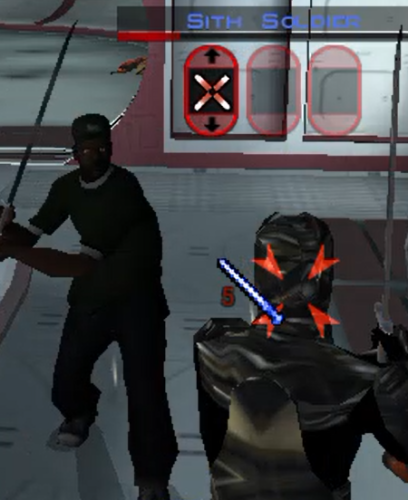 It's an essential lol.0 points
-

Version 1.0.0
16 downloads
K1SE is a script extender for KOTOR 1, in the same tradition as SKSE, OBSE, and NWNX. It is a DLL that loads with the game and gives NWScript functions BioWare never exposed. You write ordinary scripts, compile them with your normal compiler, and add one include line. This is a tool for mod authors. It does not change anything in the game by itself. On its own it is invisible. BEFORE YOU DOWNLOAD: Steam only, and only some Steam builds Every address K1SE uses was derived from one game executable on one machine. At launch it checks your game against eleven fingerprints, and if they do not match it refuses to install and does nothing at all. GOG, retail disc, localized builds, and anything patched have never been tested. Not broken, just never looked at. That refusal is deliberate. K1SE will not run against offsets it cannot confirm, so it cannot quietly corrupt a save on a build it does not recognize. But it does mean the honest supported list right now is a single build. docs/SCOPE.md in the archive lays out exactly what the evidence base is. WHAT IT ADDS Bitwise and integer math. AND, OR, XOR, NOT, three shift variants, popcount, plus min, max, clamp, sign, Euclidean modulo, integer power, and integer square root. NWScript has no bitwise operators at all, so if you have been faking bit flags with arithmetic, that is over. A key-value store. Set and get strings or integers by string key, test existence, delete. In memory only, cleared when the game restarts, 256 entries. Useful for passing state between scripts inside a session. It is not a save system. Feats, skills, and saving throws. Grant or remove a feat, adjust skill ranks, adjust Fortitude, Reflex, and Will base saves. These write into the character and survive save and reload. Utility. A version check, a build id string, an error code you can read after a refused operation, and a logging call so you can drop your own markers into K1SE's log alongside what K1SE did. Full signatures and notes for every function are in docs/API.md. READ THIS IF YOU USE THE FEAT FUNCTIONS A granted feat is permanent. It is written into the creature's feat array and it survives saving and reloading. KOTOR has no engine path that removes an array feat, so K1SE's remover is the only one that exists, and it persists too. Treat every grant as one-way until you have tested removal inside your own mod. Test on a save you do not care about. The same applies to skills and saving throws. INSTALLATION 1. Open your KOTOR folder, the one with swkotor.exe in it. On Steam: right click the game, Manage, Browse local files. 2. Rename the existing binkw32.dll to binkw32_real.dll. 3. Copy K1SE's binkw32.dll into that folder. 4. Copy kse.nss to wherever your script compiler looks for includes. 5. Launch the game. K1SE writes a log to %LOCALAPPDATA%\KSE\kse.log and the top of it tells you whether it loaded. K1SE forwards every call to the real library, so the game behaves normally whether or not K1SE installs itself. UNINSTALLATION Delete K1SE's binkw32.dll and rename binkw32_real.dll back to binkw32.dll. That is the whole uninstall. The only other thing K1SE leaves is its log folder, which you can delete. THE THING THAT WILL CATCH YOU OUT If K1SE is not loaded, K1SE calls do not throw an error. They silently return zero. That is indistinguishable from your mod being broken. Guard every script that uses K1SE: if (KSE_GetVersion() <= 0) return; Use <= 0 and not == 0. An older K1SE returns a negative number rather than zero, and == 0 would let it through. If a K1SE script appears to do nothing, read kse.log. It is the only place that records whether K1SE loaded and, if it refused, which fingerprint failed. COMPATIBILITY Requires the binkw32.dll slot. If you already run another mod that replaces binkw32.dll, the two will conflict and you will have to pick one. KOTOR 2 is not supported and has not been tested. Stability: K1SE ran for 7 hours 10 minutes under sustained script load without crashing or degrading. That is a run length result, not a leak measurement. No leak measurement has been made. WHAT WOULD HELP MOST One read-only check on a non-Steam install. GOG, retail disc, anything that is not the build this was developed against. More testing on my own machine cannot widen the supported list, because it is the same single witness re-attesting itself. One run on a different copy of the game is the contribution that actually changes what this project covers. Come to the Discord if you are willing. PERMISSIONS MIT licensed. Use it, modify it, redistribute it, bundle it inside your own mod, commercial or not. Keep the copyright notice and license text with it. No permission request needed. SUPPORT Discord: https://discord.gg/EqR7uqQy3f Bug reports, questions, and "it will not work on my copy" all welcome. Attach your kse.log. It answers the did-it-load question in about two seconds.0 points -
Version 1.0
178 downloads
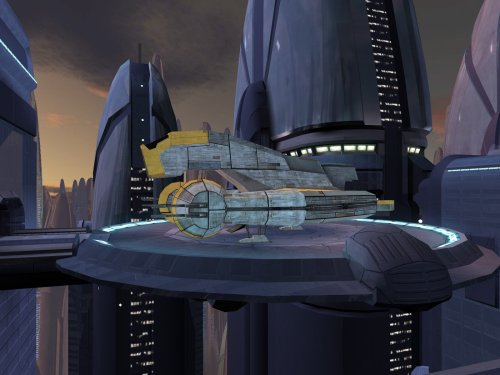
This mod replaces the freighters parked outside the Sith base on Taris with the higher-quality version from Manaan. While I was at it, I also patched a large hole in the bottom of the upper freighter's landing platform. Lastly, I have replaced the freighters' texture with higher-resolution version from elsewhere in the original game files. Thank you for downloading, and I hope you enjoy this mod! ------------------------------------------------------------------- INSTALLATION Copy all files in "Installation" to your game's Override folder. If you are using a mod that reskins the freighter, do not copy "v_freightl02.tpc" into Override. ------------------------------------------------------------------- UNINSTALLATION Delete the files back out of the Override folder. ------------------------------------------------------------------- COMPATIBILITY This mod is compatible with the KOTOR 1 Community Patch (K1CP). It is incompatible with mods which edit m02ab_03b.mdl/mdx/wok. If you are using a mod that reskins the freighter, see the INSTALLATION section for special instructions. ------------------------------------------------------------------- CREDITS KotorBlender by seedhartha Kotor Tool by Fred Tetra Holocron Toolset by Cortisol and th3w1zard1 TGA2TPC by ndix UR Thanks to Dark Hope for requesting this mod and for pointing out the higher-quality version of the freighter on Manaan. ------------------------------------------------------------------- VERSION HISTORY 1.0 - Initial Release ------------------------------------------------------------------- DISCLAIMER AND PERMISSIONS This modification is provided as-is and is not supported by Disney, Lucasarts, or Bioware. Use at your own risk. The author shall not be held responsible for damage to your game installation, computer, or saved games resulting from the use of this mod. These models may be used as a basis for mods which make additional edits to the same models as long as appropriate credit is given to this mod's author. Other uses require the author's permission. This mod shall not be reposted on any sites other than Deadly Stream without permission.0 points -

Version 2.0
68,065 downloads
New HD texture for Malek. Resolution of the texture of the head 1024X1024. Resolution of the body texture 2048x2048. The texture is made from scratch. You can choose between blue eyes and red. Look at the comparison picture to get a better idea: To Install 1. Download 2. Copy all files to the Knights of the Old republic's Override folder. (Example location - C:\Program Files (x86)\Steam\steamapps\common\swkotor\Override) 3. When/if prompted to overwrite files, press okay. 4. If you like the mod; leave a comment or endorse! (It would be much appreciated) Made with love.0 points